 PHOENIX USB
Quick Start Guide
Thank you for buying our PhoenixUSB.
This quick start guide will show you how to get started with your new PhoenixUSB.
Should you have problems please contact [email protected] and we’ll be happy to assist you.
Box Contents
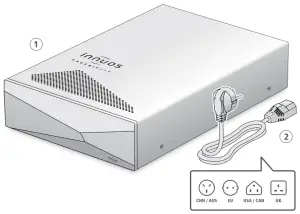
- Innuos PhoenixUSB
- Mains Cable
Connect PhoenixUSB to mains power
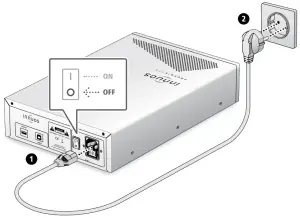
 Make sure your PhoenixUSB is powered off before connecting the AC Mains Cable.
Connect PhoenixUSB to Source and DAC
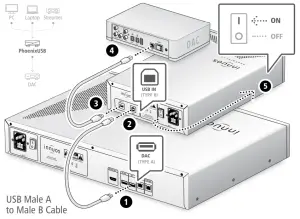
Power Off
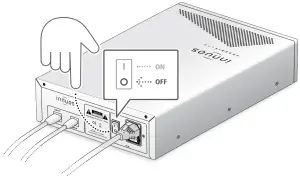

For more information and for the latest version of this quick start guide please visit:
innuos.com/support