
Contents hide
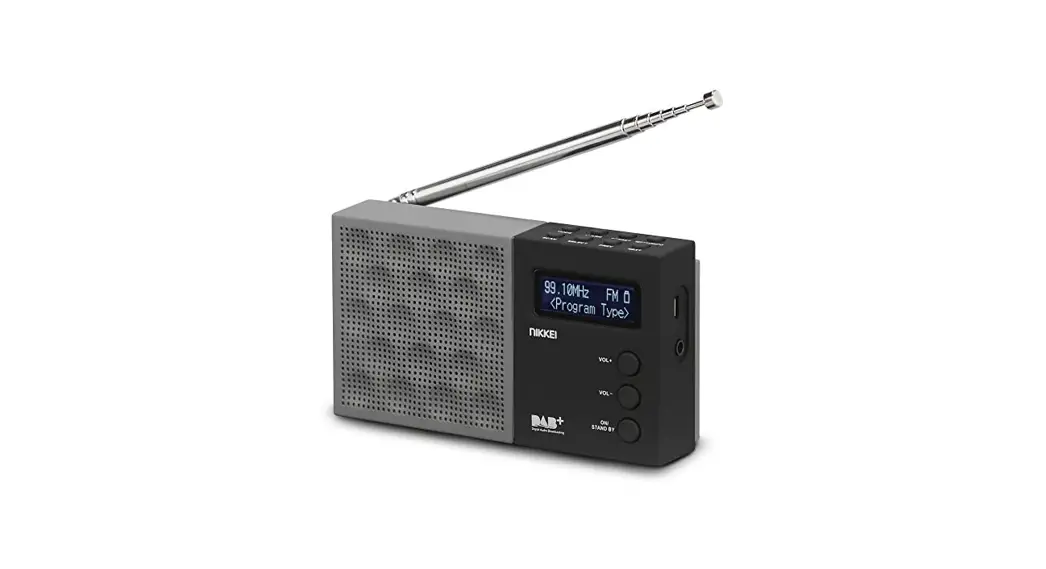
Aiwa RD-40DAB Portable Clock Radio
WHAT’S IN THE BOX

OVERALL VIEW
- Battery Charge Icon
- LCD Display
- Button to scroll
- M (MODE) Button
- OK (SNOOZE) Button
- (SLEEP) Button
- Volume up button
- (INFO) Button
- Button to scroll
- Volume down button
- SCAN Button
- PRESET Button
- MENU Button
- Telescopic Antenna
- Button ON/OFF/Standby
- Headphone jack
- RESET hole
- DC 5V Charging Jack
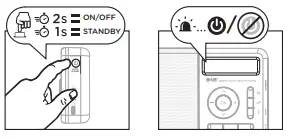
POWER ON/OFF
LANGUAGE SETTING
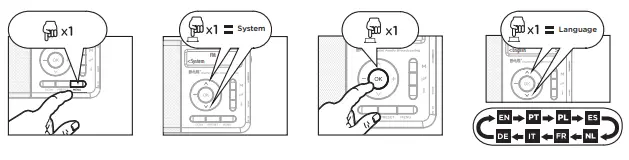
ALARM SETTING

MODE

- To eliminate stations: press the menu button and go to the prune submenu to delete the station.
FM MODE AUTO SCAN RADIO STATIONS

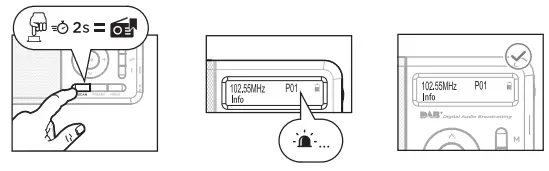
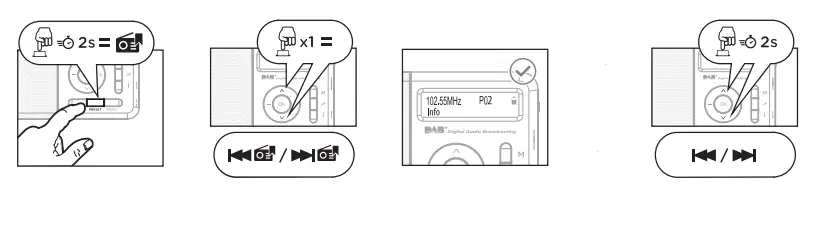
TIME AND DATE SETTING

SAVE A STATION

CHANGE RADIO MODE
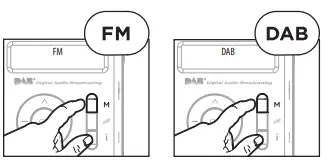
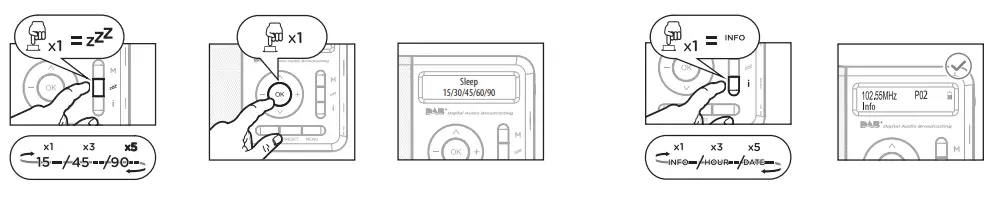
SLEEP MODE
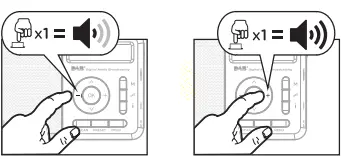
VOLUME ADJUSTMENT
TELESCOPIC ANTENNA
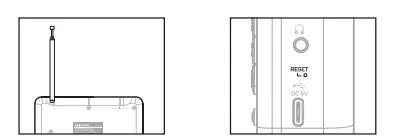
RESET FACTORY PREFERENCES

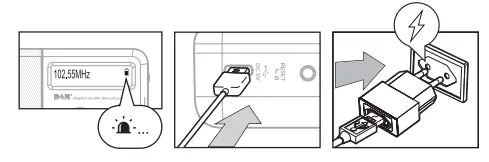
BATTERY CHARGE 
Overview
- Battery charging icon
- LCD Display
- Button to scroll
- M (Mode) – button
- OK (Snooze) button
- Button
- Volume up button
- (Info) button
- Button to scroll
- Volume down button
- Scan button
- Speed dial button
- Menu button
- Telescopic antenna
- On/off/Standby button
- Headphone Jack
- Reset Hole
- DC 5V Charging Jack
- Power On/Off off
- Language setting
- Alarm setting
- DAB mode auto scan radio stations/ / Store stations manually (up to 50 radio stations)/ Delete Station * to eliminate stations: press the menu button and go to PRUNE submenu to delete the station
- FM mode auto scan radio stations/preset station storage (PS) (up to 50 radio stations will be stored as default) / search radio channels manually
- Time and date setting
- Save a station/recall a station
- Others radio mode
- Sleep mode/ info
- Volume adjustment
- Telescopic antenna/ recovery port
- Restore factory settings
- Battery charging (2.5 hours before first use)
 Aiwa Europe - Home - Aiwa