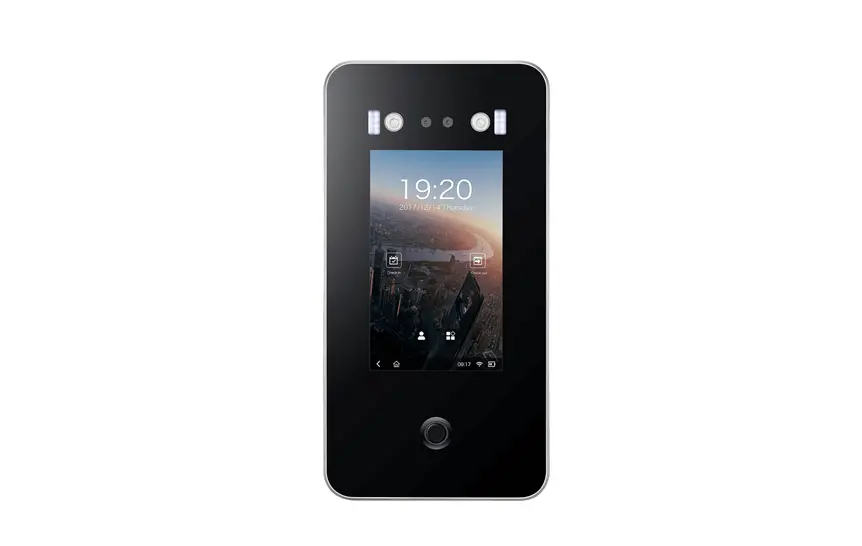
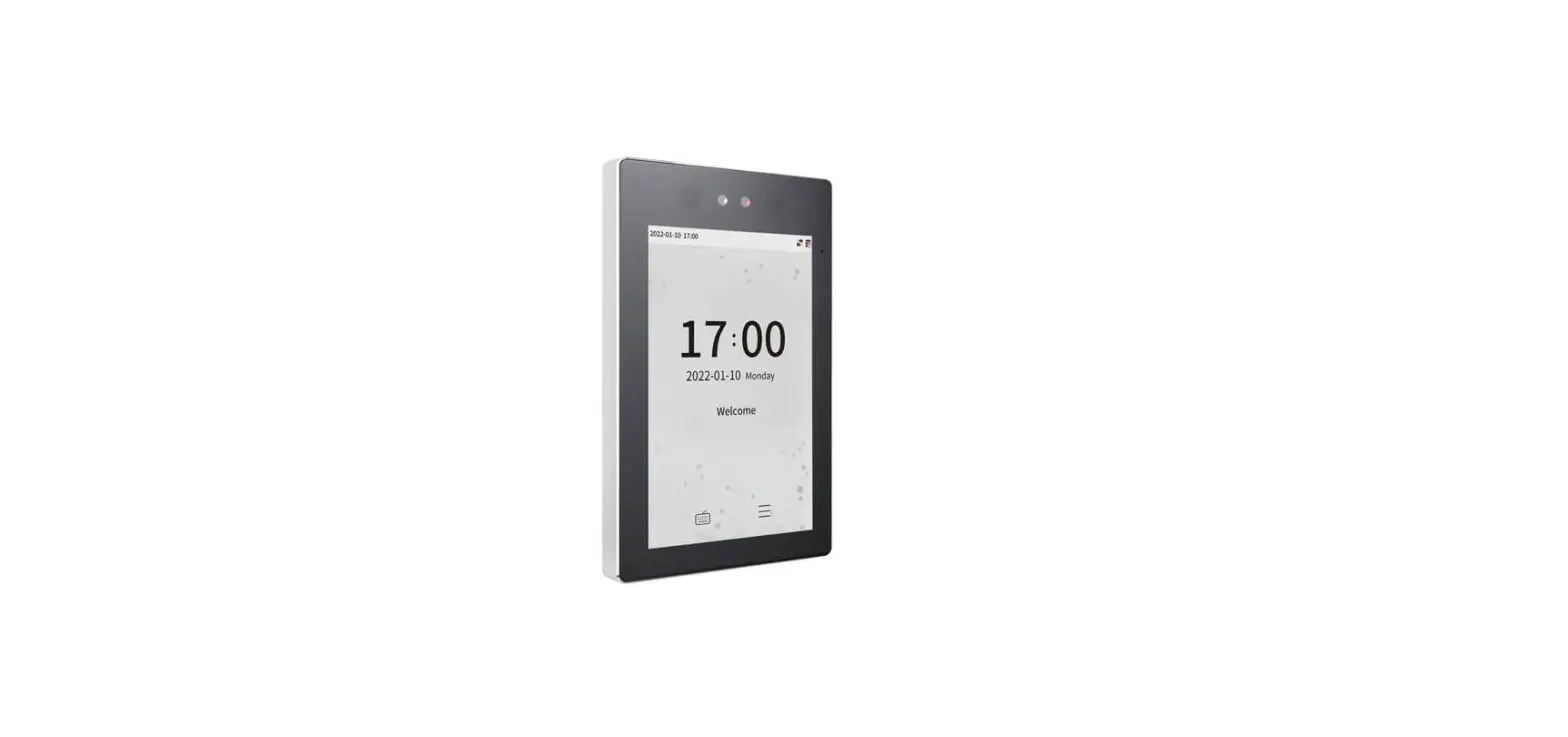
ZKTeco FaceDepot-7A Business Communication Solution User Guide
Overview
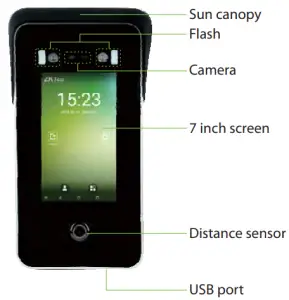
Device Installation
Method 1: Installation on the floor
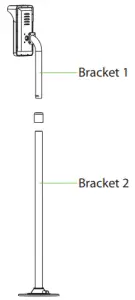
Please install the sun canopy above of terminal once strong light environment.
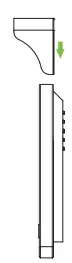
Please route the wire through the bracket 1 and connect it before installation.
- Fix the device on the bracket 1.
- Insert the bracket 1 into the bracket 2 and fix it with screws. The height of camera from the ground is recommended to be 1.55m.
- Fix the bracket to the ground with 4 screws
Method 2: Install on barrier gate
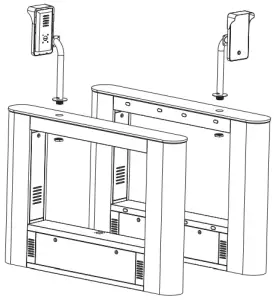
Please route the wire through the bracket before installation.
- Fix the device on the bracket.
Drill a hole on the barrier gate. Insert the bracket into the hole and fix it with a nut.
Device Connection
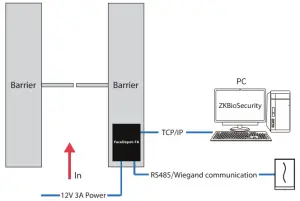
Connect to the software
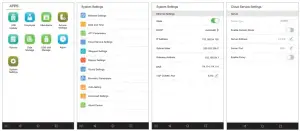
- Connect a mouse to the device, click [System Settings] > [Network Settings] > [TCP/IP Settings] > [DHCP], input the IP address and click [OK].
- Then click [Cloud Service Settings], set cloud service server address on the device.
Note: IP addresses of the server (PC) and the device must be in the same network segment when connecting to the software.
Diagram
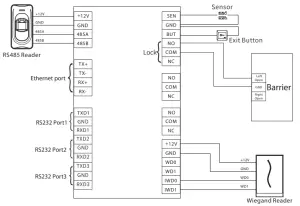
Quick Start

User registration
Step 1
- Login onto http://X.X.X.X:XX/app/v1/adreg with mobile phone to register users.
- Click [Personnel] > [Person] > [New] to register users in ZKB Software. iosecurity
- Register users on the device
Step 2 Click [Access Device] > [Device] > [New] to add the device to the software.
Step 3. Add users to access levels
For more details, please refer to the ZKBiosecurity User Manual.
User authentication
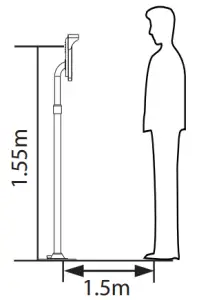

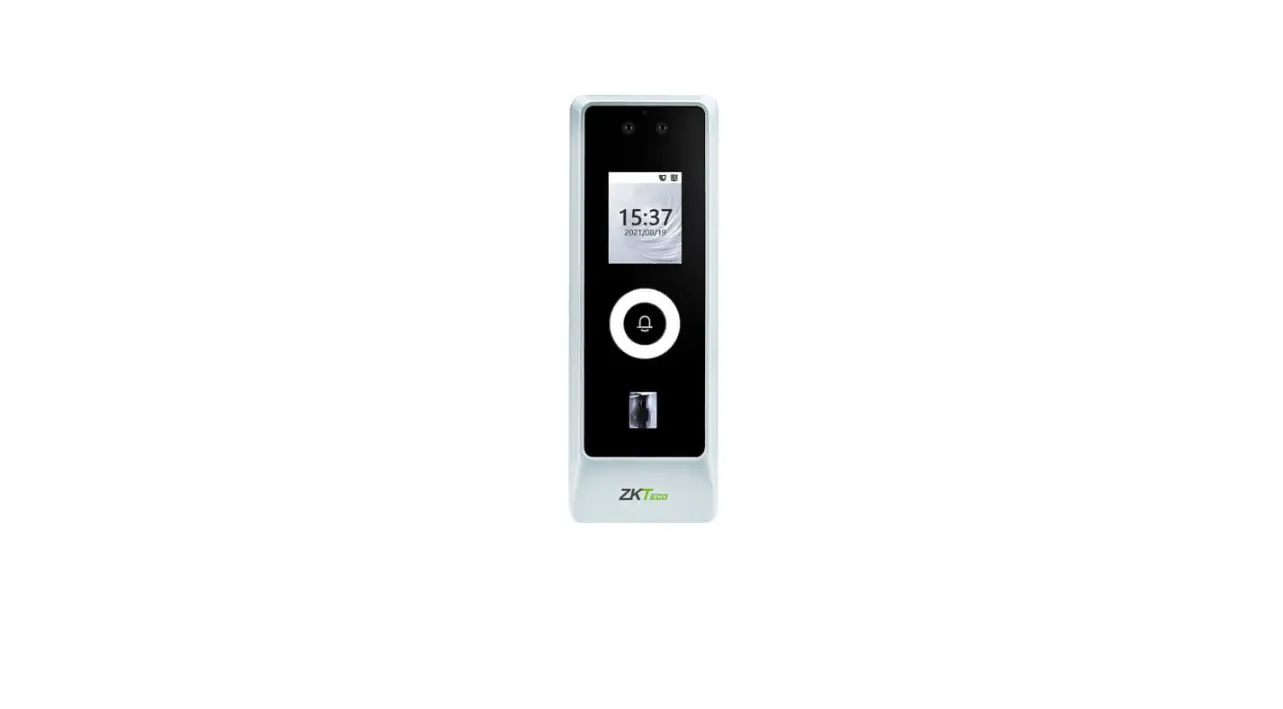
When the distance between the person and the machine is 1.5m, the device will automatically switch to the face verification interface. The verification result is as shown on the right:
The device will automatically switch to the standby page f t doesn’t detect any person within 5 seconds.
The icons  or
or  in the standby interface indicates that the network connection or the server is abnormal. Please check the network cable and network connection.

ZK Building, Wuhe Road, Gangtou,
Bantian, Buji Town, Longgang
District, Shenzhen China 518129
Tel: +86 755-89602345
Fax: +86 755-89602394
www.zkteco.com
![Zkteco Proface X [td] User Guide](https://static-data1.manualsee.com/1/img/494/665424/2021/09/ZKTeco-ProFace-X-TD-0-Featured-Image.jpg "Zkteco Proface X [td] User Guide")