ETC CSR-M ColorSource Relay Multiverse Receiver User Guide
Overview
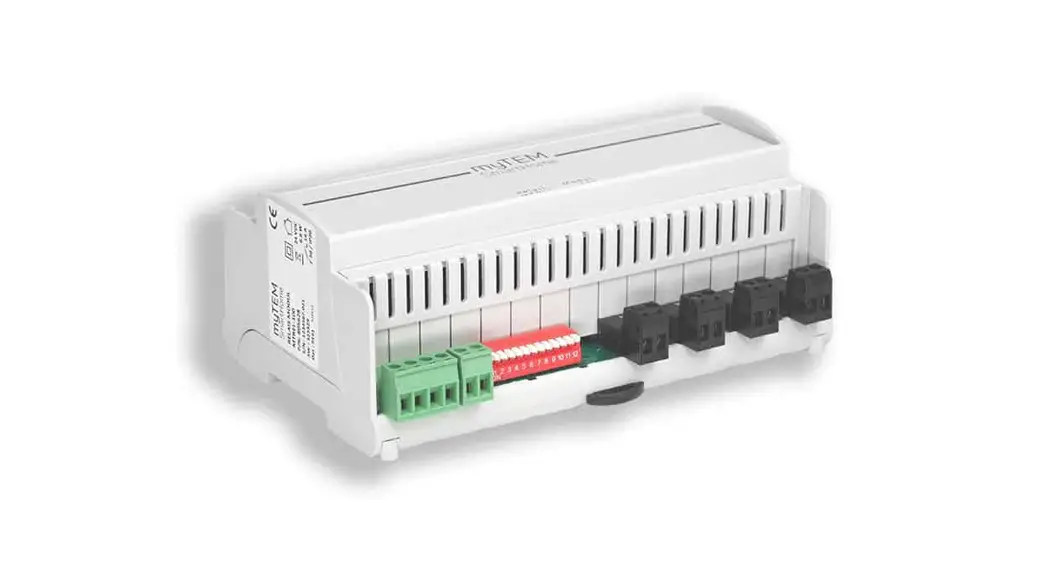
ColorSource Relay Multiverse Receiver 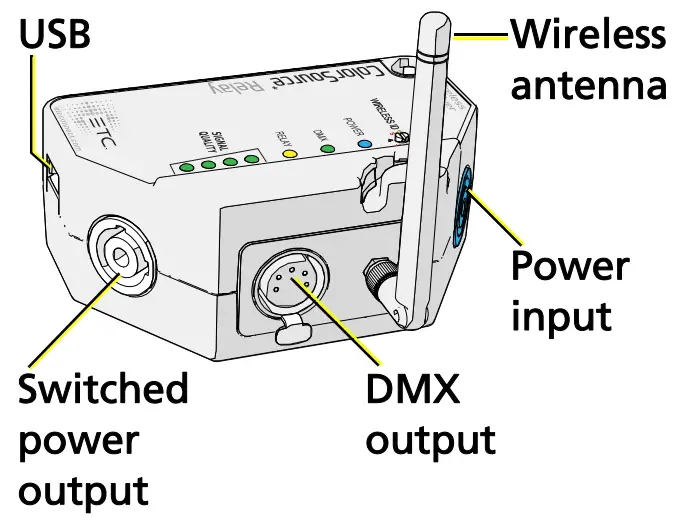
ColorSource Relay DMX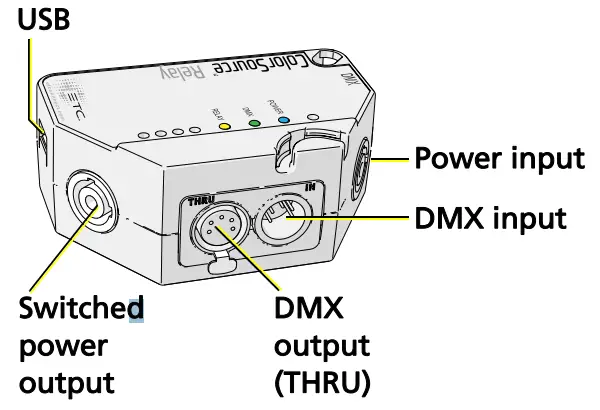
ETC fixtures manufactured before July 2015 require the Universal Yoke Mount Kit.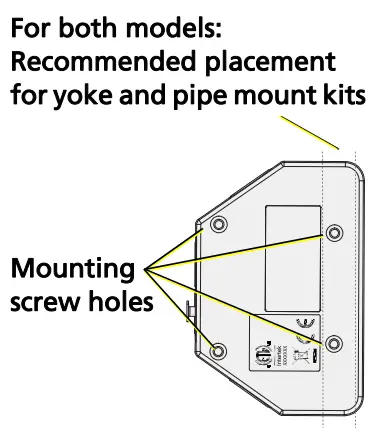
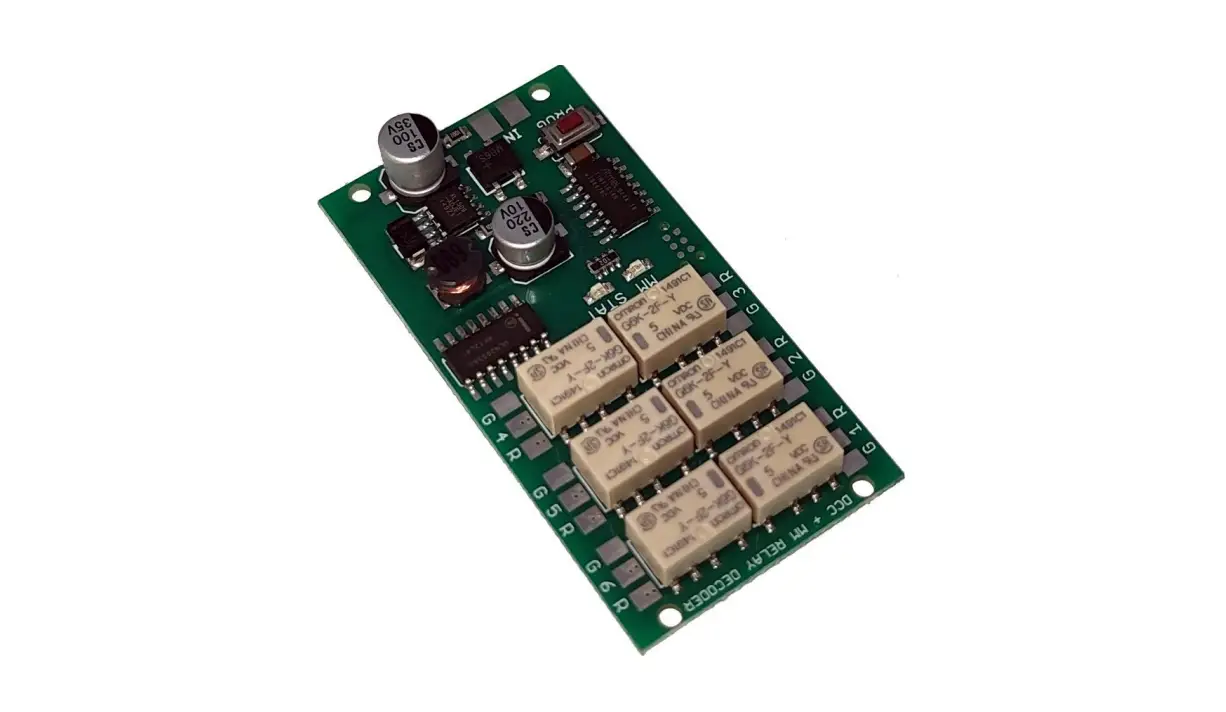
ColorSource Relay manages power switching and DMX for a connected chain of equipment. Relays fire at zero cross and automate a randomized turn on delay up to 2 seconds to minimize effects of inrush while turning on multiple fixtures on a circuit or many circuits in a system.
Relay activation can be triggered in one of three ways:
- Auto Mode: Relay turns on when DMX/ RDM input is detected. Relay turns off five minutes after data is last detected. (Default Mode)
- DMX Mode: Relay turns on when DMX address 512 is at or above 50% and turns off when below 50%. The relay can also be patched via RDM to an address between 1 and 511. Changing the address from 512 disables the turn on delay function of the relays.
- RDM Mode: Relay turns on when it receives an RDM command to turn on. The relay remains on until it receives an RDM command to turn off, or until power is cycled to the unit.
LED Indicators
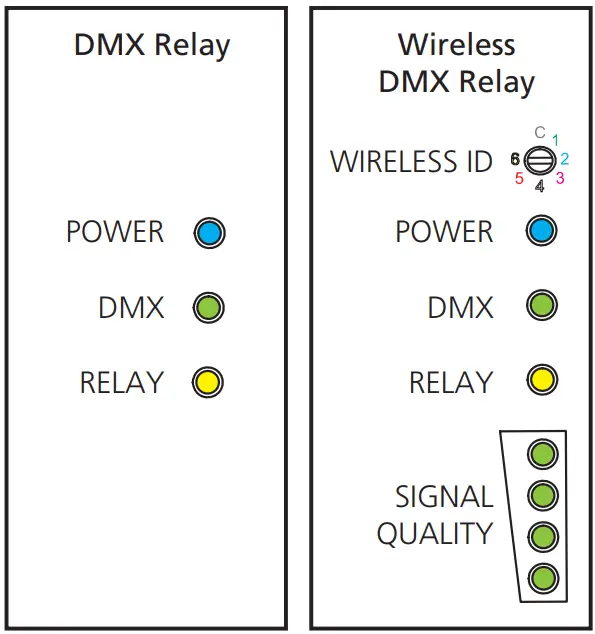
| LED | Solid | Off | Blinking |
| POWER | Incoming power | No incoming power | Updating software |
| DMX | DMX is present and valid | N/A | No DMX data |
| RELAY | Output is on | Output is off | N/A |
Wireless ID Settings
The wireless IDs for the transmitter and receiver must match.The color of the power LED changes to identify which ID is being used. The default ID is 1.
For third-party product compatibility with City Theatrical SHoW DMX products including SHoW DMX Neo®, see the table below.
| ColorSource Relay | SHoW Baby | SHoW ID | City Theatrical Description |
| 1 | Green | 201 | Neo Adaptive |
| 2 | Cyan | 102 | Neo Full Bandwidth |
| 3 | Magenta | 117 | Neo Low Limited Bandwidth |
| 4 | White | 133 | Neo Mid Limited Bandwidth |
| 5 | Red | 149 | Neo High Limited Bandwidth |
| 6 | Yellow | 165 | Max Technology |
| C | Blue | Set via RDM | Custom |
 Note: If there are more than two SHoW DMX Neo transmitters in a system with a ColorSource Relay Multiverse (CSR-M) receiver, make sure that only one transmitter ID is set to each of the following ranges:
- 117–132
- 133–148
- 149–164
- 165–166
See the next page for a table of safe channel assignments for systems with two SHoW DMX Neo transmitters.
| Neo Transmitter B | ||||||||
| 101–116 | 117–132 | 133–148 | 149–164 | 165–166 | 201–204 | |||
| Cyan | Magenta | White | Red | Yellow | Green | |||
| Neo Transmitter A | 101–116 | Cyan | Safe | |||||
| 117–132 | Magenta | Safe | Safe | Safe | ||||
| 133–148 | White | Safe | Safe | Safe | ||||
| 149–164 | Red | Safe | Safe | Safe | ||||
| 165–166 | Yellow | Safe | Safe | Safe | ||||
| 201–204 | Green | Safe | ||||||
RDM
Use any RDM controller, such as Concert (v4.1.1 or later) or Eos Family software, to configure the options below (default values are in bold).
| Parameter | Values | Comments |
| Name | ColorSource Relay | |
| RDM Enable |
| Enable/disable RDM traffic on the wireless bridge’s DMX output |
| DMX Address | 1–512 | |
| Threshold | 1–99% | Default is 50% |
| DMX Loss Time | 1–30 minutes | Default is 5 minutes |
| Max Turn On Delay | 0–30 seconds | Default is 2 seconds |
| Relay Personality/Mode |
| |
| Wireless ID |
| Editable if ID is set to C on UI. See Wireless ID Settings on page 2. |
| Identify |
| 1 minute timeout |
Update Receiver Software
- Download receiver software at etcconnect.com and save the file (or files) to a USB drive that is formatted with FAT:
- Wired receiver: Software file name begins with “CSRD”
- Wireless receiver: Two software files, one name beginning with “CSRM” and the other with “5995”
- Insert the USB drive into the receiver and reboot it. The RELAY LED blinks during radio programming, and the DMX LED blinks during CPU programming.
While the relay is updating, the power LED blinks to indicate the following status information:- Fast blinking: Looking for USB drive
- Red: Upgrade failure
- Cyan: Waiting for USB drive connection (no app loaded)
- Magenta: File not found
Specifications
See the ColorSource Relay datasheet at etcconnect.com for full specifications.
Note: Only connect this equipment to protected branch circuits of 16 A or less.
| Input voltage | 90–250 V, 47–63 Hz |
| Switching current | 2 pole, 16 A max |
| Environment | 0°C–40°C; 5–95% humidity |
| Wireless band | 2.4 GHz FHSS |
FCC Statement
This device complies with part 15 of the FCC Rules. Operation is subject to the following two conditions:
- This device may not cause harmful interference and
- This device must accept any interference received, including any interference that may cause undesired operation.
Contains: FCC ID VU65995
Contains: IC ID 7480A-5995
EU Declaration of Conformity
This product complies with the essential requirements of the Radio Equipment Directive of the European Union 2014/53/EU (RED).
This product conforms to the following standards:
- ETSI EN 300 328 v2.1.1(2016)
- ETSI EN 301-489-1 v2.1.1(2017)
- ETSI EN 301-489-18 v3.1.1(2016)
Corporate Headquarters: Middleton, WI, USA | +1 608 831 4116
Global Offices: London, UK | Rome, IT | Holzkirchen, DE | Paris, FR | Hong Kong Dubai, UAE | Singapore | New York, NY | Orlando, FL | Los Angeles, CA | Austin, TX Web etcconnect.com | Support support.etcconnect.com Contact etcconnect.com/contactETC | © 2021 Electronic Theatre Controls, Inc. Trademark and patent info: etcconnect.com/ip | Product information and specifications subject to change. ETC intends this document to be provided in its entirety.
4410M2610 Rev D Released 2021-11

 ETC - Theatre, Film, Studio and Architectural Lighting
 Home - Electronic Theatre Controls Inc
 ETC - Theatre, Film, Studio and Architectural Lighting