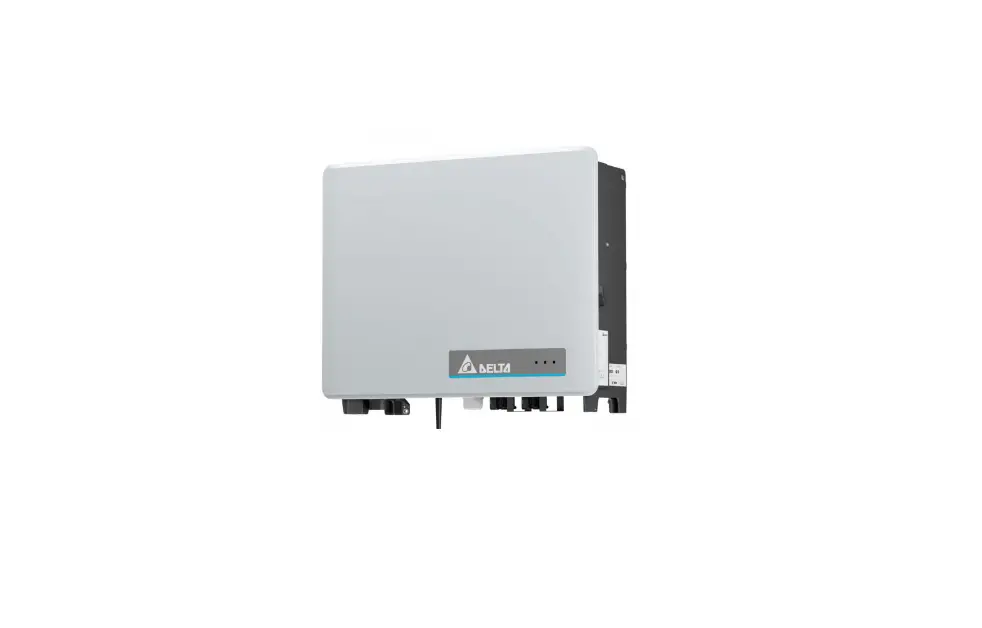

DELTA M100_210 Grid tie Transformerless Solar Inverter
Product Information
The M100_210 is a transformerless solar inverter designed for converting the direct current generated by a solar array into a balanced three-phase AC current that can be fed into the utility grid. It features one Maximum Power Point (MPP) tracking input and does not require galvanic isolation.
PV modules with high parasitic capacitance to ground can be utilized if the capacitive coupling does not exceed 10F. The inverter is intended to be operated in countries approved by DELTA and the grid operator.
Product Usage
Safety
It is important to read and follow the safety instructions provided in the manual to prevent hazards. The symbols in the manual define the severity of the danger, and it is important to pay attention to them.
The M100_210 is a transformerless inverter, and therefore, there is no isolation transformer between the AC and DC sides. To function properly, any PV array connected must have its PV circuits isolated from the ground, meaning that neither side of the array should be bonded to ground. If a grounded PV array is connected to the inverter, an error message INSULATION (E34) will appear on the display. It is prohibited to reference the L1, L2, L3 or N terminal to ground as it will damage the inverter and void the product warranty.
Installation
The M100_210 inverter should be installed by a well-trained technician who possesses basic and advanced skills for installing, commissioning, operation, and maintenance. Before installation, please read the instructions carefully and save them for later use.
Operation
Ensure that the Photovoltaic modules used are compatible with the inverter. The inverter should be operated in countries approved by DELTA and the grid operator. If a PV array is connected to the inverter, do not bond either side of the array to ground.
Maintenance
It is important to follow the instructions provided in the manual for system maintenance to prevent hazards.
Grid-tie Transformerless Solar Inverter
M100_210 Operation and Installation Manual
English
1
85
Information of the Inverter
Legal Provisions
Copyright DELTA ELECTRONICS, INC. – All rights reserved. This manual accompanies our product for use by the end users. The technical instructions and illustrations contained in this manual are to be treated as confidential and no part may be reproduced without the prior written permission of DELTA ELECTRONICS, INC. Service engineers and end users may not divulge the information contained herein or use this manual for purpose other than those strictly connected with correct use of the product. All information and specifications are subject to change without notice. DELTA ELECTRONICS, INC. shall have no obligation to either personal injury and property damage claims hereinafter with respect to any actions — (a) the product has been installed and/or repaired improperly; (b) the product has been misused without following the instructions on this user manual; (c) the product has failed due to incorrect unpacking.
1.1.2 Target Group
This manual is prepared for use by well-trained technician for installing, commissioning, operation, and maintenance. The technician must have the following basic and advanced skills:
· Knowledge of the fundamentals of electricity, wiring, electrical components and electrical schematic symbols.
· Knowledge of how a solar inverter works and is operated. · Training in the installation and commissioning of electrical devices and installations. · Training in how to deal with the dangers and risks associated with installing
and using electrical devices and installations. · Compliance with this manual and all safety information.
8
Safety
1.2 General Safety
IMPORTANT SAFETY INSTRUCTIONS : SAVE THESE INSTRUCTIONS !
– Please read these instructions carefully and save them for later use.
To prevent personal injury and/or property damage, and also to ensure long term operation of the solar inverter, it is imperative this section be read carefully and all the safety instructions understood before using this inverter. This user manual provides important instructions for Delta grid-tie transformerless solar inverter. The product is designed, tested, verified, and certified according to international safety requirements, certifications, and standards but precautions must be observed when installing and operating the product. This product is suitable for both indoor and outdoor use.
ATTENTION : NO GALVANIC ISOLATION
– The design of this inverter is transformerless. There is no isolation transformer between the AC and DC sides, i.e., the product does not require galvanic isolation. In order to function properly, any PV array connected must have its PV circuits isolated from ground, i.e., do not bond either side of the array to ground! If a grounded PV array is connected to the inverter, the error message INSULATION (E34) will appear on the display.
– It is prohibited to reference the L1, L2, L3 or N terminal to ground; to do so will damage the inverter and void the producr warranty.
1.2.1 Condition of Use
– M100_210 is a transformerless solar inverter with 1 MPP tracking input, which converts the variable direct current generated by the solar array into a utility frequency grid-compliant balanced three-phase AC current and feeds it into the utility grid.
– The Photovoltaic modules used must be compatible with the inverter. PV modules with a high parasitic capacitance to ground may only be utilized if the capacitive coupling does not exceed 10F.
– The inverter should be operated in countries which are approved by DELTA and the grid operator.
9
Safety
1.2.2 Symbols
The symbols in this manual have defined by the severity of the danger. Ensure the safety during the product installation or the system maintenance, please follow the instructions of the manual to operate the product.
DANGER!
– This warning indicates an immediate hazard which will lead to death or serious injury.
WARNING !
– This warning indicates a hazardous condition which may lead to death or serious injury.
CAUTION !
– This warning indicates a hazardous condition which may lead to minor injury.
ATTENTION
– This warning indicates a condition of potential damage to property and/or the environment.
10
Safety
INFORMATION
– An exclamation mark enclosed in a double circle indicates additional important information is contained in the following section and the user should follow the instructions to prevent any hazards.
DANGER : ELECTRICAL HAZARD!!
– This warning indicates an immediate electrical hazard that unheeded can lead to death or serious injury.
CAUTION : HOT SURFACES, DO NOT TOUCH!
– This warning indicates a potential burn hazard. – Use care when touching surfaces when operating the product. – Do not perform any task until the product cools down sufficiently.
– This icon indicates that a prescribed time delay must elapse before engaging in an indicated action.
– Patientez le délai requis avant d’entreprendre l’action indiquée.
– This symbol indicates the location of an equipment grounding conductor (EGC) terminal.
11
Introduction
M100_210 transformerless 3Ø PV inverters are designed to enable the highest levels of efficiency and provide longest operating life by use of state-of-the-art high frequency and low EMI switchmode technology. It is suitable for outdoor use.
ATTENTION : NO GALVANIC ISOLATION
– This product utilizes a transformerless design, and is not provisioned with an isolation transformer, and therefore has no galvanic isolation between the DC and AC sides. PV array circuits connected must be floating with respect to ground, i.e., must not be referenced (bonded) to ground. If grounded PV arrays are connected to the inverter, the inverter will not connect to the grid and the error message INSULATION (E34) will appear.
– It is prohibited to connect terminals L1, L2, L3 or N to ground.
ATTENTION : Intended for Industrial Environments
– M100_210 has been tested and found to comply with the limits for IEC 62910 Class A which is designed to provide reasonable protection against harmful interference in the commercial environment operation.
– This device generates radiofrequency energy, please accord this manual to install and use.
– Operation in a residential area could cause harmful interference.
2.1 Valid Model
The user manual is valid for the following device types: · M100_210 This user manual must be followed during installation, operation, and maintenance. DELTA reserves the right to make modifications to the content and technical data in this user manual without prior notice.
12
Product Overview
The components is shown as Figure 2-1.
Introduction
Figure 2-1: Components
Object 1 Delta Solar Inverter
Table 2-1: Packing list M100_210
Qty Description 1 pc Solar inverter
2
User Manual
Important instructions for solar inverter. 1 pc Safety instructions should be followed
during installation and maintenance.
3 Mounting Bracket
1 pc
4
Hexagon Driver
(Installed on latch lock cover)
1 pc
Wall mounting bracket (Material: Aluminum / Thickness: 3mm)
Keep the door being open. Can unscrew the latch lock cover screw.
5
Security Seal
3 pcs Tamper stickers for Taiwan use only
13
Introduction
Figure 2-2: Overview
Table 2-2: Overview description
NO. Component
NO. Component
1 External fans
2 Toggle Latch
4 Air cooling outlet
5 M25 gland for PE wiring
7 Cable gland for communication wiring 8 LED Indicators
10 2x M40 glands for DC Input
11 2x M25 glands for DC Input
NO. Component 3 SUB_1G antenna* 6 4x M40 glands for AC Output 9 External grounding point
* SUB_1G is an optional part, please contact the customer service center for the detail.
14
Figure 2-3, below, shows the certification and rating label. Table 2-3, defines the symbol markings on this label.
Introduction
XXX
Figure 2-3: Rating label
Table 2-3: Rating label explanation
Symbol
Definition
60 seconds
Danger to life through electric shock Potentially fatal voltage is applied to the inverter during operation. This voltage persists even 60 seconds after disconnection of the power supply. Never open the inverter. The inverter contains no components that must be maintained or repaired by the operatoror installer. Opening the housing will void the warranty.
This inverter is not separated from the grid with a transformer.
Before working with the inverter, you must read the supplied manual and follow the instructions contained therein.
The housing of the inverter must be grounded if this is required by local regulations.
WEEE marking
The inverter must not be disposed of as standard household waste, but in accordance with the applicable electronic waste disposal regulations of your country or region.
In the following pages, Figure 2-4 illustrate the general layout of the M100_210 chassis and wiring area. The wiring area includes terminals for connection of the output (AC) wiring, surge protection devices (SPD).
15
Introduction
Figure 2-4: layout
NO. Component 1 Communication module 4 Internal grounding point 7 DC out busbar (-)
Table 2-4: layout description
NO. Component 2 Internal fan 2 5 AC terminal 8 DC out busbar (+)
NO. Component 3 Internal fan 1 6 Type II SPD
16
Installation
3 Installation
The chapter contains instructions for (1) Mechanical installation (2) Electrical Installation (3) Communication setup
3.1 Unboxing & Review
Unpacking the M100_210, please follow the order of Figure 3-1. It could be transported by 2 people (Figure 3-2) .
Figure 3-1: The step to unpacking the inverter
CAUTION !
– Need more than two people to stand up. – It is recommended to install the grounded bracketsfirst at this step for ground
mount installation. For detailed installation methods, please see section 3.2. 17
Installation
Manual handling
Do not hold fan, fan shutter, DC glands or AC glands, it may cause damage to certain components.
Hoisting
After hoisting, please keep the screw plugs on the casing to prevent water from entering.
Screw plug (4 Nm)
Figure 3-2: Lift the inverter
Hoisting ring
(M12 x P1.75, L 20 mm) (42 Nm)
18
Installation
3.2 Mechanical Installation
M100_210 only can be carried out vertically, the tilting must be in the range of the maximum inclination as Figure 3-3.
<30 allowable tolerance scope
±1
90 Figure 3-3: Permitted mounting positions
CAUTION !
To avoid malfunction of inverter caused by extreme weather (ex: snow, hail…etc) or non-proper installation/ maintenance, an additional protection cover is strongly recommended to be installed by DELTA. For more details, please contact local service team.
Protection cover
WARNING !
– Do not install the unit near or on flammable surfaces. – Inverter must be mounted securely to a solid / smooth surface.
19
Installation
3.2.1 Wall Mount
Refer to Figure 3-4 through Figure 3-8.
1. Ensure the surface to which the unit is to be mounted is sufficiently strong enough to carry the weight.
2. Orient the wall bracket (Figure 3-5) horizontally (perpendicular to the floor). 3. Secure the mounting bracket on the wall with 12 M6 screws.(Figure 3-6) 4. Hang the inverter on the wall mounting bracket. 5. Two external grounding points can help to fix the inverter by 2 M8 screws.
CAUTION !
– The mounting bracket shipped with the unit is specially designed and is the only certified mounting device for mounting the inverter.
– Secure the mounting bracket on the wall with at least 8 M6 screws.
80 mm
629 mm
22.4 mm
699 mm Figure 3-4: Inverter dimensions
264 mm
20
unit: mm
460 400
6.5
Installation 30
82
82
82
82
82 25
538 17 27 31
12 7 592
Figure 3-5: Mounting bracket dimensions
21
Installation Positions for least amount of mounting bracket screws or
Figure 3-6Positions of mounting screws 22
Installation
> 415mm
> 320mm > 840mm
Inverter #1 > 570mm
> 1300mm > 708mm
Wall > 990mm
Inverter #2
> 700mm > 400 mm*
> 690mm*
* If wiring without door. (To remove the door, please refer to section 3.3)
>20 cm Figure 3-7: Required mounting clearances
23
Installation
Wall >30 cm
>20 cm >60 cm
Wall >20 cm
>30 cm
>15 cm *
>15 cm *
* If the installation location has a risk of flooding or accumulated snow, please raise the appropriate height of the inverter.
> 5 cm
30 cm
30 cm
20 cm
When mounted back to back, clapboards must be installed on both sides.
Figure 3-8: Separation distance of plural inverters
CAUTION !
– Failure to comply with above mounting instructions including permitted orientations and designated clearances may result in derated power output and may void the warranty. To avoid these issues follow the instructions above!
24
3.2.2 Ground Mount (optional)
ATTENTION
Installation
– Ensure the grounded base is strong enough to hold the weight of the inverter.
Grounded Bracket kit is an optional part, please contact the customer service center for the detail.
1. Fix the grounded brackets to the bottom of the inverter as Figure 3-9. 2. Mount the inverter with grounded brackets to the ground-mounting base by
4 expansion bolts. (Figure 3-10)
* Screw torque required for assembling: M12/ 24.5 Nhm Figure 3-9 : Lock the grounded brackets to feet
25
Installation 310 mm
458 mm
12.5 mm
> 15 cm
Figure 3-10: To secure inverter grounded brackets to ground-mounting base 26
Installation
3.3 Route the cables to M100_210
Proper cable routing can avoid water dripping to cable glands and make the sealing of the cable glands well. Please follow the requirements to lay cables for M100_210.
1. Keep 10-20 cm length of straight cables from the edge of cable glands. 2. Anchor or support the straight cables to strain relief. 3. Must be routed to create a “hump” to prevent flowing water on the cable gland.
>10
>10
cm
cm
>10
>10
cm
cm
Figure 3-11: Cable routing 27
Installation Please do not separate the three phase AC cable into individual metal conduit to avoid eddy current affect, please refer Figure 3-12 for AC cable installation suggestion.
Duct Seal
Figure 3-12: AC side metal conduit installation suggestion
CAUTION !
– Please make sure there is no gap between gland and cable. – Please make sure the gland is tight after setup as shown below.
should not be loosen!
28
Installation
3.4 Electrical Installation for AC Wiring
DANGER : ELECTRICAL HAZARD!!
– To avoid shock hazard during cabling, insure any live grid connections are removed from the inverter.
WARNING !
– Code compliance is the installer’s responsibility. – Inverter warranty void if the DC input voltage exceeds 1100 Vdc.
CAUTION : INVERTER AND EQUIPMENT DAMAGE MAY OCCUR !
– Installation for AC terminal must meet the local electrical code. – Failed to follow the instructions may damage AC cable.
CAUTION: WRONG AC WIRING !
– In order not to damage the components in the inverter, ensure the correct conductor is connected to the appropriate AC terminal on the inverter.
Please follow the instruction of Section 5.1 to open or close M100_210 door.
3.4.1 AC Grid Types and Connections
ATTENTION
The default AC Grid connection is 3Ø-4W. It can also connect 3Ø-3W without Neutral (N). The inverter will operate from the following grid connections without need of an external transformer:
TN-C
TN-C-S
L1
L1
L2
L2
L3
L3
PE/N
N
PE
Inverter
Inverter
TN-S
TT
IT *
L1 L2 L3 N PE
Inverter
L1 L2 L3 N
Inverter
L1 L2 L3
Inverter
* Make sure the voltage from L1, L2, and L3 to PE(Protection Earth) in IT system is always in the range of ± 600V.
29
Installation
3.4.2 Required Protective Devices
It is recommended to install an upstream AC line disconnection and over current protection device. Please refer to your local rules for the required product.
Table 3-1: Recommended AC circuit breaker rating
Current rating
min. 200A
Voltage rating
min. 380V / 400V
Number of poles
3 / 4
3.4.3 Preparation for AC Wires Connection
Requirements of AC cable for M100_210 are: · Only accept cooper or aluminum cables to be used · Cross-section is from 70mm² to 185mm² · Outer diameter is from 12.0mm to 28.9mm · Stranded and Solid wire is available. Bootlace ferrules must be when using the
flexible wire.
ATTENTION
– The worry of Ingress Protection on the cable gland, Multicore cable is not recommended to be used.
3.4.4 Preparation for PE cables Connection
The inverter must be grounded via the internal or external PE point which should follow below requirements.
· Cross section of the conductor must be at least ½ of AC cable cross section · Must follow the below table to use the proper lug for the connection
b
a
Max. conductor cross section Cable diameter range Cable lug dimension
Internal PE
120mm²
9.5 – 18.8mm
Size of bolt = M8 a < 24.0mm b = 10.5mm c < 12.5mm
c
External PE 120mm²
–
Size of bolt = M8 a < 24.0mm b = 10.5mm c < 12.5mm
30
Installation
3.4.5 Install PE Cables
INCFOARUMTIAOTNIO! N
– The ground connection in the first step is recommended because the earthed outer casing of the inverter can protect the persons against electrical shocks.
M100_210 has one internal and two external PE terminal for grounding. The ground connection can be installed on the internal, external or both with the proper sizing of the cable refer to 3.4.4.
PE
PE
After inserting conductor, torque terminal nut by 10 Nhm Figure 3-13: Location for internal PE terminal
Internal PE terminal (1) Pass PE cable through M25 cable gland to the Internal grounding terminal
with the proper inner rubber.
D1
D2
Cable diameter range
Torque
Dimension of P
D1
14.1-18.8 mm
3.5-5.2 Nhm
1.5-5.0 mm
D2
9.5-14.1 mm
3.5 Nhm
1.5-5.0 mm
(2) Use M8 spanner to tighten the nut with 10 N-m torque. (3) Fasten the protective earth cable gland for sealing.
31
Installation External PE terminal To ground the inverter, please crimp the grounding wire to the ring terminal lug and fix it on the grounding point shown as figure 3-14.
* Screw: M8 (wall mount) * Screw torque: M8/ 10 Nhm (ground mount)
Figure 3-14: Mount the equipment grounding 32
Installation
3.4.6 AC Wiring
DANGER : ELECTRICAL HAZARD!!
– Always no energy on the AC power cables during the cable installation to prevent electrical hazard.
After inserting conductor, torque terminal nut by 31 Nhm
N
L3
N
L3
L2
L1
L2
L1
Bottom AC entry Up to 28.9 mm trade size gland
AC terminal
Figure 3-15: Location for AC terminal
(1) Ensure the AC disconnect device is in “OFF” (2) Strip off the insulation of each cable by 30mm. (3) For the aluminum conductor, remove the oxide film of the conductor surface
and apply the protective grease. (4) Pass the cable of L1, L2, L3 or neutral (if required) through each M40 cable
gland with the proper inner rubber. (5) Follow the label to Connect L1, L2, L3 and neutral (if required). (6) Tighten all screws of the terminal with 31 N-m torque. (7) Fasten all AC cable glands for sealing.
CAUTION !
Duct Seal
– After AC cabling, please check if there are gap inside the cable gland, if yes, suggest to use silicon or duct seal to fill the gap.
– When using plastic or HDPE conduit cabling, please use silicon or fire mod to fill the gap and conduit.
33
Installation
3.5 Electrical Installation for DC Wiring
DANGER : ELECTRICAL HAZARD!!
– High energy on DC cables from PV combiner boxes could cause dangerous electrical shock. Ensure DC cables are always de-energized until finish the DC wiring installation.
WARNING !
– The risk of electric shock and fire exists because of high DC and AC voltages. – Only PV modules that are listed with system voltage under 1100V are permitted
for use.
ATTENTION
– M100_210 will check the insulation resistance of DC wiring before the first time operation every day. However, DC ground fault still could damage the inverter during the operation and not covered by warranty.
– Ensure no ground fault occurs on DC cables.
Please follow the instruction of Section 5.1 to open or close M100_210 door. To ensure a better operating performance of the inverter, recommended configuration for the PV array are shown below: · To ensure the inverter operates with the highest performance, the DC input
voltage should greater than the AC Line Voltage *1.5 (or AC phase Voltage *2.5) If the DC input voltage is lower than above value, inverter will not operates normally. Ex: Nonimal Vac = 400Vac, Vmp should be > 400Vac*1.5 = 600Vdc · PV array configuration should be designed considering the lowest environment temperature and make sure the Voc of the PV array is within 1000Vdc. · Inverter will be damaged if the DC input voltage is higher than 1100Vdc, and the product warranty will be voided.
3.5.1 Preparation for DC Wires Connection
· Only copper or aluminum cables are acceptable to be used · Stranded and Solid wire is available · Must be equipped with the terminal lug · Must be using bi-metallic cable lugs for the aluminum conductors to prevent
electrochemical corrosion
M100_210 can support one or two PV combiner boxes input. The requirements of the DC cable for the two cases are different.
Case of DC input Max. conductor cross section
Cable diameter range Cable lug dimension
b
a c
1 PV combiner box
185mm²
12.0 28.9mm
Size of bolt = M10 a < 40.0mm b = 10.5mm c < 16.0mm
2 PV combiner boxes
120mm²
9.5 – 18.8mm
Size of bolt = M10 a < 40.0mm b = 10.5mm c < 16.0mm
34
Installation
3.5.2 Install DC cables
WARNING !
– Before the DC wiring installation, make sure all DC isolator switches in the PV combiner boxes are OFF and locked for safety.
– Check through the meter for no voltage on both poles of DC cables before touching DC conductors.
1
M40
D1
D2
D3
–
M25
D1
D2
M40 D1 D2 D3
M25 D1 D2
Figure 3-16: DC Gland with multiple inlet
Table 3-2: Cable size comparison table
Cable diameter range 21.7-28.9 mm 16.2-21.7 mm 12.0-16.2 mm
Torque 5.5-10 Nhm
6.0 Nhm 4.0-6.5 Nhm
Dimension of P 1.0-8.0 mm 1.0-6.5 mm 1.0-7.5 mm
Cable diameter range 14.1-18.8 mm 9.5-14.1 mm
Torque 3.5-5.2 Nhm
3.5 Nhm
Dimension of P 1.5-5.0 mm 1.5-5.0 mm
Figure 3-17: Slide the protective cover 35
Installation
WARNING !
– Reverse pole connection is prohibited that will damage the inverter. – Only accept under 1100V maximum PV strings to the inverter
One PV combiner box input
After inserting conductor, tighten by 16 Nhm torque
DC-
DC+
DCDC+
DC busbar
Figure 3-18: wiring of DC busbar (for 1 PV combiner box)
(1) Pass PV+ or PV- cable through each M40 gland with the proper inner rubber (2) Follow the polarity as shown in Figure 3-18 to insert PV+ or PV- cable to
each terminal (3) Use M10 spanner to tighten nuts with 16 N-m torque (4) Fasten all M40 glands for sealing
Duct Seal
CAUTION !
– After DC cabling, please check if there are gap inside the cable gland, if yes, suggest to use silicon or duct seal to fill the gap.
– When using plastic or HDPE conduit cabling, please use silicon or fire mod to fill the gap and conduit.
36
Installation
WARNING !
– Reverse pole connection is prohibited that will damage the inverter. – Only accept under 1100V maximum PV strings to the inverter
Two PV combiner box input
After inserting conductor, tighten by 16 Nhm torque
DC- DC+
DC DC+
DC DC+
DC busbar
Figure 3-19: wiring of DC busbar (for 2 PV combiner box)
(1) Pass two pairs of PV cables (Total 4 DC cables) through M40 and M25 glands separately, the inner rubber of each cable gland must fit with the diameter of the cable.
(2) Follow the polarity as shown in Figure 3-19 to insert PV+ or PV- cable to each terminal
(3) Use M10 spanner to tighten nuts with 16 N-m torque (4) Fasten all M40 and M25 glands for sealing
CAUTION !
– After DC cabling, please check if there are gap inside the cable gland, if yes, suggest to use silicon or duct seal to fill the gap.
– When using plastic or HDPE conduit cabling, please use silicon or fire mod to fill the gap and conduit.
Duct Seal
37
Installation
3.6 SUB_1G Antenna (optional)
Please follow Figure 3-20 to 3-22 to install the SUB_1G antenna. ATTENTION
– If the antenna and bracket are not installing on the case, ensure the nut and screws are properly tightened for the great Ingress protection.
Antenna Location
Save the nut after antenna installed.
Remove the nut.
13mm Open end wrench Use the wrench to lock antenna with 1.2 Nhm torque.
Figure 3-20: Installation of antenna
38
There must be no obstacles within 20 cm around the antenna.
Installation >20 cm
Keep antenna pointing upright.
90
Figure 3-21: Attentions of installing antenna 39
Installation
1. Remove the screws on the case and turn the antenna counterclockwise by about 45 degrees
2. Put on the antenna bracket. 3. Turn the antenna to the proper position. 4. Tighten the 3 screws in the antenna package to the antenna bracket.
Screw locations
* Screw torque: M4 / 0.98 Nhm Figure 3-22: Install antenna bracket
ATTENTION
– Please refer Data Collector manual for connection of Data Collector. https://mydeltasolar.deltaww.com/?p=product_manual
40
Installation
3.7 Communication
The communication module of M100_210 is shown in Figure 3-23. It provides VCC, RS-485, dry contact, EPO, and Digital Input terminals for use in various applications. Details for each are presented below. There’s a 12VDC source between VCC & GND for use with external device.
VCC *1 & EPO *1 Digital Inputs *6
12V
+-
VCC & RS-485 Dry Contact * 2 Figure 3-23: Communication Module Layout
ATTENTION
– This inverter is compliant with the “Technical Specification for Security Inspection of Solar Inverter and Monitoring Units” required by BSMI. Please refer to section 5.1.3 for the guidance to lock the door after completing all the wiring, then apply a brand new one-time-use security seal (item 5, Table2-1) on the toggle latch. We will not be liable or responsible for any security incident caused by an improper application of the sticker.
41
Installation
7.2mm* 10mm 7.2mm*
10mm * Remove the rubber stopper in the 7.2 mm hole can extend it to
8.7 mm for use. Figure 3-24: Location and access to Communication Module
42
Installation
3.7.1 RS-485 Connection
The pin definition for the RS-485 terminal block is shown in Table 3-3. – Pins 1 and 2 provide a 12VDC / 0.5A bus for use with accessories. – Pins 3 and 5 are both connected to the DATA+ input. – Pins 4 and 6 are both connected to the DATA – input. These connections allow easy daisy-chaining of multiple inverters. A 120ohm bus termination resistor and associated control switch are located on the communication board (Table 3-4). Different RS-485 connection scenarios require different set up for the 120ohm bus termination resistor. · When several inverters are cascaded (i.e., “daisy-chained”) only the last inverter
in the chain must have its bus termination resistor switched ON (Figure 3-25). · If the length of any RS-485 bus is greater than 610m, the use of Belden 3105A
cable (or eq.) is recommended to insure communication quality.
ATTENTION
– In order to have good transfer quality, twisted-pair wire is recommended to be used as communication cable.
Table 3-3: RS-485 Terminal block wiring
Pin
Function
1
VCC (+12V)
123456
2 GND (It is NOT the PE)
3
DATA+
4
DATA-
5
DATA+
6
DATA-
VCC GND D+ D- D+ D-
INFORMATION
When the RS-485 cable needs to be grounded, please follow the steps below. 1. strip a wire from the shielding layer and properly insulate it 2. crimp the insulated wire to the Y-type lug and fix it in position A
shielding layer
SNYBL1-4
strip from shielding layer (cross-section: 0.5~1.5 mm²)
Insulation Tape 43
A
* Screw torque: 0.59 Nhm
Installation
Terminal Resistor 120(1/2W)
DATA+ to DATA-
RS485/USB or
RS485/RS232
Figure 3-25: Multiinverter connection illustration
Termination switch 0”
0/
Table 3-4: Bus Termination switch settings
Switch 1
ON
Terminal Resistor ON
OFF
Terminal Resistor OFF
44
Installation
3.7.2 EPO Function & Digital Input
The communication Module has an emergency power off function (EPO). Users can customize EPO function in APP or Delta Solar System (DSS).
VCC K0 K1 K2 K3 K4 K5 K6
Figure 3-26: EPO function terminal block
Once enabled, the EPO function can be used to turn off the inverter via a NO relay contact connected across terminal [VCC & K0].
Additionally, a digital power reduction control is available that can be set to limit the inverter’s available active output power. The control settings for this function are made by placing a hardware short (jumper or relay) between two terminals of the terminal block shown in Table 3-5, below.
Table 3-5: Definition of digital input & EPO function
Short terminals Inverter’s action
VCC & K0
Emergency power off (EPO)
VCC & K1
0% active power
VCC & K2
Maximum 30% rated power
VCC & K3
Maximum 60% rated power
VCC & K4
Maximum 100% rated power
VCC & K5
Reserved
VCC & K6
Reserved
45
Installation
3.7.3 Dry Contact Connection
M100_210 provides a dry control contact pair that may be used to control external devices based on the status of operation of the inverter. The terminal block for this function is shown in Figure 3-27. The terminals marked in the figure identify the dry contact connection. The operation of the dry contact is normally open. The functionality of this contact can be customized by users via settings available in APP or DSS.
Dry Contact B Dry Contact A
Figure 3-27: Dry Contact connection
46
Commissioning
4 Commissioning
CAUTION : HOT SURFACES, DO NOT TOUCH!
– Use care to avoid hot surfaces when operating the product! – Do not perform any task until the unit cools down or appropriate personal
protection gear is worn.
4.1 Display Operation Introduction
M100_210 with 3 LEDs allow visual display of the inverter’s data and status as shown in Figure 4-1. Please refer to Table 4-1 for information as to the information provided by the LED indicators.
LED Indicator LED Indicator LED Indicator
(GRN)
(RED/YEL)
(GRN)
Figure 4-1: Front Panel Display
Condition Countdown
On Grid Inverter Fault / Remote off
Inverter Warning Field Fault
Field Warning NO DC
FW Upgrade Standby
Check PV Power System Lock
Table 4-1: Inverter status Grid (Green) FLASH ON OFF ON (or OFF) OFF ON OFF FLASH FLASH FLASH FAST OFF
Alarm (Red/Yellow) OFF / OFF OFF / OFF ON / OFF
FLASH / OFF OFF / ON
OFF / FLASH OFF / FLASH SLOW
FLASH / OFF OFF / FLASH OFF / FLASH FAST FLASH / FLASH
*FLASH: ON 1s / OFF 1s FLASH FAST: ON 0.25s / OFF 0.25s FLASH SLOW: ON 5s / OFF 10s
Table 4-2: Wireless communication status
Connection Status Wi-Fi and Sub_1G
COMM. (Green) FLASH (ON 1s / OFF 1s)
Wi-Fi
FLASH (ON 1s / OFF 2s)
Sub_1G
FLASH (ON 3s / OFF 2s)
Offline
OFF
47
Commissioning
4.2 Commission an Inverter Individually Bluetooth
The inverter with built-in Bluetooth function can be commissioned individually via the “DeltaSolar” App. DeltaSolar App can be downloaded and installed by scanning the QR code or searching in App Store (iOS user) / Google Play (Android user).
DeltaSolar
DELTA ELECTRONICS, INC.
QR Code
iOS Android
Start Commissioning the Inverter
Enable the Bluetooth function of your mobile device. Click the Bluetooth icon on the bottom right corner. Select the S/N of the corresponding inverter.
About OS version iOS: 8.0 and above Android OS: Android 8.0 and above
1 3
If the S/N of the corresponding
inverter is not available on the
list in the app, please reboot the
Bluetooth function of your mobile
2
device.
Figure 4-2: Steps to commission via bluetooth (1-3)
48
Commissioning
Select “Local Setting” sheet and click “Grid Setting”. Click “Inverter ID” to select the required ID and then click “Inverter ID Set”. Click “Country” to select the required grid code and then click “Set”. Done.
4
4
5
6
Figure 4-3: Steps to commission via bluetooth (4-7)
49
Commissioning
4.3 Commission multiple inverters Auto ID Function
The Auto ID function can set all inverter IDs at once by DSS (Delta Solar System) or DeltaSolar APP. – DSS Connect the inverter through RS-485 or Wi-Fi with computer. – APP Connect the inverter through Wi-Fi with mobile device. (please refer to chapter 4.3 for operation manual.)
4.3.1 Commission Setting (DSS)
Select the corresponding model Click “RS485” Select communication port (automatic detection by the system). Click
Figure 4-4: DSS Commission setting 50
4.3.2 Scan inverter
Click “Auto ID
“.
Enter numbers of inverters.
Click “Scan Inverters”.
Commissioning
Figure 4-5: Steps of scanning inverters 51
Commissioning
4.3.3 Set ID
The serial number of the successfully scanned device will be displayed, the default ID can be changed.
After ID setting is completed, click “Set ID”.
Figure 4-6: Steps of ID setting
52
4.3.4 Set Country
Click to select the country of inverter. Click “Set Country”.
Commissioning
Figure 4-7: Steps of country setting
53
Commissioning
4.3.5 Synchronize time
Click “Sync Clock
” to Synchronize time.
Figure 4-8: Steps of time synchronization
54
Commissioning
4.4 Delta Function Setting
Delta offers two setting tools: DSS (Delta Solar System Software) and APP (MyDeltaSolar)
Function
Active power control
Q(U) control (volt-var control)
P-F control (watt-frequecy control)
Q by night(Q setting 24/7)
P(U) control (volt-watt control)
Anti-PID
Fixed cos
Dry contact
Fixed Q(%)
ARC fault detection
Auto ID
Wi-fi
Please refer to the following link for operation manual.
DSS Operation Manual:
https://mydeltasolar.deltaww.com/manual/eng/SUB_1G/DSS.pdf DeltaSolar (APP) Operation and Installation Manual:
https://mydeltasolar.deltaww.com/index.php?p=manual
55
Maintenance
5cMaintenance
Regularly maintenance can ensure that the inverter can keep great performance. DELTA recommends to have a check to the unit every year at least. The frequency of maintenance should be adjustable depends on the environment of the site, different seasons and weather impacts.
DANGER : ELECTRICAL HAZARD!!
– Ensure DC and AC cables are always de-energized during the maintenance to avoid the shock hazard risk!
5.1 Open and Close the Door
5.1.1 Disconnect M100_210 from Voltage Sources
1. Disconnect the AC Circuit breaker and secure to against reconnection. 2. Disconnect the DC switch which is in the PV combiner box or on DC Bus, then
secure to against reconnection. 3. Wait 60 seconds and make sure LED indicators of the inverter have gone out. 4. To ensure there is no current in the cables, please use a current clamp to
measure DC/AC cables.
5.1.2 Open the Door
ATTENTION
– Before opening the front door, please wipe the inverter case if it is wet to avoid water seepage.
1. Remove screws of the antenna bracket (Figure 5-1). 2. Use the 4mm hexagon wrench to loose the screw of the protection cover, and
then release the latch locks (Figure 5-1). 3. Open the front door and use the hexagon wrench to fix the door (Figure 5-2). 4. The inverter door can be removed for wider working space during installation
or maintenance (Figure 5-3).
56
Maintenance
* Screw torque: M4 / 0.98 Nhm
Figure 5-1: Open the door
57
Maintenance
ATTENTION
– After opening the door, please make sure the door is fixed by hexagon driver to avoid strong wind breaking it. Figure 5-2: To secure door by hexagon driver
If the installation space is too narrow for wiring or maintenance, the front door can be removed as shown below. After the operation is done, please install the door onto the inverter and follow the procedures in Section 5.1.3 to close the door.
Figure 5-3: Remove the door 58
Maintenance
5.1.3 Close the Door
ATTENTION
– Excessive moisture or dust in the inverter could cause unexpected damage due to the corrosion on the live part. Ensure the inner of the inverter clean without unreasonable pollution is important for a lifetime operation system.
– After cabling or maintenance for the inverter, please lock both toggle latch to make sure the inverter will remain IP66 protection.
1. Make sure that the terminals or viewable live parts are clean without sundries, dust even liquid.
2. All protection covers are installed well. 3. Remove the hexagon wrench and close the door (Figure 5-2). 4. Buckle the latch lock as Figure 5-4and apply a brand new one-time-use
security seal (item 5, Table 2-1) on the toggle latch as Figure 5-4. 5. Fix the protection cover by the hexagon wrench as Figure 5-4. 6. The hexagon wrench can be fixed on the protection cover as Figure 5-4. 7. Fix the antenna with its bracket by 0.98 N-m torque.
security seal
Figure 5-4: Close the door
ATTENTION
– This inverter is compliant with the “Technical Specification for Security Inspection of Solar Inverter and Monitoring Units” required by BSMI. After closing the door, please apply a security seal on the toggle latch. We will not be liable or responsible for any security incident caused by an improper application of the sticker.
59
Maintenance
5.2 Replacement of Surge Protection Devices (SPD)
M100_210 has Surge Protection Device (SPD) for AC and DC wirings, which is behind the protective cover and can be replaced in damaged.
Figure 5-4: SPD module
60
Maintenance
5.2.1 Removing SPD
1. Follow Section 5.1.1 to disconnect M100_210 from Voltage Sources. 2. Follow Section 5.1.2 to open M100_210 door. 3. Remove the protective cover and then appear SPD. (Figure 5-5) 4. Press to release the lock of the header then remove the sensing cable. 5. Use PH2 screwdriver loose 8 screws to remove SPD. (Figure 5-6)
5.2.2 Installing SPD
1. Ensure the arrow on SPD is up to correctly mount on the AC / DC terminal. 2. Use PH2 screwdriver to tighten 8 screws on SPD with 0.8 N-m torque. 3. Connect the sensing cable to the slot and ensure to be locked. 4. Mount protective cover and use PH2 screwdriver to tighten 3 screws with
0.8 N-m torque. 5. Follow Section 5.1.3 to close M100_210 door to finish SPD installation.
61
Maintenance
* Screw torque: 0.8 Nhm
Please use manual pre-tighten before attaching.
Figure 5-5: Remove the protective cover 62
Maintenance
SPDs
Screw torque 0.8 Nhm Figure 5-6: Remove sensing cable and screws
63
Maintenance
5.3 Smart Fans Replacement and Filter Cleaning
M100_210 has one fan tray for power module cooling and two internal fans for inside air circulation as shown in Figure 5-7 to 5-14 · Power Module (PM) compartment · Inside the inverter compartment Figures 5-8 illustrates the PM fan location. Figures 5-9, 5-10, 5-11 illustrates the internal fan 1 locations. Figures 5-12, 5-13, 5-14 illustrates the internal fan 2 locations.
ATTENTION
Periodic fan and filter cleaning is required to insure long life and reliability. – The time period between cleanings depends on the quality of the environment. – Under normal duty use, Delta recommends smart fans and filters be cleaned
every 4 months – For very dusty locations, it may be necessary to clean the fans and filters
quarterly or monthly. The cooling fans feature modular designs that make their removal for cleaning or replacement a simple task. As a result, the replacement of fans is also smart.
DANGER : ELECTRICAL HAZARD!!
– Prior to beginning any maintenance procedures outside AC breaker and DC switch off to avoid risk of electrical shock!
64
Maintenance
5.3.1 Location of failure fan
If the Error-code comes “W11 – Fan Fail”, please refer to the corresponding code shown on DSS and procedure in following chapters to remove the fan.
Internal F00
External
F00 F01 F01 F02 F03
Figure 5-7: The corresponding fan location to the fan fail code on DSS
5.3.2 Power Module (PM) Fan Tray
Refer to Figure 5-8 and follow the steps outlined below: 1.Remove four screws that secure inlet filter cover to case.
Check filter condition on this step and clean it if necessary. For fan maintenance, continue to do following steps. 2.Unplug fan power connectors for each fan. (To release snap-fit, press location A and location B from both side .) 4.Pull fan tray out from PM chassis. To disassemble fan , remove four screws that secure it to fan tray.
To reassemble reverse the order of the above procedure and tighten screws to torque values indicated in Figure 5-8.
65
Maintenance
* Screw torque required for assembling: 1.4 Nhm
AA
snap-fit B
* Screw torque required for assembling: 0.6 Nhm Figure 5-8: Disassembling fan tray from PM chassis
66
Maintenance
5.3.3 Internal Fan 1
If the warrning “Fan Fail- Internal F01” show on the DSS / APP, please follow the procedure below to remove Internal Fan 1. (1) Remove the B cover.(Figure 5-9) (2) Disconnect the power connector on the LED board.(Figure 5-9) (3) Loose two self-retaining screws and remove the fan cabinet. (Figure 5-10) (4) Lift the entire fan assembly. (Figure 5-11) (5) Clean assembly or replace with a new fan. (6) Reassemble by using 0.8 Nhm tightening torque.
B
Fan connector
* Screw torque: 0.8 Nhm Figure 5-9: Internal fan 1 location & remove the shield cover
67
Maintenance
* Screw torque required for assembling: 0.8 Nhm
Figure 5-10: Take off the internal fan 1
* Screw torque required for assembling: 0.6 Nhm Figure 5-11: Replace with a new fan
68
Maintenance
5.3.4 Internal Fan 2
If the warrning “Fan Fail- Internal F00” show on the DSS / APP, please follow the procedure below to remove Internal Fan 2. (1) Disconnect the power connector on the COMM. board. (Figure 5-12) (2) Loose 2 self-retaining screws and remove the fan cabinet. (Figure 5-13) (3) Lift the entire fan assembly. (Figure 5-14) (4) Clean assembly or replace with a new fan. (5) Reassemble by using 0.8 Nhm tightening torque.
Fan connector
* Screw torque required for assembling: 0.8 Nhm Figure 5-12: Internal fan 2 location & remove the shield cover
69
Maintenance * Screw torque required for assembling: 0.8 Nhm
Figure 5-13: Take off the internal fan 2 * Screw torque required for assembling: 0.6 Nhm
Figure 5-14: Replace with a new fan 70
5.4 De-Commissioning
Maintenance
DANGER : ELECTRICAL HAZARD!!
– Ensure DC and AC cables are always de-energized during De-commissioning to avoid Shock Hazard!
CAUTION : HOT SURFACES
– The surface of the inverter may be hot to cause injury, ensure the temperature is in the proper range before De-commissioning.
The procedure of M100_210 de-commissioning: 1. Follow Section 5.1.1 to disconnect from the grid. 2. Follow Section 5.1.2 to open the door. 3. Remove communication, DC, AC and Internal PE cables from terminals.
ATTENTION
– All cable conductors have to seal well with high insulation material.
4. Put stopper into the each hole of inner rubber and fasten well for sealing.
71
Error Message and Trouble Shooting
6cError Message and Trouble Shooting
While Delta Electronics endeavors to build electronic products with high reliability standards, there may still be situations where the inverter may not operate properly. In this case, please follow the instructions in the “Troubleshooting Guide” (Tables 6-1 ~ 6-4) to attempt to clear the fault. If the problem can’t be solved, please contact customer service for technical support.
6.1 Error Codes (Field Fault)
Table 6-1A: Error Codes (Field Fault) & Messages
Message
Description
Action
AC Freq High (E01)
Grid frequency high
AC Freq Low (E02)
Grid frequency low
1. Check the utility frequency 2. Check Grid code & Grid setting
Island (E03,E04,E05)
Islanding is detected
Check Grid breaker
AC phase jump (E06)
Phase jump of Grid voltage
If repeated occurrence, contact customer service for technical support
Grid Quality (E07)
AC phase abnormal
(E08)
Non-linear load in Grid and near to inverter
Wrong connection in AC plug
If repeated occurrence, contact customer service for technical support
Check the AC connection in accordance with the user manual
No Grid (E09)
1. AC breaker is OFF 2. Disconnect in AC plug
1. Switch on AC breaker 2. Check the connection in AC plug and
make sure it connects to inverter
AC Volt Low (E10)
AC Volt High (E11)
1. Actual utility voltage is under the UVR setting
2. Incorrect Grid Code or Grid setting 3. Wrong connections in AC plug
1. Actual utility voltage is over the OVR setting
2. Incorrect Grid Code or Grid setting
1. Check the utility voltage within the suitable range
2. Check Grid code & Grid setting 3. Check the connection in AC plug
EPO (E25)
EPO is operated by user
Release the EPO button
DC Voltage
High
Input voltage is over 1000Vdc
(E30)
Modify the solar array setting, and make the Voc less than 1000Vdc
Insulation Fault (E34)
Insulation problem of PV array to ground
1. Check if panel enclosure ground conpletely 2. Check if inverter ground conpletely 3. Check if the DC breakers get wet
Remote OFF Remote OFF by external (E36) communication
Check if remote OFF function is active
72
Error Message and Trouble Shooting
6.2 Fault Codes (Inverter Fault)
Table 6-2A: Fault Codes (inverter fault) & Messages
Message
Description
Action
DC Injection (F01,F02,F03,F04)
Utility waveform is abnormal
Contact customer service for technical support
Temperature High (F05)
The internal ambient temperature Check the installation ambient and
is over limit
environment
Amb Temp Fault Ambient temperature detection
(F06)
failure
Contact customer service for technical support
Temperature Low (F07)
The internal ambient temperature Check the installation ambient and
is under limit
environment
Boost Temp Fault (F08)
Boost module temperature detection failure
Contact customer service for technical support
Bidir. Temp Fault (F09)
The boost/bidir. NTC temperature
Contact customer service for technical support
Inveter Temp Fault (F10)
AC RLY Fault (F13)
Inverter module temperature detection failure
1. Defective relay driver circuit 2. Relay(s) failure
Contact customer service for technical support
Contact customer service for technical support
FW Unmatch (F14)
Firmware Incompatibility
Contact customer service for technical support
AC Sensor Fault (F15)
Auxiliary power circuit failure
1. Check the polarity of PV connection (if the error code comes along with W08)
2. Contact customer service for technical support
Vdc Sensor Fault (F16)
DSP Vdc sensor circuit defective
Contact customer service for technical support
Idc Sensor Fault (F17)
Auxiliary power circuit failure
1. Check the polarity of PV connection (if the error code comes along with W08)
2. Contact customer service for technical support
AC Sensor Fault (F18)
Auxiliary power circuit failure
Contact customer service for technical support
Idc Sensor Fault (F19)
Auxiliary power circuit failure
Contact customer service for technical support
Red COMM Fault (F22)
The internal communication connection is disconnected
Contact customer service for technical support
73
Error Message and Trouble Shooting
Table 6-2B: Fault Codes (inverter fault) & Messages
Message
Description
Action
DSP COMM Fault The internal communication
(F23)
connection is disconnected
Check the connection interface RS-485
Ground Cur. High (F24)
Insulation problem of PV array to ground
1. Check the insulation of Solar inputs 2. Contact customer service for
technical support
Iac Unbalance (F26)
RCMU Fault (F27)
1. Power line is disconnected 2. Current feedback circuit is
defective
RCMU circuit is disconnected
Check the connection in AC plug
Contact customer service for technical support
AC RLY Short (F28)
Grid relay short
Contact customer service for technical support
AC RLY Open (F29)
Grid relay open
Contact customer service for technical support
Bus Unbalance (F30)
Voltage unbalance of DC link
Restart inverter by DC switch
Bus Voltage High (F31, F32, F33 High bus capacitor voltage F34, F35)
AC Current High (F36,F37,F38 Surge occurs during operation F39,F40,F41)
AC CT Fault (F42,43,44)
Phase R / S / T CT is defective
1.Restart inverter by DC switch 2.Check the solar array setting, and make sure the Voc less than Max. Vdc of Inverter (if the error code comes along with E30)
Contact customer service for technical support
Contact customer service for technical support
AC Current High (F45)
AC current over range
ZC Circuit Fault The zero crossing circuit
(F50)
is defective
Inv Circuit Fault (F51)
The inverter circuit is defective
Boost Circuit Fault (F52)
The boost circuit is defective
Arc circuit fail 1. AFCI is not installed
(F58)
2. AFCI self-test is fail
Arc fault (F59)
The inverter detects arcing occurs
Restart the inverter by DC switches
Contact customer service for technical support
Contact customer service for technical support
Contact customer service for technical support
Check the AFCI detection circuit board for making sure it is connected correctly
1. Check if there are any cable damaged at DC side.
2. Replace DC cable and unlock the Arc fault from DSS
3. Contact customer service for technical support
74
Error Message and Trouble Shooting
Table 6-2C: Fault Codes (inverter fault) & Messages
Message
Description
Action
DC Current High (F60,F61,F70,F71)
DC current over range
Restart inverter by DC switches
Ext COMM. Fault (F74)
The external communication connection is disconnected
1. Check the connection between external unit and COMM
2. Contact customer service for technical support
6.3 Warning Codes (Field Warning)
Table 6-3A: Warning Codes (Field warning) & Messages
Message
Description
Action
De-rating (W07)
String fault (W08)
String Current Low (W23)
1. Over temperature 2. Power Limit function 3. Power vs. Frequency function 4. P(V) function 5. Grid Voltage low 6. Solar Voltage low 7. Solar Voltage High 8. Ramp up function
1. Check the installation ambient and environment
2. Check Grid Code & Grid setting 3. Check the utility frequency on the inverter
terminal 4. Check the utility voltage on the inverter
terminal 5-1. Check the utility voltage on the inverter
terminal 5-2. Check reactive power setting 6. Check the Solar voltage on the inverter
terminal 7. Check the Solar voltage on the inverter
terminal 8. Check Ramp up setting
1. Polarity of DC connectors is
1. Check the polarity of PV connection
incorrect
2. Restart DC switch and AC breaker
2. String current monitoring function 3. Contact customer service for
is fail
technical support
Disconnection in DC connectors
1. Check String Connector and Fuse 2. Contact customer service for
technical support
6.4 Warning Codes (Inverter Warning)
Message
Table 6-4A: Warning Codes (inverter warning) & Messages
Description
Action
Fan Fail (W11)
1. One or more fans are locked 2. One or more fans are defective 3. One or more fans are
disconnected
Contact customer service for technical support
DC SPD Fault AC SPD Fault (W17) (W18)
1. One or more SPD are defective 2. One or more SPD are
disconnected
1. Replace the defective SPD 2. Check the connections of SPDs
Boost Circuit Fault (W30)
The boost circuit defective
Contact customer service for technical support
75
Technical Information
7cTechnical Information
Model Occasionally Max. voltage
Table 7-1A: Specifications M100_210
DC Input 1100 V *1
Operating Voltage Range
570 – 1000 V
MPP Voltage Range @ AC 400V
590 – 860 V *2
Start Voltage
610 V @ AC 400V / 585 V @ AC 380V
Nominal DC Voltage
570 V
Max. Operating Current
185 A
Max. Input Power
113.5 kW
Max. Short Current Capability (Isc)
250 A
MPP Tracker
1
DC Connection Type Surge Protection
Terminal bus bar, Max. 185 mm² Cu and Al conductor Type II SPD (built-in) ; Type I+II SPD (optional)
Arc Fault Detection Max. Apparent Power
Built-in AC Output
110 kVA when AC voltage 400 V *3 105 kVA when AC voltage is 380 V *4
Max. Actual Power
110 kW when AC voltage 400 V 105 kW when AC voltage is 380 V
Output Power
100 kW @ 50°C ; 110 kW @ 40°C
Max. Output Current Nominal AC Voltage
160 A AC 400 V, 3Ø3W or 3Ø4W
AC Voltage Range
80% to 130% of nominal AC voltage
Night Time Reactive Power
60 kVAR
Operating Frequency Range
50 / 60Hz ± 5Hz
Power Factor (Adjustable)
0.8 ind – 0.8 cap
Surge Protection
Type II SPD (built-in) ; Type I+II SPD (optional)
T.H.D
< 3% at Rated output current
AC Connection Type
Terminal block, Max. 185 mm² Cu and Al conductor
Night Time Consumption *5
< 3.5 W
*1 Maximum Withstand is 1100Vdc. However, the inverter will stop operating when the PV voltage is above 1000Vdc. *2 Ambient < 15°C: 570~860V ; Ambient < 30°C: 570~840V ; Ambient < 40°C: 570~760V *3 Ambient Temperature < 33°C, DC Input Voltage < 840Vdc *4 Ambient Temperature < 31°C, DC Input Voltage < 840Vdc *5 With RS-485 communication
76
Model
Peak efficiency Euro efficiency
Communication Port
Grid Support
Operating Temp. Range Protection Level Operating Elevation Cooling Noise Dimension (W x H x D) Weight
Technical Information
Table 7-1B: Specifications M100_210
Efficiency
99.0 %
Information
98.7 %
RS-485 / Bluetooth (built-in) ; SUB_1G (optional)
Regulation
IEC 62109-1/-2 IEC 62116
EN 61000-6-2 VPC
IEC 61727 IEC 61683 EN 61000-6-3
General Data -25 to +60°C (Derating Above 50°C) IP66
< 4000 m
Smart fan air cooling
65.2 dBA @1m, Amb25°C
699 x 629 x 264 mm
67 kg
77
Technical Information
Efficiency(%)
100 % 99 % 98 % 97 % 96% 95% 94% 93% 92% 91% 90% 0%
Efficiency of M100_210
Output voltage at 400Vac
610 V 700 V 840 V
20%
40%
60%
Output Power (%)
Figure 7-1: Efficiency Curve
Pn=100kW
80%
100%
78
Technical Information
P/Pn(%)
110 %
Power Derating Curve with Ambient Temprature
Output voltage at 400Vac PF=1
Pn=100kW
100 %
90 % 80 % 70 % 60 %
610V 650V 750V 840V
50 %
0
10
20
30
40
50
60
Ambient Temperature (°C)
Figure 7-2: Power Derating Curve with Ambient Temprature (400 Vac)
P/Pn(%)
110 %
Power Derating Curve with Ambient Temprature
Output voltage at 380Vac PF=1
Pn=100kW
100 %
90 % 80 % 70 % 60 %
590V 650V 750V 840V
50 %
0
10
20
30
40
50
60
Ambient Temperature (°C)
Figure 7-3: Power Derating Curve with Ambient Temprature (380 Vac)
79
Technical Information
P/Pn(%)
Power De-rating Curves with PV Voltage
Output voltage at 400Vac PF=1
Pn=100kW
110 %
100 %
90 %
80 %
70 % 60 %
50 % 40 % 30 % 20 % 10 %
AMB 25 C AMB = 40 C AMB = 50 C
0%
600
650
700
750
800
850
900
950
1000
610 PV Voltage (V)
Figure 7-4: Power De-rating Curves with PV Voltage
80
Technical Information
P/Pn(%)
110 % 100 %
Max. Output Power Capability of M100_210
Output voltage at 400Vac PF=1
Ambient Temperature: 25 C
Pn=100kW
20 % 610
840 860 PV Voltage (V)
Figure 7-5: Max. Output Power Capability
1000
81
Technical Information
Appendix: Assembly Note
Appendix-1: Assembly Note-1
NO
Location
Screw torque
1
Filter
14 kgf-cm (1.4Nhm)
2
Fan Tray
6 kgf-cm (0.6Nhm)
3
Antenna
12 kgf-cm (1.2Nhm)
4
Antenna Bracket (M4)
10 kgf-cm (0.98Nhm)
5
Grounded Bracket
250 kgf-cm (24.5Nhm)
6
Grounding (M8)
102 kgf-cm (10Nhm)
82
Technical Information
Appendix-2: Assembly Note-2
NO
Location
Screw torque
1
Internal Fan 2 Cover
8.0 kgf-cm (0.8Nhm)
2
Internal Fan 2 Tray
6 kgf-cm (0.6Nhm)
3
Internal Fan 1 Cover
8.0 kgf-cm (0.8Nhm)
4
Internal Fan 1 Tray
6 kgf-cm (0.6Nhm)
83
Technical Information
12V
+-
Appendix-3: Assembly Note-3
NO Location 1 SPD board 2 AC Cover 3 Toggle Latch 4 Communication port 5 AC terminal L1, L2, L3, N
PE
Screw torque 8.0 kgf-cm (0.8Nhm) 8.0 kgf-cm (0.8Nhm) 25 kgf-cm (2.45Nhm)
317 kgf-cm (31Nhm) 102 kgf-cm (10Nhm)
Conductor cross-section 20 AWG (0.5mm²) 70mm²~185mm² 120mm²
84
M100_210
English
1
85
www.deltaww.com
Contents
1 . . . . . . . . . . . . . . . . . . . . . . . . . . . . . . . . . . . . . . . . . . 91
1.1 . . . . . . . . . . . . . . . . . . . . . . . . . . . . . . . . . . . . 91
1.1.1 . . . . . . . . . . . . . . . . . . . . . . . . . . . . . . . . . . . . . 91
1.1.2 . . . . . . . . . . . . . . . . . . . . . . . . . . . . . . . . . . . . . 91
1.2 . . . . . . . . . . . . . . . . . . . . . . . . . . . . . . . . . . . . . 92
1.2.1 . . . . . . . . . . . . . . . . . . . . . . . . . . . . . . . . . . . . . 92
1.2.2 . . . . . . . . . . . . . . . . . . . . . . . . . . . . . . . . . . . . . . . . 94
2 . . . . . . . . . . . . . . . . . . . . . . . . . . . . . . . . . . . . . . . . . . 95
2.1 . . . . . . . . . . . . . . . . . . . . . . . . . . . . . . . . . . . . . 95
2.2 . . . . . . . . . . . . . . . . . . . . . . . . . . . . . . . . . . . . . 96
3 . . . . . . . . . . . . . . . . . . . . . . . . . . . . . . . . . . . . . . . . . . . 100
3.1 . . . . . . . . . . . . . . . . . . . . . . . . . . . . . . . . . . . .100
3.2 . . . . . . . . . . . . . . . . . . . . . . . . . . . . . . . . . . . . .102
3.2.1
. . . . . . . . . . . . . . . . . . . . . . . . . . . . . . . . . .103
3.2.2 . . . . . . . . . . . . . . . . . . . . . . . . . . . . . . . .108
3.3 . . . . . . . . . . . . . . . . . . . . . . . . . . . . . . . . . . . . . . . .110
3.4 . . . . . . . . . . . . . . . . . . . . . . . . . . . . . . . . . . .112
3.4.1 AC . . . . . . . . . . . . . . . . . . . . . . . . . . . . . . . .112
3.4.2 . . . . . . . . . . . . . . . . . . . . . . . . . . . . . . . . . . .113
3.4.3 . . . . . . . . . . . . . . . . . . . . . . . . . . . . . . . . . . .113
3.4.4 . . . . . . . . . . . . . . . . . . . . . . . . . . . . . . . . . . .113
3.4.5 . . . . . . . . . . . . . . . . . . . . . . . . . . . . . . . . . . . . .114
3.4.6 . . . . . . . . . . . . . . . . . . . . . . . . . . . . . . . . . . . . . .116
3.5 . . . . . . . . . . . . . . . . . . . . . . . . . . . . . . . . . . .117
3.5.1 . . . . . . . . . . . . . . . . . . . . . . . . . . . . . . . . . . .117
3.5.2 . . . . . . . . . . . . . . . . . . . . . . . . . . . . . . . . . . .118
3.6 SUB_1G. . . . . . . . . . . . . . . . . . . . . . . . . . . . . . . .121
3.7 . . . . . . . . . . . . . . . . . . . . . . . . . . . . . . . . . . . . . .124
3.7.1 RS-485 . . . . . . . . . . . . . . . . . . . . . . . . . . . . . . . . . . . .126
3.7.2 EPO . . . . . . . . . . . . . . . . . . . . . . . . . . .128
3.7.3 . . . . . . . . . . . . . . . . . . . . . . . . . . . . . . . . . .129
86
4 . . . . . . . . . . . . . . . . . . . . . . . . . . . . . . . . . . . . . . . . . . 130 4.1 . . . . . . . . . . . . . . . . . . . . . . . . . . . . . . . . . . 130 4.2 – . . . . . . . . . . . . . . . . . . . . . . . . . . . . . . 131 4.3 -Auto ID . . . . . . . . . . . . . . . . . . . . . . . . . . . . 133 4.3.1 DSS . . . . . . . . . . . . . . . . . . . . . . . . . . . . . . . . . . . . . 133 4.3.2 . . . . . . . . . . . . . . . . . . . . . . . . . . . . . . . . . . . 134 4.3.3 ID . . . . . . . . . . . . . . . . . . . . . . . . . . . . . . . . . . . . . . 135 4.3.4 . . . . . . . . . . . . . . . . . . . . . . . . . . . . . . . . . . . . . 136 4.3.5 . . . . . . . . . . . . . . . . . . . . . . . . . . . . . . . . . . . 137 4.4 Delta . . . . . . . . . . . . . . . . . . . . . . . . . . . . . . . . . . 138 5 . . . . . . . . . . . . . . . . . . . . . . . . . . . . . . . . . . . . . . . . . . . . 139 5.1 . . . . . . . . . . . . . . . . . . . . . . . . . . . . . . . . . . 139 5.1.1 . . . . . . . . . . . . . . . . . . . . . . . . . . . . . . . . . . . . . 139 5.1.2 . . . . . . . . . . . . . . . . . . . . . . . . . . . . . . . . . . . . . 139 5.1.3 . . . . . . . . . . . . . . . . . . . . . . . . . . . . . . . . . . . . . 142 5.2 (SPD) . . . . . . . . . . . . . . . . . . . . . . . . . . . . . 143 5.2.1 (SPD) . . . . . . . . . . . . . . . . . . . . . . . . . . . . . 144 5.2.2 (SPD) . . . . . . . . . . . . . . . . . . . . . . . . . . . . . 144 5.3 . . . . . . . . . . . . . . . . . . . . . . . . . . . . . 147 5.3.1 . . . . . . . . . . . . . . . . . . . . . . . . . . . . . . . . 148 5.3.2 . . . . . . . . . . . . . . . . . . . . . . . . . . . . . . . . 148 5.3.3 1 . . . . . . . . . . . . . . . . . . . . . . . . . . . . . . . . . . . . 150 5.3.4 2 . . . . . . . . . . . . . . . . . . . . . . . . . . . . . . . . . . . . 152 5.5 . . . . . . . . . . . . . . . . . . . . . . . . . . . . . . . . . . . . . 154 6. . . . . . . . . . . . . . . . . . . . . . . . . . . . . . . . . . . . . 155 6.1 () . . . . . . . . . . . . . . . . . . . . . . . . . . . . . . . 155 6.2 () . . . . . . . . . . . . . . . . . . . . . . . . . . . . . . . 156 6.3 () . . . . . . . . . . . . . . . . . . . . . . . . . . . . . . . 158 6.4 () . . . . . . . . . . . . . . . . . . . . . . . . . . . . . . . 158 7 . . . . . . . . . . . . . . . . . . . . . . . . . . . . . . . . . . . . . . . . . 159 : . . . . . . . . . . . . . . . . . . . . . . . . . . . . . . . . . . . . . . . . . 165
87
Figure
2-1: . . . . . . . . . . . . . . . . . . . . . . . . . . . . . . . . . . . . . . . . . . 96 2-2: . . . . . . . . . . . . . . . . . . . . . . . . . . . . . . . . . . . . . . . . . . . 97 2-3: . . . . . . . . . . . . . . . . . . . . . . . . . . . . . . . . . . . . . . . . . . . 98 2-4: . . . . . . . . . . . . . . . . . . . . . . . . . . . . . . . . . . . . . . 99 3-1: . . . . . . . . . . . . . . . . . . . . . . . . . . . . . . . . . . . . . . . . 100 3-2: . . . . . . . . . . . . . . . . . . . . . . . . . . . . . . . . . . . . . . . 101 3-3: . . . . . . . . . . . . . . . . . . . . . . . . . . . . . . . . . . . . . 102 3-4: . . . . . . . . . . . . . . . . . . . . . . . . . . . . . . . . . . . . . . . 103 3-5: . . . . . . . . . . . . . . . . . . . . . . . . . . . . . . . . . . . . . . .104 3-6: . . . . . . . . . . . . . . . . . . . . . . . . . . . . . . . . . . . . 105 3-7: . . . . . . . . . . . . . . . . . . . . . . . . . . . . . . . . . . . . . . 106 3-8: . . . . . . . . . . . . . . . . . . . . . . . . . . . . . . . . . . . 107 3-9: . . . . . . . . . . . . . . . . . . . . . . . . . . . . . . . . . . . . . . 108 3-10: . . . . . . . . . . . . . . . . . . . . . . . . . . . . 109 3-11: . . . . . . . . . . . . . . . . . . . . . . . . . . . . . . . . . . . . . . . . . . 110 3-12: . . . . . . . . . . . . . . . . . . . . . . . . . . . . . . . . . 111 3-13: . . . . . . . . . . . . . . . . . . . . . . . . . . . . . . . . . . . . . 114 3-14: . . . . . . . . . . . . . . . . . . . . . . . . . . . . . . . . . . . . . . . 115 3-15: . . . . . . . . . . . . . . . . . . . . . . . . . . . . . . . . . . . . . . . 116 3-16: . . . . . . . . . . . . . . . . . . . . . . . . . . . . . . . . . . . . . . . 118 3-17: . . . . . . . . . . . . . . . . . . . . . . . . . . . . . . . . . . . . . . . 118 3-18: () . . . . . . . . . . . . . . . . . . . . . . . . . . . . . . 119 3-19: () . . . . . . . . . . . . . . . . . . . . . . . . . . . . . . 120 3-20: . . . . . . . . . . . . . . . . . . . . . . . . . . . . . . . . . . . . . . . . 121 3-21: . . . . . . . . . . . . . . . . . . . . . . . . . . . . . . . . . . 122 3-22: . . . . . . . . . . . . . . . . . . . . . . . . . . . . . . . . . . . . . 123 3-23: . . . . . . . . . . . . . . . . . . . . . . . . . . . . . . . . . . . . . . . . 124 3-24: . . . . . . . . . . . . . . . . . . . . . . . . . . . . . . . . . . . . 125 3-25: . . . . . . . . . . . . . . . . . . . . . . . . . . . . . . . . . . 127 3-26: . . . . . . . . . . . . . . . . . . . . . . . . . . . . . . . . . . 128 3-27: . . . . . . . . . . . . . . . . . . . . . . . . . . . . . . . . . . . 129 4-1: . . . . . . . . . . . . . . . . . . . . . . . . . . . . . . . . . . . . . . . . 130 4-2 :() 1-3 . . . . . . . . . . . . . . . . . . . . . . . . . . . . . . . . . 131 4-3 :() 4-7 . . . . . . . . . . . . . . . . . . . . . . . . . . . . . . . . . 132 4-4: DSS . . . . . . . . . . . . . . . . . . . . . . . . . . . . . . . . . . . . . . . . 133 4-5: . . . . . . . . . . . . . . . . . . . . . . . . . . . . . . . . . . . . . . . 134 4-6: ID . . . . . . . . . . . . . . . . . . . . . . . . . . . . . . . . . . . . . . . . . . 135 4-7: . . . . . . . . . . . . . . . . . . . . . . . . . . . . . . . . . . . . . . . . . 136 4-8: . . . . . . . . . . . . . . . . . . . . . . . . . . . . . . . . . . . . . . 137
88
5-1: . . . . . . . . . . . . . . . . . . . . . . . . . . . . . . . . . . . . . 140 5-2: . . . . . . . . . . . . . . . . . . . . . . . . . . . . . . . . 141 5-3: . . . . . . . . . . . . . . . . . . . . . . . . . . . . . . . . . . . . . . . . 141 5-4: . . . . . . . . . . . . . . . . . . . . . . . . . . . . . . . . . . . . . . . .142 5-5: . . . . . . . . . . . . . . . . . . . . . . . . . . . . . . . . . . . . . . 143 5-6: . . . . . . . . . . . . . . . . . . . . . . . . . . . . . . . . . . . . . . . 145 5-7: . . . . . . . . . . . . . . . . . . . . . . . . . . . . . . . . . . . . . .146 5-8: DSS . . . . . . . . . . . . . . . . . . . . . . . . . . . . . . 148 5-9: . . . . . . . . . . . . . . . . . . . . . . . . . . . . . . . . . . . . 146 5-10: 1 . . . . . . . . . . . . . . . . . . . . . . . . . . . . . . 150 5-11: 1. . . . . . . . . . . . . . . . . . . . . . . . . . . . . . . . . . 151 5-12: . . . . . . . . . . . . . . . . . . . . . . . . . . . . . . . . . . . . 151 5-13: 2 . . . . . . . . . . . . . . . . . . . . . . . . . . . . . 152 5-14: 2 . . . . . . . . . . . . . . . . . . . . . . . . . . . . . . . . . 153 5-15: . . . . . . . . . . . . . . . . . . . . . . . . . . . . . . . . . . . . 153 7-1: . . . . . . . . . . . . . . . . . . . . . . . . . . . . . . . . . . . . . . . 161 7-2: (400 Vac) . . . . . . . . . . . . . . . . . . . . . . . . . . . . . . 162 7-3: (380 Vac) . . . . . . . . . . . . . . . . . . . . . . . . . . . . . . 162 7-4: . . . . . . . . . . . . . . . . . . . . . . . . . . . . . 163 7-5: . . . . . . . . . . . . . . . . . . . . . . . . . . . . . . 164
89
Table
2-1: . . . . . . . . . . . . . . . . . . . . . . . . . . . . . . . . . . . . . . . . . 96 2-2: . . . . . . . . . . . . . . . . . . . . . . . . . . . . . . . . . . . . . . . . . 97 2-3: . . . . . . . . . . . . . . . . . . . . . . . . . . . . . . . . . . . . . . 98 2-4: . . . . . . . . . . . . . . . . . . . . . . . . . . . . . . . . . . 99 3-1: . . . . . . . . . . . . . . . . . . . . . . . . . . . . . . . . . . 112 3-2: . . . . . . . . . . . . . . . . . . . . . . . . . . . . . . . . . . . . 118 3-3: RS-485 . . . . . . . . . . . . . . . . . . . . . . . . . . . . . . . . . . . 126 3-4: . . . . . . . . . . . . . . . . . . . . . . . . . . . . . . . . . . . . 127 3-5: EPO . . . . . . . . . . . . . . . . . . . . . . . . . . . . . . . . 128 4-1: LED . . . . . . . . . . . . . . . . . . . . . . . . . . . . . . . . . . . . . . .130 4-2: LED . . . . . . . . . . . . . . . . . . . . . . . . . . . . . . . . . . . . . 130 6-1A: () . . . . . . . . . . . . . . . . . . . . . . . . . . . . . . . . . 155 6-2A: () . . . . . . . . . . . . . . . . . . . . . . . . . . . . . . . . . 156 6-2B: () . . . . . . . . . . . . . . . . . . . . . . . . . . . . . . . . . 157 6-3A: () . . . . . . . . . . . . . . . . . . . . . . . . . . . . . . . . . 158 6-4A: () . . . . . . . . . . . . . . . . . . . . . . . . . . . . . . . . . 158 7-1A: . . . . . . . . . . . . . . . . . . . . . . . . . . . . . . . . . . . . . . . . . . 159 7-1B: . . . . . . . . . . . . . . . . . . . . . . . . . . . . . . . . . . . . . . . . . .160 -1: -1 . . . . . . . . . . . . . . . . . . . . . . . . . . . . . . . . . . . . . . . 165 -2: -2 . . . . . . . . . . . . . . . . . . . . . . . . . . . . . . . . . . . . . . . 166 -3: -3 . . . . . . . . . . . . . . . . . . . . . . . . . . . . . . . . . . . . . . . 167
90
1
1.1
1.1.1
~ DELTA ELECTRONICS, INC. – All rights reserved. DELTA ELECTRONICS, INC. DELTA ELECTRONICS, INC.
1.1.2
91
1.2
–
DELTA
– , () , INSULATION (E34)
– L1, L2, L3, N
1.2.1
– M100_210 1 MPP
– – 10F – – DELTA
92
1.2.2
–
–
–
–
93
–
!!
–
–
– –
94
2
M100_210 EMI
– () INSULATION (E34)
– L1, L2, L3, N
– IEC 62910 : 2017 Class A
– –
2.1
: · M100_210 DELTA
95
2.2
2-1
2-1 :
1 DELTA
2
3
4
()
5
2-1 :
M100_210
1
1
1
: / : 3mm
1
3
96
2-2 :
2-2 :
NO.
1 4 7 10 2x M40
NO.
2 5 M25 8 LED 11 2x M25
* SUB_1G
NO.
3 SUB_1G * 6 4x M40 9
97
2-32-3
XXX
2-3 :
2-3 :
60 seconds
60
,
,
WEEE marking ,
2-42-4
98
NO. Component 1 Communication module 4 Internal grounding point 7 DC out busbar (-)
2-4 :
2-4 :
NO. Component 2 Internal fan 2 5 AC terminal 8 DC out busbar (+)
NO. Component 3 Internal fan 1 6 Type II SPD
99
3
1. 2. 3.
3.1
3-1 ( 3-2)
3-1:
– 3.2.2 –
98
(4 N-m) 3-2:
(42 N-m) (M12 x P1.75, L 20 mm)
99
3.2
M100_2103-3
<30 ±1
90 3-3:
(, …) /,
– –
100
3.2.1
3-43-8
1. 2. ()3-5 3. 12M6(3-6) 4. 5. M83-6
– 8M6 – –
80 mm
629 mm
22.4 mm
699 mm 3-4:
264 mm
101
538 17 27 31
: mm
460
400
30
6.5
82
82
82
82
82 25
12 7
592 3-5:
102
or
3-6 : 103
> 415mm
> 320mm > 840mm
Inverter #1 > 570mm
> 1300mm > 708mm
> 990mm
Inverter #2
> 700mm > 400 mm*
> 690mm*
* (3.3)
>20 cm 3-7:
104
>30 cm
>20 cm >60 cm
>20 cm
>30 cm
>15 cm * *
>15 cm *
> 5 cm
30 cm
30 cm
20 cm
, 3-8:
105
3.2.2
–
1. 3-9 2. 43-10
* : M12/ 24.5 Nhm
3-9:
106
310 mm
458 mm
12.5 mm
> 15 cm
3-10: 107
3.3
1. 10-20 cm 2. 3.
>10
>10
cm
cm
>10
>10
cm
cm
3-11: 110
Duct Seal
3-12:
!
– –
111
3.4
!!
–
– – 1000V
– AC –
–
5.1
3.4.1 AC
3Ø-3W 3Ø-4W N
TN-C
TN-C-S
L1
L1
L2
L2
L3
L3
PE/N
N
PE
Inverter
Inverter
TN-S
TT
IT *
L1 L2 L3 N PE
Inverter
L1 L2 L3 N
Inverter
L1 L2 L3
Inverter
* ITL1L2L3PE±600V
112
3.4.2
3-1 : min. 200A min. 380V / 400V 3 / 4
3.4.3
· · : 70mm² – 185mm² · : 12.0mm – 28.9mm ·
–
3.4.4
· ½ ·
b
120mm²
9.5 – 18.8mm
= M8 a < 24.0mm b = 10.5mm c < 12.5mm
a
c
120mm²
= M8 a < 24.0mm b = 10.5mm c < 12.5mm
113
3.4.5
INFORMA!TION
–
M100_210 3.4.4
PE
PE
After inserting conductor, torque terminal nut by 10 Nhm
3-13 :
(1) M25
D1
D2
Cable diameter range
Torque
D1
14.1-18.8 mm
3.5-5.2 Nhm
D2
9.5-14.1 mm
3.5 Nhm
(2) M810 N-m (3)
Dimension of P 1.5-5.0 mm 1.5-5.0 mm
114
OM8 3-14
* : M8 () * : M8/ 10 Nm ()
3-14 : 115
3.4.6
:!!
–
After inserting conductor, torque terminal nut by 31 Nhm
N
L3
N
L3
L2
L1
L2
L1
Bottom AC entry Up to 28.9 mm trade size gland
AC terminal
3-15 :
(1) “” (2) 30mm (3) (4) L1L2L3()M40
(5) L1L2L3()
(6) 31 N-m (7)
!
–
– HDPE
116
3.5
:!!
–
!
– 1100V
– M100_210
–
5.1 1. *1.5*2.5 : = 400Vac, > 400Vac*1.5 = 600Vdc 2. 1000Vdc 3. 1100Vdc
3.5.1
· · · R ·
M100_210PV
b
a
c
Case of DC input
1 PV combiner box 2 PV combiner boxes
Max. conductor cross section 185mm²
120mm²
Cable diameter range
12.0 28.9mm
9.5 – 18.8mm
Cable lug dimension
Size of bolt = M10 a < 40.0mm b = 10.5mm c < 16.0mm
Size of bolt = M10 a < 40.0mm b = 10.5mm c < 16.0mm
117
3.5.2
!
–
–
M40
D1
D2
D3
M25
D1
D2
M40 D1 D2 D3
M25 D1 D2
3-16:
3-2:
Cable diameter range 21.7-28.9 mm 16.2-21.7 mm 12.0-16.2 mm
Torque 5.5-10 Nhm
6.0 Nhm 4.0-6.5 Nhm
Cable diameter range 14.1-18.8 mm 9.5-14.1 mm
Torque 3.5-5.2 Nhm
3.5 Nhm
Dimension of P 1.0-8.0 mm 1.0-6.5 mm 1.0-7.5 mm
Dimension of P 1.5-5.0 mm 1.5-5.0 mm
3-17: 118
!
– – 1100V
After inserting conductor, tighten by 16 Nhm torque
DC-
DC-
DC+
DC+
DC busbar
3-18: DC ()
(1) PV+PV-M40 (2) 3-18PV+ PV- (3) M1016 N-m (4) M40
!
–
– HDPE
119
!
– – 1100V
After inserting conductor, tighten by 16 Nhm torque
DC- DC+
DC DC+
DC DC+
DC busbar
3-19: DC ()
(1) PV(4DC)M40M25
(2) 3-19PV + PV- (3) M1016 N-m (4) M40M25
!
–
– HDPE
120
3.6 SUB_1G ()
SUB_1G3-203-22
–
13mm Open end wrench 1.2Nm
3-20 :
121
20 cm
>20 cm
90
3-21 :
122
1. 45 2. 3. () 4. M43-20
Screw locations
3-22 :
* : M4 / 0.98 Nhm
– DELTA PPM DC1_100PPM DC1_100 https://mydeltasolar.deltaww.com/?p=product_manual
123
3.7
3-23 12VVCCRS-485EPO VCC GND12VDC
VCC *1 & EPO *1 Digital Inputs *6
12V
+-
VCC & RS-485 Dry Contact * 2 3-23 :
5.1.3 (2-1 5)
124
7.2mm* 10mm 7.2mm*
10mm * 7.2 mm 8.7 mm
3-24 :
125
3.7.1 RS-485
RS-4853-3 -1212V/0.5A -35 RS-485DATA+ -46 RS-485DATA- 120(3-3) RS-485 · 3-25 · RS-485610mBelden 3105A
–
3-3: RS-485
Pin
Function
1
VCC (+12V)
2 GND ()
123456
3
DATA+
4
DATA-
5
DATA+
6
DATA-
VCC GND D+ D- D+ D-
RS-485 1. (: 0.5~1.5 mm²) 2. Y(: SNYBL1-4)
SNYBL1-4
(: 0.5~1.5 mm²)
126
A
* : 0.59 Nhm
Terminal Resistor
120(1/2W) DATA+ to DATA-
RS485/USB or
RS485/RS232
3-25 :
Termination switch
0”
0/
3-4 :
Switch 1
ON
Terminal Resistor ON
OFF
Terminal Resistor OFF
127
3.7.2 EPO
(EPO) APP Delta Solar System (DSS)
VCC K0 K1 K2 K3 K4 K5 K6
3-26 :
VCCK0EPO 3-5
3-5: EPO
VCC & K0
(EPO)
VCC & K1
0 %
VCC & K2
30 %
VCC & K3
60 %
VCC & K4
100 %
VCC & K5
VCC & K6
128
3.7.3
M100_210 3-27 DSS
Dry Contact B Dry Contact A
3-27 :
129
4
– –
4.1
M100_210 3LED 4-1 LED 4-1
LED Indicator LED Indicator LED Indicator
(GRN)
(RED/YEL)
(GRN)
Countdown
On Grid Inverter Fault / Remote off
Inverter Warning Field Fault
Field Warning NO DC
FW Upgrade Standby
Check PV Power System Lock
*FLASH: ON 1s / OFF 1s FLASH FAST: ON 0.25s / OFF 0.25s FLASH SLOW: ON 5s / OFF 10s
4-1 :
4-1: LED
Grid () FLASH
Alarm (/) OFF / OFF
ON
OFF / OFF
OFF
ON / OFF
ON (or OFF)
FLASH / OFF
OFF
OFF / ON
ON OFF FLASH
OFF / FLASH OFF / FLASH SLOW
FLASH / OFF
FLASH
OFF / FLASH
FLASH FAST
OFF / FLASH FAST
OFF
FLASH / FLASH
4-2:
COMM. ()
Wi-Fi and Sub_1G
FLASH (ON 1s / OFF 1s)
Wi-Fi
FLASH (ON 1s / OFF 2s)
Sub_1G
FLASH (ON 3s / OFF 2s)
Offline
OFF
130
4.2 –
“DeltaSolar” App Store (iOS) / Google Play ()
DeltaSolar
DELTA ELECTRONICS, INC.
–
iOS
iOS: 8.0 : 8.0
1 3
2 4-2 :() 1-3
131
“Local Setting””Grid Setting” “Inverter ID” ID “Inverter ID Set” “Country”
4
4
5
6
4-3 :() 4-7
132
4.3 -Auto ID
IDID – DSS (Delta Solar System) RS485Wi-FiDSS – DeltaSolar APP Wi-Fi()APP
4.3.1 DSS
“RS485” ()
4-4 : DSS 133
4.3.2
“Auto ID
”
“Scan Inverters”
4-5 : 134
4.3.3 ID
IDID ID”Set ID”
4-6 : ID 135
4.3.4
“Set Country”
4-7 :
136
4.3.5
“Sync Clock
”
4-8 :
137
4.4 Delta
Delta : DSS (Delta Solar System Software) APP(MyDeltasSolar)
Active power control
Q(U) control (volt-var control)
P-F control (watt-frequecy control)
Q by night(Q setting 24/7)
P(U) control (volt-watt control)
Anti-PID
Fixed cos
Dry contact
Fixed Q(%)
ARC fault detection
Auto ID
Wi-Fi
DSS : https://mydeltasolar.deltaww.com/manual/eng/SUB_1G/DSS.pdf
APP (DeltaSolar) : https://mydeltasolar.deltaww.com/index.php?p=manual
138
5
!
–
5.1
5.1.1
1. 2. 3. 60LED 4. DC / AC
5.1.2
–
1. (5-1) 2. (5-1) 3. (5-2) 4. 5-3
139
* : M4 / 0.98 Nhm
5-1 :
140
– 5-2 :
5.1.3
5-3 : 141
5.1.3
– – IP66
1. 2. 3. (5-2) 4. 5-4(2-1 5) 5. 2 N-m 6. 7. ()0.98 N-m
5-4 :
142
5.2 (SPD)
M100_210
5-5 :
143
5.2.1 (SPD)
1. 5.1.1 2. 5.1.2 3. SPD 4. (5-7) 5. PH28(5-7)SPD
5.2.2 (SPD)
1. SPD 2. 0.8 N-mPH2SPD8 3. SPD 4. PH20.8 N-m3 5. 5.1.3SPD
144
* : 0.8 Nhm
5-6 : 145
* : 0.8 Nhm 5-7 :
146
5.3
M100_210 : 5-8 5-9, 5-10, 5-11 1 5-12, 5-13, 5-14 2
– – –
:!!
–
147
5.3.1
“W11-Fan Fail”DSS
Internal F00
External
F00 F01 F01 F02 F03
5-7 : DSS
5.3.2
5-8 1.
2. (AB) 3.
148
* : 1.4 Nhm
AA
snap-fit B
* : 0.6 Nhm 5-8 :
149
5.3.3 1
1 (1) 5-9B (2) 5-9 (3) DC SPD (4) (5-10) (5) (5-11) (6)
B
Fan connector
5-9 : 1
* : 0.8 Nhm
150
* : 0.8 Nhm
5-10 : 1
5-11 : 151
* : 0.6 Nhm
5.3.4 2
2 (1) 5-12 (2) (3) (5-13) (4) (5-14) (5)
Fan connector
* : 0.8 Nhm 5-12 : 2
152
* : 0.8 Nhm
5-13 : 2 * : 0.6 Nhm
5-14 : 153
5.4
:!!
–
: !
– : 1. 5.1.1 2. 5.1.2 3.
– 4.
154
6
(6-1~6-4)
6.1 ()
6-1A: ()
AC Freq High (E01)
AC Freq Low (E02)
1. 2.
Island (E03,E04,E05)
AC
AC phase jump (E06)
Grid Quality
(E07)
AC phase abnormal
(E08)
No Grid (E09)
AC 1. AC 2. AC
AC Volt Low (E10)
1. 2. 3. AC
AC Volt High 1.
(E11)
2.
AC 1. AC 2. AC 1. 2. 3. AC
EPO (E25)
EPO
DC Volt High (E30)
1000Vdc
Insulation Fault (E34)
solar arrayVoc1000Vdc 1. 2. 3.
Remote OFF (E36)
Remote OFF
155
6.2 ()
6-2A: ()
DC Injection (F01,F02,F03,F04)
Temperature High
(F05)
Amb Temp Fault (F06)
Temperature Low
(F07)
Boost Temp Fault (F08)
Bidir. Temp Fault (F09)
Inveter Temp Fault (F10)
AC RLY Fault (F13)
1. 2.
FW Unmatch (F14)
AC Sensor Fault (F15)
Vdc Sensor Fault (F16)
Idc Sensor Fault (F17)
AC Sensor Fault (F18)
Idc Sensor Fault (F19)
Red COMM Fault (F22)
DSP COMM Fault (F23)
1. (W08) 2. 1. (W08) 2. 1. (W08) 2.
156
6-2B: ()
Ground Cur. High
(F24)
Iac Unbalance 1.
(F26)
2.
RCMU Fault (F27)
RCMU
AC RLY Short (F28)
AC
AC RLY Open (F29)
AC
Bus Unbalance (F30)
Bus Voltage High (F31, F32, F33, Bus
F34, F35)
AC Current High (F36,F37,F38,
F39,F40,F41)
AC CT Fault (F42)
R
AC CT Fault (F43)
S
AC CT Fault (F44)
T
AC Current High (F45)
ZC Circut Fault (F50)
Inv Circut Fault (F51)
Boost Circuit Fault (F52)
Arc Circut Fault 1.
(F58)
2.
Arc Fault (F59)
1. 2. AC DC 1. DC 2. , Voc
1000Vdc (E30)
DC 1. 2. DSSARC
3.
157
6-2C: ()
DC Current High (F60,F61,F70,F71)
DC
Ext COMM. Fault (F74)
1. 2.
6.3 ()
De-rating (W07)
String fault (W08)
String Current Low (W23)
6-3A: ()
1. 2. 3. P-F 4. P(V) 5. 6. 7. 8.
1. 2. 3.
DC
1. 2. 3. 4. 5-1. 5-2. 6. PV panel 7. PV panel 8.
1. 2. PV panel 3. 4.
1. 2.
6.4 ()
Fan Fail (W11)
6-4A: ()
1. 2. 3.
DC SPD Fault (W17)
AC SPD Fault (W18)
Boost Circuit Fault (W30)
DC/AC SPD
1. DC/AC SPD 2. DC/AC SPD
158
7
7-1A:
Model
M100A_210 1100 V *1
550 – 1000 V
MPP @ AC 380V
590 – 860 V *2
610 V @ AC 400V / 585 V @ AC 380V
550 V
185 A
113.5 kW
250 A
MPP
1
, Max. 185mm² Cu and Al conductor
Type II SPD () ; Type I+II SPD ()
110 kVA when AC voltage 400 V *3 105 kVA when AC voltage is 380 V *4
110 kW when AC voltage 400 V 105 kW when AC voltage is 380 V
100 kW @ 50°C ; 105 kW @ 40°C
160 A
()
380 V, 3Ø3W or 3Ø4W 80% to 130% of
60 kVAR 50 / 60Hz ± 5Hz 0.8 ind – 0.8 cap Type II SPD () ; Type I+II SPD ()
T.H.D
< 3% at Rated output current , Max. 185 mm² Cu and Al conductor
*5
< 3.5 W
*1 1100Vdc, 1000Vdc *2 < 15°C: 550~860Vdc ; < 30°C: 550~840Vdc ; < 40°C: 550~760Vdc *3 < 33°C, < 840Vdc *4 < 31°C, < 840Vdc *5 RS-485
159
Model
(W x H x D)
7-1B:
M100_210
99.0 %
98.7 %
RS-485 / () SUB_1G ()
IEC 62109-1/-2 IEC 62116
EN 61000-6-2 VPC
IEC 61727 IEC 61683 EN 61000-6-3
-25 to +60°C ( 50°C )
IP66
< 4000 m
Smart fan air cooling
65.2 dBA @1m, Amb25°C
699 x 629 x 264 mm
67 kg
160
Efficiency(%)
100 % 99 % 98 % 97 % 96% 95% 94% 93% 92% 91% 90% 0%
Efficiency of M100_210
Output voltage at 400 Vac
610 V 700 V 840 V
20%
40%
60%
Output Power (%)
7-1:
Pn=100kW
80%
100%
161
P/Pn(%)
110 %
Power Derating Curve with Ambient Temprature
Output voltage at 400 Vac PF=1
Pn=100kW
100 %
90 % 80 % 70 % 60 %
610V 650V 750V 840V
50 %
0
10
20
30
40
50
60
Ambient Temperature (°C)
7-2: (400 Vac)
P/Pn(%)
110 %
Power Derating Curve with Ambient Temprature
Output voltage at 380 Vac PF=1
Pn=100kW
100 %
90 % 80 % 70 % 60 %
590V 650V 750V 840V
50 %
0
10
20
30
40
50
60
Ambient Temperature (°C)
7-3: (380 Vac)
162
P/Pn(%)
Power De-rating Curves with PV Voltage
Output voltage at 400Vac PF=1
Pn=100kW
110 %
100 %
90 %
80 %
70 % 60 %
50 % 40 % 30 % 20 % 10 %
AMB 25 C AMB = 40 C AMB = 50 C
0%
600
650
700
750
800
850
900
950
1000
610 PV Voltage (V)
7-4:
163
P/Pn(%)
110 % 100 %
Max. Output Power Capability of M100_210
Output voltage at 400 Vac PF=1
Ambient Temperature: 25C
Pn=100kW
20 % 610
840 860 PV Voltage (V)
7-5:
1000
164
:
-1: -1
NO
1
2
3
4
(M4)
5
6
(M8)
14 kgf-cm (1.4Nhm) 6 kgf-cm (0.6Nhm) 12 kgf-cm (1.2Nhm) 10 kgf-cm (0.98Nhm) 250 kgf-cm (24.5Nhm) 102 kgf-cm (10Nhm)
165
-2: -2
NO
1
2
2
2
3
1
4
1
8.0 kgf-cm (0.8Nhm) 6.0 kgf-cm (0.6Nhm) 8.0 kgf-cm (0.8Nhm) 6.0 kgf-cm (0.6Nhm)
166
12V
+-
NO 1
2
3
4
5
L1, L2,L3,N PE
-3: -3
A: 25 kgf-cm (2.45 Nhm) 8.0 kgf-cm (0.8 Nhm) 25 kgf-cm (2.45 Nhm)
317 kgf-cm (31 Nhm) 102 kgf-cm (10 Nhm)
167
20 AWG (0.5 mm²) 70 mm²~185 mm² 120 mm²
5013285503
Version 05220713
 Welcome to Delta