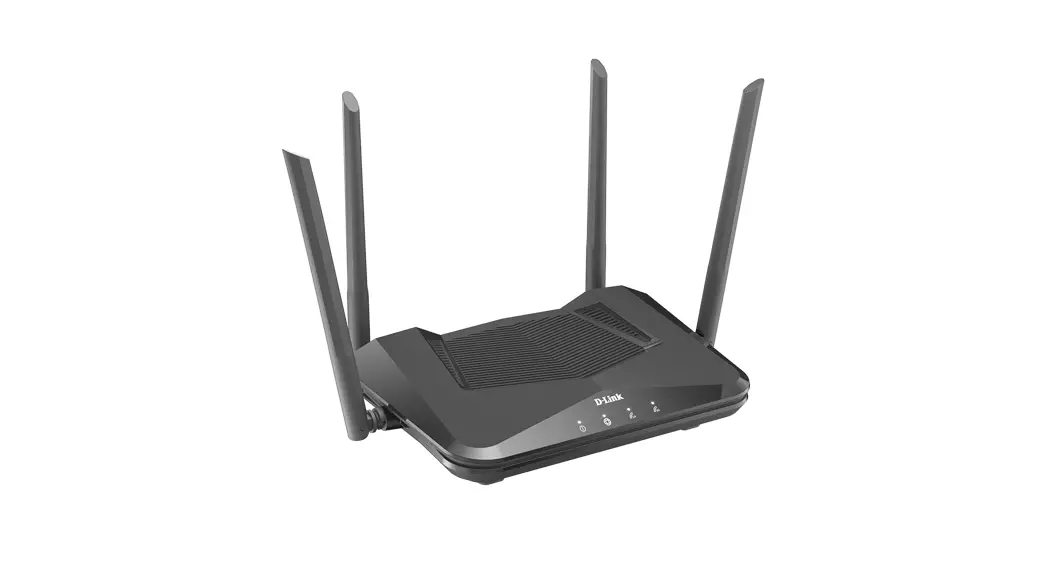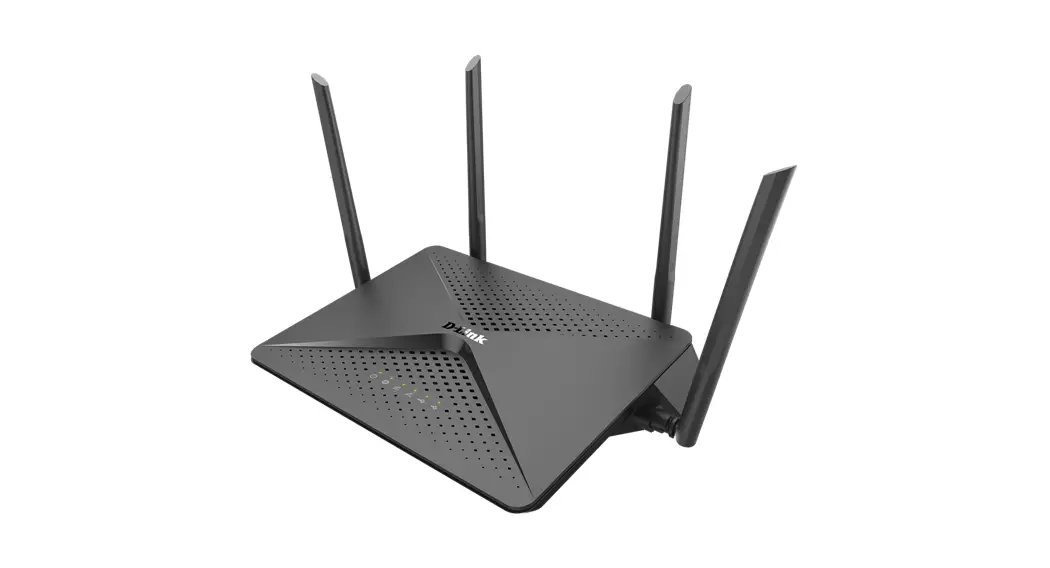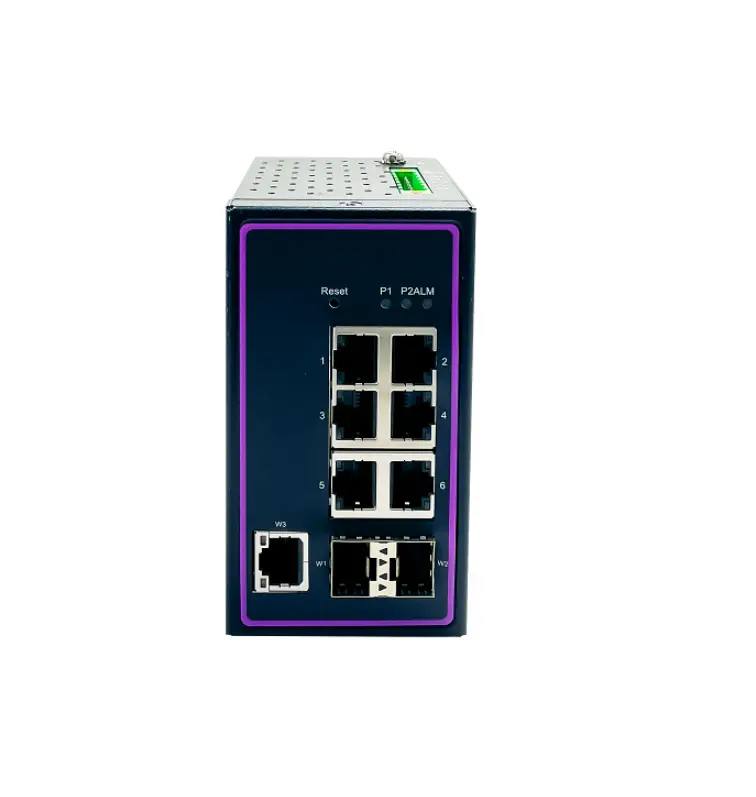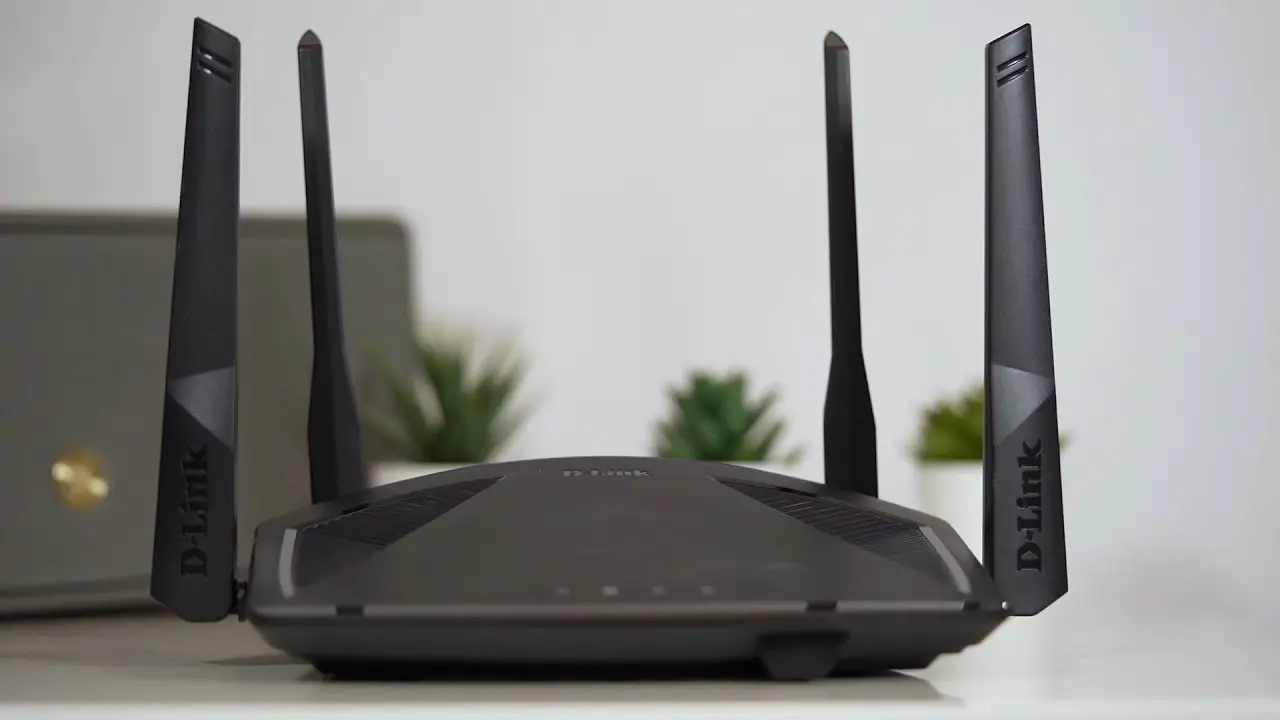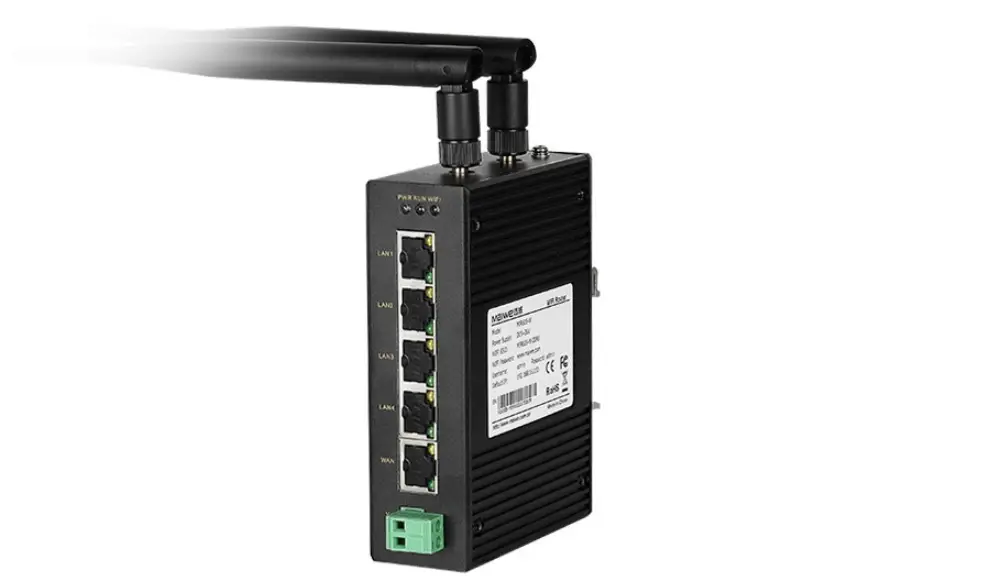

Maiwe MIR605-W Industrial WiFi Routers
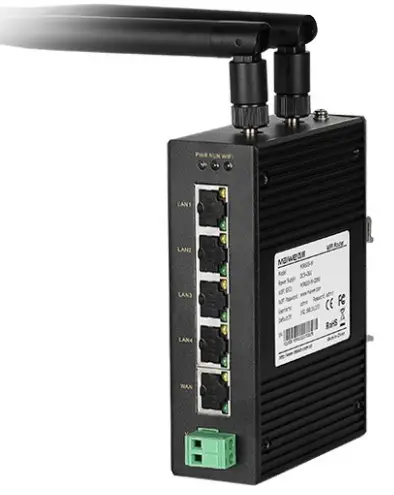
Packing list
The package of this switch contains the following items. If any item is found to be missing or damaged, please contact the agent or the customer service center of Maiwe for assistant.
| Items | Quantity | Note |
| MIR605-W Installation Manual | ||
| Antenna | ||
Overview
- Function
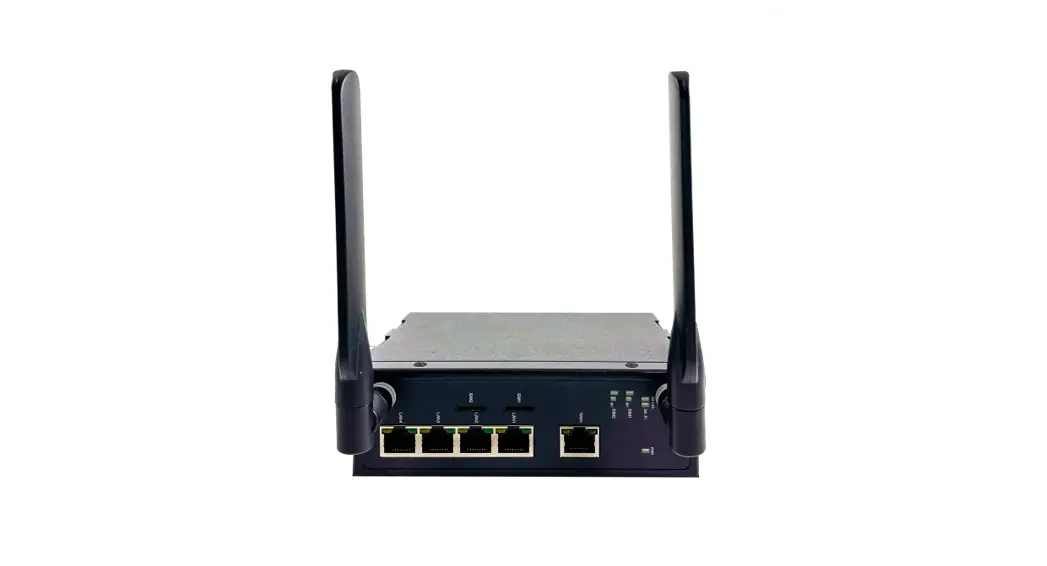
- 4 LAN ports, 1 WAN port
- Support 1 WLAN wireless LAN.
- Support LED status monitoring (display power, Run, Wi-Fi, WAN port connection, LAN port connection).
- One-button restart and factory reset.
- All wired network ports support 10/100Mbps rate.
- Support wired and wireless multi-network simultaneous online, multi-network intelligent switching backup function.
- Prevents crashes with external independent hard-ware watchdog design
- Industrial-grade interface surge protection
- Up to DM ±6kV, CM ±2kV (10/700us) with Ethernet interface lightning protection
- Industrial wide voltage power supply design
- Industrial-grade DC power supply DC9~36V input.
- Anti-reverse protection.
- Lightning protection up to DM±4kV, CM±4kV (1.2/ 50us) protection.
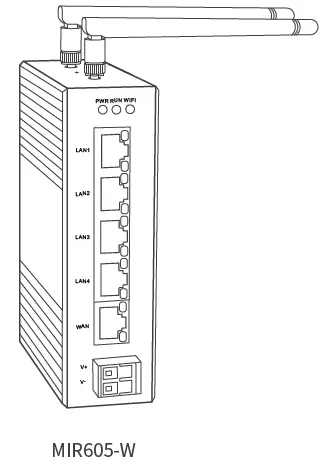
Interface and Dimension
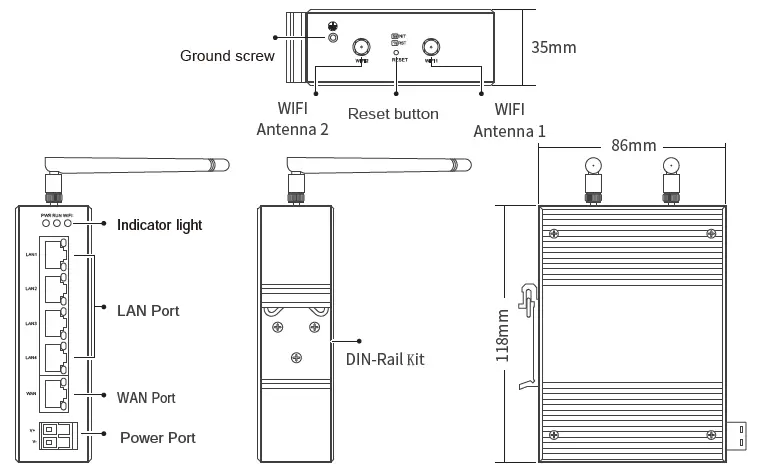
| Item | Description |
| Ground Screw | Crimp one end of the grounding screw with the cold-pressed terminal. The other end of the grounding wire is connected to the ground, and the grounding wire is not less than 2.5mm2. |
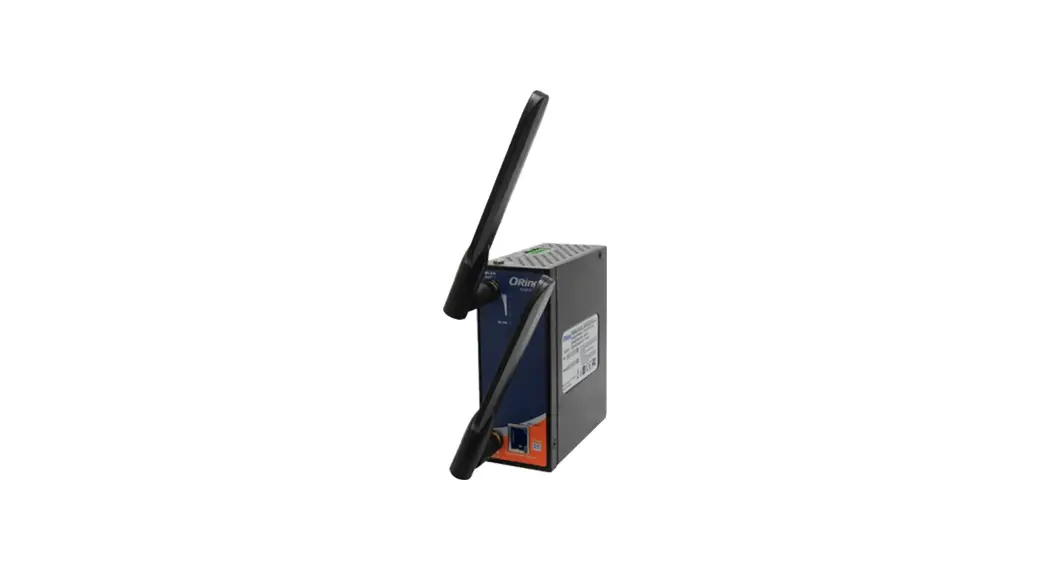
| WIFI Antenna | Two 2×2 MIMO 2.4G WIFI antennas. |
| Reset Button | With power-on, press less than 1s, and then release, the device will restart; press more than 5s, then release, the device parameters will be restored to factory settings. |
| LAN Port | mainly used for wired communication between the router and the devices in the LAN. |
| WAN Port | mainly used for the wired connection between the router and the WAN (external net- work), and supports static IP, dynamic IP and PPPoE dial-up networking. |
| Power Port | Support terminal connection (5.08mm pitch) connection mode, voltage input range: DC 9~36V. |
| DIN-Rail Kit | Fix the device |
Indicator lights definition
| Lights | Color | Definition |
| PWR | Red | Keep on indicates that the power supply is normal, and off indicates that the power is not supplied or the charging is abnormal |
| RUN | Green | flashes once in 0.5s with normal operation of the equipment; always on or off indicates abnormal operation of the equipment |
| WIFI | Green | Keep on when the WIFI radio frequency function is turned on Flashing when WIFI data transmission. |
Hardware installation
Installation Precautions
To prevent equipment damage or personal injury caused by improper use, observe the following precautions:
- During the installation process, you need to wear anti-static gloves or anti- static gloves, and power-off the switch.
- Make sure that the input voltage is within the input voltage range.
- Please connect the power cord to the power terminal correctly before power on, disconnect the power cord before power off.
- The transmission distance has a certain relationship with the connected wire.
- It is recommended to use a standard Cat5e/6 network cable.
- The equipment must be grounded for lightning protection, otherwise the protection of the equipment will be reduced; please use a wire of No. 20 or more to connect the grounding terminal to the ground.
- The power line, ground line and signal line are laid out separately and the distance is not less than 5cm.
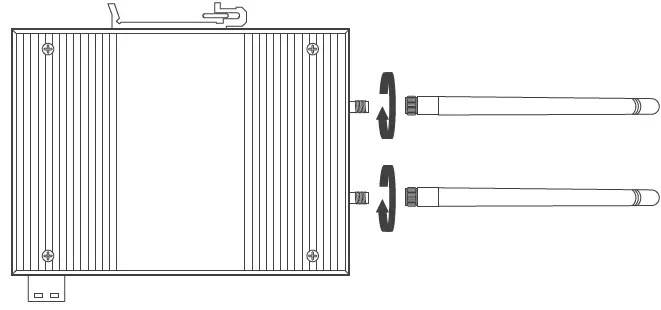
Atenna Installation
Screw the antenna clockwise into the corresponding screw on the router.
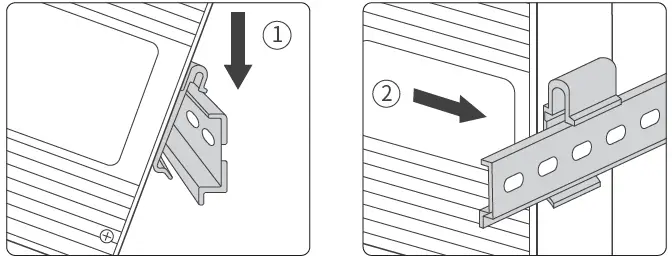
Device Installation
- Tilt the product upwards so that the upper end of the buckle on the back is buck-led on the upper end of the DIN rail.
- Press the product down to buckle the lower end of the buckle on the back of the product into the DIN rail. After buckling, shake the product. If there is no obvious shaking, the product is installed firmly.
Device Connection
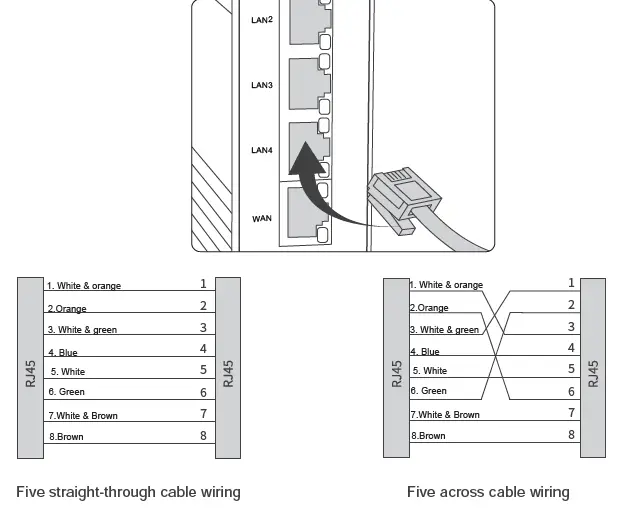
- Network cable connection
Connect the network cable in the correct direction. You can use a straight-connected network cable or a crossover network cable.
- Power access
Make sure that the ground is connected, and then connect the power cord to the power terminal of the device according to the definition shown.
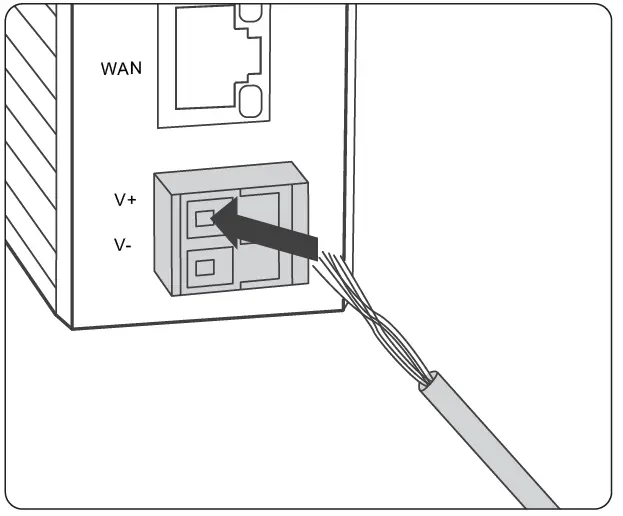
- Power-on : first connect the cord to the power terminal according to the above picture shown
- Power-off : Unplug the power plug first, and then remove the power cord.
Specification
| MIR605-W | |
| Power | |
| Voltage | DC9-36V <2.5W |
| consumption | |
| Overcurrent protection | |
| Electrical port parameters | |
| Interface | IEEE802.3 Standard |
| Quantity | 4 LAN port,1 WAN port |
| Function | RJ-45 shielded port supports 10/100Base-TX, auto-negotiation function <100M |
| Transmission | |
| Antenna | |
| Standard | Support 802.11b/g/n 2 |
| Quantity | |
| Interface | SMA interface (outer screw inner hole) |
| WIFI | |
| Frequency | Frequency:2412GHz—2484MHz |
| Transmit power | IEEE 802.11n : 13-16dBm @HT20/40 MCS7 |
| IEEE 802.11g : 14-17dBm @54MHz | |
| IEEE 802.11b : 16-20dBm @11MHz | |
| Receiving sensitivity | HT40 MCS7 : -69dBm@10% PER(MCS7) |
| HT20 MCS7 : -71dBm@10% PER(MCS7) | |
| 54M: -75dBm@10% PER | |
| 11M: -88dBm@ 8% PER | |
| Mechanical | |
| Dimension | (118mm×35mm×86mm(H x W x D) |
| Installation | DIN rail |
| radiating | Aluminum alloy single-rib chassis surface heat dissipation Finless |
| Weight | 0.3kg |
| Working environment -40℃~+70℃ | |
| Operating temperature | -40℃~+85℃ |
| Storage temperature | 5~95%(non-condensing) |
| Industry Standard | |
| Shock | |
| Free fall | |
| Vibration | |
| Certification | |
Commitment to Customers
Thank you for purchasing Maiwe products. You will enjoy the following services when using Maiwe products:
The company solemnly promises: in the normal use of a month to return, one year free maintenance, five years warranty, lifelong maintenance.
The details are as follows:
- Thank you for purchasing Maiwe products. You will enjoy the following services when using Maiwe products:
- The company solemnly promises: in the normal use of a month to return, one year free maintenance, five years warranty, lifelong maintenance.
- The details are as follows:
Wuhan Maiwe Communication Co., Ltd
Add: No.52 Liufang Avenue, East lake High-tech Development Zone, Wuhan, China.
Tel: +86-027-87170215/16
Website :www.maiwe.com.cn
Fax: +86-027-87170217
Zipcode :430205
 迈威通信-全球工业互联网通信专家-工业交换机-行业交换机-嵌入式模块-工业无线-工业设备联网