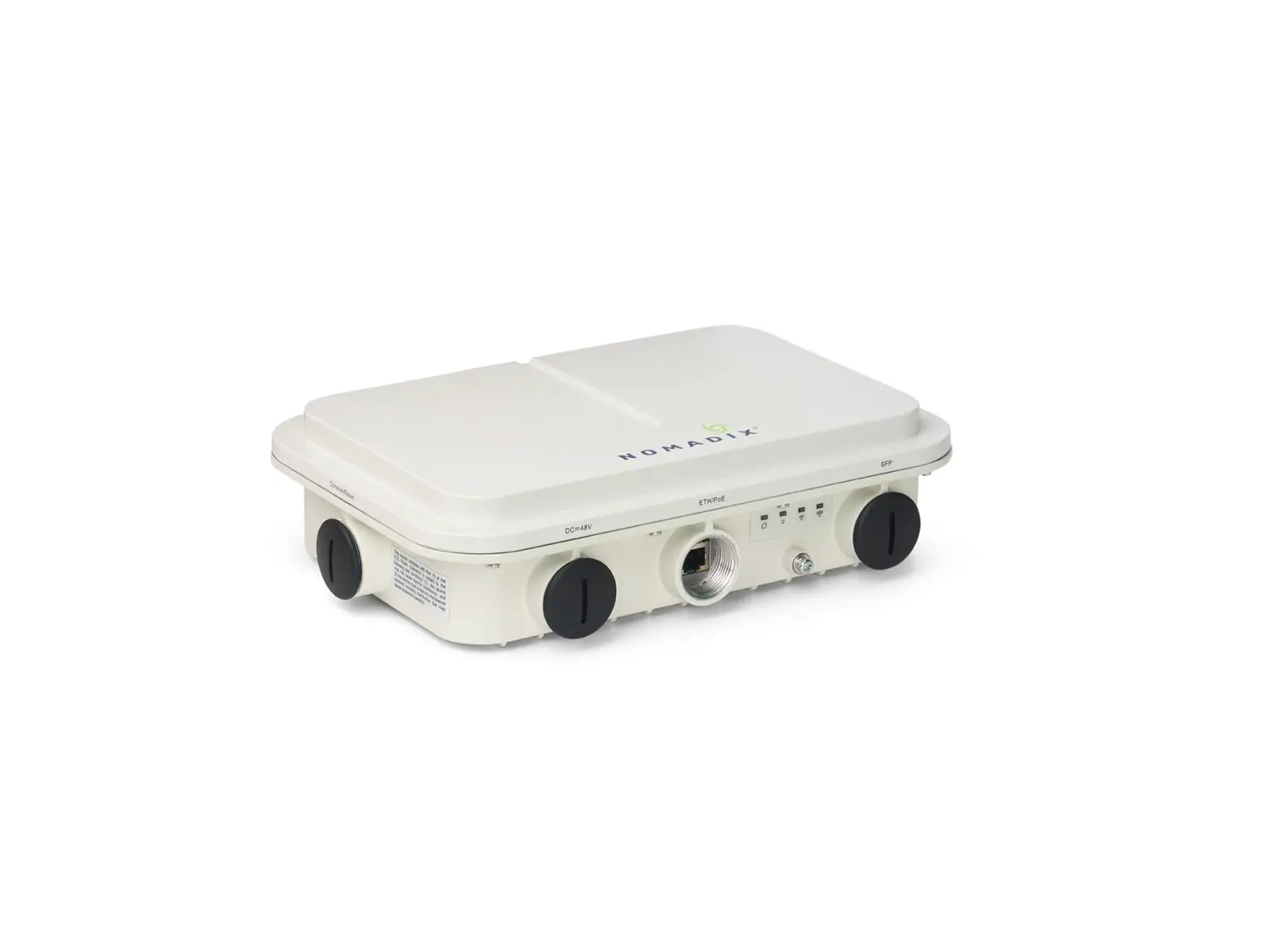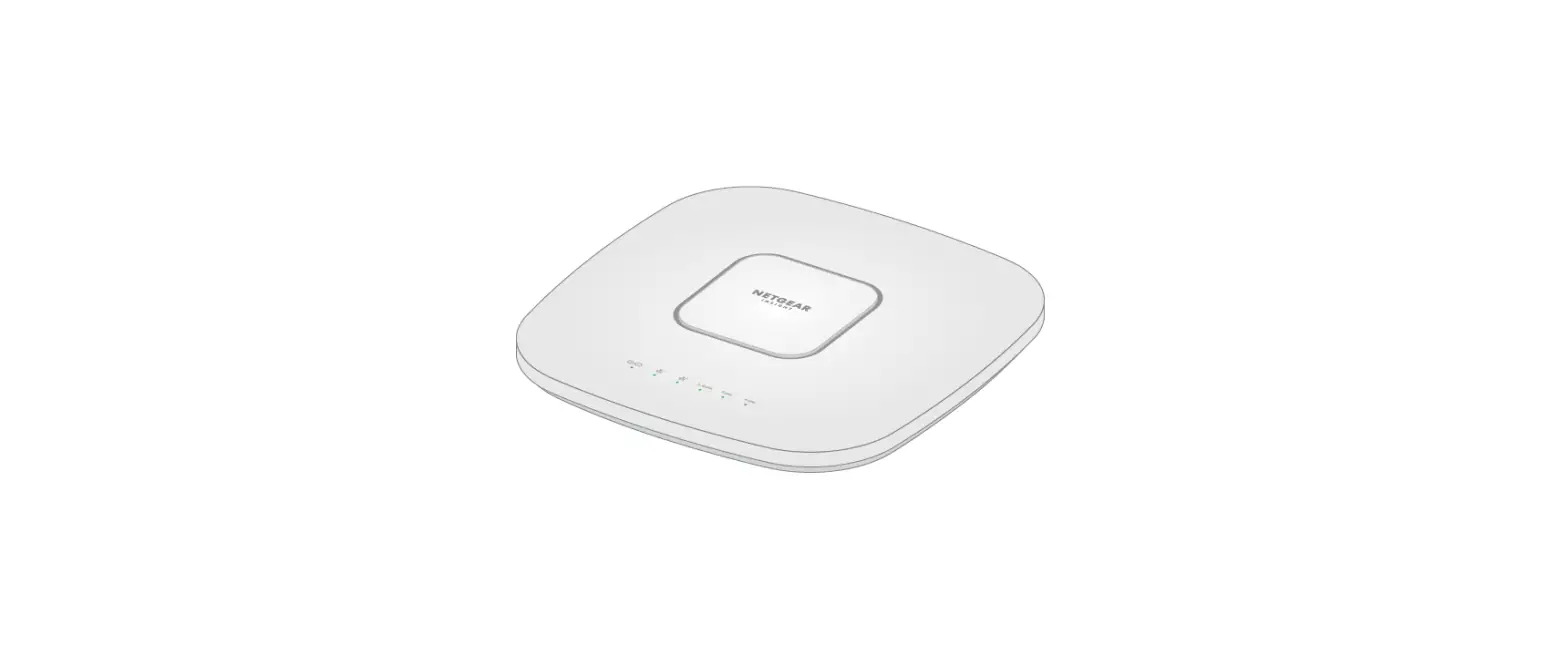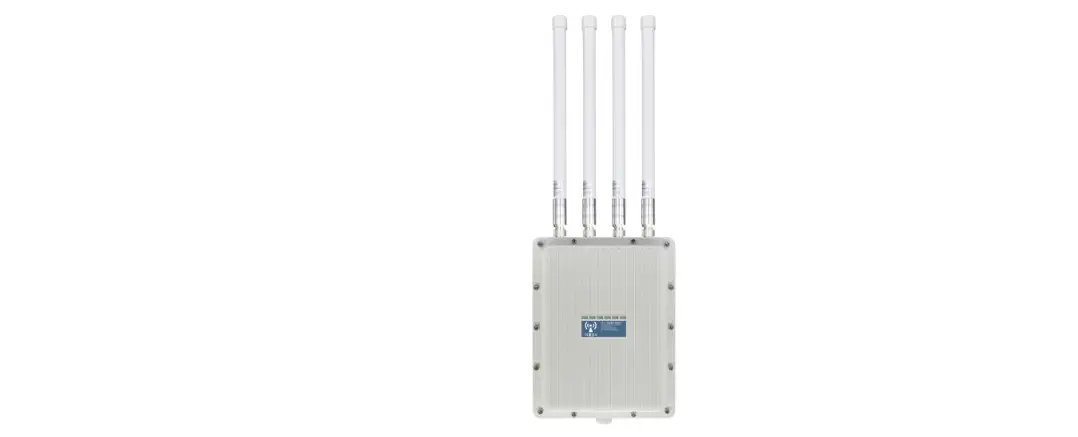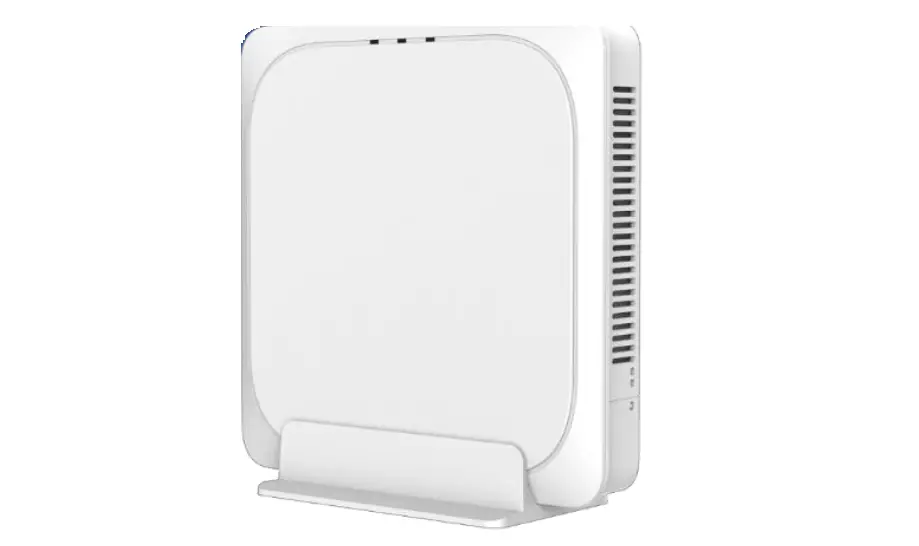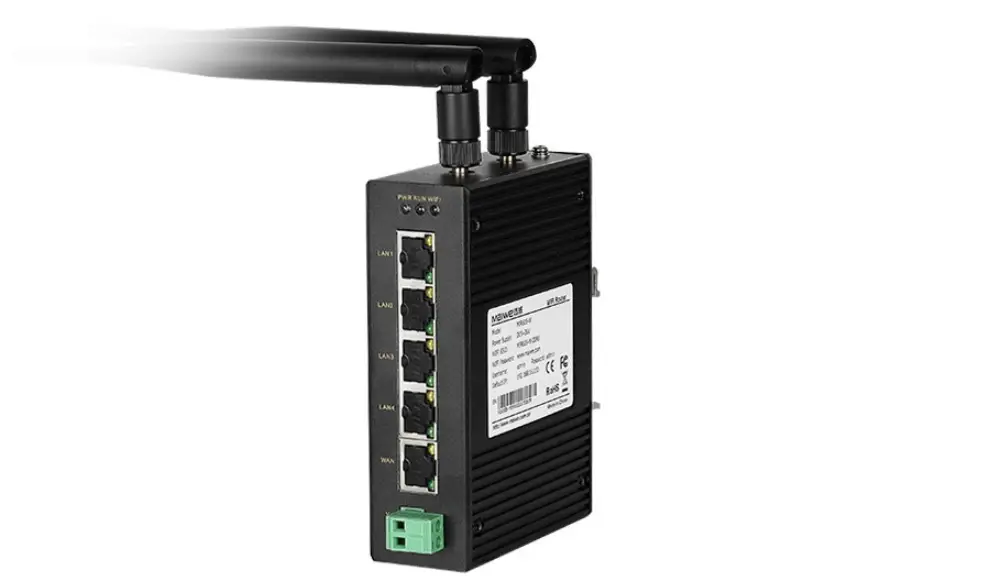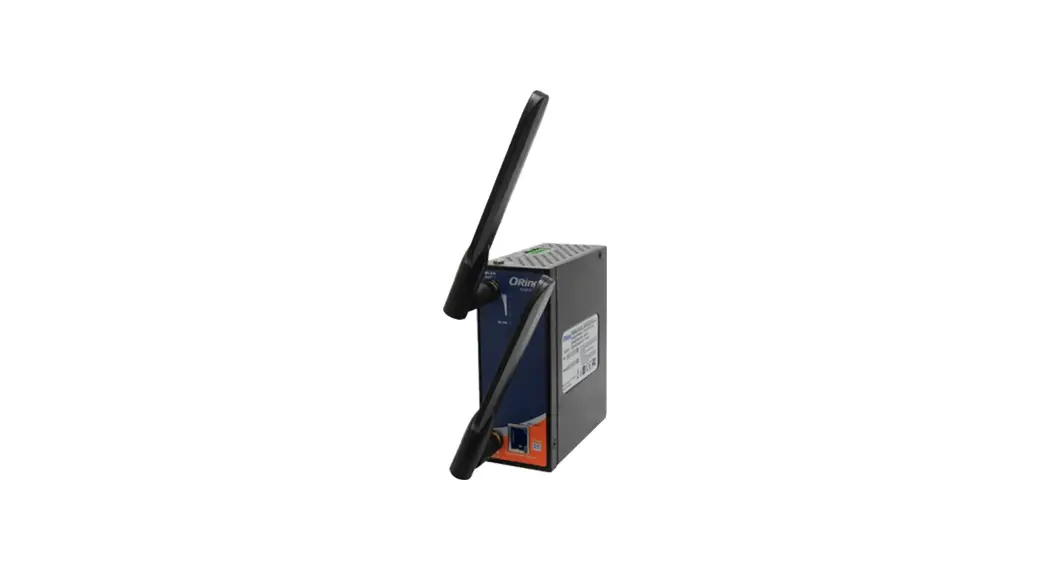

Wireless
ACCESS POINT
I N D U S T R IAL
Quick Installation Guide
IGAP-610H+
Industrial Wireless LAN Access Point
Introduction
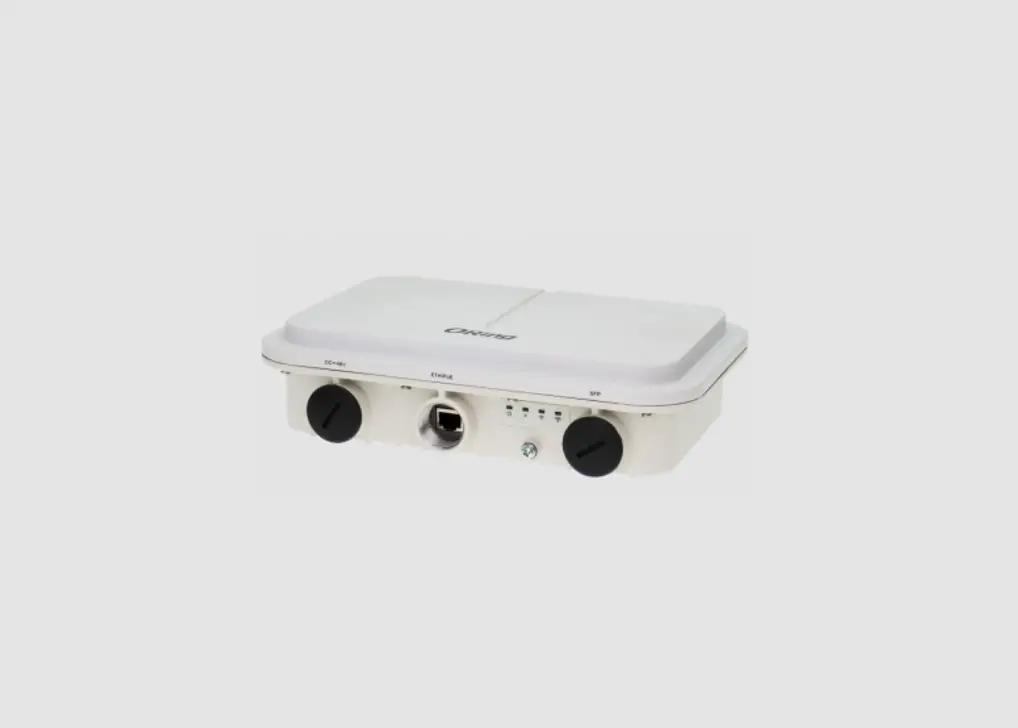
IGAP-610H+ is a reliable WLAN Access Point with 1 Ethernet Gigabit port and IEEE 802.11 a/b/g/n wireless module. It can be configured to operate in AP/Client/Repeater Mode. You are able to configure IGAP-610H+ by WEB interface via LAN port or WLAN interface. In addition, IGAP-610H+ also provides P.D. feature and the Ethernet port which is fully compliant with IEEE802.3af PoE P.D. specification. Therefore, IGAP-610H+ is one of the best communication solutions for wireless applications on the industrial network.
Features
- High-Speed Air Connectivity: Dual Band in IEEE 802.11 a/b/g/n and b/g/n WLAN interface selectable and support up to 300Mbps link speed
- 12-48VDC power input on the terminal block
- 1 Gigabit Ethernet ports with 2KV isolation for PoE P.D.
- Highly Security Capability: WEP/WPA/WPA-PSK(TKIP,AES)/ WPA2/WPA2-PSK (TKIP, AES)/802.1X Authentication supported
- Support X-Roaming < 100 ms
- Support Multiple-SSID to 4 SSID with VLAN
- Support MAC Filter
- High transmission power (27 dBm Max.)
- High data throughput with HT40 2×2 MIMO
- Support Long Distance Air Connectivity
- Support AP/Client/Repeater
- Wireless connecting status monitoring
- Secured Management by HTTPS
- Event Warning by Syslog, Email, SNMP Trap, and Relay output
- Rigid IP-30 housing design
- DIN-Rail and Wall-mount enabled
Package Contents
The device is shipped with the following items. If any of these items are missing or damaged, please contact your customer service representative for assistance.
| Contents | Pictures | Number |
| IGAP-010H+ |  | X 1 |
| GIG |  | X 1 |
| DIN-rail kit |  | X 1 |
| Wall-Mount Kit |  | X 2 |
| 4-pin terminal block | 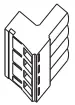 | X 1 |
| Power cable with power jack | 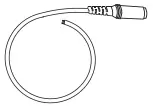 | X 1 |
| CD |  | X1 |
Preparation
Before installation, make sure you have all of the package contents available and a PC with Microsoft Internet Explorer 6.0 or later, for using web-based system management tools.
- Safety & Warnings
 Elevated Operating Ambient: If installed in a closed environment, make sure the operating ambient temperature is compatible with the maximum ambient temperature (Tma) specified by the manufacturer.Reduced Air Flow: Make sure the amount of airflow required for the safe operation of the equipment is not compromised during installation.Mechanical Loading: Make sure the mounting of the equipment is not in a hazardous condition due to uneven mechanical loading.Circuit Overloading: Consideration should be given to the connection of the equipment to the supply circuit and the effect that overloading of the circuits might have on overcurrent protection and supply wiring. Appropriate consideration of equipment nameplate ratings should be used when addressing this concern.
 - Dimension Unit =mm (Tolerance ±0.5mm)
 Elevated Operating Ambient: If installed in a closed environment, make sure the operating ambient temperature is compatible with the maximum ambient temperature (Tma) specified by the manufacturer.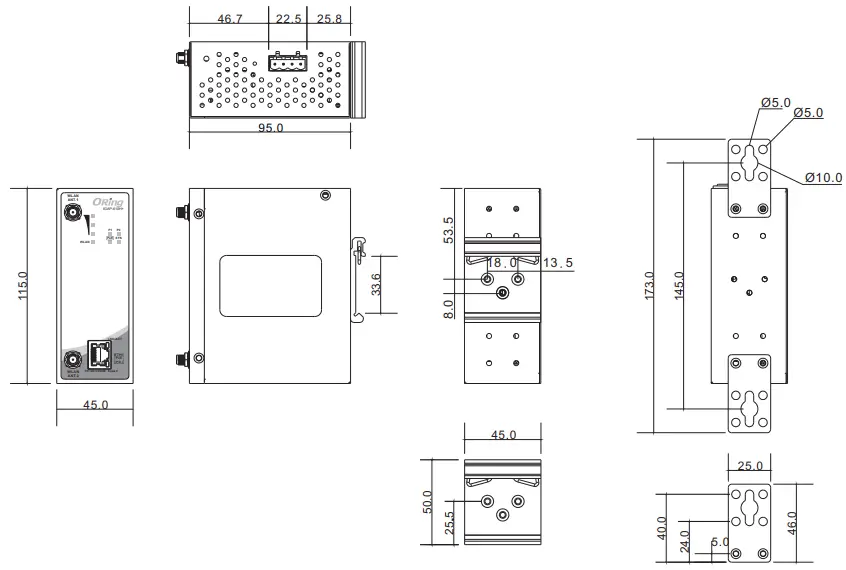
- Panel Layouts
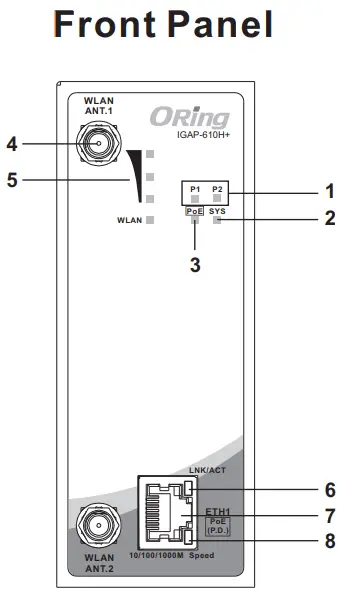
- Power LED
- System LED
- PoE power status
- WLAN Antenna
- LED for wireless signal strength
- LNK/ACT LED for Giga PoE LAN port
- Giga PoE LAN port
- Speed LED for Giga PoE LAN port
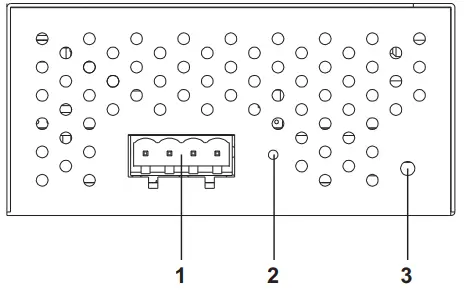
- Terminal block
- Reset button
- Grounding screw
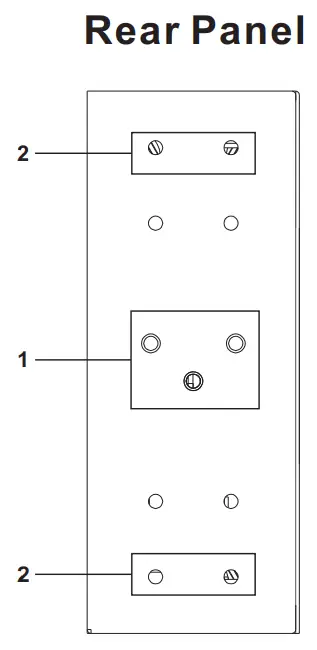
- Din-rail screw holes
- Wall-mount screw holes
Installation
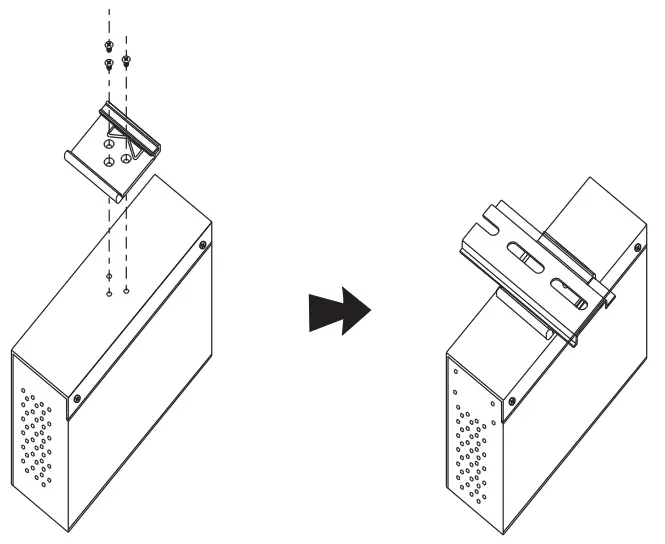
- DIN-rail
Step 1: Slant the device and screw the Din-rail kit onto the back of the device, right in the middle of the back panel.
Step 2: Slide the device onto a DIN-rail from the Din-rail kit and make sure the device clicks into the rail firmly.
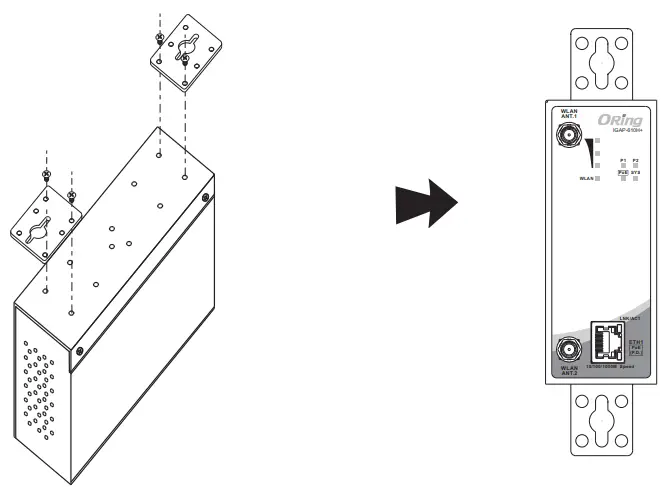
- Wall-mount
Step 1: Screw the two pieces of wall-mount kits to the top and bottom panels of the device. A total of eight screws are required, as shown below.
Step 2: Use the device, with wall mount plates attached. as a guide to mark the correct locations of the four screws.
Step 3: Insert a screw head through the middle of the keyhole-shaped aperture on the plate. and then slide the device downwards. Tighten the screw head for added stability.
Wiring
Power inputs
The device supports dual redundant power supplies, Power Supply (PWR1) and Power Supply 2 (PWR2). The connections for PWR1, PWR2 are located on the terminal block. STEP 1: Insert the negative/positive wires into the V-/V+ terminals, respectively.
STEP 2: To keep the DC wires from pulling loose, use a small flat-blade screwdriver to tighten the wire-clamp screws on the front of the terminal block connector.Network Connection
The device has three standard Ethernet ports. According to the link type, the device uses CAT 3,4,5,5e UTP cables to connect to any other network devices (PCs, servers, switches, routers, or hubs). Please refer to the following table for cable specifications.
Cable Types and Specifications:Cable Type Max. Length Connector 10BASE-T Cat. 3, 4, 5100-ohm UTP 100 m (328 ft) R1-45 100BASE-TX Cat. 5 100-ohm UTP UTP 100 m (328 ft) R1-45 1000BASE-T Cat. 5/Cat. 5e 100-ohm UTP UTP 100 m (3281t) R1-45
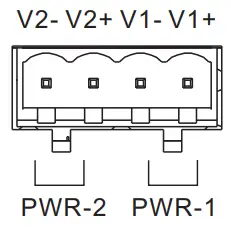 STEP 1: Insert the negative/positive wires into the V-/V+ terminals, respectively.
RJ-45 Pin Assignment
| 10/100 Base-T(X) RJ-45 port | |
| Pin Number | Assignment |
| 1 | TD+ |
| 2 | TD- |
| 3 | RD+ |
| 4 | Not used |
| 5 | Not used |
| 6 | R D- |
| 7 | Not used |
| 8 | Not used |
| 1000Base-T RJ-45 port | |
| Pin Number | Assignment |
| 1 | BI_DA+ |
| 2 | BI_DA- |
| 3 | BI_DB+ |
| 4 | BI_DC+ |
| 5 | BI_DC- |
| 6 | BIDB- |
| 7 | BI_DD+ |
| 8 | BI_DD- |
Note:“+” and“-” signs represent the polarity of the wires that make up each wire pair.
Configurations
After installing the device and connecting cables, the green power LED should turn on. Please refer to the following tablet for LED indication.
| LED | Color | Status | Description |
| P.O.E | Green | On | PoE power on |
| P1/ P2 | Green | On | DC power 1/2 is activated. |
| SYS | Green | On | System is ready |
| Blinking | System is booting up | ||
| WLAN | Green | On | WLAN activated |
| Blinking | Transmitting wireless data | ||
| WLAN Strength | Green | On | LLAN signal strength. 1<25%, 2<50%, 3<75%, 4<100% |
| 10/10011000Base-T(X) Fast Ethernet ports | |||
| LNK/ACT | Green | On | Port is activated |
| Speed | Green | On | Port is linked and running at 1000Mbps. |
| Amber | On | Port is linked and running at 100Mbps. | |
| Off | Port is linked and running at 10Mbps. | ||
Follow the steps to set up the card:
- Launch the Internet Explorer and type in the IP address of the switch. The default static IP address is 192.168.10.2

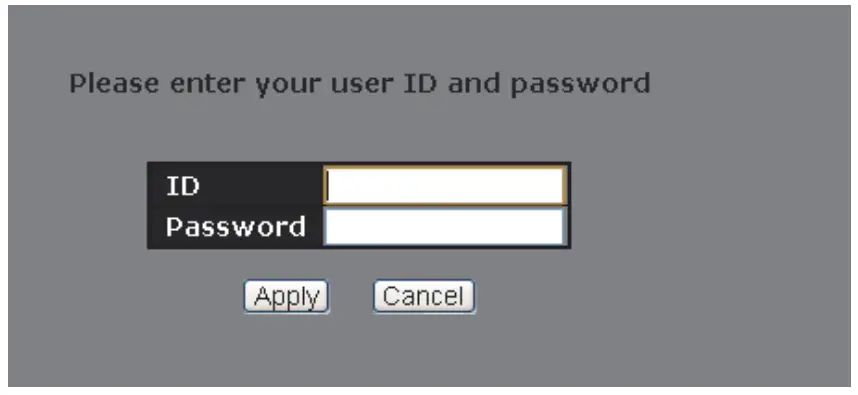
- Log in with default user name and password (both are admin).

- After logging in, you should see the following screen. For more information on configurations, please refer to the user manual.

- Resetting
To restore the device configurations back to the factory defaults, press the Reset button for a few seconds. Once the power indicator starts to flash, release the button. The device will then reboot and return to factory defaults.
Specifications
| ORing W LAN Accts.; Point Model Physical Port. 10 /100/10000ase-T(X) Ports In Auto MOUNDIX | IGAP-610H+ 1 |
| Antenna Connector | 2 |
| Po! P.D Port WIAN Feature Antenna Connector | Present at ETH1 FuIy compliant with IEEE 802.341 Power Devi:e specification |
| Operating 140de | AP/Client/Repeater |
| Modulation | IEEE802.11a: (WOM IEEE802.11b: COODQPSK/DBPSK IEEE8 02.11g: OF014 IEEE802.11n: BPSK, QPSK, 16-QA1, 64-QAM |
| Frequency Bend | America / FCC: 2.412.2.462 G Hz (11 channels) 5 .180.5.240 G Hz & 5.745.5.825 Gus ( 9 channels ) Europe CE / ETSI : 2.412.2.472 GHZ ( 13 channels) 5.1805.240 Gift (4 channels) |
| Transmission Rate | 802.11b: 11, 5.5, 2, 1 Mbps 802.119: 54, 48, 36, 24, 18, 12, 9, 61Cms 802.11n: up to 300140PS |
| Transnet Power | 802.11a: 23dBm * 1.5dBm(P6M)ps, 21dBm* 1.5dBm(P54M)ps 802.110: 23dBrn • 1.5013m0 IMO pi, 23d5m • 1.5011m41111140 DS 802.11g: 23d1m • 1.5df5m060113ps, 21dBm • 1.5dErn054Mbps 802.11gn HT20: 20dBm • 1.506nstplea7, 802.1 ign HT40: 2008m ± 1.500ngiNGS7 802.11an HT20: 20dBm 1 1.5dInsON<S7, 802.11an HT40: 20d Bm 1 1.5dEen 4MCS7 |
| Receiver SensMeRY | 802.11a : -9368m* 2d6is46141)ps. -74dIhrn *268/1)54resps 802.110: -9800m *201Inst INOps, +learn I RIBMIP11140PS 802.110 : -90.18m e2dens.)6141)ps. -77d8rn * 260m05404bps 802.11en HT20:•74011in ± 208mONIC97, 802.11gn HT40:•7105m • 200m0114a7 802.11an HT20:-71dBm 1 2d f5mOIC57, 802.11an HT40:48dBm • 2 dBmGMCS7 |
| EnoyptIon Security | WEP: (64-Olt ,12841t key supported) WPA/WPA2 P5K: TIC IP and AES en Creation (802.114) 802.1X Authentication supported |
| Wireless Security Protocol Support Protocol POWER Redundant Input power | 5510 brood cast disable and enable ARP, BOOTP, DHCP, DNS, HTTP, IP, 104P, SNIP, TO, UDP, RADIUS, SNMP, STP, RSTP Dual DC I emits. 12-46VDC on •pi II terminal block |
| Power Cansurnotsan(b9.) | ?watts |
| Overload current protection | Present |
| Reverse polarity protection Physical Characteristic Enclosure | Present on terminal block IP-30 |
| dimension (W X Ox H) | 45(W) 495 (o) x lis(n)rm (1.77•3.74•4.531n014 |
| Wait (9) Environmental Storage Temperature | 3759 -40 to SSC (•40 to 185’F) |
| Operating Temperature | -10 to 70C(14 to 156’F) |
| Operating Humidity Regulatory Approvals (MC | 5% to 95% Non•cordensing CE 194C (EN 55024, EN 55032), ?CC Part 151 |
| EMI | EN 55032,CISPR32, EN61000-3-2, EN61000-3-3, FCC Part 15B class A |
| EMS | EN 55024(11C/6N 61000-4-2 ((SD), IEC/EN 61000-4-3 (RS), IEC/EN 61000-4-4 (EFT), IEC/EN 61000-45 (Surge), IEC/EN 61000-4-6 (CS),IEC/O461000-4-S(PM4F),IEVEN 61000-4-1 l(DIP)) |
| Shock | IEC60068-2-27 |
| Free Fall | IEC60068-2-6 |
| Vibration | EN60950-1 |
| MTBF Warranty | 211477 hrs 5 years |
Copyright© 2018 ORing
All rights reserved.
ORing Industrial Networking Corp.
TEL: +886-2-2218-1066
FAX: +886-2-2218-1014
Website: www.oringnet.com
E-mail: [email protected]
Q I G
IGAP-610H+
1907-200-G610H+XXX2-FX010 PRINTED ON RECYCLED PAPER
Quick Installation Guide