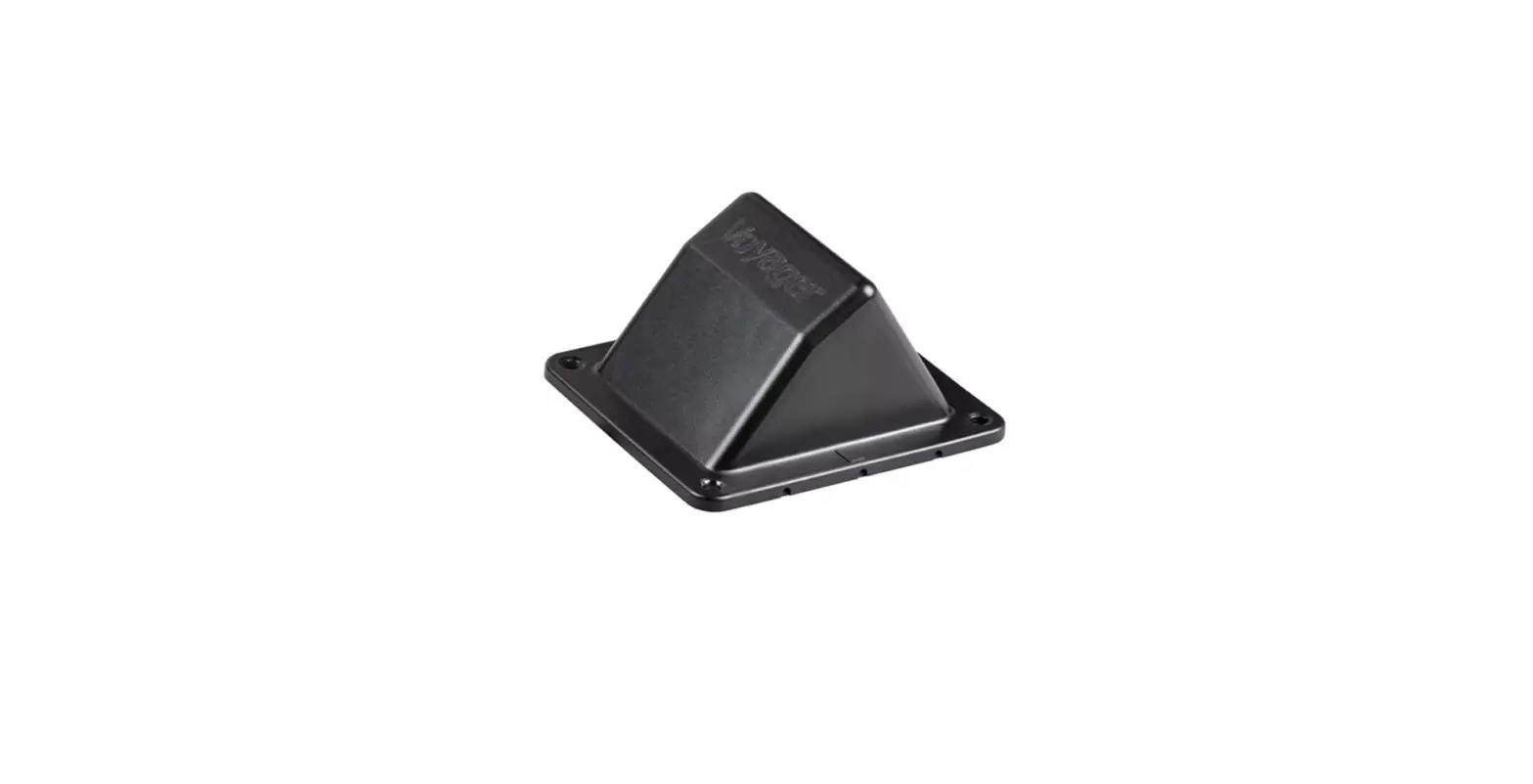
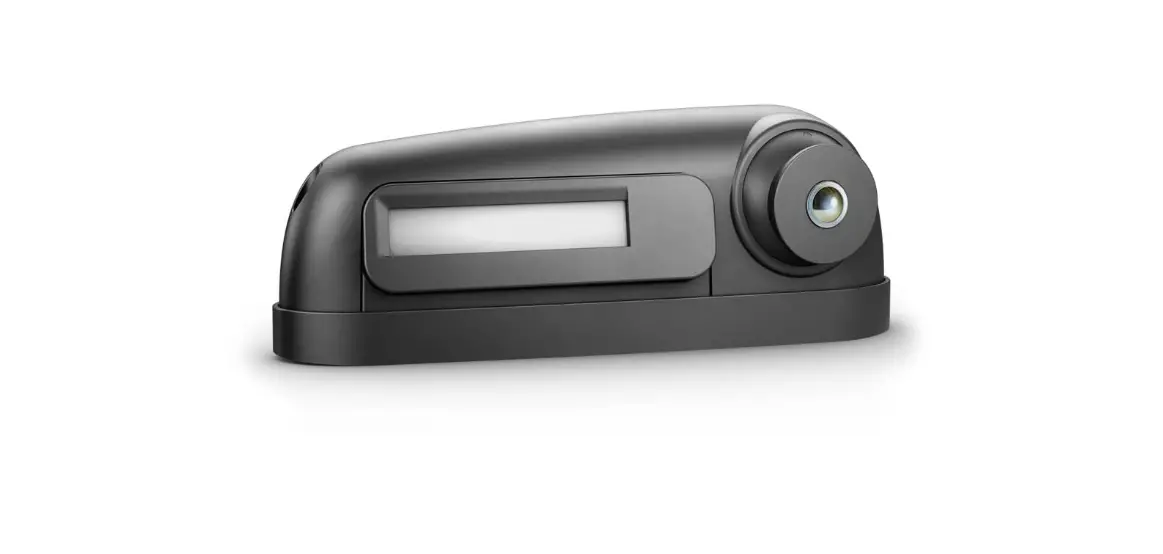
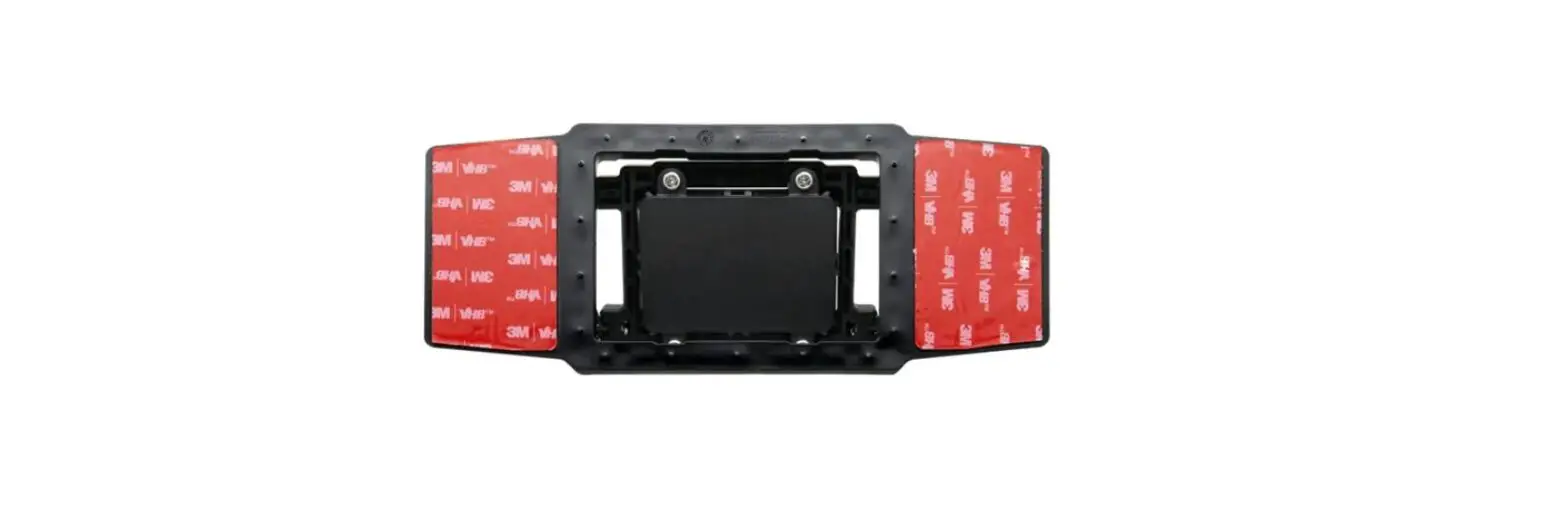
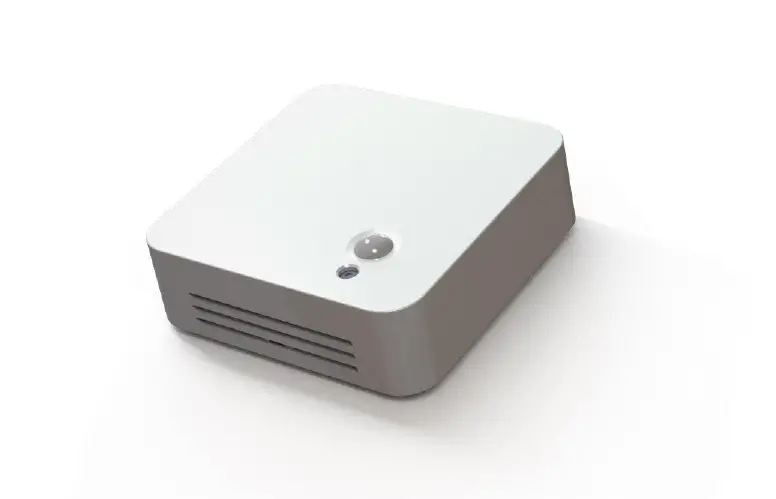
RVS-130 Advanced Blind Spot Sensor System
Product Information: Advanced Blind Spot Sensor System
The Advanced Blind Spot Sensor System RVS-130 is a vehicle
safety system that helps drivers to detect objects in their blind
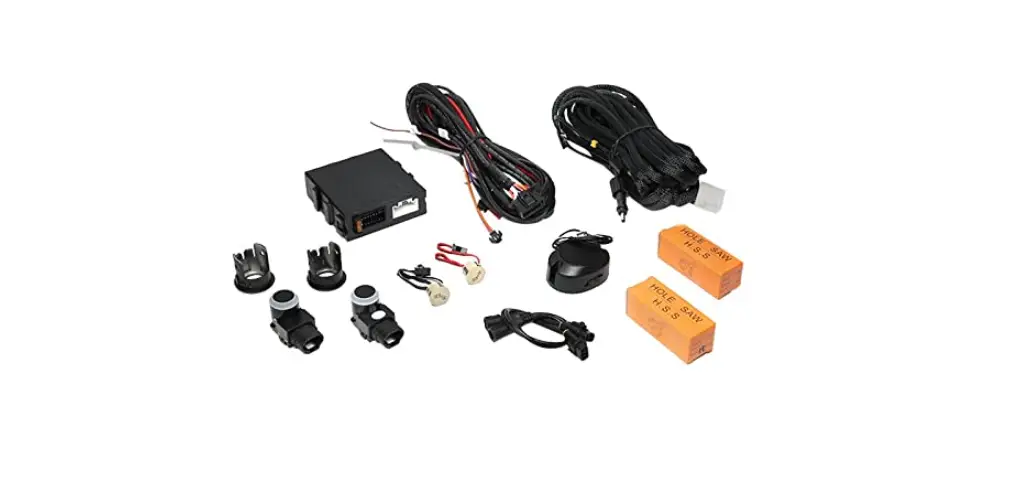
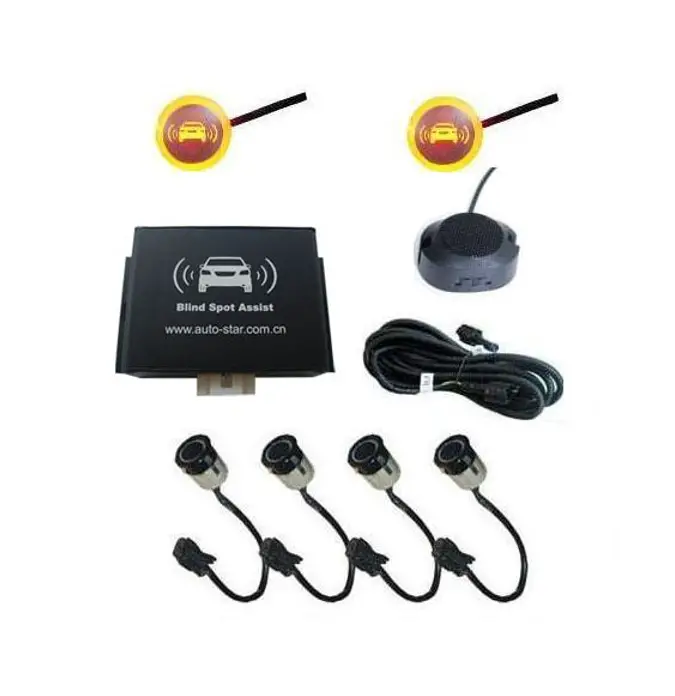
spot. The system includes a main unit, main harness, radar sensors,
sensor extension cables, LED indicators, 3M velcro, GPS antenna,
buzzer, LED extension cables, and tools for installation. The
system operates on a frequency range of 24.0 to 24.25GHz with a
transmit power of 15dbm. It can detect up to 5 targets at the same
time within a detection range of 1ft to 50ft for cars, 1ft to 33ft
for motorcycles, and 1ft to 23ft for pedestrians. The system works
in all weather conditions and is waterproof.
Technical Specifications:
- Operating frequency: 24.0 – 24.25GHz
- Transmit power: 15dbm
- Detection range: 40 degrees (horizontal)
- Detection ability: 5 targets can be detected at the same
time - Speed range: 0.35mph – 137mph
- Speed accuracy: < 0.35mph
- Direction of movement: Approached or overtaken by vehicles
- Speed restriction: None
- Operating voltage: Cables waterproof
- Working current: N/A
- Working temperature: N/A
Product Usage Instructions:
Step 1. Sensor Installation
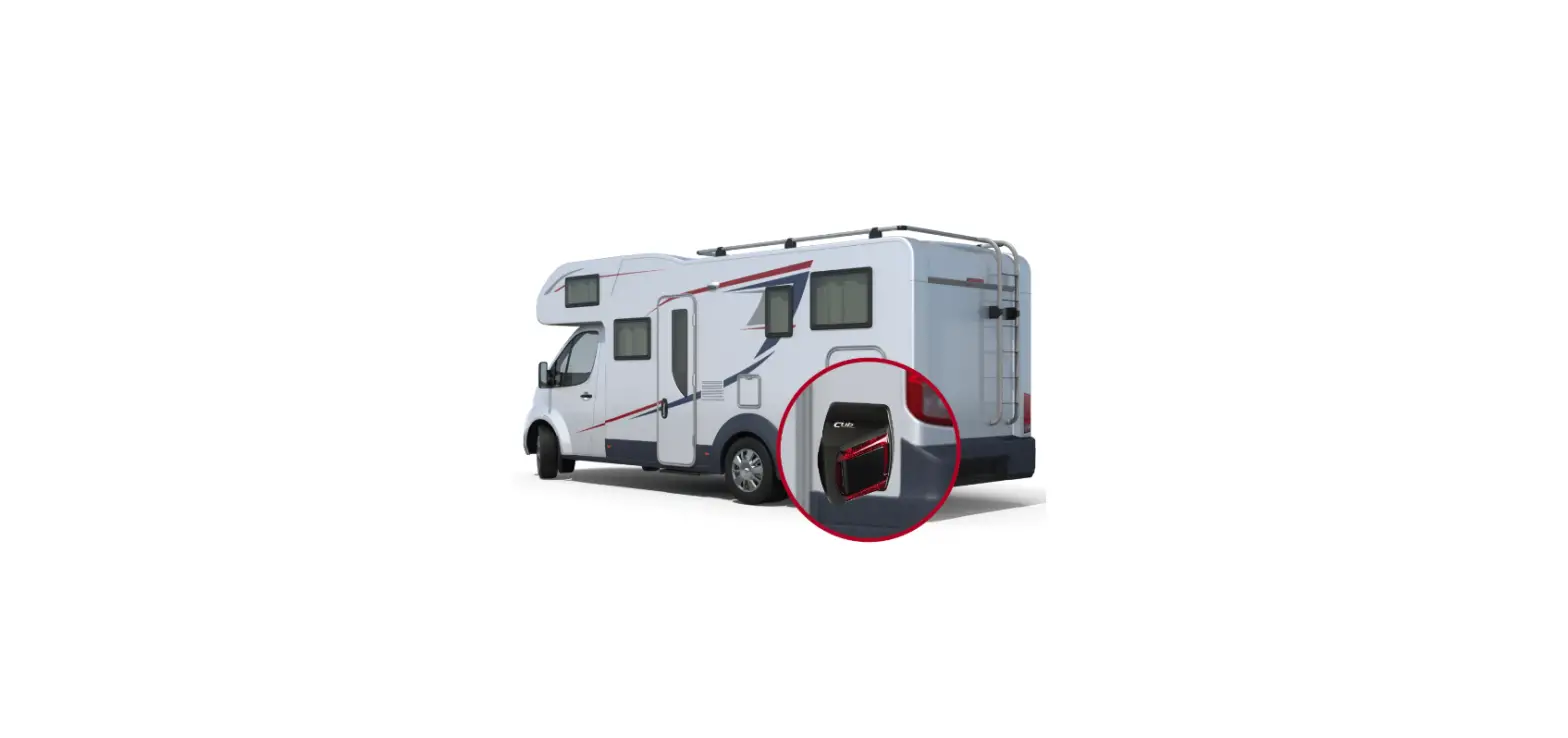
Mount the radar sensors on the widest part of the vehicle and as
far forward as possible using screws to fix them on the front of
the vehicle. The left sensor should be marked as “L” and the right
sensor should be marked as “R”.
Step 2. Installation of the left/right turn trigger
Using a voltage multi-meter, locate the left and right turn
signal trigger wires behind the front turn signals. Once verified,
connect the left and right signal wires of the RVS-130 wire harness
to the correct signal wires.
Step 3. LED Indicator Installation
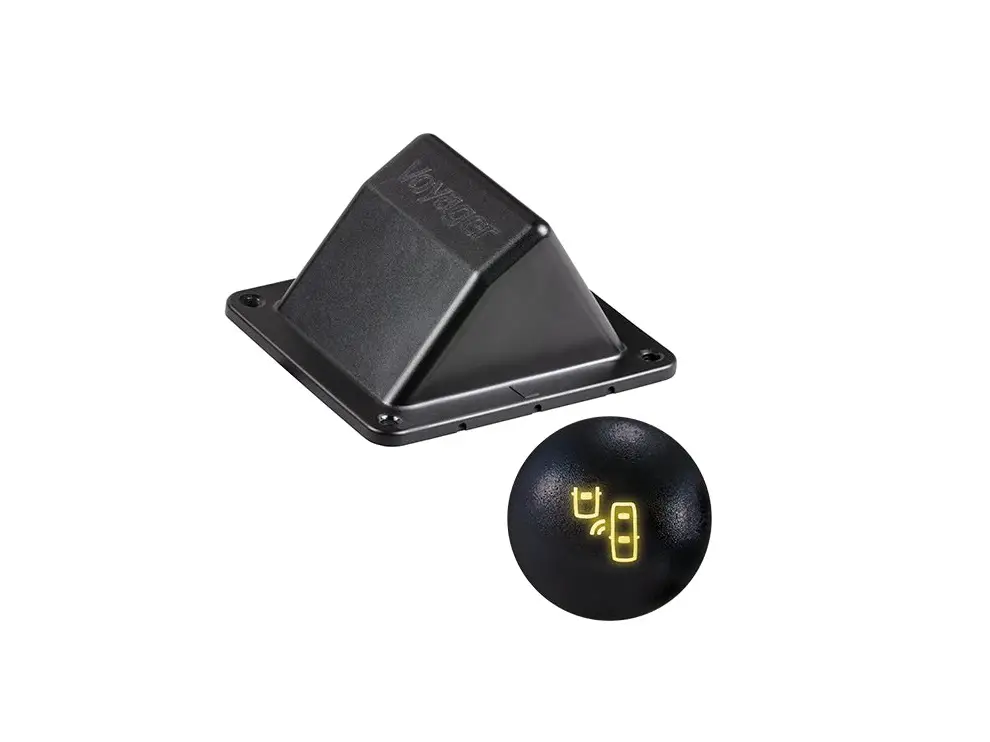
Place the LED indicators where they are visible for the driver,
ideally on the A-pillar. The left LED should be marked as “L” and
the right LED should be marked as “R”.
Step 4. Buzzer Location
Install the buzzer in an accessible area to allow driver access
to volume controls.
Step 5. Tuck the wires neatly
Tuck the wires neatly to hide and prevent wire pinch.
Step 6. Main Unit Location
While installing the main box, use tape to securely fasten it in
place.
Alert Conditions
- The LED comes on solid when the system is first powered
up. - The LED blinks slowly while the GPS module is connected to the
satellite. - The LED blinks quickly while sensing moving objects approaching
in the blind spot (same frequency as to the alarm LED indicators
and the buzzer). - The LED maintains the last blinking status after the alerts
have ended (the last blinking status of alarming is off/on
randomly).
When the vehicle is on, the system should detect objects that
are overtaking your vehicle in the lane next to your vehicle up to
50 ft. to the rear.
Instruction Manual
Advanced Blind Spot Sensor System
RVS-130
VEHICLE SAFETY IT’S ALL WE DO.TM
TABLE OF CONTENTS
Item List. . . . . . . . . . . . . . . . . . . . . . . . . . . . . . . . . . . . 02 Technical Specification. . . . . . . . . . . . . . . . . . . . . . . . . . . . . . 03 Wiring Diagram. . . . . . . . . . . . . . . . . . . . . . . . . . . . . . . 03-04 Wire Connection Diagram. . . . . . . . . . . . . . . . . . . . . . . . . . . 04 Installation Guide. . . . . . . . . . . . . . . . . . . . . . . . . . . . . . 05-07 Alert Conditions. . . . . . . . . . . . . . . . . . . . . . . . . . . . . . . . . 07 Alert Characteristics. . . . . . . . . . . . . . . . . . . . . . . . . . . . . . 08 Troubleshooting . . . . . . . . . . . . . . . . . . . . . . . . . . . 09 Customer Service Bulletin. . . . . . . . . . . . . . . . . . . . . . . . . . . . . . . . 10-11 Safety Information. . . . . . . . . . . . . . . . . . . . . . . . . . . . . 12 Warranty. . . . . . . . . . . . . . . . . . . . . . . . . . . . . . . . 13 Disclaimer. . . . . . . . . . . . . . . . . . . . . . . . . . . . . . . . 14 The RVS Difference . . . . . . . . . . . . . . . . . . . . . . . . . . . . . . 15
Item List
Main Unit 1PCS
Main Harness 1PCS
Radar Sensor 2PCS
Sensor Extension Cable
2PCS (one red one yellow)
LED Indicator 2PCS
3M Velcro
2
4PCS
GPS Antenna 1PCS
Buzzer 1PCS
LED Extension Cable
2PCS (one red one yellow)
Tools for installation: insulation tape, multi-meter, screwdriver, cleaning cloth, tape.
Rear View Safety
TECHNICAL SPECIFICATION
Technical Specification
Operating frequency Transmit power Detection range Detection ability Speed range Speed accuracy Direction of movement Speed Restriction
Detection range
24.0 —-24.25GHZ 15dbm 40 degree (Horizontal ) 5 targets can be detected at the same time 0.35mph—137mph < 0.35mph Approached or overtaken by vehicles
1.The GPS Antenna when connected activates notifications over 20mph (Example LED + Speaker) 2.If No GPS signal is detected or satellites not found, the system will give notifications at any speed.
Car: 1ft-50ft Motorcycle:1ft-33ft Pedestrian:1ft-23ft
Operating voltage cables waterproof Working current Working temperature
9—35V Radars: IP 67 / Cables: waterproof < 200mA -40¥ ~ + 85¥
Wiring Diagram
LED L-SENSOR
Buzzer
M ain Unit
Reverse With Confidence TM
R-SENSOR LED
3
WIRE CONNECTION DIAGRAM
Wire Connection Diagram
L-SENSOR LED
Buzzer
M ain Unit L-SENSOR
LED R-SENSOR
LED
Buzzer
LED M ain Unit R-SENSOR
4
Rear View Safety
INSTALLATION GUIDE
Installation Guide
Step 1. Sensor Installation Installation requirements: Sensors should be mounted on the widest part of the vehicle and as far forward as possible, Using screws to fix the sensor on the front of the vehicle.
SCREW
SENSOR HOUSING
L – Left Sensor
R – Right Sensor
Step 2. Installation of the left/right turn trigger. Using the voltage Multi-meter, locate the left and right turn signal trigger wires behind the front turn signals. Once verified, connect the left and right signal wires of the RVS-130 wire harness to the correct signal wires.
Reverse With Confidence TM
5
INSTALLATION GUIDE
Step 3. LED Indicator Installation Place the LED indicators where it is visible for the driver. Ideally on the A-pillar.
L – Left LED
R – Right LED
Step 4. Buzzer Location Ensure speaker is installed in accessible area to allow driver access to volume controls.
Buzzer
Step 5. Tuck the wires neatly to hide and prevent wire pinch.
6
Rear View Safety
ALERT CONDITIONS
NOTE!
Illumination of the LED indicator on the control box: 1.The LED comes on solid when the system is first powered up; 2.The LED blinks slowly while the GPS module is connected to the satellite; 3.The LED blinks quickly while sensing moving objects approaching in the blind spot (same frequency as to the alarm LED indicators & the buzzer); 4.The LED maintains the last blinking status after the alerts have ended (the last blinking status of alarming is off / on randomly)
Step 6. Main Unit Location While installing the main box, use tape to securely fasten it in place.
Alert Conditions
When the vehicle is on, the system should detect objects that are overtaking your vehicle in the lane next to your vehicle up to 50 ft. to the rear.
Reverse With Confidence TM
7
INSTALLATION GUIDE
Alert Characteristics
A. Blind detection on right side: 1. R-LED indicator will be activated when there is an object approaching to the right side blind area of your vehicle (see Fig.16). 2. If the right turn signal of your vehicle is triggered at the same time, the R-LED indicator will be blinking and the buzzer will be beeping as well (with the same frequency).
B. Blind detection on left side: 1. L-LED indicator will be activated when there is an object approaching to the left side blind area of your vehicle (see Fig.16). 2. If the left turn signal of your vehicle is triggered at the same time, the L-LED indicator will be blinking and the buzzer will be beeping as well (with the same frequency).
C. The LED and buzzer will standby (no activity) if there is no object approaching to the blind area of your vehicle.
D. During reversing, the R & L LED will be blinking according to the approaching object detection of each side.
8
Rear View Safety
TROUBLESHOOTING
Troubleshooting
Issue LED light does not work
Opposite LED indicator
Reason
Incorrect connection or pins not making contact
Solution
Check the harness and make sure connection is correct
LED light is broken
Replace LED light
Microwave sensor or LED indicators are plugged in to the opposite connector
Make sure RED is driver side and YELLOW is passenger side.
Buzzer does not work
Sensors or GPS does not work
Wrong connection or pins not making contact
Defective buzzer speaker
Sensors or GPS module are covered by the metal bumper or other metal
Check the harness and make sure connection is correct
Replace buzzer
Find the best location where the GPS antenna cannot be blocked by any metal
Unit does not work after GPS is connected
Sensors or GPS module are covered by the metal bumper or other metal
8
Blind spot system does not trigger the sensors if the speed is less than 20mph
Reverse With Confidence TM
9
CUSTOMER SERVICE BULLETIN
Customer Service Bulletin
CSB00101 Affected Products: RVS-128, RVS-129, RVS-130.
Summary This bulletin addresses three solutions to the issue of false alarms with the RVS-128, RVS-129, RVS-130: · Sensor’s orientation. · Large surface anomalies in the sensor field of view. · Use of steel screws in conjunction with the environment, resulting in reflections to the sensors.
Issue Occasionally, when the system is installed and tested, there are constant false alarms as the vehicle is moving even where there are no other vehicles in the area.
Solutions Here are three additional possible causes and their solutions.
Wrong orientation Change orientation 180°. The sensor should be oriented with the flat bottom attached to the vertical side of the vehicle, perpendicular to the ground. The large end of the sensor should be directed toward the back of the vehicle.
Why incorrect orientation is a problem:The microwave signal is emitted out of the larger end of the sensor. The sensor will sense objects coming toward it. So, if it is pointing in the wrong direction, it may sense things that are stationary, such as trees, as moving toward it. This is especially seen when the sensor is pointing toward the front of the vehicle (all stationary objects would be moving toward the sensor and cause false alarms).
10
Rear View Safety
CUSTOMER SERVICE BULLETIN
Surface anomalies in sensor field of view Large objects attached to the side of the vehicle or other large surface anomalies, such as the wheel well near the sensor, may cause reflections to the sensor resulting in false alarms. The wheel well it may have reflections from the shape of the wheel well or also the rotation of the wheel will look like objects traveling toward the sensor. To avoid this, be sure that objects are away from the viewing angle of the sensor and the wheel well is not in the viewing angle. The viewing angle of the sensor is a total of 40° or 20° on both sides of the horizontal line going from the sensor toward that back (see illustration).
With the wheel well, be sure that the viewing angle does not overlap it in any way. You may adjust the height or move the sensor slightly back if needed. It is recommended to have the sensor as forward as possible while avoiding the wheel well and staying near the preferred height.
Steel Screws Occasionally, the steel screws may cause a problem. Sometimes the environment where the sensor is mounted plus the steel screws will result in signal reflections that are just right that they cause the system to give false alarms. To test for this, remove the steel screws and use double sided tape to attach the sensors. Drive the vehicle and test to see if the problem clears. If it does, the false alarms may be caused by the steel screws. Replace the screws with #4-40 x 1″(length) nylon machine screws, #4-40 nylon hex nuts, and #4 nylon washers. This is very rare and should always be tested as prescribed above before using nylon fasteners.
Reverse With Confidence TM
11
SAFETY INFORMATION
If you have questions about this product, contact:
Rear View Safety 1797 Atlantic Avenue Brooklyn, NY 11233
Tel: 1.800.764.1028
IN NO EVENT SHALL SELLER OR MANUFACTURER BE LIABLE FOR ANY DIRECT OR CONSEQUENTIAL DAMAGES OF ANY NATURE, OR LOSSES OR EXPENSES RESULTING FROM
ANY DEFECTIVE PRODUCT OR THE USE OF ANY PRODUCT.
Before drilling please check that no cable or wiring is on the other side of the wall. Please clamp all wires securely to reduce the possibility of them being damaged while vehicle is in use. Keep all cables away
from hot/moving parts and electrical noisy components.
We recommend doing a benchmark test before installation to ensure that all components are working properly.
12
Rear View Safety
WARRANTY
ONE YEAR WARRANTY
REAR VIEW SAFETY, INC. WARRANTS THIS PRODUCT AGAINST MATERIAL DEFECTS FOR A PERIOD OF ONE YEAR FROM DATE OF PURCHASE. WE RESERVE THE RIGHT TO REPAIR OR REPLACE ANY SUCH DEFECTIVE UNIT AT OUR SOLE DISCRETION. REAR VIEW SAFETY, INC. IS NOT RESPONSIBLE FOR A DEFECT IN THE SYSTEM AS A RESULT OF MISUSE, IMPROPER INSTALLATION, DAMAGE OR MISHANDLING OF THE ELECTRONIC COMPONENTS. REAR VIEW
SAFETY, INC. IS NOT RESPONSIBLE FOR CONSEQUENTIAL DAMAGES OF ANY KIND. THIS WARRANTY IS VOID IF: DEFECTS IN MATERIALS OR WORKMANSHIP OR DAMAGES RESULT FROM REPAIRS OR ALTERATIONS WHICH HAVE BEEN MADE OR ATTEMPTED BY OTHERS OR THE UNAUTHORIZED USE OF NONCONFORMING PARTS; THE DAMAGE IS DUE TO NORMAL WEAR AND TEAR, THIS DAMAGE IS DUE TO ABUSE, IMPROPER MAINTENANCE, NEGLECT OR ACCIDENT; OR THE DAMAGE IS DUE TO USE OF THE REAR VIEW SAFETY, INC.
SYSTEM AFTER PARTIAL FAILURE OR USE WITH IMPROPER ACCESSORIES.
WARRANTY PERFORMANCE
DURING THE ABOVE WARRANTY PERIOD, SHOULD YOUR REAR VIEW SAFETY PRODUCT EXHIBIT A DEFECT IN MATERIAL OR WORKMANSHIP, SUCH DEFECT WILL BE REPAIRED WHEN THE COMPLETE REAR VIEW SAFETY, INC. PRODUCT IS RETURNED, POSTAGE PREPAID AND
INSURED, TO REAR VIEW SAFETY, INC. OTHER THAN THE POSTAGE AND INSURANCE REQUIREMENT, NO CHARGE WILL BE MADE FOR REPAIRS COVERED BY THIS WARRANTY.
WARRANTY DISCLAIMERS
NO WARRANTY, ORAL OR WRITTEN, EXPRESSED OR IMPLIED, OTHER THE ABOVE WARRANTY IS MADE WITH REGARD TO THIS REAR VIEW SAFETY, INC. REAR VIEW SAFETY, INC. DISCLAIMS ANY IMPLIED WARRANTY OR MERCHANT-ABILITY OR FITNESS FOR A PARTICULAR USE OR
PURPOSE AND ALL OTHER WARRANTIES IN NO EVENT SHALL REAR VIEW SAFETY. INC. LIABLE FOR ANY INCIDENTAL, SPECIAL, CONSEQUENTIAL, OR PUNITIVE DAMAGES OR FOR
ANY COSTS, ATTORNEY FEES, EXPENSES, LOSSES OR DELAYS ALLEGED TO BE AS A CONSEQUENCE OF ANY DAMAGE TO, FAILURE OF, OR DEFECT IN ANY PRODUCT INCLUDING,
BUT NOT LIMITED TO, ANY CLAIMS FOR LOSS OF PROFITS.
Reverse With Confidence TM
13
DISCLAIMER
DISCLAIMER
REAR VIEW SAFETY AND/OR ITS AFFILIATES DOES NOT GUARANTEE OR PROMISE THAT THE USER OF OUR SYSTEMS WILL NOT BE IN/PART OF AN ACCIDENT OR OTHERWISE NOT COLLIDE WITH AN OBJECT AND/OR PERSON. OUR SYSTEMS ARE NOT A SUBSTITUTE FOR CAREFUL AND CAUTIOUS DRIVING OR FOR THE CONSISTENT ADHERENCE TO ALL APPLICABLE TRAFFIC LAWS AND MOTOR VEHICLE SAFETY REGULATIONS. THE REAR VIEW SAFETY PRODUCTS ARE
NOT A SUBSTITUTE FOR REAR VIEW MIRRORS OR FOR ANY OTHER MOTOR VEHICLE EQUIPMENT MANDATED BY LAW. OUR CAMERA SYSTEMS HAVE A LIMITED FIELD OF VISION AND DO NOT PROVIDE A COMPREHENSIVE VIEW OF THE REAR OR SIDE AREA OF THE VEHICLE. ALWAYS MAKE SURE TO LOOK AROUND YOUR VEHICLE AND USE YOUR MIRRORS TO CONFIRM
REARWARD CLEARANCE AND THAT YOUR VEHICLE CAN MANEUVER SAFELY. REAR VIEW SAFETY AND/OR ITS AFFILIATES SHALL HAVE NO RESPONSIBILITY OR LIABILITY
FOR DAMAGE AND/OR INJURY RESULTING FROM ACCIDENTS OCCURRING WITH VEHICLES HAVING SOME OF REAR VIEW SAFETY PRODUCTS INSTALLED AND REAR VIEW SAFETY AND/ OR ITS AFFILIATES, THE MANUFACTURER, DISTRIBUTOR AND SELLER SHALL NOT BE LIABLE FOR ANY INJURY, LOSS OR DAMAGE, INCIDENTAL OR CONSEQUENTIAL, ARISING OUT OF THE USE OR INTENDED USE OF THE PRODUCT. IN NO EVENT SHALL REAR VIEW SAFETY AND/OR ITS AFFILIATES HAVE ANY LIABILITY FOR ANY LOSSES (WHETHER DIRECT OR INDIRECT, IN
CONTRACT, TORT OR OTHERWISE) INCURRED IN CONNECTION WITH THE SYSTEMS, INCLUDING BUT NOT LIMITED TO DAMAGED PROPERTY, PERSONAL INJURY AND/OR LOSS OF
LIFE. NEITHER SHALL REAR VIEW SAFETY AND/OR ITS AFFILIATES HAVE ANY RESPONSIBILITY FOR ANY DECISION, ACTION OR INACTION TAKEN BY ANY PERSON IN RELIANCE ON REAR VIEW SAFETY SYSTEMS, OR FOR ANY DELAYS, INACCURACIES AND/OR
ERRORS IN CONNECTION WITH OUR SYSTEMS FUNCTIONS.
14
Rear View Safety
THE RVS DIFFERENCE
THE RVS DIFFERENCE
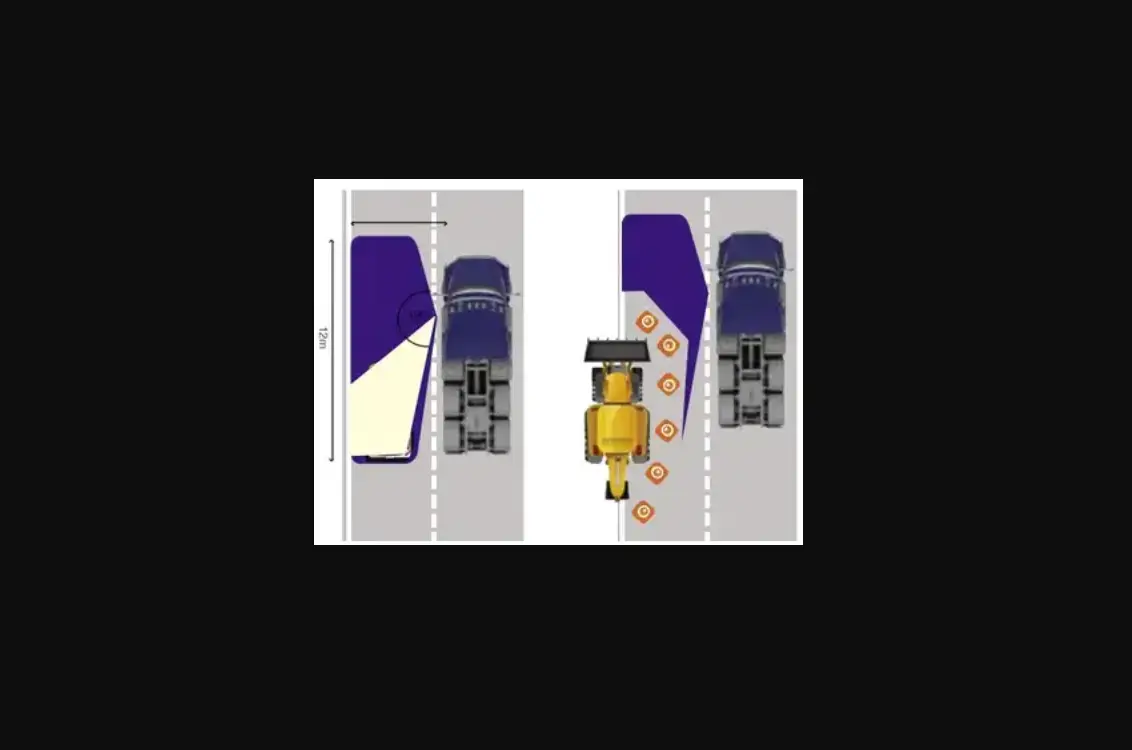
COMPETITION Sensors mounted in rear corners
THE RVS DIFFERENCE Our sensors mounted in the front of the vehicle
82 FT
RANGE!
Reverse With Confidence TM
15
If you have any questions about this product, contact:
Rear View Safety, Inc. 1797 Atlantic Avenue Brooklyn, NY 11233
800.764.1028
Better Cameras. Better Service. IT’S OUR GUARANTEE.