AV Access BizEye 80 4K UHD USB Camera User Manual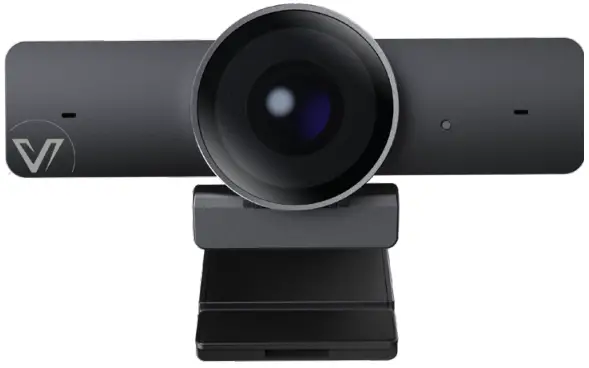
Introduction
This product is a 4K Ultra HD USB camera. It features an ultra-wide angle and distortion-less lens. It also supports high-quality video up to 4K 30fps, auto color-correction and white balance, performing well in different lighting environments or sunlight. Its built-in auto noise reducing mic can pick up clear sound within the distance of 3m.
It is easy to install. It is fully compatible with most operating systems, such as Windows 7/10/11 and Mac OS, and works with popular calling and streaming platforms including OBS (Open Broadcasting Software) and XSplit Broadcaster for abundant application scenarios.
Features
- Supports 4K Ultra HD up to 4K@30fps encoding output, and down-compatible with 1080p and 720p.
- Supports MJPEG, YUY2, NV12, H.264 and H.265 video compression to comply with most application platforms.
- Full functional USB 3.0 / USB 2.0 connection, power supply, video and audio all in one via USB 3.0 Type-A to Type-C cable.
- 120° ultra-wide-angle distortion-less lens.
- Built-in auto noise reducing mic, which can pick up clear sound in the distance of 3m.
- Fully supports UC and web conferencing platform, like Skype business, Zoom, WebEx, etc.
- Auto Framing / Presenter Tracking based on AI technology makes meetings more intimate and friendly.
- Supports ePTZ with a maximum of 5x digital Zoom.
- Equips multiple-purpose mounting clip for easy installation on the top of a laptop, a display or a universal tripod.
Package Contents
- USB Camera x 1
- USB 3.0 Type-A to USB Type-C Cable x 1
- Quick Start Guide x 1
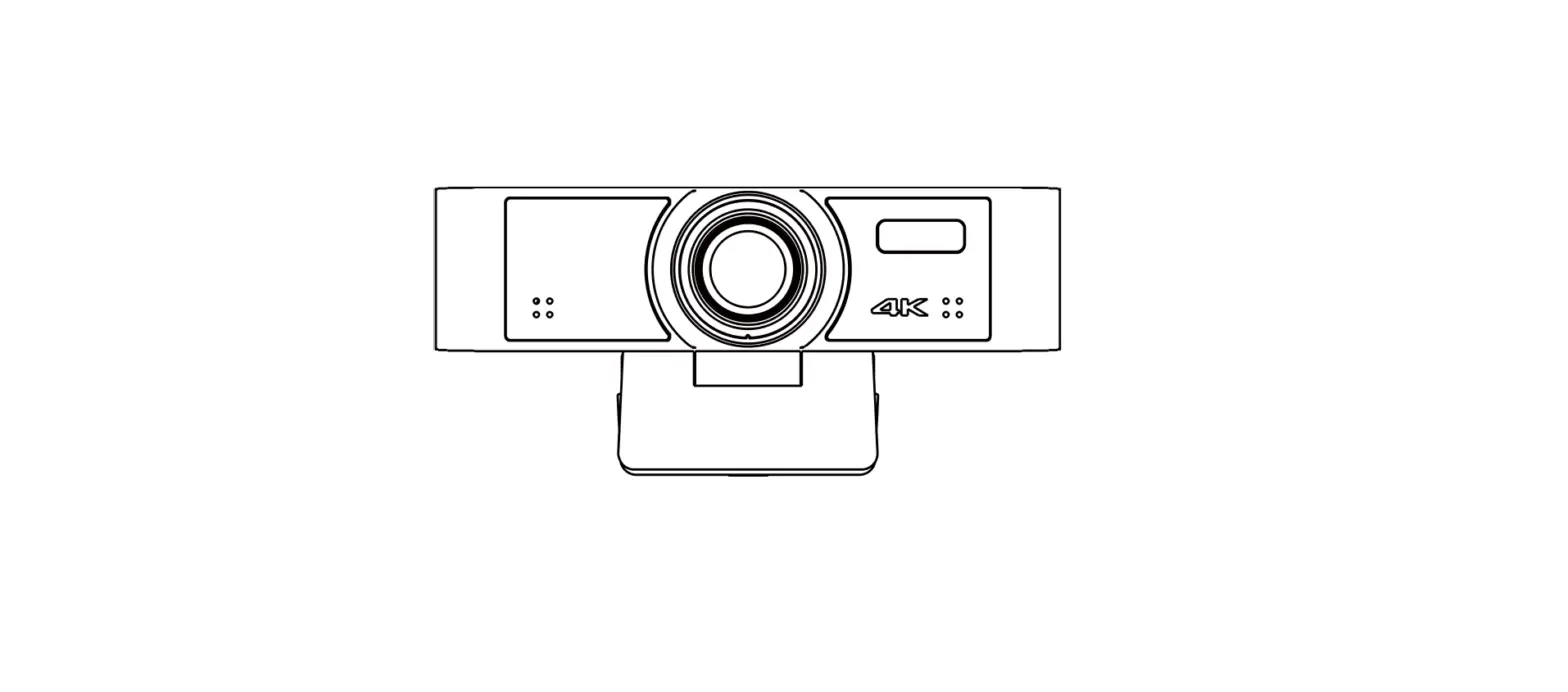
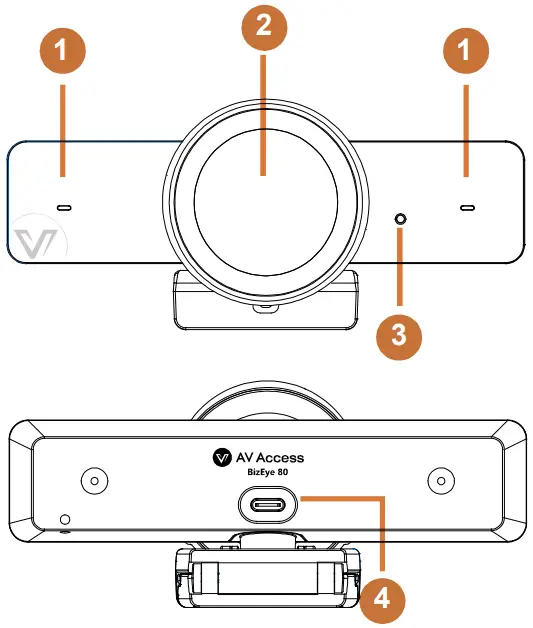
Panel
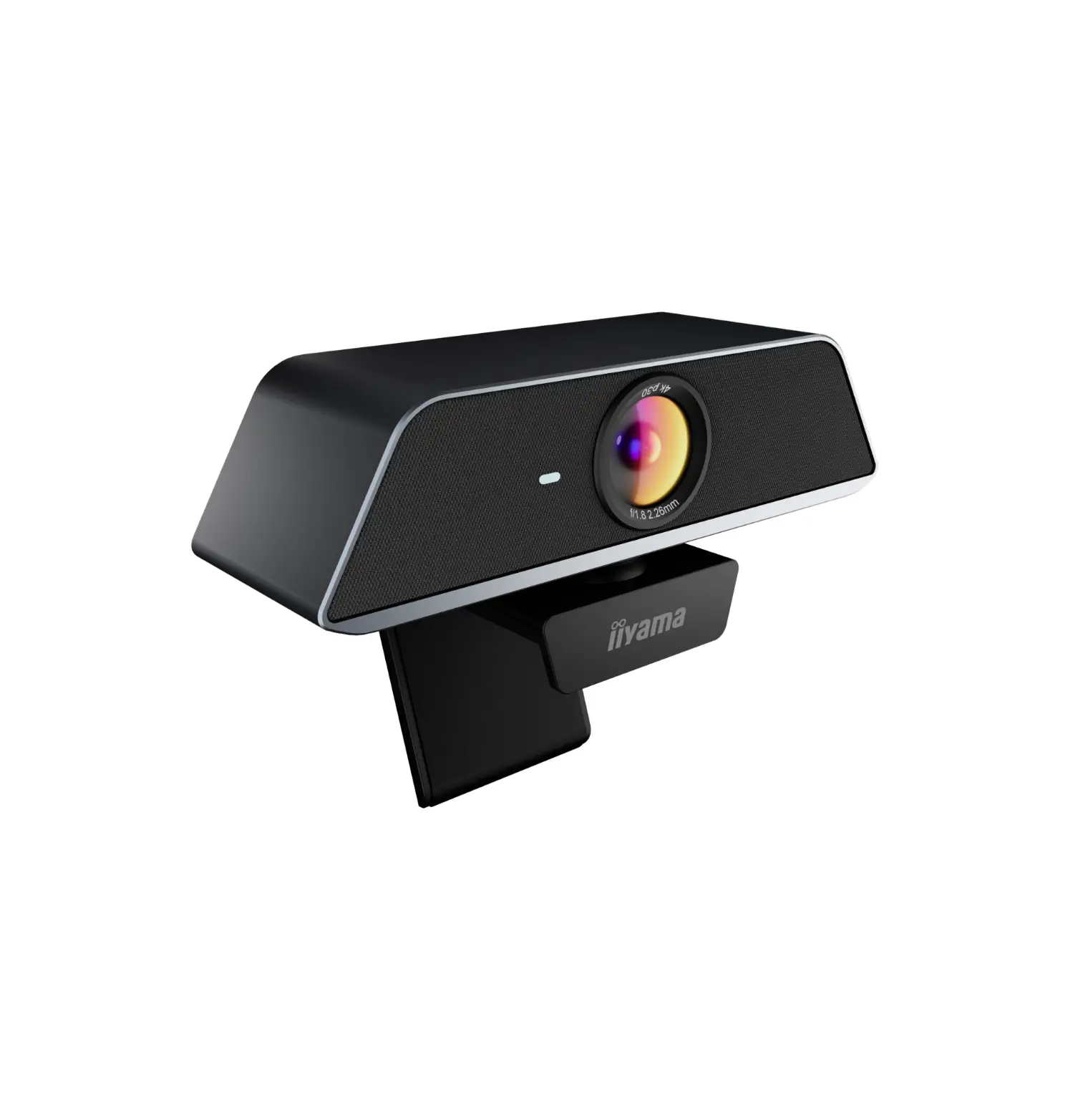
- Microphone
- Camera Lens
- Status LED
- When USB camera is powered on, the LED will light green for 6 seconds and off.
- When USB camera is transferring data, the LED will light green constantly.
- USB Type-C port.

Installation
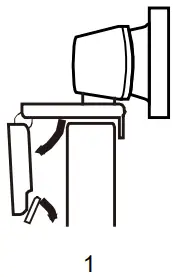
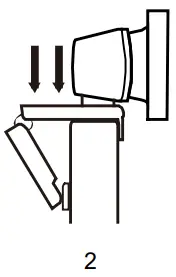
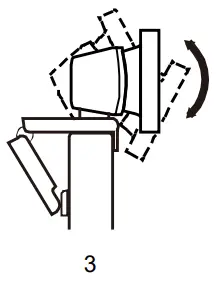
For placement on a monitor
- Place your webcam on a computer, laptop or monitor at a position or angle you desire.

- Adjust the webcam to make sure the foot on the universal mounting clip is flush with the back of your device.

- Manually adjust the webcam up/down to the best position to frame yourself.

For placement on a tripod
- Locate the M12 tripod thread on the bottom of the webcam.

- Secure the webcam on your tripod by twisting it into the M12 thread

- Place your webcam with the tripod anywhere you desire to the best position to frame yourself.
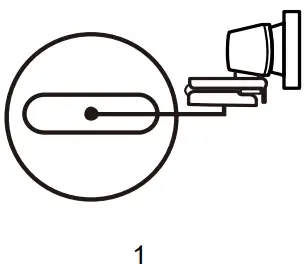
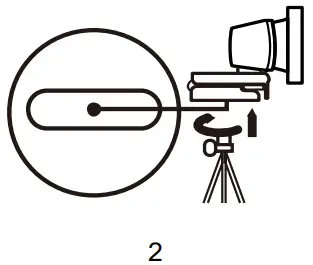
Note:
- Tripod is not included in the package.
- For best performance, install this device within the height of 100cm above the desktop is recommended.
Connection
Connect the USB-C port of this device to the USB-A port on your computer using the cable provided.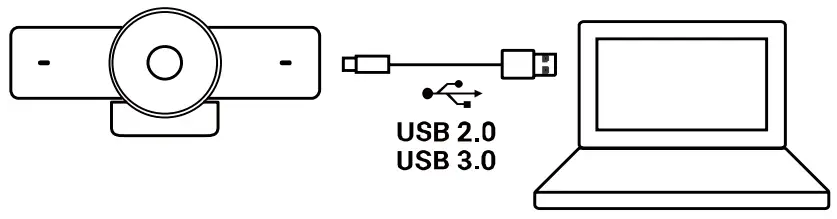
Note:
- After this device is connected to a computer, its camera and microphone can be detected by the system and specific application in the name of the following:
Camera Name: BizEye 80
Microphone Name: BizEye 80 - By default, the microphone is turned off. To access to its features, please visit www.avaccess.com to download and install AV Access BizEye App.
Specifications
| USB | |||
| Operating System | Windows 7/10/11, Mac OS™ 10.10 or higher | ||
| Color / Compression | MJPEG (default) /YUY2/NV12/H.265/H.264 | ||
|
Resolution and Frame Rate | Ÿ MJPEG: 320×240@30fps, 640×360@30fps, 640×480@30fps, 1280×720@90fps*/60fps/30fps, 1920×1080@60fps*/30fps, 2560×1440@30fps*, 3840×2160@30fps* Ÿ YUY2/NV12: 320x 240@30fps, 640x 360@30fps, 640×480@ 30fps, 1280×720@30fps*, 1920×1080@30fps*, 2560×1440@30fps*, 3840×2160@15fps* Ÿ H.265/H.264: 320×240@30fps, 640×360@30fps, 640×480@ 30fps, 1280×720@30fps, 1920×1080@30fps, 2560×1440@30fps*, 3840×2160@30fps* Note:
| ||
| USB Communication Protocol | UVC 1.1 | ||
| USB Cable Length | 1.5m/4.92ft | ||
| Input/Output Interface | |||
| USB Interface | 1 x USB Type-C: USB 3.0, up to 5Gbps (USB 3.0 Type-A to USB Type-C cable is recommended) | ||
| Mic | 2 x Mic | ||
| Physical Parameter | |||
| Operating Temperature | 0°C ~ 40°C (32°F to 104°F) | ||
| Storage Temperature | -20°C ~ 60°C (-4°F to 140°F) | ||
| Input Voltage | 5V (USB power supply) | ||
| Power Consumption | 2.1W (Max) | ||
| Size | 140.3mm x 61.5mm x 73.7mm/5.52” x 2.42” x 2.9” (with Bracket) | ||
| Physical Parameter | |||
| Net Weight | 0.14 kg/0.31lb (with Bracket) | ||
| MTBF | >30000h | ||
Troubleshooting
- What if this device is not detected on the computer
- Verify the USB Type-A to Type-C cable is connected properly between the computer and the device.
- Connect the device to the computer’s another USB Type-A port instead.
- What if this device’s microphone is not detected on the computer
By default, the microphone is turned off and thus cannot be detected by a computer. To turn it on, please visit
www.avaccess.com to download and install AV Access BizEye App. - What can I do if display image is blurred
Wipe the camera lens with a cleaning cloth to remove stains on the lens.
 AV Access | Quality & Budget Assured Pro AV Product Manufacturer