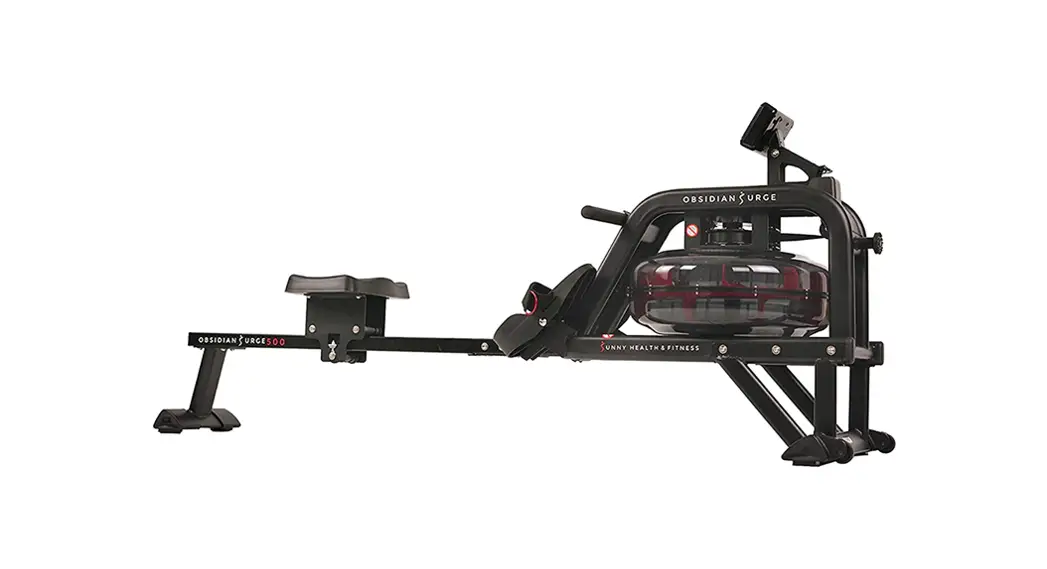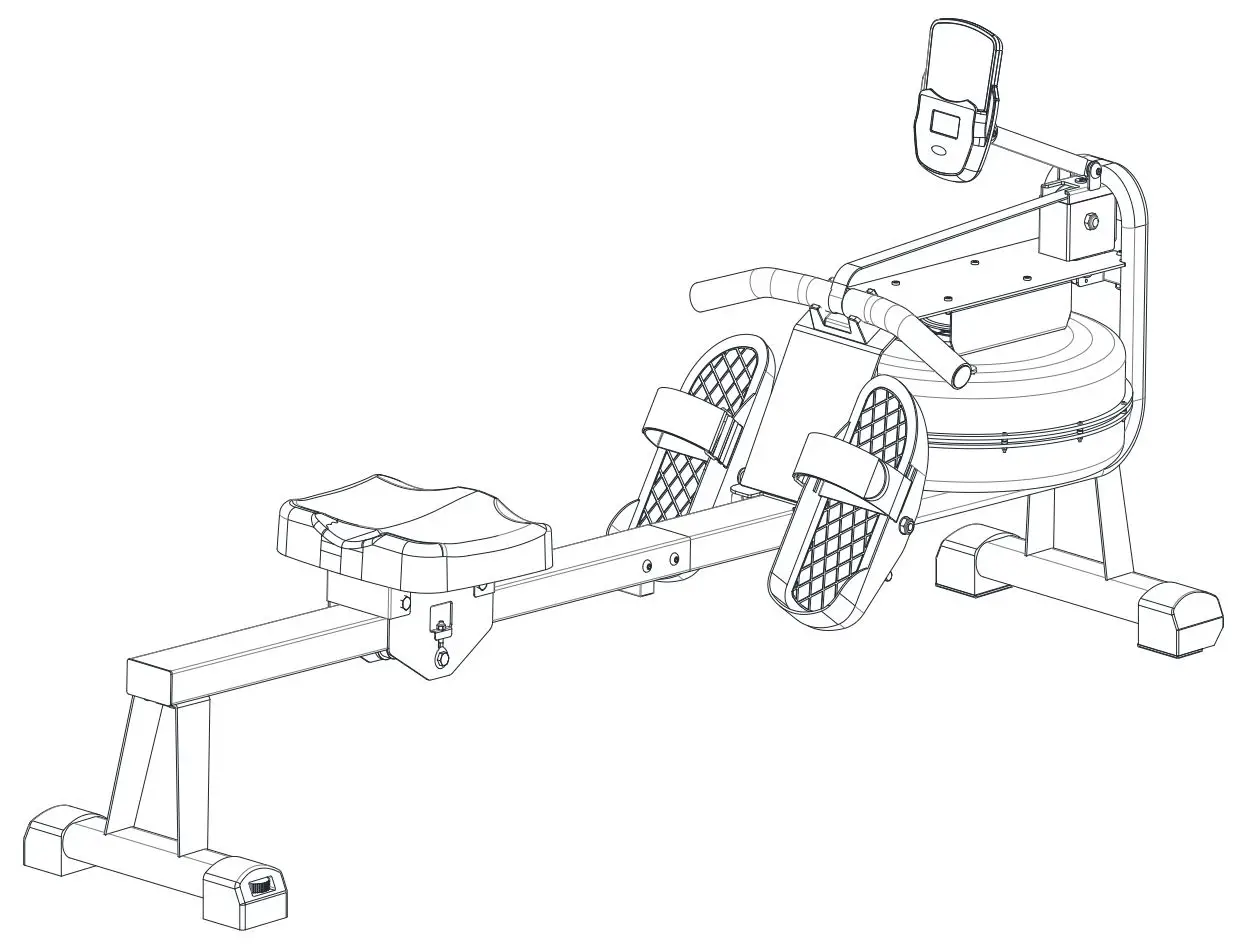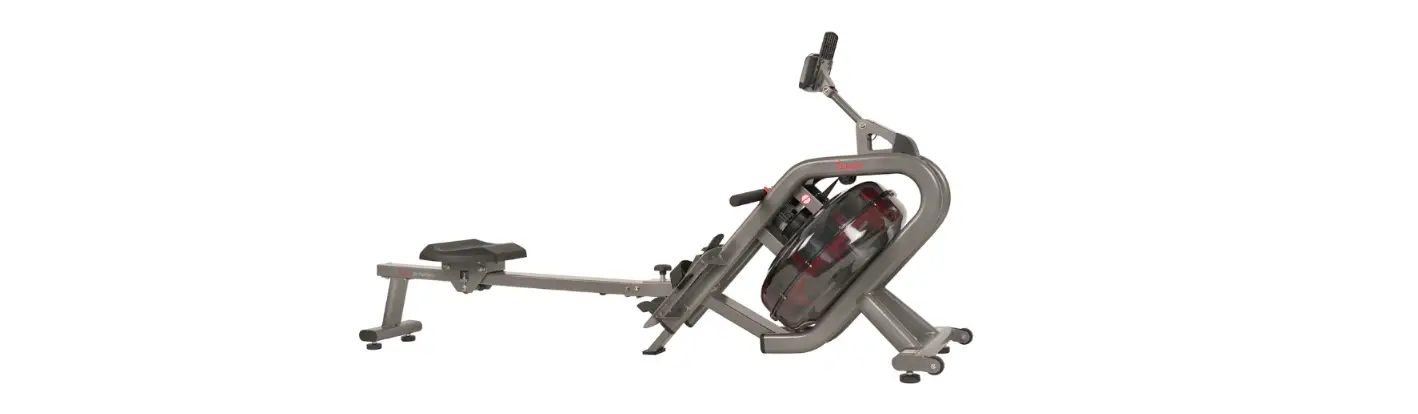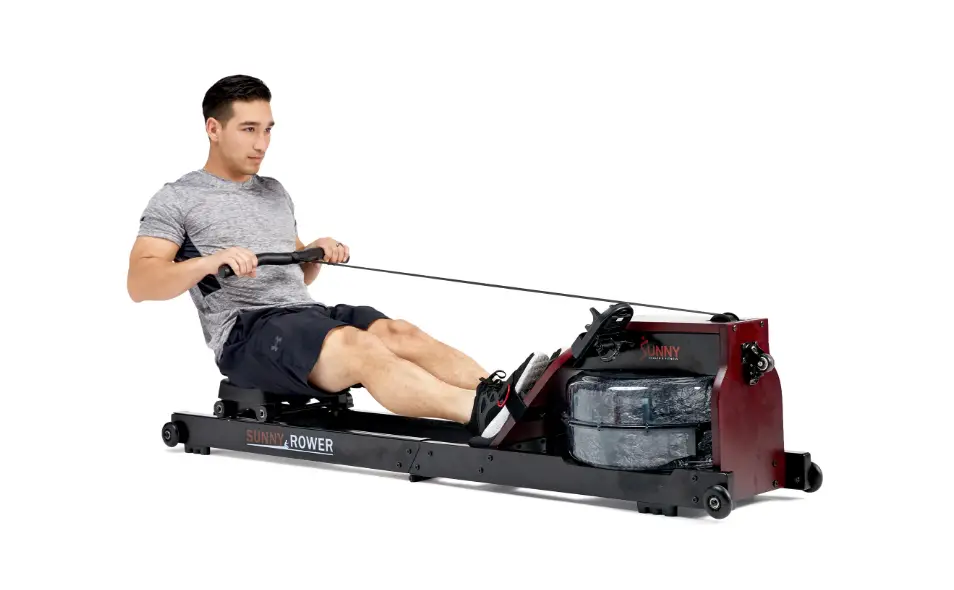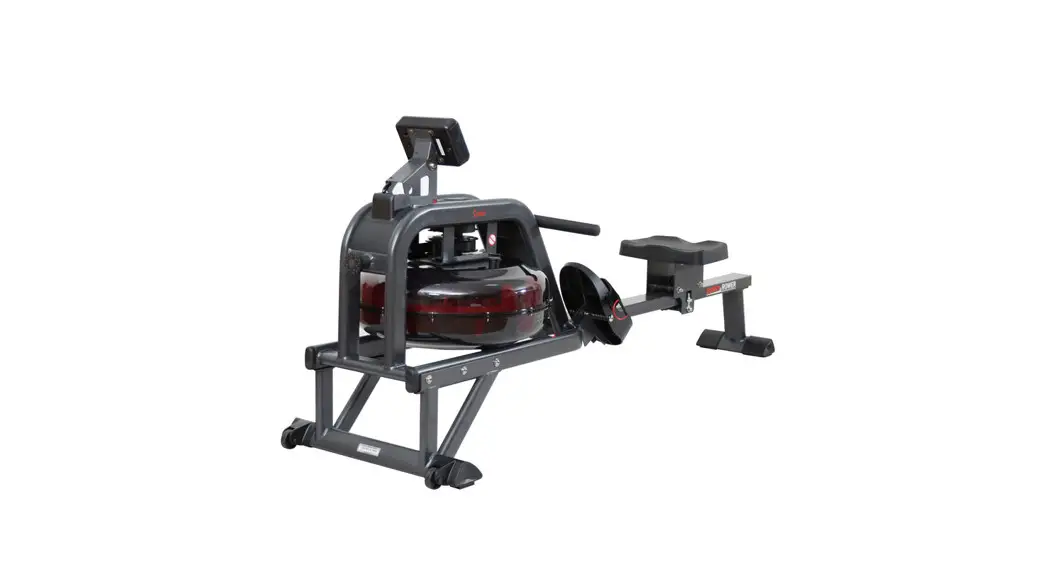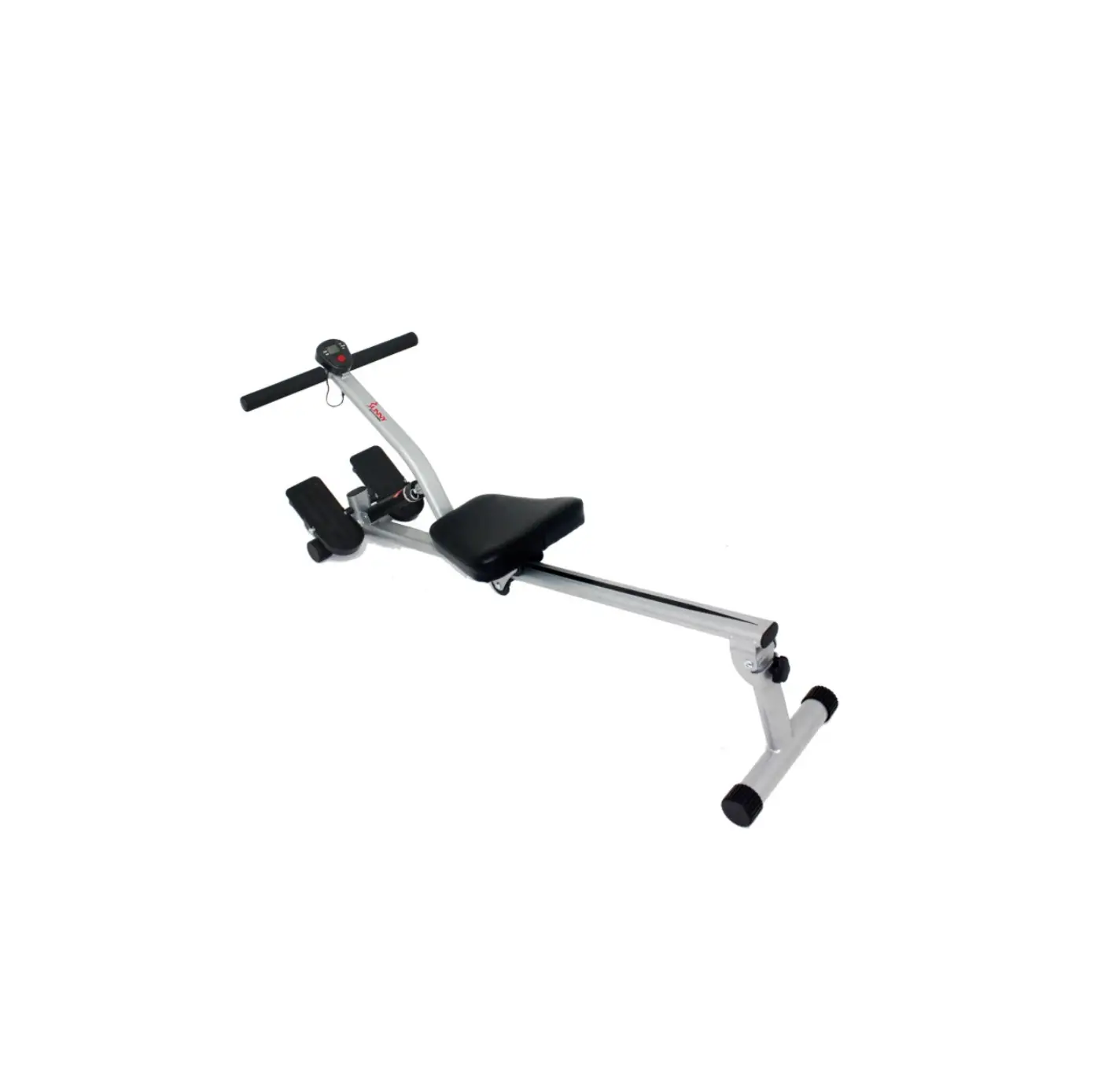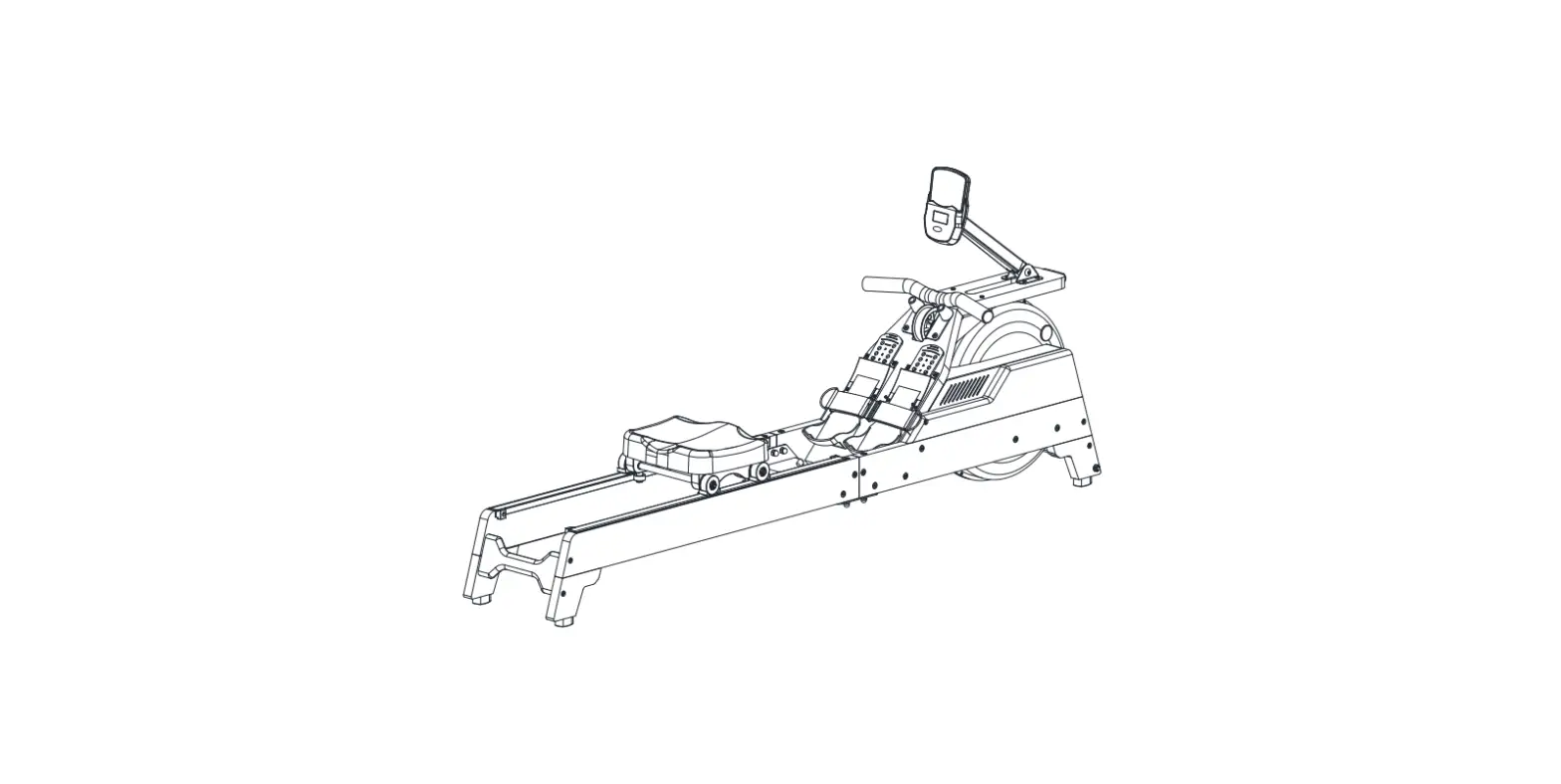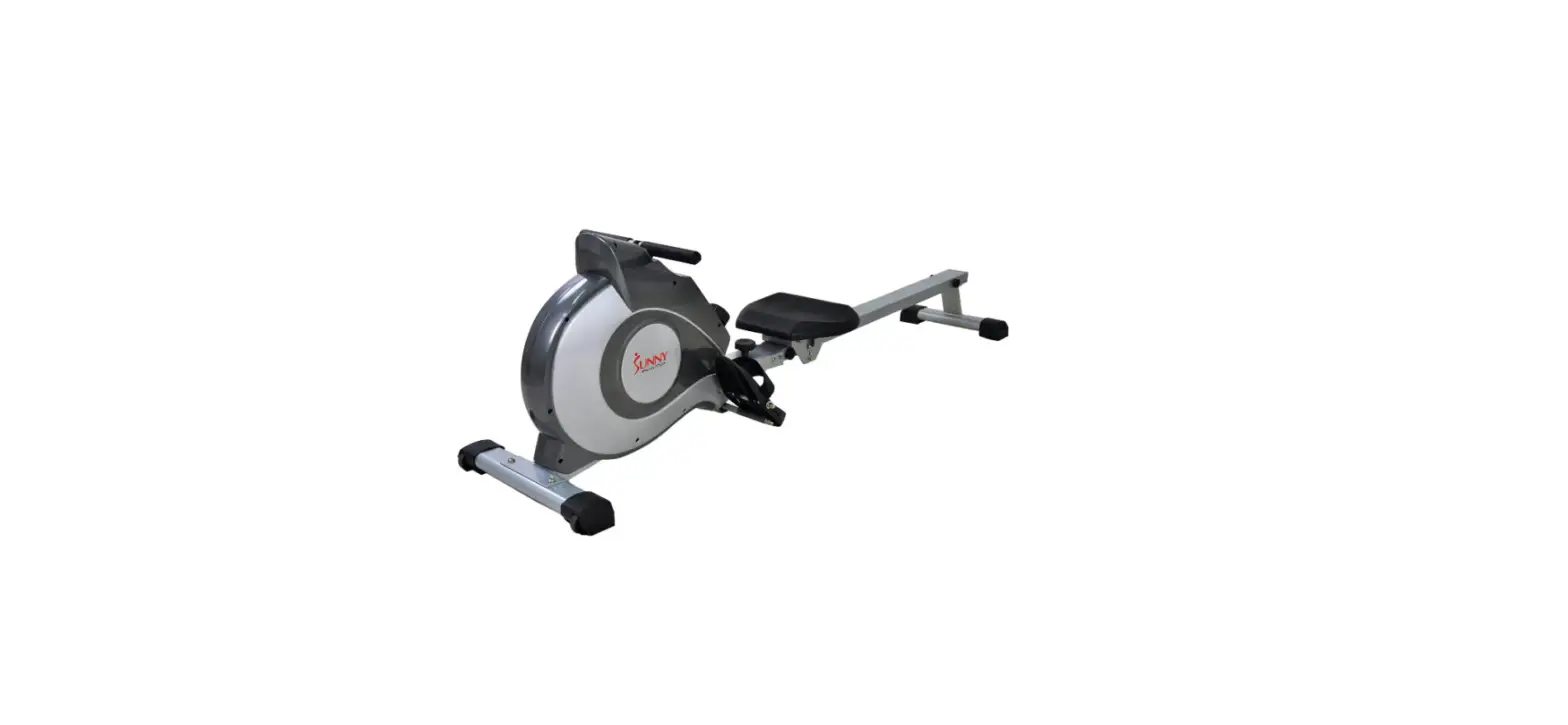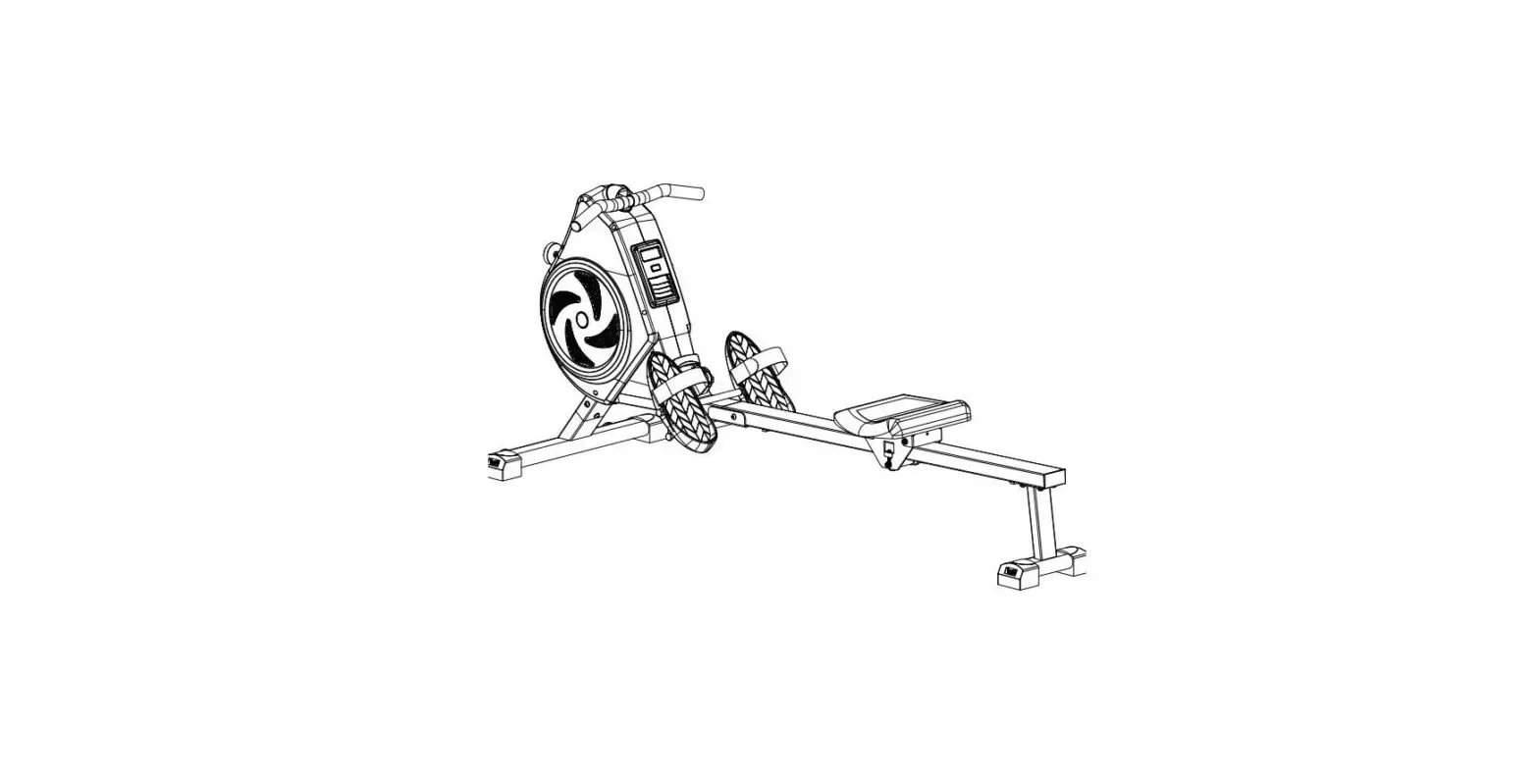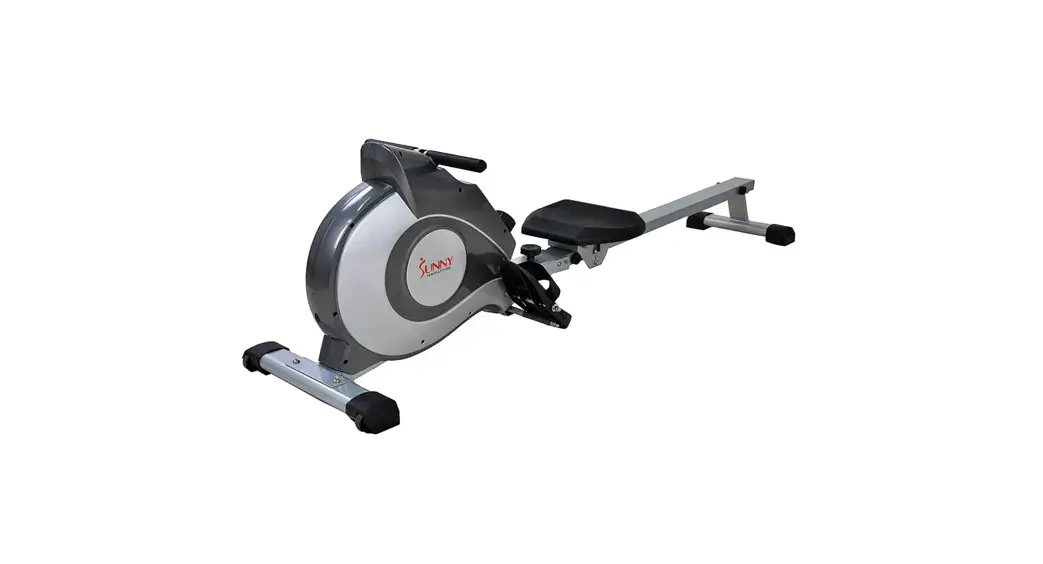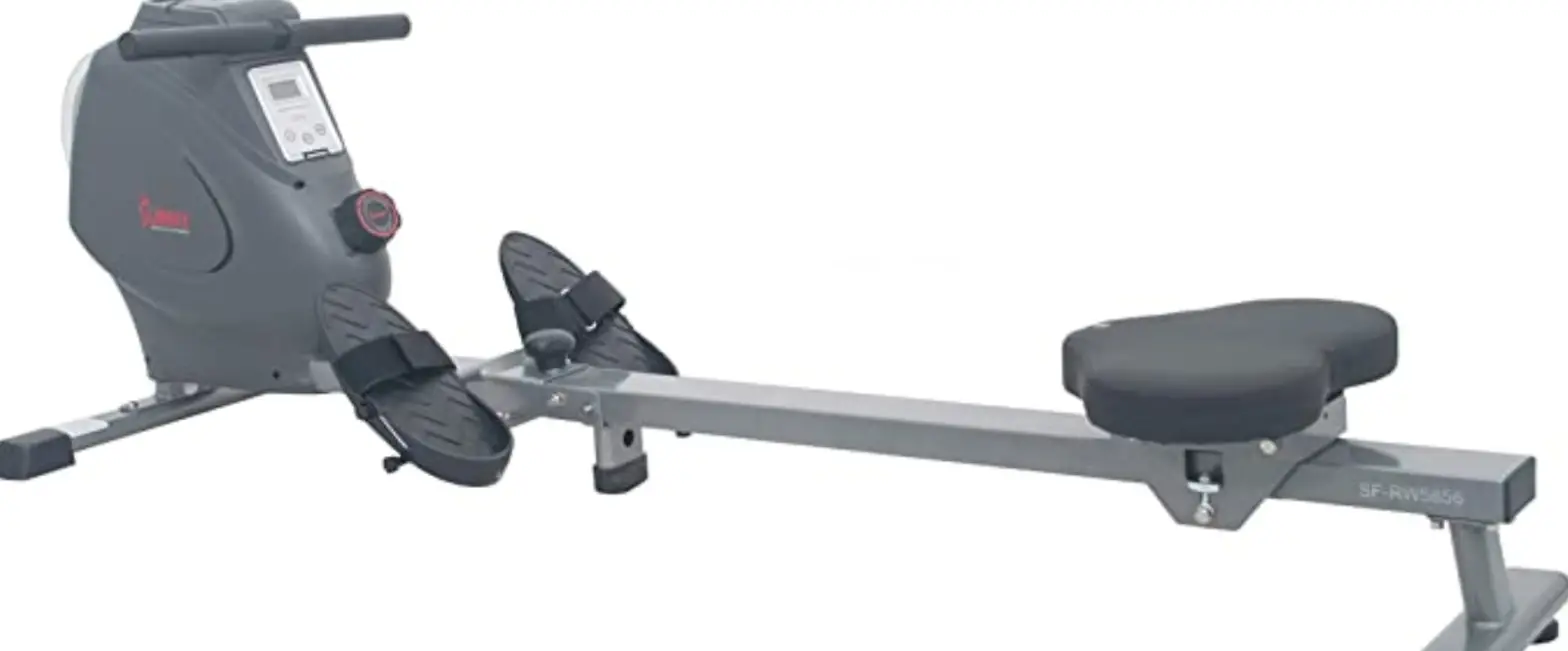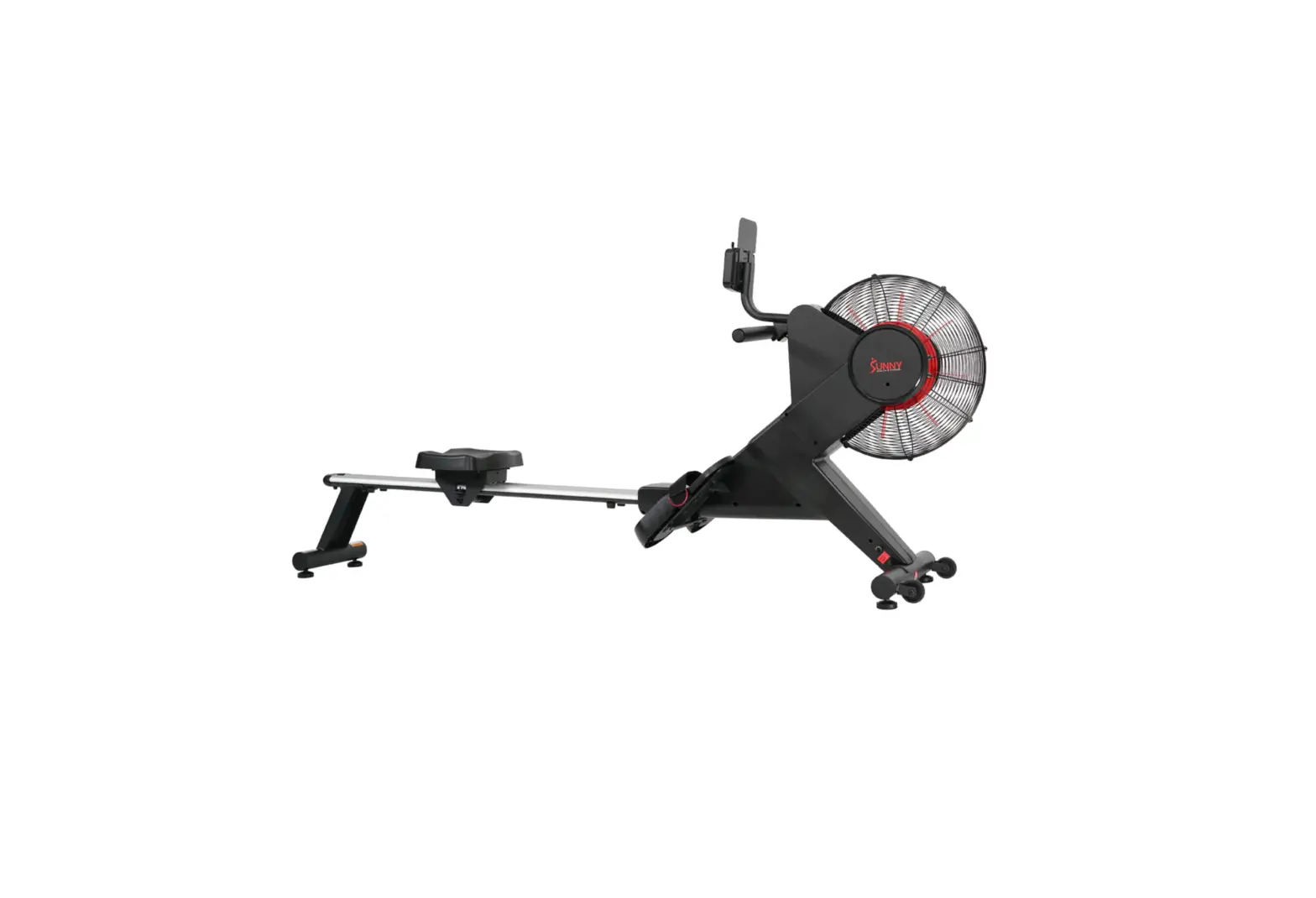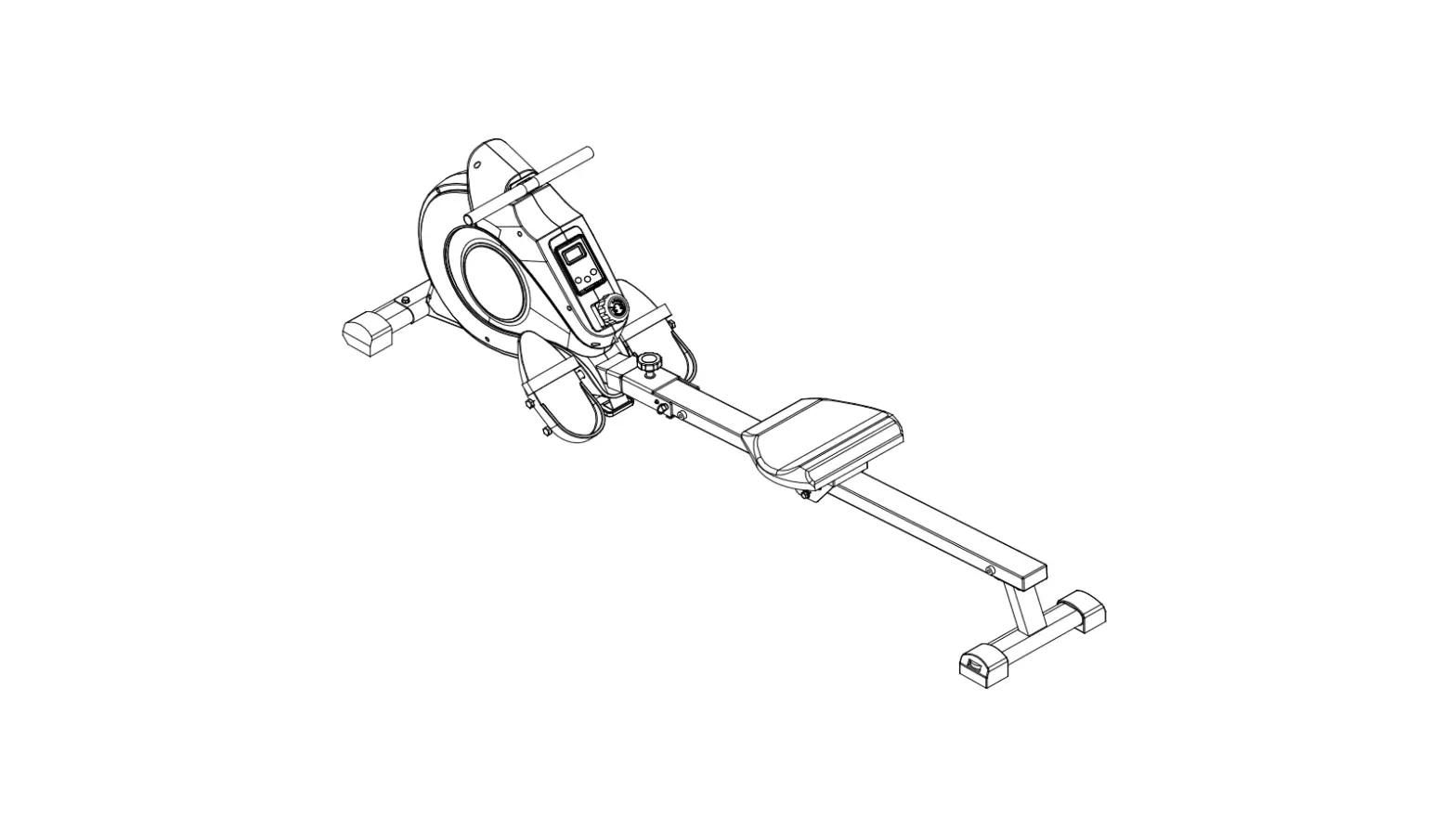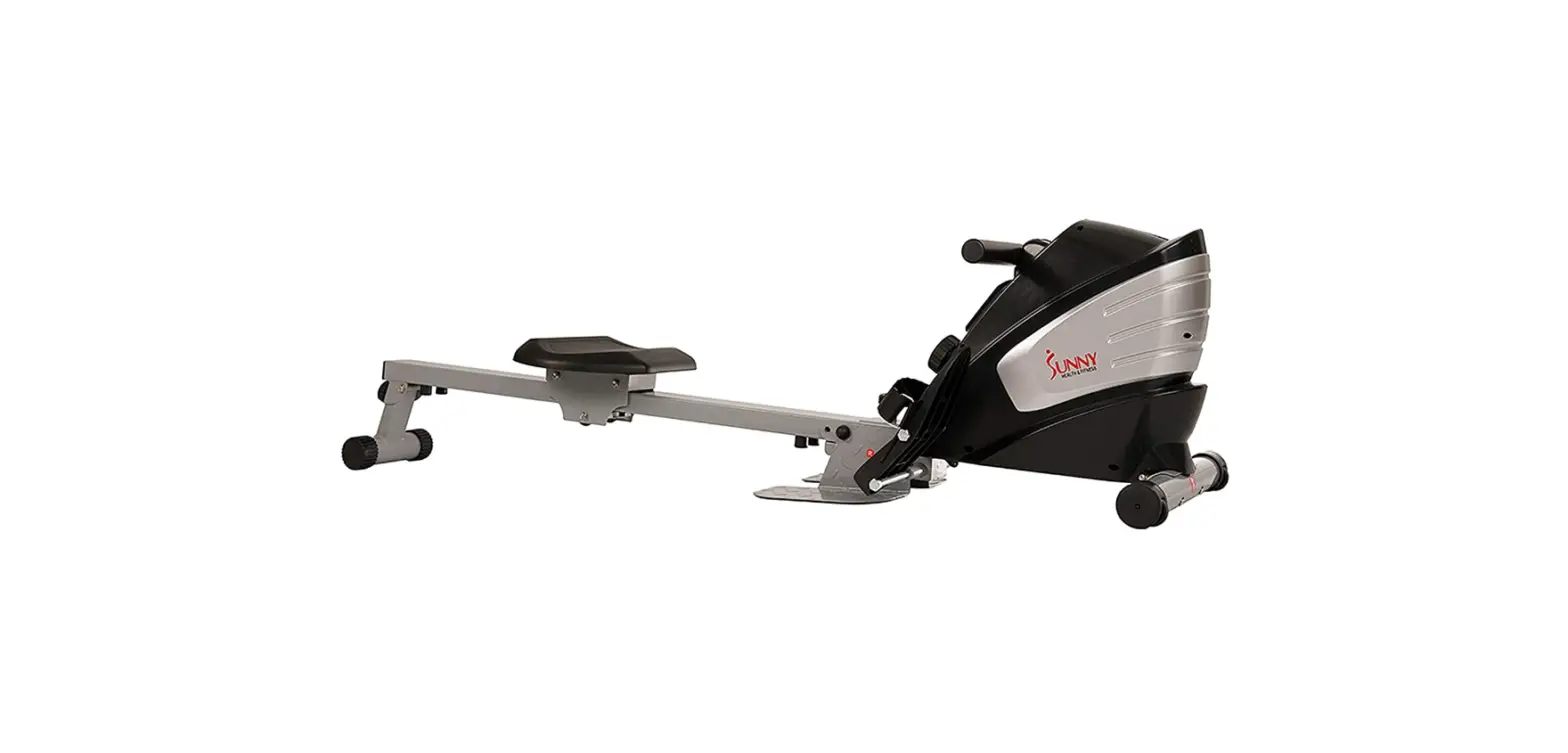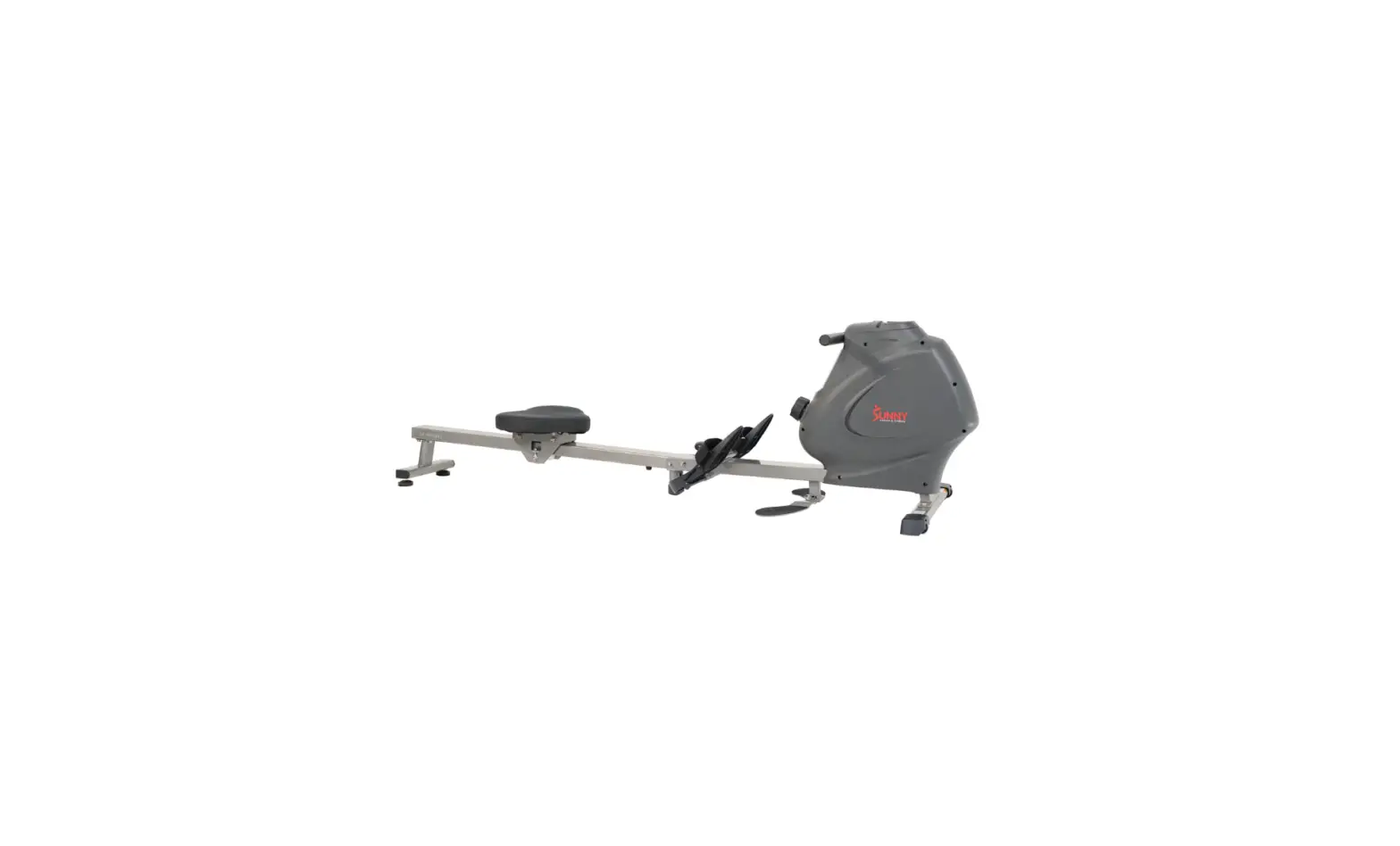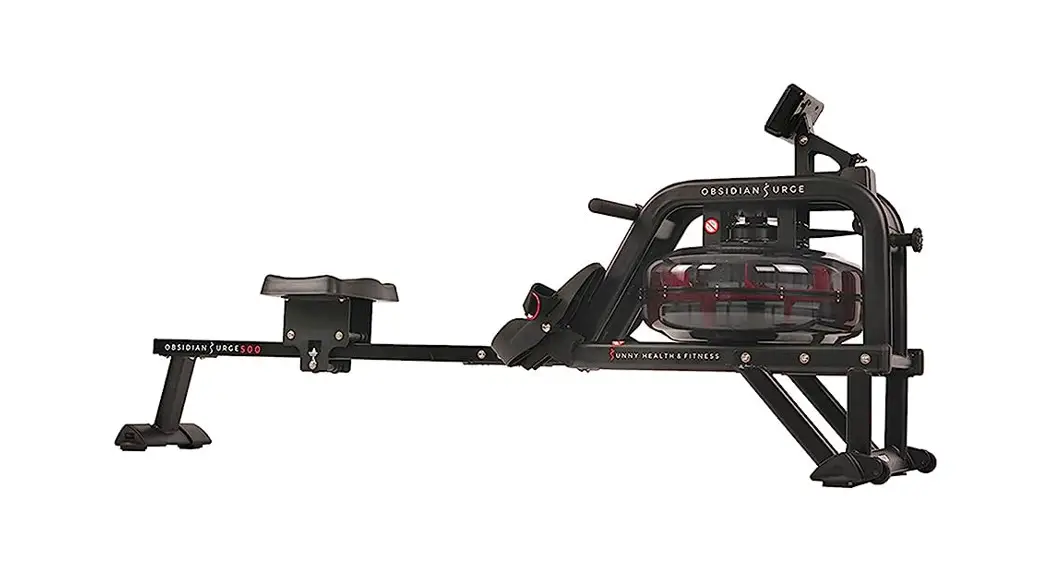
 SMART OBSIDIAN SURGE 500 METER
WATER ROWING MACHINE
SF-RW5713 SMART
USER MANUAL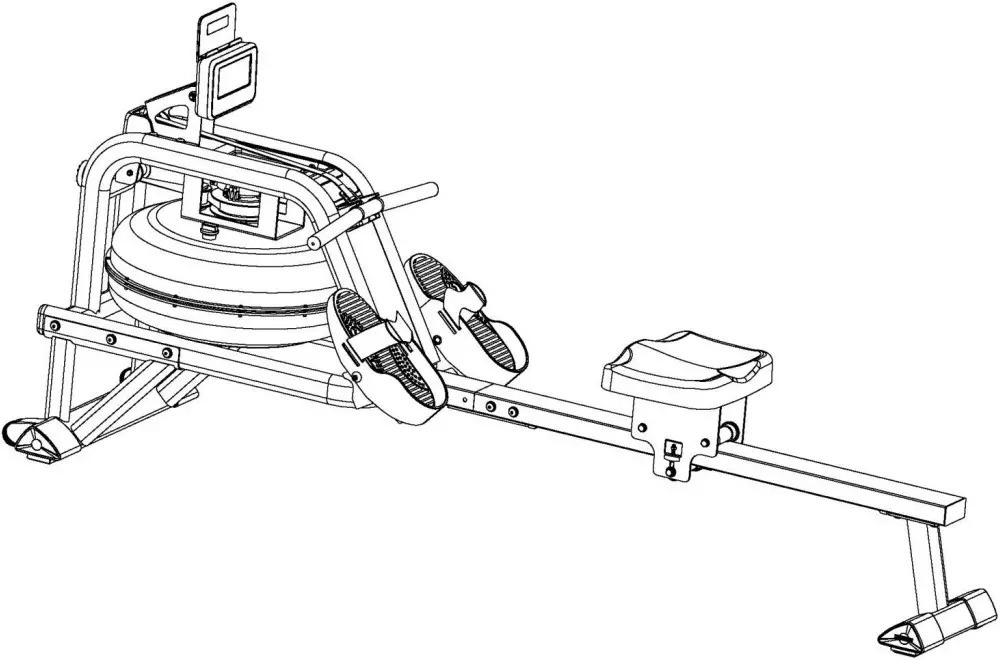
SF-RW5713 Smart Obsidian Surge 500 Meter Water Rowing Machine
IMPORTANT! Please retain owner’s manual for maintenance and adjustment instructions.
Your satisfaction is very important to us, PLEASE DO NOT RETURN UNTIL YOU HAVE
CONTACTED US: [email protected] or 1-877-90SUNNY (877-907-8669).

IMPORTANT SAFETY INFORMATION
We thank you for choosing our product. To ensure your safety and health, please use this equipment correctly. It is important to read this entire manual before assembling and using the equipment. Safe and effective use can only be achieved if the equipment is assembled, maintained, and used properly. It is your responsibility to ensure that all users of the equipment are informed of all warnings and precautions.
- Before starting any exercise program, you should consult your physician to determine if you have any medical or physical conditions that could put your health and safety at risk or prevent you from using the equipment properly.Your physician’s advice is essential if you are taking medication that affects your heart rate, blood pressure, or cholesterol level.
- Be aware of your body’s signals. Incorrect or excessive exercise can damage your health. Stop exercising if you experience any of the following symptoms: pain, tightness in your chest, irregular heartbeat, shortness of breath, lightheadedness, dizziness, or feelings of nausea. If you do experience any of these conditions, you should consult your physician before continuing with your exercise program.
- Keep children and pets away from the equipment. The equipment is designed for adult use only.
- Use the equipment on a solid, flat level surface with a protective cover for your floor or carpet.
To ensure safety, the equipment should have at least 2 feet (60 CM) of free space all around it. - Ensure that all nuts and bolts are securely tightened before using the equipment. The safety of the equipment can only be maintained if it is regularly examined for damage and/or wear and tear.
- Always use the equipment as indicated. If you find any defective components while assembling or checking the equipment, or if you hear any unusual noises coming from the equipment during exercise, discontinue use of the equipment immediately and do not use until the problem has been rectified.
- Wear suitable clothing while using the equipment. Avoid wearing loose clothing that may become entangled in the equipment.
- Do not place fingers or objects into the moving parts of the equipment.
- The maximum weight capacity of this unit is 300lbs (135kgs).
- This equipment is not suitable for therapeutic use.
- To avoid bodily injury and/or damage to the product or property, proper lifting and moving are required.
- Your product is intended for use in cool and dry conditions. You should avoid storage in extreme cold, hot or damp areas as this may lead to corrosion and other related problems.
- This equipment is designed for indoor and home use only; it is not intended for commercial use.
PRE-ASSEMBLY CHECK LIST
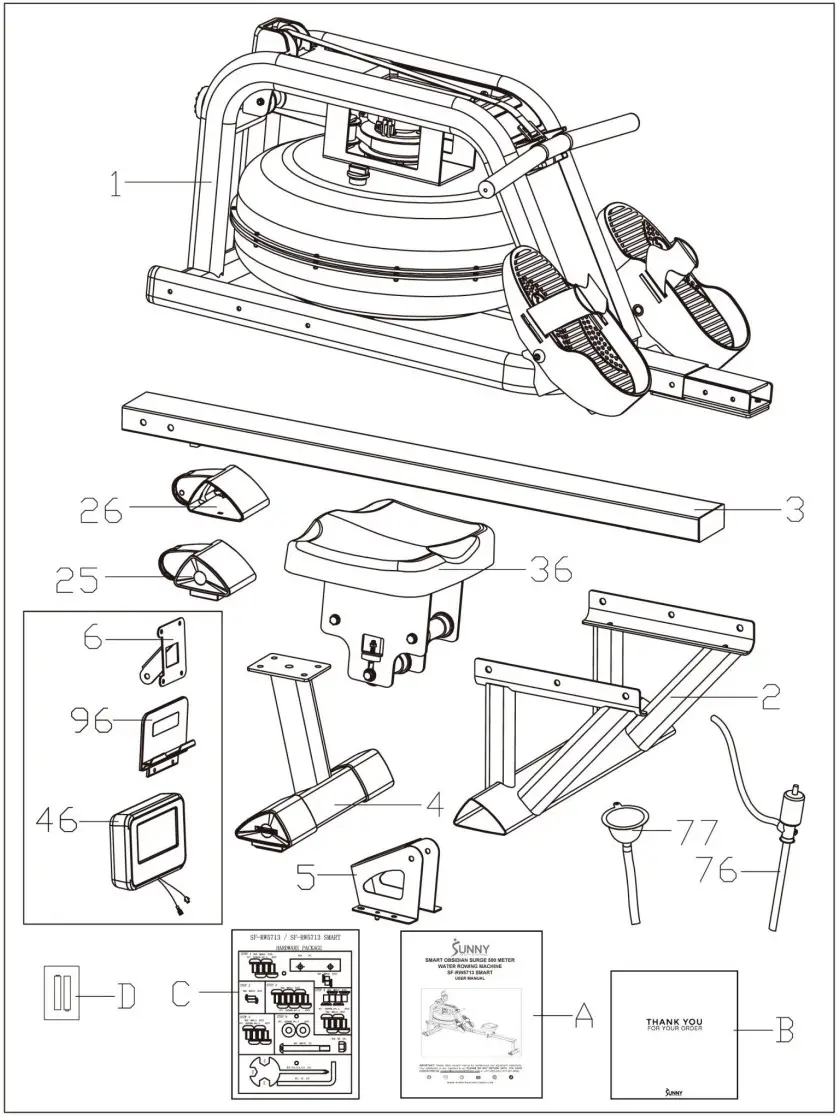
| No. | Description | Spec. | Qty. |
| 1 | Main Frame | 1 | |
| 2 | Front Stabilizer | 1 | |
| 3 | Slide Rail | 1 | |
| 4 | Rear Stabilizer | 1 | |
| 5 | Sensor Stand | 1 | |
| 6 | Support Plate | 1 | |
| 25 | Left End Cap | 1 | |
| 26 | Right End Cap | 1 | |
| 36 | Seat | PU, Black | 1 |
| 46 | Meter | 1 | |
| 76 | Pumping Siphon | 1 | |
| 77 | Funnel | 1 | |
| 96 | Tablet Holder | 1 | |
| A | Manual | 1 | |
| B | Thank You Card | 1 | |
| C | Hardware Package | 1 | |
| D | Battery | 2 |
Ordering Replacement Parts (U.S. and Canadian Customers only)
Please provide the following information in order for us to accurately identify the part(s) needed:
✓ The model number (found on cover of manual)
✓ The product name (found on cover of manual)
✓ The part number found on the “EXPLODED DIAGRAM” and “PARTS LIST” (found near the end of the manual)
Please contact us at [email protected] or 1-877-90SUNNY (877-907-8669).
HARDWARE PACKAGE
SF-RW5713 / SF-RW5713 SMART
HARDWARE PACKAGE 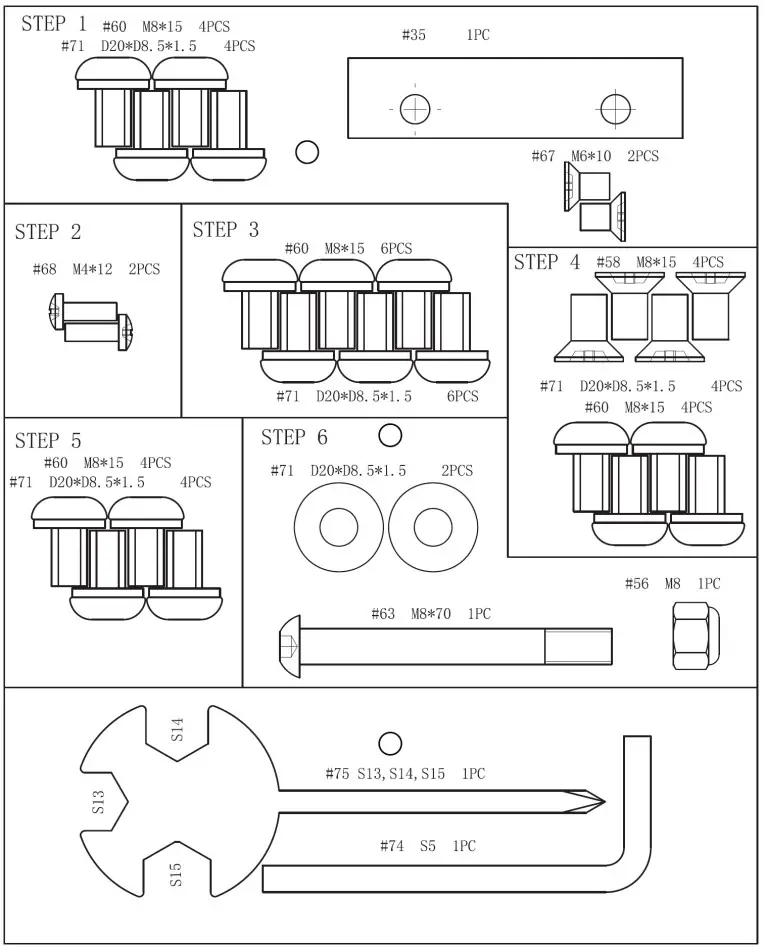
ASSEMBLY INSTRUCTIONS
We value your experience using Sunny Health and Fitness products. For assistance with parts or troubleshooting, please contact us at [email protected] or 1-877-90SUNNY (877-9078669).
STEP 1:
NOTE: We recommend having 2 people to assemble the product.
Turn over the Slide Rail (No. 3) and Seat (No. 36).
Slide the Seat (No. 36) onto the Slide Rail (No. 3). Secure the Stopper (No. 35) with 2 Flat Cross Screws (No. 67). Tighten with Spanner (No. 75). Then, attach the Rear Stabilizer (No. 4) to the Slide Rail (No. 3) with 4 Washers (No. 71) and 4 Screws (No. 60). Tighten with Allen Wrench (No. 74).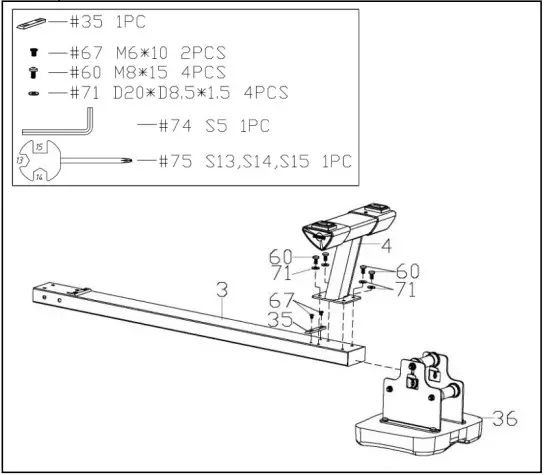 STEP 2:
Attach Left & Right End Caps (No. 25 & No. 26) to Front Stabilizer (No. 2). Then, tighten with 2 Cross Screws (No. 68) using Spanner (No. 75).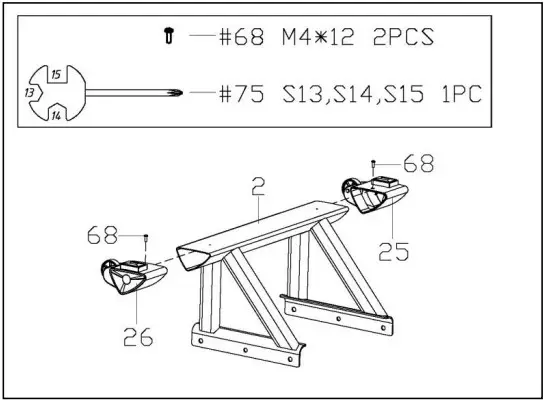 STEP 3:
Keep the Main Frame (No. 1) upright. Attach Front Stabilizer (No. 2) to Main Frame (No. 1) using 6 Washers (No. 71) and 6 Screws (No. 60). Insert all the 6 Screws (No. 60) partially into the holes first, and then tighten with Allen Wrench (No. 74).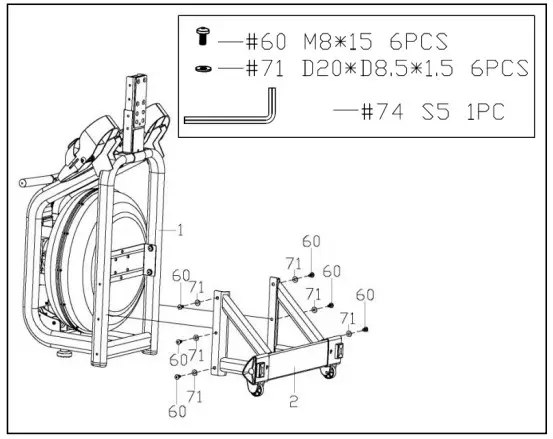 STEP 4:
NOTE: Move the Seat (No. 36) to the front of the Slide Rail (No. 3) before assembly to prevent it from gliding down during assembly.
Attach the Slide Rail (No. 3) to the Main Frame (No. 1) using 4 Washers (No. 71), 4 Screws (No. 60), and 4 Flat Screws (No. 58). Insert all 8 screws partially into the holes first, and then tighten with Allen Wrench (No. 74). 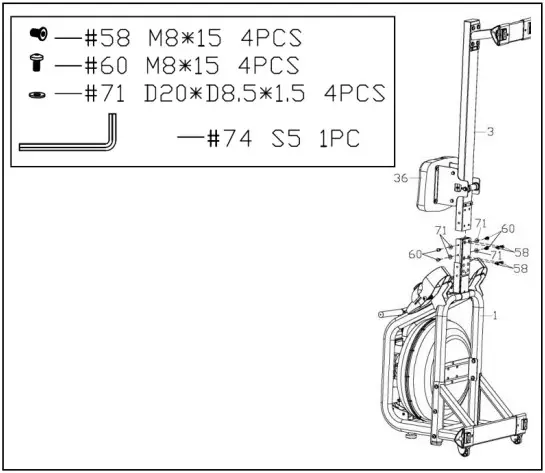 STEP 5:
Connect the Inductor Wire A (No. 47a) to the Sensor Wire A (No. 93a), connect the Inductor Wire B (No. 47b) to the Sensor Wire B (No. 93b).
Attach Sensor Stand (No. 5) to Main Frame (No. 1) using 4 Washers (No. 71) and 4 Screws (No. 60). Tighten with Allen Wrench (No. 74).
If you are sitting on the seat, the arrow sticker on the Sensor Stand (No. 5) must be pointing towards you. That means the Sensor Stand (No. 5) is installed in the correct direction.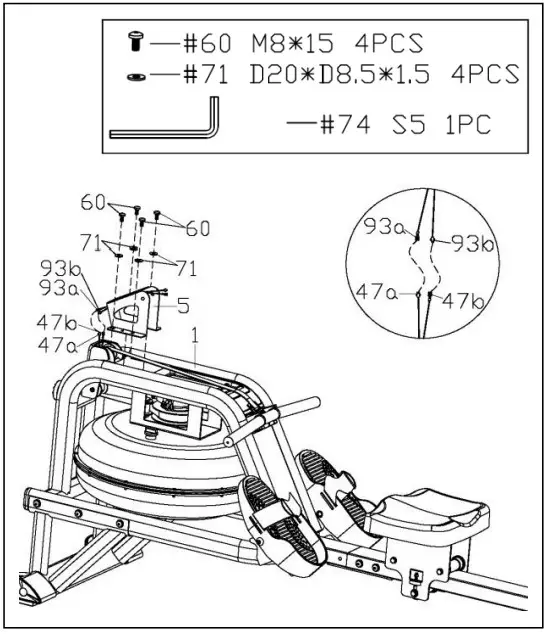 STEP 6:
Remove 4 Screws (No. 64) from the Meter (No. 46) using Spanner (No. 75).
Pull the Meter Wire A (No. 46a) and Meter Wire B (No. 46b) through the Support Plate (No. 6), then lock the Meter (No. 46) and Tablet Holder (No. 96) to the Support Plate (No. 6) with 4 Screws (No. 64) that were just removed.
Tighten and secure with Spanner (No. 75).
Connect the Sensor Wire A (No. 93a) to the Meter Wire B (No. 46b), connect the Sensor Wire B (No. 93b) to the Meter Wire A (No. 46a).
Attach Support Plate (No. 6) to Sensor Stand (No. 5) using 1 Bolt (No. 63), 2 Washers (No. 71), and 1 Nylon Lock Nut (No. 56). Tighten with Allen Wrench (No. 74) and Spanner (No. 75).
Make sure it is not too tight to adjust the angle of Meter (No. 46).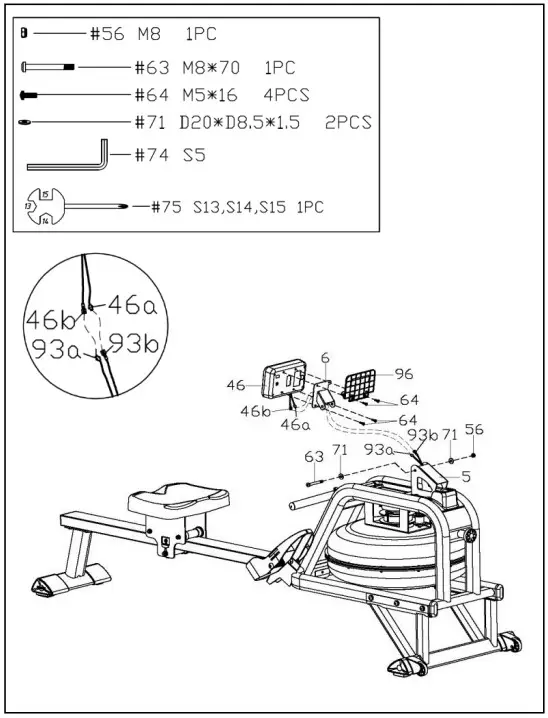 The assembly is complete!
HOW TO FILL AND EMPTY THE TANK
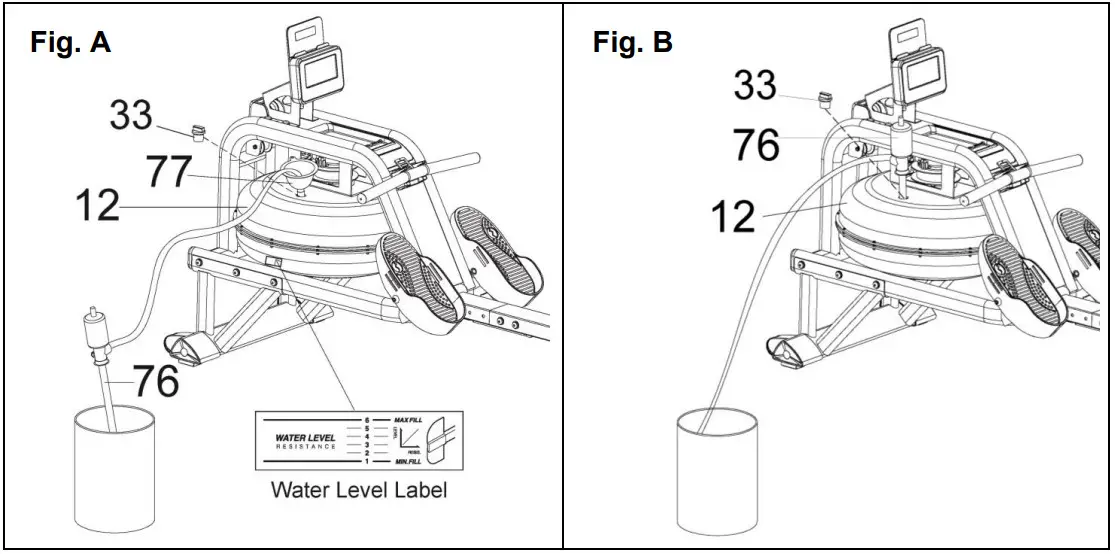
- Remove the Fill Plug (No. 33) from the Upper Tank Cover (No. 12).
- To fill the tank with water, refer to Fig. A. Insert the Funnel (No. 77) into the tank, then use a cup or the Pumping Siphon (No. 76) and a bucket to fill the tank. Use the water level gauge on the side of the tank to measure desired water level in the tank.
- To empty the tank, refer to Fig. B. Place a bucket next to the rower, and use the Pumping Siphon (No. 76) to pump out the water from the tank into the bucket.
- Insert the Fill Plug (No. 33) into the Upper Tank Cover (No. 12). Wipe excess water off the frame.
NOTE:
- Fill the tank only with tap water. Add 1 water purification tablet (1 packet is included.). Never use pool chlorine or chlorine bleach. This will damage the tank and void the warranty.
- Add a water purification tablet every 6 months or as needed. If water remains cloudy, replace the water in the tank.
- Do not consume the tank water. Dispose of the water after pumping it out from the tank.
WATER LEVEL
- See Fig. A. The water level gauge is on the side of the tank. The maximum fill level is 6. Never fill over this limit. Filling the tank over this limit will void the warranty.
- The resistance depends on the water level in the tank. Water level 1 is the lowest resistance. Level 6 is the highest resistance.
BATTERY INSTALLATION & REPLACEMENT
 BATTERY INSTALLATION:
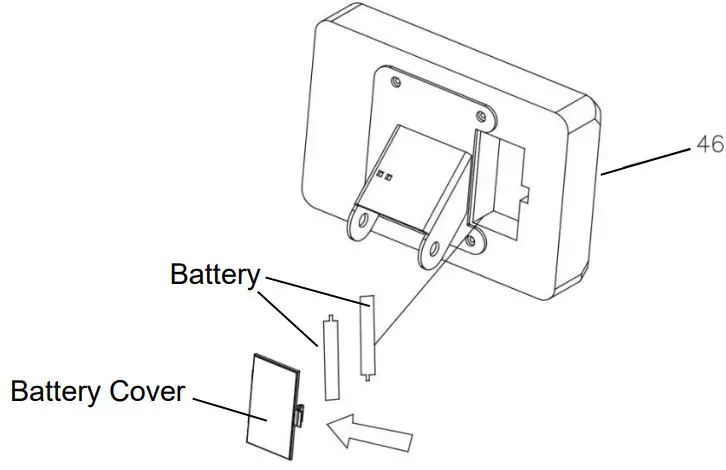
- Take out 2 AA batteries from the meter box.
- Press the buckle of battery cover on the back of the Meter (No. 46), then remove battery cover.
- Install 2 AA batteries into the battery case on the back of the Meter (No. 46). Pay attention to the battery + and – poles before installing.
- Press the buckle of battery cover, then put the battery cover back to the back of the Meter (No. 46).
The installation is complete!
BATTERY REPLACEMENT:
- Press the buckle of battery cover on the back of the Meter (No. 46), then remove battery cover.
- Remove the 2 old AA batteries in the battery case and install 2 new AA batteries into the battery case on the back of the Meter (No. 46). Pay attention to the battery + and – poles before installing.
- Press the buckle of battery cover, then put the battery cover back to the back of the Meter (No. 46).
The replacement is complete!
NOTE: Always change both batteries at the same time. Do not mix battery types and do not mix old and new batteries. Dispose batteries according to your state and regional guidelines.
ADJUSTMENTS GUIDE
ADJUSTING THE BALANCE
Adjust the Ajustable End Caps (No. 27L/R) on the Rear Stabilizer (No. 4) of the rower if the rower is unbalanced during use.
CAUTION!
Moving parts, such as the seat, can crush and cut. Keep hands clear of the Slide Rail (No. 3) during use!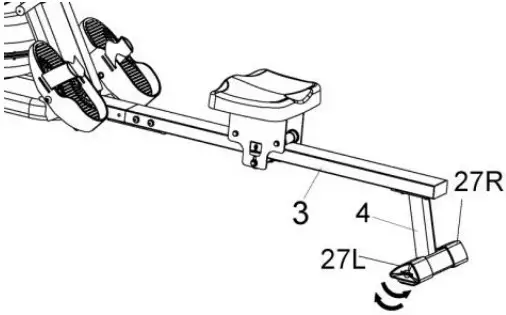 MOVING THE ROWER
To move the rower, lift up the Rear Stabilizer (No. 4) until the transportation wheels on the Front Stabilizer (No. 2) touch the ground. With the transportation wheels on the ground, you can transport the rower to the desired location with ease.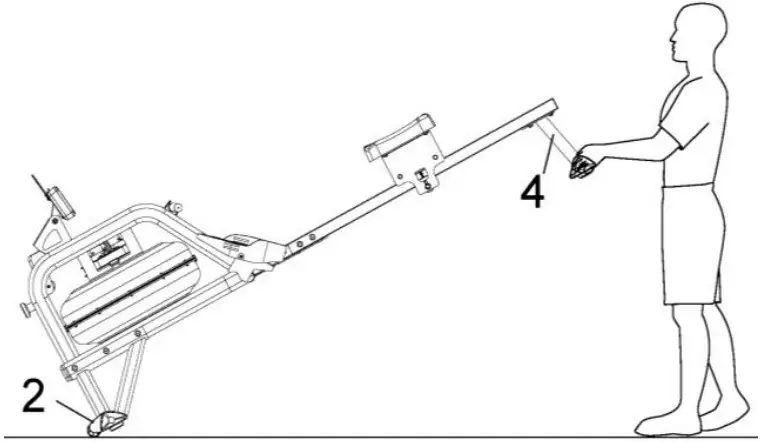 STORAGE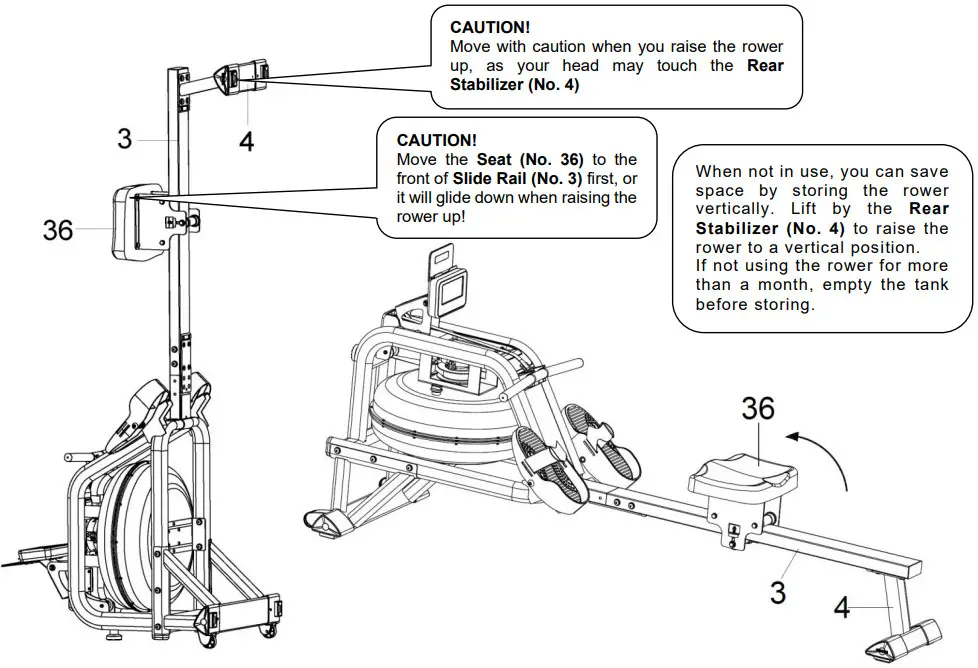
 PEDAL ADJUSTMENT
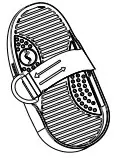
The pedal strap is adjustable and can be personalized to fit the user’s foot size.
EXERCISE METER
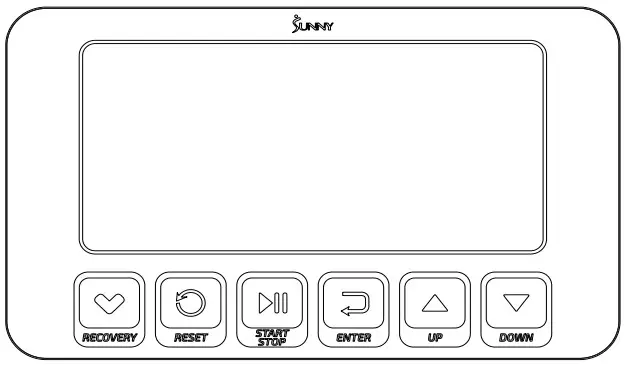 Our computerized exercise meter on the Sunny Obsidian Surge 500 Meter Water Rowing Machine allows the user to tailor a personalized workout by monitoring their progress. During a workout, the exercise meter will alternately and repeatedly display the TIME, TIME/500M, SPM, DISTANCE, STROKES, TOTAL STROKES, CALORIES, and PULSE (all the above).
FUNCTION BUTTONS
UP▲/ DOWN▼: Press these two buttons to scroll through the available selection.
To adjust the function value upward and downward.
ENTER: To confirm your selection.
During training, press the button to scan each display function.
START/STOP: To start and stop your selected workout program.
RESET: Press the stop button to stop the exercise, short press the RESET button to clear the exercise values (except TOTAL STROKES).
Press and hold the RESET button for 2 seconds, the meter will reset and all exercise values will be cleared (except TOTAL STROKES).
If you need to clear the TOTAL STROKES, you can reload the batteries.
RECOVERY: When the heart rate value is displayed on the meter, press the RECOVERY button to start/exit the heart rate recovery function to evaluate the user’s heart rate recovery status.
DISPLAY FUNCTIONS
TIME:
- Display the time when the user rowed.
- In manual mode, set the target rowing time (Setting range 1:00-99:00, setting value ± 1:00).
TIME/500M: Your average 500 meter time will automatically be displayed and continuously updated.
SPM: Strokes per minute.
DISTANCE:
- Displays the distance the user rowed.
- In manual mode, set the target rowing distance (Setting range 100-99900 meters, setting value ± 100 meters).
STROKES:
- Displays the number of strokes the user rowed.
- In manual mode, set the target rowing strokes (Setting range 10-9990 strokes, setting value ± 10 strokes).
TOTAL STROKES: Display the total number of rowing strokes (display range 0-9999 strokes).
CALORIES:
- Displays the number of calories consumed by the user.
- In manual mode, set the target calories consumption (Setting range 10-9990 cal, setting value ± 10 cal).
WATT: Display the user’s exercise power.
PULSE:
- Display the user’s current heart rate value. The chest strap heart rate monitor must be worn before testing the heart rate. Pulse measurement function only works with 5.3KHz chest strap heart rate monitors.
- In manual mode, set the target heart rate (Setting range 30-240 BPM, setting value ± 1 BPM).
OPERATION
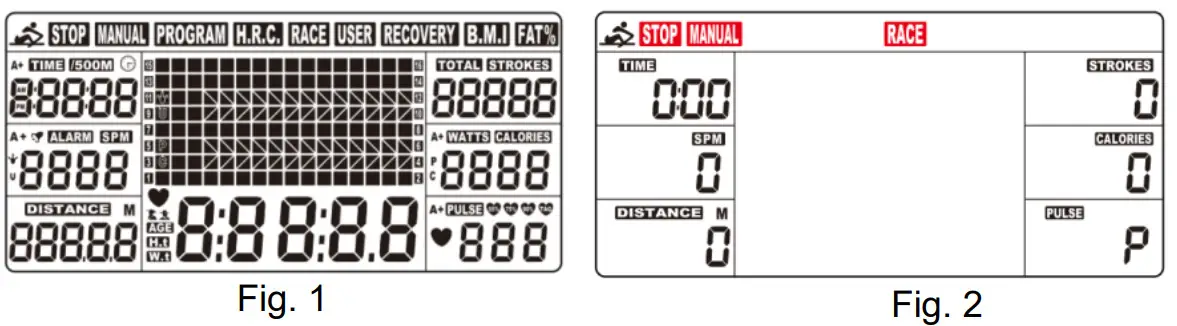
- Install 2PCS AA batteries (included), meter will beep for 2 seconds, and full screen display for 2 seconds (Fig. 1). Then, the meter will go into the SPORT screen (Fig. 2).

- When you enter the SPORT screen, MANUAL & RACE will flash. Press UP or DOWN buttons to select MANUAL or RACE. Press ENTER button to confirm your selection.
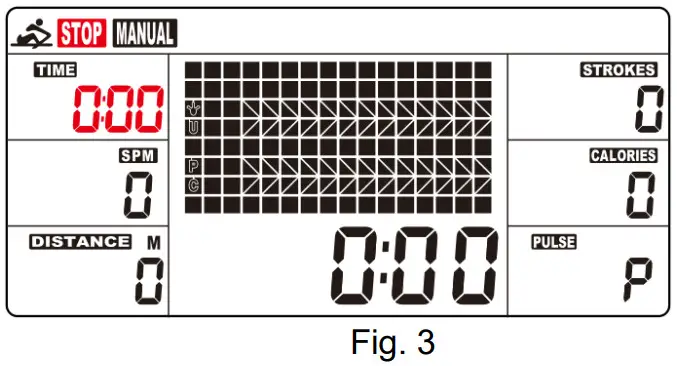
(1) MANUAL(Fig. 3):
A. Enter into the MANUAL mode, press UP button to set the flickering figure of the TIME. Press ENTER button to confirm it. Then, you can press UP button to set DISTANCE→STROKES→CALORIES→PULSE→TIME immediately. (If you have set the target value for TIME, then DISTANCE can’t be set, vice versa.)
B. Press START button to start, the STOP icon will disappear. Press ENTER button to select functions.
C. When the function you have selected counts down to zero or you press the STOP button, the meter will stop and display the average value. (If the target heart rate value is set, when the user’s heart rate value is higher than the target heart rate value, the meter will give an alarm and the heart rate value will flash.) (2) RACE (Fig. 4):
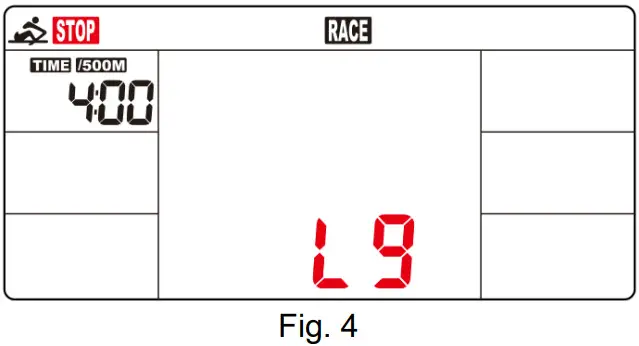
A. Enter into the RACE mode and L9 will flash, the TIME/500M will display 4:00. Then, press UP or DOWN buttons to select L1 ~ L15. Press ENTER button to confirm. Then, you can set the distance of the race (500M~10000M) while the value of DISTANCE is blinking.
Press ENTER button and the picture of the race will display on the screen.
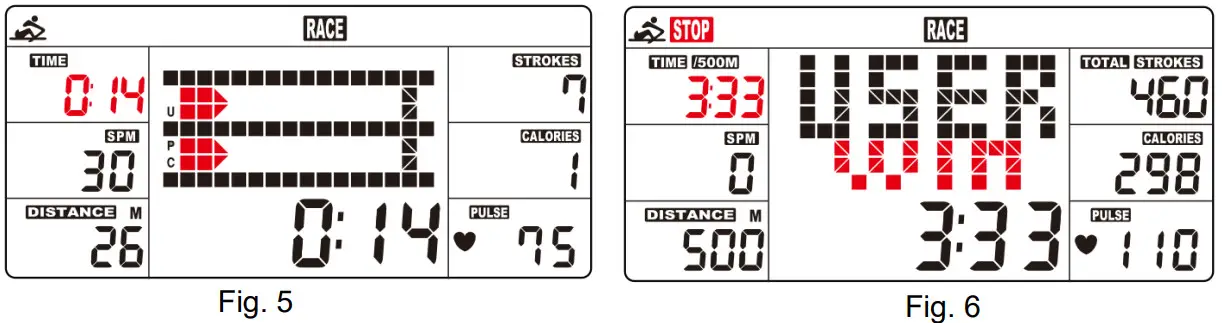
The TIME/500M of the programs are as follows:L1 L2 L3 L4 L5 L6 L7 L8 L9 L10 L11 L12 L13 L14 L15 8:00 7:30 7:00 6:30 6:00 5:30 5:00 4:30 4:00 3:30 3:00 2:30 2:00 1:30 1:00  B. Press START button to start and STOP will disappear. The USER & PC will display in the matrix (Fig. 5). The meter will stop when either the user or meter has reached the race distance that was set. Then the matrix displays “PC WIN” or “USER WIN”(Fig. 6).
 (3) RECOVERY:
1. The meter works with a 5.3 KHz chest strap heart rate monitor (not included). After exercising for a period of time, keep wearing chest strap monitor and press “RECOVERY” button. All function displays will stop except “TIME” starts counting down from 00:60 to 00:00.
2. Screen will display your heart rate recovery status with the F1,F2….to F6. F1 is outstanding, F6 is the poor. User may keep exercising to improve the heart rate recovery status. (Press the RECOVERY button again to return the main display.)
(4) H.R.C:
A. Enter into the MANUAL mode and press “ENTER” button until the value of PULSE is blinking.
B. Press “UP” and “DOWN” buttons to set exercise pulse. The setting values of 30-240 BPM.
C. The meter alarm and the value of the PULSE is blinking when heart rate is above the SET value.
 (2) RACE (Fig. 4):
 B. Press START button to start and STOP will disappear. The USER & PC will display in the matrix (Fig. 5). The meter will stop when either the user or meter has reached the race distance that was set. Then the matrix displays “PC WIN” or “USER WIN”(Fig. 6).
 (3) RECOVERY:
SLEEP MODE
If no signal is received for 4 minutes and the button is not pressed, the meter will automatically turn off and enter into sleep mode. Start exercising or press any button and the meter will restart.
BATTERY
This meter uses 2 AA batteries, which are included. Changing the batteries will reset all values.
If there is a problem with the display, try changing the batteries first. When changing the batteries, change both. Do not mix battery types. Do not mix old and new batteries. Dispose old batteries according to your regional guidelines.
APP CONNECTION:
- Scan the QR code below to download the SunnyFit app onto your mobile device.
 https://sunnyhealthfitness.com/app/
 - If this is your first time using the SunnyFit app, follow the in-app instructions to register for your free SunnyFit account and log in.
- Ensure that the Bluetooth
 function is turned on from your mobile device.
 - To connect the equipment to the SunnyFit app:
a. From the “Workout” tab, press on the “Search” button to search for your equipment.
b. Once your equipment appears on the list, tap the “Select” button to confirm.
c. Note: If your equipment does not appear on the “Searching for Equipment” list, check the EXERCISE METER on your equipment to ensure that it is not in sleep mode and your phone’s Bluetooth function is on, then tap “Retry” to search again.
d. Once your equipment shows up on the “Workout” tab as “Currently Selected”, your equipment is now ready to display, track, and record your equipment’s workout stats on the app! - If you are unable to replicate these steps, or have any other issues with the SunnyFit app, please contact SunnyFit support at [email protected], or use the in-app “Contact Us” form to request support (“Me” tab -> “Contact Us”).
 function is turned on from your mobile device.
EXPLODED DIAGRAM 1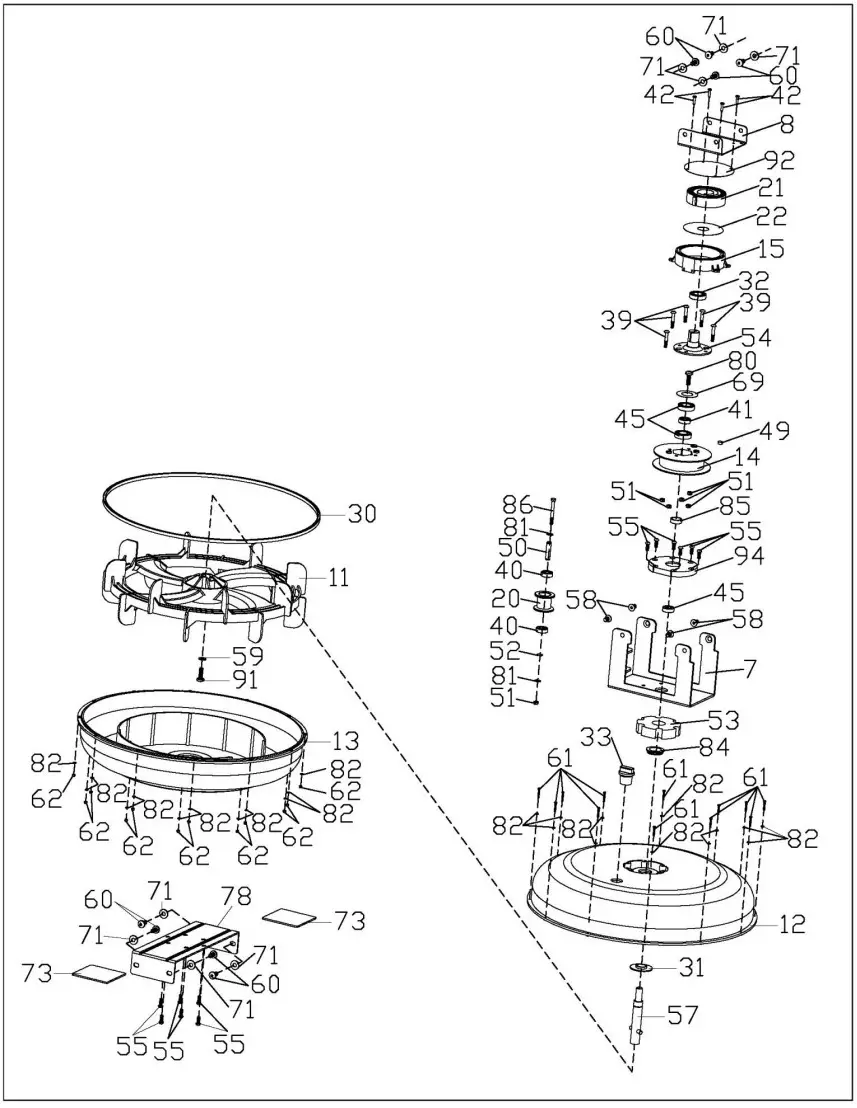 EXPLODED DIAGRAM 2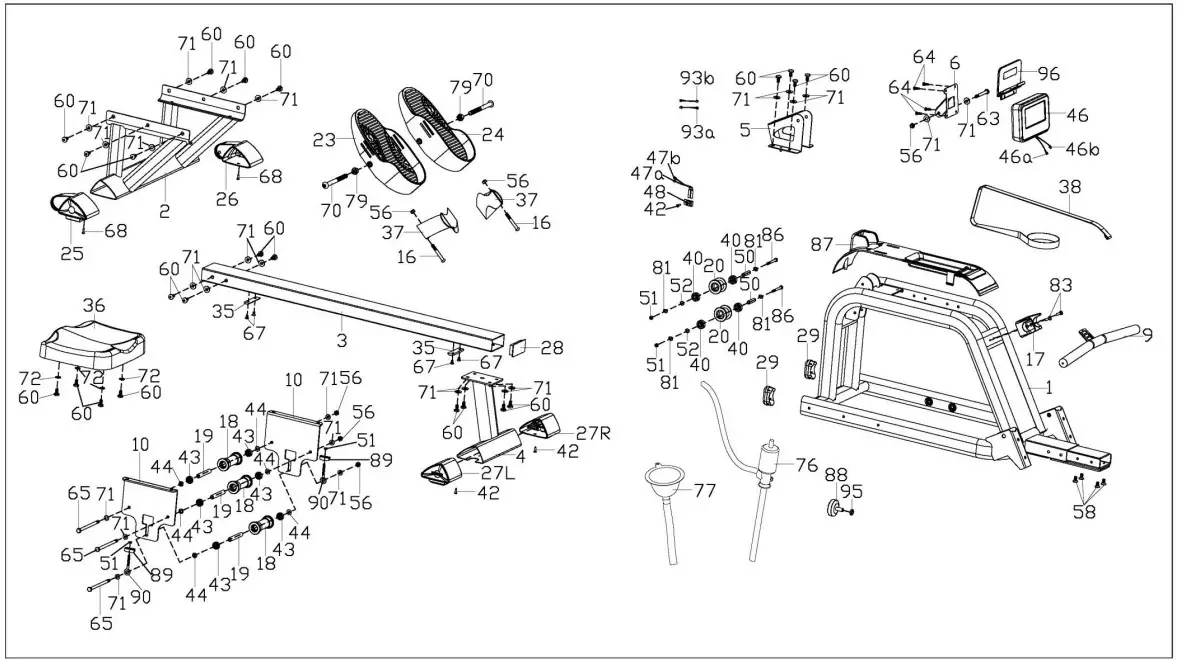
PARTS LIST
| No. | Description | Spec. | Qty. |
| 1 | Main Frame | 1 | |
| 2 | Front Stabilizer | 1 | |
| 3 | Slide Rail | 1 | |
| 4 | Rear Stabilizer | 1 | |
| 5 | Sensor Stand | 1 | |
| 6 | Support Plate | 1 | |
| 7 | Tank Plate | 1 | |
| 8 | Connecting Plate | 1 | |
| 9 | Handlebar | 1 | |
| 10 | Seat Carriage | SPHC,T=4.0 | 2 |
| 11 | Impeller | 1 | |
| 12 | Upper Tank Cover | PC | 1 |
| 13 | Lower Tank Cover | PC | 1 |
| 14 | Mesh Belt Disc | 1 | |
| 15 | Mesh Belt Wheel | 115*110*34.5 | 1 |
| 16 | Screw | M8*60*20 S5 | 2 |
| 17 | Handlebar Seat | HIPS, Black | 1 |
| 18 | Roller | POM, Black | 3 |
| 19 | Spacer | ABS, Black | 3 |
| 20 | Mesh Belt Wheel | POM, Black | 3 |
| 21 | Volute Spring | T0.5*22*5080 | 1 |
| 22 | PC Board | Ø90*Ø25.2*0.5 | 1 |
| 23 | Left Pedal | PP, Black | 1 |
| 24 | Right Pedal | PP, Black | 1 |
| 25 | Left End Cap | 1 | |
| 26 | Right End Cap | 1 | |
| 27L/ R | Adjustable End Cap | 1pr. | |
| 28 | Rail End Cap | PP,Black | 1 |
| 29 | Oval Plug | PP, Black | 2 |
| 30 | Rubber Sealing Ring | Ø500*Ø488*7.5 | 1 |
| 31 | Rubber Sealing Ring | Ø50*Ø19.5*6 | 1 |
| 32 | Bearing | 6905 | 1 |
| 33 | Fill Plug | Rubber, Black | 1 |
| 34 | N/A | – | |
| 35 | Stopper | Rubber, Black | 2 |
| 36 | Seat | PU, Black | 1 |
| 37 | Pedal Strap | PP, Black | 2 |
| 38 | Mesh Belt | Nylon, Black | 1 |
| 39 | Screw | M6*35*15*S5 | 5 |
| 40 | Bearing | 6000 | 6 |
| 41 | One-way Bearing | 1 | |
| 42 | Screw | ST4.2*16 | 7 |
| 43 | Bearing | 608ZZ | 6 |
| 44 | Alloy Wrap | Copper base with oil | 6 |
| 45 | Bearing | 6904 | 3 |
| 46 | Meter | 1 | |
| 46a | Meter Wire A | 1 | |
| 46b | Meter Wire B | 1 | |
| 47a | Inductor Wire A | 1 | |
| 47b | Inductor Wire B | 1 | |
| 48 | Sensor Holder | Nylon, Black | 1 |
| 49 | Magnet | Ø10*5 | 1 |
| 50 | Casing Pipe for Mesh Belt Wheel | Ø10*Ø6.2*40 | 3 |
| 51 | Nylon Lock Nut | M6*H6*S10 | 10 |
| 52 | Wave Washer | D10*Ø15*0.3 | 3 |
| 53 | Raw Cotton | Ø96.9*Ø60*20 | 1 |
| 54 | Axle for Volute Spring | PA66+20% Fibre | 1 |
| 55 | Screw | M6*15 | 12 |
| 56 | Nylon Lock Nut | M8 | 6 |
| 57 | Stainless Steel Axle | Ø20*163*M8 | 1 |
| 58 | Flat Screw | M8*15 | 8 |
| 59 | Washer | D8*Ø20*2 | 1 |
| 60 | Screw | M8*15 | 30 |
| 61 | Screw | M3*20 | 12 |
| 62 | Nylon Lock Nut | M3 | 12 |
| 63 | Bolt | M8*70 | 1 |
| 64 | Screw | M5*16 | 4 |
| 65 | Bolt | M8*125 | 3 |
| 66 | N/A | – | |
| 67 | Flat Cross Screw | M6*10 | 4 |
| 68 | Cross Screw | M4*12 | 2 |
| 69 | Washer | D8*D24*2 | 1 |
| 70 | Bolt | M12*135 | 2 |
| 71 | Washer | D20*D8.5*1.5 | 34 |
| 72 | Washer | D16*D8.5*1.5 | 4 |
| 73 | Silicone Pad | 80*80*3 | 2 |
| 74 | Allen Wrench | S5 | 1 |
| 75 | Spanner | S13, S14,S15 | 1 |
| 76 | Pumping Siphon | 1 | |
| 77 | Funnel | 1 | |
| 78 | Lower Tank Plate | 1 | |
| 79 | Hex Nut | M12 | 2 |
| 80 | Screw | M8*25 | 1 |
| 81 | C Clip | D10 | 6 |
| 82 | Stainless Washer | M3 | 24 |
| 83 | Cross Screw | M6*15 | 2 |
| 84 | Upper Sealing Ring | Rubber | 1 |
| 85 | Spacer | Ø25*Ø20.2*10 | 1 |
| 86 | Bolt | M6*55*15*S10 | 3 |
| 87 | Protect Cover | 532.5*119*166.7 | 1 |
| 88 | Foot Pad | Ø52*40*M10 | 1 |
| 89 | Adjusting U Seat | 30*9*1.5 | 2 |
| 90 | Adjusting Screw | M6*40*Ø10*2.5 | 2 |
| 91 | Screw | M8*25*S6 | 1 |
| 92 | Outer PC Board | 1 | |
| 93a | Sensor Wire A | 1 | |
| 93b | Sensor Wire B | 1 | |
| 94 | Rotating Fixing Seat | 1 | |
| 95 | Hex Nut | M10 | 1 |
| 96 | Tablet Holder | 1 |
CONNECT WITH US
FOR FITNESS ARTICLES, VIDEOS & WORKOUTS https://vqr.vc/vKdFNv2Kf
 @SUNNYHEALTHANDFITNESS
 @SUNNYHEALTHFITNESS
 @SUNNYHEALTHFIT
 /SUNNYHEALTHFITNESS
 /SUNNYHEALTHANDFITNESS
 @SUNNYHEALTHFITNESS
WWW.SUNNYHEALTHFITNESS.COM