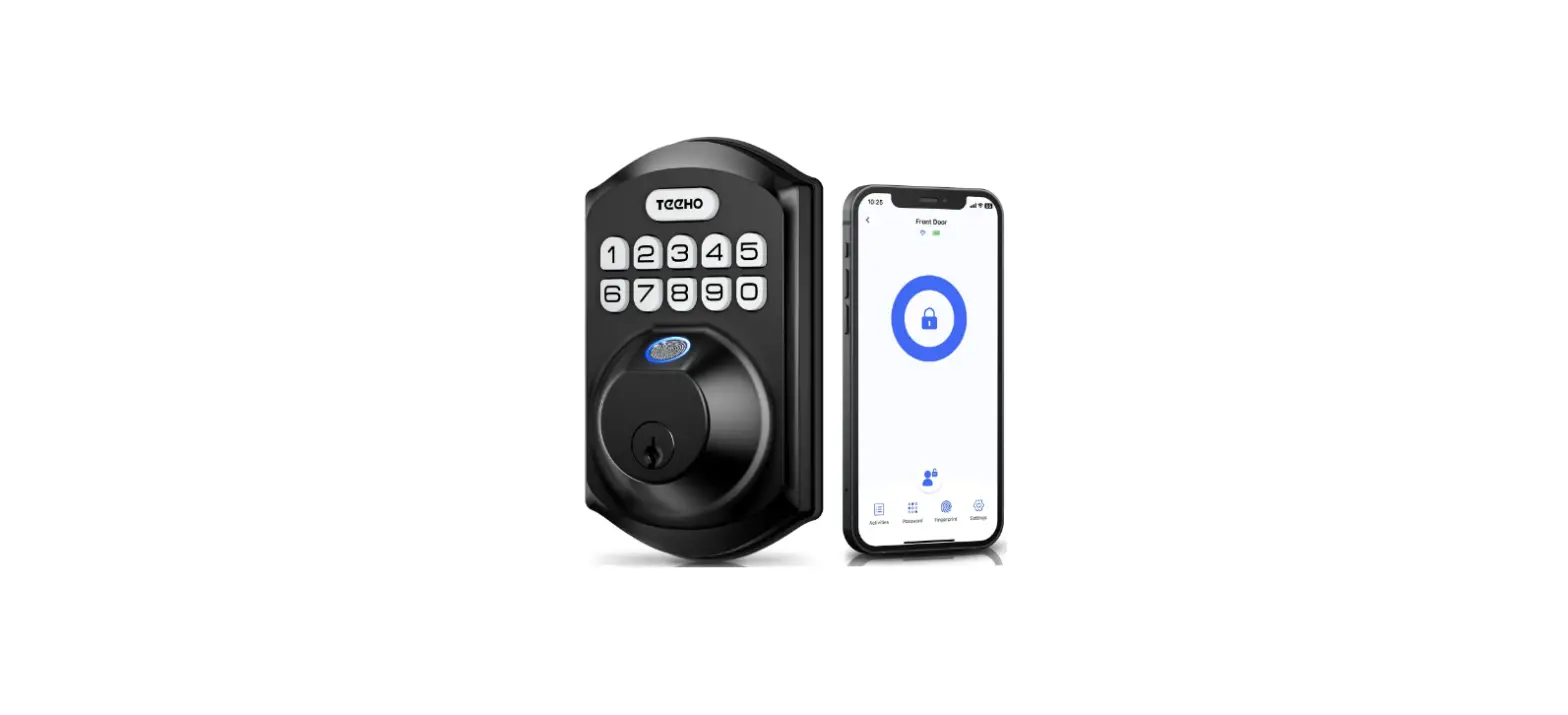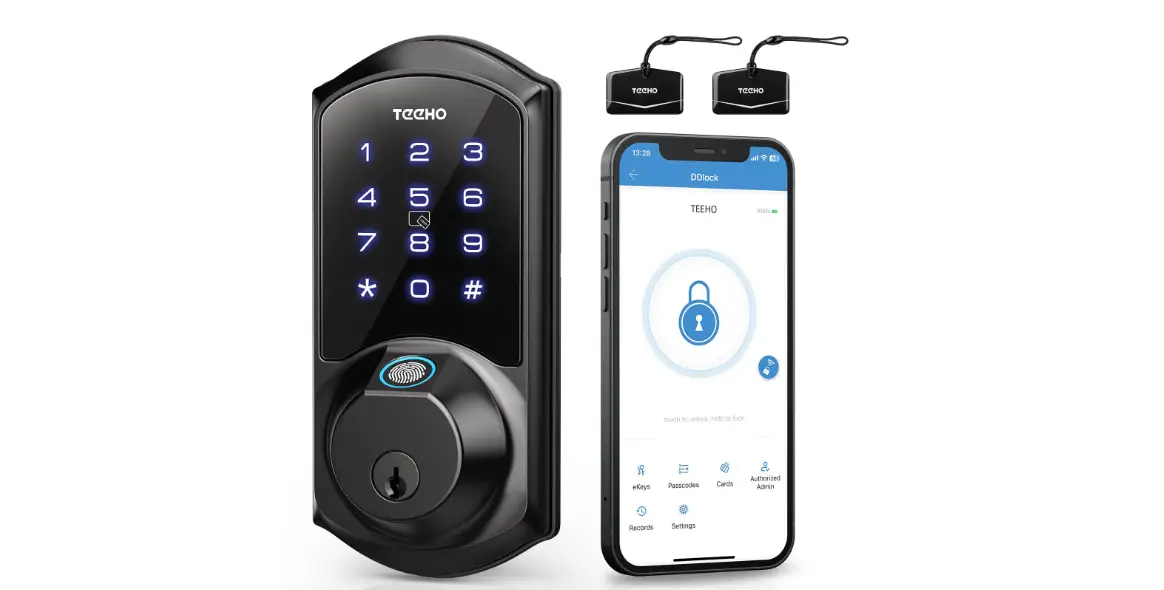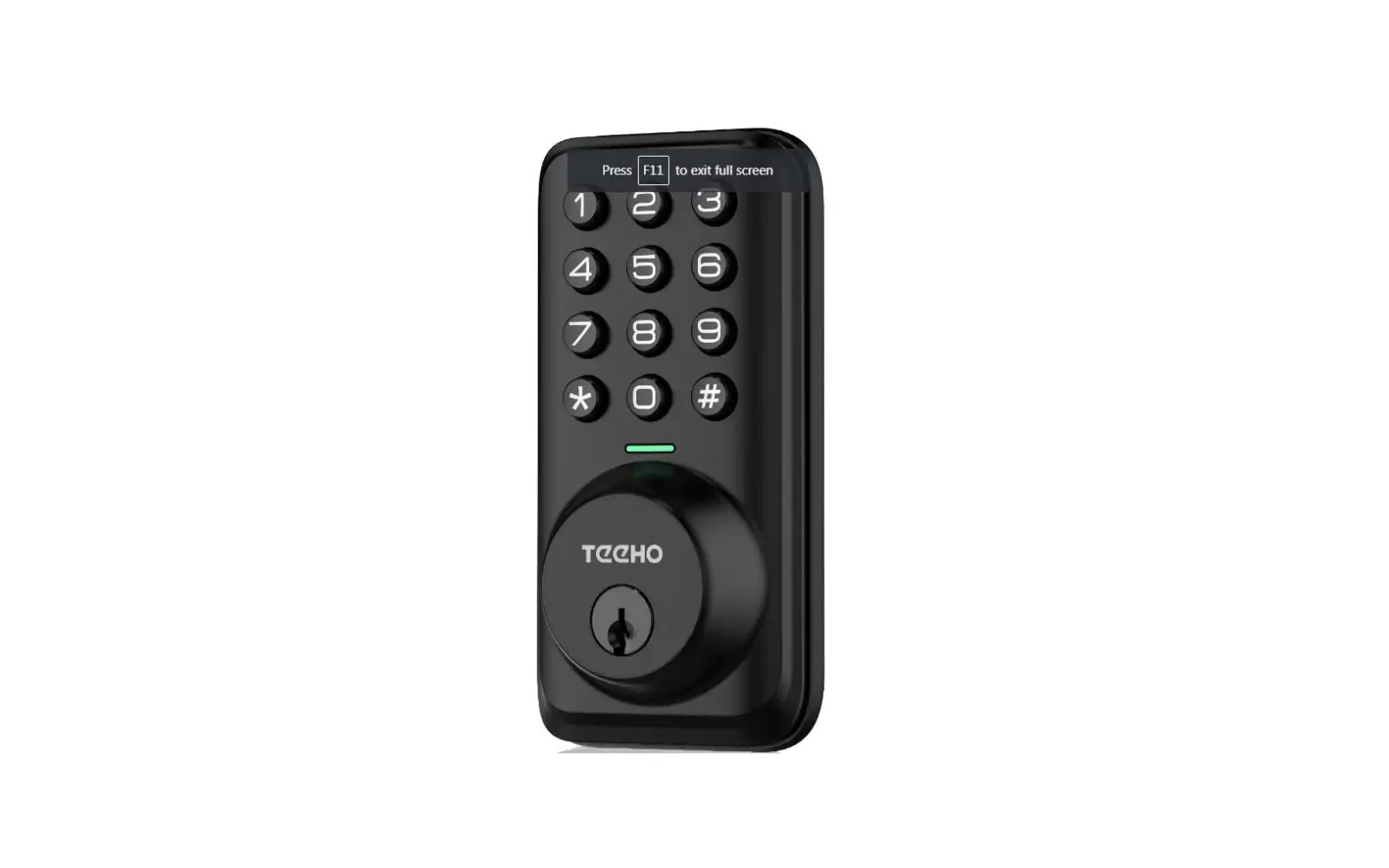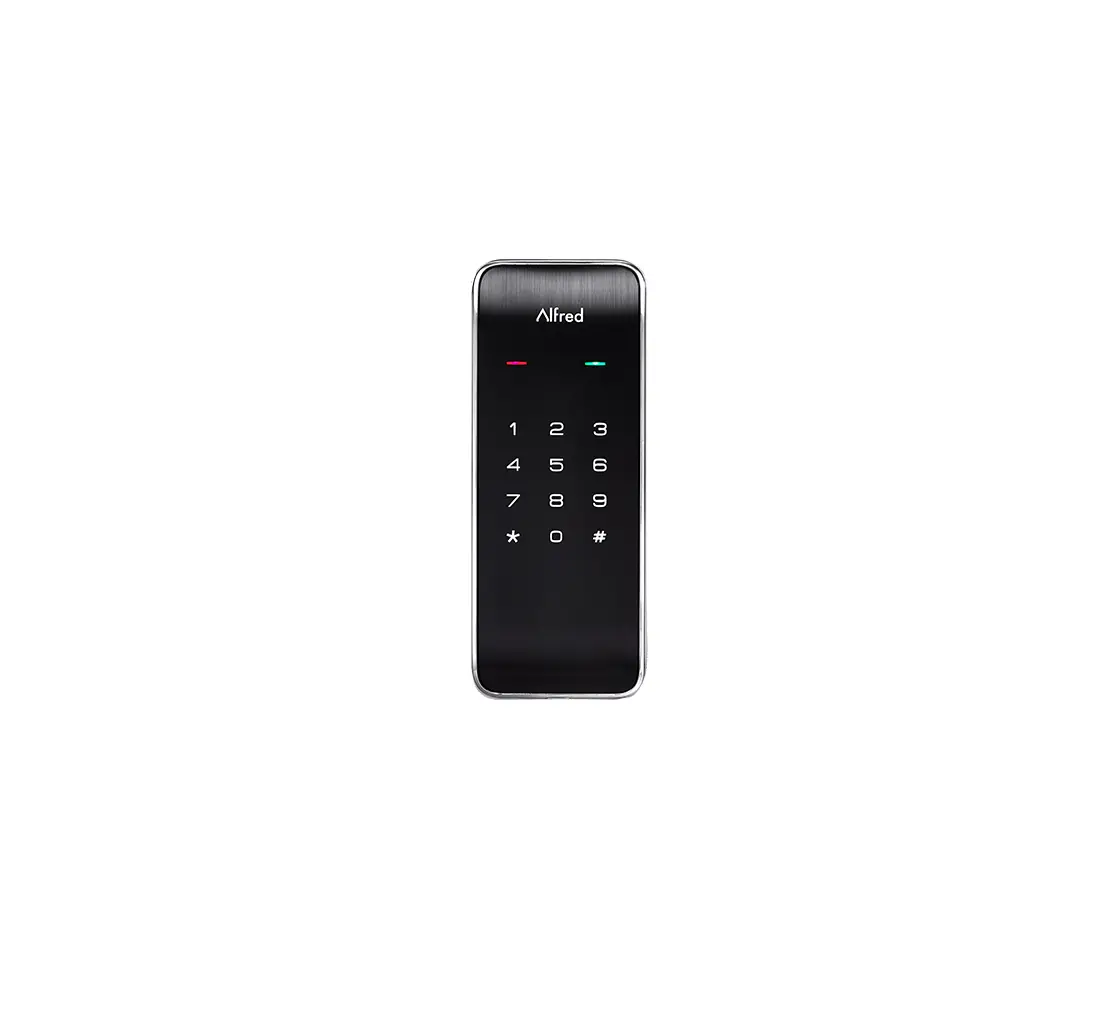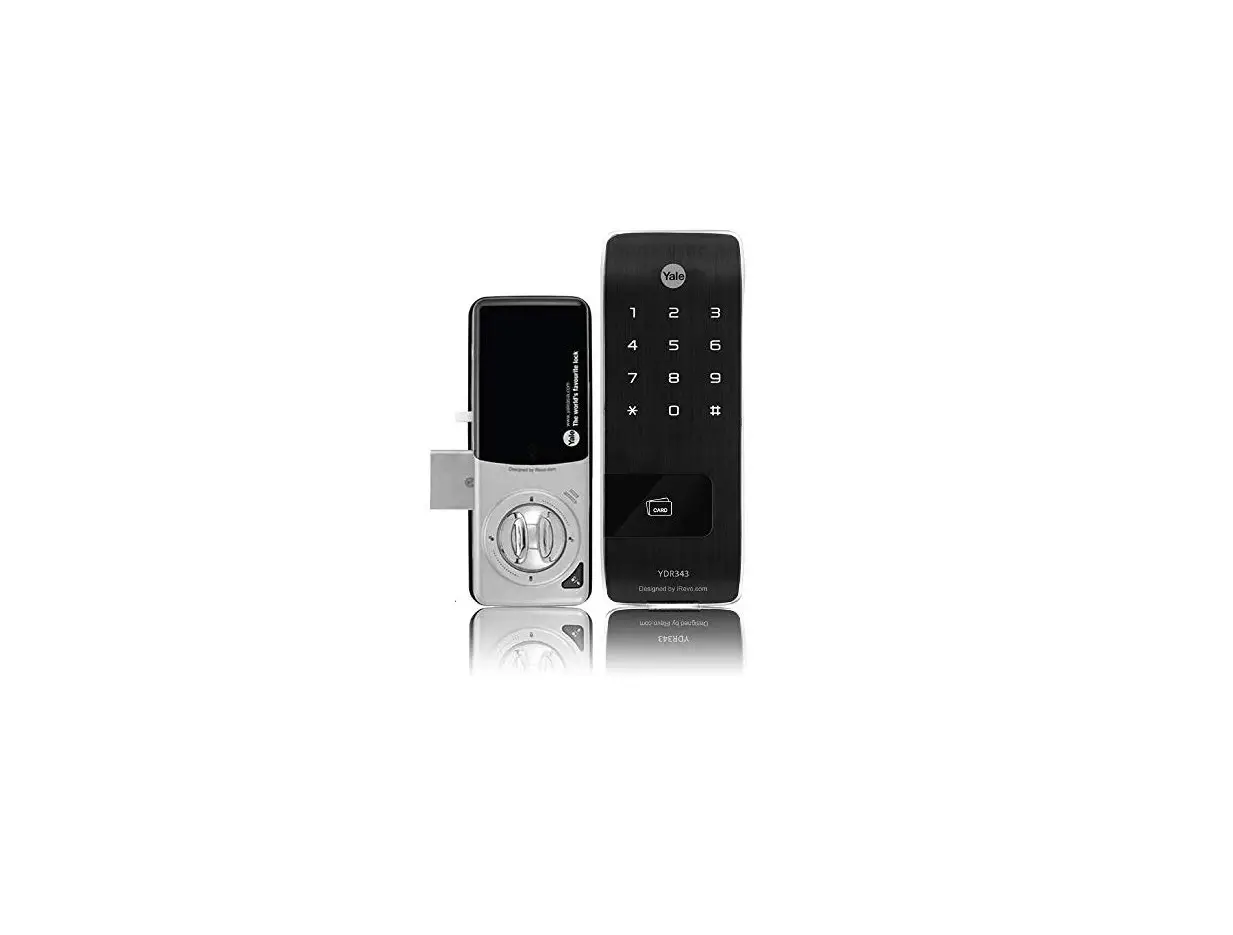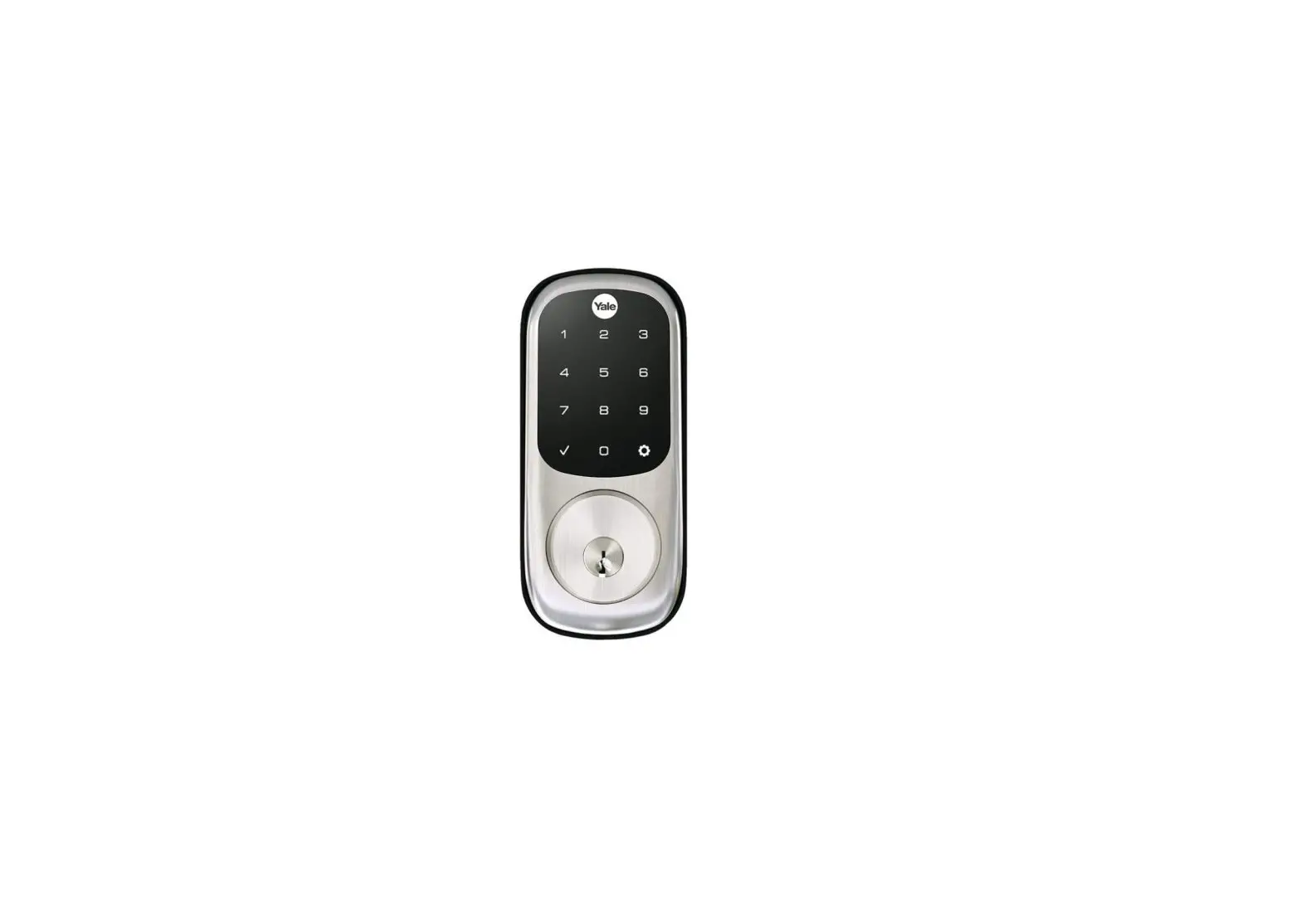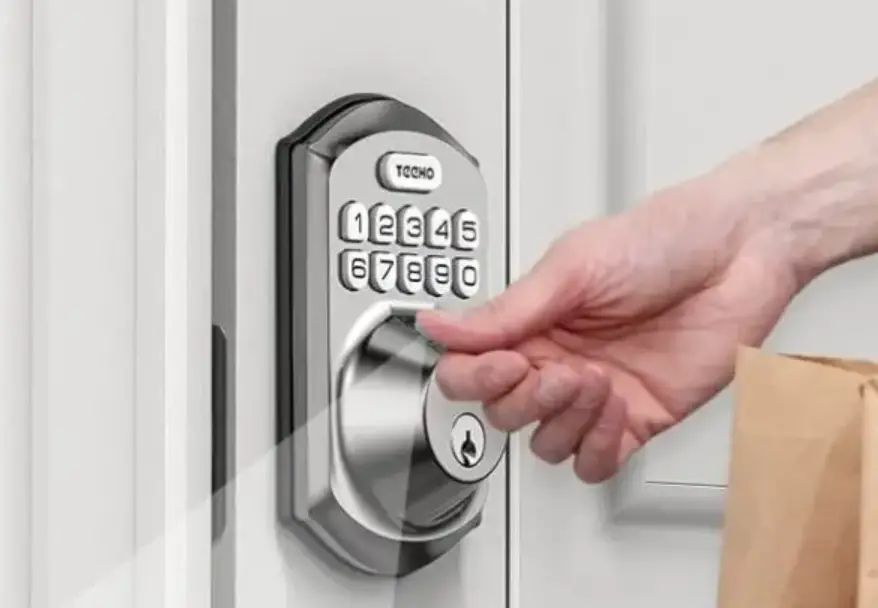

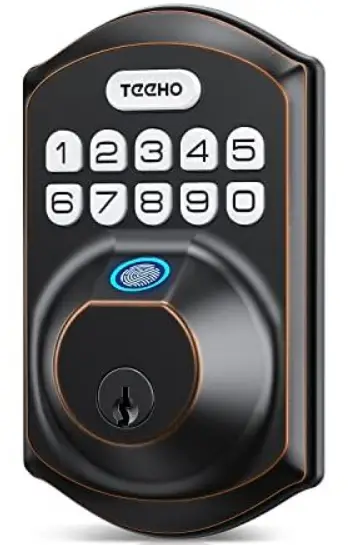
TeeHO Door Lock
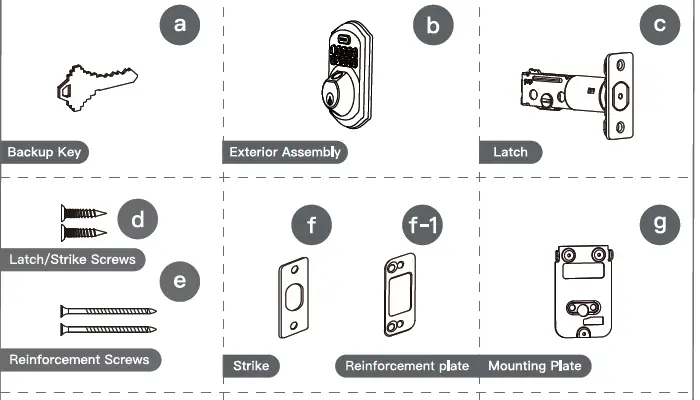
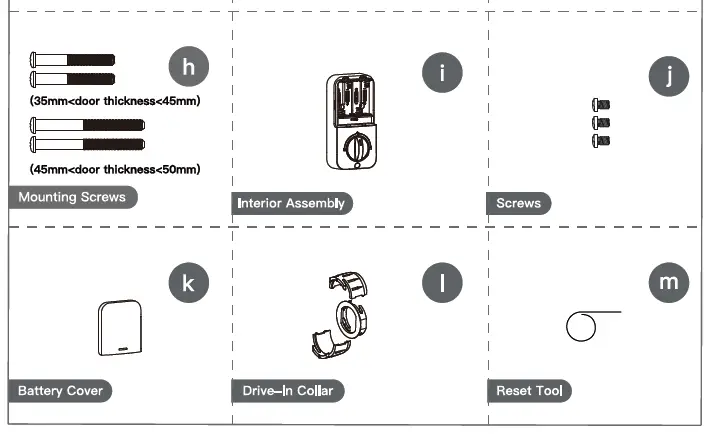
Part list
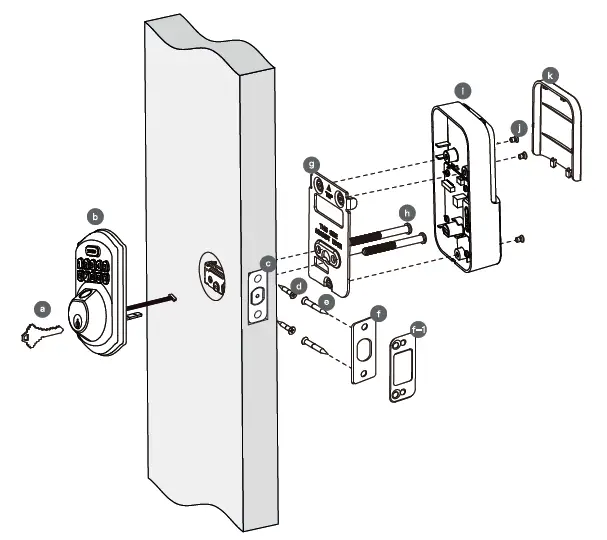
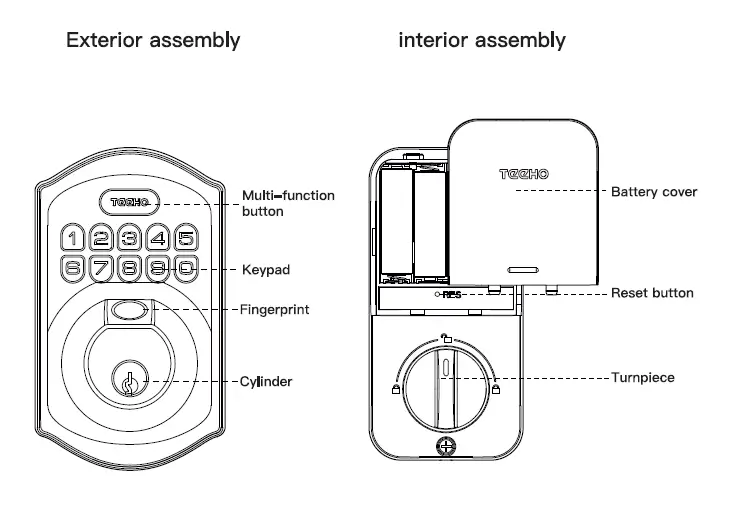
The details of part identification is shown on following page
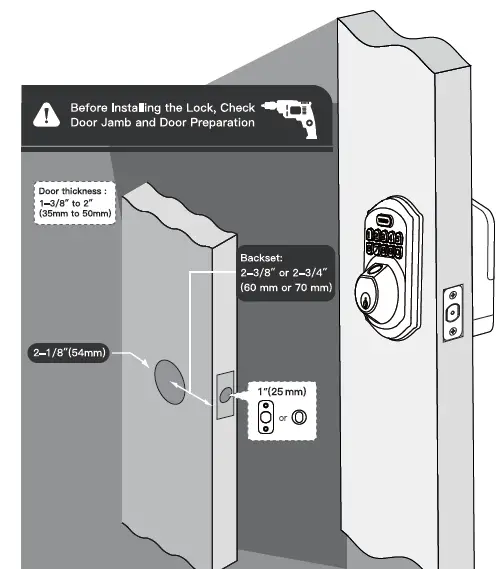
Prepare the door and check dimensions
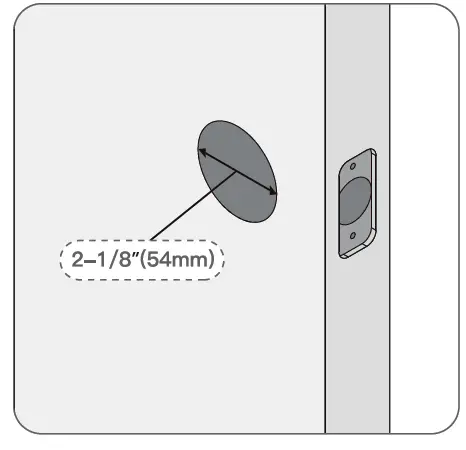
Measure to confirm that the hole in the door is 2-1/8″(54mm).
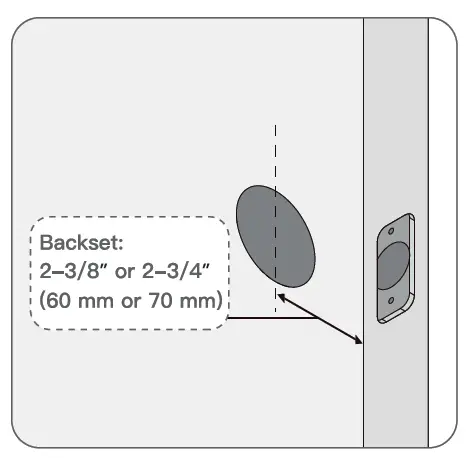
Measure to confirm that the backset is either 2-3/B”or 2-3/4″(60 or 70mm).
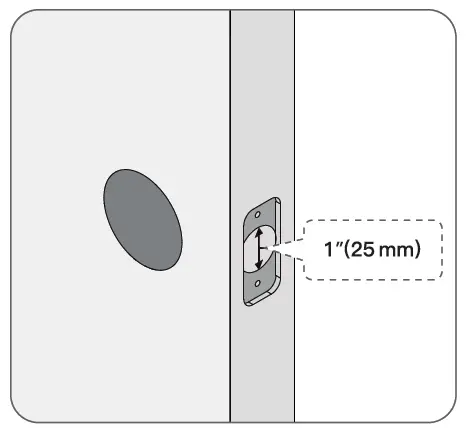
Measure 1″(25mm). to confirm that the hole in the door is 25cmm.
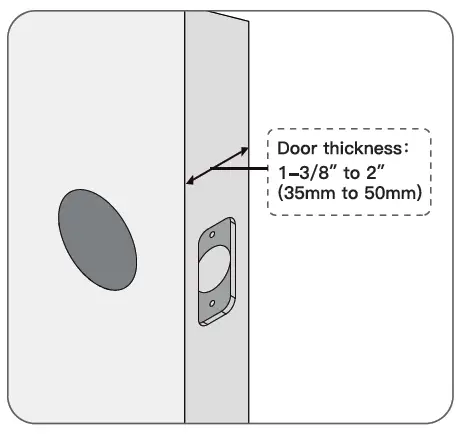
Measure to confirm that door thickness is between 1-3/8″ and 2″ (35mm to 50mm).
Choose faceplate
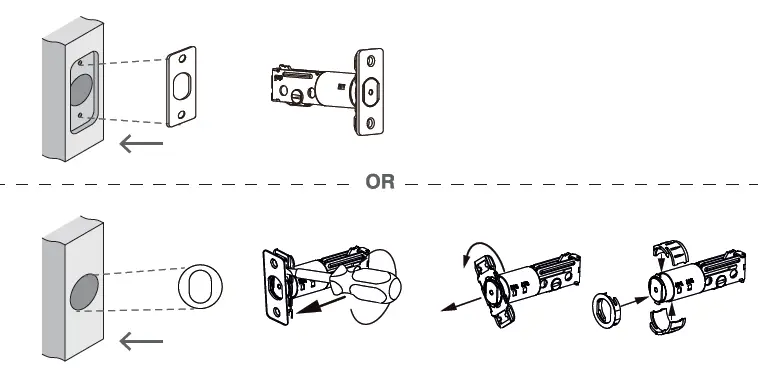
Is the slotted hole centered in the door hole?
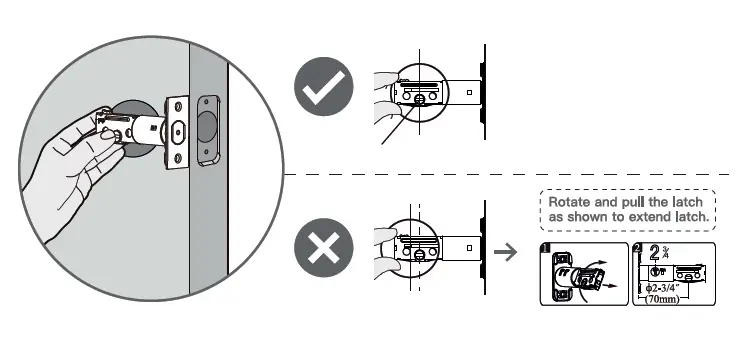
Install latch and deadbolt
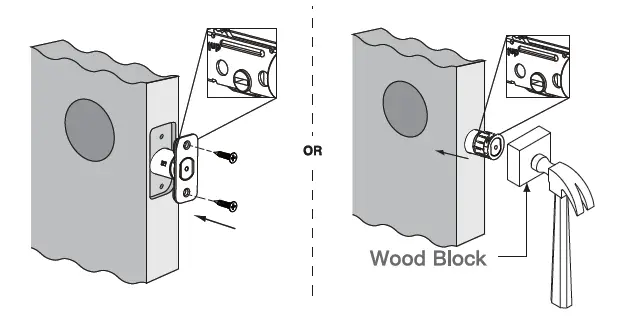
IMPORTANT: Keep the latch in unlocked position before installation
Parts identification
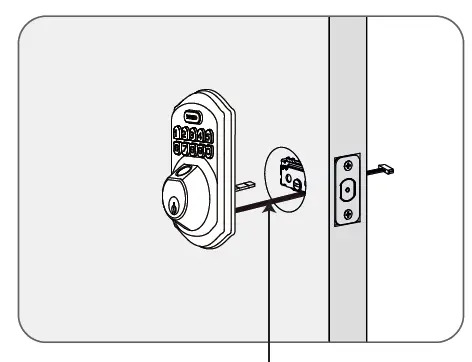
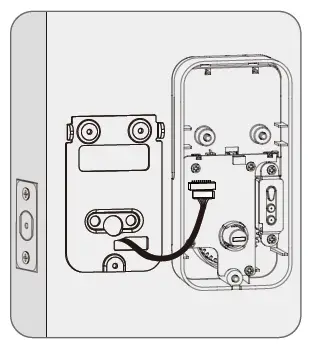
Install exterior assembly
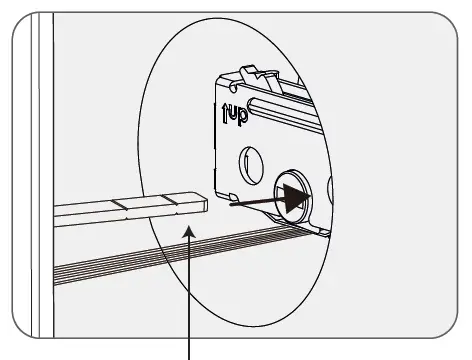
- Route the cable below the latch.

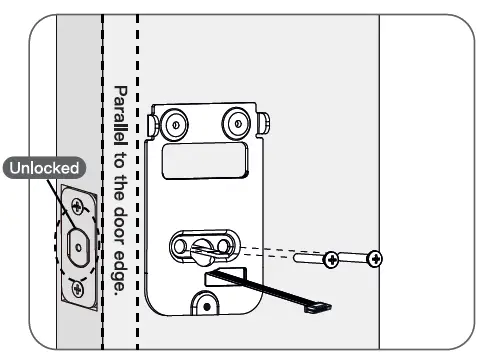
- IMPORTANT: Bolt must be in unlock position.
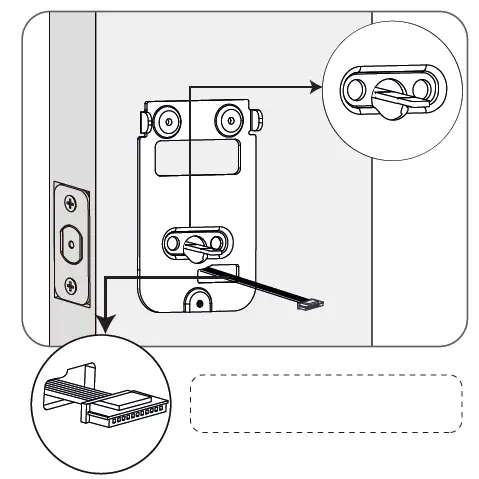
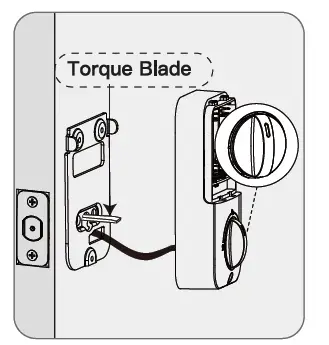
Note horizontal orientation of torque blade
- Route the cable through the hole in the mounting plate.

- Secure the mounting plate with the supplied screws.

Install interior assembly
Do not load batteries until lock is completely installed.
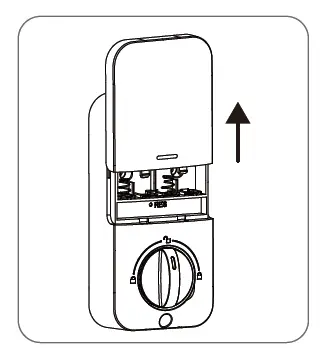
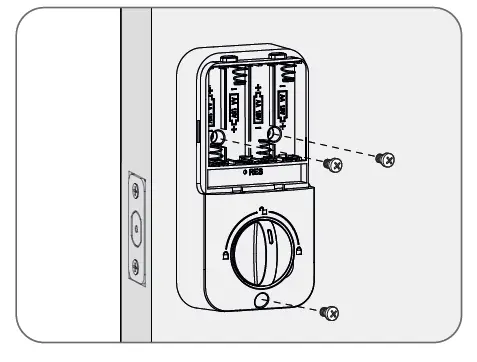
- Remove the battery cover.

- Connect the cable end ensure tight cable connection.

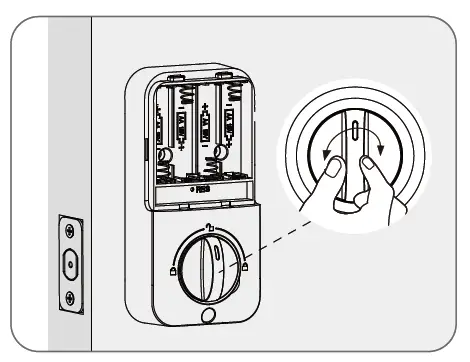
- Rotate the Thumb turn in vertical position and insert the horizontal orientation of torque blade into the interior assembly lock switch.

- Secure the interior assembly with the supplied screws.

- Test the lock by rotating the thumb turn to see if the bolt can be extended and retracted smoothly.

Detect left/right hand door installation
IMPORTANT: This step is required and crucial for the lock after installation
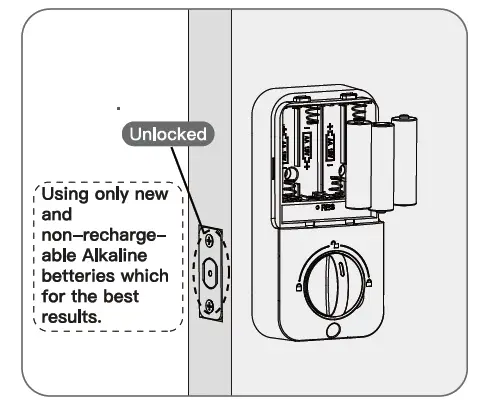
- While the door is open and unlock, load 3AA batteries into the interior assembly.

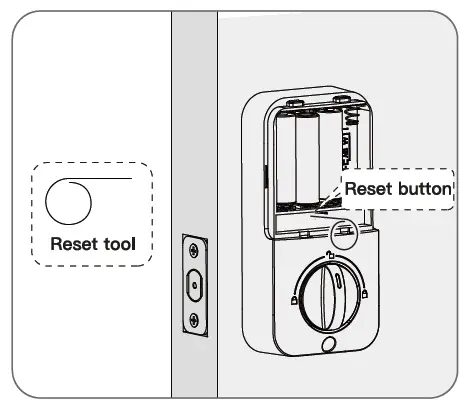
- Press and hold the reset button on the interior assembly using the reset tool provided in package

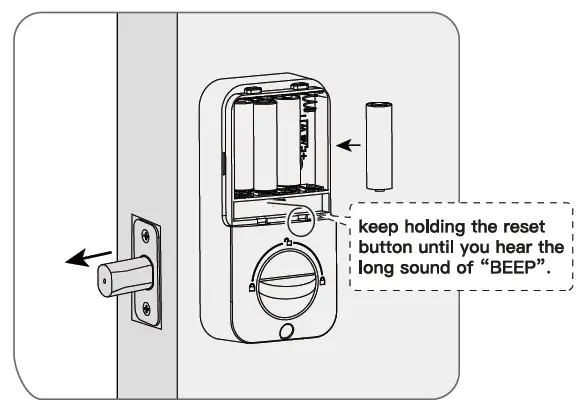
- Keep holding the reset button, and load the last battery. Hold the reset button until you hear the long sound of “BEEP”. The lock will automatically go into locking position. This is for the smart lock to memorize the orientation of the door.

Parts illstrations
| ITEM | SPECIFICATIONS | REMARKS |
| Battery (Using only new and non-rechagerable Alkaline betteries for the best results.) | AA alkaline battery ×4 (Operation voltage: 4.6-6.0V) | Last up to one year (10 times open/close per day) |
How to use?
- Unlock the door from outside

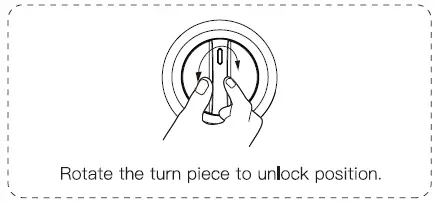
- Unlock the door from inside

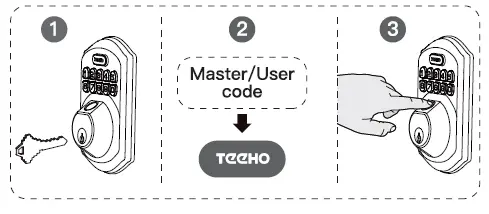
Lock the door from outside
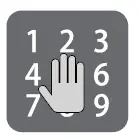
- Auto re-lock mode
In auto re-lock mode, the bolt will extend out automatically in 30 seconds after unlocking - Manual mode
Press any of the buttons on keypad for 2 seconds.
Lock the door from inside
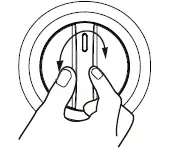
- Auto re-lock mode
In auto re-lock mode, the bolt will extend out automatically in 30 seconds after unlocking. - Manual mode
Rotate the turn piece to lock position.
Quick set up
The default master code is 12345678. It’s required that you change it to a code of your own before programming
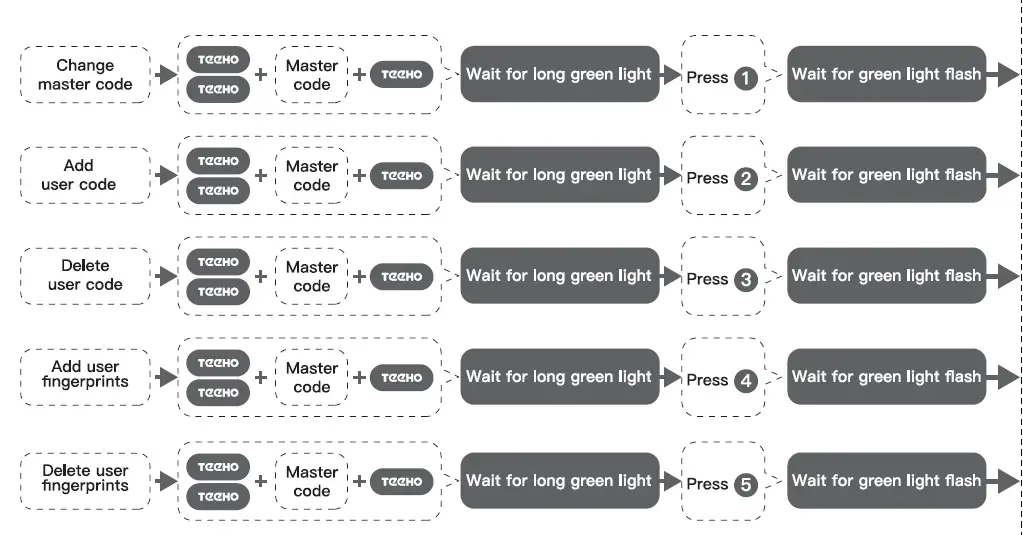
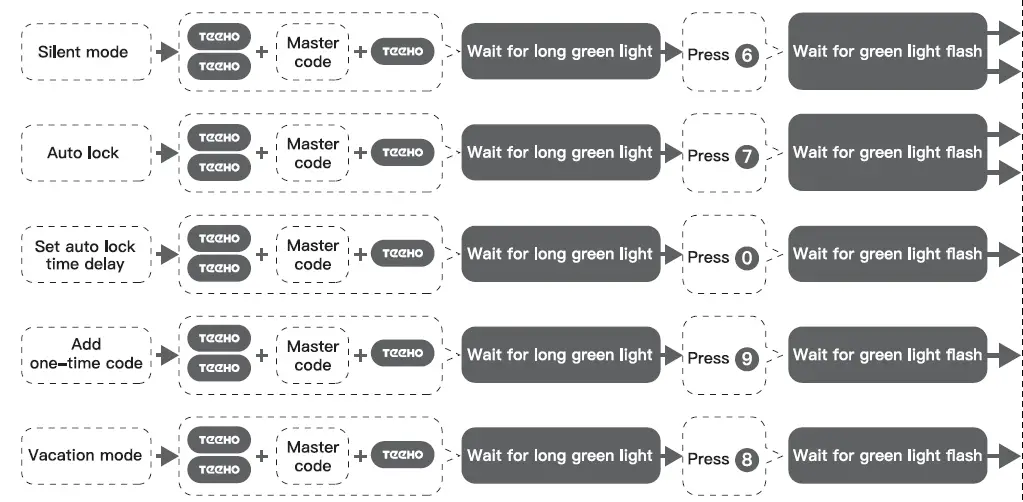
When setting is unsuccessful, the indicator light will flash red.
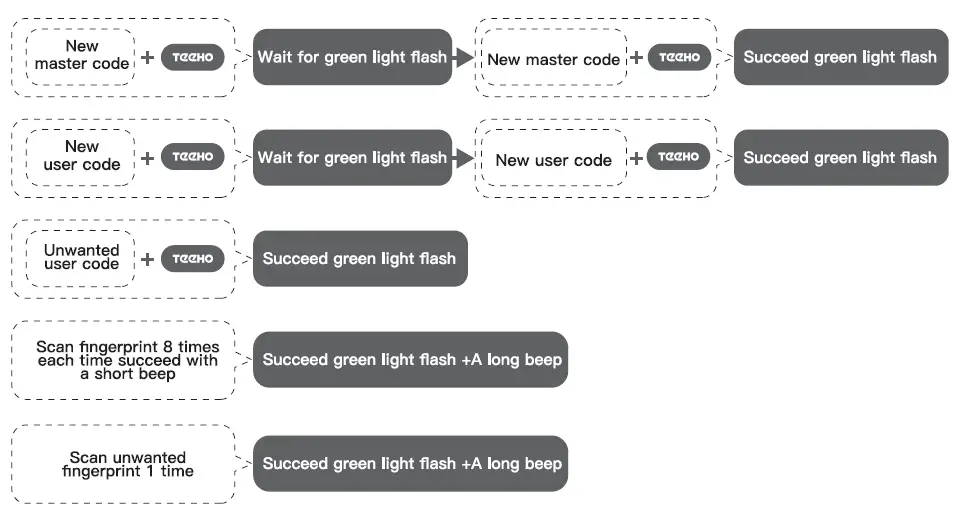
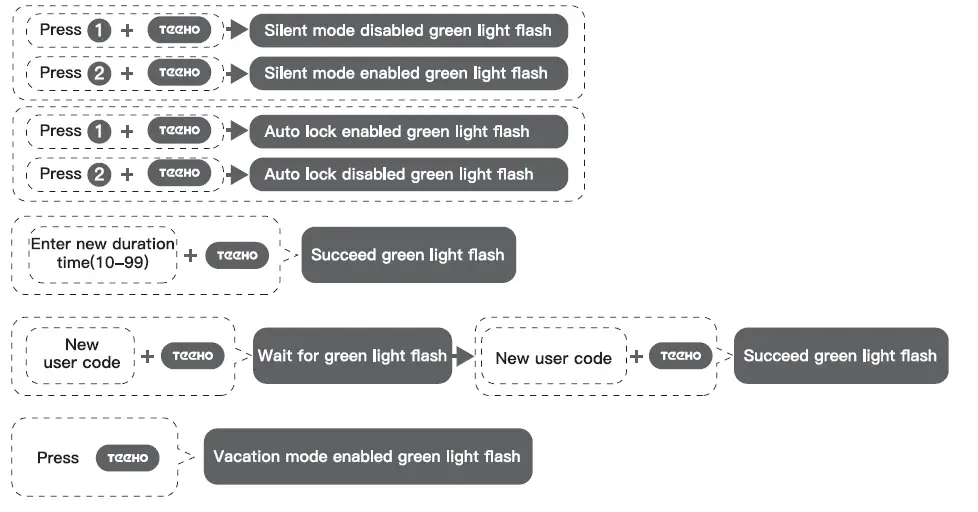
Information and safety warnings
A do not load batteries until lock .. 1s completely installed.
- Protect your user codes and master code.
- Restrict access to your lock’s interior assembly and routinely check your settings to ensure they have not been altered without your knowledge.
- This lockset is designed to provide the highest standard of product quality and performance. Care should be taken to ensure a long-lasting finish. When cleaning is required use a soft and damp cloth. Using lacquer thinner, caustic soaps, abrasive cleaners or polishes could damage the coating and result in tarnishing.
- Master PIN Code (4~10 digits): The default master pin code is “7 2345678”, It’s required that you change It to a code of your own before programming.
- User PIN Code (4-10 digits):A total of 20 user codes(and one temporary one-time user code) may be programmed.
- Both master and user PIN COOes don’t support the following combination of numbers below.
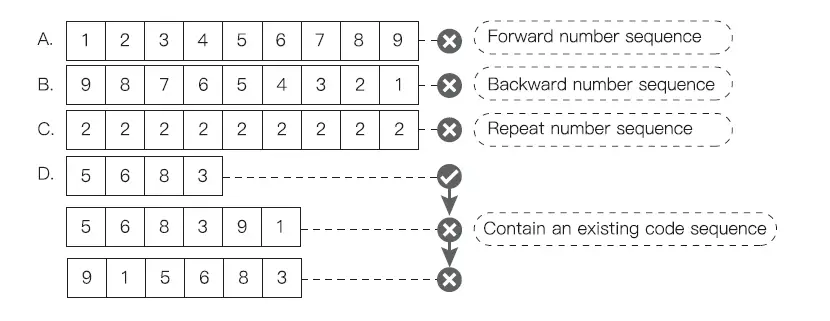
Definitions
- Master Code
- Required for programming and feature settings. Master code can be used to unlock the door under vacation mode.
- The default master code needs to be changed before programming.
- Property owner/manager should keep this information confidential.
- Auto Lock
- Automatically locks the deadbolt 30 seconds after unlocking.This feature is off by default.You can set the Auto Lock time delay between 1 O and 99 seconds.
- Wrong Entry Limit
- After 10 unsuccessful attempts at entering a Invalid PIN code, the unit will shut down for 3 minutes.
- Silent Mode
- The beep sounds when pnessing keypad can be muted. But you will still hear low battery and system alerts.
- Vacation Mode
- This is a security feature for you when you are leaving your home for vacation or long trip. Enabling vacation mode will restrict all user codes until master code is entered on keypad. If the lock is unlocked by thumb tum, the lock will sound an alarm.
- One Time User Code
- This code can only be used once and Is automatically deleted when used.
- Unlock with Fake Code
- User can prevent pin code exposure from strangers by entering random digits before or after pin code.
Factory default settings
SETTINGS : FACTORY DEFAULT
- Master code , 12345678
- Auto lock Disabled
- Silent mode : Disabled
- Wrong code entry limit 10 times : 1
- Shutdown time 13 mins : 1
- Vacation mode Disabled
Restore factory default settings
This procedure will delete all user codes which aa associated with the lock.
- Keep the door opening and unlocking;
- Press and hold the reset button, taking out one battery and then place it back at the same time;
- Keep holding the reset button for 3 seconds until you hear the sound of “BEEP”.
Troubleshooting
Installation
| Questions | Answers |
| The latch does not operate correctly after installation. |
|
| Feel a bump while turning the thumb turn or the key? | Check If the length of mounting screws Is correct. Check if the turn piece is in vertical (unlock) position.
|
| Fail to set up the lock. | Please make sure the lock is installed correctly.
|
Operation
| Questions | Answers |
| Battery Indicator keeps flashing. | The batteries are getting low, please replace with four new batteries for the best performance (alkaline batteries only). |
| Keypad not responding. |
|
| Master Code can not be changed. | Please refer to Programming Instructions to restore factory settings and reprogram all codes. |
| What should I do if wrong code was entered? | Press CID button once and continue to Input code according to regular procedures. |
| I forgot my Master Codes. | Perform a reset in order to erase all passcodes. Once the reset is complete, all passcodes will be erased and the Master code will return to the default master code 12345678. |
| Can not add a new User Code. |
|
| “Auto lock” does not function. |
|
| Lockset is not able to unlock / lock by keypad. |
|
| Lockset is unable to reset. |
|
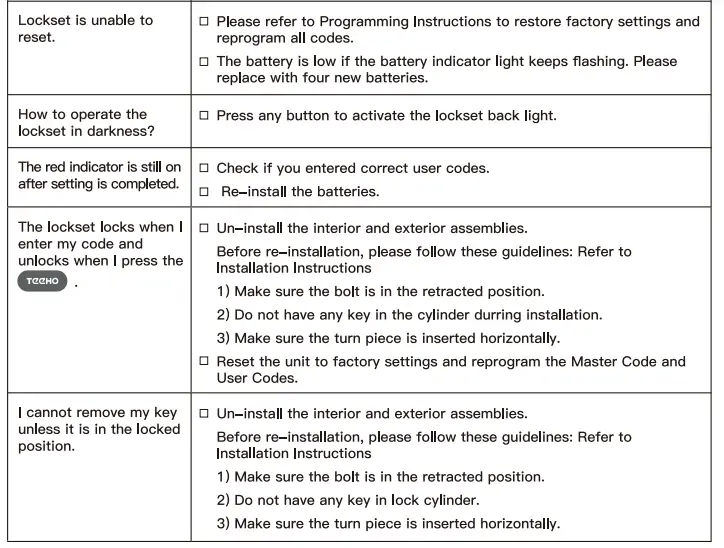
If the lock appears to be damaged or does not operate properly, please contact customer service for further assistance.