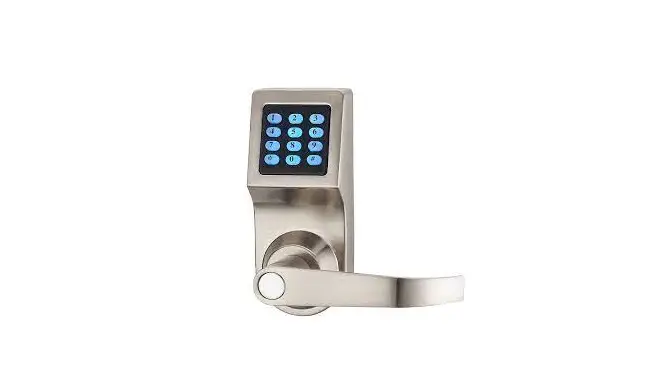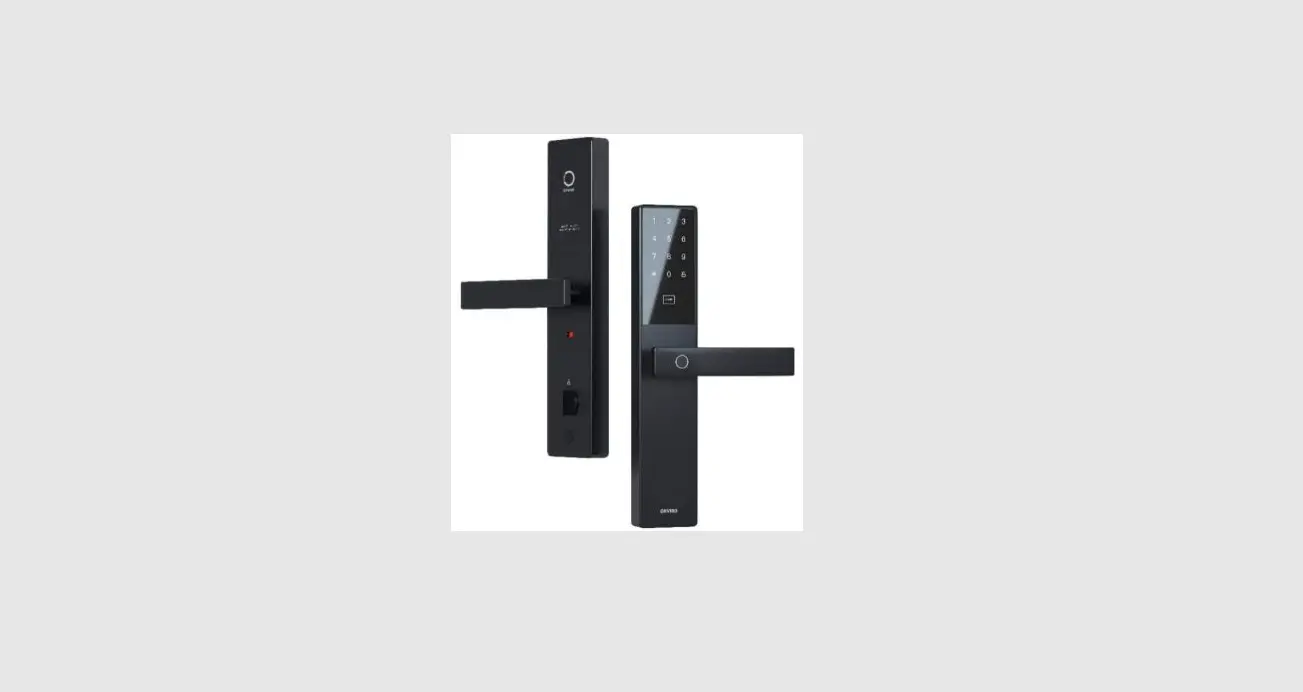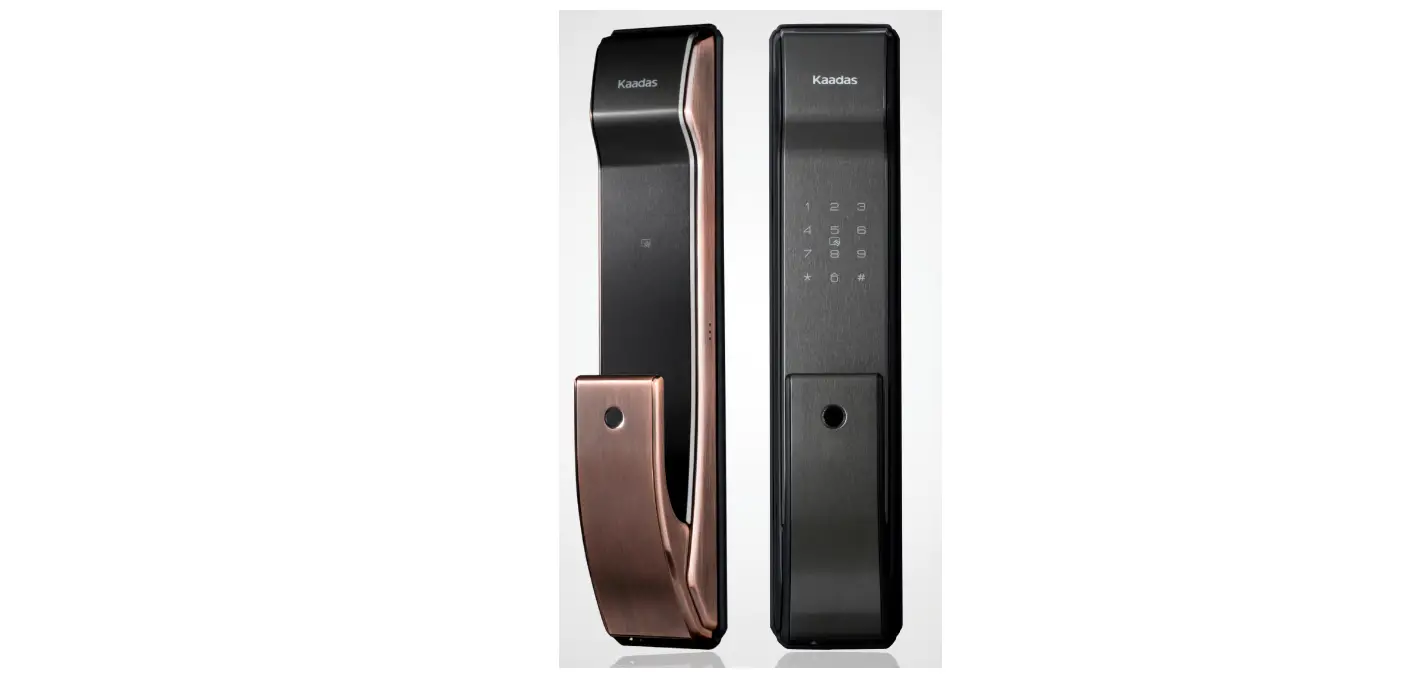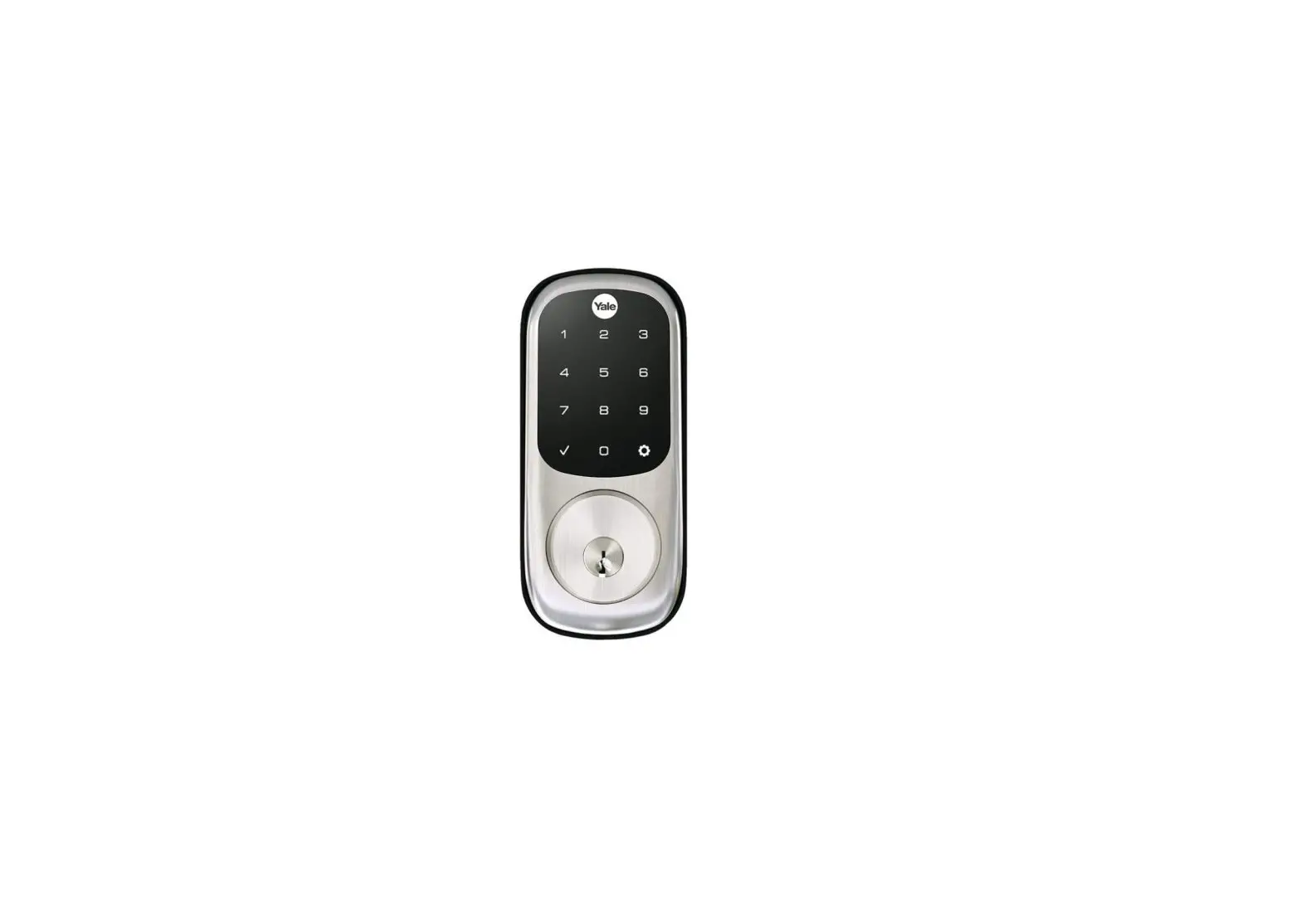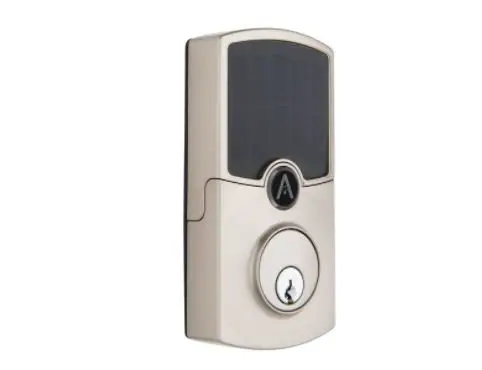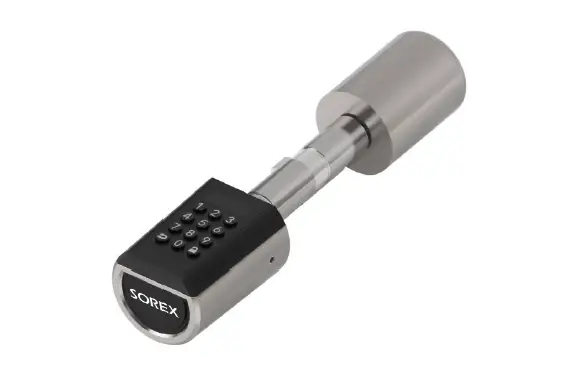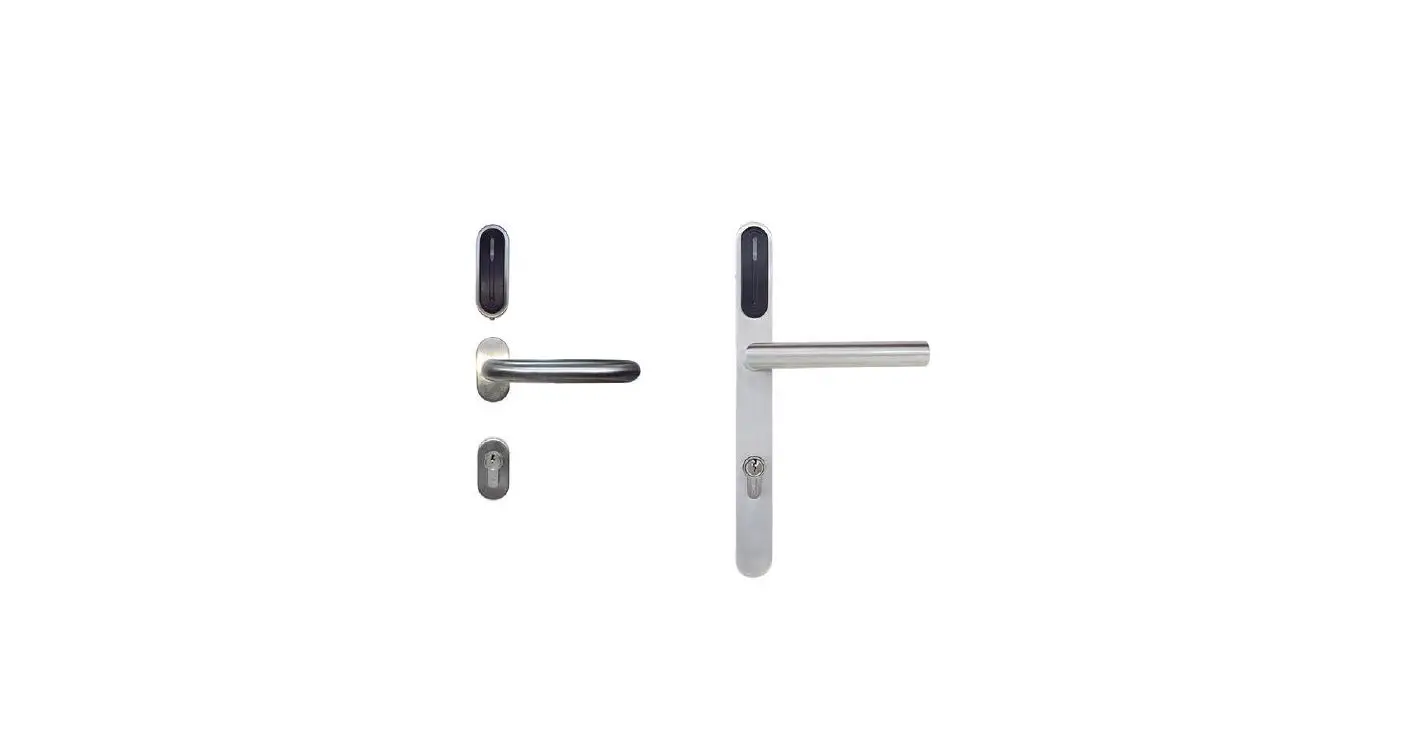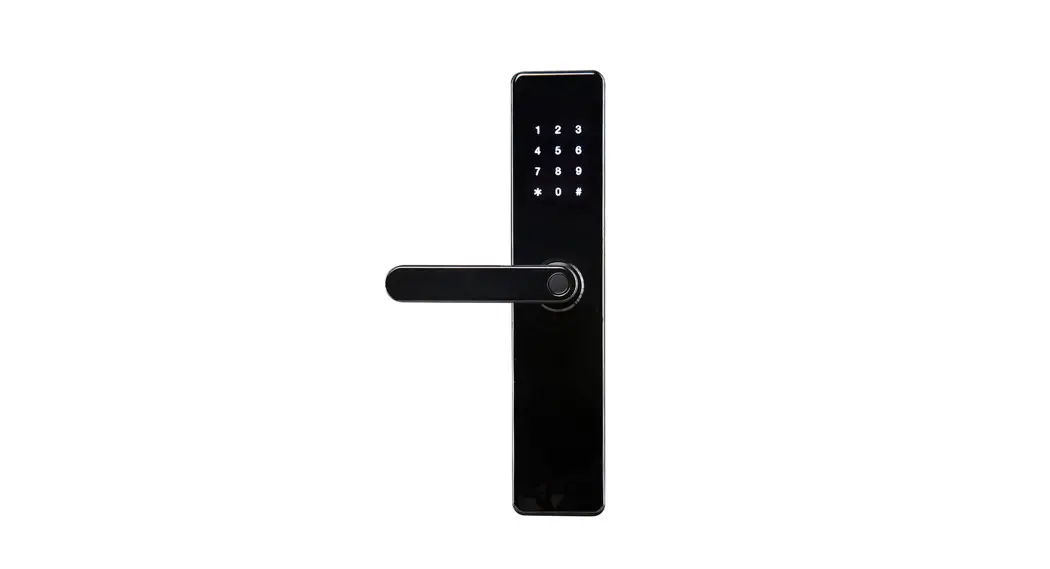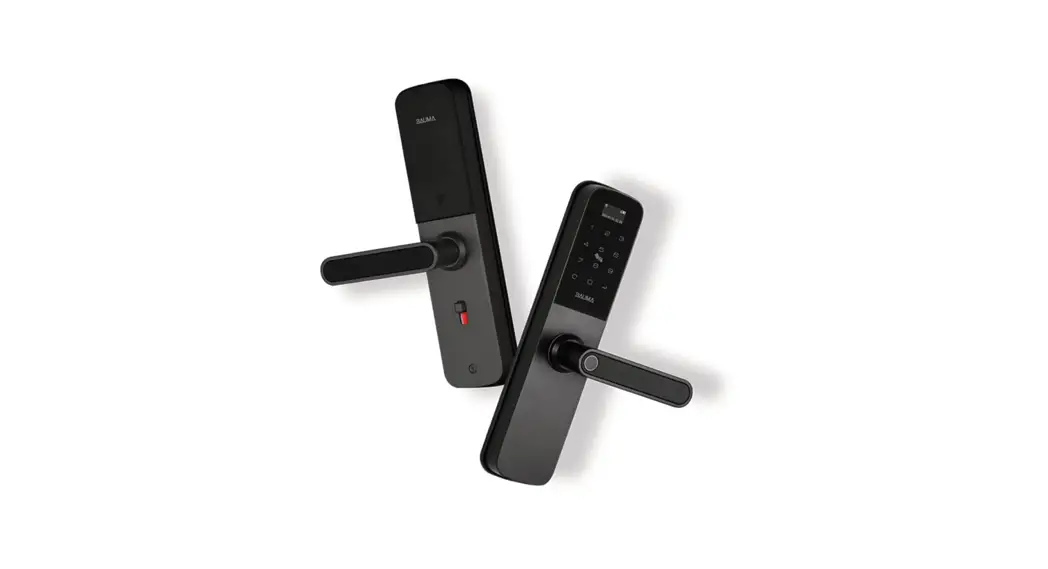
 PRODUCT NAME: DIGITAL DOOR LOCK
Model BM600 / BM610
Digital door lock
INSTALLATION MANUAL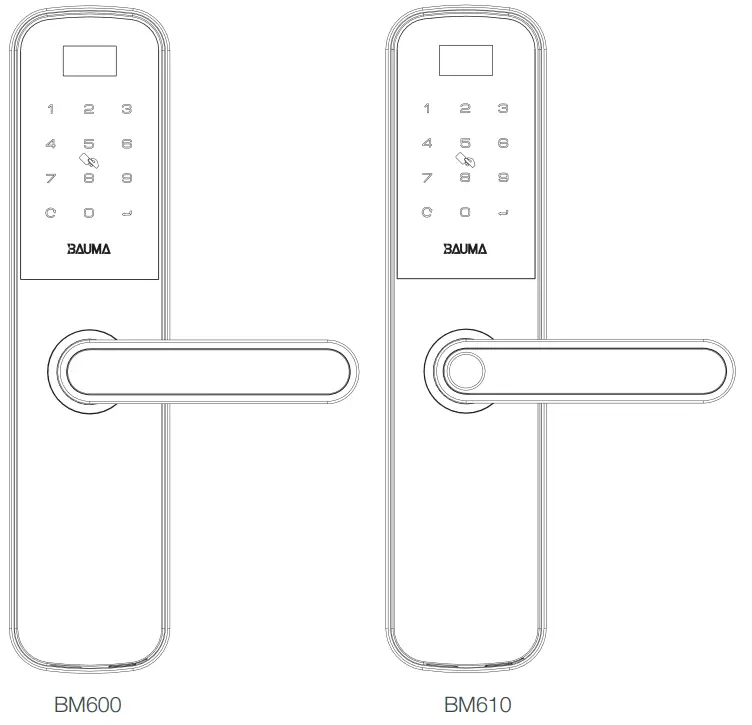 Version 1.0
DECLARATION: THE PRODUCT FOLLOWS THE STRATEGY OF SUSTAINABLE DEVELOPMENT. THE COMPANY RESERVES THE RIGHT TO MODIFY AND IMPROVE THE PRODUCT WITHOUT PRIOR NOTICE.
Read before using
Product features
| No | Items | Sub-Items | Specification |
| 1 | Unlock way | ‘fingerprint | Capacity: 3 masters +97 user. |
| 2 | Password | Capacity: 3 masters +47 user. | |
| 3 | Card | Capacity: 3 masters +47 user. | |
| 4 | Mechanical key | 2 Keys | |
| 5 | Other | Zlgbee – App Hafele Smart Living | |
| 6 | Power supply | Working voltage | 4 pieces of 1.5V M alkaline battery |
| 7 | Battery life | Over 10,000 times under normal usage | |
| 8 | Low voltage alarm | ≤ 4,8V | |
| 9 | Back-up power supply | 5V Micro-USB | |
| 10 | Power consumption | Quiescent current | ≤ 45uA |
| 11 | Dynamic current | ≤ 200mA | |
| 12 | *Fingerprint sensor | Scanning area | 13 |
| 13 | Resolution | 508dpi | |
| 14 | Responding speed | ≤ 0,5 seconds | |
| 15 | Working temperature | -20oC – 70oC | |
| 16 | Relative humidity | 20% – 95% | |
| 17 | FRR | ≤ 0,1% | |
| 18 | FAR | ≤ 0,001% | |
| 19 | Fingerprint sensor | Semi-conductor | |
| 20 | Comparison mode | 1:N | |
| 21 | Antistatic ability | ≤ air ±15KV / contact 8KV | |
| 22 | Auxiliary Function | Unlock record | 999 pieces |
| 23 | Door Thickness | Small mortise 50X50 | 35-60mm |
| Big mortise 60×68 | 38-60mm | ||
| Note: *Fingerprint unlocks way is available for model BM610 only, please confirm the product model you purchased. | |||
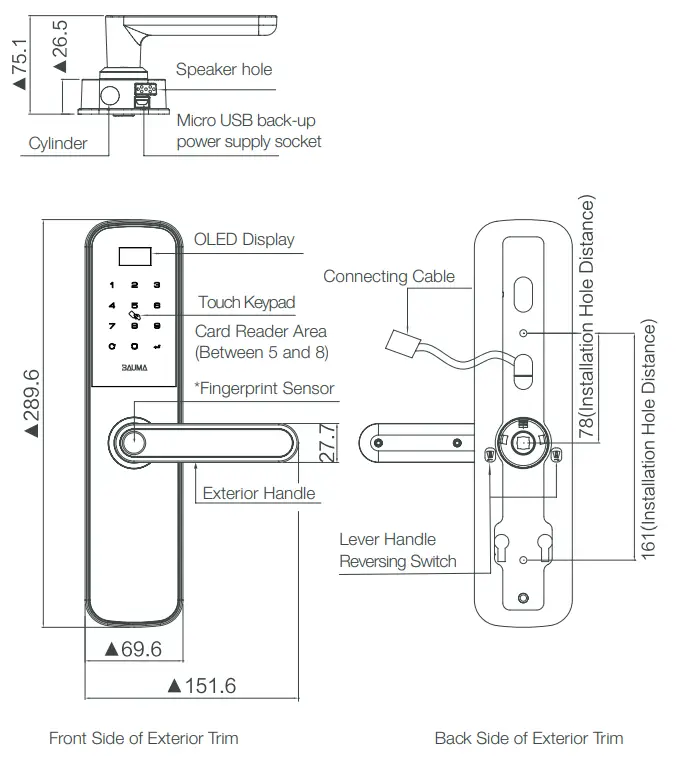
Product specification – exterior trim
Note:
 The overall dimension above includes a silicon pad.
- *Fingerprint Sensor is only for model BM610 (Please confirm the product model and accessories you purchased).
Product specification – interior trim
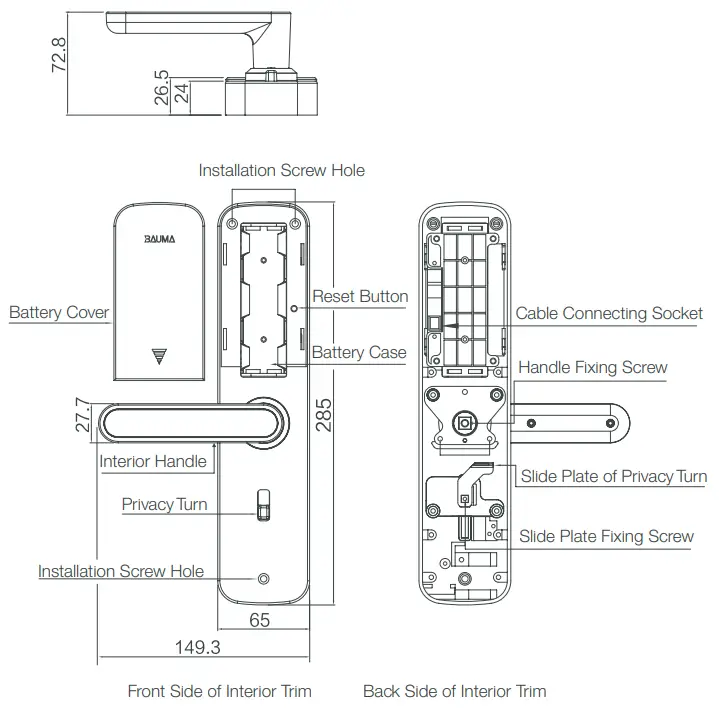
How to use
Open & lock the door
How to open the door from outside
| Fingerprint (only BM610) | Password | Card |
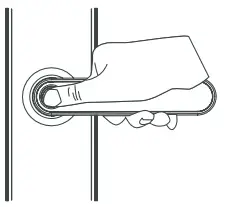 | 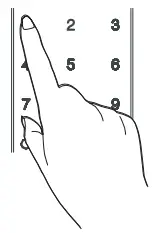 | 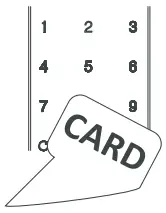 |
| 1. Place the enrolled finger properly on the fingerprint sensor area. 2. Press down the handle to open the door. | 1. Touch the keypad with a palm to lighten the keypad. 2. Enter the enrolled password with the end of “↵ ”. 3. Press down the handle to open the door. | 1. Place the enrolled card properly between numbers 5 and 8. 2. Press down the handle to open the door. |
Anti-spy coding function
The random number can be added before or after the real user password but the maximum length is 16 digits. This feature will prevent the real user password from being exposed.
Usage of Mechanical Key
Insert the key into the keyhole at bottom of the Exterior
Trim and turn it at the proper angle to unlock the cylinder, then press down the handle to open the door.
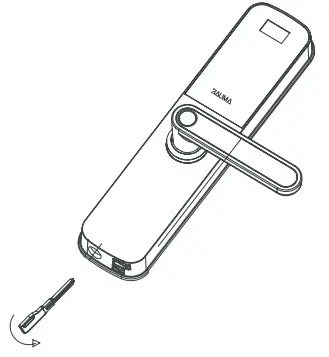
 CAUTION
Do not press down the handle while rotating the mechanical key, otherwise, this incorrect operation may get the lock broken. Always rotate the mechanical key first, then press down the handle to open the door.
| How to lock the door | How to open the door from inside |
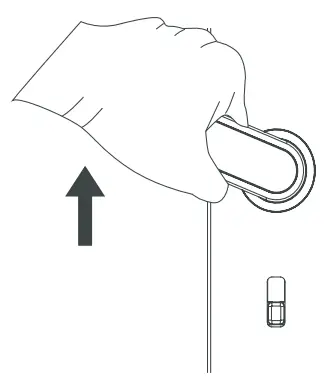 | 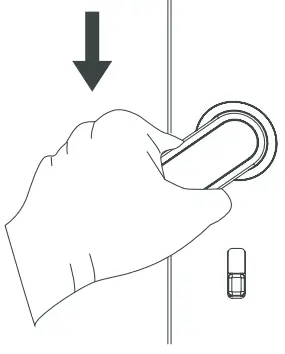 |
| Pull up the exterior or interior handle to let the deadbolts come out. | Press down the interior handle to open the door. |
Service features
Restore to factory default settings
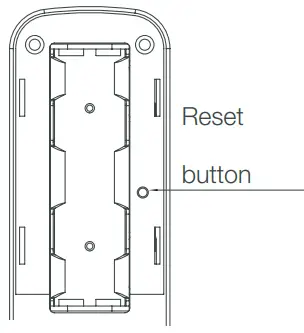 | Operation instructions : 1. Open the battery cover and find the reset button. 2. Press the reset button and keep pressing “ ↵ ” on the touch keypad to reset the system. 3. After that all user data and settings will be deleted. |
Low power warning and battery replacement
When the battery is lower than 4.8V, there is low power warning signal will appear on the screen. Please replace all batteries immediately. Make sure the battery is installed correctly according to the positive and negative poles.
Emergency power supply
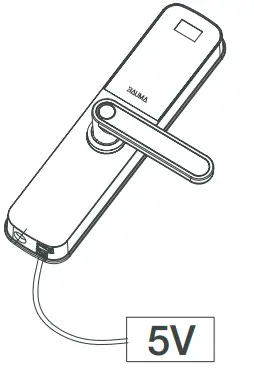
When the battery is too low or completely dead and the lock cannot be opened from our side by inputting master/user identification, connect a 5V power supply via a micro USB port at the bottom of the exterior trim. Then unlock the door with master/user identification and replace all batteries immediately.
Privacy mode
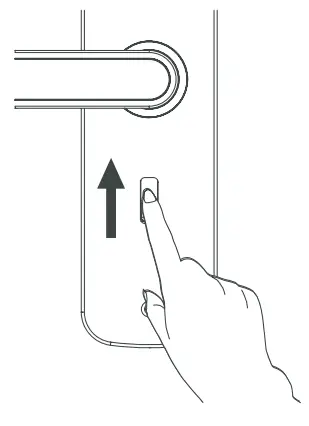 | When the door is closed, slide the privacy button upward to switch on privacy mode. When the privacy is turned on, only master identifications and a mechanical key can open the door from outside. User identifications are prohibited. CAUTION1. If the passage mode is turned on, it will be turned off automatically when the privacy mode is switched on. 2. Please refer to OPERATION MANUAL for the advanced setting of passage mode. |
Reverse lever handle
Reverse exterior lever handle
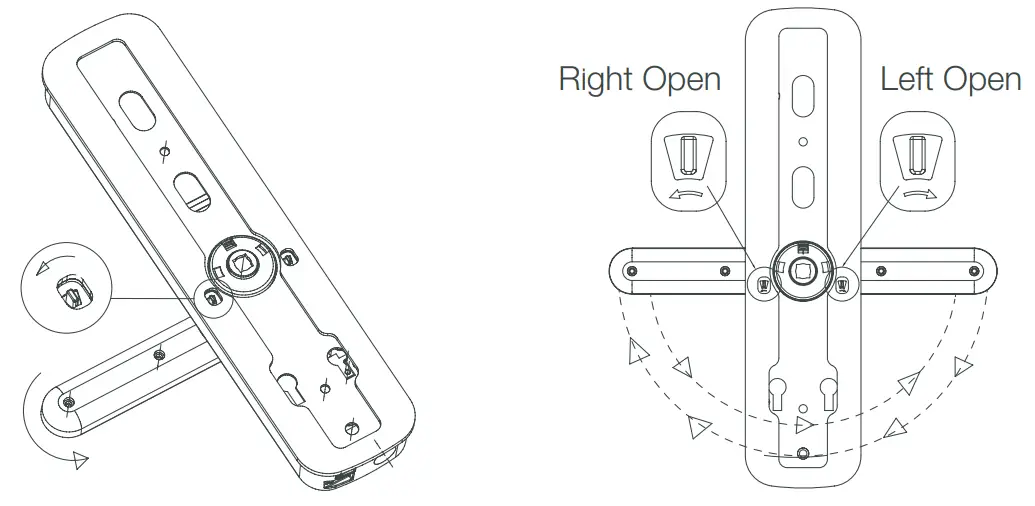
There is two reversing switches on the back of the exterior plate. When you want to reverse the lever handle to the other side, push the reversing switch that is on the same side of the lever handle outward, and then turn the lever handle 180° downward at the same time.
Release the reversing switch and the reversing process of the exterior lever handle is done!
CAUTION
Make sure the lock (cylinder) is locked and pull out the mechanical key before reversing the lever handle.
Reverse interior lever handle
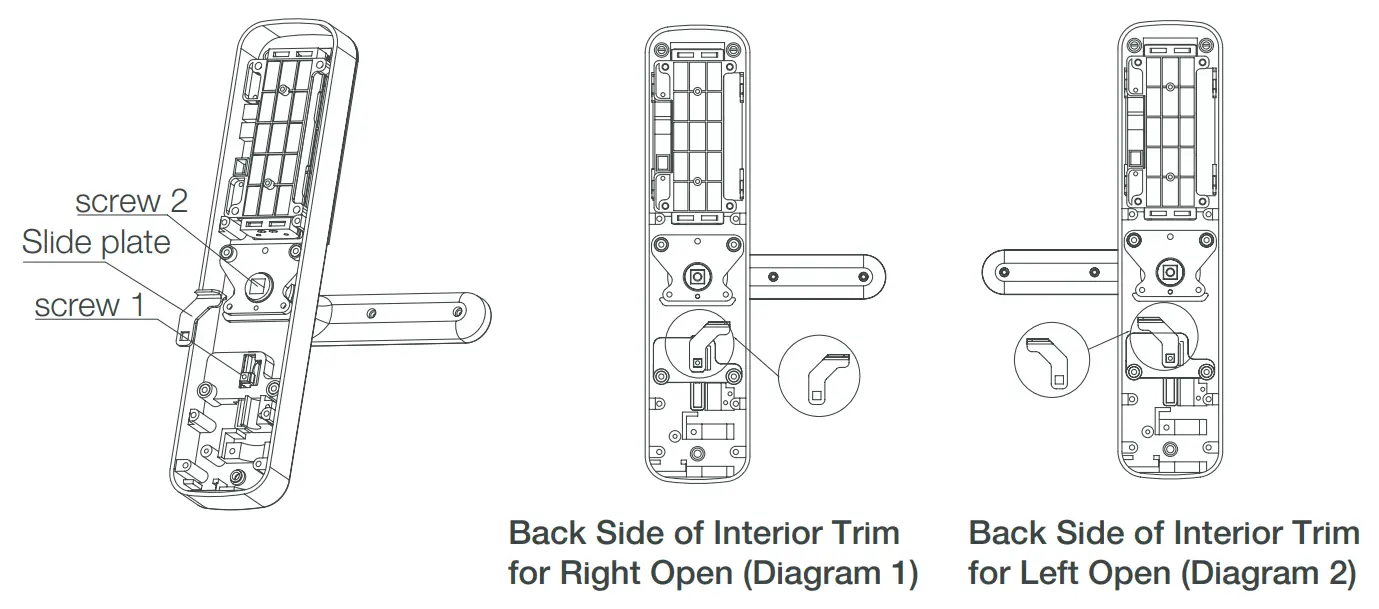
- Remove Screw 1. Take out the slide plate and turn it around (refer to Diagram 1 and Diagram 2 for left-hand or right-hand open), and then fix the Slide Plate by Screw 1.
- Remove Screw 2. Take out the lever handle and reverse it to the opposite side (refer to Diagram 1 and Diagram 2 for left-hand or right-hand open), and then fix the lever handle by Screw 2.
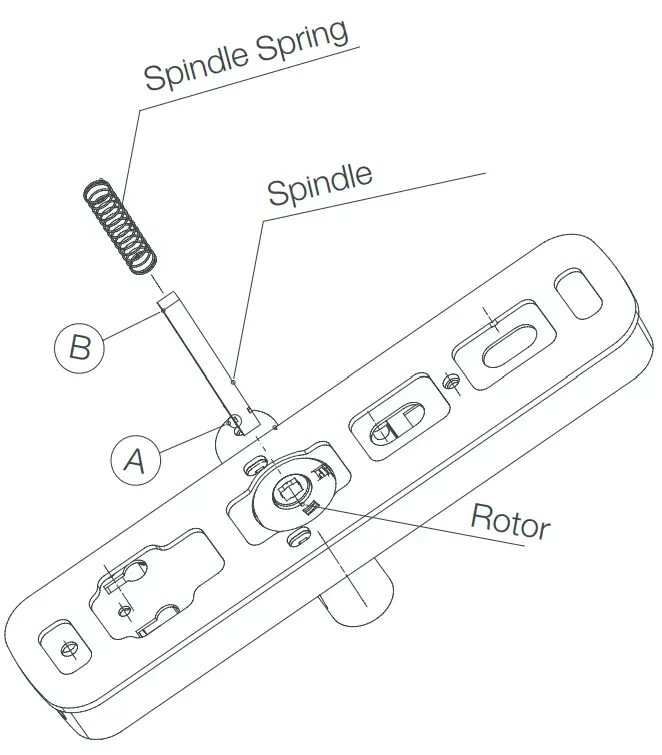
Install spindle and spindle spring
- Put Side A of Spindle into Rotor.
- Put Spindle Spring over the spindle through Side B. (please refer to the right diagram).
Install the mortise
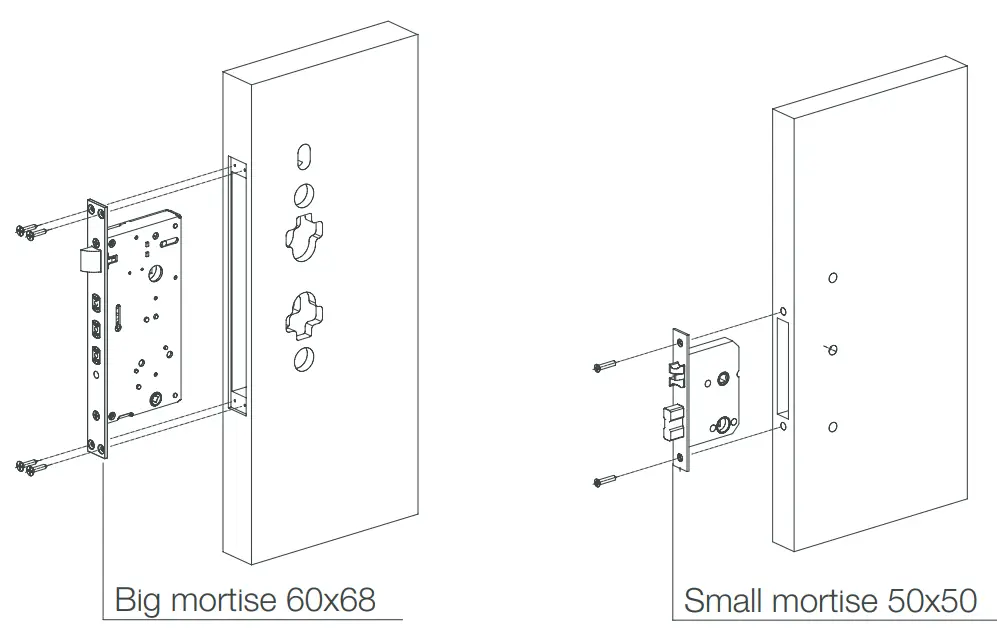
- Boreholes in the door according to the template provided.
- Install the mortise into the bored hole on the door, and fix it with screws.
Note: Please install according to product accessories.
Preparation before installation (for big mortise 60×68)
CAUTION
If you buy the lock with big mortise 60x68mm, please follow the below preparation before the installation of the trims.
Preparation of exterior trim (for big mortise 60×68)
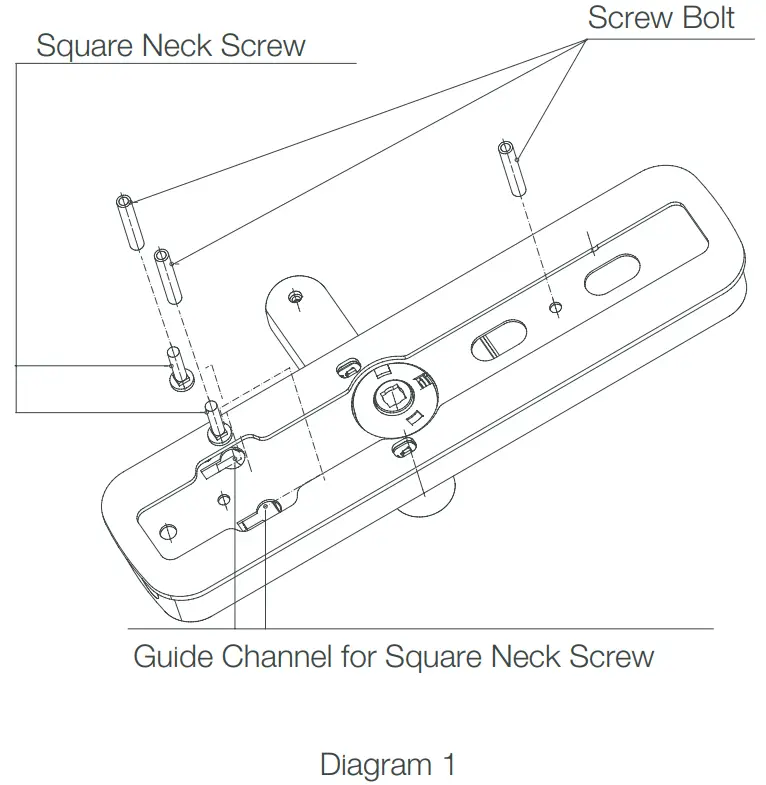
Please install Square Neck Screw-on Exterior Trim according to below:
- Screw 2/3 part of the Screw Bolt into the Square Neck Screw.
- Insert Square Neck Screw into guide channel on Exterior Trim.
- Twist Screw Bolt tightly to fix Square Neck Screw-on Exterior Trim.
(Please refer to diagram 1)
(Note: For small mortise 50×50, there is no need to install Square Neck Screw, please confirm the product model and accessories you purchase.)
Install the trim (for small mortise 50×50)
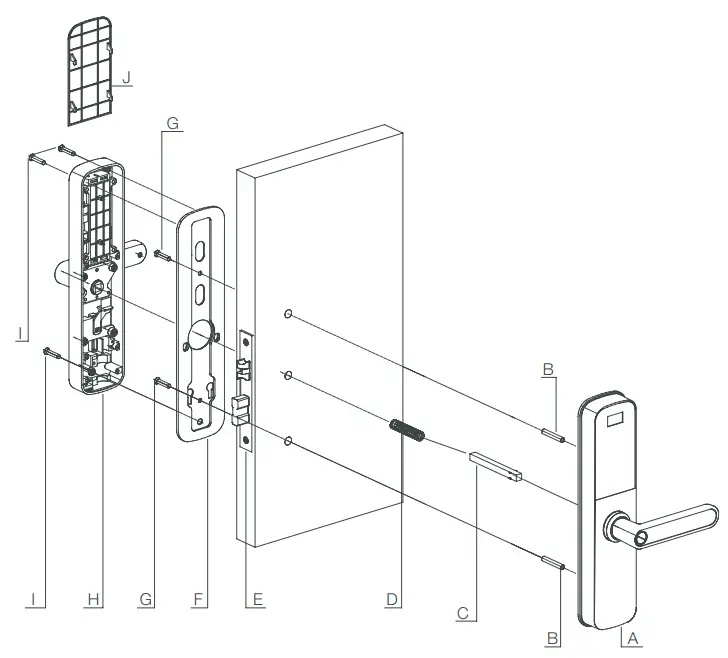
| NO | Name | Qty |
| A | Exterior Trim | 1 |
| B | Screw Bolt | 2 |
| C | Spindle | 1 |
| D | Spindle Spring | 1 |
| E | Small mortise 50×50 | 1 |
| F | Base Plate (silicone rubber included) | 1 |
| G | M4*45 Screw | 2 |
| H | Interior Trim | 1 |
| I | M4*14 Screw | 3 |
| J | Battery Cover | 1 |
Install the trim(for big mortise 60×68)
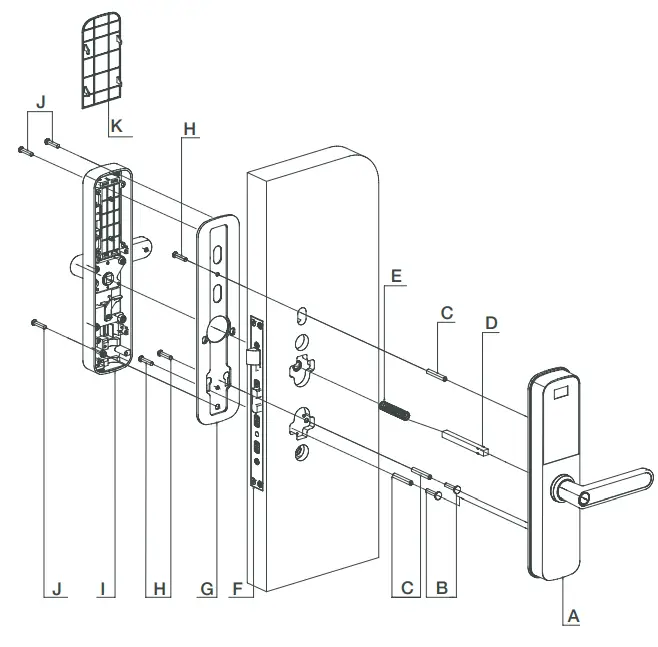
- Fix Screw Bolt-on the protruded screw of Exterior Trim. (refer to “Preparation of exterior trim for big mortise 60×68”).
- Install Spindle and Spindle Spring on Exterior Trim (please refer to page 7 for more details about the installation steps of the spindle and spindle spring).
- Fix Base Plate with Exterior Trim by M4*45 Screw.
- Install Interior Trim and fix it by M4*14 Screw.
| No | Name | Qty |
| A | Exterior Trim | 1 |
| B | Square Neck Screw | 2 |
| C | Screw Bolt | 3 |
| D | Spindle | 1 |
| E | Spindle Spring | 1 |
| F | Big mortise 60×68 | 1 |
| G | Base Plate (silicone rubber included) | 2 |
| H | M4*45 Screw | 3 |
| I | Interior Trim | 1 |
| J | M4*14 Screw | 3 |
| K | Battery Cover | 1 |
www.bauma.vn VN LLC.
3rd Floor, REE Tower
9 Doan Van Bo Street,
District 4, Ho Chi Minh City
Phone: (+84 28) 39 113 113
Email: [email protected]
 com.vn
 bauma.vn