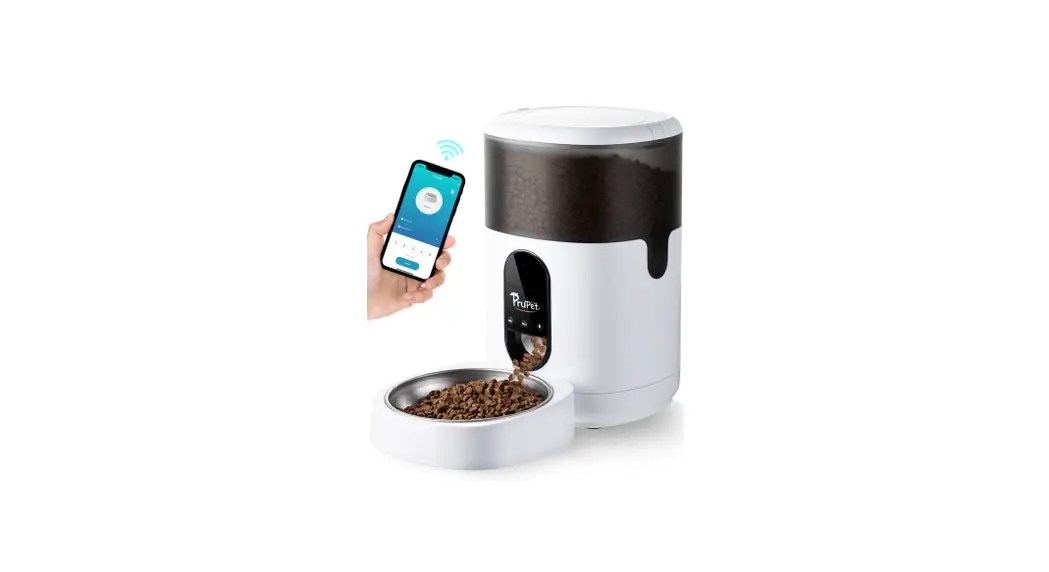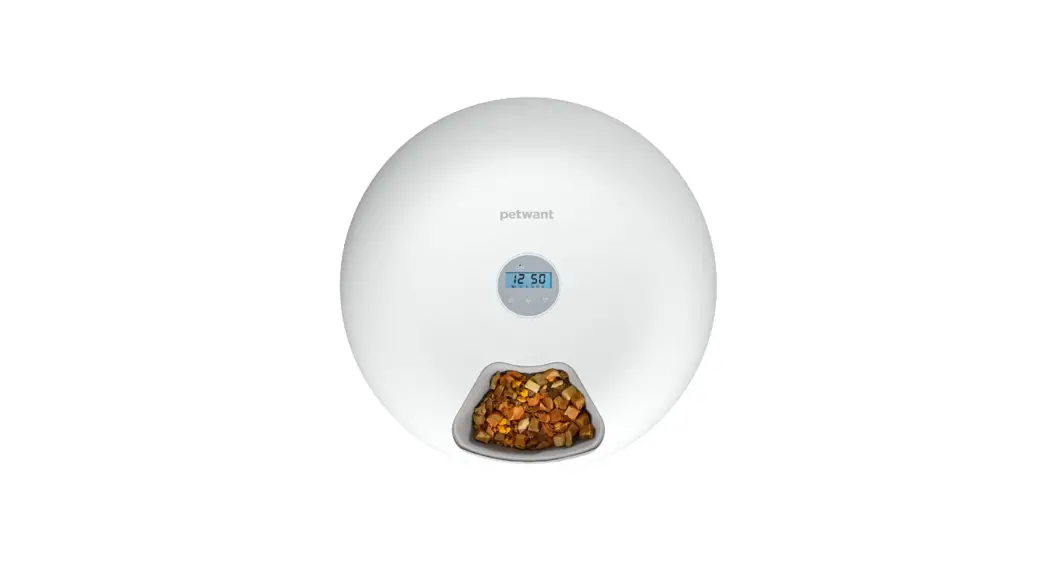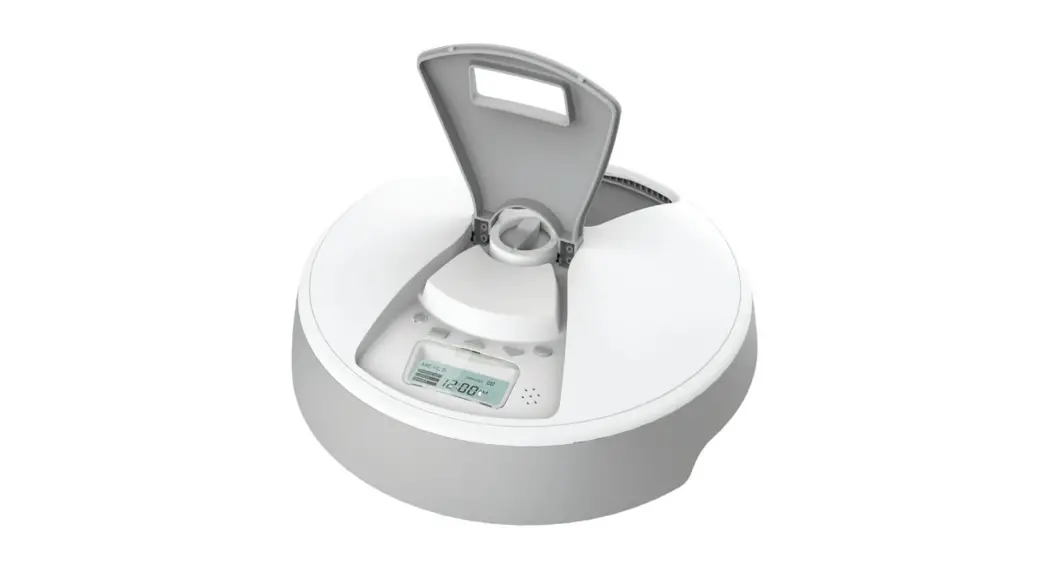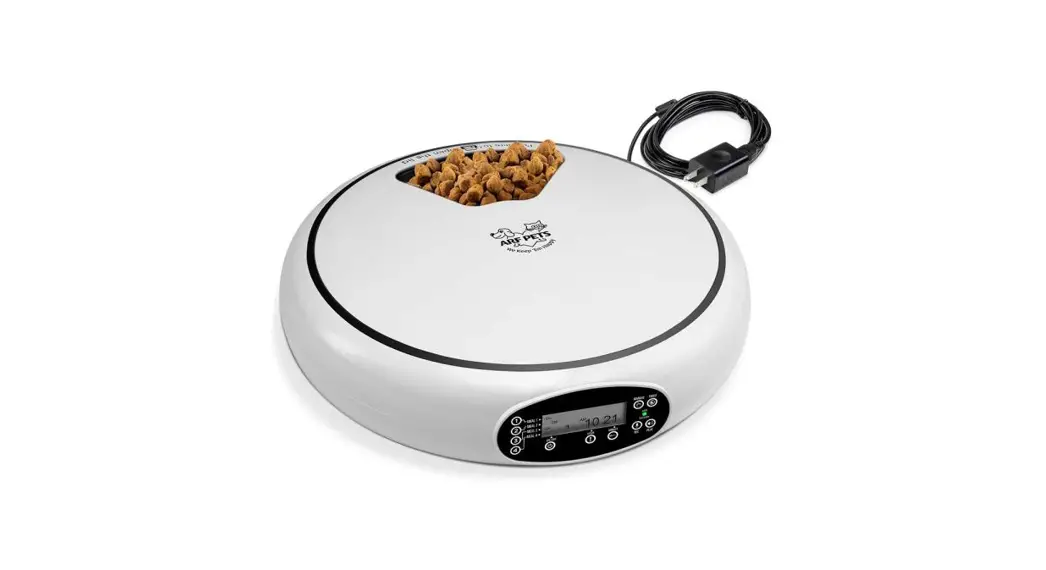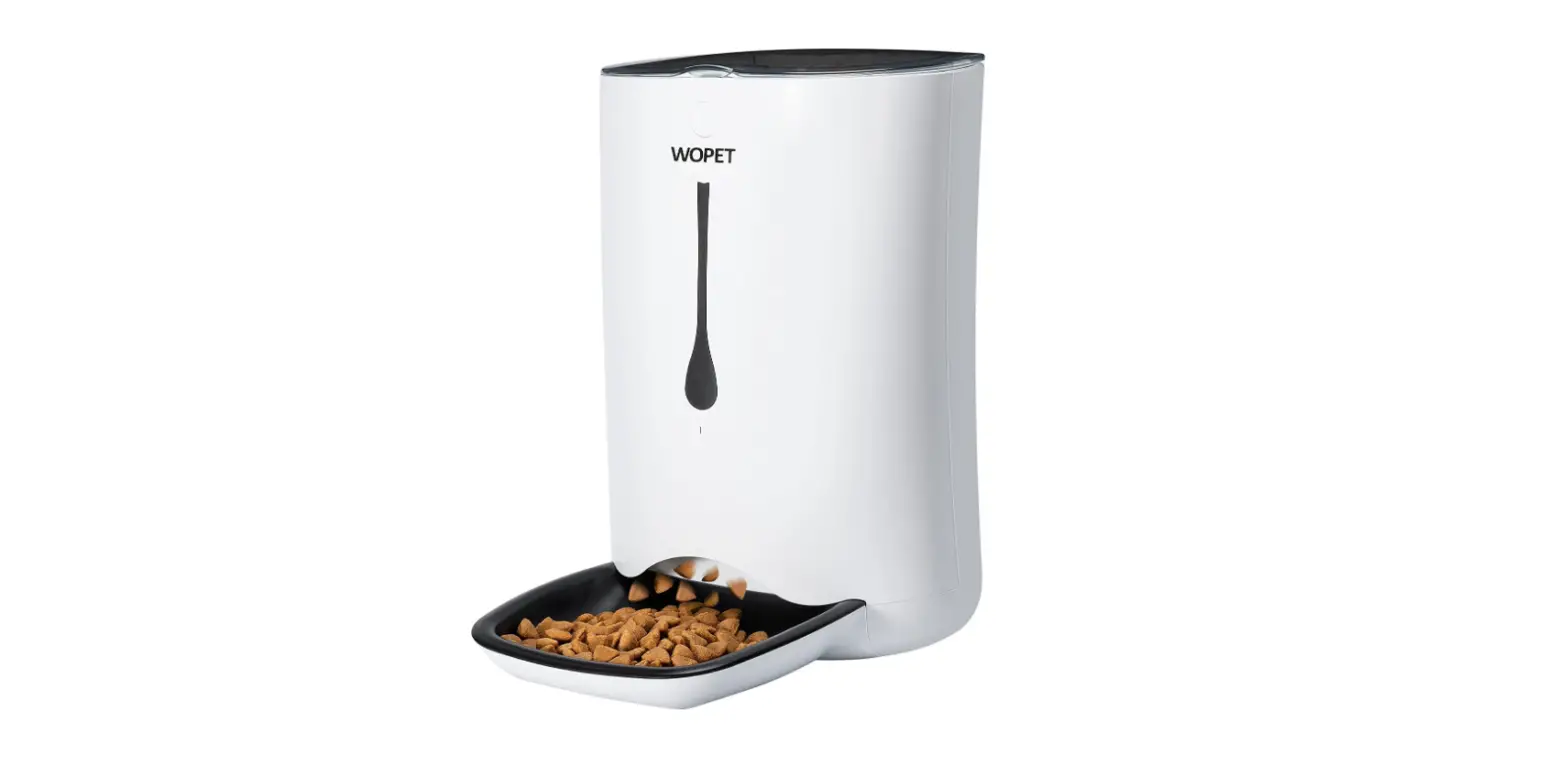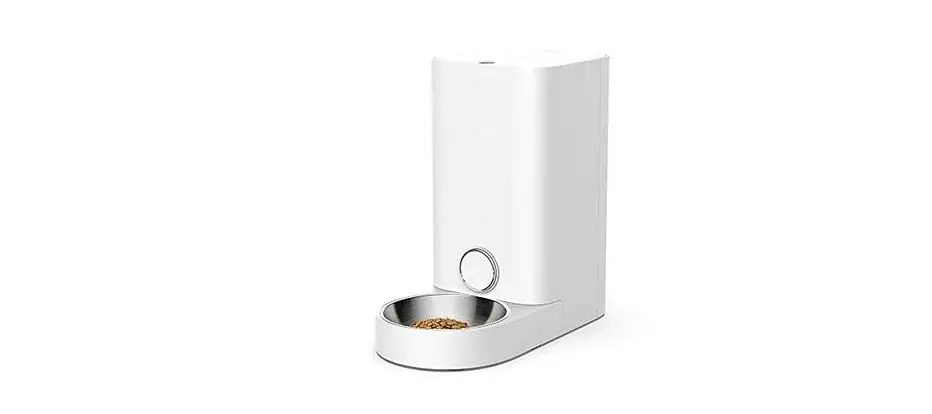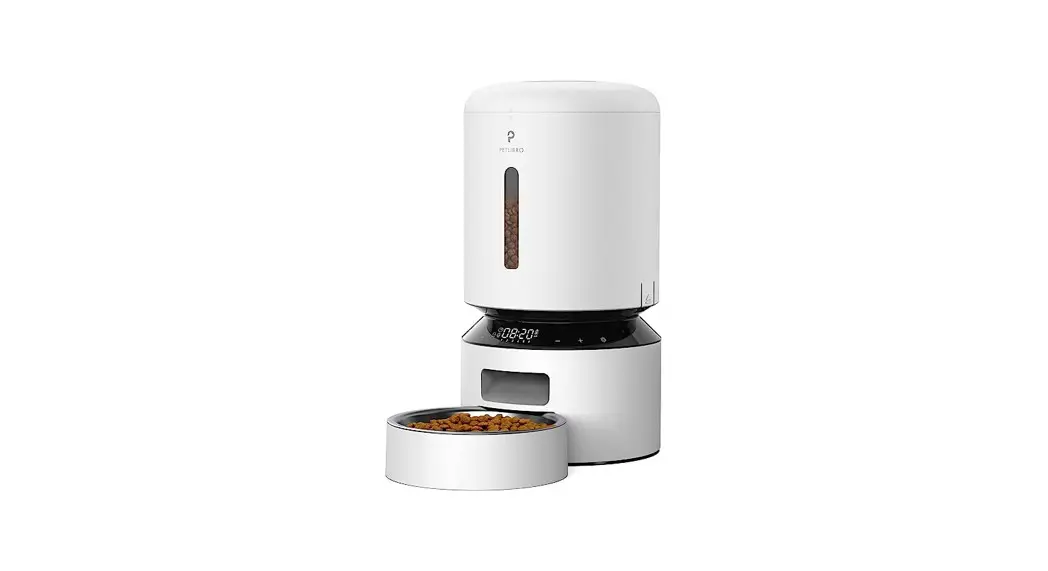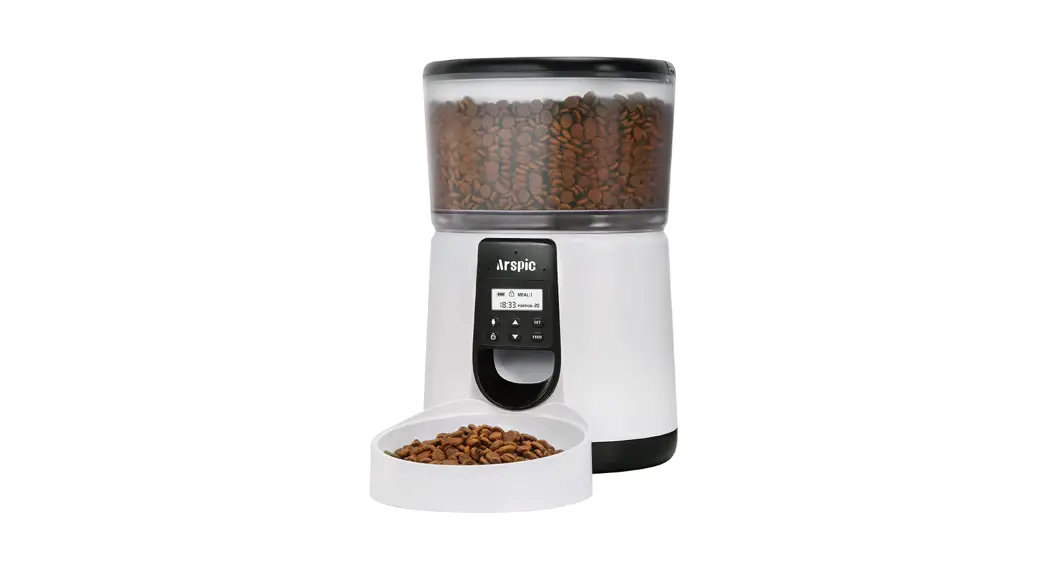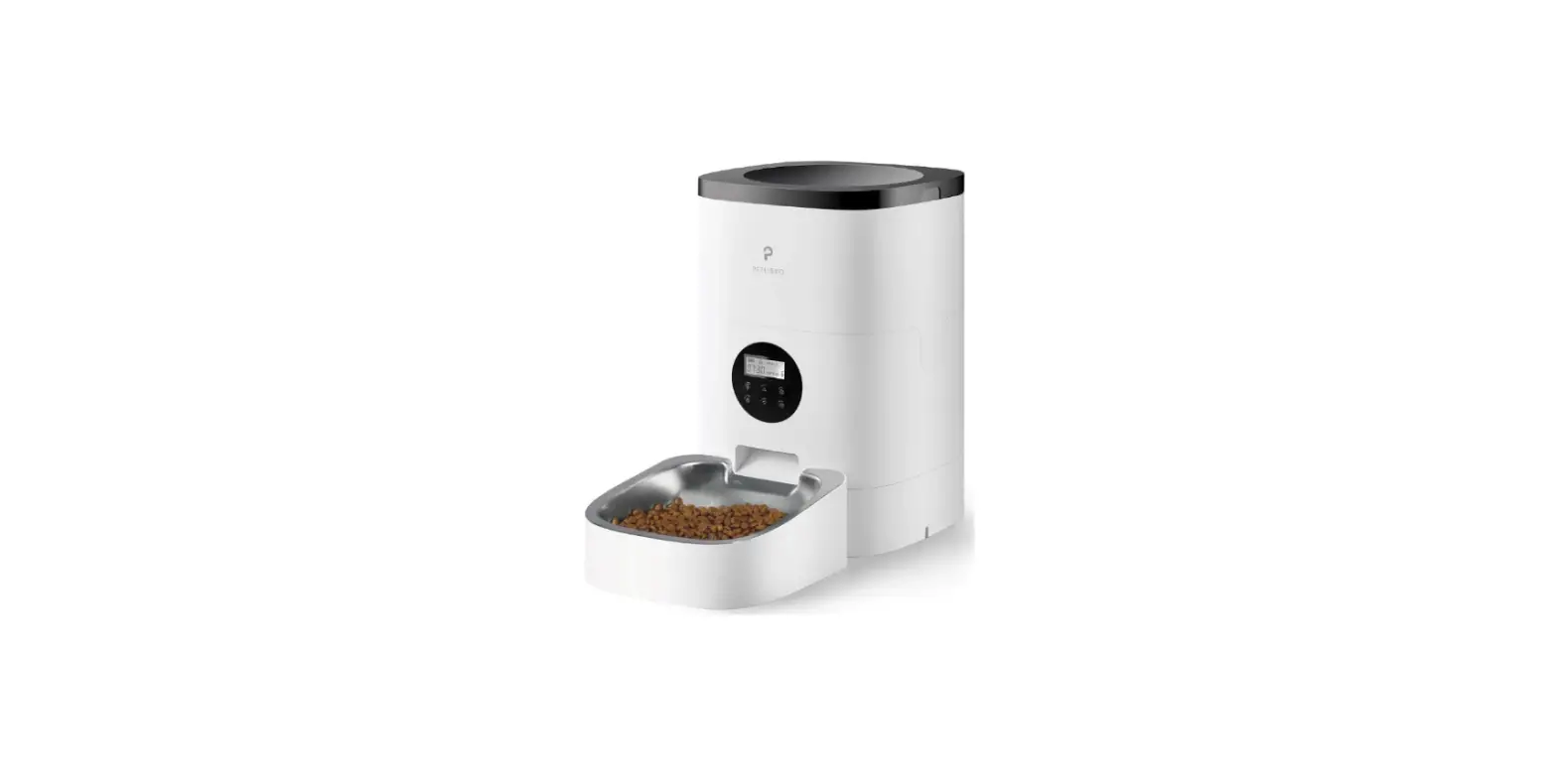
 Automatic Pet Feeder
User Guide (Generic) 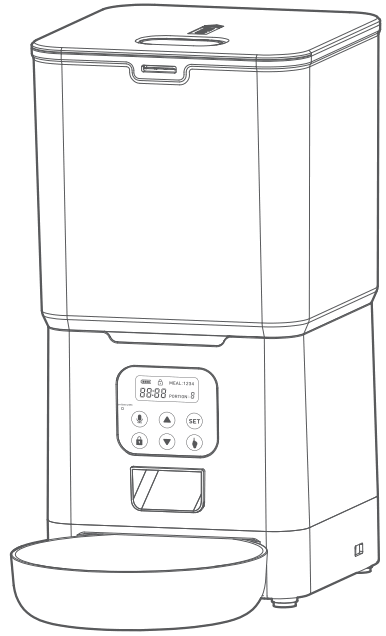 Please read this entire guide before beginning.
Important Safety Information
 This is the safety alert symbol. It is used to alert you to potential personal injury hazards.
Obey all safety messages that follow this symbol to avoid possible injury or death.
WARNING: Indicates a hazardous situation which, if not avoided, could result in death or serious injury.
CAUTION: Used without the safety alert symbol, indicates a hazardous situation which, if not avoided, could result in harm to your pet.
NOTICE: I s used to address safe use practices not related to personal injury.
WARNING:
– DO NOT immerse control panel in water. Base unit should NOT be submerged in water at any time, as this may damage electronic components.
– DO NOT place anything on top of the pet feeder. The unit starts automatically. Keep clear.
– Dispose of all packaging materials properly. Some items may be packed in polybags; these bags could cause suffocation; keep away from children and pets.
– DO NOT allow small children to play with, in or around pet feeder.
– To reduce the risk of injury, close supervision is necessary when an appliance is used by or near children.
– Intended for use with dogs or cats only.
– DO NOT use this pet feeder with puppies, kittens, dogs or cats not able to reach the food tray or with any physical disability.
– DO NOT use outdoors. FOR INDOOR HOUSEHOLD USE ONLY. Check operation frequently to be sure the pet feeder is dispensing properly.
– For dry food use only.
– DO NOT use wet, canned or moist food.
– Pet feeder should be placed on a level surface.
– Before leaving for extended time, always replace batteries with new batteries.
– DO NOT place any foreign object in the pet feeder.
– DO NOT disassemble the pet feeder other than components as instructed in this operating guide.
– To protect against electric shock, if using power cord do not place power cord or plug in water or other liquids.
– Only use attachments recommended or sold by the manufacturer.
– DO NOT unplug by pulling on power cord. To unplug, grasp the plug, not the power cord.
– DO NOT operate any appliance if it has a damaged power cord or plug, or if it is malfunctioning or has been damaged. Call the Customer Care Center immediately for further instructions.
– For a portable appliance – To reduce the risk of electrical shock, do not place or store an appliance where it can fall or be pulled into a tub or sink.
– Always unplug any appliance when not in use, before putting on or taking off parts and before cleaning. Never pull on the electrical power cord to remove the plug from the wall outlet.
– DO NOT use an appliance for anything other than its intended use.
– If the plug of this device gets wet, turn off the electricity to that wall outlet. Do not attempt to unplug.
– Examine this appliance after installation. Do not plug in if there is water on the Power Cord or plug.
– To avoid tripping, always position power cord out of the way of foot traffic.
CAUTION:
Do not allow pets to chew on or swallow any parts. If you are concerned about the power cord, purchase a cord conduit (a hard plastic protector) at any hardware store to protect the power cord.
Components
Note: Bowl and bowl holder are shipped inside feeder.
Note: Power Supply method:
(1). DC 5.0V Power adapter & USB cable
( 2 ) . 3 D-cell alkaline batteries Required. Batteries NOT Included.
WHATS IN THE BOX
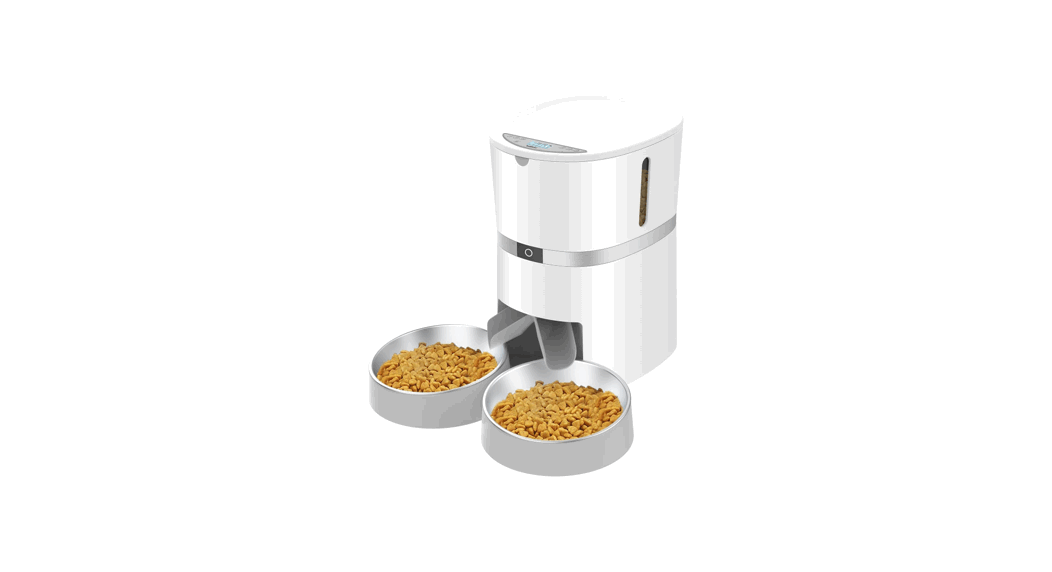
- Automatic Pet Feeder
- Power Adapter
- USB Power Cable
- Desiccant Bag
- Stainless Steel Bowl
- Bowl Holder
- User Manual
Features, Controls and Indicators
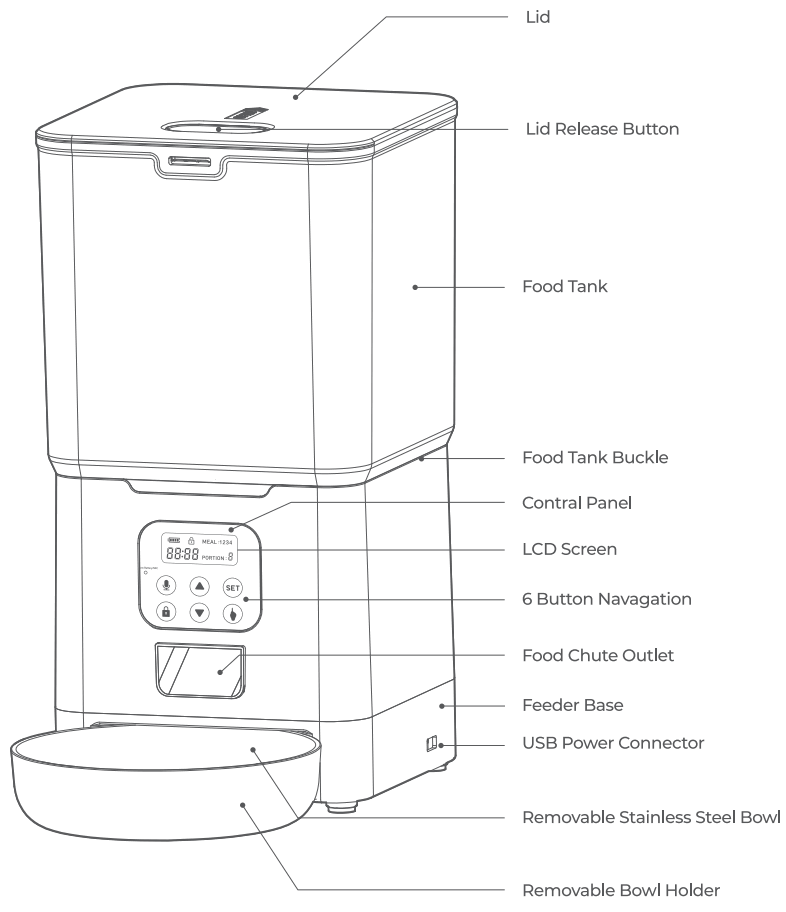
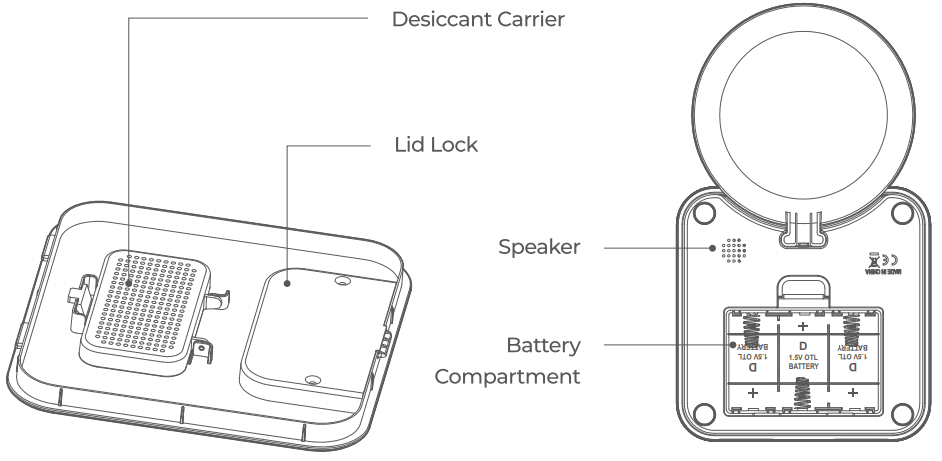
Feeding Schedule Setup: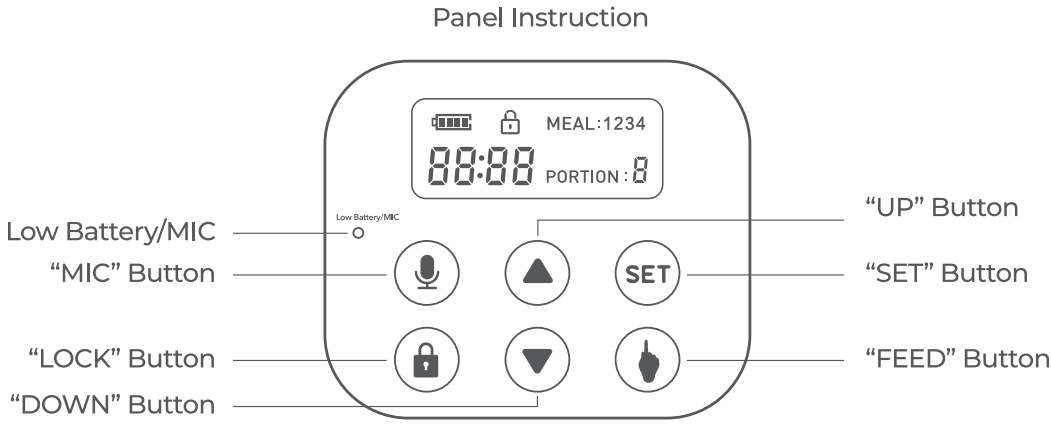
Specifications
| Power | DC 5V power adapter; 3 x alkaline D batteries |
| Power Adapter | ACI100-240V Input, DC 5V output |
| Working Current | Avg. 80 mA |
| Operating Temperature | -20°C- 85°C /-4°F -185°F |
| External Socket | Sub power socket |
Key Definitions
| 6 Button Navigation | Group of 6 buttons on control panel with up arrow key, down arrow key, mic key, lock key, set key, feed key and enter/select key used to Navigation LCD screen to program feeder. |
| Battery Compartment | Located on bottom of feeder base and holds 3 D-cell alkaline batteries. |
| Battery Cover | Covers and protects the battery compartment. |
| Battery Indicator | Shows a visual indication of the battery’s state. |
| Button Lock | The 6-Button Navigation automatically locks after 20s of inactivity and the lock icon appears on LCD screen. |
| Button Lock Indicator | Shows a visual indication of control panel’s state. |
| Control Panel | Contains LCD screen and 6 button Navigation. |
| Desiccant Carrier | Load desiccant. |
| Feeder Base | Holds food tank and bowl. Main part of feeder with the control panel. |
| Food Chute Outlet | Opening in feedber base and conveyor where food passes through and dispenses into stainless steel bowl. |
| Food Tank | Holds dry or semi-moist pet food. |
| Food Tank Buckle | Allows food tank to be removed for cleaning. |
| LCD Screen | Liquid crystal display screen to visually display text and images to easily program the pet feeder. Located in the control panel on the hopper base. |
| Lid | Serves as the closure or seal of the food tank. |
| Lid Release Button | Allows lid to be removed for adding pet food. |
| Low Battery/Mic Indicator | A indicator show battery or Mic function’s state. |
| Meal Number | Indicates which meal is being programmed. Up to 12 meals can be scheduled. |
| Meal Size | Indicates portion for meal being programmed or portion for next scheduled meal |
| MIC Button | Record your voice. |
| Removable Bowl Holder | Removable plastic piece which attaches to feeder hopper base and is used to hold stainless steel bowl in place. |
| Removable Stainless Steel Bowl | Catches dry pet food when dispensed from feeder food chute outlet. |
| Speaker | Produce the sound you have recorded |
| Time Indicator | Displays the current time or time of next scheduled meal. Can be set to 12 hour or 24 hour format. |
| USB Power Connector | For connecting the pet feeder to the power adapter (Included). |
| BUTTON | DESCRIPTION | SETUP MODE FUNCTION |
 | MIC | Record you Voice. |
 | LOCK | Displays when 6-Button Navigation is disabled. Buttons automatically lock when not in use. |
 | UP | Increases Selection |
 | DOWN | Decreases Selection |
 | SET | Parameter Modification |
 | FEED | Manual Feeding |
3.3 Quick Programming Guide
Note: Please ensure the feeder machine is powered on with DC 5.0V power adapter and USB power cable. Or 3 D-cell alkaline batteries Required.
Note: Please ensure the control panel is unlocked.
Note: INDOOR HOUSEHOLD USE ONLY.
33,1 LOCK button.
Press“ ”button to unlock the control panel, the lock icon opens”(%) “and enters the unlock standby state. The 6-Button Navigation automatically locks after 20s of inactivity and the lock icon appears on LCD screen. 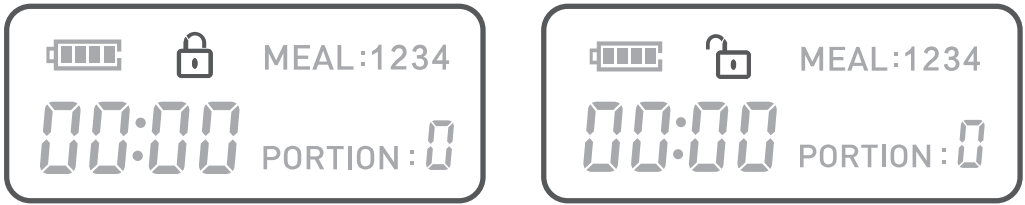
3.3.2 MIC Button.
When enter the unlocked state and standby, pressing and holding this key* “for 2 seconds then the “Low Battery/Mic” Led will turn red and the speaker ring once, which prompts t o start recording. When you release the“ “button, the recording ends. At the same time, your recording will be replayed. (Please keep pressing the key“ during the whole recording process.)
SYSTEM TIME SETTING
A. Hour Setting.
I n the unlocked state, press the” “button to set the “hour” of the system, and the number of “hour” flashes. At this time, press the“ ’key or the“ “key to adjust the “hour”. Long press can automatically increase or decrease.
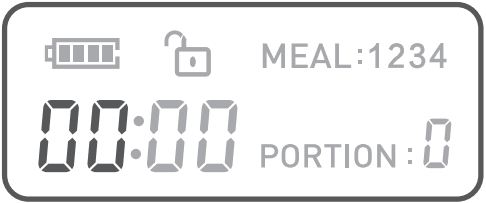
Minute Setting.
Press the“ “button again to set the“minute”of the system, and the number of “minute “lashes. At this time, press the“ “key or the“ “key t o adjust the “minute”. Long press can automatically increase or decrease. (Displays the current System time o r time of scheduled meal. Can be set to 12 hour or 24 hour format.)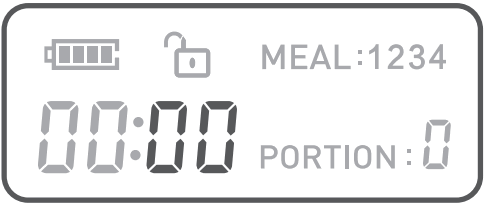
3.3.4 MEAL TIME SETTING
A. Press the” “button again to set the “hour” of feeding time of the Ist meal, and the number of “MEAL 1” and “hour” flash. At this time, press the“ “key or“ “key t o adjust the “hour” of the first meal feeding time. Long press can automatically increase o r decrease.
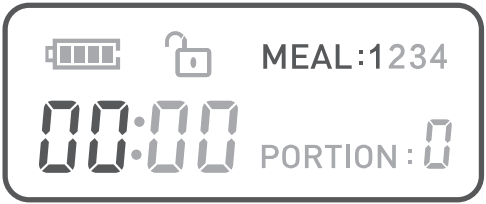
B. Press the“ “button again to set the “minute” of feeding time o f the Its meal, and the number of “MEAL 1” and “ minute ” flash. At this time, press the” “key or“ “key to adjust the “minute” of the first meal feeding time. Long press can automatically increase o r decrease. 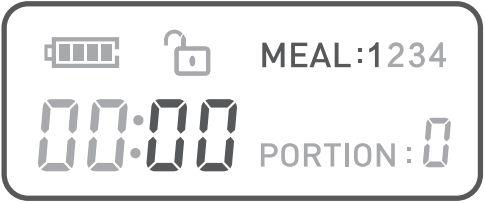
C. Press the” “button again to set the “Portion” for the Its meal, and the numbers of “MEAL 1” and “Portion” flash. At this time, press the” “key or “ ” key to adjust the “Portion” of the first meal feeding time. Long press can automatically increase o r decrease.
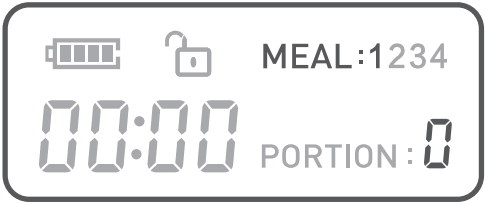
D. Press the“ “button again to set the “hour” of feeding time of the 2nd meal, and the number of “MEAL 2” and “hour” will flash. At this time, press the“ “key or“ “key to adjust the “hour” of the second meal feeding time. Long press can automatically increase or decrease.
E. Press the“ “button again to set the “minute” of feeding time of the 2nd meal , the operation is similar to the first meal.
F. Press the“ “button again to set the “number of servings” of feeding time of the 2nd meal, the operation is similar to the first meal.
G. Press the” “button again to set the “hour” of feeding time of the 3rd meal.
H. Press the” “button again to set the “minute” of feeding time of the 3rd meal.
I. Press the“ “button again to set the “number of servings” of feeding time of the 3rd meal.
J. Press the“ “button again to set the “hour” of feeding time of the 4th meal.
K. Press the“ “button again to set the “minute” of feeding time of the 4th meal.
L. Press the“ “button again to set the “number of servings” of feeding time of the 4th meal.
M. Press the“ “button again to return to the unlock standby state.
Tips: In the above steps 1-14, if you press and hold the button for along time, it will directly return to the unlock standby state.
UP&DOWN BUTTON
A . UP Button.
Short press the ““key once, the set number will increase by 1, and long press will automatically increase by 1.
DOWN Button.
Short press the“ “key once, the set number w i l l decrease by 1, and long press will automatically decrease by 1.
FEED BUTTON
A . FEED Button.
In the unlocked state, short press once to manually feed one portion.
Note:
- There is a Low Battery indicator on the left side of the control panel. When you go out or ona business trip, make sure if the voltage indicator light is on. If there is a light or flashing light when discharging or sounding, please replace the battery in time to prevent your pet from starvation.
- Do not put your fingers into the machine at any time.
- This product uses 3xD alkaline batteries.
- Please dispose of old batteries in accordance with national regulations (pay attention to environmental protection). When the feeder is not used for along time, please remove the battery to prevent the electrolyte from leaking out.
Do not add semi-dry or wet pet food, this product can only use dry pet food.
Prepare and Assemble Feeder
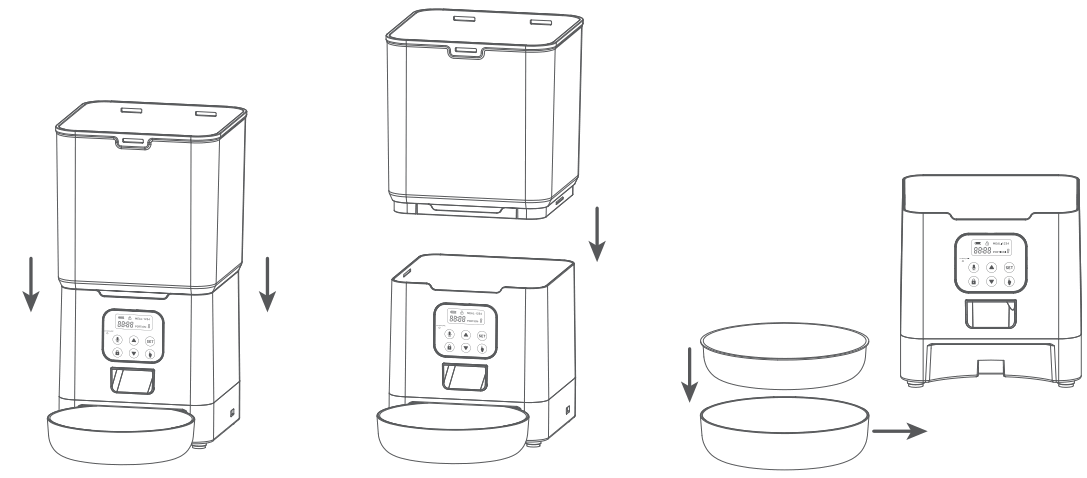
4.1 Assembling Bowl Holder& the Bowl
Put the bowl holder and bowl out from the feeder food tank and install them in the correct position.
The desiccant bag can remove the moisture and odor inside the tank, protect the pet food from oxidation damage, and always be fresh.
Note:
It’s recommended to use a desiccant bag and change them every 15 days in case of mold.
Please remove the desiccant bag before cleaning the lid.
For a better antioxidant effect, tear off the sealing film outside the small package only when you use it.
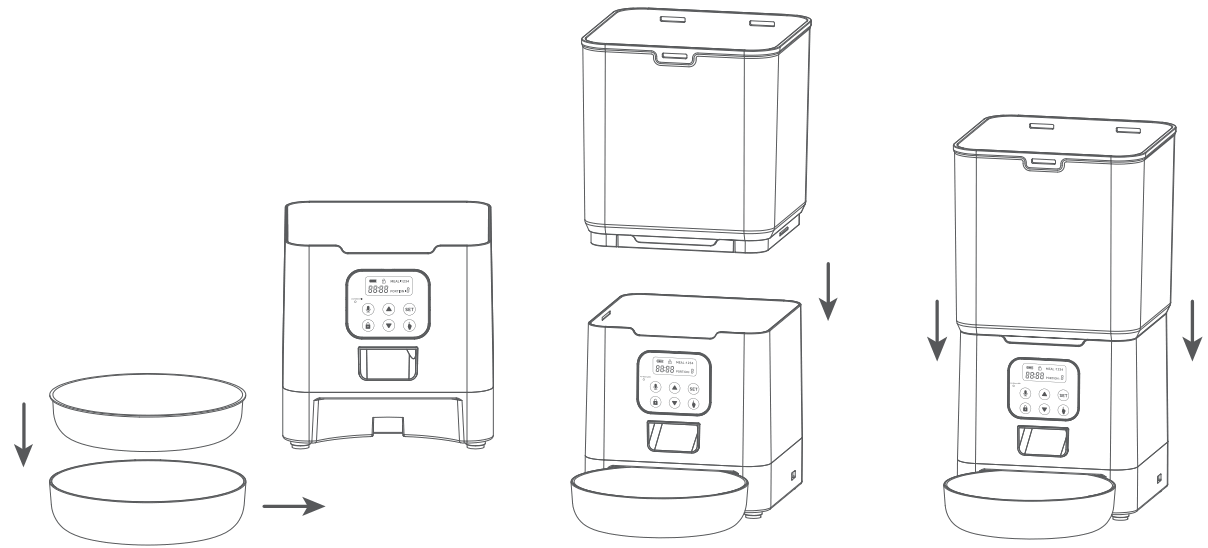
4.2 Placing Desiccant Bag
The desiccant bag can remove the moisture and odor inside the tank, protect the pet food from oxidation damage, and always be fresh.
Note:
It’s recommended to use a desiccant bag and change them every 15 days in case o f mold.
Please remove the desiccant bag before cleaning the lid.
For a better antioxidant effect, tear off the sealing film outside the small package only when you use it.
4.3 Connecting Power
– Insert the 5V power adapter into a wall socket. Plug in the power socket of the feeder.
– Open the battery compartment at the bottom of the unit, and install 3 alkaline D batteries (not included) i n case of outage.
– The LCD display will light up automatically indicating the feeder is on now.
Note:
Battery NOT included.
Before connecting to power, make sure all parts are clean and completely dry.
The battery should power with an output of 4-5V; the battery level icon on the display blinks on a low battery level ( < 4 V ) .
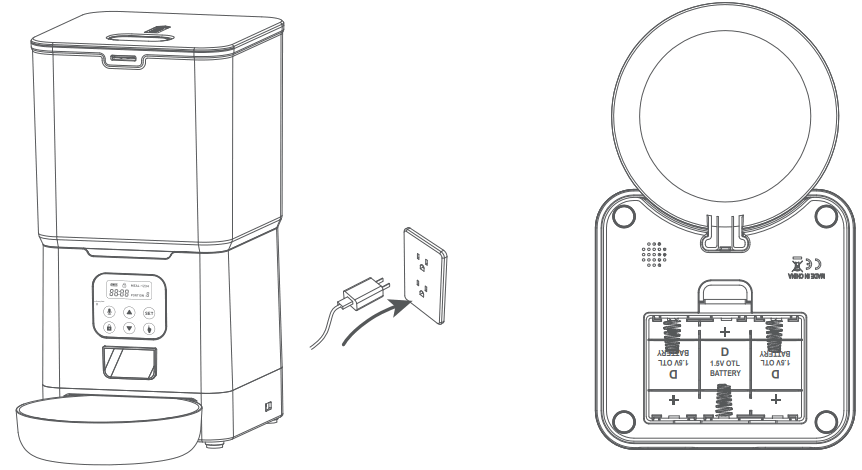
4.4 Feeding Schedule Setup
(Refers to No.5.3 steps)
– Fill food tank with dry pet food. Close the lid and it will snap into place due to gravity.
Note:
Do NOT use canned, wet or moist pet food.
Recommend kibble size ranging from 2-l0mm/ 0.07-0.4in in diameter.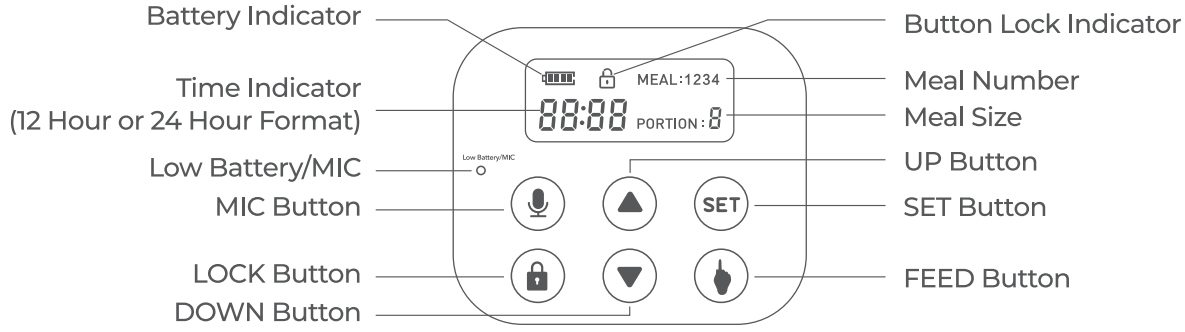
4.5 Filling Food Tank
– Fill food tank with dry pet food. Close the lid and it will snap into place due to gravity.
Note:
Do NOT use canned, wet or moist pet food.
Recommend kibble size ranging from 2-l0mm/ 0.07-0.4in i n diameter.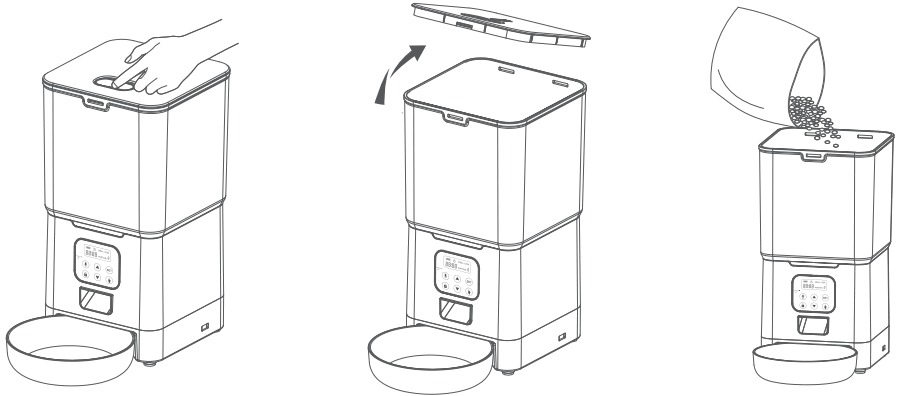
Recording A Meal Call
– Press and hold the ” button, start recording after a beep is heard.
– Record your voice for less than 10s. Release the button, 2 beeps will be heard indicating it’s saved.
4.7 Manually Feeding Your Pet
Press the “()” button and one portion (2% tsp /12.5ml) will be fed each time.
4.8 Note:
The normal schedule and portion will not be affected.
Troubleshooting
The answers to these questions should help you solve most problems you may have with the pet feeder.
| PROBLEM | SOLUTION |
| 6-Button Navigation is locked/ buttons do not work. | Buttons automatically lock after 2 minutes of inactivity. To unlock 6-Button Navigation, press “LOCK” Button. |
| The food won’t come out. | Please be sure to fill in with dry food; kibble size should range from 2-10mm /0.07-0.4in in diameter. Check whether any foreign objects are placed -disassemble the food tank and check the chute. Also check the food outlet. Check whether it’s low battery level – whether the power adapter is connected or there is any outage when no battery is installed. |
| Why is the amount of food from my feeder inaccurate, the number on the display is not clear, or the function is not working properly? | If this problem occurs after a period of use, it is mostly caused by low battery power. Please replace it with a new Alkaline battery. |
| How to clean the feeder? | This product cannot be placed outdoors or exposed to rain. When cleaning, you need to use a damp cloth. At the same time, preventing water from entering the machine. If you need to disassemble the food storage bucket, please follow the instructions “Product Assembly and Use”. The storage tank, bucket lid, and feeding basin can be cleaned with water. |
Replacement Parts and Accessories
6.1 Cleaning & Care
6.1.1 Cleaning parts
It’s recommended to clean the feeder regularly for the health of your pet.
1.Foodtank. 2.Food tray. 3. Lid (without desiccant bag);
They can be submerged in water Clean by hand-washing using cool or warm soapy water.
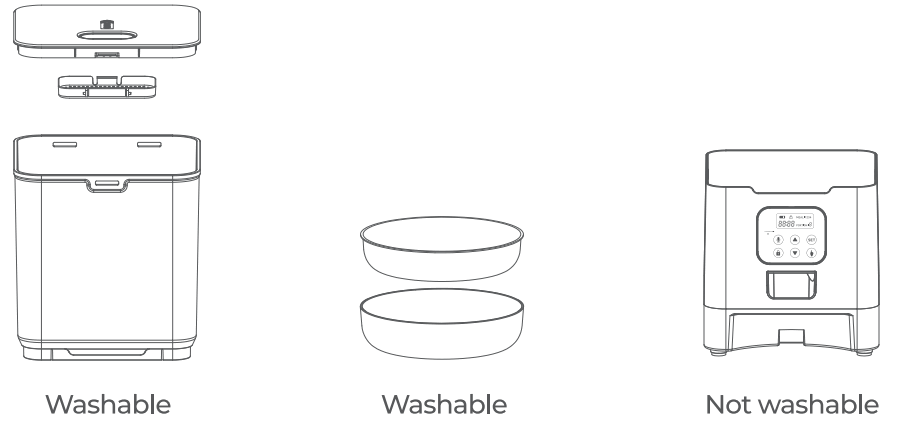
6.1.2 Dissembling the food tank
If you have food inside the tank or chute outlet, press the Unlocked button both sides of the machine and the press Feed button for a few times to empty firstly. Press the food tank buckles with your thumbs, push the tank upward to disassemble.