 USERGUIDE
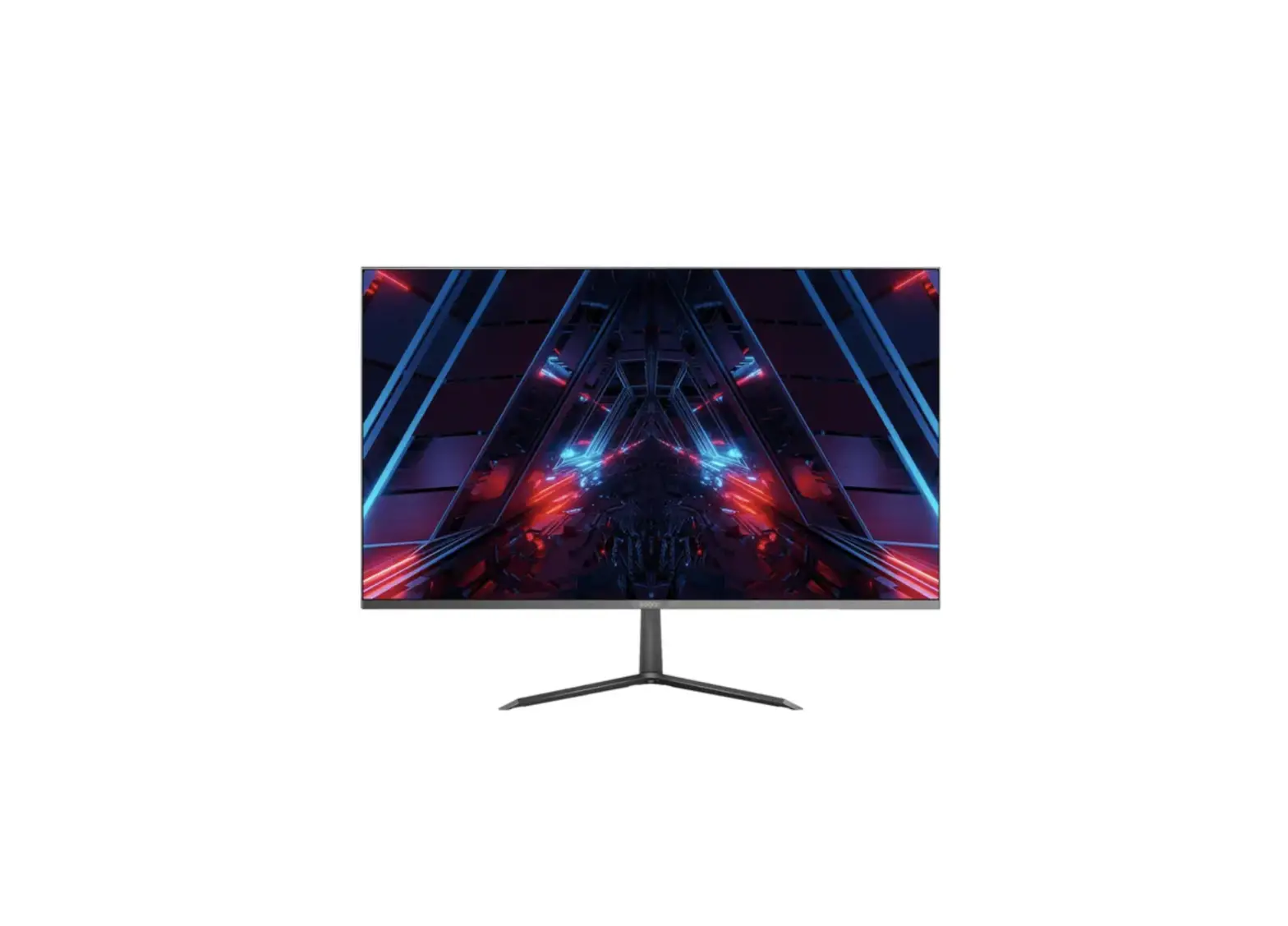
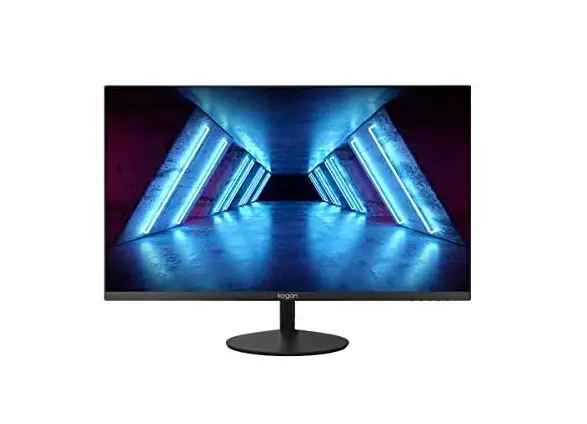
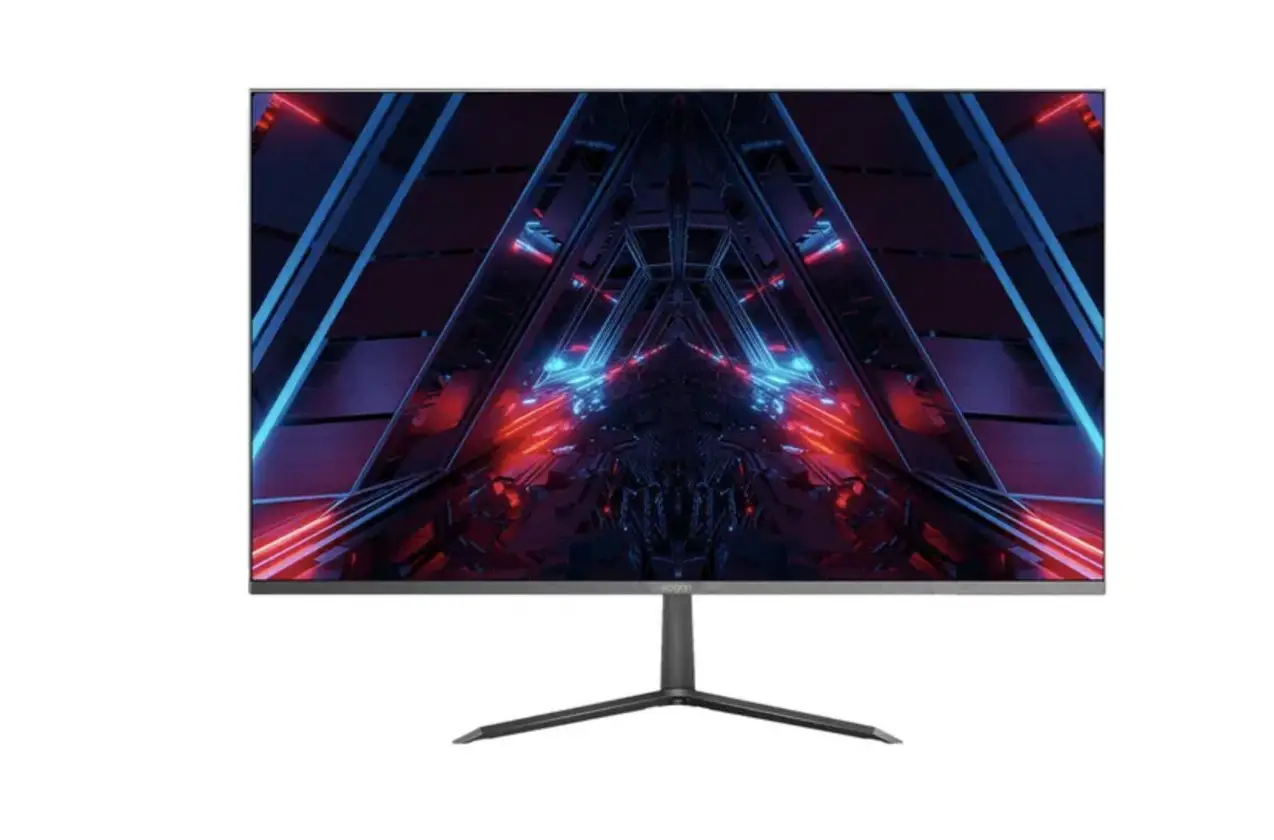
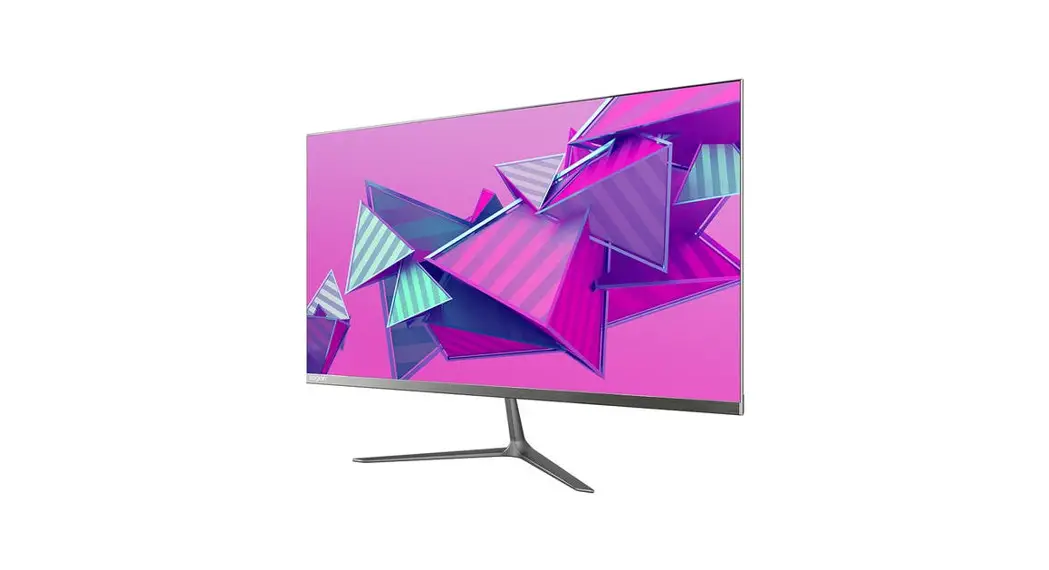
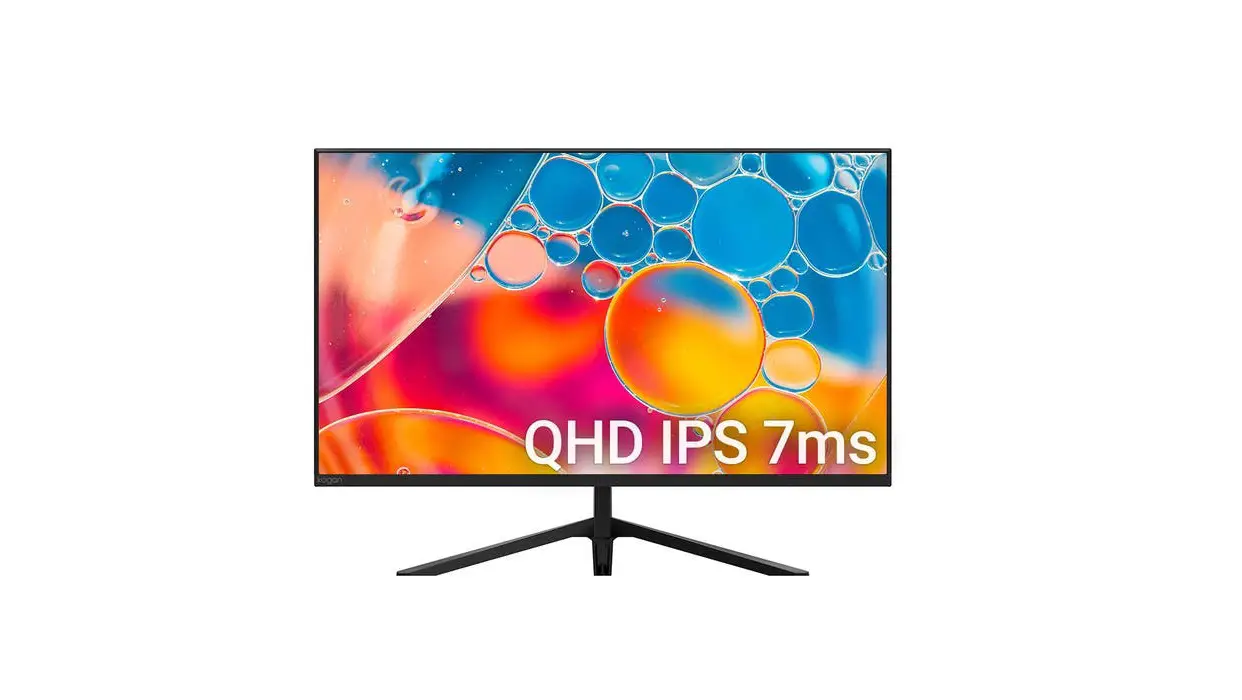
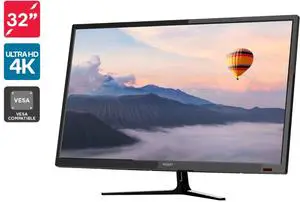
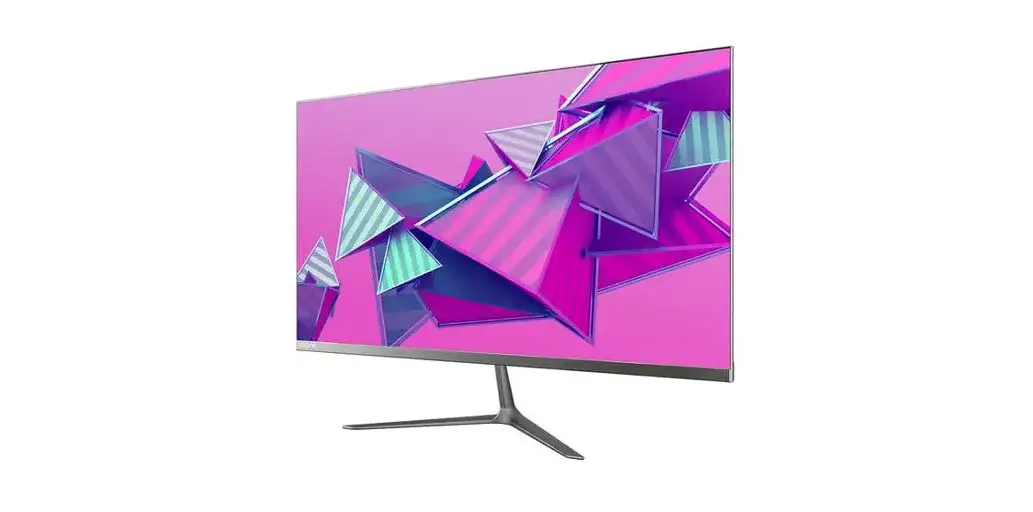
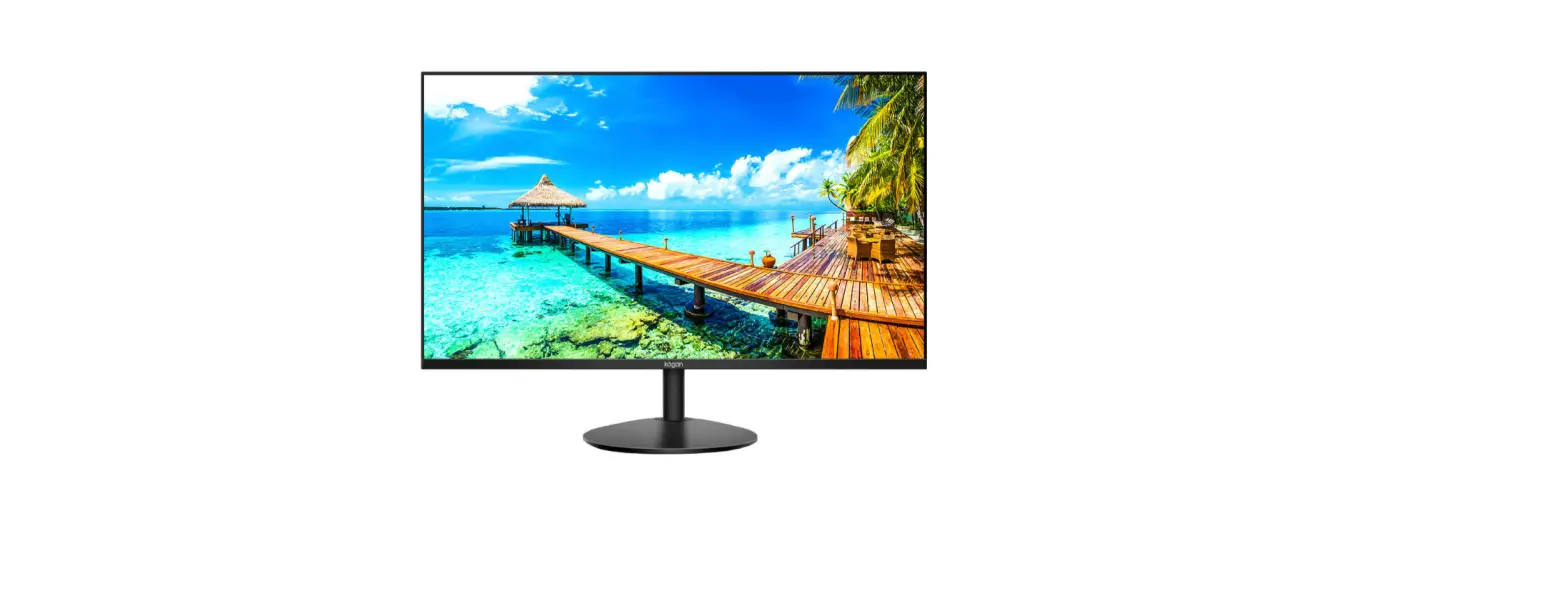
32″QHDIPSFREESYNC FRAMELESS MONITOR
(75Hz2560x1440)
KAMN32QF7TA
Safety and warnings
Read all instructions before using the appliance and retain them for reference.
- Unplug the monitor before cleaning it with a slightly damp, clean cloth.
- Wiping the screen once it has been turned off with a dry microfibre cloth is recommended.
- Do not use cleaning alcohol, ammonia-based liquids, or other harsh cleaners.
- This monitor is designed with ventilation holes on the back of the casing. Do not cover or block them.
- Avoid placing the monitor near heaters, stoves, fireplaces, or other sources of heat, as well as in rooms lacking inadequate ventilation.
- Do not insert any objects or spray any liquids into the vents.
- Do not position the monitor in unsafe locations. If the monitor falls, it may be damaged and may injure nearby people.
- Unplug the monitor if it is not going to be used for an extended period.
- Do not place heavy objects on the monitor, its power cord, or any connected cables.
- Do not open the back panel of the monitor, as it contains a high-voltage current even when not plugged in.
COMPONENTS
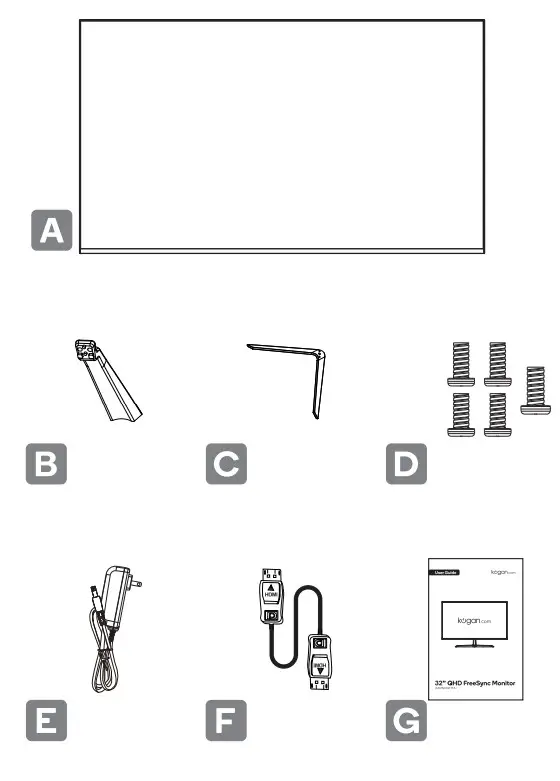
| A Monitor B Stand Stem |C Stand Base D M4 xl0mm Screws (x 4) M5 xl0mm Screws ( x 1 ) | E Power Adapter F HDMI Cable G User Guide |
- Lay the monitor on a cloth with the LCD panel facing down to prevent the LCD panel from being damaged. Fix the stand body to the back of the monitor with the screws.

- Fix the stand base to the stand body by tightening the screw.

- Attach the cover plate by pressing it onto the stand body.

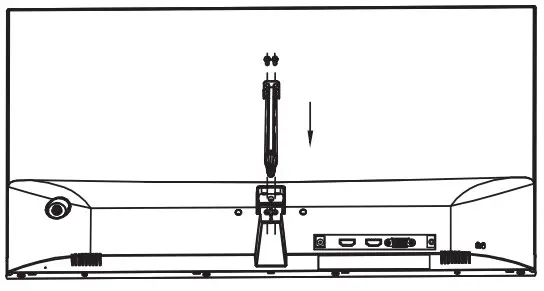
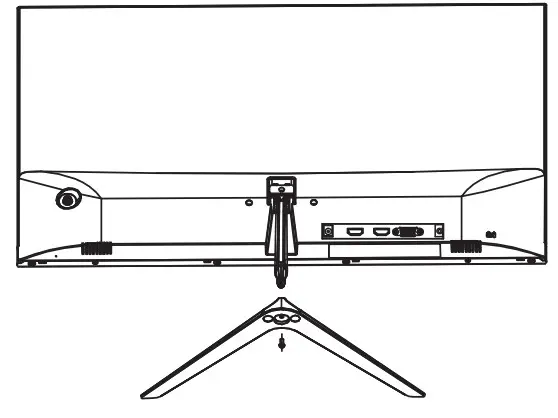
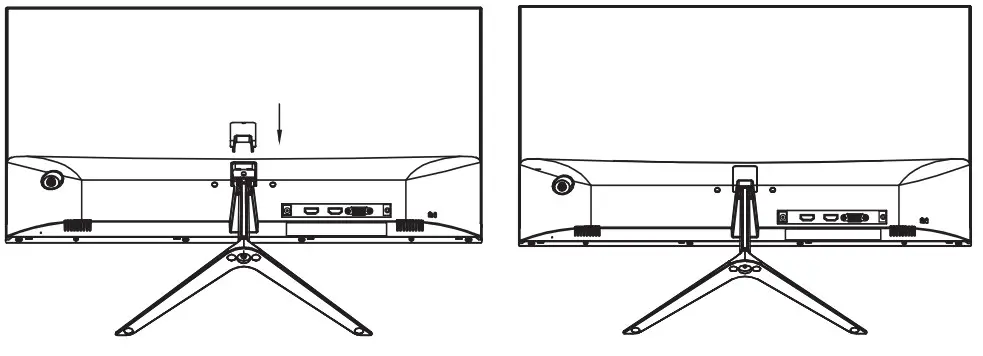
ADJUST THE ANGLE
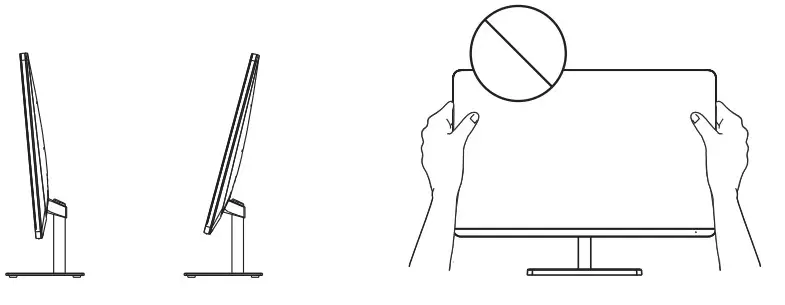
- Drawings are for reference only and please refer to the actual monitor.
- The angle of the screen con be adjusted forward 5° or backward 15° for a comfortable viewing experience
- Be careful not to touch or press the screen area when adjusting the angle of the monitor.
WALL MOUNTING
 Before installing the monitor on the wall, please detach the stand from the monitor.
- To ensure sufficient ventilation, Install the monitor at least 10 cm (4 inches) away from the wall and leave about 10 cm of space at each side of the monitor.
- Please consult a professional technician for wall mount installations. The manufacturer accepts no liability for installations not performed by a professional technician.

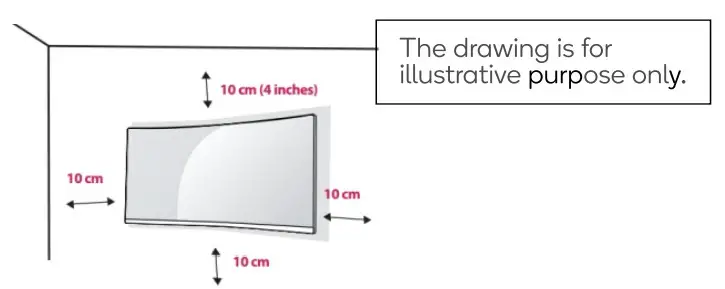
- Place a clean, dry, and lint-free cloth on a flat, stable surface.
- Gently lay the monitor on the cloth with the LCD screen facing down.
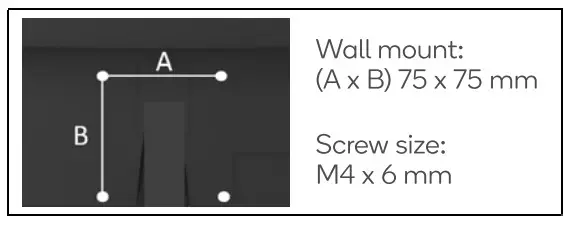
- Identify the four wall mounting screw holes on the back of the monitor.
- Install the wall mounting bracket (not supplied) on the back of the monitor and attach the monitor to the wall according to the mounting bracket’s instructions.
- Make sure that all screws (not supplied) are tightened and secured properly.
NOTE:
- Use the wall mounting bracket and screws that conform to VESA standards.
- For more information, please refer to the user manual for the wall mounting bracket.

CONNECTIVITY
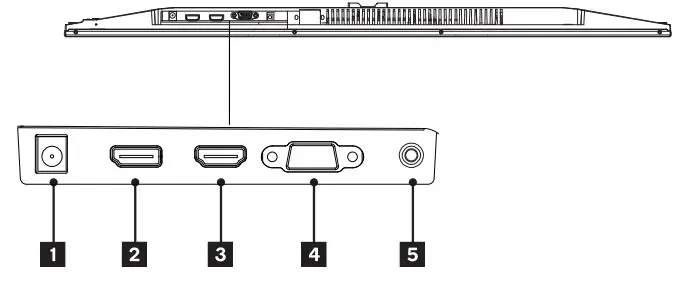
Before connecting the liquid crystal display to your PC, please shut off the powers for the PC and the display.
Power Cable
Connect the included power cable to the power connector, and then plug the other end into a wall outlet.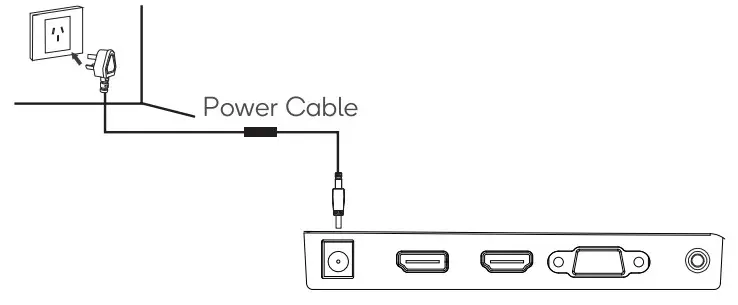
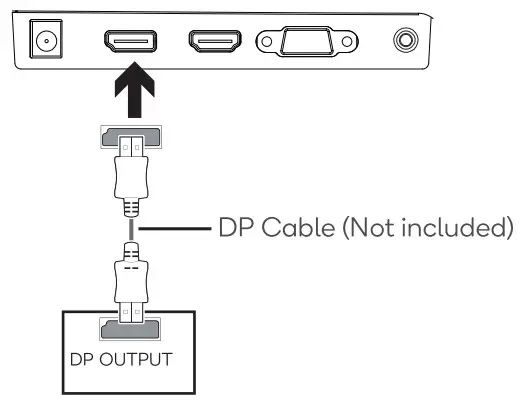
DP
In order for the monitor to receive DP signals from the computer, use the DP cable to connect the monitor to the computer.
HDMI
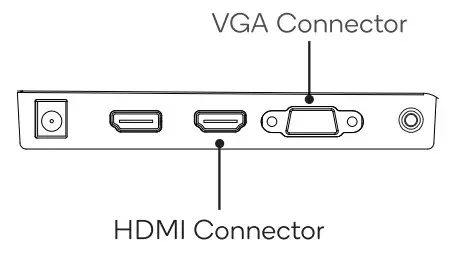
In order for the monitor to receive HDMI signals from the computer, use the HDMI cable to connect the monitor to the computer.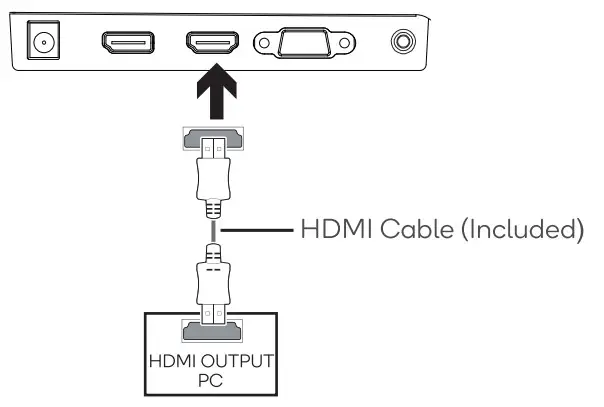 VGA
VGA
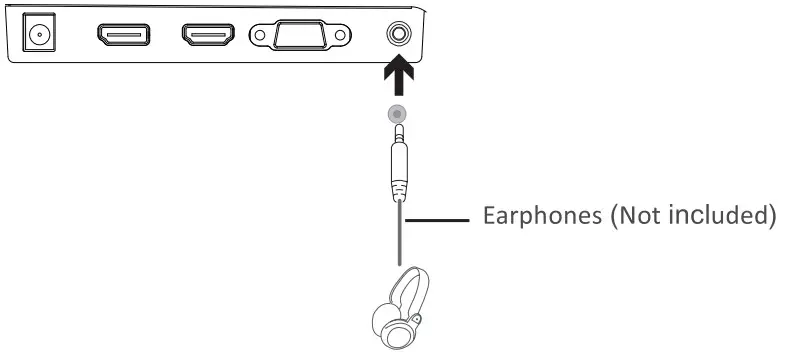
In order for the monitor to receive VGA signals from the computer, use a VGA cable to connect the monitor to the computer.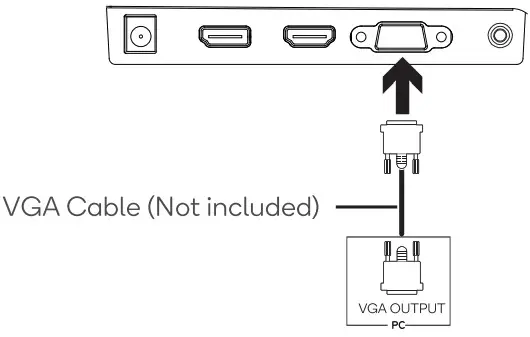 Earphones
Plugin your earphones to receive audio signals from your monitor. If your earphones are connected to the monitor and audio devices are connected to your computer at the same time, the audio devices will not produce sound. Earphones and other audio devices are not included.
OPERATION
 Insert one end of the HDMI cable into your PC’s graphics card. A VGA cable may also be used. A VGA cable is not included.
- Connect the other end of the cable to the corresponding connector on your monitor.

- Connect the power cable to your monitor then connect the other end to your power source. It is recommended that you use a surge protector with adequate voltage if a wall outlet cannot be reached directly.
- Locate the power button on the monitor and press it to turn the monitor on.
FreeSync
The feature itself is on by default when setting a 75Hz refresh rate. In order to use this feature, please note you must have hardware with FreeSync capability, an HDMI cable, and the latest graphic drivers. To use this feature, connect your computer and monitor with an HDMI cable. After connecting, you may receive a prompt to enable the feature on your computer. If you do not receive the prompt, you may need to enable the function in your graphics card menu. See your graphics card manufacturer’s documentation for instructions on how to turn on and/or enable FreeSync.
USER CONTROLS
You can easily control the functions of the monitor by pressing the joystick button or moving it left / right with your finger.
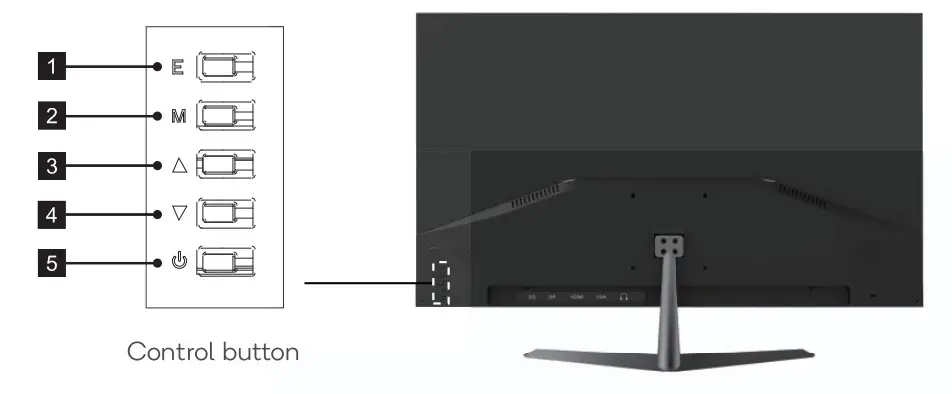
- E Exit Button: Press to exit.
- M Menu Button: Press to display the OSD menu or enter sub-menus.
 Up Button: Press to move up in the menus.
 Down Button: Press to move down in the menus.
 Power Button: Press to turn the monitor on/off.
 Up Button: Press to move up in the menus.
 Down Button: Press to move down in the menus.
 Power Button: Press to turn the monitor on/off.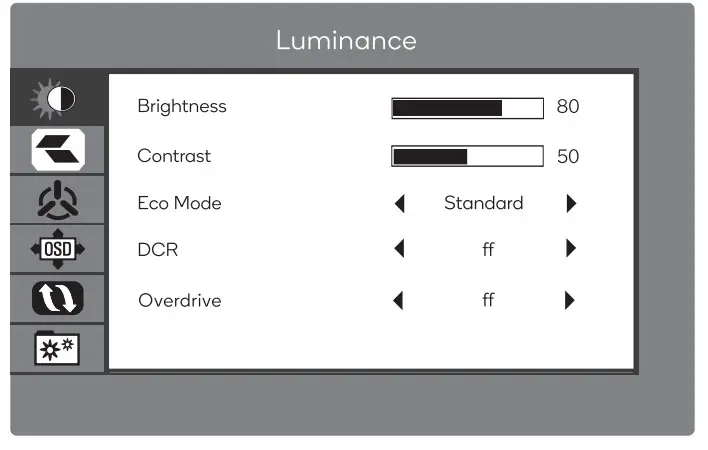
- To view the OSD menu, press the joystick button at the back of the monitor.
- Configure the options by moving the joystick up/down/left/right.
- To return to the upper menu to set other menu items, move the joystick right. 4. If you want to exit from the OSD menu, move the joystick right until you exit.
| Main Menu | Sub- Menu | Options | Description |
| Luminance | Brightness | 0-100 | Adjust display brightness |
| Contrast | 0-100 | Adjust display contrast | |
| Eco Mode | Standard, Movie, RTS, FPS, Game, LowBlue | Set visual mode | |
| DCR | On, Off | Turn DCR function on/off | |
| Overdrive | On, Off | Turn overdrive function on/off | |
| Image Setup | H. Position | 0-100 | Adjust the horizontal position |
| V.Position | 0-100 | Adjust the vertical position | |
| Color | 0-100 | Adjust the color setting | |
| Phase | 0-100 | Adjust the clock phase values | |
| ImageRatio | Wide, 4:3 | Set aspect ratio |
| Color Setup | Color temp. | Worm, User, Cool, Normal | Adjust color temperature |
| Red | 0-100 | Customize RGB components | |
| Green | 0-100 | ||
| Blue | 0-100 | ||
| OSD Setup | Language | English, Turkish, Magyar, EThriv LK°, El 21KM, friarP3t, ItiarPt, V•q.01, Cestina, Svenska. Polski, Suomi, Pyc., Nederlands, Italian, Deutsch, Portugues, Espanol, Francais | Set OSD language |
| H. position | 0-100 | Adjust the horizontal position | |
| V. position | 0-100 | Adjust the vertical position | |
| Timeout | 0-120 | Set how long the OSD remains | |
| Transparency | 0-100 | Adjust the OSD transparency value | |
| Auto Config. | N/A | Enables this feature to automatically adjust the HIV position, Focus, and Clock of the picture. | |
| Auto Color | N/A | Enables this feature to automatically set the color. Restores the default settings. | |
| Reset | N/A | Reset monitor configurations | |
| Input Select | VGA, DP, HDM I | Display the input select | |
| Mute | On, Off | Turn the mute function on/off | |
| Volume | 0-100 | Adjust audio volume | |
| Freesync | On, Off | Turn Freesync on/off |
SPECIFICATIONS
| Model | KAM N32QF7TA |
| Screen Size | 32″ |
| Aspect Ratio | 16:09 |
| Backlight | E-LED |
| Brightness | 250cd/m2 |
| Panel | IPS |
| Resolution | 2560×1440 |
| Refresh Rate | 75Hz |
| Response Time | 5ms |
| Viewing Angle | ;3:178 Q(H) / ?:178°(V) |
| Contrast Ratio | 1200:1 |
| VESA Mounting | 100×100 |
| Colors | 1. |
| FreeSync | YES |
| Signal Inpt | VGA*1, DP*1, HDMI1.4*1 |
| Power | DC 12V = 4A |
| Audio | |
| Speakers | NO |
| Audio Out | YES |
| Accessories | |
| Adapter | YES |
| HDMI Cable | YES |
| Additional Functions | |
| Low Blue Light | YES |
| Flicker-Free | YES |
| Physical Dimensions | |
| Dimensions (w / Stand ) | 713 x182.1x 495.7mm |
| Dimensions (w / o Stand ) | 713×34.6×412.1mm |
| Net Weight | 5.3kg |
| Gross Weight | 8. 1 kg |
NOTES
_________________________________
_________________________________
_________________________________
Need more information?
We hope that this user guide has given you the assistance needed for a simple setup.
For the most up-to-date guide for your product, as well as any additional assistance you may require,
head online to help.kogan.com