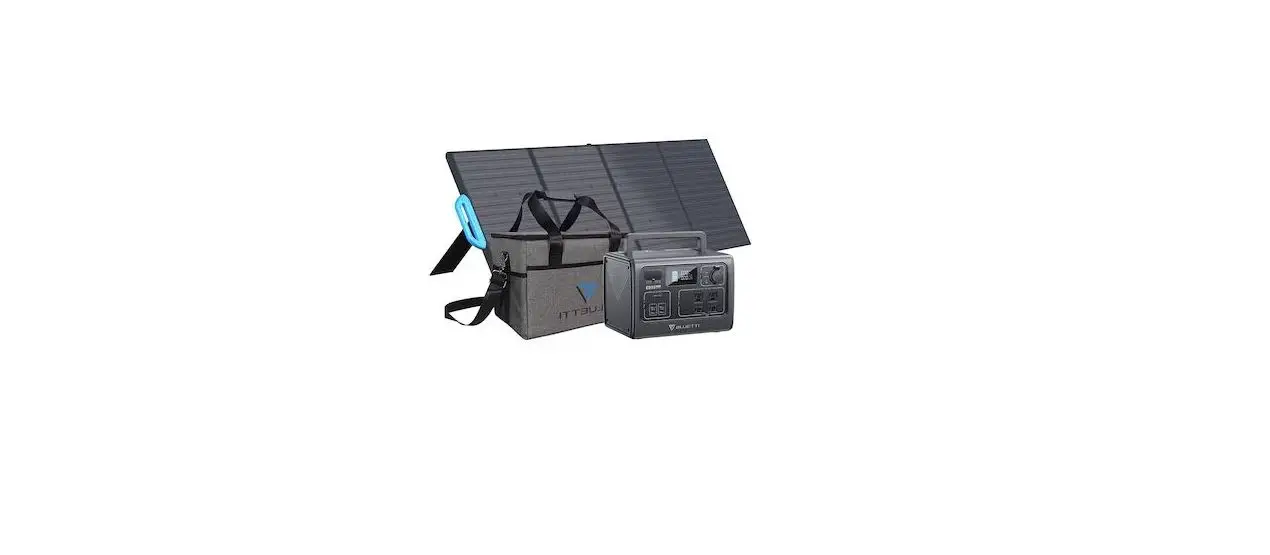

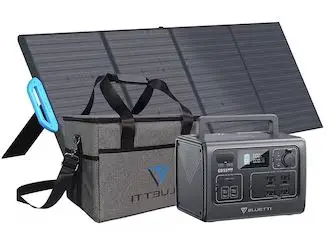
BLUETTI PV220 Portable Power Station
Contact Us:
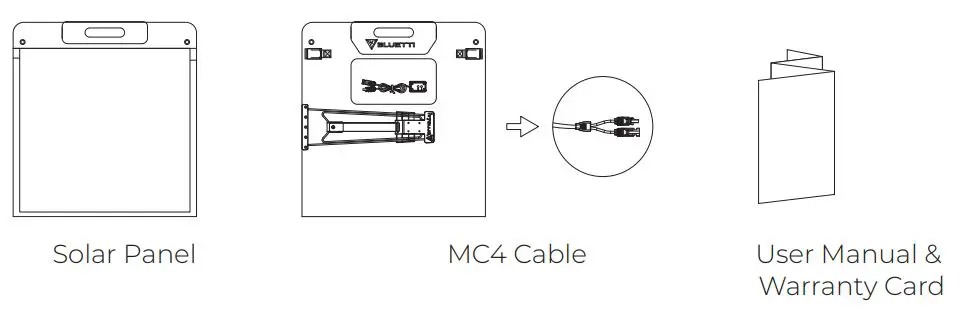
What is in the box
How to use
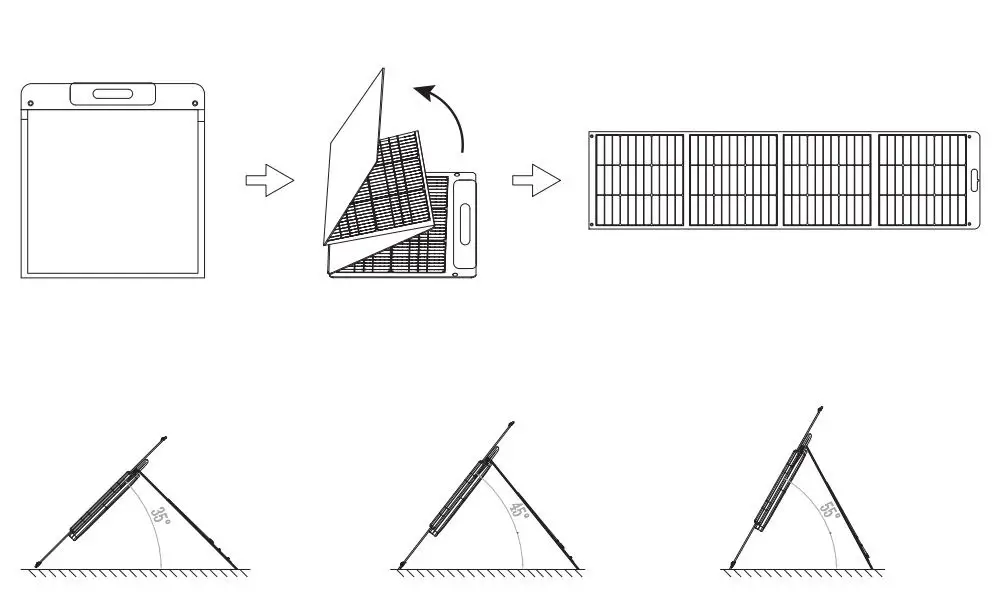
- Unfold
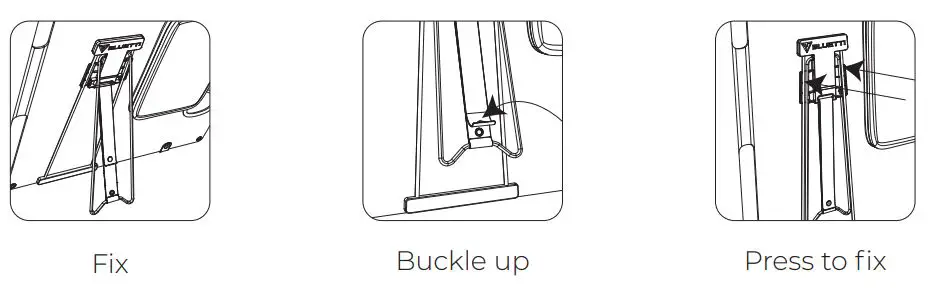
- Adjust the kickstand

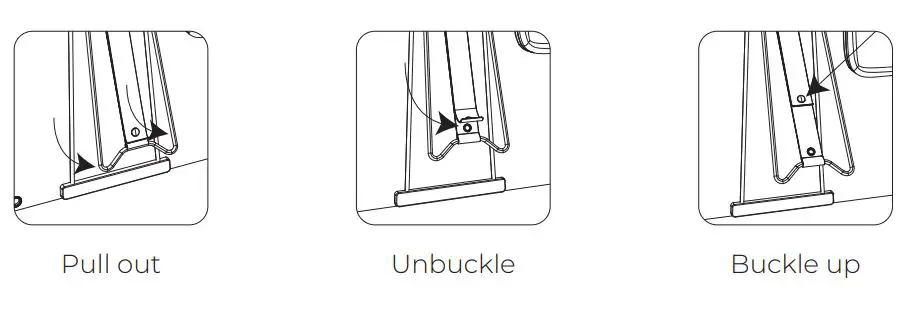
- How to use the kickstand
Open the kickstand, adjust the angle, stabilize the panel, fold the kickstand.

- Connect to power station

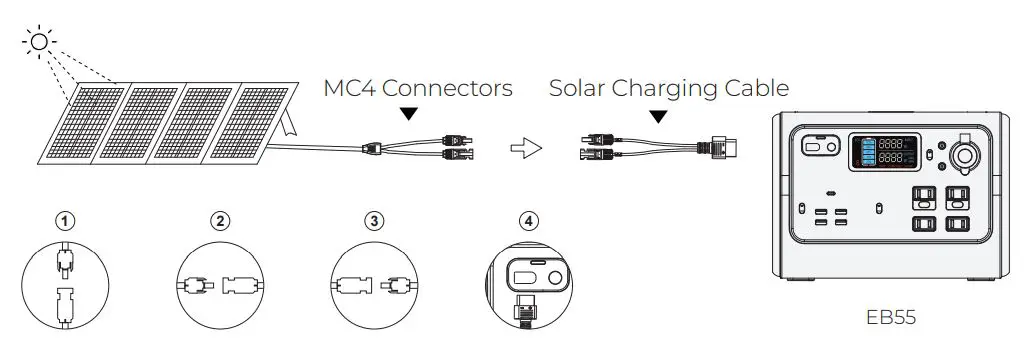
Note:
Use ONLY ONE PV220 solar panel with EB55,EB70. Whether connected in series or parallel, make sure the total voltage of solar panels is under the power station’s input voltage limit.
Attention
Regular inspection and maintenance are required to prolong the lifespan of solar panels.
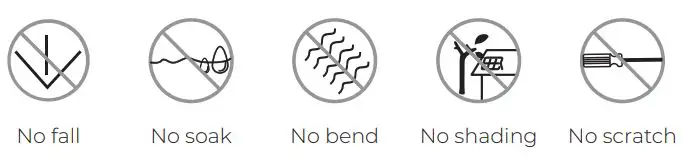
Warning:
Do not use solar panels in extreme weather conditions like thunderstorms, floods, typhoons, etc. Always use solar panels within the specified temperature range (14-149°F/-10-65°C).
Technical details
| PV220 | ||
| Maximum Power(Pm) | 220W* | |
| Open circuit voltage | 21.6V | |
| Short circuit current | 13.5A | |
| Cell efficiency | Up to 23.4% | |
| Cell lamination | ETFE | |
| Cell type | Monocrystalline silicon | |
| Operating temperature | 14-149°F/-10-65°C | |
| General | ||
| Weight | 20.5Ibs / 9.3Kg | |
| Dimensions | Unfolded | 94.2*23.8in / 2395*605mm |
| Folded | 23.8*25.1*1.7in / 605*638*45mm | |
| Warranty | ||
| 12 Months | ||
- STC: Irradiation 1000W/m2, cell temperature 25°C, atmospheric mass number AM 1.5, measurement tolerance ±3 % (Pm).
Frequently asked questions
Is the solar panel waterproof?
No. The solar panel is IP65 water-resistant that provides protection against water splash. Please do not leave it in the rain or water for a long time.
What will affect the final conversion efficiency of solar panels?
The actual solar panel efficiency may be affected by several factors, like weather, sun intensity, shading, panel orientation, temperature, location, dust and dirt. For example, if you live in a place without much sunlight or your panels are covered by shade, you’ll get a very low output or none at all.
Is the BLUETTI s solar panel compatible with the third party s power station?
Yes. Make sure BLUETTI solar panels’ voltage is compatible with your power stations’ voltage limit, while you’re using the same connector. Please feel free to contact us for compatibility with other power stations.
Thank You
Thank you for making BLUETTI a part of your family. From the very beginning, BLUETTI has tried to stay true to a sustainable future through green energy storage solutions for both indoor and outdoor use while delivering an exceptional eco-friendly experience for our homes and our world. That’s why BLUETTI makes a presence in 70+ countries and is trusted by millions of customers across the globe.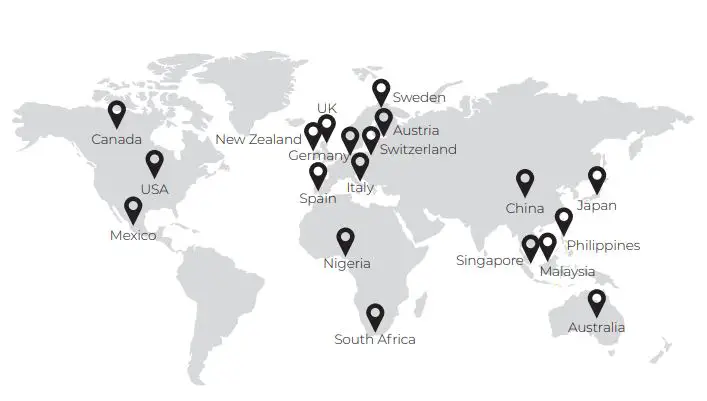
Before You Begin
The information contained herein is subject to change without notice. For the latest version, please visit https://www.bluettipower.com/pages/user-guides.
- The user manual contains instructions and notes on the operation and use of this unit.
- BLUETTI recommends that you use genuine accessories from BLUETTI.
- BLUETTI shall not be responsible for any damage or expense that might result from the use of parts other than genuine parts from the BLUETTI.
- For your safety and benefit, please read carefully before using and keep it handy for future reference.
Safety Instructions
Failure to follow these guidelines may cause damage to your unit and injury to yourself or others.
- Keep this unit away from fire, humidity and dust.
- Make sure the place where you are using the unit is well ventilated and spacious.
- DO NOT place the unit on an unstable or tilted surface.
- Turn off the unit IMMEDIATELY in case of malfunction.
- When not using the unit for extended periods of time, power off the unit and disconnect the AC adapter from the outlet.
- Recommended storage temperature: 14-113OF/-10-45OC.
- Charge the unit to 80% SOC every 3-6 months for long-term storage.
Standard Packaging
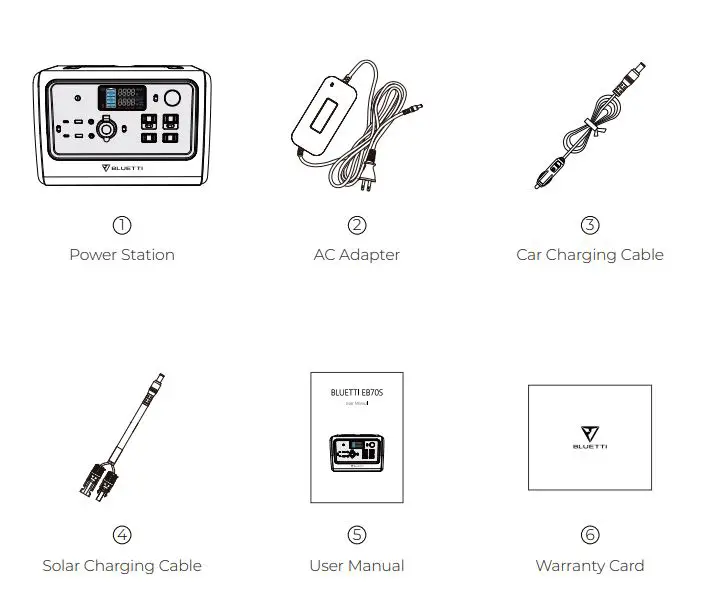
- AC Adapter: 120cm/47in.
- Car Charging Cable: 72cm/28in. Cigarette lighter port to DC7909.
- Solar Charging Cable: 150cm/59in. MC4 to DC7909.
Note: Package details are subject to change without prior notice.
Product Overview
Diagram
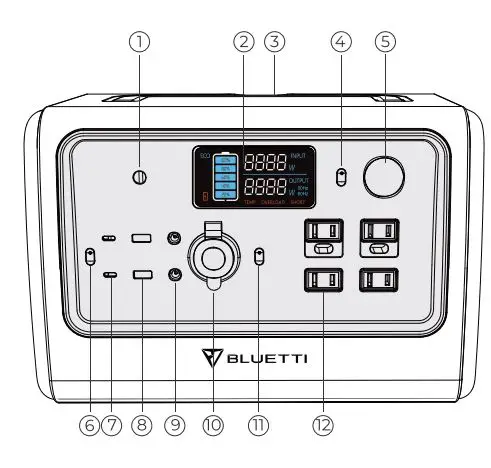
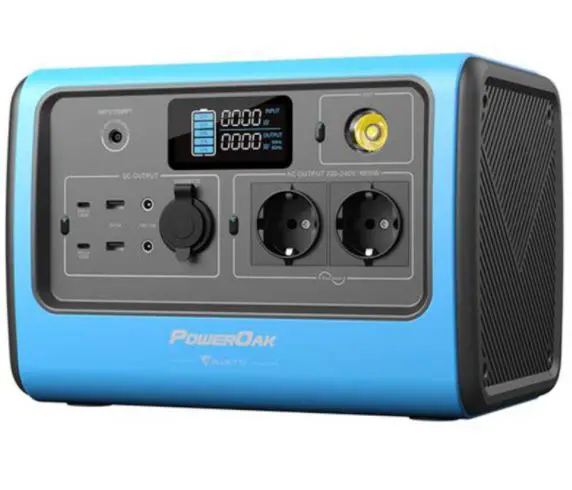
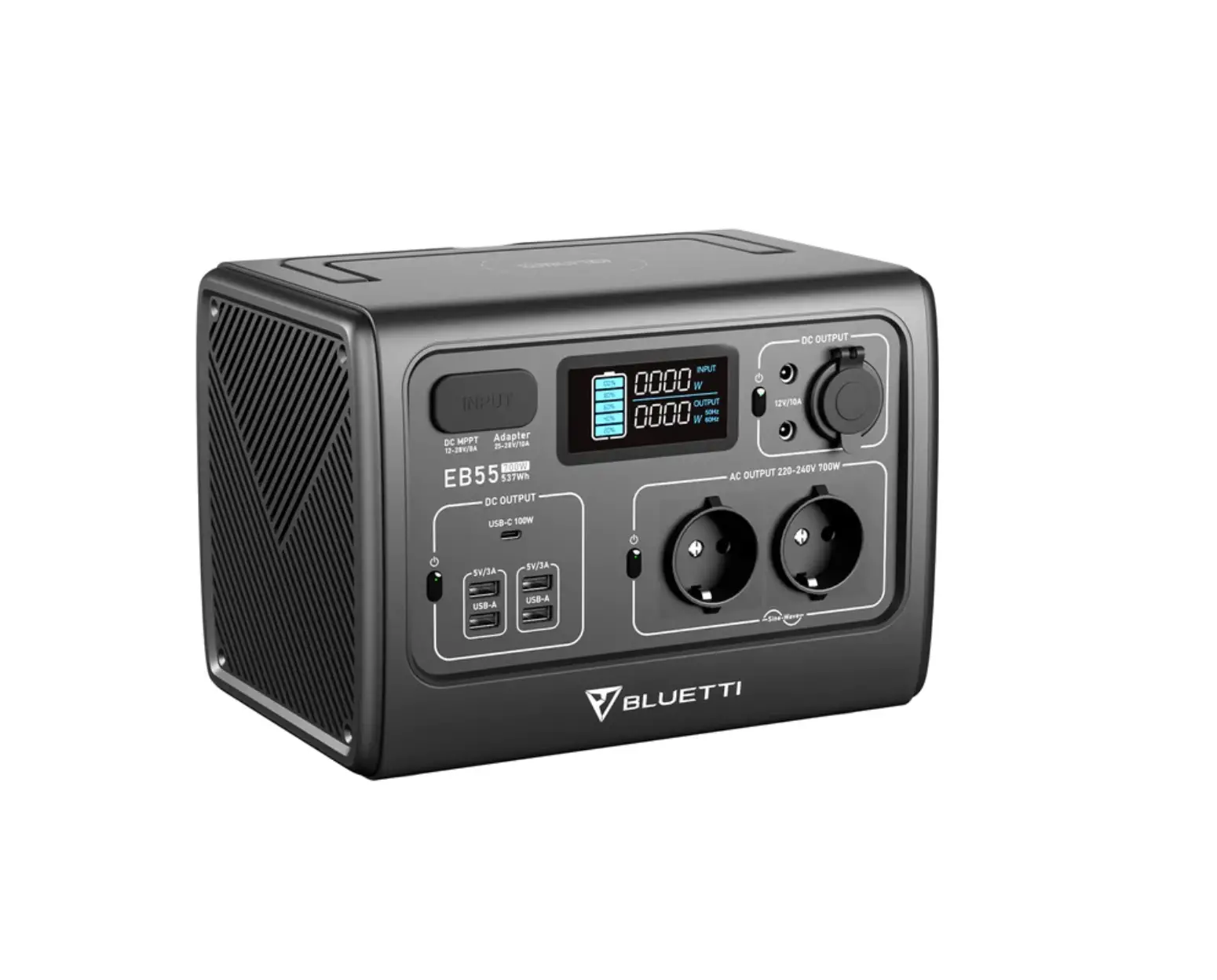
- Charging Port
- LCD Screen
- Wireless Charging Pad
- LED Lamp Button
- LED Lamp
- DC Power Button
- USB-C Port
- USB-A Port
- DC5521 Port
- Cigarette Lighter Port
- AC Power Button
- AC Outlet
Specifications
| EB70S | ||
| General | ||
| Battery Capacity | 716Wh | |
| Cell Type | LiFePO4 | |
| Dimensions (L*W*H) | 12.6*8.5*8.7IN/320*216*221MM | |
| Weight | 21.4LB/9.7KG | |
| Discharging Temperature | -4-104°F/-20-40°C | |
| Charging Temperature | 32-104°F/0-40°C | |
| Working Humidity | 10-90% | |
| AC Output | ||
| Power | 120V | 800W |
| 220-240V | 1000W | |
| Surge | 1400W | |
| Frequency | 50-60Hz | |
| DC Output | ||
| Cigarette Lighter Port *1 | Voltage | 12VDC |
| Current | 10A | |
| DC5521 *2 | Voltage | 12VDC |
| Current | 10A | |
| USB-A *2 | Voltage | 5VDC |
| Current | 3A | |
| USB-C PD3.0 *2 | Power | 100W Max. (5/9/12/15/20VDC, 3A; 20VDC, 5A) |
| Wireless Charging *1 | Power | 15W Max. |
| AC Input | ||
| Power | 200W Max. | |
| Voltage | 12-28VAC | |
| Current | 8A Max. | |
| PV Input | ||
| Power | 200W Max. | |
| Open Circuit Voltage (OCV) | 12-28VDC | |
| Current | 8A Max. | |
| Car Charging | ||
| Voltage | 12-24VDC | |
| Current | 8A Max. | |
Operation
LCD Screen
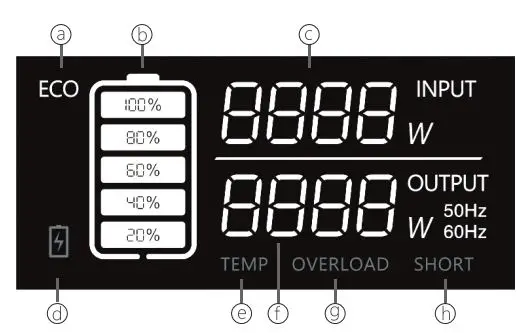
- a: ECO Mode
- b: Battery Capacity
- c: Input Power
- d: Low-battery Alert
- e: Temperature Anomaly Alert
- f: Output Power
Powering On/Off
Powering on: Press the AC/DC Power Button to start up corresponding output.
- Green light(on the button)
- ON
- LCD Display
- ON*
The LCD screen is on for about 30-60 seconds. Please enable at least one of these ports (AC/DC) if you want the display to stay on longer.
Note: Please turn on the DC power to enable wireless charging.
Powering off: Press and hold power buttons to shut down the corresponding output.
| Green light(on the button) | OFF |
| LCD Display | OFF |
Mode
- Setting Mode: When the AC output is off, press AC and DC power buttons simultaneously and the frequency indicator flashes.
- ECO Mode1: Under ‘Setting Mode’, press the DC power button to turn it on/off.
Setting
- AC Frequency2: Under ‘Setting Mode’, press the AC power button to switch.
Charging
AC Charging
Simply plug the EB70S into a standard wall outlet and start charging.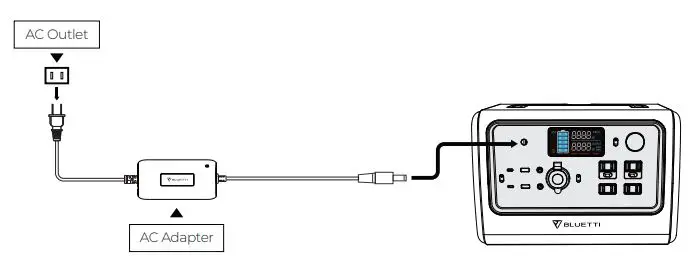
- When on this mode, the AC output will automatically turn off after 4-hour low (≤10W) or no load to save power.
- AC Frequency: The number of alternating cycles per second in an AC sine wave. The utility frequency is usually 50/60Hz.
PV Charging
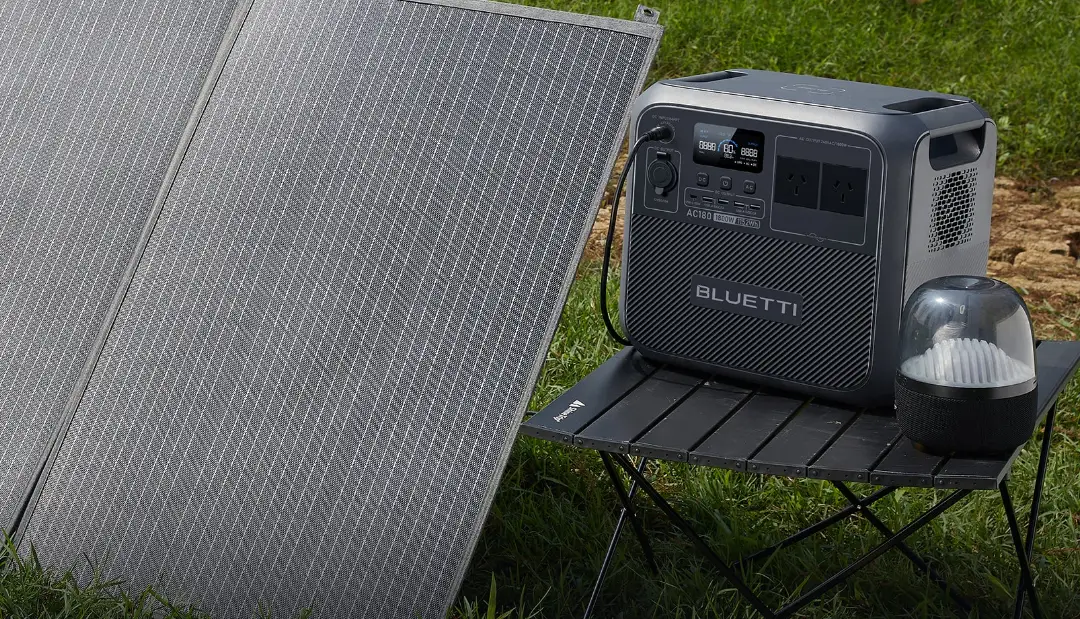
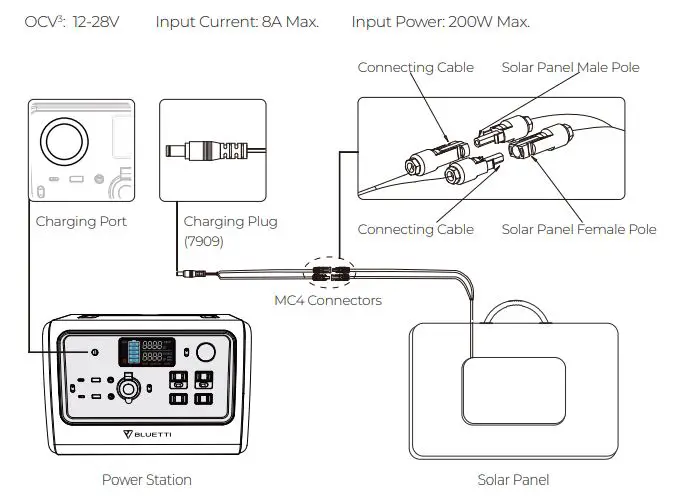
Connect the solar panels (in series or parallel) to EB70S via the solar charging cable.
Note: Please make sure your solar panels comply with:
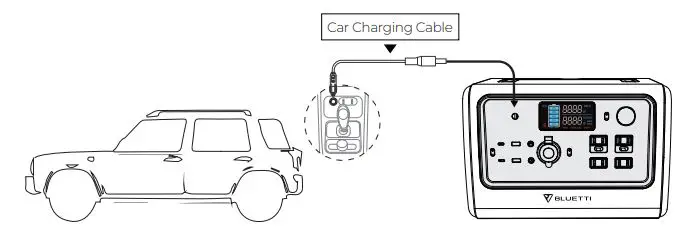
Car Charging
Connect the EB70S directly to the vehicle plug-in cigarette lighter port via the car charging cable.
OCV: Open circuit voltage. The maximum voltage that the solar panel can produce with no load on it.
Generator Charging
Connect the AC adapter input plug to the generator while the output plug goes to the charging port of EB70S.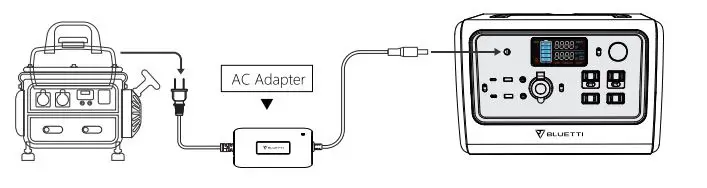
Discharging
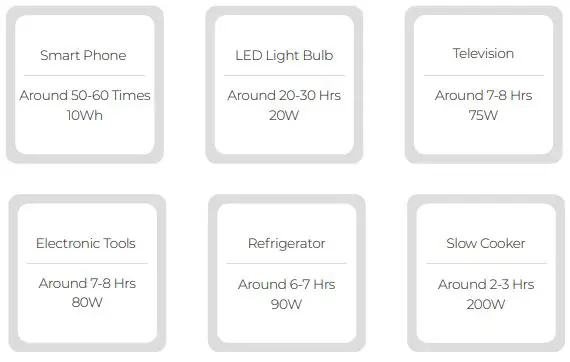
716Wh × DoD × η ÷ (load power) = charging time (estimated)
Note: DoD refers to the Depth of Discharge, η is the local inverter efficiency. DoD=90%, η=90%. Load power and charging time are measured in Watt and Hour.
Appendix
FAQs (Frequently Asked Questions)
Q: How do I know whether my devices will work well with this product?
A: Please evaluate the total constant load of your appliances. If it doesn’t exceed the Max. output power of EB70S, you can use this power station to charge.
Q: Can I use third-party solar panels to charge this product?
A: Yes, you can. As long as the specs of solar panels you’re using fall in below range: OCV: 12-28V
- Input Current: 8A Max.
- Input Power: 200W Max.
- With the same power connector (MC4 or Anderson)
Q: Is there a button to turn on/off the wireless charging?
A: Yes. Press the DC Power Button to enable wireless charging.
Q: Can it charge and discharge at the same time?
A: Yes. It supports pass-through charging. EB70S comes with the premium LiFePO4 battery and proprietary Battery Management System to ensure that it can charge and discharge at the same time.
Q: How can I clean this EB70S power station?
A: Using dry and non-abrasive cloths to wipe will be perfect.
Technical Support
Should you require any further assistance, please do not hesitate to contact the BLUETTI service team.
BLUETTI POWER INC
- Web: https://www.bluettipower.com/
- Tel: 833-988-3663 / 702-463-4792
- Mail: [email protected]
- Add: 6185 S Valley View Blvd Ste D. Las Vegas, NV 89118.

 BLUETTI: Portable Power Station, Solar Generator Kit