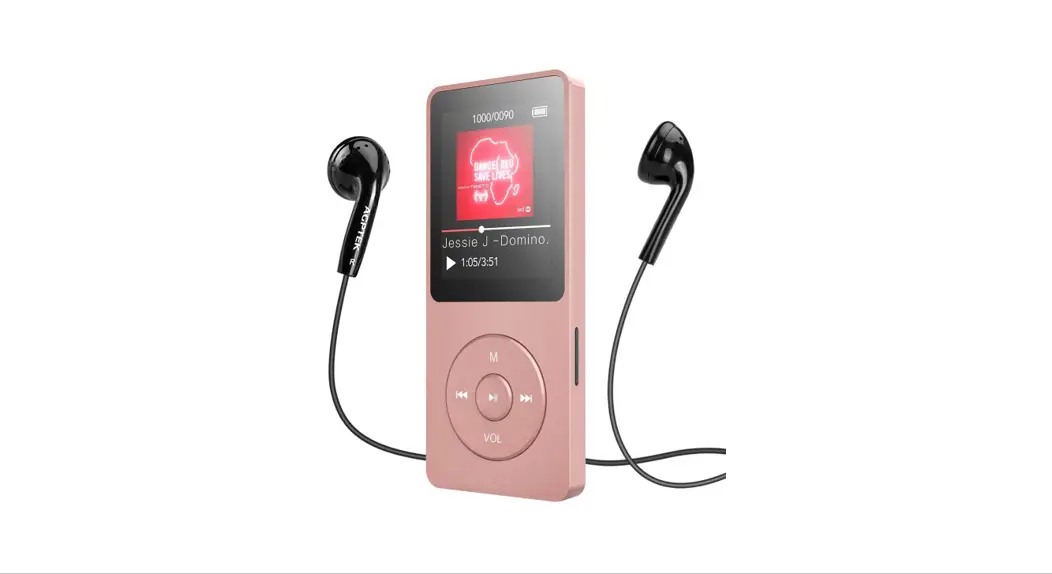
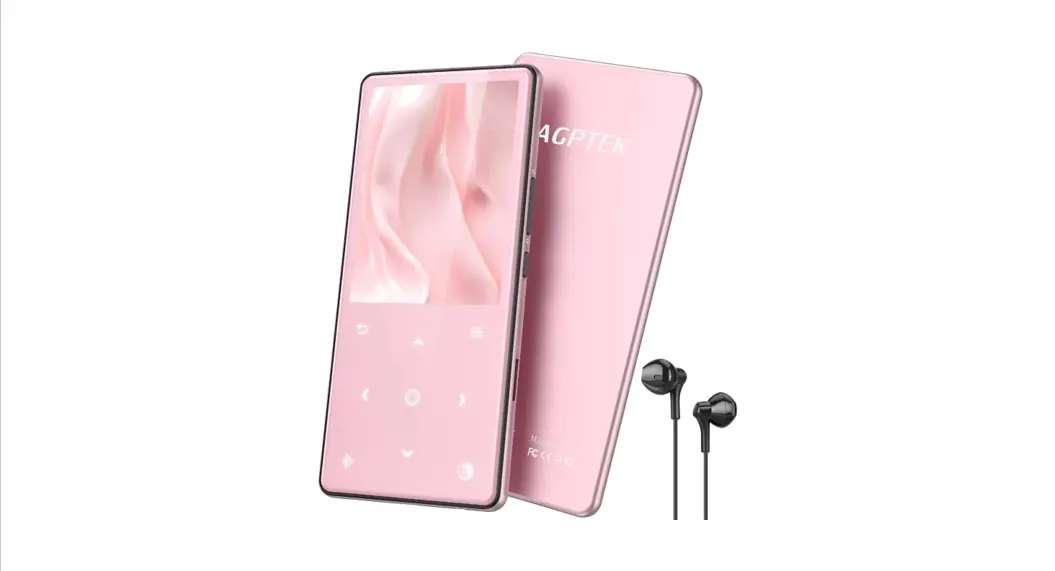
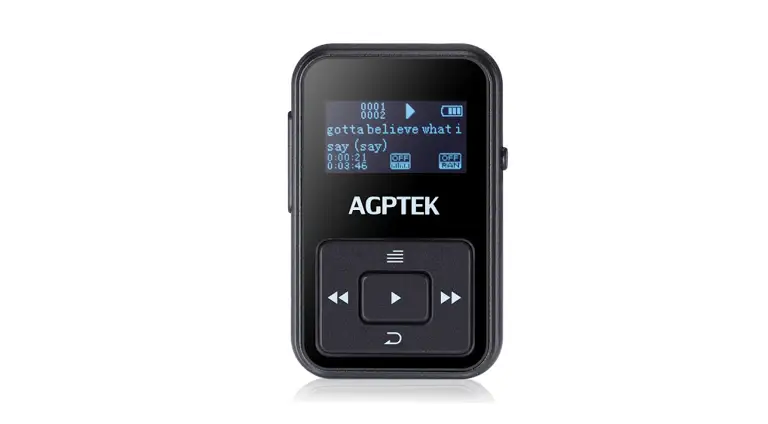
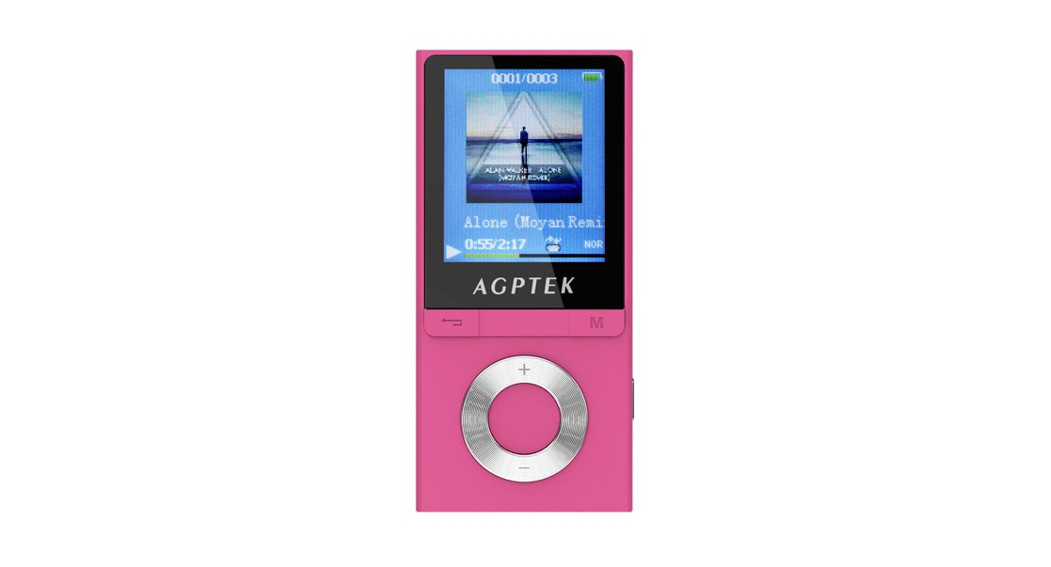
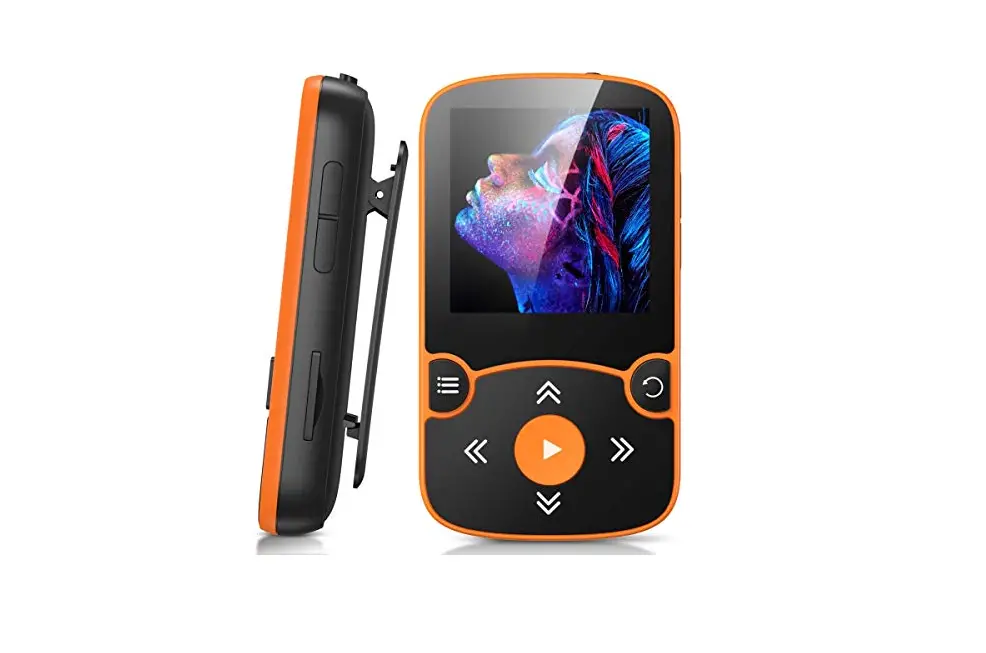
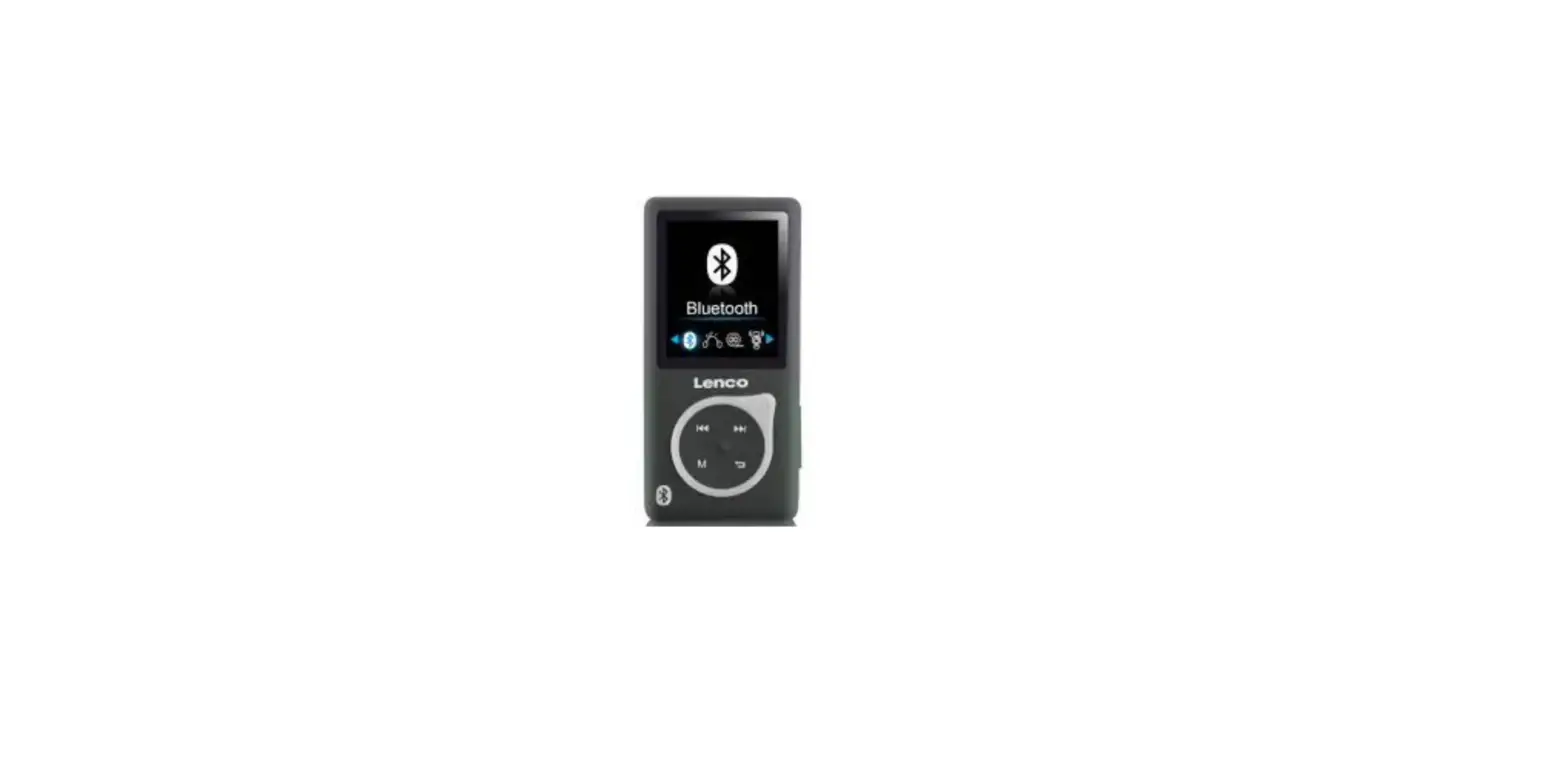
A58 Music Player
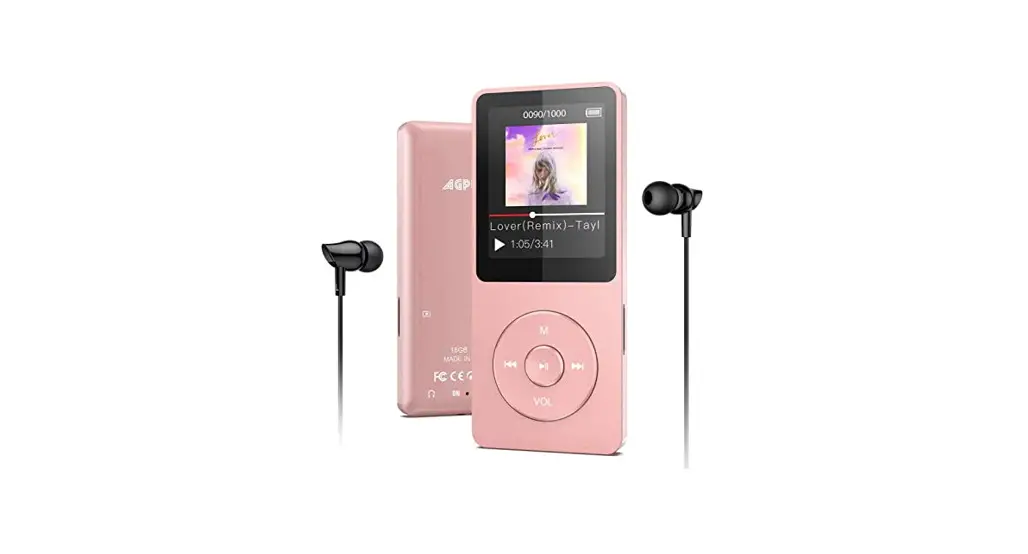
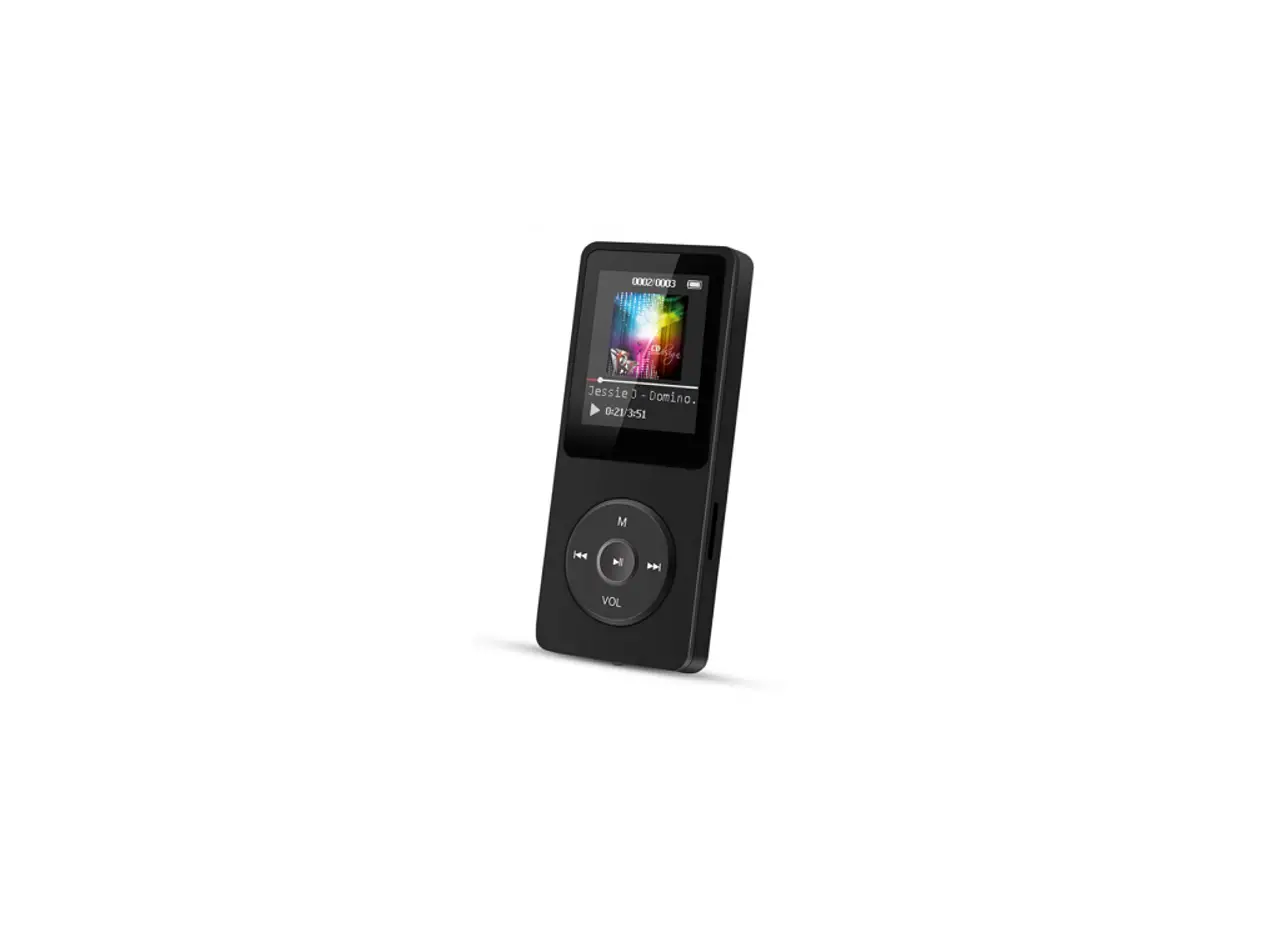
AGPTEK A58 Music Player
Product Overview
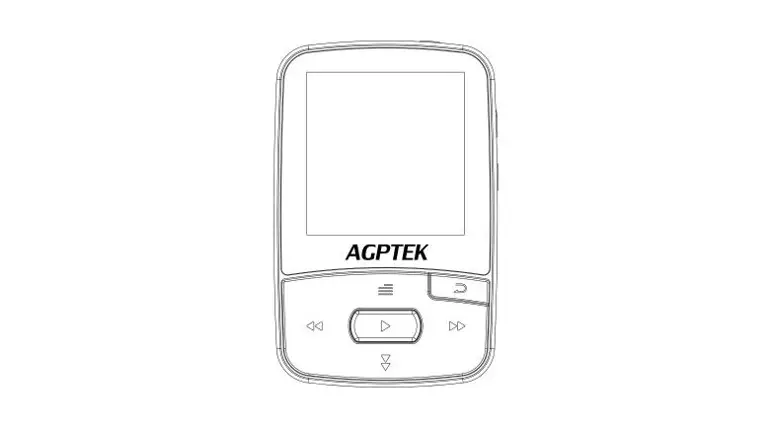
The AGPTEK A58 Music Player is a portable device that allows you
to listen to music on the go. It comes with various buttons and
controls for easy navigation and operation.
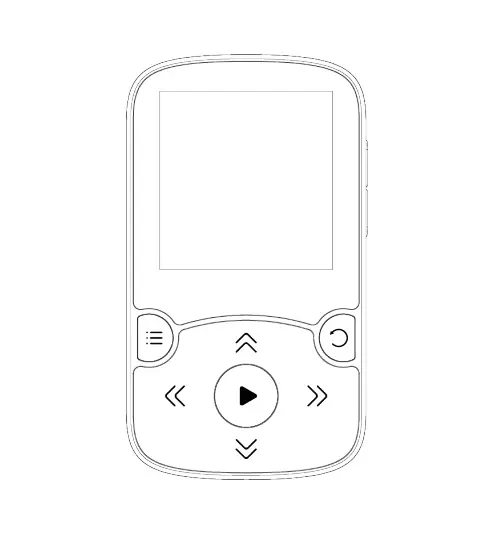
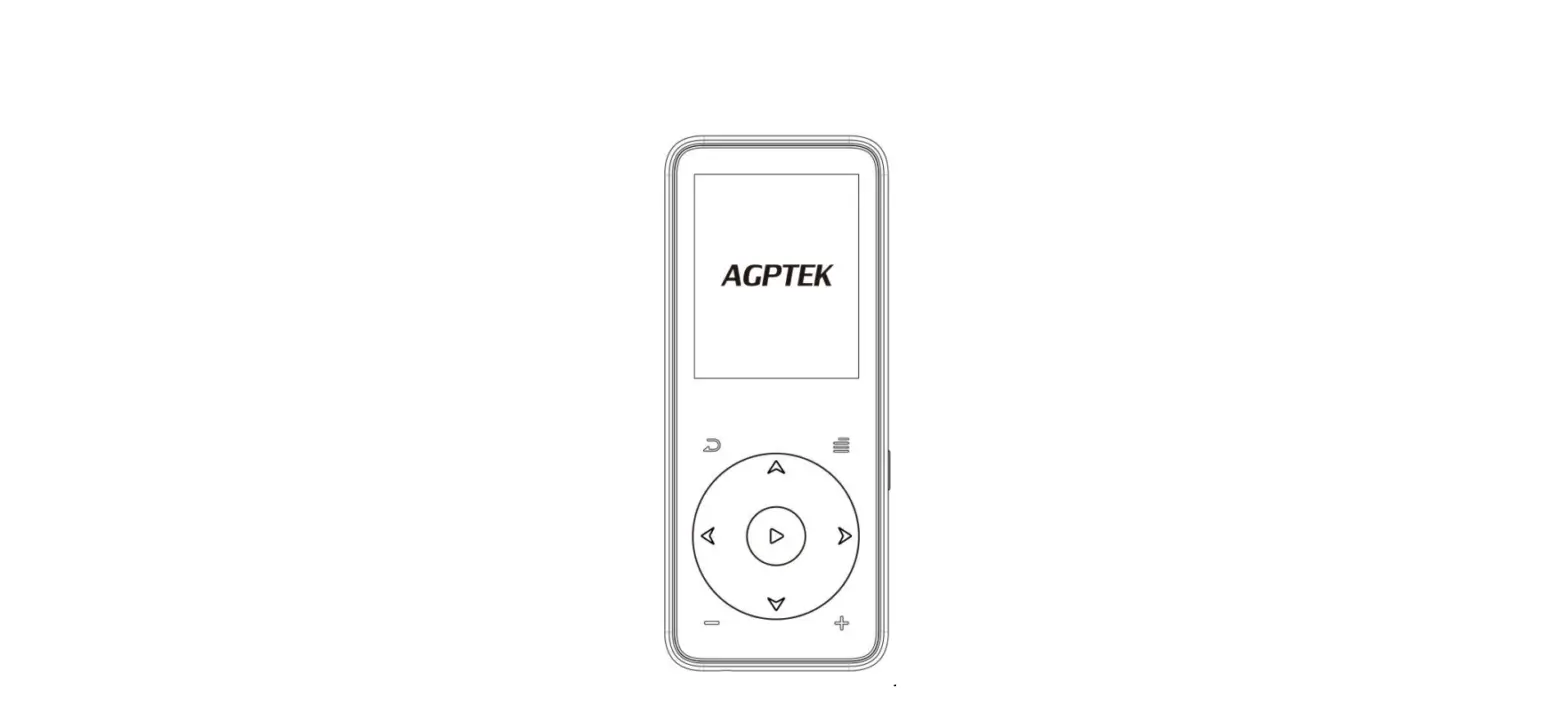
- Clip
- Earphone Jack
- Power On/Off
- Slide Power Switch
- TF Card Slot
- Vol +/Scroll Up
- Play/Pause/Enter
- Next/Fast Forward/Page Down
- Return
- Vol -/Scroll Down
- Submenu/Lock Screen
- Previous/Fast Rewind/Page Up
- Micro USB Port
Main Functions
The AGPTEK A58 Music Player offers several main functions:
The home menu is the starting point of each application. It
provides access to 8 functions: Music, Record, FM Radio, Tools,
Settings, Folder, Bluetooth, and Pedometer.
Music
The Music function allows you to play your favorite music. You
can create playlists, browse through folders or memory card
contents, adjust volume, and control playback.
Playlist
You can select from up to three different playlists. Please note
that this function is only available when a memory card is
inserted.
Play the music
While on the music playing interface, you can use the buttons to
control playback. Hold down the button to fast forward, press to
skip to the next track, hold down the button to fast rewind, press
to play the previous track. Press the play/pause button to pause or
resume playback. Use the volume buttons to adjust the volume.
Other options
While on the music playing interface, you can access the submenu
by tapping the M button. From there, you can perform actions such
as going back to the main menu, changing the play mode, adjusting
sound settings, adding or removing songs from a playlist, deleting
songs, and creating bookmarks.
Product Usage
To use the AGPTEK A58 Music Player, follow these steps:
- Power On/Off: Hold the Power On/Off button or slide the Slide
Power Switch up/down to turn on/off the player. When the player is
locked, all buttons will be unavailable. Repeat the steps to
unlock. - Screen Display: Press the screen to activate it.
- Browse Item: On the home menu or list menu, use the button / to
browse items. Press the button to go back. - Adjust Volume: Use the button / to adjust the volume.
- Play Music: Select the Music function from the home menu.
Choose a playlist or browse through folders. Press the play button
to start playing music. Use the buttons to control playback (fast
forward, skip, rewind, pause/resume).
Please refer to the user manual for more detailed instructions
and troubleshooting tips. If you have any problems or questions
about this product, please feel free to contact
[email protected].
Manufacturer: Shenzhen Ku Rui Digital Technology Co., Ltd.
Address: No.301-309,3/F., Jinyuan Business Building, No. 2,
Laodong Industrial Zone, Xixiang Road, Baoan District, Shenzhen,
Guangdong, China
AGPTEK
User Manual
A58 MUSIC PLAYER
English(01/12) Deutsch(13/27) Italiano(28/41) Español(42/55)
CONTENT
English
Important Notice……………………………………………………………………. 1 Product Overview……………………………………………………………………2 Main Functions……………………………………………………………………….. 3 Help and Troubleshooting……………………………………………………10 Specifications……………………………………………………………………….. 12
Deutsch
Wichtige Hinweise……………………………………………………………….. 13 Produktübersicht………………………………………………………………….. 14 Hauptfunktionen………………………………………………………………….. 15 Hilfe und Fehlerbehebung……………………………………………………25 Technische Daten………………………………………………………………… 27
Italiano
Avviso IMPORTANTE…………………………………………………………….28 Panoramica del Prodotto…………………………………………………….. 29 Funzioni principali………………………………………………………………… 30 Guida e risoluzione dei problemi……………………………………….. 39 Specificazioni………………………………………………………………………… 41
Español
Noticia Importante …………………………………………………………….. 42 Descripción del Producto ……………………………………………………43 Funciones Principales………………………………………………………….. 44 Ayuda y Solución de Problemas………………………………………….53 Especificaciones…………………………………………………………………….55
If you have any problems about this product, please feel free to contact [email protected]. Manufacturer: Shenzhen Ku Rui Digital Technology Co., Ltd. Address: No.301-309,3/F., Jinyuan Business Building, No. 2, Laodong Industrial Zone, Xixiang Road, Baoan District, Shenzhen, Guangdong, China
Important Notice
Thank you for purchasing AGPTEK Music Player. Please read the manual carefully before using the product. Specifications are subject to change without prior notice. Charge the Player · Charge by computer USB port. · Use 5V/500mA charger (Charger not included). Connect to the PC & Download audio files 1. Open the Windows Explorer or “This PC”. 2. Using the USB cable, connect the player to a USB
port on your PC. 3. Open the new “AGP-A58” folder under “This PC”. 4. Copy files to the “AGP-A58” in which you want them
to play. 5. In the left sidebar, right-click the “AGP-A58 ” folder
and select “Eject” from the menu. 6. Wait until the computer confirms a safe ejection
before you unplug the USB cable. 7. Note: Please do not disconnect the USB plug during
file transferring. It may cause malfunction of the player and the files.
1
Product Overview
Buttons and Controls
1. Clip 2. Earphone Jack 3. Power On/Off 4. Slide Power Switch 5. TF Card Slot 6. Vol +/Scroll Up 7. Play/Pause/Enter 8. Next/Fast Forward/
Page Down 9. Return 10.Vol -/Scroll Down 11.Submenu/Lock Screen 12.Previous/Fast Rewind/
Page Up 13.Micro USB Port 2
Basic Operation
·
Power On/Off. Hold button or slide button up/down to turn on/off the player.
· Screen lock. Hold down the button M to lock screen
and all the buttons will be unavailable. Repeat the
above steps to unlock.
· ·
Screen display. Press to activate screen.
Browse item. On home menu or list menu, press
button / to browse item, press button
to
enter. · Back. When on any interface, press
to go back;
hold down to back to home menu directly. · Volume +/-. On the non-list menu, press / to
adjust volume.
Main Functions
Home Menu The home menu is the starting point of each application. There are 8 functions on the home menu: Music/Record/FMradio/Tools/Settings/Folder/Bluetooth /Pedometer.
Music
Find “Music” on home menu with button to access to its function. A related list will show: · Resume (Now playing). · All songs. · Artists/Albums/Genres. · Playlists. There are 3 default playlists on the player:
3
Playlist[1]/[2]/[3].
· Update playlists. Update music files.
· Local folder/Card folder. View music file in the local
folder or card folder. Note: These functions only
available when memory card inserted.
Play the music.
While it’s on music playing interface, hold down the
button
to fast forward, press
to skip to next
track; hold down the button to fast rewind, press
to play the previous track. Press button
to
play/pause. Press button / to adjust volume.
Back mainmenu/Play mode/Sound settings/Add to
playlist/Remove from playlist/Delete/Bookmarks.
While it’s on music playing interface, tap button M to
access to the submenu. Press button / to select
items or adjust value; press button
to enter or
confirm.
1. Back mainmenu. Choose to go to home menu.
2. Play mode.
A. “Play music from…”. Choose to play from all songs/
this artist/album/genre.
B. “Repeat”. Choose repeat mode: Repeat off, Repeat 1,
Repeat all.
C. “Shuffle”. Choose to turn on/off shuffle mode.
D. “A-B Repeat”.
– Repeat Period
a. Enter. Press the button to enter.
b. Set. Press button to confirm the starting time A
when A is flashing. Then press button to set the
ending time B when B is flashing. The passage from
4
time A to B will be repeated automatically. The icon for A-B indication will appear on the screen. Press button again to back to normal playback. c. Replay times. Set the replay times from 1 to 10. d. Replay interval. Set the replay gap from 1 to 10 (seconds). 3. Sound settings. Choose to set Equalizer, Variable speed and Volume limit. 4. Add to playlist/Remove from playlist. Choose to add to or remove from the 3 existing playlist. 5. Delete. Choose to delete the song that is playing now. 6. Bookmarks. Choose to add bookmark for the song that is playing now, or go to/delete the bookmark you added.
Recordings
Find “Record” on home menu with button to access
to its function. A related list will show:
· Start voice recording. Press button
to start
voice recording, press again to pause. Press the
button
and choose “Yes” to save the recording
file.
· Recordings library. Find the saved recordings in
Recordings>Recordings library. You will need to
choose from local folder or card folder if the memory
card is inserted. While it’s on recording playing
interface, press button M and choose “Delete” to
delete.
· Storage. Choose to store your recordings in internal
5
or external memory. Confirm your selection with
button . (Only available when TF card inserted)
· Record Format. Choose the record format between
MP3
(32/64/128/192kbps)/WAV
(512/768/1024/1536kbps).
FM radio
Find “FM radio” on Home menu with the button to
access to its function. A related list will show:
· Presets. All the saved stations will be listed here.
· Manual tune/Auto tune. When choose “Auto tune”,
the searched stations will be saved in “Presets”
automatically.
· FM Recordings. View the radio recording files. You
will need to choose from local folder or card folder if
the memory card is inserted. The radio recordings
will also be saved in Recordings> Recordings library.
Start FM radio recording/Radio background/Save to
presets/Clear preset/Auto tune/Tuner region/FM
recordings.
While it’s on radio playing interface, press button
to switch among preset stations, press the button
/ to find tune stations. Press button M to access to
its submenu which includes:
1. Start FM radio recording. Press button
to
pause/continue, press
and select “Yes” to save
the recording file.
2. Radio background.
3. Save to/Clear preset/Auto tune.
4. Tuner Region. Choose from Common/European/
6
Japan Band as needed. 5. FM recordings.
Tools
Find “Tools” on Home menu with the button
to
access to its function. A related list will show:
EBook
While it’s on text playing interface, press button /
to turn the pages. Press the button
to play
automatically, press again to stop.
Submenu. While it ‘s on text playing interface, press button M to enter its submenu and set your preference, including Auto Playback Interval (2s-30s), Delete Ebook, Select Bookmark, Delete Bookmark, Add Bookmark, Select Page, Local folder and Card folder (Only available when TF card inserted).
Videos.
Press button to access to its function. You will need to choose from local folder or card folder if the memory card is inserted.
Press button to watch videos, press the button / to go to previous/next video or hold to fast
backward/forward.
When it’s on video playing interface, press button M to access to its submenu, including: Brightness, Repeat, Delete video, Update playlist. Set according to your preference.
Pictures
7
Press to view pictures, press the / to go to previous/next picture.
When it’s on picture viewing interface, press button M to access to its submenu, including: Brightness, Backlight timer, Slideshow settings, Delete picture, Update playlist. Set according to your preference.
Calendar
Press the button M to switch among year|month|day,
press the button /
to choose specific
year|month|day.
Stopwatch
Press
to enter, press again to start the timer, then
press again to stop or press M to resume. Press to
start a new one. The maximum Stopwatch list is 4.
Alarm clock
Press button to enter, a related list will show: Alarm on/off, Alarm clock time, Alarm clock cycle (Once/Daily/ Workday), Alarm clock music, Alarm clock volume. Set according to your preference.
Settings
Find “Settings” on Home menu with the button
to
access to its function. A related list will show, including:
· Language. Choose display language.
· Date & Time. Choose “Date Settings” to set date
format and date. To set date, press / to switch
among year|month|date, press button / to
adjust the value of year|month|date and confirm
8
with button . Set time under “Time Settings” and adjust the time in the same way. · Display settings. Set Brightness, Backlight timer and Screensaver. · Shutdown settings. “Sleep timer”. The device will shut down automatically when reaches the set time; “Power off”. When there is no operation on the device, the device will shut off automatically when reaches the set time. · Information. Check player information and disk space about your player. · Format device/Factory settings. Format the device or restore to factory default settings. Note: Before formatting the device, please backup the file so as not to lose any files.
Folder
Find “Folder” on Home menu with the button
to
access to its function. All of the files in the player will be
listed. If the Micro SD card is inserted, you can choose to
go to Local folder or Card folder.
Bluetooth
Find “Bluetooth” on Home menu with the button
to access to its function. A related list will show,
including Bluetooth On/Off, Search Devices, Device List.
Select the device you want to connect/disconnect, and
then press
to connect/disconnect. After
successfully connected, this player is ready to play music
or FM radio via Bluetooth headphones, Bluetooth
9
speaker, etc. Note: 1. When listen to radio by Bluetooth, wired
headphones are needed as radio antenna. 2. Recording, Equalizer, Variable Speed Playback, Video,
Pictures, Pedometer functions are not available when Bluetooth opened.
Pedometer
Find “Pedometer” on Home menu with the button to access to its function, a related list will show: · Start – Choose to start the pedometer, it will display your realtime workout information as below: S: Step counts D: Distance traveled C: Calories burned; S: Walking speed T: Elapsed time. – Press button and choose “Yes” to save the record in “History”. If the history record is full, it will automatically cover the previous one. · Personal info. Set your step length between
20~200cm with button to confirm. · History. All your saved step record will be listed here,
and you can save up to 7 records. · Clear history. You can choose to clear the history
record you want or clear all the history record.
Help and Troubleshooting
How to reset the language? There are two ways to reset the language as shown below.
10
1. Find (Settings) in the home menu and confirm it
by pressing button
. Select the first (upper)
option and press button to confirm. Scroll down
and select the language you want to set.
2. Find
(Settings) in the home menu, enter and
scroll down to the last menu. Press button
to
enter and choose the first (upper) option which
means “Yes” with button to confirm and restore
to factory settings. And then the player will power on
automatically and then you can choose language
again.
Can’t turn on the player; the screen of player goes
blank/black; the player is crashed or has a firmware
bug.
1. Power off the player and try again.
2. Update the firmware. Please contact our customer
service or check our website at
https://www.agptek.com/blog to download the
firmware.
Can’t download files from computer.
1. Please confirm whether it’s connected properly;
2. Please check whether the storage space of the
internal memory is full;
3. Please check whether the USB cable is damaged.
Can’t recognize the player when connected to the
computer via USB cable.
1. Reconnect it.
2. Restart the computer and reconnect it.
3. Connect your player to another USB port.
4. Charge the player for about 10 minutes first.
11
Specifications
Screen Housing Unit Size Net Weight Bluetooth Range Interface Type Internal Memory SD Card Expansion
Format
Music Lyric Video Recording EBook
Playtime
Music Video Radio Recording
Battery
Charging time
1.5″TFT (128*64 )
ABS
60*36*12mm
25g
10m in open
USB 2.0
8GB
Up to 128GB
MP3/WMA/APE/FLAC/ WAV/DRM/ACELP LRC
AMV/AVI
MP3/WAV
TXT
Wired
25 hours
Bluetooth 6 hours
Wired
6 hours
8 hours
26 hours
240mAh
lithium
polymer battery
1.5 hours (5V/500mA)
12
Wichtige Hinweise
Vielen Dank, dass Sie sich für den AGPTEK Music Player entschieden haben. Bitte lesen Sie die Bedienungsanleitung sorgfältig durch, bevor Sie das Produkt verwenden. Die technischen Daten können ohne vorherige Ankündigung geändert werden. Aufladen · Laden Sie über den USB-Anschluss des Computers
auf. · Verwenden Sie ein 5V/500mA Ladegerät (Ladegerät
nicht im Lieferumfang enthalten). Verbinden Sie sich mit dem PC und laden Sie
Audiodateien herunter 1. Öffnen Sie den Windows Explorer oder “Dieser PC”. 2. Schließen Sie den Player mit dem USB-Kabel an einen
USB-Anschluss Ihres PCs an. 3. Öffnen Sie den neuen Ordner “AGP-A58” unter
“Dieser PC”. 4. Kopieren Sie die Dateien auf den “AGP-A58”, in dem
Sie sie abspielen möchten. 5. Klicken Sie in der linken Seitenleiste mit der rechten
Maustaste auf den Ordner “AGP-A58” und wählen Sie “Auswerfen” aus dem Menü. 6. Warten Sie, bis der Computer einen sicheren Auswurf bestätigt, bevor Sie das USB-Kabel abziehen. 7. Hinweis: Bitte ziehen Sie den USB-Stecker während der Dateiübertragung nicht ab. Dies kann zu Fehlfunktionen des Players und der Dateien führen.
13
Produktübersicht
Tasten und Bedienelemente
1. Clip 2. Kopfhöreranschluss 3. Ein-/Ausschalten 4. Schiebeschalter 5. TF-Kartensteckplatz 6. Vol +/nach oben scrollen 7. Wiedergabe/Pause/
Eingabe 8. Nächste/Schnellvorlauf/
Nächste Seite 9. Rückkehr 10.Vol-/Nach unten scrollen 11.Untermenü/
Sperrbildschrm 12.Vorheriges/schnelles
Zurückspulen/Zurück 13.Micro-USB-Anschluss
14
Grundbetrieb
·
Einschalten/Ausschalten. Halten Sie die Taste gedrückt oder schieben Sie die Taste nach oben/
unten, um den Player ein-/auszuschalten. · Bildschirmsperre. Halten Sie die Taste M gedrückt,
um den Bildschirm zu sperren, und alle Tasten sind
nicht verfügbar. Wiederholen Sie die obigen Schritte,
um die Sperre aufzuheben.
·
Bildschirmanzeige. Drücken Bildschirm zu aktivieren.
Sie
,
um
den
·
Projekt durchsuchen. Drücken Sie im Hauptmenü oder im Listenmenü die Taste / , um das Element
zu durchsuchen, und drücken Sie zum Aufrufen die
Taste . · Zurück. Drücken Sie
auf einer beliebigen
Schnittstelle, um zurückzukehren. gedrückt halten,
um direkt zum Hauptmenü zurückzukehren. · Lautstärke +/-. Drücken Sie im Nicht-Listen-Menü
/ , um die Lautstärke anzupassen.
Hauptfunktionen
Hauptmenü Das Hauptmenü ist der Startpunkt jeder Anwendung. Das Home-Menü bietet 8 Funktionen: Musik / Aufnahme / UKW-Radio / Extras / Einstellungen / Ordner / Bluetooth / Schrittzähler.
Musik
Suchen Sie im Hauptmenü mit der Taste nach “Musik”,
15
um auf die entsprechende Funktion zuzugreifen. Eine
Themenliste wird angezeigt:
· Fortsetzen (Wird gerade wiedergegeben).
· Alle Lieder.
· Künstler/Alben/Genres.
· Wiedergabelisten. Der Player verfügt über 3
Standard-Wiedergabelisten: Wiedergabeliste [1] / [2]
/ [3].
· Aktualisieren Sie die Wiedergabelisten.
Aktualisieren Sie Musikdateien.
· Lokaler Ordner/Kartenordner. Zeigen Sie die
Musikdatei im lokalen Ordner oder im Kartenordner
an. Hinweis: Diese Funktionen sind nur verfügbar,
wenn eine Speicherkarte eingesetzt ist.
Die MusiK Abspielen.
Halten Sie im Musikwiedergabemodus die Taste
gedrückt, um schnell vorzuspulen, und drücken Sie ,
um zum nächsten Titel zu springen. Halten Sie die
Taste gedrückt, um schnell zurückzuspulen, und
drücken Sie , um den vorherigen Titel abzuspielen.
Drücken Sie die Taste , um die Wiedergabe zu starten
/anzuhalten. Drücken Sie die Taste / , um die
Lautstärke einzustellen.
Zurück zum Hauptmenü/Wiedergabemodus/
Toneinstellungen/Zur Wiedergabeliste hinzufügen/
Aus
Wiedergabeliste
entfernen/Löschen/
Lesezeichen.
Tippen Sie im Musikwiedergabemodus auf die Taste M,
um auf das Untermenü zuzugreifen. Drücken Sie die
Taste / , um Elemente auszuwählen oder den Wert
16
anzupassen. Drücken Sie die
zum Aufrufen oder
Bestätigen.
1. Zurück Hauptmenü. Wählen Sie, um zum
Hauptmenü zu gelangen.
2. Spiel-Modus.
A. “Musik abspielen von…”. Wähle aus allen
Songs/diesem Künstler/Album/Genres.
B. “Wiederholen”.
Wählen
Sie
den
Wiederholungsmodus:
Wiederholen
aus,
Wiederholen 1, Alle wiederholen.
C. “Mischen”. Wählen Sie diese Option, um den
Shuffle-Modus ein- oder auszuschalten.
D. “AB-Wiederholung”.
– Wiederholungsperiode
a. Eingeben. Drücken Sie zum Aufrufen die Taste .
b. Einstellen. Drücken Sie die Taste , um die Startzeit
A zu bestätigen, wenn A blinkt. Drücken Sie dann die
Taste , um die Endzeit B einzustellen, wenn B
blinkt. Der Übergang von Zeit A nach B wird
automatisch wiederholt. Das Symbol für die
A-B-Anzeige erscheint auf dem Bildschirm. Drücken
Sie die Taste
erneut, um zur normalen
Wiedergabe zurückzukehren.
c. Wiederholungszeiten.
Stellen
Sie
die
Wiedergabezeiten von 1 bis 10 ein.
d. Wiederholungsintervall. Stellen Sie die
Wiederholungslücke zwischen 1 und 10 (Sekunden)
ein.
3. Toneinstellungen. Stellen Sie Equalizer, variable
Geschwindigkeit und Lautstärkebegrenzung ein.
17
4. Zur
Wiedergabeliste
hinzufügen/Aus
Wiedergabeliste entfernen. Wählen Sie, ob Sie der 3
vorhandenen Wiedergabeliste etwas hinzufügen
oder daraus entfernen möchten.
5. Löschen. Wählen Sie diese Option, um das gerade
abgespielte Lied zu löschen.
6. Lesezeichen. Wählen Sie, ob Sie ein Lesezeichen für
den gerade wiedergegebenen Titel hinzufügen oder
das von Ihnen hinzugefügte Lesezeichen öffnen/
löschen möchten.
Aufnahmen
Suchen Sie im Hauptmenü mit der Taste die Option
“Aufnahme”, um auf die entsprechende Funktion
zuzugreifen. Eine Themenliste zeigt:
· Starten Sie die Sprachaufnahme. Drücken Sie die
Taste , um die Sprachaufnahme zu starten.
Drücken Sie erneut, um die Aufnahme anzuhalten.
Drücken Sie die Taste und wählen Sie “Ja”, um die
Aufnahmedatei zu speichern.
· Aufnahmebibliothek. Suchen Sie die gespeicherten
Aufzeichnungen
unter
Aufzeichnungen>
Aufzeichnungsbibliothek. Sie müssen einen lokalen
Ordner oder einen Kartenordner auswählen, wenn
eine Speicherkarte eingelegt ist. Drücken Sie
während der Aufnahme die Taste M und wählen Sie
“Löschen”, um die Aufnahme zu löschen.
· Lager. Wählen Sie diese Option, um Ihre Aufnahmen
im internen oder externen Speicher zu speichern.
Bestätigen Sie Ihre Auswahl mit der Taste . (Nur
18
verfügbar, wenn eine TF-Karte eingelegt ist)
· Aufnahmeformat. Wählen Sie das Aufnahmeformat
zwischen
MP3
(32/64/128/192kbps)/WAV
(512/768/1024/1536kbps).
FM radio
Suchen Sie im Home-Menü mit der Taste nach
“FM-Radio”, um auf seine Funktion zuzugreifen. Eine
Themenliste zeigt:
· Voreinstellungen. Alle gespeicherten Sender werden
hier aufgelistet.
· Manuelle Sendersuche/Automatische Sendersuche.
Bei Auswahl von “Automatische Sendersuche”
werden die gesuchten Sender automatisch in den
“Voreinstellungen” gespeichert.
· FM-Aufnahmen.
Zeigen
Sie
die
Radioaufnahmedateien an. Sie müssen einen lokalen
Ordner oder einen Kartenordner auswählen, wenn
eine Speicherkarte eingelegt ist. Die
Radioaufnahmen werden auch in der Bibliothek
Aufnahmen> Aufnahmen gespeichert.
UKW-Radioaufnahme starten/Radio-Hintergrund/
In Voreinstellungen speichern/Voreinstellung
löschen/Automatische Sendersuche/Tuner-Region/
UKW-Aufnahmen.
Drücken Sie im Radio-Modus die Taste , um zwischen
den voreingestellten Sendern zu wechseln. Drücken Sie
die Taste / , um Sender zu suchen. Drücken Sie die
Taste M, um auf das Untermenü zuzugreifen, das
Folgendes enthält:
19
1. Starten Sie die UKW-Radioaufnahme. Drücken Sie
die Taste, um die Aufnahme anzuhalten/
fortzusetzen. Drücken Sie und wählen Sie “Ja”, um
die Aufnahmedatei zu speichern.
2. Radio Hintergrund.
3. Speichern
unter/Voreinstellung
löschen/
Automatische Sendersuche.
4. Tuner-Region. Wählen Sie nach Bedarf aus Common
/European/Japan Band.
5. UKW-Aufnahmen.
Werkzeuge
Suchen Sie im Home-Menü mit der Taste nach “Extras”, um auf die entsprechenden Funktionen zuzugreifen. Eine Themenliste zeigt: E-Buch
Drücken Sie im Text-Wiedergabemodus die Taste / , um die Seiten umzublättern. Drücken Sie die Taste , um die Wiedergabe automatisch zu starten. Drücken Sie erneut, um die Wiedergabe zu stoppen.
Untermenü. Drücken Sie im Textwiedergabemodus die Taste M, um das Untermenü aufzurufen, und legen Sie Ihre Einstellungen fest, z Ordner (Nur verfügbar, wenn eine TF-Karte eingelegt ist).
Videos.
Drücken Sie die Taste , um auf die Funktion zuzugreifen. Sie müssen einen lokalen Ordner oder einen Kartenordner auswählen, wenn eine Speicherkarte eingelegt ist.
20
Drücken Sie die Taste, um Videos anzusehen, drücken Sie die Taste / , um zum vorherigen/nächsten Video zu gelangen, oder halten Sie die Taste gedrückt, um schnell vorwärts/rückwärts zu spulen.
Drücken Sie im Video-Wiedergabemodus die Taste M, um auf das Untermenü zuzugreifen, das Folgendes umfasst: Helligkeit, Wiederholen, Video löschen, Wiedergabeliste aktualisieren. Stellen Sie nach Ihren Wünschen ein.
Bilder
Drücken Sie , um Bilder anzuzeigen, und drücken Sie /, um zum vorherigen / nächsten Bild zu wechseln.
Drücken Sie auf der Bildbetrachtungsoberfläche die
Taste M, um auf das Untermenü zuzugreifen,
einschließlich:
Helligkeit,
Timer
für
Hintergrundbeleuchtung, Diashow-Einstellungen,
Bild löschen, Wiedergabeliste aktualisieren. Stellen
Sie nach Ihren Wünschen ein.
Kalender
Drücken Sie die Taste M, um zwischen Jahr | Monat |
Tag umzuschalten, und drücken Sie die Taste / , um
ein bestimmtes Jahr | Monat | Tag auszuwählen.
Stopuhr
Drücken Sie
zum Aufrufen, drücken Sie erneut, um
den Timer zu starten, und drücken Sie dann erneut, um
den Vorgang abzubrechen, oder drücken Sie M, um
fortzufahren. Drücken Sie , um einen neuen zu starten.
Die maximale Stoppuhrliste beträgt 4.
21
Wecker
Drücken Sie
zum Aufrufen die Taste. Eine
Themenliste zeigt Folgendes an: Alarm ein/aus,
Weckerzeit, Weckzyklus (einmalig/täglich/Arbeitstag),
Weckermusik, Weckerlautstärke. Stellen Sie nach Ihren
Wünschen ein.
Einstellungen
Suchen Sie im Hauptmenü mit der Taste nach
“Einstellungen”, um auf die entsprechenden Funktionen
zuzugreifen. Eine Themenliste wird angezeigt,
einschließlich:
· Sprachen. Wählen Sie die Anzeigesprache.
· Datum & Zeit. Wählen Sie “Datumseinstellungen”,
um Datumsformat und Datum einzustellen. Um das
Datum einzustellen, drücken Sie / , um zwischen
Jahr | Monat | Datum umzuschalten, drücken Sie die
Taste / , um den Wert von Jahr | Monat |
Datum anzupassen, und bestätigen Sie mit der
Taste
. Stellen Sie die Uhrzeit unter
“Zeiteinstellungen” ein und stellen Sie die Uhrzeit auf
die gleiche Weise ein.
· Bildschirmeinstellungen. Stellen Sie Helligkeit, Timer
für Hintergrundbeleuchtung und Bildschirmschoner
ein.
· Einstellungen zum Herunterfahren. “Sleep-Timer”.
Das Gerät schaltet sich automatisch ab, wenn die
eingestellte Zeit erreicht ist. “Ausschalten”. Wenn
das Gerät nicht bedient wird, schaltet es sich
automatisch ab, wenn die eingestellte Zeit erreicht
22
ist.
· Information.
Überprüfen
Sie
die
Player-Informationen und den Speicherplatz Ihres
Players.
· Gerät formatieren/Werkseinstellungen. Formatieren
Sie das Gerät oder stellen Sie die werkseitigen
Standardeinstellungen wieder her. Hinweis: Bevor
Sie das Gerät formatieren, sichern Sie die Datei, um
keine Dateien zu verlieren.
Ordner
Suchen Sie im Home-Menü mit der Taste nach “Ordner”, um auf dessen Funktion zuzugreifen. Alle Dateien im Player werden aufgelistet. Wenn die Micro-SD-Karte eingelegt ist, können Sie zwischen dem lokalen Ordner und dem Kartenordner wählen.
Bluetooth
Suchen Sie im Home-Menü mit der Taste nach “Bluetooth”, um auf dessen Funktion zuzugreifen. Eine Themenliste wird angezeigt, einschließlich Bluetooth Ein /Aus, Geräte suchen, Geräteliste. Wählen Sie das Gerät aus, das Sie verbinden/trennen möchten, und drücken Sie dann, um die Verbindung herzustellen/zu trennen. Nach erfolgreicher Verbindung kann dieser Player Musik oder UKW-Radio über Bluetooth-Kopfhörer, Bluetooth-Lautsprecher usw. wiedergeben. Achtung: 1. Wenn Sie über Bluetooth Radio hören, benötigen Sie
als Radioantenne einen kabelgebundenen Kopfhörer.
23
2. Aufnahme, Equalizer, Wiedergabe mit variabler
Geschwindigkeit,
Video,
Bilder
und
Schrittzählerfunktionen sind nicht verfügbar, wenn
Bluetooth geöffnet ist.
Schrittzähler
Suchen Sie im Hauptmenü nach “Schrittzähler”, um auf die entsprechende Funktion zuzugreifen. In einer Themenliste wird Folgendes angezeigt: · Beginnen – Wählen Sie, um den Schrittzähler zu starten. Daraufhin werden Ihre Trainingsinformationen in Echtzeit wie folgt angezeigt: S: Schrittzähler D: Zurückgelegte Strecke C: Verbrannte Kalorien; S: Gehgeschwindigkeit T: Verstrichene Zeit. – Drücken Sie die Taste und wählen Sie “Ja”, um den Eintrag in “Verlauf” zu speichern. Wenn der Verlaufsdatensatz voll ist, wird der vorherige automatisch abgedeckt. · Persönliche Informationen. Stellen Sie Ihre
Schrittlänge zwischen 20 ~ 200 cm mit der Taste zur Bestätigung ein. · Geschichte. Alle Ihre gespeicherten Schrittdatensätze werden hier aufgelistet, und Sie können bis zu 7 Datensätze speichern. · Verlauf löschen. Sie können den gewünschten Verlaufsdatensatz oder den gesamten Verlaufsdatensatz löschen.
24
Hilfe und Fehlerbehebung
Wie kann man die Sprache zurücksetzen?
Es gibt zwei Möglichkeiten, die Sprache zurückzusetzen,
wie unten gezeigt.
1. Suchen Sie
im Hauptmenü (Einstellungen) und
bestätigen Sie dies durch Drücken der Taste .
Wählen Sie die erste (obere) Option und drücken Sie
die Taste
zur Bestätigung. Scrollen Sie nach
unten und wählen Sie die Sprache aus, die Sie
einstellen möchten.
2. Suchen Sie (Einstellungen) im Startmenü, geben
Sie ein und scrollen Sie zum letzten Menü. Drücken
Sie die Taste
zum Aufrufen und wählen Sie die
erste (obere) Option aus, dh “Ja” mit der Taste
zum Bestätigen und Wiederherstellen der
Werkseinstellungen. Dann schaltet sich der Player
automatisch ein und Sie können die Sprache erneut
auswählen.
Der Player kann nicht eingeschaltet werden. Der
Bildschirm des Players wird dunkel/schwarz. Der
Player ist abgestürzt oder hat einen
Firmware-Fehler.
1. Schalten Sie den Player aus und versuchen Sie es
erneut.
2. Aktualisieren Sie die Firmware. Wenden Sie sich an
unseren Kundendienst oder besuchen Sie unsere
Website unter https://www.agptek.com/blog, um die
Firmware herunterzuladen.
Kann Der Player kann keine Dateien vom Computer
herunterladen.
25
1. Bitte überprüfen Sie, ob die Verbindung ordnungsgemäß hergestellt wurde.
2. Bitte überprüfen Sie, ob der Speicher des internen Speichers voll ist.
3. Bitte überprüfen Sie, ob das USB-Kabel beschädigt ist.
Der Player erkennt den Player nicht, wenn er über ein USB-Kabel an den Computer angeschlossen ist.
1. Schließen Sie es erneut an. 2. Starten Sie den Computer neu und schließen Sie ihn
wieder an. 3. Schließen Sie Ihren Player an einen anderen
USB-Anschluss an. 4. Laden Sie den Player zunächst etwa 10 Minuten lang
auf. 26
Spezifikationen
Bildschirm Housing Einheitsgröße Nettogewicht Bluetooth-Reichweite Oberflächentyp Interner Speicher SD-Kartenerweiterung
Musik
Format
Lyrik Video Aufnahme E-Buch
Spielzeit
Batterie Ladezeit
Musik Video Radio Aufnahme
1.5″TFT (128*64 )
ABS
60*36*12mm
25g
10m einschalten
USB 2.0
8GB
Up to 128GB
MP3/WMA/APE/FLAC/ WAV/DRM/ACELP
LRC
AMV/AVI
MP3/WAV
TXT
Verdrahtet 25 Stunden
Bluetooth 6 Stunden
Verdrahtet 6 Stunden
8 Stunden
26 Stunden
240mAh
lithium
polymer Batterie
1.5 Stunden (5V/500mA)
27
Avviso IMPORTANTE
Grazie per aver acquistato AGPTEK Music Player. Leggere attentamente il manuale prima di utilizzare il prodotto. Le specifiche sono soggette a modifiche senza preavviso. Carica il lettore · Ricarica tramite porta USB del computer. · Utilizzare un caricabatterie da 5V/500mA
(caricabatterie non incluso). Collegarsi al PC e scaricare il file audio 1. Aprire Windows Explorer o “Questo PC”. 2. Utilizzando il cavo USB, collegare il lettore a una
porta USB del PC. 3. Aprire la nuova cartella “AGP-A58” in “Questo PC”. 4. Copiare i file su “AGP-A58” in cui si desidera che
vengano riprodotti. 5. Nella barra laterale sinistra, fai clic con il pulsante
destro del mouse sulla cartella “AGP-A58” e seleziona “Espelli” dal menu. 6. Attendere che il computer confermi l’espulsione sicura prima di scollegare il cavo USB. 7. Nota: non scollegare la spina USB durante il trasferimento dei file. Potrebbe causare malfunzionamenti del lettore e dei file.
28
Panoramica del Prodotto
Pulsanti e controlli
1. Clip 2. Jack per auricolari 3. Accensione/spegnimento 4. Far scorrere l’utente di
alimentazione 5. Slot per schede TF 6. Vol+ /Scorri verso l’alto 7. Creare/Pausa/Invio 8. Avanti/Avanti veloce
/Pagina Prossima 9. Indietro 10.Vol -/Scorri verso il basso 11.Sotto menu/Blocca
schermo 12.Precedente/Riavvolgime
nto rapido/Pagina su 13.Micro Porta USB
29
Operazione base
· Accensione/spegnimento. Tenere premuto il
pulsante o il pulsante scorrevole su/giù per
accendere/spegnere il lettore.
· Blocco schermo. Tenere premuto il pulsante M
per bloccare lo schermo e tutti i pulsanti non
saranno disponibili. Ripetere i passaggi
precedenti per sbloccare.
·
Visualizzazione dello schermo. Premere per attivare lo schermo.
·
Sfoglia articolo. Nel menu principale o nel menu elenco, premere il tasto / per sfogliare la
voce, premere il tasto per accedere.
· Back. When on any interface, press to go back;
hold down to back to home menu directly. · Volume +/-. On the non-list menu, press / to
adjust volume. · Indietro. In qualsiasi interfaccia, premere per
tornare indietro; tenere premuto per tornare
direttamente al menu principale.
· Volume +/-. Nel menu non elenco, premere/per
regolare il volume.
Funzioni principali
Menu Casa Il menu principale è il punto di partenza di ogni applicazione. Ci sono 8 funzioni nel menu principale: Musica / Registra / FMradio / Strumenti / Impostazioni / Cartella / Bluetooth / Pedometro.
30
Musica
Trova “Music” nel menu principale con il pulsante
per accedere alla sua funzione. Un elenco correlato
mostrerà:
· Riprendi (In riproduzione).
· Tutte le canzoni.
· Artisti/album/generi.
· Playlist. Ci sono 3 playlist predefinite sul lettore:
Playlist [1] / [2] / [3].
· Aggiorna playlist. Aggiorna i file musicali.
· Cartella locale/Cartella card. Visualizza il file
musicale nella cartella locale o nella cartella della
scheda. Nota: queste funzioni sono disponibili
solo quando è inserita una scheda di memoria.
Riproduci la musica.
Mentre è sull’interfaccia di riproduzione musicale, tieni
premuto il pulsante
per avanzare rapidamente,
premi
per saltare al brano successivo; tenere
premuto
il pulsante per riavvolgere rapidamente,
premere
per riprodurre il brano precedente.
Premere
il pulsante per riprodurre/pausa. Premere
il tasto / per regolare il volume.
Indietro menu principale/Modalità riproduzione/
Impostazioni audio/Aggiungi a playlist/Rimuovi da
playlist/Elimina/Segnalibri.
Mentre è nell’interfaccia per la riproduzione di musica,
tocca il pulsante M per accedere al sottomenu.
Selezionare il tasto / per selezionare le voci o
regolare il valore; premere il pulsante per accedere
31
o confermare.
1. Torna al menu principale. Scegli di andare al menu
principale.
2. Modalità di gioco.
A. “Riproduci musica da …”. Scegli di suonare da tutti i
brani/questo artista/album/genere.
B. “Ripeti”. Scegli la modalità di ripetizione: Ripeti off,
Ripeti 1, Ripeti tutto.
C. “Shuffle”. Scegli di attivare/disattivare la modalità
shuffle.
D. “Ripetizione A-B”.
– Periodo Repetizone
a. Enter. Premere il pulsante per accedere.
b. Impostazione. Premere il pulsante
per
confermare l’ora di inizio A quando A lampeggia.
Quindi premere il pulsante per impostare l’ora di
fine B quando B lampeggia. Il passaggio dal tempo A
a B verrà ripetuto automaticamente. L’icona per
l’indicazione A-B apparirà sullo schermo. Premere di
nuovo il pulsante per tornare alla riproduzione
normale.
c. Tempi di riproduzione. Imposta i tempi di
riproduzione da 1 a 10.
d. Intervallo di riproduzione. Imposta l’intervallo di
replay da 1 a 10 (secondi).
3. Impostazioni audio. Scegliere di impostare
Equalizzatore, Velocità variabile e Limite volume.
4. Aggiungi alla playlist/Rimuovi dalla playlist. Scegli di
aggiungere o rimuovere dalla 3 playlist esistente.
5. Eliminare. Scegli di eliminare il brano in riproduzione
32
ora. 6. Bookmarks. Scegli di aggiungere un segnalibro per il
brano in riproduzione o vai su/elimina il segnalibro che hai aggiunto.
Registrazioni
Trova “Registra” nel menu principale con il pulsante per accedere alla sua funzione. Un elenco correlato mostrerà: · Inizia la registrazione vocale. Premere il pulsante
per avviare la registrazione vocale, premere di nuovo per mettere in pausa. Premere il pulsante e scegliere “Sì” per salvare il file di registrazione. · Libreria delle registrazioni. Trova le registrazioni salvate nella libreria Registrazioni > Registrazioni. Sarà necessario scegliere dalla cartella locale o dalla cartella della scheda se è inserita la scheda di memoria. Mentre è in corso la registrazione dell’interfaccia di riproduzione, premi il pulsante M e scegli “Elimina” per eliminare. · Conservazione. Scegli di archiviare le tue registrazioni nella memoria interna o esterna. Conferma la selezione con il pulsante . (Disponibile solo quando è inserita una scheda TF) · Formato di registrazione. Scegli il formato di registrazione tra MP3 (32/64/128/192kbps)/WAV (512/768/1024/1536kbps).
FM radio
33
Trova “Radio FM” nel menu Home con il pulsante
per accedere alla sua funzione. Un elenco correlato
mostrerà:
· Impostazione. Tutte le stazioni salvate verranno
elencate qui.
· Sintonizzazione
manuale/Sintonizzazione
automatica. Quando si sceglie “Sintonizzazione
automatica”, le stazioni cercate verranno salvate
automaticamente in “Preselezioni”.
· Registrazioni FM. Visualizza i file di registrazione
radio. Sarà necessario scegliere dalla cartella
locale o dalla cartella della scheda se è inserita la
scheda di memoria. Le registrazioni radio
verranno salvate anche nella libreria
Registrazioni > Registrazioni.
Avviare la registrazione radio FM/Sfondo radio/
Salva in preselezioni/Cancella preselezione/
Sintonizzazione automatica/Regione sintonizzatore
/Registrazioni FM.
Mentre è sull’interfaccia di riproduzione radio, premi il
pulsante per passare da una stazione preselezionata
all’altra, premi il pulsante / per trovare le stazioni
di sintonizzazione. Premi il pulsante M per accedere al
suo sottomenu che include:
1. Avviare la registrazione radio FM. Premere il
pulsante
per mettere in pausa/continuare,
premere
e selezionare “Sì” per salvare il file di
registrazione.
2. Sfondo radio.
3. Salva su/Cancella preimpostazione/Sintonizzazione
34
automatica. 4. Regione 5. Tuner. Scegli tra Common/European/Japan Band
secondo necessità. 6. Registrazioni FM.
Utensili
Trova “Strumenti” nel menu Home con il pulsante per accedere alla sua funzione. Un elenco correlato mostrerà: EBook
Mentre è sull’interfaccia di riproduzione del testo, premi il pulsante / per girare le pagine. Premere il pulsante per riprodurre automaticamente, premere di nuovo per interrompere.
Sottomenu. Mentre si trova sull’interfaccia di riproduzione del testo, premere il pulsante M per accedere al relativo sottomenu e impostare le proprie preferenze, tra cui Intervallo di riproduzione automatica (2s-30s), Elimina ebook, Seleziona segnalibro, Elimina segnalibro, Aggiungi segnalibro, Seleziona pagina, Cartella locale e scheda cartella (disponibile solo quando è inserita una scheda TF).
Video.
Premere il pulsante
per accedere alla sua funzione.
Sarà necessario scegliere dalla cartella locale o dalla
cartella della scheda se è inserita la scheda di memoria.
Premere il pulsante
per guardare i video,
35
premere il pulsante / per passare al video precedente/successivo o tenere premuto per tornare indietro/avanti veloce.
Quando è nell’interfaccia di riproduzione video, premi il pulsante M per accedere al relativo sottomenu, tra cui: Luminosità, Ripeti, Elimina video, Aggiorna playlist. Impostare in base alle proprie preferenze.
Immagini
Premere per visualizzare le immagini, premere / per passare all’immagine precedente/
successiva.
Quando si trova sull’interfaccia di visualizzazione delle immagini, premi il pulsante M per accedere al relativo sottomenu, tra cui: Luminosità, Timer retroilluminazione, Impostazioni presentazione, Elimina foto, Aggiorna playlist. Impostare in base alle proprie preferenze.
Calendario
Premere il tasto M per alternare tra anno | mese | giorno, premere il tasto / per selezionare l’anno | mese | giorno specifico. Stopwatch
Premere
per accedere, premere di nuovo per
avviare il timer, quindi premere di nuovo per
interrompere o premere M per riprendere. Premere
per avviarne uno nuovo. L’elenco massimo del
cronometro è 4.
36
Sveglia
Premere il pulsante
per accedere, un elenco
correlato mostrerà: Attivazione/disattivazione sveglia,
Ora sveglia, Ciclo sveglia (una volta/giornaliero/giorno
lavorativo), Musica sveglia, Volume sveglia. Impostare in
base alle proprie preferenze.
Impostazioni
Trova “Impostazioni” nel menu Home con il pulsante per accedere alla sua funzione. Verrà visualizzato un elenco correlato, tra cui: · Linguaggio. Scegli la lingua di visualizzazione. · Data & Tempo. Scegli “Impostazioni data” per
impostare il formato e la data della data. Per impostare la data, premere / per alternare tra anno | mese | data, premere il tasto / per regolare il valore dell’anno | mese | data e confermare con il tasto . Impostare l’ora in “Impostazioni ora” e regolare l’ora allo stesso modo. · Impostazioni di visualizzazione. Imposta Luminosità, Timer retroilluminazione e Salvaschermo. · Impostazioni di spegnimento. “Sveglia”. Il dispositivo si spegne automaticamente quando raggiunge il tempo impostato; “Spegni”. Quando non vi è alcuna operazione sul dispositivo, il dispositivo si spegne automaticamente quando raggiunge il tempo impostato. · Informazione. Controlla le informazioni sul
37
giocatore e lo spazio su disco del tuo lettore. · Formatta dispositivo/impostazioni di fabbrica.
Formatta il dispositivo o ripristina le impostazioni predefinite di fabbrica. Nota: prima di formattare il dispositivo, eseguire il backup del file in modo da non perdere alcun file.
Cartella
Trova “Cartella” nel menu Home con il pulsante per accedere alla sua funzione. Verranno elencati tutti i file nel lettore. Se è inserita la scheda Micro SD, è possibile scegliere di andare alla cartella locale o alla cartella della scheda.
Bluetooth
Trova “Bluetooth” nel menu Home con il pulsante
per accedere alla sua funzione. Verrà visualizzato un
elenco correlato, tra cui Bluetooth On/Off, Cerca
dispositivi, Elenco dispositivi. Selezionare il dispositivo
che si desidera connettere/disconnettere, quindi
premere
per connettersi/disconnettersi. Una volta
collegato correttamente, questo lettore è pronto per
riprodurre musica o radio FM tramite cuffie Bluetooth,
altoparlante Bluetooth, ecc.
Nota:
1. Quando si ascolta la radio tramite Bluetooth, sono
necessarie cuffie cablate come antenna radio.
2. Le funzioni Registrazione, Equalizzatore,
Riproduzione a velocità variabile, Video, Immagini,
Pedometro non sono disponibili quando il Bluetooth
38
è aperto.
Pedometro
Trova “Pedometer” nel menu Home con il pulsante per
accedere alla sua funzione, un elenco correlato
mostrerà:
· Inizio
– Scegli di avviare il contapassi, visualizzerà le
informazioni sull’allenamento in tempo reale come di
seguito: S: conta passi D: distanza percorsa C: calorie
bruciate; S: velocità di camminata T: tempo trascorso.
– Premere il pulsante
e scegliere “Sì” per salvare il
record in “Cronologia”. Se il record della cronologia è
pieno, coprirà automaticamente quello precedente.
· Informazioni personali. Imposta la lunghezza del
tuo passo tra 20 ~ 200 cm con il pulsante per
confermare.
· Storia. Tutti i record dei passi salvati verranno
elencati qui e puoi salvare fino a 7 record.
· Cancellare la cronologia. Puoi scegliere di
cancellare il record della cronologia desiderato o
cancellare tutto il record della cronologia.
Guida e risoluzione dei problemi
Come resettare la lingua? Esistono due modi per ripristinare la lingua come mostrato di seguito. 1. Trovare (Impostazioni) nel menu principale e
confermare premendo il pulsante . Seleziona la prima opzione (superiore) e premi il pulsante
39
per confermare. Scorri verso il basso e seleziona la
lingua che desideri impostare.
2. Trova (Impostazioni) nel menu principale, entra e
scorri verso il basso fino all’ultimo menu. Premere il
pulsante
per accedere e scegliere la prima
opzione (superiore) che significa “Sì” con il pulsante
per confermare e ripristinare le impostazioni di
fabbrica. E quindi il lettore si accenderà
automaticamente e quindi potrai scegliere di nuovo
la lingua.
Non è possibile accendere il lettore; lo schermo del
giocatore diventa bianco/nero; il lettore si è
arrestato in modo anomalo o presenta un bug del
firmware.
1. Spegnere il lettore e riprovare.
2. Aggiorna il firmware. Si prega di contattare il nostro
servizio clienti o controllare il nostro sito Web
all’indirizzo https://www.agptek.com/blog per
scaricare il firmware.
Impossibile scaricare file dal computer.
1. Si prega di confermare se è collegato correttamente;
2. Verificare se lo spazio di archiviazione della memoria
interna è pieno;
3. Verificare se il cavo USB è danneggiato.
Non è possibile riconoscere il lettore quando è
collegato al computer tramite cavo USB.
1. Ricollegarlo.
2. Riavviare il computer e ricollegarlo.
3. Collegare il lettore a un’altra porta USB.
4. Caricare prima il lettore per circa 10 minuti.
40
Specificazioni
Schermo alloggiamento Dimensioni dell’unità Peso netto Gamma Bluetooth Tipo di interfaccia Memoria interna Espansione della scheda SD
Formata
Musica Lyric Video Registrazioni EBook
Tempo d’uso
Music Video Radio Registrazioni
batteria
Tempo di ricarica
1.5″TFT (128*64 )
ABS
60*36*12mm
25g
10m in esterno
USB 2.0
8GB
Fino a 128GB
MP3/WMA/APE/FLAC/ WAV/DRM/ACELP LRC
AMV/AVI
MP3/WAV
TXT
Wired
25 hours
Bluetooth 6 hours
Cablata
6 hours
8 hours
26 hours
240mAh batteria ai polimeri di litio 1.5 ore (5V/500mA)
41
Noticia Importante
Gracias por su compra de AGPTEK reproductor de música. Lea el manual detenidamente antes de usar el producto. Las especificaciones están sujetas a cambios sin previo aviso. Cargar al reproductor MP3 · Carga por puerto USB de la computadora. · Use un cargador de 5V/500mA (cargador no
incluido). Conecte a la PC y descargue archivos de audio 1. Abra el Explorador de Windows o “Esta PC”. 2. Use el cable USB, conecte el reproductor a un puerto
USB en su PC. 3. Abra la nueva carpeta “AGP-A58” en “Esta PC”. 4. Copie los archivos al “AGP-A58” en el que desea que
se reproduzcan. 5. En la barra lateral izquierda, haga clic con el botón
derecho en la carpeta “AGP-A58” y seleccione “Expulsar” en el menú. 6. Espere hasta que la computadora confirme una expulsión segura antes de desconectar el cable USB. 7. Nota: No desconecte el enchufe USB durante la transferencia de archivos. Puede causar un mal funcionamiento del reproductor y los archivos.
42
Descripción del Producto
Botones y Controles
1. Clip 2. Jack de Auriculares 3. Encendido/Apagado 4. Deslice el Interruptor de
Encendido 5. Ranura para Tarjeta TF 6. Vol+/Desplazarse hacia
Arriba 7.Reproducir/Pausar/Entrar
8. Siguiente/Avance Rápido 9. Regreso 10.Vol-/Desplazarse hacia
Abajo 11.Submenú/Pantalla de
Bloqueo 12.Anterior/Retroceso
Rápido 13.Puerto Micro USB
43
Operación Básica
·
Encendido/apagado. Mantenga presionado el botón o deslice el botón hacia arriba/abajo
para encender/apagar el reproductor. · Bloqueo de pantalla. Mantenga presionado el
botón M para bloquear la pantalla y todos los
botones no estarán disponibles. Repita los pasos
anteriores para desbloquear.
·
Visualización de la pantalla. Presione activar la pantalla.
para
·
Buscar elemento. En el menú de inicio o en el menú de lista, presione el botón / para buscar el
elemento, presione el botón para ingresar. · Regresar. Cuando esté en cualquier interfaz,
presione
para regresar; mantenga presionado
para volver al menú de inicio directamente. · Volumen +/-. En el menú que no está en la lista,
presione / para ajustar el volumen.
Funciones Principales
Menú de Inicio El menú de inicio es el punto de partida de cada aplicación. Hay 8 funciones en el menú de inicio: Música / Grabar / Radio FM / Herramientas / Configuración / Carpeta / Bluetooth / Podómetro.
Música
Busque “Música” en el menú de inicio con el botón para acceder a su función. Una lista relacionada
44
mostrará:
· Reanudar (ahora en reproducción).
· Todas las canciones.
· Artistas/Álbumes/Géneros.
· Listas de reproducción. Hay 3 listas de reproducción
predeterminadas en el reproductor: Lista de
reproducción [1] / [2] / [3].
· Actualizar listas de reproducción. Actualiza archivos
de música.
· Carpeta local/Carpeta de tarjeta. Ver el archivo de
música en la carpeta local o en la carpeta de la
tarjeta. Nota: Estas funciones solo están disponibles
cuando se inserta una tarjeta de memoria.
Reproduce la música.
Cuando está en la interfaz de reproducción de música,
mantenga presionado el botón
para avanzar
rápidamente, presione
para saltar a la siguiente
pista; mantenga presionado el botón para rebobinar
rápidamente, presione
para reproducir la pista
anterior. Presione el botón
para reproducir/pausar.
Presione el botón / para ajustar el volumen.
Volver menú principal/Modo de reproducción/
Configuración de sonido/Agregar a la lista de
reproducción/Eliminar de la lista de reproducción/
Eliminar/Marcadores.
Cuando está en la interfaz de reproducción de música,
toque el botón M para acceder al submenú. Presione el
botón / para seleccionar elementos o ajustar el
valor; presione el botón para ingresar o confirmar.
1. Volver al menú principal. Elija ir al menú de inicio.
45
2. Modo de reproducir.
A. “Reproducir música de …”. Elija reproducir de todas
las canciones/este artista/álbum/género.
B. “Repetir”. Elija el modo de repetición: Repetir
apagado, Repetir 1, Repetir todo.
C. “Mezclar”. Elija activar/desactivar el modo aleatorio.
D. “Repetición A-B”.
– Periodo de repetición
a. Entrar. Presione el botón para entrar.
b. Configurar. Presione el botón para confirmar la
hora de inicio A cuando A parpadea. Luego presione
el botón
para establecer el tiempo de
finalización B cuando B esté parpadeando. El paso
del tiempo A al B se repetirá automáticamente. El
icono para la indicación A-B aparecerá en la pantalla.
Presione el botón nuevamente para volver a la
reproducción normal.
c. Tiempo de repetición. Configura el tiempo de
reproducción de 1 a 10.
d. Intervalo de reproducción. Configura el espacio de
repetición de 1 a 10 (segundos).
3. Configuración de sonido. Elija configurar Ecualizador,
Velocidad variable y Límite de volumen.
4. Agregar a la lista de reproducción/Eliminar de la
lista de reproducción. Agregar a la lista de
reproducción/Eliminar de la lista de reproducción.
5. Eliminar. Elija eliminar la canción que se está
reproduciendo ahora.
6. Marcadores. Elija agregar un marcador para la
canción que se está reproduciendo ahora o vaya a/
46
elimine el marcador que agregó.
Grabaciones
Busque “Grabar” en el menú de inicio con el botón
para acceder a su función. Una lista relacionada
mostrará:
· Iniciar grabación de voz. Presione el botón para
iniciar la grabación de voz, presione nuevamente
para pausar Presione el botón
y elija “Sí” para
guardar el archivo de grabación.
· Biblioteca de grabaciones. Encuentre las grabaciones
guardadas en Grabaciones > Biblioteca de
grabaciones. Tendrá que elegir entre la carpeta local
o la carpeta de la tarjeta si la tarjeta de memoria está
insertada. Mientras está en la interfaz de
reproducción de grabación, presione el botón M y
elija “Eliminar” para eliminar.
· Almacenamiento. Elija almacenar sus grabaciones en
la memoria interna o externa. Confirme su selección
con el botón
. (Solo disponible cuando se
inserta la tarjeta TF)
· Formato de grabación. Elija el formato de grabación
entre MP3 (32/64/128/192kbps) /WAV (512/768/
1024/1536kbps).
Radio FM
Busque “Radio FM” en el menú de inicio con el botón para acceder a su función. Una lista relacionada
mostrará: · Presintonías. Todas las estaciones guardadas se
47
enumerarán aquí. · Sintonización manual/Sintonización automática.
Cuando elija “Sintonización automática”, las estaciones buscadas se guardarán en “Presintonías” automáticamente. · Grabaciones de FM. Ver los archivos de grabación de radio. Tendrá que elegir entre la carpeta local o la carpeta de la tarjeta si la tarjeta de memoria está insertada. Las grabaciones de radio también se guardarán en la biblioteca Grabaciones > Grabaciones. Inicie la grabación de radio FM/Fondo de radio/ Guardar en preajustes/Borrar preajuste/ Sintonización automática/Región del sintonizador/ Grabaciones de FM. Cuando está en la interfaz de reproducción de radio, presione el botón para cambiar entre las estaciones preestablecidas, presione el botón / para buscar estaciones de sintonización. Presione el botón M para acceder a su submenú que incluye: 1. Inicie la grabación de radio FM. Presione el botón
para pausar/continuar, presione y seleccione “Sí” para guardar el archivo de grabación. 2. Fondo de radio. 3. Guardar en/Borrar preset/Auto tune. 4. Región del sintonizador. Elija entre Banda Común/ Europea/Japón según sea necesario. 5. Grabaciones de FM.
48
Herramientas
Busque “Herramientas” en el menú Inicio con el botón para acceder a su función. Una lista relacionada
mostrará: Libro electrónico
Cuando está en la interfaz de reproducción de texto,
presione el botón /
para pasar las páginas.
Presione el botón para reproducir automáticamente,
presione nuevamente para detener.
Submenú. Cuando está en la interfaz de reproducción de texto, presione el botón M para ingresar a su submenú y establecer su preferencia, incluido el Intervalo de reproducción automática (2s-30s), Eliminar ELibro, Seleccionar marcador, Eliminar marcador, Agregar marcador, Seleccionar página, Carpeta local y Tarjeta carpeta (solo disponible cuando se inserta la tarjeta TF).
Vídeo.
Presione el botón para acceder a su función. Tendrá que elegir entre la carpeta local o la carpeta de la tarjeta si la tarjeta de memoria está insertada.
Presione el botón para ver videos, presione el botón / para ir al video anterior/siguiente o mantenga presionado para retroceder/avanzar rápidamente.
Cuando esté en la interfaz de reproducción de video, presione el botón M para acceder a su submenú, que
49
incluye: Brillo, Repetir, Eliminar video, Actualizar lista de reproducción. Configurar de acuerdo a su preferencia. Fotos
Presione
para ver imágenes, presion /
para ir a la imagen anterior/siguiente.
Cuando esté en la interfaz de visualización de imágenes, presione el botón M para acceder a su submenú, que incluye: Brillo, Temporizador de luz de fondo, Configuración de presentación de diapositivas, Eliminar imagen, Actualizar lista de reproducción. Establecer de acuerdo a su preferencia.
Calendario
Presione el botón M para cambiar entre año | mes | día, presione el botón / para elegir año | mes | día específico. Cronómetro
Presione
para ingresar, presione nuevamente para
iniciar el temporizador, luego presione nuevamente para
detener o presione M para reanudar. Presione para
comenzar uno nuevo. La lista máxima de cronómetros es
4.
Alarma
Presione el botón
para ingresar, se mostrará una
lista relacionada: alarma activada/desactivada, hora de
la alarma, ciclo de la alarma (una vez/diario/día laboral),
música de la alarma, volumen de la alarma. Establecer
de acuerdo a su preferencia.
50
Configuraciones
Busque “Configuración” en el menú Inicio con el botón
para acceder a su función. Se mostrará una lista
relacionada, que incluye:
· Idioma. Elija el idioma de visualización.
· Fecha & Hora. Elija “Configuración de fecha” para
establecer el formato y la fecha. Para configurar la
fecha, presione / para cambiar entre año | mes
| fecha, presione el botón /
para ajustar el
valor de año | mes | fecha y confirme con el botón
. Configura la hora en “Configuración de hora” y
ajuste la hora de la misma manera.
· Configuración de pantalla. Configure Brillo,
Temporizador de luz de fondo y Protector de
pantalla.
· Configuración de apagado. “Tiempo de dormir”. El
dispositivo se apagará automáticamente cuando
llegue el tiempo establecido; “Apagado”. Cuando
no hay operación en el dispositivo, el dispositivo se
apagará automáticamente cuando llegue el tiempo
establecido.
· Información. Verifique la información del
reproductor y el espacio en disco sobre su
reproductor.
· Formatear dispositivo/configuración de fábrica.
Formatee el dispositivo o restaure la configuración
predeterminada de fábrica. Nota: Antes de
formatear el dispositivo, haga una copia de seguridad
del archivo para no perder ningún archivo.
51
Carpeta
Busque “Carpeta” en el menú Inicio con el botón para acceder a su función. Se enumerarán todos los archivos en el reproductor. Si se inserta la tarjeta Micro SD, puede elegir ir a la carpeta Local o la carpeta de la Tarjeta.
Bluetooth
Busque “Bluetooth” en el menú de inicio con el botón
para acceder a su función. Se mostrará una lista
relacionada, que incluye Bluetooth activado/
desactivado, Buscar dispositivos, Lista de dispositivos.
Seleccione el dispositivo que desea conectar/
desconectar, y luego presione
para conectar/
desconectar. Después de conectarse con éxito, este
reproductor está listo para reproducir música o radio FM
a través de auriculares Bluetooth, altavoz Bluetooth, etc.
Nota:
1. Cuando escuche la radio por Bluetooth, se necesitan
auriculares con cable como antena de radio.
2. Las funciones de grabación, ecualizador,
reproducción de velocidad variable, video, imágenes,
podómetro no están disponibles cuando se abre
Bluetooth.
Podómetro
Busque “Podómetro” en el menú Inicio con el botón para acceder a su función, una lista relacionada mostrará: · Comenzar
52
– Elija iniciar el podómetro, mostrará la información de
su entrenamiento en tiempo real de la siguiente manera:
S: Paso cuenta D: Distancia recorrida C: Calorías
quemadas; S: Velocidad de marcha T: Tiempo
transcurrido.
– Presione el botón
y elija “Sí” para guardar el
registro en “Historial”. Si el registro del historial está
lleno, cubrirá automáticamente el anterior.
· Información personal. Configura la longitud de su
paso entre 20 ~ 200 cm con el botón
para
confirmar.
· Historia. Todos sus registros de pasos guardados se
enumerarán aquí, y puede guardar hasta 7 registros.
· Borrar historial. YPuede elegir borrar el registro del
historial que desee o borrar todo el registro del
historial.
Ayuda y Solución de Problemas
Cómo restablecer el idioma?
Hay dos formas de restablecer el idioma como se
muestra a continuación.
1. Encuentre (Configuración) en el menú de inicio y
confírmelo presionando el botón . Seleccione la
primera opción (superior) y presione el botón
para confirmar. Desplácese hacia abajo y seleccione
el idioma que desea configurar.
2. Encuentre (Configuración) en el menú de inicio,
ingrese y desplácese hasta el último menú. Presione
el botón
para ingresar y elija la primera opción
(superior) que significa “Sí” con el botón
para
53
confirmar y restaurar la configuración de fábrica. Y luego el reproductor se encenderá automáticamente y luego podrá elegir el idioma nuevamente. No puede encender el reproductor; la pantalla del jugador queda en blanco/negro; el reproductor se ha bloqueado o tiene un error de firmware. 1. Apague el reproductor e intente nuevamente. 2. Actualice el firmware. Póngase en contacto con nuestro servicio al cliente o visite nuestro sitio web en https://www.agptek.com/blog para descargar el firmware. No puede descargar archivos de la computadora. 1. Confirma si está conectado correctamente; 2. Compruebe si el espacio de almacenamiento de la memoria interna está lleno; 3. Compruebe si el cable USB está dañado. No puede reconocer el reproductor cuando está conectado a la computadora mediante un cable USB. 1. Vuelva a conectarlo. 2. Reinicie la computadora y vuelva a conectarla. 3. Conecte su reproductor a otro puerto USB. 4. Cargue al reproductor durante unos 10 minutos primero.
54
Especificaciones
Pantalla Material Tamaño de la Unidad Peso Neto Alcance de Bluetooth Tipo de Interfaz Memoria Interna Expansión de Tarjeta SD
Formato
Música Lyric Vídeo Grabación E-Libro
Playtime
Música Vídeo Radio Grabación
Batería
Tiempo de Carga
1.5″TFT (128*64 ) ABS 60*36*12mm 25g 10m en abierto USB 2.0 8GB Up to 128GB MP3/WMA/APE/FLAC/ WAV/DRM/ACELP LRC AMV/AVI MP3/WAV TXT Cableado 25 horas Bluetooth 6 horas Cableado 6 horas 8 horas 26 horas 240mAh batería de polímero de litio 1.5 horas (5V/500mA)
55