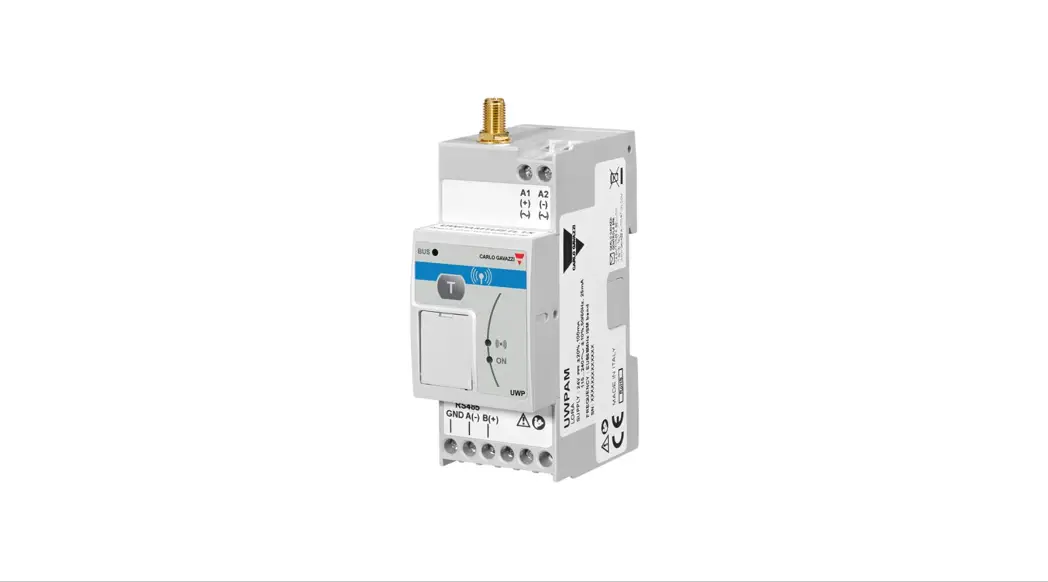
 Model name: UWPAM1US1L2X
FCC ID: SNJWLA
IC: 7118D-WLA
UWPA
User Manual
Wireless Endpoint Gateway
Instruction manual
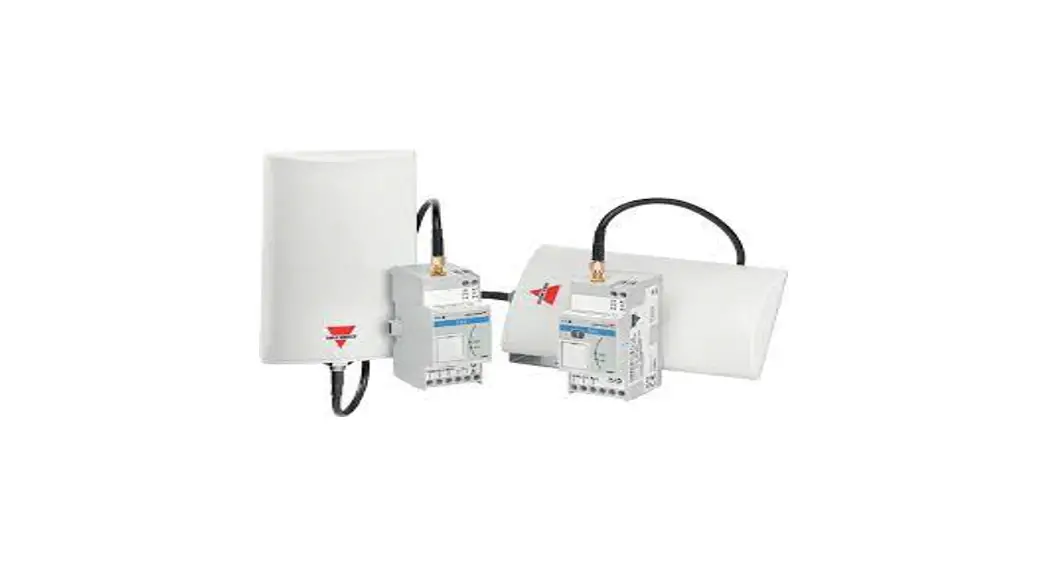
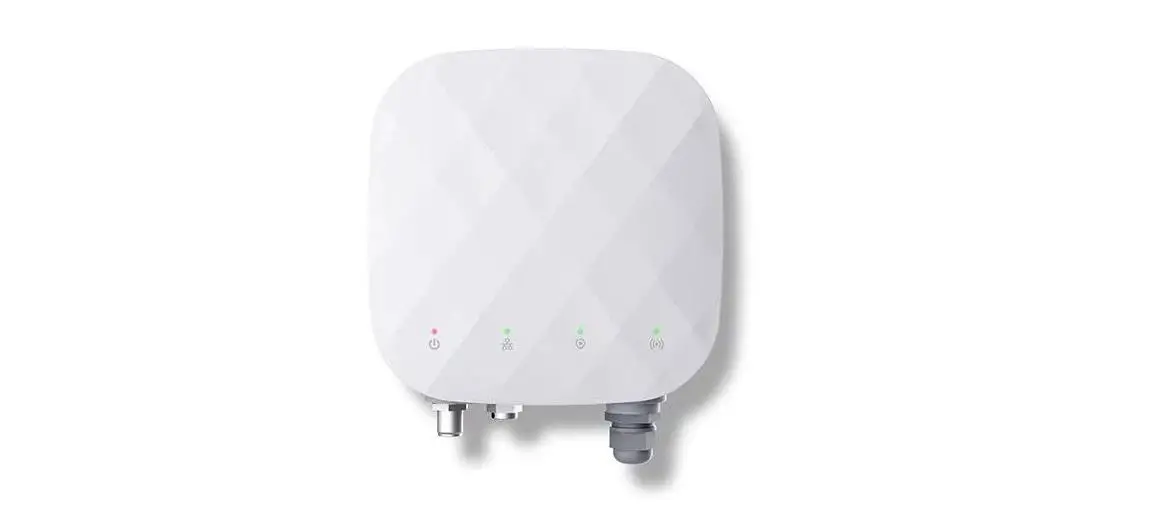
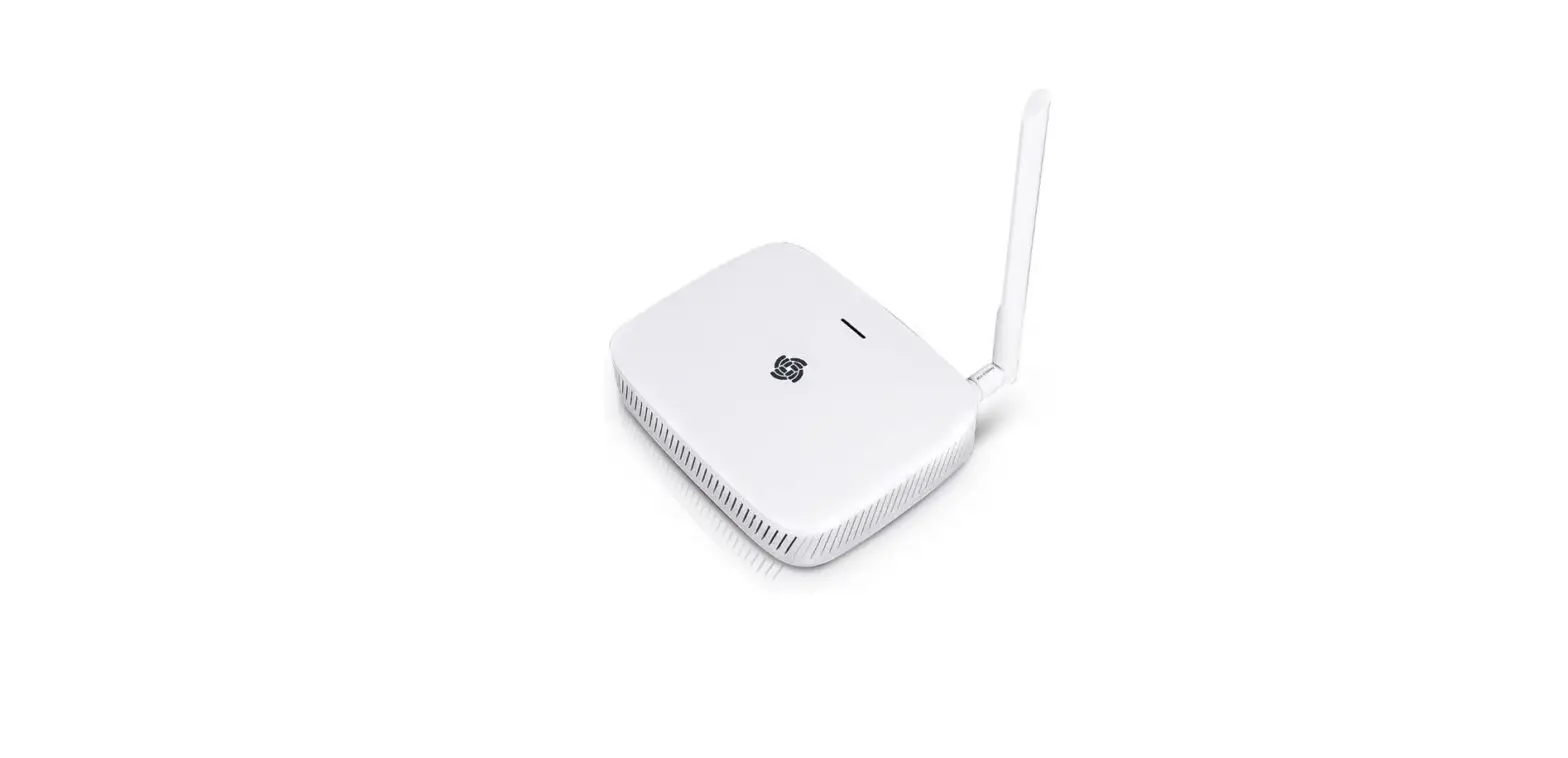
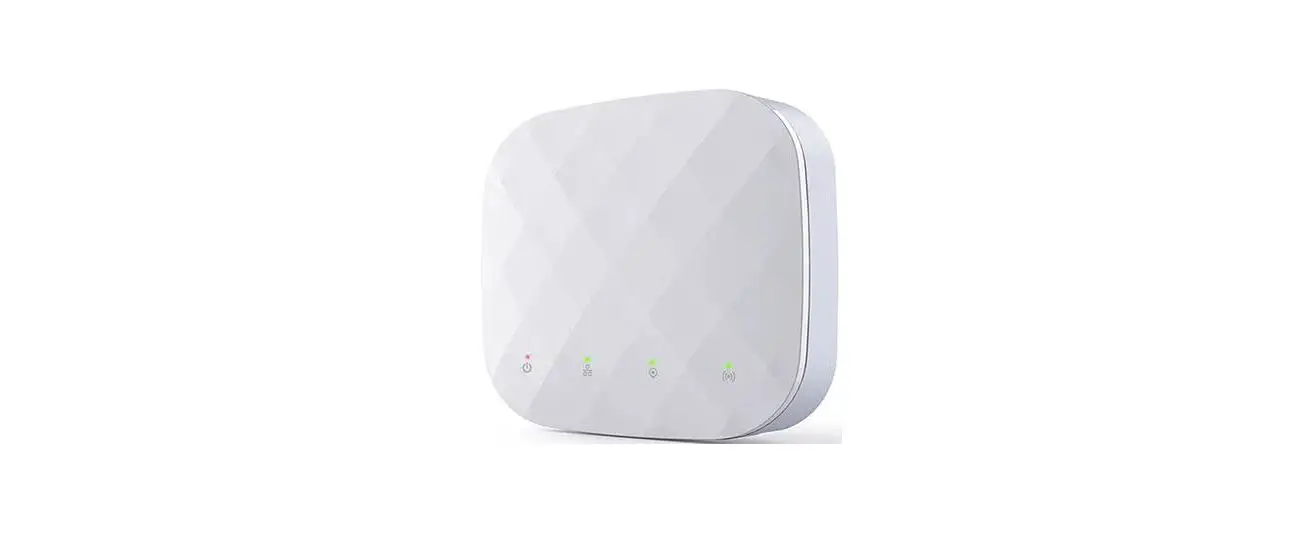
WPA endpoint adapter provides LoRaWAN ® communication to Carlo Gavazzi meters and analyzers.
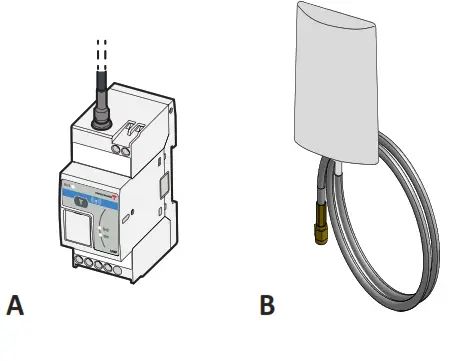
COMPONENTS
| Element | Description |
| A | UWPA |
| B | Antenna (2 m cable) |
FEATURES
General features
| Material | Noryl |
| Protection degree | Terminals: IP20 Front: IP50 |
| Insulation | See “Input and output insulation” |
| Mounting | On DIN rail |
Environmental specifications
| Operating temperature | From -25 to +55 °C |
| Storage temperature | From -30 to +70 °C |
Input and output insulation
| Power supply and RS485 port | 4 kV VRMS |
| Power supply and USB port | 4 kV VRMS |
| RS485 port and USB port | 0.5 kV VRMS |
Power supply
| Power supply | From 115 to 240 V ac 24 V dc |
| Consumption | DC: 1.3 W max. AC: 5.5 VA max. |
| Connector | Screw terminals |
LED
| Colour | Description |
| Green | Power supply |
| Yellow | RS485 |
| Blue | LoRa® RF technology communication |
RS485 port
| Communication protocol | Modbus RTU |
| Data format | 1 start bit, 8 data bits, no parity/even/odd, 1 or 2 stop bit |
| Connection type | Screw terminals 3 wires |
| Configuration parameters | Modbus address: from 1 to 247 Baud rate: 4.8/9.6/19.2/38.4/57.6/ 115.2 kbps |
USB port
| Type | Micro USB |
| Compatible software | UCS |
Note: USB cable not included
LoRa®/LoRaWAN® communication
| Protocol | LoRa® (private UWP network in combination with UWPM) or LoRaWAN® (LoRaWAN® network) |
| Frequency | Frequency US 915 MHz ISM band |
| Encryption | Embedded end-to-end AES128 encryption |
| Transmission interval | Configurable from 5 min to 24 h |
| Antenna | Included high-performance antenna (SMA connector, cable length 2m) |
| Test function | Push-button command for diagnostic or commissioning purposes |
General warnings
 DANGER Live parts. Electrocution, serious injury, or death. Only specialized personnel working in safety conditions should perform the installation. Do not use it for purposes other than those indicated in the following manual.DANGER Disconnect the power supply before connecting/disconnecting the electrical wires.
 This manual is an integral part of the product. It should be consulted for all situations tied to installation and use. It must be kept in good condition and in a clean location accessible to all operators.
NOTICE: no one is authorized to open the device. This operation is reserved exclusively for CARLO GAVAZZI technical service personnel.
Service and warranty
In the event of malfunction, fault, requests for information or to purchase other GAVAZZI products, contact the CARLO GAVAZZI branch or distributor in your country.
For service, communicate the SN indicated on the product label.
Installation and use of the system other than those indicated in the provided instructions void the warranty.
MAINTENANCE AND DISPOSAL
Responsibility for disposal The product must be disposed of at the relative recycling centers specified by the government or local public authorities. Correct disposal and recycling will contribute to the prevention of potentially harmful consequences to the environment and persons.
INSTALLATION
Install UWPA
DANGER Live parts. Electrocution, serious injury, or death. Disconnect the power supply before installing the device.
- Install the compatible Modbus device
- Install UWPA on DIN rail
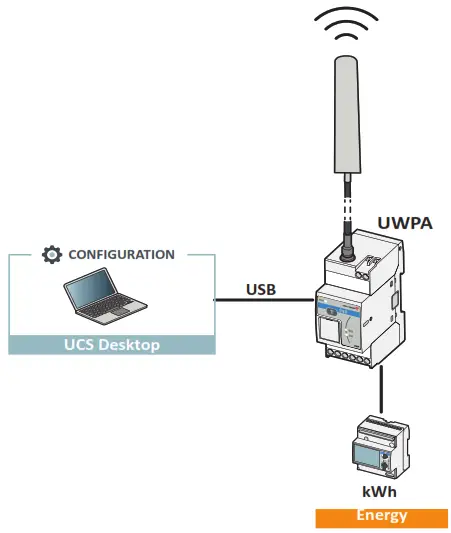
- Connect to the device via RS485 (see picture 1)
- Connect the power supply
USE PROCEDURE WITH UCS SOFTWARE
Download UCS software
Download UCS software from
www.productselection.net/Download/UK/ucs.zip
Configure WPA
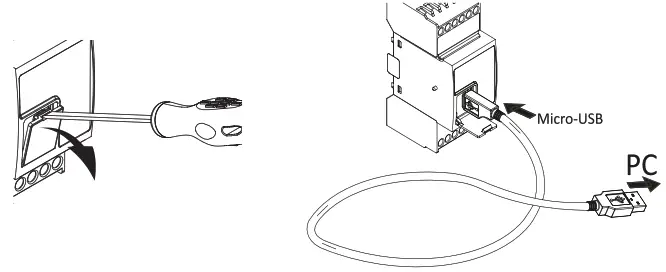
- Connect the USB (see picture 2)
- Start the UCS software
- Connect to UWPA from Connections
- Access Settings
- Follow the wizard
- If needed, enable the password in order to protect the configuration writing/reading.
Notes: it is also possible to create a configuration and to download it to UWPA later.
Even if UWPA is not powered, it is still possible to carry out the configuration without the connected meter auto-scan.
NOTICE: If the reset to factory default option is password protected and you forget the password, it is necessary to send the device to the support service.
Configure the meter connected to UWPA
- Connect the USB
- Start the UCS software
- Connect to UWPA from Connections
- Click on Connect to meter
- Access Settings
Note: This procedure is possible if UWPA is powered.
Test the communication
- Press the button
- Check the signal reception in the LoRa® server.
Note: if pressing the button the blue led switches on and remains fixed for a few seconds before switching off, it means that the function is temporarily disabled after communication to meet the norms for the ISM band use.
Compatible components
See the datasheet:
www.productselection.net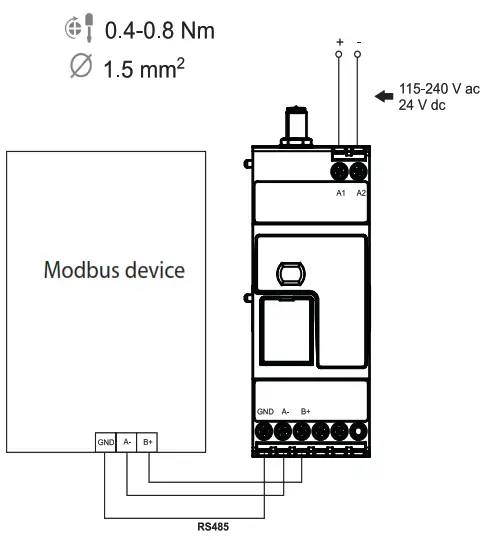
DIAGNOSTICS AND TROUBLESHOOTING
Diagnostic variables
| LED | Blinking | Description | Solution |
| Green | Fast | Hardware failure | Contact our support service |
| Yellow | Fast | Meter not connected Connected meter different from configured meter Meter set with an electric system different from the configuration on UWPA | Check connection or communication parameters Change the meter or repeat configuration Change the configuration |
| Blue | Fast | Network joint not carried out or LoRa® communication failed (no ACK) | Check the UWPA and the NETWORK SERVER configuration or check the signal range |

FCC COMPLIANCE STATEMENT:
Changes or modifications not expressly approved by the party responsible for compliance could void the user’s authority to operate the equipment.
This device complies with part 15 of the FCC Rules.
Operation is subject to the following two conditions:
- This device may not cause harmful interference.
- This device must accept any interference received, including interference that may cause undesired operation.
This radio transmitter has been approved by the FCC to operate with the antenna types listed below with the maximum permissible gain indicated. Antenna types not included in this list, having a gain greater than the maximum gain indicated for that type, is strictly prohibited for use with this device.
| Interface and frequency range | Type | Max Gain |
| Lora (902-928 MHz) | Dipole Antenna | +2.15 dB |
This device complies with the FCC RF exposure limits and has been evaluated in compliance with mobile exposure conditions.
The equipment must be installed and operated at a minimum distance of 20 cm from the human body.
Note: This equipment has been tested and found to comply with the limits for a Class B digital device, pursuant to part 15 of the FCC Rules. These limits are designed to provide reasonable protection against harmful interference in a residential installation. This equipment generates, uses, and can radiate radio frequency energy and, if not installed and used in accordance with the instructions, may cause harmful interference to radio communications. However, there is no guarantee that interference will not occur in a particular installation. If this equipment does cause harmful interference to radio or television reception, which can be determined by turning the equipment off and on, the user is encouraged to try to correct the interference by one or more of the following measures:
- Reorient or relocate the receiving antenna.
- Increase the separation between the equipment and receiver.
- Connect the equipment into an outlet on a circuit different from that to which the receiver is connected.
- Consult the dealer or an experienced radio/TV technician for help.
SUPPLIER’S DECLARATION OF CONFORMITY:

This device complies with part 15 of the FCC Rules. Operation is subject to the following two conditions: (1) This device may not cause harmful interference, and (2) this device must accept any interference received, including interference that may cause undesired operation.
We,
Carlo Gavazzi controls Spa
Via Safforze 8, Belluno
IT-32100 ITALY
www.gavazziautomation.com
hereby declare that the equipment bearing the model name specified below was tested conforming to the applicable FCC Rules and Regulations Title 47 Part 15 under the most accurate measurement standards possible and that all the necessary steps have been taken and are in force to assure that the production unit of the same equipment will continue to comply with the Commission’s requirements.
Unique Identifier:
Type of product: Wireless endpoint gateway
Brand name: Carlo Gavazzi
Model name: UWPAM1US1L2X
FCC ID: SNJWLA
Responsible Party – U.S. Contact Information Company:
Carlo Gavazzi Inc.
750 Hastings Lane,
Buffalo Grove, IL 60089, USA
Tel: +1 847 465 6100
Fax: +1 847 465 7373
[email protected]
CONFORMITY
ISED COMPLIANCE STATEMENTS
Changes or modifications not expressly approved by the party responsible for compliance could void the user’s authority to operate the equipment.
This device complies with ISED license-exempt RSS(s).
Operation is subject to the following two conditions:
- This device may not cause harmful interference.
- This device must accept any interference received, including interference that may cause undesired operation.
This radio transmitter has been approved by the ISED to operate with the antenna types listed below with the maximum permissible gain indicated. Antenna types not included in this list, having a gain greater than the maximum gain indicated for that type, are strictly prohibited for use with this device.
| Interface and frequency range | Type | Max Gain |
| Lora (902-928 MHz) | Dipole Antenna | +2.15 dB |
This device complies with ISED RF exposure limits and has been evaluated in compliance with mobile exposure conditions.
The equipment must be installed and operated at a minimum distance of 20 cm from the human body.
This Class B digital apparatus complies with Canadian ICES-003.
 UCS desktop (Windows 7 or later) www.productselection.net/Download/UK/UCS.zip
RED declaration of conformity www.productselection.net/MANUALS/UK/RED_declaration.pdf
LoRaWAN® certification www.productselection.net/MANUALS/UK/LoRaWAN®_certification.pdf
WPA USB driver www.productselection.net/DOWNLOAD/UK/UWPA_USB_driver.zip
CARLO GAVAZZI Controls SpA
via Safforze, 8 32100 Belluno (BL) Italy
www.gavazziautomation.com
[email protected]
info: +39 0437 355811
fax: +39 0437 355880 http://www.productselection.net/
2020-07-30 | 8021879 | COPYRIGHT ©2020
 Automation.com - News & Resources for Industrial Automation
 Carlo Gavazzi Automation Components
 Carlo Gavazzi - Product Selection