
Quick start guide
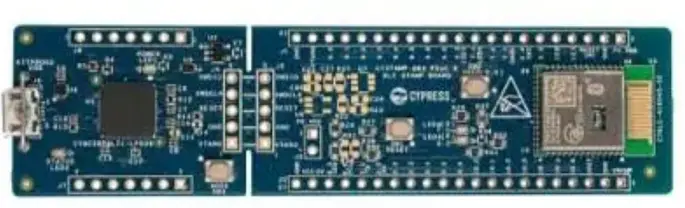
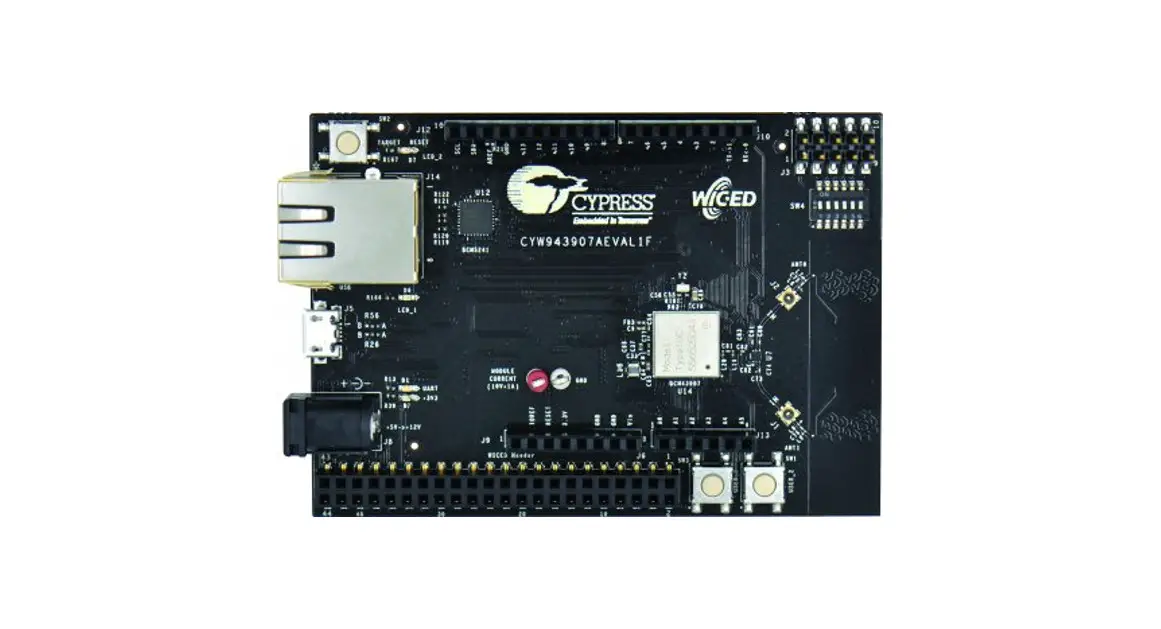
AIROCTM CYW43907 System-on-chip evaluation kit
CYW943907AEVAL1F
 |  |
 |
Kit contents
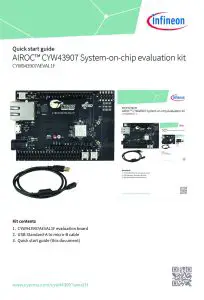
- CYW943907AEVAL1F evaluation board
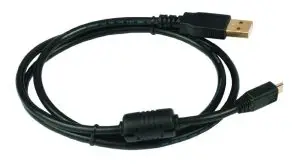
- USB Standard-A to micro-B cable
- Quick start guide (this document)
 www.cypress.com/cyw943907aeval1f
Before you start
- Register on the Developer Community and then download and install ModusToolboxTM software v2.4 (or later) from https://www.cypress.com/products/modustoolbox.
 Infineon Developer Community
Download and install the code example
- Do the following to download and install the `Hello World’ code example.
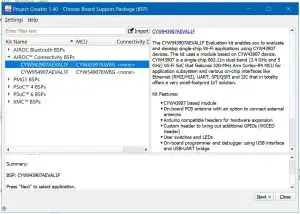
a. IsnofEtcwliaprsee, sIDelEefcotrFMileod>uNsTewoo>lboxTM ModusToolboxTM Application. This launches the project creator.
b. In the project creator, click AIROCTM Connectivity BSPs.
c. Select the `CYW943907AEVAL1F’ kit and click Next.
d. Select a code example (e.g., `Hello World’).
e. Click Create and then click Close.
Note: The kit is pre-programmed with the `Hello World’ application.
 ModusToolbox™ software
Connect the kit
- Connect a USB cable between the PC and CYW943907AEVAL1F (J5) to power the kit.
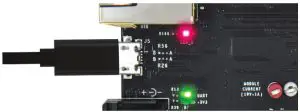 Kit connected to PC
Run the code example
- Open a terminal emulator with a baud rate of 115200.
- Observe that the LED blinks with a period of 2 seconds and the serial terminal shows the console message.
- Press any key to pause and resume LED blinking.
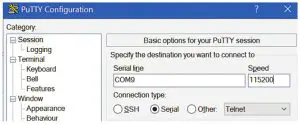 Configure the terminal emulator
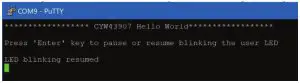 ‘Hello World’ application
AIROC™ CYW43907 evaluation kit board details
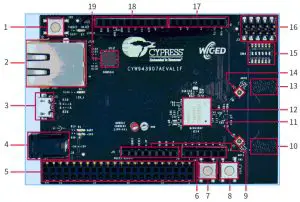
| 1. Reset switch (SW2) 2. RJ45 connector (J14) 3. Micro-USB connector for power, programming, and debugging (J5) 4. (Optional) 5-V/12-V power input (J8) 5. 44-pin expansion header with I2C, SDIO, UART, SPI, PWM lines, and I/Os 6. Header compatible with Arduino (J13) 7. User switch 1 (SW3) 8. User switch 2 (SW1) 9. Header compatible with Arduino (J9) | 10. PCB antenna – Main (ANT1) 11. Connector for external antenna 1 (J1) 12. CYW943907 Type 1GC module from Murata 13. PCB antenna – Diversity (ANT0) 14. Connector for external antenna 0 (J2) 15. Onboard programmer and debugger/External JTAG switch (SW4) 16. External JTAG header (J3) 17. Header compatible with Arduino (J10) 18. Header compatible with Arduino (J12) 19. Ethernet PHY chip (BCM5241 – U12) |
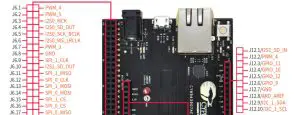
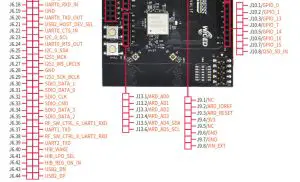
Legend  Baseboard I/Os
  CYW43907 I/Os
www.infineon.com
Published by
Infineon Technologies AG
81726 Munich, Germany
© 2021 Infineon Technologies AG.
All Rights Reserved.
Document Number: 002-34229 Rev. ** Date: 11 / 2021
Please note!
THIS DOCUMENT IS FOR INFORMATION PURPOSES ONLY AND ANY INFORMATION GIVEN HEREIN SHALL IN NO EVENT BE REGARDED AS A WARRANTY, GUARANTEE OR DESCRIPTION OF ANY FUNCTIONALITY, CONDITIONS AND/OR QUALITY OF OUR PRODUCTS OR ANY SUITABILITY FOR A PARTICULAR PURPOSE. WITH REGARD TO THE TECHNICAL SPECIFICATIONS OF OUR PRODUCTS, WE KINDLY ASK YOU TO REFER TO THE RELEVANT PRODUCT DATA SHEETS PROVIDED BY US. OUR CUSTOMERS AND THEIR TECHNICAL DEPARTMENTS ARE REQUIRED TO EVALUATE THE SUITABILITY OF OUR PRODUCTS FOR THE INTENDED APPLICATION.
WE RESERVE THE RIGHT TO CHANGE THIS DOCUMENT AND/OR THE INFORMATION GIVEN HEREIN AT ANY TIME.
Additional information
For further information on technologies, our products, the application of our products, delivery terms and conditions and/or prices, please contact your nearest Infineon Technologies office (www.infineon.com).
Warnings
Due to technical requirements, our products may contain dangerous substances. For information on the types in question, please contact your nearest Infineon Technologies office.
Except as otherwise explicitly approved by us in a written document signed by authorized representatives of Infineon Technologies, our products may not be used in any lifeendangering applications, including but not limited to medical, nuclear, military, life-critical or any other applications where a failure of the product or any consequences of the use thereof can result in personal injury.