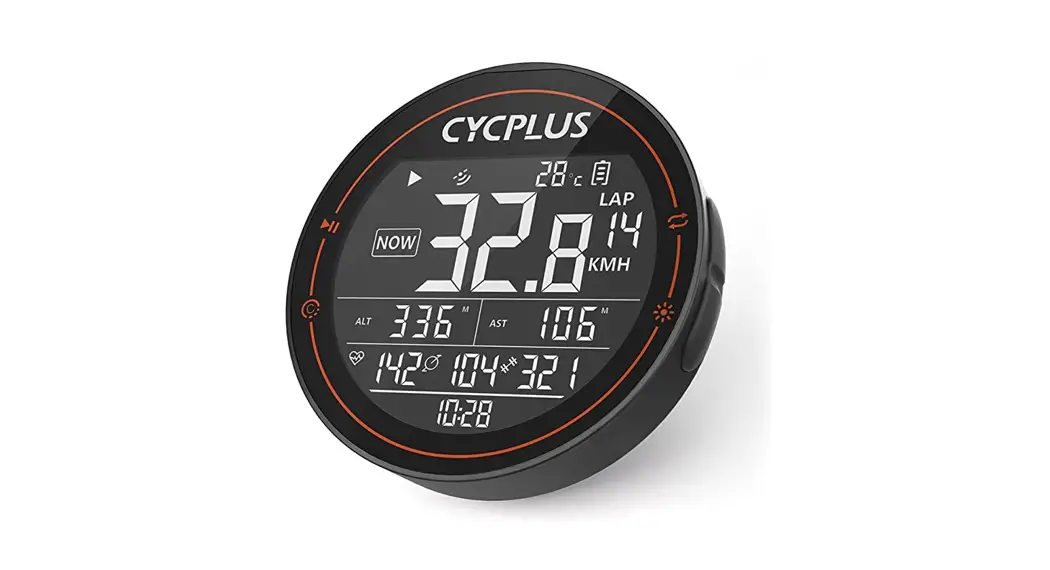

M2 bike GPS Bike Computer Wireless Ant+ Bluetooth Waterproof
User Manual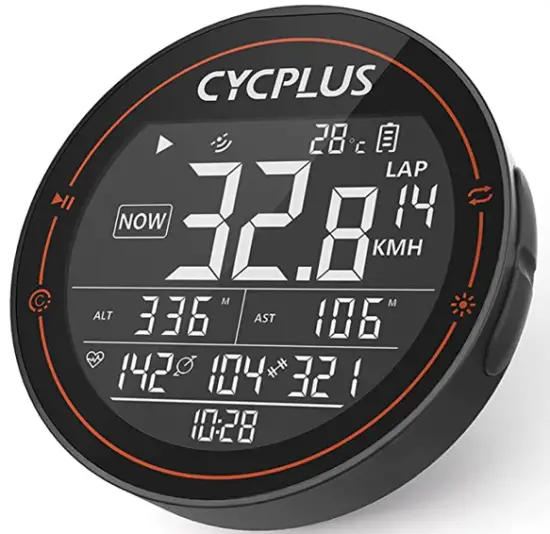
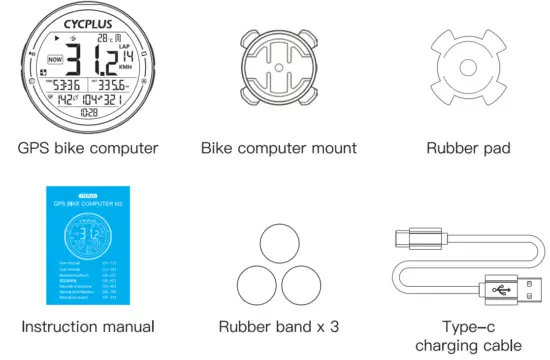
Packing list
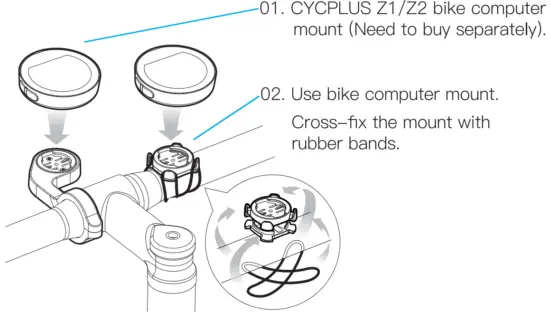
About Installation
About Function
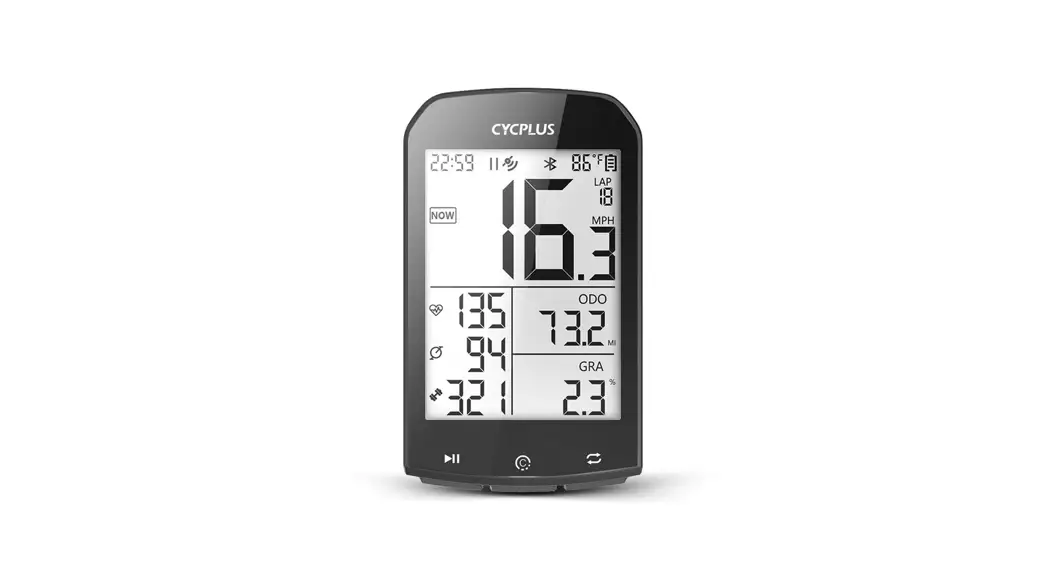
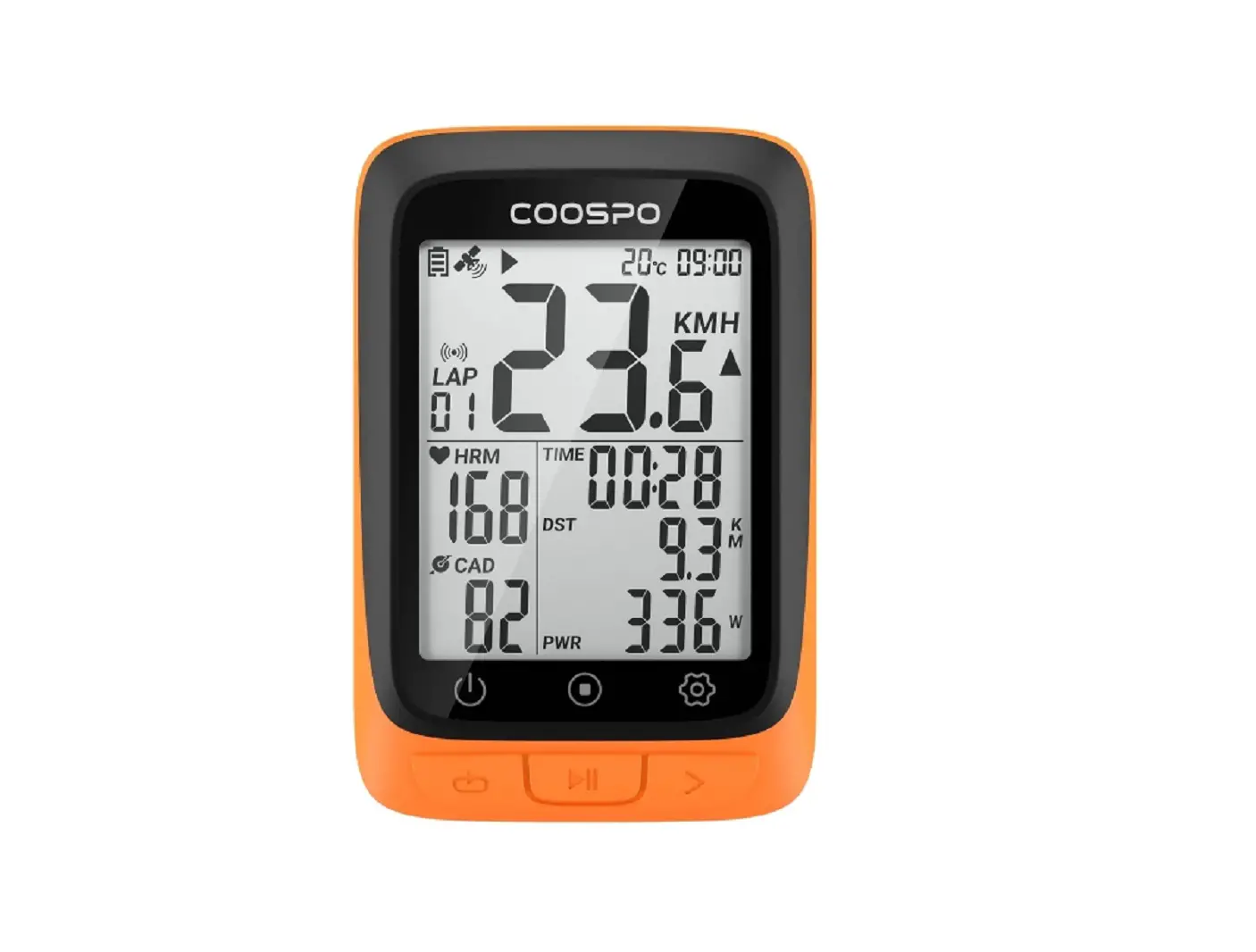
- Support 10 types of data including speed, time, distance, altitude (based on barometer), ascent, gradient, ODO, heart rate, cadence, and power.
- Support count circles (need manual control)
- Support record GPS track (need to save manually)
- Support sync to 3 apps including Xoss, Strava, Trainingpeaks 05. Auto on/off
Quickstart
- Press [1:1 button MI ] to start/open
- Long press [R1 button:
 to set the time zone
 - Press [L1 button NI] to start recording data
- Press [R1 button to switch displaying data
- Long press [L2 button
 ] to save the recording data
 - Press [R2 button
 to turn on/off the backlight
 - Download XOSS app
- Connect to an app, sync data
About Icons
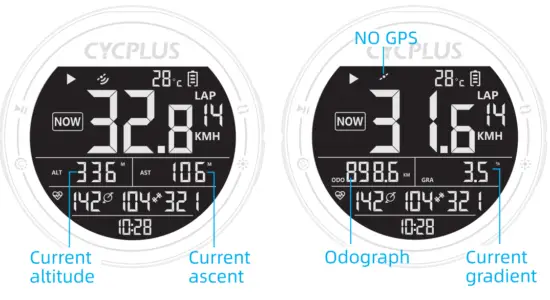
Now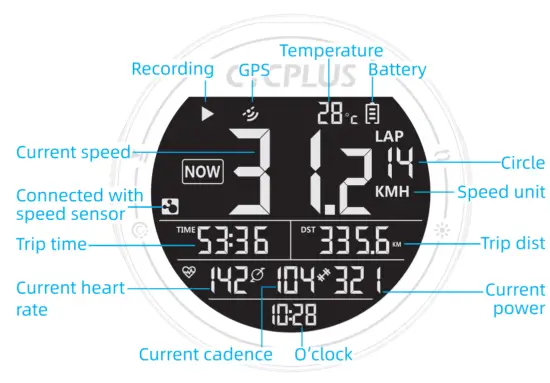
MAX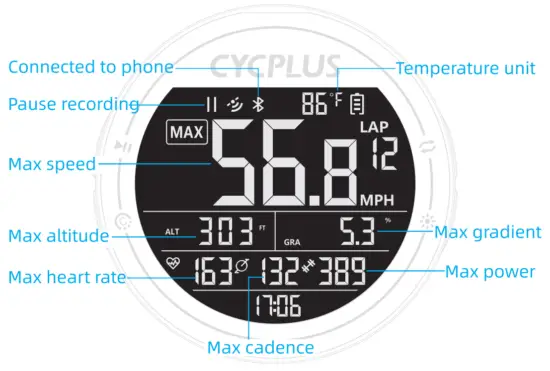
AVG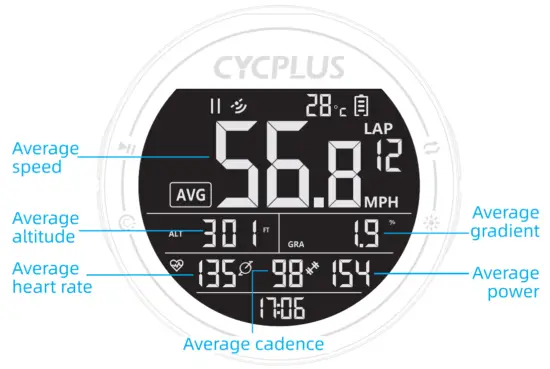
| Press | Long press | |
L1 button  | Turn on / Start setting Start / Pause recording | Turn off |
L2 button | Count lap | Save record |
R1 button | Switch display content | Enter/Quit settings |
R2 button | Turn on/off the backlight |
7. About Settings
There are 6 pages in settings, long press the right button to enter the setting, press the right button to switch the pages. Details are as follows:
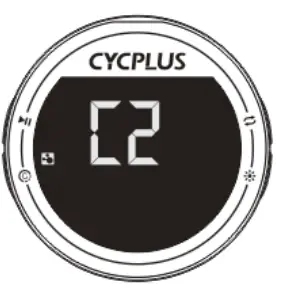
01. Search the ANT+ sensor (C2)
- Long press [R1 button ] to enter the setting *The screen displays C2 and the ANT+ indicator is flashing.

- Press [L1 button ] to start searching the ANT sensor *After the right sensor has been searched, the screen will back to the main interface and display the sensor data. The time for searching is 10 seconds. Will quit sensor setting (C2) and return to the main interface if time out. Supported ANT sensors: Speed sensor, Cadence sensor, Heart rate monitor, and Power meter.
02. Wheel circumference setting (C3)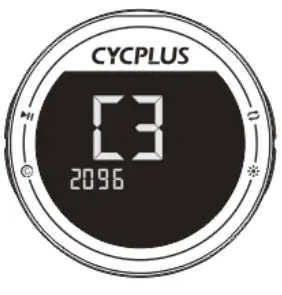
- Long press [R1 button ] to enter the setting, then press [R1 button once.
*The screen displays C3 and the below 4 digits flash. - Press [the LI button to enter the setting.
*The first digit flashes, indicating that the current digit can be set. - Press [R1 button ] to modify the digit.
- Press the [L2 button to switch the selected digit.
- Long press [R1 button ] to quiet.
*The Wheel Circumference only needs to be set when connecting the ANT+ speed sensor. The unit is MM.
03. Time zone setting (C4)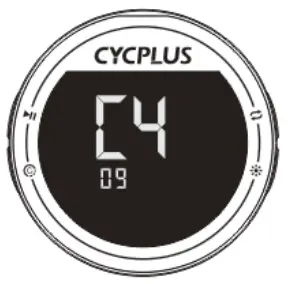
- Long press [R1 button ] to enter the setting, then press [R1 button ] twice.
*The screen displays C4 and the 08 (factory setting time zone) is flashing. - Press [L1 button to start setting. ‘008’ stops flashing.
- Press [R1 button ] to modify.
- Press [L2 button ] to switch the selected digit.
- Long press [R1 button ] to quiet.
04. Speed unit setting (C5)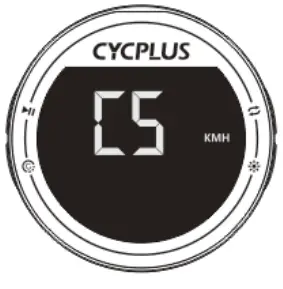
- Long press [R1 button ] to enter the setting, then press [R1 button ] thrice.
*The screen displays C5 and the KMH is flashing - Press [L1 button ] to start setting. *The first digit flashes, indicating that the current digit can be set
- Press [R1 button ] to switch between KMH and MPH.
- Long press [R1 button ] to quiet.
05. Temperature unit setting (C6)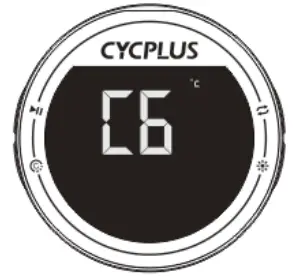
- Long press [R1 button ] to enter the setting, then press [R1 button ] quartic.
*The screen displays C6 and the ‘°C’ is flashing. - Press [L1 button ] to start setting. *’°C’ stops flashing.
- Press [R1 button ] to switch between Celsius and Fahrenheit .
- Long press [R1 button ] to quiet.
06. Factory reset (C7)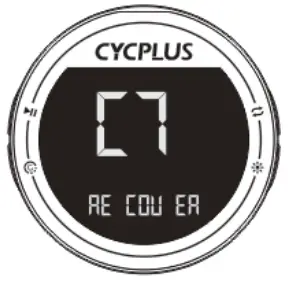
- Long press [R1 button ] to enter the setting, then press [R1 button] quintic.
*The screen displays C7 and RECOVER is flashing. - Press [L1 button ] to start setting. * ‘RECOVER’ stops flashing.
- Long press [L2 button ] to restore factory settings, and the computer will turn off.
About APP
- Download XOSS and Register
Scan QR code or download the APP from Google play or APP store, register by email. Then open the phone Bluetooth. http://onelink.to/xoss
  Connecting M2 computer
 4 choose the paired computer among the found devices
5 Updating data and checking the analysis connection succeeded
- Connecting STRAVA/Training Peaks
Find Strava / Training Peaks in your personal files and click connect. Log in to Strava / Training Peaks with your account and passwords (Google and Facebook account login is not supported).
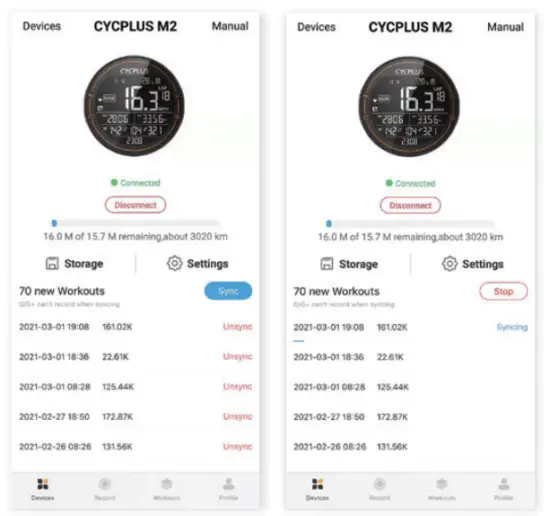
- Updating data and checking the analysis
Click Sync, the record will be synced to APP. If Strava is connected, the data will be automatically synced to Strava. Choose the activity on the exercise page, you will see the cycling data.

 Connecting M2 computer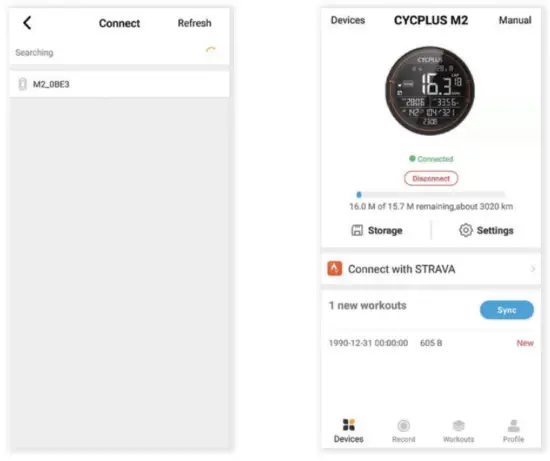
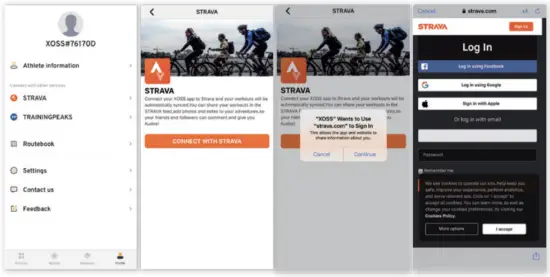
 Choose the activity on the exercise page, you will see the cycling data.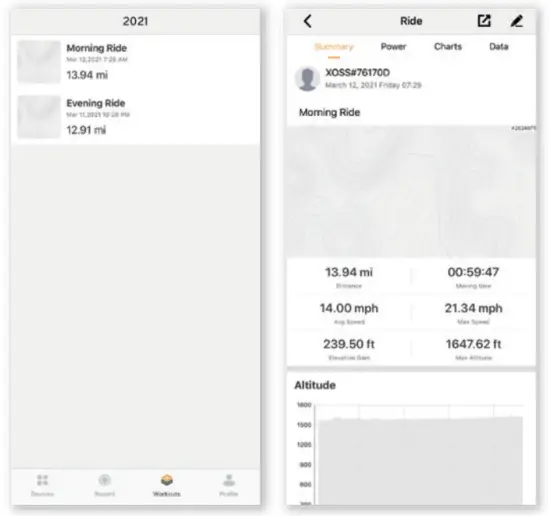
About Notes
- Battery charging:
When charging with Type-c, The battery indicator on the screen will light up and blink, and stop blinking to indicate that the battery is fully charged. - GPS positioning:
After pressing the [L1 button HI] to turn on the computer, the GPS positioning will automatically start and be done in about 35 seconds (will be longer for 1st time). - Data recording:
After turning it on, press the [1_1 button NI] to start recording data. Don’t forget long-press the [L2 button @] to save the record after riding. - Memory:
After the memory is used up, the computer will overwrite the previous records according to the chronological order.
Specifications
| Screen Size | 2.5 inch LCD |
| Product Size | 69*69*22mm |
| Product Weight | 68g |
| Battery | 1100mAh 3.7V |
| Charging Mode | Type-C |
| Memory Capacity | 16M (Approximately 150 hours of data) |
| Endurance Time | 30-35 hours |
| Charging Time | nearly 3.5 hours. (Support using while charging) |
| App Synchronization Connection | Bluetooth 4.0 |
| Peripheral Connection | ANT+ |
| Supported Peripherals | Speed sensor, cadence sensor, heart rate monitor, power meter. |
| Waterproof | IPX6 (Rain is ok, but don’t soak a long time in the water) |
Factory Info
Manufacturer: Chengdu Chendian Intelligent Technology Co., Ltd.
Warranty: Free replacement or repair in 1 year
After-sale email: [email protected]
 ENBRIDGE ADVISORY GMBH
Virginia Str. 2 35510 Butzbach,Germany
[email protected] TAN MET INT’L BUSINESS LTD
9 Pantygraigwen Road, Pontypridd, Mid Glamorgan, CF37 2RR, UK [email protected]