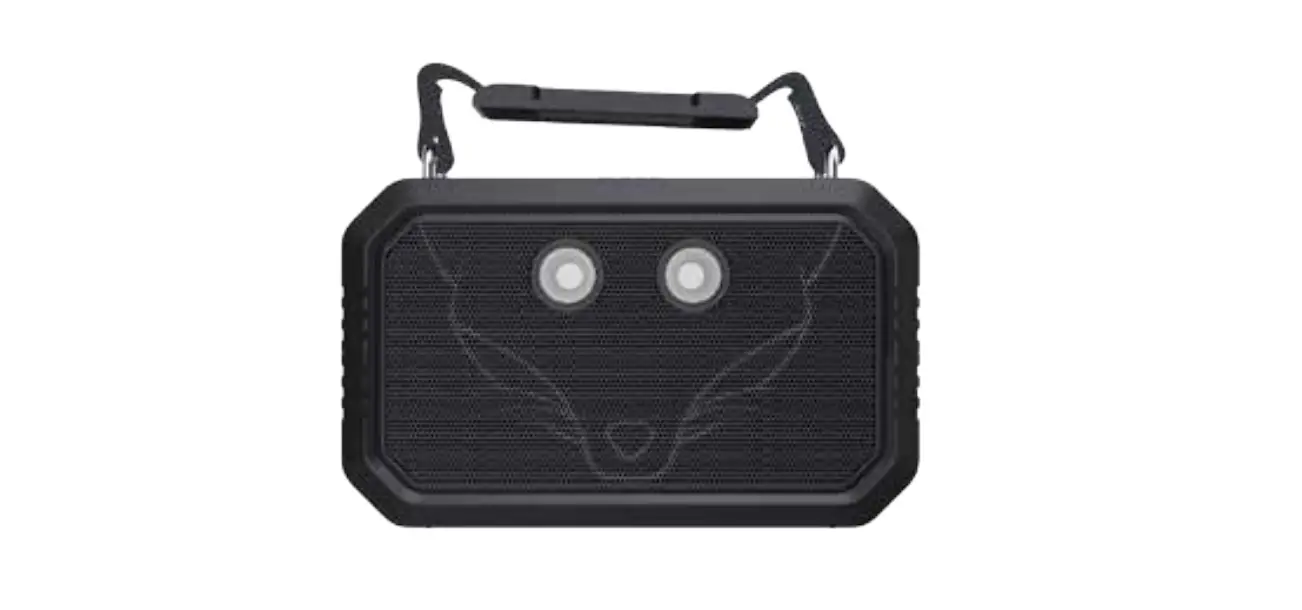
DOSS Traveler Outdoor Waterproof Bluetooth Speaker User Manual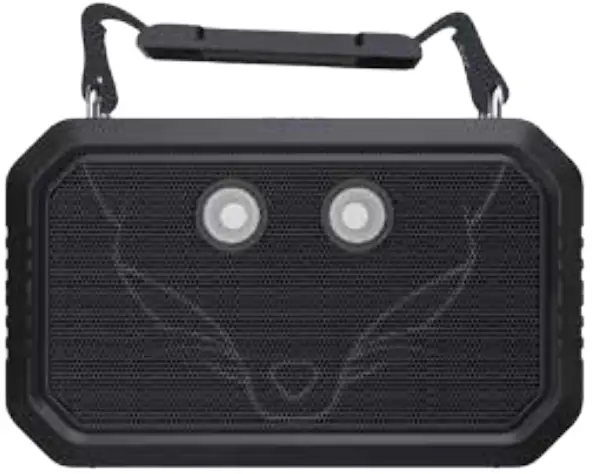
Introduction
Thank you for your purchase of DOSS Traveler Portable Wireless Bluetooth Speaker with bluetooth & waterproof function. We encourage you to read this instruction guide thoroughly to get the most out of this innovative wireless portable speaker.
Package content
- Outdoor waterproof speaker x 1
- USB charging cable x 1
- Φ3.5mm auxiliary cable x 1
- Handle belt x 1
- User manual x 1
Product overview
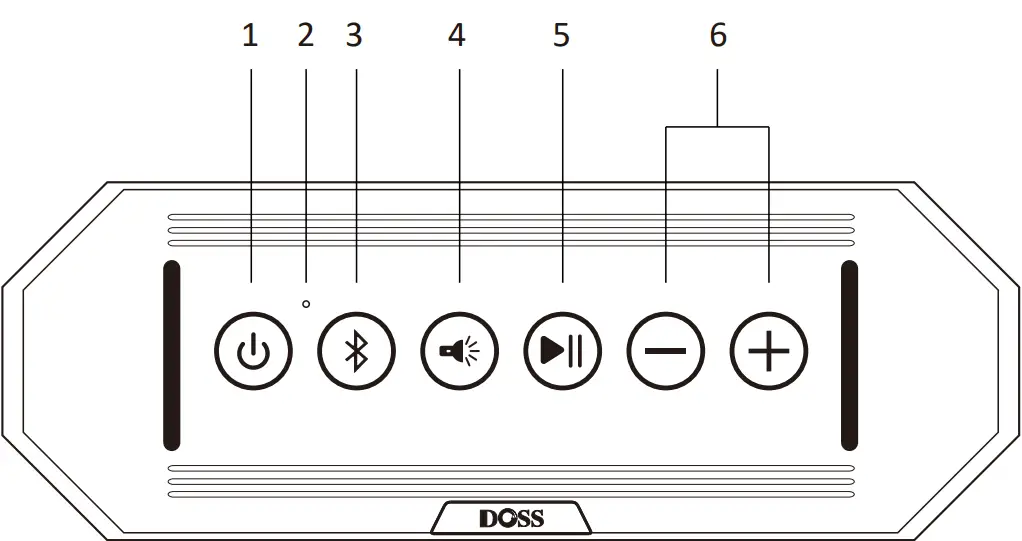
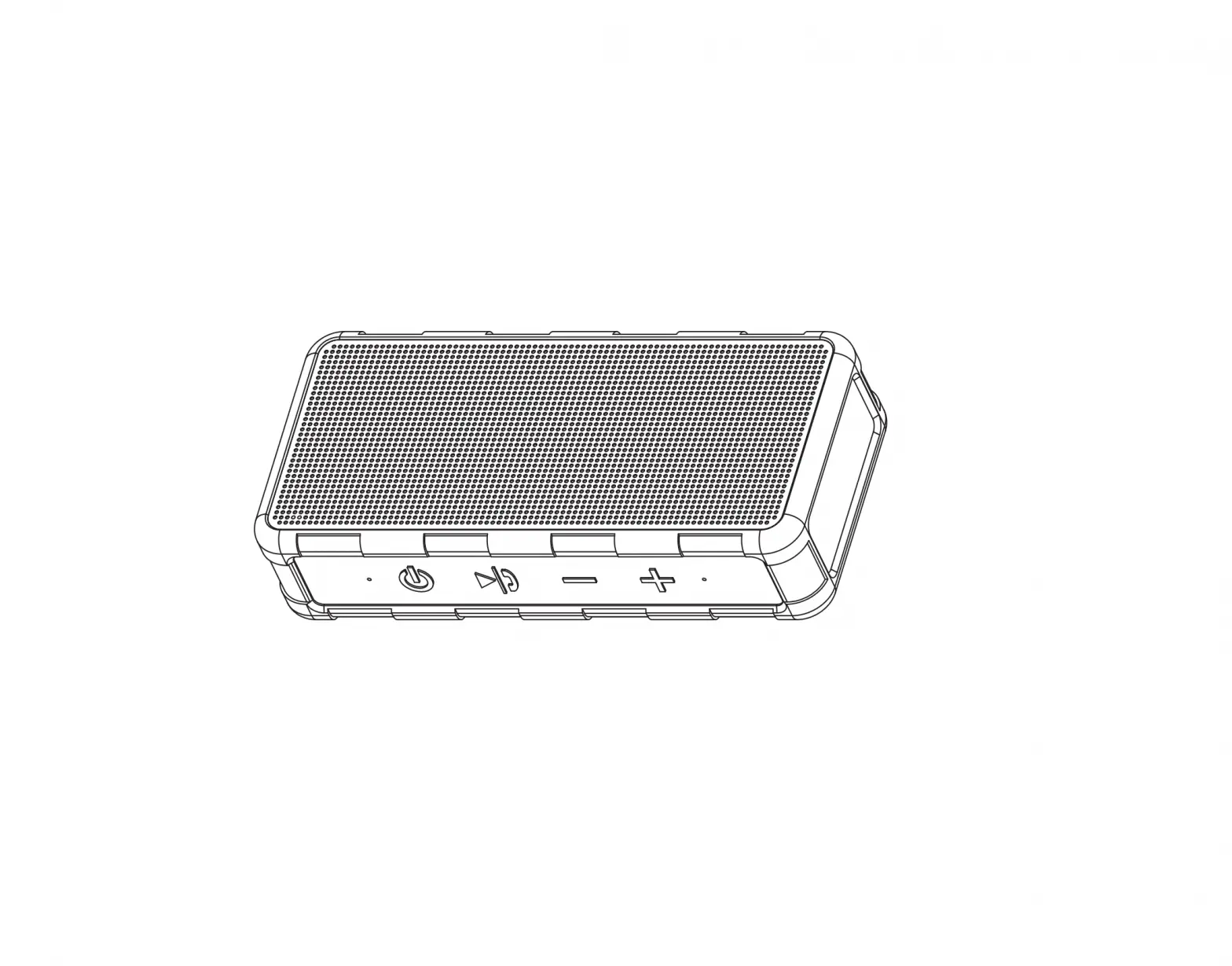
- Power button: Press 3 seconds
 to turn the device on or off.
 - Mode indicator: Different lights indicate different modes.
- Mode switch: Short press
 to toggle play mode among Bluetooth, Bluetooth, IF Card and Aux-in connection. Press for 3 seconds to disconnect with your device. and press
  again to reconnect your device
 - Light mode: Short press
 to switch five different lights. Low brightness, Medium brightness, High brightness, Strobe ,SOS (intermittent flashing).
 - Play/Pause:
- In Bluetooth mode, press to play/pause your tune.
- In Bluetooth mode, press
 to answer or end a call. Press for 3 seconds to reject a call.
 - In TF mode, press to play/pause your tune.
- In Bluetooth mode, press
- Volume/Track control:
 :Long press: skip next
 :Long press: skip previous
Short press: Volume up
Short press: Volume down.
- Auxiliary Φ3.5mm jack: Use it for cabled playback with compatible devices.
- LED charging indicator.
- Charging : Steady Red.
- Fully charged : Light Off
- Charging port: Plug the supplied USB cable into this port to recharge the built-in battery.
- Reset mode: Reset speaker when it can’t work.
- TF card: Use it for TF card (with music) playback.
 to turn the device on or off.
 to toggle play mode among Bluetooth, Bluetooth, IF Card and Aux-in connection. Press for 3 seconds to disconnect with your device. and press
  again to reconnect your device
 to switch five different lights. Low brightness, Medium brightness, High brightness, Strobe ,SOS (intermittent flashing).
 to answer or end a call. Press for 3 seconds to reject a call.
 :Long press: skip next
 :Long press: skip previous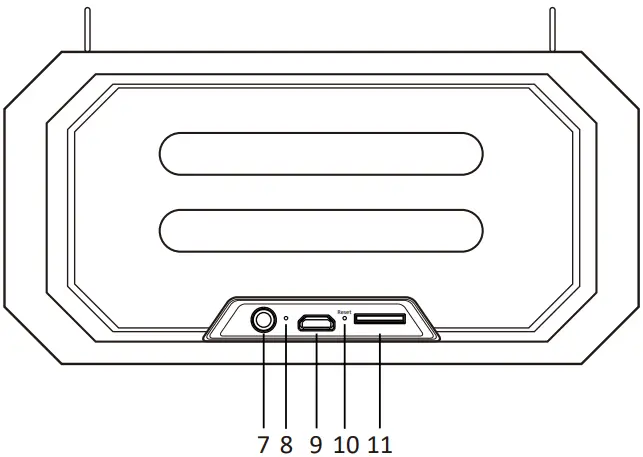
Status indicators
| Mode indicator | Flashing blue | Indicates that the speaker has entered into pairing mode and is ready to be paired. |
| Steady blue | indicates that the device is successfully paired | |
| Steady red | Steady red Steady Green Indicates that the dev | |
| Steady Green | Indicates that the device has switched to the TF mode | |
| Steady red | Battery is charged | |
| Battery status indicator | Light Off | Battery is fuiiy charged |
QR Code
Scan this or search ‘DOSS fans’ on Facebook to join our group,share your experience and find more surprise!
Wonders Technology Co.,Ltd
Email: [email protected]
Website: www.dossaudio.com Follow us on Facebook:
Preparation
- Use the supplied USB cable to charge your portable speaker directly
from your computer or device with a micro USB port. - Make sure that the speaker is fully charged before using it for the first time
- The portable speaker battery has to be initially charged for at least 12 hours. Thereafter, the battery will take from 2 to 3 hours to recharge.
- While charging, the LED glows red. When the battery has reached full capacity, the LED will off.
- To turn on the speaker, press and hold the power button for 3 seconds. Press and hold the power button once more to turn off the device.
Pairing the wireless speaker with your smart device
- Place your smart device and wireless speaker no more than 3 feet away from each other.
- Press the power button located on the back of the speaker for several seconds to turn it on.
- Set your smart device to “discover” the wireless speaker. Once powered on, a tone will be heard and a blue LED will start flashing. Following after will be a prompt notification that the speaker has entered into pairing mode.
- Enable Bluetooth on your device and choose DOSS Traveler from the list.
- If pairing is successful, the LED will change to a steady blue and your phone will confirm that the connection has been established. If the pairing process fails after 60 seconds, please repeat the above steps 1 through 5.
True Wireless Stereo Pairing
- Turn on the first speaker.
- Turn on the second speaker.
- Press and hold buons, speakers enter into TWS pairing, and then
waing for TWS automa cally connec on. - Select”DOSS Traveler” on your smart device.
- Once paired successfully, the indicator light of master speaker is in flashing blue, the secondary speaker is in solid blue.
Tips: Under TWS mode, you can only change modes between Bluetooth and Aux in on the master speaker.
Answering and ending a call using your speaker or mobile phone
- When there is an incoming call, the speaker will generate a tone and a verbal notification to alert you of this event.
- Briefly press the C) button
 to pick up, long press to reject. You may also press the answer button on your phone to take the call using the speaker.
 - Speak with a clear voice right into the built-in microphone located on the front section of the speaker.
- To end a call, tap the button once again. You may also end the call directly via your cell phone.
- If a call was received while you were listening to music, playback will resume automatically once the call has ended.
 to pick up, long press to reject. You may also press the answer button on your phone to take the call using the speaker.
Features
1. Waterproof, Shockproof, Dust•proof rated IP66 for 100% protection against water and dust. Rubberized rugged exterior for ultimate impact resistance. Water-resistant HD loudspeaker with splash-proof surface to increase mobility and usability for everyday indoor or outdoor use such as at the beach, pool, boat, car, office, and more! 2. Modes: Low, medium, and high brightness; Strobe,SOS(emergency signal)
Using it with your Amazon Echo Dot
You can connect the Amazon Echo Dot with the speaker via 3.5 mm Aux-in cable or via Bluetooth. Here are the steps to connect via Bluetooth:
- Download the Amazon Alexa App, follow the standard setup procedure to get the Echo dot connected to your home Wi-Fi.
- Switch the DOSS Traveler speaker to Bluetooth mode,you can press the ‘Bluetooth’ button for 3 seconds to keep it in pairing status.
- Run the Alexa app, tap ‘Continue’ and Select Bluetooth
- The DOSS Traveler speaker should appear in the list of Bluetooth devices. If not, please press the ‘Bluetooth’ button for 3 seconds and try again. If it did appear, please choose DOSS Traveler to complete the pairing process.
NOTE: Your voice command cannot turn on/off the DOSS Traveler no matter you are connected via Bluetooth or Aux-in cable. It can only transfer sound signals.
Product specifications
Product type: Outdoor Waterproof Bluetooth Speaker
Output power: 10W x 2
Driver Unit: 2 inch speaker x 2 + 2 inch x 3.5 inch passive radiator
Frequency response: 65Hz-18kHz
Signal to noise ratio: 2 50dB
Unit weight: 600 g
Unit dimension: 6.50x 4.45 x 2.24 inch
Warranty: One-year limited
Power
- Battery type: Li-ion 7.4V, 2200mAh
- Input:5V =2A
- Battery charge up time: 3 hours approximately (when fully depleted).
- Battery playback time: up 12 hours (duration time may vary depending on the volume level used and usage patterns).
Wireless/Networking
- Bluetooth specification: V5.0
- Profiles supported
- A2DP (Advanced Audio Distribution Profile)
- Maximum operation range: 10 meters / 33 ft
Warning
Please firmly plug the silicon stopper to protect the speaker from water.
- Do NOT disassemble, repair or modify the Bluetooth speaker by yoursel
- Do NOT use cleaning products that contain benzene, solvents or alcohol.
- Do NOT place heavy objects on top of the Bluetooth speaker.
- Do NOT use near a microwave oven or wireless LAN products.
Trouble Shooting
| Problem | Solution | |
| Bluetooth | Cannot Pair with Bluetooth devices | seconds,then have a try to pair it again |
| Cannot piay music after pairing | Please select ‘DOSS Traveler ‘ as the default playback device | |
| The song cuts off during playback | Please check if the Bluetooth distance level is low. | |
| There is noise during playback | ould be caused by interference of charging. Try to put device in a it during playback. | |
| Laptop prompts to install driver | This driver is not special for DOSS Traveler, it’s for your laptop the computer company or windows | |
| Not paired with transmitter | Please press‘Bluetooth’ for 3 seconds or contact with the for help | |
| The speaker do not play when the card is inserted,and jump directly back to Bluetooth mode. | Check whether the card format is FAT or FAT32. If not, format it to FAT or FAT32. Check the song format. The speaker only supports MP3, WAV, WMV | |
| The song cuts off during playback. | here may be a problem with the the same file | |
| TF Card | Cannot turn off the speaker | Use the needle or wire to poke the reset port |
| other | Customer Service Email | [email protected] |