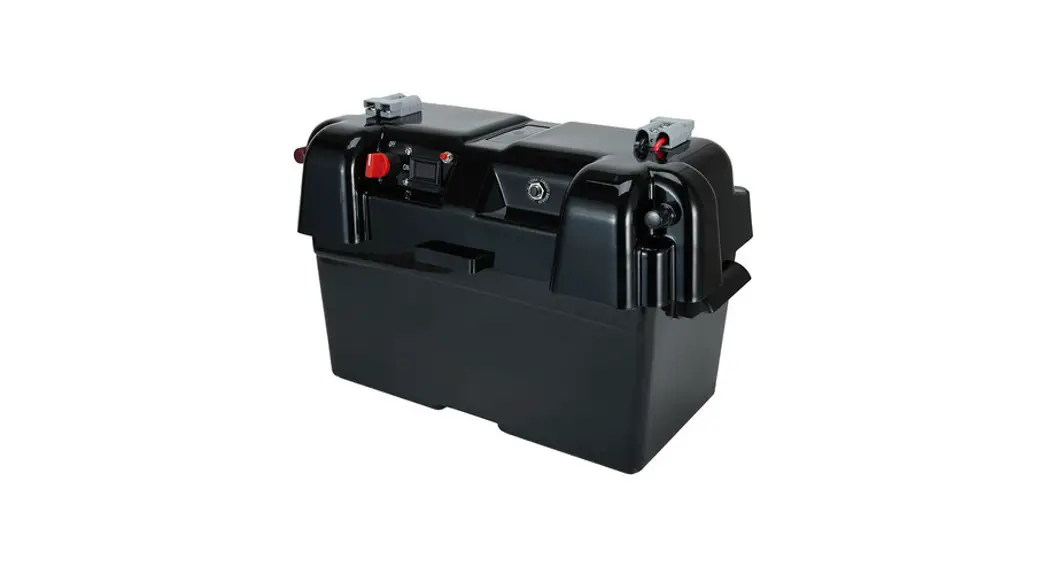
SERIES 2 Smart Battery Box
Product Information
The Engel Smart Battery Box is a versatile and portable power
solution designed for outdoor and off-grid use. It features
multiple charging and power outlets, as well as various safety
features to protect your devices and the battery.
The product is protected by several design registrations and
patents in different countries, including European Registered
Design, Canadian Design Registration, Australian Design
Registration, Australian Patent, Japanese Design Application, and
US Design Patent and Utility Patent.
The battery box includes the following features:
- 12V 10A Accessory socket & Engel socket
- Fuses for main charger, 240V socket, and 12V accessory
sockets - 12V DC 50A Anderson socket
- 300W inverter with 240V AC Socket & USB Port
- Carry handle for easy transportation
- Main (battery) isolator switch with removable key
- External positive and negative terminals for easy
connection - 24V DC input socket for AC/DC power supply unit
- 12V Lead acid battery (not supplied)
- Car Charging Lead (included)
- Mounting kit (not supplied)
The control panel of the Engel Smart Battery Box includes an LCD
display and various controls for monitoring and operating the
device.
Product Usage Instructions
Before operating the Engel Smart Battery Box, please read the
instruction manual thoroughly and retain it for future
reference.
Charging the Battery and Powering Devices:
The Engel Smart Battery Box is designed to charge the battery
and power devices simultaneously. Simply connect your devices to
the appropriate sockets, such as the 12V accessory socket, Engel
socket, or the 240V AC socket.
AC Adaptor Alarm:
If an alarm sounds with two beeps when connecting a laptop AC
adaptor to the AC outlet, it is likely due to the in-rush current
of the adaptor. To overcome this issue, follow these steps:
- Turn on the Engel Smart Battery Box AC outlet first (green LED
should be lit). - Turn on the laptop.
- Connect the laptop adaptor to both the laptop and the Engel
Smart Battery Box AC outlet.
Blown Fuse in 240V Outlet:
If the 30A fuse in the 240V outlet keeps blowing, it indicates
that the device plugged into it is unsuitable or too powerful. This
can cause damage to the internal inverter. Ensure that the devices
connected to the 240V outlet are compatible with the power rating
of the Engel Smart Battery Box.
Charging with Solar Panels:
You can charge the battery using solar panels as long as the
main isolator switch is in the on position. When charging with
solar panels, the charge current will flow directly to the battery
via the main isolator switch. If an external voltage regulator is
not used, there is a risk of overcharging and damaging the
battery.
Predicted Time Remaining:
The time remaining value displayed on the Engel Smart Battery
Box is an estimate and may differ from the actual time taken.
Various factors such as temperature, battery age, and battery type
can affect the accuracy of the prediction. It serves as a useful
guide but may not be completely accurate.
Powering Devices with Control Panel Turned
Off:
It is possible to power a device using the Engel Smart Battery
Box even if the control panel is turned off. The various output
sockets are connected directly to the battery via the main isolator
switch and not via the smart charger. However, in this mode, it
will not be possible to determine the battery voltage or the
remaining time.
European Registered Design No. 001810359-00001
Canadian Design Registration No. 138,931 Canadian Patent Application No.2747585
Australian Design Registration No. 332315 Australian Patent Application No. 2011205034 Australian Patent No’s 2014101485, 2014101486, 2014101487
Japanese Design Application No. 2011-001672
US Design Patent No. D658,581 US Utility Patent No. 9153978 US Utility Patent Application No. 14/831710
SERIES 2
Instruction Manual
Before operating this product please read this manual thoroughly and retain it for future reference.
Issue 1, April 2016
Contents
· Warnings · Getting started · Controls · Battery selection · LCD Display · Charging process · Powering a device · Using the inverter · Alarm messages, dual battery
& mounting · Specifications · Trouble shooting & FAQs
Page
1 3 4 5 7 8 9 10 11
12 14
Q. Can I use the Engel Smart Battery Box to jump start a car with a flat battery? A. Yes you can as long as the battery installed in the Engel Smart Battery Box is a cold cranking battery. Q. Can I jump start the car using a deep cycle battery? A. Yes you can however you need to connect the battery to the vehicle’s starting battery for an hour to charge the starting battery. The deep cycle battery will need to be fully charge or near to. Q. My cigarette socket won’t provide power anymore, what is wrong? A. Check the 10A fuse under the lid. If the fuse is okay, turn the main isolator switch on and off a few times. Otherwise the battery may be flat. Q. What is net watts? A. Is the amount of power either going into or drawn from the battery. If the Engel Smart Battery Box is charging and powering a device at the same time the net watts will display the difference in power. For example if there is +90W going into the battery and the Engel Smart Battery Box is powering a -60W lamp then net watts is +30W.
Page 16
Warnings
· The external AC/DC power supply is for indoor use only.
· When charging, adequate ventilation must be provided to dissipate heat and battery gases. Keep clear of naked flame, spark or conductive material while charging a battery.
· Do not attempt to disassemble the Engel Smart Battery Box as this may result in electric shock, fire or explosion. Any attempt to disassemble the unit, make unapproved repairs or modifications will void the warranty and the user’s authority to operate the Engel Smart Battery Box.
· The Engel Smart Battery Box is not intended for use by children or infirm persons unless they are supervised or have been instructed how to use the Engel Smart Battery Box by a person responsible for their safety. Children should be supervised to ensure that they do not play with the Engel Smart Battery Box.
· For charging 12 volt 6 cell lead acid or 12V lithium iron phosphate batteries of 60Ahr to 140Ahr capacity only. Do not attempt to recharge non-rechargeable batteries.
· If AC cord is damaged do not attempt to use the Engel Smart Battery Box.
· Disconnect the mains supply before making or breaking connections to the battery
· Never try to insert a foreign object into the 240V AC socket except an approved 240V AC electrical plug. The 240V AC socket should be treated the same as a mains electrical socket in your home.
· Never use the 240V AC socket outdoors if it is raining.
· The main isolator switch must be in the off position when inserting an electrical plug into the 240V AC socket, or if the Engel Smart Battery Box is not in use.
· The AC/DC adaptor can emit a noticeable amount of heat whilst charging and should be placed in a location where it can get plenty of airflow.
· When charging the battery or powering a device from one of the outlets the lid of the Engel Smart Battery Box should be closed and latched shut.
· Continuously discharging the battery down to 0% may reduce its serviceable life. It is recommended to always leave at least 20% capacity unused.
· The Engel Smart Battery Box is not suitable for powering any type of medical electrical device or equipment.
Page 1
Overview of Engel Smart Battery Box Features
12V 10A Accessory socket & Engel socket
Fuses for main charger, 240V socket and 12V accessory sockets
12V DC 50A Anderson socket
300W inverter with 240V AC Socket & USB Port
Carry handle
Main (battery) isolator switch with removable key External positive and negative terminals
24V DC input socket for AC/DC power supply unit
12V Lead acid battery
(not supplied)
Car Charging Lead
(included)
Mounting kit
(not supplied)
Page 2
Control panel and LCD display
Black negative cable to battery Latch Red positive cable to battery
External AC/DC Power Supply
Q. Can I charge the battery and power a device at the same time? A. Yes, the Engel Smart Battery Box is designed to do this.
Q. Why doesn’t my Engel Smart Battery Box go into charge cycle? A. AC adaptor could be blown and needs replacing.
Q. When I connect my laptop AC adaptor to the AC outlet an alarm sounds with two beeps, why is that? A. For some laptop adaptors the in-rush current can trigger the alarm and the internal inverter will protect itself. The issue can be overcome by turning the Engel Smart Battery Box AC outlet on first (so green LED is lit), then turning on the laptop and finally connecting the laptop adaptor to the laptop and Engel Smart Battery Box AC outlet.
Q. My 240V outlet keeps blowing the 30A fuse, why is that? A. The device you have plugged into the 240V outlet is unsuitable (could be too powerful) and has damaged the internal inverter.
Q. Can I install the Engel Smart Battery Box into my vehicle as part of a dual battery installation? A. Yes you can however, you will need a dual battery wiring kit installed into your vehicle. We recommend you get this kit installed by a qualified auto electrician. You can connect the dual battery wiring loom to the Engel Smart Battery Box either via the external terminals or the Anderson socket. Please remember the main isolator switch must be in the “on” position. The Engel Smart Battery Box cannot be mounted into the vehicle’s engine bay.
Q. Can I charge the battery using solar panels? A. Yes you can as long as the main isolator switch is in the “on” position. This type of charging is not controlled by the on-board microprocessor since the charge current will flow direct to the battery via the main isolator switch. If an external voltage regulator is not used there is a risk of overcharging and damaging the battery.
Q. Why is the time remaining value often different to the actual time taken? A. The predicted time remaining value is an estimate only. The time prediction is affected by many variables such as temperature, battery age and battery type and it is impossible for it to be completely accurate but it is a useful guide.
Q. Is it possible for the Engel Smart Battery Box to power a device if it is turned off at the control panel? A. Yes, it is, since the various output socket are connected direct to the battery via the main isolator switch and not via the smart charger. However it will not be possible to determine the battery voltage or the time remaining if this is done.
Page 15
Troubleshooting and FAQs
Q. How do I know if the battery is fully charged? A. The % charge of battery value on the lower right hand side of the main data screen will read 100%. Refer to page 7.
Q. I have installed the battery correctly but the LCD screen reads “Alarm – open circuit”, what is wrong? A. The battery is faulty or the 10A “main” fuse is blown, also check battery cables are firmly tightened to battery terminals.
Q. How can I tell what stage the charger is in? A. The battery charging cycle is indicated on the lower left hand side of the main data screen. Refer to page 7.
Q. What does Ahr mean? A. An “amp hour” (abbreviation Ahr) is a unit of electrical charge and refers to the battery’s capacity. A power source rated at one amp hour can deliver one amp continuously for one hour or two amps for half an hour or sixty amps for one minute etc.
Q. What type of batteries will the Engel Smart Battery Box charge? A. The Engel Smart Battery Box can charge lithium iron phosphate batteries and most types of rechargeable 12V lead-acid type battery from 60 Ahr capacity up to 140Ahr. There are four main types of 12V lead acid battery – conventional wet lead-acid battery, calcium, AGM and gel. The Engel Smart Battery Box can charge both cold cranking type car batteries and deep cycle batteries.
Q. How do I know which battery type and Ahr rating to select? A. Normally the battery type and Ahr rating is marked on the battery by the manufacturer. If you are not sure contact your battery retailer. It is very important that the correct battery type is selected since the charger uses a different charge technique for each battery type.
Q. Can I charge the battery using the external terminals or accessory sockets? A. Yes you can as long as the main isolator switch is in the “on” position. This type of charging is not controlled by the on-board microprocessor since the charge current will flow direct to the battery via the main isolator switch. If an external voltage regulator is not used there is a risk of overcharging and damaging the battery. Please also consider the accessory sockets are fused at 10A so a current flow higher than this will blow the fuse.
Q. Can I leave the Engel Smart Battery Box continually plugged in? A. Yes the Engel Smart Battery Box will go into float cycle.
Q. My AC adaptor gets hot when charging, is that okay? A. Yes that is normal, it can reach 75°C.
Page 14
Getting Started
4
3 2
1
Connecting the Battery
Step 1. Release the front latch and open the lid.
Step 2. Place a 12 volt lead acid battery (not supplied) into the base of the Engel Smart Battery Box and secure it with the velcro belt.
Step 3. Connect the red cable to the positive battery terminal. Then connect the black cable to the negative terminal. Make sure the nuts on the battery terminals are firmly fastened, also make sure any battery carry ropes are positioned away from the terminals and battery leads to avoid interference when closing the lid.
Step 4. Close the lid and fasten the latch.
Step 5. Turn Engel Smart Battery Box ON
Press power button once
Step 6. Connect Engel Smart Battery Box to your chosen adaptor (240V AC or 12V DC) then connect adaptor to power supply, either 240V(AC) or 12V(DC) outlet
240V AC or 12V DC Secure Connection: Simply pull back the plug sleeve, insert, then release. This locks the lead into the Engel Smart Battery Box for a secure fit in all situations – especially on the move
Page 3
Familiarise Yourself With These Controls
The Engel Smart Battery Box has four buttons on the main control panel. Power Button
Press to turn charger ON Press and hold for 4 secs to turn charger OFF
Menu Buttons
UP button Scroll up Charging AC 240V
DOWN button Scroll down
OK button Enter
INVERTER SPECIFICATIONS
Max continuous power Max spike output power Input voltage range Output voltage range Output frequency Output waveform Optimum efficiency No load current draw Cooling Input under voltage warning Input under voltage shutdown Internal fuse USB port output Thermal protection
300W 900W DC 10V-15V AC 110-120V / AC 220-240V 60 +/- 3Hz / 50 +/- 3Hz Modified sine wave More than 90% Less than 0.4A By fan 11+/- 0.5V 10 +/- 0.5V 30A 5V DC 60 +/- 5°C
Charging DC 12V
CAUTION In some vehicles the 12V accessory socket may still provide power even if the ignition is turned off. In this case continued and un-monitored use of the Engel Smart Battery Box in DC mode may result in a flat vehicle starter battery
Page 4
Page 13
Engel Smart Battery Box Specifications
GENERAL Type Input (Nominal) Input Power Output Voltage Output Current Minimum Start Voltage Back Drain Reverse Polarity Protection DIMENSIONS Internal External Weight CHARGE CONTROL Charge
Boost Resting Float Re-awaken BATTERY RANGE Deep cycle Automotive Marine Types of batteries
OUTPUTS 2 x Cigarette sockets 1 x Anderson socket 1 x 240V AC socket 2 x External terminals 1 x USB outlet
Page 12
Engel Smart Battery Box 240V AC, 50Hz or 110V AC 60 Hz 120W 12V DC up to 7A 10.5V 0.1A By fuse
180mm wide x 330mm long x 238mm high 240mm wide x 440mm long x 327mm high 4.62kg
Up to: 14.5V (Wet) 14.1V (Gel) 14.5V (AGM) 14.9V (Calcium) 14.6V (Lithium iron phosphate LiFePO4) Constant voltage for up to 1.5 hours Allows voltage to drop to float voltage 13.5V or 13.7V (LiFePO4) for 500 hours Return to charge cycle after 500 hours
60Ahr up to 140Ahr 300-800CCA 350-950MCA 12V lead acid batteries including gel, AGM, wet, calcium and 12V lithium iron phosphate batteries.
12V 10A rated 12V 50A rated 240V 50hz modified sine wave 12V 100A rated 5V 2.1A max
Battery Selection
Now that your Engel Smart Battery Box is ON, the following information will guide you through the battery selection process. Step 1. Welcome Screen Appears when the charger is turned ON for the first time – Select YES if you are charging a new type of battery Proceed to step 2 – Select NO if you have already completed setup and are charging your usual battery Charging will then commence
EnAgrekPl SakmMarOtDBEaLttAePr7y3B0ox
Have you connected a new battery? NO YES
Step 2. Battery Type Selection The Engel Smart Battery Box has five types of charge programs that can charge conventional 12V Lead acid , Calcium, GEL or AGM batteries or 12V lithium iron phosphate (LiFePO4) batteries. Using the MENU buttons, scroll up or down to your battery type and press OK to select
Select Battery TYPE
Lead Acid Battery Gel Battery Calcium Battery AGM Battery LiFePO4
CAUTION Refer to battery label or battery manufacturer if you are unsure of your battery type, selecting the wrong battery type may damage your battery.
Page 5
Step 3. Battery confirmation CALCIUM batteries only
If you selected CALCIUM battery you will be asked to confirm your selection. Calcium batteries need to be charged at a much higher voltage which could cause damage to other battery types. – Select YES if you are charging a CALCIUM battery Proceed to step 4 – Select NO return to Battery type selection
CALCIUM Battery selected are you sure?
NO YES
Step 4. Battery Capacity Selection
Using the MENU buttons, scroll up or down to your battery size in Ah (amp hours) rating and press OK to select. If your battery Ah rating is not listed then select the next level down i.e battery size 105Ah select 100Ah
Select Battery CAPACITY
100 Amp Hour 110 Amp Hour 120 Amp Hour 130 Amp Hour
Your battery setup is now complete and the main data page will appear. The charge process for your specific battery chemistry will commence in 30 seconds.
These settings are now saved in the Engel Smart Battery Box. Please note the next time you turn the Engel Smart Battery Box on the welcome screen is bypassed and the main data screen will appear.
If you disconnect the saved battery or connect a new battery the welcome screen will appear first (refer to step 1) and you’ll need to select `yes’ or `no’ again.
CAUTION the Engel Smart Battery Box only saves the last battery setup, the setup process will have to be completed every time a different battery is charged
Page 6
Alarm Messages on LCD Screen
1. Alarm – Over Temperature. Smart charger has exceeded safe temperature limit. 2. Alarm – Reverse Polarity. Battery is connected in reverse polarity (only shows when
mains power is connected). 3. Alarm – Open Circuit. Battery is not connected or is faulty (only shows when mains
power is connected). 4. Alarm – Low Battery. Battery voltage is low (less than 10.5V). The Engel Smart
Battery Box screen will switch off after 5 minutes however the discharge process will continue if you leave a device connected. The Engel Smart Battery Box cannot disconnect your device. 5. Alarm – Check battery. Battery won’t reach 12.8V within 25 hours. Battery may have a problem (eg may be heavily sulphated or have a faulty cell). This alarm may be triggered if the battery is being used to power a device and is being charged at the same time, in which case the battery is OK. 6. Alarm – Low input voltage. Input voltage is below limit required to power charger.
Installing the Engel Smart Battery Box as part of a Dual Battery System using the Anderson Plug
The Engel Smart Battery Box can be used in a dual battery set-up. The best method to do this is to connect the Engel Smart Battery Box to a dual battery wiring loom (not supplied) using either the positive/negative external terminals or the Anderson plug. Using these methods the smart charge system is bypassed so the Engel Smart Battery Box cannot control the charging voltage. A voltage sensitive relay/solenoid must be used to ensure priority is given to charging the vehicle’s main starting battery. The main isolator switch on the Engel Smart Battery Box must be switched on. The main data screen will show “external cycle” after a few minutes of charging in this case. See FAQs for more information.
WARNING Do not charge battery using Anderson plug and car charging lead (refer to page 2) at the same time.
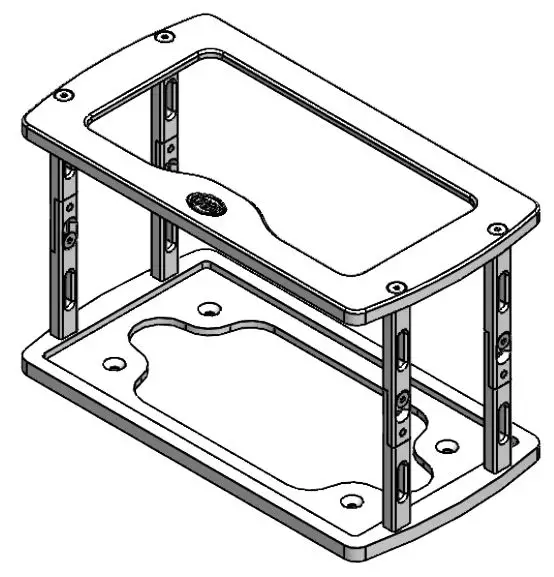
Mounting the Engel Smart Battery Box
Engel offer an optional mounting kit for the Engel Smart Battery Box (Part no. TSLBATTBOX) so it can be mounted onto a Transit Slide Lok. The Transit Slide Lok is mounted into the vehicle. See www.engelaustralia.com.au for details of Transit Slide Lok and mounting kit.
Page 11
Using the 240V AC Inverter
The AC socket is powered by an internal inverter that converts 12V DC to 240V AC with a continuous power output of 300W. The inverter also has a USB 5V DC output socket for charging cameras, MP3 players or SatNav units. To use the AC socket or 5V USB socket the inverter on/off switch must be switched on and the main isolator switch must be in the “on” position. The inverter is protected by a 30A fuse on the underside of the lid. Do not connect high power appliances like a hair dryer or kettle to the inverter as this may cause damage. Also this type of inverter cannot be used with fluoro lighting.
The inverter will start to sound a warning alarm once the battery voltage is getting low and reaches 11V. At this stage the inverter should be switched off or the device disconnected. If this is not done the inverter will switch itself off when the battery voltage reaches 10.5V.
Inverter Warning Signals (Bi is short beep, BEE is longer beep)
Condition Low Battery Alarm Over Heating Alarm Over Load Alarm
Warning Signal Cycle Bi Bi Bi (pause) Bi Bi (pause) Bi Bi Bi Bi Bi Bi
Shutdown Signal Cycle BEE BEE BEE (pause) BEE BEE (pause) Continuous beep
The inverter can be used outdoors but not in wet weather.
WARNING DO NOT connect high power appliances like a hair dryer, iron, toaster, heater, corded power drill or kettle to the 240V outlet as they greatly exceed the max power output of the inverter and may damage it.
Page 10
Main Data Screen Overview
The Engel Smart Battery Box’ informative LCD screen displays all the required information regarding your charge process: · Cycle (Charge, boost, float, discharge) · Battery Voltage or net watts · Battery Level Icon · Battery Capacity % · Hours remaining until fully charged (Time Tracker)
% charge quick reference battery icon
Net watts
Net Watts
+ 90W
Cycle
Charge Cycle
89% Charge 2.5 Hrs left
% capacity of battery
Number of hours left until fully charged
Changing the Screen Information
The net watts can be changed to battery voltage by pressing the down button for 1 second (Refer to page 4). By pressing the up button for 1 second the screen can be changed back to net watts.
Please note positive net watts indicates power going into the battery and negative net watts indicates power drawn from the battery.
Battery voltage Voltage
14.2V
Charge Cycle
89% Charge 2.5 Hrs left
Time Tracker Technology
The Engel Smart Battery Box has the ability to calculate the battery capacity in real time and predict the amount of time remaining until the battery is fully charged.
The tracking system can be recalibrated periodically to improve the accuracy. This is
done by charging the battery in to float cycle using the AC adaptor, discharging to 0% (at
a discharge rate of 60-70 watts) then recharging to float cycle again.
Page 7
Overview of Charging Process:
The Engel Smart Battery Box seven stage smart charger is based on an advanced software program that monitors your battery. Smart charge will select from the following cycles to optimise your battery’s performance.
Stage 1: Testing – Checks the battery capacity when the Engel Smart Battery Box is first turned on and predicts the hours left until fully charged.
Stage 2: Charge – commences recovery of battery back to peak voltage. Charges the battery up to a set voltage at which point the battery is approximately 95% charged. Please note if you are using an external charging source (e.g. solar panel) the screen will show “external cycle” after a few minutes of charging since the internal smart charger is bypassed.
Stage 3: Bulk – Period just before boost when volts are constant.
Stage 4: Boost – Peak charge for maximum performance. Battery is charged for 1.5 hours at constant voltage. At the end of boost the battery is 100% charged.
Stage 5: Resting – Allows the battery to consolidate after boost. The Engel Smart Battery Box ceases charging and allows the battery to rest while allowing voltage to drop to float voltage.
Stage 6: Float – Maintains performance and prolongs battery life. Battery is continually monitored and voltage is maintained at 13.5V (13.7V for lithium iron phosphate) by automatically adjusting charge current for 500 hours.
Stage 7: Re-Awaken – Exercising the battery and avoiding sulphation build-up. After 500 hours of conditioning the charger automatically returns to charge cycle.
Charging the Battery using Solar Panels (not supplied)
You can charge the battery via the external terminals using a solar panel array. To do this the isolator switch must be in the `on’ position. The smart charge PCB will be bypassed with this configuration so there will be no control over battery voltage. It is important to use an external voltage regulator (not supplied) when using solar panels. The main data screen will show “external cycle” after a few minutes of charging. In this case the time left figure is not displayed and the normal charging stages are bypassed.
Charging the Battery with an External Charger using the External Terminals or Accessory Sockets
Connecting the battery via the external terminals or accessory sockets to an external charging source can be done as long as your charging source is regulated. The reason is because this method bypasses the internal smart charger. The main data screen will show “external cycle” after a few minutes of charging in this case.
Page 8
Powering a Device
It is possible to power many types of 240V and 12V devices from the various outlet sockets on the Engel Smart Battery Box (refer to overview on page 2 and table on page 13). When powering a device the main data screen will show discharge cycle. It is okay to use the Engel Smart Battery Box to power a device whilst it is connected to mains power or DC power. To power a device from one of the outlets the isolator switch must be in the “on” position. Otherwise, the isolator switch should be in the `off’ position for safety. If the Engel Smart Battery Box is not charging the screen will always show discharge cycle. Please note the isolator connects or disconnects the outlets from the battery and does not affect the smart charger.
It is possible to power a device with the LCD screen turned off since the various output sockets are connected to battery via the main isolator switch and not via the smart charger.
Refer to page 10 on how to use the AC outlet. Details of other outlets are on page 13. Please note fuses for outlets are underneath the lid. If the battery cables are corrected in reverse polarity this will blow the 10A fuse marked “main” under the lid.
WARNING – If charging Engel Smart Battery Box from vehicle using car charging lead (refer to page 2) and powering a fridge at the same time ensure fridge is not earthed to vehicle chassis.
Fuse information
Main fuse for smart charger
Fuse for 240V inverter Fuse for cigarette socket 2 Fuse for cigarette socket 1
Page 9
 The No.1 Portable and Reliable Fridge-Freezer in Australia