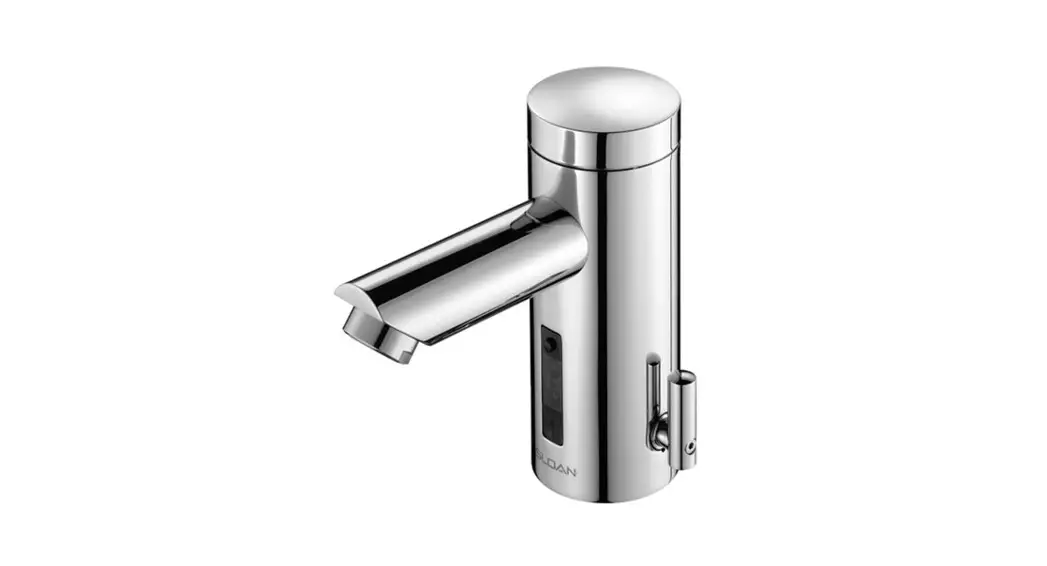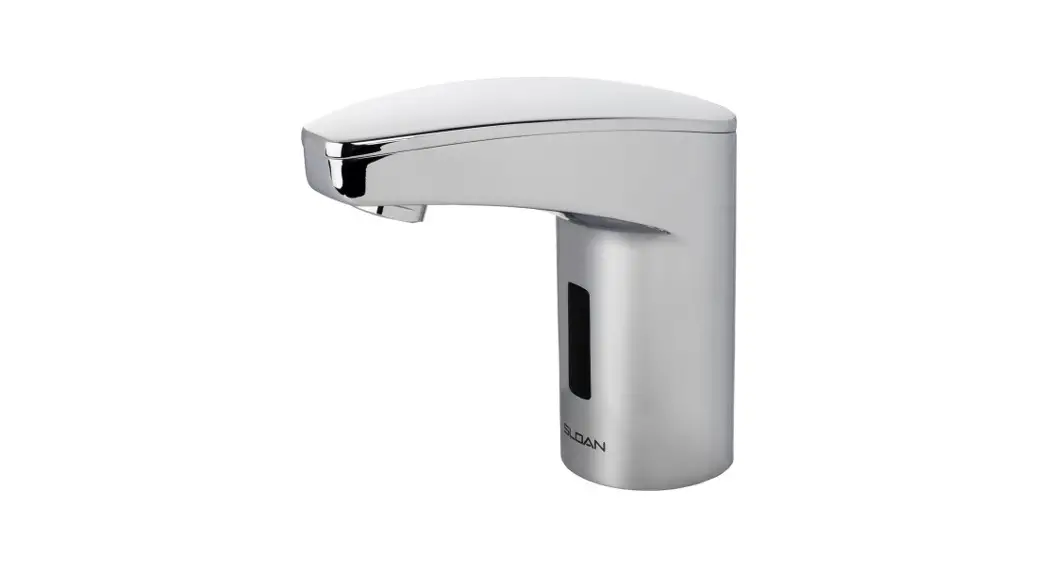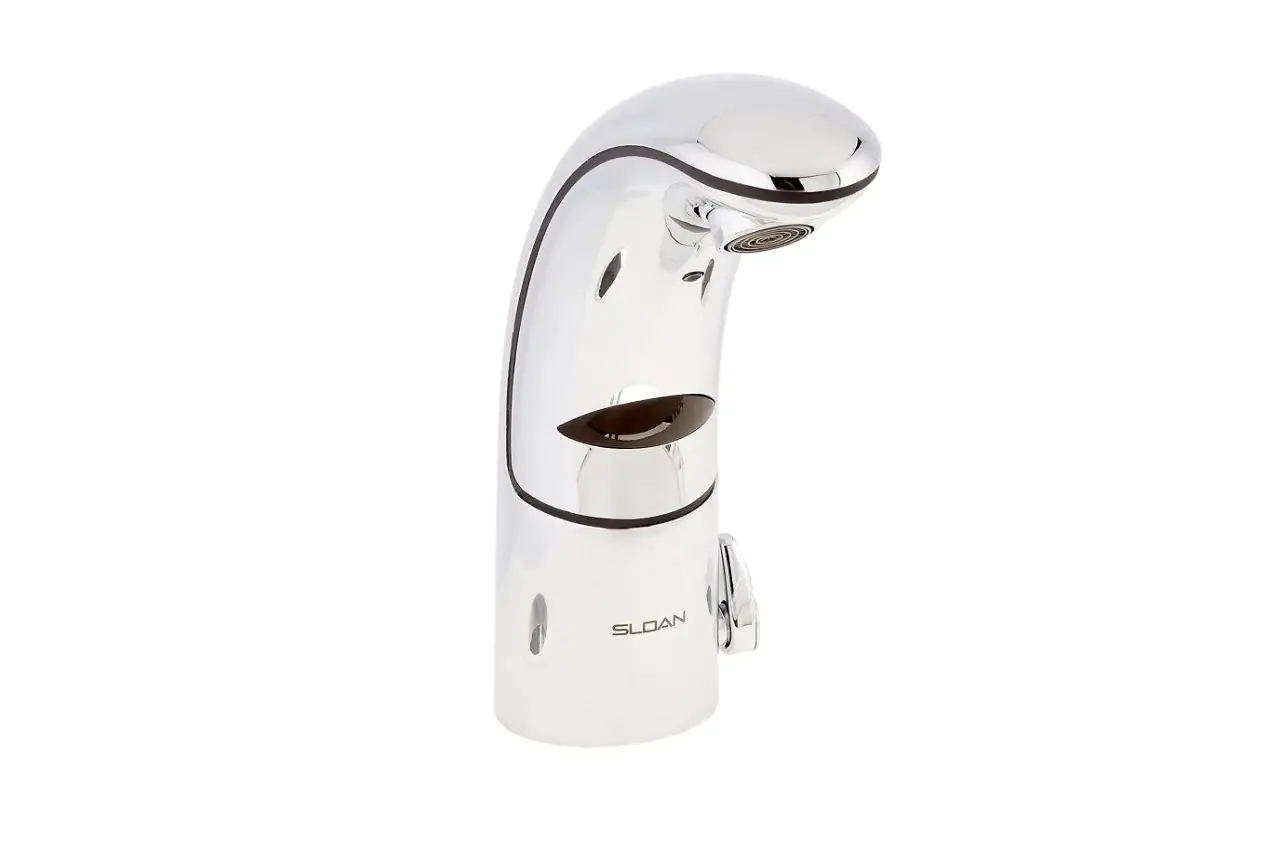
SLOAN Optima EAF-100 Instruction Manual
PARTS LIST—EAF-100 FAUCETS
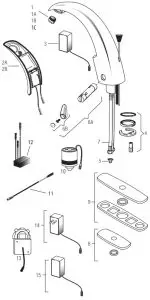
| Item No. | Code No. | Part No | Description |
| 1. | 0335021 | EAF-22 | 1.5 gpm (5.7 Lpm) Aerator Spray Head |
| 1A. | 0335008 | EAF-10 | 2.2 gpm (8.3 Lpm) Aerator Spray Head |
| 1B. | 0335010 | EAF-12 | 0.5 gpm (1.9 Lpm) Spray Head |
| 1C. | 0335029 | EAF-51 | 0.35 gpm (1.3 Lpm) Spray Head (Multi-Lam) |
| 2A. | 0335004 | EAF-6-A | Throat Plate Assembly (Plug-in Adapter Models) |
| 2B. | 0335005 | EAF-7-A | Throat Plate Assembly with i.q.-cliq (Plug-in Adapter Model) |
| 3. | 0335009 | EAF-11 | 90-264 VAC/6.75 VDC Plug-In Adapter (US) |
| 4. | 0335000 | EAF-1 | Faucet Mounting Kit |
| 5. | 0335007 | EAF-9 | Strainer (Filter) |
| 6A. | 3335118 | EAF-1022-A | Side Mixer Cartridge & Handle |
| 6B. | 3335011 | EAF-1002 | Handle Repair Kit |
| 7. | 3335023 | EAF-1008 | 13” (330 mm) Flexible Supply Hose |
| 8. | 3365302 | ETF-607-A | Trim Plate for 4” Center-set Sink |
| 9. | 3365303 | ETF-608-A | Trim Plate for 8” Center-set Sink |
| 10. | 0335001 | EAF-2 | Solenoid |
| 11. | 0335024 | EAF-24-A | 11-13/16” (300 mm) Extension Cable |
| 0335025 | EAF-25-A | 47-1/4” (1200 mm) Extension Cable | |
| 0335015 | EAF-17-A | 126” (3200 mm) Extension Cable | |
| 12. | — | EAF-44-A | Power Splitter† |
| 13. | 0335037 | EAF-37 | 6 VDC Box Mount Adapter |
| 14 | 0335038 | EAF-38 | 90-264 VAC/6.75 VDC Plug-In Adapter (EURO) |
| 15. | 0335039 | EAF-39 | 90-264 VAC/6.75 VDC Plug-In Adapter (UK) |
Electrical Connection for up to Six (6) Faucets Using One (1) Adapter
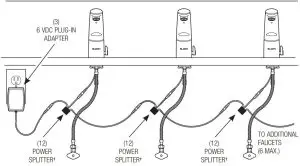
- EAF-100 faucets introduced in 2011 now require EAF-28-A Capacitor or EAF-44-A Power Splitter in ganging applications.
AUTO RANGE ADJUSTMENT
Press button one (1) time, then immediately step away.
Faucet will run for four (4) seconds and the range will automatically adjust to its environment.
Wait ten (10) seconds after water shuts off before using faucet.
If faucet does not function, refer to the Troubleshooting section of this instruction manual.
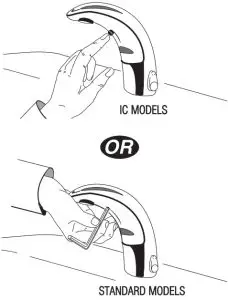
MANUAL RANGE ADJUSTMENT
Note: Use Manual range adjustment only when desired range cannot be obtained with auto range adjustment shown above.
Push button two (2) times (double click).
Push again and hold in button until LED flashes four (4) times,
Then wait five (5) seconds,
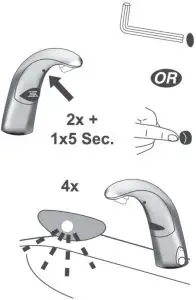
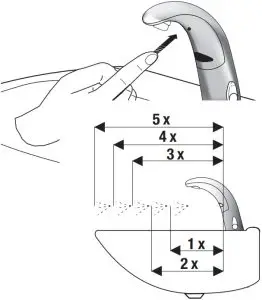
Continue to hold button hold button in as Faucet continuously cycles through the following five (5) range settings.
- One (1) flash = shortest range
- Two (2) flashes = short range
- Three (3) flashes = medium range
- Four (4) flashes = long range
- Five (5) flashes = longest range
Release button at desired setting.
Then water will flow for four (4) seconds signaling confirmation of setting. Wait an additional ten (10) seconds before using Faucet.
Note: Updated electronics have visible red and green LED. Original electronics have only red LED and range setting is reversed (1=longest, 8=shortest)
The information contained in this document is subject to change without notice.
SERVICE OPERATION
Prepare for operation
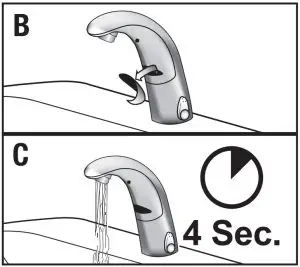
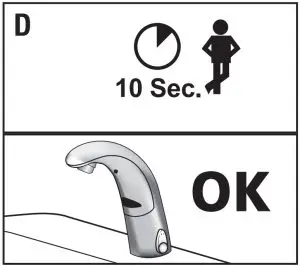
- A. Press the button once

- B. Remove sticker.
- C. Water will flow 4 seconds

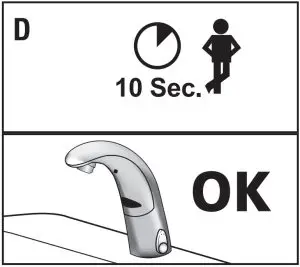
- D. Wait 10 seconds, then the faucet is ready for use.
If waterflow doesn’t start after removing the sticker and the red led within the sensor flashes continue with the following procedure!!
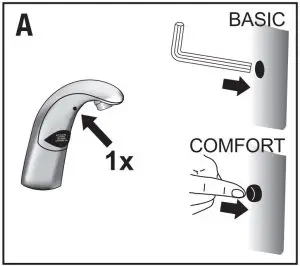
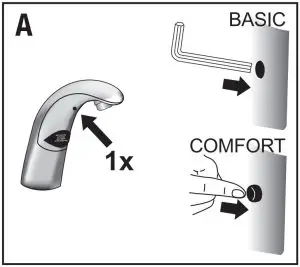
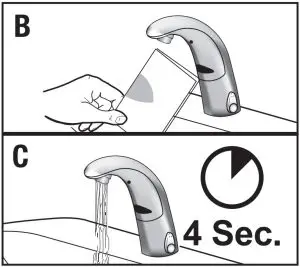
- A. Press the button once.
- B. Hold a white sheet of paper 1.5” (40 mm) in front of sensor until water flows for 4 seconds
- C. Remove paper.
- D. Wait 10 seconds, then the faucet is ready for use.|
TROUBLESHOOTING GUIDE
Faucet DOES NOT function.
- A. Adhesive packaging label affixed over sensor eye. Remove adhesive
label from sensor eye. - B. “Permanent Off” activated. Press button on faucet throat one time.
Faucet delivers water in an uncontrolled manner.
- A. Faucet is not working properly. Contact Sloan Technical Support
Faucet DOES NOT deliver any water when sensor is activated.
INDICATOR: Solenoid valve produces an audible “CLICK.”
- A. Water supply stop(s) closed. Open water supply stop(s).
- B. Water supply stop strainer(s) clogged. Clean water supply stop
strainer(s).
INDICATOR: Solenoid valve DOES NOT produce an audible “CLICK.”
- A. Power failure (EAF-100 Models). Check power supply.
Faucet delivers only a slow flow or dribble when sensor is activated.
- A. Water supply stop(s) are partially closed. Completely open water supply stop(s).
- B. Water supply stop strainer(s) clogged. Remove, clean, and reinstall water supply stop strainer(s). Replace strainer(s) if required.
- C. Aerator is clogged. Remove, clean, and reinstall aerator. Replace aerator if required.
- D. Faucet is not working properly. Contact Sloan Technical Support.
Faucet DOES NOT stop delivering water or continues to drip after user is no longer detected.
- A. Faucet is not working properly. Contact Sloan Technical Support.
i.q.-cliq DOES NOT function (-IC models only)
- A. Button is not working properly. Contact Sloan Technical Support.
The water temperature is too hot or too cold on a faucet connected to hot and cold supply lines.
- A. Supply stops are not adjusted properly. Adjust supply stops.
- B. For models with integral mixing valve — mixing valve is set improperly for the water temperature desired. Rotate mixing valve handle clockwise to decrease water temperature or counterclockwise to increase water temperature.
DO NOT USE abrasive or chemical cleaners (including chlorine bleach) to
CARE AND CLEANING
clean faucets that may dull the luster and attack the chrome or special decorative finishes. Use ONLY mild soap and water, then wipe dry with clean cloth or towel.
While cleaning the bathroom tile, protect the faucet from any splattering of cleaner. Acids and cleaning fluids will discolor or remove chrome plating.
When assistance is required, please contact Sloan Technical Support at: 1-888-SLOAN-14 (1-888-756-2614).