
Repair Parts and Maintenance Guide
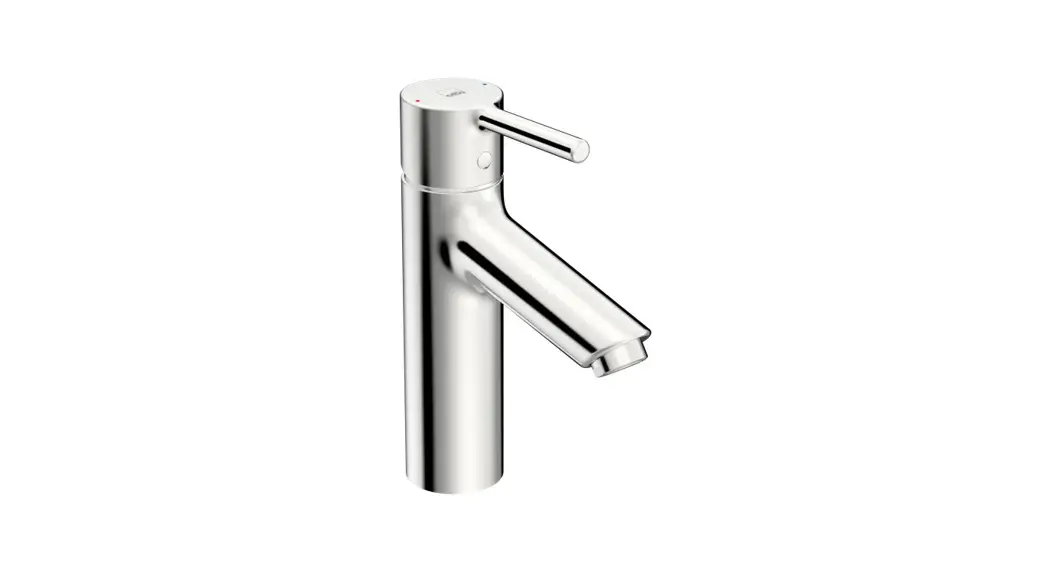
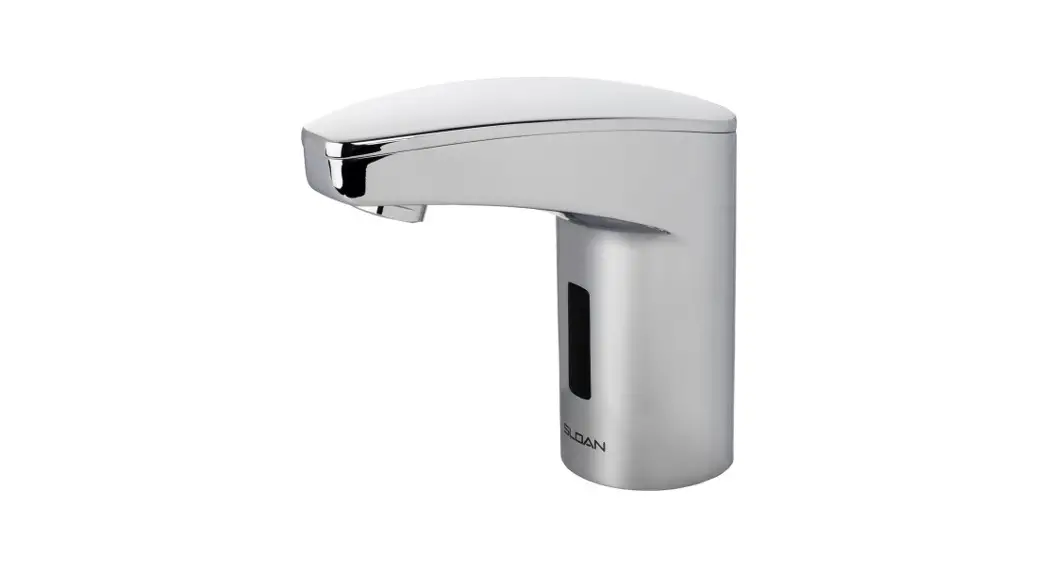
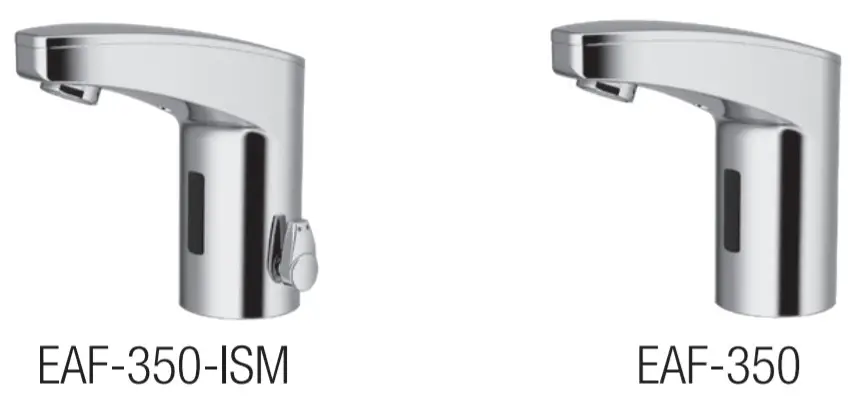
Optima® EAF-350
 |  |
 |  |
 | |
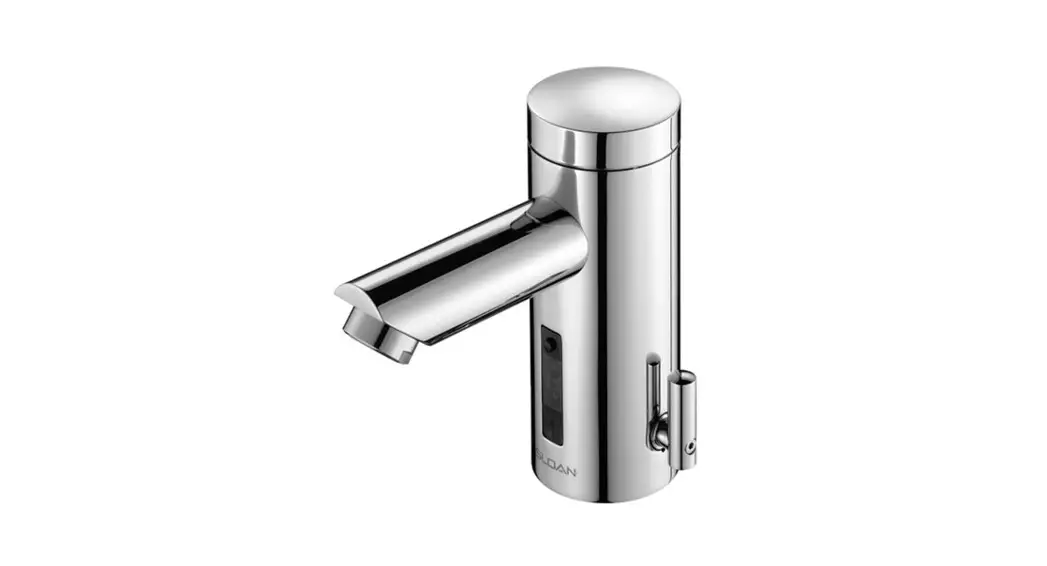
PARTS LIST–EAF-350 FAUCETS
| Item No. | Code No. | Part No. | Description |
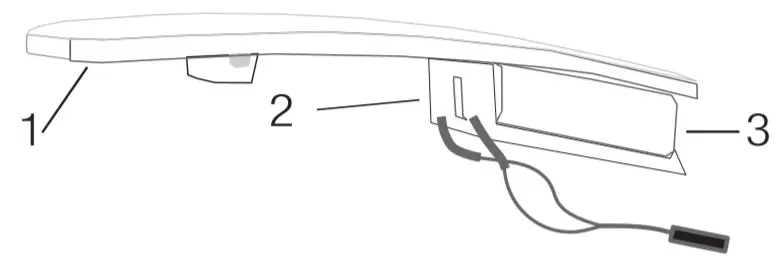
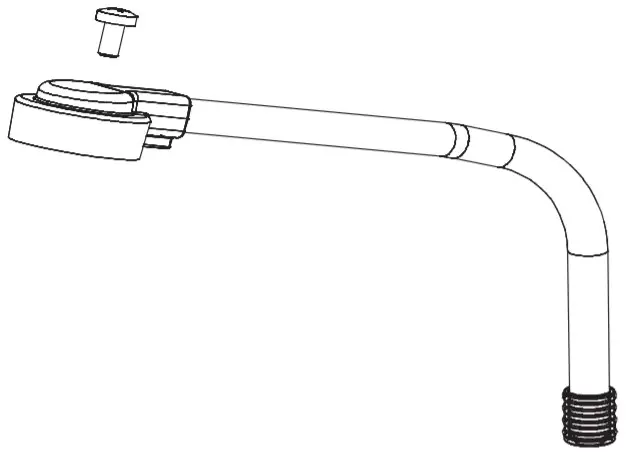
| 1. | 0335040 | EAF-60 | Cover |
| 2. | 0335043 | EAF-61 | Cover Clip — Battery Support |
| 3. | 3324166 | EFX-1015-A | Battery Replacement Kit (with 2.5 mm hex key) |
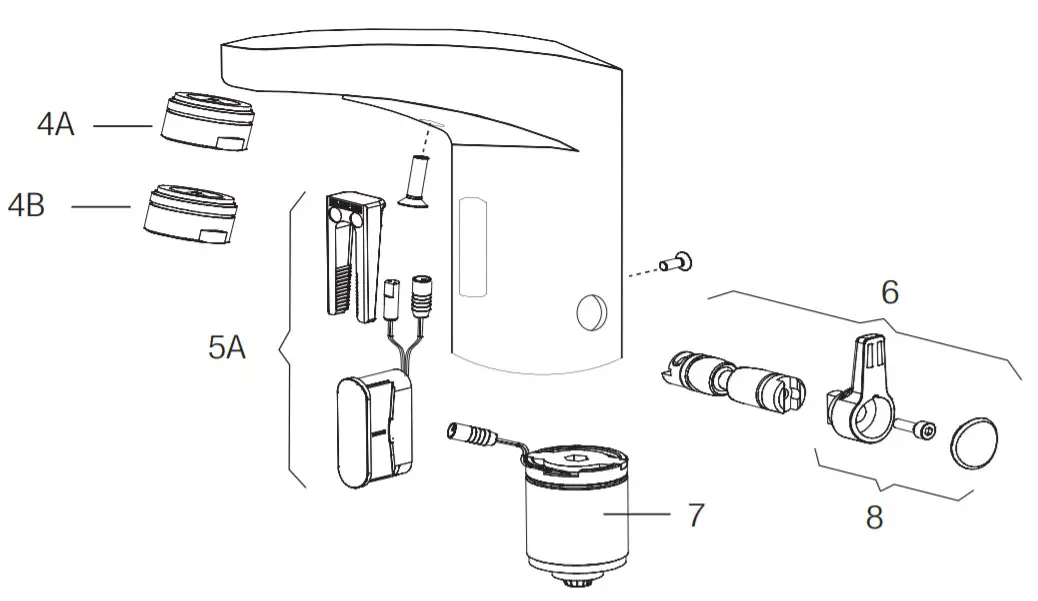
| 4A. | 0335021 | EAF-22 | 1.5 GPM (5.6 Lpm) AER Spray Head |
| 46. | 0335036 | EAF-63 | 0.5 GPM (1.9 Lpm)AER Spray Head |
| 5A | 3335116 | EAF-1021-A | Electronic Sensor (15 Second Shut-ott) with Fixing Clip Kit (0.5 GPM only) |
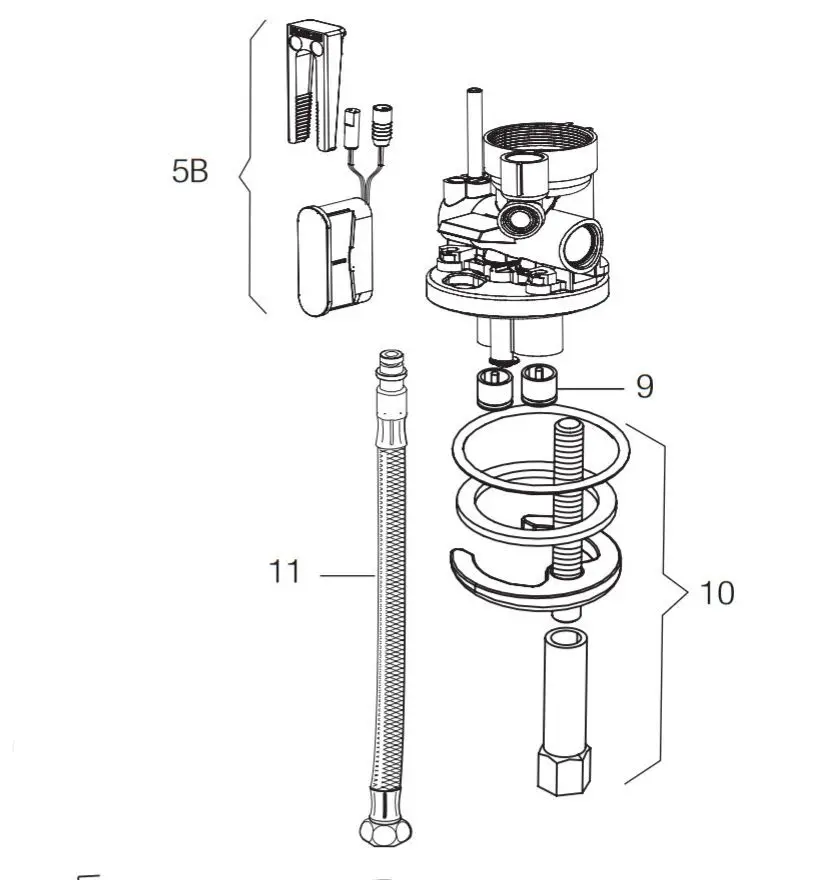
| 5B | 3335113 | EAF-1018-A | Electronic Sensor (7 Second Shut-off) with Fixing Clip Kit (1.5 GPM only) |
| 6 | 3335114 | EAF-1019-A | Mixer Handle Assembly and Cartridge Kit |
| 7. | 0335001 | EAF-2 | Solenoid Valve Cartridge (10 Faucet) |
| 8. | 0335115 | EAF-1020-A | Handle Repair Kit |
| 9. | 0335006 | EAF-8 | Back Check (2 required for ISM models) |
| 10. | 0335000 | EAF-1 | Faucet Mounting Kit |
| 11. | 3335023 | EAF-1008 | 13″ (330 mm) Flexible Supply Hose (1) (2 required for ISM models) |
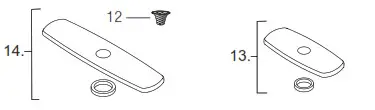
| 12. | 0335007 | EAF-9 | Filter (2 required for ISM models) |
| 13. | 0362011 | SFP11 | 4″ Template |
| 14. | 3362022 | SFP-22 | 8″ Template |
IR-Click Settings
| Function | Press Button | LED Signal |
| Temporary OFF (2 min) | 1.1 time for 2 seconds 2. 2 times (double push) | 1. LED Green (1) 2. LED Red pulsating flashes |
| reset: | 1 time or will reset automatically after 2 mins | |
| Continuous Run 2-minute default setup (adjustable from 1-20 mins) | 1.1 time for 2 seconds 2. 1 time for 3-5 seconds | 1. LED Green (1) 2. Water flows after releasing |
| reset: | 1 time or will reset automatically after 2 mins | |
| Sensor Range Adjustment | 1.1 time for 2 seconds 2. 2 times (double push) 3. 1 time for 5 seconds then hold till requested range is reached 4. Release | 1. LED Green (1) 2. LED Red blinks 3. LED Red (1-8) 4. LED Green (1) |
TROUBLESHOOTING GUIDE
- The faucet DOES NOT function.
A. “Permanent Off” activated. Press the button on the faucet’s throat one time. - The faucet delivers water in an uncontrolled manner.
A. Faucet is not working properly. Contact Sloan Technical Support. - The faucet DOES NOT deliver any water when the Sensor is activated. INDICATOR: Solenoid valve produces an audible “CLICK.”
A. Water supply stop(s) closed. Open water supply stop(s).
B. Water supply stop strainer(s) clogged. Remove, clean, and reinstall water supply stop strainer(s). Replace strainer(s) if required.
INDICATOR: Solenoid valve DOES NOT produce an audible “CLICK.”
A. Battery low (battery-powered models). Replace the battery (refer to Battery Replacement on page 184). - After removing the label water does not flow.
Use this installation guide as a target by placing it in front of the sensor (approx. 1-1/2″ away) until water begins flowing, then remove installation instruction from the sensor. Water will stop flowing, wait 10 seconds before using the faucet. - The faucet delivers only a slow flow or dribble when the sensor is activated.
A. Water supply stop(s) are partially closed. Completely open water supply stop(s).
B. Water supply stop strainer(s) clogged. Remove, clean, and reinstall water supply stop strainer(s). Replace strainer(s) if required.
C. Aerator is clogged. Remove, clean, and reinstall Aerator. Replace Aerator if required.
D. Faucet is not working properly. Contact Sloan Technical Support. - The faucet DOES NOT stop delivering water or continues to drip after the user is no longer detected.
A. Faucet is not working properly. Contact Sloan Technical Support. - The LED indicator blinks when the faucet is in use.
A. Battery low (battery-powered models). Replace battery. - The water temperature is too hot or too cold on a faucet connected to hot and cold supply lines.
A. Supply stops are not adjusted properly. Adjust supply stops.
B. For models with integral mixing valve Mixing valve is set improperly for the water temperature desired. Rotate the mixing valve handle clockwise to decrease water temperature or counterclockwise to increase the water temperature.
OPERATION
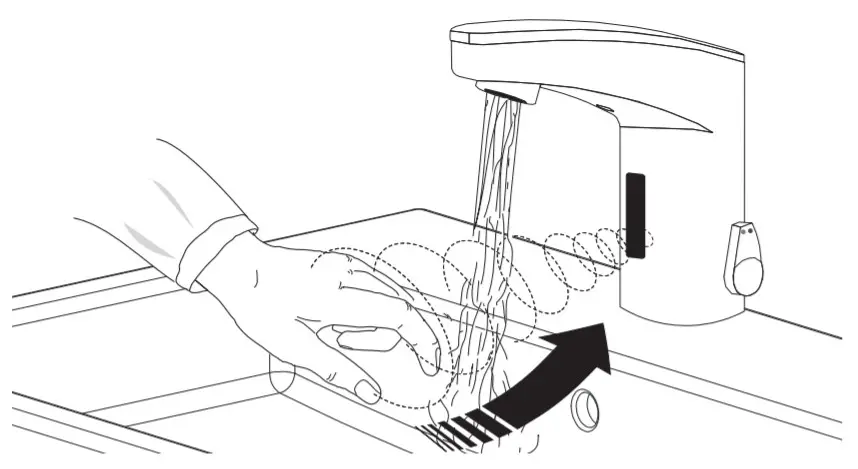 As the user’s hands enter the beam’s effective range, the beam is reflected back into the sensor receiver and activates the solenoid valve allowing water to flow from the faucet. Water will flow until the hands are removed or until the faucet reaches its automatic time-out limit setting.
CARE AND CLEANING
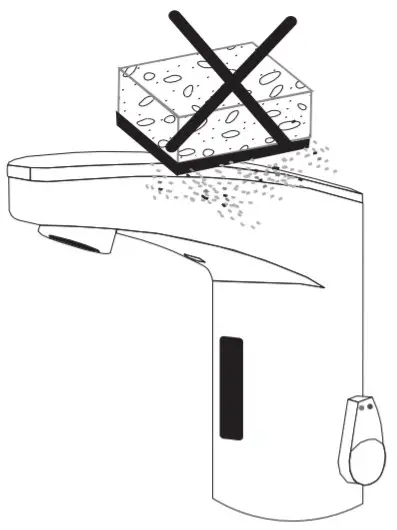 DO NOT use abrasive or chemical cleaners (including chlorine bleach) to clean faucets that may dull the luster and attack the chrome or special decorative finishes. Use ONLY mild soap and water, then wipe dry with a clean cloth or towel.
While cleaning the bathroom tile, protect the faucet from any splattering of cleaner. Acids and cleaning fluids will discolor or remove chrome plating.
When assistance is required, please contact Sloan Technical Support at 1-888-SLOAN-14 (1-888-756-2614).
The information contained in this document is subject to change without notice.