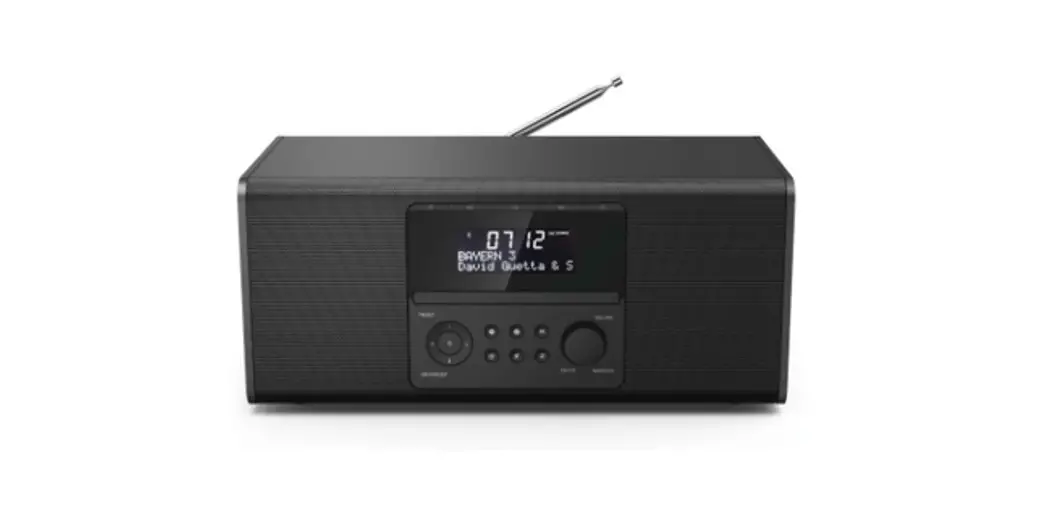
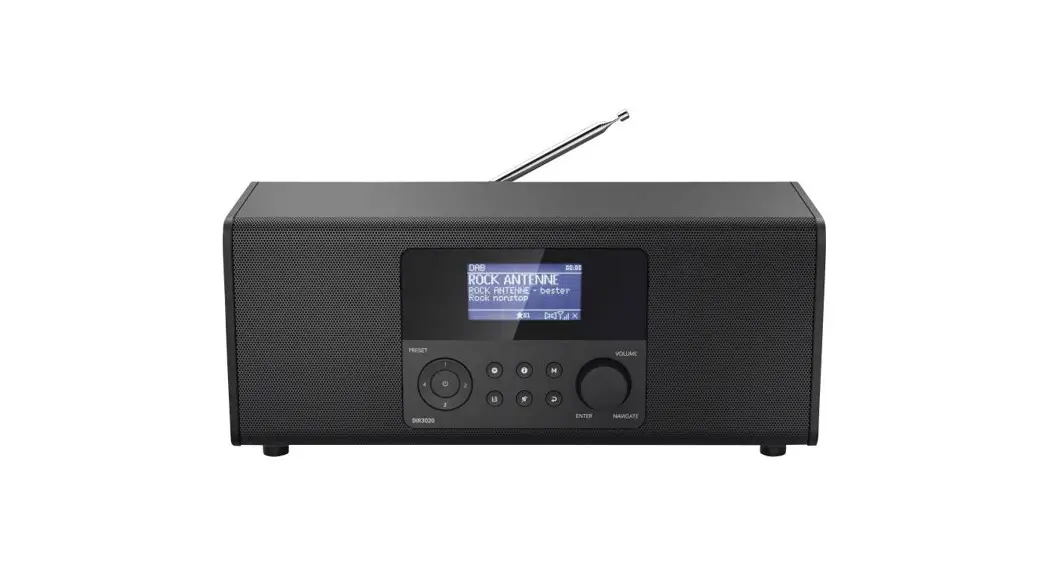
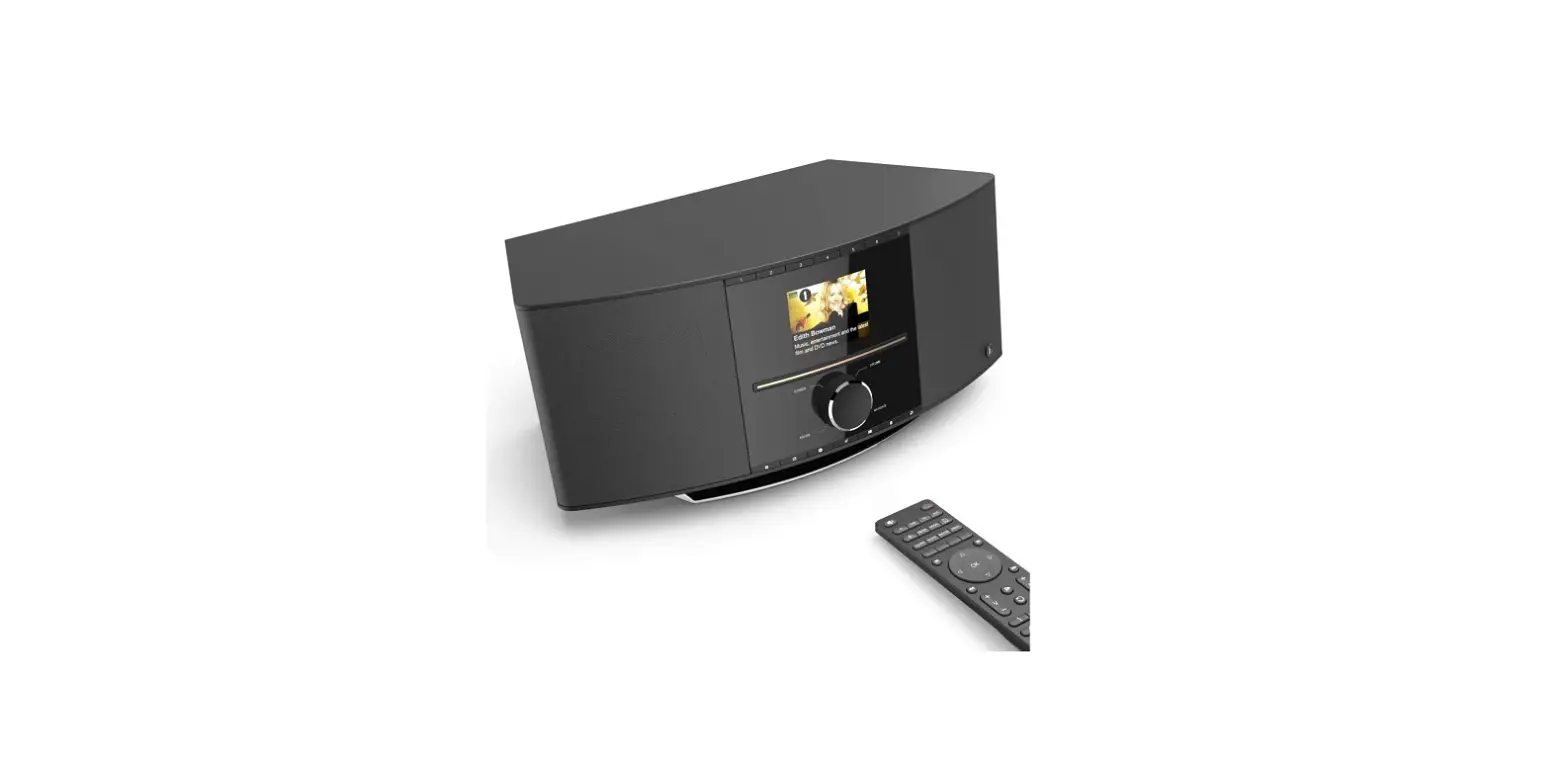
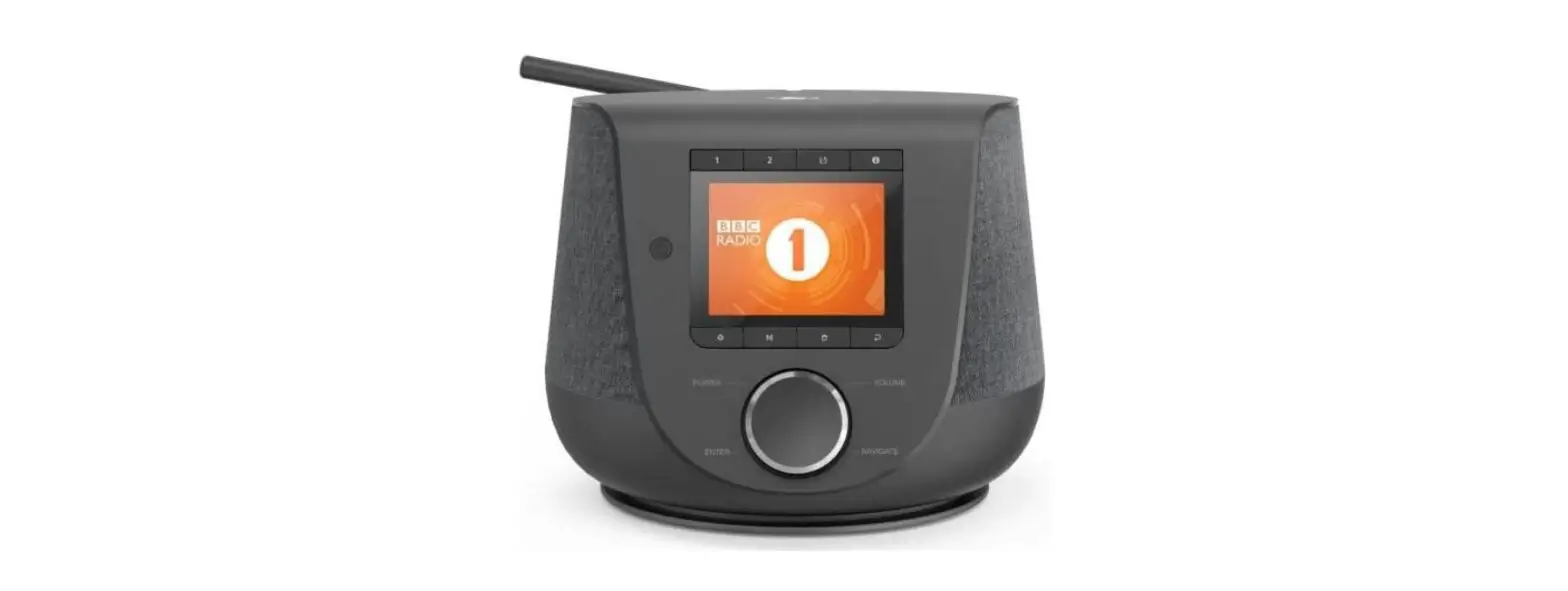
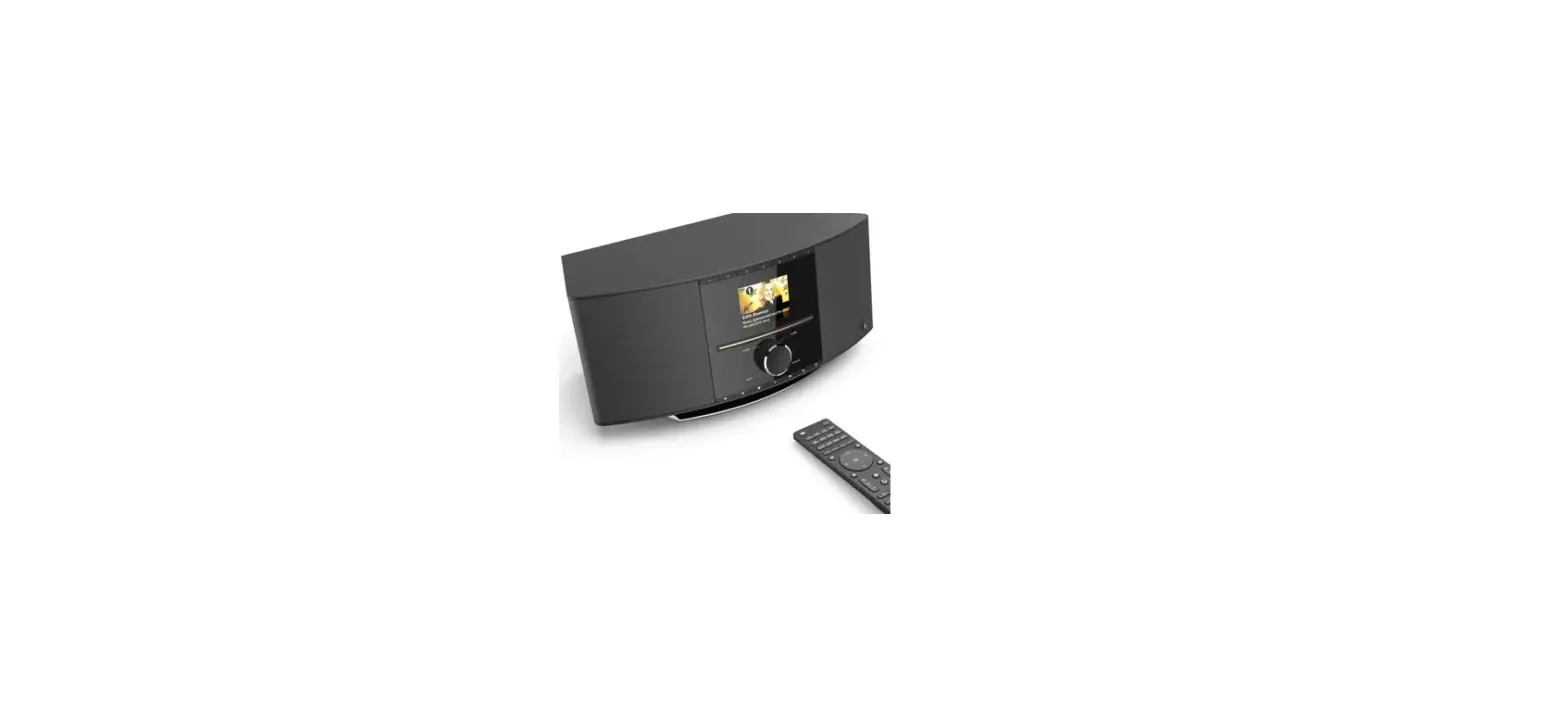
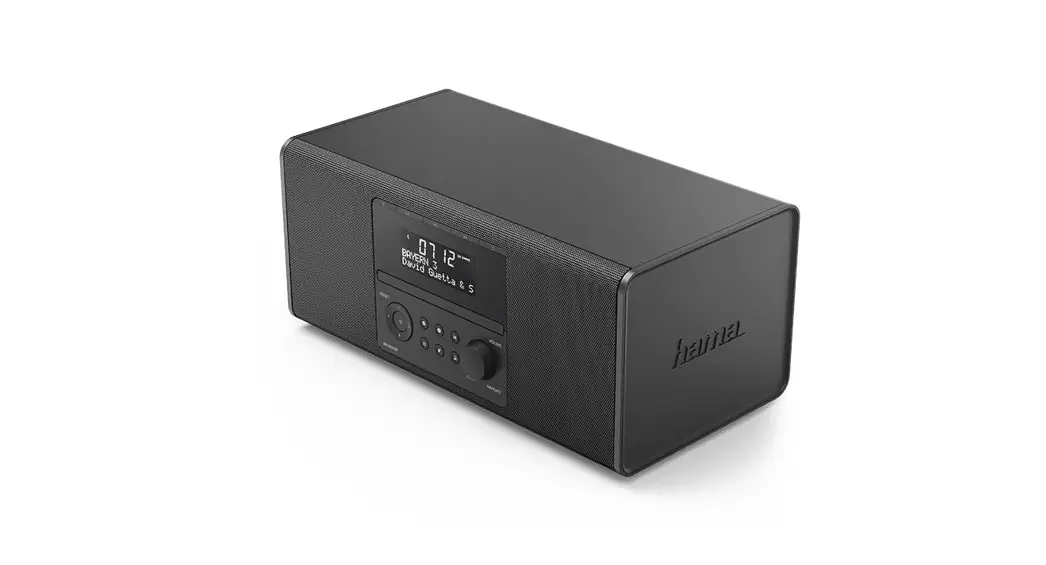
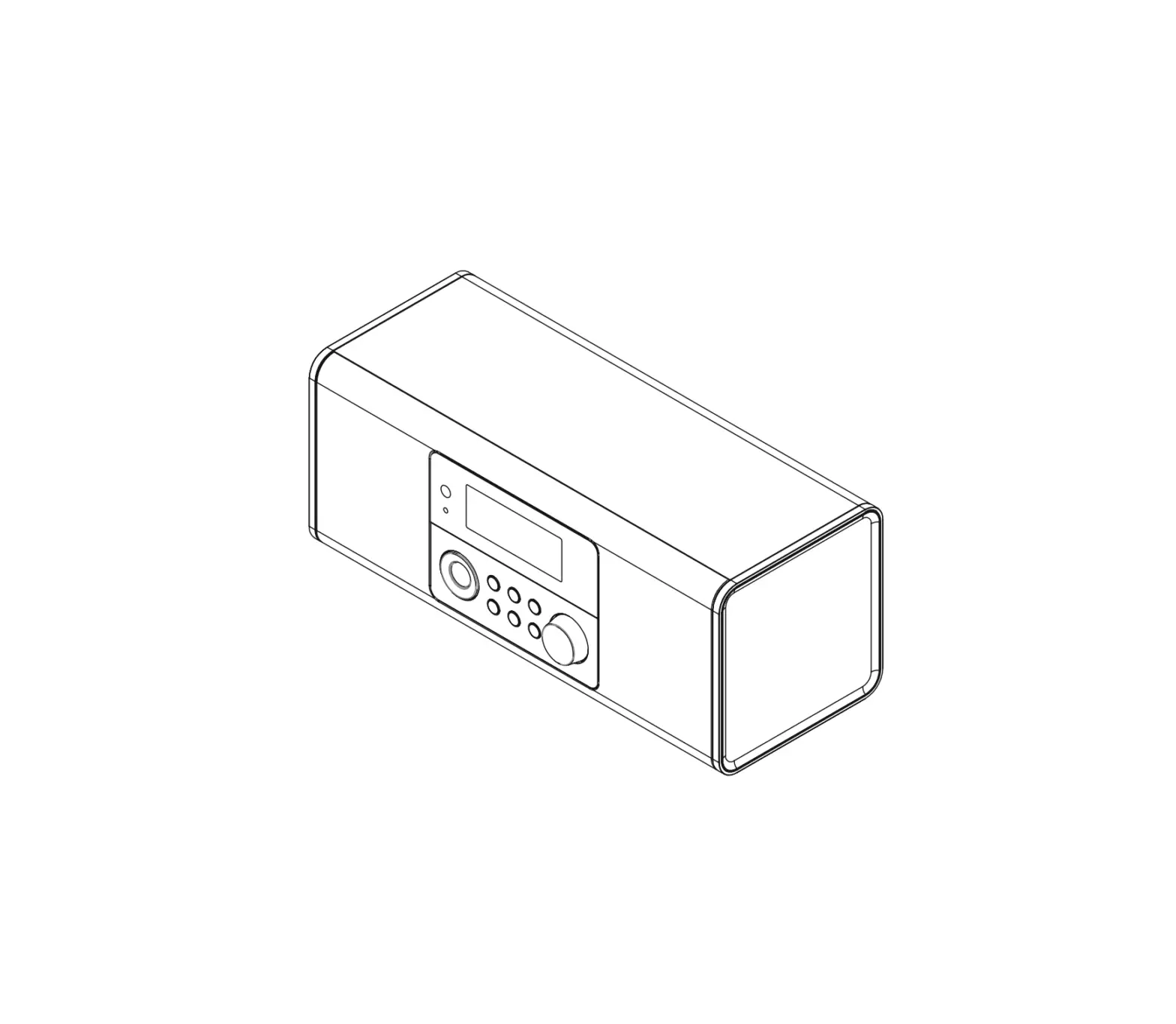
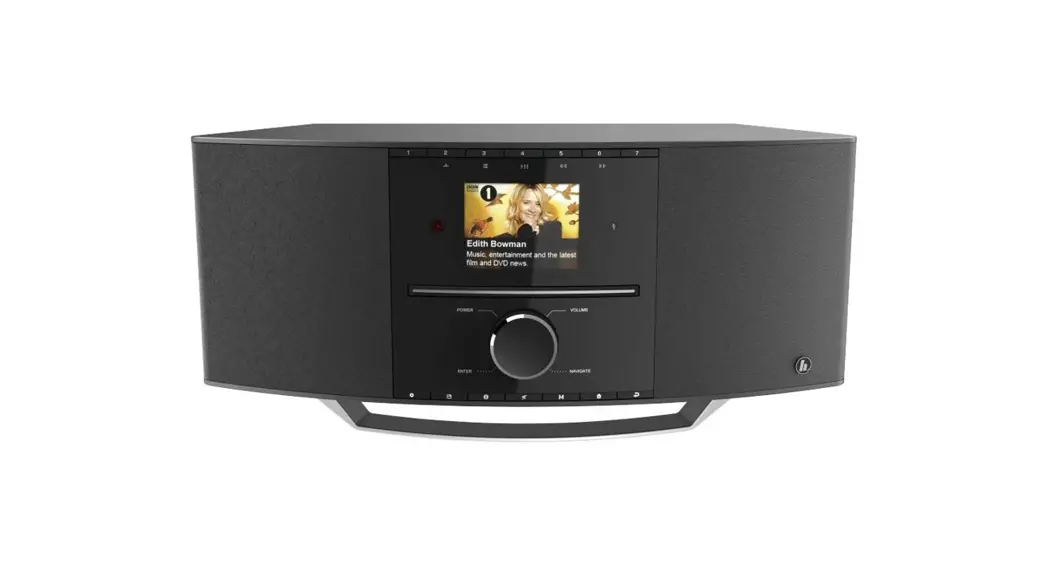
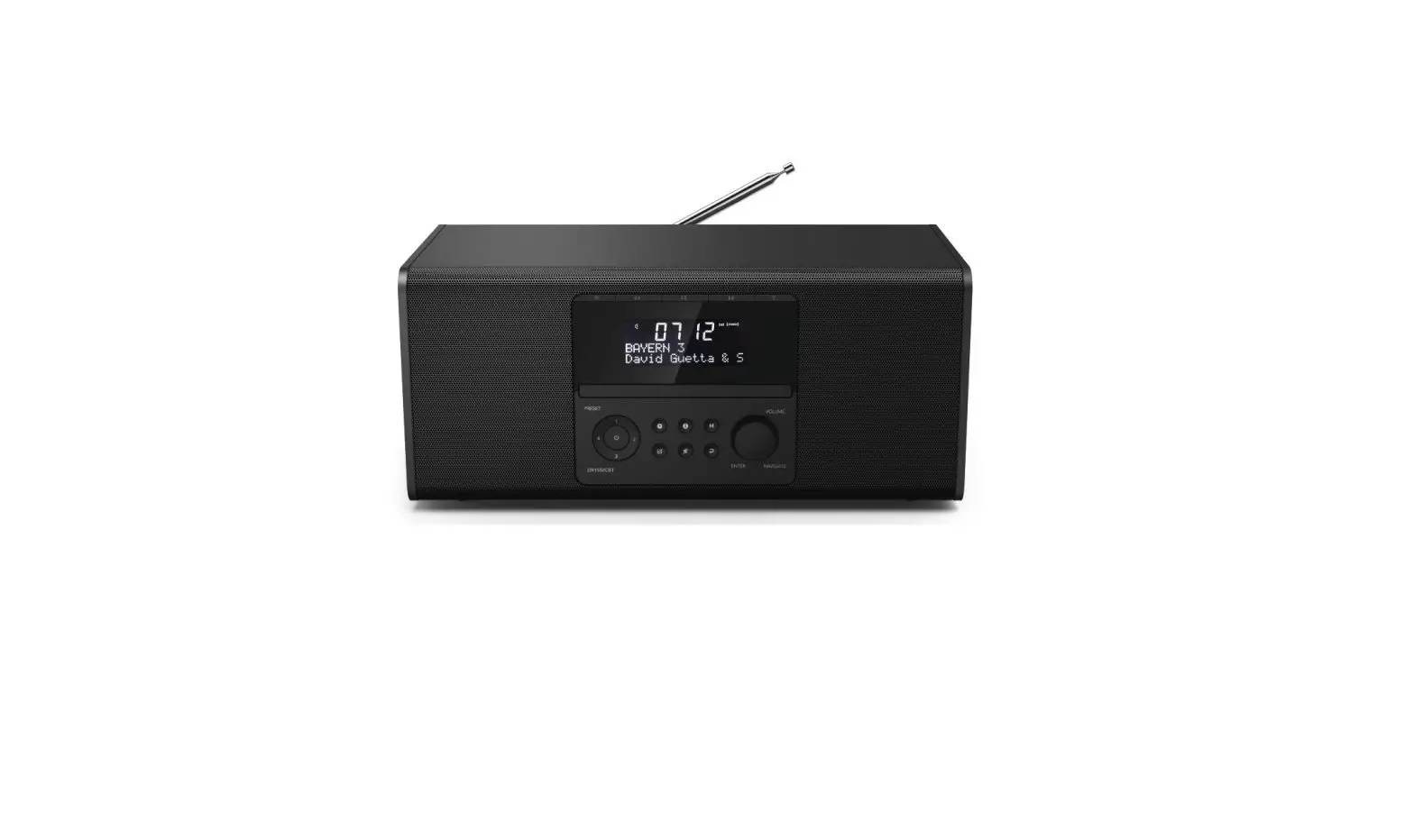
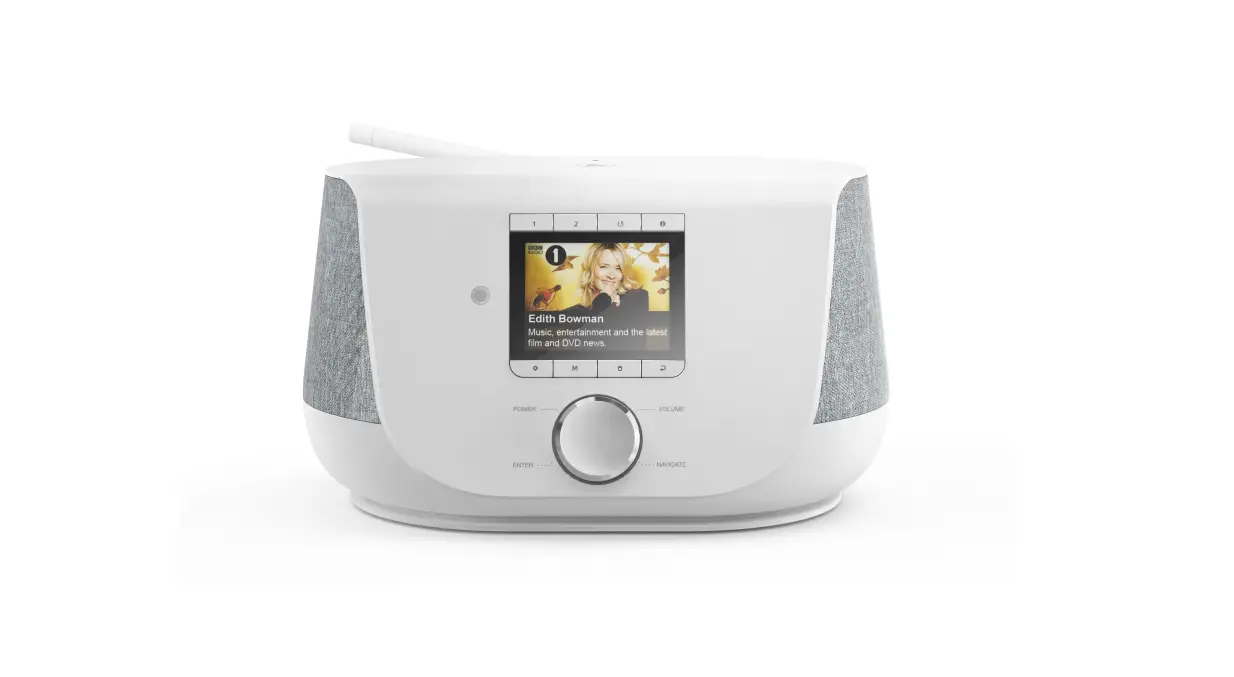
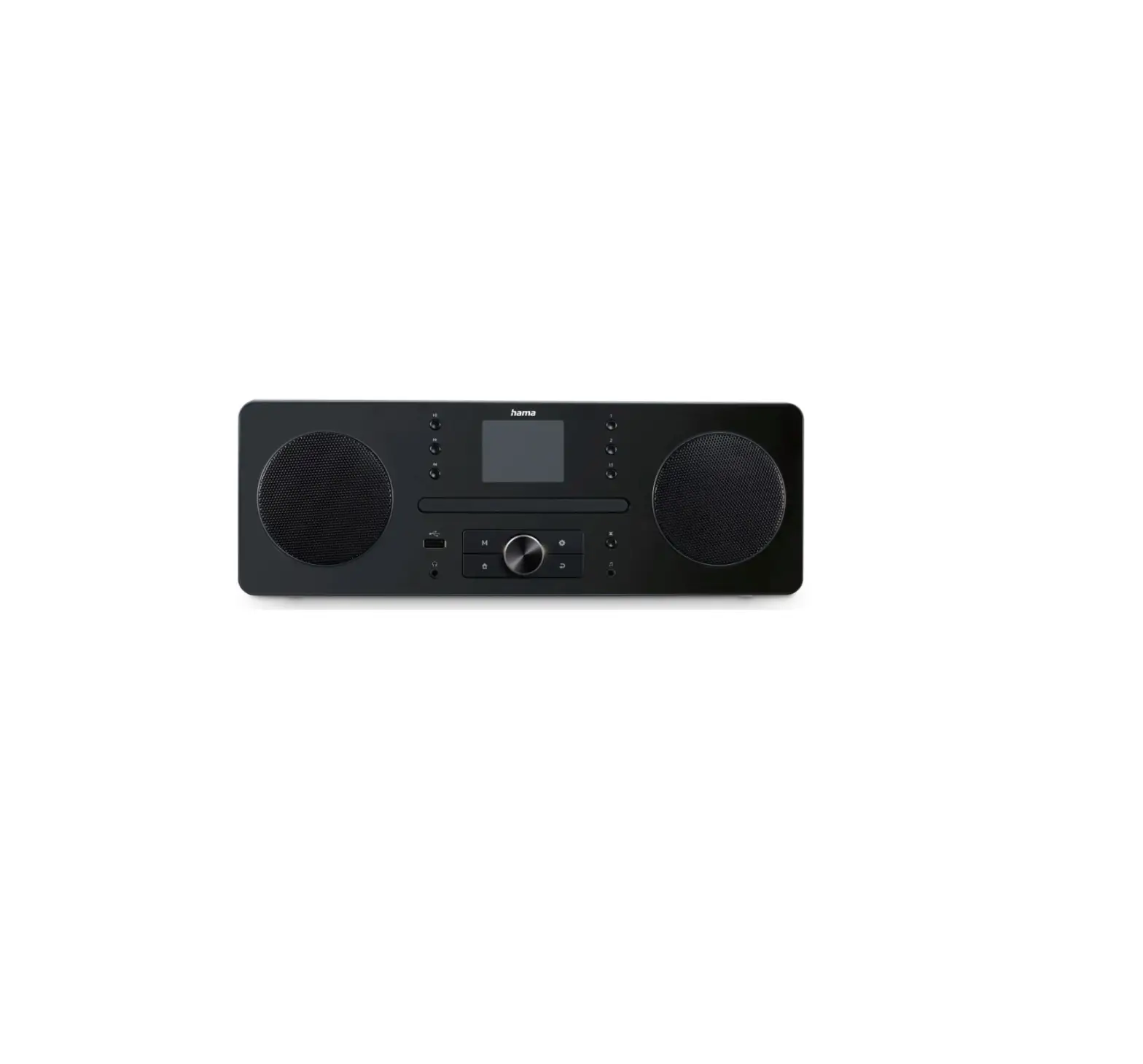
00054250 Digital Radio
Product Information:
- Model: DIR3510SCBTX
- Product Type: Digital Radio
- Display: 2.8″ (7.11cm) Color TFT, 320 x 240 px
- Power Output: 2x20W (RMS)
- Power Supply: DC 18.0V / 2.6A, max 46.8W
- Languages: English, German, Danish, Dutch, Finnish, French,
Italian, Norwegian, Polish, Portuguese, Spanish, Swedish, Turkish,
Czech, Slovak - Wireless Connectivity: WiFi (2.4GHz b/g/n and 5GHz a/n),
Bluetooth (Receiver: 4.2 class 1 A2DP AVRCP, Transmitter: 5.0 class
2 A2DP) - USB Port: Supports FAT32 File System for playback of MP3
files - Inputs: AUX In 3.5mm, Headphone 3.5mm, Digital Optical
- Outputs: Line OUT 3.5mm
- Supported Sources: CD (Drawer Type), DAB/DAB+ (174.928 – 239.2
MHz), FM (87.5 – 108 MHz), Internet Radio, Spotify Connect, Amazon
Music - Presets: 30 favorites
Product Usage Instructions:
Controls and Displays:
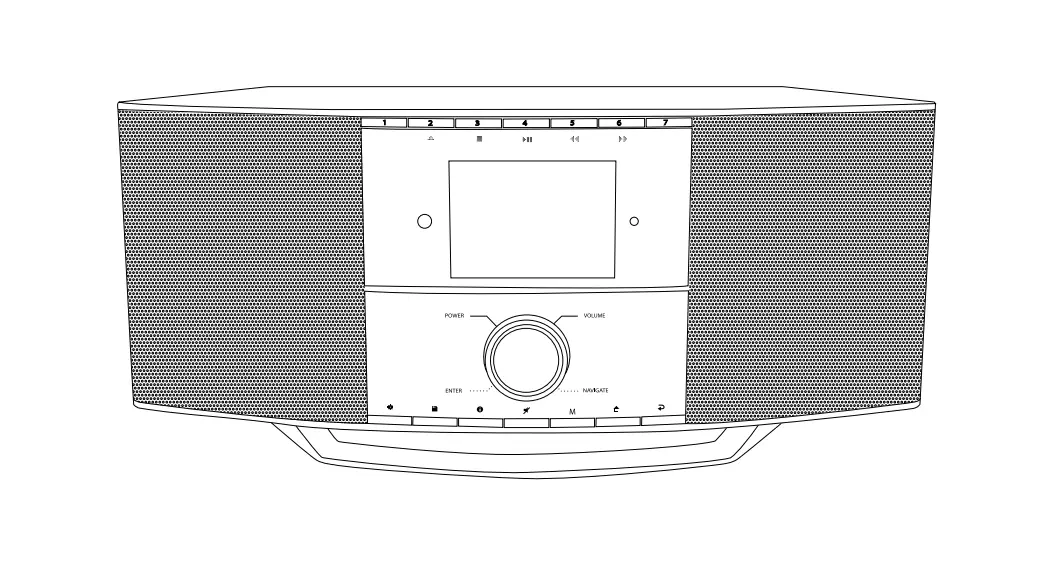
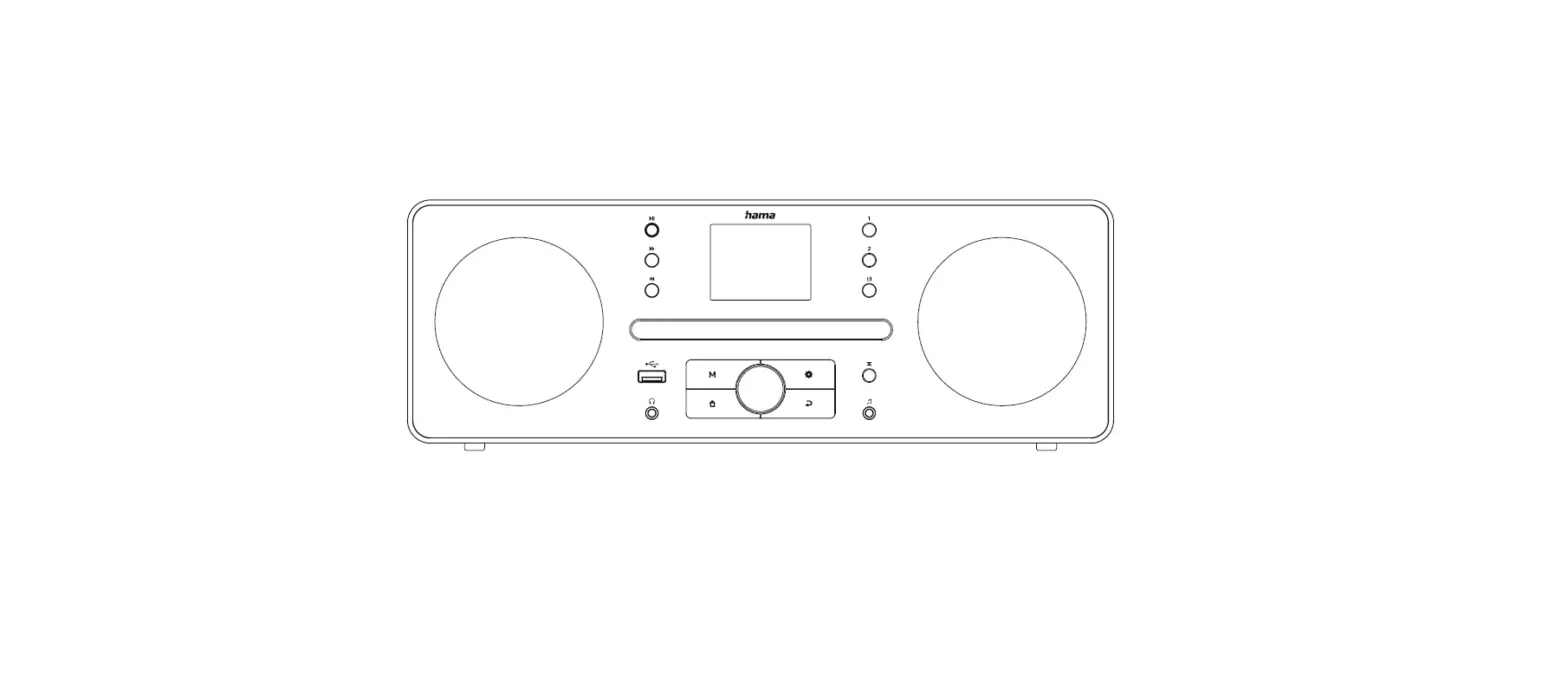
A: Radio Front
- [MENU/ SETTINGS] Button
- [PRESET] Button
- [INFO] Button
- [MUTE] Button
- [POWER/VOLUME/ENTER/NAVIGATE] Button*
- [MODE] Button
- [HOME] Button
- [BACK] Button
- IR Sensor
- [PRESET 1] Button
- [PRESET 2 / ] Button (Eject CD)
- [PRESET 3 / ] Button (Stop Playback)
- [PRESET 4 / II] Button (Play/Pause)
- [PRESET 5 / ] Button (Previous)
- [PRESET 6 / ] Button (Forward)
- [PRESET 7] Button
- Display
- Light Sensor
- CD Drive
B: Radio Rear
- Power Switch
- Power Connection
- Digital Optical OUT (SPDIF)
- USB Socket
- Aux IN (3.5mm)
- Headphone OUT (3.5mm)
- Line OUT (3.5mm)
- Antenna Connector
- Auto Dimmer ON/OFF
Remote Control:
- [POWER] Button
- [MUTE] Button
- [PRESET] Direct Button (1-4)
- [EQUALIZER] Button
- [PRESET] List Button
- [MENU] Button
- [SOURCE] Button
- [OK] Button
- [NAVIGATION] Button (Up, Down, Left, Right)
- [VOL-] Button
- [VOL+] Button
- [HOME] Button
- [BACK] Button
- [INFO] Button
- [BACKLIGHT] Button
- [PAUSE] Button
- [PLAY] Button
- [PREVIOUS] Button
- [NEXT] Button
Note: *You can adjust the volume or navigate through the menu
structure by turning the rotary controller. You can switch the
device to standby mode by pressing the volume controller, or you
can confirm a selection by pressing the navigation controller.
*This radio has a changeable antenna. You can use an active or
passive antenna equipped with a coaxial connection.
00054250 00054239 (DIR3510SCBTX)
Digital Radio Digitalradio
QUICK GUIDE
KURZANLEITUNG
Quick Guide GB Kurzanleitung D Notice d’utilisation F Instrucciones breves E RUS Istruzioni brevi I Beknopte bedieningsinstructies NL GR Krótka instrukcja obslugi PL Rövid útmutató H Strucný návod CZ Strucný návod SK Instruções resumidas P Kisa kullanim kilavuzu TR Instruciuni scurte RO
Snabbguide S Lyhyt ohje FIN
Kort vejledning DK Kortveiledning N
Technical Data Technische Daten
Display
Speaker Lautsprecher Power Supply Stromversorgung Supported Languages Unterstützte Sprachen Packaging Content Verpackungsinhalt
Connectivity Konnektivität
WiFi
Bluetooth
USB (FAT32 File System)
Audio Connectors Audio Anschlüsse
Inputs Outputs
Sources Quellen
CD (Drawer Type) CD (Schubladenlaufwerk) DAB/DAB+ (174.928 – 239.2 MHz) FM (87.5 – 108 MHz) Internet Radio
Spotify Connect
Amazon Music
2.8″ (7.11cm) Color TFT, 320 x 240 px
3″ 2x20W (RMS)
DC 18.0V / 2.6A, max 46.8W
English, German, Danish, Dutch, Finnish, French, Italian, Norwegian, Polish, Portuguese, Spanish, Swedish, Turkish, Czech, Slovak Hama DIR3510SCBTX, Power Supply, Remote GB-RC001, 2x AAA Batteries, Quick Start Manual, Telescope Antenna Coaxial
2.4GHz (b/g/n) / 5GHz (a/n)
Receiver (RX): 4.2, class 1, A2DP, AVRCP Transmitter (TX): 5.0, class 2, A2DP
Charge: 5V / 1A Playback: MP3
AUX In 3.5mm Headphone 3.5mm, Line OUT 3.5mm, Digital Optical
ü ü ü ü ü ü
Presets Favoriten
30
30 30 10 8
Further information and features are available on / Weitere Informationen und Features finden Sie hier
www.hama.com -> 00054250 www.hama.com -> 00054239
9 10 11 12 13 14 15 16 17 18 19
1
3
6
85
2
4
7
AUTO DIMMER
ON
OFF
!
25
12
3 45678 9
1
2
3
4
5
6
7
8 9
10
11
12
13
14
15
16
17
18
19
Spotify Connect
G Use your phone, tablet or computer as a remote control for Spotify. Go to spotify.com/connect to learn how.
D Verwende dein Smartphone, Tablet oder deinen Computer als Fernbedienung für Spotify. Auf spotify.com/ connect erfährst du mehr.
F Utilisez votre téléphone, votre tablette ou votre ordinateur comme une télécommande pour contrôler Spotify. Accédez à spotify.com/connect pour en savoir plus.
E Usa tu teléfono, tu tablet o tu computadora como control remoto de Spotify. Para más información, entra a spotify.com/connect.
I Usa il tuo cellulare, tablet o computer come telecomando remoto per Spotify. Vai su spotify.com/ connect per scoprire come.
N Gebruik je telefoon, tablet of computer als een afstandsbediening voor Spotify. Ga naar spotify.com/ connect om te leren hoe je dat doet
J , Spotify. spotify.com/connect .
P Wykorzystuj telefon, tablet lub komputer jako pilota, aby sterowa aplikacj Spotify. Wejd na spotify.com/ connect, aby dowiedzie si, jak to zrobi.
Spotify Connect
H Használd a telefont, táblagépet vagy számítógépet a Spotify távirányítójaként. További tudnivalókat a spotify. com/connect oldalon olvashatsz.
S Använd din telefon, surfplatta eller dator som fjärrkontroll för Spotify. Gå till spotify.com/connect för att ta reda på hur.
C Hudbu ze Spotify mzes ovládat na dálku pes telefon, tablet nebo pocítac. Na stránce spotify.com/ connect najdes, jak na to.
L Käytä puhelinta, tablettia tai tietokonetta Spotifyn kaukosäätimenä. Katso tarkemmat tiedot osoitteesta spotify.com/connect.
O Usa o teu telemóvel, tablet ou computador como comando do Spotify. Vai a spotify.com/connect para saberes como
K Brug din telefon, tablet eller computer som fjernbetjening til Spotify. Gå til spotify.com/connect for at finde ud af, hvordan du gør.
T Telefon, tablet veya bilgisayarini Spotify için uzaktan kumanda olarak kullan. Nasil yapacaini örenmek için spotify.com/connect adresine
V Bruk telefonen, nettbrettet eller datamaskinen som en fjernkontroll for Spotify. Gå til spotify.com/connect for å lære hvordan.
G Quick Guide
Controls and Displays
A: Radio Front
1
[MENU/ SETTINGS] Button2
[PRESET] Button3
[INFO] Button4
[MUTE] Button5
[POWER/VOLUME/ENTER/NAVIGATE] Button**6
[MODE] Button7
[HOME] Button8
[BACK] Button9
IR Sensor
10
[PRESET 1] Button11
[PRESET 2 / ] Button (Eject CD)12
[PRESET 3 / ] Button (Stop Playback)13
[PRESET 4 / II] Button (Play/Pause)14
[PRESET 5 / ] Button (Previous)15
[PRESET 6 / ] Button (Forward)16
[PRESET 7] Button17
Display
18
Light Sensor
19
CD Drive
B: Radio Rear
1
Power Switch
2
Power Connection
3
Digital Optical OUT (SPDIF)
4
USB Socket
5
Aux IN (3.5mm)
6
Headphone OUT (3.5mm)
7
Line OUT (3.5mm)
8
Antenna Connector
9
Auto Dimmer ON/OFF
Remote Control
1 [POWER] Button 2 [MUTE] Button 3 [PRESET] Direct Button (1-4) 4 [EQUALIZER] Button 5 [PRESET] List Button 6 [MENU] Button 7 [SOURCE] Button 8 [OK] Button
[NAVIGATION] Button 9 Up Down
Left Right 10 [VOL-] Button 11 [VOL+] Button 12 [HOME] Button 13 [BACK] Button 14 [INFO] Button 15 [BACKLIGHT] Button 16 [PAUSE] Button 17 [PLAY] Button 18 [PREVIOUS] Button 19 [NEXT] Button
Note * This radio has a changeable antenna. You can use an active or passive antenna equipped with a coaxial connection.
** You can adjust the volume, or navigate through the menu structure by turning the rotary controller. You can switch the device to standby mode by pressing the volume controller, or you can confirm a selection by pressing the navigation controller.
Important note · This is a quick guide to provide you with the most important basic information, such as safety warnings and how to get
! started using the product. · For the sake of protecting the environment and saving valuable resources, Hama dispenses with a printed instruction manual and provides this only in the form of a PDF file available for download.
· The complete instruction manual is available at: www.hama.com -> 00054250 -> Downloads www.hama.com -> 00054239 -> Downloads
· Save the instruction manual to your computer’s hard drive for future reference, or print it out if necessary.
2
1. Explanation of Warning Symbols and Notes
Risk of electric shock This symbol indicates a risk of electric shock from touching product parts carrying hazardous voltage.
Warning This symbol is used to indicate safety instructions or to draw your attention to specific hazards and risks.
Note This symbol is used to indicate additional information or important notes.
2. Package Contents
· DIR3510SCBTX” Digital / Internet Radio with CD · Power Supply · Remote Control · 2x AAA (micro) Batteries · These Operating Instructions · Telescope Antenna
3. Safety Instructions
· The product is intended for private, non-commercial use only.
· Do not use the product in areas in which electronic products are not permitted.
· Protect the product from dirt, moisture and overheating and use it in dry rooms only.
· As with all electrical products, this device should be kept out of the reach of children.
· Do not drop the product and do not expose it to any major shocks.
· Do not operate the product outside the power limits specified in the technical data.
· Keep the packaging material out of the reach of children due to the risk of suffocation.
· Dispose of packaging material immediately in accordance with the locally applicable regulations.
· Do not modify the device in any way. Doing so voids the warranty.
· Use the product only for the intended purpose. · Do not use the product in the immediate vicinity of
heaters, other heat sources or in direct sunlight. · Do not use the product in a damp environment and avoid
splashing water. · Only use the article under moderate climatic conditions.
Warning – laser · Do not look directly at the laser beam! Close your eyes
and turn your head away if your eyes meet the laser beam. · Do not look directly at the laser beam using optical instruments! · This product contains a class 1 laser for consumers compliant with EN50689:2021.
Risk of electric shock · Do not open the device or continue to operate it if it
becomes damaged.
· Do not use the product if the AC adapter, the adapter cable or the mains cable are damaged.
· Do not attempt to service or repair the product yourself. Leave any and all service work to qualified experts.
Warning Batteries · When inserting batteries, note the correct polarity (+
and – markings) and insert the batteries accordingly. Failure to do so could result in the batteries leaking or exploding. · Only use batteries (or rechargeable batteries) that match the specified type. · Before you insert the batteries, clean the battery contacts and the polar contacts. · Do not allow children to change batteries without supervision. · Do not mix old and new batteries, or batteries of different types or from different manufacturers. · Remove the batteries from products that are not being used for an extended period (unless these are being kept ready for an emergency). · Do not short-circuit batteries. · Do not charge batteries. · Do not burn batteries. · Keep batteries out of the reach of children. · Never open, damage or swallow batteries or allow them to enter the environment. They can contain toxic, environmentally harmful heavy metals. · Remove spent batteries from the product and dispose of them without delay. · Avoid storing, charging or using the device in extreme temperatures and extremely low atmospheric pressure (for example, at high altitudes).
4. Before First Use
Note A detailed description of the UNDOK app and all of its functions can be found in our UNDOK guide at:
www.hama.com -> 00054250, 00054239 -> Downloads
3
Notes on use
· The [OK] button and on the remote control
correspond to the [POWER/VOLUME/ENTER/ NAVIGATE] button (5) on the front of the radio.
· The button on the remote control corresponds to the [ ] button on the front of the radio
· The buttons on the remote control correspond
to turning the navigation controller to the left and right on the front of the radio.
Preparing the remote control for use Open the cover on the battery compartment. This can be found on the back of the remote control and can be opened by sliding in the direction indicated. The extent of delivery includes two AAA batteries which must be inserted into the battery compartment for the remote control to work. When inserting the batteries, ensure that they are inserted with the correct polarity. The relevant polarity (+ / -) is marked inside the battery compartment.
Setting up a network connection WLAN (wireless network)
· Ensure that the router is switched on, is functioning correctly and that there is a connection to the internet.
· Activate the WLAN function of your router. · Follow your router`s operating instructions as regards the
correct functioning of the WLAN connection. · Then proceed directly as described under section 5
,Getting started`.
5. Getting started
Note – Optimal reception “DIR3510SCBTX” has an antenna connection for external antennas with a coaxial connection. A suitable telescopic antenna that allows DAB, DAB+ and FM reception is included in the extent of delivery. Alternatively, you can use an active or passive antenna to improve the reception or to adapt it to your requirements.
Please note:
· Always pull the antenna out completely.
· We recommend you adjust the antenna vertically to ensure optimal reception.
5.1 General Notes on Use
5.1.1 Switch On / Off / Standby
· Press [POWER/VOLUME/ENTER/NAVIGATE] (5) to switch on the radio.
· Press and hold [POWER/VOLUME/ENTER/NAVIGATE] (5) for 3 seconds to switch the radio off (standby).
· To completely switch off the device, disconnect it from the power supply.
5.1.2 Navigation and Control
· After pressing a shortcut button, navigate through the menu items using.
· Select the individual menu items by turning [POWER/ VOLUME/ENTER/NAVIGATE] (5).
· Confirm the selection by pressing [POWER/VOLUME/ ENTER/NAVIGATE] (5).
5.1.3 Volume Adjustment
· Turn the volume up (right) or down (left) by turning [POWER/VOLUME/ENTER/NAVIGATE] (5) accordingly.
5.2 Switching ON
Warning · Only operate the product from a socket that has been
approved for the device. The socket must be installed close to the product and must be easily accessible.
· Disconnect the product from the power supply using the On/Off switch if this is not available, unplug the power cord from the socket.
· If using a multi-socket power strip, make sure that the total power consumption of all connected devices does not exceed the power strip’s maximum throughput rating.
· If you will not be using the product for a prolonged period, disconnect it from mains power.
· Connect the power supply to the mains connection (2) on the back of the radio.
· Connect the network cable to a properly installed and easily accessible network socket.
· Wait until the radio has initialised fully. · Press [POWER/VOLUME/ENTER/NAVIGATE] (5) to
switch on the radio.
4
Note switching on for the first time · The Setup Wizard starts up automatically when the
radio is turned on for the first time.
· The default used language is English.
· You can skip the Wizard and start it up again later in German.
5.3 Language
The first time it is used, the radio’s default language is English. To change radio’s menu language, proceed as follows: · Press [ ] (1) to access the Settings menu. · Use [POWER/VOLUME/ENTER/NAVIGATE] (5) to
navigate to the “Settings” menu item. · Confirm the selection by pressing [POWER/VOLUME/
ENTER/NAVIGATE] (5). · Use [POWER/VOLUME/ENTER/NAVIGATE] (5) to
navigate to the “Language” menu item. Confirm the selection by pressing [POWER/VOLUME/ENTER/ NAVIGATE] (5). · Use [POWER/VOLUME/ENTER/NAVIGATE] (5) to select your preferred system language. · The language setting currently selected is marked with an asterisk (*).
Note · The following languages are available:
English, German, Danish, Dutch, Finnish, French, Italian, Norwegian, Polish, Portuguese, Spanish, Swedish,Turkish, Czech and Slovak.
6. Care and Maintenance
· Only clean this product with a slightly damp, lint-free cloth and do not use aggressive cleaning agents.
· If you do not plan to use the product for a prolonged period, turn off the device and disconnect it from the power supply. Store it in a clean, dry place away from direct sunlight.
7. Warranty Disclaimer
Hama GmbH & Co KG assumes no liability and provides no warranty for damage resulting from improper installation/ mounting, improper use of the product or from failure to observe the operating instructions and/or safety notes.
8. Declaration of Conformity
Hereby, Hama GmbH & Co KG declares that the radio equipment type [00054250, 00054239] is in compliance with Directive 2014/53/EU. The full text of the EU declaration of conformity is available at the following internet address: www.hama.com -> 00054250 -> Downloads www.hama.com -> 00054239 -> Downloads.
Frequency band(s)
Maximum radio-frequency power transmitted
Bluetooth: 2.402 2.480 GHz
6.5 dBm (EIRP)
WiFi: 2.400 2.480 GHz
15.5 dBm (EIRP)
WiFi: 5.150 5.350 GHz
16.5 dBm (EIRP)
WiFi: 5.470 5.725 GHz
16.5 dBm (EIRP)
WiFi: 5.735 – 5.835 GHz
11 dBm (EIRP)
Restrictions or Requirements in Belgium, Bulgaria, Czech Republic, Denmark, Germany, Estonia, Ireland, Greece, Spain, France, Croatia, Italy, Cyprus, Latvia, Lithuania, Luxembourg, Hungary, Malta, the Netherlands, Austria, Poland, Portugal, Romania, Slovenia, Slovakia, Finland, Sweden, United Kingdom
Note
If channels 3664 (frequency 5.1505.350 GHz) are used in a 5-GHz WLAN, the product may only be used in closed rooms.
To limit exposure to electromagnetic fields
This device is intended for use at a distance of at least 20 cm from the body of the user or persons nearby. This device must not be worn or carried on the body.
5
9. Specifications in accordance with Regulation (EU) 2019/1782
Manufacturer’s name or trade mark, commercial registration number and address
Hama, HRA12159, Dresdner Str. 9, 86653 Monheim
Model identifier
BQ60A-1802600-D
Input voltage
100 240 V
Input AC frequency
50 / 60 Hz
Output voltage / Output current / Output power
Average active efficiency
Efficiency at low load (10 %)
No-load power consumption
18.0 V DC / 2.6 A / 46.8 W
88.7 % 85.8 % 0.08 W
10. Consumption information according to directive (EU) No. 801/2013 amending the directive (EC) No. 1275/2008
Status
Duration of
Energy
trigger time consumption
off-mode
0/I mains switch
(only on devices with 0/I
mains switch)
0.50 W
manual standby mode
(Ready state (Standby)
on devices without
information or status
indicator (manual)*)
0.50 W
manual standby mode
(Ready state (standby) on
devices with information
or status indicator
(manual)*)
1.00 W
automatic standby
(Standby on devices without information or status indicator**)
20 min
0.50 W
information or status display
(Automatic ready state (Standby) on devices with information or status indicator**)
20 min
1.00 W
networked standby*** 20 min
2.00 W
* Press the Power button ** Not networked – “Maintain network connection – NO”.
Not available in FM mode, if present. *** Networked – “Maintain network connection – YES”
Please note that the actual power consumption can be dependent on multiple factors. These include the personal settings, the operating mode, the ambient temperature and the firmware version of the product used.
The values set out above represent maximum values. The actual reference values can be found at: www.hama.com -> 00054250 -> Downloads -> Consumption information www.hama.com -> 00054239 -> Downloads -> Consumption information
6
D Schnellstartanleitung
Bedienungselemente und Anzeigen
A: Radio Frontseite
1
[MENU/SETTINGS]-Taste2
[PRESET]-Taste3
[INFO]-Taste4
[MUTE]-Taste5
[POWER/VOLUME/ENTER/NAVIGATE]-Taste**6
[MODE]-Taste7
[HOME]-Taste8
[BACK]-Taste9
IR-Sensor
10
[PRESET 1]-Taste11
[PRESET 2 / ]-Taste (CD-Auswurf)12
[PRESET 3 / ]-Taste (Wiedergabe Stop)13
[PRESET 4 / II]-Taste (Wiedergabe/Pause)14
[PRESET 5 / ]-Taste (Zurück)15
[PRESET 6 / ]-Taste (Vorwärts)16
[PRESET 7]-Taste17
Display
18
Licht-Sensor
19
CD-Laufwerk
B: Radio Rückseite
1
Netzschalter
2
Netzanschluss
3
Optischer Digitalausgang (SPDIF)
4
USB-Anschluss
5
Aux-IN (3.5mm)
6
Kopfhöreranschluss (3.5mm)
7
Line-OUT (3.5mm)
8
Antennenanschluss
9
Auto-Dimmer EIN/AUS
Fernbedienung
1 [POWER]-Taste 2 [MUTE]-Taste 3 [PRESET]-Direkttasten (1-4) 4 [EQUALIZER]-Taste 5 [PRESET]-Listenansichttaste 6 [MENU]-Taste 7 [SOURCE]-Taste 8 [OK]-Taste
[NAVIGATIONS]-Tasten 9 Hoch Runter
Links Rechts 10 [VOL-]-Taste 11 [VOL+]-Taste 12 [HOME]-Taste 13 [BACK]-Taste 14 [INFO]-Taste 15 [BACKLIGHT]-Taste 16 [PAUSE]-Taste 17 [PLAY]-Taste 18 [PREVIOUS]-Taste 19 [NEXT]-Taste
Hinweis * Dieses Radio verfügt über eine wechselbare Antenne. Sie können eine aktive oder passive Antenne verwenden, welche
über einen Koaxial-Anschluss verfügt. ** Durch Drehen des Reglers ändern Sie die Lautstärke oder Navigieren durch die Menüstruktur. Durch Drücken
dieses Drehreglers, wird das Gerät in den Standby-Modus geschalten (Volume-Regler) bzw. eine Auswahl bestätigt (Navigationsregler).
Wichtiger Hinweis – Kurzanleitung: · Dies ist eine Kurzanleitung, die Sie mit den wichtigsten Basis-Informationen wie Sicherheitshinweisen und der
! Inbetriebnahme Ihres Produktes versorgt. · Aus Gründen des Umweltschutzes und der Einsparung wertvoller Rohstoffe verzichtet die Firma Hama auf eine gedruckte Langanleitung und bietet diese ausschließlich als PDF-Download an.
· Die vollständige Langanleitung ist unter der folgenden Internetadresse verfügbar: www.hama.com -> 00054250 -> Downloads www.hama.com -> 00054239 -> Downloads
· Speichern Sie die Langanleitung zum Nachschlagen auf Ihrem Computer und drucken Sie diese nach Möglichkeit aus.
7
1. Erklärung von Warnsymbolen und Hinweisen
Gefahr eines elektrischen Schlages Dieses Symbol weist auf eine Berührungsgefahr mit nicht isolierten Teilen des Produktes hin, die möglicherweise eine gefährliche Spannung von solcher Höhe führen, dass die Gefahr eines elektrischen Schlags besteht.
Warnung
Wird verwendet, um Sicherheitshinweise zu kennzeichnen oder um Aufmerksamkeit auf besondere Gefahren und Risiken zu lenken.
Hinweis Wird verwendet, um zusätzlich Informationen oder wichtige Hinweise zu kennzeichnen.
2. Packungsinhalt
· DIR3510SCBTX” Digital / Internet-Radio mit CD · Netzteil · Fernbedienung · 2x AAA (micro) Batterien · Diese Bedienungsanleitung · Teleskop-Antenne
3. Sicherheitshinweise
· Das Produkt ist für den privaten, nicht-gewerblichen Haushaltsgebrauch vorgesehen.
· Benutzen Sie das Produkt nicht in Bereichen, in denen elektronische Produkte nicht erlaubt sind.
· Schützen Sie das Produkt vor Schmutz, Feuchtigkeit und Überhitzung und verwenden Sie es nur in trockenen Räumen.
· Dieses Produkt gehört, wie alle elektrischen Produkte, nicht in Kinderhände!
· Lassen Sie das Produkt nicht fallen und setzen Sie es keinen heftigen Erschütterungen aus.
· Betreiben Sie das Produkt nicht außerhalb seiner in den technischen Daten angegebenen Leistungsgrenzen.
· Halten Sie Kinder unbedingt von dem Verpackungsmaterial fern, es besteht Erstickungsgefahr.
· Entsorgen Sie das Verpackungsmaterial sofort gemäß den örtlich gültigen Entsorgungsvorschriften.
· Nehmen Sie keine Veränderungen am Gerät vor. Dadurch verlieren sie jegliche Gewährleistungsansprüche.
· Verwenden Sie das Produkt ausschließlich für den dazu vorgesehenen Zweck.
· Betreiben Sie das Produkt nicht in unmittelbarer Nähe der Heizung, anderer Hitzequellen oder in direkter Sonneneinstrahlung.
· Verwenden Sie das Produkt nicht in einer feuchten Umgebung und vermeiden Sie Spritzwasser.
· Verwenden Sie den Artikel nur unter moderaten klimatischen Bedingungen.
Warnung – Laser
· Blicken Sie nicht direkt in den Laserstrahl! Schließen Sie die Augen und wenden Sie den Kopf ab, wenn der Laserstrahl Ihre Augen treffen sollte.
· Betrachten Sie den Laserstrahl nicht direkt mit optischen Instrumenten!
· In diesem Produkt ist ein Laser der Klasse 1 für Endverbraucher nach EN50689:2021 eingebaut.
Gefahr eines elektrischen Schlages
· Öffnen Sie das Produkt nicht und betreiben Sie es bei Beschädigungen nicht weiter.
· Verwenden Sie das Produkt nicht, wenn der AC-Adapter, das Adapterkabel oder die Netzleitung beschädigt sind.
· Versuchen Sie nicht, das Produkt selbst zu warten oder zu reparieren. Überlassen Sie jegliche Wartungs-arbeit dem zuständigen Fachpersonal.
Warnung Batterien
· Beachten Sie unbedingt die korrekte Polarität (Beschriftung + und -) der Batterien und legen Sie diese entsprechend ein. Bei Nichtbeachtung besteht die Gefahr des Auslaufens oder einer Explosion der Batterien.
· Verwenden Sie ausschließlich Akkus (oder Batterien), die dem angegebenen Typ entsprechen.
· Reinigen Sie vor dem Einlegen der Batterien die Batteriekontakte und die Gegenkontakte.
· Gestatten Sie Kindern nicht ohne Aufsicht das Wechseln von Batterien.
· Mischen Sie alte und neue Batterien nicht, sowie Batterien unterschiedlichen Typs oder Herstellers.
· Entfernen Sie Batterien aus Produkten, die längere Zeit nicht benutzt werden (außer diese werden für einen Notfall bereit gehalten).
· Schließen Sie die Batterien nicht kurz. · Laden Sie Batterien nicht. · Werfen Sie Batterien nicht ins Feuer. · Bewahren Sie Batterien außerhalb der Reichweite von
Kindern auf. · Batterien nie öffnen, beschädigen, verschlucken oder
in die Umwelt gelangen lassen. Sie können giftige und umweltschädliche Schwermetalle enthalten. · Entfernen und entsorgen Sie verbrauchte Batterien unverzüglich aus dem Produkt. · Vermeiden Sie Lagerung, Laden und Benutzung bei extremen Temperaturen und extrem niedrigem Luftdruck (wie z.B. in großen Höhen).
8
4. Vor der Inbetriebnahme
Hinweis Eine ausführliche Beschreibung der UNDOK-App und des vollen
Funktionsumfangs finden Sie in unserem UNDOK-Guide unter:
www.hama.com -> 00054250 -> Downloads www.hama.com -> 00054239 -> Downloads
Bedienungshinweise
· Die Taste [OK] sowie auf der Fernbedienung
entspricht der Taste [POWER/VOLUME/ENTER/ NAVIGATE] (5) auf der Frontseite des Radios.
· Die Taste auf der Fernbedienung entspricht der
Taste [ ] auf der Frontseite des Radios
· Die Tasten auf der Fernbedienung
entsprechen dem Drehen nach links und rechts des Navigationsreglers auf der Front des Radios.
Fernbedienung in Betrieb nehmen Öffnen Sie die Abdeckung des Batteriefachs. Diese befindet sich auf der Rückseite der Fernbedienung und kann durch Schieben in die gekennzeichnete Richtung geöffnet werden. Zum Lieferumfang gehören zwei AAA-Batterien, welche Sie für die Inbetriebnahme in das Batteriefach einlegen müssen. Achten Sie beim Einlegen darauf, dass die Batterien mit der richtigen Polarität eingelegt werden. Die vorgegebene Polarität (+ / -) ist im Batteriefach gekennzeichnet.
Netzwerkverbindung einrichten WLAN (kabelloses Netzwerk) · Stellen Sie sicher, dass der Router eingeschaltet ist,
korrekt funktioniert und Verbindung zum Internet besteht. · Aktivieren Sie die WLAN Funktion ihres Routers. · Beachten Sie bezüglich einer korrekten Funktion der
WLAN-Verbindung die Bedienungsanleitung ihres Routers. · Gehen Sie dann wie unter Pkt. 5 ,,Inbetriebnahme” beschrieben weiter vor.
5. Inbetriebnahme
Hinweis optimaler Empfang “DIR3510SCBTX” verfügt über einen Antennenanschluss für externe Antennen mit Coaxial-Anschluss. Im Lieferumfang ist bereits eine passende Teleskopantenne enthalten, welche Ihnen den Empfang über DAB, DAB+ und FM ermöglicht. Alternativ können Sie eine aktive oder passive Antenne verwenden, um die Empfangsleistung zu verbessern oder Ihren Anforderungen anzupassen.
Beachten Sie:
· Ziehen Sie die Antenne immer vollständig aus.
· Für einen optimalen Empfang empfehlen wir die Antenne vertikal auszurichten.
5.1 Allgemeine Hinweise zur Bedienung
5.1.1 Ein- /Ausschalten/ Standby
· Drücken Sie [POWER/VOLUME/ENTER/NAVIGATE] (5), um das Radio einzuschalten.
· Drücken und halten Sie [POWER/VOLUME/ENTER/ NAVIGATE] (5) für ca. 3 Sekunden, um das Radio auszuschalten (Standby).
· Trennen Sie das Gerät von der Stromversorgung, um es vollständig auszuschalten.
5.1.2 Navigation und Steuerung
· Navigieren Sie nach Druck auf eine Kurzwahltaste durch die angebotenen Menüpunkte.
· Durch Drehen von [POWER/VOLUME/ENTER/ NAVIGATE] (5) wählen Sie einzelne Menüpunkte aus.
· Durch Drücken von [POWER/VOLUME/ENTER/ NAVIGATE] (5) bestätigen Sie die Auswahl.
5.1.3 Lautstärke anpassen
· Durch Drehen von [POWER/VOLUME/ENTER/ NAVIGATE] (5) wird die Lautstärke erhöht (rechts) oder reduziert (links).
9
5.2 Einschalten
Warnung · Betreiben Sie das Produkt nur an einer dafür
zugelassenen Steckdose. Die Steckdose muss in der Nähe des Produktes angebracht und leicht zugänglich sein.
· Trennen Sie das Produkt mittels des Ein-/Ausschalters vom Netz wenn dieser nicht vorhanden ist, ziehen Sie die Netzleitung aus der Steckdose.
· Achten Sie bei Mehrfachsteckdosen darauf, dass die angeschlossenen Verbraucher die zulässige Gesamtleistungsaufnahme nicht überschreiten.
· Trennen Sie das Produkt vom Netz, wenn Sie es längere Zeit nicht benutzen.
· Schließen Sie das Netzteil an der Netzzuleitung (2) auf der Rückseite des Radios an.
· Verbinden Sie das Netzkabel mit einer ordnungsgemäß installierten und leicht zugänglichen Netzsteckdose.
· Warten Sie, bis die Initialisierung des Radios abgeschlossen ist.
· Drücken Sie die [POWER/VOLUME/ENTER/NAVIGATE] (5), um das Radio einzuschalten.
Hinweis beim ersten Einschalten · Beim ersten Start wird automatisch der
Einrichtungsassistent (Setup Wizard) gestartet.
· Der Einrichtungsassistent wird in englischer Sprache ausgeführt.
· Sie können den Assistenten überspringen und später in deutscher Sprache erneut aufrufen.
5.3 Sprache
Bei Erstinbetriebnahme ist als Standardsprache des Radios Englisch eingestellt. Um die eingestellte Menüsprache des Radios zu ändern, gehen Sie wie folgt vor: · Drücken Sie [ ] (1), um in das Einstellungsmenü zu
gelangen. · Navigieren Sie mit Hilfe von [POWER/VOLUME/ENTER/
NAVIGATE] (5) zum Menüpunkt ,,Settings”. · Bestätigen Sie die Auswahl durch Drücken von [POWER/
VOLUME/ENTER/NAVIGATE] (5). · Navigieren Sie mit Hilfe von [POWER/VOLUME/ENTER/
NAVIGATE] (5) zum Menüpunkt ,,Language”. Bestätigen Sie die Auswahl durch Drücken von [POWER/VOLUME/ ENTER/NAVIGATE] (5). · Wählen Sie mit Hilfe von [POWER/VOLUME/ENTER/ NAVIGATE] (5) Ihre gewünschte Systemsprache aus. · Die aktuell gewählte Spracheinstellung wird mit * gekennzeichnet.
Hinweis · Folgende Sprachen stehen zur Auswahl:
Englisch, Deutsch, Dänisch, Holländisch, Finnisch, Französisch, Italienisch, Norwegisch, Polnisch, Portugiesisch, Spanisch, Schwedisch, Türkisch, Slowakisch und Tschechisch
6. Wartung und Pflege
· Reinigen Sie dieses Produkt nur mit einem fusselfreien, leicht feuchten Tuch und verwenden Sie keine aggressiven Reiniger.
· Sollten Sie das Produkt längere Zeit nicht nutzen, schalten Sie das Gerät aus und trennen es von der Stromversorgung. Lagern Sie es an einem sauberen, trockenen Ort ohne direkte Sonneneinstrahlung.
7. Haftungsausschluss
Die Hama GmbH & Co KG übernimmt keinerlei Haftung oder Gewährleistung für Schäden, die aus unsachgemäßer Installation, Montage und unsachgemäßem Gebrauch des Produktes oder einer Nichtbeachtung der Bedienungsanleitung und/oder der Sicherheitshinweise resultieren.
10
8. Konformitätserklärung
Hiermit erklärt die Hama GmbH & Co KG, dass der Funkanlagentyp [00054250, 00054239] der Richtlinie 2014/53/EU entspricht. Der vollständige Text der EU-Konformitätserklärung ist unter der folgenden Internetadresse verfügbar: www.hama.com -> 00054250 -> Downloads www.hama.com -> 00054239 -> Downloads.
Frequenzband/ Frequenzbänder
Abgestrahlte maximale Sendeleistung
Bluetooth: 2.402 2.480 GHz
6.5 dBm (EIRP)
WiFi: 2.400 2.480 GHz
15.5 dBm (EIRP)
WiFi: 5.150 5.350 GHz
16.5 dBm (EIRP)
WiFi: 5.470 5.725 GHz
16.5 dBm (EIRP)
WiFi: 5.735 – 5.835 GHz
11 dBm (EIRP)
Beschränkungen oder Anforderungen in Belgien, Bulgarien, Tschechische Republik, Dänemark, Deutschland, Estland, Irland, Griechenland, Spanien, Frankreich, Kroatien, Italien, Zypern, Lettland, Litauen, Luxemburg, Ungarn, Malta, Niederlande, Österreich, Polen, Portugal, Rumänien, Slowenien, Slowakei, Finnland, Schweden, Vereinigtes Königreich
9. Angaben nach Verordnung (EU) 2019/1782
Handelsmarke, Handelsregisternummer, Anschrift
Hama, HRA12159, Dresdner Str. 9, 86653 Monheim
Modellkennung
BQ60A-1802600-D
Eingangsspannung
100 240 V
Eingangswechselstromfrequenz
50 / 60 Hz
Ausgangsspannung / Ausgangsstrom / Ausgangsleistung
18.0 V DC / 2.6 A / 46.8 W
Durchschnittliche Effizienz im Betrieb
88.7 %
Effizienz bei geringer Last (10 %)
85.8 %
Leistungsaufnahme bei Nulllast
0.08 W
Hinweis
Wenn Kanal 36-64 (Kanäle der Frequenz 5150 MHz – 5350 MHz) verwendet wird, darf das Gerät nur in geschlossenen Räumen verwendet werden.
Zur Begrenzung der Exposition gegen elektromagnetische Felder
Dieses Gerät ist vorgesehen für die Verwendung in einem Abstand von mindestens 20 cm zum Körper des Benutzers oder Personen in der Nähe. Dieses Gerät darf nicht am Körper getragen werden.
11
10. Verbrauchsangaben gemäß Verordnung (EU) Nr. 801/2013 zur Änderung der Verordnung (EC) Nr. 1275/2008
Zustand
Zeitdauer Energieverbrauch
Auslösezeit
(Watt)
Aus-Zustand
0/I Netzschalter
(nur bei Geräten mit 0/I
Netz-Schalter)
0.50 W
Manueller Bereitschaftszustand
(Bereitschaftszustand
(Standby) bei Geräten
ohne Information oder
Statusanzeige (manuell)*)
0.50 W
Manueller Bereitschaftszustand
(Bereitschaftszustand
(Standby) bei Geräten
mit Information oder
Statusanzeige (manuell)*)
1.00 W
Automatischer Bereitschaftszustand
(Standby bei Geräten ohne Information oder Statusanzeige**)
20 min
0.50 W
Information oder Statusanzeige
(Automatischer Bereitschaftszustand (Standby) bei Geräten mit Information oder Statusanzeige**)
20 min
1.00 W
Vernetzter Bereitschaftsbetrieb***
20 min
2.00 W
* Drücken der Power-Taste ** Nicht vernetzt – ,,Netzwerkverbindung halten – NEIN”.
Nicht verfügbar im Betriebsmodus FM, sofern vorhanden. *** Vernetzt – ,,Netzwerkverbindung halten – JA”
Bitte beachten Sie, dass die tatsächliche Leistungsaufnahme von mehreren Faktoren abhängig sein kann. Dazu gehören die persönlichen Einstellungen, der Betriebsmodus, die Umgebungstemperatur und die verwendete Firmwareversion des Produktes. Die oben genannten Werte stellen Maximalwerte dar.
Die tatsächlichen Referenzwerte finden Sie unter:
www.hama.com -> 00054250 -> Downloads ->
Verbrauchsangaben
www.hama.com -> 00054239 -> Downloads ->
Verbrauchsangaben
12
F Notice d’utilisation
Éléments de commande et d’affichage
A: Radio Face avant
1
Touche [SETTINGS/MENU]
2
Touche [MEMORY]
3
Touche [INFO]
4
Touche [MUTE]
5
Touche [POWER]** / [VOLUME] / [ENTER] / [NAVIGATE]
6
Touche [MODE]
7
Touche [HOME]
8
Touche [BACK]
9
Récepteur infrarouge
10
Touche [PRESET 1]
11
Touche [PRESET 2 / ]
12
Touche [PRESET 3 / ]
13
Touche [PRESET 4 / II]
14
Touche [PRESET 5 / ]
15
Touche [PRESET 6 / ]
16
Touche [PRESET 7]
17
Écran couleur 2.8″
18
Capteur de luminosité
19
Lecteur de CD
Télécommande
1 Touche [POWER] 2 Touche [MUTE] 3 Touches Directes [PRESET] (1-4) 4 Touche [EQUALIZER] 5 Touche [PRESET] 6 Touche [MENU] 7 Touche [SOURCE] 8 Touche [OK]
Touche [NAVIGATIONS] 9 Haut Bas
Reculer Avancer 10 Touche [VOL-] 11 Touche [VOL+] 12 Touche [HOME] 13 Touche [BACK] 14 Touche [INFO] 15 Touche [BACKLIGHT] 16 Touche [PAUSE] 17 Touche [PLAY] 18 Touche [PREVIOUS] 19 Touche [NEXT]
B: Face arrière
1
Interrupteur secteur
2
Alimentation
3
Connexion optique
4
Connexion USB
5
Prise AUX IN
6
Prise casque
7
Prise LINE OUT
8
Antenne*
9
Interrupteur variateur automatique
Remarque
* Cette radio dispose d`une antenne remplaçable. Vous pouvez utiliser une antenne active ou passive dotée d`une connexion coaxiale.
** La rotation du bouton vous permet de modifier le volume ou de naviguer dans la structure du menu. Vous pouvez appuyer sur ce bouton afin de commuter l`appareil en mode veille (régulateur du volume) ou confirmer une sélection (molette de navigation).
Remarque importante – Notice d’utilisation: · Ceci est un mode d’emploi abrégé : il vous fournit des informations de base essentielles, par ex. des consignes de
sécurité et des informations concernant la mise en service de votre produit.
! · Pour des raisons écologiques et afin d’économiser de précieuses matières premières, l’entreprise Hama renonce à imprimer la version longue du mode d’emploi et propose ce dernier uniquement en téléchargement au format PDF.
· La version intégrale du mode d’emploi est disponible à l`adresse Internet suivante : www.hama.com -> 00054250 -> Downloads www.hama.com -> 00054239 -> Downloads
· Enregistrez cette version longue sur votre ordinateur pour la consulter ultérieurement et imprimez-la, dans la mesure du possible.
13
1. Explication des symboles d`avertissement et des remarques
Risque d’électrocution Ce symbole indique un risque de contact avec des parties non isolées du produit susceptibles de conduire un courant électrique capable de provoquer une électrocution.
Avertissement
Ce symbole est utilisé pour indiquer des consignes de sécurité ou pour attirer votre attention sur des dangers et risques particuliers.
Remarque Ce symbole est utilisé pour indiquer des informations supplémentaires ou des remarques importantes.
2. Contenu de l`emballage
· Hama DIR3510SCBTX DAB/DAB+/FM/BT/CD/Internet Radio
· Bloc secteur · Télécommande · 2 piles LR03/AAA · Notice d’utilisation · Antenne
3. Consignes de sécurité
· Ce produit est destiné à un usage privé et non commercial.
· N’utilisez pas le produit dans des zones où les produits électroniques ne sont pas autorisés.
· Protégez le produit de toute saleté, humidité, surchauffe et utilisez-le uniquement dans des locaux secs.
· Cet appareil, comme tout appareil électrique, doit être gardé hors de portée des enfants !
· Protégez le produit des secousses violentes et évitez tout choc ou toute chute.
· N’utilisez pas le produit en dehors des limites de puissance indiquées dans les caractéristiques techniques.
· Tenez les emballages d’appareils hors de portée des enfants, risque d’étouffement.
· Recyclez les matériaux d’emballage conformément aux prescriptions locales en vigueur.
· N’apportez aucune modification à l’appareil. Toute modification vous ferait perdre vos droits de garantie.
· L’emploi du produit est exclusivement réservé à sa fonction prévue.
· N’utilisez pas l’appareil à proximité immédiate d’un chauffage, d’autres sources de chaleur ou à la lumière directe du soleil.
· N’utilisez pas l’appareil dans un environnement humide et évitez les projections d’eau.
· Utilisez l’article dans des conditions climatiques modérées uniquement.
Avertissement – Laser
· Ne regardez en aucun cas directement vers le rayon laser ! Fermez vos yeux et tournez la tête dans le cas où le rayon laser arriverait dans vos yeux.
· Ne regardez pas directement le rayon laser à l`aide d`instruments optiques !
· Ce produit est équipé d’un laser de classe 1 selon l’EN50689:2021.
Risque d’électrocution
· Ne tentez pas d’ouvrir le produit en cas de détérioration et cessez de l’utiliser.
· N’utilisez pas l’appareil si l’adaptateur secteur, le câble de l’adaptateur ou le cordon d’alimentation est endommagé.
· Ne tentez pas de réparer l’appareil vous-même ni d’effectuer des travaux d’entretien. Déléguez les travaux d’entretien à des techniciens qualifiés.
Avertissement Piles
· Respectez impérativement la polarité des piles (indications + et -) lors de leur insertion dans le boîtier. Risques d’écoulement et d’explosion des piles si tel n’est pas le cas.
· Utilisez exclusivement des batteries (ou des piles) du type indiqué.
· Avant d’insérer les piles, nettoyez-en les contacts, ainsi que les contacts d’accouplement.
· N’autorisez pas des enfants à remplacer les piles d’un appareil sans surveillance.
· N’utilisez pas simultanément des piles usagées et des piles neuves ou des piles de différents types.
· Retirez les piles des produits que vous ne comptez pas utiliser pendant un certain temps (à l’exception de ceux qui peuvent être utilisés en cas d’urgence).
· Ne court-circuitez pas les piles. · Ne tentez pas de recharger les piles. · Ne jetez pas de piles au feu. · Conservez les piles hors de portée des enfants. · Ne tentez pas d’ouvrir les piles, faites attention à ne
pas les endommager, les jeter dans l’environnement et à ce que des jeunes enfants ne les avalent pas. Les piles sont susceptibles de contenir des métaux lourds toxiques et nocifs pour l’environnement. · Retirez les piles usagées immédiatement du produit et mettez-les au rebut immédiatement. · Évitez de stocker, charger et utiliser le produit à des températures extrêmes et à une pression atmosphérique extrêmement basse (à haute altitude, par exemple).
14
4. Avant la mise en service
5. Mise en service
Remarque Vous trouverez une description détaillée de notre application UNDOK et de toutes les fonctionnalités dans notre guide UNDOK à l’adresse :
www.hama.com -> 00054250 -> Téléchargements www.hama.com -> 00054239 -> Téléchargements
Consignes d’utilisation
· Les touches [OK] et de la télécommande
correspondent à la touche [POWER/VOLUME/ ENTER/NAVIGATE] (5) sur la face avant de la radio.
· La touche de la télécommande correspond à la
touche [ ] sur la face avant de la radio
· Les touches de la télécommande
correspondent à une rotation vers la gauche et vers la droite du bouton de navigation de la face avant de la radio.
Mise en service de la télécommande Ouvrez le couvercle du compartiment des piles. Celui-ci se trouve à l’arrière de la télécommande et peut être ouvert en le faisant glisser dans le sens indiqué. La livraison comprend deux piles AAA que vous devez insérer dans le compartiment des piles pour la mise en service. Lors de l’insertion des piles, veillez à ce qu’elles soient insérées avec la polarité correcte. La polarité préréglée (+ / -) est indiquée dans le compartiment des piles.
Établissement des la connexion réseau WiFi (réseau sans fil) · Veuillez contrôler que le routeur est bien sous tension,
qu’il fonctionne normalement et que la connexion internet est bien établie. · Activez la fonction WiFi de votre routeur. · Veuillez consulter le mode d’emploi de votre routeur pour toute question concernant la connexion WiFi (réseau sans fil). · Continuez à l’étape 5 « Mise en service ».
Remarque Réception optimale “DIR3300SBT” dispose d’un connecteur d’antenne pour des antennes externes avec connecteur coaxial. Une antenne télescopique adaptée est livrée avec le produit ; cette antenne permet une réception DAB, DAB+ et FM. Sinon, vous pouvez utiliser une antenne active ou passive afin d’améliorer la réception ou de l’ajuster en fonction de vos besoins.
Veillez à
· déployer l’antenne entièrement.
· Nous vous recommandons de placer l’antenne à la verticale afin de garantir une réception optimale.
5.1 Remarques générales concernant la commande
5.1.1 Mise sous/hors tension/Veille
· Appuyez sur [POWER/VOLUME/ENTER/NAVIGATE] (5) pour allumer la radio.
· Maintenez appuyé [POWER/VOLUME/ENTER/ NAVIGATE] (5) pendant environ 3 secondes pour éteindre la radio (Veille).
· Coupez l’alimentation de l’appareil pour l’éteindre complètement.
5.1.2 Navigation et commande
· Après avoir appuyé sur une touche rapide, naviguez dans les entrées de menu proposées avec le bouton.
· En tournant [POWER/VOLUME/ENTER/NAVIGATE] (5), vous sélectionnerez les entrées du menu.
· En appuyant sur [POWER/VOLUME/ENTER/NAVIGATE] (5), vous confirmerez votre sélection.
5.1.3 Réglage du volume
· Tourner le bouton [POWER/VOLUME/ENTER/ NAVIGATE] (5) pour augmenter (droite) ou réduire (gauche) le volume.
5.2 Mise sous tension
Avertissement · Branchez l’appareil uniquement à une prise de
courant appropriée. La prise de courant doit être située à proximité de l’appareil et doit être facilement accessible.
· Coupez l’appareil du secteur à l’aide de l’interrupteur – débranchez la prise de courant en cas d’absence d’interrupteur.
· En cas de prises multiples, veillez à ce que les appareils consommateurs branchés ne dépassent pas la puissance absorbée totale admissible.
· Débranchez l’appareil si vous ne l’utilisez pas sur une période prolongée.
15
Branchez l’adaptateur secteur au cordon d’alimentation (2) à l’arrière de la radio. · Branchez le cordon d’alimentation à une prise de
courant conformément installée et facile d’accès. · Attendez que l’initialisation de la radio soit terminée. · Appuyez sur [POWER/VOLUME/ENTER/NAVIGATE]
(5), pour allumer la radio.
Remarque à la première mise en service · Un assistant de configuration (Setup Wizard) démarre
automatiquement lors du premier démarrage. · L’assistant de configuration est en anglais. · Vous pouvez ignorer l’assistant, puis le lancer
ultérieurement dans la langue française.
5.3 Langue
L’anglais est la langue par défaut de la radio lors de sa première mise en service. Pour modifier la langue du menu de la radio procédez comme suit : · Appuyez sur [ ] (1) pour allumer vous rendre au menu
Paramètres. · À l’aide de [POWER/VOLUME/ENTER/NAVIGATE] (5),
naviguez vers l’entrée de menu “Settings”. · Confirmez la sélection appuyant sur [POWER/VOLUME/
ENTER/NAVIGATE] (5). · Naviguez à l’aide de [POWER/VOLUME/ENTER/
NAVIGATE] (5) vers le point de menu “Language”. Confirmez la sélection appuyant sur [POWER/VOLUME/ ENTER/NAVIGATE] (5). · Sélectionnez votre langue préférée à l’aide de [POWER/ VOLUME/ENTER/NAVIGATE] (5). · Le réglage de langue actuellement sélectionné est indiqué par *.
Remarque · Vous pouvez choisir entre les langues suivantes :
anglais, allemand, danois, néerlandais, finlandais, français, italien, norvégien, polonais, portugais, espagnol, suédois, turc, tchèque et slovaque.
6. Maintenance et entretien
· Nettoyez ce produit uniquement à l’aide d’un chiffon non fibreux légèrement humide ; évitez tout détergent agressif.
· Si vous deviez ne pas utiliser le produit pendant une période prolongée, éteignez l’appareil et débranchez-le de l’alimentation électrique. Stockez-le à un endroit propre et sec et évitez toute exposition directe au soleil.
7. Exclusion de garantie
La société Hama GmbH & Co KG décline toute responsabilité en cas de dommages causés par une installation, un montage ou une utilisation non conforme du produit ou encore par un non-respect du mode d’emploi et/ou des consignes de sécurité.
16
8. Déclaration de conformité
Le soussigné, Hama GmbH & Co KG, déclare que l`équipement radioélectrique du type [00054250, 00054239] est conforme à la directive 2014/53/ UE. Le texte complet de la déclaration UE de conformité est disponible à l`adresse internet suivante: www.hama.com -> 00054250 -> Downloads www.hama.com -> 00054239 -> Downloads.
Bandes de fréquences
Puissance de radiofréquence maximale
Bluetooth: 2.402 2.480 GHz WiFi: 2.400 2.480 GHz WiFi: 5.150 5.350 GHz WiFi: 5.470 5.725 GHz WiFi: 5.735 – 5.835 GHz
6.5 dBm (EIRP) 15.5 dBm (EIRP) 16.5 dBm (EIRP) 16.5 dBm (EIRP) 11 dBm (EIRP)
Restrictions ou exigences en Belgique, Bulgarie, République tchèque, Danemark, Allemagne, Estonie, Irlande, Grèce, Espagne, France, Croatie, Italie, Chypre, Lettonie, Lituanie, Luxembourg, Hongrie, Malte, Pays-Bas, Autriche, Pologne, Portugal, Roumanie, Slovénie, Slovaquie, Finlande, Suède, Royaume-Uni
Remarque
Si les canaux 36-64 (fréquence 5,150GHz 5,350GHz) sont employés dans le réseau Wi-Fi 5GHz, ce produit ne doit être utilisé que dans des espaces fermés.
Pour limiter l’exposition aux champs électromagnétiques
Cet appareil est prévu pour être utilisé à une distance d’au moins 20 cm du corps de l’utilisateur ou des personnes se trouvant à proximité. Cet appareil ne doit pas être porté près du corps.
9. Indications prévues par le règlement (CE) 2019/1782
Raison sociale ou marque dé posée, numéro d’enregistre ment au registre du commerce et adresse du fabricant
Hama, HRA12159, Dresdner Str. 9, 86653 Monheim
Référence du modèle
BQ60A-1802600-D
Tension d’entrée
100 240 V
Fréquence du CA d’entrée 50 / 60 Hz
Tension de sortie / Courant de sortie / Puissance de sortie
Rendement moyen en mode actif
Rendement à faible charge (10 %)
Consommation électrique hors charge
18.0 V DC / 2.6 A / 46.8 W
88.7 %
85.8 %
0.08 W
10. Données de consommation conformément au règlement (UE) No 801/2013 modifiant le règlement (CE) No 1275/2008
Durée du Consommation
État
temps de d’électricIté
déclenchement (Watts)
mode arrêt 0/I Interrupteur secteur
(uniquement
pour les appareils
avec interrupteur
d’alimentation 0/I)
0,50 W
Mode veille manuelle
(État de veille (Standby)
pour les appareils
sans affichage des
informations ou de l’état
(manuel)*)
0,50 W
Mode veille manuelle
(État de veille (Standby)
pour les appareils
avec affichage des
informations ou de l’état
(manuel)*)
1,00 W
Mode veille automatique
(État de veille (Standby) pour les appareils sans affichage des informations ou de l’état**)
20 min
0,50 W
l’affichage d’une information ou d’un état
(État de veille (Standby) automatique pour les appareils avec affichage des informations ou de l’état**)
20 min
1,00 W
veille avec maintien de la connexion au réseau***
20 min
2,00 W
* Appuyez la touche de mise sous tension (Power) ** Non connecté – “Maintenir la connexion réseau – NON”.
Non disponible en mode de fonctionnement FM, s’il existe. *** Connecté – “Maintenir la connexion réseau – OUI”
17
Veuillez noter que la consommation électrique réelle peut dépendre de plusieurs facteurs. Il s’agit notamment des paramètres personnels, du mode de fonctionnement, de la température ambiante et de la version du microprogramme utilisée du produit. Les valeurs ci-dessus représentent les valeurs maximales. Les valeurs de référence réelles se trouvent sous : www.hama.com -> 00054250 -> Téléchargements -> Données de consommation www.hama.com -> 00054239 -> Téléchargements -> Données de consommation
18
E Instrucciones breves
Elementos de manejo e indicadores
A: Radio Lado frontal
1
Tecla [SETTINGS/MENU]
2
Tecla [MEMORY]
3
Tecla [INFO]
4
Tecla [MUTE]
5
Tecla [POWER]** / [VOLUME] / [ENTER] / [NAVIGATE]
6
Tecla [MODE]
7
Tecla [HOME]
8
Tecla [BACK]
9
Receptor de infrarrojos
10
Tecla [PRESET 1]
11
Tecla [PRESET 2 / ]
12
Tecla [PRESET 3 / ]
13
Tecla [PRESET 4 / II]
14
Tecla [PRESET 5 / ]
15
Tecla [PRESET 6 / ]
16
Tecla [PRESET 7]
17
Pantalla a color de 2.8″
18
Sensor de luminosidad
19
Unidad de CD
B: Radio Parte posterior
1
Interruptor de corriente
2
Cable de corriente
3
Conexión óptica
4
Puerto USB
5
Conector hembra AUX-In
6
Entrada para auriculares
7
Conector hembra Line-Out
8
Antena*
9
Regulador de intensidad automática
Mando a distancia
1 Tecla [POWER] 2 Tecla [MUTE] 3 Teclas Directas [PRESET] (1-4) 4 Tecla [EQUALIZER] 5 Tecla [PRESET] 6 Tecla [MENU] 7 Tecla [SOURCE] 8 Tecla [OK]
Teclas [NAVIGATIONS] 9 ARRIBA ABAJO
RETROCESO AVANCE 10 Tecla [VOL-] 11 Tecla [VOL+] 12 Tecla [HOME] 13 Tecla [BACK] 14 Tecla [INFO] 15 Tecla [BACKLIGHT] 16 Tecla [PAUSE] 17 Tecla [PLAY] 18 Tecla [PREVIOUS] 19 Tecla [NEXT]
Nota * Esta radio tiene una antena intercambiable. Puede utilizar una antena activa o pasiva que disponga de una conexión
coaxial.
** Girando el regulador se cambia el volumen o se navega por la estructura del menú. Pulsando este regulador, el aparato cambia al modo standby (regulador de volumen) o se confirma una selección (regulador de navegación).
Nota importante – Instrucciones breves: · Éstas son unas instrucciones breves que le facilitan las informaciones básicas importantes, como las indicaciones de
! seguridad y la puesta en funcionamiento de su producto. · Por motivos de protección medioambiental y para ahorrar valiosas materias primas, la empresa Hama prescinde de instrucciones de manejo impresas y ofrece éstas únicamente como descarga de PDF.
· Las instrucciones completas están disponibles en la siguiente dirección de Internet: www.hama.com -> 00054250 -> Downloads www.hama.com -> 00054239 -> Downloads
· Guarde estas instrucciones completas en su ordenador para fines de consulta e imprímalas de ser posible.
19
1. Explicación de los símbolos de aviso y de las indicaciones
Peligro de sufrir una descarga eléctrica Este símbolo hace referencia al peligro de contacto con partes no aisladas del producto que pueden conducir una tensión peligrosa de una intensidad tal que puede provocar una descarga eléctrica.
Aviso
Se utiliza para indicar indicaciones de seguridad o para llamar la atención sobre peligros y riesgos especiales.
Nota Se utiliza para indicar información adicional o indicaciones importantes.
2. Contenido del paquete
· Hama DIR3510SCBTX DAB/DAB+/FM/BT/CD/Internet Radio
· Fuente de alimentación · Mando a distancia · 2 pilas AAA · Guía de inicio rápido · Antena
3. Indicaciones de seguridad
· Este producto está previsto para usarlo en el ámbito privado y no comercial del hogar.
· No utilice el producto en áreas donde no se permitan aparatos electrónicos.
· Proteja el producto de la suciedad, la humedad y el sobrecalentamiento y utilícelo solo en espacios secos.
· Este producto, como todos los productos eléctricos, no debe estar en manos de los niños.
· No deje caer el producto ni lo someta a sacudidas fuertes.
· No utilice el producto fuera de los límites de potencia indicados en los datos técnicos.
· Mantenga el material de embalaje fuera del alcance de los niños, ya que existe peligro de asfixia.
· Deseche el material de embalaje de conformidad con las normativas locales vigentes en materia de eliminación de desechos.
· No realice cambios en el aparato; ello conllevaría la pérdida de todos los derechos de garantía.
· Utilice el producto exclusivamente para el fin previsto. · No utilice el producto junto a sistemas de calefacción,
otras fuentes de calor ni expuesto a la luz solar directa. · No utilice el producto en entornos húmedos y evite el
contacto con las salpicaduras de agua. · Use el artículo únicamente cuando las condiciones
climáticas sean moderadas.
Advertencia: Láser
· ¡No mire nunca directamente al rayo láser! Cierre los ojos y retire la cabeza si el rayo láser le alcanza en los ojos.
· No observe nunca el rayo láser directamente con instrumentos ópticos.
· Este producto lleva integrado un láser de la clase 1 para consumidores finales según EN50689:2021.
Peligro de sufrir una descarga eléctrica
· No abra el producto ni siga utilizándolo en caso de presentar daños.
· No use el producto si el adaptador de CA, el cable del adaptador o el cable de alimentación están dañados.
· No intente mantener ni reparar el producto por cuenta propia. Encomiende cualquier trabajo de mantenimiento al personal especializado competente en la materia.
Aviso sobre las pilas
· Asegúrese siempre de que la polaridad de las pilas sea correcta (inscripciones + y -) y colóquelas según corresponda. La no observación de lo anterior conlleva el riesgo de derrame o explosión de las pilas.
· Utilice exclusivamente baterías (o pilas) del tipo especificado.
· Antes de colocar las pilas, limpie los contactos y los contracontactos de las mismas.
· No permita a los niños cambiar las pilas sin la supervisión de una persona adulta.
· No mezcle pilas viejas y nuevas ni tampoco pilas de tipos o fabricantes diferentes.
· Retire las pilas de aquellos productos que no vayan a usarse durante un tiempo prolongado (a no ser que estos deban permanecer operativos para casos de emergencia).
· No cortocircuite las pilas. · No cargue las pilas. · No arroje las pilas al fuego. · Mantenga las pilas fuera del alcance de los niños. · Nunca abra, dañe ni ingiera pilas ni tampoco las deseche
en el medioambiente. Pueden contener metales pesados tóxicos y dañinos para el medioambiente. · Retire y deseche de inmediato las pilas gastadas del producto. · Evite almacenar, cargar y utilizar el despertador a temperaturas extremas y con presiones de aire exageradamente bajas (p. ej. bajas temperaturas).
20
4. Antes de la puesta en funcionamiento
5. Puesta en funcionamiento
Nota Encontrará una descripción detallada de la aplicación UNDOK y de todas las funcionalidades en nuestra
guía de UNDOK, a la que podrá acceder en la página web indicada abajo:
www.hama.com -> 00054250 -> Downloads www.hama.com -> 00054239 -> Downloads
Instrucciones de manejo
· Tanto el botón [OK] como el botón del mando
a distancia se corresponden con el botón [POWER/ VOLUME/ENTER/NAVIGATE] (5) de la parte frontal de la radio.
· El botón del mando a distancia se corresponde
con el botón [ ] de la parte frontal de la radio.
· Los botones del mando a distancia se
corresponden con un giro hacia la izquierda y la derecha del regulador de navegación, ubicado en la parte frontal de la radio.
Puesta en funcionamiento del mando a distancia Abra la cubierta del compartimento de las pilas. La cubierta está ubicada en la parte trasera del mando a distancia y puede abrirse deslizándola en la dirección indicada. En el volumen de suministro se incluyen dos pilas AAA, que deberá colocar en el compartimento de las pilas para poner el mando en funcionamiento. Al colocarlas, asegúrese de que la polaridad sea correcta (la polaridad [+/-] está indicada en el interior del compartimento de las pilas).
Configurar la conexión de red WLAN (red inalámbrica) · Asegúrese de que el router está encendido, que funciona
correctamente y de que hay establecida una conexión a Internet. · Active la función NFC de su router. · En lo referente al correcto funcionamiento de la conexión WLAN, observe las instrucciones de manejo de su router. · Continúe entonces directamente según se indica en el punto 5.«Puesta en funcionamiento».
Nota sobre una recepción óptima “DIR3300SBT” incorpora una conexión de antena para antenas externas con conexión coaxial. El volumen de suministro incluye una antena telescópica adecuada para recibir radio DAB, DAB+ y FM. También puede usar una antena activa o pasiva para mejorar la capacidad de recepción o adaptarse a sus necesidades específicas.
Tenga en cuenta lo siguiente:
· Siempre extraiga la antena por completo.
· Para que la recepción sea óptima, le recomendamos orientar la antena verticalmente.
5.1 Notas generales sobre el manejo
5.1.1. Encendido, apagado y standby
· Pulse [POWER/VOLUME/ENTER/NAVIGATE] (5) para encender la radio.
· Pulse y mantenga presionado [POWER/VOLUME/ ENTER/NAVIGATE] (5) durante unos tres segundos para apagar la radio (modo standby).
· Desconecte el aparato de la alimentación de corriente para apagarlo totalmente.
5.1.2 Navegación y control
· Tras pulsar un botón de marcación abreviada, navegue por las opciones de menú que se ofrecen.
· Girando [POWER/VOLUME/ENTER/NAVIGATE] (5) podrá seleccionar elementos de menú concretos.
· Pulsando [POWER/VOLUME/ENTER/NAVIGATE] (5) podrá confirmar la selección.
5.1.3 Ajuste del volumen
· Girando [POWER/VOLUME/ENTER/NAVIGATE] (5) se sube el volumen (derecha) o se baja (izquierda).
5.2 Encendido
Aviso · Utilice el producto solo conectado a una toma de
corriente autorizada. La toma de corriente debe estar colocada cerca del producto; asimismo, debe ser fácilmente accesible.
· Desconecte el producto de la red eléctrica mediante el interruptor de encendido y apagado (de no existir este, desenchufe el cable de alimentación de la toma de corriente).
· Si dispone de tomas de corriente múltiples, asegúrese de que los aparatos eléctricos conectados no sobrepasen el consumo total de potencia admisible.
· Desconecte el producto de la red si no va a utilizarlo durante un tiempo prolongado.
21
· Conecte la fuente de alimentación al cable de alimentación (2) situado en el lado posterior de la radio.
· Conecte el cable de corriente con una toma de corriente correctamente instalada y fácilmente accesible.
· Espere hasta que finalice la inicialización de la radio. · Pulse [POWER/VOLUME/ENTER/NAVIGATE](5) para
encender la radio.
Nota: al encender el aparato por primera vez · Cuando se enciende por primera vez, se inicia
automáticamente el asistente de configuración (Setup Wizard).
· El asistente de configuración se ejecuta en el idioma inglés.
· Puede saltarse el asistente y abrirlo posteriormente en español.
5.3 Idioma
Al poner en funcionamiento la radio por primera vez, el idioma predeterminado es el inglés. Para modificar el idioma de menú establecido, proceda como se describe a continuación: · Pulse [ ] (1) para acceder al menú de ajustes. · Use [POWER/VOLUME/ENTER/NAVIGATE] (5) para
desplazarse hasta el elemento de menú «Settings». · Confirme la selección pulsando [[POWER/VOLUME/
ENTER/NAVIGATE] (5). · Use [POWER/VOLUME/ENTER/NAVIGATE] (5) para
desplazarse hasta el elemento de menú «Language». Confirme la selección pulsando [[POWER/VOLUME/ ENTER/NAVIGATE] (5). · Use [POWER/VOLUME/ENTER/NAVIGATE] (5) para seleccionar el idioma que quiera establecer en el sistema. · El ajuste de idioma seleccionado actualmente se indicará con un asterisco (*).
Nota · Pueden seleccionarse los siguientes idiomas:
Inglés, alemán, danés, holandés, finés, francés, italiano, noruego, polaco, portugués, español, sueco, turco, checa y eslovaca
6. Mantenimiento y cuidado
· Limpie este producto solo con un paño ligeramente humedecido que no deje pelusas y no utilice detergentes agresivos.
· Si no va a utilizar el producto durante un periodo prolongado de tiempo, apague el aparato y desconéctelo de la alimentación de corriente. Guárdelo en un lugar limpio y seco que no esté expuesto a la radiación directa del sol.
7. Exclusión de responsabilidad
La empresa Hama GmbH & Co KG no se responsabiliza ni concede garantía alguna por los daños que se deriven de una instalación, montaje o manejo incorrectos del producto o por la inobservancia de las instrucciones de uso o de las indicaciones de seguridad.
8. Declaración de conformidad
Por la presente, Hama GmbH & Co KG, declara que el tipo de equipo radioeléctrico [00054250, 00054239] es conforme con la Directiva 2014/53/ UE. El texto completo de la declaración UE de conformidad está disponible en la dirección Internet siguiente: www.hama.com -> 00054250 -> Downloads www.hama.com -> 00054239 -> Downloads.
Banda o bandas de frecuencia
Potencia máxima de radiofrecuencia
Bluetooth: 2.402 2.480 GHz
6.5 dBm (EIRP)
WiFi: 2.400 2.480 GHz
15.5 dBm (EIRP)
WiFi: 5.150 5.350 GHz
16.5 dBm (EIRP)
WiFi: 5.470 5.725 GHz
16.5 dBm (EIRP)
WiFi: 5.735 – 5.835 GHz
11 dBm (EIRP)
22
Restricciones o Requisitos en Bélgica, Bulgaria, República Checa, Dinamarca, Alemania, Estonia, Irlanda, Grecia, España, Francia, Croacia, Italia, Chipre, Letonia, Lituania, Luxemburgo, Hungría, Malta, Países Bajos, Austria, Polonia, Portugal, Rumanía, Eslovenia, Eslovaquia, Finlandia, Suecia, Reino Unido
Nota Si se emplean los canales 36-64 (frecuencia 5,150GHz 5,350GHz) en la red WLAN de 5 GHz, el producto solo deberá utilizarse en espacios cerrados.
Para limitar la exposición a los campos electromagnéticos Este aparato está destinado a ser utilizado a una distancia mínima de 20 cm del cuerpo del usuario o de las personas que se encuentren en las proximidades. Este aparato no debe llevarse en el cuerpo.
9. Datos según el Reglamento (UE) 2019/1782
Nombre o marca, número del Hama, HRA12159,
registro mercantil y dirección Dresdner Str. 9, 86653
del fabricante
Monheim
Identificador del modelo
BQ60A-1802600-D
Tensión de entrada
100 240 V
Frecuencia de la CA de entrada
50 / 60 Hz
Tensión de salida / Intensidad de salida / Potencia de salida
18.0 V DC / 2.6 A / 46.8 W
Eficiencia media en activo 88.7 %
Eficiencia a baja carga (10 %)
85.8 %
Consumo eléctrico en vacío 0.08 W
10. Datos de consumo según el Reglamento (UE) Núm. 801/2013 que modifica el Reglamento (CE) Núm. 1275/2008
Estado
Duración Tiempo de activación
Consumo de energía (Watt)
modo desactivado
0/I interruptor de red
(solo para dispositivos
con interruptor de red 0/I)
0,50 W
modo preparado
(Estado de espera
(Standby) para los
aparatos sin visualización
de información o de
estado (manual)*).
0,50 W
modo preparado
Estado de espera
(Standby) para
los aparatos con
visualización de
información o de estado
(manual)*.
1.00 W
modo preparado automático
(Estado de espera para dispositivos sin información o visualización de estado**)
20 min
0,50 W
visualización de información o del estado
(Estado de espera automático (Standby) para dispositivos con visualización de información o estado**)
20 min
1.00 W
Modo preparado en red***
20 min
2.00 W
* Pulsar el botón de encendido ** No conectado a la red – “Mantener la conexión a la red – NO”.
No está disponible en el modo de funcionamiento FM, si procede. *** En red – “Mantener la conexión a la red – SÍ”
23
El consumo real de energía puede depender de varios factores. Esto incluye los ajustes personales, el modo de funcionamiento, la temperatura ambiente y la versión de firmware utilizada del producto. Los valores anteriores representan valores máximos. Los valores de referencia reales están disponibles en: www.hama.com -> 00054250 -> Downloads -> Datos de consumo www.hama.com -> 00054239 -> Downloads -> Datos de consumo
24
R
A:
1
[SETTINGS/MENU]
2
[MEMORY]
3
[INFO]
4
[MUTE]
5
[POWER]** / [VOLUME] / [ENTER] / [NAVIGATE]
6
[MODE]
7
[HOME]
8
[BACK]
9
10
[PRESET 1]
11
[PRESET 2 / ]
12
[PRESET 3 / ]
13
[PRESET 4 / II]
14
[PRESET 5 / ]
15
[PRESET 6 / ]
16
[PRESET 7]
17
2.8″
18
19
–
1 [] 2 [ ] 3 [] (1-4) 4 [] 5 [] 6 [] 7 [] 8 [OK]
[] 9
10 [-] 11 [+] 12 [] 13 [] 14 [] 15 [] 16 [] 17 [] 18 [] 19 []
1
2
3
4
USB
5
AUX-In
6
7
Line-Out
8
*
9
* . .
** . ( ) ( ).
– : ·
.
! · Hama PDF.
· : www.hama.com -> 00054250 -> www.hama.com -> 00054239 ->
· .
25
1.
, .
.
.
2.
· Hama DIR3510SCBTX DAB/DAB+/FM/BT/CD/Internet Radio
· · · 2 · ·
3.
· , .
· . · ,
, . · , , ! · . · , . · , . · . · . . · . · , .
· , .
· .
—
· ! .
· !
· 1 EN50689:2021.
· .
· , .
· . .
.
· (+ ). .
· ( ) .
· . ·
. ·
. ·
( , ). · . · . · . · . · , , . . · .
26
. · ,
(, ). 4. UNDOK UNDOK guide :
www.hama.com -> 00054250 -> www.hama.com -> 00054239 ->
5.
— “DIR3300SBT” . , DAB, DAB+ FM. .
:
· .
· .
· [OK]
[POWER/ VOLUME/ENTER/NAVIGATE] (5) .
·
[ ] .
·
, .
. . , . , . . (+/-) .
5.1
5.1.1 //
· [POWER/VOLUME/ENTER/ NAVIGATE] (5), .
· [POWER/VOLUME/ ENTER/NAVIGATE] (5) . 3 , ( ).
· .
5.1.2
· .
· [POWER/VOLUME/ENTER/ NAVIGATE] (5) .
· [POWER/ VOLUME/ENTER/NAVIGATE] (5).
5.1.3
· [POWER/VOLUME/ENTER/ NAVIGATE] (5) () () .
WLAN ( )
· , , .
· WLAN . ·
WLAN . · , 5. « ».
27
5.2.
·
, . .
· , .
· , .
· , .
· (2) .
· .
· . · [POWER/VOLUME/ENTER/
NAVIGATE](5), .
— ·
(Setup Wizard).
· .
· .
· :
, , , , , , , , , , , , ,
6.
· , , .
· , . , , .
7.
Hama GmbH & Co. KG , , / .
5.3.
. . · [ ] (1) . · [POWER/VOLUME/ENTER/
NAVIGATE] (5) Settings (“”). · [POWER/ VOLUME/ENTER/NAVIGATE] (5). · [POWER/VOLUME/ENTER/ NAVIGATE] (5) Language (“”). [POWER/VOLUME/ENTER/NAVIGATE] (5). · [POWER/VOLUME/ENTER/ NAVIGATE] (5) . · *.
28
8.
Hama GmbH & Co KG , [00054250, 00054239] 2014/53/. : www.hama.com -> 00054250 -> Downloads www.hama.com -> 00054239 -> Downloads.
/
Bluetooth: 2.402 2.480 GHz
6.5 dBm (EIRP)
WiFi: 2.400 2.480 GHz
15.5 dBm (EIRP)
WiFi: 5.150 5.350 GHz
16.5 dBm (EIRP)
WiFi: 5.470 5.725 GHz
16.5 dBm (EIRP)
WiFi: 5.735 – 5.835 GHz
11 dBm (EIRP)
, , , , , , , , , , , , , , , , , , , , , , , , , , ,
36–64 ( 5,150–5,350 ) (WLAN) 5 .
20 , . .
9. 2019/1782
, ,
/ /
/ /
(10%)
Hama, HRA12159, Dresdner Str. 9, 86653 Monheim BQ60A-1802600-D 100 240 V 50 / 60 Hz
18.0 V DC / 2.6 A / 46.8 W
88.7 %
85.8 %
0.08 W
29
10. () 801/2013 () 1275/2008
()
(
0/I)
0,50
(Standby) ()*
0,50
(Standby) ()*
1,00
(Standby) **
20
0,50
(Standby) **
20
1,00
***
20 2,00
* Power. ** : «
— ». FM, . *** : « — ».
: . — , , . . . :
www.hama.com -> 00054250 -> ->
www.hama.com -> 00054239 -> ->
30
I Istruzioni brevi
Elementi di comando e indicazioni
A: Radio Lato anteriore
1
Tasto [SETTINGS/MENU]
2
Tasto [MEMORY]
3
Tasto [INFO]
4
Tasto [MUTE]
5
Tasto [POWER]** / [VOLUME] / [ENTER] / [NAVIGATE]
6
Tasto [MODE]
7
Tasto [HOME]
8
Tasto [BACK]
9
Ricevitore a infrarossi
10
Tasto [PRESET 1]
11
Tasto [PRESET 2 / ]
12
Tasto [PRESET 3 / ]
13
Tasto [PRESET 4 / II]
14
Tasto [PRESET 5 / ]
15
Tasto [PRESET 6 / ]
16
Tasto [PRESET 7]
17
Display a colori 2.8″
18
Sensore per la luminosità
19
Drive CD
B: Radio Lato anteriore
1
Interruttore di rete
2
Cavo di rete
3
Attacco ottico
4
Attacco USB
5
Presa AUX-In
6
Presa cuffie
7
Presa Line-Out
8
Antenna*
9
Interruttore dimmer automatico
Telecomando
1 Pulsante-[POWER] 2 Pulsante-[MUTE] 3 Pulsanti diretti-[PRESET] (1-4) 4 Pulsante-[EQUALIZER] 5 Pulsante-[PRESET] 6 Pulsante-[MENU] 7 Pulsante-[SOURCE] 8 Pulsante-[OK]
Pulsante-[NAVIGATIONS] 9 Su Giù
Avanti Indietro 10 Pulsante-[VOL-] 11 Pulsante-[VOL+] 12 Pulsante-[HOME] 13 Pulsante-[BACK] 14 Pulsante-[INFO] 15 Pulsante-[BACKLIGHT] 16 Pulsante-[PAUSE] 17 Pulsante-[PLAY] 18 Pulsante-[PREVIOUS] 19 Pulsante-[NEXT]
Nota * Questa radio è provvista di un`antenna intercambiabile. È possibile utilizzare un`antenna attiva o passiva provvista di un
attacco coassiale. ** Ruotando la manopola si modifica il volume o si naviga attraverso la struttura dei menu. Ruotando questa manopola di
regolazione, l`apparecchio si porta in modalità stand-by (regolatore del volume) oppure viene attivata una scelta (regolatore di navigazione).
Avvertenza importante – Istruzioni brevi: · Queste istruzioni brevi forniscono informazioni di base importanti come le avvertenze di sicurezza e la messa in esercizio
! del proprio prodotto. · Per ragioni di tutela ambientale e per il risparmio di preziose materie prime, l’azienda Hama ha deciso di non stampare le istruzioni per l’uso e le mette a disposizione esclusivamente in formato PDF da scaricare.
· Le istruzionisono reperibili all’indirizzo internet riportato qui di seguito: www.hama.com -> 00054250 -> Downloads www.hama.com -> 00054239 -> Downloads
· Salvare queste istruzioni complete per l’uso sul computer per una successiva consultazione ed eventualmente stamparle.
31
1. Spiegazione dei simboli di avvertimento e delle indicazioni
Pericolo di scarica elettrica Questo simbolo indica la presenza di pericoli dovuti al contatto con parti del prodotto sotto tensione, di entità tale da comportare il rischio di scarica elettrica.
Attenzione
Contraddistingue le istruzioni di sicurezza o richiama l’attenzione su particolari rischi e pericoli.
Nota Contraddistingue informazioni supplementari o indicazioni importanti.
2. Contenuto della confezione
· Hama DIR3510SCBTX DAB/DAB+/FM/BT/CD/Internet Radio
· Alimentatore · Telecomando · 2 batterie AAA · Istruzioni brevi · Antenna
3. Istruzioni di sicurezza
· Il prodotto è previsto per uso personale, non commerciale.
· Non utilizzare il prodotto in ambienti dove non è consentito l’uso di strumenti elettronici.
· Proteggere il prodotto dallo sporco, dall’umidità e dal surriscaldamento e utilizzarlo solo in ambienti asciutti.
· Come tutte le apparecchiature elettriche, tenere il prodotto fuori dalla portata dei bambini!
· Non far cadere il prodotto e non esporlo a urti. · Non utilizzare il prodotto oltre i limiti di potenza indicati
nei dati tecnici. · Tenere l’imballaggio assolutamente fuori dalla portata dei
bambini: pericolo di soffocamento. · Smaltire immediatamente il materiale d’imballaggio in
conformità alle prescrizioni locali vigenti. · Non apportare modifiche all’apparecchio. In tal caso
decadono i diritti di garanzia. · Utilizzare il prodotto soltanto per gli scopi previsti. · Non collocare il prodotto nelle immediate vicinanze del
riscaldamento, di fonti di calore o alla luce diretta del sole. · Non utilizzare il prodotto in ambienti umidi e proteggerlo dagli spruzzi d’acqua. · Utilizzare il prodotto soltanto in condizioni climatiche moderate.
Avviso – Laser
· Non guardare direttamente il raggio laser! Chiudere immediatamente gli occhi e girare la testa qualora il raggio laser vada a colpire gli occhi.
· Non osservare il raggio laser impiegando strumenti ottici!
· Il prodotto è dotato di un laser di classe 1 per utenti finali secondo EN50689:2021.
Pericolo di scarica elettrica
· Non aprire il prodotto e cessarne l’utilizzo se presenta danneggiamenti.
· Non utilizzare il prodotto qualora l’adattatore AC, il cavo adattatore o quello di alimentazione siano danneggiati.
· Non effettuare interventi di manutenzione e riparazione sul prodotto di propria iniziativa. Fare eseguire qualsiasi intervento di riparazione al personale specializzato competente.
Attenzione batterie
· Inserire le batterie attenendosi sempre alla polarità indicata (etichetta + e -). La mancata osservanza della polarità corretta può causare perdite o l’esplosione delle batterie.
· Utilizzare soltanto batterie ricaricabili (o normali batterie) del tipo indicato.
· Prima di inserire le batterie pulire i contatti delle medesime e i contro contatti.
· Ai bambini non è consentito sostituire le batterie, se non sotto la sorveglianza di una persona adulta.
· Non utilizzare contemporaneamente batterie vecchie e nuove, nonché di marche e tipi diversi.
· Rimuovere le batterie dai prodotti se non utilizzati per periodi prolungati (a meno che non debbano essere disponibili per casi di emergenza).
· Non cortocircuitare le batterie. · Non ricaricare batterie non ricaricabili. · Non gettare le batterie nel fuoco. · Custodire le batterie fuori dalla portata dei bambini. · Non aprire, danneggiare, ingerire o disperdere le
batterie nell’ambiente per nessuna ragione. Esse possono contenere metalli pesanti velenosi e nocivi per l’ambiente. · Togliere subito le batterie esaurite dal prodotto e provvedere al loro smaltimento conforme. · Evitare di conservare, caricare e utilizzare la batteria a temperature estreme. e con pressione atmosferica molto bassa (come ad es. ad alta quota).
32
4. Prima della messa in funzione
Nota Una descrizione esauriente dell’App UNDOK e dell’intera
gamma di funzioni è disponibile nella nostra guida UNDOK in:
www.hama.com -> 00054250 -> Downloads www.hama.com -> 00054239 -> Downloads
Indicazioni per l’uso
· Il tasto [OK] e quello del telecomando svolgono la
stessa funzione del tasto [POWER/VOLUME/ENTER/ NAVIGATE] (5) posto sul lato frontale della radio.
· Il tasto del telecomando svolge la stessa funzione
del tasto [ ] posto sul lato frontale della radio
· I tasti del telecomando svolgono la stessa
rotazione a sinistra e a destra del regolatore di navigazione posto sul lato frontale della radio.
Mettere in funzione il telecomando Aprire il coperchio del vano batterie. Esso si trova sul lato posteriore del telecomando e può essere aperto facendolo scorrere nella direzione indicata. La fornitura include due batterie AAA da inserire nell’apposito vano prima di procedere con la messa in funzione. Inserire le batterie facendo attenzione alla polarità corretta. La polarità (+ / -) è indicata nel vano batterie.
Configurazione della connessione di rete WLAN (rete senza fili) · Accertarsi che il router sia acceso, che funzioni
correttamente e sussista la connessione con Internet. · Attivare la funzione WLAN del router. · In merito al corretto funzionamento della connessione
WLAN osservare le istruzioni per l`uso del router. · Procedere quindi direttamente come descritto al punto 5
,,Messa in funzione”.
5. Messa in funzione
Nota ricezione ottimale “DIR3300SBT” è dotato di un attacco per antenna esterna di tipo coassiale. La fornitura include un’antenna telescopica che consente la ricezione mediante DAB, DAB+ e FM. In alternativa è possibile utilizzare un’antenna attiva o passiva per migliorare o adeguare la potenza di ricezione alle proprie specifiche esigenze.
Si prega di notare:
· Estrarre l’antenna sempre completamente.
· Per una ricezione ottimale, consigliamo di orientare l’antenna in senso verticale.
5.1 Indicazioni generali di utilizzo
5.1.1 Accendere / Spegnere / Standby
· Premere [POWER/VOLUME/ENTER/NAVIGATE] (5) per accendere la radio.
· Premere [POWER/VOLUME/ENTER/NAVIGATE] (5) per circa 3 secondi per spegnere la radio (standby).
· Per spegnere completamente la radio, disconnetterla dalla presa elettrica.
5.1.2 Navigazione e comando
· Dopo avere premuto un tasto di scelta rapida, navigare attraverso le opzioni di menu proposte.
· Ruotando [POWER/VOLUME/ENTER/NAVIGATE] (5) si selezionano le singole opzioni.
· Premendo [POWER/VOLUME/ENTER/NAVIGATE] (5) viene confermata la scelta.
5.1.3 Regolare il volume
· Ruotando [POWER/VOLUME/ENTER/NAVIGATE] (5) si aumenta (a destra) o si riduce (a sinistra) il volume.
33
5.2 Accendere
Attenzione · Utilizzare il prodotto collegandolo a una presa elettrica
conforme. La presa elettrica deve trovarsi nelle vicinanze del prodotto ed essere facilmente accessibile.
· Scollegare il prodotto dalla rete elettrica tramite il pulsante di accensione/spegnimento. Se non è disponibile, disconnettere il cavo di alimentazione dalla presa elettrica.
· Se si utilizzano prese multiple, prestare attenzione che le utenze collegate non superino l’assorbimento di potenza totale consentito.
· Scollegare il prodotto dalla rete elettrica in caso di inutilizzo prolungato.
· Collegare l’alimentatore alla presa (2) posta sul lato posteriore della radio.
· Collegare il cavo di alimentazione a una presa elettrica installata a norma e di facile accesso.
· Attendere fino all’avvenuta inizializzazione della radio. · Premere [POWER/VOLUME/ENTER/NAVIGATE](5) per
accendere la radio.
Nota alla prima accensione · Alla prima accensione, si avvia automaticamente la
configurazione guidata (Setup Wizard).
· La configurazione guidata è preimpostata in lingua inglese.
· Essa può essere ignorata e ripresa in un secondo momento in lingua italiana.
5.3 Lingua
Alla prima messa in funzione è preimpostata la lingua inglese. Per modificarla, procedere come segue: · Premere [ ] (1) per aprire il menu delle impostazioni. · Scorrere all’opzione “Settings” tramite [POWER/
VOLUME/ENTER/NAVIGATE] (5). · Confermare la scelta premendo [POWER/VOLUME/
ENTER/NAVIGATE] (5). · Scorrere all’opzione “Language” tramite [POWER/
VOLUME/ENTER/NAVIGATE] (5). Confermare la scelta premendo [POWER/VOLUME/ENTER/NAVIGATE] (5). · Selezionare la lingua desiderata tramite [POWER/ VOLUME/ENTER/NAVIGATE] (5). · La lingua al momento selezionata è contraddistinta da un *.
Nota · Sono disponibili le seguenti lingue:
inglese, tedesco, danese, olandese, finlandese, francese, italiano, norvegese, polacco, portoghese, spagnolo, svedese, turco, ceco e slovacco.
6. Cura e manutenzione
· Pulire il presente prodotto servendosi di un panno antipelucchi leggermente umido, senza utilizzare detergenti aggressivi.
· Qualora il prodotto non venga utilizzato per un periodo prolungato, spegnerlo e disconnetterlo dalla rete elettrica. Custodire il prodotto in un ambiente pulito, asciutto e non esposto alla luce diretta del sole.
7. Esclusione di garanzia
Hama GmbH & Co KG declina ogni responsabilità per danni dovuti al montaggio o all’utilizzo scorretto del prodotto, nonché alla mancata osservanza delle istruzioni d’uso e/o di sicurezza.
34
8. Dichiarazione di conformità
Il fabbricante, Hama GmbH & Co KG, dichiara che il tipo di apparecchiatura radio [00054250, 00054239] è conforme alla direttiva 2014/53/UE. Il testo completo della dichiarazione di conformità UE è disponibile al seguente indirizzo Internet: www.hama.com -> 00054250 -> Downloads www.hama.com -> 00054239 -> Downloads.
Bande di frequenza
Massima potenza a radiofrequenza trasmessa
Bluetooth: 2.402 2.480 GHz
6.5 dBm (EIRP)
WiFi: 2.400 2.480 GHz
15.5 dBm (EIRP)
WiFi: 5.150 5.350 GHz
16.5 dBm (EIRP)
WiFi: 5.470 5.725 GHz
16.5 dBm (EIRP)
WiFi: 5.735 – 5.835 GHz
11 dBm (EIRP)
Restrizioni o Requisiti in Belgio, Bulgaria, Repubblica Ceca, Danimarca, Germania, Estonia, Irlanda, Grecia, Spagna, Francia, Croazia, Italia, Cipro, Lettonia, Lituania, Lussemburgo, Ungheria, Malta, Paesi Bassi, Austria, Polonia, Portogallo, Romania, Slovenia, Slovacchia, Finlandia, Svezia, Regno Unito
Nota
Se si utilizzano i canali 36-64 (frequenza 5,150GHz 5,350GHz) con WiFi 5GHz, il prodotto può solo essere utilizzato in locali chiusi.
Limitare l’esposizione ai campi elettromagnetici
Il presente dispositivo è previsto per l’uso a una distanza di almeno 20 cm dal corpo dell’utente o da persone poste nelle sue vicinanze. Non portare il dispositivo a contatto con il corpo.
9. Indicazioni secondo il regolamento (UE) 2019/1782
Nome o marchio del fabbri cante, numero di iscrizione nel registro delle imprese e indi rizzo del fabbricante
Identificativo del modello
Tensione di ingresso
Hama, HRA12159, Dresdner Str. 9, 86653 Monheim
BQ60A-1802600-D
100 240 V
Frequenza di ingresso CA 50 / 60 Hz
Tensione di uscita / Corrente di uscita / Potenza di uscita
18.0 V DC / 2.6 A / 46.8 W
Rendimento medio in modo attivo
88.7 %
Rendimento a basso carico (10 %)
85.8 %
Potenza assorbita nella condi zione a vuoto
0.08 W
35
10. Dati sul consumo di energia secondo il regolamento (UE) Nr. 801/2013 recante modifica del regolamento (CE) Nr. 1275/2008
Stato
Durata Tempo di innesco
Consumo di energia (Watt)
modo spento
0/I interruttore di rete
(soltanto in caso di
dispositivi con interruttore
0/I)
0.50 W
modo stand-by manuale
(stand-by in caso
di dispositivi senza
informazione o
indicazione dello stato
(manuale)*)
0.50 W
modo stand-by manuale
(stand-by in caso
di dispositivi con
informazione o
indicazione dello stato
(manuale)*)
1.00 W
modo spento automatico
(stand-by in caso di dispositivi senza informazione o indicazione dello stato (manuale**)
20 min
0.50 W
visualizzazione informazioni o dello stato
(stand-by automatico in caso di dispositivi con informazione o indicazione dello stato**)
20 min
1.00 W
stand-by in rete***
20 min
2.00 W
* Premere il tasto Power ** Non connesso – “Mantieni la connessione di rete – NO”.
Non disponibile in modalità FM, se presente. *** Connesso – “Mantieni la connessione di rete – SÌ””
Il reale assorbimento di potenza può variare a seconda di più fattori, quali ad esempio le impostazioni personali, la modalità operativa, la temperatura dell’ambiente e la versione del firmware del prodotto. Quelli riportati sopra sono valori massimi. I reali valori di riferimento sono disponibili in: www.hama.com -> 00054250 -> Downloads -> Dati sul consumo di energia www.hama.com -> 00054239 -> Downloads -> Dati sul consumo di energia
36
N Beknopte bedieningsinstructies
Bedieningselementen en indicaties
A: Radio Voorzijde
1
[SETTINGS/MENU]-toets2
[MEMORY]-toets3
[INFO]-toets4
[MUTE]-toets5
[POWER]-toets** / [VOLUME] / [ENTER] / [NAVIGATE]6
[MODE]-toets7
[HOME]-toets8
[BACK]-toets9
Infrarood-ontvanger
10
[PRESET 1]-toets11
[PRESET 2 / ]-toets12
[PRESET 3 / ]-toets13
[PRESET 4 / II]-toets14
[PRESET 5 / ]-toets15
[PRESET 6 / ]-toets16
[PRESET 7]-toets17
2.8″ kleurendisplay
18
Helderheidssensor
19
Cd-drive
B: Radio Achterzijde
1
Netschakelaar
2
Voedingskabel
3
Optische aansluiting
4
USB-aansluiting
5
AUX-In poort
6
Koptelefoon poort
7
Line-Out poort
8
Antenne*
9
Automatische dimmer schakelaar
Afstandsbediening
1 [POWER]-Toets 2 [MUTE]-Toets 3 [PRESET]-Directtoetsen (1-4) 4 [EQUALIZER]-Toets 5 [PRESET]-Toets 6 [MENU]-Toets 7 [SOURCE]-Toets 8 [OK]-Toets
[NAVIGATIE]-Toesten 9 Omhoog Omlaag
Terug Vooruit 10 [VOL-]-Toets 11 [VOL+]-Toets 12 [HOME]-Toets 13 [BACK]-Toets 14 [INFO]-Toets 15 [BACKLIGHT]-Toets 16 [PAUSE]-Toets 17 [PLAY]-Toets 18 [PREVIOUS]-Toets 19 [NEXT]-Toets
Aanwijzing * Deze radio beschikt over een uit te wisselen antenne. U kunt een actieve of passieve antenne gebruiken welke over een
coax-aansluiting beschikt.
** Door de regelaar te draaien wordt het geluidsvolume aangepast of navigeert u door de menustructuur. Door op de draairegelaar te drukken, wordt het toestel in de stand-by-modus geschakeld (volumeregelaar) resp. een selectie bevestigd (navigatieregelaar).
Belangrijke aanwijzing – Beknopte bedieningsinstructies: · Dit zijn beknopte bedieningsinstructies, waarin u de belangrijkste basisinformatie, zoals veiligheidsinstructies en de
inbedrijfstelling van uw product, kunt lezen.
! · In het kader van de milieubescherming en daarmee het besparen op waardevolle grondstoffen laat de firma Hama de uitvoerige bedieningsinstructies in drukvorm achterwege en biedt deze uitsluitend als PDF-download aan.
· De volledige uitvoerige bedieningsinstructies zijn onder het volgende internetadres ter beschikking: www.hama.com -> 00054250 -> Downloads www.hama.com -> 00054239 -> Downloads
· Sla de uitvoerige bedieningsinstructies op uw computer op als naslagwerk voor op een later tijdstip en print deze naar mogelijkheid.
37
1. tVerklaring van waarschuwingssymbolen en instructies
Gevaar voor een elektrische schok Dit symbool duidt op gevaar bij aanraking van nietgeïsoleerde onderdelen van het product, welke mogelijk onder een zodanig gevaarlijke spanning staan, dat het gevaar voor een elektrische schok aanwezig is.
Waarschuwing
Wordt gebruikt om veiligheidsinstructies te markeren of om op bijzondere gevaren en risico’s te attenderen.
Aanwijzing Wordt gebruikt om extra informatie of belangrijke aanwijzingen te markeren.
2. Inhoud van de verpakking
· Hama DIR3510SCBTX DAB/DAB+/FM/BT/CD/Internet Radio
· Voedingsadapter · Afstandsbediening · 2x AAA-formaat batterijen · Beknopte bedieningsinstructies · Antenne
3. Veiligheidsinstructies
· Het product is bedoeld voor huishoudelijk, nietcommercieel gebruik.
· Gebruik het product niet op plaatsen waar elektronische producten niet zijn toegestaan.
· Bescherm het product tegen vuil, vocht en oververhitting en gebruik het alleen in droge ruimtes.
· Dit product dient, zoals alle elektrische producten, buiten het bereik van kinderen te worden gehouden!
· Laat het product niet vallen en stel het niet bloot aan zware schokken of stoten.
· Gebruik het product niet buiten de in de technische gegevens vermelde vermogensgrenzen.
· Het verpakkingsmateriaal mag absoluut niet in handen van kinderen komen in verband met verstikkingsgevaar.
· Voer het verpakkingsmateriaal direct en overeenkomstig de lokaal geldende afvoervoorschriften af.
· Verander niets aan het apparaat. Daardoor vervalt elke aanspraak op garantie.
· Gebruik het product alleen voor het beoogde doel. · Gebruik het product niet in de onmiddellijke nabijheid
van de verwarming, andere warmtebronnen of in direct zonlicht. · Gebruik het product niet in een vochtige omgeving en vermijd spatwater. · Gebruik het artikel alleen in gematigde klimatologische omstandigheden.
Waarschuwing – Laser
· Kijk niet direct in de laserstraal! Sluit de ogen en wend uw hoofd af, indien de laserstraal uw ogen zou treffen.
· Bekijk de laserstraal niet direct met optische instrumenten!
· In dit product is een laser van klasse 1 voor consumenten overeenkomstig EN50689:2021 ingebouwd.
Gevaar voor een elektrische schok
· Open het product niet en gebruik het niet meer bij beschadigingen.
· Gebruik het product niet indien de adapter, de aansluitkabel of de netkabel is beschadigd.
· Probeer het product niet zelf te onderhouden of te repareren. Laat onderhoudswerkzaamheden door vakpersoneel uitvoeren.
Waarschuwing Batterijen
· Let er altijd op dat u de batterijen met de polen in de juiste richting plaatst (opschrift + en -). Indien de batterijen verkeerd worden geplaatst kunnen deze gaan lekken of zelfs exploderen.
· Gebruik uitsluitend accu’s (of batterijen), welke met het vermelde type overeenstemmen.
· Reinig vóór het plaatsen van de batterijen de batterijcontacten en de contacten in het product.
· Laat kinderen nooit zonder toezicht batterijen vervangen.
· Gebruik geen oude en nieuwe batterijen tegelijkertijd of batterijen van een verschillende soort of fabricaat.
· Verwijder batterijen uit producten die gedurende langere tijd niet worden gebruikt (behoudens indien deze voor een noodgeval stand-by moeten blijven).
· Sluit de batterij niet kort. · Laad de batterijen niet op. · Werp de batterijen niet in vuur. · Houd de batterijen buiten het bereik van kinderen. · Batterijen nooit openen, beschadigen, inslikken of in
het milieu terecht laten komen. Zij kunnen giftige en zware metalen bevatten die schadelijk zijn voor het milieu. · Lege batterijen direct uit het product verwijderen en afvoeren. · Vermijd opslag, opladen en gebruik bij extreme temperaturen en extreem lage luchtdruk (bijv. op grote hoogte).
38
4. Voor het eerste gebruik
Aanwijzing Een uitgebreide beschrijving van de UNDOK-app und en alle functies ervan vindt u in onze UNDOK-Guide op:
www.hama.com -> 00054250 -> Downloads www.hama.com -> 00054239 -> Downloads
Bedieningsinstructies
· De toets [OK] en op de afstandsbediening komt
overeen met de toets [POWER/VOLUME/ENTER/ NAVIGATE] (5) aan de voorkant van de radio.
· De toets op de afstandsbediening komt overeen
met de toets [ ] aan de voorkant van de radio.
· De toetsen op de afstandsbediening komen
overeen met het naar links en rechts draaien van de navigatieknop aan de voorkant van de radio.
Afstandsbediening in gebruik nemen Open de afdekking van het batterijvak Deze bevindt zich aan de achterkant van de afstandsbediening en kan worden geopend door in de aangegeven richting te schuiven. Er worden bevat twee AAA-batterijen meegeleverd die u voor het gebruik in het batterijvak moet plaatsen. Zorg ervoor dat de batterijen met de juiste polariteit worden geplaatst. De aangegeven polariteit (+ / -) is in het batterijvak gemarkeerd.
Netwerkverbinding tot stand brengen
WLAN (draadloos netwerk) · Controleer dat de router is ingeschakeld, correct
functioneert en er een verbinding met het internet is. · Activeer de WLAN-functie van uw router. · Neem met betrekking tot het correct functioneren van de
WLAN-verbinding de bedieningsinstructies van uw router in acht. · Ga vervolgens zoals onder punt 5 ,,Inbedrijfstelling” is beschreven verder te werk.
5. Ingebruikname
Aanwijzing optimale ontvangst “DIR3300SBT” beschikt over een antenneaansluiting voor coaxiale externe antennes. Het product wordt geleverd met een geschikte telescoopantenne, die de ontvangst via DAB, DAB+ en FM mogelijk maakt. Als alternatief kunt u een actieve of passieve antenne gebruiken om de ontvangstprestaties te verbeteren of aan te passen aan uw behoeften.
Let op het volgende:
· Trek de antenne altijd volledig uit.
· Voor een optimale ontvangst adviseren wij de antenne verticaal te richten.
5.1 Algemene instructies voor de bediening
5.1.1 In- en uitschakelen / Stand-by
· Druk op [POWER/VOLUME/ENTER/NAVIGATE] (5) om de radio in te schakelen.
· Houd [POWER/VOLUME/ENTER/NAVIGATE] (5) ongeveer 3 seconden ingedrukt om de radio uit te schakelen (stand-by).
· Trek de stekker uit het stopcontact om het apparaat volledig uit te schakelen.
5.1.2 Navigatie en regeling
· Navigeer na het kiezen van een sneltoets door de beschikbare menu-items.
· Door draaien van [POWER/VOLUME/ENTER/NAVIGATE] (5) selecteert u afzonderlijke menu-items.
· Door drukken op [POWER/VOLUME/ENTER/NAVIGATE] (5) bevestigt u de selectie.
5.1.3 Volume aanpassen
· Door [POWER/VOLUME/ENTER/NAVIGATE] (5) te draaien wordt het volume verhoogd (rechts) of verlaagd (links).
39
5.2 Inschakelen
Waarschuwing
· Sluit het product alleen aan op een daarvoor geschikt en intact stopcontact. Het stopcontact moet in de buurt van het product zijn aangebracht en goed bereikbaar zijn.
· Het product met behulp van de schakelaar in/uit van het net scheiden – indien er geen schakelaar is, trekt u de voedingskabel aan de stekker uit het stopcontact.
· Let erop dat bij meervoudige stopcontacten de aangesloten verbruikers niet het toegestane totale opgenomen vermogen overschrijden.
· Als u het product gedurende langere tijd niet gebruikt, haal dan de stekker uit het stopcontact.
· Sluit de voedingsadapter op het aansluitpunt (2) op de achterzijde van de radio aan.
· Sluit de voedingskabel aan op een veilig en eenvoudig bereikbaar stopcontact.
· Wacht tot de initialisatie van de radio voltooid is. · Druk op [POWER/VOLUME/ENTER/NAVIGATE] (5) om
de radio in te schakelen.
Aanwijzing bij de eerste keer inschakelen
· Wanneer de radio voor het eerst wordt aangezet, wordt automatisch de configuratieassistent (Setup Wizard) gestart.
· De configuratieassistent wordt in het Engels uitgevoerd.
· U kunt deze assistent overslaan en deze op een later tijdstip opnieuw oproepen in uw taal.
5.3 Taal
Bij de het eerste keer gebruiken is Engels als standaardtaal van de radio ingesteld. Om de ingestelde menutaal van de radio te wijzigen, gaat u als volgt te werk: · Druk op [ ] (1) om naar het menu met de instellingen
te gaan. · Navigeer met behulp van [POWER/VOLUME/ENTER/
NAVIGATE] (5) naar het menu-item “Settings”. · Bevestig de selectie door te drukken op [POWER/
VOLUME/ENTER/NAVIGATE] (5). · Navigeer met behulp van [POWER/VOLUME/ENTER/
NAVIGATE] (5) naar het menu-item “Language”. Bevestig de selectie door te drukken op [POWER/ VOLUME/ENTER/NAVIGATE] (5). · Kies met behulp van [POWER/VOLUME/ENTER/ NAVIGATE] (5) de gewenste systeemtaal. · De momenteel geselecteerde taalinstelling is gemarkeerd met *.
Aanwijzing · De volgende talen zijn beschikbaar:
Engels, Duits, Deens, Nederlands, Fins, Frans, Italiaans, Noors, Pools, Portugees, Spaans, Zweeds, Turks, Tsjechische en Slowaakse.
6. Onderhoud en verzorging
· Reinig dit product uitsluitend met een pluisvrije, licht vochtige doek en gebruik geen agressieve reinigingsmiddelen.
· Schakel het apparaat dan uit en trek de stekker uit het stopcontact als u het product gedurende langere tijd niet gebruikt. Bewaar het apparaat op een schone, droge plaats en plaats het niet in direct zonlicht.
7. Uitsluiting aansprakelijkheid
Hama GmbH & Co KG is niet aansprakelijk voor en verleent geen garantie op schade die het gevolg is van ondeskundige installatie, montage en ondeskundig gebruik van het product of het niet in acht nemen van de handleiding en/of veiligheidsinstructies.
40
8. Conformiteitsverklaring
Hierbij verklaar ik, Hama GmbH & Co KG, dat het type radioapparatuur [00054250, 00054239] conform is met Richtlijn 2014/53/EU. De volledige tekst van de EU-conformiteitsverklaring kan worden geraadpleegd op het volgende internetadres: www.hama.com -> 00054250 -> Downloads www.hama.com -> 00054239 -> Downloads.
Frequentieband(en)
Maximaal radiofrequent vermogen
Bluetooth: 2.402 2.480 GHz WiFi: 2.400 2.480 GHz WiFi: 5.150 5.350 GHz WiFi: 5.470 5.725 GHz WiFi: 5.735 – 5.835 GHz
6.5 dBm (EIRP) 15.5 dBm (EIRP) 16.5 dBm (EIRP) 16.5 dBm (EIRP) 11 dBm (EIRP)
Beperkingen of voorschriften in België, Bulgarije, Tsjechische Republiek, Denemarken, Duitsland, Estland, Ierland, Griekenland, Spanje, Frankrijk, Kroatië, Italië, Cyprus, Letland, Litouwen, Luxemburg, Hongarije, Malta, Nederland, Oostenrijk, Polen, Portugal, Roemenië, Slovenië, Slowakije, Finland, Zweden, Verenigd Koninkrijk
Aanwijzing
Indien de kanalen 36-64 (frequentie 5,150GHz 5,350GHz) in een 5GHz WLAN worden gebruikt, dan mag het product alleen in gesloten ruimtes worden gebruikt.
Om de blootstelling aan elektromagnetische velden te beperken
Dit apparaat is bedoeld voor gebruik op een afstand van ten minste 20 cm van het lichaam van de gebruiker of van personen in de omgeving. Dit apparaat mag niet op het lichaam worden gedragen.
9. Gegevens overeenkomstig verordening (EU) 2019/1782
Naam of handelsmerk van Hama, HRA12159,
de fabrikant, handelsregister Dresdner Str. 9, 86653
nummer en adres
Monheim
Typeaanduiding
BQ60A-1802600-D
Voedingsspanning
100 240 V
Voedingsfrequentie
50 / 60 Hz
Uitgangsspanning / Uitgangsstroom / Uitgangsvermogen
Gemiddelde actieve efficiëntie
Efficiëntie bij lage belasting (10 %)
Energieverbruik in nietbelaste toestand
18.0 V DC / 2.6 A / 46.8 W
88.7 %
85.8 %
0.08 W
41
10. Verbruiksinformatie volgens verordening (EU) Nr. 801/2013 ter wijziging van verordening (EC) Nr. 1275/2008
Toestand
Duur Energieverbruik Activeringstijd (Watt)
uit-stand
0/I netschakelaar
(alleen bij apparaten met
0/I voedingsschakelaar)
0.50 W
handmatige stand by-stand
(Standby-modus bij apparaten zonder informatie- of statusweergave (handmatig)*)
0.50 W
handmatige stand by-stand
(Standby-modus bij apparaten met informatie- of statusweergave (handmatig)*)
1.00 W
automatisch stand by-stand
(Standby-modus bij apparaten zonder informatie- of statusweergave**)
20 min
0.50 W
de informatie- of toestandweergave
(Automatische standbymodus bij apparaten met informatie- of statusweergave**)
20 min
1.00 W
Netwerkgebonden stand-by-stand***
20 min
2.00 W
* Druk op de Power-knop ** Niet verbonden – “Netwerkverbinding behouden – NEE”.
Niet beschikbaar in de FM-modus, indien aanwezig. *** Verbonden – “Netwerkverbinding behouden – JA”
Houd er rekening mee dat het werkelijke stroomverbruik van verschillende factoren kan afhangen. Hierbij gaat het om persoonlijke instellingen, de bedrijfsmodus, de omgevingstemperatuur en de firmware-versie die voor het product wordt gebruikt. De bovenstaande waarden zijn maximale waarden.
De feitelijke referentiewaarden zijn te vinden op:
www.hama.com -> 00054250 -> Downloads ->
Verbruiksinformatie
www.hama.com -> 00054239 -> Downloads ->
Verbruiksinformatie
42
J
A:
1
[SETTINGS/ MENU]
2
[MEMORY]
3
[INFO]
4
[MUTE]
5
[POWER]** / [VOLUME] / [ENTER] / [NAVIGATE]
6
[MODE]
7
[HOME]
8
[BACK]
9
10
[PRESET 1]
11
[PRESET 2 / ]
12
[PRESET 3 / ]
13
[PRESET 4 / II]
14
[PRESET 5 / ]
15
[PRESET 6 / ]
16
[PRESET 7]
17
2.8″
18
19
CD
B:
1
2
3
4
USB
5
AUX-In
6
7
Line-Out
8
*
9
* . .
** . ( ) ( ).
– : · ,
.
! · Hama PDF .
· : www.hama.com -> 00054250 -> Downloads www.hama.com -> 00054239 -> Downloads
· .
43
1 [POWER] 2 [MUTE] 3 [PRESET] (1-4) 4 [EQUALIZER] 5 [PRESET] 6 [MENU] 7 [SOURCE] 8 [OK] [NAVIGATION] 9 10 [VOL-] 11 [VOL+] 12 [HOME] 13 [BACK] 14 [INFO] 15 [BACKLIGHT] 16 [PAUSE] 17 [PLAY] 18 [PREVIOUS] 19 [NEXT] 44
1.
, .
.
.
2.
· Hama DIR3510SCBTX DAB/DAB+/FM/BT/CD/Internet Radio
· · · 2x AAA · QSG ·
3.
· , .
· .
· , .
· , , !
· .
· .
· , .
· , .
· . .
· .
· , .
· .
· .
· ! , .
· ! ·
1, EN50689:2021.
· , .
· , AC, .
· . .
· ( + -) . .
· ( ) .
· .
· .
· , .
· ( ).
· . · . · . · . · ,
, . . · .
· ,
( .. ).
4.
UNDOK UNDOK :
www.hama.com -> 00054250 -> Downloads www.hama.com -> 00054239 -> Downloads
· [[OK]]
[POWER/ VOLUME/ENTER/NAVIGATE] (5) .
· [ ]
·
. . , . , . , . (+/-) .
45
WLAN ( )
· , .
· WLAN .
· WLAN .
· 5 « ».
5.
“DIR3300SBT” . DAB, DAB+ FM. , , .
:
· .
· , .
5.1
5.1.1 //
· [POWER/VOLUME/ENTER/NAVIGATE] (5) .
· [POWER/VOLUME/ ENTER/NAVIGATE] (5) . 3 , ().
· , .
5.1.2
· , .
· [POWER/VOLUME/ENTER/NAVIGATE] (5), .
· [POWER/VOLUME/ENTER/NAVIGATE] (5), .
5.1.3
· [POWER/VOLUME/ENTER/NAVIGATE] (5), () () .
5.2
·
. .
· , on/off. , .
· , , .
· , .
· (2) .
· .
· .
· [POWER/VOLUME/ENTER/ NAVIGATE] (5) .
· ,
(Setup Wizard).
· .
· .
5.3
, . , : · [ ] (1),
. · [POWER/VOLUME/ENTER/
NAVIGATE] (5) «». · , [POWER/
VOLUME/ENTER/NAVIGATE] (5). · [POWER/VOLUME/
ENTER/NAVIGATE] (5) «». , [POWER/ VOLUME/ENTER/NAVIGATE] (5). · [POWER/VOLUME/ENTER/ NAVIGATE] (5) . · *.
46
· :
, , , , , , , , , , , , ,
6.
· . .
· , . , .
7.
Hama GmbH & Co KG , / .
8.
/ Hama GmbH & Co KG, [00054250, 00054239] 2014/53/. : www.hama.com -> 00054250-> Downloads www.hama.com -> 00054239-> Downloads.
/
Bluetooth: 2.402 2.480 GHz WiFi: 2.400 2.480 GHz WiFi: 5.150 5.350 GHz WiFi: 5.470 5.725 GHz WiFi: 5.735 – 5.835 GHz
6.5 dBm (EIRP) 15.5 dBm (EIRP) 16.5 dBm (EIRP) 16.5 dBm (EIRP) 11 dBm (EIRP)
, , , , , , , , , , , , , , , , , , , , , , , , , , ,
36-64 ( 5,150GHz 5,350GHz) 5GHz WLAN, .
20 cm . .
9. () 2019/1782
, ·
Hama, HRA12159, Dresdner Str. 9, 86653 Monheim
: BQ60A-1802600-D
100 240 V
50 / 60 Hz
/ /
18.0 V DC / 2.6 A / 46.8 W
88.7 %
(10 %)
85.8 %
0.08 W
47
10. () Pau. 801/2013 (INF) . 1275/2008
()
0/I
(
0/I)
0.50 W
(
( )
(
)*)
0.50 W
(
( )
(
)*)
1.00 W
(K **)
20 min
0.50 W
(
( ) **)
20 min
1.00 W
***
20 min
2.00 W
* Power *** – ” – “.
FM, . *** – ” – “.
48
. , , . . :
www.hama.com -> 00054250 -> Downloads ->
www.hama.com -> 00054239 -> Downloads ->
P Krótka instrukcja obslugi
Elementy obslugi i sygnalizacji
A: Radio Przód
1
Przycisk [SETTINGS/MENU]
2
Przycisk [MEMORY]
3
Przycisk [INFO]
4
Przycisk [MUTE]
5
Przycisk [POWER]** / [VOLUME] / [ENTER] / [NAVIGATE]
6
Przycisk [MODE]
7
Przycisk [HOME]
8
Przycisk [BACK]
9
Odbiornik na podczerwie
10
Przycisk [PRESET 1]
11
Przycisk [PRESET 2 / ]
12
Przycisk [PRESET 3 / ]
13
Przycisk [PRESET 4 / II]
14
Przycisk [PRESET 5 / ]
15
Przycisk [PRESET 6 / ]
16
Przycisk [PRESET 7]
17
Kolorowy ekran 2.8″
18
Czujnik jasnoci
19
Napd CD
Pilot zdalnego sterowania
1 Przycisk [POWER] 2 Przycisk [MUTE] 3 Przycisk (1-4) [PRESET] 4 Przycisk [EQUALIZER] 5 Przycisk [PRESET] 6 Przycisk [MENU] 7 Przycisk [SOURCE] 8 Przycisk [OK]
Przycisk nawigacyjne 9 W gór W dól
Wstecz W przód 10 Przycisk [VOL-] 11 Przycisk [VOL+] 12 Przycisk [HOME] 13 Przycisk [BACK] 14 Przycisk [INFO] 15 Przycisk [BACKLIGHT] 16 Przycisk [PAUSE] 17 Przycisk [PLAY] 18 Przycisk [PREVIOUS] 19 Przycisk [NEXT]
B: Radio Tyl
1
Wylcznik zasilania
2
Przewód sieciowy
3
Podlczanie optyczne
4
Gniazdo USB
5
Gniazdo AUX-In
6
Gniazdo sluchawkowe
7
Gniazdo Line-Out
8
Antena*
9
Automatyczny przelcznik ciemniacza
Wskazówka * Radio to posiada wymienn anten. Mona stosowa anten aktywn lub pasywn z lczem koncentrycznym.
** Obracanie pokrtla umoliwia regulacj glonoci i nawigacj w menu. Nacinicie tego pokrtla przelcza urzdzenie w tryb stand-by (regulator glonoci), wzgl. potwierdza wybór (pokrtlo do nawigacji).
Wana wskazówka – Krótka instrukcja obslugi: · Dokument ten jest krótk instrukcj obslugi zawierajc najistotniejsze podstawowe informacje dotyczce np.
! bezpiecznego uytkowania i uruchamiania produktu. · Ze wzgldu na ochron rodowiska i oszczdne gospodarowanie cennymi surowcami firma Hama rezygnuje z publikowania kompletnej instrukcji obslugi w formie drukowanej i udostpnia je wylcznie jako pliki PDF do pobrania.
· Pelny tekst kompletnej instrukcji obslugi jest dostpny pod poniszym adresem internetowym: www.hama.com -> 00054250 -> Downloads www.hama.com -> 00054239 -> Downloads
· Zapisa kompletn instrukcj obslugi na komputerze do póniejszego uytku i w razie potrzeby wydrukowa j.
49
1. Objanienie symboli ostrzegawczych i wskazówek
Ryzyko poraenia prdem Niniejszy symbol wskazuje na czci produktu znajdujce si pod napiciem na tyle wysokim, e istnieje zagroenie poraenia prdem.
Ostrzeenie
Niniejszy symbol stosuje si do wskazania zalece dotyczcych bezpieczestwa lub w celu zwrócenia uwagi na konkretne zagroenia i niebezpieczestwa.
Wskazówka Niniejszy symbol wskazuje na dodatkowe informacje i istotne uwagi.
2. Zawarto opakowania
· Hama DIR3510SCBTX DAB/DAB+/FM/BT/CD/Internet Radio
· Zasilacz sieciowy · pilot zdalnego sterowania · 2 baterie typu AAA · QSG · Antena
3. Uwagi dotyczce bezpieczestwa
· Produkt jest przeznaczony do prywatnego, niekomercyjnego uytku domowego.
· Nie uywa produktu w miejscach, gdzie niedozwolone jest stosowanie urzdze elektronicznych.
· Chroni produkt przed brudem, wilgoci i przegrzaniem. Korzysta z produktu wylcznie w suchych pomieszczeniach.
· Ten produkt, podobnie jak wszystkie produkty elektryczne, nie jest przeznaczony do obslugi przez dzieci!
· Nie upuszcza produktu i nie naraa go na silne wstrzsy.
· Nie uywa produktu poza granicami jego wydajnoci okrelonymi w danych technicznych.
· Opakowanie przechowywa w miejscu niedostpnym dla dzieci. Niebezpieczestwo uduszenia.
· Opakowanie naley niezwlocznie usun zgodnie z lokalnymi przepisami dotyczcymi utylizacji.
· Nie dokonywa adnych zmian w urzdzeniu. W przeciwnym razie gwarancja utraci wano.
· Produkt naley uywa wylcznie zgodnie z przeznaczeniem.
· Nie uywa produktu w bezporednim ssiedztwie grzejnika, innych ródel ciepla lub w bezporednim wietle slonecznym.
· Nie uywa produktu w wilgotnym otoczeniu i chroni go przed bryzgami wody.
· Z produktu naley korzysta wylcznie w umiarkowanych warunkach klimatycznych.
Ostrzeenie – Laser
· Nie patrze bezporednio w wizk laserow! Zamkn oczy i odwróci glow, jeeli promie laserowy zostanie skierowany na oczy.
· Nie patrze w wizk laserow bezporednio przez instrumenty optyczne!
· W ten produkt wbudowany jest laser klasy 1 dla urzdzenia kocowego wg EN50689:2021.
Ryzyko poraenia prdem
· Nie otwiera produktu i nie kontynuowa jego obslugi, jeeli jest uszkodzony.
· Nie naley korzysta z produktu, gdy: zasilacz sieciowy, kabel zasilajcy lub przewód zasilajcy s uszkodzone.
· Nie próbowa samodzielnie dokonywa konserwacji lub naprawia urzdzenia. Wszelkie prace konserwacyjne naley powierzy odpowiedniemu personelowi specjalistycznemu.
Ostrzeenie — baterie
· Koniecznie przestrzega prawidlowej biegunowoci (oznaczenie + i -) baterii oraz odpowiednio je wklada. Nieprzestrzeganie grozi wyciekiem lub wybuchem baterii.
· Uywa wylcznie akumulatorów (lub baterii) okrelonego typu.
· Przed wloeniem baterii wyczyci styki baterii i przeciwlegle styki.
· Nie pozwala dzieciom na wymienianie baterii bez nadzoru.
· Nie miesza starych baterii z nowymi, baterii rónego typu lub rónych producentów.
· Wyj baterie z produktów, które nie bd uywane przez dluszy czas (chyba e s gotowe do uycia w sytuacji awaryjnej).
· Nie zwiera baterii. · Nie ladowa baterii. · Nie wrzuca baterii do ognia. · Przechowywa baterie w miejscu niedostpnym dla
dzieci. · Nigdy nie otwiera, nie uszkadza ani nie polyka
baterii i nie dopuszcza, aby przedostaly si do rodowiska. Mog one zawiera toksyczne i szkodliwe dla rodowiska metale cikie. · Zuyte baterie natychmiast wyj z produktu i wyrzuci. · Unika przechowywania, ladowania i stosowania w ekstremalnych temperaturach i przy bardzo niskim cinieniu powietrza (np. na duych wysokociach).
50
4. Przed uruchomieniem
Wskazówka Szczególowy opis
aplikacji UNDOK i pelny zakres funkcji mona znale w naszym przewodniku UNDOK na stronie internetowej:
www.hama.com -> 00054250 -> Downloads www.hama.com -> 00054239 -> Downloads
Uwagi dotyczce uytkowania
· Przycisk [OK] oraz na pilocie odpowiada
przyciskowi [POWER/VOLUME/ENTER/NAVIGATE] (5) na przednim panelu radia.
· Przycisk na pilocie odpowiada przyciskowi [ ] na
przednim panelu radia
· Przyciski na pilocie odpowiadaj przekrcaniu
w lewo i w prawo pokrtla regulacyjnego na przednim panelu radia. Rozpoczcie korzystania z pilota zdalnego sterowania Otworzy pokryw komory baterii. Znajduje si ona z tylu pilota zdalnego sterowania i mona j otworzy poprzez przesunicie w oznaczonym kierunku. W zakres dostawy wchodz dwie baterie typu AAA, które do rozpoczcia uytkowania naley zainstalowa w komorze baterii. Podczas wkladania baterii naley uwaa, aby byly one zainstalowane przy wlaciwym rozmieszczeniu biegunów. Wlaciwe rozmieszczenie biegunów (+/-) jest zaznaczone w komorze baterii.
Konfiguracja polczenia sieciowego
WLAN (sie bezprzewodowa) · Sprawdzi, czy ruter jest wlczony, prawidlowo dziala i
aktywne jest polczenie z Internetem. · Uaktywni funkcj WLAN rutera. · Aby zapewni prawidlowe dzialanie lcza WLAN,
uwzgldni instrukcj obslugi rutera. · Nastpnie postpowa zgodnie z opisem w punkcie 5.
,,Uruchamianie”.
5. Pierwsze kroki
Wskazówka — optymalny odbiór “DIR3300SBT” ma zlcze antenowe do koncentrycznych anten zewntrznych. Dostawa obejmuje odpowiedni anten teleskopow, która umoliwia odbiór przez DAB, DAB + i FM. Alternatywnie mona uy aktywnej lub pasywnej anteny, aby poprawi wydajno odbioru lub dostosowa go do swoich potrzeb.
Naley pamita:
· Zawsze calkowicie wycign anten.
· Aby uzyska optymalny odbiór, zalecamy ustawienie anteny pionowo.
5.1 Ogólne wskazówki dotyczce obslugi
5.1.1 Wlczanie/wylczanie/tryb gotowoci
· Nacisn przycisk [POWER/VOLUME/ENTER/ NAVIGATE] (5), aby wlczy radio.
· Nacisn i przytrzyma przycisk [POWER/VOLUME/ ENTER/NAVIGATE] (5) przez okolo 3 sekundy, aby wylczy radio (tryb gotowoci).
· Odlczy urzdzenie od zasilania, aby calkowicie je wylczy.
5.1.2 Nawigacja i sterowanie
· Po naciniciu przycisku skrótu mona porusza si midzy pozycjami w menu.
· Przekrci element [POWER/VOLUME/ENTER/ NAVIGATE] (5), aby wybiera poszczególne elementy menu.
· Nacisn przycisk [POWER/VOLUME/ENTER/NAVIGATE] (5), aby potwierdzi wybór.
5.1.3 Regulacja glonoci
· Przekrci element [POWER/VOLUME/ENTER/NAVIGATE] (5), aby zwikszy (w prawo) lub zmniejszy (w lewo) glono.
51
5.2 Wlczanie
Ostrzeenie · Podlcza produkt tylko do odpowiedniego gniazda
wtykowego. Gniazdo wtykowe musi znajdowa si w pobliu produktu i by latwo dostpne.
· Odlcza produkt od sieci za pomoc wylcznika zasilania — jeeli nie jest on na wyposaeniu, wycign przewód sieciowy z gniazda wtykowego.
· W przypadku wielu gniazd upewni si, e podlczone odbiorniki nie przekraczaj dopuszczalnego calkowitego zuycia energii.
· Odlczy produkt od zasilania sieciowego, jeeli nie jest uywany przez dluszy czas.
· Podlczy zasilacz sieciowy do gniazda zasilania sieciowego (2) z tylu radia.
· Podlczy przewód sieciowy do prawidlowo zamontowanego i latwo dostpnego gniazdka sieciowego.
· Zaczeka, a zakoczy si uruchamianie radia. · Nacisn przycisk [POWER/VOLUME/ENTER/
NAVIGATE] (5), aby wlczy radio.
Wskazówka — podczas pierwszego wlczania · Podczas pierwszego wlczenia uruchamia si
automatycznie asystent konfiguracji (Setup Wizard).
· Moliwe jest pominicie asystenta i ponowne uruchomienie w wybranym jzyku.
· Mona pomin asystenta i wywola go póniej w jzyku niemieckim.
Wskazówka · Do wyboru s nastpujce jzyki:
angielski, niemiecki, duski, niderlandzki, fiski, francuski, wloski, norweski, polski, portugalski, hiszpaski, szwedzki, turecki, czech i slowacji.
6. Obsluga i konserwacja
· Czyci produkt wylcznie niestrzpic si, lekko wilgotn ciereczk. Nie uywa agresywnych rodków czyszczcych.
· Jeeli urzdzenie nie jest uywane przez dluszy czas, naley je wylczy i wyj przewód zasilajcy z gniazdka elektrycznego. Przechowywa w czystym, suchym miejscu. Chroni przed bezporednim dzialaniem promieni slonecznych.
7. Wylczenie odpowiedzialnoci z tytulu gwarancji
Hama GmbH & Co KG nie ponosi odpowiedzialnoci i nie udziela adnej gwarancji z tytulu szkód wynikajcych z niewlaciwego montau, instalacji, niewlaciwego uytkowania urzdzenia ani z tytulu szkód wynikajcych z postpowania niezgodnie z instrukcj obslugi i wskazówkami bezpieczestwa.
5.3 Jzyk
W przypadku pierwszego uruchomienia domylnym jzykiem radia jest angielski. Aby zmieni jzyk menu radia, naley wykona nastpujce czynnoci: · Nacisn przycisk [ ] (1), aby wej do menu ustawie. · Za pomoc elementu [POWER/VOLUME/ENTER/
NAVIGATE] (5) przej do punktu menu ,,Ustawienia)”. · Potwierdzi wybór, naciskajc przycisk [POWER/
VOLUME/ENTER/NAVIGATE] (5). · Za pomoc elementu [POWER/VOLUME/ENTER/
NAVIGATE] (5) przej do punktu menu ,,Jzyk”. Potwierdzi wybór, naciskajc przycisk [POWER/ VOLUME/ENTER/NAVIGATE] (5). · Za pomoc elementu [POWER/VOLUME/ENTER/ NAVIGATE] (5) wybra dany jzyk systemu. · Aktualnie wybrane ustawienie jzyka jest oznaczone symbolem*.
52
8. Deklaracja zgodnoci
Hama GmbH & Co KG niniejszym owiadcza, e typ urzdzenia radiowego [00054250, 00054239] jest zgodny z dyrektyw 2014/53/UE. Pelny tekst deklaracji zgodnoci UE jest dostpny pod nastpujcym adresem internetowym: www.hama.com -> 00054250 -> Downloads www.hama.com -> 00054239 -> Downloads.
Zakres(y) czstotliwoci
Promieniowana maksymalna moc
transmisji
Bluetooth: 2.402 2.480 GHz
6.5 dBm (EIRP)
WiFi: 2.400 2.480 GHz
15.5 dBm (EIRP)
WiFi: 5.150 5.350 GHz
16.5 dBm (EIRP)
WiFi: 5.470 5.725 GHz
16.5 dBm (EIRP)
WiFi: 5.735 – 5.835 GHz
11 dBm (EIRP)
Ograniczenia lub wymagania w Belgia, Bulgaria, Czechy, Dania, Niemcy, Estonia, Irlandia, Grecja, Hiszpania, Francja, Chorwacja, Wlochy, Cypr, Lotwa, Litwa, Luksemburg, Wgry, Malta, Holandia, Austria, Polska, Portugalia, Rumunia, Slowenia, Slowacja, Finlandia, Szwecja, Zjednoczone Królestwo
Wskazówka
Jeeli kanaly 3664 (zakres czstotliwoci 5,150 GHz 5,350 GHz) uywane s w sieci WLAN 5 GHz, produktu mona uywa wylcznie w zamknitych pomieszczeniach.
W celu ograniczenia ekspozycji na pola magnetyczne
Niniejsze urzdzenie zostalo przewidziane do uytku w odstpie co najmniej 20 cm od ciala uytkownika lub innych osób znajdujcych si w pobliu. Niniejsze urzdzenie nie moe by noszone na ciele.
9. Dane zgodnie z rozporzdzeniem (UE) 2019/1782
Nazwa lub znak towarowy producenta, numer rejestru handlowego i adres
Identyfikator modelu
Napicie wejciowe
Wejciowa czstotliwo pr du przemiennego
Napicie wyjciowe / Prd wyjciowy / Moc wyjciowa
rednia sprawno podczas pracy
Sprawno przy niskim obci eniu (10 %)
Zuycie energii w stanie bez obcienia
Hama, HRA12159, Dresdner Str. 9, 86653 Monheim BQ60A-1802600-D 100 240 V 50 / 60 Hz
18.0 V DC / 2.6 A / 46.8 W
88.7 %
85.8 %
0.08 W
53
10. Dane dotyczce zuycia zgodnie z rozporzdzeniem (UE) Nr 801/2013 zmieniajce rozporzdzenie (WE) Nr 1275/2008
Stan
Czas trwania
Czas
Zuycie energii (Watt)
wyzwalania
trybie wylczeni
0/I wylcznik sieciowy
(tylko dla urzdze z
wylcznikiem sieciowym
0/I)
0,50 W
rczny tryb czuwania
(stan czuwania [Standby]
dla urzdze bez
wywietlania informacji
lub statusu [rczny]*)
0,50 W
rczny tryb czuwania
(stan czuwania
[Standby] dla urzdze z
wywietlaniem informacji
lub statusu [rczny]*)
1.00 W
Automatyczny tryb czuwania
(Standby dla urzdze bez wywietlania informacji lub statusu rczny**)
20 min
0,50 W
wywietlanie informacji lub statusu
(Automatyczny stan czuwania [Standby] dla urzdze z wywietlaniem informacji lub statusu**)
20 min
1.00 W
Tryb czuwania przy podlczeniu do sieci***
20 min
2.00 W
* Nacinicie przycisku zasilania ** Nie podlczony do sieci “Wstrzyma polczenie z sieci NIE”.
Niedostpne w trybie pracy FM, jeli wystpuje. *** Podlczony do sieci “Wstrzyma polczenie z sieci TAK”.
Naley pamita, e rzeczywisty pobór mocy moe zalee od kilku czynników. Obejmuje to ustawienia osobiste, tryb pracy, temperatur otoczenia i uywan wersj oprogramowania sprztowego produktu. Powysze wartoci s wartociami maksymalnymi. Rzeczywiste wartoci referencyjne mona znale pod adresem:
www.hama.com -> 00054250 -> Downloads -> Dane
dotyczce zuycia
www.hama.com -> 00054239 -> Downloads -> Dane
dotyczce zuycia
54
H Rövid útmutató
Kezelelemek és kijelzk
A: Radio Elüls oldal
1
[SETTINGS/MENU] gomb2
[MEMORY] gomb3
[INFO] gomb4
[MUTE] gomb5
[POWER] gomb** / [VOLUME] / [ENTER] / [NAVIGATE]6
[MODE] gomb7
[HOME] gomb8
[BACK] gomb9
Infravörös vev
10
[PRESET 1] gomb11
[PRESET 2 / ] gomb12
[PRESET 3 / ] gomb13
[PRESET 4 / II] gomb14
[PRESET 5 / ] gomb15
[PRESET 6 / ] butt gomb on16
[PRESET 7] gomb17
2.8″ színes kijelz
18
Fényer-érzékel
19
CD-meghajtó
B: Radio Hátoldal
1
Hálózati kapcsoló
2
Hálózati tápkábel
3
Optikai csatlakozás
4
USB csatlakozás
5
AUX-In hüvely
6
Fejhallgató csatlakozás
7
Line-Out hüvely
8
Antenna*
9
Automatikus fényer-szabályozó
Távirányító
1 [POWER] Gomb 2 [MUTE] Gomb 3 [PRESET] Direkt Gomb (1-4) 4 [EQUALIZER] Gomb 5 [PRESET] Gomb 6 [MENU] Gomb 7 [SOURCE] Gomb 8 [OK] Gomb
[NAVIGATIONS] Gomb 9 fel le
vissza elre 10 [VOL-] Gomb 11 [VOL+] Gomb 12 [HOME] Gomb 13 [BACK] Gomb 14 [INFO] Gomb 15 [BACKLIGHT] Gomb 16 [PAUSE] Gomb 17 [PLAY] Gomb 18 [PREVIOUS] Gomb 19 [NEXT] Gomb
Megjegyzés * Ez a rádió cserélhet antennával rendelkezik. Használhat egy aktív vagy egy passzív antennát, amely egy koaxiális
csatlakozóval rendelkezik.
** A szabályozó forgatásával változtathatja a hangert, vagy navigálhat a menüstruktúrában. A forgószabályozó megnyomásával a készülék stand-by módra vált (hanger szabályozó), illetve egy kiválasztás kerül megersítésre (navigáció szabályozó).
Fontos megjegyzés – Rövid útmutató: · Ez egy rövid útmutató, amely ellátja Önt a legfontosabb alapinformációkkal, mint a biztonsági elírások és a termék
! üzembe helyezése. · Környezetvédelmi okokból és az értékes nyersanyagok megtakarítása érdekében a Hama cég lemond a papírra nyomtatott használati útmutatóról és ezt kizárólag letölthet PDF formában állítja rendelkezésre.
· A használati útmutató teljes szövege a következ internetes címen érhet el: www.hama.com -> 00054250 -> Downloads www.hama.com -> 00054239 -> Downloads
· Mentse el ezt a használati útmutatót a számítógépére a késbbi fellapozáshoz és lehetség szerint nyomtassa ki.
55
1. Figyelmeztet szimbólumok és elírások ismertetése
Áramütés veszélye Ez a jelzés a termék azon nem szigetelt részeinek megérintésére vonatkozó veszélyre utal, amelyek olyan magas, veszélyes feszültség alatt állhatnak, amely miatt áramütés veszélye áll fenn.
Figyelmeztetés
A biztonsági utasítások jelölésére használjuk, illetve hogy felhívjuk a figyelmet a különleges veszélyekre és kockázatokra.
Megjegyzés Akkor használjuk, ha kiegészít információkat közlünk, vagy fontos tudnivalókra hívjuk fel a figyelmet.
2. A csomag tartalma
· Hama DIR3510SCBTX DAB/DAB+/FM/BT/CD/Internet Radio
· Hálózati tápegység · Távirányító · 2x AAA elem · QSG · Antenna
3. Biztonsági utasítások
· A termék magánjelleg, nem üzleti célú alkalmazásra készült.
· Ne használja a terméket olyan helyen, ahol elektronikus készülékek használata nem megengedett.
· Óvja a terméket szennyezdéstl, nedvességtl és túlmelegedéstl, és kizárólag száraz helyen használja.
· Ez a termék, mint minden elektromos készülék, nem gyermekek kezébe való!
· Ne ejtse le a terméket és ne tegye ki heves rázkódásnak. · Ne üzemeltesse a terméket a mszaki adatokban
megadott teljesítményhatárokon túl. · Feltétlenül tartsa távol a gyermekeket a
csomagolóanyagtól, mert fulladásveszély áll fenn. · Azonnal selejtezze ki a csomagolóanyagot a helyileg
érvényes hulladékkezelési elírások szerint. · Ne végezzen semmilyen módosítást a készüléken. Ebben
az esetben minden garanciaigény megsznik. · A terméket kizárólag a rendeltetési céljára használja. · Ne üzemeltesse a terméket közvetlenül ftés, más
hforrás közelében vagy közvetlen napsugárzásnál. · Ne használja a terméket párás környezetben, és kerülje az
érintkezést fröccsen vízzel. · A terméket csak mérsékelt idjárási körülmények között
használja.
Figyelmeztetés – Lézer
· Ne nézzen bele közvetlenül a lézersugárba! Ha a lézersugár szemét éri, csukja be a szemét és fordítsa el a fejét.
· Ne szemlélje a lézersugarat közvetlenül optikai eszközzel!
· Ebbe a termékbe 1. osztályú lézer van beépítve EN50689:2021 szerint.
Áramütés veszélye
· Ne nyissa ki a terméket, és sérülés esetén ne üzemeltesse tovább.
· Ne használja a terméket, ha az AC-adapter, a csatlakozókábel vagy a hálózati vezeték megsérült.
· Ne kísérelje meg a készüléket saját kezleg karbantartani vagy megjavítani. Minden karbantartási munkát bízzon illetékes szakemberre.
Figyelmeztetés Elemek
· Feltétlenül ügyeljen az elemek megfelel polaritására (+ és – felirat), és ennek megfelelen tegye be ket. Ennek figyelmen kívül hagyása esetén az elem kifolyásának vagy felrobbanásának veszélye áll fenn.
· Kizárólag a megadott típusnak megfelel akkumulátort (vagy elemet) használjon.
· Az elem behelyezése eltt tisztítsa meg az elemérintkezket és az ellenérintkezket.
· Ne engedje meg a gyermekeknek az elemcserét felügyelet nélkül.
· Ne keverje össze a régi és az új elemeket, valamint a különböz típusú vagy más gyártótól származó elemeket.
· Vegye ki az elemeket abból a termékbl, amelyet hosszú ideig nem használ (kivéve, ha azt vészhelyzet esetére készenlétben tartja).
· Ne zárja rövidre az elemeket. · Ne töltse fel az elemeket. · Ne dobja tzbe az elemeket. · Az elemeket gyermekektl elzárt helyen tárolja. · Az elemeket soha ne nyissa fel, rongálja meg, nyelje le
vagy juttassa a környezetbe. Mérgez és környezetre káros nehézfémeket tartalmazhatnak. · Haladéktalanul távolítsa el a lemerült elemeket a termékbl, majd selejtezze le ket. · Kerülje a tárolást, a berakodást és a felhasználást szélsséges hmérsékleteken és rendkívül alacsony légnyomáson (pl. nagy magasságban).
56
4. Üzembe helyezés eltt
5. Üzembe helyezés
Megjegyzés Az UNDOK alkalmazást és annak összes funkcióját ismertet,
részletes leírást az UNDOK-útmutatónkban, az alábbi weboldalon találja:
www.hama.com -> 00054250 -> Letöltések www.hama.com -> 00054239 -> Letöltések
Megjegyzés optimális vétel
“DIR3300SBT” koaxiális csatlakozós, küls antennákhoz alkalmas antennacsatlakozóval rendelkezik. A csomag tartalmaz egy teleszkópos antennát, amely lehetvé teszi a DAB, DAB+ és FM vételt. Helyette használhat aktív vagy passzív antennát is, hogy növelje a vev teljesítményét, vagy az elvárásainak megfelelen alakítsa azt. Tartsa be az alábbiakat: · Mindig teljesen húzza ki az antennát. · Az optimális vételhez javasoljuk az antenna függleges
igazítását.
Kezelési tudnivalók
· Az [OK] gomb, illetve a távirányító gombja a rádió
elüls oldalán található [POWER/VOLUME/ENTER/ NAVIGATE] (5) gombnak felel meg.
· A távirányító gombja a rádió elüls oldalán
található [ ] gombnak felel meg.
· A távirányító és gombjai a rádió elüls oldalán
található navigációs szabályozó balra vagy jobbra fordításának felel meg.
5.1 A kezeléssel kapcsolatos, általános tudnivalók
5.1.1 Be- és kikapcsolás/készenlét
· A rádió bekapcsolásához nyomja meg a [POWER/ VOLUME/ENTER/NAVIGATE] (5) gombot.
· A rádió kikapcsolásához (készenlét) nyomja le és tartsa lenyomva kb. 3 másodpercre a [POWER/VOLUME/ ENTER/NAVIGATE] (5) gombot.
· A teljes kikapcsolásához válassza le a készüléket a tápellátásról.
A távirányító üzembe helyezése Nyissa ki az elemtartó fedelét. Ez a távirányító hátoldalán helyezkedik el, és a megjelölt irányba tolva nyitható. A mellékelt alkatrészek között megtalálja azt a két darab AAA elemet, amelyeket az üzembe helyezéshez az elemtartóba kell helyeznie. Az elemek behelyezésekor ügyeljen a megfelel polaritásra. A megfelel polaritás (+/-) az elemtartón látható.
A hálózati kapcsolat beállítása
WLAN (vezeték nélküli hálózat)
· Bizonyosodjon meg róla, hogy a router be van kapcsolva, megfelelen mködik és létezik egy Internet kapcsolat.
· Aktiválja a router WLAN funkcióját. · A WLAN kapcsolat helyes mködéséhez vegye figyelembe
a router kezelési útmutatóját. · Utána az 5. ,,Üzembevétel” pontban leírtak szerint járjon
el.
5.1.2 Navigáció és vezérlés
· Az egyik gyorsgomb megnyomását követen navigáljon a felkínált menüpontok között.
· A [POWER/VOLUME/ENTER/NAVIGATE] (5) gomb elforgatásával választhatja ki az egyes menüpontokat.
· A [POWER/VOLUME/ENTER/NAVIGATE] (5) gomb megnyomásával megersíti a kiválasztást.
5.1.3 A hanger beállítása
· A [POWER/VOLUME/ENTER/NAVIGATE] (5) gomb elforgatásával a hanger növelhet (jobb) vagy csökkenthet (bal).
5.2 Bekapcsolás
Figyelmeztetés · A terméket csak erre engedélyezett csatlakozóaljzatról
mködtesse. A termék közelében, könnyen hozzáférhet helyen lev csatlakozóaljzatot kell használni.
· A fkapcsolóval válassza le a terméket a hálózatról ha nincs rajta fkapcsoló, akkor húzza ki a hálózati kábelt a csatlakozóaljzatból.
· Elosztó használata esetén ügyeljen rá, hogy a csatlakoztatott fogyasztók ne lépjék túl a megengedett összesített teljesítményfelvételt.
· Ha hosszabb ideig nem használja a terméket, válassza le a hálózatról.
57
· Csatlakoztassa a tápegységet a rádió hátoldalán található hálózati tápkábellel (2).
· Kösse össze a hálózati kábelt egy szabályszeren szerelt és könnyen hozzáférhet hálózati csatlakozóaljzattal.
· Várja meg, míg befejezdik a rádió els beállítása. · A rádió bekapcsolásához nyomja meg a [POWER/
VOLUME/ENTER/NAVIGATE] (5) gombot.
Megjegyzés els bekapcsoláskor · Els indításkor automatikusan elindul a Telepít
varázsló (Setup Wizard).
· A Telepít varázsló végrehajtása angol nyelven történik.
· Átugorhatja a varázslót, és késbb ismét behívhatja német nyelven.
5.3 Nyelv
Az els üzembe helyezéskor a rádió alapértelmezett nyelveként az angol van beállítva. A rádió beállított menünyelvének módosításához az alábbiak szerint járjon el: · A Beállítások menübe jutáshoz nyomja meg a(z) [ ] (1)
gombot. · Navigáljon a [POWER/VOLUME/ENTER/NAVIGATE]
(5) gomb segítségével a ,,Beállítások” menüpontra. · Ersítse meg a kiválasztást a [POWER/VOLUME/
ENTER/NAVIGATE] (5) gomb megnyomásával. · Navigáljon a [POWER/VOLUME/ENTER/NAVIGATE]
(5) gomb segítségével a ,,Nyelv” menüpontra. Ersítse meg a kiválasztást a [POWER/VOLUME/ENTER/ NAVIGATE] (5) gomb megnyomásával. · Válassza ki a kívánt rendszernyelvet a [POWER/ VOLUME/ENTER/NAVIGATE] (5) gomb segítségével. · Az éppen kiválasztott nyelvi beállítást * jel jelöli.
Megjegyzés · A következ nyelvek közül választhat:
angol, német, dán, holland, finn, francia, olasz, norvég, lengyel, portugál, spanyol, svéd, török, cseh és szlovák.
6. Karbantartás és ápolás
· Ezt a terméket csak szöszmentes, kissé benedvesített kendvel tisztítsa, és ne használjon agresszív tisztítószert.
· Amennyiben a terméket hosszabb ideig nem használja, kapcsolja ki a készüléket és válassza le az elektromos hálózatról. Tárolja tiszta, száraz, közvetlen napfénytl védett helyen.
7. Szavatosság kizárása
A Hama GmbH & Co KG semmilyen felelsséget vagy szavatosságot nem vállal a termék szakszertlen telepítésébl, szerelésébl és szakszertlen használatából, vagy a kezelési útmutató és/vagy a biztonsági elírások be nem tartásából ered károkért.
8. Megfelelségi nyilatkozat
Hama GmbH & Co KG igazolja, hogy a [00054250, 00054239] típusú rádióberendezés megfelel a 2014/53/EU irányelvnek. Az EU-megfelelségi nyilatkozat teljes szövege elérhet a következ internetes címen: www.hama.com -> 00054250 -> Downloads www.hama.com -> 00054239 -> Downloads.
Frekvenciasáv(ok)
Maximális sugárzott jelersség
Bluetooth: 2.402 2.480 GHz
6.5 dBm (EIRP)
WiFi: 2.400 2.480 GHz
15.5 dBm (EIRP)
WiFi: 5.150 5.350 GHz
16.5 dBm (EIRP)
WiFi: 5.470 5.725 GHz
16.5 dBm (EIRP)
WiFi: 5.735 – 5.835 GHz
11 dBm (EIRP)
Korlátozások vagy követelmények Ausztria, Belgium, Bulgária, Ciprus, Csehország, Dánia, Egyesült Királyság, Észtország, Finnország, Franciaország, Görögország, Hollandia, Horvátország, Írország, Lengyelország, Lettország, Litvánia, Luxemburg, Magyarország, Málta, Németország, Olaszország, Portugália, Románia, Spanyolország, Svédország, Szlovákia, Szlovénia
Megjegyzés
A 36-64 csatornák (5,150 GHz 5,350 GHz) 5 GHz-es WiFi sávban történ használata esetén a termék csak zárt helyiségekben használható.
Az elektromágneses meznek való kitettség csökkentése
A készüléket arra terveztük, hogy azt a felhasználó, ill. a környezetében tartózkodó más személyek testétl legalább 20 cm-es távolságban használják. A készüléket tilos a testen hordani, viselni.
58
9. Adatok az (EU) 2019/1782 rendelet szerint
A gyártó neve vagy védjegye, cégjegyzékszáma és címe
Hama, HRA12159, Dresdner Str. 9, 86653 Monheim
Modellazonosító
BQ60A-1802600-D
Bemen feszültség
100 240 V
Bemen váltóáram frekvenci ája
50 / 60 Hz
Kimen feszültség / Kimen áramersség / Kimen teljesítmény
18.0 V DC / 2.6 A / 46.8 W
Aktív üzemmódban mért át lagos hatásfok
88.7 %
Hatásfok alacsony (10 %-os) terhelésnél
85.8 %
Üresjárási üzemmódban mért energiafogyasztás
0.08 W
10. Fogyasztási információk az 1275/2008/EK rendelet módosításáról szóló 801/2013/EU rendelet alapján.
Állapot
Idtartam Energiafogyasztás
Kioldási id
(Watt)
kikapcsolt
üzemmódban
0/I hálózati kapcsoló
(csak a 0/I hálózati
kapcsolóval rendelkez
készülékeknél)
0.50 W
Manuális készenléti üzemmód
(Készenléti állapot
(Standby) információ-
vagy állapotkijelz
nélküli készülékeknél
(manuális)*)
0.50 W
Manuális készenléti üzemmód
(Készenléti állapot
(Standby) információ-
vagy állapotkijelzvel
ellátott készülékeknél
(manuális)*)
1.00 W
automatikus készenléti üzemmód
(Standby információ- vagy állapotkijelz nélküli készülékeknél**)
20 min
0.50 W
információ- vagy állapotkijelzés
(Automatikus készenléti állapot (Standby) információ- vagy állapotkijelzvel ellátott készülékeknél**)
20 min
1.00 W
Hálózatvezérelt készenléti üzemmód***
20 min
2.00 W
* Nyomja meg Power gombot ** Nincs kapcsolat – ,,Hálózati kapcsolattartás – NEM”.
FM üzemmódban nem elérhet, ha rendelkezésre áll. *** Kapcsolódva – ,,Hálózati kapcsolattartás – JA”
59
Kérjük, vegye figyelembe, hogy a tényleges energiafogyasztás több tényeztl függhet. Ezek közé tartoznak az egyéni beállítások, az üzemmód, a környezeti hmérséklet és a termék alkalmazott firmware verziója. A fent nevezett értékek maximális értékeket jelölnek. A tényleges referenciaértékek itt találhatók: www.hama.com -> 00054250 -> Downloads -> Fogyasztási információk www.hama.com -> 00054239 -> Downloads -> Fogyasztási információk
60
C Strucný návod
Ovládací prvky a indikace zobrazit
A: Rádio Pední strana
1
Tlacítko [SETTINGS/MENU]
2
Tlacítko [MEMORY]
3
Tlacítko [INFO]
4
Tlacítko [MUTE]
5
Tlacítko [POWER]** / [VOLUME] / [ENTER] / [NAVIGATE]
6
Tlacítko [MODE]
7
Tlacítko [HOME]
8
Tlacítko [BACK]
9
Infracervený pijímac
10
Tlacítko [PRESET 1]
11
Tlacítko [PRESET 2 / ]
12
Tlacítko [PRESET 3 / ]
13
Tlacítko [PRESET 4 / II]
14
Tlacítko [PRESET 5 / ]
15
Tlacítko [PRESET 6 / ]
16
Tlacítko [PRESET 7]
17
Barevný displej 2.8″
18
Snímac jasu
19
CD mechanika
Dálkové ovládání
1 Tlacítko [POWER] 2 Tlacítko [MUTE] 3 Tlacítka pro pímé zadávání [PRESET] (14) 4 Tlacítko [EQUALIZER] 5 Tlacítko [PRESET] 6 Tlacítko [MENU] 7 Tlacítko [SOURCE] 8 Tlacítko [OK]
Tlacítka [NAVIGACE] 9 Nahoru Dol
Zpt Vped 10 Tlacítko [VOL-] 11 Tlacítko [VOL+] 12 Tlacítko [HOME] 13 Tlacítko [BACK] 14 Tlacítko [INFO] 15 Tlacítko [BACKLIGHT] 16 Tlacítko [PAUSE] 17 Tlacítko [PLAY] 18 Tlacítko [PREVIOUS] 19 Tlacítko [NEXT]
B: Rádio Zadní strana
1
Síový spínac
2
Síový pívod
3
Optická pípojka
4
Pípojka USB
5
Zdíka AUX-In
6
Zdíka sluchátka
7
Zdíka Line-Out
8
Anténa*
9
Automatický pepínac stmívace
Upozornní
* Toto rádio je vybaveno výmnnou anténou. Mzete pouzívat aktivní nebo pasivní anténu, která má k dispozici koaxiální pípojku.
** Otácením regulátoru mníte hlasitost nebo navigaci strukturou nabídky. Stisknutím tohoto otocného regulátoru se pístroj pepne do rezimu pohotovosti (regulátor Volume) resp. dojde k potvrzení výbru (regulátor navigace).
Dlezité upozo
 Spotify - Web Player: Music for everyone
 hama.com
 Third Party Licenses | Spotify for Developers