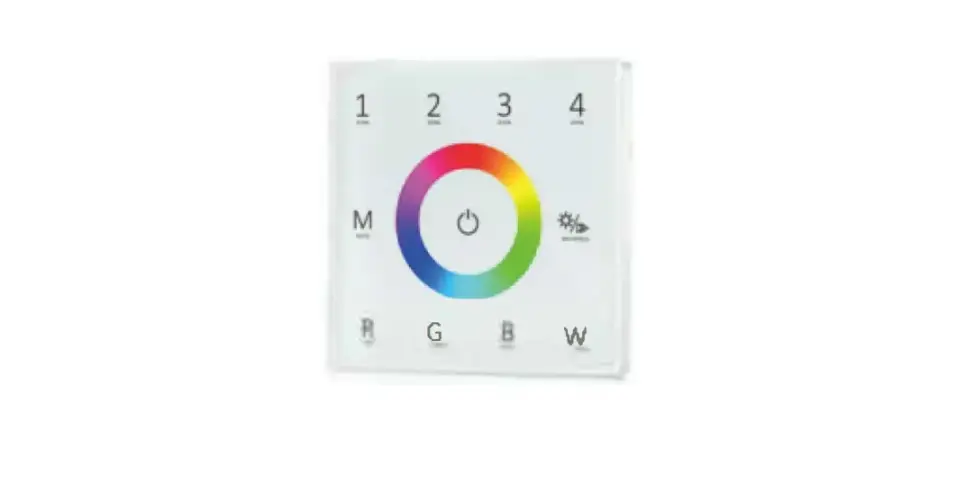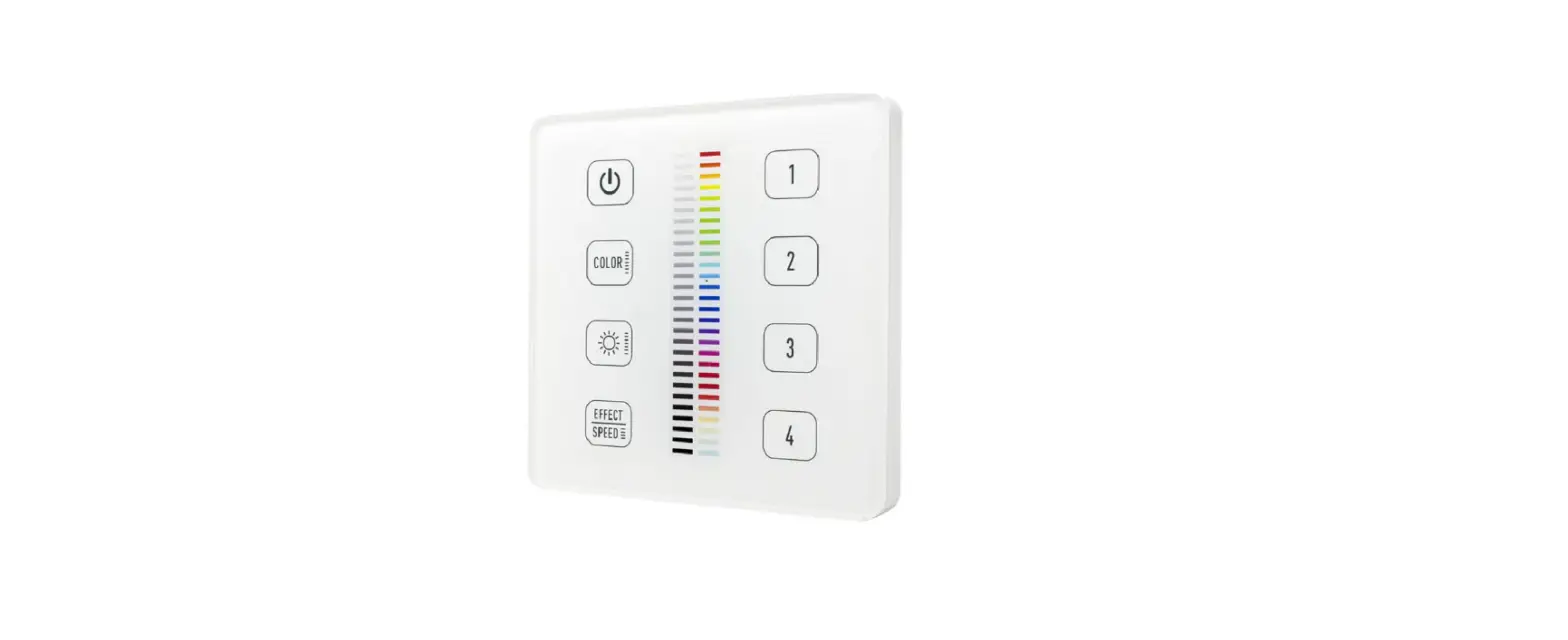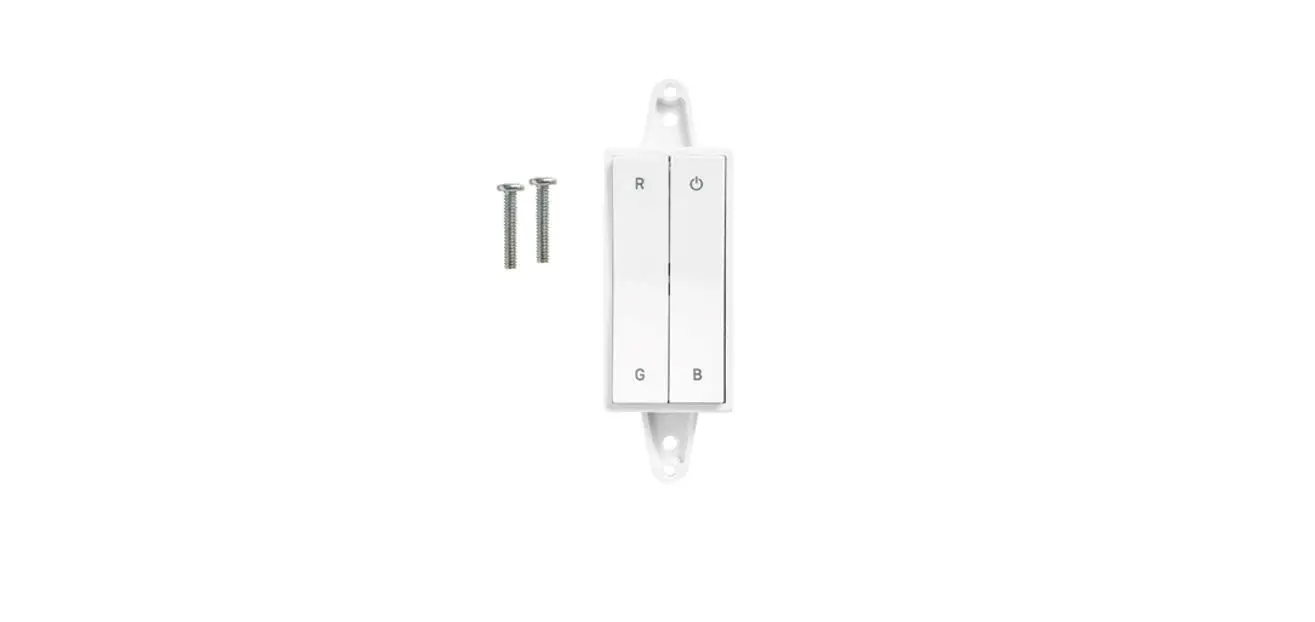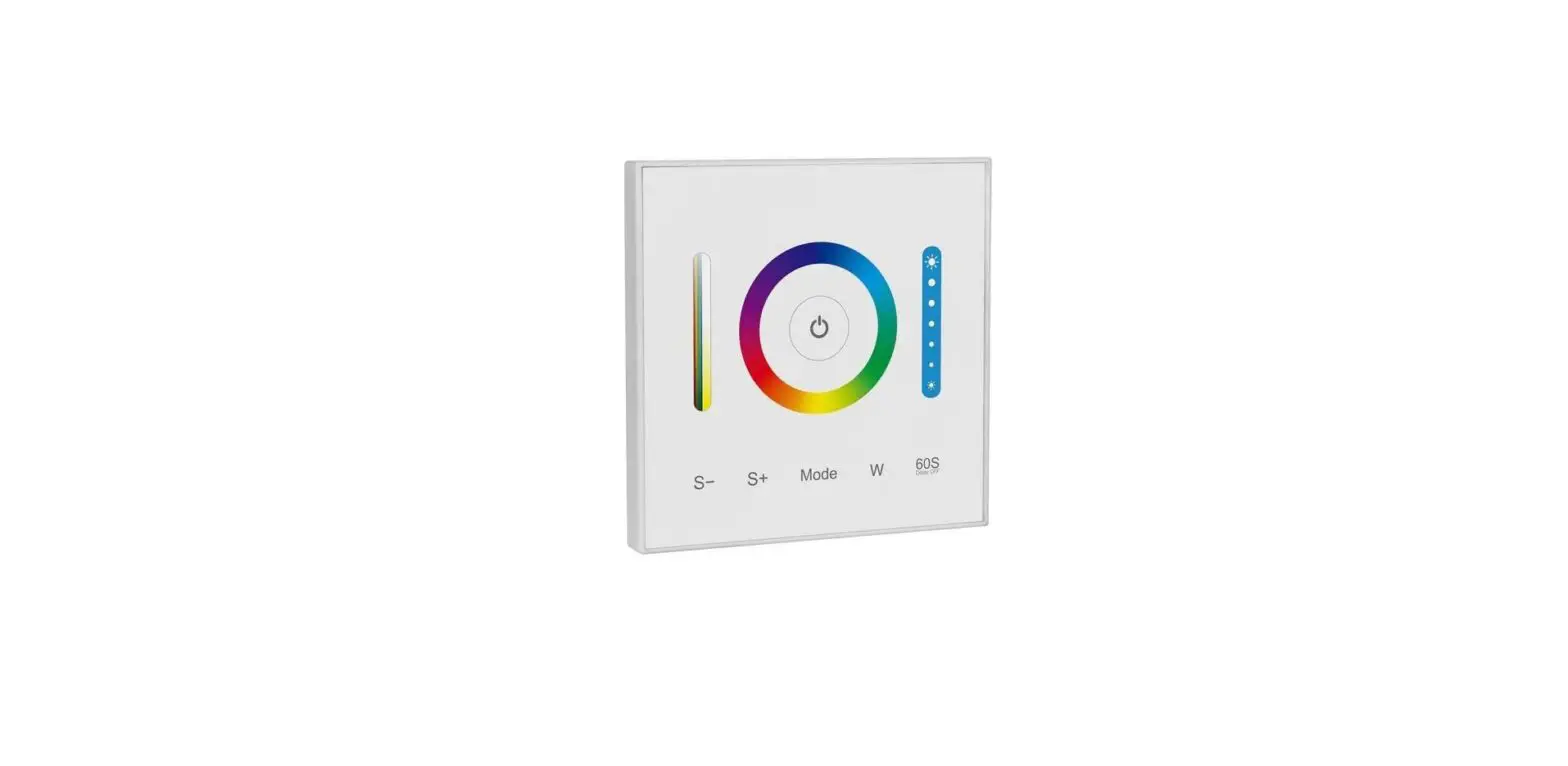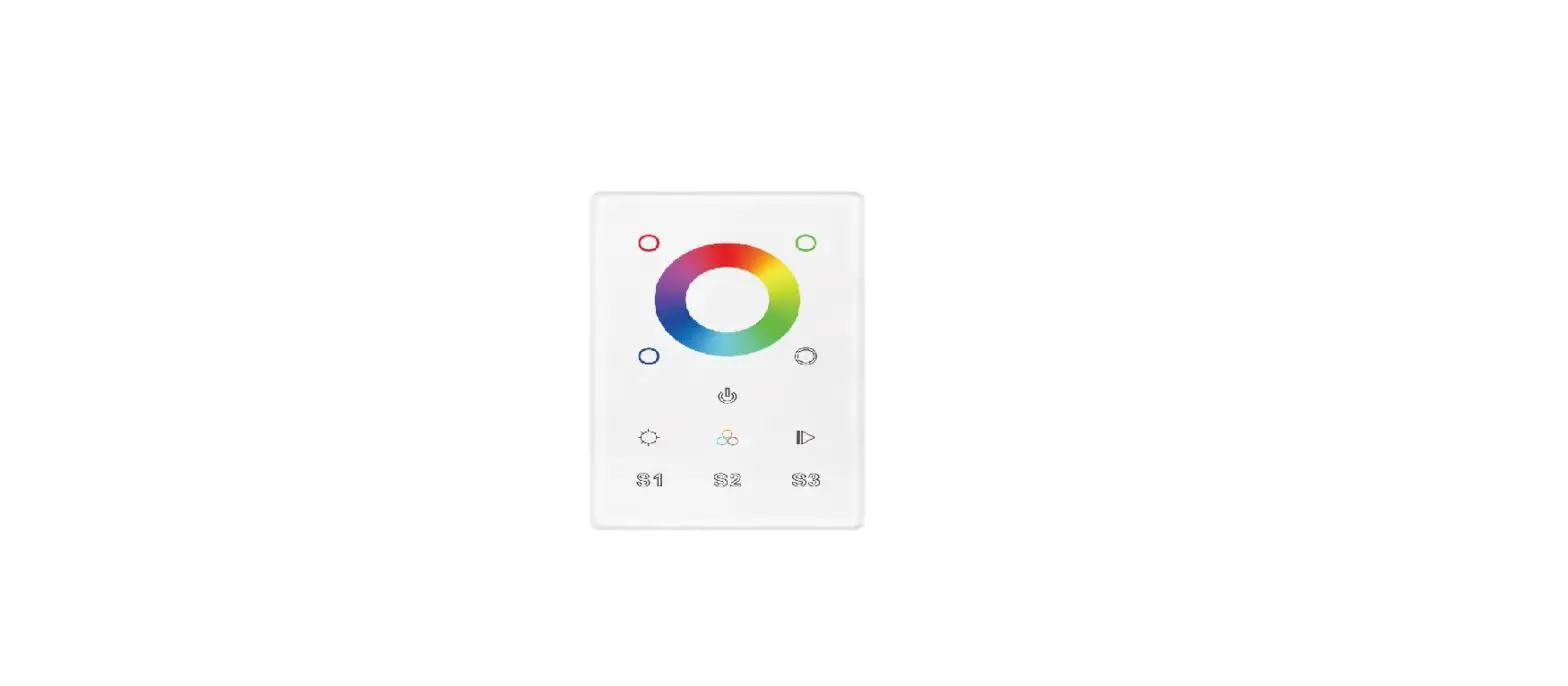

DOMUS CHAM-TOUCH-3C 3 Channel Wall Controller
Product Information
- Product Name: CHAM-TOUCH-3C Wall Controller
- Item Number: 20144
- Type of Controller: RGBW touch wall control
- Output Signal: RF + Bluetooth
- Dimming Range: 0.1% – 100%
- Colour: White (Glass)
- Dimensions (mm): (L) 120 x (W) 75 x (D) 29.1
- Cutout (mm): 19.4
- Transmission Frequency: Not specified
- Operating Temperature: Not specified
- Power Consumption: Not specified
- Operation Voltage: Not specified
Product Usage Instructions
- Installation:
- The lamp must be installed by a professional electrician.
- Ensure the power supply is switched off before fitting this product.
- Keep away from hot steam and corrosive gas.
- Function Introduction:
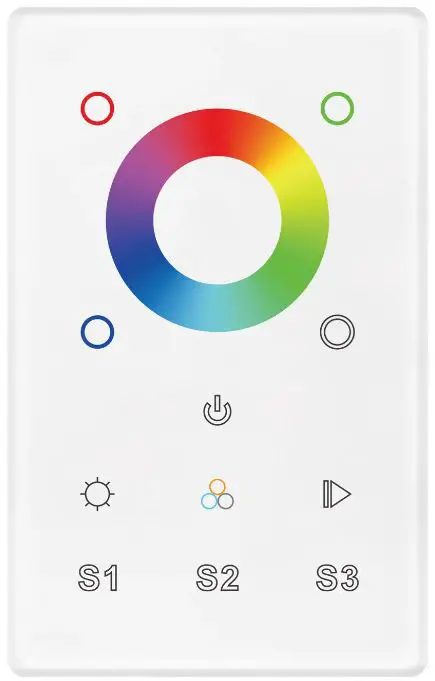
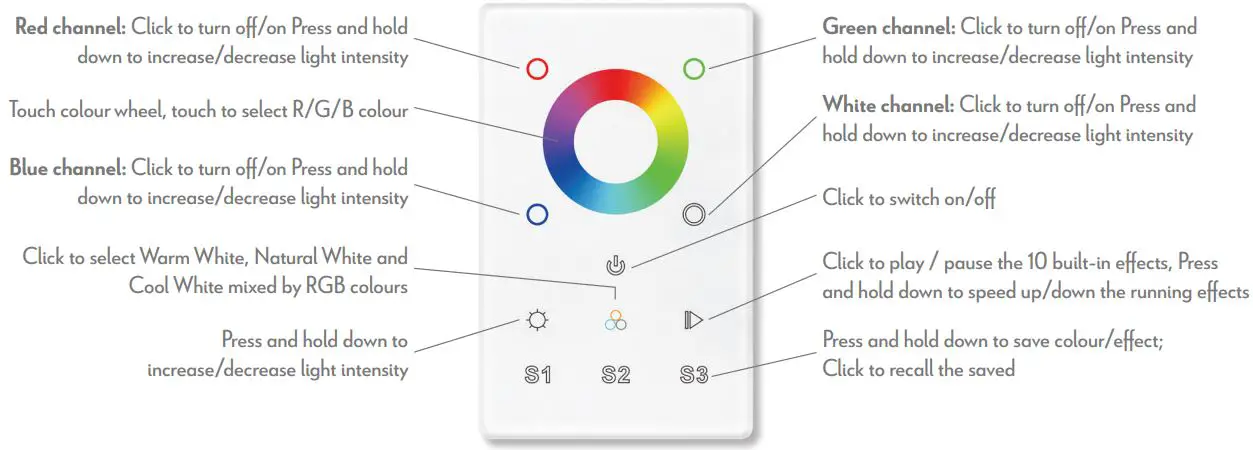
- Red channel:
- Click to turn off/on.
- Press and hold down to increase/decrease light intensity.
- Blue channel:
- Click to turn off/on.
- Press and hold down to increase/decrease light intensity.
- Click to select Warm White, Natural White, and Cool White mixed by RGB colors.
- Press and hold down to increase/decrease light intensity.
- Green channel:
- Click to turn off/on.
- Press and hold down to increase/decrease light intensity.
- White channel:
- Click to turn off/on.
- Press and hold down to increase/decrease light intensity.
- Click to switch on/off.
- Click to play/pause the 10 built-in effects.
- Press and hold down to speed up/down the running effects.
- Press and hold down to save color/effect.
- Click to recall the saved color/effect.
- Red channel:
- Operation:
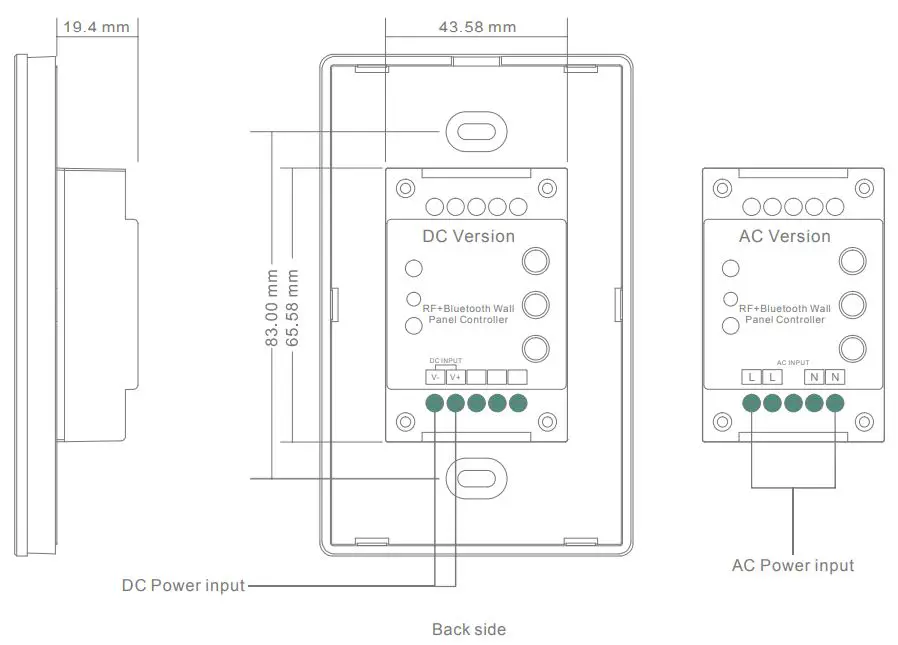
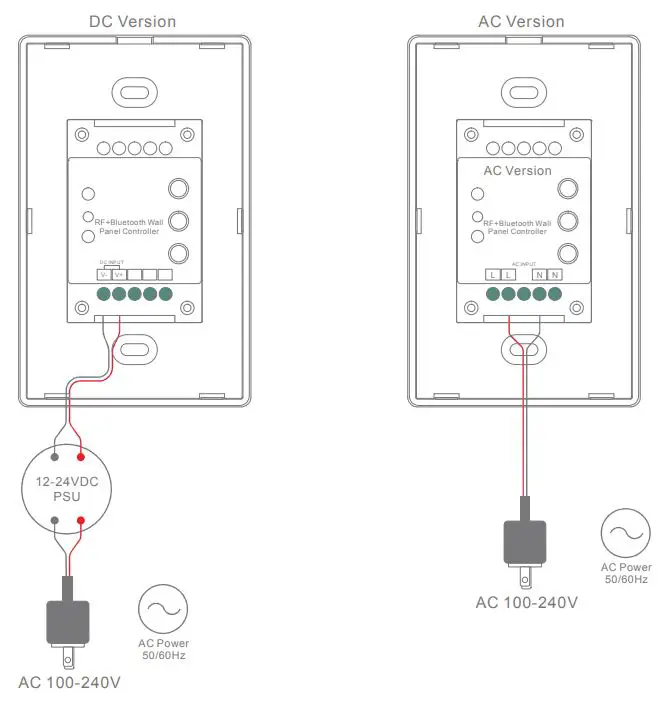
- Do wiring the wall panel & RF+Bluetooth receiver according to the wiring diagram provided.
- Power on, then touch the button to turn on the controller. The indicator of the controller will turn blue.
- Pairing with RF+Bluetooth Receiver:
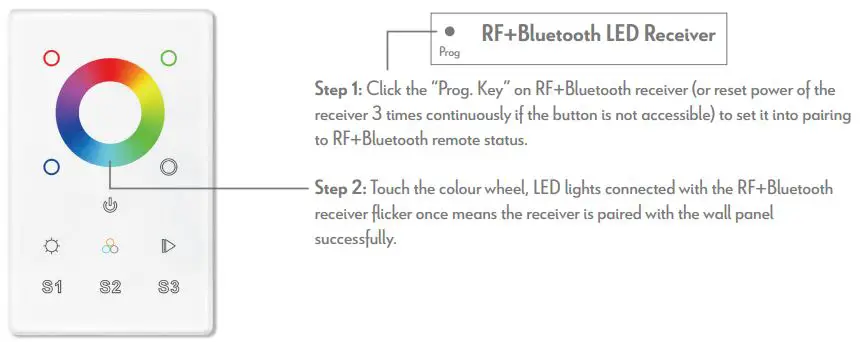
- Click the Prog. Key on the RF+Bluetooth receiver (or reset power of the receiver 3 times continuously if the button is not accessible) to set it into pairing to RF+Bluetooth remote status.
- Installation:
Variant Item No. Detail
| 20144 | CHAM-TOUCH-3C | 3CH Wall Controller |
Thank you for purchasing your new CHAM-TOUCH-3C Wall Controller, Please take the time to read and understand the instruction sheet below. Failure to do so may void warranty.
Specifications
| Type of controller: | RGBW touch wall control | Cutout (mm): | (L) 70mm x (W) 44mm x (D) 20mm |
| Output signal: | RF + Bluetooth | Transmission frequency: | 2.4GHz |
| Dimming range: | 0.1% – 100% | Operating temperature: | 0-40°C |
| Colour: | White (Glass) | Power consumption: | < 15mA |
| Dimensions (mm): | (L) 120mm x (W) 75mm x (D) 29.1mm | Operation voltage: | 240V |
- Touch sensitive
- Glass interface(white & black)
- Compatible with all universal series RF+Bluetooth receivers
- Radio frequency: 2.4GHz
- Control RGBW colour
- Control 1 zone/area
- Waterproof grade: IP20
Safety & Warnings
- DO NOT install with power applied to device.
- DO NOT expose the device to moisture.
Function Introduction
Wiring Diagram
Operation
- Do wiring the wall panel & RF+Bluetooth receiver according to wiring diagram (please refer to the instruction of RF+Bluetooth receiver that you would like to pair with).
- Power on, then touch the button to turn on the controller, indicator of the controller turned blue.
Pair with RF+Bluetooth receiver
Built-in 10 colour changing modes are as follows:
| Mode 1: | Any two colours of RGB mix fade-in & fade-out |
| Mode 2: | RGB three colours mix fade-in & fade-out |
| Mode 3: | RGB three colours mix fade-out & fade-in |
| Mode 4: | RGB flash |
| Mode 5: | RGB three colours fade-in & fade-out successively |
| Mode 6: | RGB three colours fade-in successively |
| Mode 7: | RGB three colours fade-out successively |
| Mode 8: | RGB three colours jump changing successively |
| Mode 9: | R&B two colours mix fade (R in B out), then G fade-in, then R&B mix fade (R out B in), then G fade-out |
| Mode 10: | B fade-out, then G&B mix fade (G out B in), then R&G mix fade (R out G in), then R fade-in |
Note
- The lamp must be installed by professional electrician
- Ensure the power supply is switched off before fitting this product
- Do not touch the lamp when in use
- Keep away from hot steam and corrosive gas
Contact
- 29-31 Richland St. Kingsgrove. Sydney NSW 2208 Australia
- Phone: 02 9554 9600
- Fax: 02 9554 9433
- [email protected]
- www.domuslighting.com.au