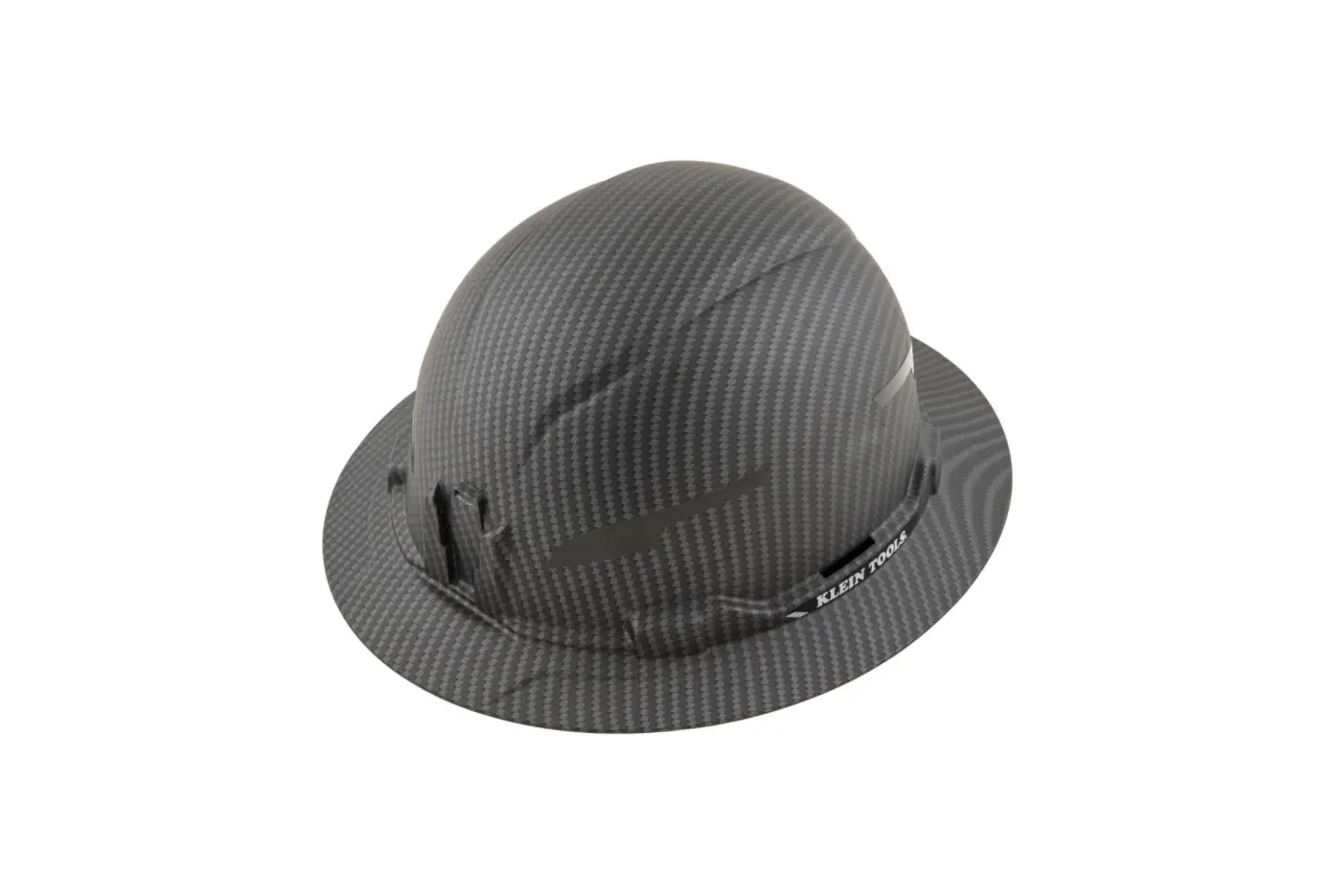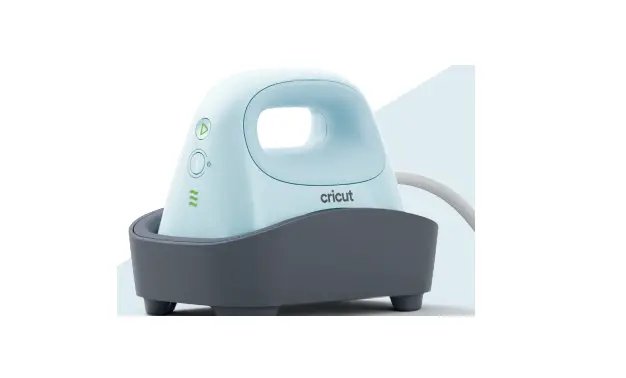

cricut CHPO80B1 Hat Press
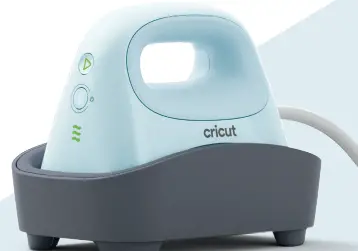
Get to know your Cricut Hat Press
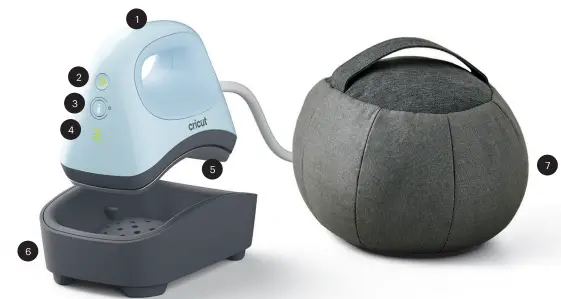
- Handle
- Go Button
- Power/Temperature Button
- Indicator Lights
- Curved Heat Plate
CAUTION: Gets very hot during use - Safety Base Cricut Hat
- Pressing Form
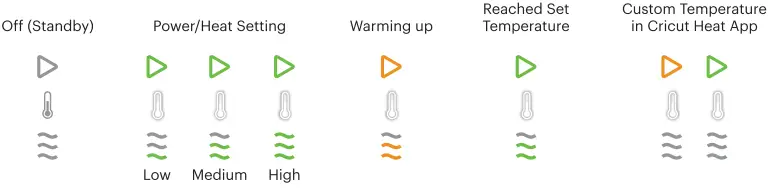
INDICATOR LIGHTS
Always handle with care
Before operating the machine, read the enclosed Important
Safety Instructions.
CAUTION: Curved Heat Plate (5) Hat Pressing Form (7) get very hot during use.
Always return to Safety Base (6) when not in use.
ALLERGY WARNING:
The Cricut Hat Pressing Form (7) contains walnut shells.
Use your hat press
Before first use, the heat press will be in activation mode, download the Cricut Heat™ app to activate. Once connected, send precise settings & get step-by-step instructions for every project from your mobile device.
How to operate
- Plug into a compatible wall outlet
- Press Power Button (3) to turn on
- To cycle to desired heat setting, press Temperature Button (3)
- To start the timer, press Go Button (2)
- To power off, press Power Button (3) to cycle through heat settings, or press and hold until an audible beep
- Auto-off after 13 minutes of inactivity
Need help?
Visit cricut.com/help
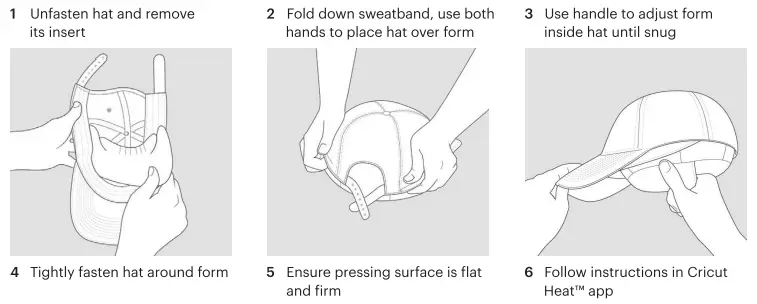
How to use Cricut® Hat Pressing Form
Technical specifications
Cricut Hat Press Models: CHP080B1, CHP082G1CHP082F1, CHP082I1
Please read this entire document prior to setting up, operating, and servicing your Cricut Hat Press machine. Please follow the enclosed instructions,online instructions, and other official Cricut instructional materials. In these instructions, the term “Machine” means Cricut Hat Press.
Description:
- The Cricut Hat Press is a handheld heat press built in the vein of the popular Cricut EasyPress™
- products with a form factor dedicated to heat transfers on hats, namely caps. Controlling the Cricut Hat Press is simple using either the built-in controls or Bluetooth® technology.
- Three simple heat settings take on every possible heat transfer project, including permanent Infusible Ink™ transfers
that become one with the base material. With an extra layer of protection on its ceramic-coated heat plate, Cricut Hat Press effortlessly glides over oddly shaped surfaces to transfer your design. Safety features include an insulated safety base and an auto-shutoff feature. It’s lightweight, portable, easy to store, and compatible with major brands of ironon/
HTV, Infusible Ink & sublimation products.Product apeclflcatlon■ Size – Unit (Width x Length x Height) 3.5 in x 5.55 in x 4.56 in; 8.9 cm x 14.1 cm x 11.6 cm Weight – Unit 1.6 lbs (0.7 kg) Size – Unit+ Stand (Width x Length x Height) 4.64 in x 6.85 in x 5.43 in;11.8 cm x 17.4 cm x 13.8 cm Weight – Unit+ Stand 2.61 lbs (1.15 kg) Power input (appliance inlet) 120-127V 60Hz 410-470W; 220-240V 50/60Hz 380-420W External power supply N/A Operating mode Continuous Electrical classification Class I ( Supplied by AC Mains) Pollution degree PD2 Ingress Protection IPX0 (Ordinary) Wirel8N 1pecificationa Transmission type Bluetooth Frequency Band 2402.0-2480.0 MHz Maximum Radiated Power <= 100 mW (e.i.r.p) Directive ■/ Standard■: EU Directive 2014/30/EU EMC Directive EU Directive 2014/35/EU Low Voltage Directive EU Directive 2014/53/EU Radio Equipment Directive (RED) EU DIRECTIVE 2009/125/EC Eco-design requirements for Energy Related Products (ErP) EU DIRECTIVE 2011/65/EU RoHS
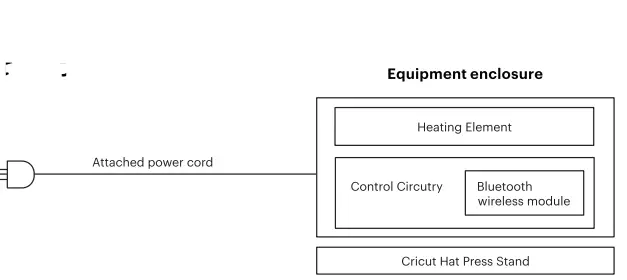
Cricut Hat Press Block Diagram