 Hardware Quick Reference
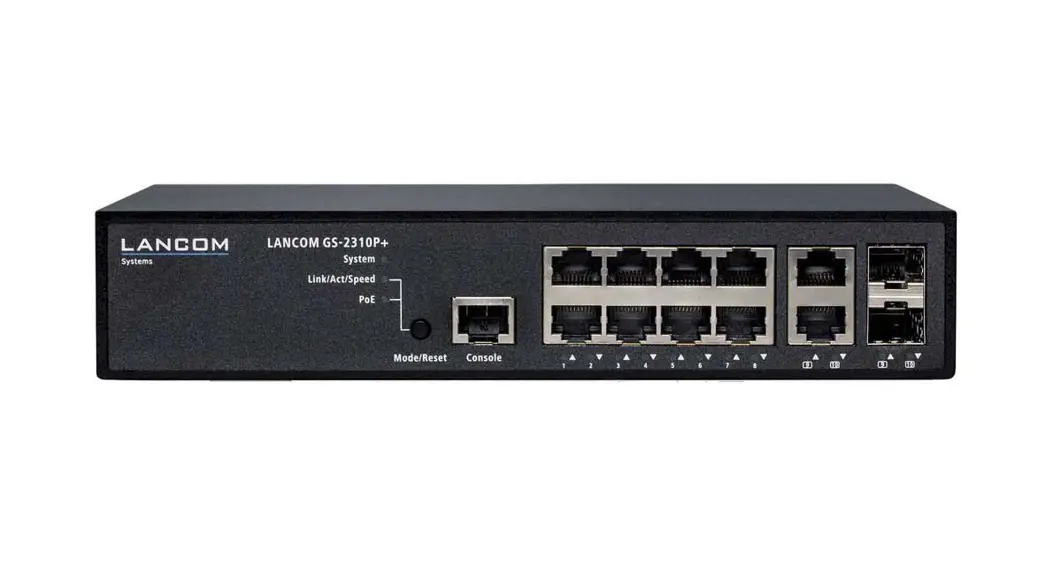
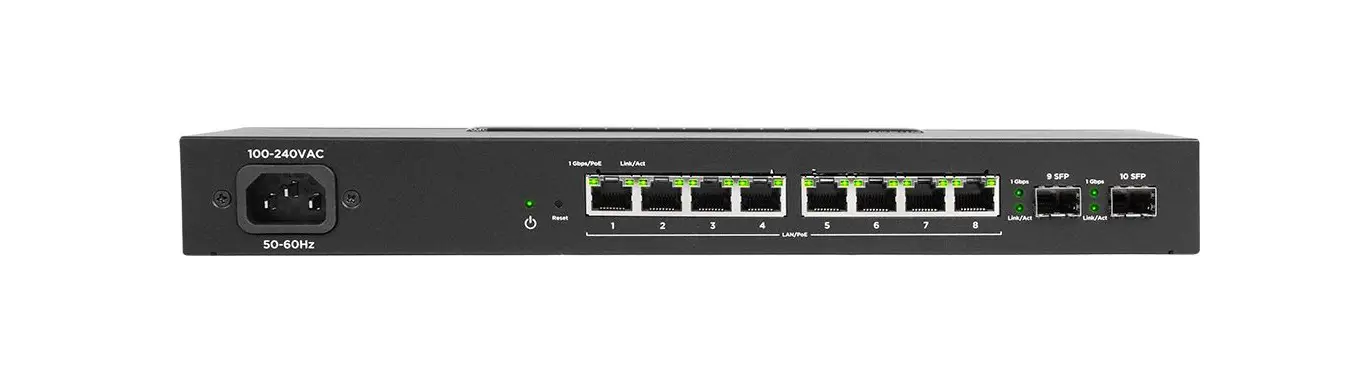
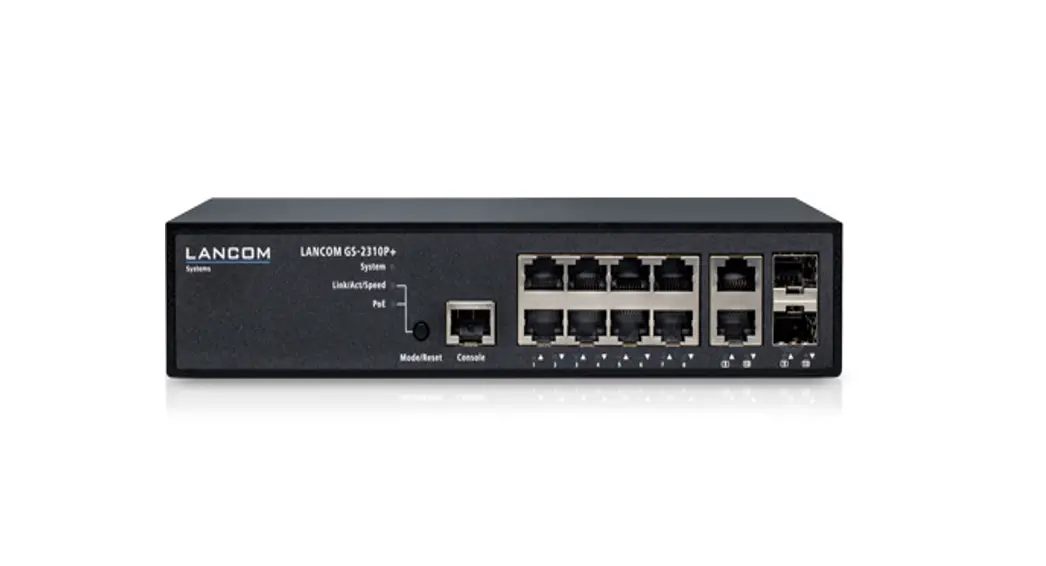
LANCOM GS-2310P+
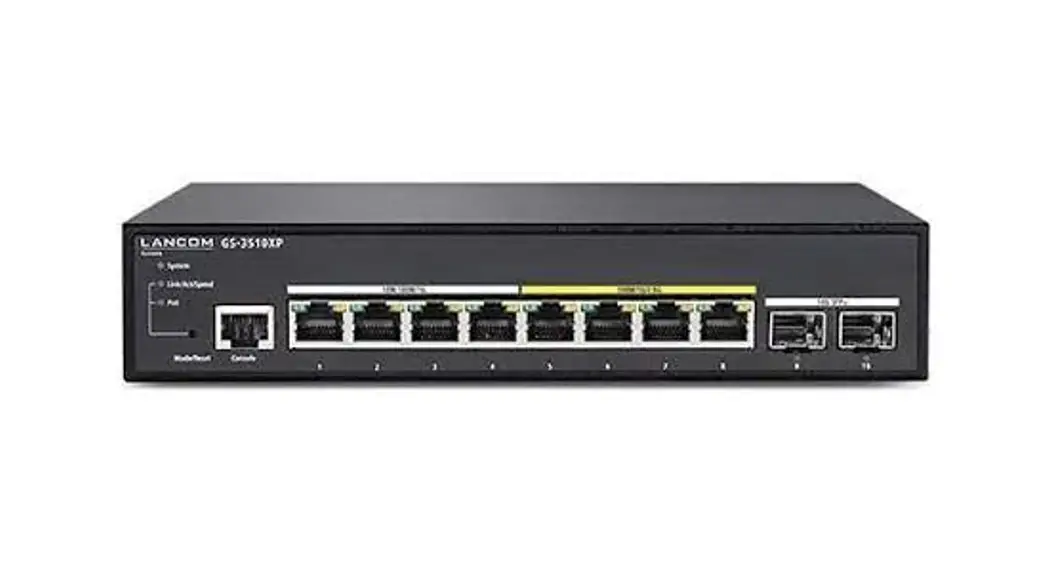
GS-2310P+ PoE Switch
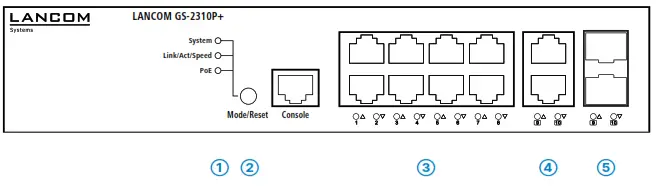
- Configuration interface
Connect the serial interface (Console) via the included serial configuration cable to the serial interface of the device you want to use for configuring/monitoring the switch.
- TP Ethernet interfaces
Use Ethernet cables to connect the interfaces ETH 1 to ETH 8 to your PC or a LAN switch.
- TP Ethernet interfaces (combo ports)
Use Ethernet cables to connect the interfaces ETH 9 and ETH 10 to your end device or another LAN switch.
- SFP interfaces (combo ports)
Insert suitable LANCOM SFP modules into the SFP combo ports 9 and 10. Choose cables that are compatible with the SFP modules and connect them as described in the module’s document stations.
- Power connector (device back side)
Supply power to the device via the power connector. Please use the IEC power cable supplied or a country-specific LANCOM Power Cord.
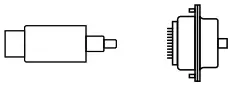



Before initial startup, please make sure to take notice of the information regarding the intended use in the enclosed installation guide!
Operate the device only with a professionally installed power supply at a nearby power socket that is freely accessible at all times.
 Please observe the following when setting up the device
→The power plug of the device must be freely accessible.
→ For devices to be operated on the desktop, please attach the adhesive rubber footpads
→Do not rest any objects on top of the device
→Keep all ventilation slots on the side of the device clear of obstruction
→Mount the device into a 19” unit in a server cabinet using the provided screws and mounting brackets.
→Please note that support service for third-party accessories is excluded.
Mounting & connecting
➀ System / Link/Act/Speed / PoE
| System: off | Device powered off |
| System: green | Device operational |
| Link/Act/Speed:green | Port LEDs show link/activity status or port speed |
| PoE: green | Port LEDs show PoE status |
➁ Mode/Reset button
| Short press | Port LED display switch |
| 5 seconds pressed 10 seconds pressed | A restart of the device |
| 10 seconds pressed | Reset and restart the device |
➂ TP Ethernet ports (combo ports)
| Off | Port inactive |
| Green | Link 1000 Mbps |
| Orange | Link ≤ 100 Mbps |
➃ SFP ports (combo ports)
| Off | Port inactive |
| Green | Link 1000 Mbps |
| Orange | Link ≤ 100 Mbps |
Hardware
| Power supply | Internal power supply unit (110–230 V, 50-60 Hz), PoE based on IEEE 802.3af and IEEE 802.3at |
| Power consumption | max. 160 watts |
| Environment | Temperature range 0–40°C; humidity 10–90%; non-condensing |
| Housing | Robust metal housing, 19“ 1U (220 x 45 x 242 mm > W x H x D) with removable mounting brackets, network connectors on the front |
| Number of fans | None; fanless design without rotating parts, high MTBF |
Interfaces
| ETH | 8 TP Ethernet-Ports 10/100/1000 Mbps 2 Combo-Ports (TP/SFP) 100/1000 Mbps (SFP) and 10/100/1000 Mbps (TP) 10 concurrent ports in total |
Package Content
| Mounting brackets | Two 19” brackets for rack mounting |
| Cable | IEC power cord, serial configuration cable 1.5 m |
LED description & technical detail
*) The additional power LED statuses are displayed in a 5-second rotation if the device is configured to be managed by the LANCOM Management Cloud.
This product contains separate open-source software components which are subject to their own licenses, in particular, the General Public License (GPL). The license information for the device firmware (LCOS) is available on the device‘s WEBconfig interface under “Extras > License information“. If the respective license demands, the source files for the corresponding software components will be made available on a download server upon request.
Hereby, LANCOM Systems GmbH | Adenauerstrasse 20/B2 | D-52146 Wuerselen, declares that this device is in compliance with Directives 2014/30/EU, 2014/35/EU, 2011/65/EU, and Regulation (EC) No. 1907/2006. The full text of the EU Declaration of Conformity is available at the following Internet address:
www.lancom-systems.com/doc
LANCOM, LANCOM Systems, LCOS, LAN community, and Hyper Integration are registered trademarks. All other names or descriptions used may be trademarks or registered trademarks of their owners. This document contains statements relating to future products and their attributes. LANCOM Systems reserves the right to change these without notice. No liability for technical errors and/or omissions.
 111577/0622
 DoC - LANCOM Systems GmbH