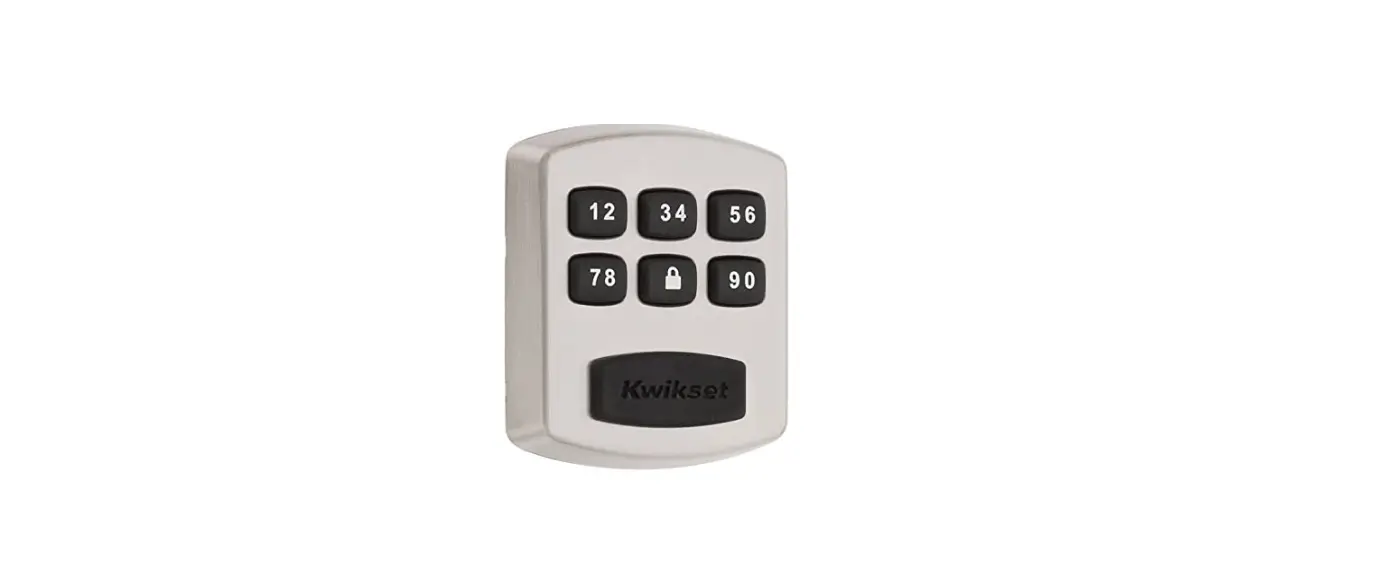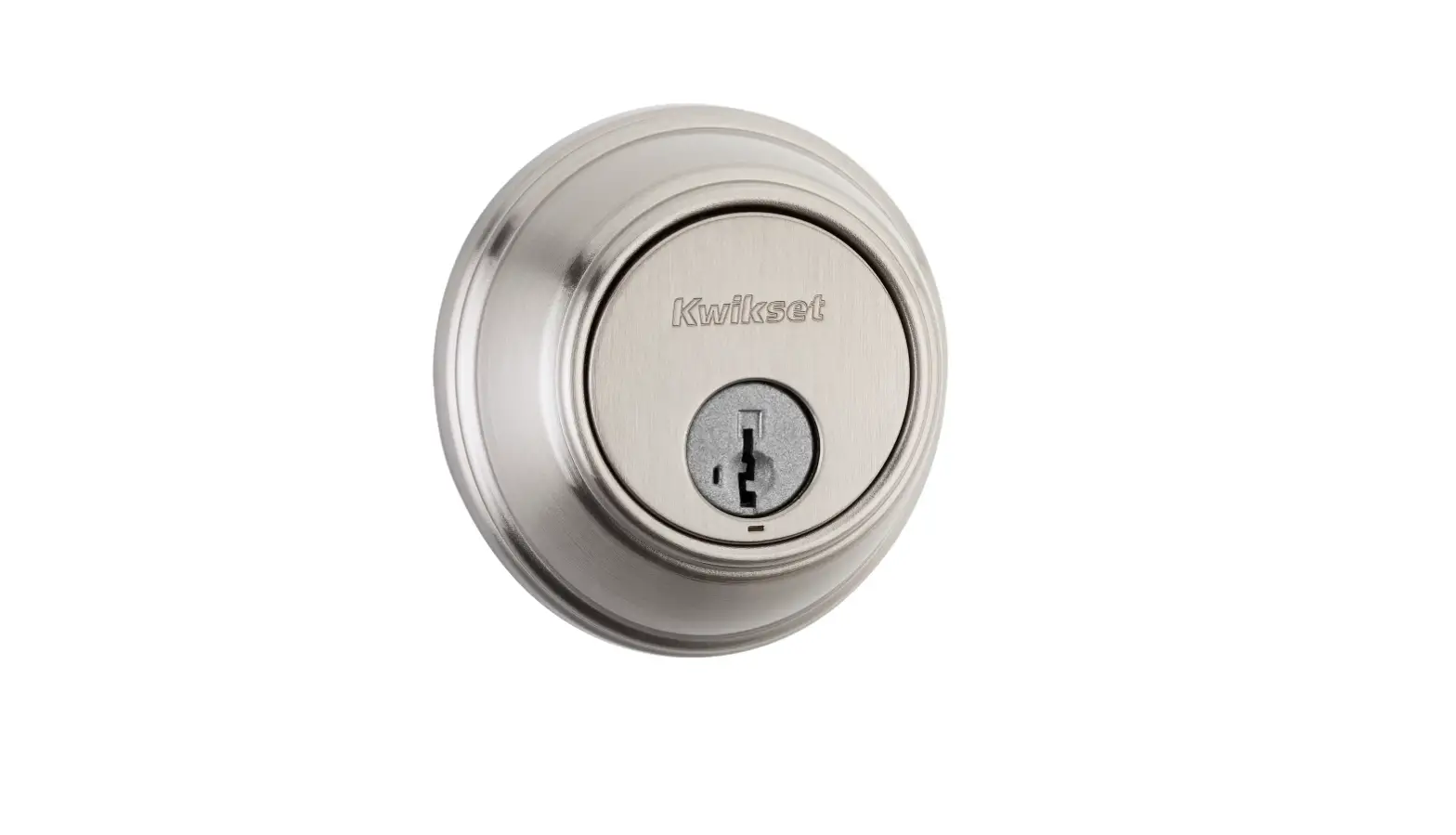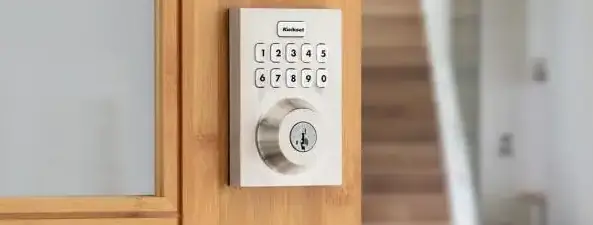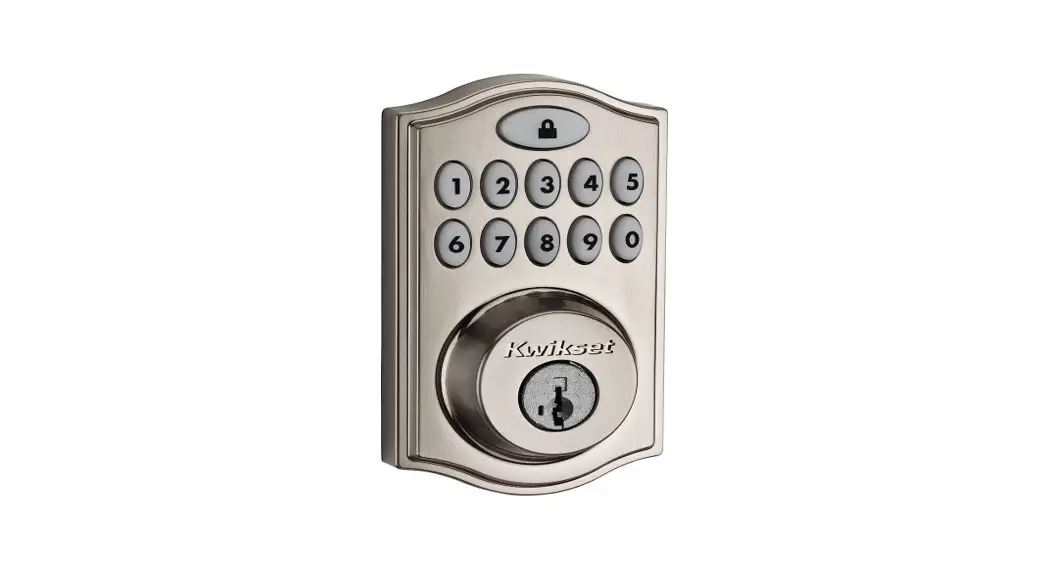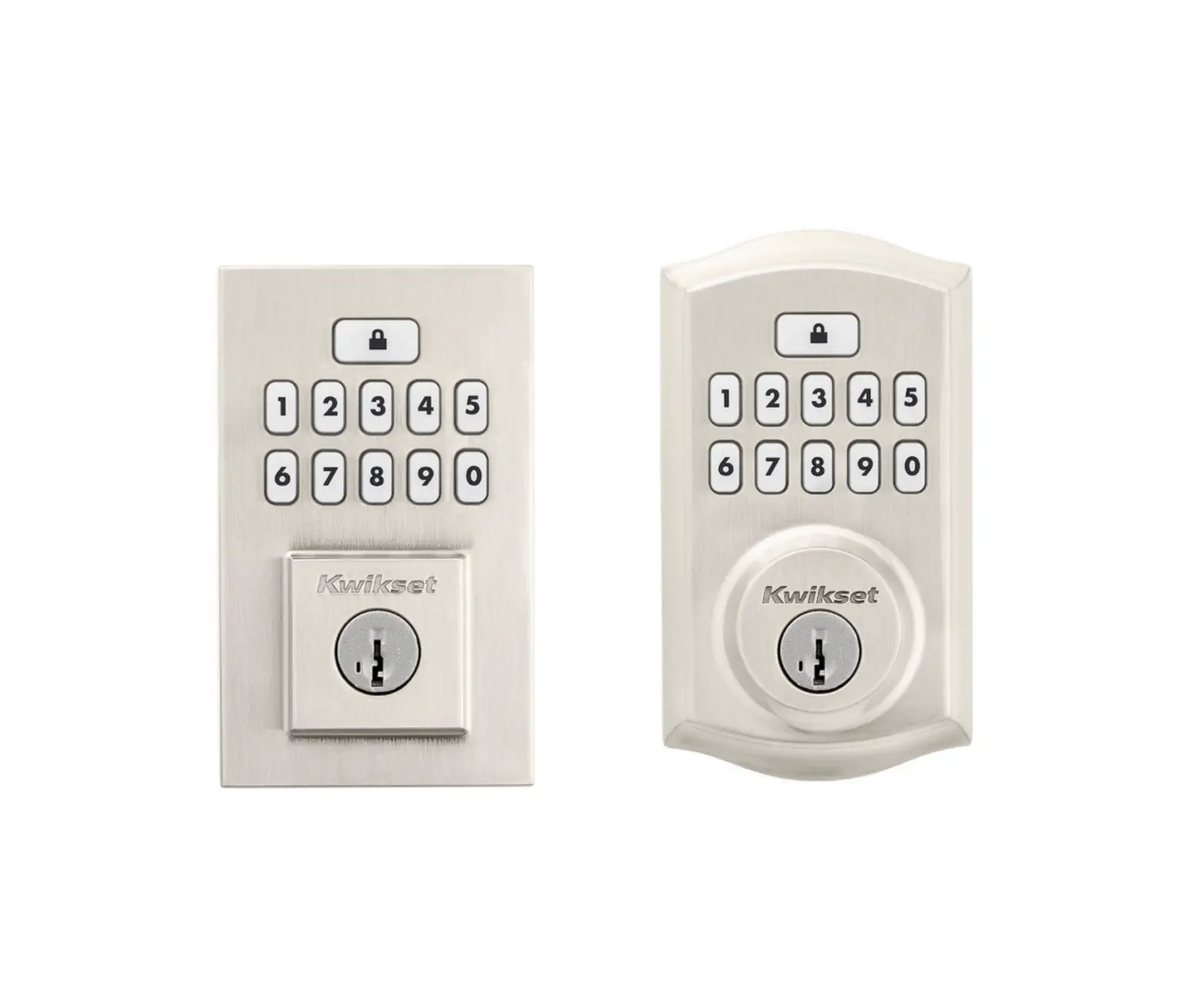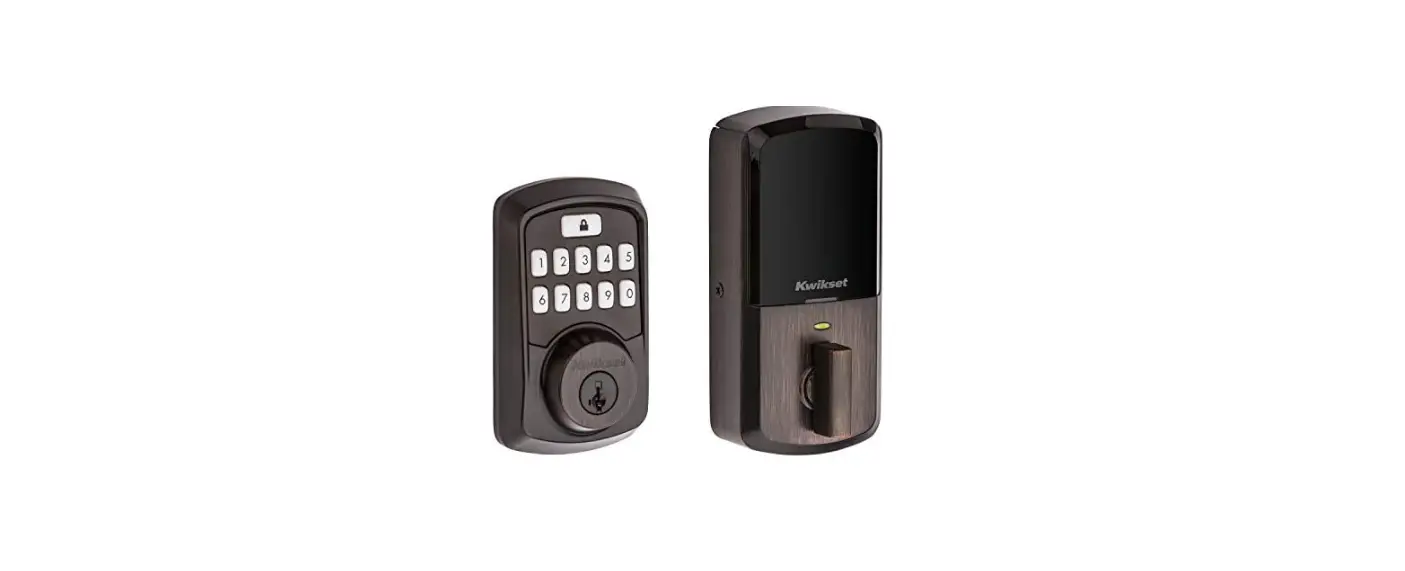

Kwikset 99420-003 Lock Dead bolt Smart Key Security
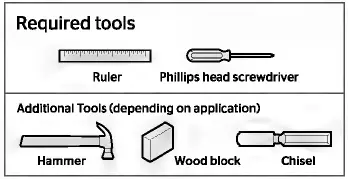
Required tools
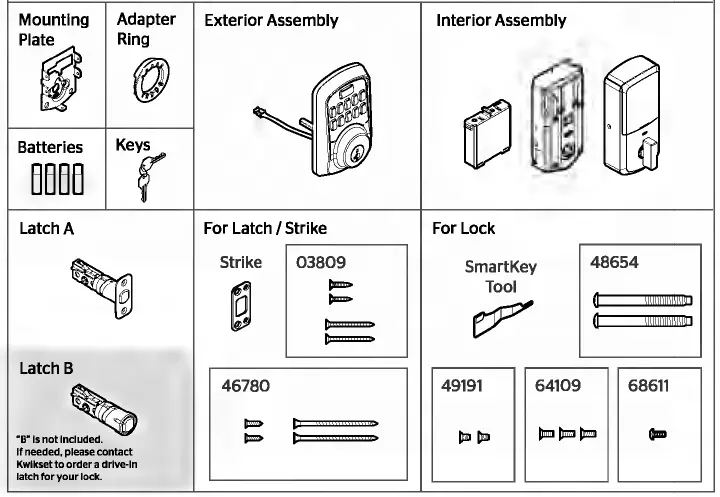
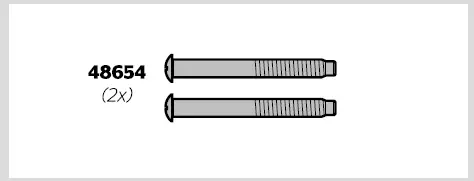
Parts List
INSTRUCTION
Prepare the door and check dimensions
- Make sure your door is compatible. If you have a standard deadbolt mounted separately from the handle below It, your door Is compatible
- Remove your existing deadbolt from your door.

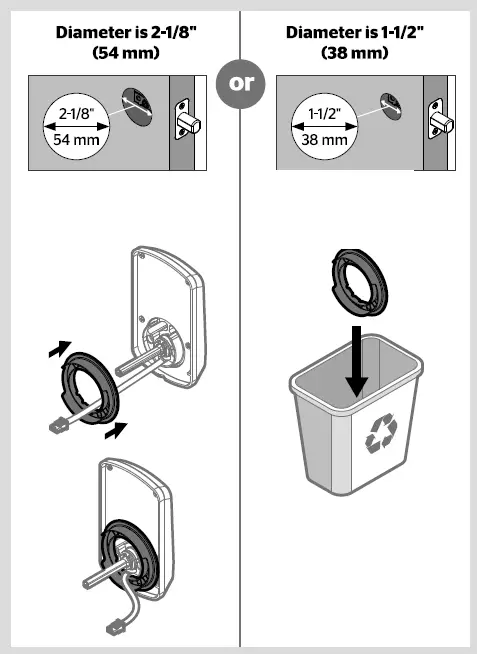
- Measure to confirm that the hole In the door Is either 2-1/8″ (54 mm) or 1-1/2″ (38 mm).
- Measure to confirm that the backset Is either 2-3/8″ or 2-3/4″ (60 or 70 mm).
- Measure to confirm that the hole In the door edge Is 1″ (25 mm).
- Measure to confirm that the door Is between 1-3/8″ and 2″ (35 mm and 51 mm) thick.



Install the latch and strike
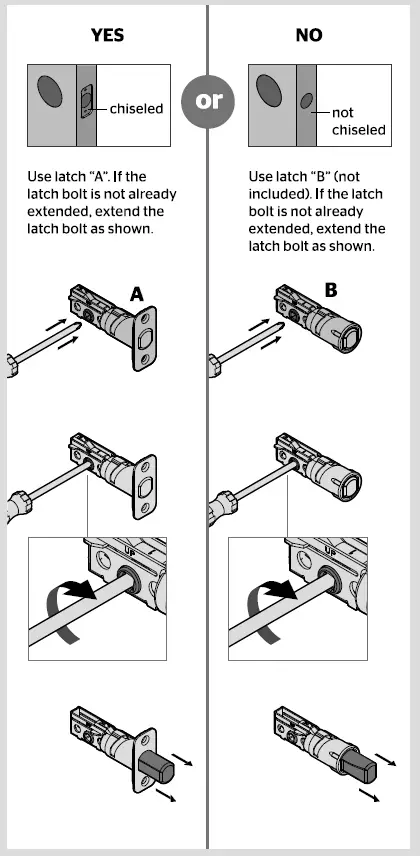
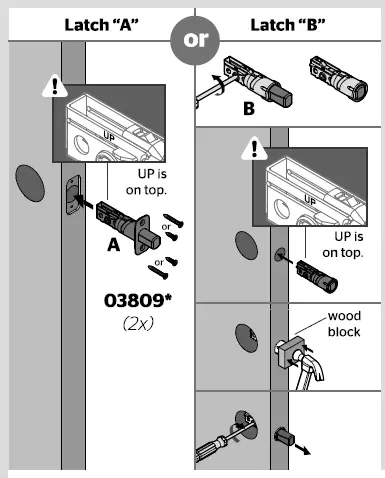
- Is the door edge chiseled?

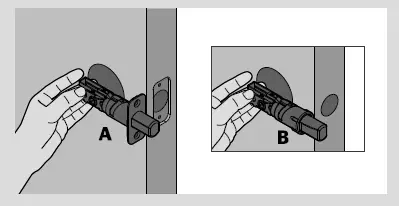
- Hold the latch In front of the door hole, with the latch face flush against the door edge

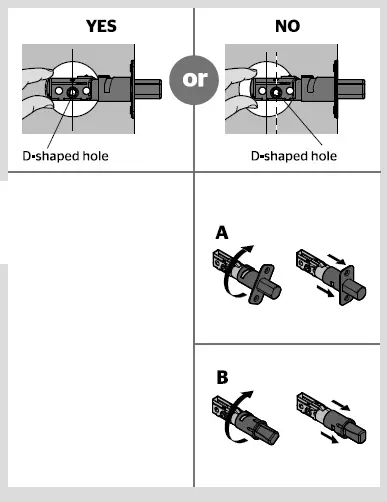
- Is the D-shaped hole centered In the door hole?

- Which latch are you Installing?

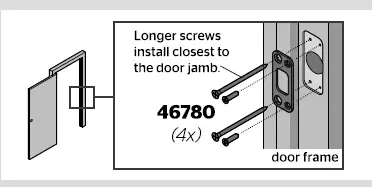
- Install the strike on the door frame

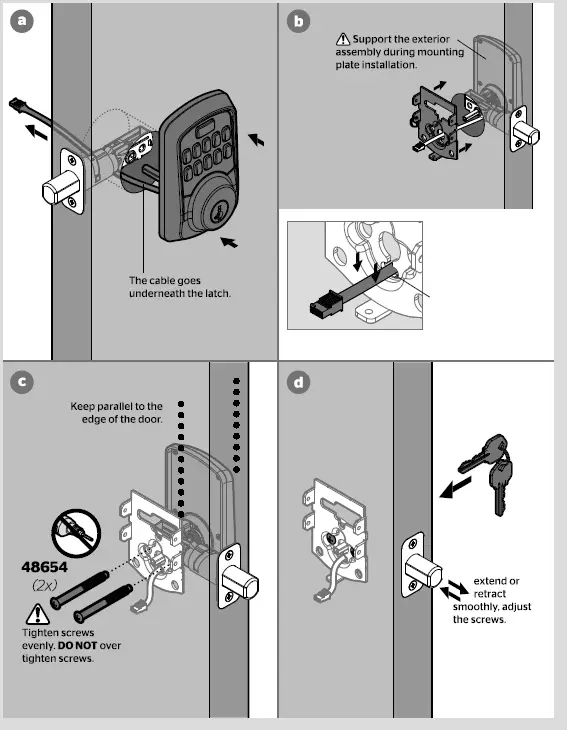
Install the exterior keypad
- What is the diameter of the hole in the door?

- Locate the screws for step 3C and keep them within reach.

- Install the exterior keypad and mounting plate.

Install the Interior assembly
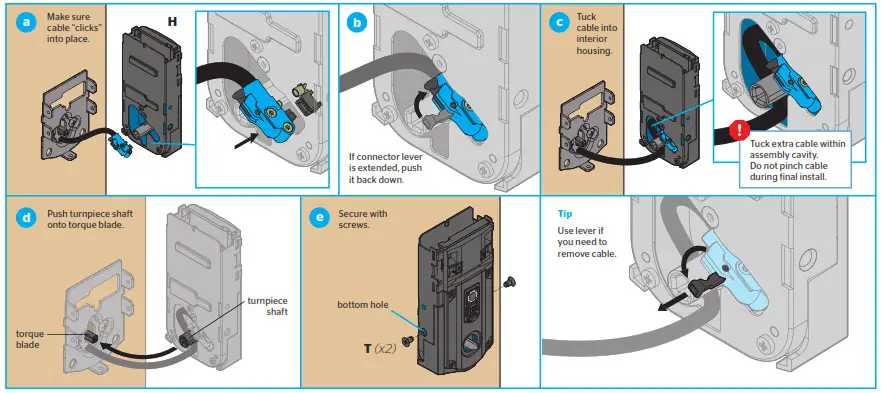
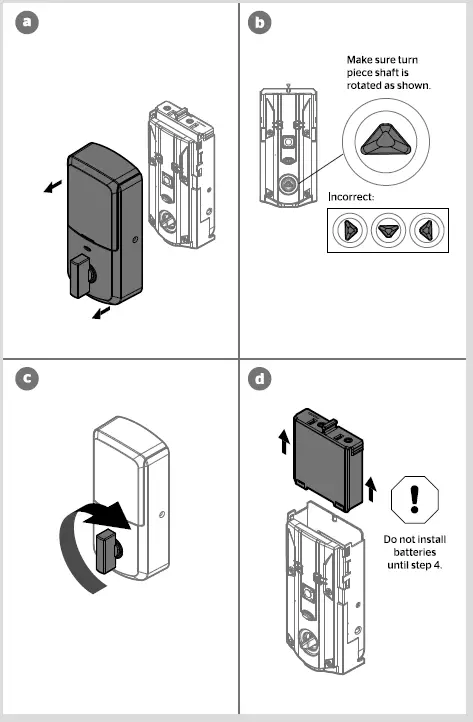
- Ensure the turn piece shaft is pointing up, and remove the interior cover and battery pack from the interior assembly.

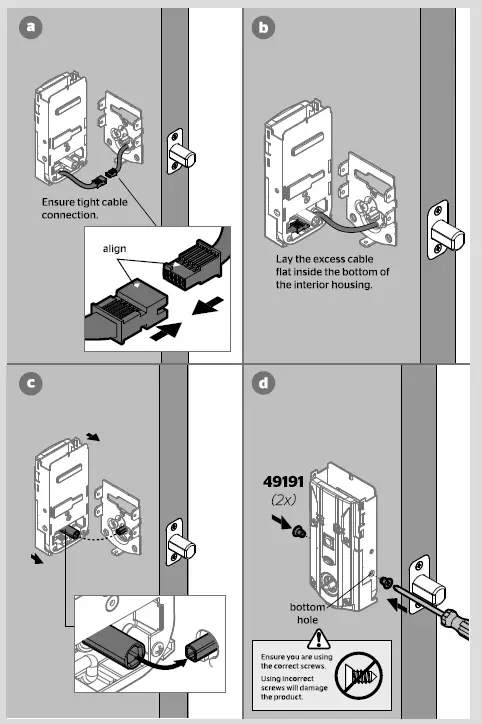
- Install the interior assembly onto the mounting plate.

Install the batteries and perform the door handing process
- Install 4 AA batteries in the battery pack.
- With the door open, install the battery pack to initiate auto-handing.
 The latch will retract and extend to learn the orientation of the door.
 The Status LED will indicate success or failure.
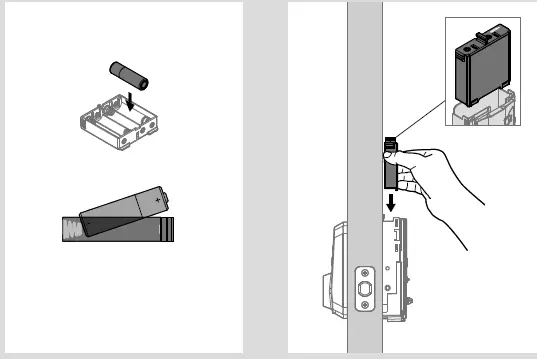 The latch will retract and extend to learn the orientation of the door.
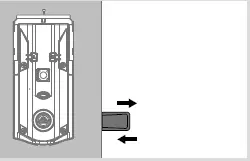 The Status LED will indicate success or failure.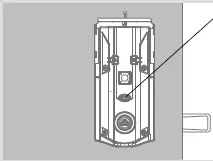
Test the lock and check door alignment

Install the interior cover
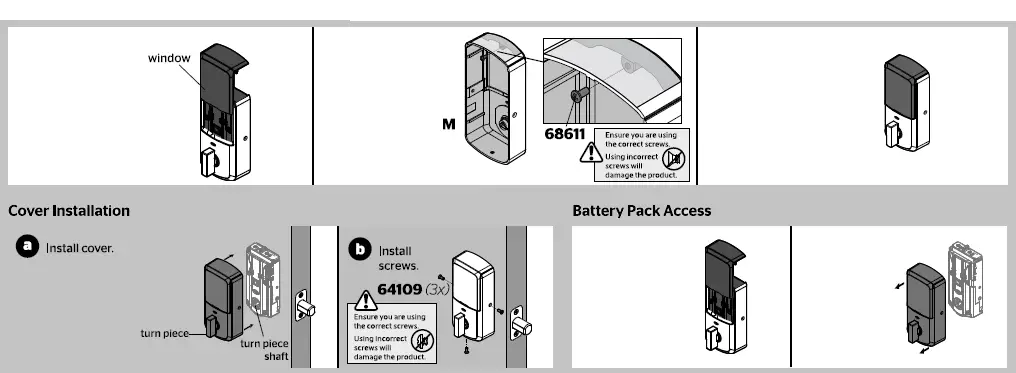
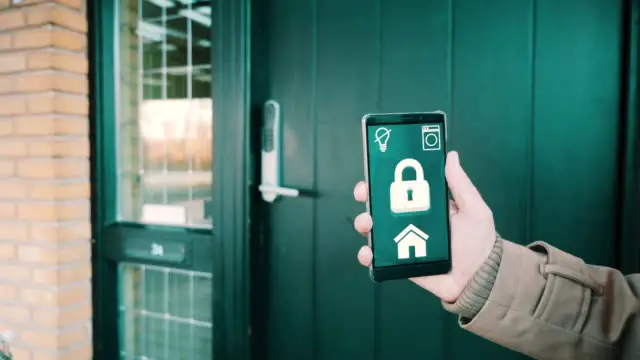
Download the app and create an account
- Download the Kwikset app by scanning the QR code or visiting www.kwikset.com/app on your smartphone.
- Create your account and follow the setup instructions in the Kwikset app.

Smart Code at a Glance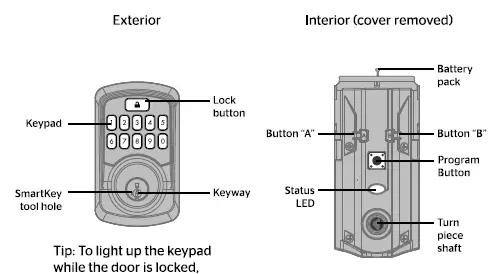
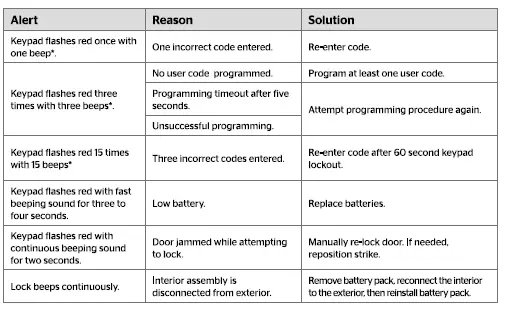
System Alerts
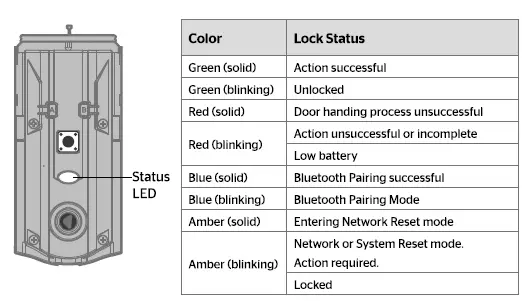
Status LED colors
Manual Door Handing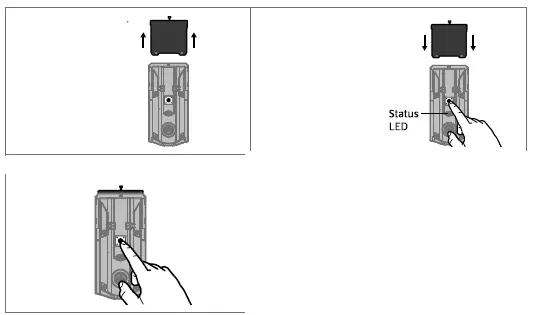
Troubleshooting
A complete Aura Bluetooth Keypad Programming and Troubleshooting Guide is available at www.kwikset.com/aura/support
SmartKey Re-Keying
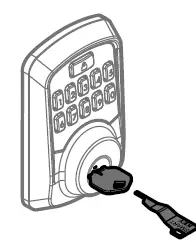
Re-key the lock to work with your existing key. See the supplied SmartKey Re-key instructions for more information. Note: If Auto-Lock is enabled, remove the battery pack before re-keying your lock
FAQS
Why is my Kwikset Smart Lock not working?
Test each button on the keypad (one at a time), and listen for a beep as each button is pressed. If beeping is not heard on all buttons, replace the batteries.
Why is my Kwikset lock not unlocking?
Make sure the User Code is correct and that the Kwikset button is pushed after entering the User Code
Why did my Smart Lock stop working?
There’s a chance that your phone simply hasn’t updated its location status in a while.
What to do if smart key is not working?
To check if your smart key’s batteries are dead, simply open the key up and replace the batteries with new, fresh ones
What is the factory master code for Kwikset lock?
The default Mastercode is 0-0-0-0. It is recommended that you change it to a code of your own. 1. Make sure the lock is unlocked and the door is open.
How do I reset my Kwikset deadbolt password?
Press the PROGRAM button once, enter your new 4 – 8 digit code and then press the LOCK button. 2
What happens if Smart Lock battery dies?
Your Smart Lock will give you low-battery warnings for multiple weeks before it loses power
How long should batteries last in a Kwikset deadbolt?
Typical battery life based on 10 entries per day is 10-12 months if the door is properly aligned and the lock does not encounter interference in lock/unlocking the door.
Why is my deadbolt not unlocking?
Sometimes the lock is stuck because the parts inside it have disengaged.
Why won’t my key unlock my deadbolt?
If you can turn the key but the lock isn’t turning it is probably because there is an issue with the lock’s mechanism system
Can someone hack my smart lock?
Any technology that connects to the internet has the potential to be hacked.
How long does a smart lock last?
Several factors play into how long your batteries will last, including environment, temperature, and weather stripping. Typically, battery life ranges from 6 months to 1 year.
Can Kwikset smart key be picked?
The overwhelming majority of these trained professionals can’t do it. Even one of Kwikset’s most vocal critics, Marc Weber Tobias (more on him in just a bit), told us that the SmartKey lock is virtually impossible to pick
Does Kwikset smart key work with any key?
Is the SC1 SmartKey cylinder compatible with keys from other companies? Yes. Any SC1 5-Pin key is compatible.
What if I forgot my master code for my lock door?
You can visit a Master Lock Distributor / Retailer or submit a Lost Combination form. Bring your lock to the retailer.