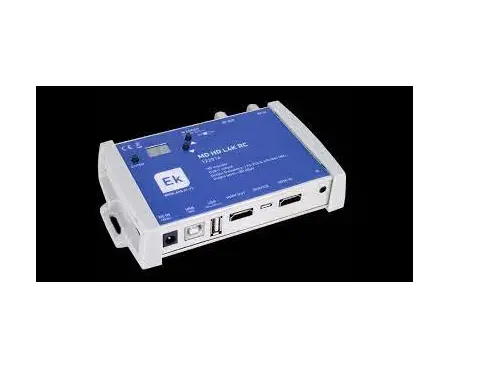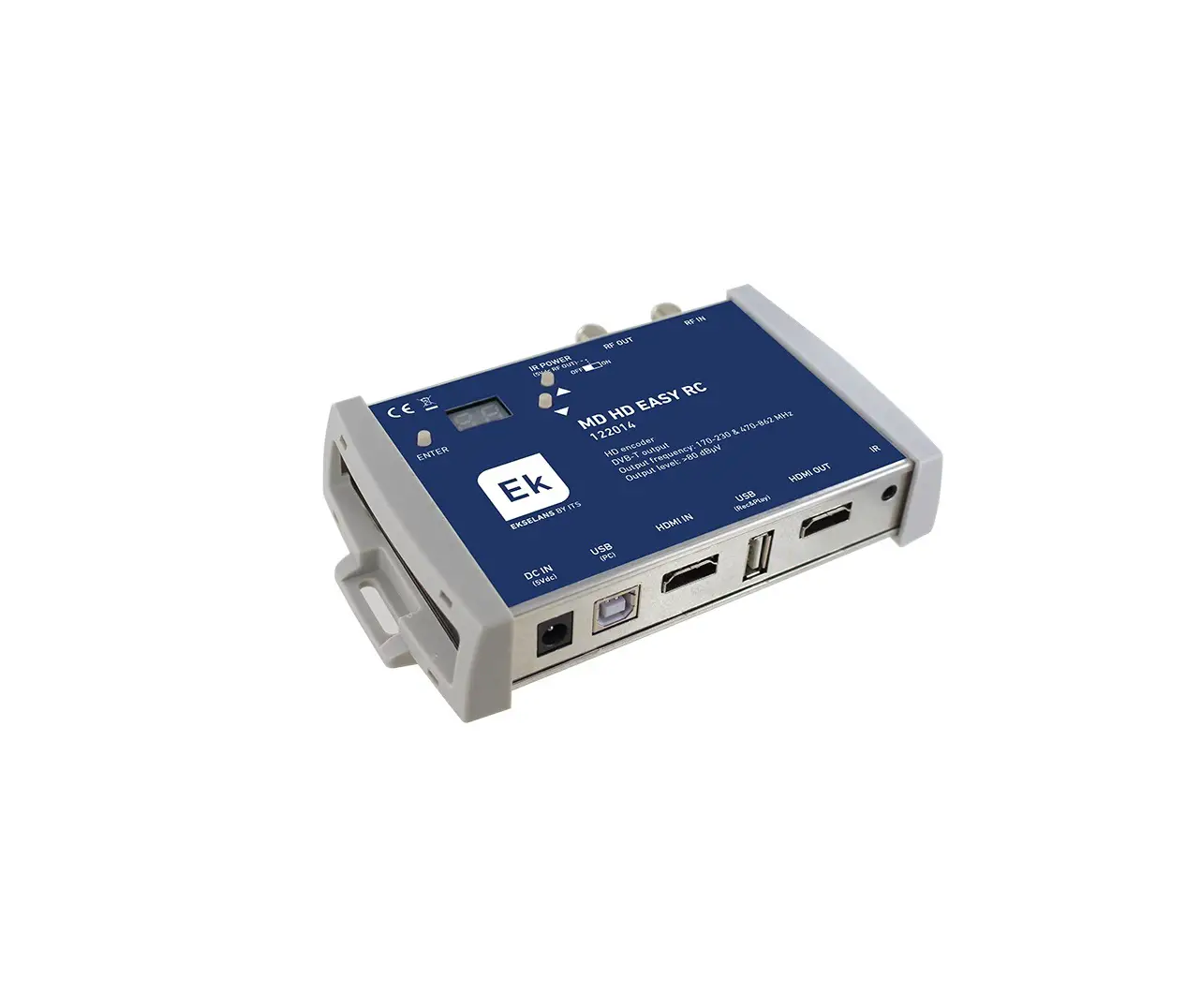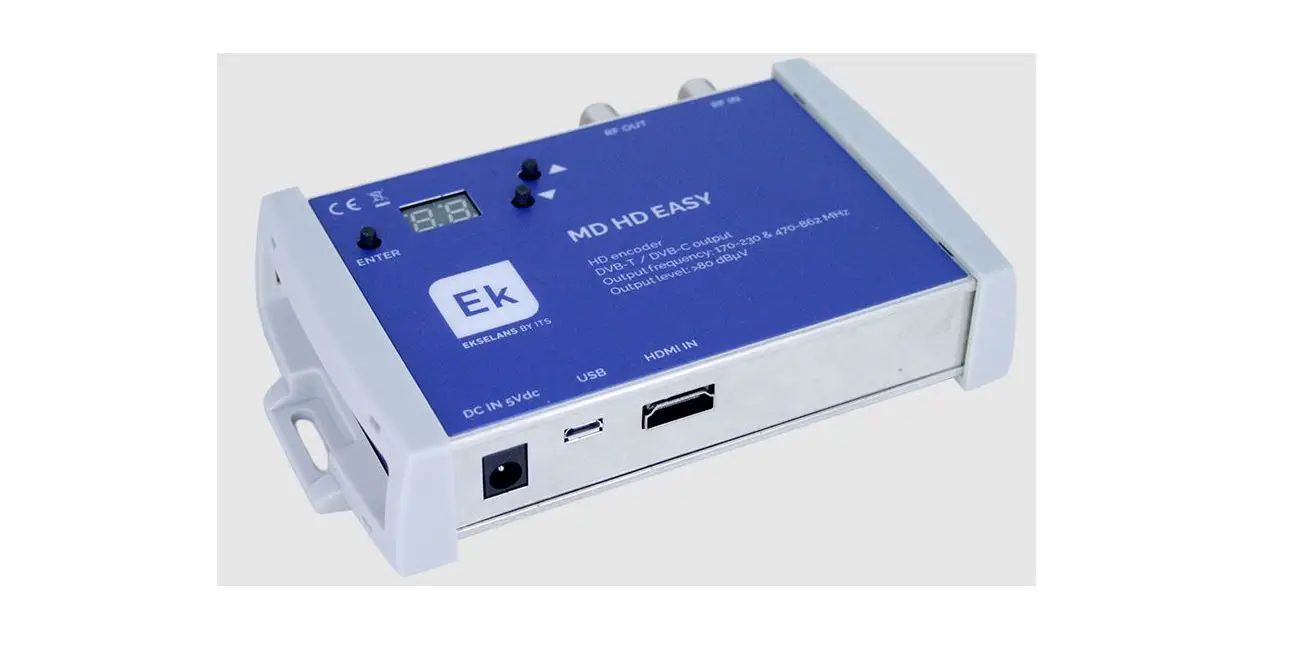
 122015 MD HD L 4K Digital Modulator With Built-In HDMI 4K Loop
User Manual
Introduction:
You can transfer an FHD signal over a coaxial cable network to your TV receivers with excellent quality.
Key features:
- Resolution up to 1080p.
- Active HDMI source indication.
- LOOP HDMI IN / OUT.
- Excellent MER modulation quality ≥33 dB.
- Quick menu. Easy adjustment using channel buttons, attenuation, program ID.
- Easy Advanced Programming using PC Program (MDHDSoft).
Packaging content:
- 1 x MD HD L 4K.
- 1 x Power supply 5V DC 2A.
Interfaces and connections:
Interfaces:
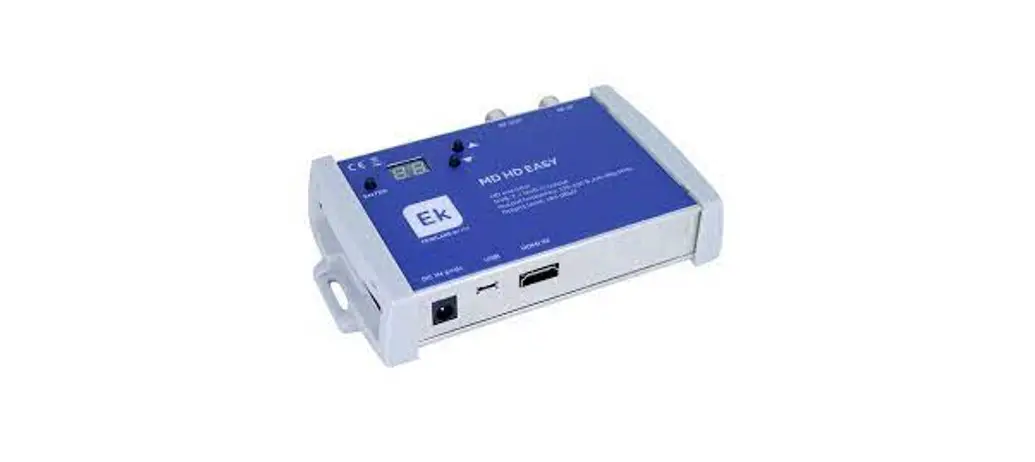
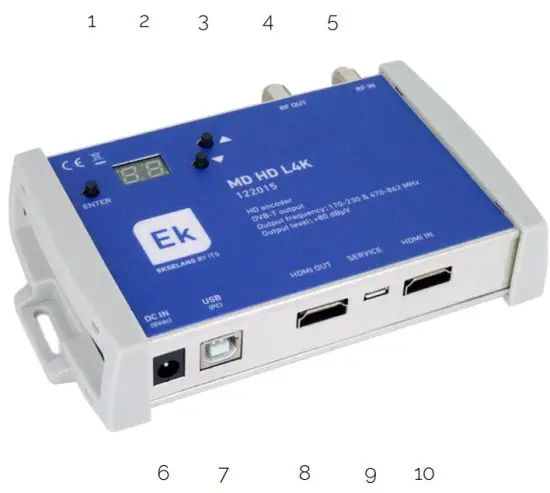 | 1, 3- Buttons for programming. 2.- Display 4.- RF output. 5.- RF input. 6.- 5V DC power supply. 7.- USB Type B for setup. 8.- HDMI input. 9.- Micro-USB for FW uploading. 10.- HDMI Output (LOOP). |
Diagrama instalación:
| 5.- RF input. Connect antenna signal, to the output we will have that signal with the modulated channel inserted. 4.- RF output. 6.- Connect 5V DC feeder. 7.- Connects to PC in case you need to configure with MD HD SOFT application. 8.- 4K HDMI input. 9.- The PC is connected if you need to upgrade FW using the DPA Upgrade app. 10.- HDMI 4K (LOOP) output. |
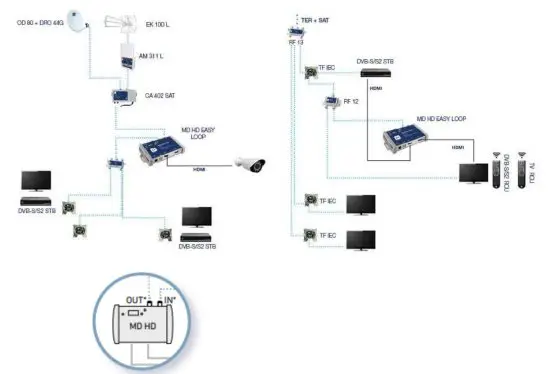
For your convenience, in case you have the modulator near the TV, you could use the RF IN input as an output for the TV.
 |  |
| |
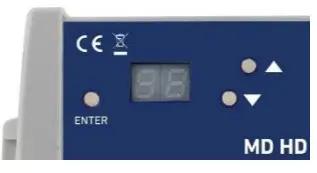
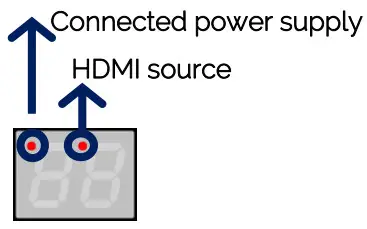
• Press  while the power is connected to defaults. Will be shown while the power is connected to defaults. Will be shown . .• Note: If you use more than one modulator for the same receiver or TV, you need to modify the “Program ID” to make them different. | |
 to change the menu option.


 in the different options of the menu to modify its parameters.
Advanced programming using MD HD Soft:
- For advanced programming, download the “MD HD Soft” Software from the website www.ek.plus.
- Connect modulator and computer via USB cable (Type A/Type B).
 1. Settings RF.
2. Video and TS settings.
3. This option will be used to adjust some deviation in the video input signal. With some sources (very rare cases), a green band appears to the left of the image. This option will allow you to move this band until it disappears.
4. Use in case you do not listen to DD by RF output. Clicking this button will write the EDID table.
5. Offset between RF modulated audio and video. -999ms, indicates that the audio is almost 1 second ahead of the video.
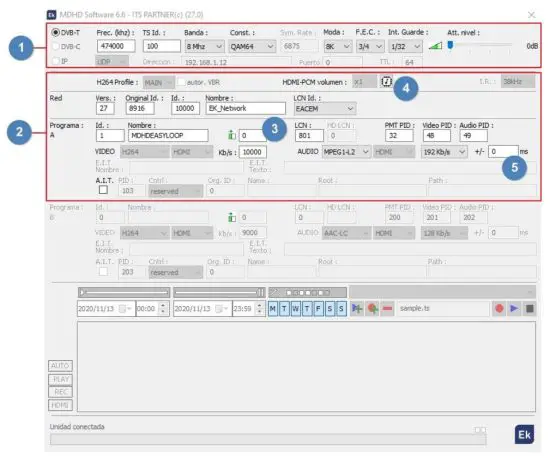 1. Settings RF.
Technical specifications:
| Reference | MD HD L 4K | |||
| Code | 122015 | |||
| IN | HDMI 2.0. fully compliant HDCP 2.2 backward compliant HDMI 1.4 | |||
| OUT | loop HDMI | |||
| VIDEO | ||||
| Video resolution | 480i®60Hz, 480p®60Hz, 576i0501-1z, 720p®50/6oHz. 1080p050/60Hz, 1080i®50/60Hz, 4Kx2K024/30/50Hz | |||
| Data rate | 6Gbps por canal | |||
| Video compression | H.264 | |||
| Video-rate | 15Mbps | |||
| AUDIO | ||||
| Audio compression | MPEG1-L2, AAC-LC | |||
| Audio rate | Kbps | 128. 192. 256, 320. 384 | ||
| MODULATION | ||||
| Resolution Video Output | 1080p maximum | |||
| DVB processing | NIT, PID | |||
| DVB configuration | NID. ONID, Network ID, Network name, TS ID, Program ID.Programname,PMTPlaVideoPID, Audio PID | |||
| Output frequency | MHz | 170-230 & 470-862 | ||
| Output channel | N. | 5..12 + 21…69 | ||
| Output level | dBpV | >80 | ||
| Attenuation | dB | 0_15 | ||
| MER | dB | ?33 | ||
| Bandwidth | MHz | 6. 7, 8 | ||
| Constellation | OPSK, 160AM, 640AM | |||
| Mode | 2K, 8K | |||
| FEC | 1/2, 2/3. 3/4. 5/6, 7/8 | |||
| Guard interval | 1/4. 1/8. 1/16, 1/32 | |||
| LCN | EACEM, ITC, NORDIG | |||
| Loop RF | dB | -2 | ||
| GENERAL | ||||
| Supply voltage | Vdc | 5 | ||
| Power consumption | W | < 5 | ||
| Size | mm | 170x130x35 | ||
| Weight | Kg | 0.6 | ||
Channel and Frequency Table (Standard B/G):
- Band III. 7MHz Bandwidth.
- Band IV – V. 8MHz Bandwidth.
| Band | Channel | Start frequency | End frequency | Central frequency |
| III | 5 | 174 MHz | 181 MHz | 177,5 MHz |
| 6 | 181 MHz | 188 MHz | 184,5 MHz | |
| 7 | 188 MHz | 195 MHz | 191,5 MHz | |
| 8 | 195 MHz | 202 MHz | 198,5 MHz | |
| 9 | 202 MHz | 209 MHz | 205,5 MHz | |
| 10 | 209 MHz | 216 MHz | 212,5 MHz | |
| 11 | 216 MHz | 223 MHz | 219,5 MHz | |
| 12 | 223 MHz | 230 MHz | 226,5 MHz |
| Band | Channel | Start frequency | End frequency | Central frequency |
| IV | 21 | 470 MHz | 478 MHz | 474 MHz |
| 22 | 478 MHz | 486 MHz | 482 MHz | |
| 23 | 486 MHz | 494 MHz | 490 MHz | |
| 24 | 494 MHz | 502 MHz | 498 MHz | |
| 25 | 502 MHz | 510 MHz | 506 MHz | |
| 26 | 510 MHz | 518 MHz | 514 MHz | |
| 27 | 518 MHz | 526 MHz | 522 MHz | |
| 28 | 526 MHz | 534 MHz | 530 MHz | |
| 29 | 534 MHz | 542 MHz | 538 MHz | |
| 30 | 542 MHz | 550 MHz | 546 MHz | |
| 31 | 550 MHz | 558 MHz | 554 MHz | |
| 32 | 558 MHz | 566 MHz | 562 MHz | |
| 33 | 566 MHz | 574 MHz | 570 MHz | |
| 34 | 574 MHz | 582 MHz | 578 MHz | |
| 35 | 582 MHz | 590 MHz | 586 MHz | |
| 36 | 590 MHz | 598 MHz | 594 MHz | |
| 37 | 598 MHz | 606 MHz | 602 MHz |
| Band | LTE | Channel | Start frequency | End frequency | Central requency |
| V | 38 | 606 MHz | 614 MHz | 610 MHz | |
| 39 | 614 MHz | 622 MHz | 618 MHz | ||
| 40 | 622 MHz | 630 MHz | 626 MHz | ||
| 41 | 630 MHz | 638 MHz | 634 MHz | ||
| 42 | 638 MHz | 646 MHz | 642 MHz | ||
| 43 | 646 MHz | 654 MHz | 650 MHz | ||
| 44 | 654 MHz | 662 MHz | 658 MHz | ||
| 45 | 662 MHz | 670 MHz | 666 MHz | ||
| 46 | 670 MHz | 678 MHz | 674 MHz | ||
| 47 | 678 MHz | 686 MHz | 682 MHz | ||
| 48 | 686 MHz | 694 MHz | 690 MHz | ||
| 2 | 49 | 694 MHz | 702 MHz | 698 MHz | |
| 2 | 50 | 702 MHz | 710 MHz | 706 MHz | |
| 2 | 51 | 710 MHz | 718 MHz | 714 MHz | |
| 2 | 52 | 718 MHz | 726 MHz | 722 MHz | |
| 2 | 53 | 726 MHz | 734 MHz | 730 MHz | |
| 2 | 54 | 734 MHz | 742 MHz | 738 MHz | |
| 2 | 55 | 742 MHz | 750 MHz | 746 MHz | |
| 2 | 56 | 750 MHz | 758 MHz | 754 MHz | |
| 2 | 57 | 758 MHz | 766 MHz | 762 MHz | |
| 2 | 58 | 766 MHz | 774 MHz | 770 MHz | |
| 2 | 59 | 774 MHz | 782 MHz | 778 MHz | |
| 2 | 60 | 782 MHz | 790 MHz | 786 MHz | |
| 1 | 61 | 790 MHz | 798 MHz | 794 MHz | |
| 1 | 62 | 798 MHz | 806 MHz | 802 MHz | |
| 1 | 63 | 806 MHz | 814 MHz | 810 MHz | |
| 1 | 64 | 814 MHz | 822 MHz | 818 MHz | |
| 1 | 65 | 822 MHz | 830 MHz | 826 MHz | |
| 1 | 66 | 830 MHz | 838 MHz | 834 MHz | |
| 1 | 67 | 838 MHz | 846 MHz | 842 MHz | |
| 1 | 68 | 846 MHz | 854 MHz | 850 MHz | |
| 1 | 69 | 854 MHz | 862 MHz | 858 MHz |
ITS Partner O.B.S S.L · Av. Cerdanyola 79-81 Local C
08172 Sant Cugat del Vallés · Barcelona (Spain)
Phone: +34935839543 · [email protected] · www.ek.plus
 📧
📧 Ekselans by ITS