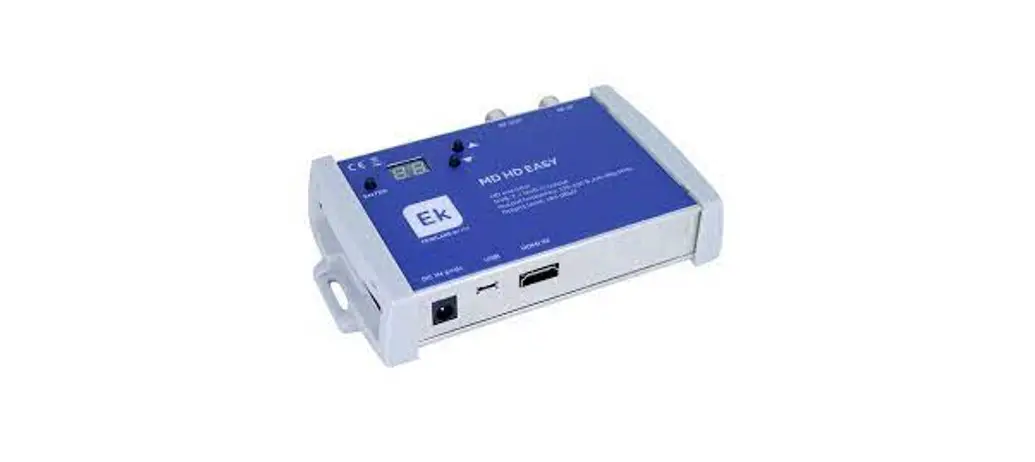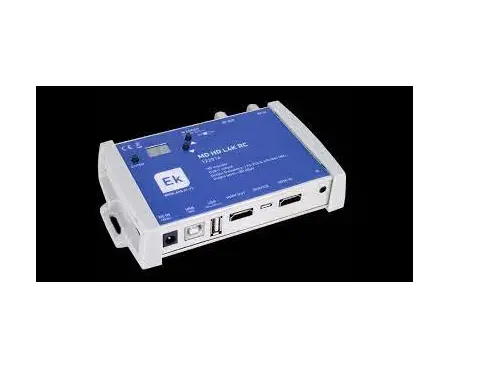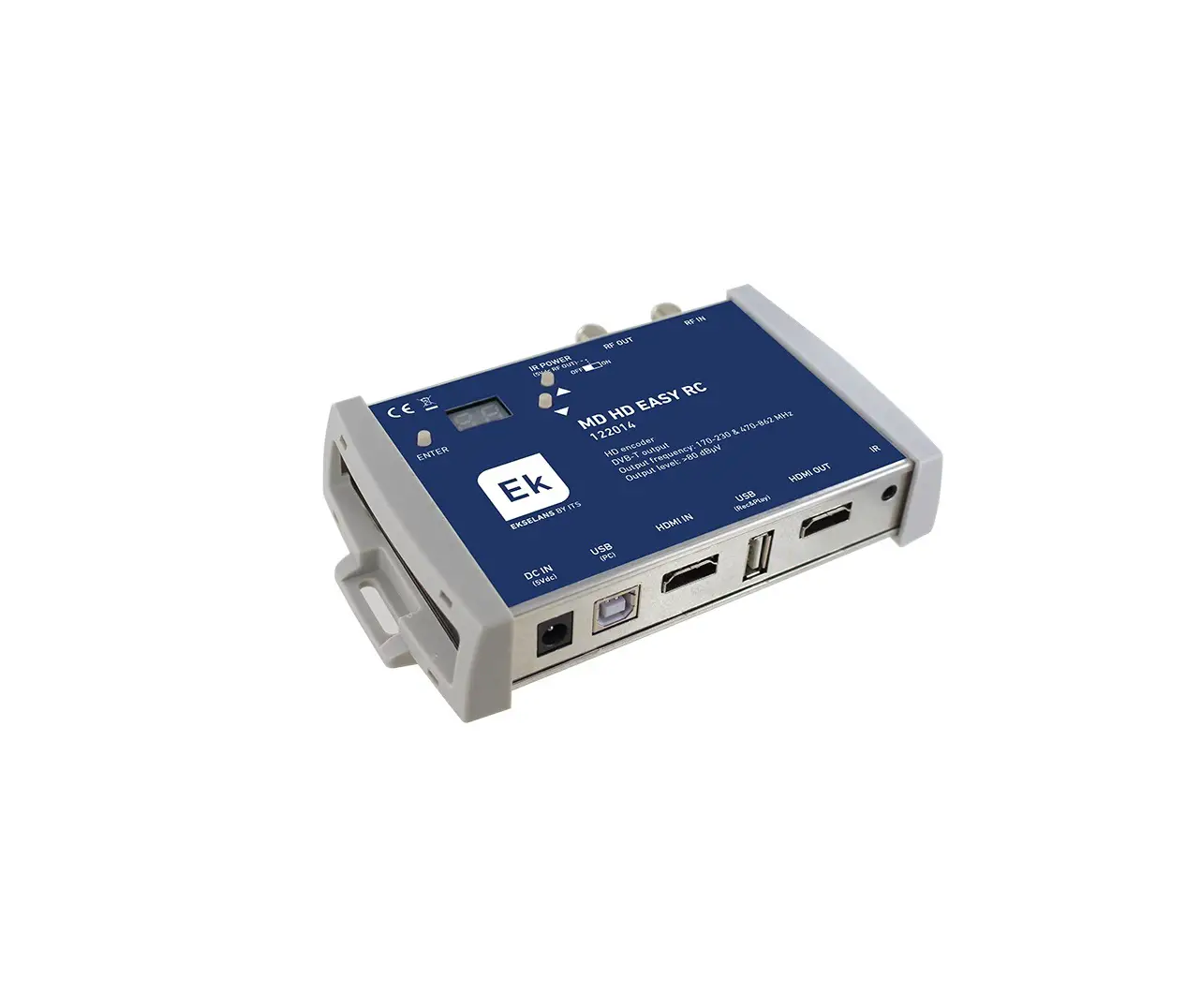
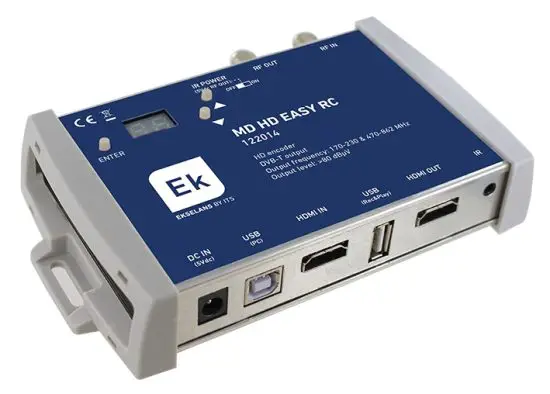
EKselans 122014 Digital Modulator with IR
Introduction
Description
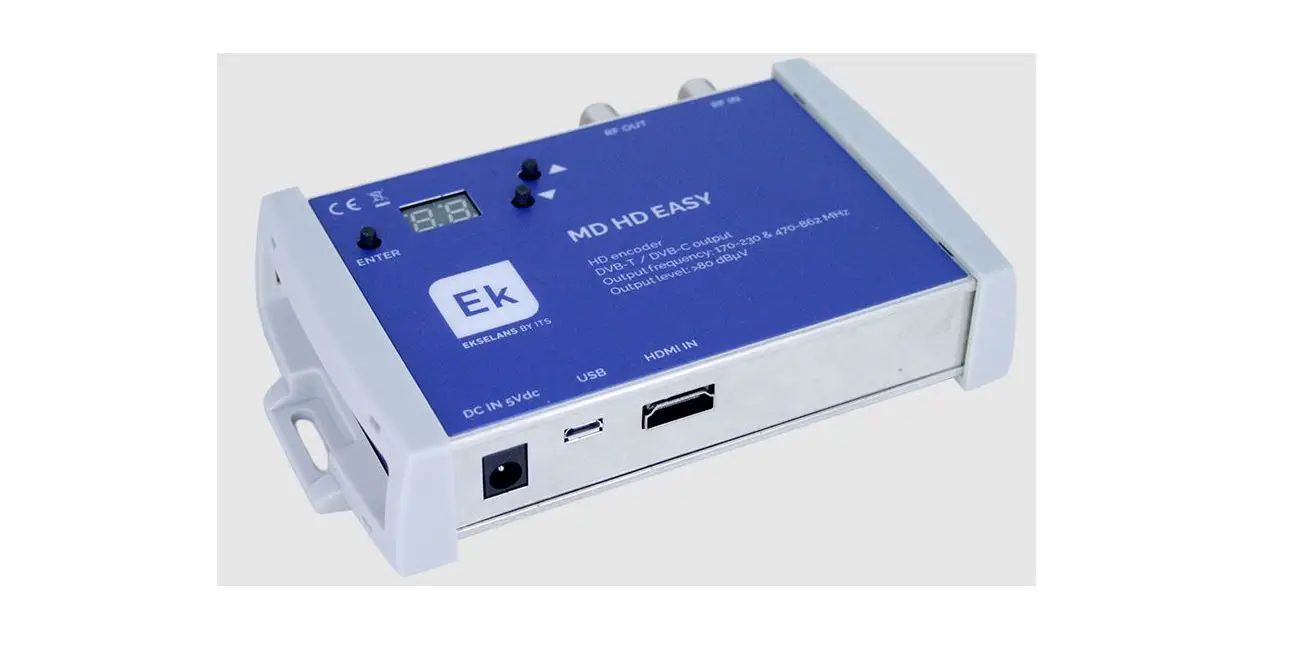
Digital modulator with which you can transfer an FHD signal over a coaxial cable network to your TV receivers with excellent quality.
Key features
- Digital COFDM HD modulator-encoder with IR extender.
- Excellent modulation quality. MER 33 dB. HD resolution up to 1080p.
- Universal infrared extender. Allows IR frequency selection.
- LOOP HDMI IN / OUT.
- Recorder / Player USB.
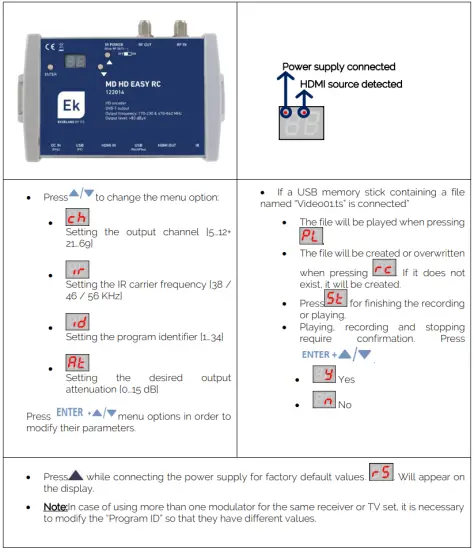
- Quick menu. Easy selection with buttons of channel, attenuation, program indentifier and IR frequency.
- Advanced programming via PC software. · High dynamic range> 80dB.
Packaging content
- 1 x MD HD EASY RC
- 1 x Power supply5V DC.
- 1 x Jack cable to IR.
INTERFACES AND CONNECTION
Interfaces
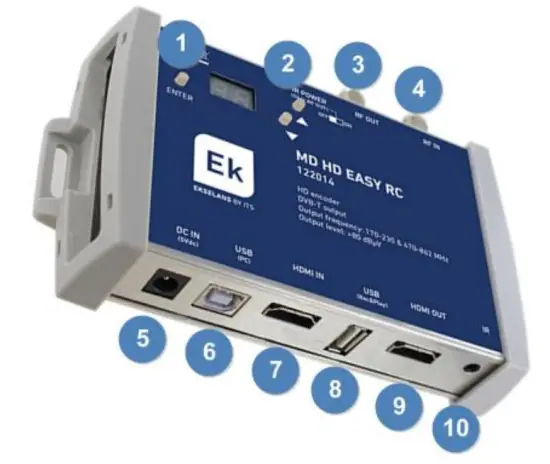
1 y 2- Front programming buttons
3.-RF OUT.
4.-RF IN..
5.-DC IN.
6.-USB B type programming.
7.-HDMI IN.
8.-USB (REC & PLAY).
9.-HDMI OUT (LOOP)
10.-IR transmitter.
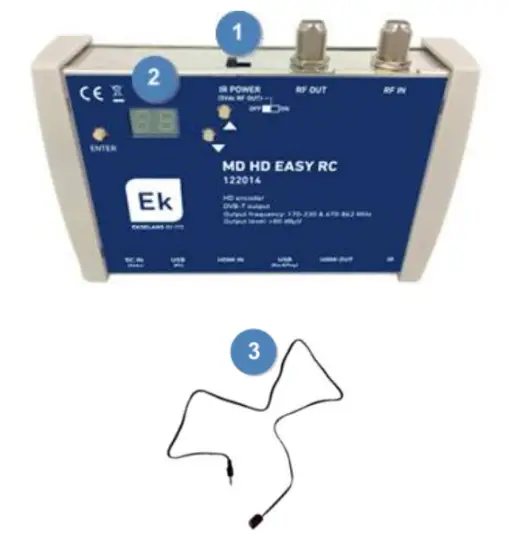
1 – 5VDC ON / OFF switch (To RF Out)
2.- Display
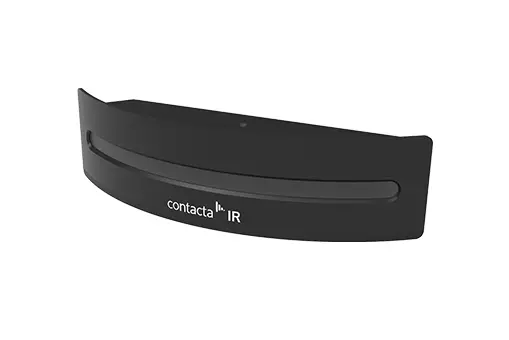
3.- Infrared (IR) cable transmitte
Installation diagram
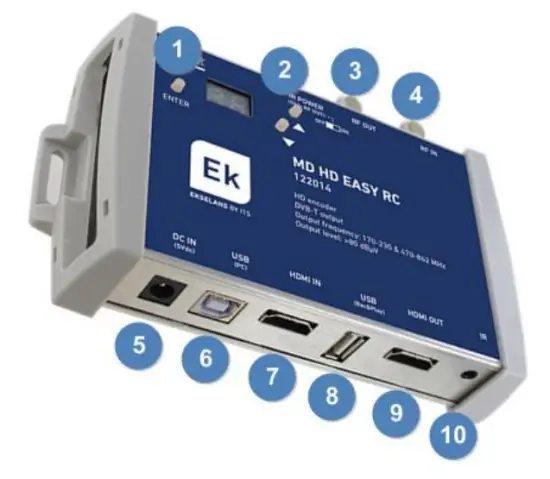
1 y 2- They are used to configure.
3.- Connects to the facility (for receivers).
4.-RF signals are input.
5.- The built-in power supply is connected and plugged into the current.
6.-Connects to pc if necessary, to set up with MD HD SOFT app.
7.-It connects the signal you want to modulate.
8.-The video you want to interleave is connected.
9.- LOOP from HDMI IN.
10.-In case that you needed; the IR extender could be connected .
The two TRC allow the STB to be controlled. One of them is fed to 5V directly from the MD HD EASY RC because there is current pass between them. The second TRC requires its FA 505 source because TAP does not allow current flow. *TRC not included
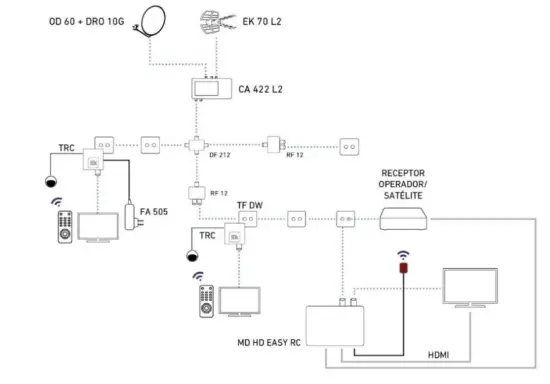
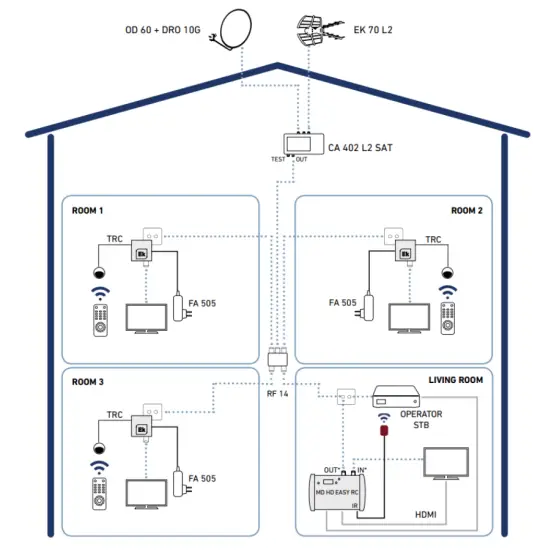
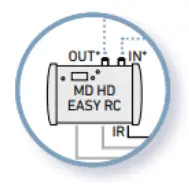 To obtain the maximum dynamic range and greater power it is recommended to connect the output of the modulator (OUT) to the TV socket and the TV to the INPUT connector of the modulator
Advanced programming using MD HD Soft
- For advanced settings, download the SW “MD HD Soft” from the website: www.ek.plus
- Connect the modulator to the computer by using a Type A / Type B USB cable.

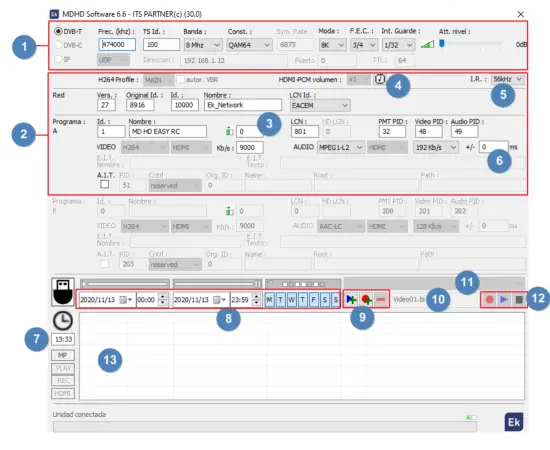
- RF Parameters.
- Video and TS parameters..
- This box can be used to adjust an horizontal shift on the input video. With some sources (rare cases), customers were facing a green part on the left of the picture. With this setting, the picture can be moved to the left to make this green bar disappear.
- Click the button on MDHDIface to write the EDID table in the modulator.
- Frequency of the remote controller that points to the TRC.
- Delay between audio and video of the output modulated signal. A delay of -999ms means that the video is almost 1s in front of the video
- Current time and adjustment.
- Schedule by date, time and days of the week.
- Programming of scheduled events of recording and playing files to/from the USB memory stick
- Name of the file that the modulator expects in the connected USB memory stick for playing or overwriting
- Selection of the .ts file stored inside the connected USB memory stick
- Control with MDHDSoft of the stored files in the USB memory stick. PLAY,STOP or Record.
- Panel where uploaded videos will be displayed. .
USB MEMORY USE
- The modulator allows recording and playing .TS files.
- .TS files must be stored on a USB 3.0 memory with FAT32 files system.
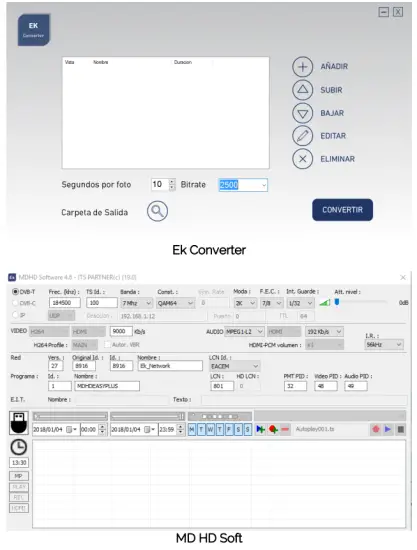
- The “EK Converter” software can be found on the website https://ek.plus/software/. This converts the most common video and image formats to .TS format.
- Use the MD HD Soft software to program play / record time slots.
- The file “Video01.ts” hosted in the root of the memory will be played cyclically.
- If there are other files “Video02.ts”, “Video03.ts”, … will be played consecutively.

Technical data
| REFERENCE | MD HD EASY RC | |
| Code | 122014 | |
| HDMI INPUT | ||
| VIDEO | ||
| Video resolution | 480p/576p/720p/1080p @ 25/30/50/60 fps | |
| Video compression | H.264 | |
| Video rate | Kbps | 500-15000 |
| AUDIO | ||
| Audio compression | MPEG1-L2, AAC-LC | |
| Audio rate | Kbps | 128, 192, 256, 320 |
| HDMI OUTPUT | LOOP | |
| MODULATION | ||
| DVB processing | NIT, PID | |
| DVB adjustments | NID, ONID, Network ID, Network name, TS ID, Program ID, Program name, PMT PID, Video PID, Audio PID | |
| Output frequency | MHz | 170-230 & 470-862 |
| Output channel | N. | 5…12 + 21…69 |
| Output level | dBµV | >80 |
| Attenuation | dB | 0…15 |
| MER | dB | ≥33 |
| Bandwith | MHz | 6, 7, 8 |
| Constellation | QPSK, 16QAM, 64QAM | |
| Mode | 2K, 8K | |
| FEC | 1/2, 2/3, 3/4, 5/6, 7/8 | |
| Guard interval | 1/4, 1/8, 1/16, 1/32 | |
| LCN | EACEM, ITC, NORDIG | |
| RF loop | dB | -2 |
| INFRARED EXTENDER | ||
| IR frequency carrier | KHz | 38 / 46 / 56 |
| IR emitter cable | Incluido / Included | |
| Voltage RF output | Vdc | 5 (ON / OFF Switch) |
| GENERAL | ||
| Voltage feeding | Vdc | 5 |
| Power consumption | W | <5 |
| Dimensions | mm | 170 x 130 x 35 |
Frequency and channels table (Standard B/G)
- Band III. 7MHz Bandwidth.
- Band IV – V. 8MHz Bandwidth.
BAND | Channel | Start Freq. | End Freq | Central Freq |
III | 5 | 174 MHz | 181 MHz | 177,5 MHz |
| 6 | 181 MHz | 188 MHz | 184,5 MHz | |
| 7 | 188 MHz | 195 MHz | 191,5 MHz | |
| 8 | 195 MHz | 202 MHz | 198,5 MHz | |
| 9 | 202 MHz | 209 MHz | 205,5 MHz | |
| 10 | 209 MHz | 216 MHz | 212,5 MHz | |
| 11 | 216 MHz | 223 MHz | 219,5 MHz | |
| 12 | 223 MHz | 230 MHz | 226,5 MHz |
BAND | Channel | Start Freq. | End Freq | Central Freq |
IV | 21 | 470 MHz | 478 MHz | 474 MHz |
| 22 | 478 MHz | 486 MHz | 482 MHz | |
| 23 | 486 MHz | 494 MHz | 490 MHz | |
| 24 | 494 MHz | 502 MHz | 498 MHz | |
| 25 | 502 MHz | 510 MHz | 506 MHz | |
| 26 | 510 MHz | 518 MHz | 514 MHz | |
| 27 | 518 MHz | 526 MHz | 522 MHz | |
| 28 | 526 MHz | 534 MHz | 530 MHz | |
| 29 | 534 MHz | 542 MHz | 538 MHz | |
| 30 | 542 MHz | 550 MHz | 546 MHz | |
| 31 | 550 MHz | 558 MHz | 554 MHz | |
| 32 | 558 MHz | 566 MHz | 562 MHz | |
| 33 | 566 MHz | 574 MHz | 570 MHz | |
| 34 | 574 MHz | 582 MHz | 578 MHz | |
| 35 | 582 MHz | 590 MHz | 586 MHz | |
| 36 | 590 MHz | 598 MHz | 594 MHz | |
| 37 | 598 MHz | 606 MHz | 602 MHz |
BAND | LTE | Channel | Start Freq. | End Freq | Central Freq |
V | 38 | 606 MHz | 614 MHz | 610 MHz | |
| 39 | 614 MHz | 622 MHz | 618 MHz | ||
| 40 | 622 MHz | 630 MHz | 626 MHz | ||
| 41 | 630 MHz | 638 MHz | 634 MHz | ||
| 42 | 638 MHz | 646 MHz | 642 MHz | ||
| 43 | 646 MHz | 654 MHz | 650 MHz | ||
| 44 | 654 MHz | 662 MHz | 658 MHz | ||
| 45 | 662 MHz | 670 MHz | 666 MHz | ||
| 46 | 670 MHz | 678 MHz | 674 MHz | ||
| 47 | 678 MHz | 686 MHz | 682 MHz | ||
| 48 | 686 MHz | 694 MHz | 690 MHz | ||
| 2 | 49 | 694 MHz | 702 MHz | 698 MHz | |
| 2 | 50 | 702 MHz | 710 MHz | 706 MHz | |
| 2 | 51 | 710 MHz | 718 MHz | 714 MHz | |
| 2 | 52 | 718 MHz | 726 MHz | 722 MHz | |
| 2 | 53 | 726 MHz | 734 MHz | 730 MHz | |
| 2 | 54 | 734 MHz | 742 MHz | 738 MHz | |
| 2 | 55 | 742 MHz | 750 MHz | 746 MHz | |
| 2 | 56 | 750 MHz | 758 MHz | 754 MHz | |
| 2 | 57 | 758 MHz | 766 MHz | 762 MHz | |
| 2 | 58 | 766 MHz | 774 MHz | 770 MHz | |
| 2 | 59 | 774 MHz | 782 MHz | 778 MHz | |
| 2 | 60 | 782 MHz | 790 MHz | 786 MHz | |
| 1 | 61 | 790 MHz | 798 MHz | 794 MHz | |
| 1 | 62 | 798 MHz | 806 MHz | 802 MHz | |
| 1 | 63 | 806 MHz | 814 MHz | 810 MHz | |
| 1 | 64 | 814 MHz | 822 MHz | 818 MHz | |
| 1 | 65 | 822 MHz | 830 MHz | 826 MHz | |
| 1 | 66 | 830 MHz | 838 MHz | 834 MHz | |
| 1 | 67 | 838 MHz | 846 MHz | 842 MHz | |
| 1 | 68 | 846 MHz | 854 MHz | 850 MHz | |
| 1 | 69 | 854 MHz | 862 MHz | 858 MHz |
ITS Partner O.B.S S.L · Av. Cerdanyola 79-81 Local C
08172 Sant Cugat del Vallés · Barcelona (Spain)
Phone: +34935839543 · [email protected] · www.ek.plus

 📧
📧 Ekselans by ITS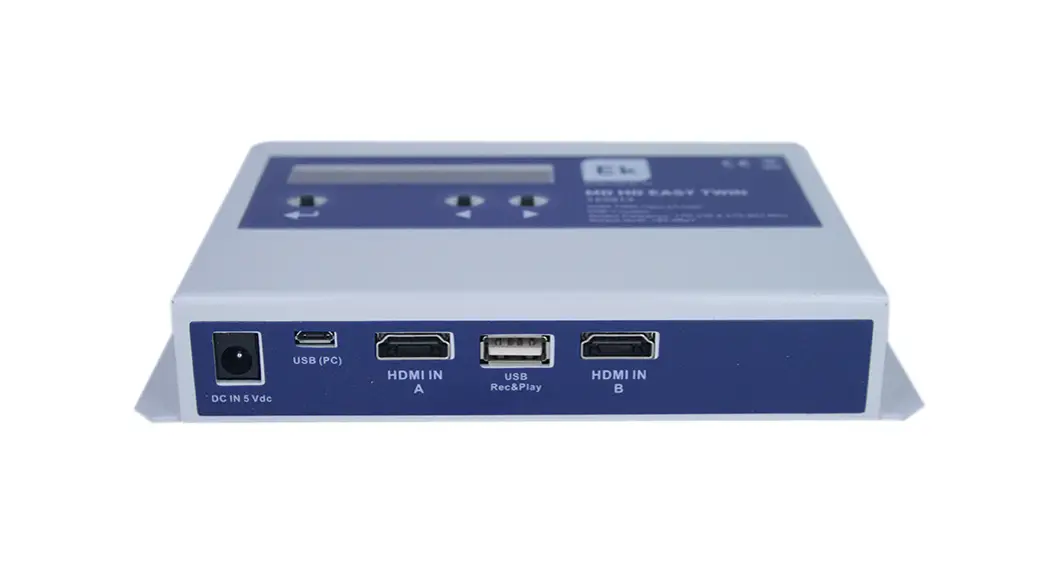
![Williamsav Ir+ Modulator Instruction Manual [ir M1]](https://static-data1.manualsee.com/1/img/129/56550/2021/02/WilliamsAV-IR-Modulator-Instruction-Manual-IR-M1.png "Williamsav Ir+ Modulator Instruction Manual [ir M1]")