
USER MANUAL
MD HD EASY TWIN
122013
DIGITAL MODULATOR WITH 2 INPUTS
INTRODUCTION.
Description.
HD Digital Modulator 2x HDMI inputs to COFDM/QAM. Recorder and .ts files player via USB 3.0. Output frequency: 47-862 MHz Output level >82 dBV. RF mixing input.
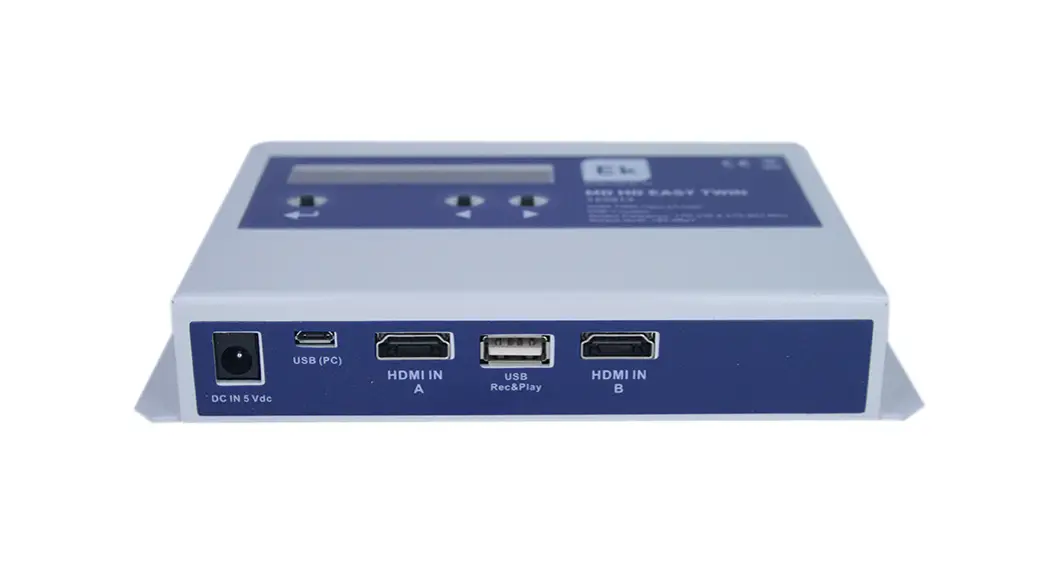
- The MD HD EASY TWIN is a digital modulator with two independent and simultaneous HDMI inputs, A and B that are modulated in a single COFDM or QAM channel (DVB-T or DVB-C).
- It has a USB input for recording and playback of .ts files linked to input A.
- Modulator adjustments can be fully made using the front buttons. In addition, the SW “MD HD Soft” (available on the web www.ek.plus) is also available for these and other settings related to playback and recording.
- The USB input allows you to interact with files in the following ways:
- Individual recording and playback in a loop of a file.
- Automatic playback of the file “Autoplay.ts” contained in the USB stick when connected.
- Playback of several files Video1.ts, Video2.ts, Video3.ts, sequentially and in a loop.
- Weekly programming of the files to be played or saved (Using “MD HD Soft”).
Main features.
- Excellent modulation quality MER 33 dB in COFDM and MER 36 dB in QAM. Resolution up to 1080p.
- 2 x HDMI inputs.
- USB Recorder / Player. · Quick menu. Easy adjustment using buttons.
- Modulation in a single output MUX.
- Easy advanced programming using PC program (MD HD Soft). Link: https://ek.plus/en/sw/modulators
Contents of the packaging.
1x MD HD EASY TWIN.
1x 5V DC power supply 2A.
INTERFACES DISPLAY INFORMATION AND CONNECTION.
Interfaces.
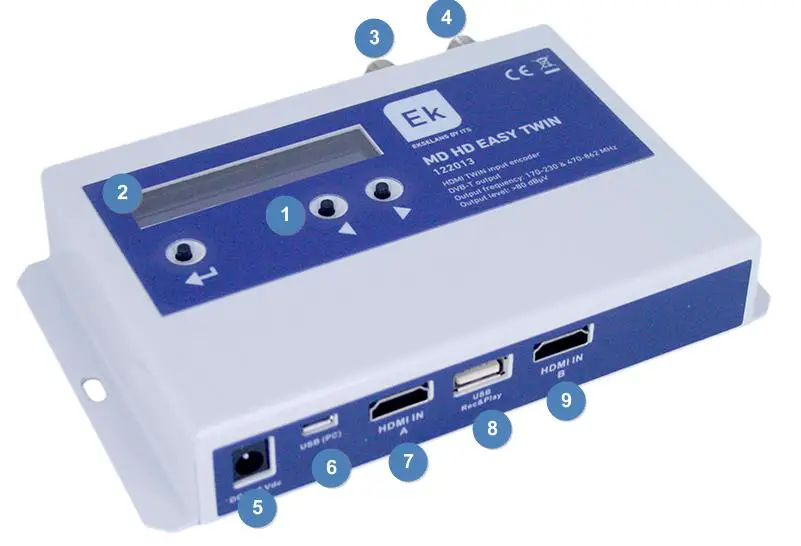 | 1. Buttons for programming. 2. Display. 3. RF output. 4. RF input. 5. Power supply of 5V DC. 6. Type B USB for configuration. 7. HDMI input “A”. 8. USB (REC & PLAY). 9. HDMI input “B”. |
Display information
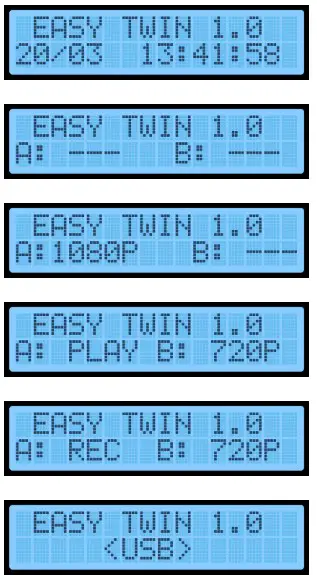 | Information of version, date and time. Screen 1/2. |
| No connections on inputs A and B. Screen 2/2. | |
| Input A connected with a 1080p signal detected.Screen 2/2. | |
| Input A playing a .ts file and a 720p signal detected in input B. Screen 2/2. | |
| Input A recording a .ts file and a 720p signal detected in input B. Screen 2/2. | |
| Modulator connected to the PC. Buttons programming disabled. Screen 2/2. |
Installation diagram:
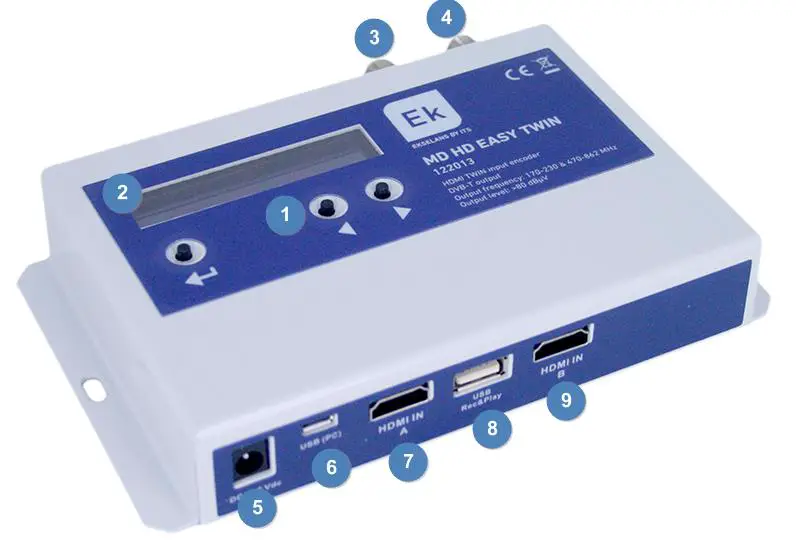 | 1. Left/Right buttons used to configure. 2. Display screen. 3. RF signal output (to the receivers). 4. RF signal input. 5. Power supply input 6. USB input for PC programming (MD HD SOFT application). 7. HDMI input A 8. USB input for record and play. 9. HDMI input B |
Example:
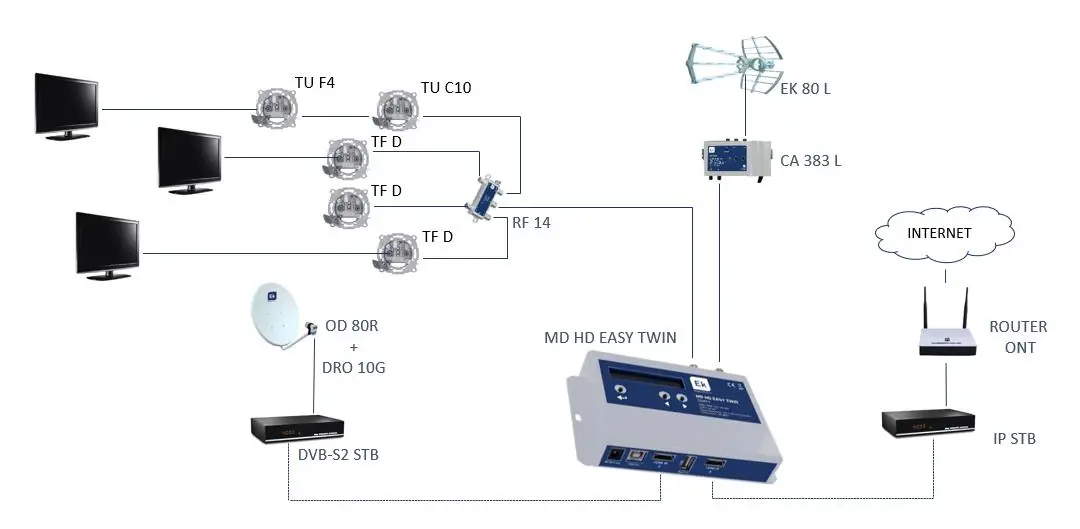
 In installations with more than one MD HD EASY TWIN it is important to put different values of “TS Id” in each modulator.
Basic programming using buttons.
There are two menus to make adjustments on the modulator.
- Quick menu: Access the basic options. Press in the following order


Quick menu
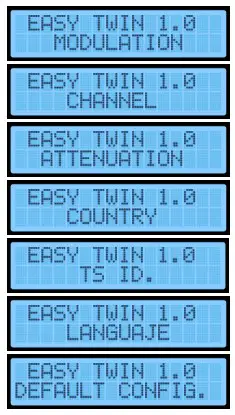 | It allows us to select the type of output modulation. DVB-T (DTT1) or DVBC (Cable TV). “Only available in compatible models”. |
| Select the output modulated signal from 5 to 12 and from 21 to 69 (for example, configured with country Spain). | |
| Regulate the attenuation level of the modulated signal from 0 to 15dB. | |
| Select the country we want for the channel’s frequency | |
| Modify the TS ID. It must be modified in case of having 2 modulators to differentiate them in the installation. | |
| Modify display’s language. ENGLISH, ITALIANO, DEUTSCH, ESPAÑOL, POLSKI, FRANCAIS. | |
| Reset. Option to return to factory settings. |
Advanced menu
Advanced menu: Allows you to make advanced adjustments on the modulator. Press in the following order 
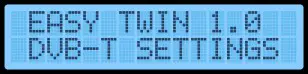
YES (we access the following submenus) NO (we do not access the menus)
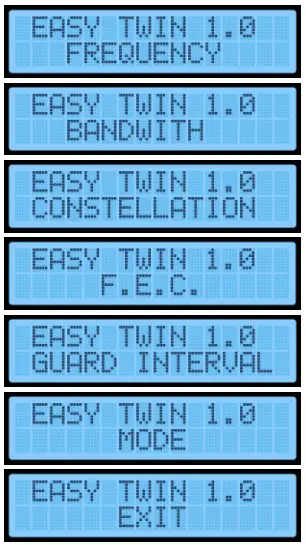 | Set output frequency in KHz. Allows you to modify the frequency of the selected channel. |
| Modifies the channel bandwidth to 6, 7, or 8MHz. | |
| Select different constellation modes QPSK, QAM16, and QAM64. | |
| Select different FECs “Forward error correction”, 1/2, 2/3, 3/4, 5/6, 7/8. | |
| Select different guard intervals 1/4, 1/8, 1/16, 1/32. | |
| Select 2K or 8K mode. | |
| YES (go to the main menu). |
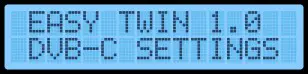
“ONLY AVAILABLE IN COMPATIBLE MODELS”
YES (we access the following submenus) NO (we do not access the menus).
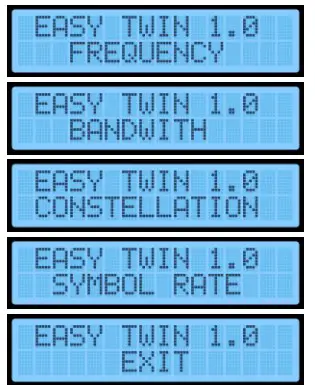 | Set output frequency in KHz. Allows you to modify the frequency of the selected channel. |
| Modifies the channel bandwidth to 6, 7, or 8MHz. | |
| Select different constellation modes, QAM16, QAM32, QAM64, QAM128, QAM256 | |
| We can define the symbol rate with which we want to work | |
| YES (go to the main menu). |
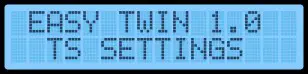
YES (we access the following submenus) NO (we do not access the menus).
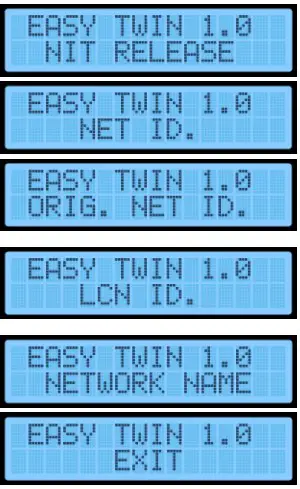 | Set the NIT version from 0 up to 31. |
| Set the network ID. | |
| Set the original network ID. | |
| “Logical Channel Number” makes an automatic classification of all our channels, reordering them at the same time as we search. NORDIG, EACEM, ITC modes. | |
| Modify the network name. | |
| YES (go to the main menu). |
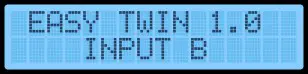 YES (we access the following submenus) NO (we do not access the menus).
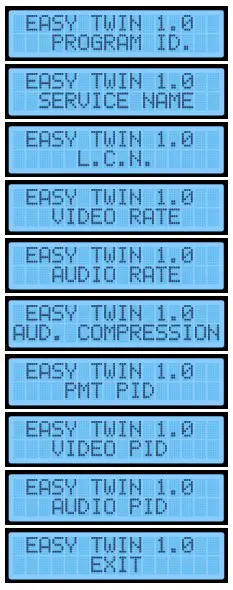 | Set program ID for input A. Keep in mind that the PROGRAM IDs within the same modulator must be different. |
| Program name of input A. | |
| Logical Channel Number. It makes an automatic classification of all our channels, reordering them at the same time as we search. | |
| Set video rates. | |
| Set audio rate. | |
| Set audio compression – AAC-LC, MPEG1-L2, AAC-LC. | |
| Set PMT PID. | |
| Set video PID. | |
| Set audio PID. | |
| YES (go to the main menu). |
YES (we access the following submenus) NO (we do not access the menus).
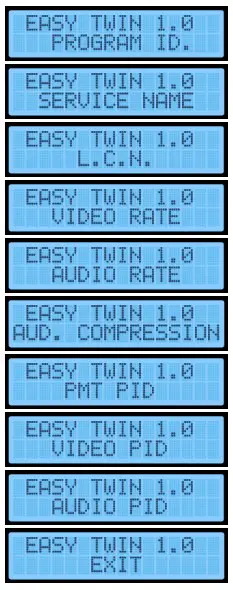 | Set program ID for input B. Keep in mind that the PROGRAM IDs within the same modulator must be different. |
| Program name of input B. | |
| Logical Channel Number. It makes an automatic classification of all our channels, reordering them at the same time as we search. | |
| Set video rates. | |
| Set audio rate. | |
| Set audio compression – AAC-LC, MPEG1-L2, AAC-LC. | |
| Set PMT PID. | |
| Set video PID. | |
| Set audio PID. | |
| YES (go to the main menu). |
YES (we access the following submenus) NO (we do not access the menus).
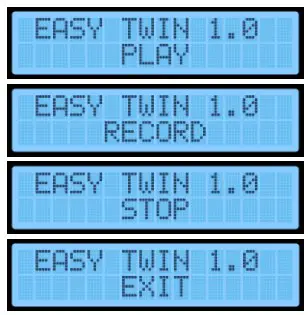 | Allows you to play a video from the USB 3.0. Explained in his section. |
| Allows you to record a video on the USB 3.0. Explained in his section. | |
| You have to stop using a .ts file (from the USB) before starting any other file or being able to use the HDMI A input. | |
| YES (we go to the main menu). |
YES (we leave the menu) NO (we stay in the advanced menu).
Advanced programming using MD HD Soft.
Configurable parameters and options.
- For advanced programming, download the Software “MD HD Soft” from the website https://ek.plus/en/sw/modulators
- Connect modulator and computer using a USB cable (Type A / Type B).

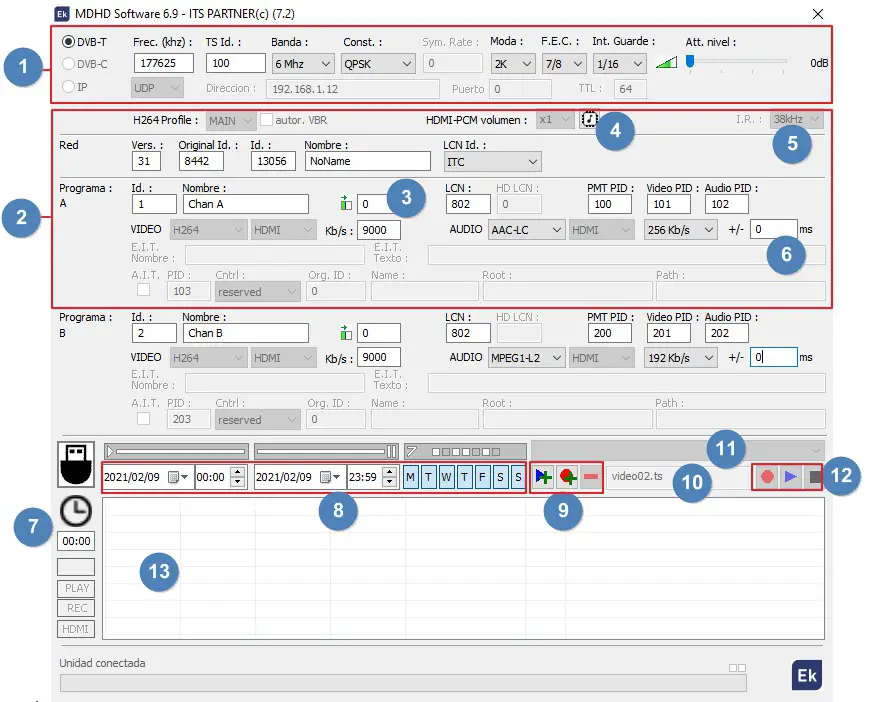
Create a PlayList or RecordList
By having a USB memory and clock it is possible to schedule playback and recording events.
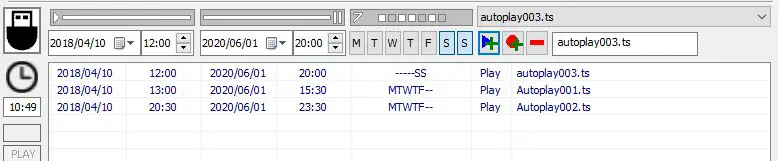
- Select start and end date and time.
- Select weekdays.
- Select the file to play or write the name of the file to save.
- Indicate if we want to play it
 or save it on the USB stick with
- In case of error, select the item and delete it.

 or save it on the USB stick with

RECORDING AND PLAYBACK OF FILES WITH DISPLAY.
The modulator allows you to record and play .ts files stored on a USB stick. The selection of the files can be done both by front buttons and by “MD HD Soft” software. USB files playback has priority over input A HDMI.
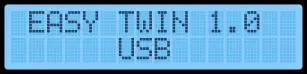
When the USB port is connected, the MD HD EASY TWIN will be detected and the following screen will appear, leaving the display with the indication <USB> and the buttons disabled:
Recording and playback using buttons.
Connect a USB 3.0 stick and plug the modulator into the power.
- Playback (PLAY)
Select the file available in memory, using the advanced menu:  In case the USB stick contains a file called “Autoplay001.ts”, it will play automatically when you connect the USB.
- To play a list of files, name them with a numeric suffix. For example, “Autoplay001.ts”, “Autoplay002.ts”, “Autoplay003.ts”. At the end of the reproduction of one of them, it will continue through the next one and if there is no other, it will start again from first file.
- Recording (REC)
Access the record function and enter the desired name of the file, character by character, for example:
- Stop Playback/Recording (STOP)
Stop using a .ts file before starting any other file or be able to use the HDMI A input


USE OF THE USB STICK.
- The modulator allows you to store and play back. TS files.
- The. TS files must be stored on a USB 3.0 memory stick with FAT32 file system.
- On the website you can find the software “EK Converter”. It converts the most common video and image formats to .TS format. Link: https://ek.plus/en/sw/ek-converter-en
- Use MD HD Soft software to schedule playback/recording time slots.
- When you insert the USB memory stick, the “Autoplay001.ts” file will be played automatically and continuously (unless previously modified by means of MD HD Soft) hosted on the USB memory.
- If there are other files “Autoplay001.ts”, “Autoplay002.ts”… shall be reproduced consecutively.
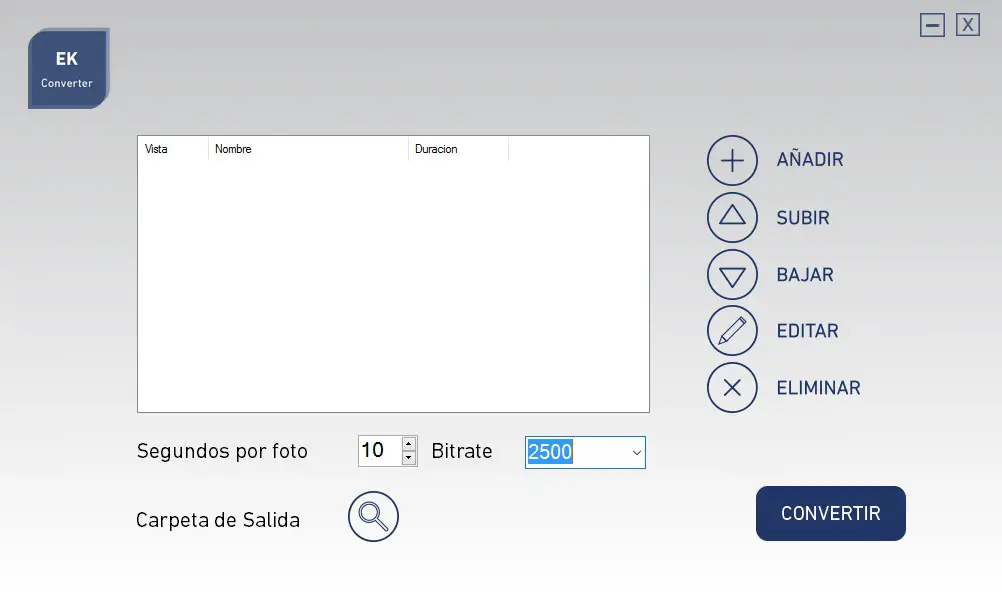 Ek Converter
The recording and playback of files is done primarily over the HDMI A input. Make sure that your TV is tuned on this service to view these files.
Table of channels and frequencies (Standard B/G).
- Band III. ➔ 7 MHz Bandwidth.
- Band IV – V. ➔ 8 MHz Bandwidth.
| BAND | Channel | Initial frequency | Final frequency | Central frequency |
| III | 5 | 174 MHz | 181 MHz | 177,5 MHz |
| 6 | 181 MHz | 188 MHz | 184,5 MHz | |
| 7 | 188 MHz | 195 MHz | 191,5 MHz | |
| 8 | 195 MHz | 202 MHz | 198,5 MHz | |
| 9 | 202 MHz | 209 MHz | 205,5 MHz | |
| 10 | 209 MHz | 216 MHz | 212,5 MHz | |
| 11 | 216 MHz | 223 MHz | 219,5 MHz | |
| 12 | 223 MHz | 230 MHz | 226,5 MHz |
| BAND | Channel | Initial frequency | Final frequency | Central frequency |
| IV | 21 | 470 MHz | 478 MHz | 474 MHz |
| 22 | 478 MHz | 486 MHz | 482 MHz | |
| 23 | 486 MHz | 494 MHz | 490 MHz | |
| 24 | 494 MHz | 502 MHz | 498 MHz | |
| 25 | 502 MHz | 510 MHz | 506 MHz | |
| 26 | 510 MHz | 518 MHz | 514 MHz | |
| 27 | 518 MHz | 526 MHz | 522 MHz | |
| 28 | 526 MHz | 534 MHz | 530 MHz | |
| 29 | 534 MHz | 542 MHz | 538 MHz | |
| 30 | 542 MHz | 550 MHz | 546 MHz | |
| 31 | 550 MHz | 558 MHz | 554 MHz | |
| 32 | 558 MHz | 566 MHz | 562 MHz | |
| 33 | 566 MHz | 574 MHz | 570 MHz | |
| 34 | 574 MHz | 582 MHz | 578 MHz | |
| 35 | 582 MHz | 590 MHz | 586 MHz | |
| 36 | 590 MHz | 598 MHz | 594 MHz | |
| 37 | 598 MHz | 606 MHz | 602 MHz |
| BAND | LTE | Channel | Initial frequency | Final frequency | Central frequency |
| V | 38 | 606 MHz | 614 MHz | 610 MHz | |
| 39 | 614 MHz | 622 MHz | 618 MHz | ||
| 40 | 622 MHz | 630 MHz | 626 MHz | ||
| 41 | 630 MHz | 638 MHz | 634 MHz | ||
| 42 | 638 MHz | 646 MHz | 642 MHz | ||
| 43 | 646 MHz | 654 MHz | 650 MHz | ||
| 44 | 654 MHz | 662 MHz | 658 MHz | ||
| 45 | 662 MHz | 670 MHz | 666 MHz | ||
| 46 | 670 MHz | 678 MHz | 674 MHz | ||
| 47 | 678 MHz | 686 MHz | 682 MHz | ||
| 48 | 686 MHz | 694 MHz | 690 MHz | ||
| 2 | 49 | 694 MHz | 702 MHz | 698 MHz | |
| 2 | 50 | 702 MHz | 710 MHz | 706 MHz | |
| 2 | 51 | 710 MHz | 718 MHz | 714 MHz | |
| 2 | 52 | 718 MHz | 726 MHz | 722 MHz | |
| 2 | 53 | 726 MHz | 734 MHz | 730 MHz | |
| 2 | 54 | 734 MHz | 742 MHz | 738 MHz | |
| 2 | 55 | 742 MHz | 750 MHz | 746 MHz | |
| 2 | 56 | 750 MHz | 758 MHz | 754 MHz | |
| 2 | 57 | 758 MHz | 766 MHz | 762 MHz | |
| 2 | 58 | 766 MHz | 774 MHz | 770 MHz | |
| 2 | 59 | 774 MHz | 782 MHz | 778 MHz | |
| 2 | 60 | 782 MHz | 790 MHz | 786 MHz | |
| 1 | 61 | 790 MHz | 798 MHz | 794 MHz | |
| 1 | 62 | 798 MHz | 806 MHz | 802 MHz | |
| 1 | 63 | 806 MHz | 814 MHz | 810 MHz | |
| 1 | 64 | 814 MHz | 822 MHz | 818 MHz | |
| 1 | 65 | 822 MHz | 830 MHz | 826 MHz | |
| 1 | 66 | 830 MHz | 838 MHz | 834 MHz | |
| 1 | 67 | 838 MHz | 846 MHz | 842 MHz | |
| 1 | 68 | 846 MHz | 854 MHz | 850 MHz | |
| 1 | 69 | 854 MHz | 862 MHz | 858 MHz |
Technical specifications
To see the technical sheet of the equipment, click on the following link: https://ek.plus/en/search/122013
CE Certificate
To see the CE certificate of the equipment, click on the following link: https://ek.plus/en/search/122013
ITS Partner O.B.S S.L · Of. Cerdanyola 79-81 Local C
08172 Sant Cugat of the Vallès · Barcelona (Spain)
Telephone: +34935839543 · [email protected] ·www.ek.plus
 📧
📧 Ekselans by ITS