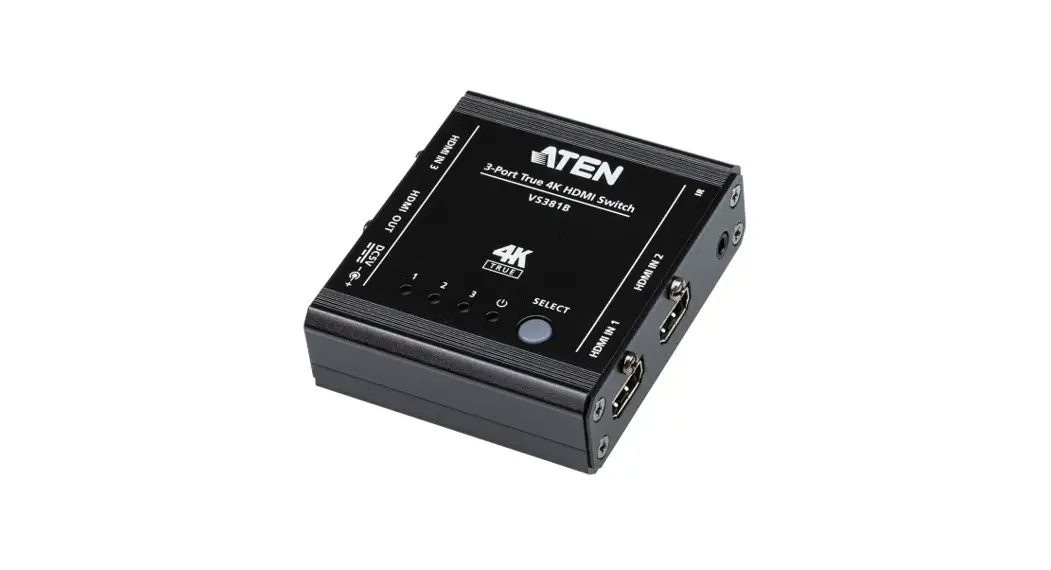

ATEN VanCryst™
VS381B
3-Port True 4K HDMI Switch
Quick Start Guide
A Hardware Review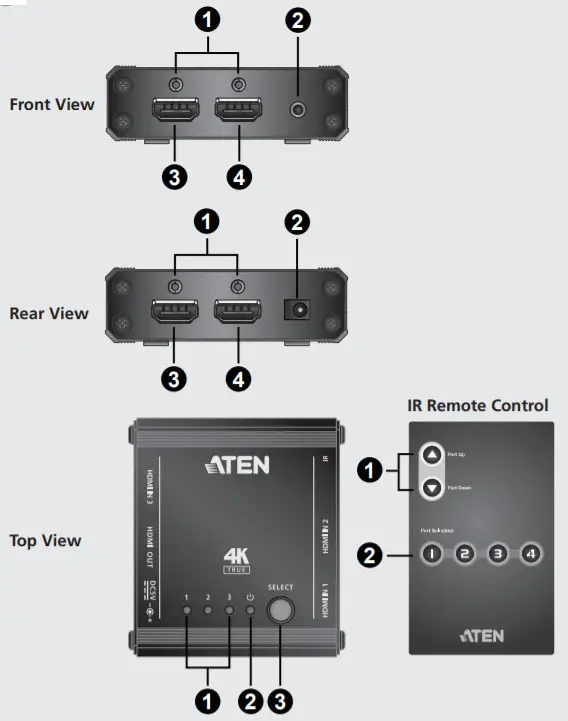
| Front View 1. Cable Lock Screw for ATEN LockPro™ 2. IR Receiver Port 3. HDMI Input Port 1 4. HDMI Input Port 2 | Rear View 1. Cable Lock Screw for ATEN LockPro™ 2. Power Jack 3. HDMI Input Port 3 4. HDMI Output Port | Top View 1. Port LEDs 2. Power LED 3. Port Selection Pushbutton | IR Remote Control 1. Port Up / Port Down Buttons 2. Port Selection Pushbuttons |
B Hardware Installation
To install the switch, refer to the installation diagram above and the instructions below to connect devices to the VS381B.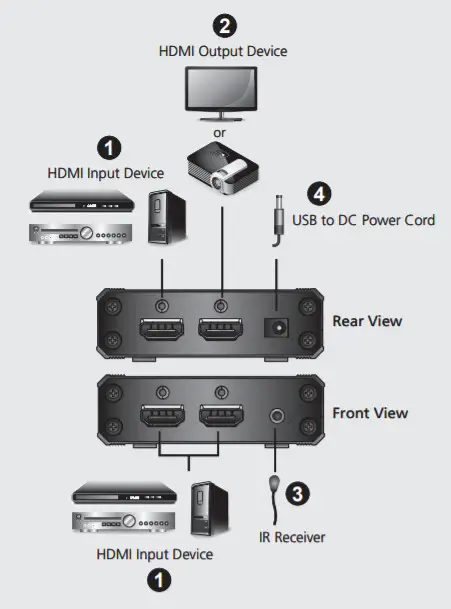
- Use HDMI cables to connect HDMI source devices to the HDMI Input Ports on the VS381B. Optionally secure the cables with Cable Lock Screw for ATEN LockPro™.
- Use an HDMI cable to connect an HDMI-enabled display to the HDMI Output Port on the VS381B. Optionally secure the cables with Cable Lock Screw for ATEN LockPro™.
- (Optional) To control the VS381B using an IR remote control, connect the IR Receiver to the IR Receiver Port.
- Supply power to the VS381B using the USB to DC Power Cord.
- Power on the display and source devices.
Source Device Selection
The VS381B HDMI switch offers easy and flexible ways of selecting the source using the front panel and the IR remote control.
Front Panel
To select a source device, press the Port Selection Push button to cycle through the available source devices. The corresponding Port LED lights up.
IR Remote Control
To select a source with the IR remote control, press the number button that corresponds to the port the source device is connected to. The corresponding Port LED lights up.
Alternatively, you may also cycle through the available source devices by pushing the Port Up and Port Down buttons on the IR remote control.
- Use the Port Up button to select the next available port in ascending order (from HDMI Input Port 1 to HDMI Input Port 3).
- Use the Port Down button to select the next available port in descending order (From HDMI Input Port 3 to HDMI Input Port 1).
Package Contents
1 VS381B 3-Port True 4K HDMI Switch
1 USB to DC Power Cord
1 IR Remote Control
1 IR Receiver
1 User Instructions
Support and Documentation Notice
All information, documentation, firmware, software utilities, and specifi cations contained in this package are subject to change without prior notifi cation by the manufacturer.
To reduce the environmental impact of our products, ATEN documentation and software can be found online at http://www.aten.com/download/
Technical Support
www.aten.com/support
Scan for more information
ATEN Website | User Manual |


© Copyright 2020 ATEN® International Co., Ltd.
ATEN and the ATEN logo are trademarks of ATEN International Co., Ltd. All rights reserved.
All other trademarks are the property of their respective owners.
Part No. PAPE-1223-U20G
Printing Date: 06/2020 PAPE-1223-U20G