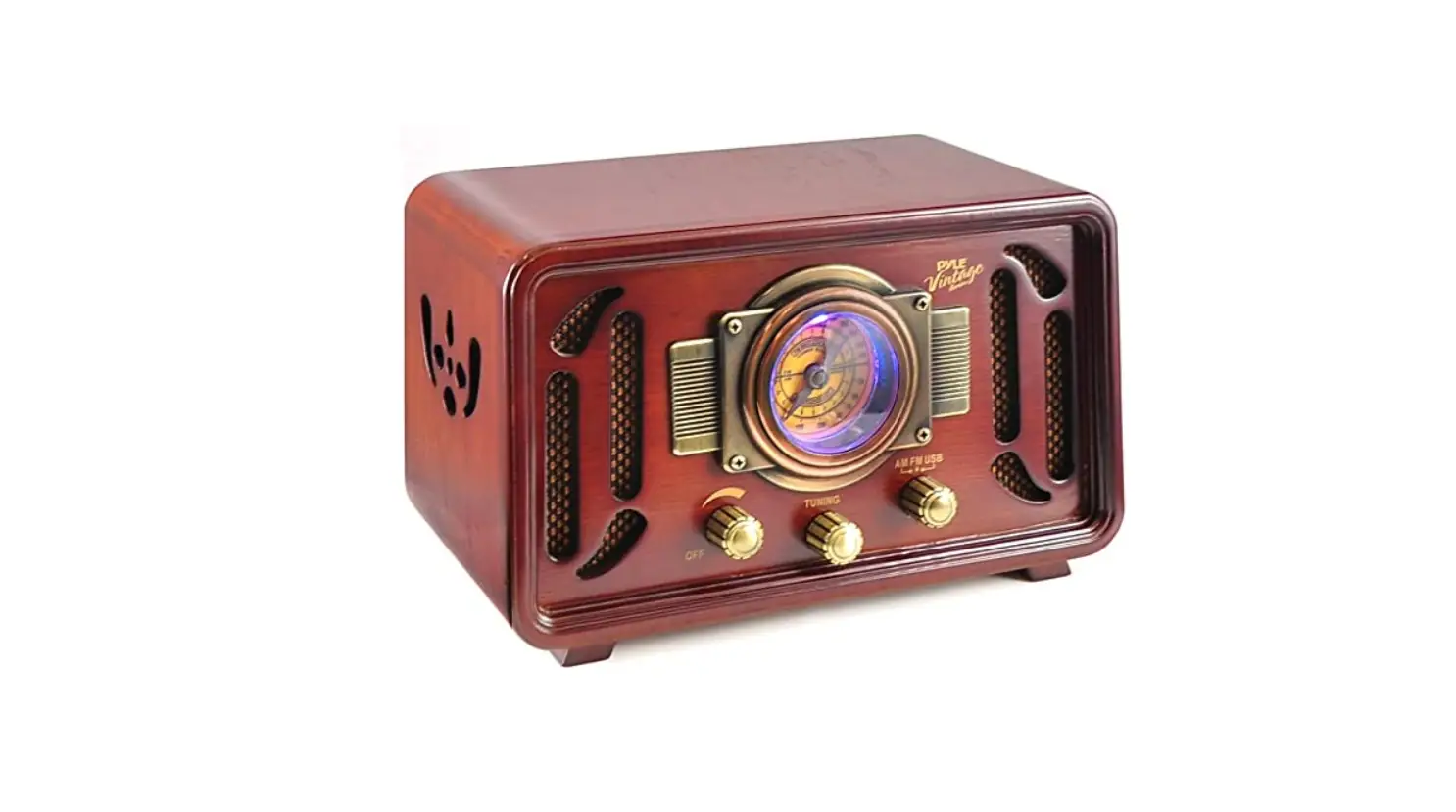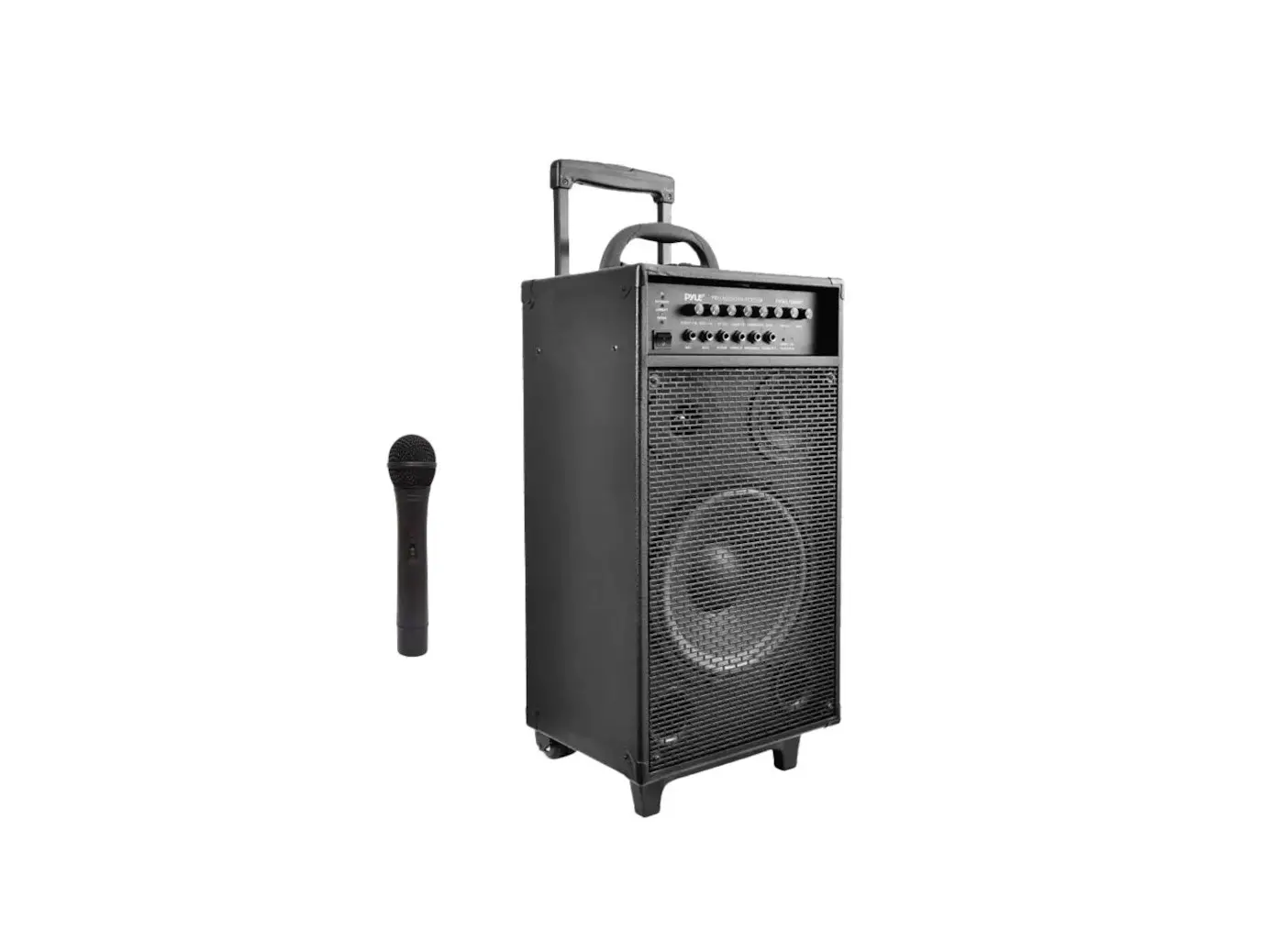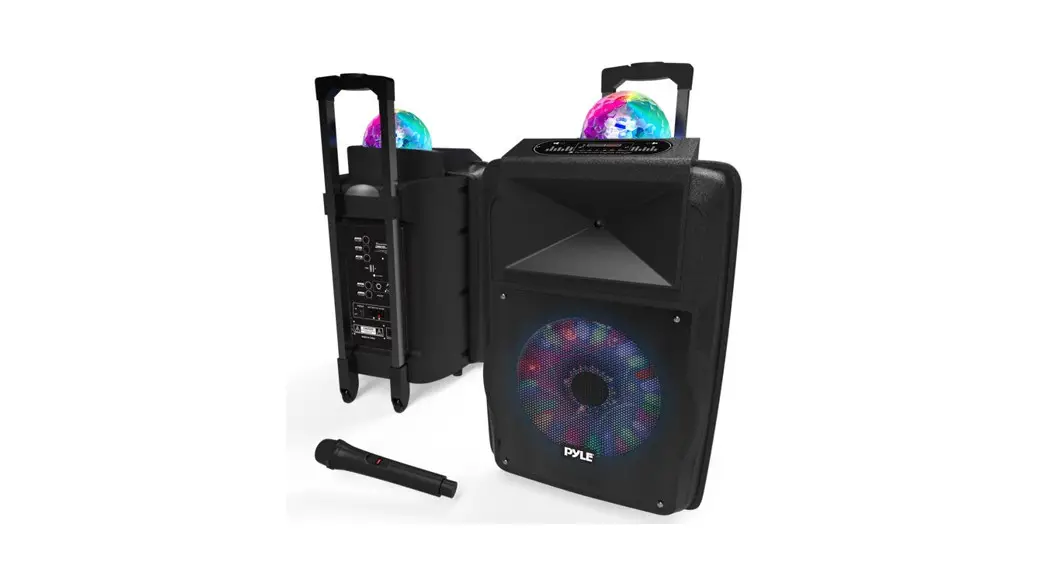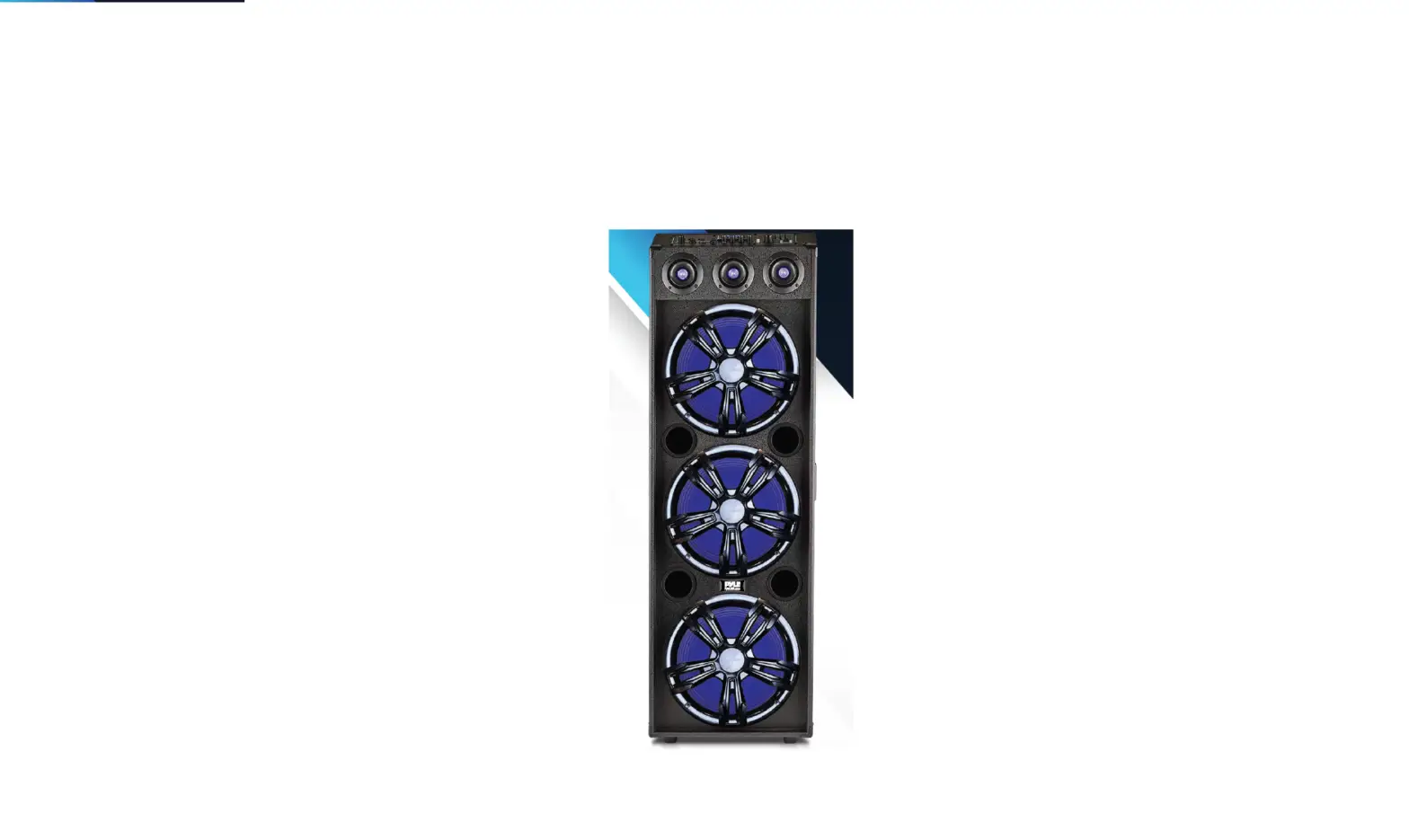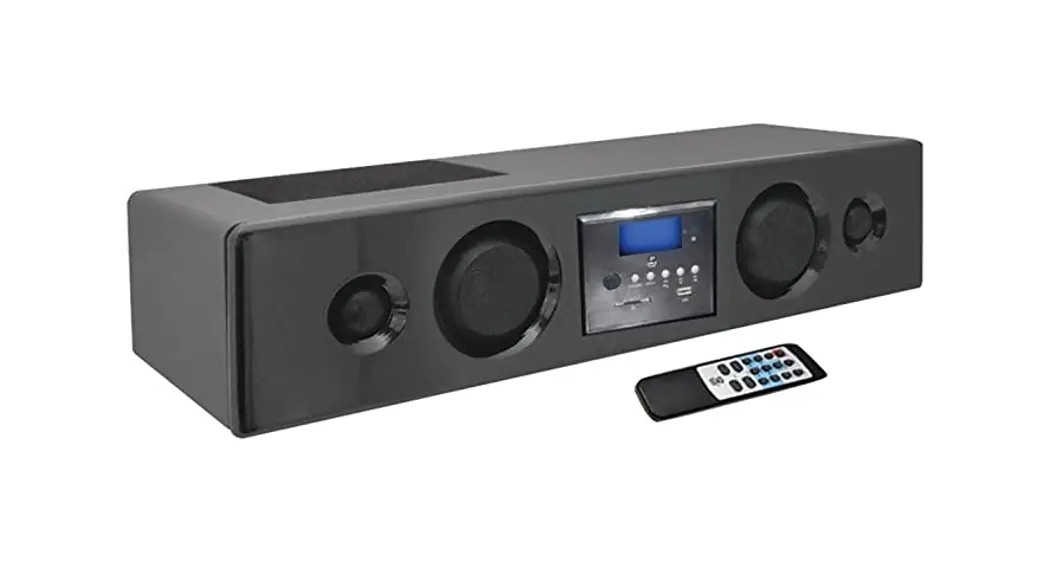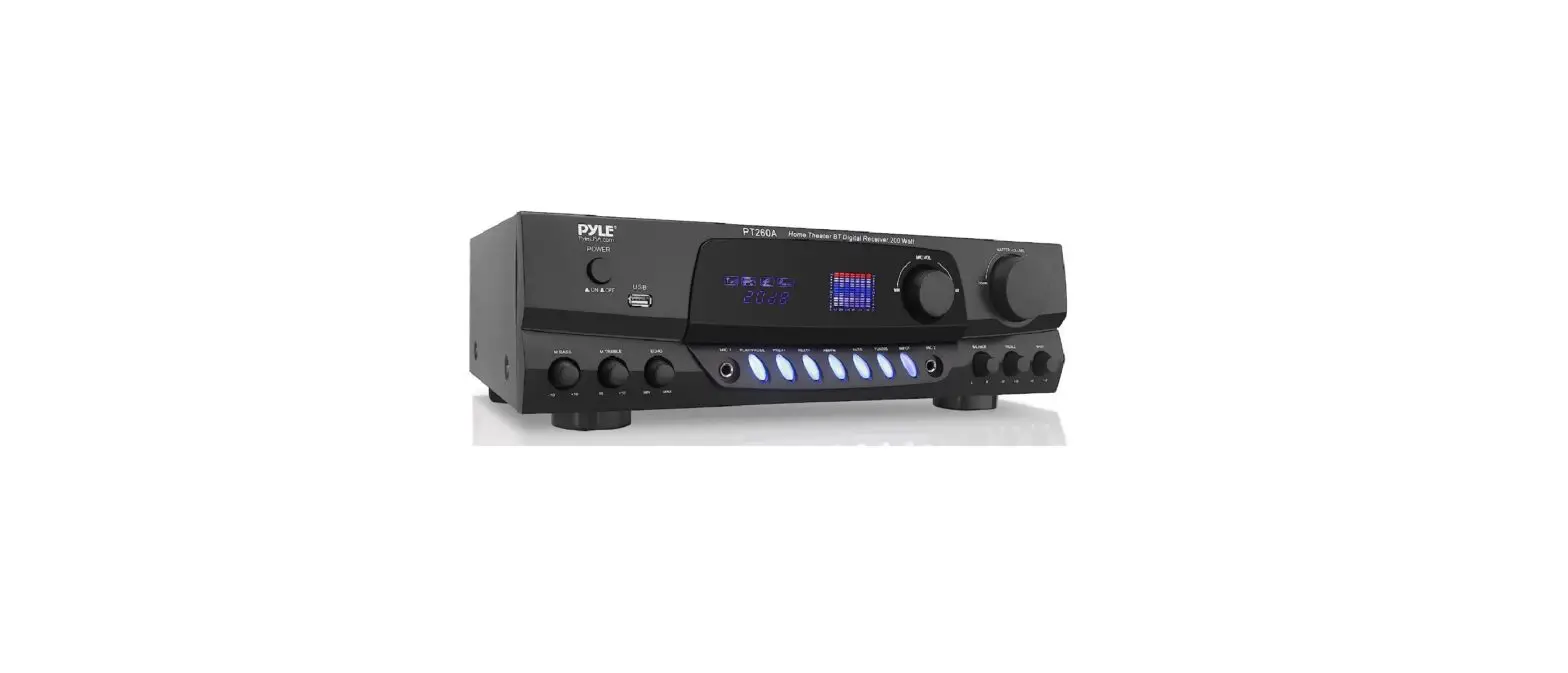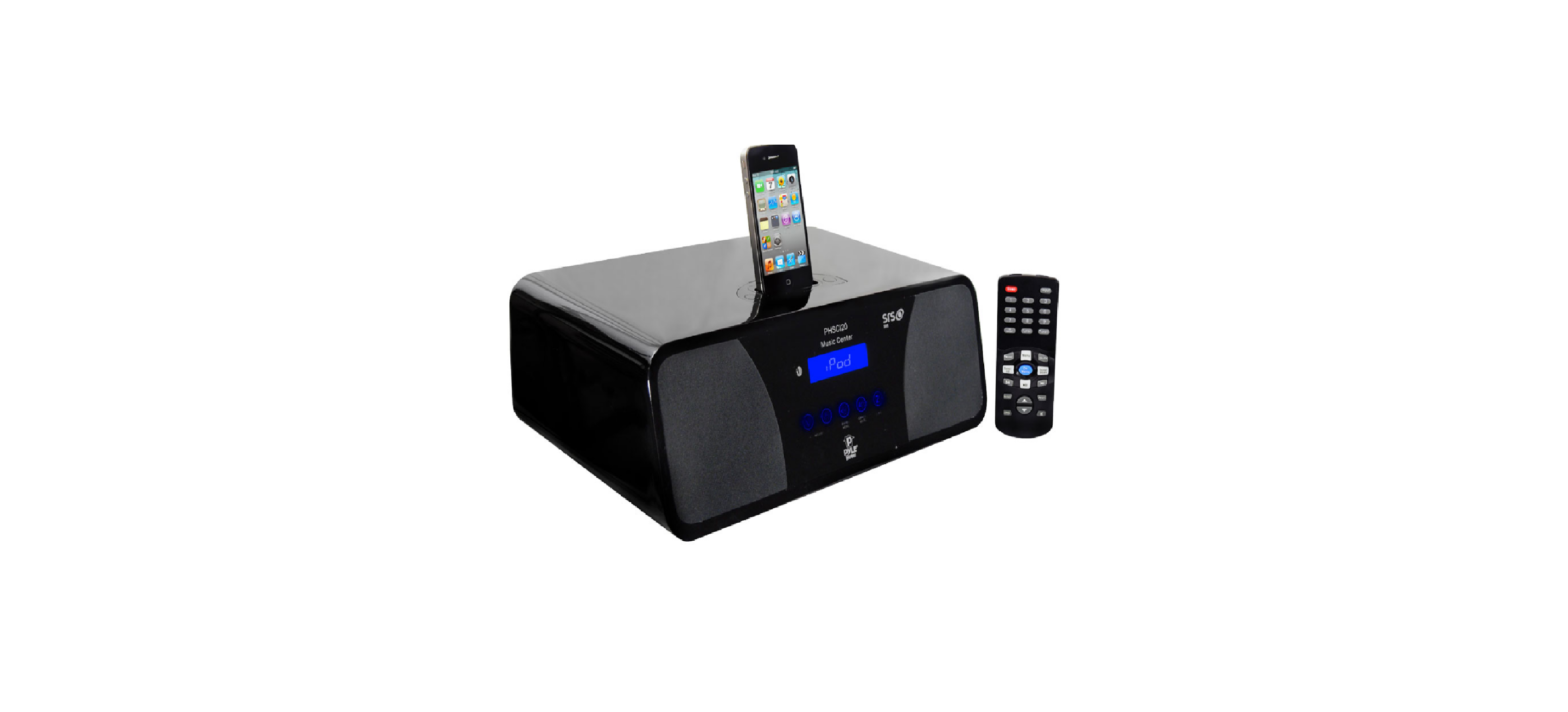

Pyle PHSCI20W 200-Watts FM Clock Radio Speaker
Package Contents
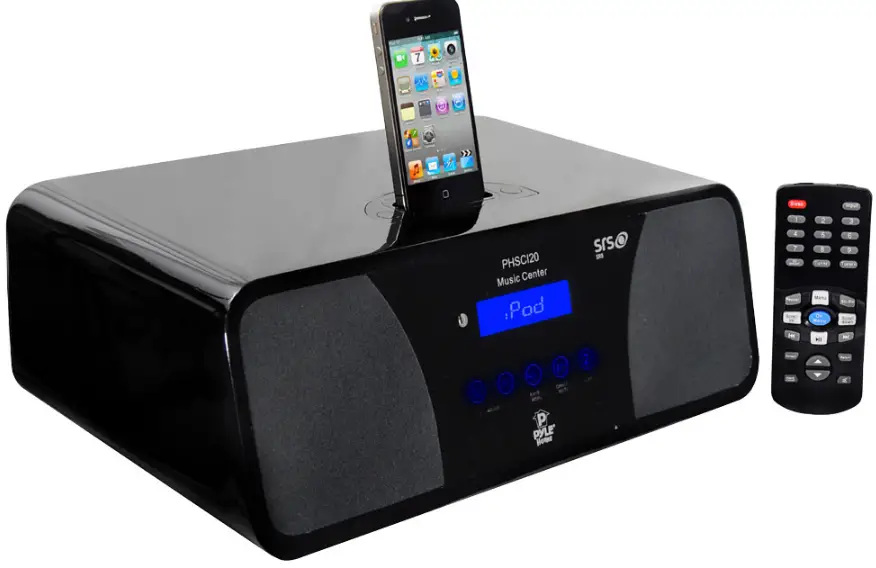
- Main unit
- Owner’s manual
- AC adapter
- Remote control
- RCA audio cables

Safety information:
Thank you for purchasing the 2.0 channel music center system. We strongly recommend that you carefully study the operating instructions before attempting to operate the unit and that you note the listed safety information.
- This unit can be used only where the power supply is in accordance with the notes on the rear panel of the unit.
- To reduce the risk of fire or electric shock, do not expose this unit to rain or moisture.
- When the unit is not being used, turn the unit off.
- Do not open covers and repair by yourself. Refer all servicing to qualified personnel.
- After disconnecting the unit from the mains, if you don’t start the unit again in 24 hours, the time will return to the factory default. When the unit is on, you can adjust the time, please take the operation instruction in the manual for reference..
6. Remote control battery: The battery has been installed in the remote control. When you use it for the first time, pull out the insulation layer, and the remote control is - ow ready to use
Specifications:
- Output Power: L/R (9Wx 1)
- Frequency: L,R 50Hz-20kHz
- Drive Unit: LIR channel 3.0 inch with treble cup
- S/N: 85 d dB
- THD: 0.1%
- Size(DxWxH): 320 x 217 x97mm
Special Specifications:
- Touch key control system : iPod charged automatically
- EQ function control : LCD display
- SRS-3D level control : Alarm control
- Automatic Gain control : Clock control
- iPod controlled by remote control : Fully function remote control
SRS Statement:
SRS is a trademark of SRS Labs, Inc.
SRS technology is incorporated under license from SRS Labs, Inc. SRS®restores the original three-dimensional sound field of stereo recordings by retrieving spatial information buried in the recordings to create an immersive 3D sound-field using only two speakers or headphones.
Compatibility Chart
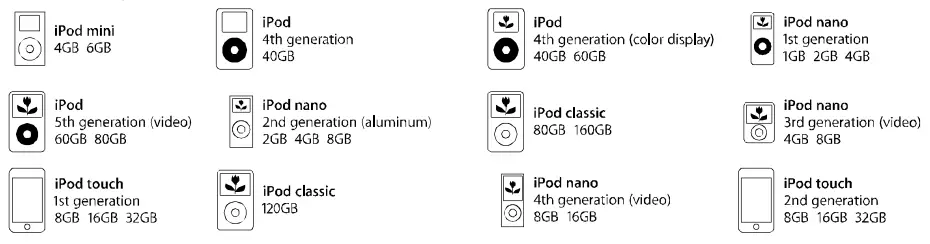
System Connection
Real Panel Function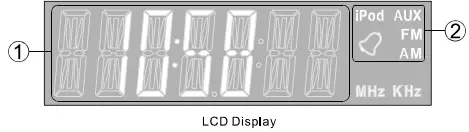
- Multi-Function Display Area
- Current Input Display Area
Operation instructions
How to power up the system
Connect the AC adaptor, then turn on the power.
How to play stereo audio
Press the “akey on the remote control to choose the input mode “iPod, AUx, FM, AM”.
How to use sleep mode
- Sleep mode lets you sleep to your system at the selected time.
- Press “Sleeg” or touch the”)” key to select an amount of time before the system shuts off: 5, 15, 30 minutes or off.
- Wake up the system by pressing any key when the system in the sleep mode.
How to Use Remote Control
- A: FMIAM Control Area
- B: iPod Control Area
- C: Multi-function Control Area

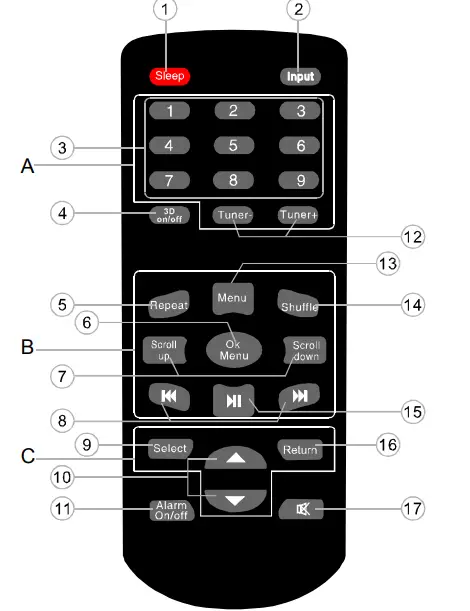
- “Sleep mode” control selector
- Select the input source (iPod. AUX. FM. AM)
- Tuner number selector
- SRS-3D on/off selector
- iPod-toggle repeat selector
- iPod-ok menu selector
- iPod-scroll up/down selector
- iPod-skip selector
- Select control selector
- Adjust increase/decrease selector
- Alam on/off control selector
- Tuner band control selector
- iPod-menu selector
- iPod-toggle shuffle se lector
- Pod play/pause selector
- Return to the previous menu
- “Mute mode” control selector
Multi-function Control Area
 “ate Select the following four submenu: stone>, <time>, <alarm>, <source Or enter to the next menu.
- “ “. Return to the previous menu.
 Adjust settings.
 “ate Select the following four submenu: stone>, <time>, <alarm>, <source Or enter to the next menu.
 “. Return to the previous menu.
 Adjust settings.
For example
- When you want to set the time, press the select key and scroll to the <time> “, followed by the “” key to enter time setting to reset the figures of hours, then press the “” key to set the minutes, after reset it, press “” key again, the time on the menu by press mode. Press screen will flicker continuously to confirm successful time setup.
- When you want to change the tone settings, Scroll to the <tone> menu and press “” to enter the “tone menu”. Press the ” ” key to scroll through the three options: <3D.L>, <Treb>, <Bass>. If you want to adjust the <SW>, press “” to enter the “SW menu”, press to adjust the <SW> volume.
- When you want to set the alarm sound module, scroll to the <source> menu and press to enter the “source menu”. Press the “” key to scroll through the three options: <buzzer>, <iPod.s>, <FM.s>.If you want to choose <buzzer>, press then the LCD flicker, it suggests this function has finished. The other two options have the same operation.
- When you want to set the alarm, press the “ key and scroll to the <alarm> menu by press ““, followed by the “ ” key to enter alarm setting mode. Then Press “” to adjust the hours, then press “ to toggle to the minutes setting. Press “” key after adjusting the minutes setting, the time on the screen will flicker momentarily to confirm successful alarm setup. After setting alarm, press the”
 ” key to turn the alarm on. When alarm is on, the “
 ” logo will flash all the time, pres the” ” key to turn off the alarm, if you choose <FM.s> alarm sound module, the system will turn to FM input mode and mute state; if you choose <buzzer> alarm sound module, the system will turn to the previous input mode; if you choose <iPod.s> alarm sound module, the system will turn to iPod input mode.
 ” key to turn the alarm on. When alarm is on, the “
 ” logo will flash all the time, pres the”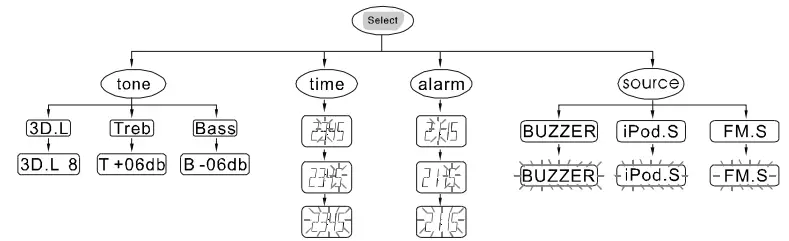
iPod Control Area
- Insert iPod into the iPod docking socket. System will turn to “iPod” input mode automatically. And the system will return to the previous input mode when you move out of the iPod.
- The middle area of the remote control (B) is especially designed for iPod player.
 Controls the play and pause function of the iPod player.
 “: Press and hold for 2 seconds to Fast Forward or Fast Reverse.
- “: Controls the iPod player to play the previous or the next song.
 Selects the previous file of the iPod player.
- Selects the next file of the iPod Player.
 Selects the iPod player to return to the previous submenu.
 Controls the iPod player to enter next submenu.
 Selects the repeat mode on the iPod.
 Selects the random mode on the iPod.
 Controls the play and pause function of the iPod player.
 “: Press and hold for 2 seconds to Fast Forward or Fast Reverse.
 Selects the previous file of the iPod player.
 Selects the iPod player to return to the previous submenu.
 Controls the iPod player to enter next submenu.
 Selects the repeat mode on the iPod.
 Selects the random mode on the iPod.
FMAM Control Area
- Press “
 ” and select FM/AM mode, the LCD will display the last tuned channel, for example: 87.50MHz/530KHz.
 - Use “
 ” to adjust radio frequency.
 - The number keys (1-9) are used to save up to 9 channels. Tune to your desired
- FM/AM channel and hold one of the number keys for 2 seconds to assign that number key to that channel. Anytime you want to listen to the saved channel, just press on the assigned key number.
 ” and select FM/AM mode, the LCD will display the last tuned channel, for example: 87.50MHz/530KHz.
 ” to adjust radio frequency.
How to Use Touch Key Control System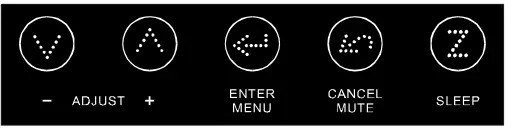
 (ADJUST) Scroll up or down in different function interface.
 (ENTER/MENU) Enter to the menu and the operation key of the submenu.
 (CANCEL/MUTE) Return to the previous menu or mute when it is on the default main interface.
- (SLEEP) Select the sleep mode.
- The default main interface of this system show current time. Touch to decrease or increase the system master volume. Touch to enter first-level subpage:<input>, stone>, stuner>,sclock>. Then you can touch again to enter the second-level subpage or touchfor the switch of different entrance option. Also, you can touchto enter the third-level subpage to choose the function you need.
- If you want to return to the previous subpage, you can touchAnd if no any operation is done, the system will return to the default interface in 5 seconds.
 (CANCEL/MUTE) Return to the previous menu or mute when it is on the default main interface.
 (SLEEP) Select the sleep mode.
How to Setup Time and Alarm
- Touch “” enter to the first-level subpage, then touch “ ” to choose <clock> touch “” enter the options interface of stime>,<alam>, <source>, <A.on/off>, which is the second-level subpage. Then, choose the <time> icon and touch “” to enter the third-level subpage. At this moment, you can touch “ ” to adjust the figures of hour or minute. After adjustment, you can touch “” again, the clock icon on the LCD will flicker continuously to show the success of time setup.
- When setup alarm, choose <alarm> option on the second-level subpage, the operation is similar to the time setup. After finish the alarm setup, touch “” return to the second-level subpage, choose <A.on/off> icon, touch “” to turn on or off alarm.
How to Play FM/AM
Touch “ enter to the first-level subpage, then touch “
 ” to choose <tuner>, touch “ enter the options inteface of <adjust>, <auto>,<store>, which is the second-level subpage. Then, choose the <adjust> icon and touch “” to enter the third-level subpage. At this moment, you can touch ” ” to down or to up and the tuner will search manually; choose and enter <auto> status, and then touch “O” to up or down once (to up, the FM/AM frequency will decrease, otherwise opposite), the tuner will search automatically. If you need to stop 1 the automatic search, pls touch ““. When you want to save the program, just enter the <store> status, then touch ” ” to choose the channel you want to save. At last, touch “” once again.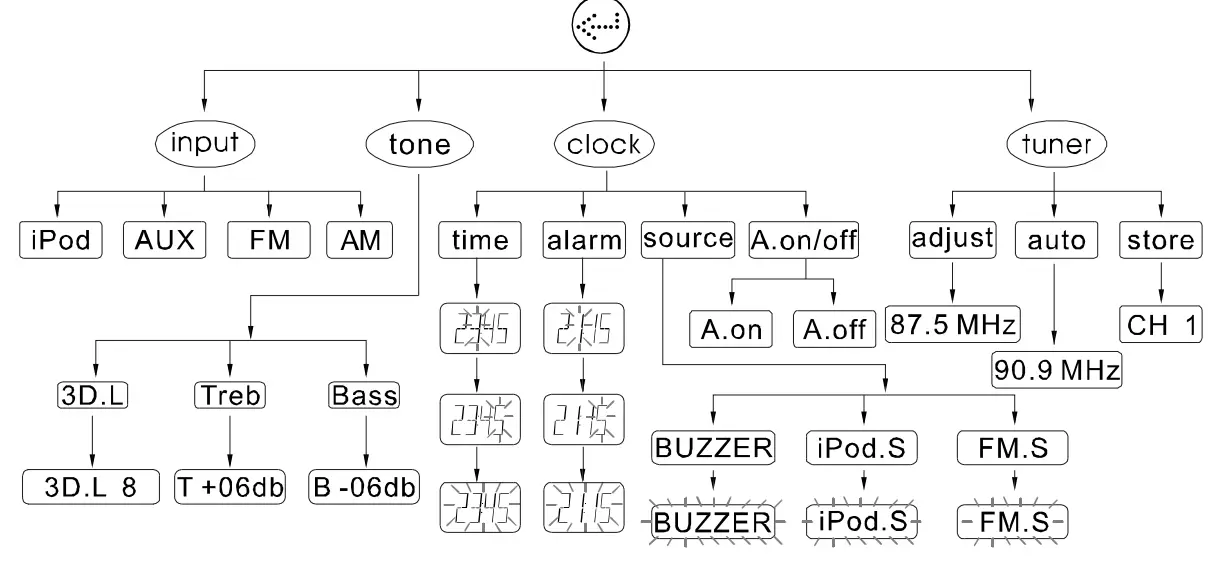
Installing Battery In the Remote Control
- Since the remote control will be used for many units to control operations, you should begin by installing the supplied battery
- Turn the remote control over and pull out the battery compartment cover.
- Insert the battery according to the polarity markings inside of the battery compart- ment.
- Close the battery compartment cover.
Note About the Remote Control
- If you find that the remote control can not be used at a normal distance to the main unit, then the battery could be weak, so you need to replace battery with a new one.
- Remove the battery if the remote control is not used for an extended period of time.
- If battery leak, remove it immediately, and properly dispose it. Avoid touching the leaked material and splashing it to clothing, etc. Clean the battery compartment thoroughly before installing new battery.
Trouble Shooting
| Problem | Possible Reasons/solutions |
| The system has no power. | The plug is not inserted properly. The socket has no power. “POWER” button has not been pressed. |
| No sound at all. | Incorrect selection of input signal. If mute state is turned on. Sound source machine is not powered. |
| Either of the main channels has no sound. | The signal plug is connected incorrectly or lines are short-circuited. |
| LCD screen displays abnormally. | It may be effected by exterior strong disturbance, turn off first and then turn on again. Avoid direct sunlight/heat. |
CAUTION: DO NOT REMOVE BACK COVER OF UNIT DUE TO THE POSSIBILITY OF ELECTRICAL SHOCK. THERE ARE NO SERVICEABLE PARTS INSIDE THIS SECTION. PLEASE REFER SERVICING TO QUALIFIED SERVICE PERSONNEL.
The lightning flash with an equilateral triangle, “Dangerous Voltage”, is intended to alert the user to the presence of uninsulated parts within the product’s enclosure that may be of sufficient magnitude to constitute risk of electric shock to persons. The exclamation point within an equilateral triangle is intended to alert the user to the presence of important operating and maintenance (servicing) instructions in the literature accompanying the appliance.
WARNING: TO REDUCE THE RISK OF FIRE OR ELECTRIC SHOCK DO NOT EXPOSE THIS APPLIANCE TO RAIN OR MOISTURE
- READ INSTRUCTIONS-All safety and operating instructions should be read before the appliance is operated.
- RETAIN INSTRUCTIONS-Safety and operating instructions should be retained for future reference.
- NOTE WARNINGS-All wanings on the appliance and in the operating instructions should be followed.
- FOLLOWw INSTRUCTIONS-All operating and user instructions should be followed.
- WATER AND MOISTURE-The appliance should not be used near water, e.g., bathtubs, kitchen sinks, laundry tubs, damp basements, swimming pools, etc.
- CARTS AND STANDS-Do not place this product on an unstable cart, stand, tripod, bracket, table, etc.
- VENTILATION-The appliance should be situated so that its location and position does not interfere with proper ventilation. The appliance should not be situated on a bed, sofa, rug, or any surface that may obstruct cabinet openings.
- HEAT-The appliance should be situated away from heat sources such as radiators, heat registers, stoves or other devices (including amplifiers) that produce heat.
- POWER SOURCES-The appliance should be connected only to a power supply of the type described in the operating instructions or on the appliance. Do not overload wall outlets, extension cords, or integral convenience outlets as this can result in a risk of fire or electric shock.
- POWER CORD PROTECTION-POwer supply cords should be routed so that they are not likely to be walked upon or pinched by items placed upon or against them, paying particular attention to cords at plugs, convenience receptacles, and the point where they exit from the appliance.
- CLEANING-The appliance should be cleaned only with glass cleaner. Do not use chemical cleaners.
- LIGHTNING STORMS & NO USE PERIODS-The power cord should be unplugged from the outlet during lightning storms or during long periods of non-use.
- OBJECT AND LIQUID ENTRY-Care should be taken that objects do not fall onto and liquids are not splled on the amplifier or speaker.
- DAMAGE REQUIRING SERVICE-The appliance should be serviced by qualified service personnel when
- A. The power supply cord or plug has been damaged: or
- B. Objects have fallen on or liquid has been spilled into the appliance; or
- C. The appliance has been exposed to rain; or
- D. The appliance does not appear to operate normally or exhibits a marked change in performance; or
- E. The appliance has been dropped or the enclosure damaged.
- SERVICING-The user should not attempt to service the appliance. If parts are replaced during service, be sure the parts meet factory specification. Inappropriate substitution can result in fire or a risk of electric shock. Upon completion of service, ask the technician to perfom safety checks on the product. For service and warranty information please check Warranty Card.
FAQS
Most people rely on alarms to wake up and start their days. It’s why radio alarm clocks remain such a valuable commodity, even with almost everyone having a smartphone
Ten define the letters. Most sizes are available in your choice of red, amber, green, blue or white. In typical locations, most people consider red to be the most visible color. In dimmer light, amber and green tend to be more pleasing and less distracting.
Blue light has the strongest impact. Exposure to blue light (and white light, which contains blue light) during the sensitive period can make it difficult for you to fall asleep and stay asleep. Exposure to white light during the day can have positive effects, including boosting alertness and mood.
How Long does an Android Alarm Ring? An Android has a default alarm duration of 10 minutes. Unlike the iPhone, you can change how long an Android alarm rings for. You can change the ‘silences after’ setting in the settings tab related to the alarm.
Red light is by far the best calming light color for sleep. Choosing a red light as a nightlight ensures that you don’t disrupt your circadian rhythm. So switching to a red light a few hours before going to bed will surely help you fall asleep easier
A digital clock is a type of clock that displays the time digitally (i.e. in numerals or other symbols), as opposed to an analogue clock.
“Your internal body clock will strengthen and you will start to wake naturally at a time that suits you. However, if not setting an alarm is going to make you anxious about sleeping in and missing a train or an important meeting, you should set the alarm
Genetics, lifestyle choices, and undiagnosed sleep disorders may all play a role. In addition, some studies suggest that differences in brain wave activity during sleep may also make someone a light or heavy sleeper
Sleeping through the alarm is fairly common. You might do this for a number of reasons: you are not getting enough sleep, your sleep schedule is off (which means your inner alarm system is off), or you may have a poor mindset
Your best bet would be a red led light. It’s the least disruptive among all wavelengths when it comes to sleep. At the same time, some research indicates that the low color temperature of red light can have a soothing effect on the body.
In most cases your alarm clock can be reset using the following method: Unplug the alarm clock radio. Use a small screwdriver to take the battery cover off of the bottom. Remove the battery, wait 10-20 seconds and replace it.
It’s a colon; this is one of its uses. It’s a colon
Digital clocks come with more features than their analog counterparts. Digital clocks provide superior readability during tense, time-sensitive scenarios, and some digital models can help people track the time with the help of a countdown timer. They can help to get students to their next classroom on time
The 12-hour clock method defines all 24 hours of the day using the numbers 1 to 12, followed by am or pm. 5 AM is early in the morning and 5 PM is late in the afternoon; 1 AM is one hour after midnight, and 11 PM is one hour before midnight.
Step 1: Launch the Settings and click on Apps and Notifications. Step 2: Now, click on the Clock app and then further tap on Storage. Step 3: Finally, tap on Clear Cache and Clear Storage, one by one. A simple restart will conclude the steps and resolve the Android alarm no sound issue