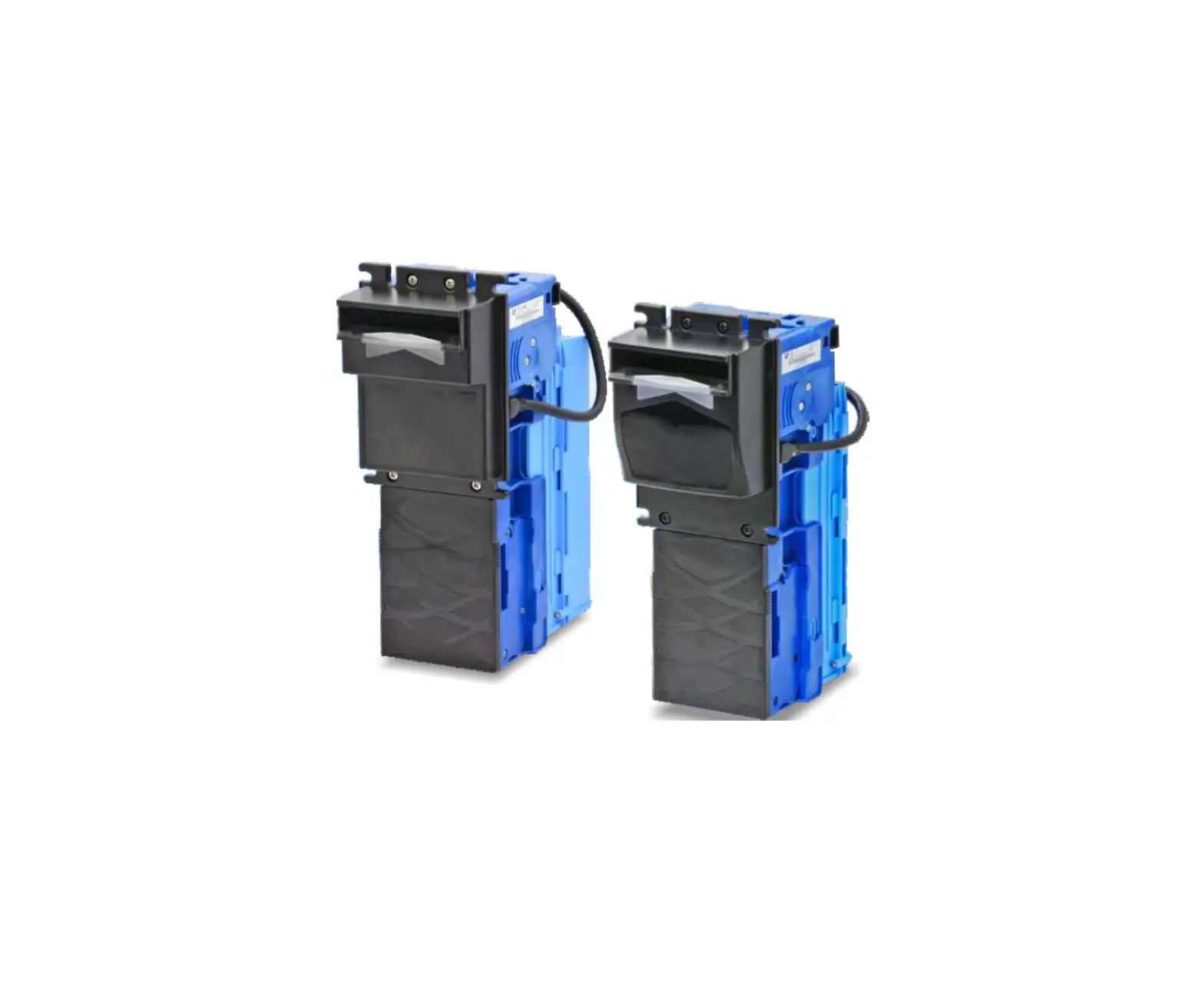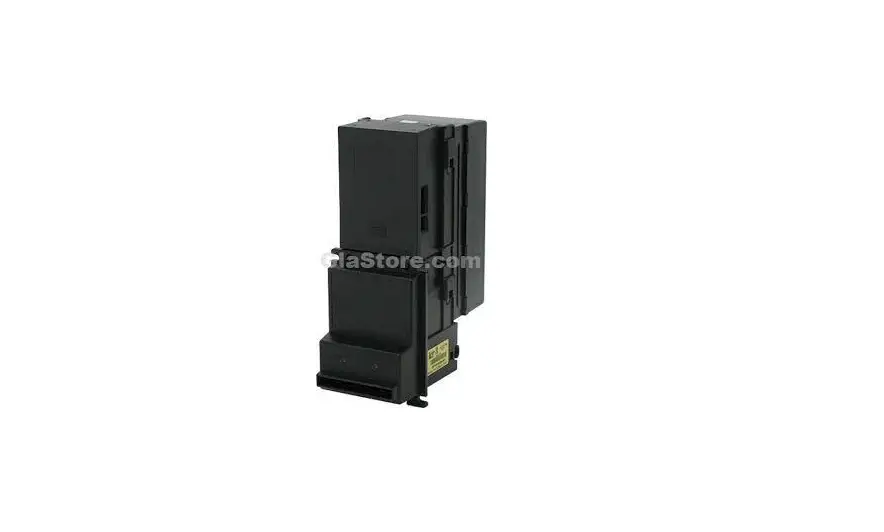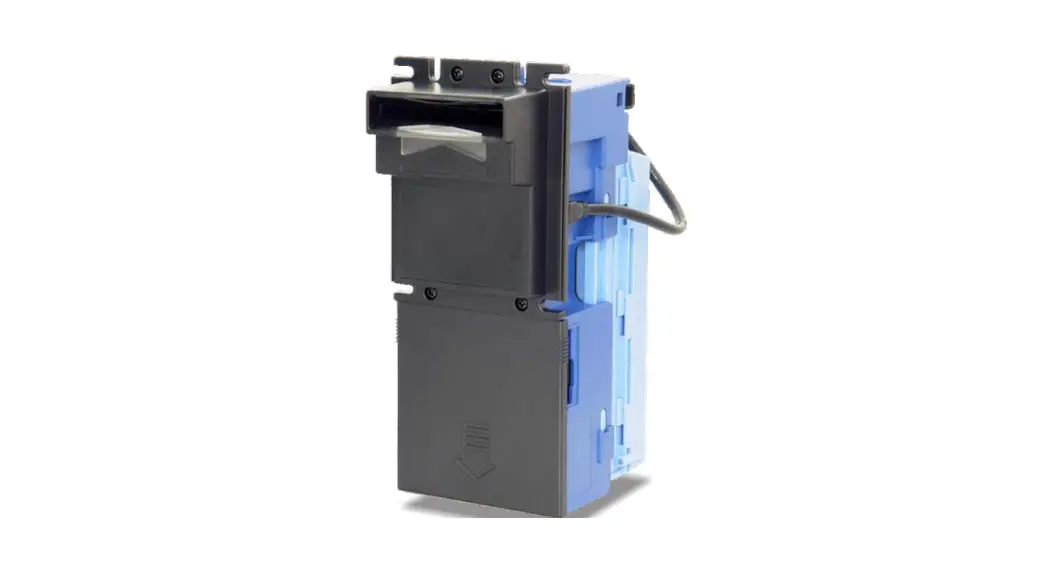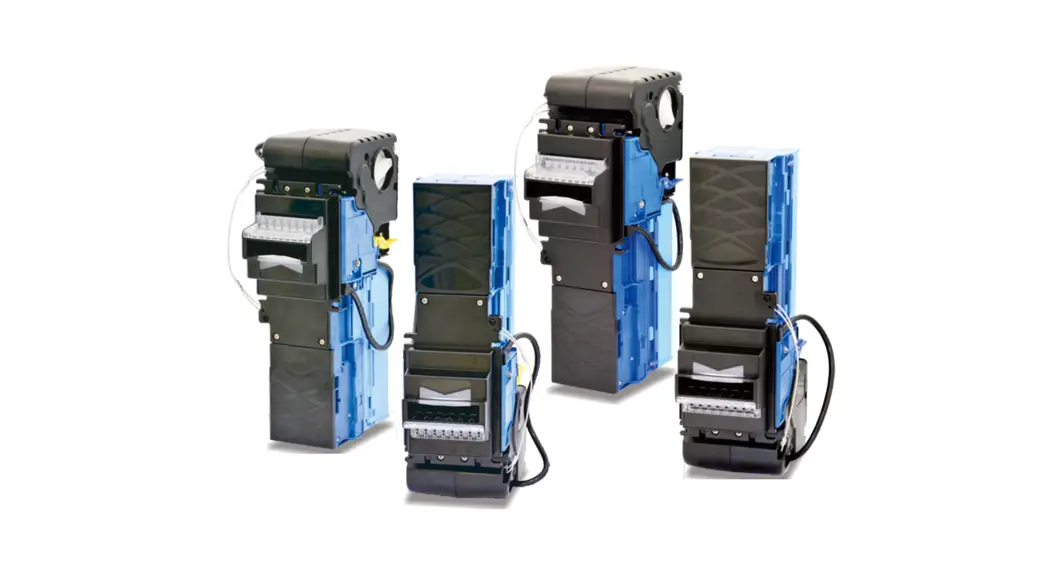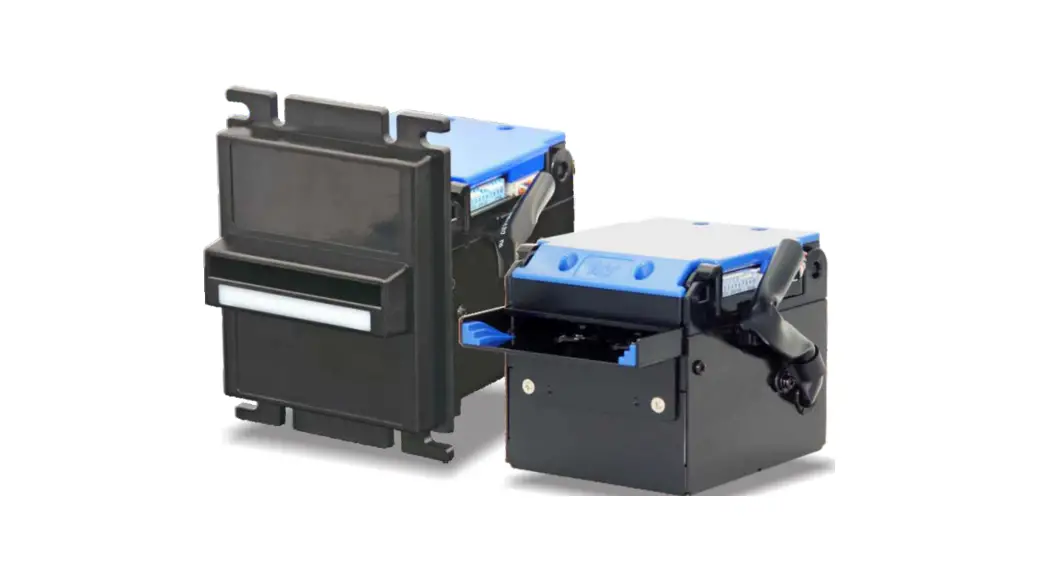
 NE77 Bill Acceptor
Installation Guide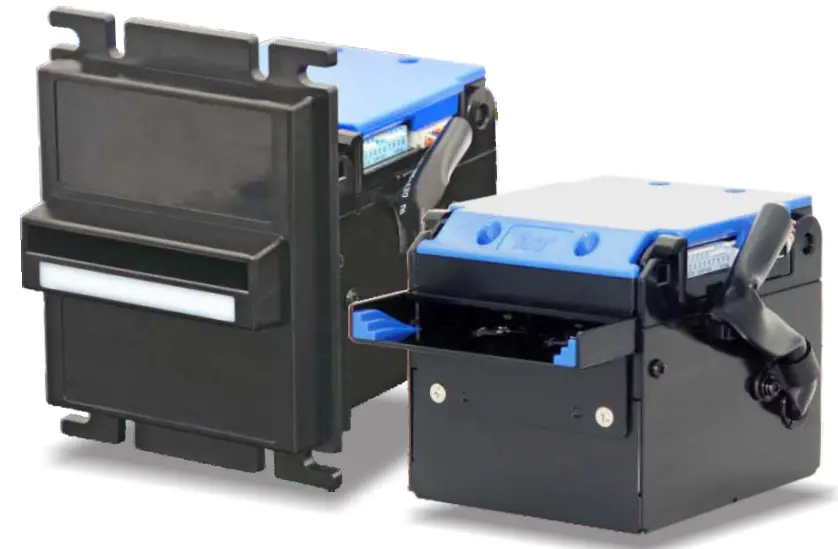
Bill Acceptor NE77
Installation Guide
International Currency Technologies Corp.
Use of Materials Limitations
International Currency Technologies Corporation {ICT) all rights reserved.
All materials contained are the copyrighted property of ICT.
All trademarks, service marks, and trade names are proprietary to ICT.
ICT reserves the right at all times to disclose or to modify any information as ICT deems necessary to satisfy any applicable law, regulation, legal process or governmental request, or to edit, refuse to post or to remove any information or materials, in whole or in part, in ICT’s sole discretion.
Introduction
1-1. Overview
NE77 features multi-width banknote verification and recognition and superior anti-stringing function; equipped with multiple interfaces to provide users the best service suitable for various applications.
1-2. Features
- Accept multi-width banknotes
- Advanced optical and mechanical anti-fishing mechanism
- High acceptance rate
- Superior anti-counterfeit capability
- High transaction speed
Specifications
General
Note: The incomplete bills such as extremely dirty, wet, broken or wrinkled ones are excluded.
| Acceptance Rate | 96% or greater |
| Bill Insertion | Four way acceptable |
| Transaction Speed | Approx. 1.5 seconds to stack |
| Interface | RS232, Pulse, Parallel |
| Installation | Indoor |
Electrical
| Power Source | 12V DC (10.8V-13.2V DC) |
| Power Consumption | Standby: 0.24A, 3W Operation: 0.9A, 11W Maximum: 2.7A, 32.4W |
| Operation Environment | Operation Temperature: 0°C-55°C Storage Temperature: -20°C-?0°C Humidity: 30%-85%RH (no condensation) |
Mechanical
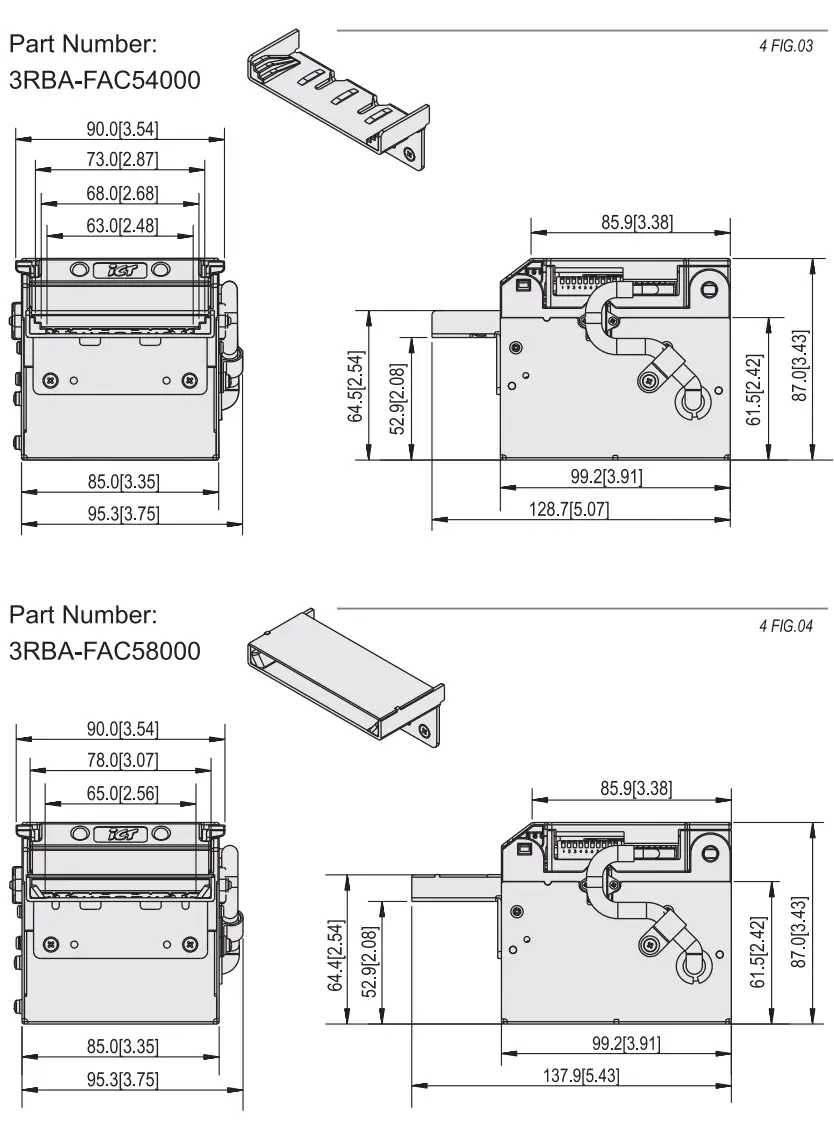
| Outline Dimension | Refer to page.4 |
| Bill Accepted Width | 62mm–77mm |
| Weight | Approx. 1.2kg |
Packing List
| Main | Bill Acceptor |
| Accessory | Harnesses (Refer to 5-1) NE77 Installation Guide NE77 DIP Switch Setting Guide |
Dimension
< long bezel > 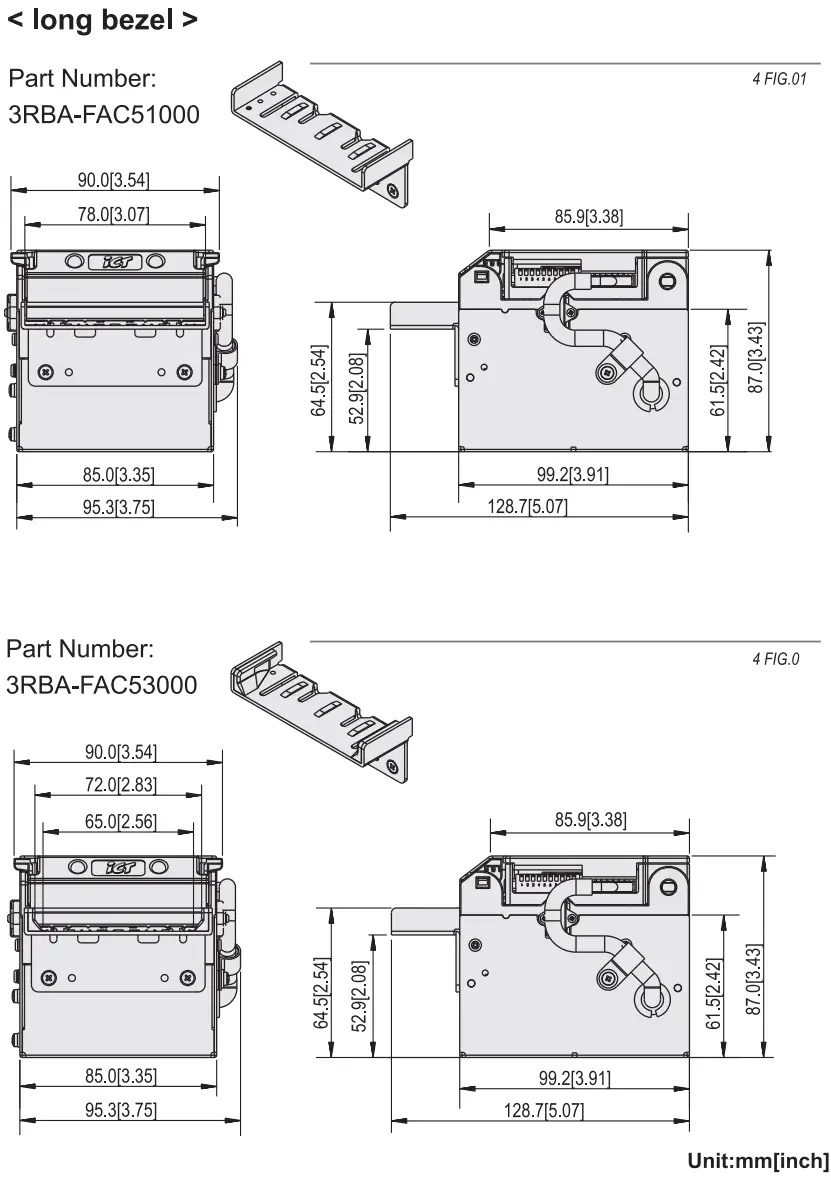
< Standard Bezel > Part number: 3RBA-FAC41003 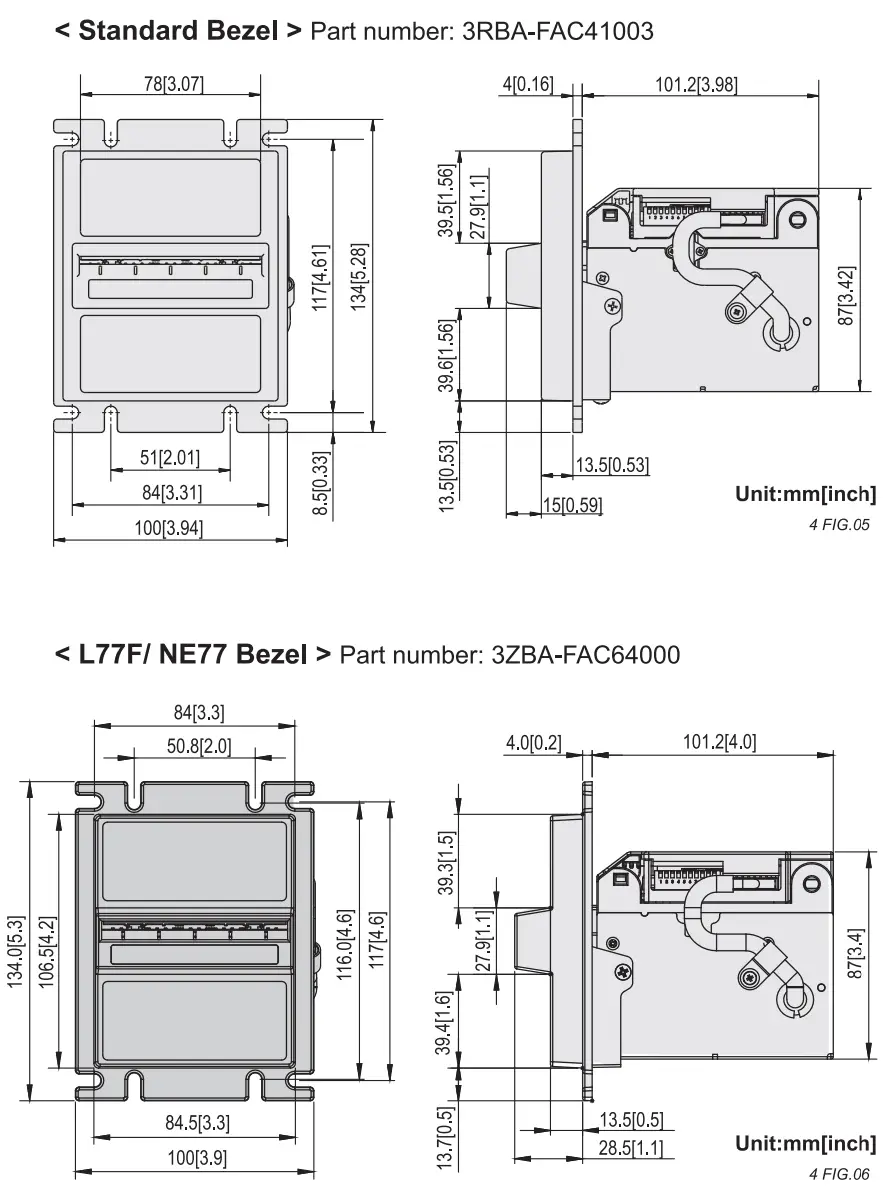
 To install the bill acceptor on your VMC, please be aware of the dimension as below:
[ L ] : Longer than the maximum length of accepted bills.
[ L 1 ] : Bill box capacity depth.
* [ L/2 J has to be longer than 80mm to open upper base. 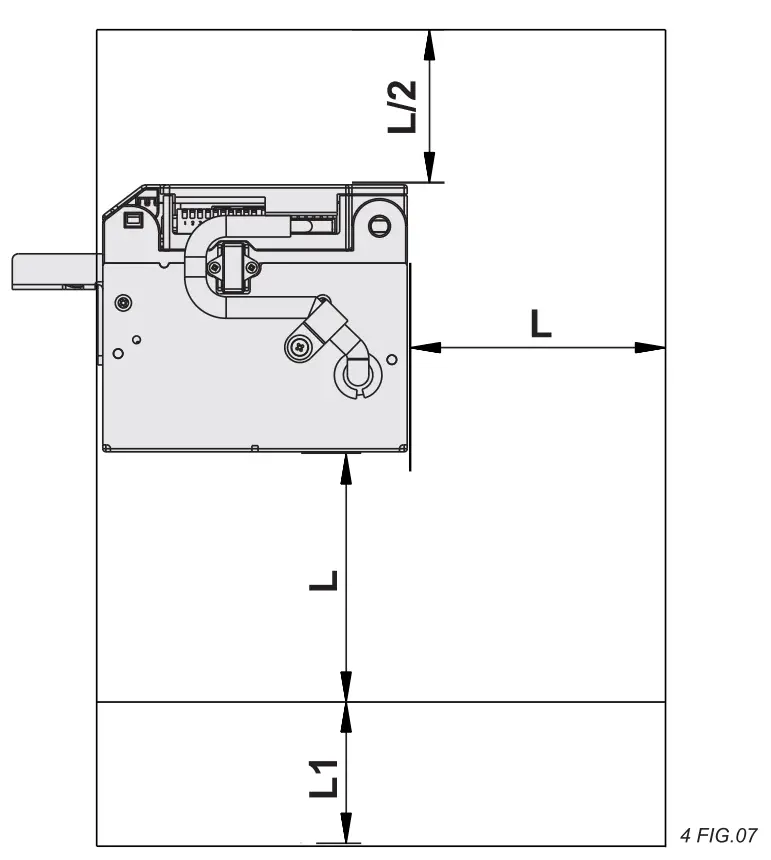
Installation
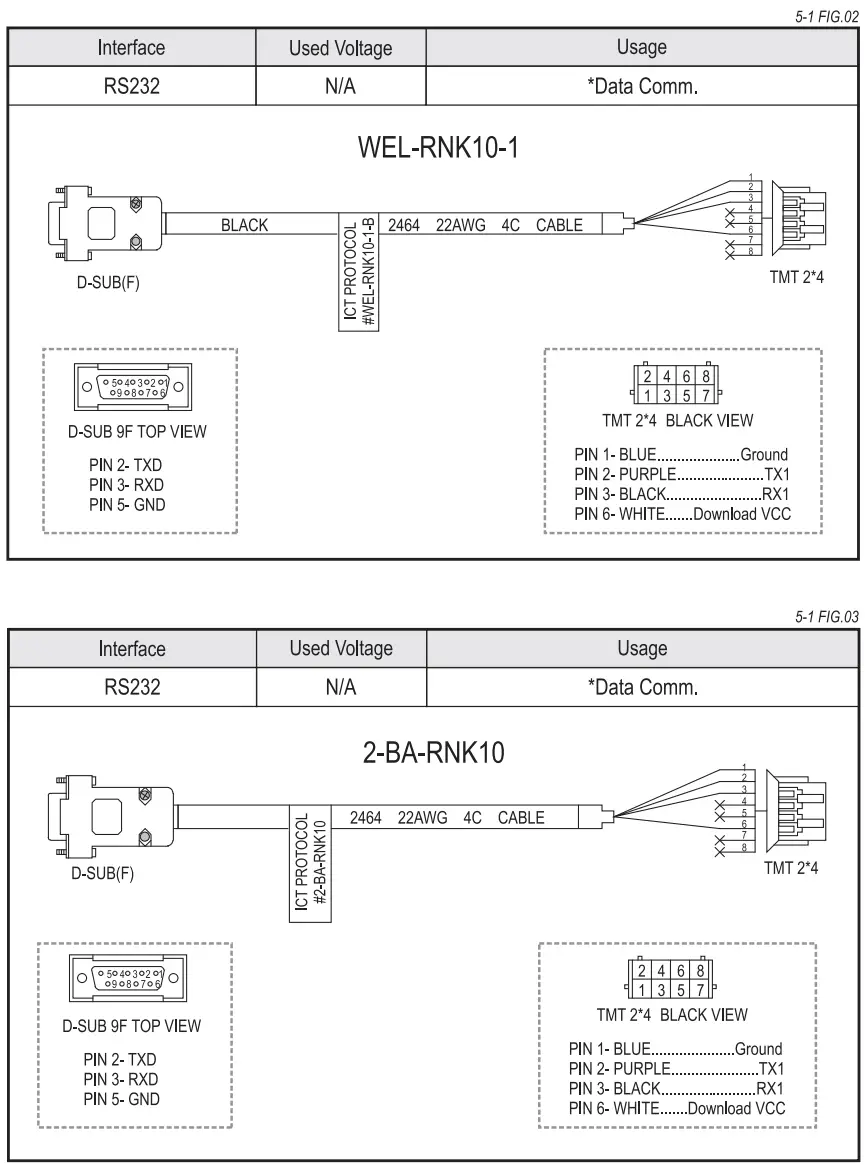
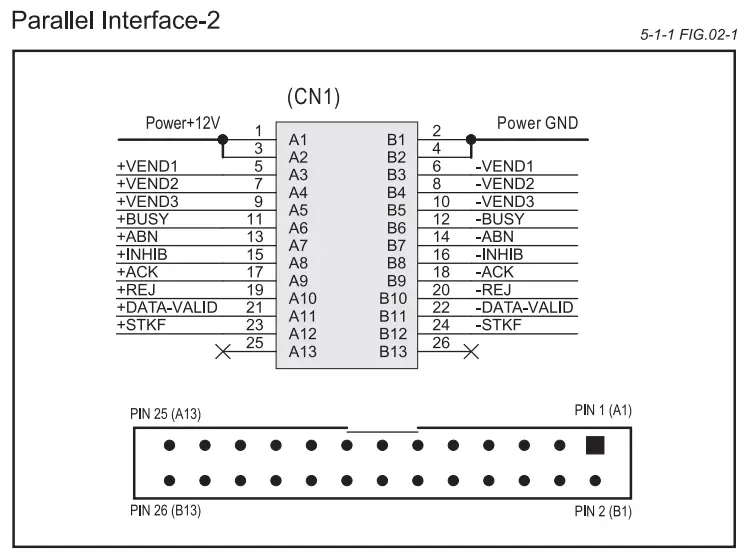
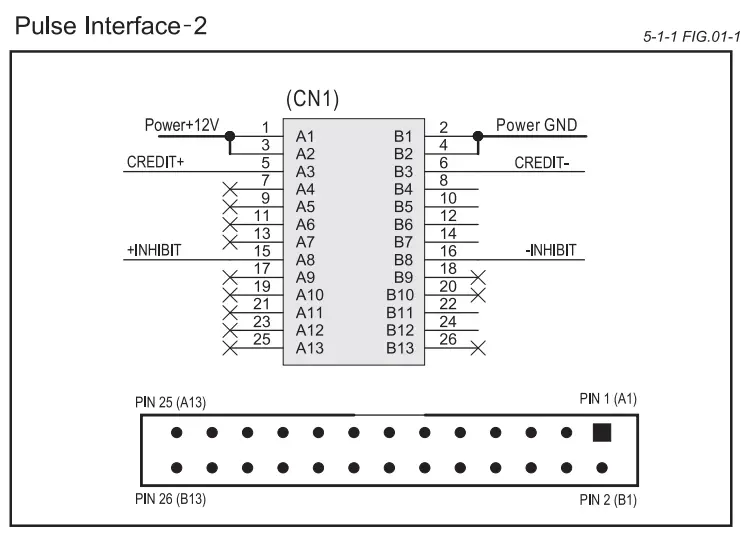
5-1 . Harness Application
5-1 TABLE 01
| Interface | Used Voltage | Usage | Harness | Page |
| Pluse | 12V DC | Power & *Data comm. | WEL-NE7708 | 8 |
| RS232 | N/A | *Data comm. | WEL-RNK10-1 or 2-BA-RNK10 | 9 |
*Date Comm.: Data Communication.
5-1 FIG.01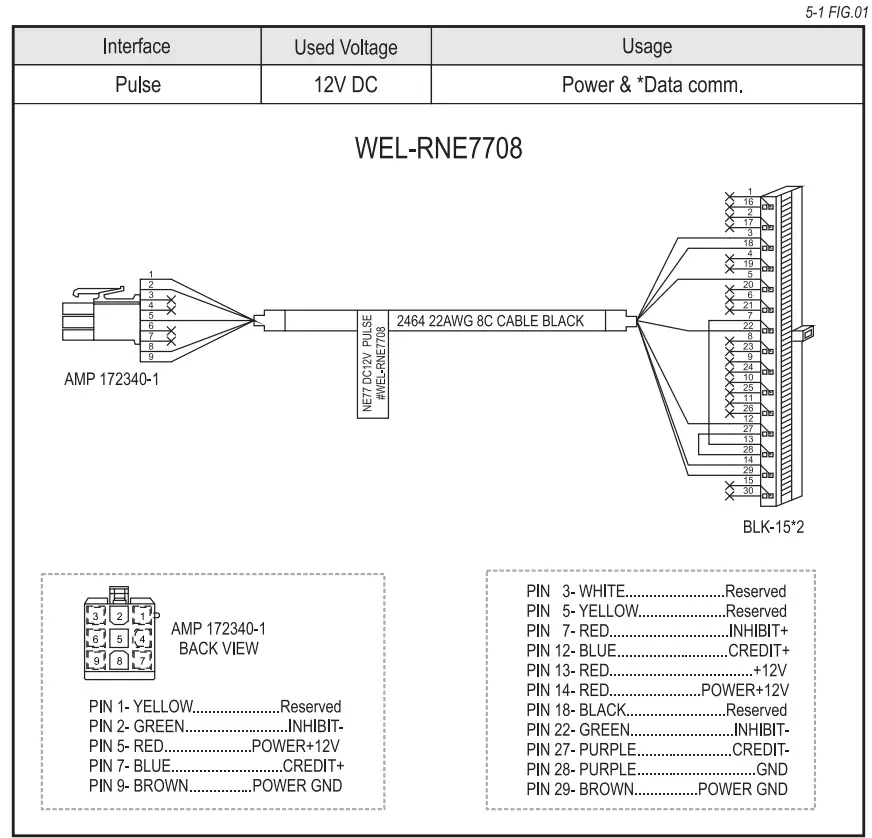
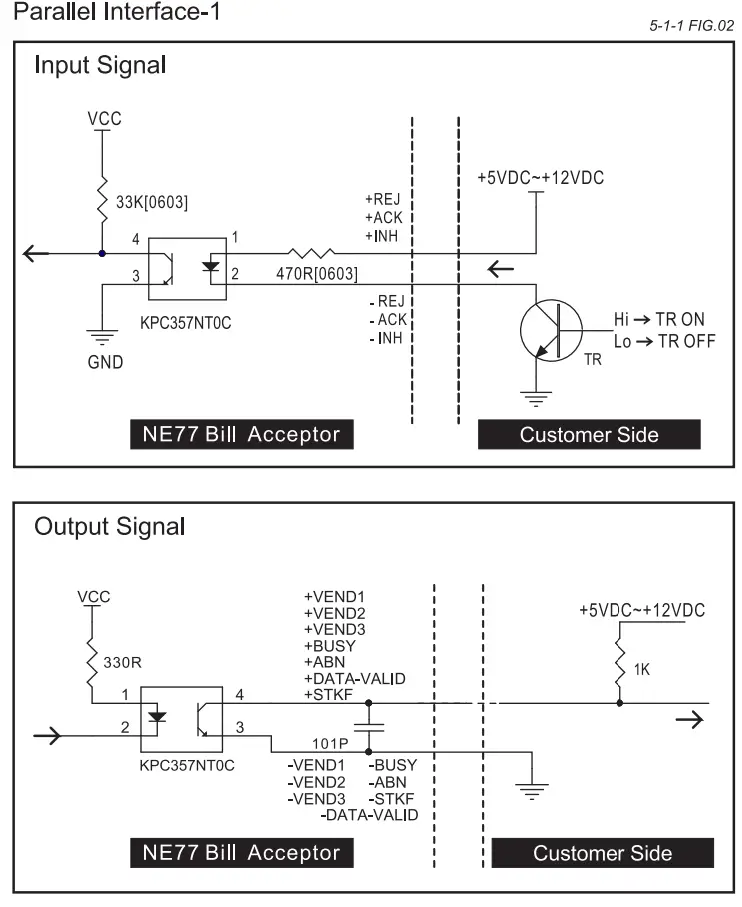
 5-1-1. 1/0 Circuit
Pulse Interface-1 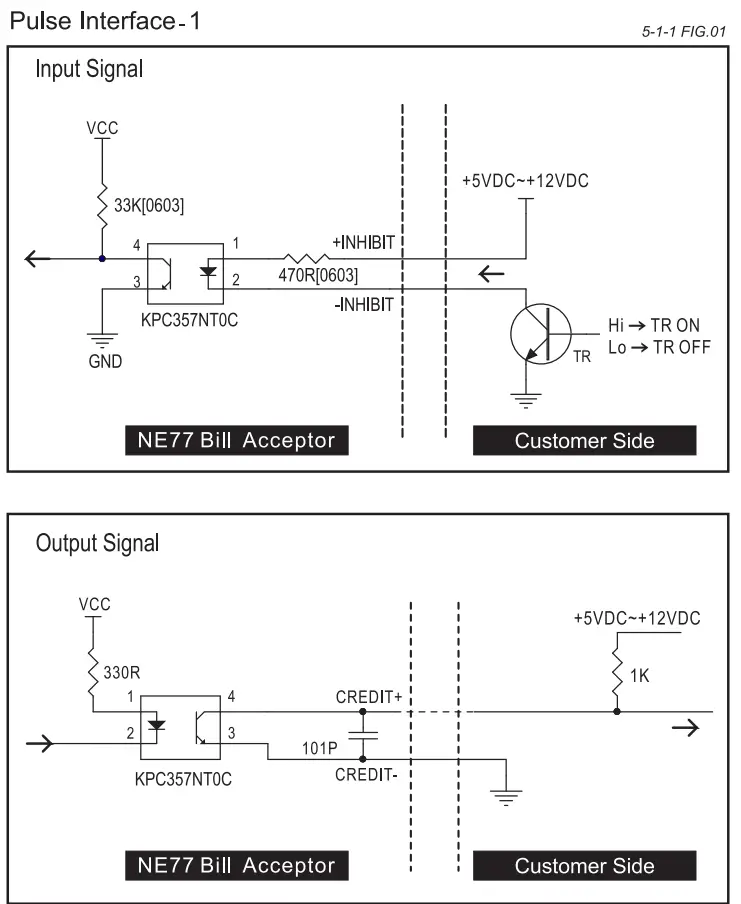
5-2. DIP Switch Setting
There’s a serial DIP switches which is located on the side of NE77.
According to different currencies or interfaces which are used by users, DIP switch settings could be varied to fit users’ need. Please refer to “NE77 DIP Switch Setting” Guide in the package for more detail.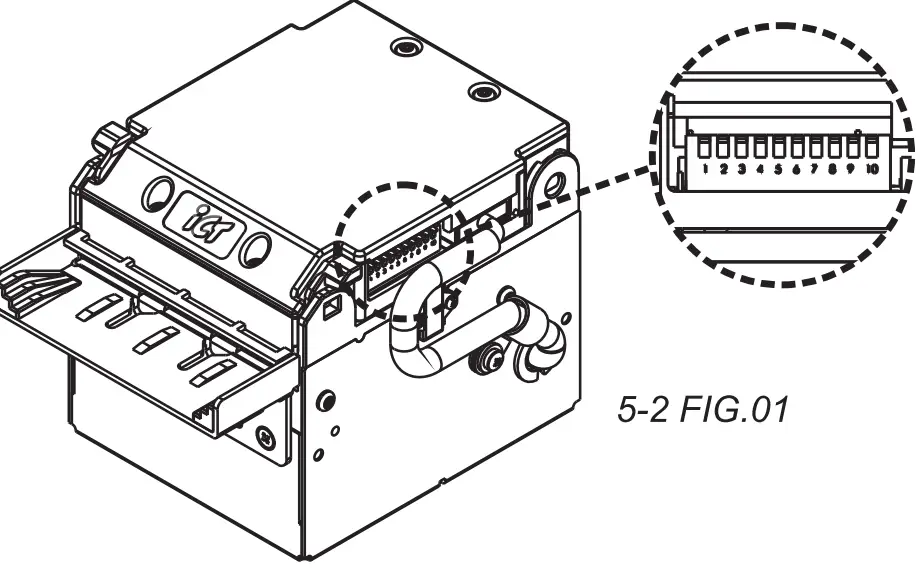
5-3. Software Download and Upgrade
To download and upgrade the software to NE77, the programmer (FP-004) is needed. Please contact ICT to purchase FP-004 and refer to FP-004 user guide for software download and upgrade information.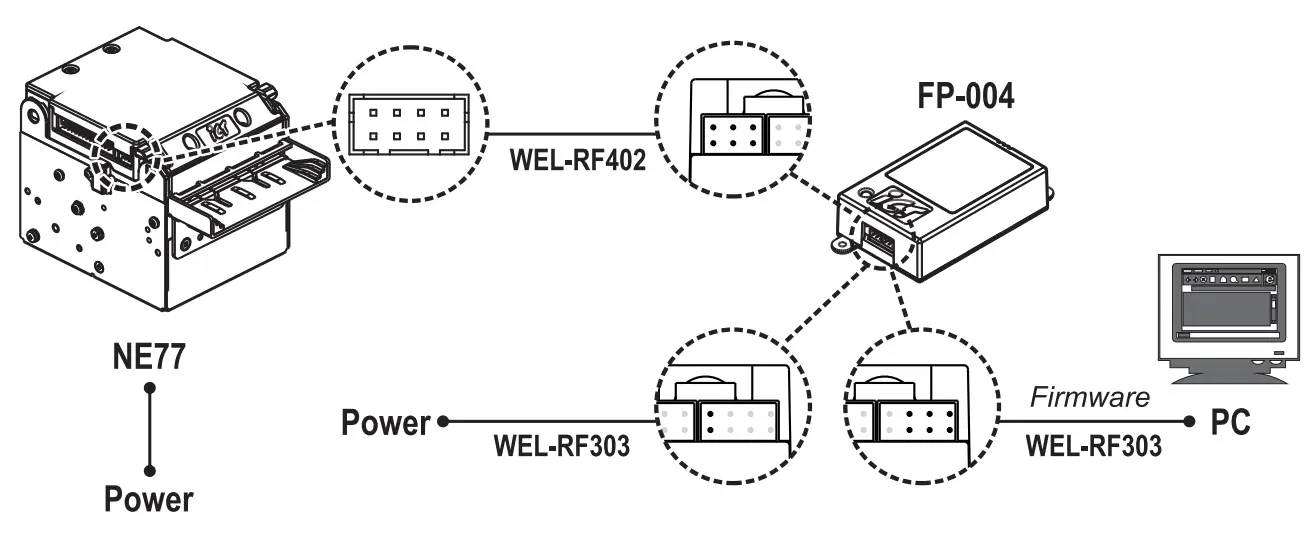
Turn on Bill Acceptor after connecting.
Maintenance
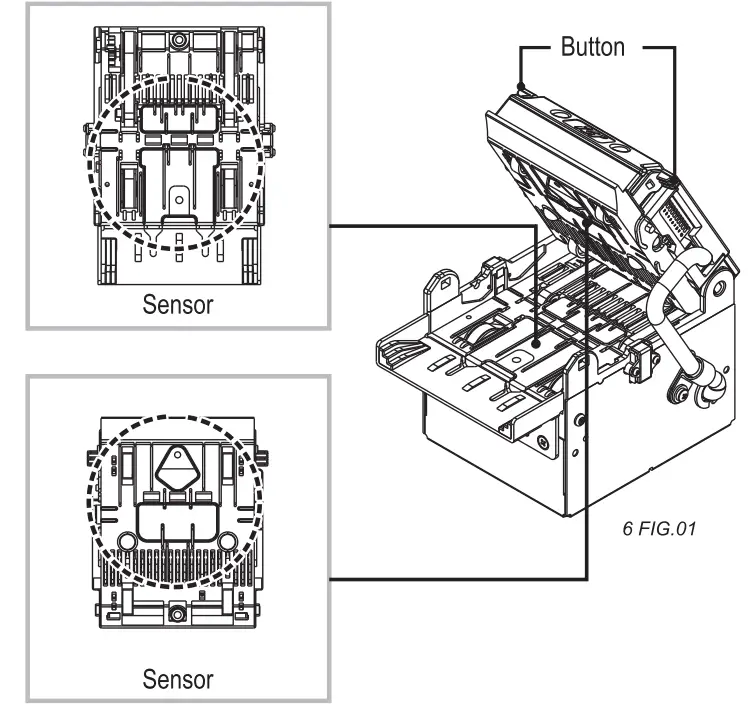
To make sure the bill acceptor always works smoothly, please clean
the internal parts regularly.
To clean the internal parts:
- Turn Bill Acceptor off.
- Press the buttons on the side of bill path and pull the unit out.
- Use a soft, dry cloth, or towel to clean the bill path and sensors.
Maintenance Notice
(Any improper maintenance will result invalid warranty.)
 | Recommended | Mild, non-abrasive, soap water. |
| DO NOT USE | Organic solvent , Alcohol, Volatile liquid. |
Troubleshooting
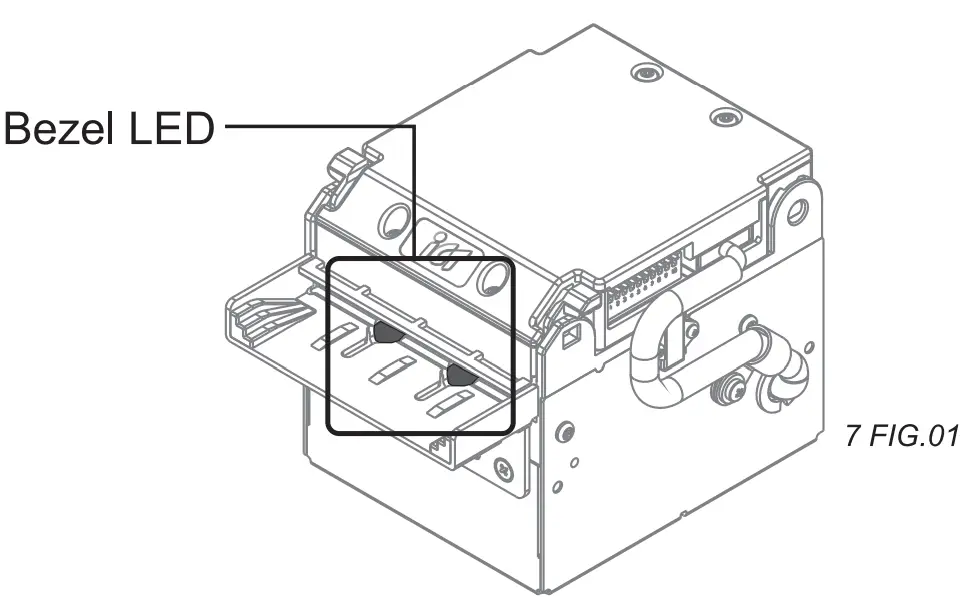
| Flashes | Status | Corrective Actions | |
| Red | Green | ||
| 1 | 1 | Bill Jammed | Open bill path unit and then remove the jammed bill. |
| 2 | 1 | BA Inhibit | Inspect for right DIP switch setting. |
| 3 | Judge Sensor / Input Sensor Error | Inspect for foreign objects on sensor or bill path and clean. | |
| 3 | 1 | Anti-fishing Sensor Error | Inspect for foreign objects on sensor or bill path and clean. |
| 3 | 2 | Hook Error | Inspect for foreign objects on sensor or bill path and clean. |
| 3 | 4 | Output Sensor Error | Inspect for foreign objects on sensor or bill path and clean. |
| 4 | 1 | Fish | Inspect for foreign objects on sensor or bill path and clean. |
| 7 | 1 | Motor Error | Inspect for foreign objects on sensor or bill path and clean. |
If the error can not be solved after corrective actions or happen again, please contact ICT for technical support.
International Currency Technologies Corporation
No.28, Ln. 15, Sec. 6, Minquan E. Rd., Neihu Dist., Taipei City 114, Taiwan
[email protected] (For Sales)
[email protected] (For Customer Service)
Website: www.ictgroup.com.tw
© 2014 International Currency Technologies Corporation
V. 8.0 Part Number: H6569G-R