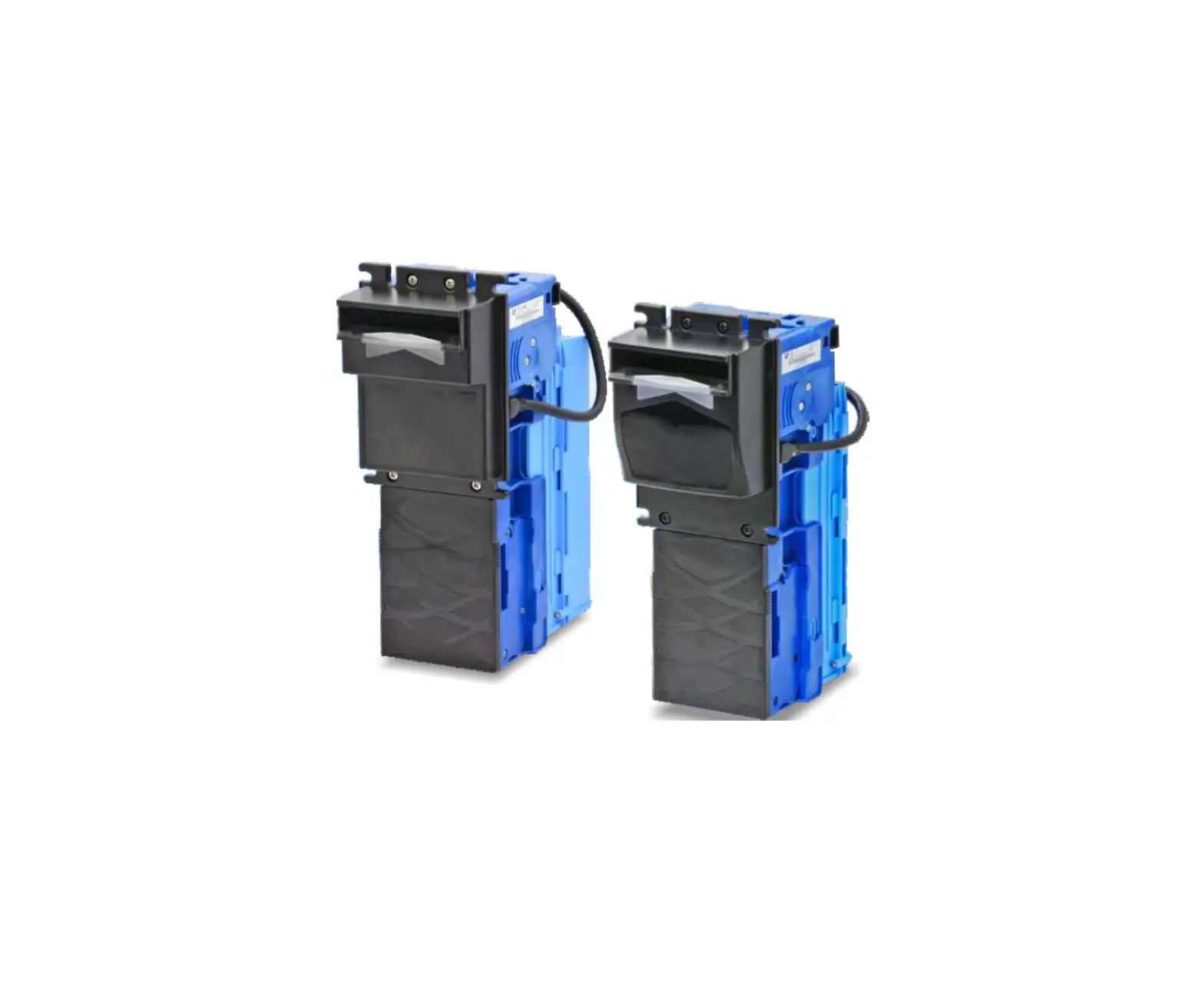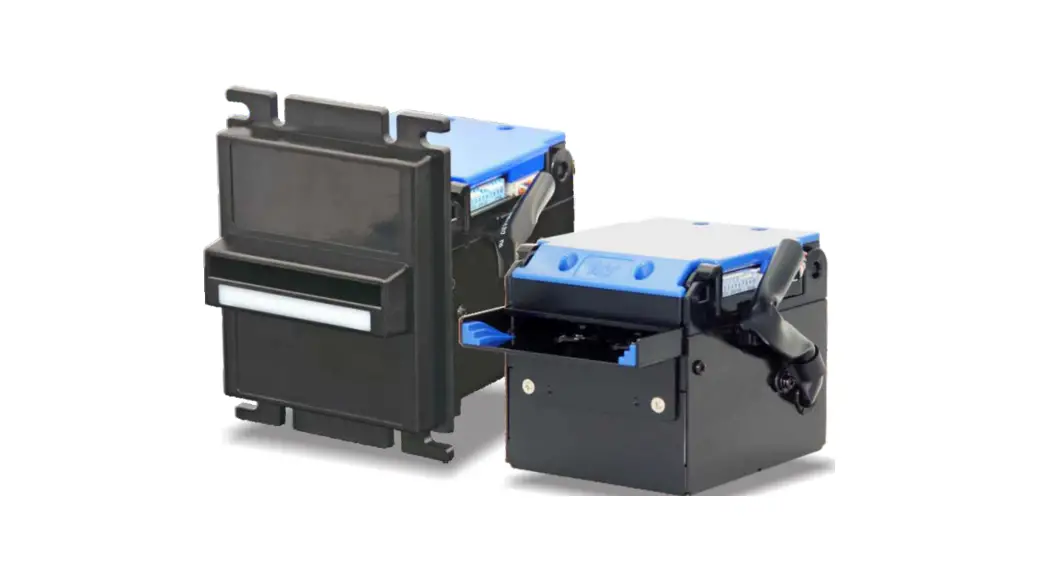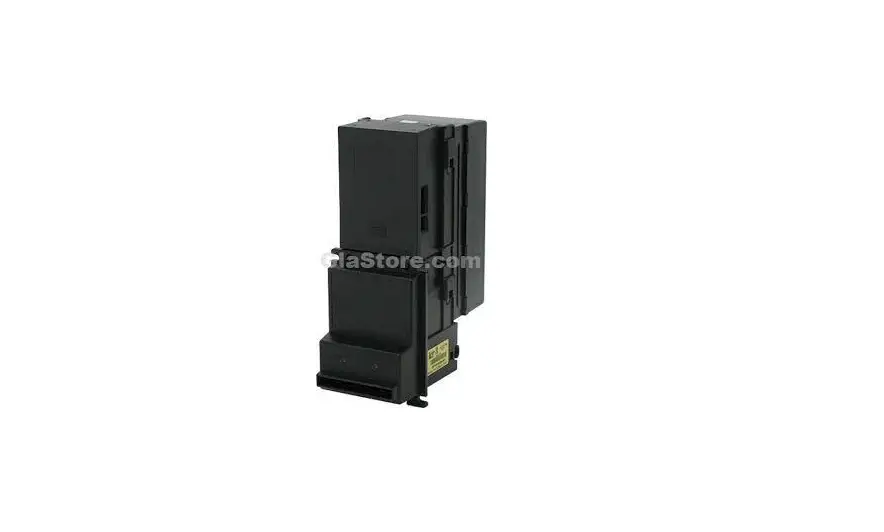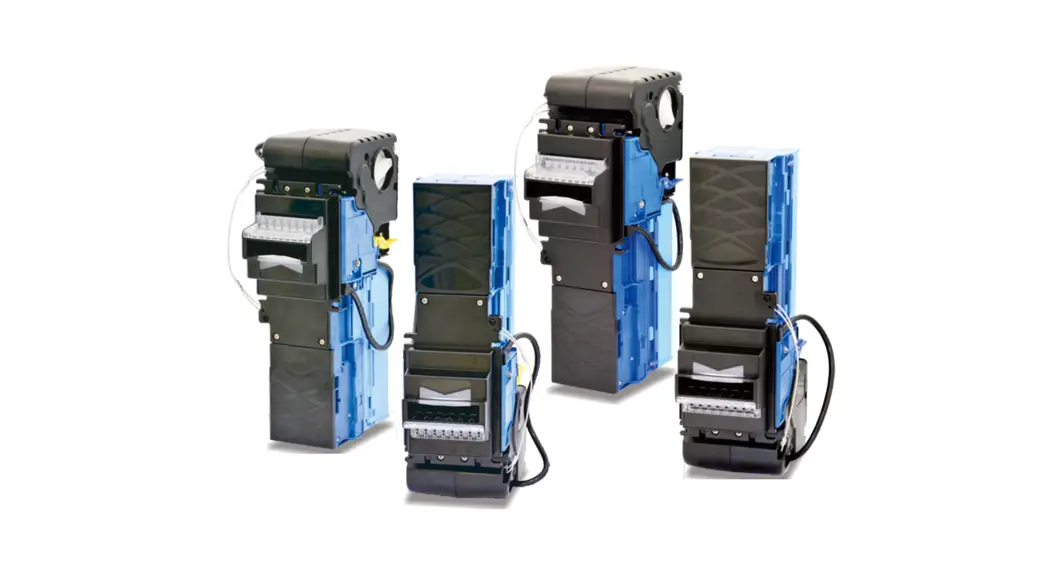

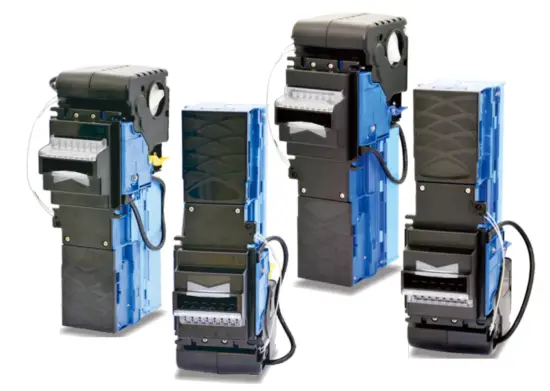
Bill Recycler
BRV
Series Installation Guide
Use of Materials Limitations International Currency Technologies Corporation (ICT) all rights reserved.
All materials contained are the copyrighted property of ICT.
All trademarks, service marks, and trade names are proprietary to ICT.
ICT reserves the right at all times to disclose or to modify any information as
ICT deems it necessary to satisfy any applicable law, regulation, legal process, or governmental request,
or to edit, refuse to post, or remove any information or materials, in whole or in part, in ICT’s sole discretion.
Introduction
1-1. Features
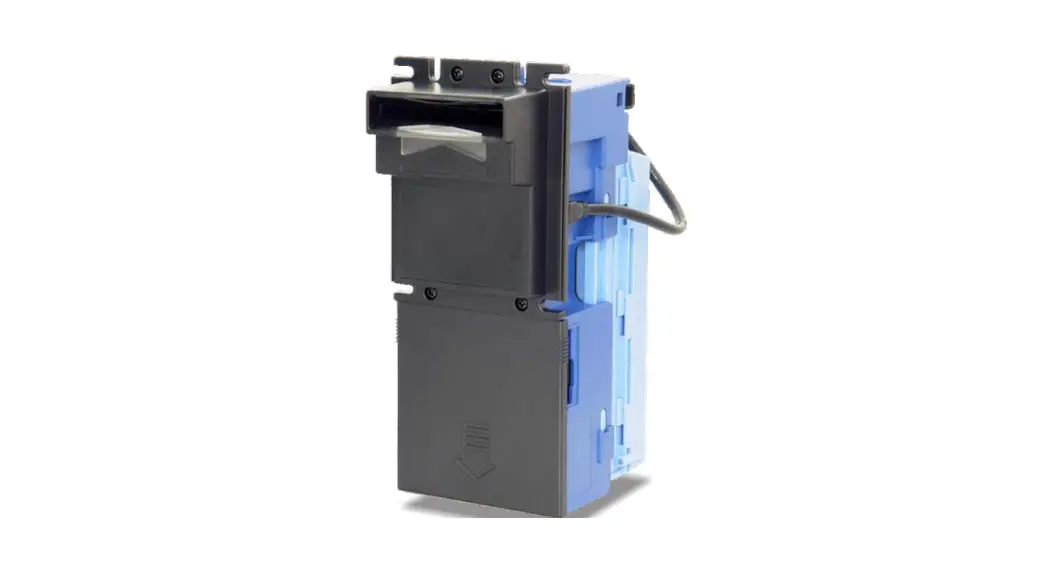
- BRV is the latest Bill Acceptor equipped with Recycle-unit, the capacity of the Recycle-unit is up to 30 bills.
- BRV supports various types of interfaces in vending machines or payment systems.
- Standard MDB bezel for easy installation.
Specifications
Validation rate 96% or higher
Note: The acceptance rate excludes notes that are dirty, wet, broken, or wrinkled.
Bill width validated 62-68mm 66-72mm
Bill Insertion 4 – way Acceptance
Escrow 1 bill
Transaction Speed Approx. 4 sec. to recycler Approx.
Interfaces RS232(ICT-BC) JPSTD MDB
Power Sources 12V DC±10% 24V DC±10% 34V DC±10%
Power Consumption Standby: 350mA, 4.2W Operation: 2.5A, 30W Maximum: 4A, 48W
Environment Operating Temperature : 0°C-60°C Storage Temperature : -30°C-70°C Humidity : 30%-95% RH (no condensation)
Firmware Updates USB flash disk MDB-FTL MTB
Bill Box Capacity Bill box: Approx. 300 bills Approx. 500 bills Recycler: Approx. 30 bills
Packing List
Main Bill Recycler
Accessory Harnesses: Refer to 5-1 BRV Installation Guide BRV DIP Switch Setting Guide
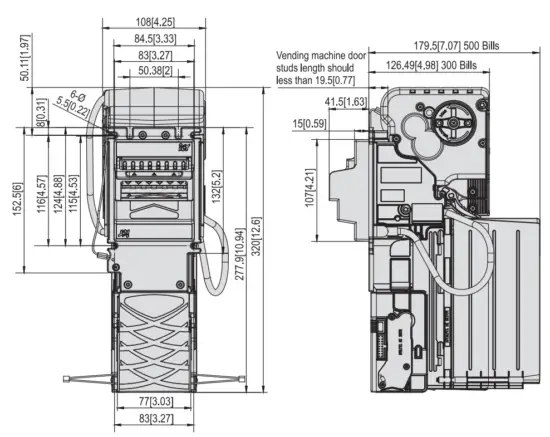
Dimension
Installation
5-1. Harness Application
5-1 TABLE.01
Interface | Used Voltage | Usage | Harness | Page |
| RS232 | 12/ 24/ 34V DC | Power & *Data Comm. | WEL-RXBA49 | 5 |
| MDB | WEL-RXBA50 | 6 | ||
| JPSTD | WEL-RXBA46 | 7 |
* Data Comm. : Data Communication.
Interface | Used Voltage | Usage |
| RS232 | 12/24/34 V DC | Power & *Data Comm. |
WEL-RXBA49
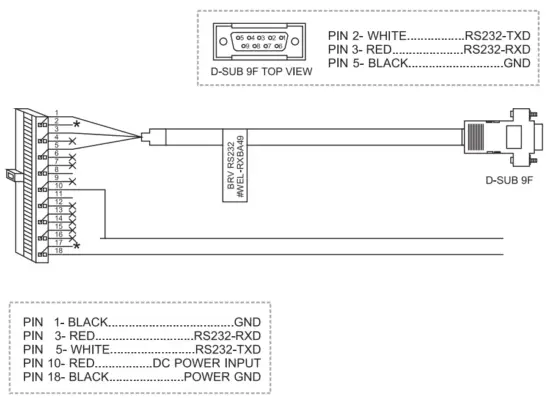
5-1 FIG.02
Interface | Used Voltage | Usage |
| MDB | 12/24/34 V DC | Power & *Data Comm. |
WEL – RXBA50
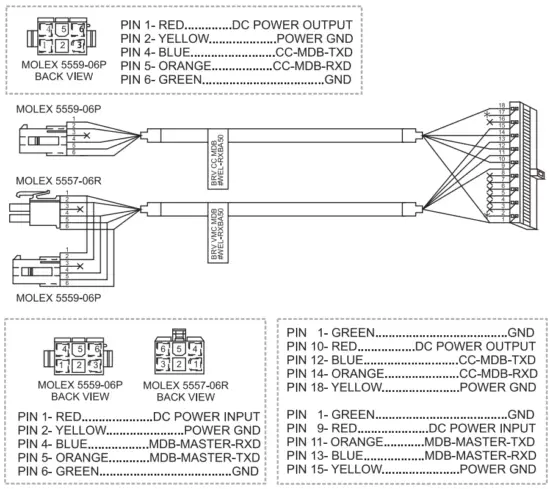
5-1 FTG. 03
Interface | Used Voltage | Usage |
| JPSTD | 12/24/34 V DC | Power & *Data Comm. |
WEL – RXBA46
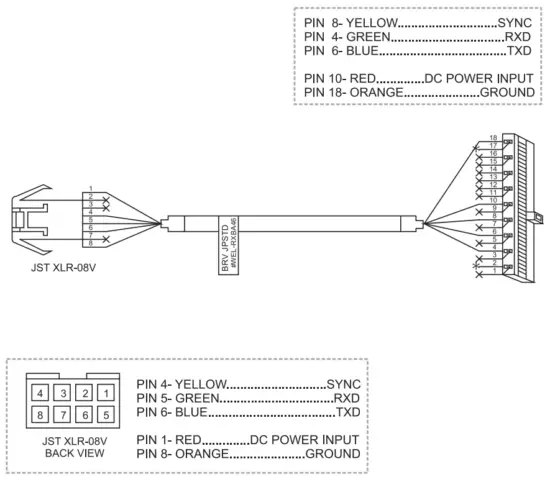
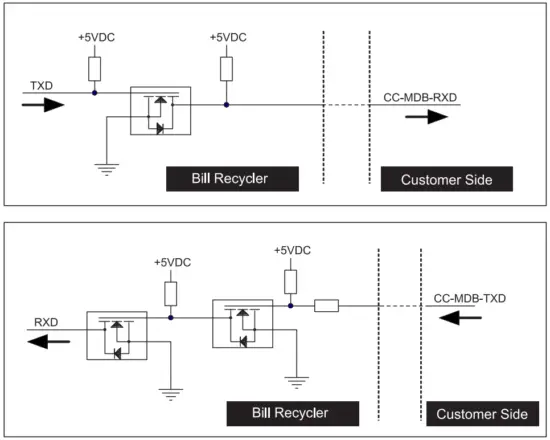
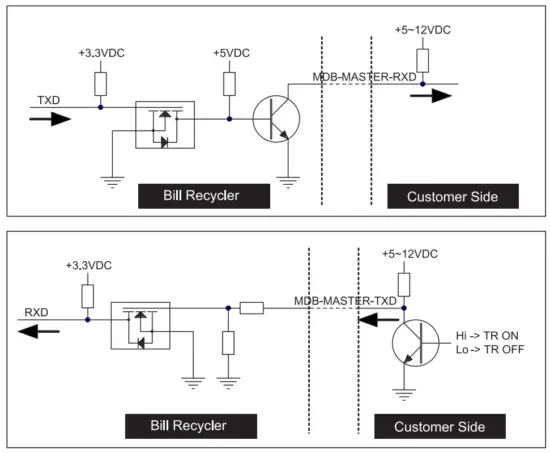
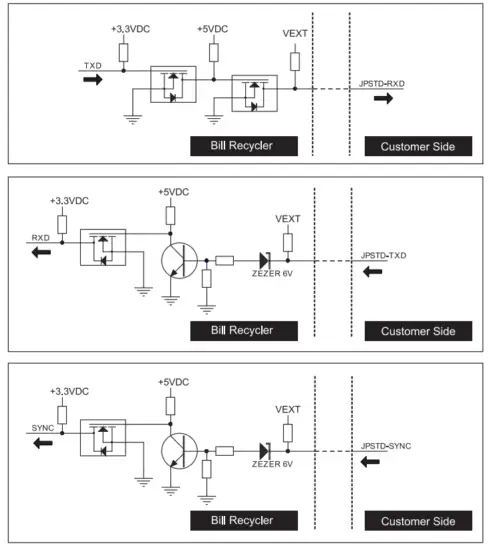
5-1-10 I/O Circuit
RS232 Interface
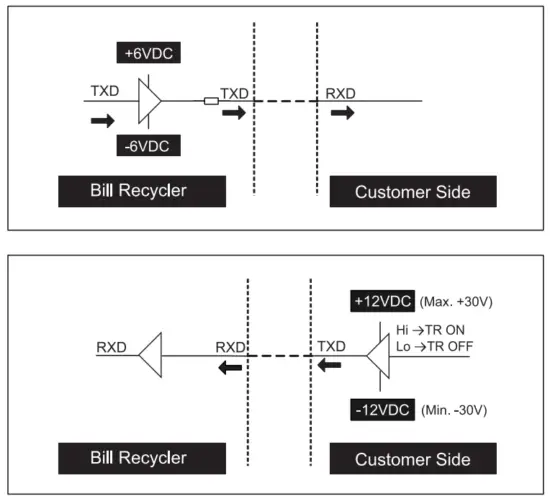
MDB Interface (To VMC)
MDB Interface (To Coin Changer)
JPSTD Interface
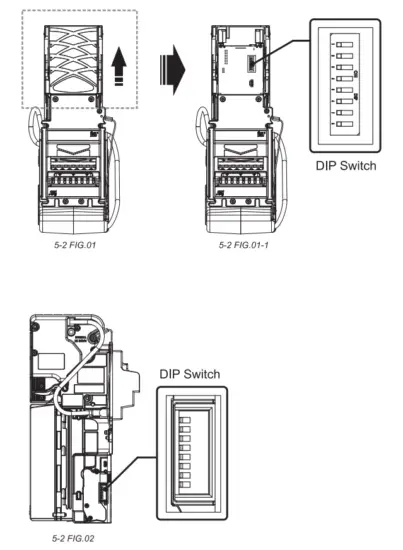
5-2. DIP Switch Setting
Two dip switches are located on as 5-2 FIG. 01 the CPU board, and as 5-2 FIG. 02 the sides of BRV.
Please refer to the “BRV DIP Switch Setting Guide” In the package for more detail.
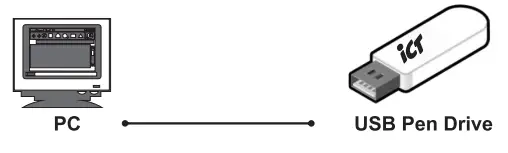
5-3. Firmware Download and Upgrade
Step 1. Put the “BRVxxxxxxxxxxxxxxxxx.bin”file into your USB flash disk.
 Step 2. Turn off the BRV, plug the USB flash disk into the USB connector on the BRV with the USB extension cable and then turn on the BRV.
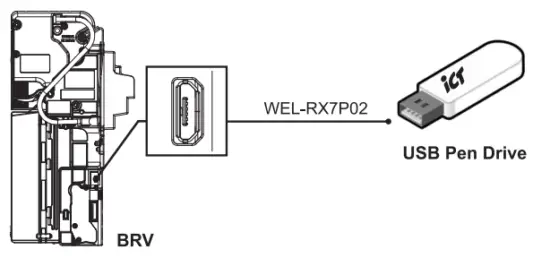 Step 3. The LED of the bezel will flash twice, and then remove the USB flash disk from the BRV.
Step 4. The BRV will automatically reset and standby for normal operation.
Maintenance
To make sure the bill acceptor always works smoothly, please clean the internal parts regularly.
To clean the internal parts (2 bill paths):
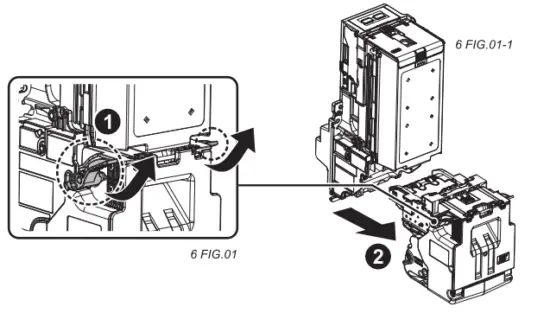
Bill path – 1
- Press the buttons on the sides of the bill path and pull the unit out.

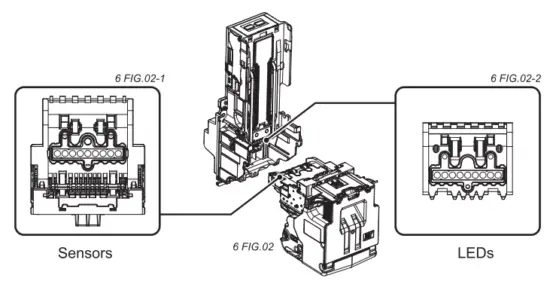
- Use a soft, dry cloth or towel to clean the bill path and sensors.


Maintenance Notice
(Any improper maintenance will result in an invalid warranty.)
Recommended Mild, non-abrasive, soap water.
DO NOT USE Organic solvent, Alcohol, Volatility liquid.
Bill path – 2
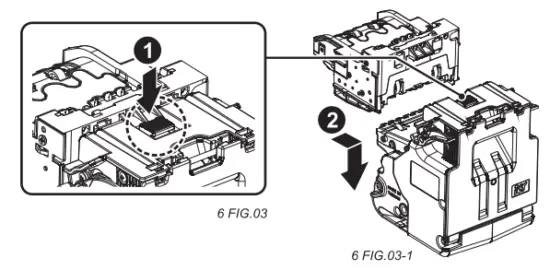
- Press the buttons on the top to separate the recycler.

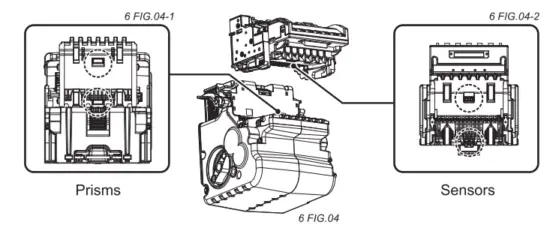
- Use a soft, dry cloth or towel to clean the second bill path, sensors, and RC’s prisms.

Maintenance Notice
(Any improper maintenance will result in an invalid warranty.)
Recommended Mild, non-abrasive, soap water.
DO NOT USE Organic solvent, Alcohol, Volatility liquid.
Troubleshooting
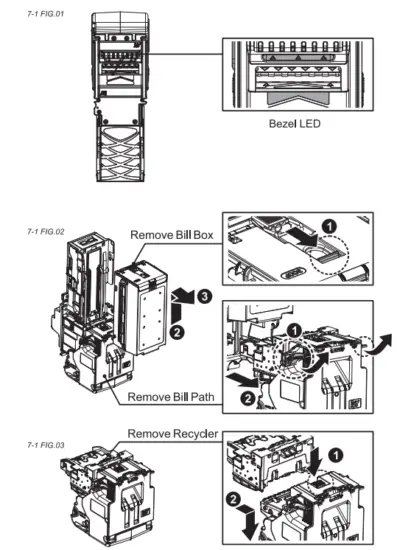
7-1 Bezel LED Errors
7-1 TABLE 01
| LED | Meaning | Solutions |
| Green | White card Calibration | Use ICT white card to calibrate Bill Validator. |
| Red | BRV start error | Run ProductTest Tool to check the firmware version and run tests to see if the result is all OK. |
7-1 TABLE 01
| LED Flashes | Meaning | Solutions | |
| Red | Green | ||
| 1 | Indicate that something has jammed the bill path. | Inspect for foreign objects or banknotes. (Refer to page 17 ) | |
| 2 | Indicate that bill acceptor is not enabled. | Please inspect the dip switch setting. | |
| 3 | Indicate that bill acceptor is having an input sensor problem. | Please inspect or clean any foreign object on the sensor or on the bill path. (Refer to page 14 & 15) | |
| 3 | 1 | Optical anti-fishing sensor module error. | Remove LED housing: Inspect for foreign objects and clean on the Security hook. |
| 3+2 | This indicates that the unit is having a hook sensor problem. | ||
| 3+4 | Banknote path sensor error | ||
| 4 | Indicates that the unit has detected a fishing issue. | Inspect for dirt or foreign object on the sensor or on the bill path. (Refer to page 14 & 15) | |
| 5 | Stacker removed. | Please replace the stacker box. | |
| 5 | 1 | Recycle motor problem. | Clean foreign objects from inside of Recycler. (Refer to page 17) |
| 5 | 2 | Recycle bill jammed. | |
| 5 | 3 | Recycle sensor error. | |
| 5 | 4 | Recycle full. | Use the dip switch to unload banknotes to the stacker. |
| 6 | Stacker error or stacker full. | Stacker is full of banknotes or the press banknote module error. | |
| 7 | Motor error. | Inspect for dirt or foreign object on the sensor or on the bill path. | |
 If the error can not be solved after corrective actions or it recurs, please contact ICT for technical support.
If the error can not be solved after corrective actions or it recurs, please contact ICT for technical support.
Taiwan
International Currency Technologies Corporation
No.28, Ln. 15, Sec. 6, Minquan E. Rd., Neihu Dist., Taipei City 114,
Taiwan [email protected] (For Sales)
[email protected] (For Customer Service)
Website: www.ictgroup.com.tw
© 2019 International Currency Technologies Corporation
V. 4.0 Part Number: H6942C-R