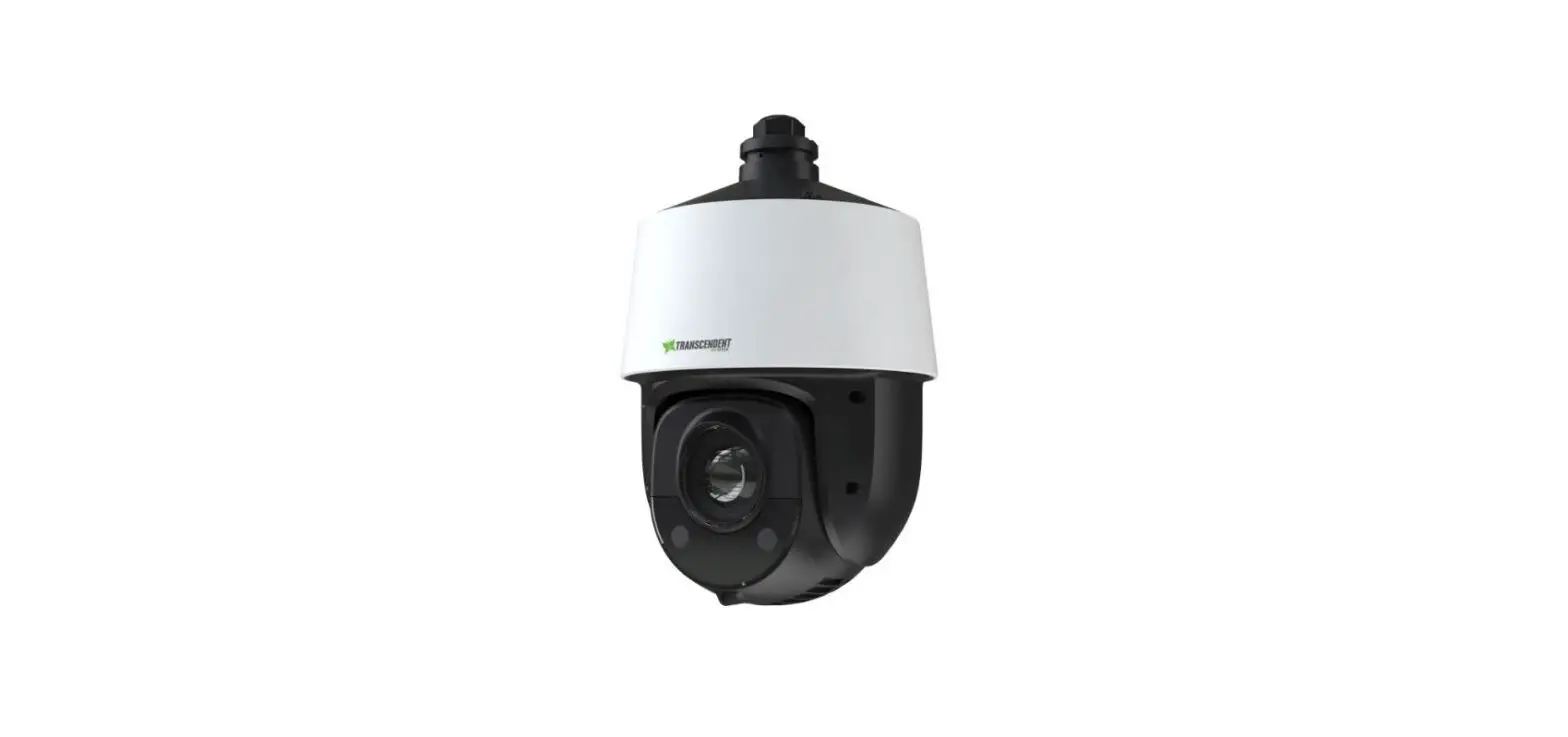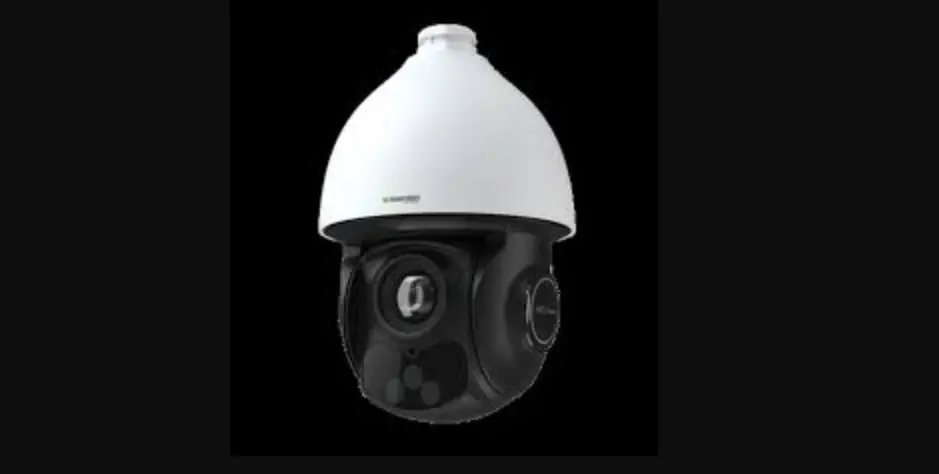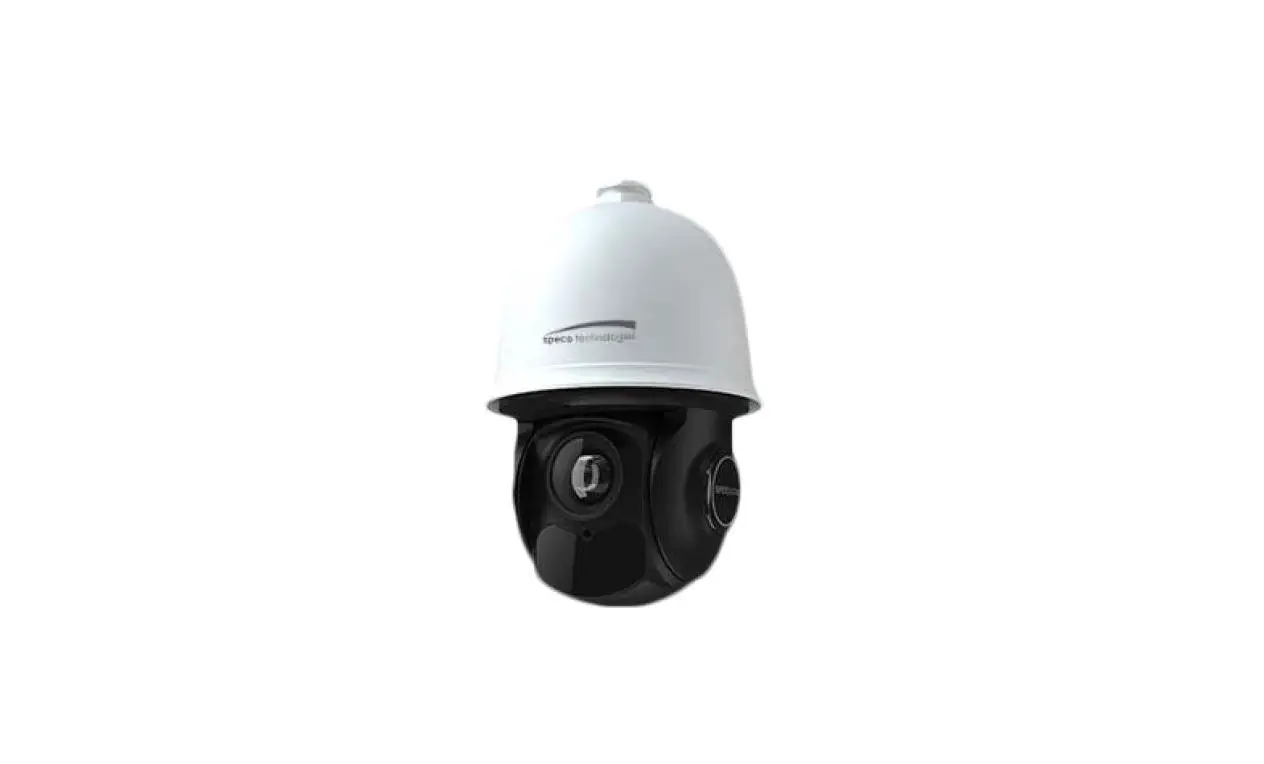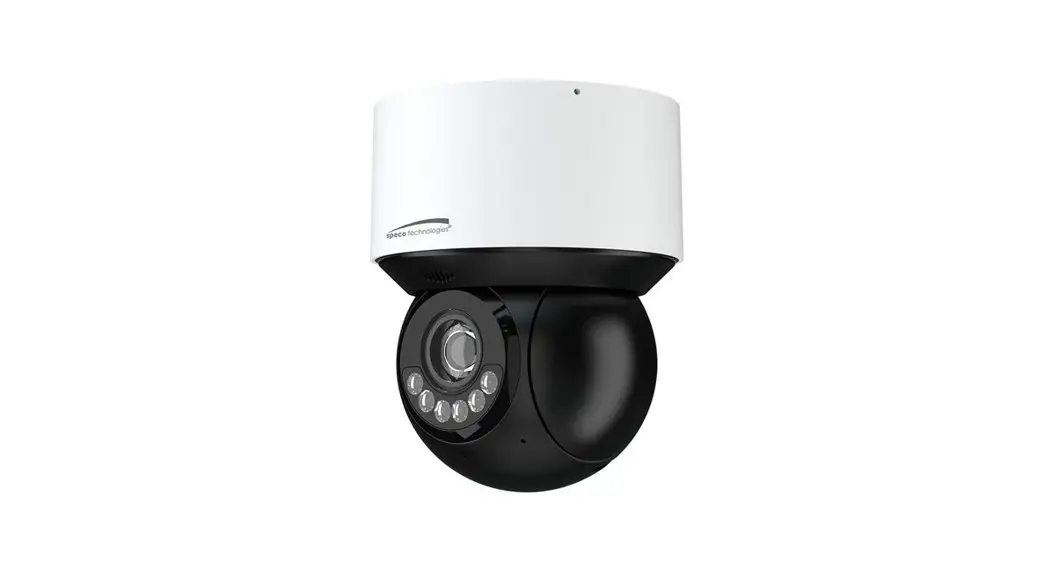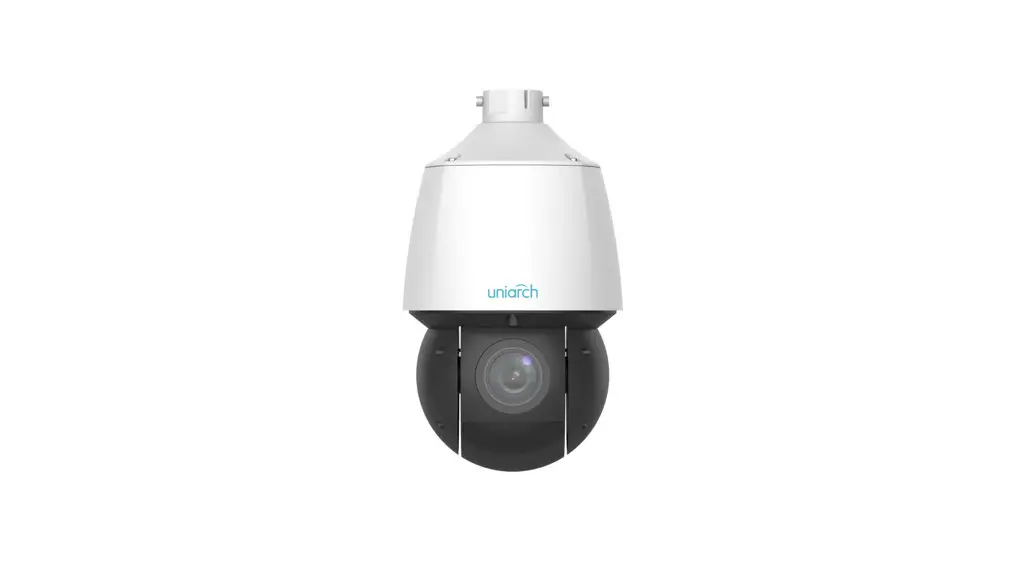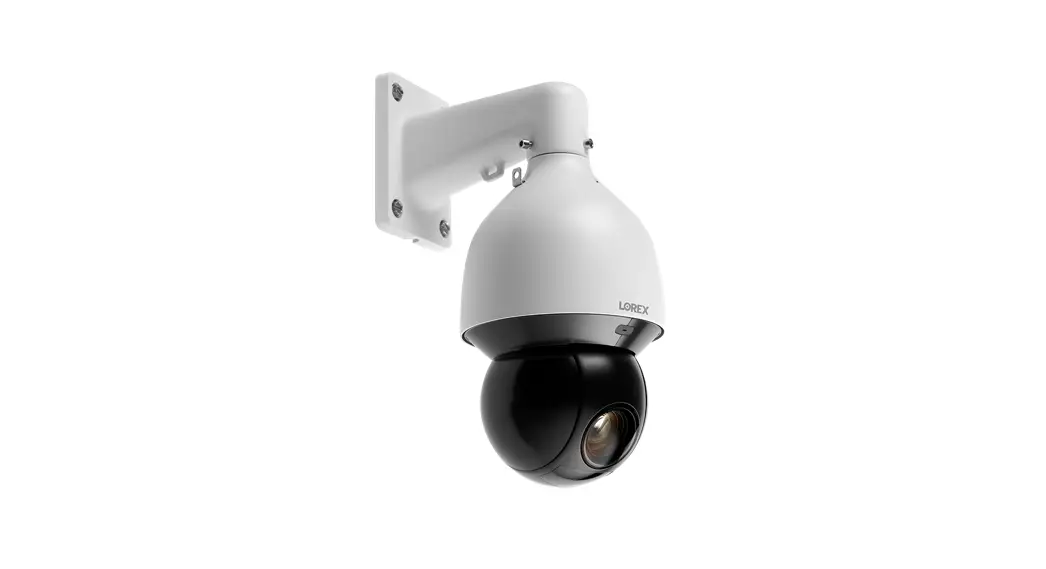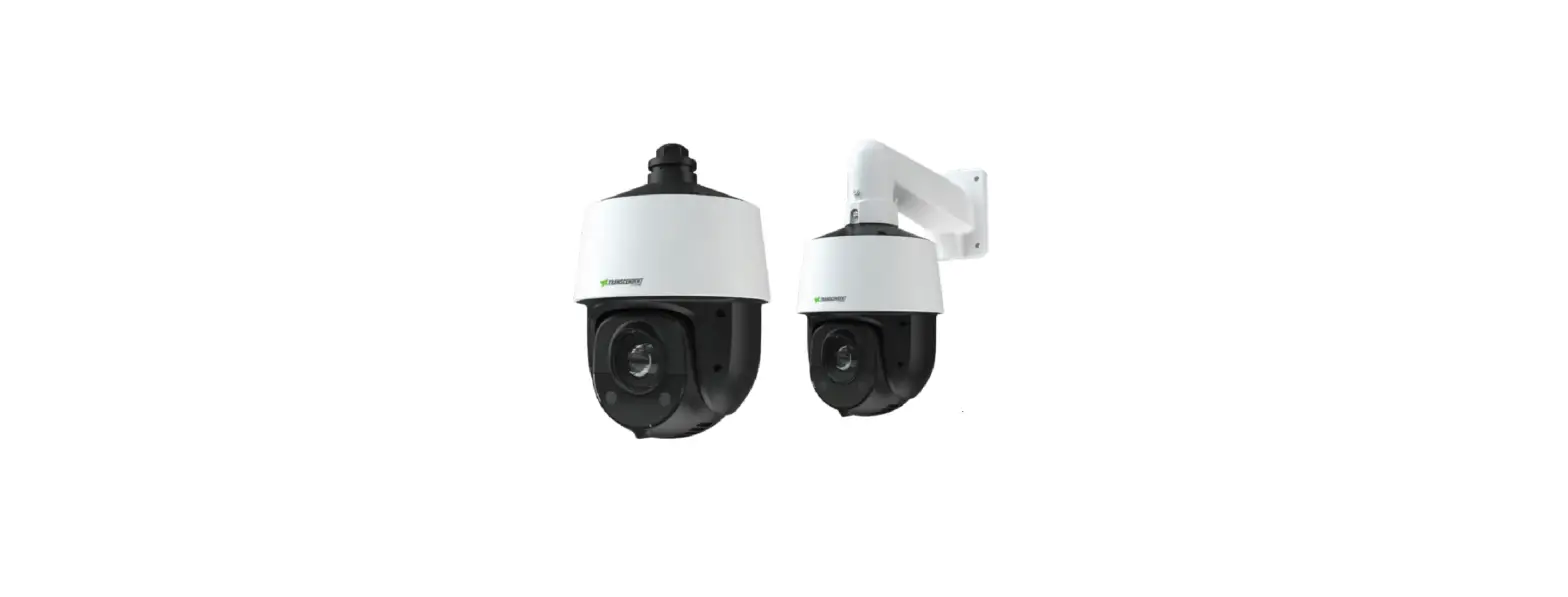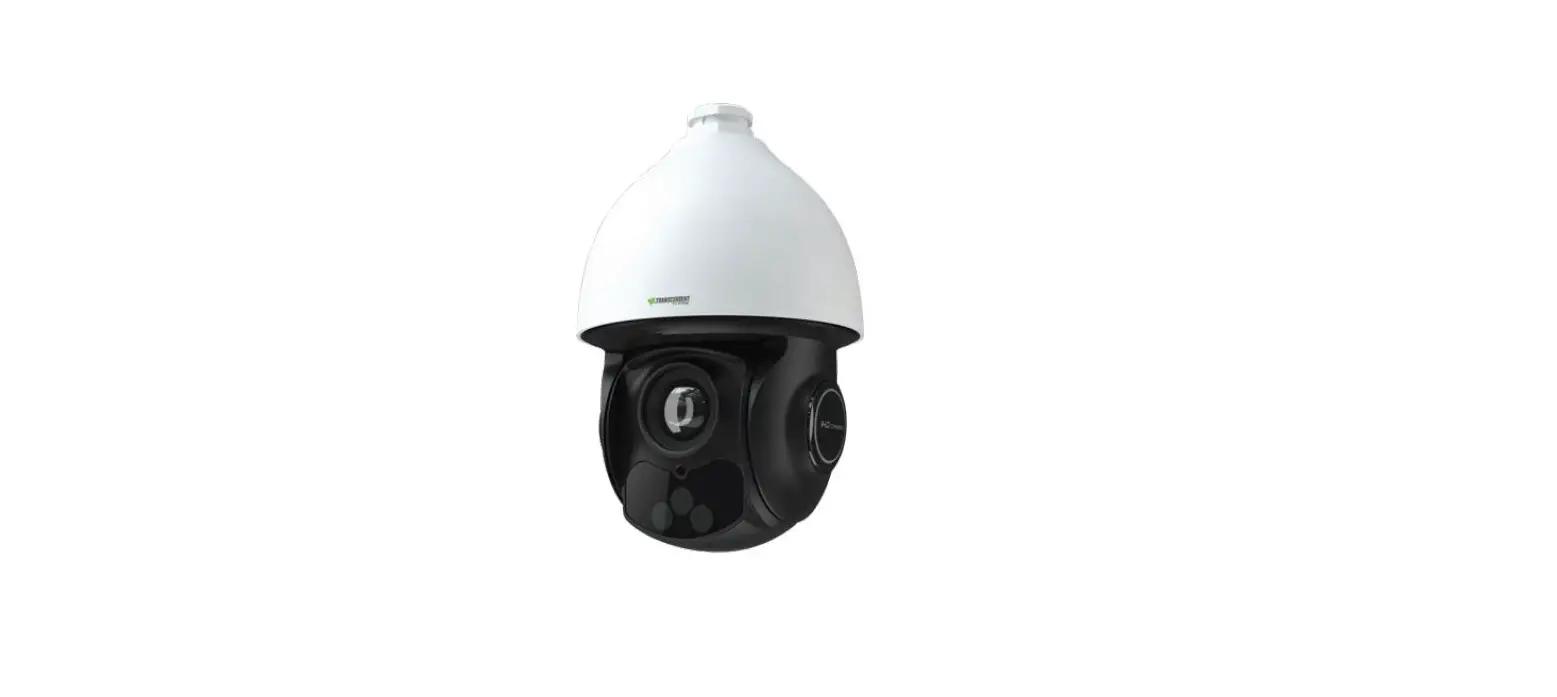

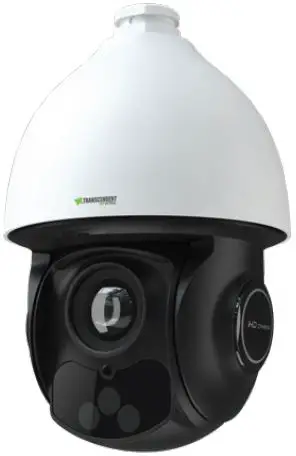
VITEK VT-TPTZ32HRAN-8PNS Indoor Outdoor Network PTZ Camera
KEY FEATURES
- 1/2.8” 8 MegaPixel [4K] SONY STARVIS® Progressive Scan StarlightCMOS Sensor
- NDAA Compliant
- Up to 8.0 MegaPixel [4K] (3840 × 2160) Resolution @ 30fps
- Ultra High-Speed Pan / Tilt / Zoom with 32× Optical Zoom Lens (4.8- 154mm Focal Length)
- Smart IR with 650’ (200m) IR Range
- Real-Time Auto Zoom Tracking: Transcendent GEN IV IP PTZ Cameras feature the most advanced PTZ Auto-Tracking available, powered by A.I.!
- AI Facial Detection: Transcendent GEN IV Advanced Analytics deliver improved Facial Detection, with up to 95% accuracy!
- Intelligent Tracking: Intelligent tracking is capable of tracking people, cars, and bicycles entering and exiting the camera’s view
- True 120dB WDR (Wide Dynamic Range)
- Smart H.265+/H.265/H.264+/H.264/MJPEG Compression
- True Day/Night with ICR Cut Filter with Auto/Manual Gain Control
- 1 Alarm Input + 1 Alarm Output
- 1 Audio Input (MIC in) + 1 Audio Output
- Built-in MicroSD Card Slot, Supporting Local Recording up to 256GB
- Scalable Video Coding (SVC)
- Stealth Gimbal Driving Technology
- ONVIF Compliant with Zero Configuration + API and SDK
- IP66 Ingress Protection + IK10 Impact (Excludes Glass Window)
- DC24V, 24VAC or PoE++ Power Supply Included, PoE Injector Required for PoE Power
- 1 RJ45 10M/100M Adaptive Ethernet
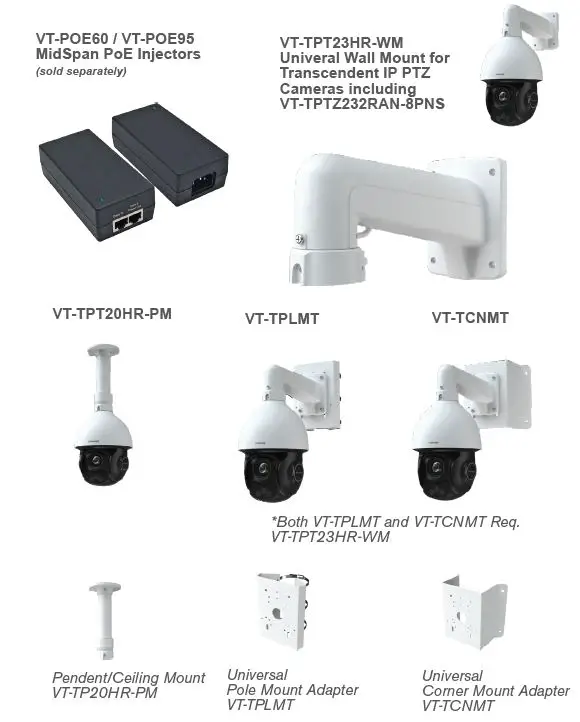
- Optional Pendant, Semi-Flush, Corner, Pole, and Wall Mounts Available [See pg. 11]
- 3-Year Warranty
Please research local, state and federal laws regarding the implementation of audio surveillance ** SONY™ is an independent and wholly owned corporation and has not tested or verified this product’s compatibility with this sensor.
DISCLAIMER
- Please read this instruction carefully for correct use of the product and keep it for reference purposes.
- All the examples and pictures used here are for reference only.
- There may be technically incorrect parts or printing errors in this manual. Updates will be added to new versions of this manual. The contents of this manual are subject to change without notice.
Interfaces and Parts
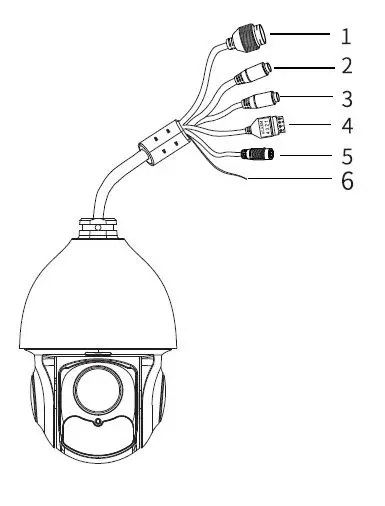
- Ethernet Connector (PoE++)
- MIC-Audio input (3.5mm)
- HP-Audio output (3.5mm)
- Alarm In/Alarm Out
- 24VDC Power Jack
- Ground
Installation
Please make sure the wall is strong enough to bear the camera’s weight. Please make sure the camera is powered off during installation.
Install SD Card
- Loosen the two screws of the dome.
- Open the cover and insert SD card.
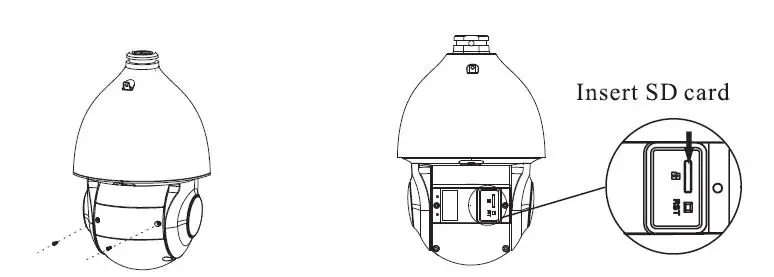
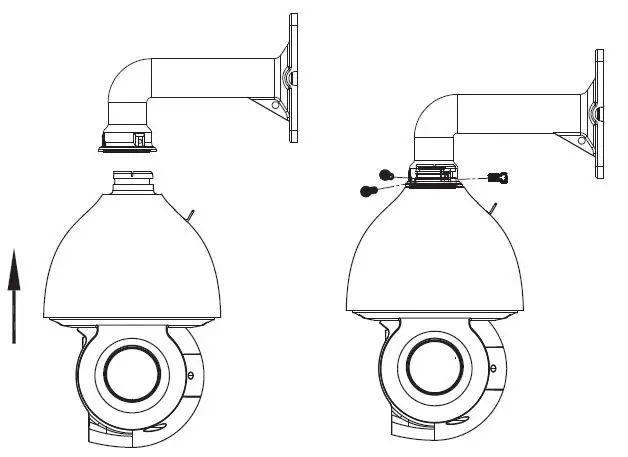
Install the Speed Dome
- Pull the cables through the bracket. Mount the speed dome to the bracket.
- Secure the speed dome to the bracket with the screws.

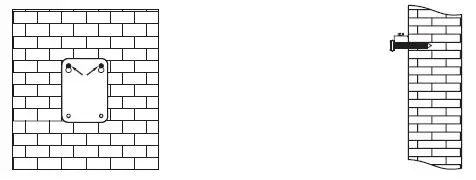
- Drill the screw holes on the wall according to the drill template. Then insert the anchors into the holes
- Drive the two screws to the holes indicated by the arrows (left) and leave 1/2″ clearance.

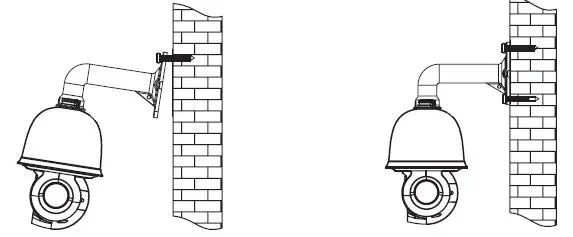
- Connect the cables and then hang the
- Attach the bracket to the wall with bracket on the wall . four screws.

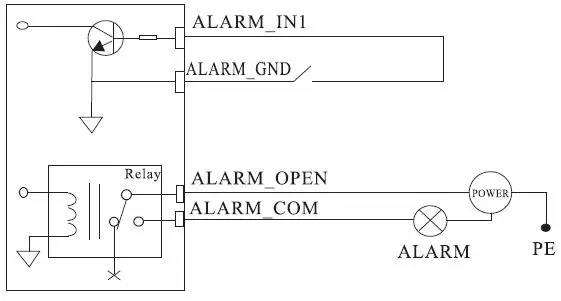
Alarm Connections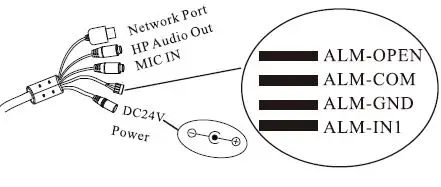
- Alarm Input
- a) There is one independent alarm input port (ALM-IN1), and one grounding port (ALM-GND).
- b) Alarm input (NO type): Connect DC5V~DC12V voltage between the alarm input port (ALM-IN1) and the grounding port (ALM-GND).
- c) Alarm input (NC type): DIsconnect the voltage between the alarm input port (ALM-IN1) and the grounding port (ALM-GND)
- Alarm Output
- a) Supports 1CH alarm output including OPEN, COM connecitons.
- b) Alarm output: One passive switch for a user to connect alarm devices: the alarm output state will be on / off according to your users’ setting.

Edge in IE mode / IE Network Connections
- In LAN, there are two ways to gain access. 1) Access through
- IP-Tool, 2) Directly Access through Edge in IE mode / IE browser.
Access the camera through IP- Tool
- Make sure that the camera and the PC are properly connected to the LAN.
- Install IP Tool onto the PC and then run IP Tool.

- Modify the IP address. The default IP address of this camera is 192.168.226.201. Click the information of the camera listed in the above table to show the network information on the right side.
Modify the IP address and gateway of the camera and make sure its network address is in the same local network segment as the computer’s. Please modify the IP address of your device according to your actual situation.
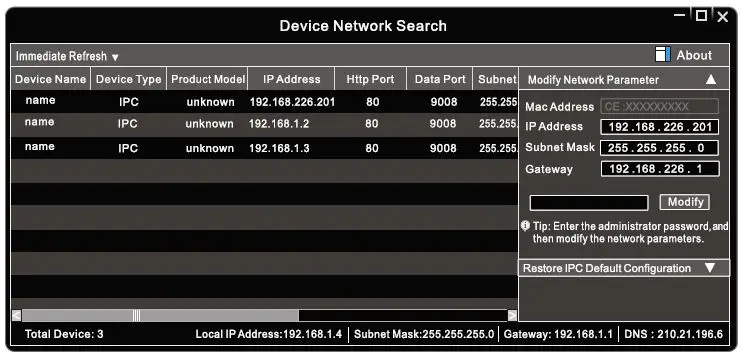
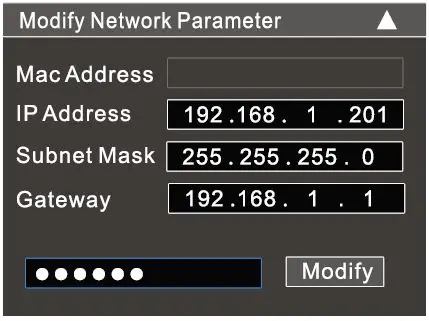
For example, if the IP address of your computer is 192.168.1.4 the IP address of the camera should be changed to 192.168.1.X. After modification, please input the password of the administrator and click the “Modify” button to modify the setting.
WARNING: The default password of the administrator is “123456”.
© Double-click the IP address and then the system will pop up Edge in IE mode / IE browser to connect IP-CAM. Edge in IE mode / I browser will auto-download the Active X control. After downloading, a login window will pop up: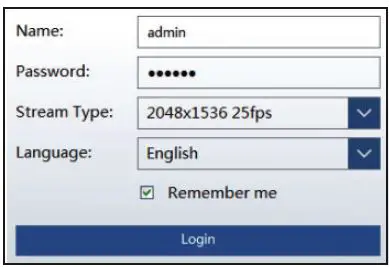 WARNING: Input the user name and password to login. The default username is admin; the default password is 123456.
Direct Access Through Edge in IE mode / IE
The default network settings are as shown below:
- IP address: 192.168.226.201
- HTTP:80
- Subnet Mask: 255.255.255.0
- Data Port:9008
- Gateway: 192.168.226.1
You may use the above default settings when you log in the camera for the first time.
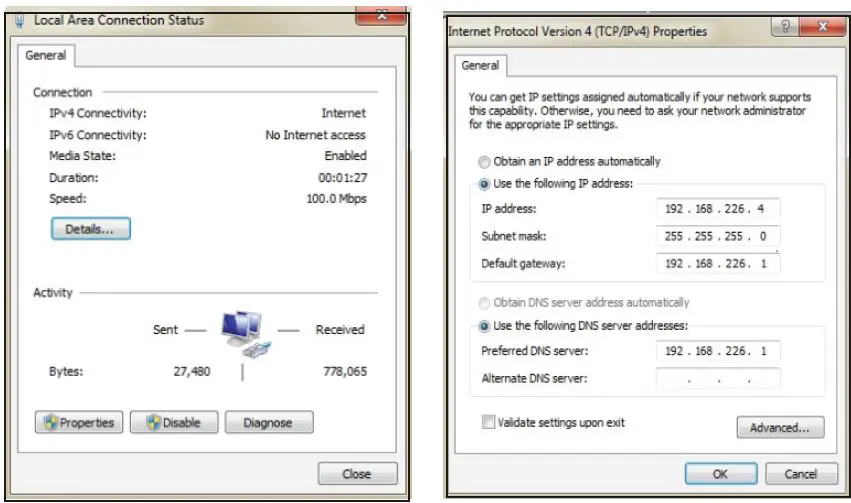
- Set the IP address of the PC and the network segment should be the same as the default settings of IP-CAM. Open the network and share center. Click “Local Area Connection” to pop up the following window. Select “Properties” and then select Internet protocol according to the actual situation (for example: IPv4). Next, click
“Properties” button to set the network of the PC.
- Open the Edge in I Mode / IE browser and input the default address of the IP-CAM and confirm. The Edge in IE Mode / IE browser will download the Active X control automatically.
- After that, the login dialog box will pop up.
- Input the default username and password and then enter to view

DETAILED SPECIFICATIONS
| Image Sensor | 1/2.8” Sony STARVIS® Progressive Scan Starlight CMOS Sensor |
| Resolution | 8.0 MegaPixel (3840 × 2160) Resolution @ 30fps |
| Min. Illumination | Color: 0.01 Lux @ (F1.2 AGC On) B/W: 0.002 Lux @ (F1.2 AGC On), 0 Lux w/IR |
| Image setting | Flip, Mirror, Saturation, Brightness, Contrast, Sharpness, AGC, (Adjusted by Client) |
| Shutter Speed | 60Hz: 1/30s – 1/30,000s, 50Hz: 1/25s – 1/25,000s |
| White Balance | Auto / Manual / Indoor / Outdoor |
| Day / Night | Auto / Manual + Schedule |
| Gain Control | Auto / Manual |
| Iris Control | Auto / Manual |
| SNR | ³52dB |
| DNR | XD-DNR (3D-DNR / 2D-DNR) – Auto/Manual |
| WDR | True WDR (120dB) |
| IR Range | Up to 656’ IR Range (200M), Dual Stack 850nm IR Array |
| Smart IR | Yes |
| Image Enhancement | Backlight Compensation (BLC), Highlight Compensation (HLC) |
| Privacy Mask | 4 Programmable Areas, Up to 8 Masks In the Same Frame |
| Overlay Features | Picture: Custom Logo on video [128×128px], 24bit BMP |
| On-Screen Display | Max 15 Character / Line, 8 Lines, White or Red Font |
| Lens / Focal Length | 4.8~154mm Lens (32× Optical Zoom) |
| Zoom Speed | Approx. 4.6s (Optical Zoom, Wide Tele) |
| Field of View (FOV) | Horizontal: 61.3°~2.18° / Vertical: 36°.9~1.22° / Diagonal: 68.4°~2.5° (Wide-tele) **All listed speeds + / – 5% |
| Working Distance | Wide: 1.0m ~ INF, Tele: 1.5m ~ INF |
| Iris | F1.2 ~ F4.4 (wide-tele) |
| IR Cut type | Removable IR Cut filter |
| D.O.R.I. f=154mm (US) D.O.R.I. f=154mm (Metric) | Detect (8px/ft): 11575’, Observe (19px/ft): 4593’, Recognize (38px/ft): 2296’, Identify (76px/ft): 1148’ Detect (25px/M): 3528M, Observe (63px/M): 1400M, Recognize (125px/M): 700M, Identify (250px/M): 350M |
| D.O.R.I. f=4.8mm (US) D.O.R.I. f=4.8mm (Metric) | Detect (8px/ft): 453.5’, Observe (19px/ft): 179.7’, Recognize (38px/ft): 90.8’, Identify (76px/ft): 45.4’ Detect (25px/M): 138M, Observe (63px/M): 54.8M, Recognize (125px/M): 27.8M, Identify (250px/M): 13.8M |
| Pan Range / Speed | 360° Endless, Configurable from .5°/s ~ 120°/s; Preset speed: 150°/s |
| Tilt Range / Speed | -5°~90° [Auto-Flip] / Configurable, from .5°/s ~ 120°/s; Preset speed: 150°/s |
| PTZ Features | Proportional Zoom, Pwr-Off Memory, 3D Position, PTZ Position Display |
| Preset / Cruise | 360 / 8 Cruises, Up to 16 Presets for Each Cruise |
| Tracks | 4 Tracks, Record Time Over 3 Minutes for Each Track |
| Scheduled Tasks | Preset / Cruise / Track / Random Scan / Boundary Scanning / Dome Reboot |
| Max Resolution | 3840 × 2160 |
| Main Stream | 60Hz: 30fps:3840 × 2160,2560 × 1440,1920 × 1080,1280 × 960,1280 × 720 50Hz: 25fps: 3840 × 2160,2560 × 1440,1920 × 1080,1280 × 960,1280 × 720 |
| Sub Stream | 60Hz: 30fps (704 × 480, 640 × 480, 352 × 240) 50Hz: 25fps: (704 × 576, 640 × 480, 352 × 288) |
| Third Stream | 60Hz: 30fps (1920 × 1080, 1280 × 960, 1280 × 720, 704 × 480, 640 × 480, 352 × 240) 50Hz: 25fps (1920 × 1080, 1280 × 960, 1280 × 720, 704 × 576, 640 × 480, 352 × 288) |
| Video Compression | H.265+/H.265/H.264+/H.264/MJPEG |
| Compression Standards | H.265: HEVC Codec MP, Level 5.0, H.264: AVC codec BP/MP/HP, Level 5.1 |
| Video Bit Rate | 64Kbps to 16Mbps |
| Audio Compression / Bit Rate | G.711A/U / 64Kbps |
| Deep Learning Engine | Supports Face Recognition (FR) up to 15 Human Faces / Sec (max), Human/Vehicle Detection |
| Smart Auto Tracking | Auto Tracking (supports tracking specified target types such as human and vehicle), Manual Tracking |
| Basic Event Detection | Motion detection, Video Tampering, Exception (Network Disconnected, IP Address Conflict, SD Card Full / Error) |
| Smart Event Detection | Trip Wire (+ Bi-Directional), Intrusion / Line Crossing / Region Entering + Exiting, Support Alarm Triggering by Specified Target Types (Human / Vehicle), Un-attended Baggage, Object Removal, Auto / Manual Smart Tracking |
| Gen. IV Advanced Analytics | Face Detection (15 Faces Simultaneously), Detect, Track, Capture + Vehicle / Non Vehicle Detection & Tracking |
| Protocols | HTTP, HTTPS, IPv4/IPv6, 802.1x, QoS, FTP, SMTP, UPnP, SNMP, DNS, DDNS, NTP, RTSP, RTCP, RTP, TCP/ IP, UDP, DHCP, PPPoE |
| Audio Interface | 1 Audio Input (MIC in), 1 Audio Output, Line Level, Impedance, 600Ù* |
| Alarm Interface | 1 Alarm Input (Dry Contact); 1 Alarm Output |
| Alarm Linkage | Alarm Actions, Including Preset, Cruise, Track, Memory Card Video Record, Trigger Recording, Upload to FTP/Memory, Card, Send Email |
| Reset Button | Yes |
| Live View Connections | Up to 6 Simultaneous Live View Connections |
| User/Host | Up to 16 users, 3 levels: Administrator, Advanced and Normal Users |
| Security Measures | User Authentication (ID and PW), Host authentication (MAC address); HTTPS encryption., IEEE802.1x port-based net account control; IP address filtering |
| Web Browser | Internet Explorer (IE) – Plug-in Required, Edge in IE Mode |
| Network Interface | 1 RJ45 10M/100M Adaptive Ethernet, Support PoE++( 802.3.bt) |
| API | ONVIF, Third-Party Integration |
| CVBS (BNC), RS485 | NA |
| On-Board Storage | Built-in microSD/SDHC/SDXC card slot, up to 256GB |
| Thermal Management | Internal Heater and Fan, Hot Air Blows on Glass to Remove Frost, Ice, Remove Water-Droplets w/ Quick Spinning |
| Lens Wiper | NA |
| Working Environment | 40°F ~ 149°F (-40°C ~ 65°C), Cold start at -22°F (30°C) (0.5 Hour Warm-up Time), £90%RH Non-condensing |
| Weather Rating / Protection | IP66, 6000V (Lightning, Surge, and Voltage Transient Protection) |
| Impact Protection | IK10 (Excluding Glass Window) |
| Power | DC24V/24VAC** @ 2.5amps, PoE++ (34W with IR on and PTZ Working) |
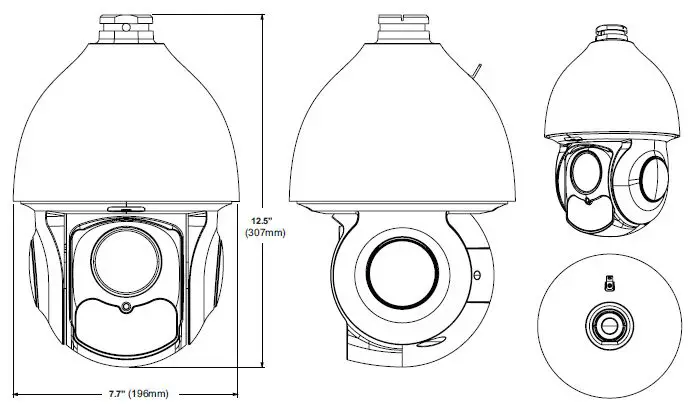
| Dimensions and Weight | 7.7” × 12.5” (196mm × 307mm), 8.31lb (3.7kg) |
OPTIONAL ACCESSORIES FOR VT-TPTZ32HRAN-8PNS
LIMITED PRODUCT WARRANTY
- VITEK products carry a three (3) year limited warranty. VITEK warrants to the purchaser that products manufactured by VITEK are free of any rightful claim of infringement or the like, and when used in the manner intended, will be free of defects in materials and workmanship for a period of three (3) years, or as otherwise stated above, from the date of purchase by the end user. This warranty is nontransferable and extends only to the original buyer or end user customer of a VITEK Authorized Reseller.
- The product must have been used only for its intended purpose, and not been subjected to damage by misuse, willful or accidental damage, caused by excessive voltage or lightning.
- The product must not have been tampered with in any way or the guarantee will be considered null and void.
- This guarantee does not affect your statutory rights.
- Contact your local VITEK Reseller should servicing become necessary.
CLASS A DIGITAL DEVICE (INDUSTRIAL & COMMERCIAL ENVIRONMENT)
This equipment has been tested and found to comply with the limits for a Class A digital device, pursuant to CE and FCC Rules. These limits are designed to provide reasonable protection against harmful interference when the equipment is operated in a commercial environment. This equipment generates, uses and can radiate radio frequency energy and, if not installed and used in accordance with the instruction manual, may cause harm-ful interference to radio communications. Operation of this equipment in a residential area is likely to cause harmful interference in which case the user will be required to correct
PLEASE NOTE: Complete User Guide, Software, Tools, and Updates are available online. Scan the QR Code or visit: http://www.vitekcctv.com/Downloads

28492 CONSTELLATION ROAD VALENCIA, CA 91355 WWW.VITEKCCTV.COM
Version 1.0
Oct. 2022
 VITEK IVP, Inc. | USA Based Video Surveillance Manufacturer