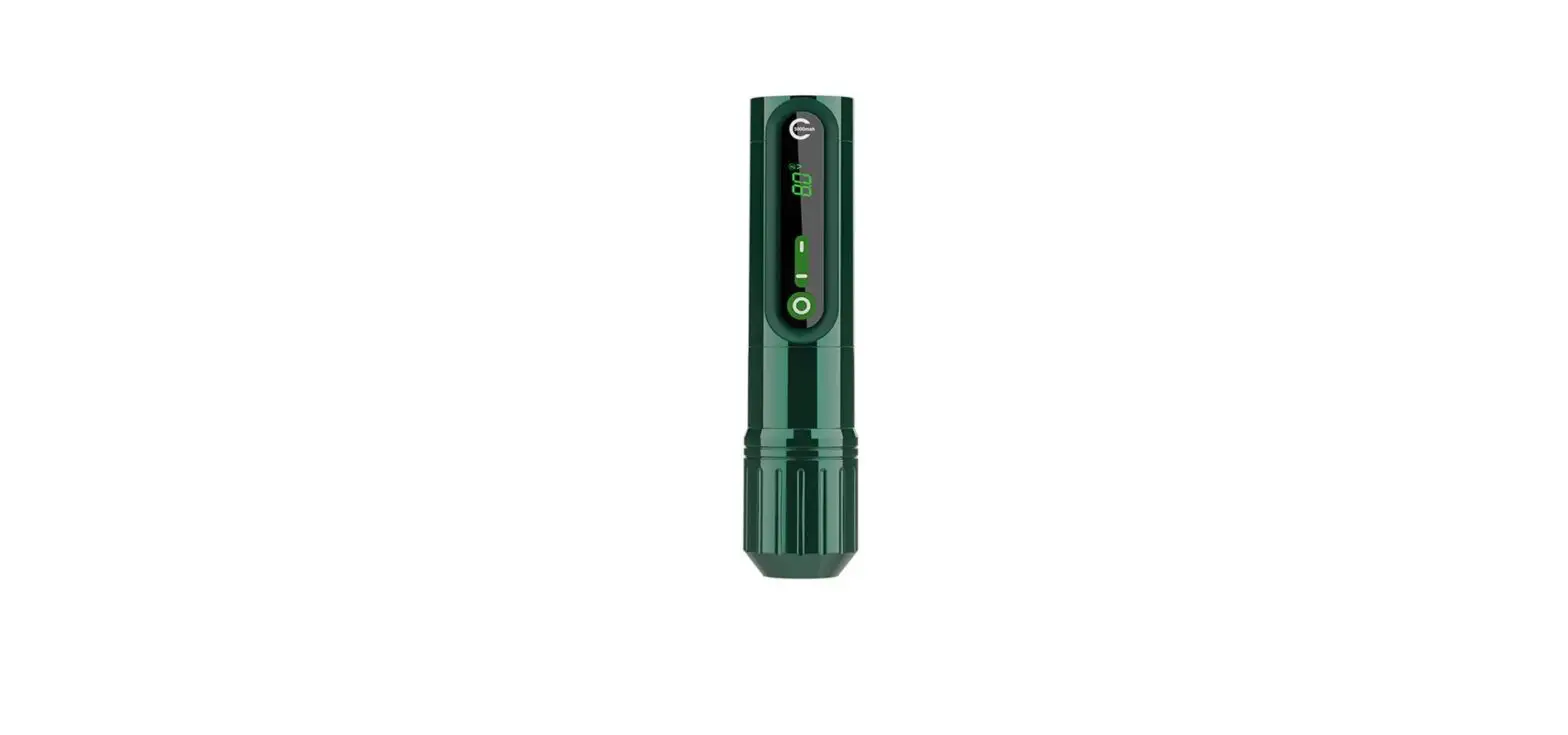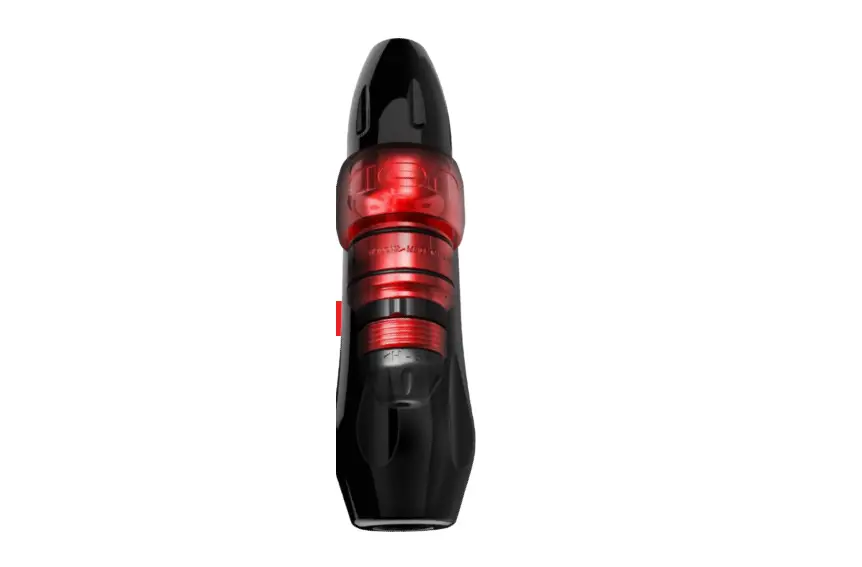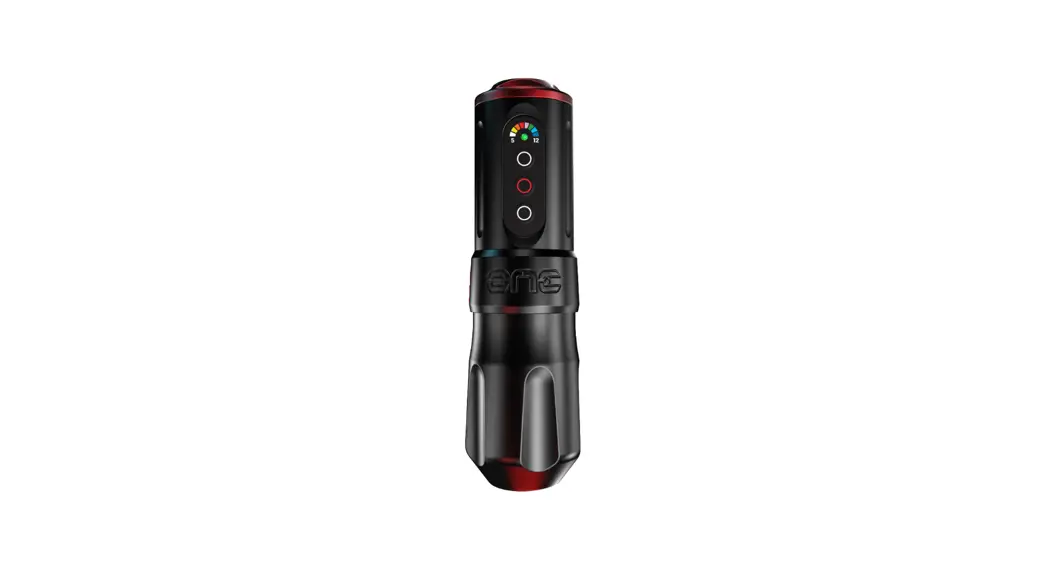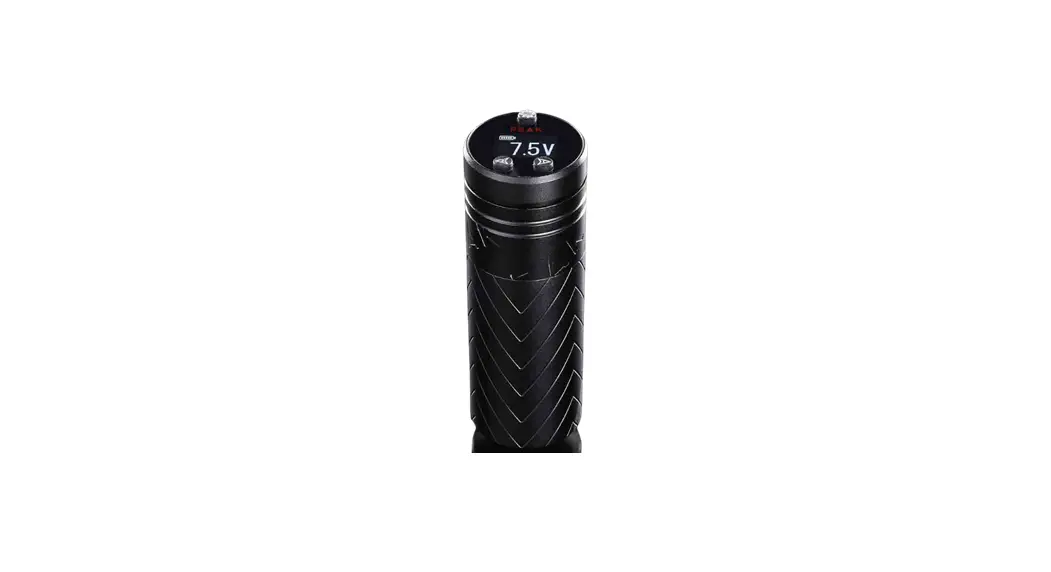

CYBER Wireless Smart Pen Lithuanian Irons Tattoo Machine
Product Information
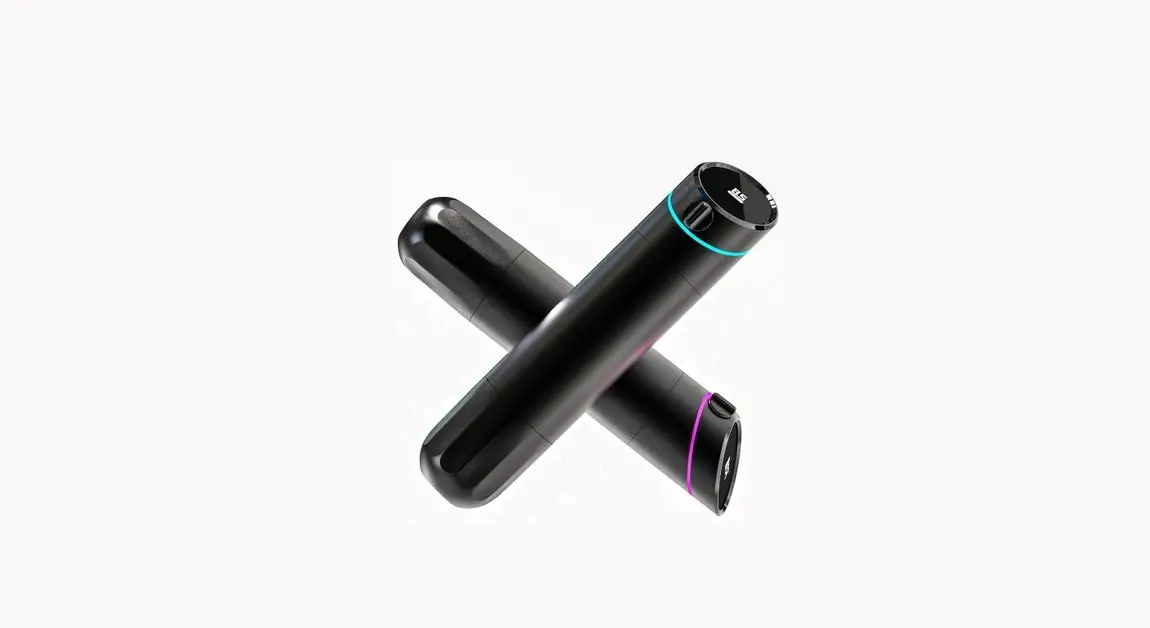
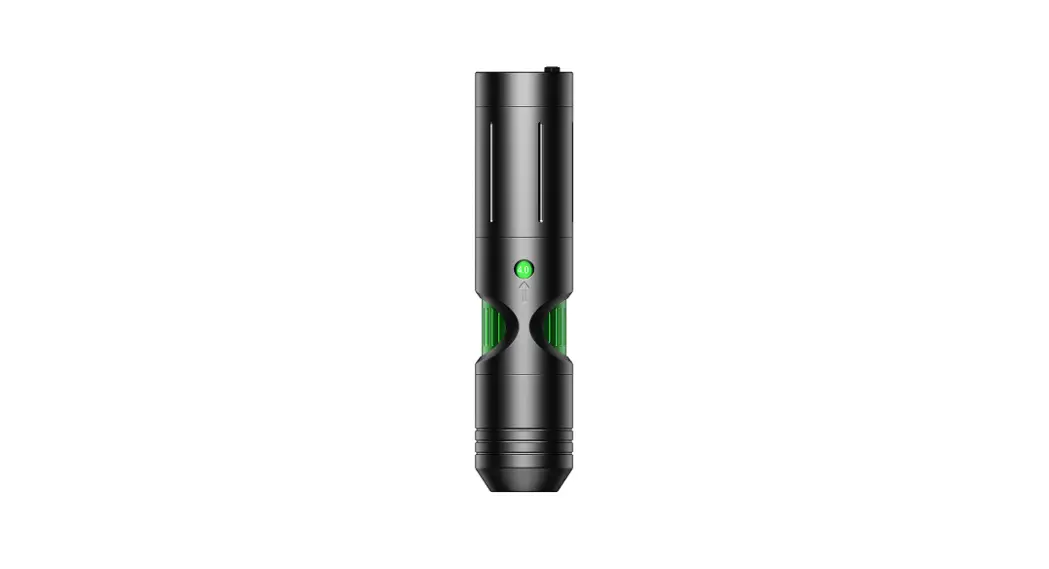
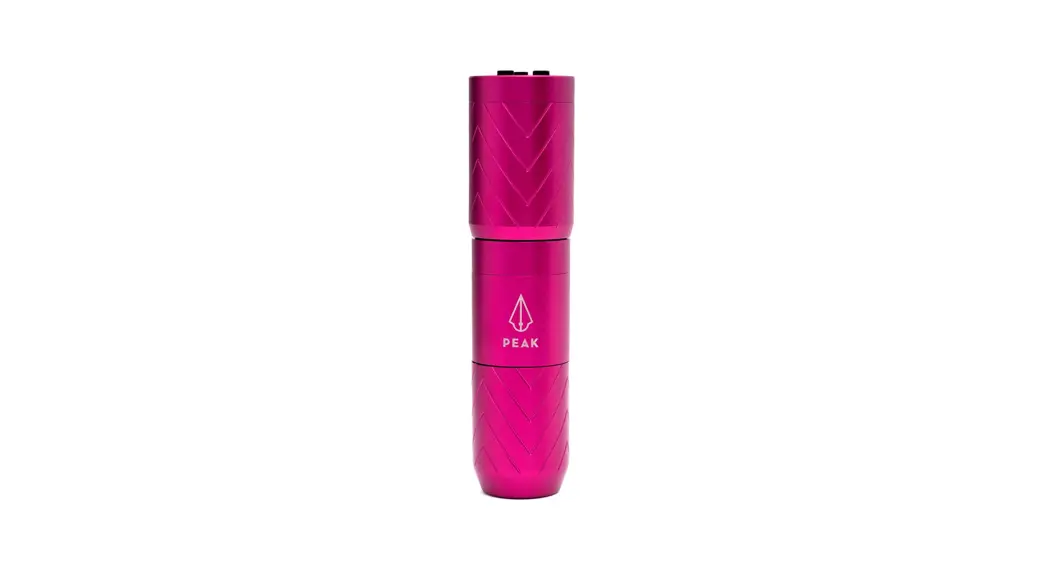
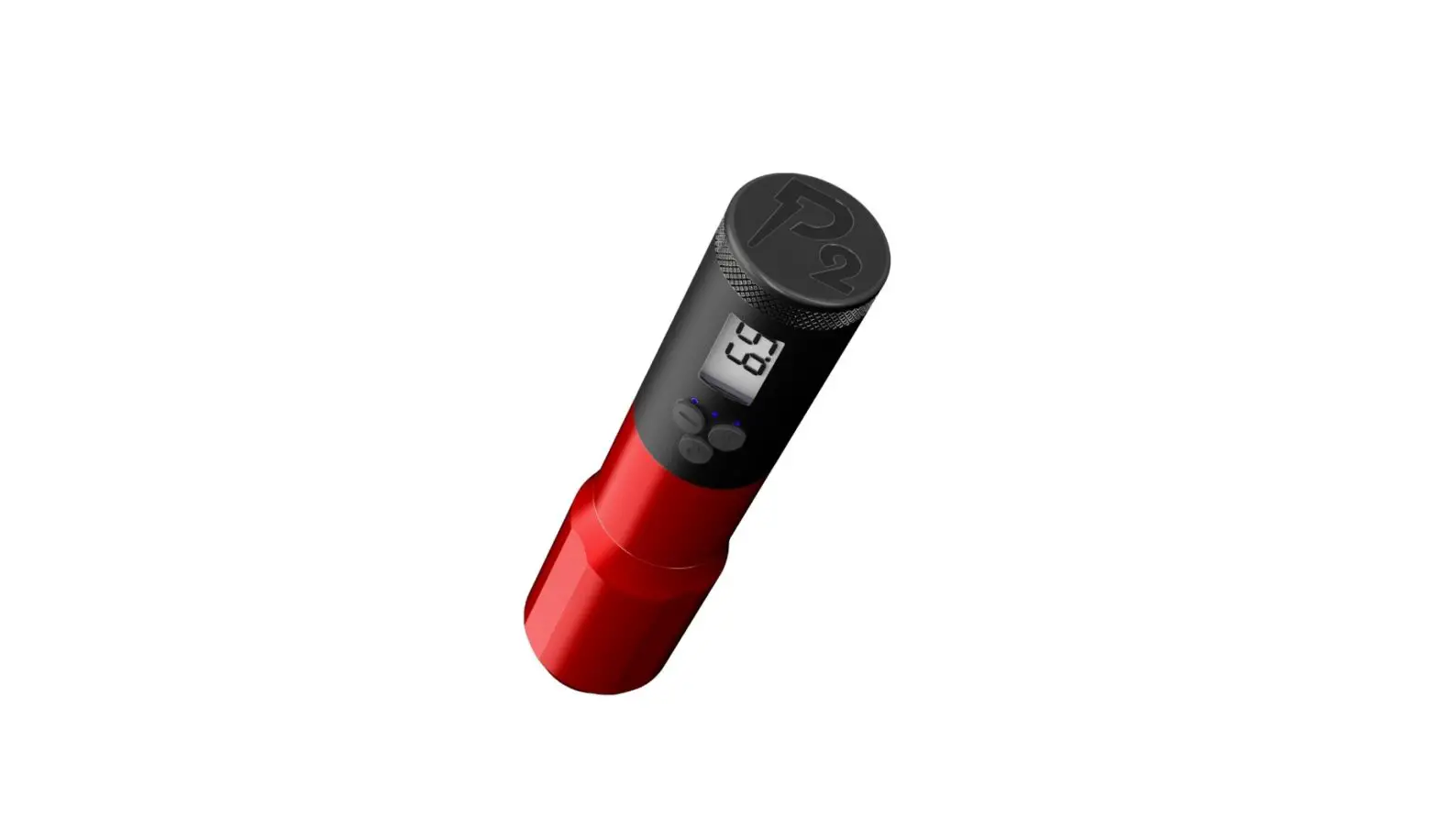
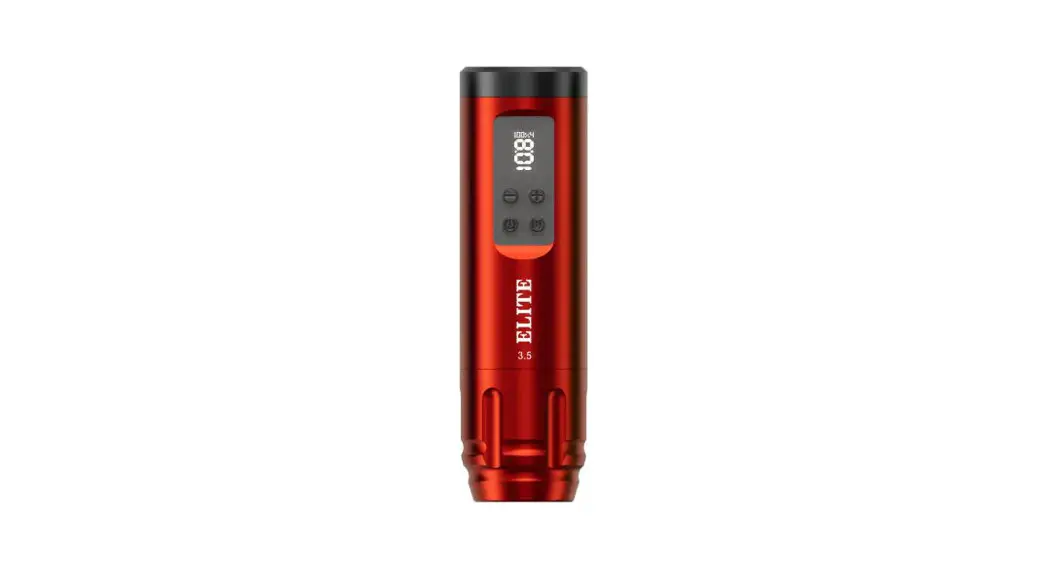
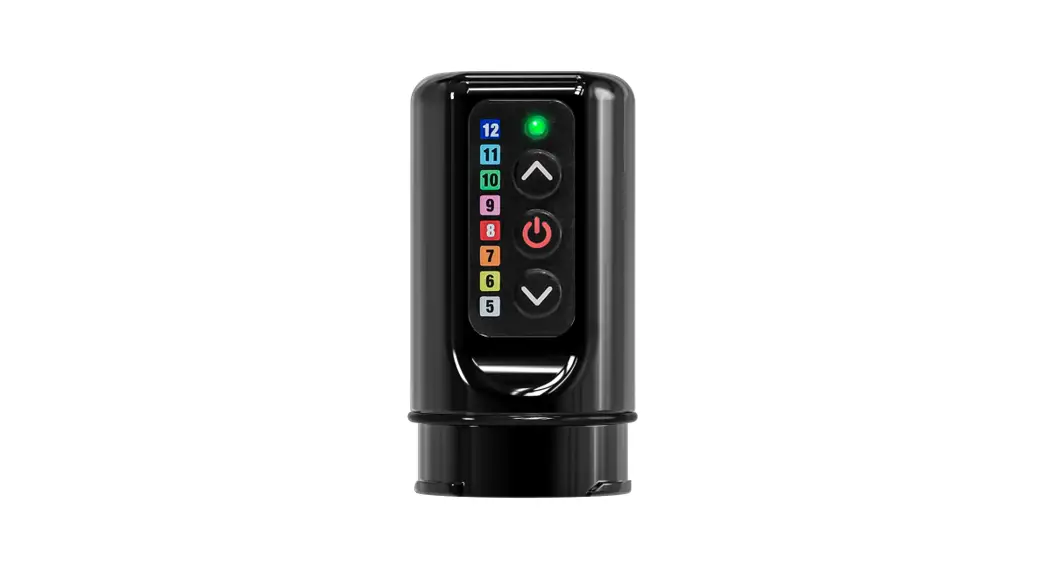
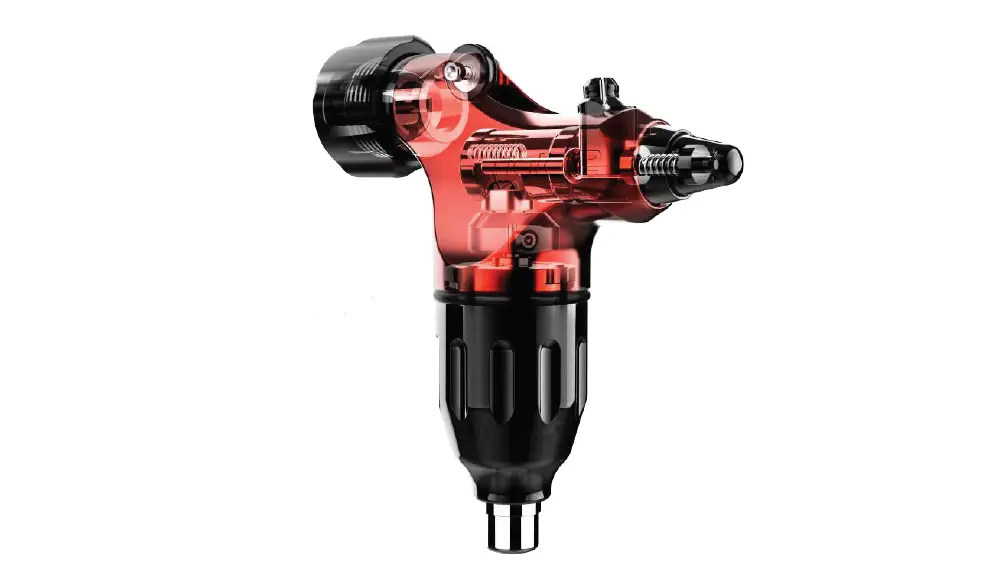
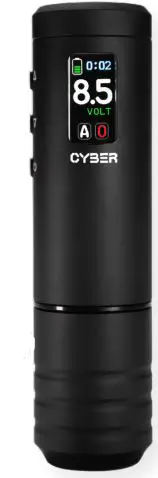
The CYBER is a smart wireless pen-style tattoo machine designed for use with needle cartridges. It features a maintenance-free mechanism that offers a solid hit with minimum vibration and low
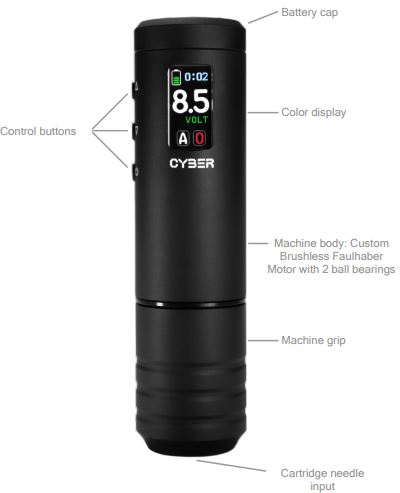
noise. The machine frame parts are made from solid rods of high-grade aluminum, then anodized. It has a built-in color display to show information and make it easier for the user to control the device. Users can fully configure this pen to their preference by using features such as digital hit softness, customizable voltage and softness memory presets, changeable screen color and style, screen brightness, sleep mode, and button sound control.
Product Usage Instructions
IMPORTANT SAFETY INFORMATION:
- Read the user manual carefully before using the machine.
- Do not use the machine without needle cartridges attached.
- Do not use the machine if you have no experience or knowledge of tattooing.
- Do not touch the battery near hot or flammable objects. There is a risk of explosion.
- Do not expose the machine to high temperatures or direct sunlight.
- Do not allow water or other liquids to get inside the machine.
If liquid gets into your eyes, seek out your physician for additional help. - If you experience any physical symptoms while using the machine, stop using it immediately. Vapors may irritate the respiratory system.
Machine Overview
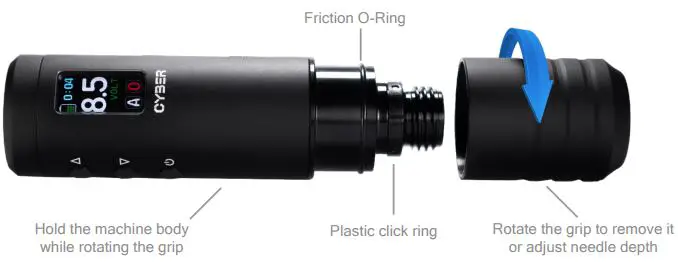
The CYBER machine has a grip and needle depth adjustment mechanism. Hold the machine body while rotating the grip to remove it or adjust the needle depth. The machine is designed for use with
standard rechargeable Panasonic Li-ion batteries (model 18500) that are easy to service or replace if needed. To turn ON/OFF the machine, press and hold the Power button for 3 seconds. To increase
or decrease the voltage or machine speed, use the Step up or Step down button.
Battery Replacement
- Unscrew the battery cap.
- Insert a charged battery + down.
- Screw the battery cap back on to the rear end of the
machine.
Basic Machine Control
- Do not turn on and run the motor with no needle cartridge attached to the machine.
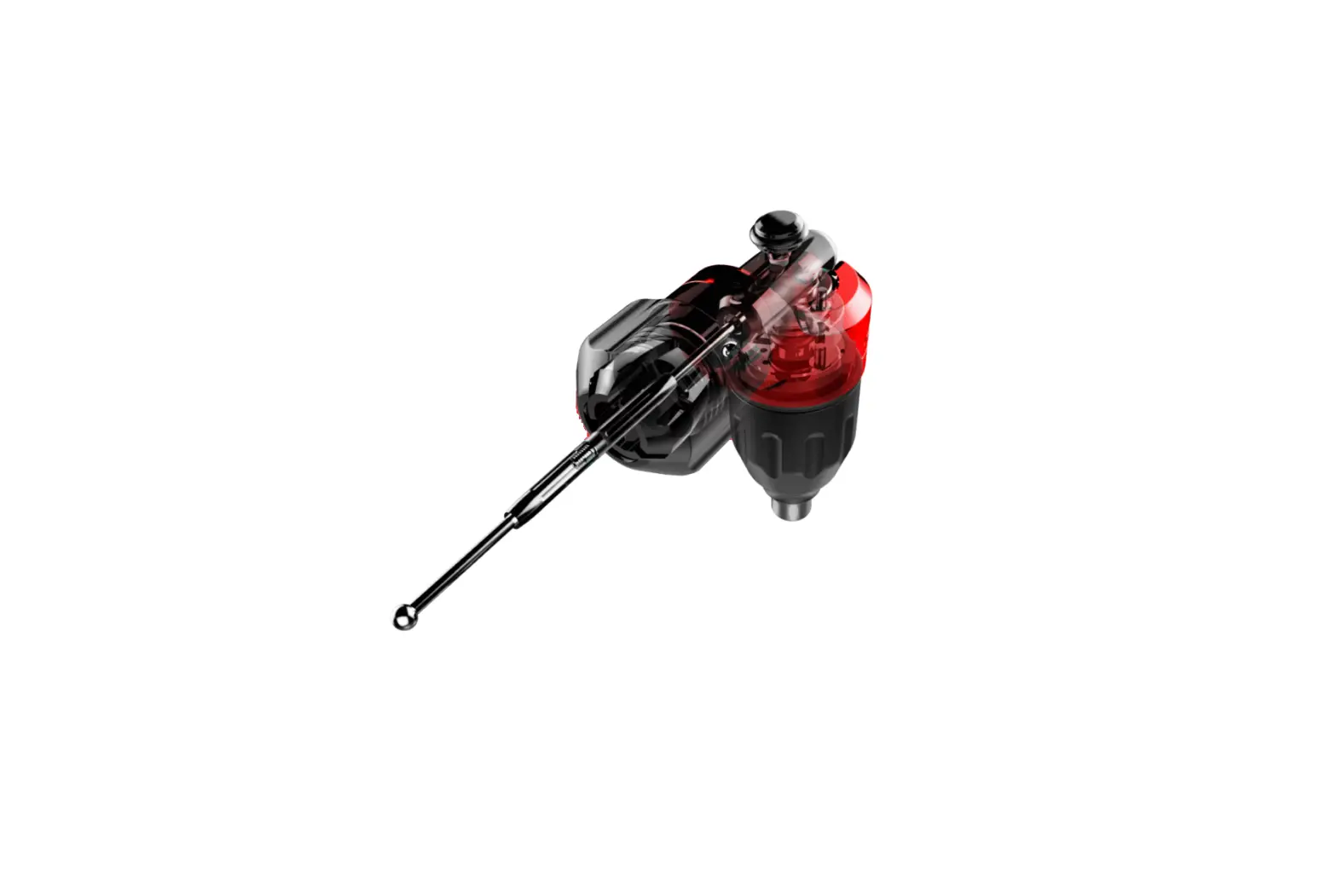
- The CYBER uses a slider system mechanism without springs, so cartridge needle membrane works as a back spring here and ensures stable, smooth, and silent operation.
- To turn ON/OFF the machine, press and hold the Power button for 3 seconds.
- To increase the voltage/machine speed, press or hold the Step
up button. Single press increases the voltage by 0.1 volts. To decrease the voltage/machine speed, press or hold the Step down button. Single press decreases the voltage by 0.1 volts.
IMPORTANT SAFETY INFORMATION
- The device may not be used by persons (including children) with reduced physical, sensory or mental capabilities or lack of experience or knowledge.
- If the device is not being used for a longer period of time, remove the battery.
- Carefully read this entire operating manual.
- Follow the safety regulations applicable to tattooing in your country.
- Only use needle cartridges with internal safety membrane.
- Any failure to observe the safety information and instructions may result in electric shock, a fire and/or cause serious injuries.
- Take the battery out of the machine before transporting or storing it. If the machine is unintentionally activated, there is a risk of injury.
- Protect the battery from heat (such as from continuous sun exposure), fire and immersion into water. Do not store or operate the battery near hot or flammable objects. There is a risk of explosion.
- Always place the batteries in the battery sections of Your machine package when not in use in order to protect them from external influences.
- When not in use, keep the battery away from paper clips, coins, keys, nails, screws or any other small metal objects that cause the contacts to be bridged.
- A short circuit between the battery contacts may cause burns or result in a fire.
- Only use the original charger to charge the battery. The risk of fire cannot be excluded if you do not use an original charger.
- Only use the battery in connection with original Cyber tattoo machines.
- Only use the supplied battery type NCR18500A. Any other batteries may cause severe injuries and a risk of fire.
- We will accept no liability and warranty if other batteries are used.
- Keep the battery away from children.
- Check the battery for damage.
- Do not charge a damaged battery or use it.
- Charge the battery fully prior to use.
- Do not place the charger and the battery near flammable materials. Only charge the battery in dry state and at a fireproof location. There is a risk of fire due to the heat that builds up while charging.
- Fluid may leak from the battery if it is improperly used. Avoid contact with it. Rinse with water if you accidentally come in contact with it. If the liquid gets into your eyes, also seek out your physician for additional help.
- Leaking battery fluid may cause skin irritations or burns.
- Batteries must not be exposed to mechanical impacts. There is a risk of damaging the battery.
- If damaged, or if the battery is improperly used, vapors may escape from the battery. Introduce fresh air and seek out a physician if you have any physical symptoms. Vapors may irritate the respiratory system.
MACHINE OVERVIEW
THE CYBER
Smart wireless Pen-Style tattoo machine for use with needle cartridges. It features a maintenance-free mechanism which offers solid hit with minimum vibration and low noise.
Package includes: CYBER machine, 2pcs. of rechargeable Panasonic Li-ion batteries (model 18500) and USB battery charger.
Machine frame parts are made from solid rods of high grade aluminium, then anodised.
The CYBER has a built-in color display to show information and make it easier for the user to control the device. Users can fully configure this pen to their preference by using features such as digital hit softness, customisable voltage and softness memory presets, changeable screen color and style, screen brightness, sleep mode and button sound control.
THE GRIP AND NEEDLE DEPTH ADJUSTMENT
- The CYBER comes equipped as standard with 33mm grip.
- The Grip is safe to be sterilised in an autoclave at temperatures not higher than 135° Celsius or also suitable to be sprayed with cold sterilisation products.
- To adjust needle depth, hold the machine body and simply rotate the grip clockwise or counterclockwise.

- Attention: If the Grip rotates too hard, add a bit of PTFE or other silicone grease on the friction O-Ring and plastic click ring.
EXCHANGEABLE BATTERIES
The CYBER machine is designed for use with standard rechargeable Panasonic Li-ion batteries (model 18500).
That allows easy to service or replace the battery if it became worse. And also safe to store the machine on a flight or any other extreme transportation (the battery has to be removed and stored separately).
It is recommended to fully charge the batteries before their first use for 2 – 3 hours.
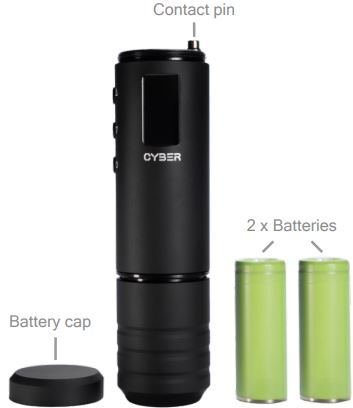
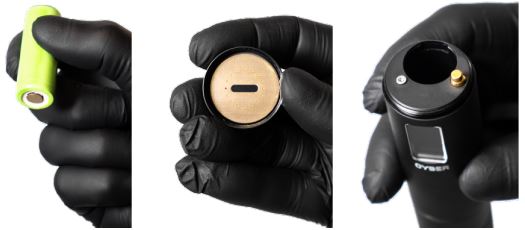
Attention: Always check and keep the battery contacts, battery cap contact plate and machine contact pin clean. Any dust, grease or vaseline will worsen the contact and disrupt the smooth operation of the machine or even damage the machine.
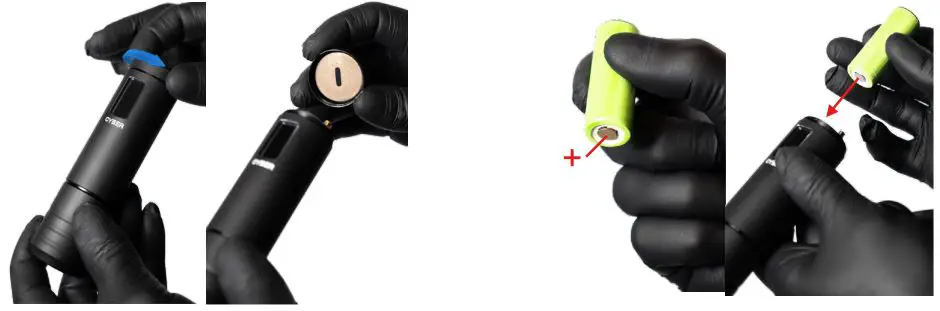
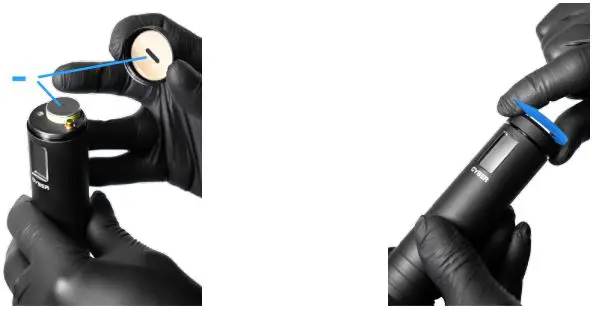
THE BATTERY REPLACEMENT
- Unscrew the battery cap.
- Insert a charged battery “+” down.

- Screw the battery cap back on to the rear end of the machine.

BASIC MACHINE CONTROL
Attention: We do not recommend turning on and run the motor with no needle cartridge attached to the machine. The CYBER uses a slider system mechanism without springs, so cartridge needle membrane works as a back spring here and ensures stable, smooth and silent operation.
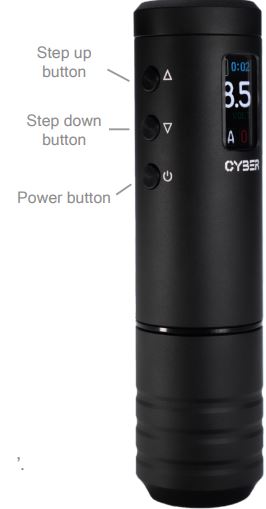
 To turn ON/OFF the machine, press and hold the “Power button” for 3 seconds.
- To increase the voltage / machine speed, press or hold the “Step up button”. Single press increases the voltage by 0,1 volts.
 To decrease the voltage / machine speed, press or hold the “Step down button”. Single press decreases the voltage by 0,1 volts.
- To turn ON/OFF the machine motor, single press the “Power button”.
 To turn ON/OFF the machine, press and hold the “Power button” for 3 seconds.
 To increase the voltage / machine speed, press or hold the “Step up button”. Single press increases the voltage by 0,1 volts.
 To decrease the voltage / machine speed, press or hold the “Step down button”. Single press decreases the voltage by 0,1 volts.
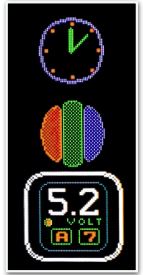
SCREEN OVERVIEW
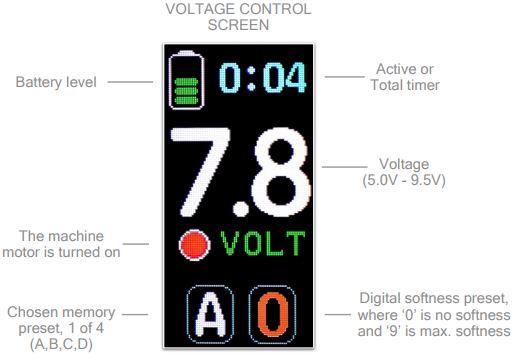
MEMORY PRESETS
The Cyber has a feature to automatically save user’s voltage and digital softness as 1 of 4 presets: A , B , C or D.
Users can configure every preset to their preference.
To configure the preset, simply change the voltage and/or digital softness and all changes will be automatically saved to the selected preset.
Press  buttons to switch between memory presets.
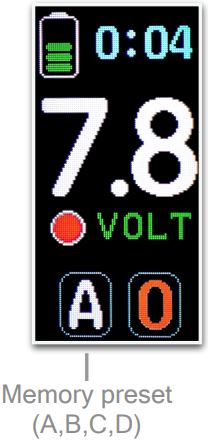
DIGITAL SOFTNESS
This is a feature that allows to control the machine motor power response to the skin’s resistance and make it softer if needed. By choosing between 10 levels user can adjust the sensitivity and softness. Special software automatically calculates cartridge membrane hardness and adjusts the softness parameter to the best value in selected mode.
“0” is a default motor work without additional softness and “9” is the softest mode.
Attention: Do not remove or change needle cartridges while the machine is running in digital softness mode. Different cartridges have different membranes. Stop the machine motor, change the cartridge and turn on the motor again. That way machine software will correctly recalculate cartridge membrane hardness.
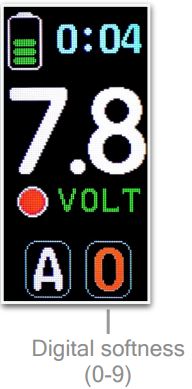
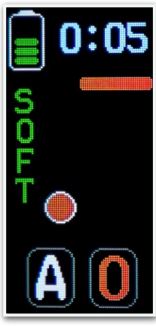
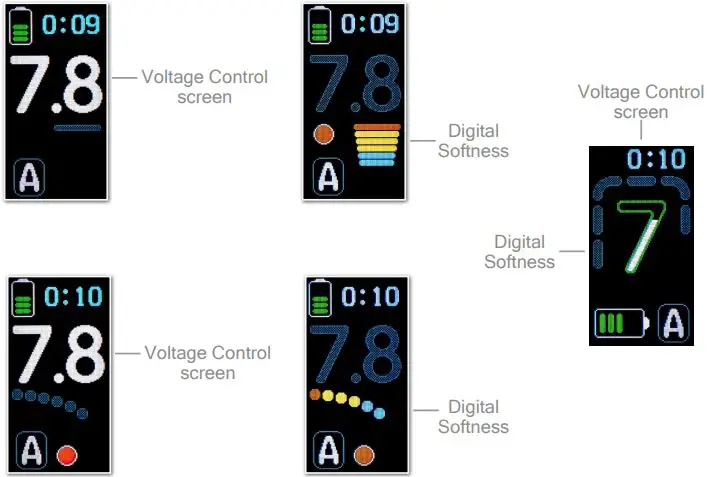
DIGITAL SOFTNESS CONTROL
User can only control the Digital Softness while machine motor is running.
- Press button to turn on the machine motor.
- Press and hold the same button for 2 seconds to enter to Digital Softness control menu.
- The following screen will appear

- Control the softness using
 buttons.
To come back to the voltage control screen, press and hold button for 2 seconds or leave the Digital Softness screen and it will automatically switch back to the Voltage Control screen in 12 seconds.
 buttons.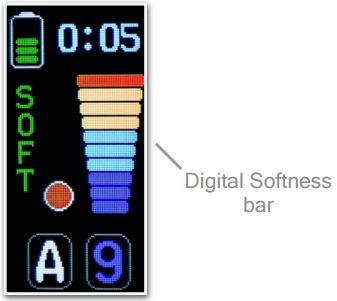
Users can fully configure the machine to their preference in Main Menu.
- Press
 buttons to enter the Main Menu.
 - The following screen will appear:
- Switch between parameters using buttons.
- To enter or change the parameter press button.
- Scroll down to enter the 2nd page
- To exit the Main Menu press and hold any of 3 buttons for 2 seconds.

 buttons to enter the Main Menu.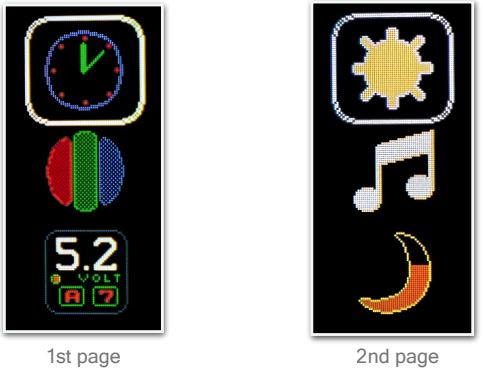
MAIN MENU PARAMETERS
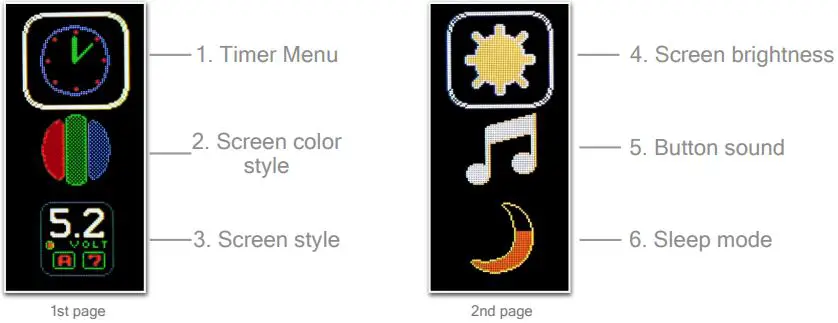
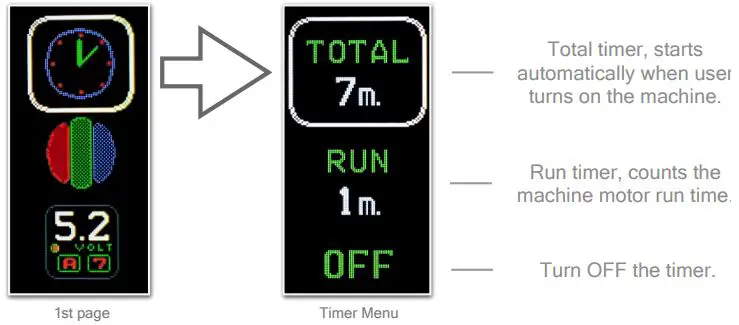
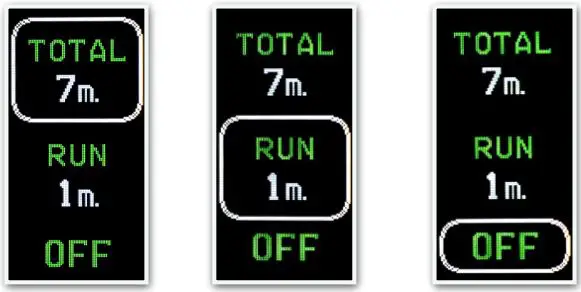
TIMER MENU
- Press button to enter the Timer Menu.

- Select which timer to use on the main screen.
- Press button to confirm selection.

SCREEN COLOR AND STYLE
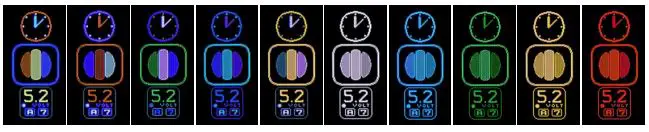
- SCREEN COLOR

Press button to switch between 14 different screen color styles
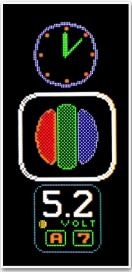
- SCREEN STYLE

Press button to switch between 7 different screen styles.
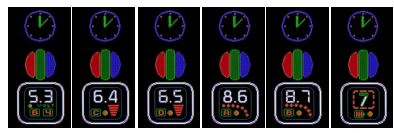
DIFFERENT SCREEN STYLES
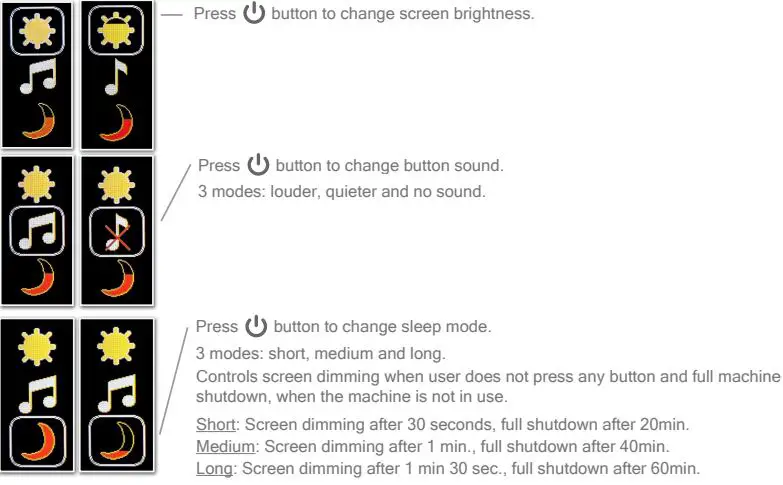
TECHNICAL SPECIFICATIONS
| Dimension, D x L | 33mm x 125mm |
| Weight (with battery) | 190g (with battery) |
| Operating voltage | 5.0 – 9.5 Volts |
| Needle stitches/second | 55-135 |
| Needle stroke length | 4.0mm |
| Needle depth adjustment | 4.0mm |
| Power intake | 3W |
| Needle type | Cartridge needles |
| Drive | Brushless DC motor |
| Operating mode | Continuous operation |
| Battery designation | NCR18500A |
| Rated battery voltage | 3.7 V |
| Battery type | Lithium-ion |
| Battery dimensions DxL | 18.15mm x 49.36mm |
| Rated capacity value | 1900 mAh |
| Charging method | CC-CV |
| Charging voltage | 4.2 V |
| Battery weight | 33.5g max. |
| Energy density | 536 Wh/l, 204 Wh/kg |
| Charger input voltage | DC 5.0V 2.1A |
| Charger constant current | 0.5A x 2 / 1A x 2 |
| Charger Cut-Off Voltage | 4.2 ± 0.05V |
| Charger Cut-Off Current | < 120mA |
| Operating Temperature | +10°C to +35°C +50°F to +95°F |
WARNING SIGNS
The CYBER has smart testing software, that checks the machine and informs about one of the following problems. This software stops or does not allow to start the motor if one of these problems appear for the user and machine safety reasons.
 LOW BATTERY
Replace the battery with a charged one. WARNING SIGN DATA RESET
when factory reset is done or parameters changed. TOO HIGH BATTERY VOLTAGE
Wrong or bad battery, replace the battery. OVERLOAD
The motor is overloaded or damaged. SHORT CIRCUIT
Short circuit in the electronics or motor.
 LOW BATTERY
 WARNING SIGN DATA RESET
 TOO HIGH BATTERY VOLTAGE
 OVERLOAD
 SHORT CIRCUIT
SAFETY, CLEANING AND HYGIENE
Although the grip is autoclavable we strongly recommend using plastic bags or barriers to cover the machine and keep it clean. Never spray or pour fluids directly on the surface to prevent fluids from entering the machine, it can cause short circuit or damage internal system elements and will void the warranty Use only slightly damped piece of paper or wipes to apply disinfection/sterilisation products. Always use cartridges with internal membrane. This will allow avoiding contamination inside the machine. Any fluids, pigments or oil inside the machine will void the warranty and may require additional service or replacement of internal parts.
SERVICE AND MAINTENANCE
The CYBER comes pre-lubricated from factory and does not require additional lubrication. Do not use any type of oil for lubrication. Any changes or modifications not approved by the manufacturer could void the warranty. We strongly recommend contacting us to service Your device every 12 months to ensure the proper condition of all working parts, internal clean up and fresh lubrication. Service is subject to fees.
For service and maintenance inquiries, please contact: [email protected]
WARRANT
External aluminium machine body parts (Grip, Machine body) are covered by 2 years warranty.
The motor and electronic components are covered by 1 year warranty from date of purchase.
All sliding internal parts, cam bearing, batteries, screws, O-ring, Click ring and threads are subject to wear. A warranty cannot be applied to defects which are caused by normal wear or improper handling, transport or storage by the customer.
The warranty is void if.
- The machine body has been opened.
- The machine was additionally lubricated.
- The machine has been autoclaved or cleaned in an ultrasonic cleaner.
- Components have been damaged by misuse or carelessness.
- Alkaline or acid cleaning agents with strong bases (high or low pH) have been used on the product.
- The machine has been used with improper batteries.
- Machine has signs of being dropped.
- Any sterilisation fluids, dirt, inks or water found inside the machine.
The warranty does not cover any shipping costs