 Instruction Manual
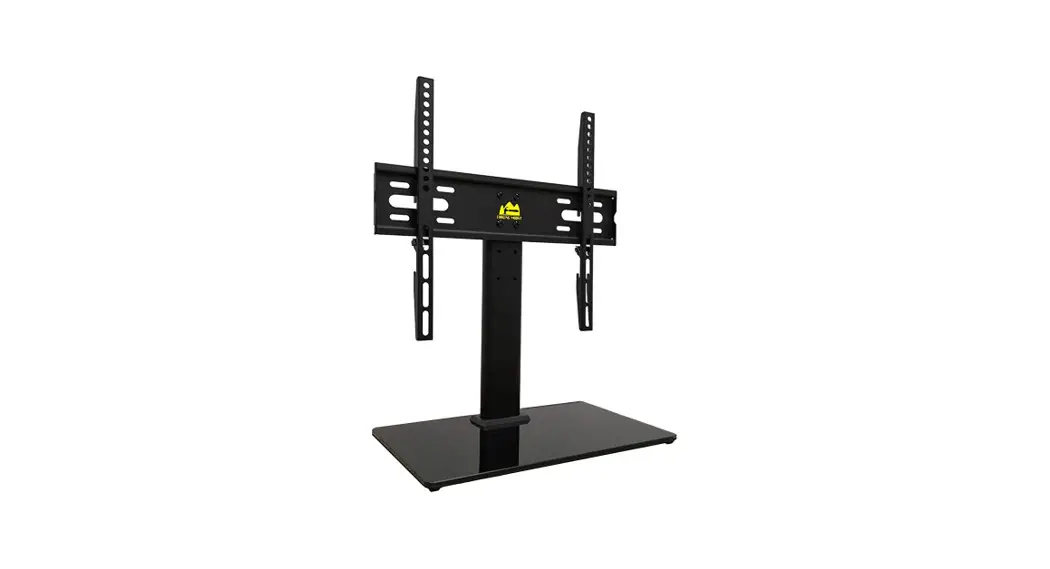
Universal TV Stand
HY4111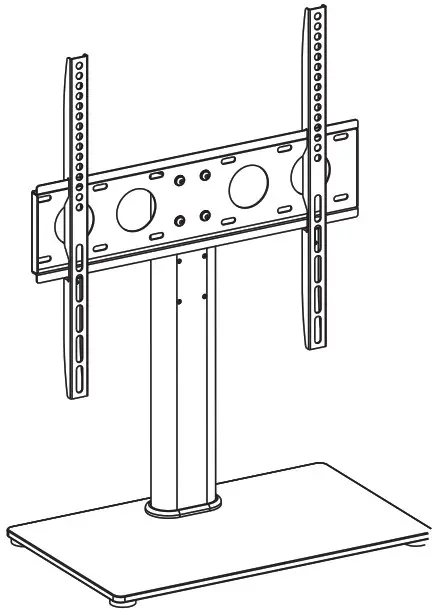
Thank you for choosing our product! We strive to provide the best quality and services for our customers. Would you kindly share your experience on amazon if you are satisfied? If you have any questions, please feel free to contact us.
Email:[email protected]
We’re ready to help!
UNPACKING INSTRUCTIONS
- Carefully open the carton, remove contents, and layout on cardboard or another protective surface to avoid damage.
- Check to assure that all components were received undamaged. Do not use damaged or defective parts.lf you require replacement parts, contact customer service at [email protected]
- Carefully read all instructions before attempting installation.
IMPORTANT SAFETY INFORMATION
- Install and operate this product with care. Please read this instruction before beginning the installation, and carefully follow all instructions contained herein. Use proper tools during installation.
- If you do not understand the instructions or have any concerns or questions, please contact customer service at [email protected]
 WARNING: Exceeding the weight capacity can result in serious personal injury or damage to the equipment! It is the installer’s responsibility to make sure the combined weight of HY4111 and the display does not exceed 88 lbs(40kg). Use with heavier televisions may result in instability causing tip over resulting in death or serious injury!WARNING: This product contains small items that could be a choking hazard if swallowed. Keep these items away from young children.
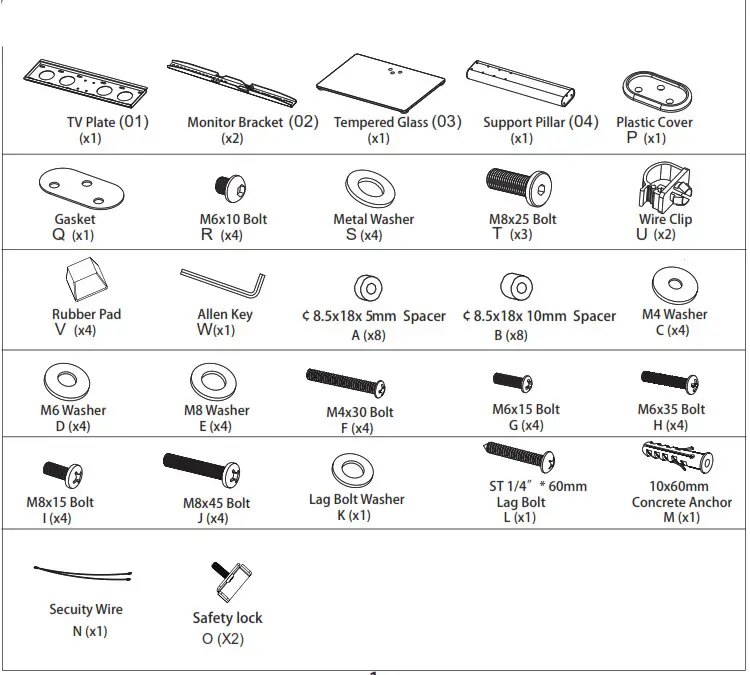
Supplied Parts List
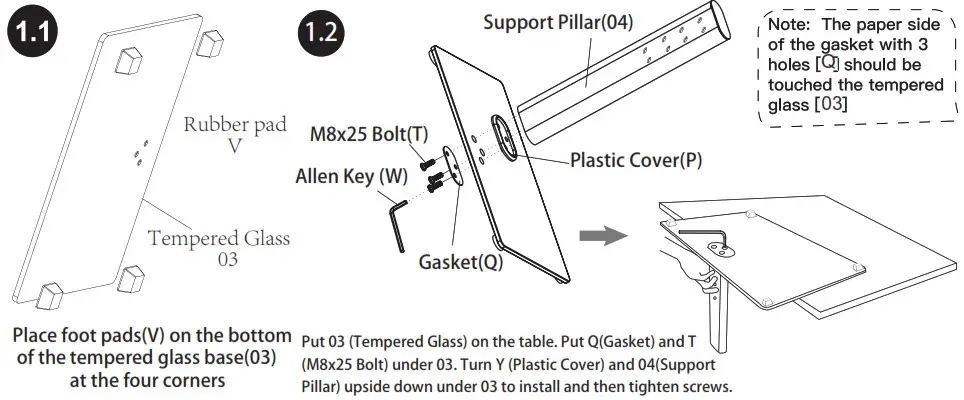
Step 1 Connecting the Support Pillar(04) to Tempered Glass(03)
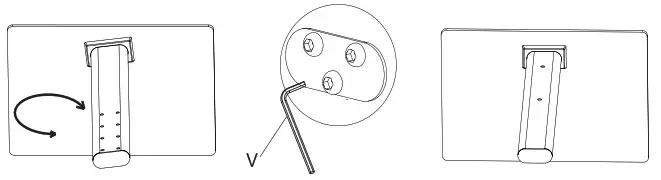
1.3If you find the support column (04) is not in the correct direction, please see figure below. Loosen M8x25 screws(T), adjust the support to the correct direction then tighten screws again.
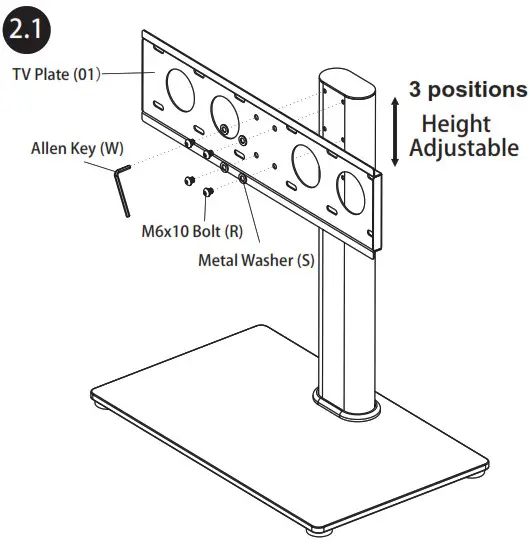
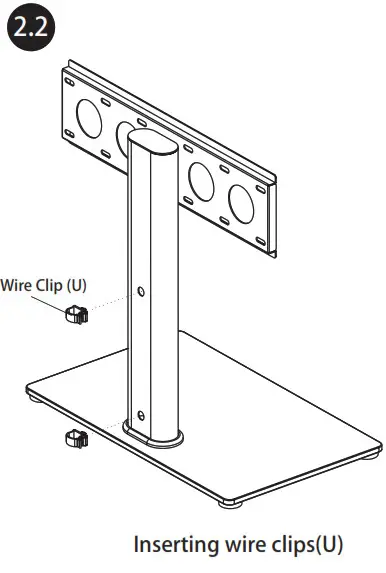
Step 2 Connecting the TV Plate to Support Pillar
TV Plate can be installed on wall alternatively, wall mounting hardware not included.
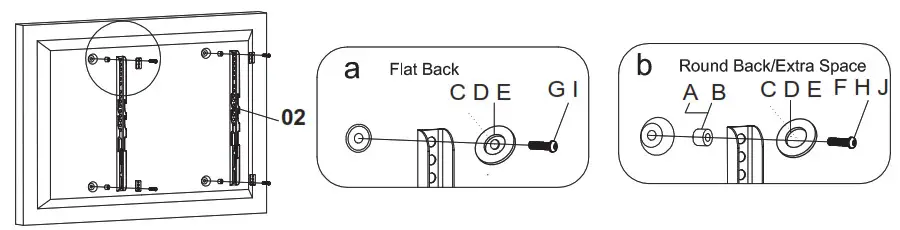
Step 3 Mounting the Monitor Brackets(02) to your TV
3.1 Chak TV screws
Please select the proper screw length for your TV by hand tightening to check your flat panel thread depth.
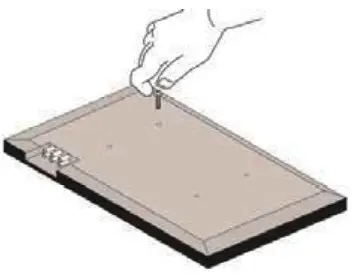
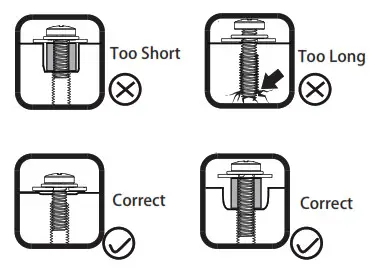
When attaching brackets to the flat screen, be careful not to over tighten screws and be sure that screws do not bottom out in the mounting holes
If your TV has a flat back, AND you want your TV closer to the wall, use the shorter screws (A).
Use the spacers and longer screws(B) to accommodate:
- Round/irregular back TVs
- TVs with inset mounting holes
- Extra space needed for cables
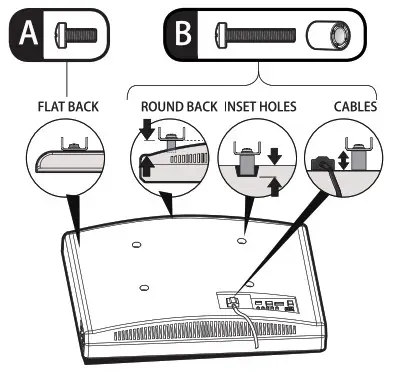
First, make sure the diameter of the bolt(F-J) fits your TV. Then, please see the diagram above. You will need to thread the bolt into the TV using the correct washer (C,D,E) and spacer (A or B) if necessary with a screwdriver(Not included). Please make sure the monitor brackets(02) are vertically centered and level with each other.
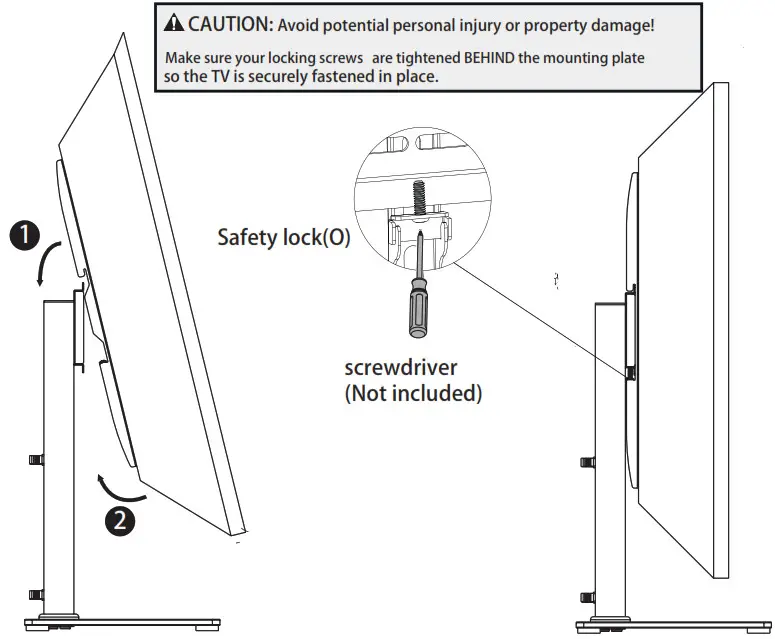
Step 4 Attaching TV to TV Plate and Managing the Wires
4.1
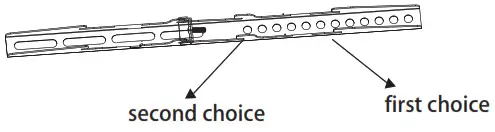
4.2Height adjustable vertical bracket
If you find your TV set is too close to the base, please take off the TV from the stand. Then, change to the second choice to allow more space between the TV and the tempered glass base (03).
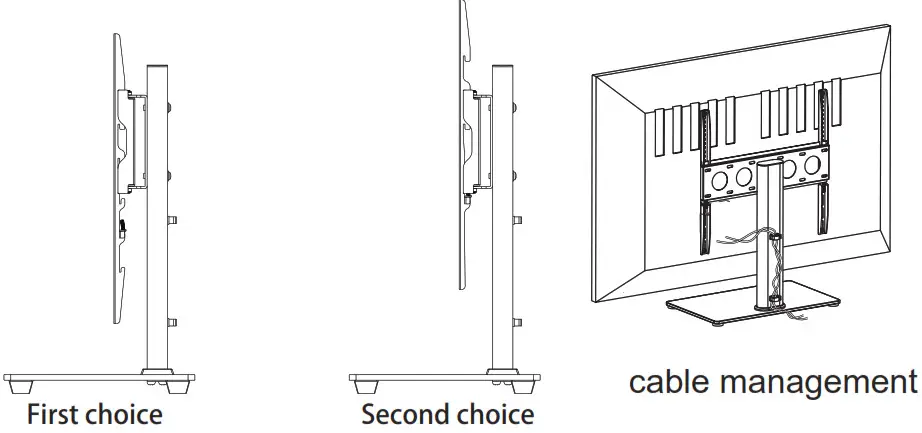
Step 5 Attaching the Security Steel Wire to the TV
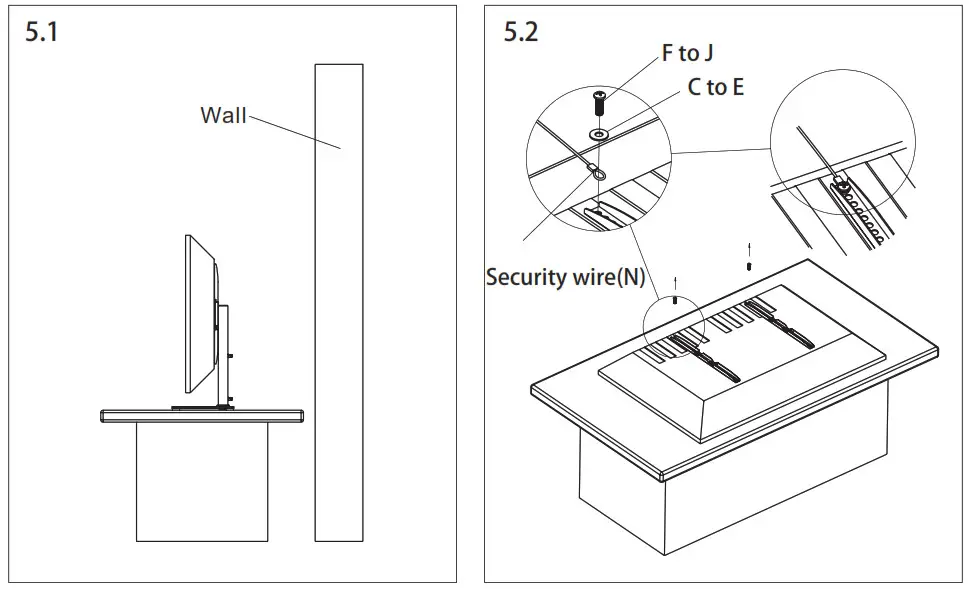
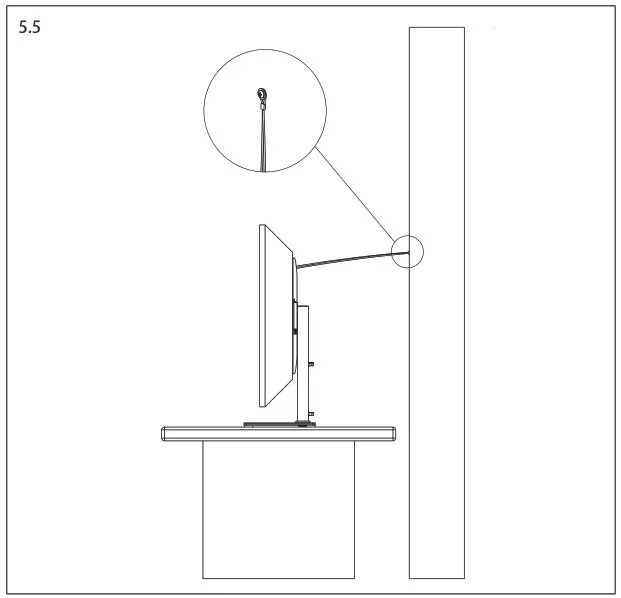
If your TV is located nearby the wall as the 5.1, then a steel wire can be attached for additional security. Using screw (F to J) through washer (C to E), the end of security wire(N), bracket hole and TV VESA hole in sequence. By tightening the screw, the security wire(N) is attached to the TV.
Attaching the other end of the security wire to the wall according to your wall type shown in Diagram 5.3, 5.4, and 5.5.
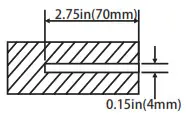
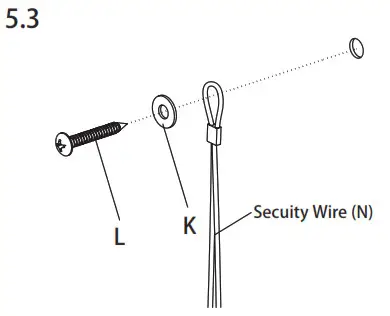 Drill 2.75”(70mm) deep holes using a 5/32” (or 4mm) drill bit. Secure with screws and washers.
 Wood Stud Wall
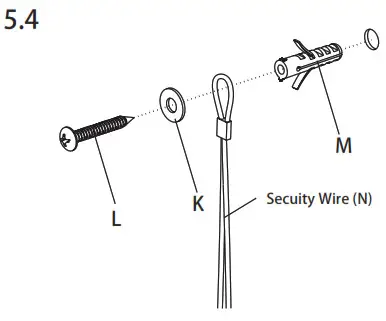
Drill 2.75”(70mm) deep holes using a 3/8” (or 10mm) drill bit, and press anchors into holes. Secure with screws and washers.
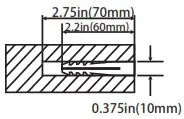 Concrete & Brick Wall
Step 5 Now your TV is standing steadfastly and securely!
Thank you for choosing our products.
Now enjoy your TV with a FORGING MOUNT TV stand!
FORGING MOUNT Make Your Life Better