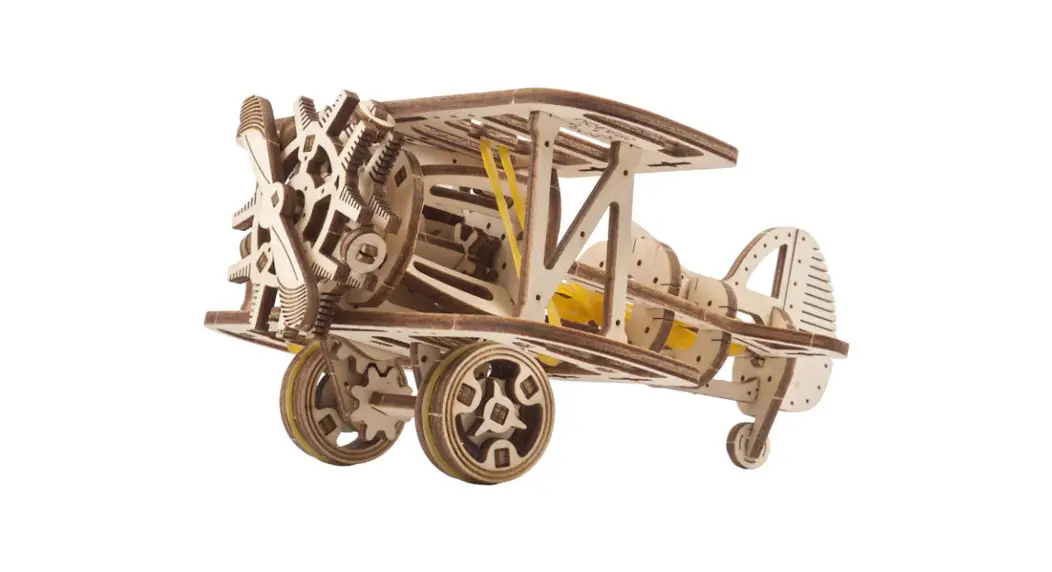
 Assemble me.
Fly high and fast!
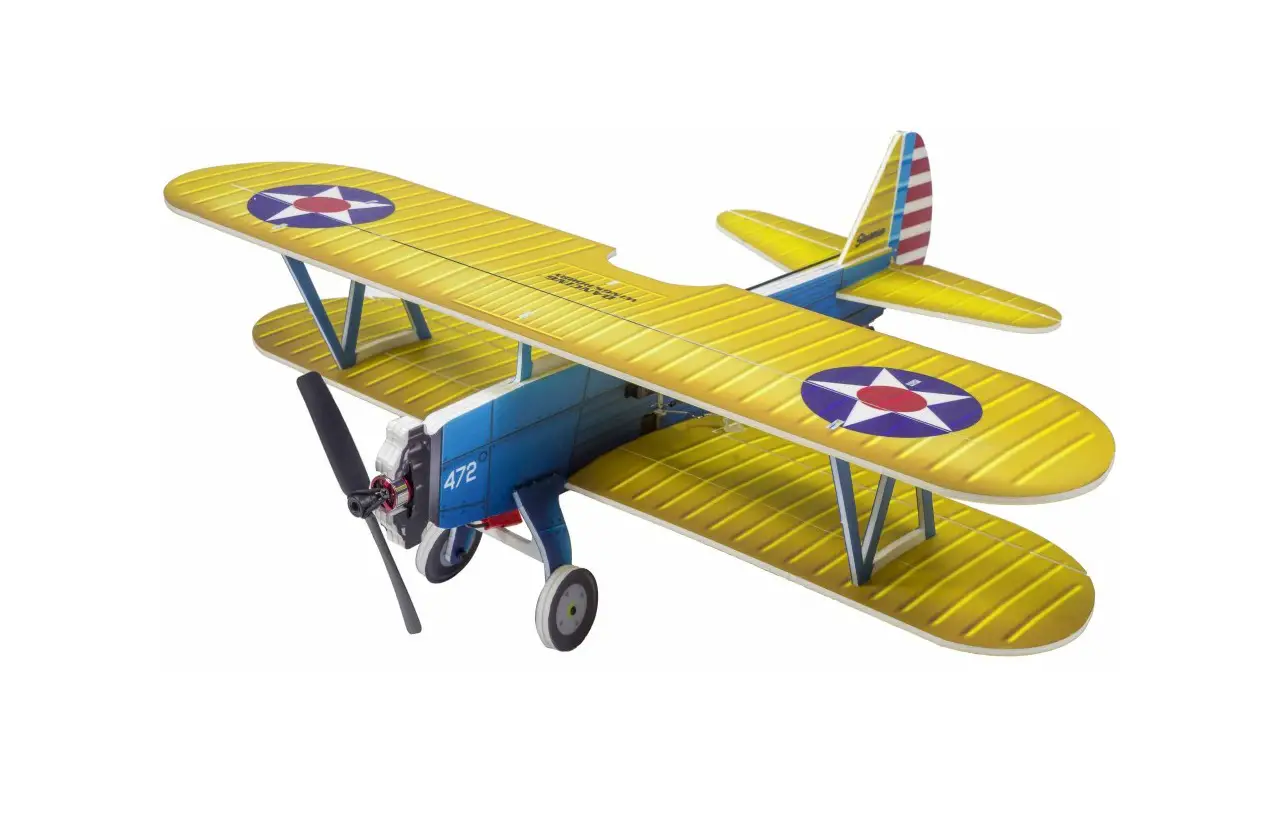
Mini-biplane Mechanical Model Kit
Instruction Manual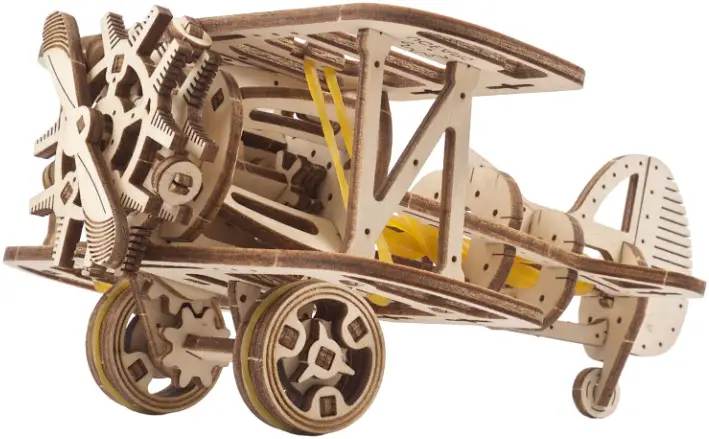
Mini-biplane Mechanical Model Kit


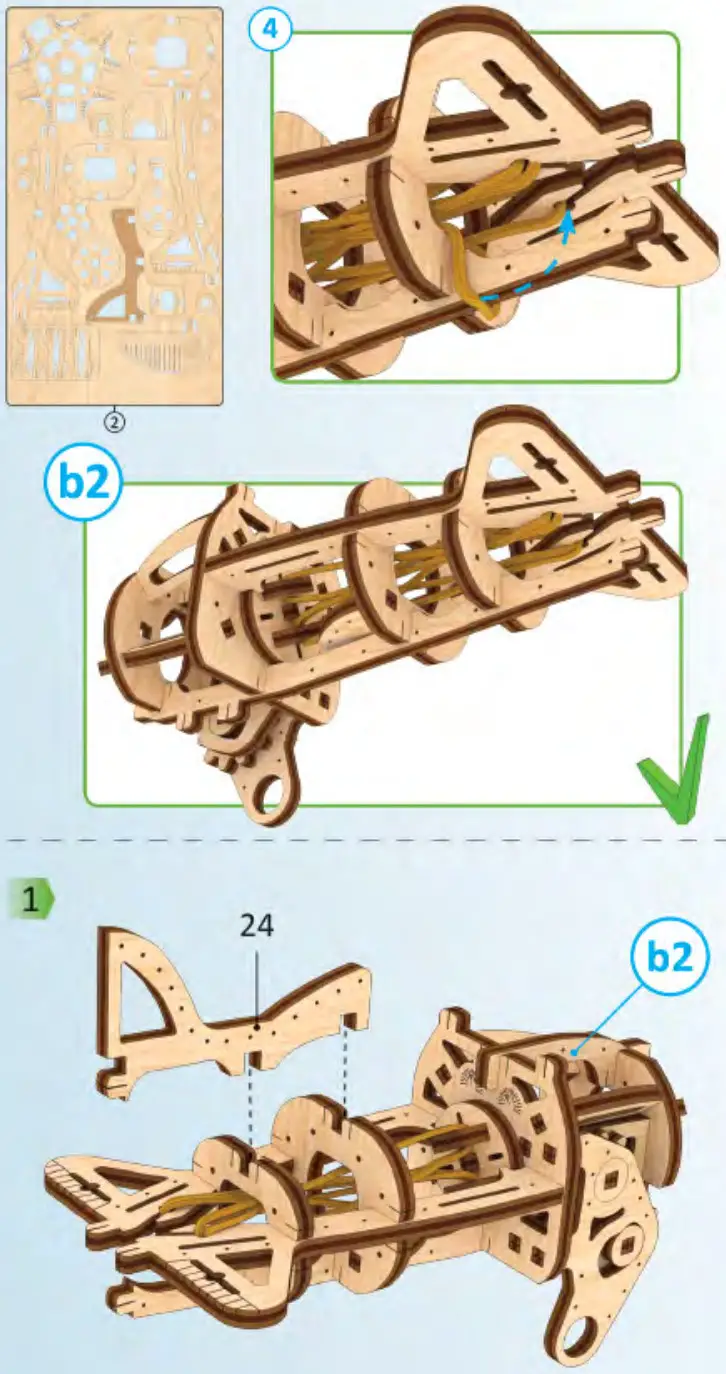
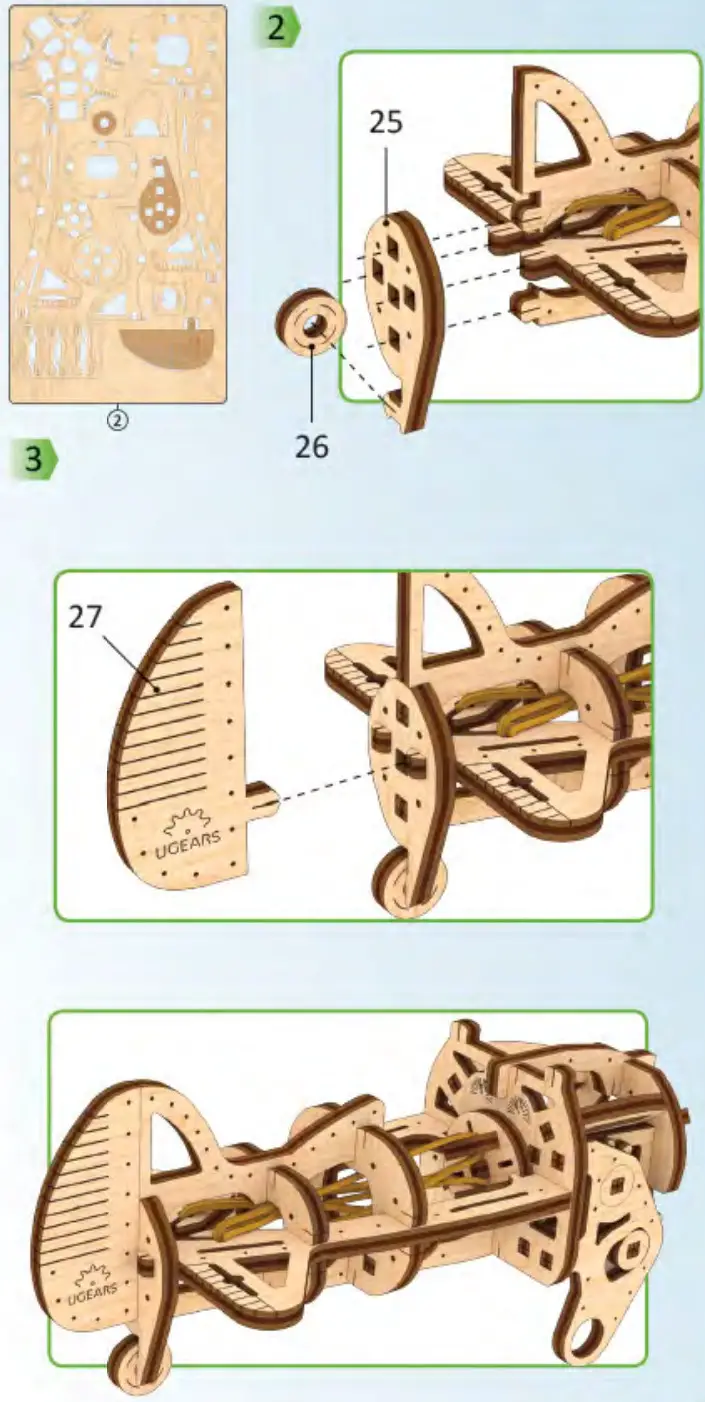
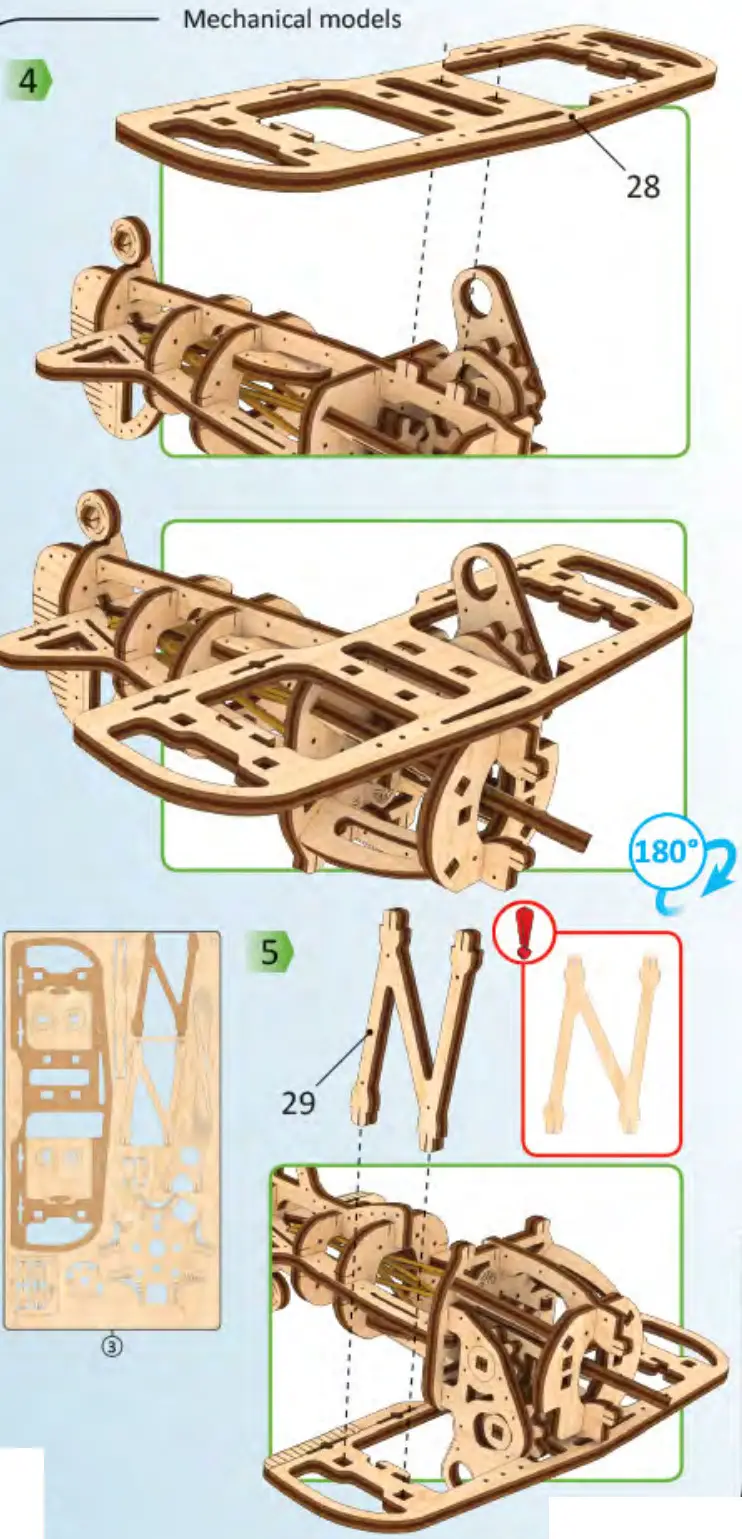
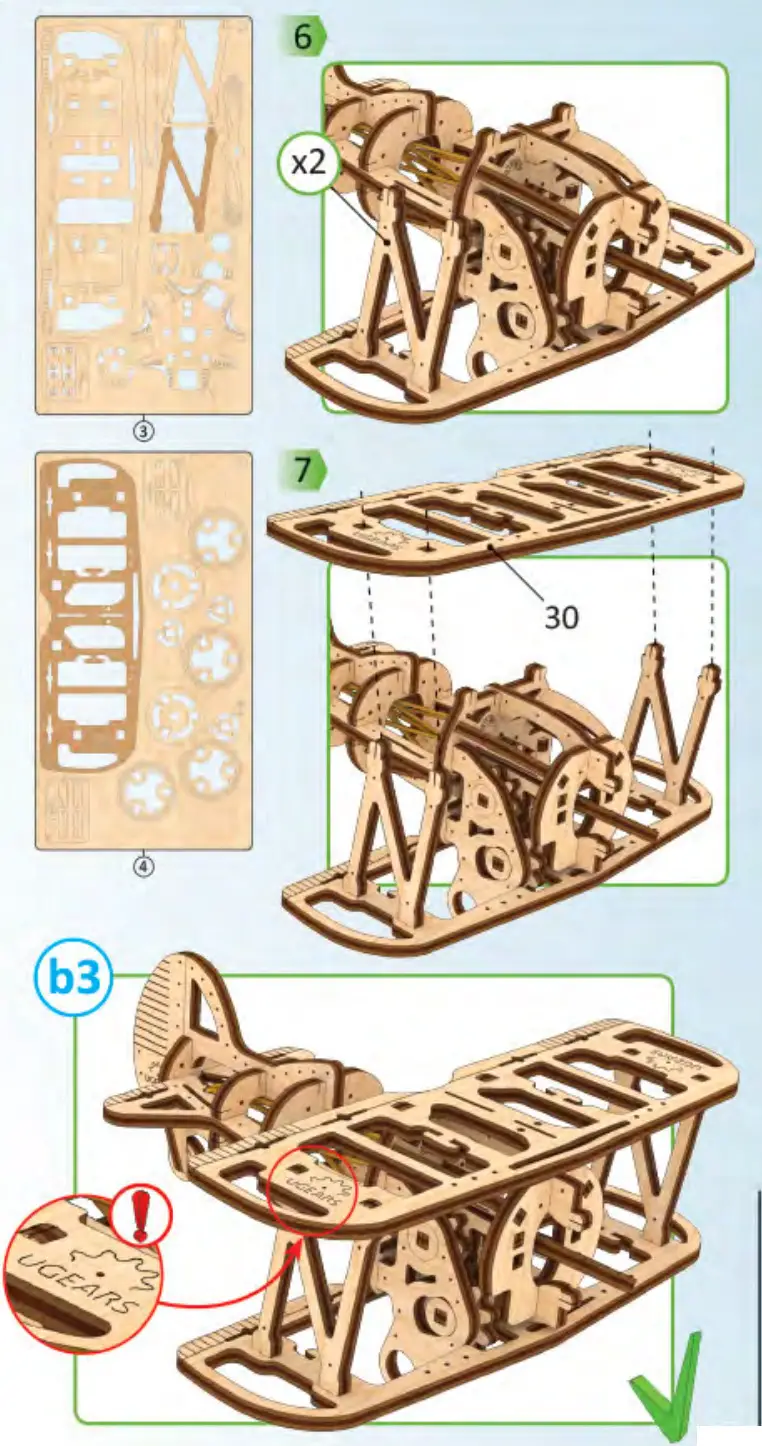
Assembly instructions:
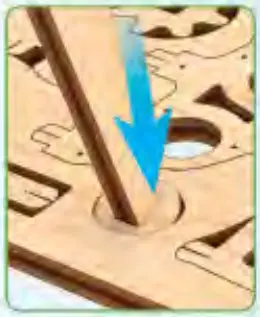
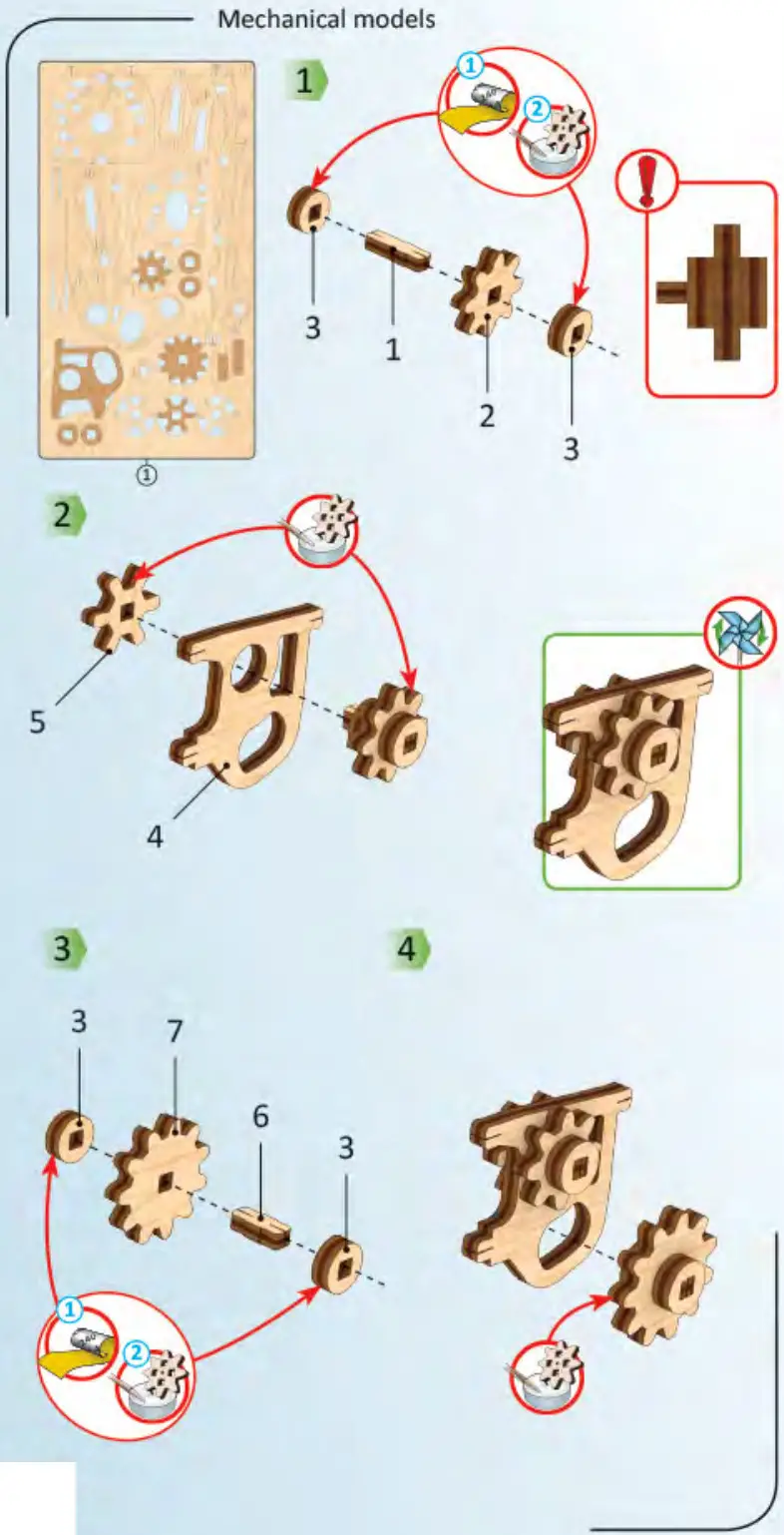
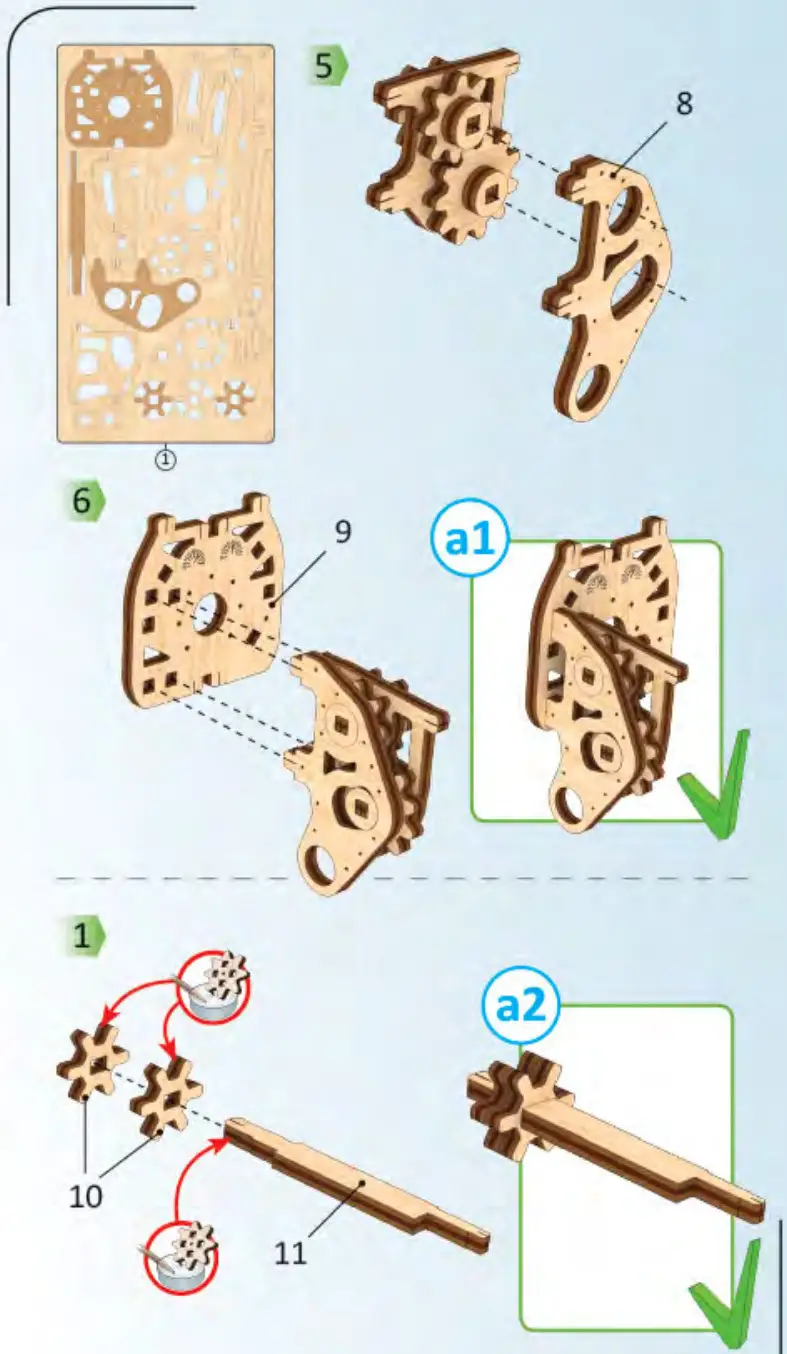
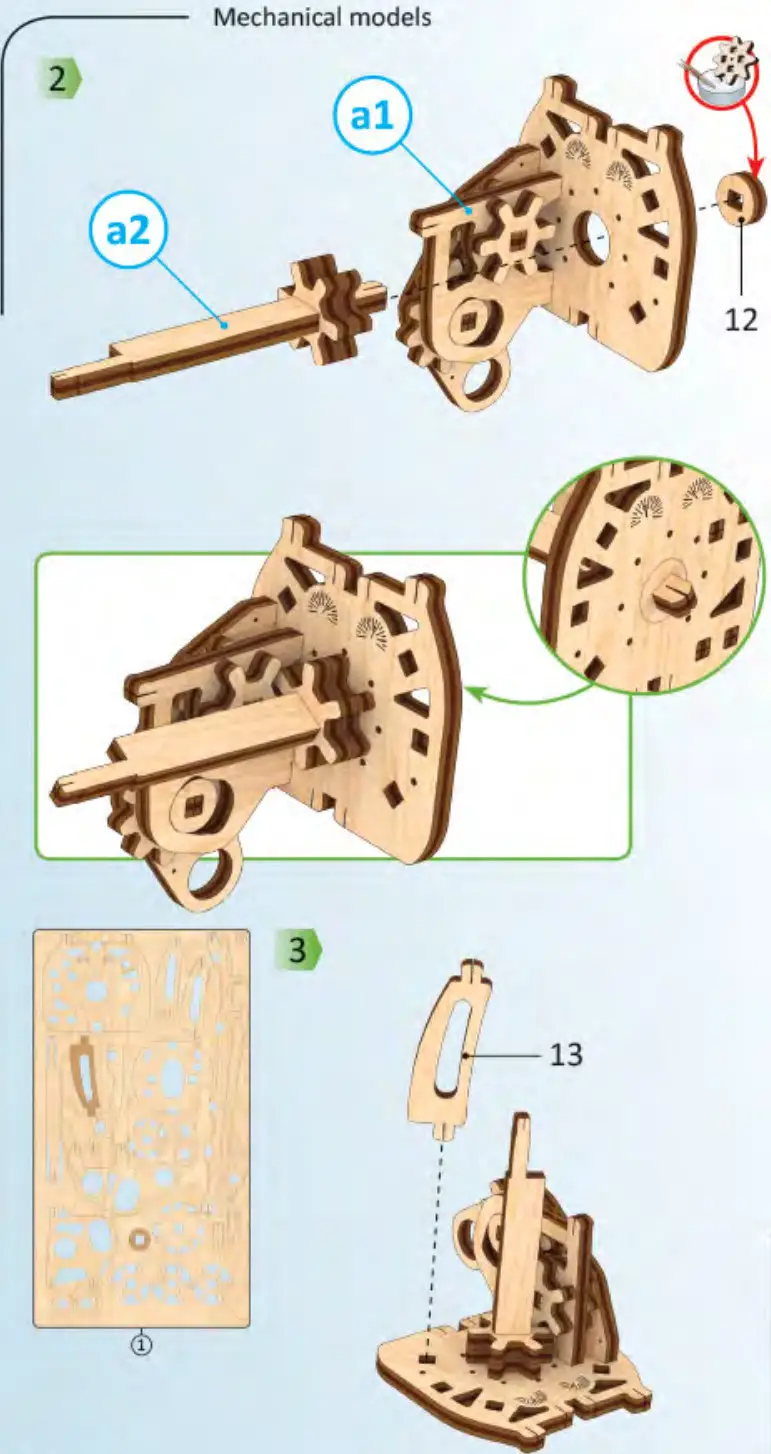
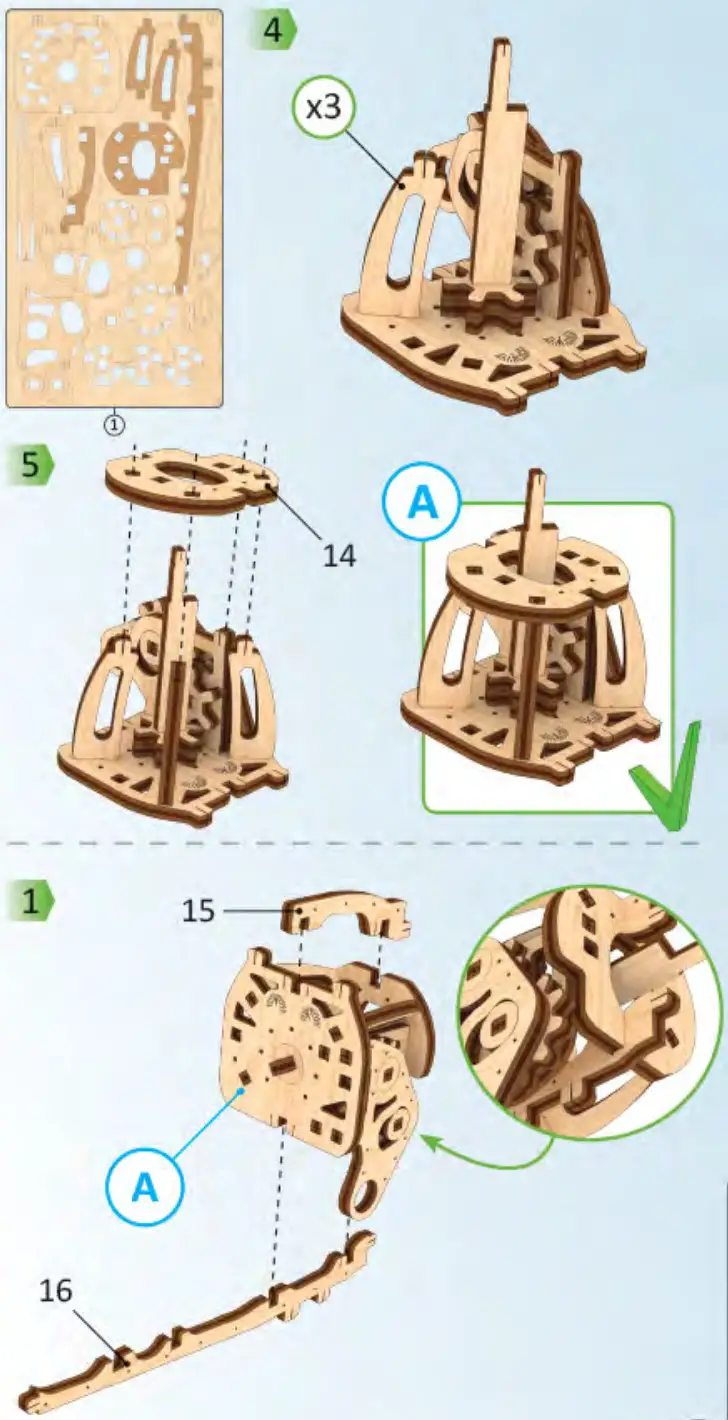
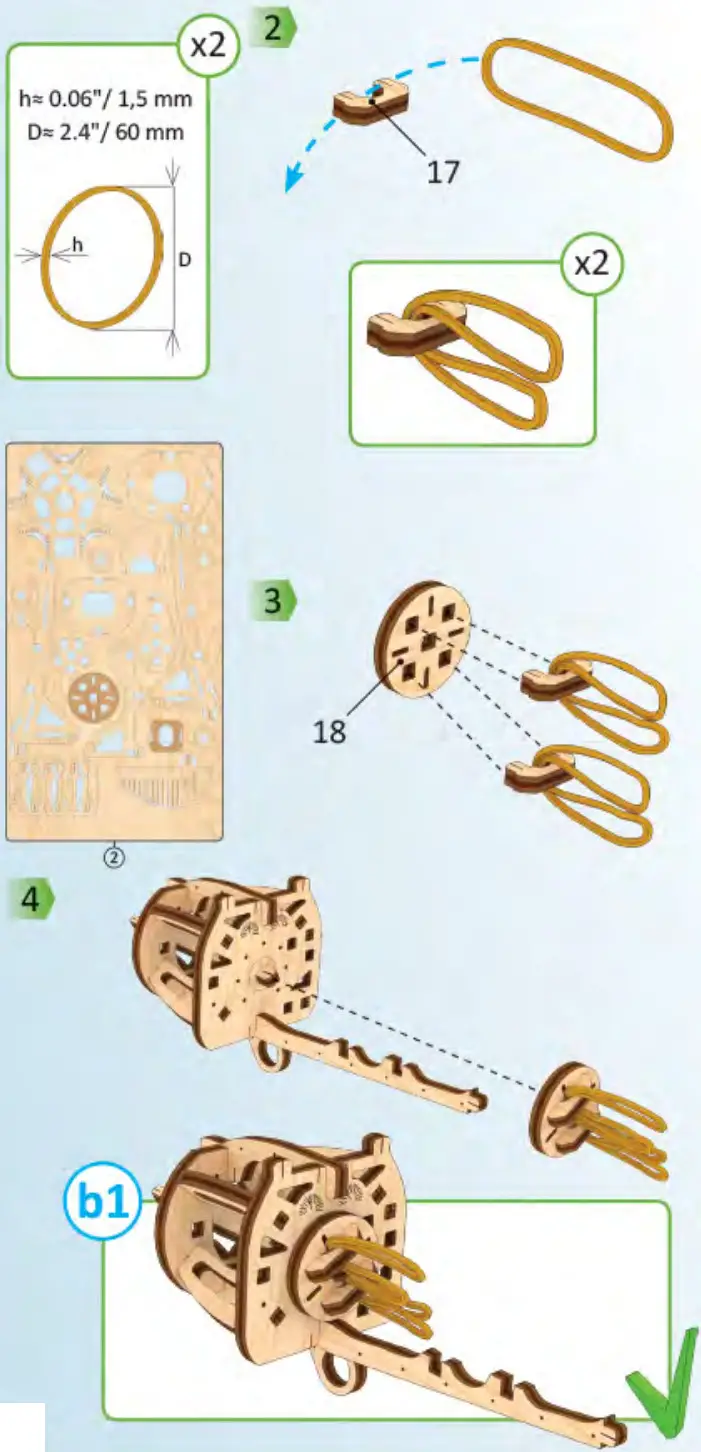
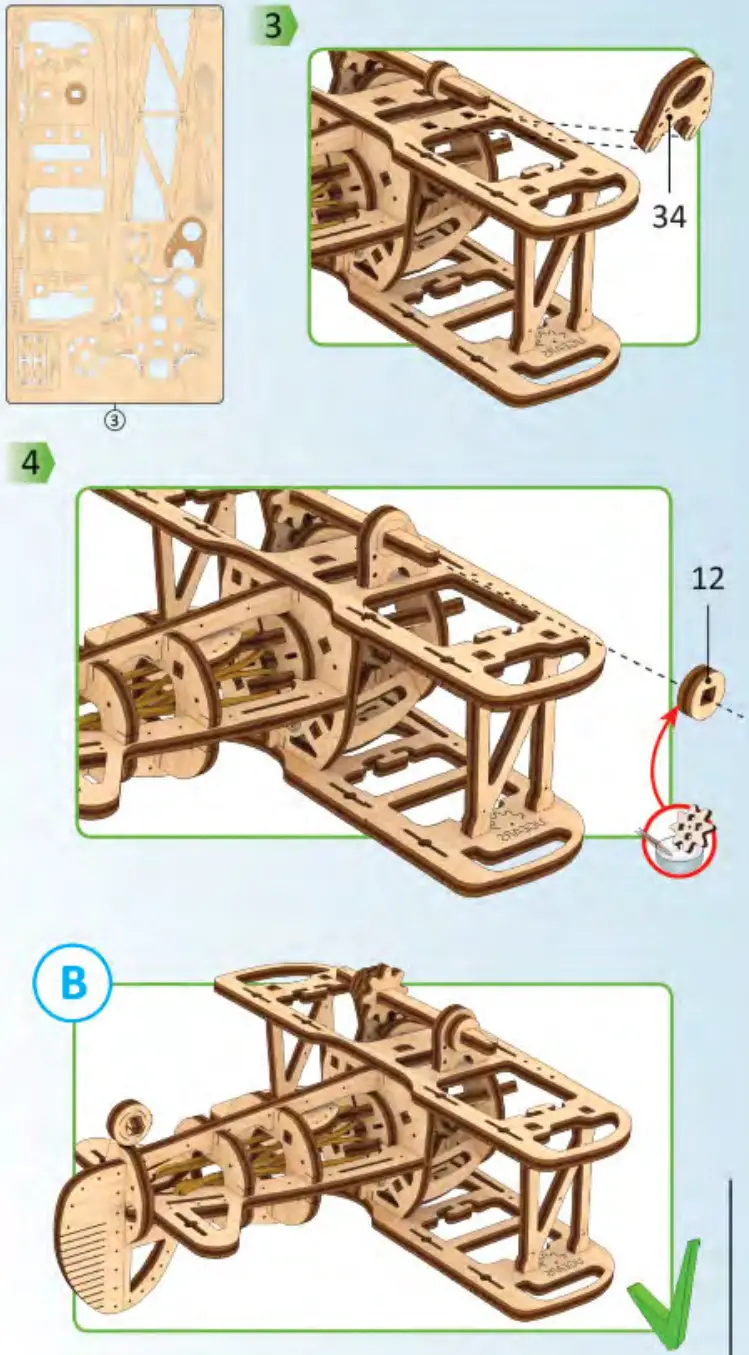
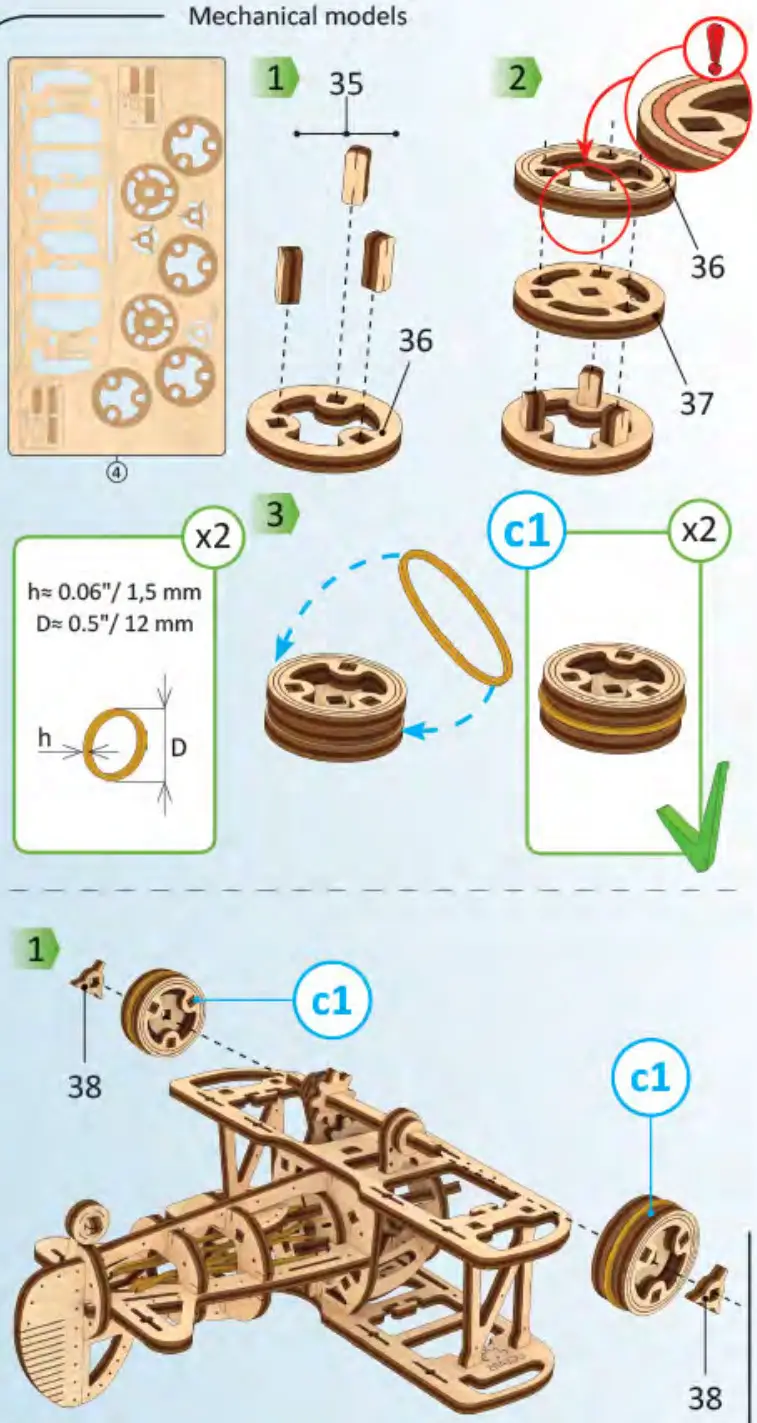
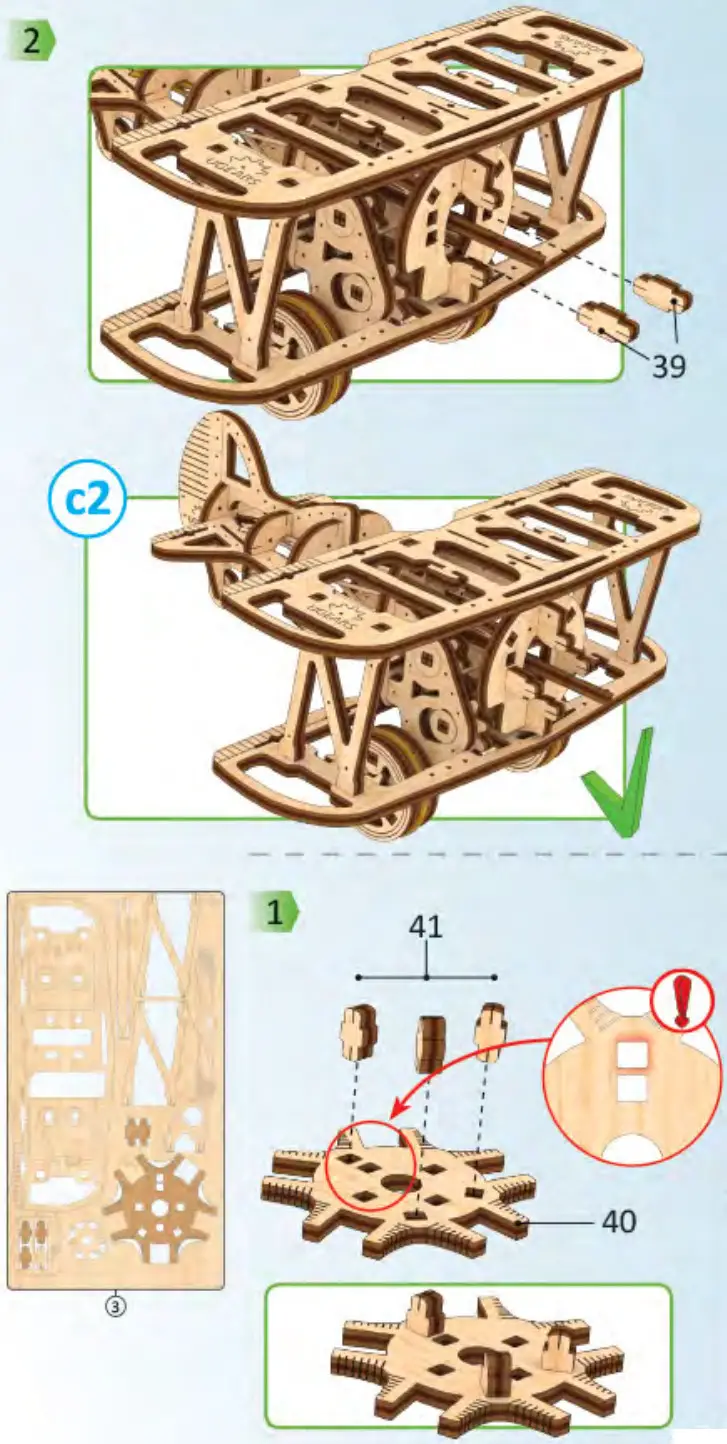
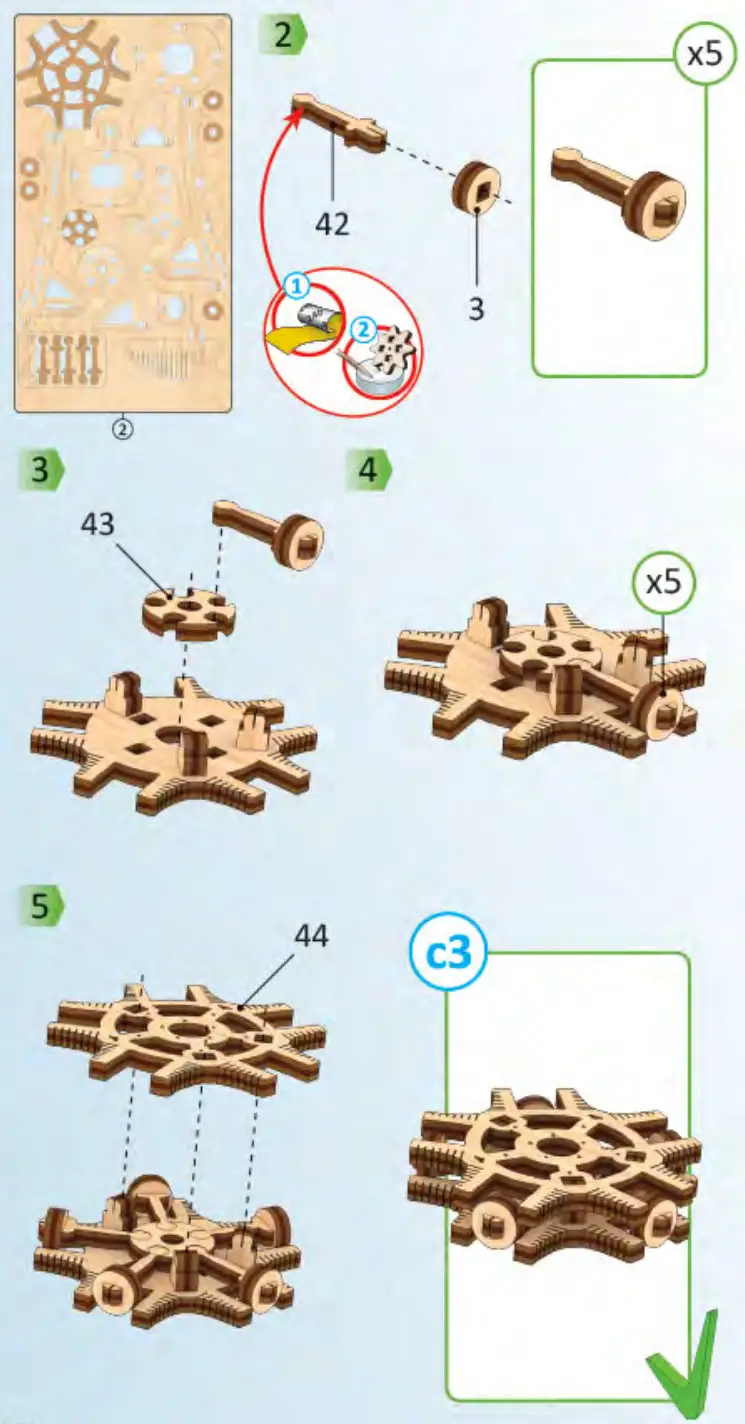
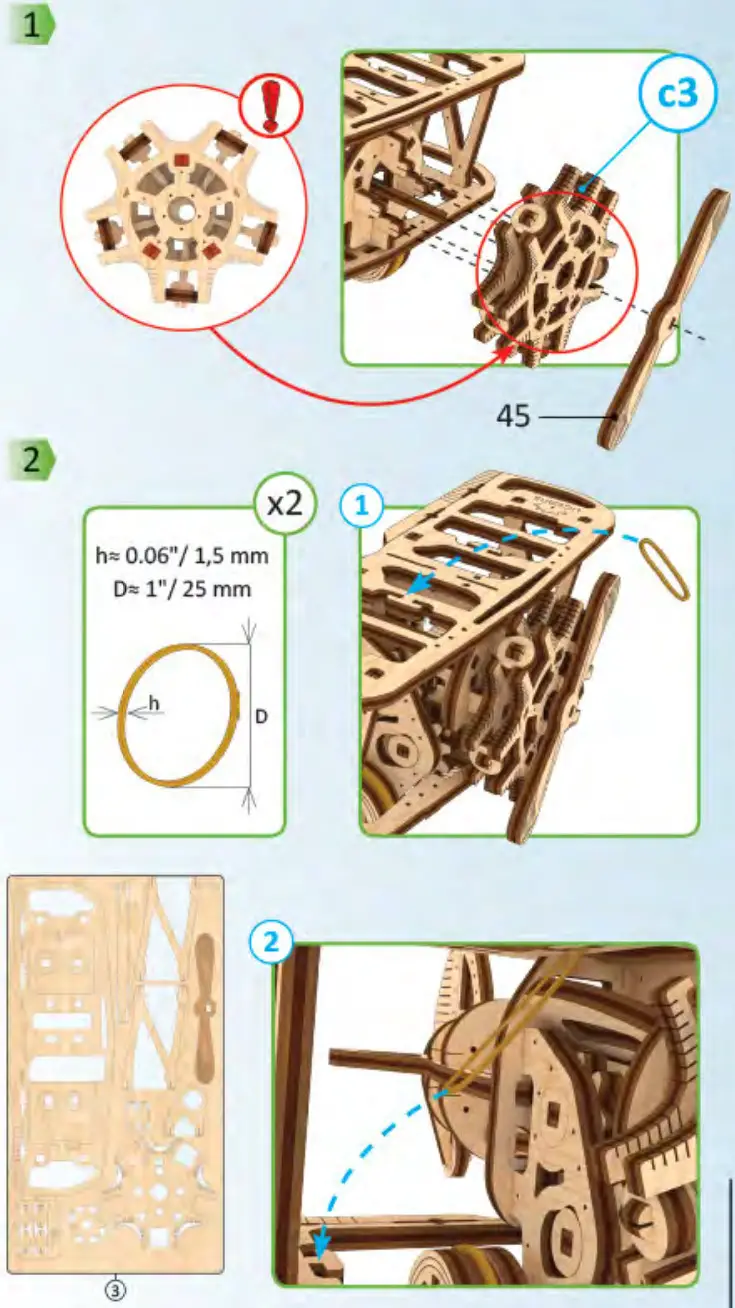
Remove model parts from the hanger board as illustrated below. Careful not to break parts. If a part does not remove easily, carefully cut it out with a knife. This model is intended for self-assembly without glue. If you have difficulty installing the axles, try waxing them with a regular candle. All moving parts can also be waxed during assembly to reduce friction when operating the model.
Customer support [email protected] Do not use a lighted candle!
Symbols.
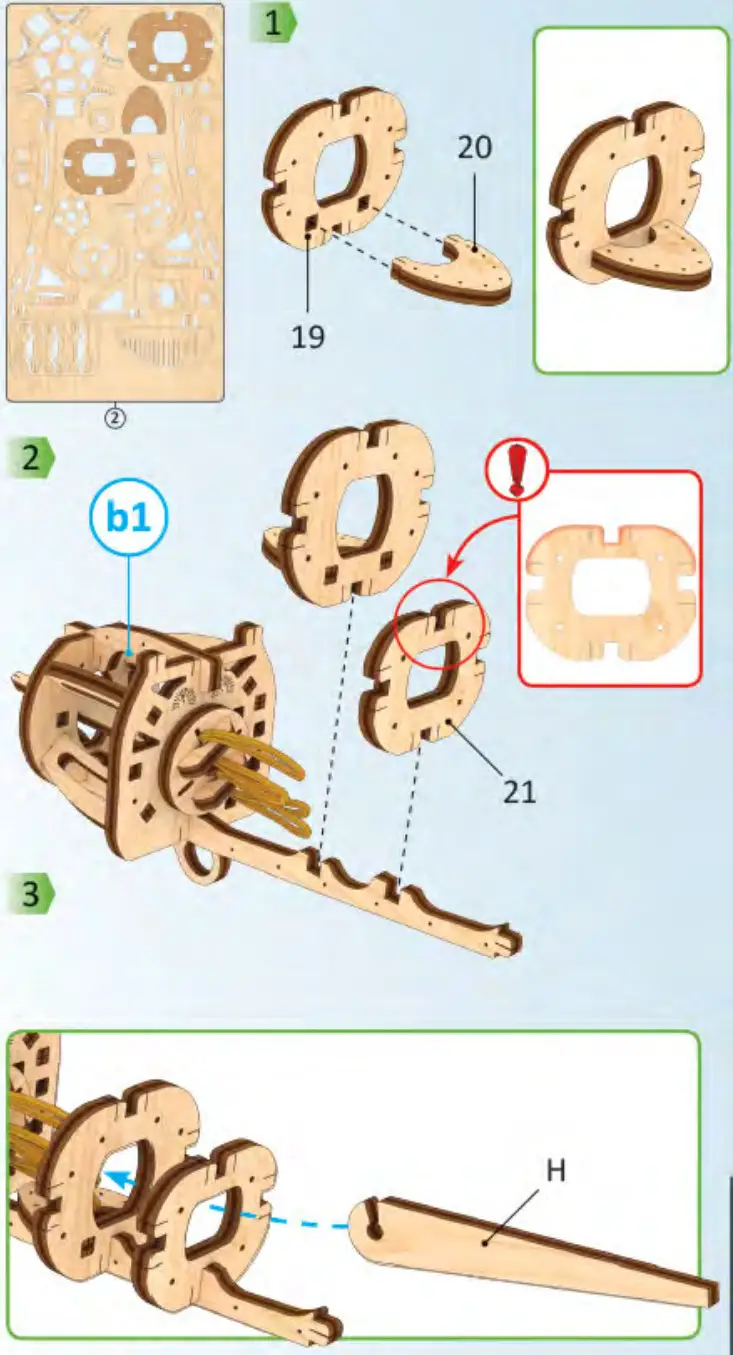
 Pay attention. Check position of the part.
 Sand to remove burrs.
 Wax the part with a regular candle (rub with a candle).
 Check the mechanism for smoothness and accuracy of movement. Operate the mechanism so the parts would seat-in.
 The part should be easily rotated (moved).
 Specified details come with spare duplicates.
  This is not a structural component; it is a tool for measurement and assembly.
 | 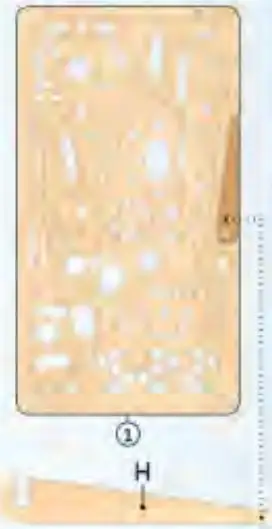 |
It’s easier to pull out some parts with the +(helper (H)>>. 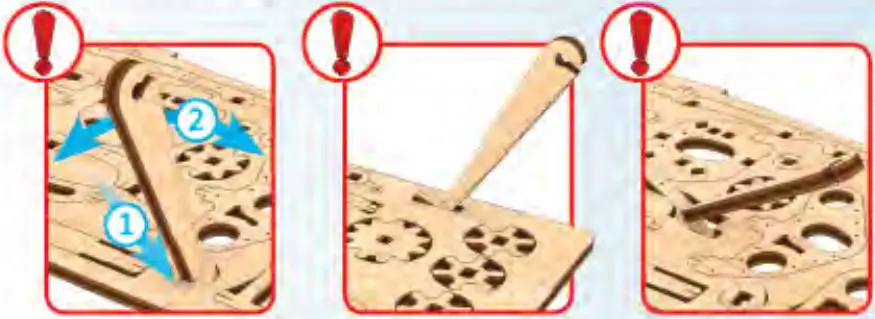
 |  |
 |  |
 |  |
 |  |
 |  |
 |  |
 |  |
 |  |
 |  |
 |  |
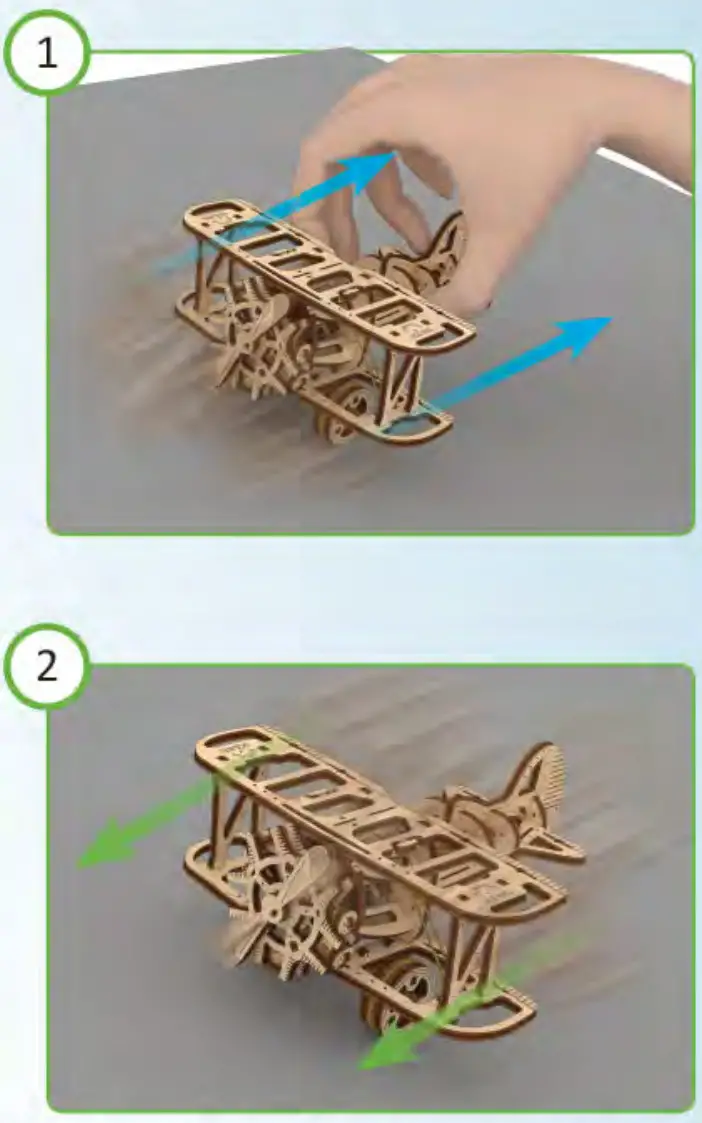 |
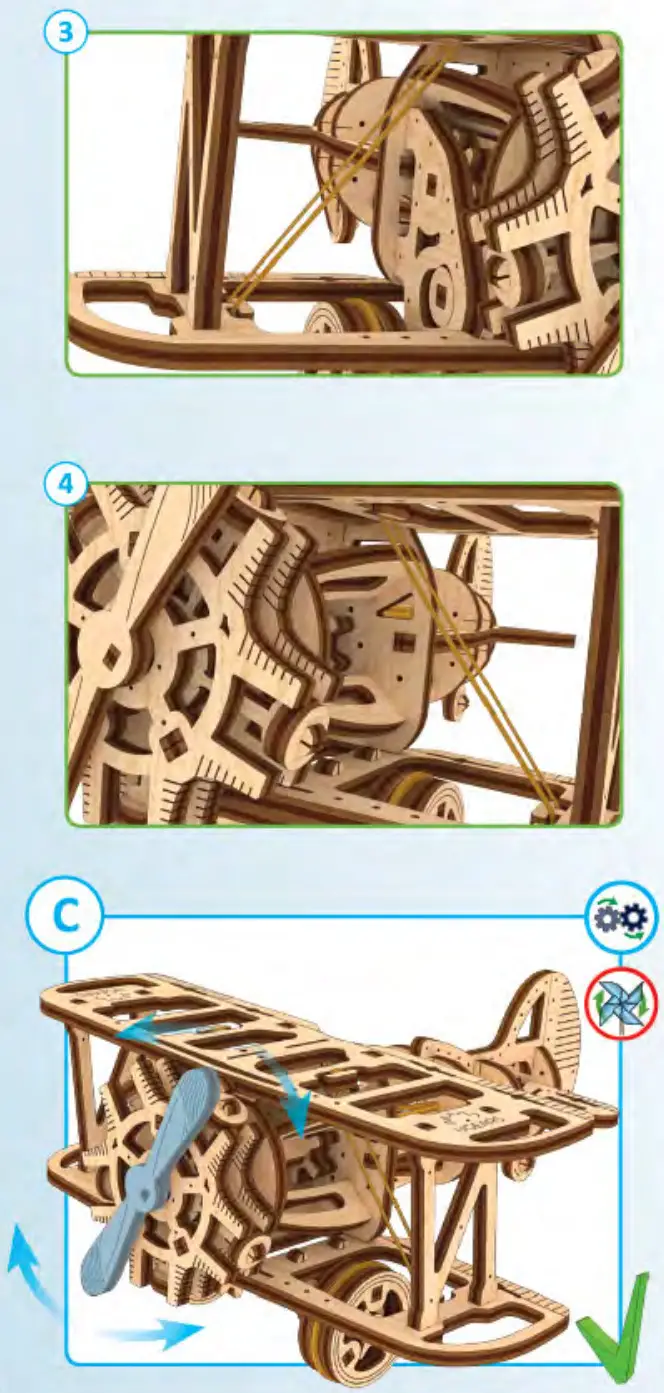
After stopping the engine, the model continues to move by inertia. 
 https://ugearsmodels.com/qr/mini-biplane.html?utm_source=scan-youtube&utm_medium=mini-biplane&utm_campaign=qr
Customer support
[email protected]
Thanks for following along on this journey with us.