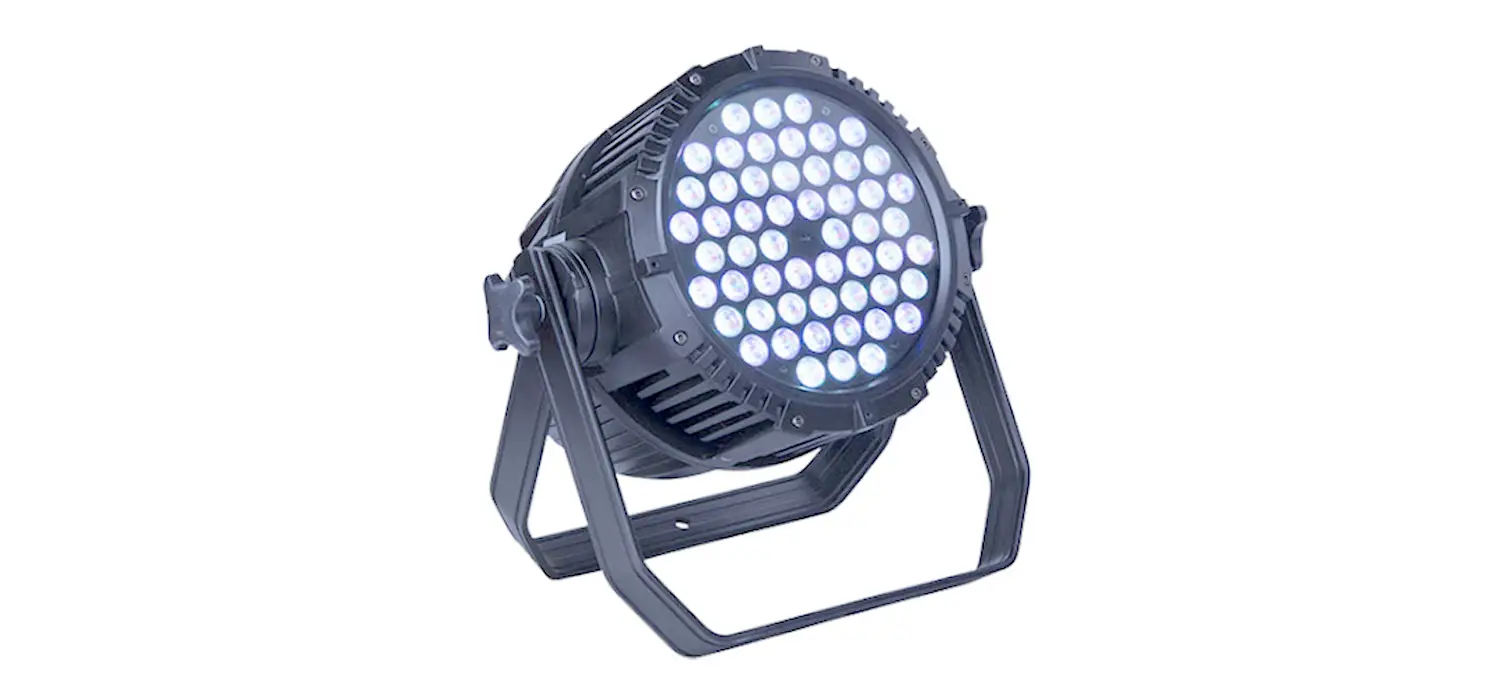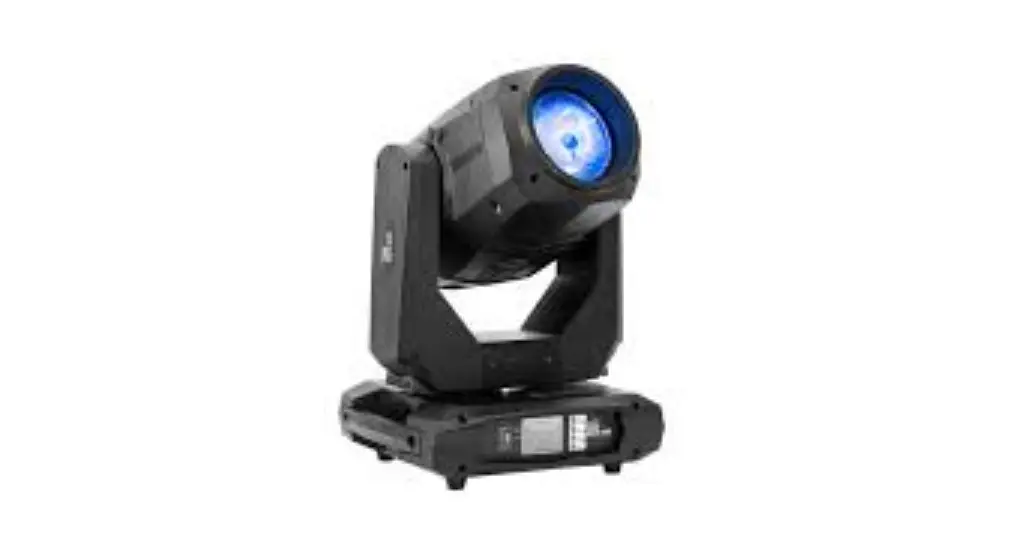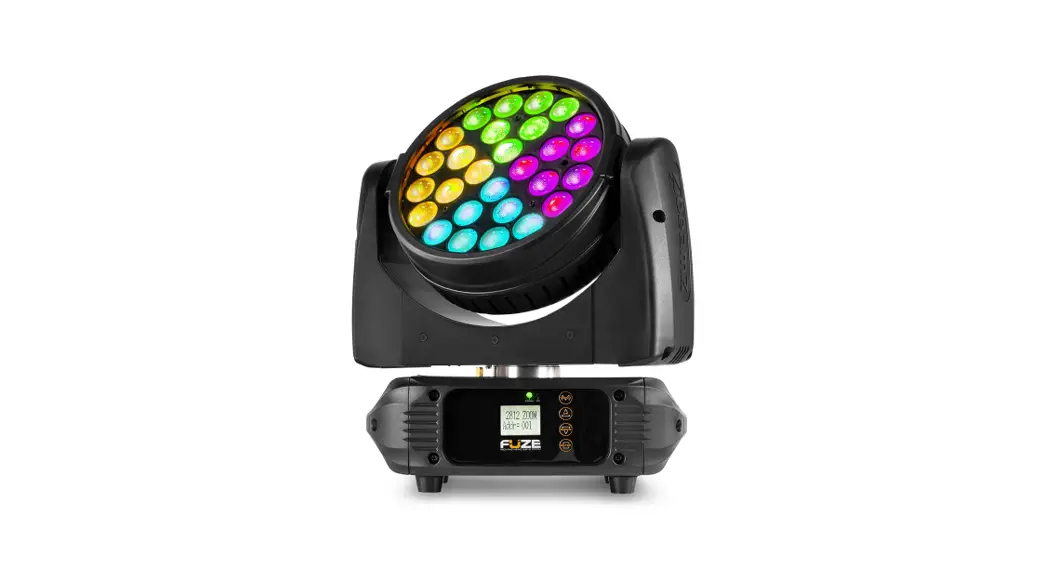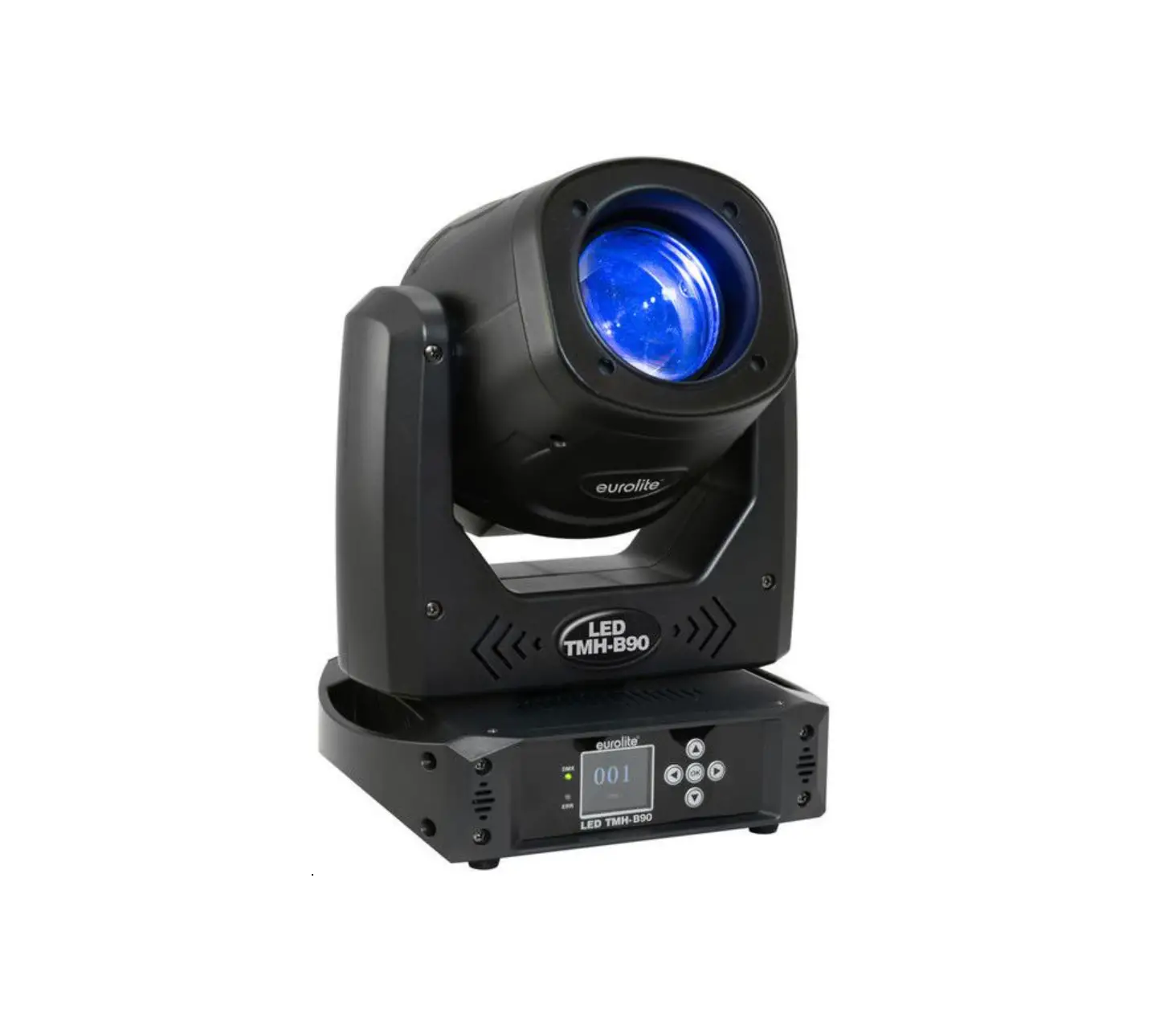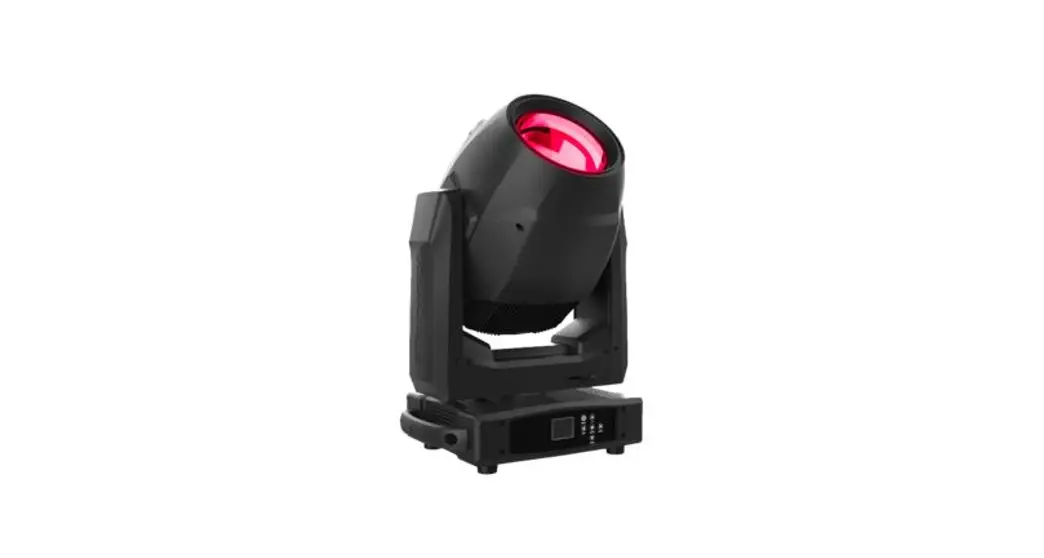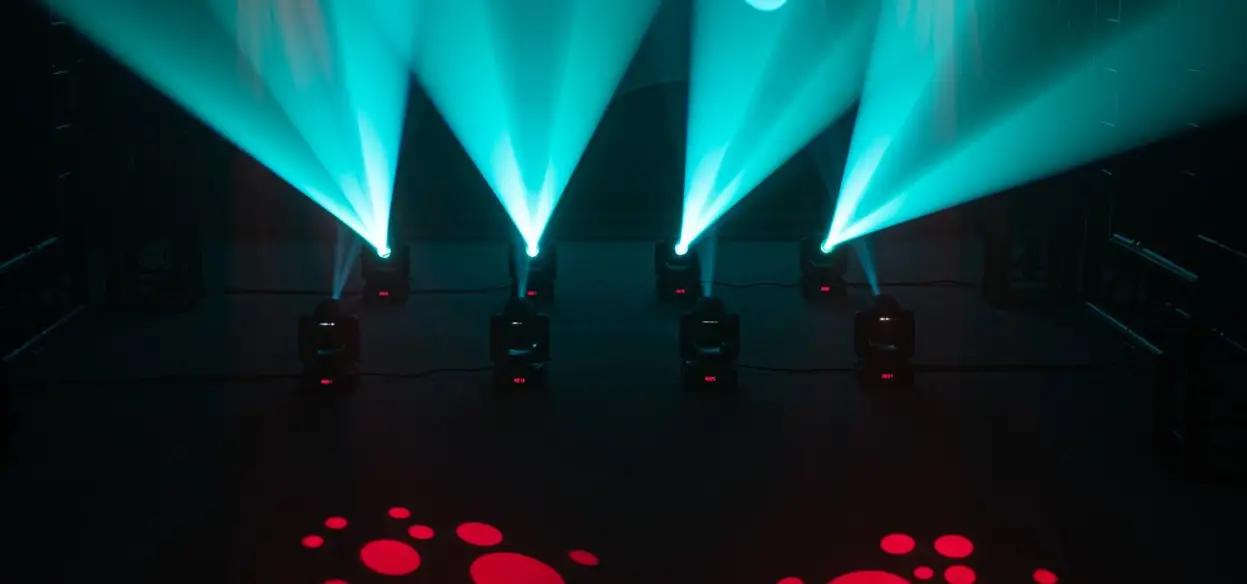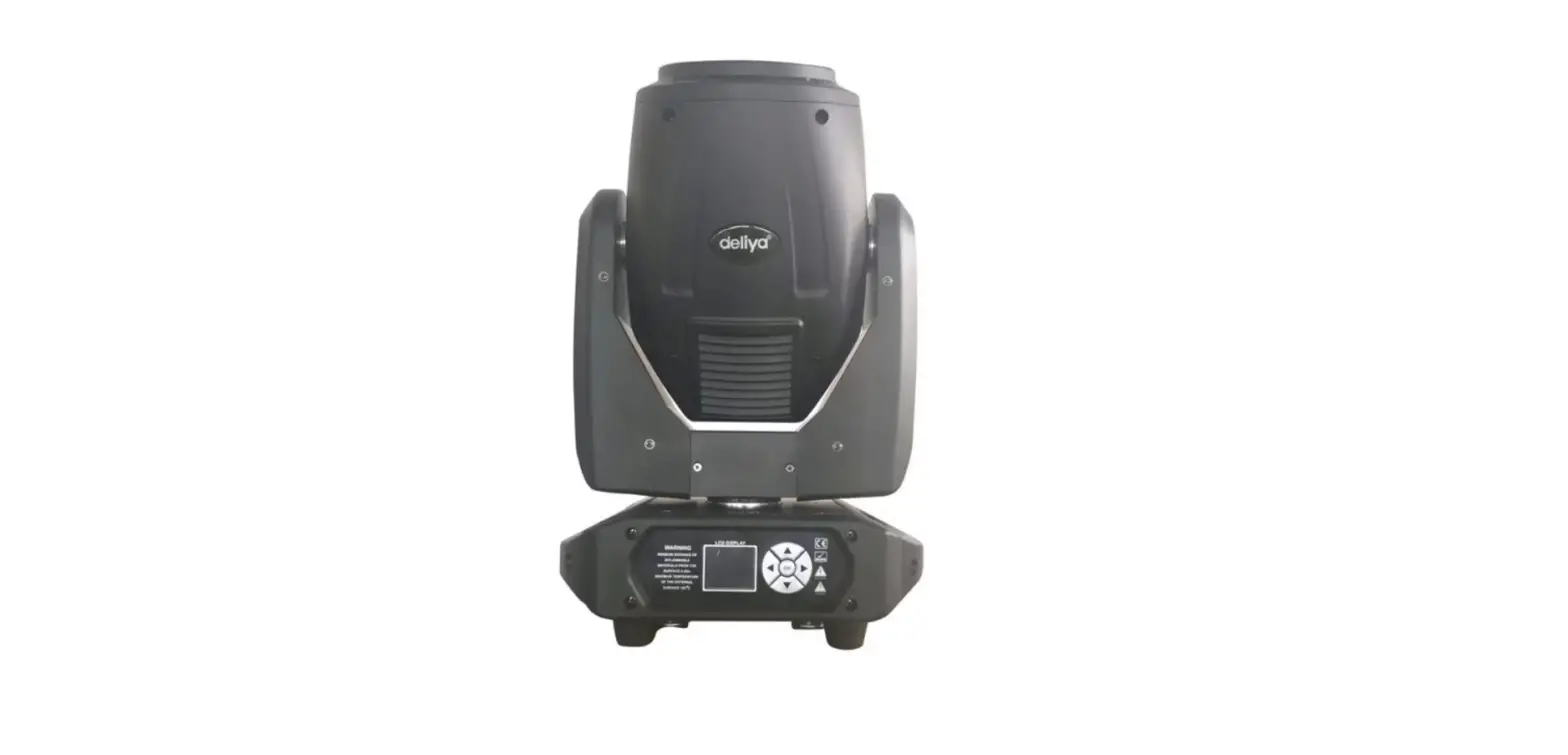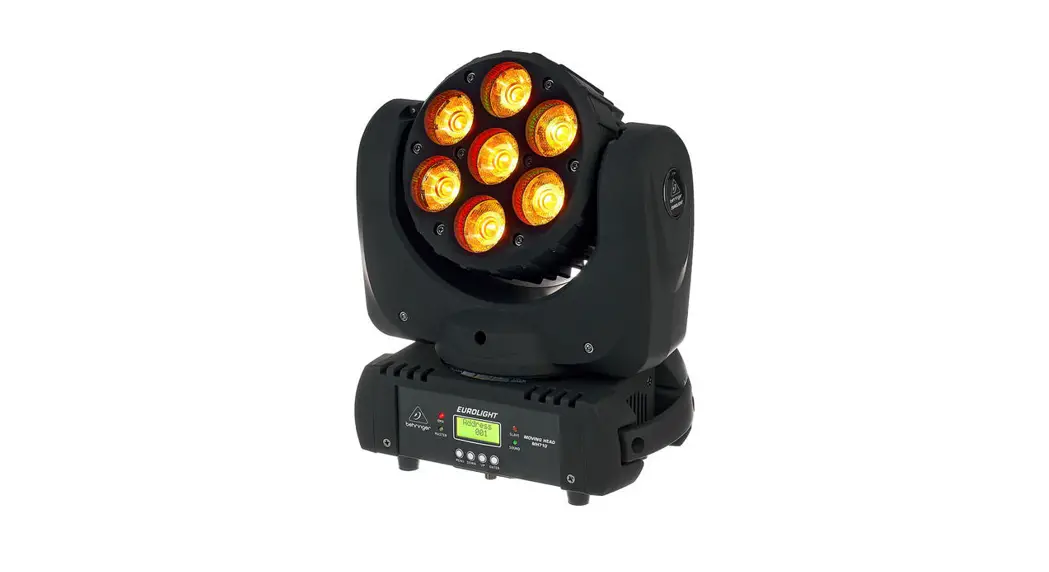
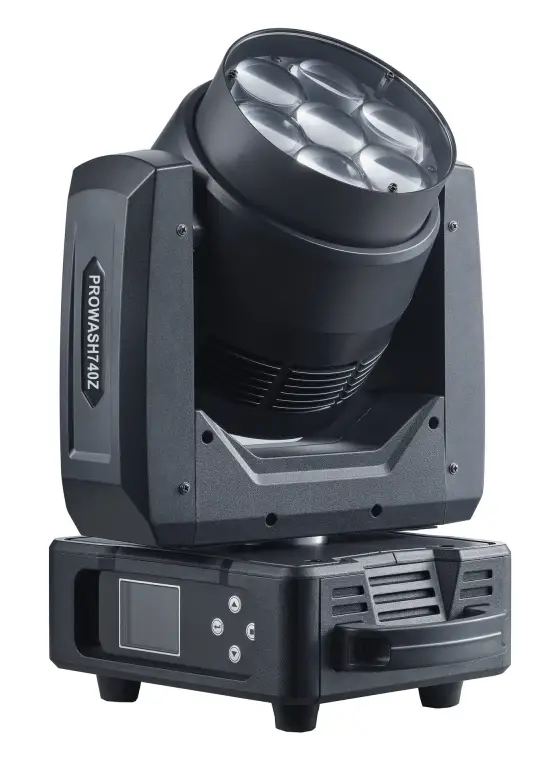
INVOLIGHT PROWASH740Z 3In1 Hybrid Moving Head Stage Light
Product Information
- Product Name: PROWASH740Z
- Product Type: Hybrid moving head 3 in1 Spot / Wash / Beam
- Version: 1.0
- Manufacturer: INVGROUP Germany GmbH
Product Usage Instructions
Congratulations on choosing the INVOLIGHT PROWASH740Z. This device is a professional hybrid moving head with the latest technology. To ensure the longevity of your PROWASH740Z, please read and follow these instructions carefully before operation.
- Ensure that this information sheet is available to all persons using the device.
- Locate the rating plate on the bottom of the product.
- Read all warnings and operating instructions carefully before using the unit. Keep this manual for future reference.
- This product is designed for protection class I and should only be operated with a socket that has protective contact. Use only the supplied power cord to connect. Do not modify the power cord or plug, and regularly check the insulation of the cable for damage.
- Failure to do so may result in electric shock, fire, or life-threatening situations. If you have any uncertainties, contact an authorized electrician.
- The device contains components that are subject to high electrical voltage. Do not modify or disassemble the unit as there are no user-serviceable components inside. Failure to comply may result in electric shock, fire, or life-threatening situations.
- The mains plug is the main disconnect element. Always unplug the power cord from the power source before opening or performing any maintenance on the device. Ensure that the power outlet is close to the unit and easily accessible.
Congratulation for choosing INVOLIGHT PROWASH740Z. With this device you become an owner of a professional hybrid moving head with our latest technology. In order to make your PROWASH740Z long lasting, please read these instructions carefully before operation. If you have any questions, please contact your local INVOLIGHT dealer.
Part 1: Warnings:
- Meaning of the safety symbols and signal words
- DANGER!
A combination of this signal word and a symbol indicates an imminently hazardous situation that leads to death or serious injury if not avoided. - WARNING!
A combination of this signal word and a symbol indicates an imminently hazardous situation that can lead to death or serious injury if not avoided. - CAUTION!
A combination of this signal word and a symbol indicates an imminently hazardous situation, which can lead to minor injuries if not avoided. - NOTE!
A combination of this signal word and a symbol indicates a directly dangerous situation, which can lead to material and environ-mental damage if not avoided.
- DANGER!
- Warning of a hazard.
- Warning of dangerous voltage.
- Earth before use.
- General prohibition sign.
- Disconnect the mains plug before opening.
Safety instructions
This information sheet contains important information of safety operation of the device. Ensure that this information is available to all persons using this device. The rating plate is located on the bottom of the product. Please read all warnings and operating instructions carefully before using this unit. Keep this manual for future ref-erence. Please follow all instructions in this manual.
- DANGER!
- Electric shock due to improper mains connection.
This product corresponds to the protection class I in its design and may only be operated at a socket with pro-tective contact. Use only the supplied power cord to connect. Do not modify the power cord or plug, and check the insulation of the cable regularly for damage. Failure to do so may result in electric shock, fire or life. In case of uncertainties, contact an authorized electrician.
- Electric shock due to improper mains connection.
- DANGER!
- Electric shock due to high voltages inside the device.
The device contains components that are subject to a high electrical voltage. Do not modify or disassemble the unit. There are no user-serviceable components inside the device. Failure to do so may result in electric shock, fire or life.
- Electric shock due to high voltages inside the device.
- NOTE!.
- Disconnection from the mains.
The mains plug is the main disconnect element. Unplug the power cord from the power source. Make sure that the power outlet is close to the unit and is easily accessible.
- Disconnection from the mains.
- WARNING!
- Operating conditions.
To avoid damage, do not expose the unit to liquids or moisture. If there is a suspicion that liquid may have pe-netrated into the device, the device must be immediately disconnected from the mains. This also applies if the unit is exposed to high humidity. Even if the device still seems to work, it must be checked by an expert whether the liquid penetration may have been impaired. Reduced insulation can cause fatal electric shocks. Avoid direct sunlight, strong dirt and strong vibrations.
- Operating conditions.
- WARNING!
- Eye injuries due to high light intensity.
Never look directly into the light source. A direct view into the beam can lead to retinal burns and must be avo-ided at all circumstances.
- Eye injuries due to high light intensity.
- Never look directly into the light source. A direct view into the beam can lead to retinal burns and must be avo-ided at all circumstances.
- Risk of epileptic seizure
Avoid long periods of continuous flashing and, in particular, flash frequencies between 10 and 20 flashes / se-cond, as epileptic seizures can be triggered in susceptible individuals (especially for epileptics)
- Risk of epileptic seizure
- NOTE!
- Risk of fire.
Never cover the unit or the ventilation slots. Do not mount the unit directly next to a heat source. Keep the devi-ce away from the fire and heat.
- Risk of fire.
- WARNING!
- Do not leave the packaging material careless. Plastic films, Styrofoam parts etc. could be a dangerous toy for children!
Intended use.
The INVOLIGHT “PROWASH740Z” is a light unit with colored light effects. It was developed and designed for pro-fessional use in the field of event technology – exclusively indoors. The device may only be used by persons with sufficient physical, sensory and mental abilities as well as the appropriate knowledge and experience. Other per-sons may only use the device if they are supervised or instructed by a person responsible for their safety. The device is only approved for AC power, 100-240Volt and 50 / 60Hz power supply. Light effect devices such as “PROWASH740Z” are sensitive and technically advanced devices that must be han-dled with care. Therefore, avoid shocks and violence during assembly / disassembly and the use of the device. Install “PROWASH740Z” only in places that are protected from dust, moisture and excessive heat. The approved operating temperature must be in the range -5 ° to + 40 ° Celsius and the relative humidity must not exceed 50% (at + 45 °)! Direct sunlight should be avoided during use and during transport. In the interests of your own safety and those of others, make sure that there are no cables around. During thunderstorms, the device must be disconnected from the power supply! Moving heads are generally to be secured with an approved safety rope when suspended! “PROWASH740Z” is designed only for professional use, if you are familiar with the functions and are familiar with the operation. Only allow other people to work with the device if you are sure they are familiar with the features as well. In most cases, malfunctions are a consequence of a previous maloperation. Damage resulting from failure to comply with the intended use and instructions given in this manual will void the warranty and may result in consequences such as short-circuit, fire, electric shock, or dropping the device (s). Unauthorized changes to the device are prohibited for security reasons. The manufacturer is not liable for damage caused by improper installation and insufficient security!
Part 2: Installation.
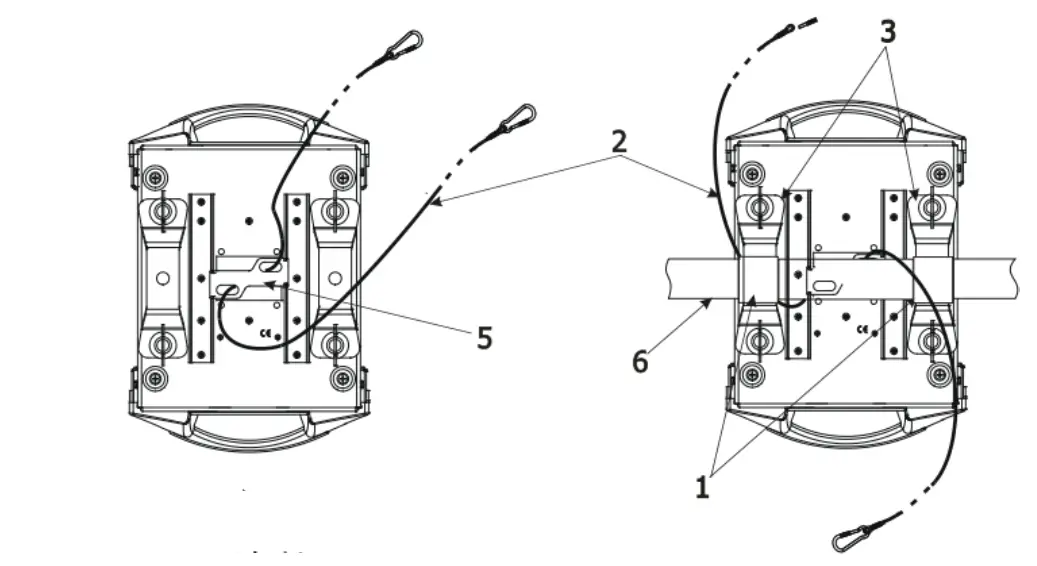
Unpack the device and carefully check for damages before using it. Place the unit in a suitable place or hang it on a suitable crossbar. For suspended installation, the device must be secured with an approved safety rope. In addi-tion, the mounting bracket must be screwed with the enclosed screws and tightened! Then connect the device to the mains and, if necessary, connect a DMX cable and connect it to other devices or a DMX controller. More about DMX or Master / Slave operation also in part 3 and 4.
During installation, provisions of the BGV C1 (formerly VBG 70) and DIN 15560 must be observed! Autho-rized specialists may only carry out the installation!
IMPORTANT! Overhead mounting requires a lot of experience. This includes knowledge of the load bearing capac-ity, the installation material used and the safety inspections of the material and the projector used, but the required experience is not limited to this. If you do not have the appropriate qualification. Instead, commission a professional installer. Incorrect installation may result in personal injury and / or damage to property.
- NOTE!
Possible damage due to movement of the device.- Make sure there is enough room around the device for the movement of the head (pan, tilt).
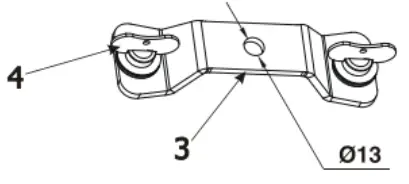
- Clamps
- Safety wire
- Omega holder
- Quick-lock fastener
- Attachment point
- Truss


Part 4. Functions and operations.
Navigation in the Menu:
Using the buttons or touch screen, you can easily and quickly set the address code and functions code. If you want to view or modify the lighting feature set, press the ENTER button to access the menu inter-face. The main menu has corresponding sub-menus for each functional operation. Each menu represents specific features of the lamp. The table below shows the specific contents of each menu. To set or browse the lighting function, use the UP or DOWN button. Press ENTER to save your changes or enter the submenu. Press UP or DOWN to change the numerical value. Press the MODE button to return to the menu. The menu interface will automatically exit and the screen will close after 0 to 10 minutes.Display Operation
In the main interface, press the “MODE” button to view the software version. Use the “UP” and “DOWN” buttons to modify the DMX address. Click on the icon in the main interface to view numerical settings and related information of the lamps. If there are any error messages represented by symbols like “ ”, you can click on them to view and control the information content and make modifications to the lamps.
Device description

4.3-pin XLR female 5.3-pin XLR male
- display
- power in
- power out
- ESC button
- UP button
- DOWN button
- ENTER button

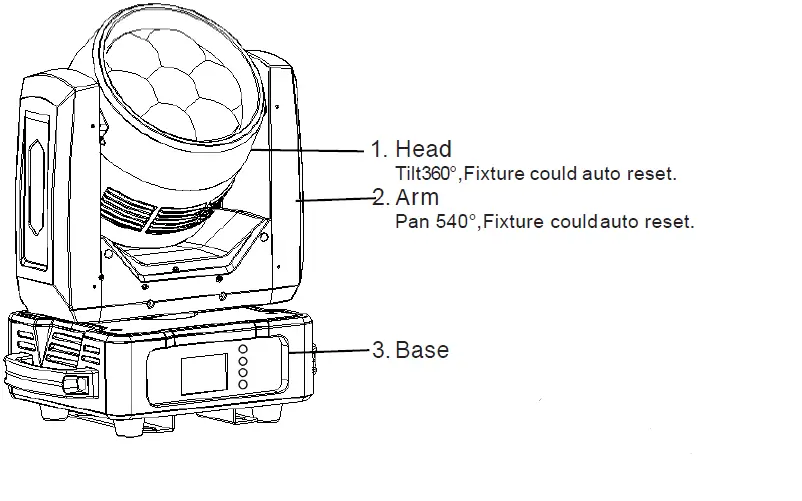
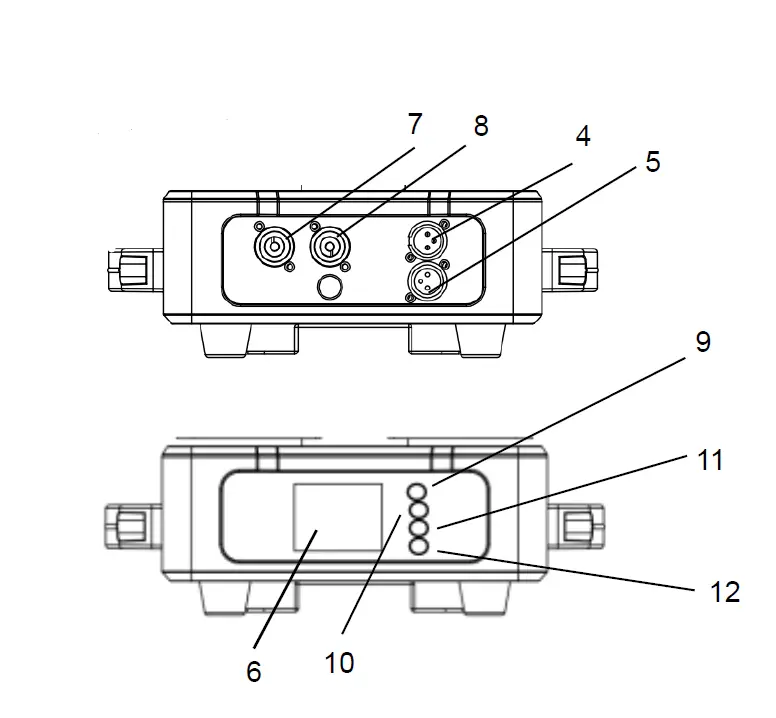
When changing the fuse, always disconnect the mains plug and only use the specified fuse types!
Connections in DMX mode „DMX“: 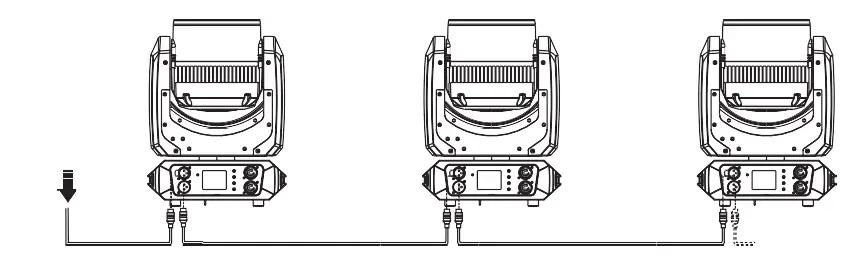
From a cable length of 300m or to 32 connected DMX devices, the signal should be amplified by a DMX splitter / repeater (eg Involight DMXS4, DMXS6 or DMXS8) to ensure error-free data transmission.
IMPORTANT: The last device in a DMX chain should have a terminator connected to terminate the chain. DMX terminators are commercially available, but can also be built yourself. A 120 ohm resistor must be soldered in an XLR plug between the two poles (+ and -).
DMX connectors: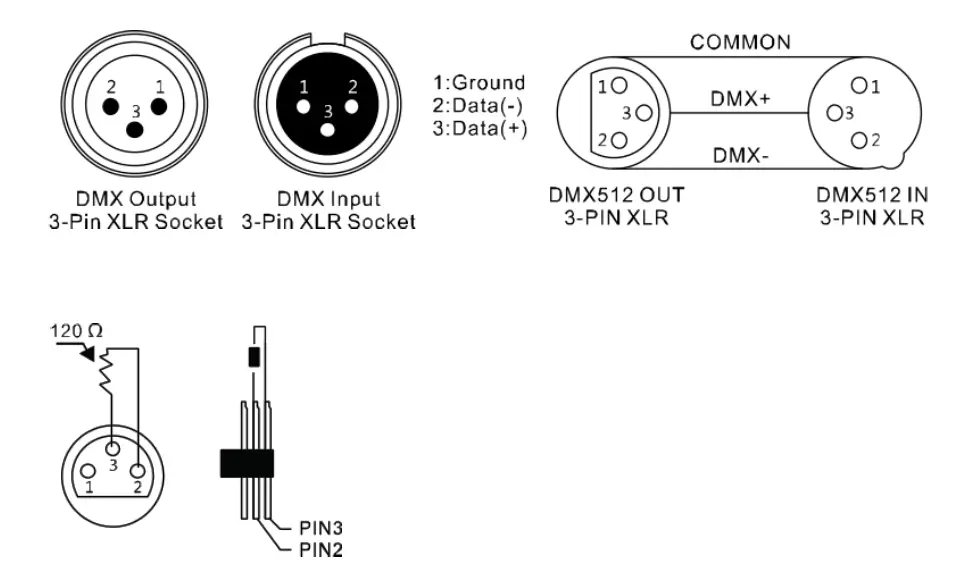
MASTER-SLAVE mode:
When you configure a group of devices in the “Master / Slave” mode, the first device controls the others and allows an automatic or music-controlled and synchronized show. This feature is especially useful for starting a show with-out great programming. Connect the DMX output of the master device to the DMX input of the first slave device. Then, connect the DMX output of the first slave device to the DMX input of the second slave device, and so on.
STAND-ALONE mode:
A PROWASH740Z can also be used in stand-alone mode without a DMX controller. Disconnect PROWASH740Z from the controller and call the pre programmed program.
Part DMX-Assignment.
A PROWASH740Z has 16 és 23 channel modes.
NOTE: Basic knowledge of the DMX512 control standard is required so that the device can be operated and programmed correctly with a DMX controller
No response to the DMX controller:
Check the DMX connectors and cables for correct connection. Check the address settings and the DMX polarity. Check whether the DMX cables are near or next to high voltage cables. Try another DMX controller. If the instructions given here do not lead to success, please contact your specialist dealer.
Part 7. Maintenance.
Cleaning and maintenance:
It is essential that you clean the projector at regular intervals. Disconnect the device from the mains before mainte-nance work! The objective lens should be cleaned on a weekly basis, since fog fluid residues settle very quickly, which consid-erably reduce the light output of the device.
Clean the fan monthly.
Maintenance and service work is reserved exclusively for authorized specialist personnel!
Part 8. Technical specifications
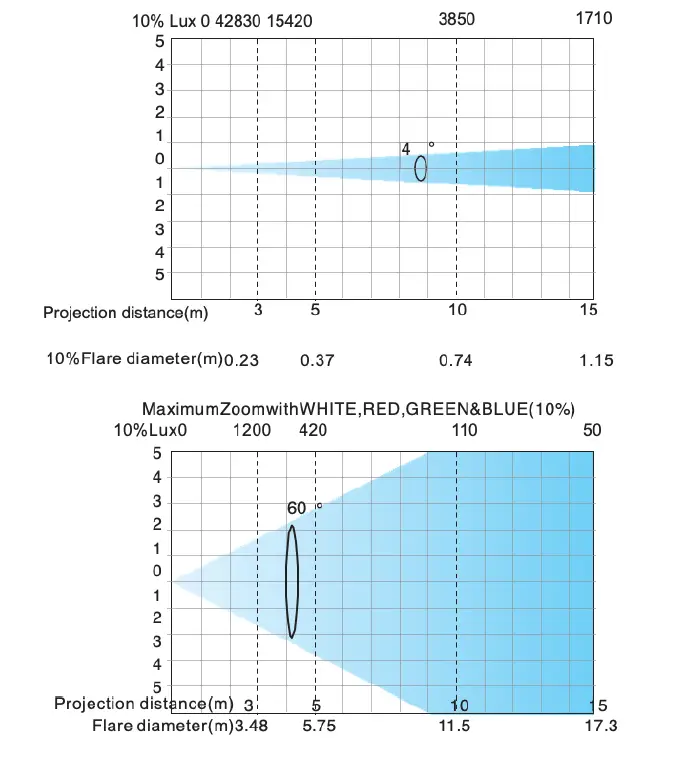
Error codes:
Part 9. Environmental protection.
To all residents of the European Union:
This product is subject to European Directive 2002/96 / EC. Dispose of your old device not with normal household waste.
 This symbol on the product or on the packaging indicates that disposal of this product can damage the environment after its life cycle. Do not dispose of the unit (or used batteries) as unsorted household waste. The unit or used batteries must be disposed of by a specialized company for recycling. This unit must be returned to the dealer or a local recycling company. Respect local environmental regulations.
If in doubt, contact your local authority for disposal instructions.
WEEE-Reg.-Nr. Deutschland: DE91898274
Part 10. WARRANTY:
INVOLIGHT devices are subject to the valid legal warranty provisions. Check with your dealer for the valid warranty conditions.
The following conditions apply when purchasing an INVOLIGHT product: Only authorized dealers determined by INVOLIGHT may carry out repairs to INVOLIGHT devices. The warranty claim expires if an unauthorized service, technician or a private person undertakes a repair attempt or opens the device. Equipment which has a defect within the warranty period may be returned to the authorized seller for the purpose of repair or replacement. In the case of a necessary repair or exchange, please clarify the exact sequence for the return shipment with the seller. If applicable, consult the seller’s general terms and conditions for information on warranty procedures. Wear parts are only taken into consideration by the warranty, if these have a defect al-ready when the device is delivered. The guarantee claim does not exist if the device has been destroyed by itself (eg camber or overvoltage). Mechanical defects such as broken switches or housing parts are also excluded from the warranty claim. For any service or repair, please contact the dealer where the device was purchased. He will help you as much as possible.
Stand: 04 / 2020 – Technical and optical changes within the framework of the product improvement are reserved – even without prior notice.
No liability is assumed for printing errors and resulting errors. If in doubt, consult your INVOLIGHT dealer!
Part 11. Declaration of conformity.
The devices marketed by INVGroup Germany GmbH comply with the essential requirements and other relevant specifications of the directives EMC Directive 2014/30 / EU and LVD Directive 2014/35 / EU
PROWASH740Z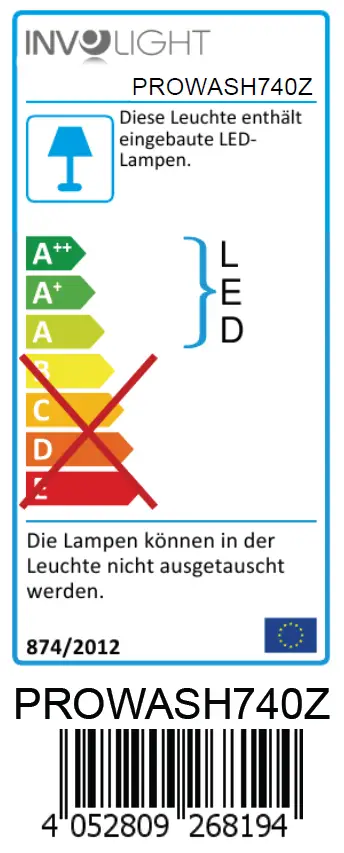 Bestellnummer: A-000000-06082
www.involight.com
 Involight