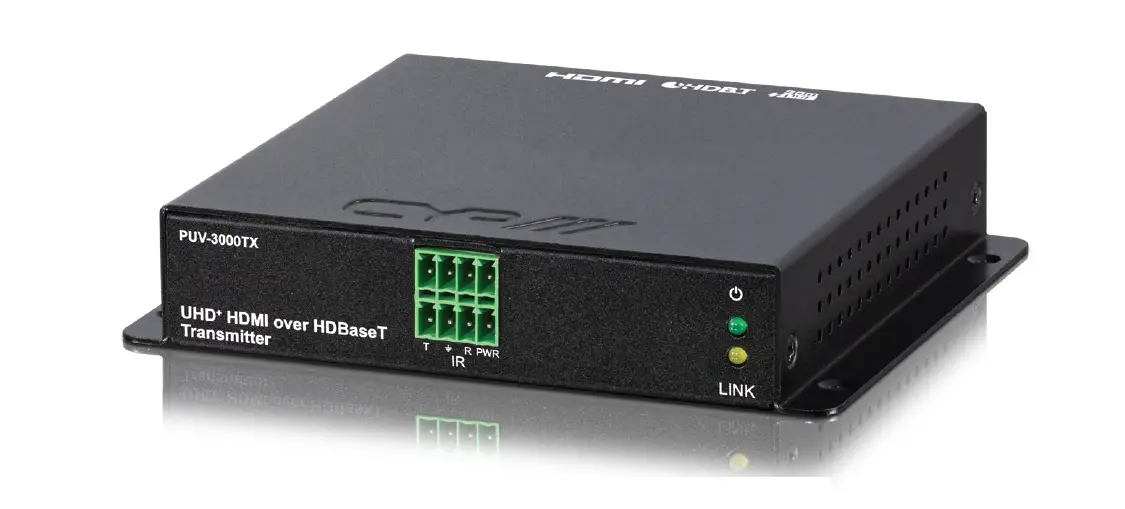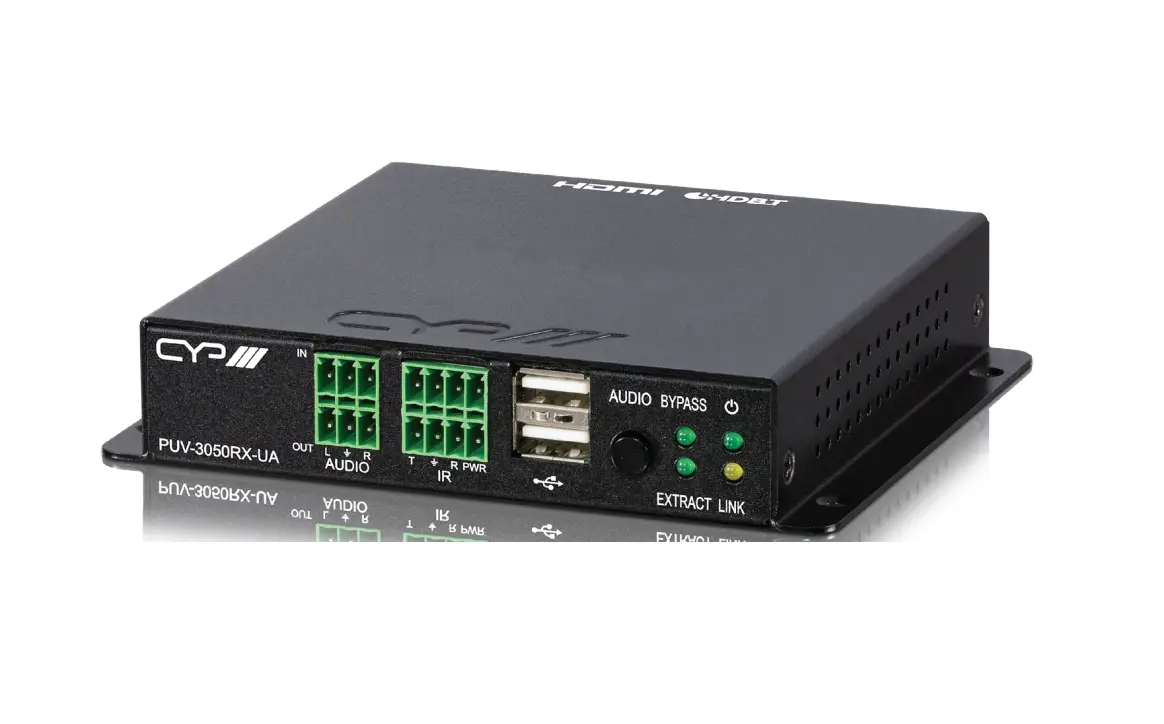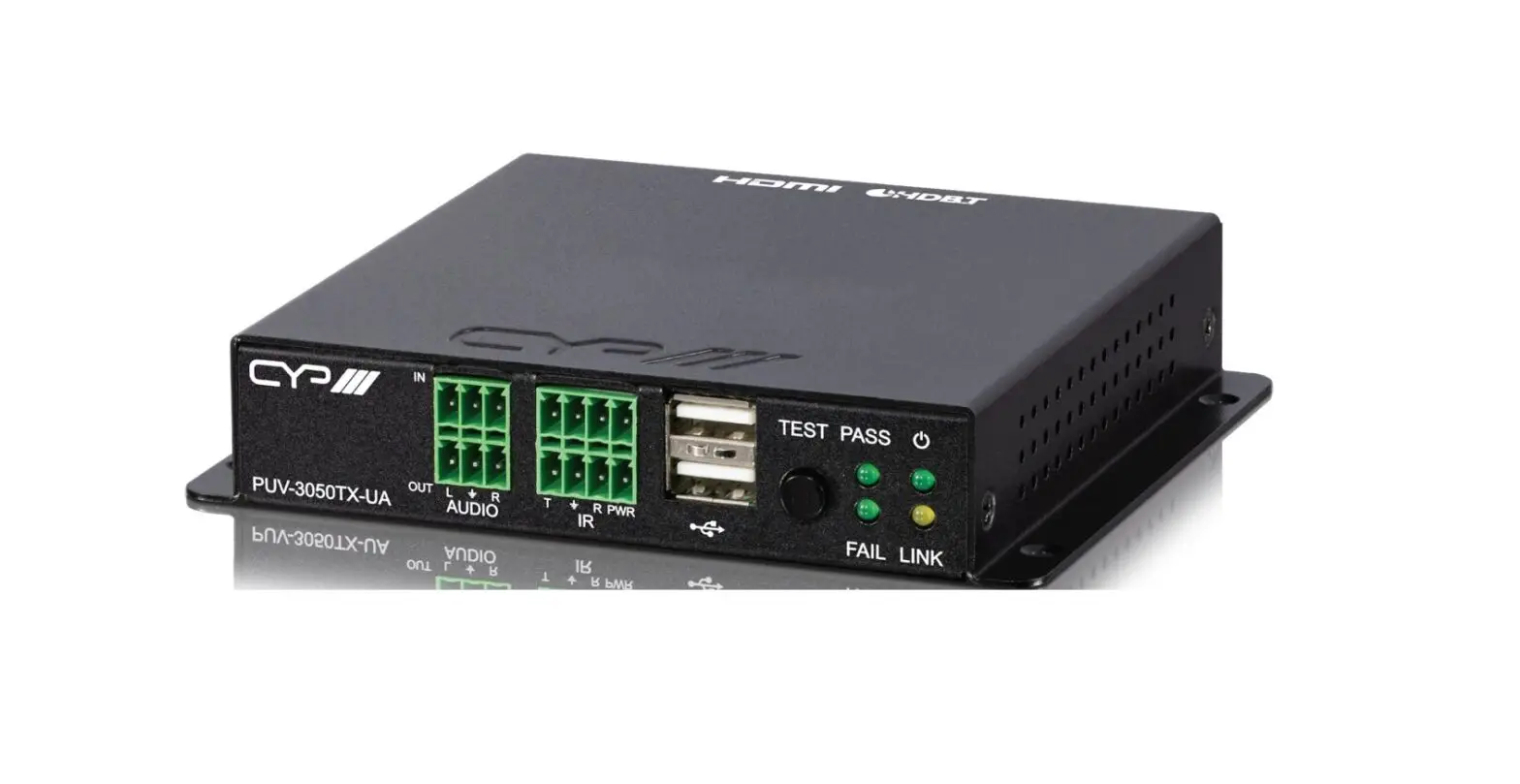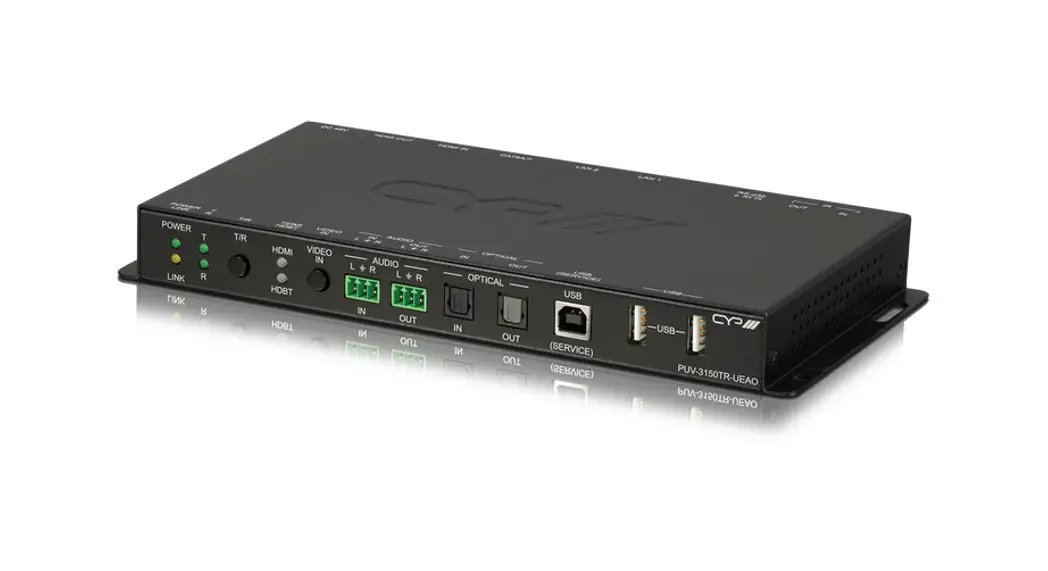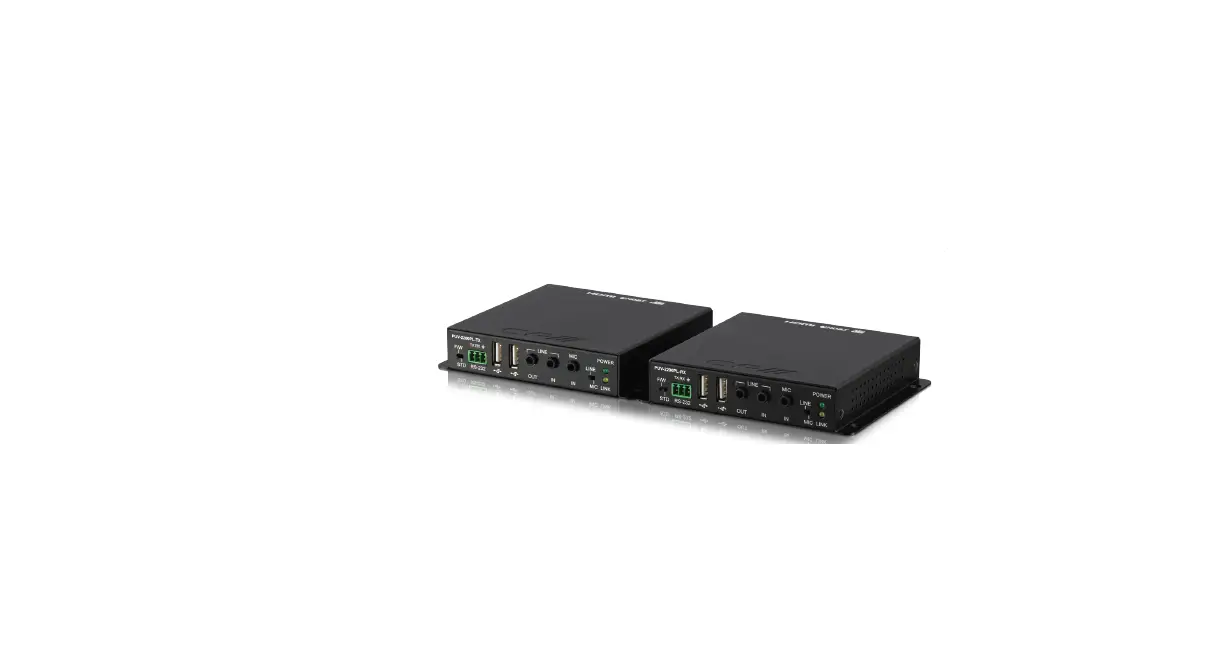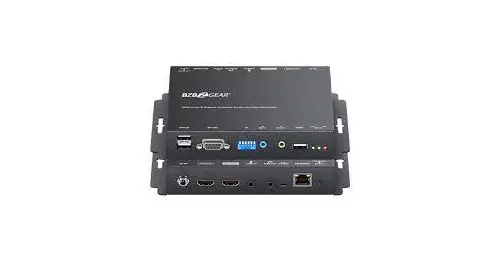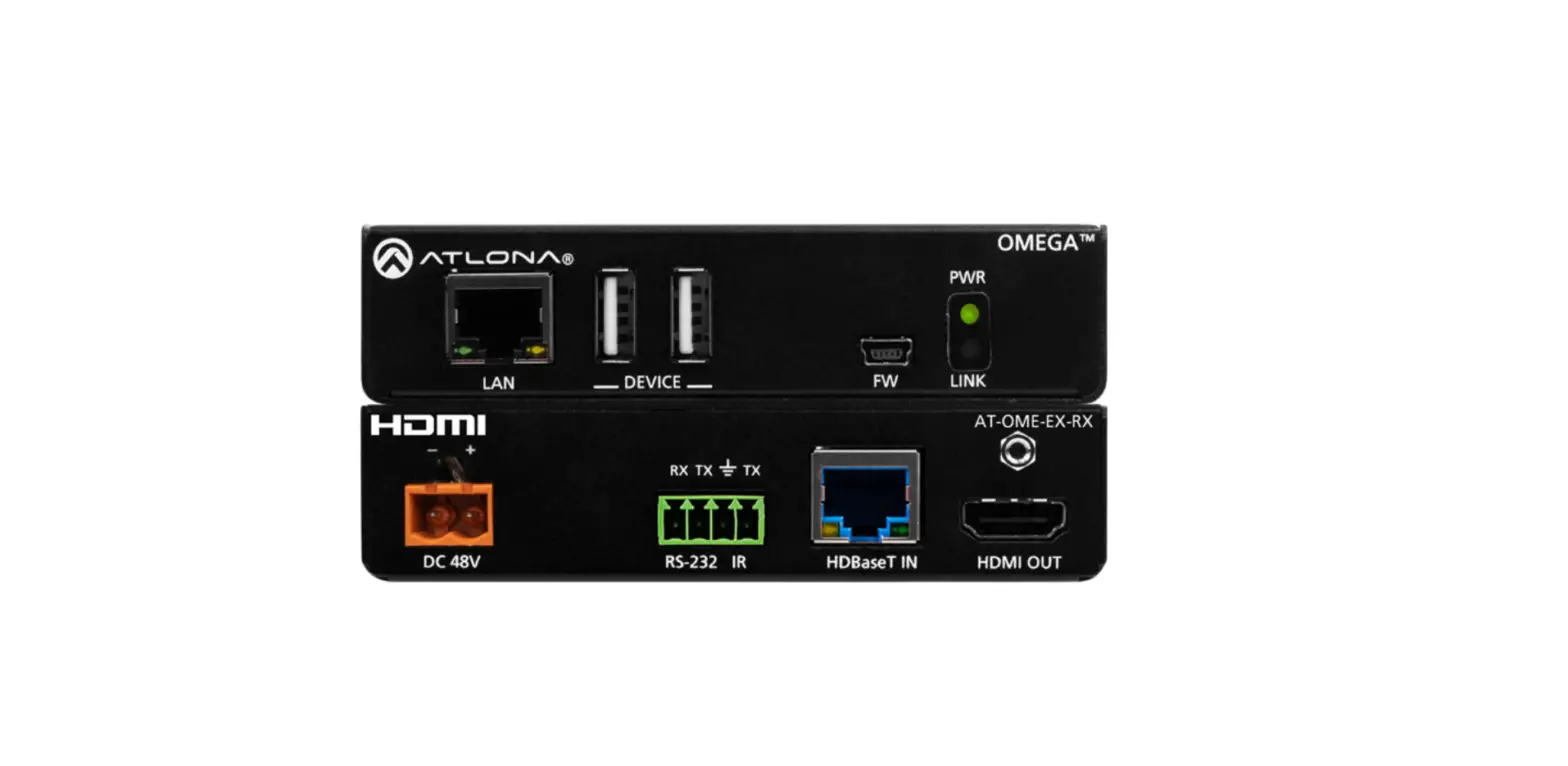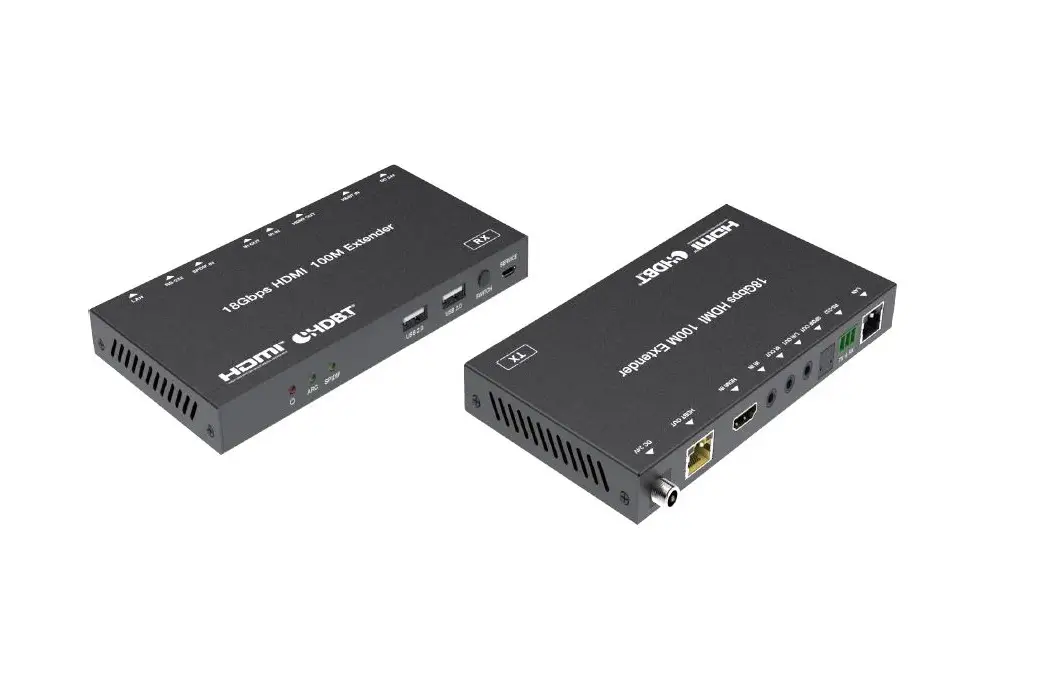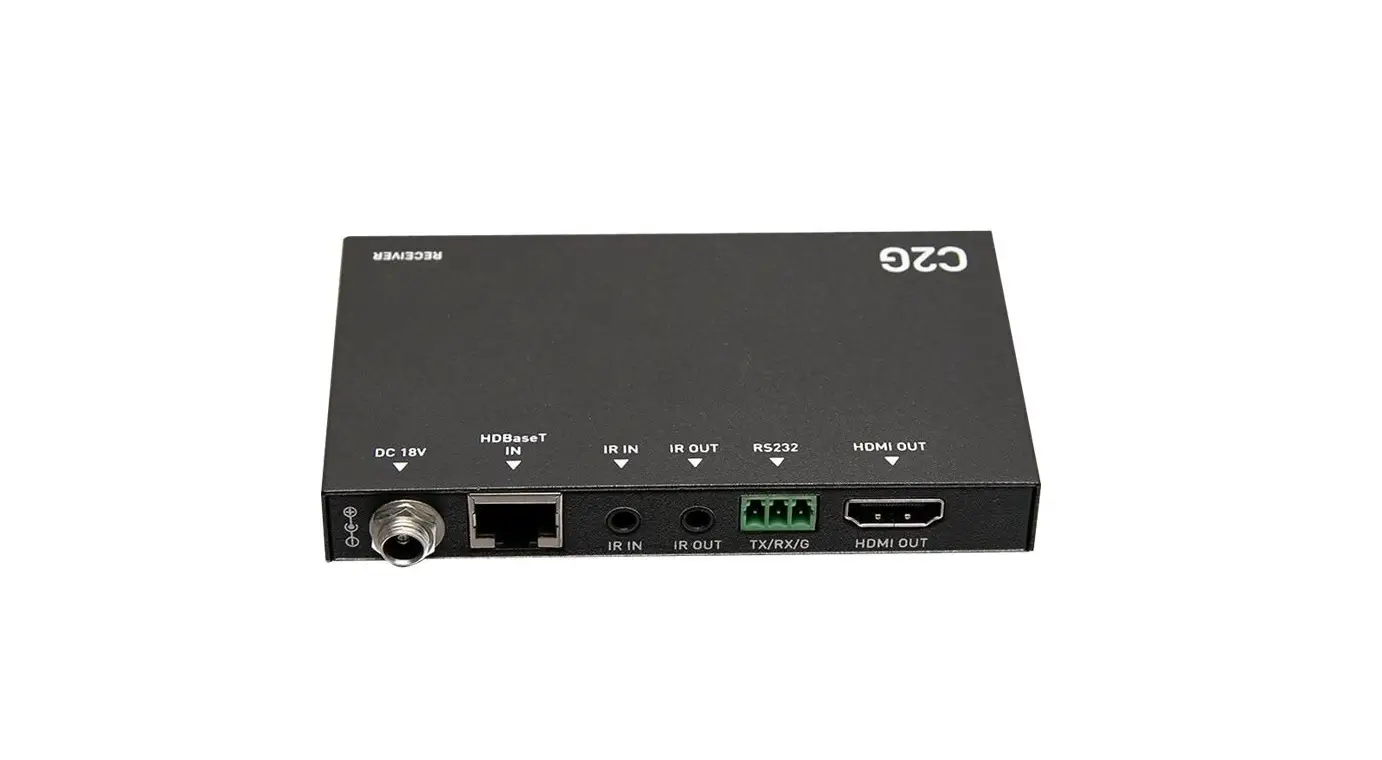


4KHDR/ HDCP 2.2
PUV-3090TX-UEA UHD Plus HDMI over HDBaseT3 Receiver with Analogue
Audio I/O, USB 2.0 & LAN
User Manual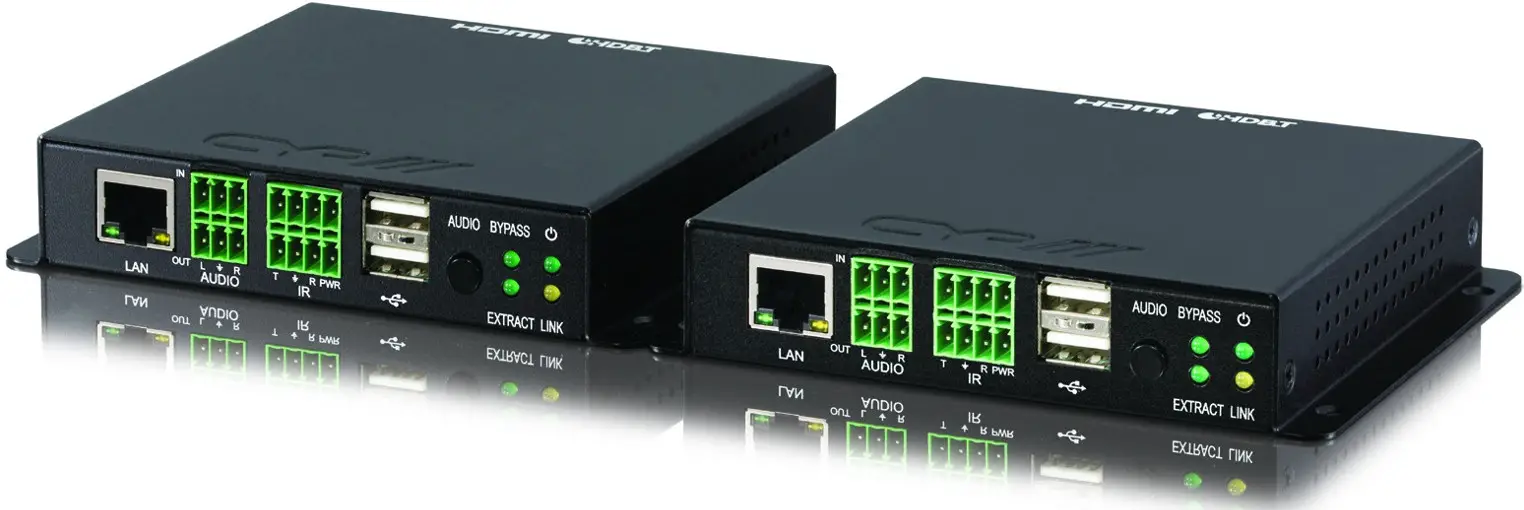
 The terms HDMI, HDMI High-Definition Multimedia Interface, and the HDMI Logo are trademarks or registered trademarks of HDMI Licensing Administrator, Inc.
DISCLAIMERS
The information in this manual has been carefully checked and is believed to be accurate. CYP (UK) Ltd assumes no responsibility for any infringements of patents or other rights of third parties which may result from its use.
CYP (UK) Ltd assumes no responsibility for any inaccuracies that may be contained in this document. CYP (UK) Ltd also makes no commitment to update or to keep current the information contained in this document. CYP (UK) Ltd reserves the right to make improvements to this document and/or product at any time and without notice.
COPYRIGHT NOTICE
No part of this document may be reproduced, transmitted, transcribed, stored in a retrieval system, or any of its parts translated into any language or computer file, in any form or by any means—electronic, mechanical, magnetic, optical, chemical, manual, or otherwise—without express wrote permission and consent from CYP (UK) Ltd.
© Copyright 2021 by CYP (UK) Ltd.
All Rights Reserved.
Version 1.1
TRADEMARK ACKNOWLEDGMENTS
All products or service names mentioned in this document may be trademarks of the companies with which they are associated.
SAFETY PRECAUTIONS
Please read all instructions before attempting to unpack, install or operate this equipment and before connecting the power supply. Please keep the following in mind as you unpack and install this equipment:
• Always follow basic safety precautions to reduce the risk of fire, electrical shock, and injury to persons.
• To prevent fire or shock hazards, do not expose the unit to rain, or moisture or install this product near water.
• Never spill liquid of any kind on or into this product.
• Never push an object of any kind into this product through any openings or empty slots in the unit, as you may damage parts inside the unit.
• Do not attach the power supply cabling to building surfaces.
• Use only the supplied power supply unit (PSU). Do not use the PSU if it is damaged.
• Do not allow anything to rest on the power cabling or allow any weight to be placed upon it or any person walking on it.
• To protect the unit from overheating, do not block any vents or openings in the unit housing that provide ventilation and allow for sufficient space for air to circulate around the unit.
• Please completely disconnect the power when the unit is not in use to avoid wasting electricity.
VERSION HISTORY
| REV. | DATE | SUMMARY OF CHANGE |
| v1.00 | Preliminary release |
INTRODUCTION
This 4K UHD
HDMI over HDBaseT transmitter and receiver pair uses HDBaseT 3.0, the newest generation of HDBaseT technology, and is the perfect solution for extending full bandwidth (18Gbps) HDMI 2.0, 4K@60Hz (4:4:4, 8-bit) video with HD audio via a single run of Cat.6A/7 cable over distances of up to 100 meters. Multiple control and data signals may also be transmitted along with the audio and video, including bidirectional IR, RS-232, USB 2.0, and Gigabit Ethernet.
When the transmitter and receiver are used together, 2 micro USB host connections are available (1 on the transmitter, 1 on the receiver) for connecting a single USB host (such as a laptop or PC) to devices on up to 4 USB 2.0 (Type-A) ports (2 on the transmitter, 2 on the receiver) forming a highly flexible KVM extension configuration. This transmitter and receiver pair is ideal for use in any video extension scenario, but they excel when the latency-free, uncompressed, high-resolution video is critical, such as medical installations, live conferences, and education.
APPLICATIONS
- Household entertainment sharing and control
- Lecture hall/classroom display and control
- Meeting room presentation and control
PACKAGE CONTENTS
3.1 Single Unit (Transmitter or Receiver)
- 1× UHD HDMI over HDBaseT Transmitter or Receiver with USB KVM
- 1× 24V/2.7A DC Power Adapter (Transmitter only)
- 2× 3-pin Terminal Block
- 1× 8-pin Terminal Block
- 1× Operation Manual
3.2 Dual Unit Set
- 1× UHD HDMI over HDBaseT Transmitter with USB KVM
- 1× UHD + HDMI over HDBaseT Receiver with USB KVM
- 1× 24V/2.7A DC Power Adapter
- 4× 3-pin Terminal Block
- 2× 8-pin Terminal Block
- 1× Operation Manual
SYSTEM REQUIREMENTS
- HDMI source equipment such as a media player, video game console, or set-top box.
- HDMI receiving equipment such as an HDTV, monitor, or audio amplifier.
- The use of Premium High-Speed HDMI cables and industry-standard Cat.6A or Cat.7 Ethernet cable is highly recommended.
FEATURES
- HDMI 2.0 and DVI 1.0 are compatible
- HDCP 2.2 and HDCP 1.x compliant
- HDBaseT 3.0 compliant (Backwards compatible with HDBaseT 2.0/1.0)
- 1 HDMI input, 1 HDMI output, and 1 HDBaseT output (Transmitter)
- 1 HDMI input, 1 HDMI output, and 1 HDBaseT input (Receiver)
- Supports up to 4K UHD+ (18Gbps, 4K@60Hz 4:4:4, 8-bit) video input and output over both HDMI and HDBaseT
- Supports Deep Colour input and output up to 12-bit
- Supports 10-bit and 12-bit HDR (High Dynamic Range) input/output
- Supports CEC bypass
- HDBaseT extends to video, audio, and data over a single Cat.6A/7 cable and can reach distances up to 100m/328ft
- HDBaseT feature support: HD Video and Audio, Gigabit Ethernet, PoH (Tx to Rx), Bi-directional audio (analog), and Control (bi-directional USB/IR/RS-232 pass-through)
- 2 USB 2.0 Type-A device ports and 1 Micro USB host port
- Selectable HDMI audio extraction/analog audio bypass functionality
Note: HDMI audio extraction is only available with LPCM 2.0 sources. - HDMI output functions as a local monitor (Transmitter only)
- The transmitter can supply PoH to the connected receiver
- The receiver is powered directly via PoH from the connected transmitter
Note: A compatible PSE transmitter providing PoH is required to power this receiver. Transmitters from other brands may not be compatible.
OPERATION CONTROLS AND FUNCTIONS
6.1 Front Panel (Transmitter)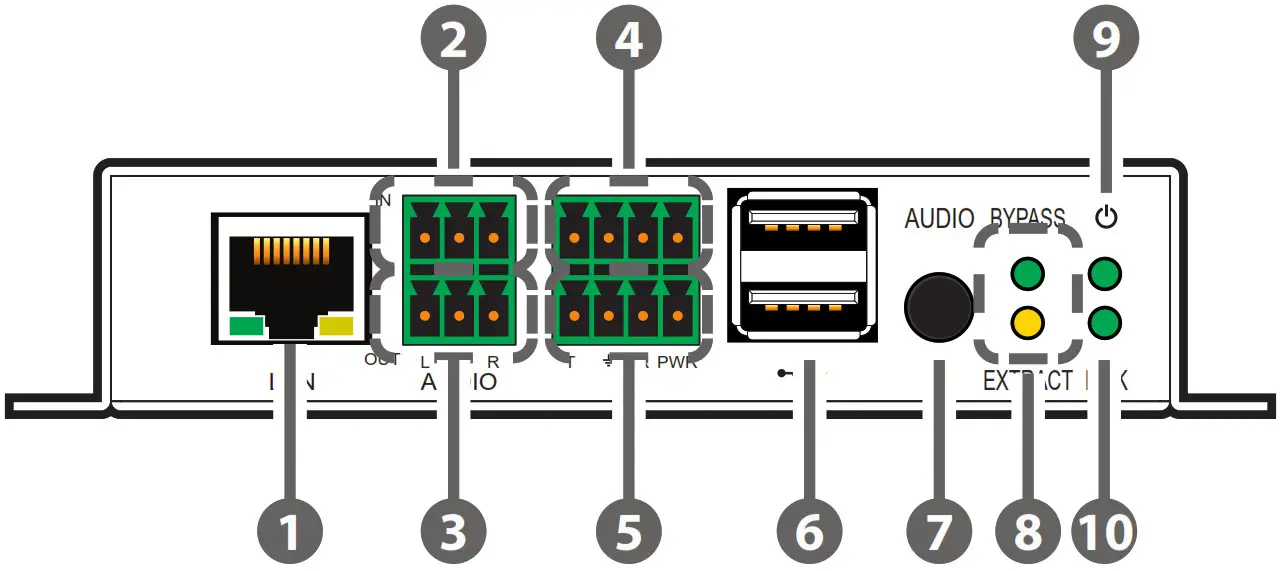
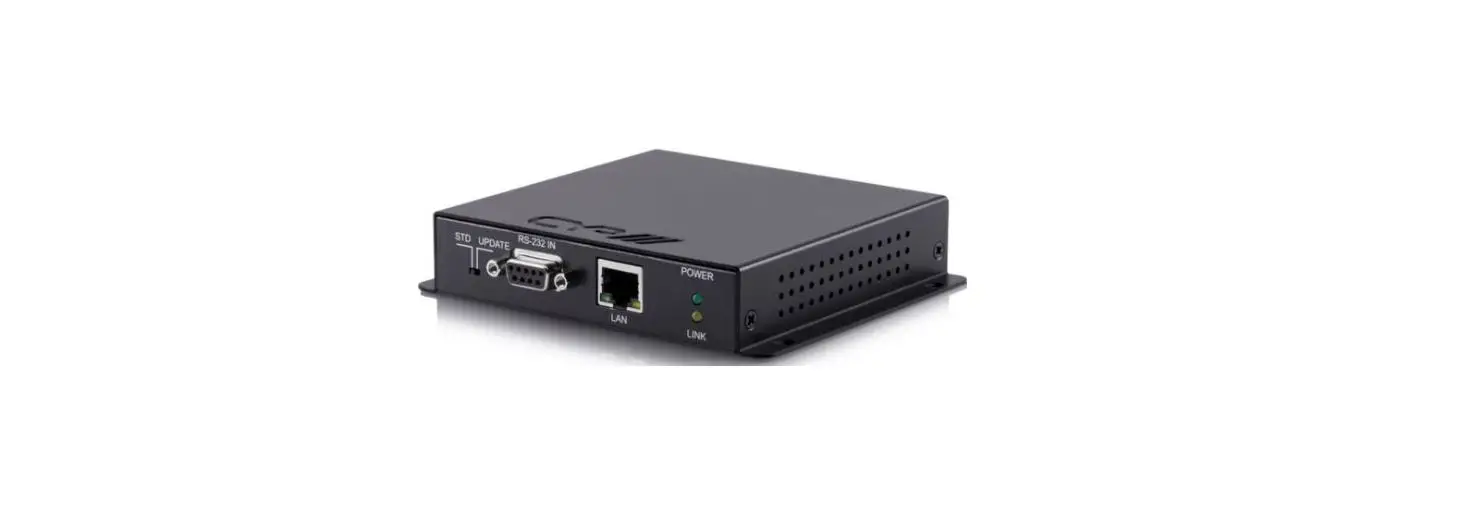
- LAN Port: Connect to Ethernet supporting devices or to your local network, as appropriate, to extend the network to both ends of the HDBaseT connection.
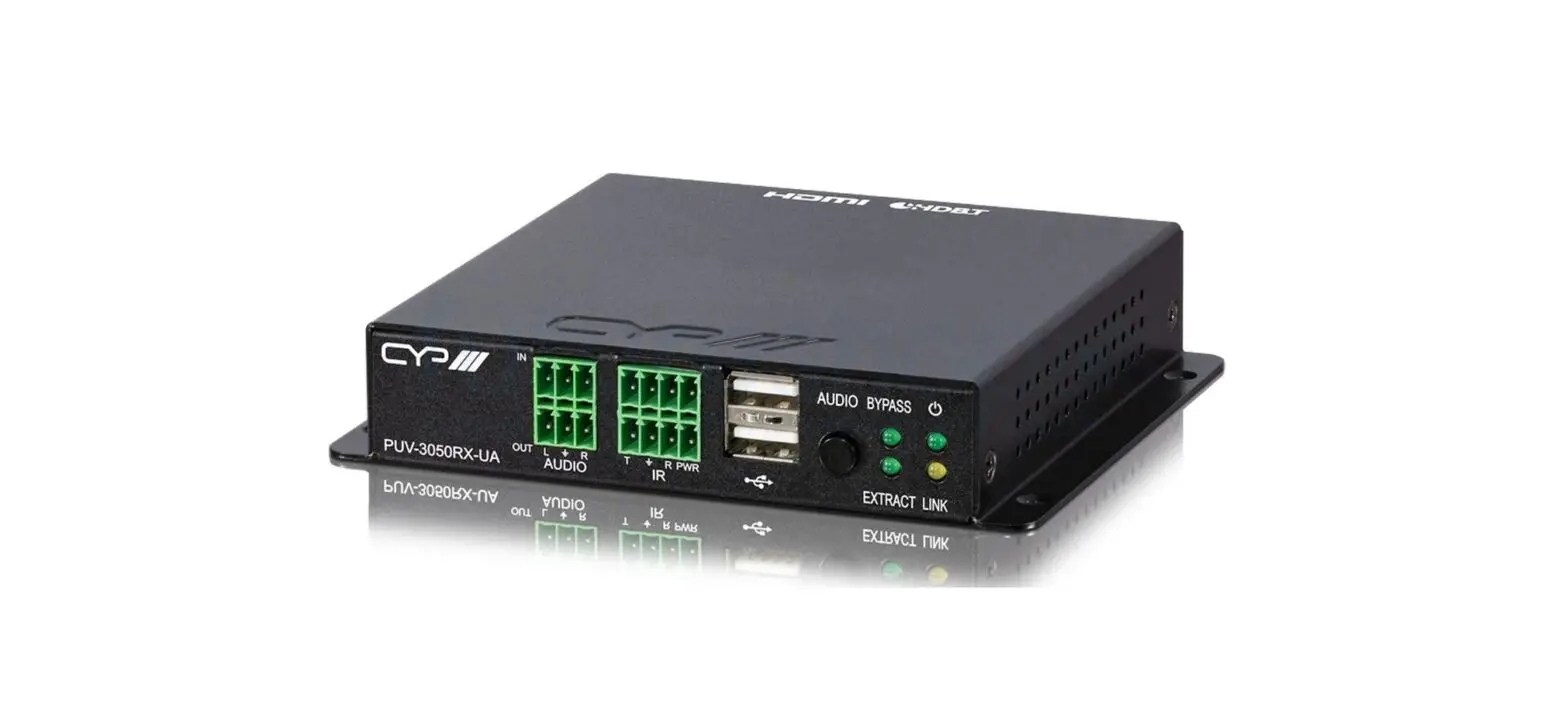
- AUDIO IN 3-pin Terminal Block: Connect to the analog audio output of a device such as a media player or game console using a 3-pin adapter cable. Audio is sent to the analog audio output on the connected compatible receiver.
- AUDIO OUT 3-pin Terminal Block: Connect to powered speakers or an amplifier for analog audio output using a 3-pin adapter cable. Audio is sourced from the analog audio input on the connected compatible receiver.
- RS-232 4-pin Terminal Block: Connect to a PC, laptop, or serial controllable device with a 4-pin adapter cable for the extension of RS-232 signals between both ends of the HDBaseT connection.
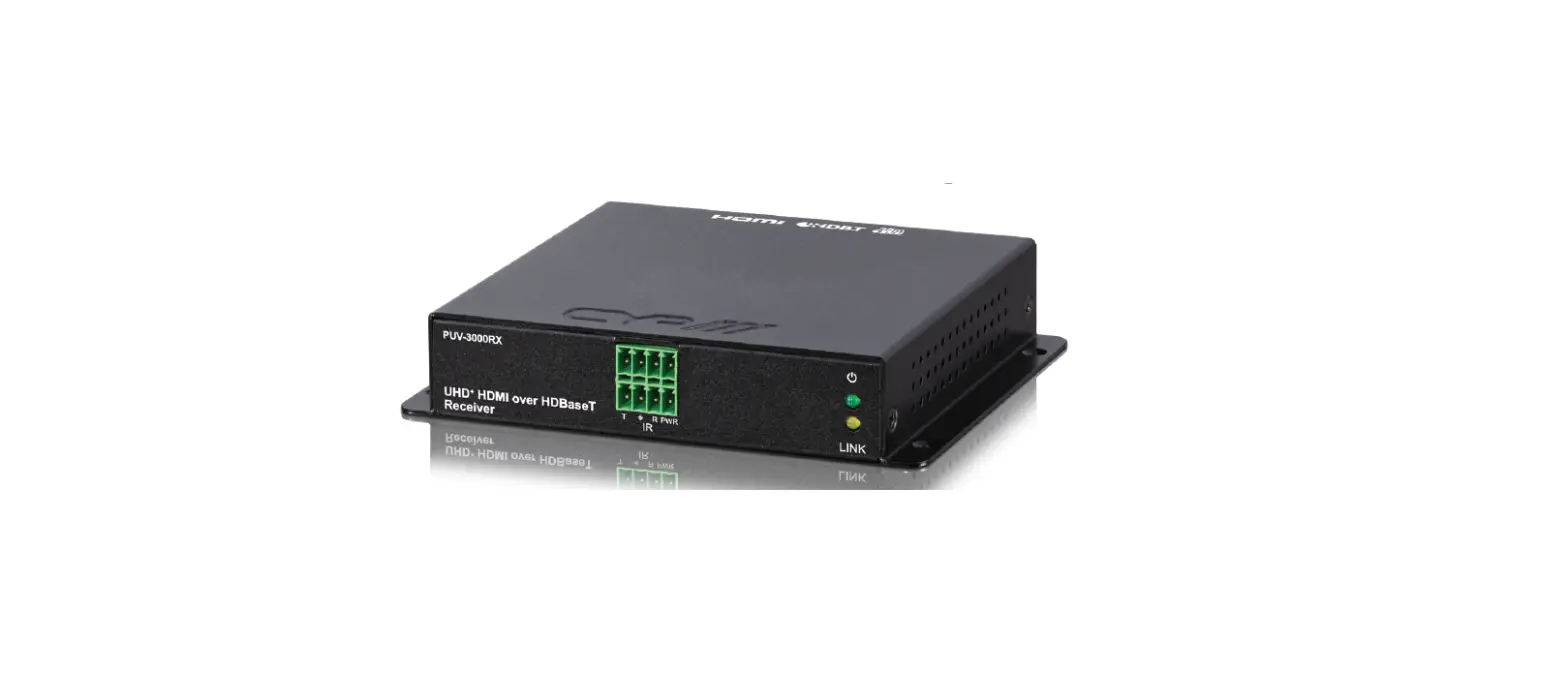
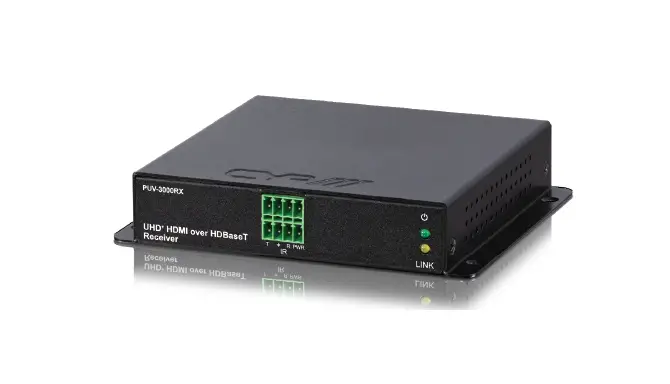
- IR 4-pin Terminal Block (In/Out): Connect to both an IR Blaster and Extender using a 4-pin Y-adapter cable to transmit and receive IR control signals and extend them to devices connected to the other end of the HDBaseT connection.
- USB 2.0 Ports (Type-A): Connect directly to a standard USB device such as a mouse, keyboard, or flash drive to extend their USB functionality to the currently active Micro-USB host port.
- AUDIO Button: Press this button to toggle the transmitter’s analog audio stream source between the analog audio input (bypass) and the HDMI input’s audio (extract).
Note: HDMI audio extraction is only available with LPCM 2.0 sources.
Pressing this button will also change the setting on the receiver. - BYPASS & EXTRACT LEDs: These LEDs will illuminate to indicate if the unit is in audio bypass or extract mode.
- POWER LED: This LED will illuminate to indicate the unit is on and receiving power.
- LINK LED: This LED will illuminate solidly when a live connection with a compatible receiver is active.
6.2 Rear Panel (Transmitter).
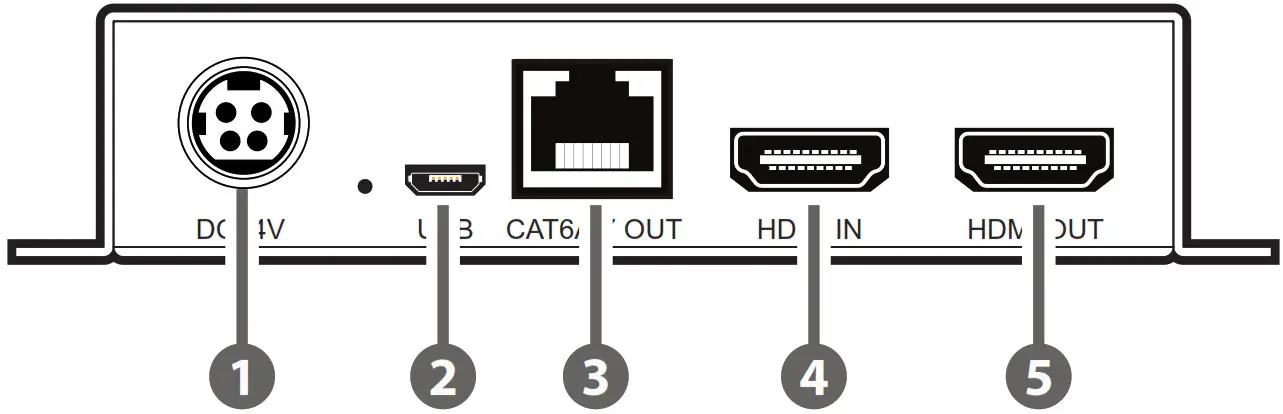
- DC 24V Port: Plug the 24V DC power adapter into this port and connect it to an AC wall outlet for power.
- USB 2.0 Port (Micro-B): Connect directly to a standard USB host such as a PC or laptop to extend their USB functionality to all currently connected USB devices on both ends of the HDBaseT connection.
Note: If USB hosts are connected to both the transmitter and receiver at the same time, only the most recently connected host will be active. - CAT6A/7 OUT Port: Connect to a compatible HDBaseT receiver with a single Cat.6A/7 cable for extension of all data signals. PoH will also be supplied to a connected compatible PD receiver.
Note: The PoH function is designed for powering compatible Receiver units only. Non-PoH receivers will need their own power supply. Receivers from other brands may not be compatible. - HDMI IN Port: Connect to HDMI source equipment such as a media player, game console, or set-top box.
- HDMI OUT port: Connect to an HDMI TV, monitor, or amplifier for digital video and audio output.
6.3 Front Panel (Receiver)
- LAN Port: Connect to Ethernet supporting devices or to your local network, as appropriate, to extend the network to both ends of the HDBaseT connection.
- AUDIO IN 3-pin Terminal Block: Connect to the analog audio output of a device such as a media player or game console using a 3-pin adapter cable. Audio is sent to the analog audio output on the connected compatible receiver.
- AUDIO OUT 3-pin Terminal Block: Connect to powered speakers or an amplifier for analog audio output using a 3-pin adapter cable. Audio is sourced from the analog audio input on the connected compatible receiver.
- RS-232 4-pin Terminal Block: Connect to a PC, laptop, or serial controllable device with a 4-pin adapter cable for the extension of RS-232 signals between both ends of the HDBaseT connection.
- IR 4-pin Terminal Block (In/Out): Connect to both an IR Blaster and Extender using a 4-pin Y-adapter cable to transmit and receive IR control signals and extend them to devices connected to the other end of the HDBaseT connection.
- USB 2.0 Ports (Type-A): Connect directly to a standard USB device such as a mouse, keyboard, or flash drive to extend their USB functionality to the currently active Micro-USB host port.
- AUDIO Button: Press this button to toggle the transmitter’s analog audio stream source between the analog audio input (bypass) and the HDMI input’s audio (extract).
Note: HDMI audio extraction is only available with LPCM 2.0 sources. Pressing this button will also change the setting on the transmitter. - BYPASS & EXTRACT LEDs: These LEDs will illuminate to indicate if the unit is in audio bypass or extract mode.
- POWER LED: This LED will illuminate to indicate the unit is on and receiving power.
- LINK LED: This LED will illuminate solidly when a live connection with a compatible receiver is active.
6.4 Rear Panel (Receiver)
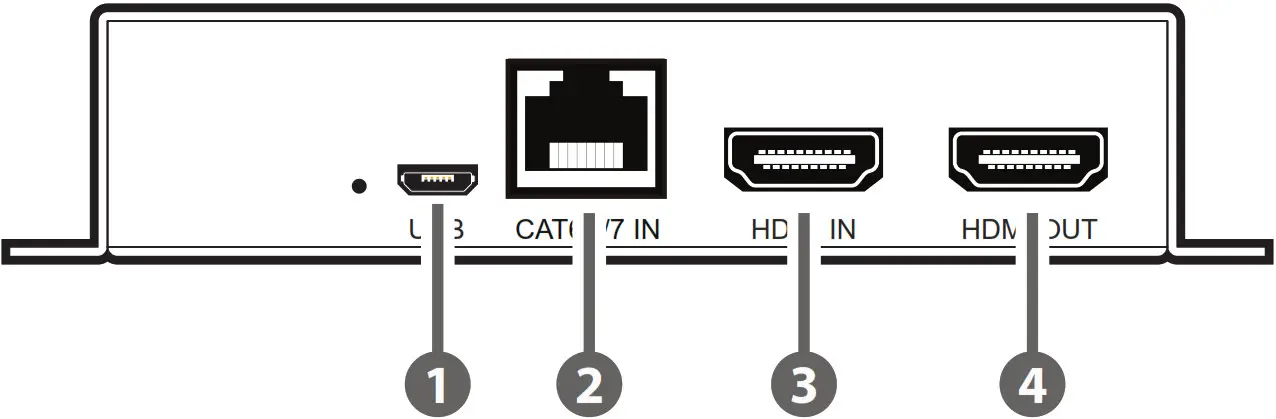
- USB 2.0 Port (Micro-B): Connect directly to a standard USB host such as a PC or laptop to extend their USB functionality to all currently connected USB devices on both ends of the HDBaseT connection.
Note: If USB hosts are connected to both the transmitter and receiver at the same time, only the most recently connected host will be active. - CAT6A/7 IN Port: Connect to a compatible HDBaseT transmitter with a single Cat.6A/7 cable for extension of all data signals. Power via PoH will also be supplied to this unit when connected to a compatible PSE transmitter.
Note: A compatible PoH (PSE) transmitter is REQUIRED to power this receiver. - HDMI IN Port: Connect to HDMI source equipment such as a media player, game console, or set-top box.
Note: If this HDMI input is connected, its video will automatically be output over the local HDMI output, overriding any current HDBaseT video source. - HDMI OUT port: Connect to an HDMI TV, monitor, or amplifier for digital video and audio output.
6.5 RS-232 Pinout
4-pin Terminal Block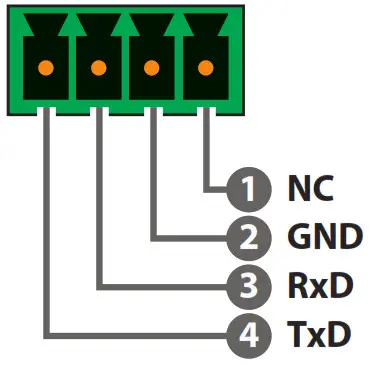 6.6 IR Pinout
4-pin Terminal Block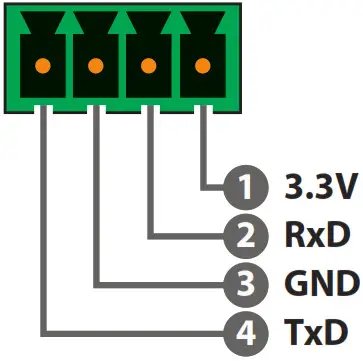
6.7 Audio Pinout
Stereo Audio Input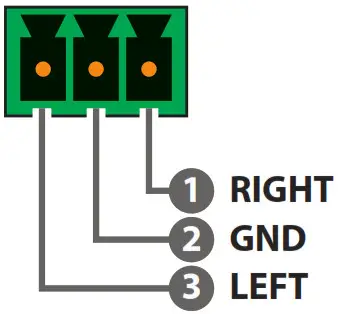
Stereo Audio Output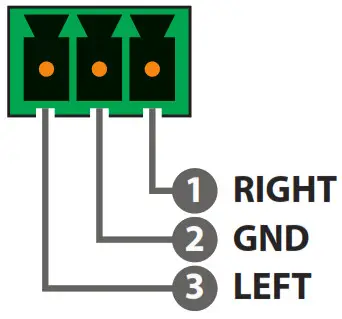
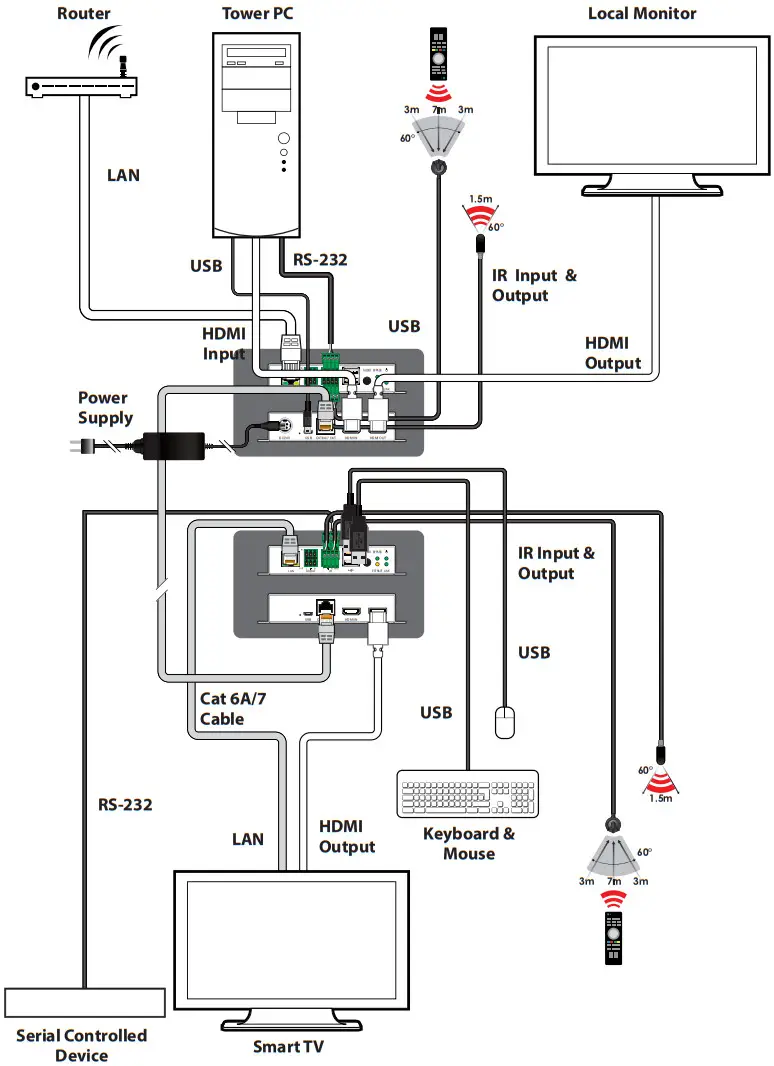
CONNECTION DIAGRAM
 SPECIFICATIONS
8.1 Technical Specifications (Transmitter)
| HDMI Bandwidth | 18Gbps |
| HDBaseT Bandwidth | 18Gbps |
| Input Ports | 1×HDMI (Type-A) 1×Analogue Stereo (3-pin Terminal Block) |
| Output Ports | 1×HDBaseT (RJ-45) 1×HDMI (Type-A) 1×Analogue Stereo (3-pin Terminal Block) |
| Pass-through Ports | 1×IR In/Out (4-pin Terminal Block) 1×RS-232 (4-pin Terminal Block) 2×USB 2.0 (Type-A) 1×LAN (RJ-45) |
| Pass-through/Service Port | 1×USB 2.0 (Micro-B) |
| IR Frequency | 30 ~ 50kHz (30 ~ 60kHz under ideal conditions) |
| Baud Rate | Up to 115200 |
| Power Supply | 24V/2.7A DC (US/EU standards, CE/FCC/UL certified) |
| ESD Protection (HBM) | ±8kV (Air Discharge) ±4kV (Contact Discharge) |
| Dimensions (W×H×D) | 128mm×25mm×108mm [Case Only] 128mm×25mm×112.5mm [All Inclusive] |
| Weight | 400g |
| Chassis Material | Metal (Steel) |
| Chassis Colour | Black |
| Operating Temperature | 0˚C – 50˚C/32˚F – 122˚F |
| Storage Temperature | -20˚C – 60˚C/-4˚F – 140˚F |
| Relative Humidity | 20 – 90% RH (Non-condensing) |
| Power Consumption | 12W |
8.2 Technical Specifications (Receiver)
| HDMI Bandwidth | 18Gbps |
| HDBaseT Bandwidth | 18Gbps |
| Input Ports | 1×HDBaseT (RJ-45) 1×HDMI (Type-A) 1×Analogue Stereo (3-pin Terminal Block) |
| Output Ports | 1×HDMI (Type-A) 1×Analogue Stereo (3-pin Terminal Block) |
| Pass-through Ports | 1×IR In/Out (4-pin Terminal Block) 1×RS-232 (4-pin Terminal Block) 2×USB 2.0 (Type-A) 1×LAN (RJ-45) |
| Pass-through/Service Por | 1×USB 2.0 (Micro-B) |
| IR Frequency | 30 ~ 50kHz (30 ~ 60kHz under ideal conditions) |
| Baud Rate | Up to 115200 |
| Power Supply | PoH (from Tx) |
| ESD Protection (HBM) | ±8kV (Air Discharge) ±4kV (Contact Discharge) |
| Dimensions (W×H×D) | 128mm×25mm×108mm [Case Only] 128mm×25mm×112.5mm [All Inclusive] |
| Weight | 390g |
| Chassis Material | Metal (Steel) |
| Chassis Colour | Black |
| Operating Temperature | 0˚C – 50˚C/32˚F – 122˚F |
| Storage Temperature | -20˚C – 60˚C/-4˚F – 140˚F |
| Relative Humidity | 20 – 90% RH (Non-condensing) |
| Power Consumption | 14W |
8.3 Video Specifications
| Supported Resolutions (Hz) | Input | Output | ||
| HDMI | HDBT | HDMI | HDBT | |
| 720×400p@70/85 |  | | | |
| 640×480p@60/72/75/85 | | | | |
| 720×480i@60 | | | | |
| 720×480p@60 | | | | |
| 720×576i@50 | | | | |
| 720×576p@50 | | | | |
| 800×600p@56/60/72/75/85 | | | | |
| 848×480p@60 | | | | |
| 1024×768p@60/70/75/85 | | | | |
| 1152×864p@75 | | | | |
| 1280×720p@50/60 | | | | |
| 1280×768p@60/75/85 | | | | |
| 1280×800p@60/75/85 | | | | |
| 1280×960p@60/85 | | | | |
| 1280×1024p@60/75/85 | | | | |
| 1360×768p@60 | | | | |
| 1366×768p@60 | | | | |
| 1400×1050p@60 | | | | |
| 1440×900p@60/75 | | | | |
| 1600×900p@60RB | | | | |
| 1600×1200p@60 | | | | |
| 1680×1050p@60 | | | | |
| 1920×1080i@50/60 | | | | |
| Supported Resolutions (Hz) | Input | Output | ||
| HDMI | HDBT | HDMI | HDBT | |
| 1920×1080p@24/25/30 | | | | |
| 1920×1080p@50/60 | | | | |
| 1920×1200p@60RB | | | | |
| 2560×1440p@60RB | | | | |
| 2560×1600p@60RB | | | | |
| 2048×1080p@24/25/30 | | | | |
| 2048×1080p@50/60 | | | | |
| 3840×2160p@24/25/30 | | | | |
| 3840×2160p@50/60 (4:2:0) | | | | |
| 3840×2160p@24, HDR10 | | | | |
| 3840×2160p@50/60 (4:2:0),HDR10 | | | | |
| 3840×2160p@50/60 | | | | |
| 4096×2160p@24/25/30 | | | | |
| 4096×2160p@50/60 (4:2:0) | | | | |
| 4096×2160p@24, HDR10 | | | | |
| 4096×2160p@50/60 (4:2:0),HDR10 | | | | |
| 4096×2160p@50/60 | | | | |
| 4096×2160p@24, HDR10 | | | | |
8.4 Audio Specifications
8.4.1 Digital Audio
| HDMI & HDBaseT Input / Output | |
| LPCM | |
| Max Channels | 8 Channels |
| Sampling Rate (kHz) | 32, 44.1, 48, 88.2, 96, 176.4, 192 |
| Bitstream | |
| Supported Formats | Standard & High-Definition |
8.4.2 Analogue Audio
| Analogue Input | |
| Max Audio Level | 2Vrms |
| Impedance | 10kΩ |
| Type | Unbalanced |
| Analog Output | |
| Max Audio Level | 2Vrms |
| THD+N | < −80dB@0dBFS 1kHz (A-wt) |
| SNR | > 93dB@0dBFS |
| Frequency Response | < ±0.5dB@20Hz~20kHz |
| Crosstalk | < −71dB@10kHz |
| Impedance | 500Ω |
| Type | Unbalanced |
8.5 Cable Specifications
| Cable Length | 1080p | 4K30 | 4K60 | |
| 8-bit | 12-bit | (4:4:4) 8-bit | (4:4:4) 8-bit | |
| High-Speed HDMI Cable | ||||
| HDMI Input | 10m | 10m | 5m | 3m |
| HDMI Output | 10m | 10m | 5m | 3m |
| Ethernet Cable | ||||
| Cat.5e/6 | 40m | |||
| Cat.6A/7 | 100m | |||
Bandwidth Category Examples:
1080p (FHD Video)
- Up to 1080p@60Hz, 12-bit colour
- Data rates lower than 5.3Gbps or below 225MHz TMDS clock
4K30 (4K UHD Video)
- 4K@24/25/30Hz & 4K@50/60Hz (4:2:0), 8-bit color
- Data rates higher than 5.3Gbps or above 225MHz TMDS clock but below 10.2Gbps
4K60 (4K UHD + Video)
- 4K@50/60Hz (4:4:4, 8-bit)
- 4K@50/60Hz (4:2:0, 10-bit HDR)
- Data rates higher than 10.2Gbps
8.6 HDBaseT Features
| HDBaseT Feature Set | Transmitter |
| Video & Audio Extension | Supported |
| LAN Extension | Supported |
| Send power to the Receiver | Supported (PoH) |
| Accept power from the Receiver | Unsupported |
| IR Extension | Supported |
| RS-232 Extension | Supported |
| USB 2.0 Extension | Supported |
| HDBaseT Feature Set | Receiver |
| Video & Audio Extension | Supported |
| LAN Extension | Supported |
| Send power to the Transmitter | Unsupported |
| Accept power from the Transmitter | Supported (PoH) |
| IR Extension | Supported |
| RS-232 Extension | Supported |
| USB 2.0 Extension | Supported |
ACRONYMS
| ACRONYM | COMPLETE TERM |
| Cat.5e | Enhanced Category 5 cable |
| Cat.6 | Category 6 cable |
| Cat.6A | Augmented Category 6 cable |
| Cat.7 | Category 7 cable |
| CEC | Consumer Electronics Control |
| DAC | Digital-to-Analogue Converter |
| dB | Decibel |
| DVI | Digital Visual Interface |
| EDID | Extended Display Identification Data |
| GbE | Gigabit Ethernet |
| Gbps | Gigabits per second |
| HDBT | HDBaseT |
| HDCP | High-bandwidth Digital Content Protection |
| HDMI | High-Definition Multimedia Interface |
| HDR | High Dynamic Range |
| IP | Internet Protocol |
| IR | Infrared |
| kHz | Kilohertz |
| KVM | Keyboard/Video/Mouse |
| LAN | Local Area Network |
| LED | Light-Emitting Diode |
| LPCM | Linear Pulse-Code Modulation |
| MHz | Megahertz |
| PD | Powered Device |
| ACRONYM | COMPLETE TERM |
| PoH | Power over HDBaseT |
| PSE | Power Sourcing Equipment |
| SNR | Signal-to-Noise Ratio |
| TCP | Transmission Control Protocol |
| THD+N | Total Harmonic Distortion plus Noise |
| TMDS | Transition-Minimized Differential Signaling |
| 4K UHD | 4K Ultra-High-Definition (10.2Gbps max) |
| 4K UHD+ | 4K Ultra-High-Definition (18Gbps max) |
| USB | Universal Serial Bus |
| VGA | Video Graphics Array |
| WUXGA (RB) | Widescreen Ultra Extended Graphics Array (Reduced Blanking) |
| XGA | Extended Graphics Array |
| Ω | Ohm |
CYP (UK) Ltd., Unit 7, Shepperton Business Park, Govett Avenue,
Shepperton, Middlesex, TW17 8BA
Tel: +44 (0) 20 3137 9180
Fax: +44 (0) 20 3137 6279
Email: [email protected]
www.cypeurope.com
v1.00