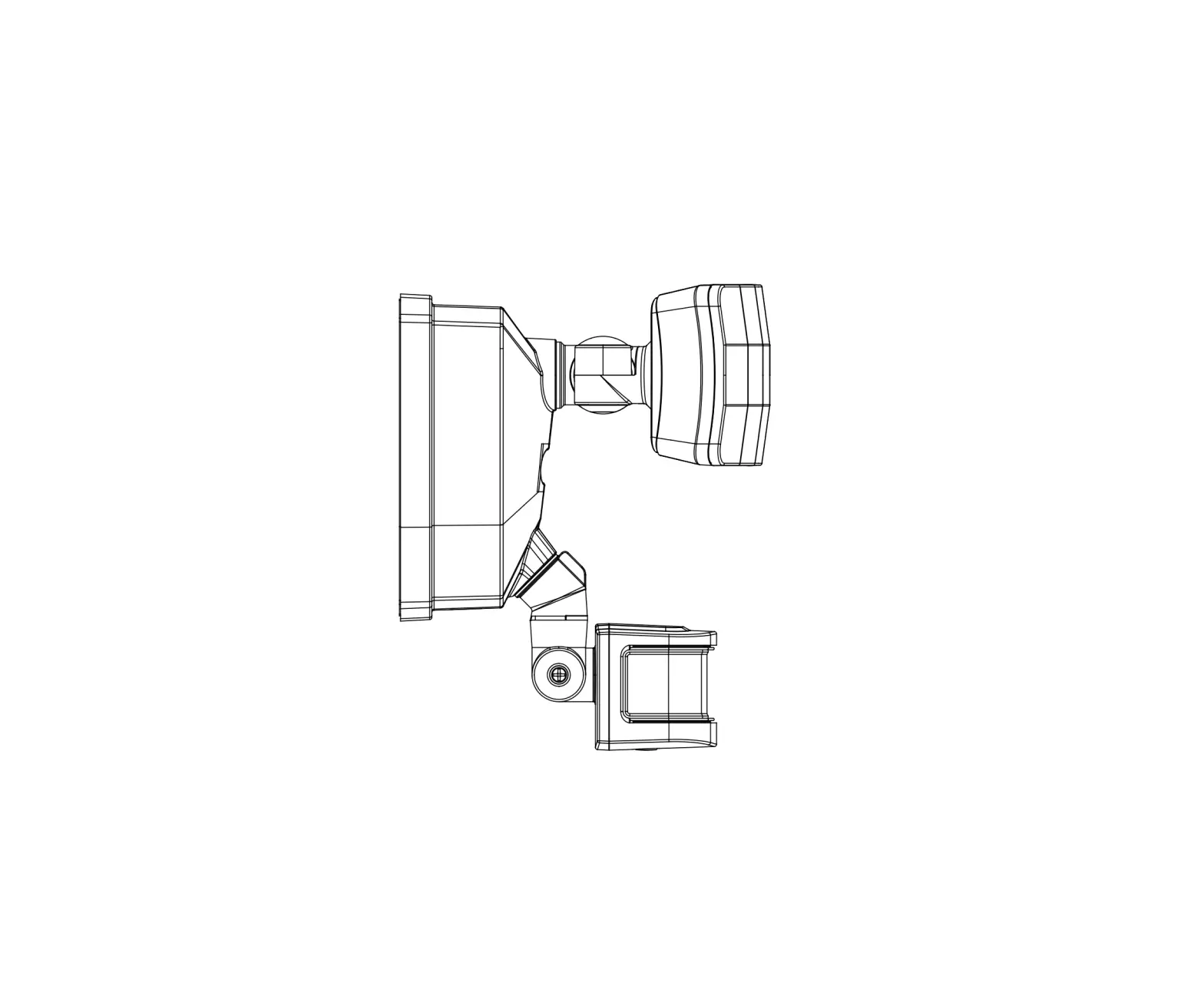
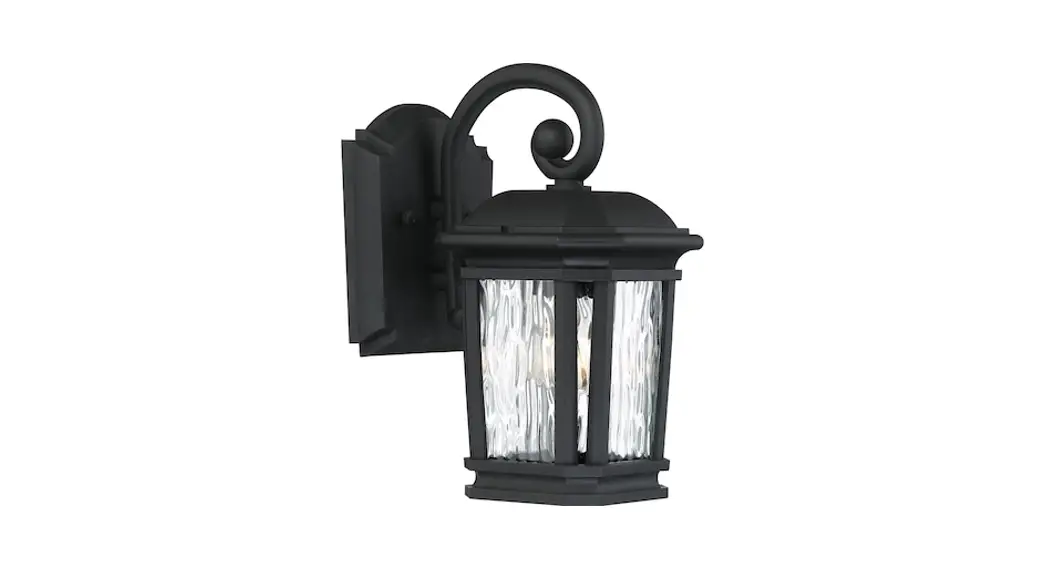
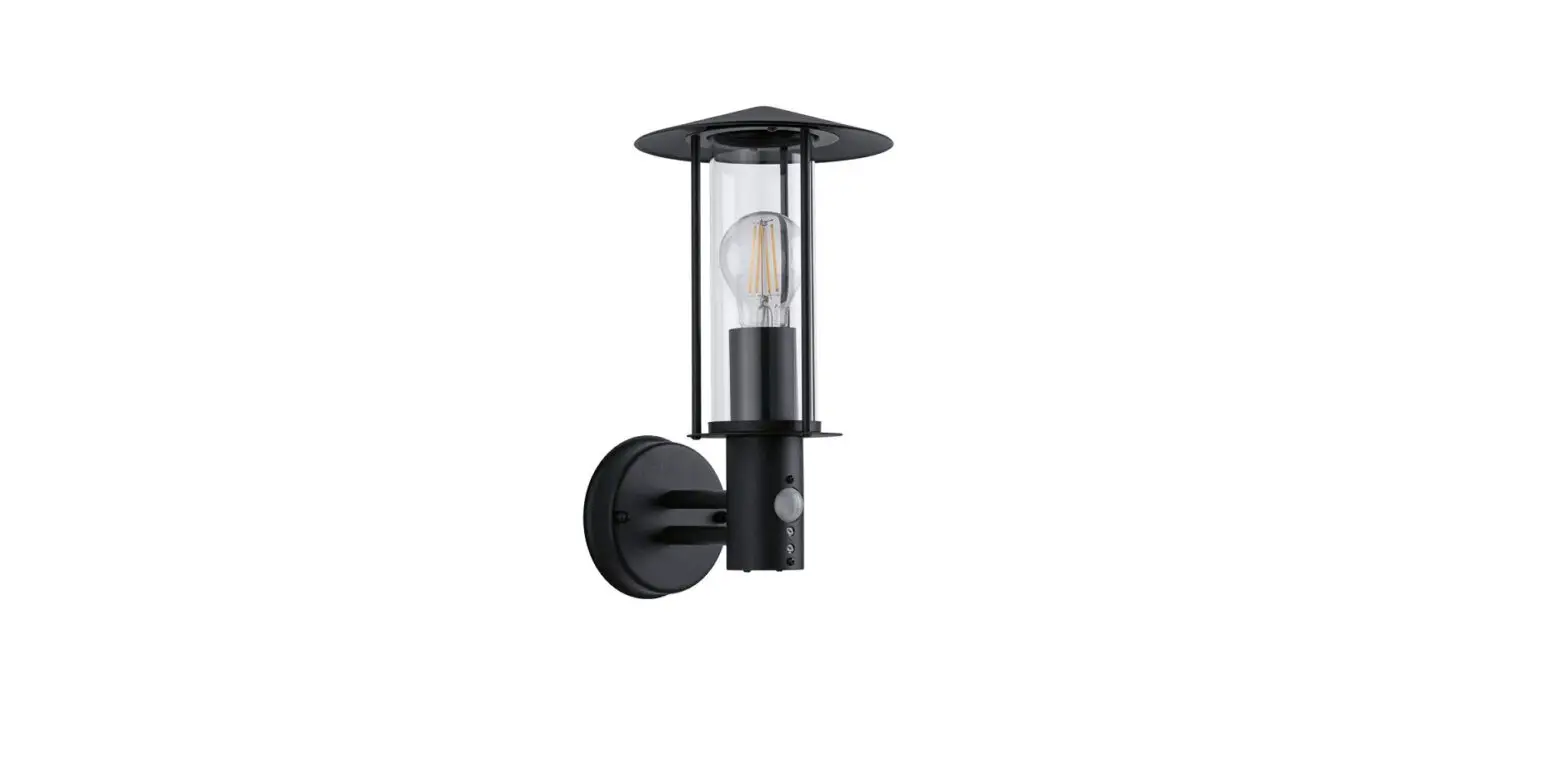
T0637-INT Lexington 2 Light Dualux 9.5 Outdoor Motion Sensor Wall Light
Product Information
The T0637 fixture requires a 120V AC, 60 Hz power source and is
compatible with most LED dimmable bulbs. It is an energy-saving
fixture that features dim-to-full brightness and off-to-full
brightness options. The fixture has a manual override mode that
allows you to keep the light on until dawn using the wall switch.
It is important to note that the lantern should not be taken apart
as there are no serviceable parts inside. Additionally, to avoid
sensor damage by lightning or electrical surge, ensure that the
grounding wire is securely connected.
Product Usage Instructions
- Before installation, consult local electrical codes for wiring
and grounding requirements. - Read all instructions carefully before installation and
operation. - If you are not familiar with state and local electrical codes,
it is recommended that you consult with a qualified
electrician. - Before installation, shut off power at the main fuse or circuit
breaker box. Simply turning off the wall switch is not sufficient
to prevent an electrical shock. - To avoid sensor damage by lightning or electrical surge, ensure
that the grounding wire is securely connected. - For general safety and to avoid any possible damage to the
sensor, be sure the power is switched off before replacing the
bulb. - To install the fixture:
- Turn off the power at the fuse or circuit box.
- Unscrew the two bolt nuts (D), remove the two rubber pads (E)
and the mounting plate unit (A) from the backplate. - Attach the mounting plate unit (A) to the outlet box by using
two mounting screws (B). Ensure that two headless screws are lined
up horizontally to make the fixture level. - Unscrew the two set screws and remove the metal frame from the
fixture. Take a glass panel and gently slide it into the metal
frame in place, secure it by pressing two clips on the top side of
the metal frame and two clips on the bottom of the metal frame.
Repeat with the other glass panels. - Pull out the source wires from the outlet box. Make wire
connections using wire connectors (C) as follows:- Connect the hot wire (usually black insulation) from the
fixture to the black wire from the power source. - Connect the neutral wire (usually white insulation) from the
fixture to the white wire from the power source. - Attach the fixture grounding wire (usually green insulation or
bare wire) to the mounting plate unit (A) with the green grounding
screw, then connect it to the house grounding wire with the wire
connector (C).
- Connect the hot wire (usually black insulation) from the
- Attach the fixture to the mounting plate unit (A) using two
bolt nuts (D) and two rubber pads (E). - Install a max. 25W type B bulb (not included) in the candle
tube socket.
ASSEMBLY AND INSTALLATION INSTRUCTIONS
T0637
WWARNING: Turn off the main power at circuit breaker before installing fixture.
AVERTISSEMENT: Coupez la source d’alimentation principale au panneau central de disjoncteurs avant d’installer le luminaire.
NOTE: 1. Before installing, consult local electrical codes for wiring and grounding requirements. 2. READ AND SAVE THESE INSTRUCTIONS.
Important to Know
1. Read all instructions carefully before installation and
operation.
2.
If it
you are not familiar with state and local electrical is recommended that you consult with a qualified
codes,
electrician.
3. Before installation, shut off power at the main fuse or
circuit breaker box. Be aware that simply turning off the
wall switch is not sufficient to prevent an electrical shock.
4. This fixture requires a 120V AC, 60 Hz power source.
5. Do not attempt to take the lantern apart; there are no
serviceable parts inside.
6. To avoid sensor damage by lightning or electrical surge,
make sure the grounding wire is securely connected.
7. For general safety and to avoid any possible damage to
the sensor, be sure the power is switched “off” before
replacing the bulb.
8. Compatible with most LED dimmable bulbs.
Maximum Wattage: 2~25W Bulbs Work Temperature: – 22°F~104°F
Features
1. Energy saving fixture. 2. Use dim-to-full brightness where dim-illumination
is preferred, such as your front entrance. Use off-to-full brightness where off/on illumination is preferred, such as your backyard. 3. When in manual override mode, use wall switch to keep the light ON till dawn.
Hardware Package (included)
Mounting Plate Unit (A) Mounting Screw (B) Wire Connector (C)
Bolt Nut (D)
Rubber Pad (E)
Backplate
Fixture
Rubber Pad (E) Bolt Nut (D)
Glass Panel
Outlet Box House Grounding Wire
Headless Screw Green Grounding Screw Mounting Plate Unit (A)
Mounting Screw (B) Fixture Grounding Wire
Wire Connector (C) Fixture Wire
Max.25W type B Bulb (not included)
Candle tube
Socket
Metal Frame
Page 1 / 5
Set Screw
220316
Installation Steps
Turn off the power at fuse or circuit box 1. Unscrew the two bolt nuts (D)
remove the two rubber pads (E) and the mounting plate unit (A) from the backplate.
2. Attach the mounting plate unit (A) to the outlet box by using two mounting screws (B). Note: Make sure that two headless screws are lined up horizontally to make the fixture level.
3. Unscrew the two set screws and remove metal frame from the fixture.Take a glass
Clip
panel and gently slide it into the metal frame in place, secure it by pressing two clips
on top side of the metal frame and two clips on the bottom of the metal frame.
Repeat with the other glass panels. (See Fig.1)
4. Pull out the source wires from the outlet box. Make wire connections using wire connectors (C) as follows: —Connect the hot wire (usually black insulation) from the fixture to the black wire
Metal Frame
from the power source. —Connect the neutral wire (usually white insulation) from the fixture to the white
FigF.1ig.1
wire from the power source.
—Attach the fixture grounding wire (usually green insulationor bare wire) to the mounting plate unit (A) with the green
grounding screw, then connect it to the house grounding wire with the wire connector (C).
Carefully put the wires back into the outlet box.
5. Attach the candle tubes onto the sockets and install bulbs (not included). See relamping label at candle tube area or packaging for maximum wattage allowed.
6. Attach backplate of the fixture to the mounting plate unit (A) by inserting headless screws into set holes on backplate, then secure it with two rubber pads (E) and two bolt nuts (D). NOTE: With silicone caulking compound, caulk complete around the backplate meets with the wall surface to prevent water from seeping into the outlet box.
7. Attach the metal frame onto the fixture and tighten it with two set screws.
Turn on the power at fuse or circuit box.
The Position of Control Panel
View Fig.A
Sensor Lens
Sensor Lens
Fig.2
Fig.3
“Time” Knob “Low Level” Knob “Sens” Knob
Time Low Level Sens
Fig.4
Step 1: Rotate the sensor lens from left side to right side to show the adjustable knobs and slide switch. (See Fig.2)
Step 2: Adjust time low level brightness and sensitivity by knobs and choose the mode you want by slide switch. (See Fig.3 and Fig.A)
Test 3H 6H 0
Slide Switch
Step 3: Restore the sensor lens to original position. (See Fig.4)
Fig.A
Page 2 / 5
220316
Function and Operation
MODES OF OPERATION
Choose a mode by sliding the switch on the back of the sensor. When power is first applied, the light will turn on immediately. Wait for 30 seconds to allow the sensor to warm up.
1. TEST MODE (daytime and nighttime operation) The light will turn to low-level brightness (0%~50% brightness). The light will turn to high-level brightness (100% brightness) when motion is detected, and stay on as long as the motion is continuing. The light will revert to low-level brightness about 5 seconds after motion is no longer detected.
2. 3H MODE (nighttime operation only) At dusk, the light will turn to high-level brightness (100% brightness). The light will turn to low-level brightness (0% ~50% brightness) automatically after 3 hours. The light will turn to high-level brightness (100% brightness) when motion is detected, and stay on as long as the motion is continuing. When motion is no longer detected, the light will remain on for the predetermined time you set (5~180 seconds), and then revert to low-level brightness you set. Light will turn off automatically at dawn, and return to 3 H mode at dusk.
3. 6H MODE (nighttime operation only) At dusk, the light will turn to high-level brightness (100% brightness). The light will turn to low-level brightness (0% ~50% brightness) automatically after 6 hours. The light will turn to high-level brightness (100% brightness) when motion is detected, and stay on as long as the motion is continuing. When motion is no longer detected, the light will remain on for the predetermined time you set (5~180 seconds), and then revert to low-level brightness you set. Light will turn off automatically at dawn, and return to 6 H mode at dusk.
4. 0 MODE (nighttime operation only) The light will turn to low level brightness (0%~50% brightness) at dusk. The light will turn to high-level brightness (100% brightness) when motion is detected, and stay on as long as the motion is continuing. When motion is no longer detected, the light will remain on for the predetermined time you set (5~180 seconds), and then revert to low level brightness you set. Light will turn off automatically at dawn, and return to 0 H mode at dusk.
5. Manual Override MODE (nighttime operation only; on at dusk, off at dawn) In 3, 6 or 0 mode, to shift to manual override mode, turn off the wall switch in 3 seconds and then turn it on again, the light will turn to high-level brightness at dusk, and turn off automatically at dawn. To return to the previous settings, turn off the wall switch in 3 seconds and then turn it on again. (See Fig.5 Fig.6) The lights will turn off automatically at dawn.
Fig.5
Manual Override Operation Diagram
“3H Mode” “6H Mode” “0 Mode”
Turn wall switch OFF-ON in 3 Seconds
Turn wall switch OFF-ON in 3 Seconds again
Manual Override Mode
Fig.6
On the back of the sensor
Time Low Level Sens
Test 3H 6H 0
CUSTOMIZATION OPTIONS:
Shut-off Delay
The Shut-off delay is the length of time the light will stay at high-level brightness after motion has ceased to be detected. This Shut-off delay can be set when operation is in 3, 6 or 0 Mode by using the “TIME” knob located on the left side of the panel at the back of the sensor lens (See Fig.6). To increase the shut-off delay, turn the knob clockwise. To decrease shut off delay, turn the knob counterclockwise. The delay may be adjusted from a minimum of 5 seconds to a maximum of 3 minutes. The light will stay on as long as motion is detected continuously and will automatically turn to low-level brightness when no more motion is detected after the delay time has passed.
Sensitivity of Motion Sensor The sensitivity of the motion sensor can be adjusted by using the “Sens” knob located on the right side of the panel at the back of sensor lens (See Fig.6). To increase sensitivity, turn the knob clockwise. To decrease sensitivity, turn the knob counterclockwise. The sensitivity may be adjusted from a minimum of 5 feet to a maximum of 40 feet.
Page 3 / 5
220316
NOTE:
1. The sensitivity of the motion sensor will increase as the environmental temperature gets cooler. For best performance, gently clean the lens with a soft cloth every 1 or 2 months to assure maximum sensitivity.
2. For best performance, install fixture at least 6 feet above the ground. At such a height, the fixture will provide a detection distance of up to 40 feet at 77 degrees fahrenheit. (See Fig.7)
3. The sensor detects across a detection range of 180 degrees (See Fig.8)
4. The sensor will be more sensitive to motion across its detection path than motion directly towards it. (See Fig.9)
5. To reduce possible nuisances, do not mount the fixture near a heat source like an air conditioner, vent or furnace exhaust, or in a direction facing any reflecting object or
Where you install your lantern is important: Be sure the light is mounted straight on the wall; otherwise, the detection distance may be limited.
10`
6` 5`
Fig. 7
40`
Fig. 8
180°
Fig. 9
Motion
Motion
Troubleshooting
—The light does not come on at all: 1. Make sure the wall switch and circuit breaker are on. 2. Make sure the wiring is correct. 3. Make sure the bulb is not burned out. 4. Cover the sensor with your palm to verify that the
ambient light level is not too high.
Sensor Least sensitivity
—-In Test Mode, the light stays on full brightness after 5 seconds: 1. If during daytime, make sure the slide switch is at the TEST position. 2. Whether the motion is detected at all time.
Most sensitivity
—In 3H or 6H Mode, the light is still on full brightness,even though it has been 3 hours or 6 hours after dusk, respectively:
1. Make sure no motion could be picked up by the sensor. 2. Make sure that mode entry is not in manual override.
—After performing 3H or 6H Mode, the light stays on full brightness after 3 minutes: 1. Make sure there is no movement that could be picked up by the sensor. 2. Adjust the time knob counterclockwise to reduce the delay shut-off time.
—-In 3H or 6H Mode, the light turns off completely, instead of low level brightness, after 3 minutes: 1. Make sure the bulb you installed is a candelabra base bulb or LED dimmable bulb. 2. Make sure the bulb is not burned out. 3. Make sure the low level is not at the 0% position.
— The light blinks: 1. Make sure the light is not mounted near a barbecue, air conditioner or other heat source. 2. Adjust the sensitivity knob counterclockwise to avoid unnecessary triggering like a passing car or
reflecting objects. 3. Make sure the bulb is candelabra base bulb or LED dimmable bulb.
Page 4 / 5
220316
The following parts are available for re-order if damaged or missing.
Spare Parts List:
Mounting Plate Unit (A) Mounting Screw (B) Wire Connector (C) Bolt Nut (D) Rubber Pad (E)
Assembly Kit 6501MM (1 SET)
Glass Panel X3 10290CG (1 SET)
A B
A: 17-1/4″ B: 9-1/2″ C: 9-1/2″
C
Page 5 / 5
220316