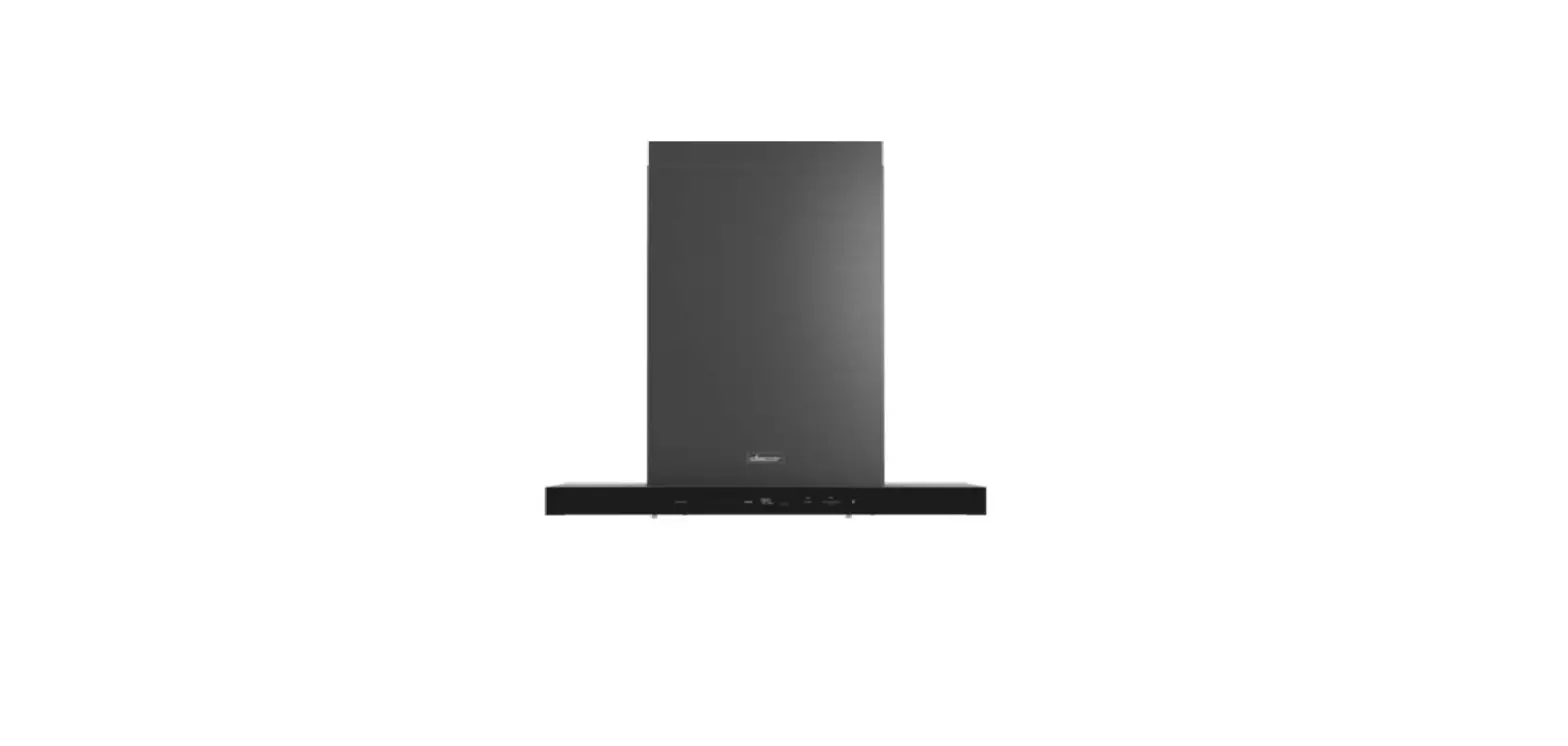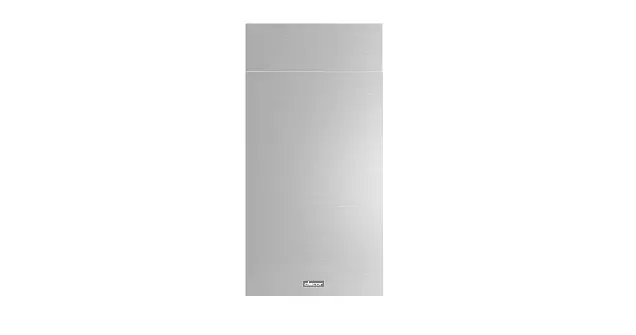

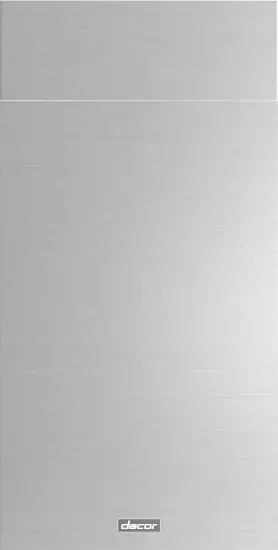
dacor DHD-D0000I*-DA Duct Cover Kit
Product Information: Duct Cover Kit
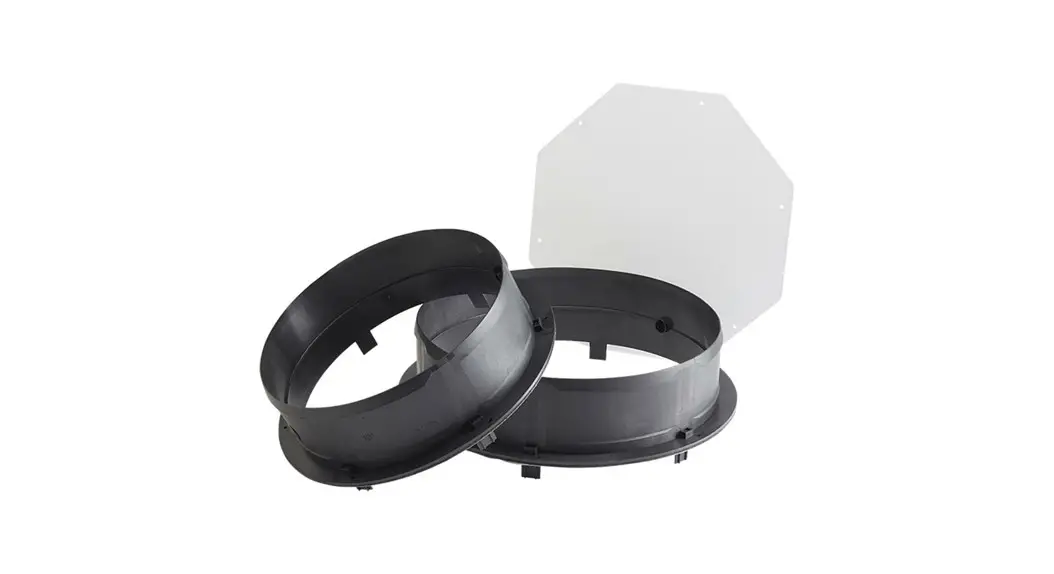
The Duct Cover Kit (Kit de Couverture de Conduit or Kit de Cubierta de Ducto) is an accessory for residential appliances. The kit includes two upper duct covers, two lower duct covers, 4 upper vertical supports for single fan model, 4 upper vertical supports for double fan model, 4 lower vertical supports for single fan model, 4 lower vertical supports for double fan model, 12 inner structure supports, 1 Torx 20 adapter, and 136 4.2 x 8 mm screws. The kit is compatible with the following models: DHD-D0000IS/DA, DHD36U990IS/DA, DHD42U990IS/DA, and DHD54U990IS/DA.
Product Usage Instructions: Installation of Duct Cover Kit
Before proceeding with the installation of the Duct Cover Kit, read and follow the hood installation instructions for reference. It is important to turn off the power circuit at the service panel and lock out panel before installing this kit to the appliance. The installation must comply with all local codes.
- Tape the mounting template to the ceiling and mount the upper horizontal support with proper screws according to the hood installation instructions.
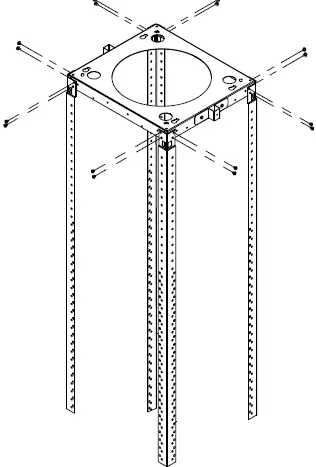
- Install the appropriate upper vertical supports with 16 – 4.2 x 8 mm screws.
- Select the desired mounting height and fix the lower vertical supports to the upper vertical supports with 16 – 4.2 x 8 mm screws.
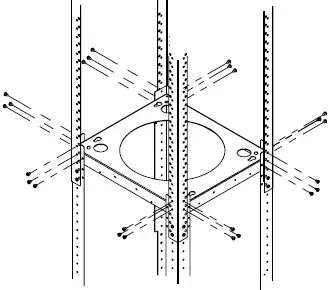
- Install another horizontal support just above the top part of the lower vertical supports with 24 – 4.2 x 8 mm screws.
- Fix the hood motor (only for two fan model) or the hood assembly (only for one fan model) to the lower vertical supports with 32 – 4.2 x 8 mm (two fan model) or 16 – 4.2 x 8 mm (one fan model) screws according to the hood installation instructions.
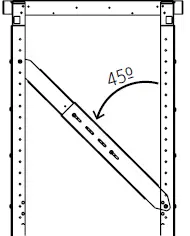
- Assemble the internal supports of the structure as indicated in the figure. Fasten them with 2 – 4.2 x 8 screws in the central part. You can elongate these supports, depending on your structure height. Locate 2 or 3 inner supports on each inner side of the structure according to the selected mounting height. For a maximum of every 153/ (40 cm) of height, an inner support must be installed on each side of the hood.
- Attach the upper duct covers (A) to the duct cover supports using 2 – 3.5 x 6.5 mm screws (included with the hood) on the slots (B) using the Torx 20 adapter.
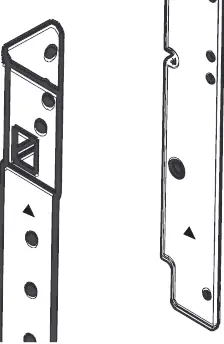
Note that both upper and lower vertical supports for two fan models are marked with triangles as pictured, with the mark at the top for upper support and at the bottom for lower support. Also, remove the carton carefully and wear gloves to protect against sharp edges.
Important Safety Instructions
APPROVED FOR RESIDENTIAL APPLIANCES FOR RESIDENTIAL USE ONLY READ AND SAVE THESE INSTRUCTIONS PLEASE READ ENTIRE INSTALLATION GUIDE BEFORE PROCEEDING. INSTALLATION MUST COMPLY WITH ALL LOCAL CODES.
IMPORTANT: Save these instructions for the local electrical inspector’s use.
INSTALLER: Please leave these Instructions with this unit for the owner.
OWNER: Please retain these instructions for future reference.
WARNING
Turn off power circuit at service panel and lock out panel before installing this kit to the appliance. Installation must comply with all local codes.
CAUTION
Remove the carton carefully. Wear gloves to protect against sharp edges.
Tools and Parts
| Part | Qty |
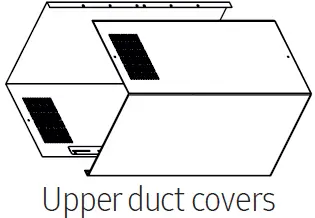 Upper duct covers Upper duct covers | 2 |
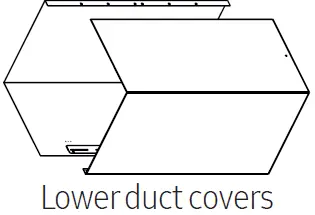 Lower duct covers Lower duct covers | 2 |
 Uppervertical supports for single fan model Uppervertical supports for single fan model | 4 |
 Uppervertical supports for double fan model Uppervertical supports for double fan model | 4 |
 Lowervertical supports for single fan model Lowervertical supports for single fan model | 4 |
 Lowervertical supports for double fan model Lowervertical supports for double fan model | 4 |
 Inner structure supports Inner structure supports | 12 |
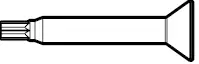 Torx 20 Adapter Torx 20 Adapter | 1 |
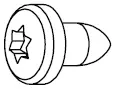 4.2 x 8 mm 4.2 x 8 mm | 136 |
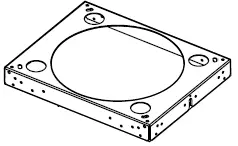 Horizontal support for double fan model Horizontal support for double fan model | 1 |
Only one horizontal support for the two fan model will be provided. The remaining horizontal supports for the installation of the structure and the 2 – 3.5 x 6.5 mm screws, must be taken from the original hood parts.
Installation
| DHD-D0000IS/DA | DHD-D0000IM/DA |
| DHD36U990IS/DA DHD42U990IS/DA DHD54U990IS/DA | DHD36U990IM/DA DHD42U990IM/DA DHD54U990IM/DA |
General Dimensions
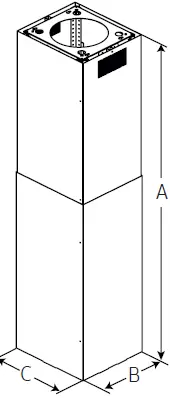
| A | All the hoods |
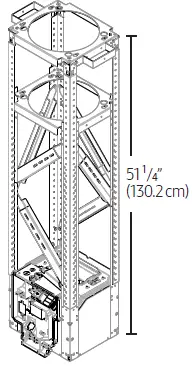
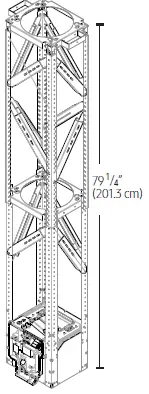
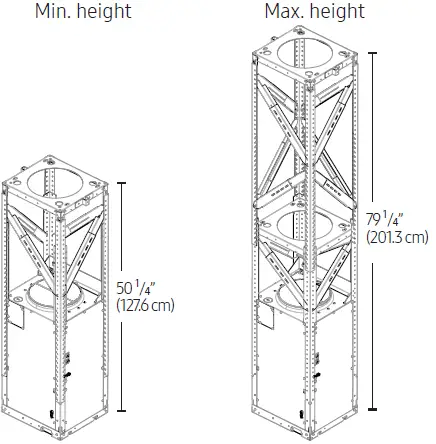
| min. 51 ¹/₄” (130.2 cm) max. 79 ¹/₄” (201.3 cm) | |
| B | 14 ¹¹/16” (37.3 cm) |
| C | 16 ¹/₂” (42 cm) |
Install Duct Covers
NOTE
Read and follow hood Installation Instructions for reference.
- Tape the mounting template to the ceiling and mount the upper horizontal support with propper screws according with the hood Installation Instructions.
NOTE
Both (upper and lower)vertical supports for two fan models are marked with triangles as pictured, for upper support the mark is at the top and for lower support is at the bottom
- Install the appropriate upper vertical supports with 16 – 4.2 x 8 mm screws.
 Select desired mounting height and fix the lower vertical supports to the upper vertical supports with 16 – 4.2 x 8 mm screws.
- Install another horizontal support just above the top part of the lower vertical supports with 24 – 4.2 x 8 mm screws.

- Fix the hood motor (only for two fan model) or the hood assembly (only for one fan model) to the lower vertical supports with 32 – 4.2 x 8 mm (two fan model) or 16 – 4.2 x 8 mm (one fan model)screws according with the hood Installation Instructions.
- Place each part of the inner support on the structure with 2 – 4.2 x 8 screws. Make sure the inner supports are the closest possible to 45º regarding vertical supports.

- Assemble the internal supports of the structure as indicated in the figure. Fasten them with 2 – 4.2 x 8 screws in the central part. You can elongate this supports, depending on your structure height.
 36” Hood
Min. height Max. height
 42” and 54” Hoods
 NOTE
NOTE
Locate 2 or 3 inner support on each inner side of the structure according with the selected mounting height.
For a maximum of every 153/₄” (40 cm) of height, an inner support must be installed on each side of the hood. - Attach the upper duct covers (A) to the duct cover supports using 2 – 3.5 x 6.5 mm screws (included with the hood) on the slots (B) using the Torx 20 adapter.
 NOTE
NOTE
The slotted holes in the upper duct covers will be visible when assembled, and can be hidden down inside the lower duct covers. - Complete the duct cover installation by placing lower duct covers.

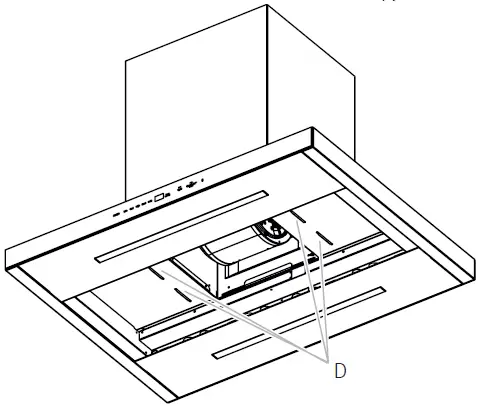
- Be sure the covers fit over the hood canopy slots (D).

 Select desired mounting height and fix the lower vertical supports to the upper vertical supports with 16 – 4.2 x 8 mm screws.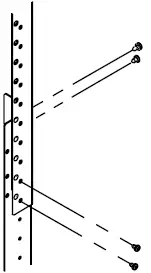
 36” Hood
 Max. height
 42” and 54” Hoods
 NOTE
NOTE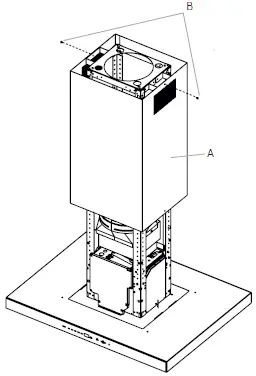 NOTE
NOTE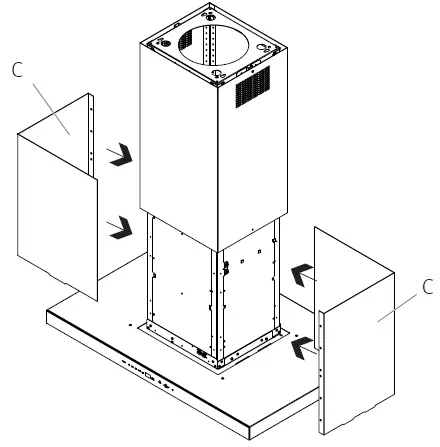
NOTE
The installation height above the counter top should be considered. Cutting and modification of one duct cover may be required to fit various ceiling heights. Any modifications should be done by a professional installer using suitable safety devices and observing the proper safety recommendations.