INSTALLATION MANUAL
Z-LINK2-LO
PRELIMINARY WARNINGS
The word WARNING preceded by the symbol  indicates conditions or actions that put the user’s safety at risk.
The word ATTENTION preceded by the symbol indicates conditions or actions that might damage the instrument or the connected equipment. The warranty shall become null and void in the event of improper use or tampering with the module or devices supplied by the manufacturer as necessary for its correct operation, and if the instructions contained in this manual are not followed.
 | WARNING: The full content of this manual must be read before any operation. The module must only be used by qualified electricians. Specific documentation is available via QR-CODE shown on page 1. |
 | The module must be repaired and damaged parts replaced by the Manufacturer. The product is sensitive to electrostatic discharges. Take appropriate measures during any operation. |
 | Electrical and electronic waste disposal (applicable in the European Union and other countries with recycling). The symbol on the product or its packaging shows the product must be surrendered to a collection centre authorized to recycle electrical and electronic waste. |
 DOCUMENTATION
Z-LINK2-LO


SENECA s.r.l.; Via Austria, 26 – 35127 – PADOVA – ITALY; Tel. +39.049.8705359 – Fax +39.049.8706287
CONTACT INFORMATION
| Technical support | [email protected] | Product information | [email protected] |
This document is the property of SENECA srl. Copies and reproduction are prohibited unless authorised.
The content of this document corresponds to the described products and technologies.
Stated data may be modified or supplemented for technical and/or sales purposes.
MODULE LAYOUT
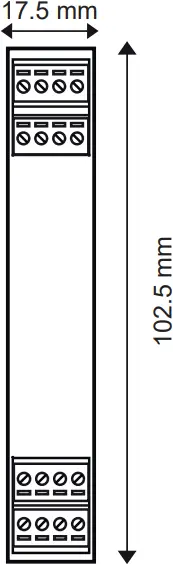
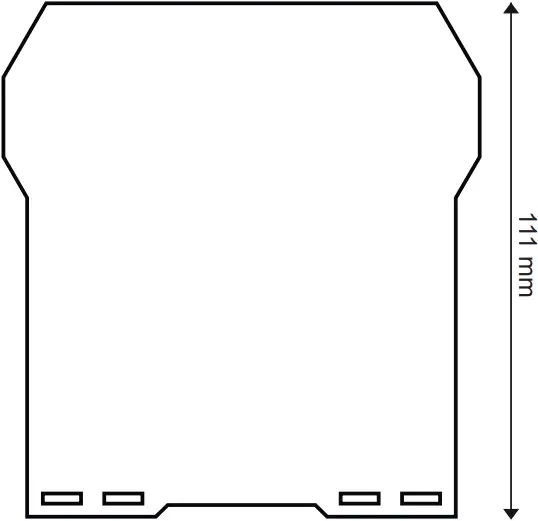
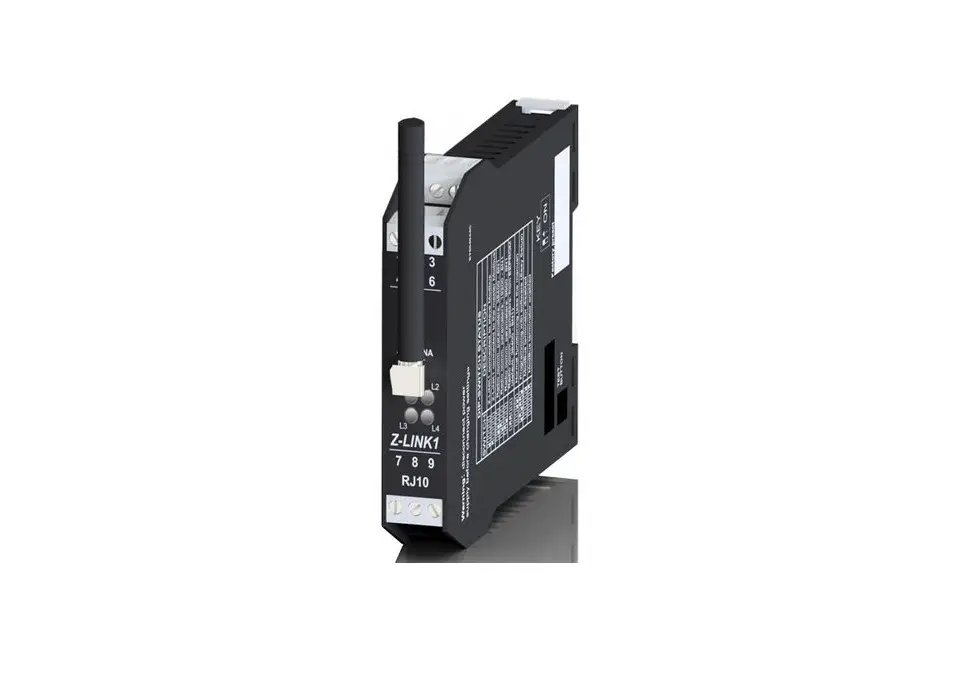
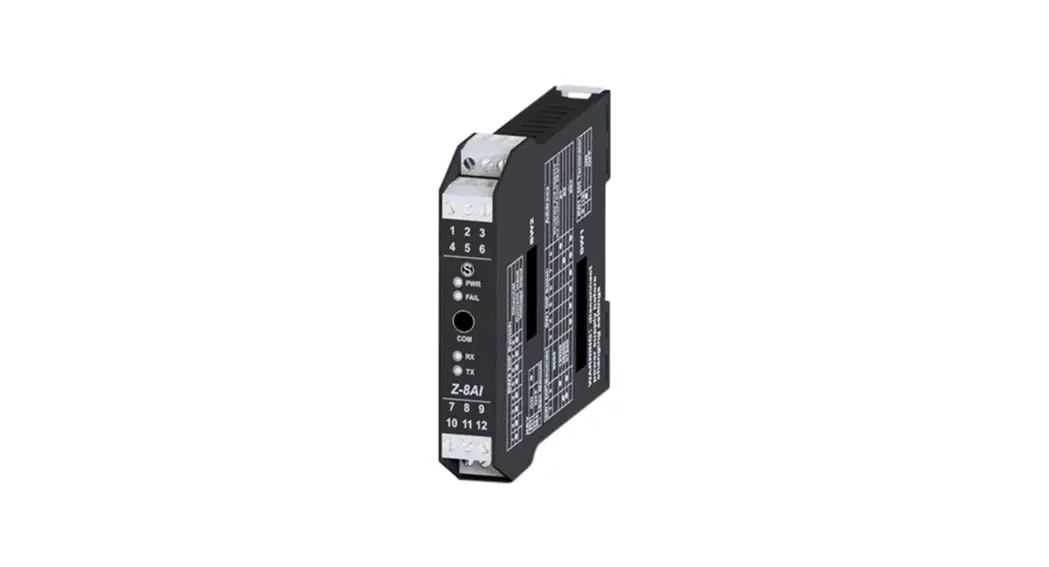
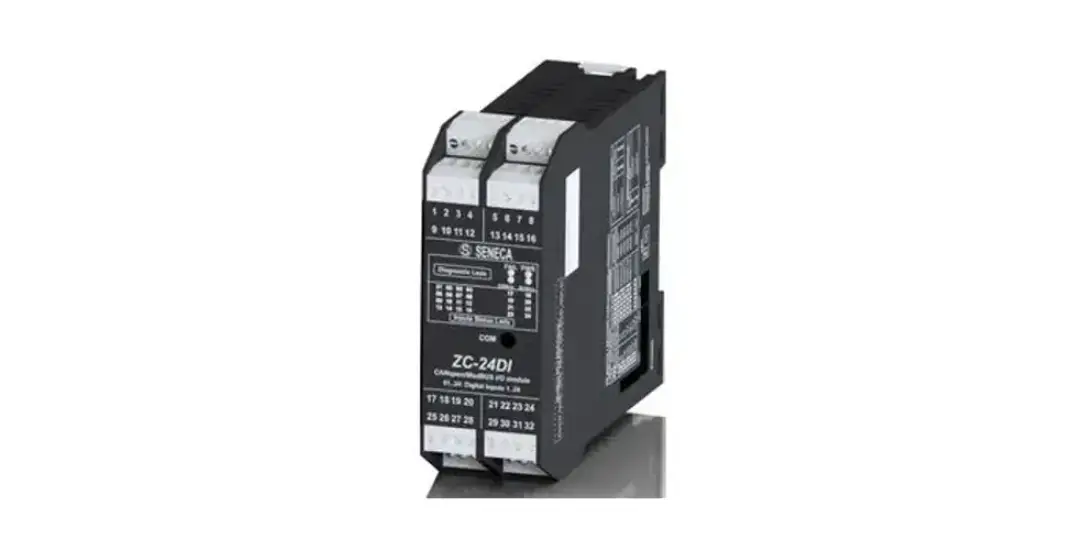
Dimensions LxHxD: 17.5 x 102.5 x 111 mm; Weight: 110 g; Enclosure: PA6, black
SIGNALS VIA LED ON FRONT PANEL
LED | STATUS | LED meaning |
| L1 | Flashing | Packet transmission on the bus |
L2 | Flashing | Packet transmission on radio module |
| L3 | —- | Not used |
L4 | Flashing | Module powered correctly |
TECHNICAL SPECIFICATIONS
CERTIFICATIONS |    |
INSULATION | 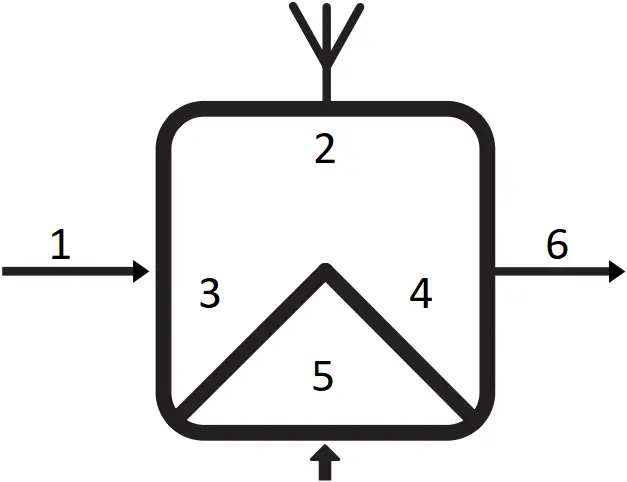  1500 Vac 1500 Vac
|
POWER SUPPLY | Voltage: 10 ÷ 40Vdc; 19 ÷ 28Vac; 50 ÷ 60Hz; Max: 1W |
ENVIRONMENTAL CONDITIONS | Temperature: -10 ÷ +65°C; Humidity: 30% ÷ 90% non-condensing; Storage temperature: -20÷ +85°C; Degree of protection: IP20. |
ASSEMBLY | IEC EN60715, 35mm DIN rail in vertical position. |
CONNECTIONS | 3-way removable screw terminals, pitch 5mm Rear connector IDC10 for DIN bar 46277 front microUSB |
BAND OF FREQUENCY BAND | ERC 70-03, February 2023, Annex 1, h1.7 (band centre 869.525MHz) |
MODULATION | LoRa® (CSS Modulation – Chirp Spread Spectrum) |
RECEIVER CATEGORY | 2 |
RANGE OF ANTENNAS | 450/500 m with supplied Antenna, 700/800 m with Magnetic Antenna. |
SETTING THE DIP-SWITCHES
SW1 | |
1 2 3 4 5 6 | |
  | The device is connected to ModBUS slave modules |
 | The device is connected to the ModBUS Master or is operating as ModBUS Master |
| 38400 baud – 8N1 |
| 19200 baud – 8N1 |
| 9600 baud – 8N1 |
| Communication parameters from EEPRON (default: 38400 baud – 8N1) N.B.: any change must be performed only using the Easy Setup 2 software |
| The radio module is internally connected to IDC10 (Seneca RS485 bus) and to terminals 7-8-9 |
| Programming mode with Easy Setup |
| ModBUS RS485 enabled |
| ModBUS RS485 disabled |
ModBUS CONNECTION RULES
1) Install the modules in the DIN rail (120 max)
2) Connect the remote modules using cables of an appropriate length. The following table shows cable length data:
-Bus length: maximum length of the Modbus network according to the Baud Rate. This is the length of the cables that connect the two farthest modules (see Diagram 1).
-Derivation length: maximum length of a derivation 2 m (see Diagram 1).
Bus length | Derivation length |
| 1200 m | 2 m |
Diagram 1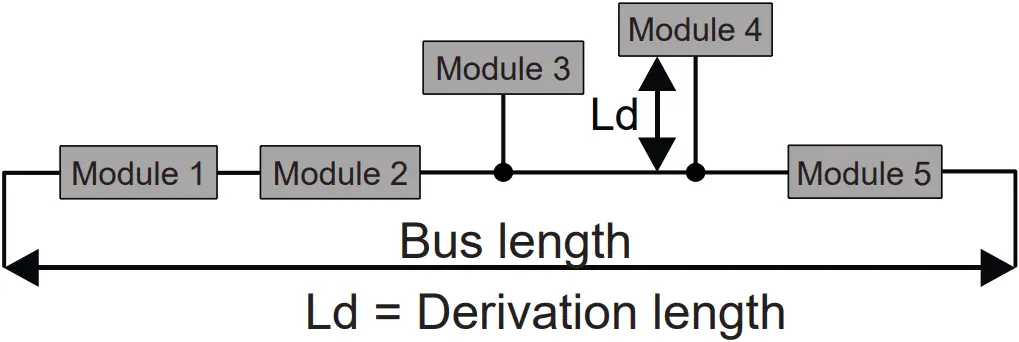
For maximum performance, it is recommended to use special shielded cables, such as BELDEN 9841.
INSTALLATION REGULATIONS
The module has been designed for vertical installation on a DIN 46277 rail. For optimal operation and long life, adequate ventilation must be provided. Avoid positioning ducting or other objects that obstruct the ventilation slots. Avoid mounting modules over heat-generating equipment.
Installation in the bottom part of the electrical panel is recommended.
CAUTION
These are open type devices intended for installation in a final casing/panel that offers mechanical protection and protection against the spread of fire.
CAUTION
To configure the device via the Easy Setup software, the master device must be switched off.
ELECTRICAL CONNECTIONS
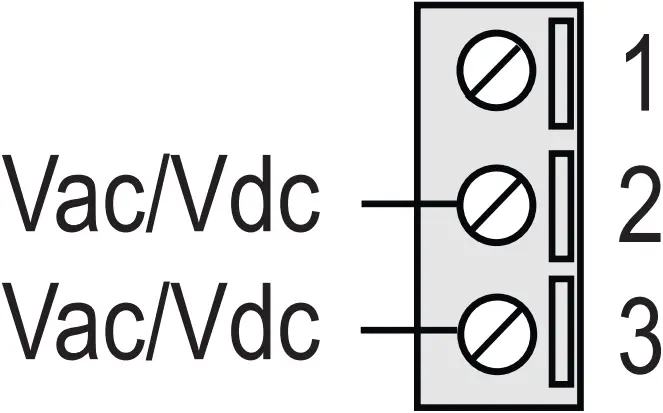
Power supply
Terminals 2 and 3 can be used to provide the module with power supply as an alternative to the connection using the Z-PC-DINx bus.
Power voltage must be between 10 and 40Vdc (any polarity) or between 19 and 28Vac.
The upper limits must not be exceeded in order to avoid serious damage to the module.
If the power supply source is not protected against overload, a safety fuse with a 1A max permissible value must be installed in the power supply line.
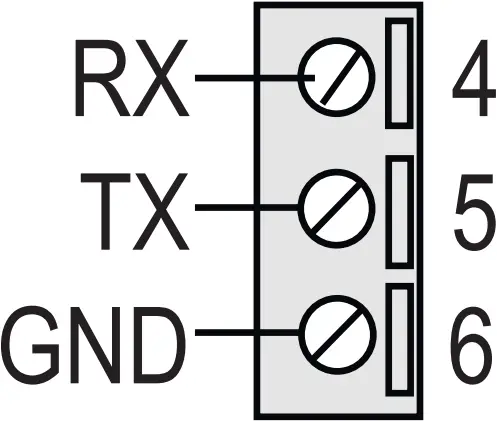
RS232 serial port
The module has a serial port that can be configured with the SW2 switch.
The illustration shows how to complete connections.
The RS232 interface is fully settable.
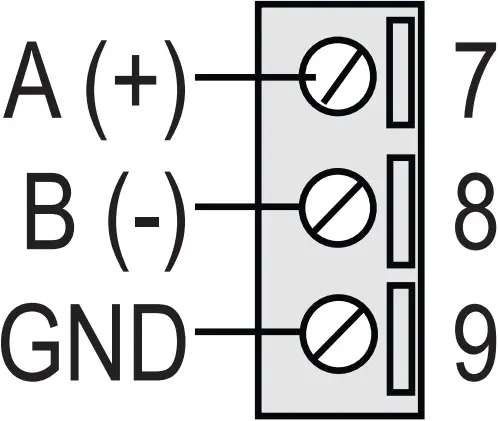
RS485 serial port
The module has a serial port that can be configured with the SW2 switch.
The illustration shows how to complete connections.
N.B.: the indication of the RS485 connection polarity is not standardised and in some devices may be inverted.
Power supply and Modbus interface are available using the Seneca DIN rail bus, via the IDC10 rear connector, or the Z-PC-DINAL2 accessory.
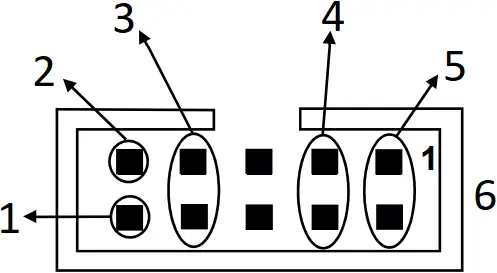
- RS485 B
- RS485 A
- RS485 GND
- Power Supply AC / +
- Power Supply AC / –
- IDC 10
Back connector (IDC 10)
The illustration shows the meanings of the various IDC10 connector pins if signals are to be sent via them directly.
MI00602-1-EN INSTALLATION MANUAL