ECA-70MIXAMP-1-120D Mixer Amplifier
Product Information
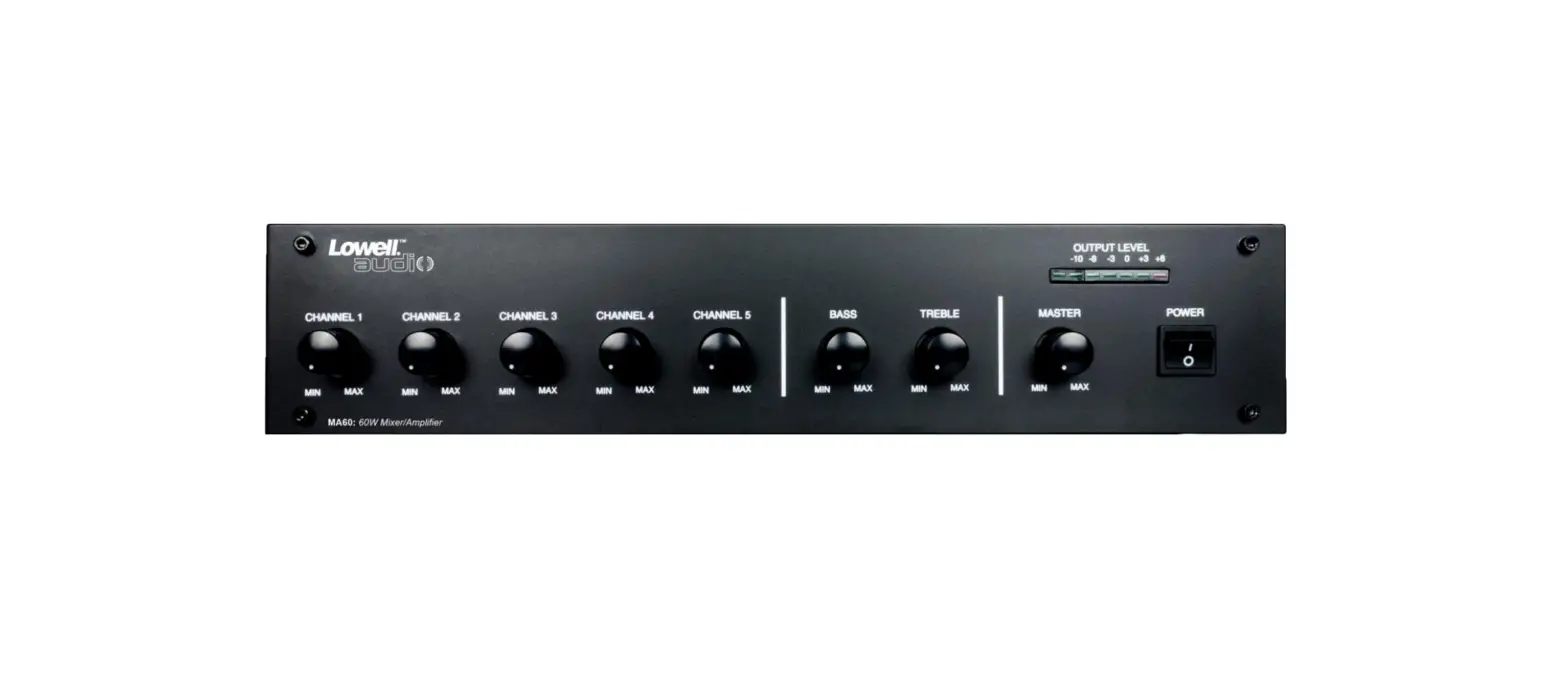
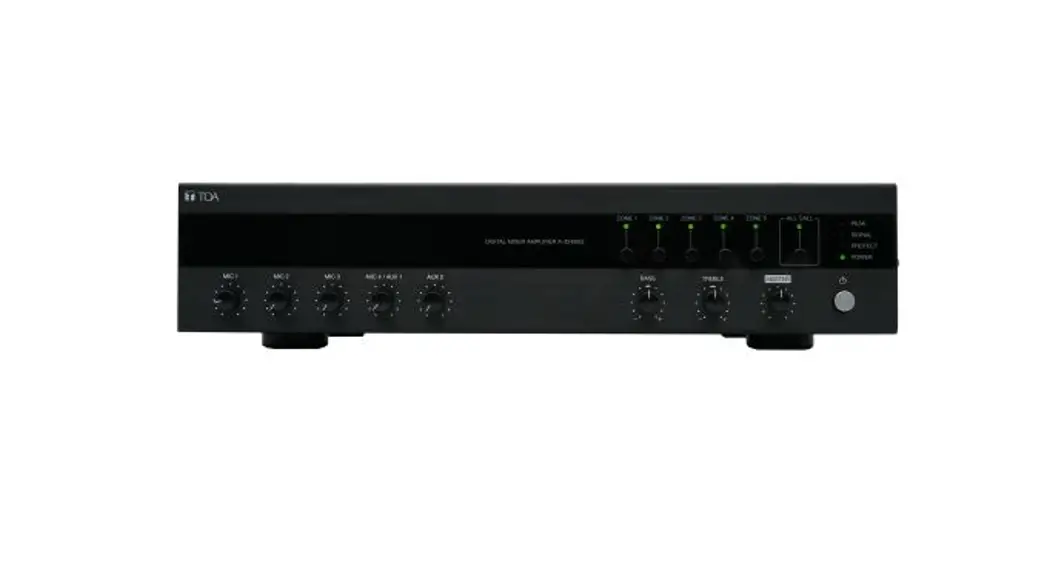
The ECA-70MIXAMP-1-240D is a mixer amplifier designed for use in
a public address system. It features a built-in Bluetooth function
for wireless audio streaming. The amplifier has multiple input
channels, including four microphone inputs (MIC 1-4) and two
auxiliary inputs (AUX 1-2). The unit also includes bass and treble
controls, as well as a master volume control. It operates on a
power supply of either 120V or 240V.
Product Usage Instructions
- Ensure that the unit is installed and connected properly
according to the instructions in the user manual. - Power on the unit using the ON/OFF switch.
- To pair a Bluetooth device, follow these steps:
- Press the PAIRED BLUETOOTH button on the front panel.
- Enable Bluetooth on your device and search for available
devices. - Select “ECA-70MIXAMP-1-240D” from the list of available
devices. - Once connected, the Bluetooth indicator on the front panel will
light up.
- To use a microphone, connect it to one of the MIC inputs (MIC
1-4) using an appropriate cable. - Adjust the volume levels for each input channel using the
corresponding knobs labeled 0-10. - If using an auxiliary device, connect it to one of the AUX
inputs (AUX 1-2) using an appropriate cable. - Adjust the bass and treble levels using the BASS and TREBLE
knobs. - Control the overall volume of the system using the MASTER
volume knob. - Observe the CLIP SIG indicator to ensure that the audio signal
is not being clipped or distorted. Adjust the volume levels
accordingly. - Ensure that the PROT 70V switch is set to the appropriate
voltage for your system (4-16). - When finished using the unit, power it off using the ON/OFF
switch.
Please refer to the user manual for additional information and
safety precautions. Keep the manual handy for future reference.
OPERATION MANUAL
PUBLIC ADDRESS SYSTEM
ECA-70MIXAMP-1-120D ECA-70MIXAMP-1-240D
MIXER AMPLIFIER
ECA-70MIXAMP-1-240D
BLUETOOTH
0
10
PAIRED BLUETOOTH PAIRING
MIC 1
MIC 1
0
10
MIC 2
0
10
MIC 3
0
10
MIC 4/AUX 1
0
10
AUX 2
BASS TREBLE MASTER
0
10
0
10
PROT 70V
4-16
CLIP SIG
POWER
ON OFF
Please follow the instructions in this manual to obtain the optimum results from this unit. We also recommend that you keep this manual handy for future reference.
TABLE OF CONTENTS
1. FCC STATEMENT ……………………………………………………………………………………….3 2. IC WARNING ……………………………………………………………………………………………… 4 3. SAFETY PRECAUTIONS ……………………………………………………………………………5 4. GENERAL DESCRIPTION …………………………………………………………………………7 5. FEATURES …………………………………………………………………………………………………7 6. NOMENCLATURE AND FUNCTIONS
6.1 Front Panel ………………………………………………………………………………………………. 8 6.2 Rear Panel…………………………………………………………………………………………………9
7. OPERATION ILLUSTRATION ……………………………………………………………………10 8. TROUBLESHOOTING………………………………………………………………………………. 12 9. APPLICATIONS ……………………………………………………………………………………….. 13 10.BLOCK DIAGRAM …………………………………………………………………………………. 14 11.SPECIFICATIONS ………………………………………………………………………………….. 15 12.DIMENSIONAL DIAGRAM ………………………………………………………………………16
2
1. FCC STATEMENT
1. This device complies with Part 15 of the FCC Rules. Operation is subject to the following two conditions: (1) This device may not cause harmful interference, and (2) This device must accept any interference received, including interference that may cause undesired operation. 2. Changes or modifications not expressly approved by the party responsible for compliance could void the user’s authority to operate the equipment. NOTE: This equipment has been tested and found to comply with the limits for a Class B digital device, pursuant to Part 15 of the FCC Rules. These limits are designed to provide reasonable protection against harmful interference in a residential installation. This equipment generates uses and can radiate radio frequency energy and, if not installed and used in accordance with the instructions, may cause harmful interference to radio communications. However, there is no guarantee that interference will not occur in a particular installation. If this equipment does cause harmful interference to radio or television reception, which can be determined by turning the equipment off and on, the user is encouraged to try to correct the interference by one or more of the following measures: Reorient or relocate the receiving antenna. Increase the separation between the equipment and receiver. Connect the equipment into an outlet on a circuit different from that to which the receiver is connected.
Consult the dealer or an experienced radio/TV technician for help.
Radiation Exposure Statement
This equipment complies with FCC radiation exposure limits set forth for an uncontrolled environment. This equipment should be installed and operated with minimum distance 20cm between the radiator & your body.
3
2. IC WARNING
– English: This device contains licence-exempt transmitter(s)/receiver(s) that comply with Innovation, Science and Economic Development Canada’s licence-exempt RSS(s). Operation is subject to the following two conditions: (1) This device may not cause interference. (2) This device must accept any interference, including interference that may cause undesired operation of the device. RF warning statement: This equipment complies with IC radiation exposure limits set forth for an uncontrolled environment. This equipment should be installed and operated with minimum distance 20cm between the radiator & your body.
– French: L’émetteur/récepteur exempt de licence contenu dans le présent appareil est conforme aux CNR d’ Innovation, Sciences et Développement économique Canada applicables aux appareils radio exempts de licence. L’exploitation est autorisée aux deux conditions suivantes : 1) L’appareil ne doit pas produire de brouillage; 2) L’appareil doit accepter tout brouillage radioélectrique subi, même si le brouillage est susceptible d’ en compromettre le fonctionnement Avertissement RF: Cet appareil est conforme à IC l’exposition aux rayonnements limites fixées pour un environnement non contrôlé. Cet appareil doit être installé et utilisé avec une distance minimale de 20 cm entre le radiateur et votre corps. Cet transmetteur ne doit pas être co-situé ou opérant en liaison avec toute autre antenne ou transmetteur.
4
3. SAFETY PRECAUTIONS
Be sure to read the instructions in this section carefully before use. Make sure to observe the instructions in this manual as the conventions of safety symbols and messages regarded as very important precautions are included. We also recommend you keep this instruction manual handy for future reference.
Safety Symbol and Message Conventions
Safety symbols and messages described below are used in this manual to prevent bodily injury and property damage which could result from mishandling. Before operating your product, read this manual first and understand the safety symbols and messages so you are thoroughly aware of the potential safety
Indicates a potentially hazardous situation which, if mishandled, could result in death or serious personal injury.
Indicates a potentially hazardous situation which, if mishandled, could result in moderate or minor personal injury, and/or property damage.
When Installing the Unit
Do not expose the unit to rain or an environment where it may be splashed by water or other liquids, as doing so may result in fire or electric shock.
Use the unit only with the voltage specified on the unit. Using a voltage higher than that which is specified may result in fire or electric shock.
Do not cut, kink, otherwise damage nor modify the power supply cord. In addition, avoid using the power cord in close proximity to heaters, and never place heavy objects — including the unit itself — on the power cord, as doing so may result in fire or electric shock.
Be sure to replace the unit’s terminal cover after connection completion. Because high voltage is applied to the speaker terminals, never touch these terminals to avoid electric shock.
Be sure to ground to the safety ground (earth) terminal to avoid electric shock. Never ground to a gas pipe as a catastrophic disaster may result.
Avoid installing or mounting the unit in unstable locations, such as on a rickety table or a slanted surface. Doing so may result in the unit falling down, causing personal injury and/or property damage.
When the Unit is in Use
Should the following irregularity be found during use, immediately switch off the power, disconnect the power supply plug from the AC outlet and contact your nearest dealer. Make no further attempt to operate the unit in this condition as this may cause fire or electric shock.
If you detect smoke or a strange smell coming from the unit. If water or any metallic object gets into the unit If the unit falls, or the unit case breaks If the power supply cord is damaged (exposure of the core, disconnection, etc.) If it is malfunctioning (no tone sounds.)
To prevent a fire or electric shock, never open nor remove the unit case as there are high voltage components inside the unit. Refer all servicing to your nearest dealer.
Do not place cups, bowls, or other containers of liquid or metallic objects on top of the unit. If they accidentally spill into the unit, this may cause a fire or electric shock.
Do not insert nor drop metallic objects or flammable materials in the ventilation slots of the unit’s cover, as this may result in fire or electric shock.
5
3. SAFETY PRECAUTIONS
When Installing the Unit
Never plug in nor remove the power supply plug with wet hands, as doing so may cause electric shock.
When unplugging the power supply cord, be sure to grasp the power supply plug; never pull on the cord itself. Operating the unit with a damaged power supply cord may cause a fire or electric shock.
When moving the unit, be sure to remove its power supply cord from the wall outlet. Moving the unit with the power cord connected to the outlet may cause damage to the power cord, resulting in fire or electric shock. When removing the power cord, be sure to hold its plug to pull.
Do not block the ventilation slots in the unit’s cover. Doing so may cause heat to build up inside the unit and result in fire.
Avoid installing the unit in humid or dusty locations, in locations exposed to the direct sunlight, near the heaters, or in locations generating sooty smoke or steam as doing otherwise may result in fire or electric shock.
When the Unit is in Use
Do not place heavy objects on the unit as this may cause it to fall or break which may result in personal injury and/or property damage. In addition, the object itself may fall off and cause injury and/or damage.
Make sure that the volume control is set to minimum position before power is switched on. Loud noise produced at high volume when power is switched on can impair hearing.
Do not operate the unit for an extended period of time with the sound distorting. This is an indication of a malfunction, which in turn can cause heat to generate and result in a fire.
Contact your dealer as to the cleaning. If dust is allowed to accumulate in the unit over a long period of time, a fire or damage to the unit may result.
If dust accumulates on the power supply plug or in the wall AC outlet, a fire may result. Clean it periodically. In addition, insert the plug in the wall outlet securely.
Switch off the power, and unplug the power supply plug from the AC outlet for safety purposes when cleaning or leaving the unit unused for 10 days or more. Doing otherwise may cause a fire or electric shock.
An all-pole mains switch with a contact separation of at least 3 mm in each pole shall be incorporated in the electrical installation of the building.
Due to product upgrades, while some of the features and specification in the user manual does not match the actual functions, sorry for any inconvenience and thanks for your kind understanding!
6
4. GENERAL DESCRIPTION
This product is a mixer amplifier with Bluetooth, adopting by combination of high-performance switching power supply and digital power amplifier, with 1U chassis design, high efficiency, light weight & delicate appearance.
5. FEATURES
1. Standard cabinet design (1U), exquisite SMT process design. 2. Support Bluetooth function without remote control; support Bluetooth pairing cancellation, Bluetooth
output volume adjustment, Bluetooth power on/off function. 3. 1 EMC input, 2 AUX inputs, 4 MIC inputs. 4. Channel priority function: EMC>MIC1>MIC2, MIC3, AUX1, AUX2. 5. Each input has independent volume adjustment, and the total volume has treble, bass adjustment and
volume control function. 6. MIC1-4 balanced input, built-in 48V phantom power supply. 7. The device is equipped with level indication, overload and protection indicators. 8. The device has good self-protection such as short circuit, overload and overheating. 9. Two output modes: constant resistance and constant voltage output 4-16, 70V. 10. The high-efficiency energy-saving switching power supply is perfectly combined with the high-energy
saving and ultra-stable design of class D digital power amplifier. 11. Backup power supply 24V without switching delay, optional.
7
6. NOMENCLATURE AND FUNCTIONS
6.1 FRONT PANEL 15
ECA-70MIXAMP-1-240D
BLUETOOTH
0
10
PAIRED
BLUETOOTH PAIRING
MIC 1
MIC 1
0
10
MIC 2
0
10
MIC 3
0
10
MIC 4/AUX 1
0
10
AUX 2
BASS TREBLE MASTER
0
10
0
10
PROT 70V
4-16
CLIP SIG
POWER
ON OFF
12
3 4 5 6 7 8 9 10 11 12 13 14
1. Bluetooth output volume control knob 2. Bluetooth pairing cancel button 3. MIC1 balanced input , XLR interface with phantom 48V power supply 4. MIC1 volume control knob 5. MIC2 volume control knob 6. MIC3 volume control knob 7. MIC4 / AUX1 volume control knob 8. AUX2 volume control knob 9. BASS adjustment potentiometer 10. TREBLE adjustment potentiometer 11. Master volume control 12. PROT/70V/4-16/CLIP/SIG status indicators 13. The power switch 14. The power indicator 15. Bluetooth status indicator light (always on means that Bluetooth is connected, slow flashing
light means that Bluetooth has been disconnected, and no light means that Bluetooth has been turned off).
8
6. NOMENCLATURE AND FUNCTIONS
6.2 REAR PANEL
OUTPUT
70V/4-16 NC NC
70V 4-16
OUTPUT
INPUT
BLUETOOTH
ON
OFF
AUDIO AUX2 AUX1
LINE MIC PHANTOM LINE MIC PHANTOM LINE MIC PHANTOM LINE MIC PHANTOM
19 18
MIC 4 G
MIC 3 G
BT-ANT MIC 2
MUTE G
MIC 1 G
EMC IN + G MUTE
1
23
4
5 6 7 8 9 10 11 12 1314 1516 17
1. AC power input socket 2. 70V/4-16 output interface 3. 70V / 4-16 speaker output switch 4. Cooling fan 5. Bluetooth power switch 6. Line output interface, used to connect the line input interface 7. 2 channel AUX input interface, used to connect AUX output interface 8. Line input /Mic input /Phantom power switch for MIC4 9. MIC4 Balance input 10. Line input /Mic input /Phantom power switch for MIC3 11. MIC3 Balance input 12. Line input /Mic input /Phantom power switch for MIC2 13. MIC2 Balance input 14. MUTE control switch 15. Line input /Mic input /Phantom power switch for MIC1
16. EMC input interface 17. MUTE signal input port 18. MIC1 Balance input 19. Bluetooth antenna port
9
7. OPERATION ILLUSTRATION
1.Connect the speakers:
When the 70V and 4-16 selector switch to 70V position, as shown below:
OUTPUT
70V/4-16 NC NC
70V 4-16
When the 70V and 4-16 selector switch to 4-16 position, as shown below:
OUTPUT
70V/4-16 NC NC
70V 4-16
SPK-
SPK+
SPK-
SPK+
Constant pressure speaker: According to the rated power of the power amplifier, connect the constant power speaker
Fixed resistance speaker: 4-16
Note:
1. Before connecting the speakers, please make sure that the equipment is powered off. In the case of power on, may have the risk of electric shock.
2. Please make sure there are no applied load to the speaker cables. 3. During the installation of speakers, please make sure that the sum of the rated input power
of the speakers to be connected is less than rated power of equipment.
2.Connect external devices: Please ensure that the equipment and all equipment will be connected are powered off. Using the corresponding cable to connect this equipment and other external equipment.
3.Connect the power line and turn it on: Please make sure that the power switch of equipment and its connected equipment are
turned off (in the OFF position). Turn the volume knob to the left Connect the supplied power line to the AC IN interface Plug the power line into the applicable socket Turn on the connected equipment (CD player, etc. ), and then turn on the equipment.
Note:
1.Before powering on, please check and make sure there is no problem with the cable and connection. 2.When you turn off the system, turn off the equipment, and then turn off the connected equipment.
10
7. OPERATION ILLUSTRATION
4.Microphone using: Turning the volume knob to the left,Connect the microphone and microphone input interface. Turning the volume knob in the right position. Facing the microphone and Speak loudly, turn the volume knob to the right, until the output signal
no longer distortion.If input is high but output is low voice, and then increase the volume by using the volume knob.If the speaker volume is very high, then reduce the volume by using the volume knob.
5.Shutdown the system: Turning the volume knob to the left until the minimum position. Turning off the panel power switch of the professional power amplifier, at 0ff.In turn shutoff
processor equipment and audio source equipment.
Note:
1.Turn off the power switch,Please wait about 5 seconds before turning on again.Continuous rapid turning on and off the power switch,it will lead to equipment failure.
2.Even the switch is in the off status, there will be a little current in equipment. If it won’t use the equipment in a long time, please unplug the power cord from the wall AC socket.
6.Bluetooth module introduction:
Usage method: Turn the Bluetooth power switch on the rear panel to the ON position, and the Bluetooth status indicator is flashing slowly. Turn on the Bluetooth of the mobile phone for pairing. After the pairing is complete, the Bluetooth indicator light is always on, and you can play music on your mobile phone normally without barriers within 10 meters. The Bluetooth default name is “Episode MixAmp”. After 120 seconds of Bluetooth search without any device connection, the Bluetooth indicator goes off.
Bluetooth pairing cancellation: Long press the “BLUETOOTH PAIRING” button on the front panel for 3 seconds to cancel the current Bluetooth connection, and then you can reconnect to the Bluetooth of other devices.
7.Operation instruction for MIC/MIC2/MIC3/MIC4 input switch: As shown in the right picture, the input switch included:
line input, Mic input, Phantom power supply. When switch to Line input, you can input the source from
such as CD, VCD, DVD and some other external audio equipment. When switch to the MIC input, you can use the electret condenser microphone. When switch to PHANTOM, the input interface with 48V phantom power supply, you can use the condenser microphone.
LINE MIC PHANTOM
MIC 2
G
11
8. TROUBLESHOOTING
Failure phenomena 1. Power switch is not opened
2. All lines are connected, but there is no sound.
3. The sound suddenly disappears in normal status.
4. Low sound 5. Sound is distorted
Failure cause
1. Power line is cut off 2. The protection function of the equipment is
not activated
1. The power switch is not opened or the power plug is bad contacted.
2. The fuse is burnt 3. The volume knob is not opened or turned down
to a extra low level 4. There is no audio signal input 5. There is short-circuit in the speaker line.
1. The equipment is in very high temperature to make it into protection status.
2. The connection wire is bad contact.
The equipment is set to be low impedance connection, but the speakers connected is with high impedance.
The input level of Mic or external equipment is too high
12
9. APPLICATIONS
REAR PANEL CONNECTIONS
13
Audio source equipment like CD/MP3 player
OPEN CLOSE
POWER
PLAY
ON STOP PREVIOUS NEXT OFF
OUTPUT
70V/4-16 NC NC
70V 4-16
OUTPUT
INPUT
BLUETOOTH
ON
OFF
AUDIO AUX2 AUX1
LINE MIC PHANTOM LINE MIC PHANTOM LINE MIC PHANTOM LINE MIC PHANTOM
MIC 4 G
MIC 3 G
BT-ANT MIC 2
MUTE G
MIC 1 G
EMC IN + G MUTE
AC power input Speaker
MIC
ALARM MODE PLAY
RECORD
VOL
START
STOP
PLAY MSG PLAY SIREN
MIC in REC in
Alarm signal generator
STANDBY
ON OFF
10. BLOCK DIAGRAM
14
ENC IN MIC1 MIC2 MIC3 MIC4 AUX1 AUX2
MU TE_MIC1 LEVEL
LEVEL MU TE_ALL
LEVEL
LEVEL LEVEL
Q1 MU TE_MIC1
GND
Q2 MU TE_ALL
GND
BT MODLE
AUDIO OUT
BA SS TREBLE
2-STAGE EQ
LEVEL
Switchover between 4-16 and 70V
Amplifier module
Protection circuit
Amplifier output
Fun control
11. SPECIFICATIONS
Model Rated Power Output Level
Input Sensitivity
Output Sensitivity& Impedance Tones
ECA-70MIXAMP-1-120D
ECA-70MIXAMP-1-240D
120W
240W
4-16/70V
MIC1,2,3,4 input:5mV±1mV/600, balanced European terminal; AUX1,2 input:350mV±20mV/10K, unbalanced RCA connection terminal; EMC input:775mV±40mV/10K, balanced European terminal
MIX OUT: 1000mV/470 unbalanced RCA connection terminal
Bass:±10dB at 100Hz Treble:±10dB at 10KHz
Frequency Response Cross talk attenuation SNR S/N Ratio THD Phantom power
80Hz~16KHz(+1dB,-3dB) 50dB
M I C 123 : 6 6 d BA U X 12 : 8 0 d B 0.5%(at 1KHz1/3 rated power)
48V(±4V)
Cooling Mode
Forced fan to cool after side entry, boot to start the fan, and do the variable speed processing infinitely.
Protection Mode Operation Temperature Storage Temperature Relative Humidity Voltage Power Consumption Weight Dimension
Overheat protection, overcurrent protection, short circuit protection
+5~+40
-20~+70
<95%(No condensation)
~120V 60Hz
180W
300W
3.7Kg
3.8Kg
484×315×44mm
15
44 48
12. DIMENSIONAL DIAGRAM
UNIT:mm
484
ECA-70MIXAMP-1-240D
BLUETOOTH
0
10
PAIRED
BLUETOOTH PAIRING
MIC 1
MIC 1
0
10
MIC 2
0
10
MIC 3
0
10
MIC 4/AUX 1
0
10
AUX 2
BASS TREBLE MASTER
0
10
0
10
PROT 70V
4-16
CLIP SIG
POWER
ON OFF
OUTPUT
70V/4-16 NC NC
70V 4-16
436
OUTPUT
INPUT
BLUETOOTH
ON
OFF
AUDIO AUX2 AUX1
MIC 4 G
MIC 3 G
BT-ANT MIC 2
MUTE G
MIC 1 G
EMC IN + G MUTE
315 6
LINE MIC PHANTOM LINE MIC PHANTOM LINE MIC PHANTOM LINE MIC PHANTOM
44
44
UNIT:mm
Over 100
ECA-70MIXAMP-1-240D
BLUETOOTH
0
10
PAIRED
BLUETOOTH PAIRING
MIC 1
MIC 1
0
10
MIC 2
0
10
MIC 3
0
10
MIC 4/AUX 1
0
10
AUX 2
BASS TREBLE MASTER
0
10
0
10
PROT 70V
4-16
CLIP SIG
POWER
ON OFF
Over 100 Over 100
16
PUBLIC ADDRESS SYSTEM
Ver 0.2