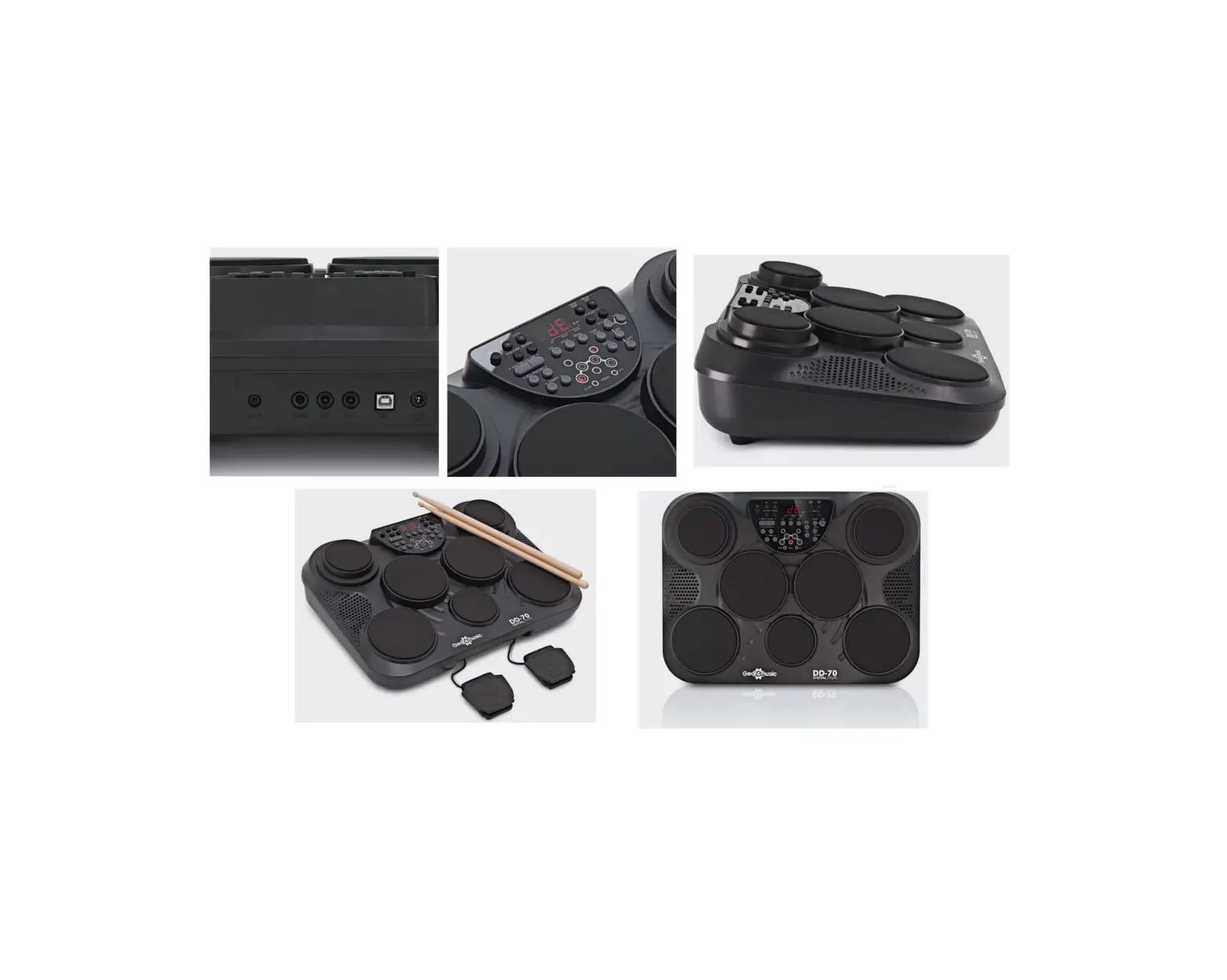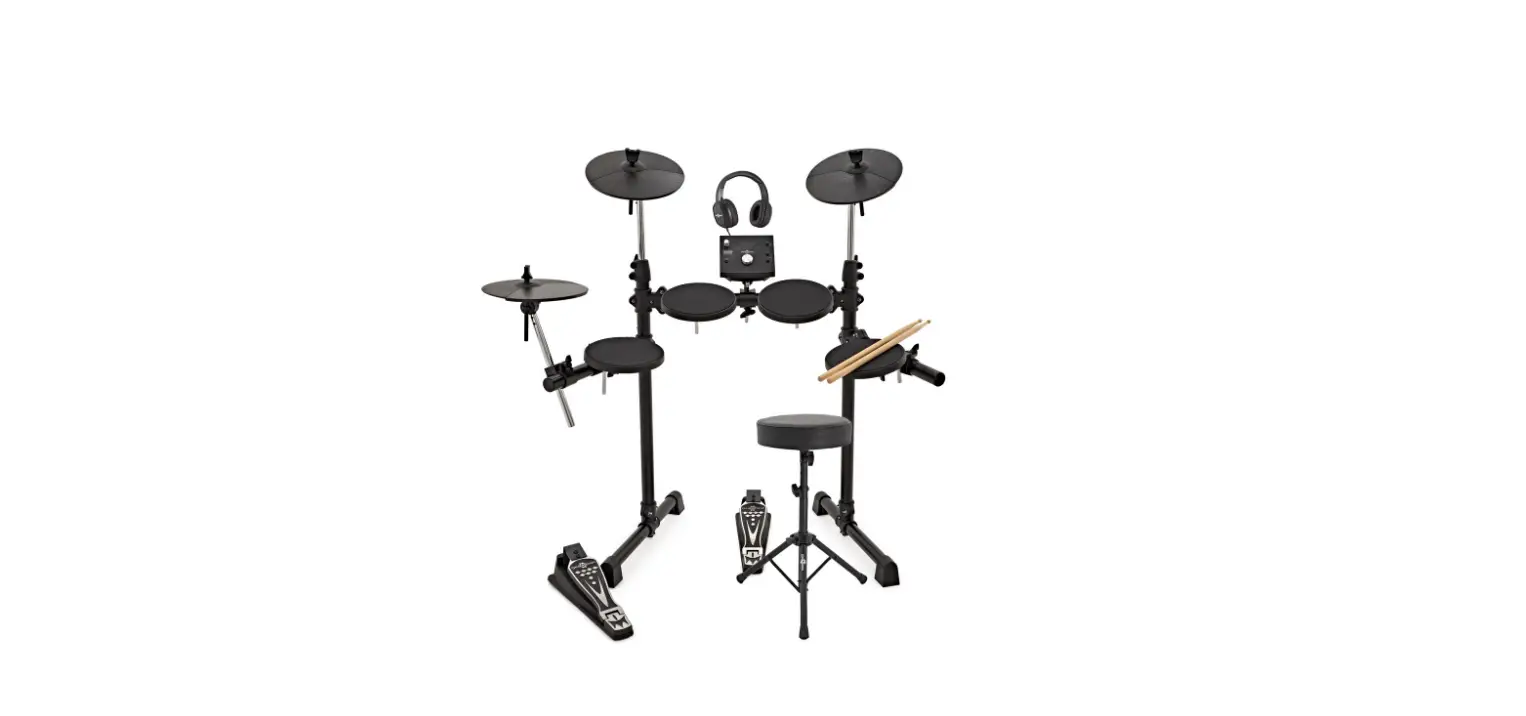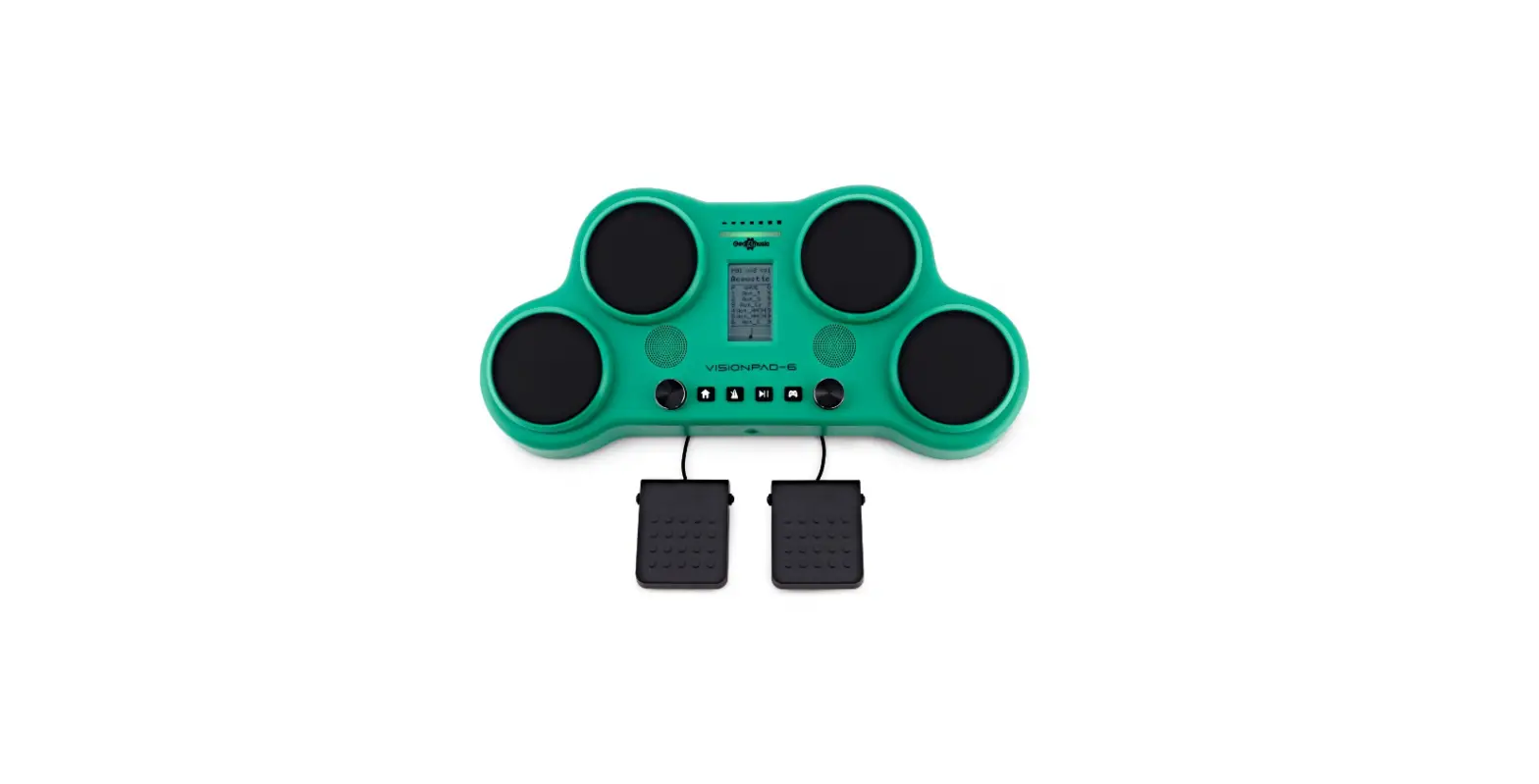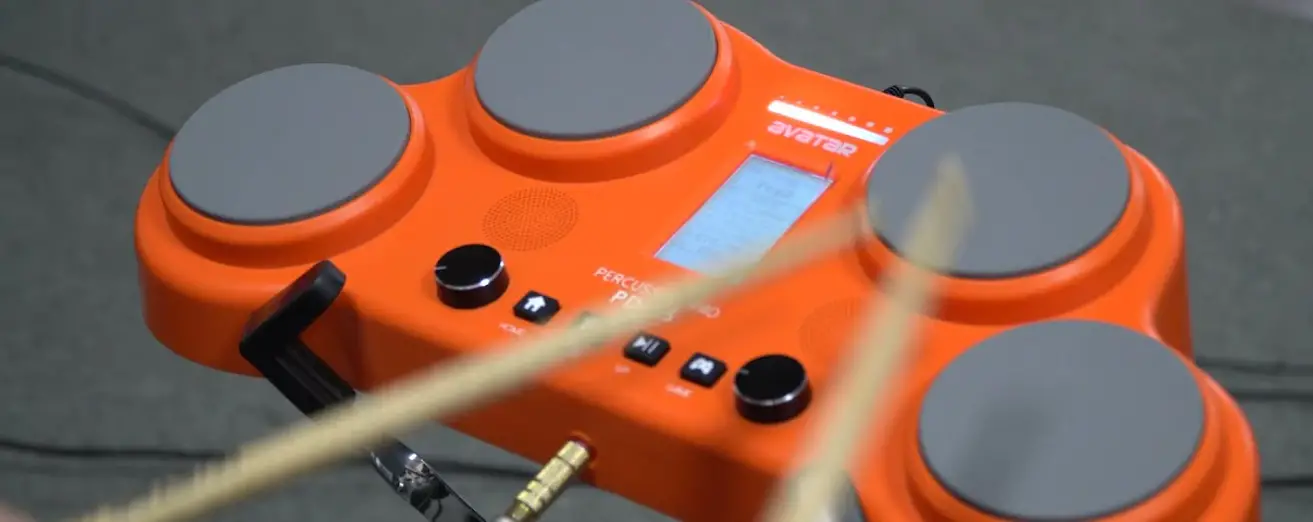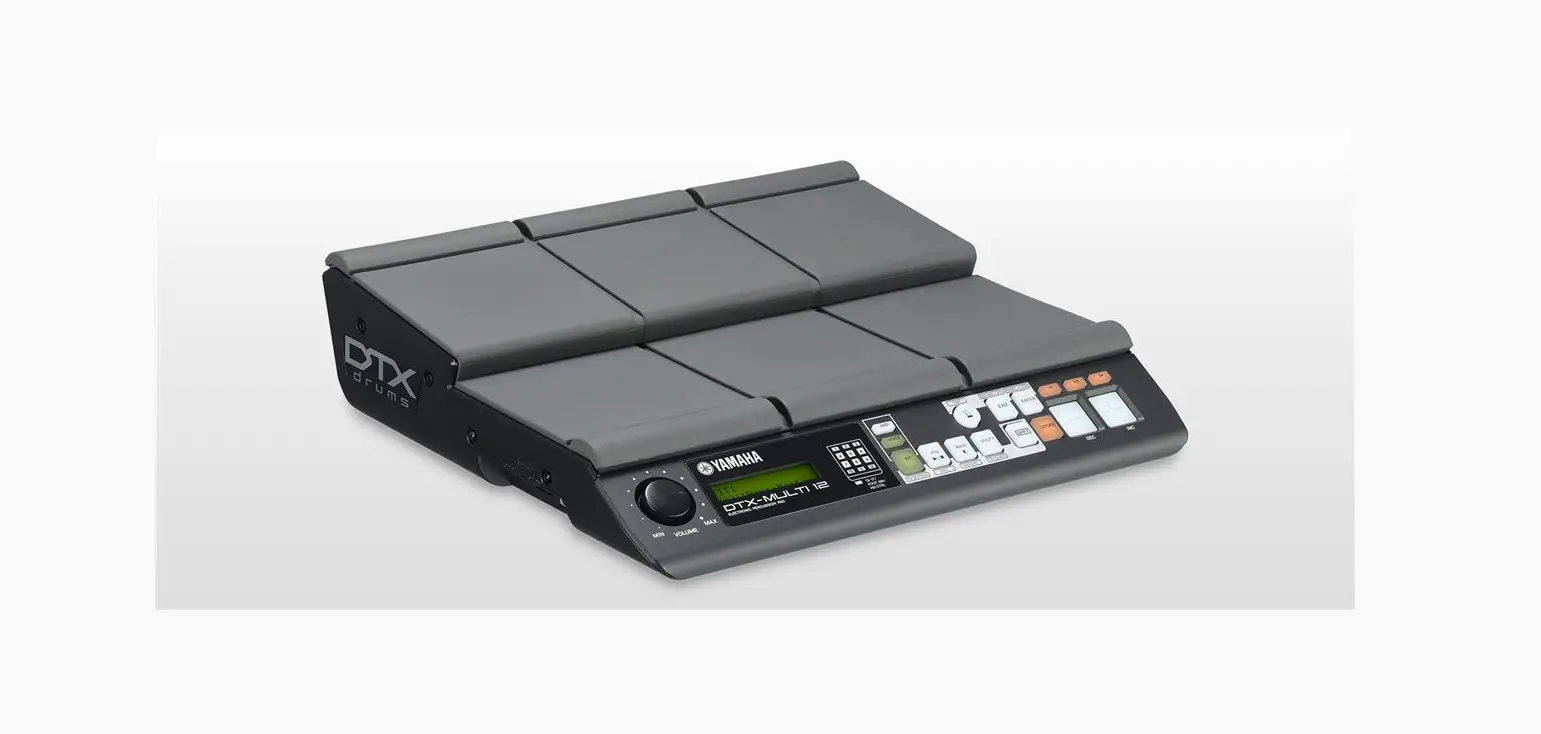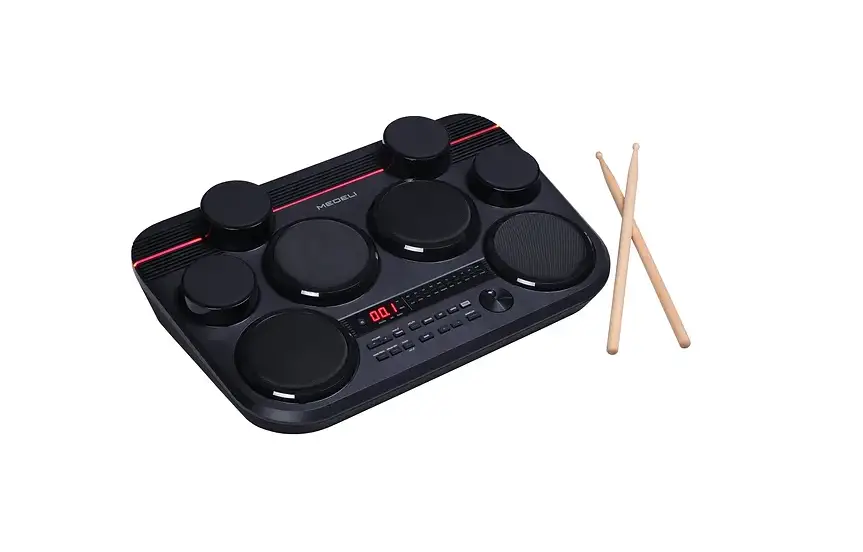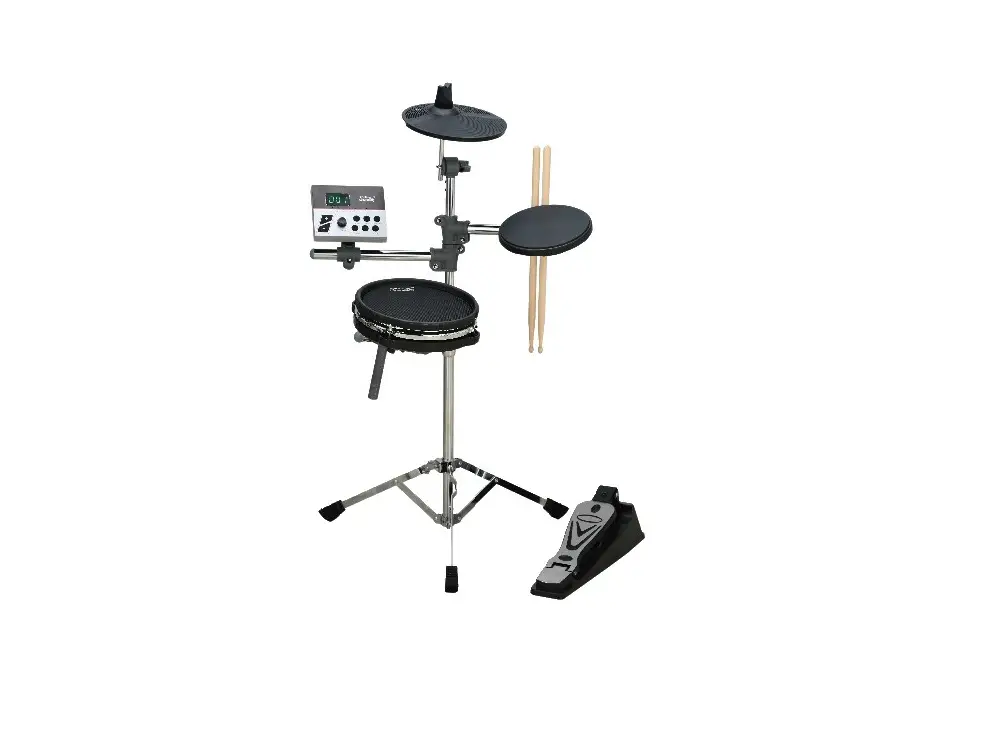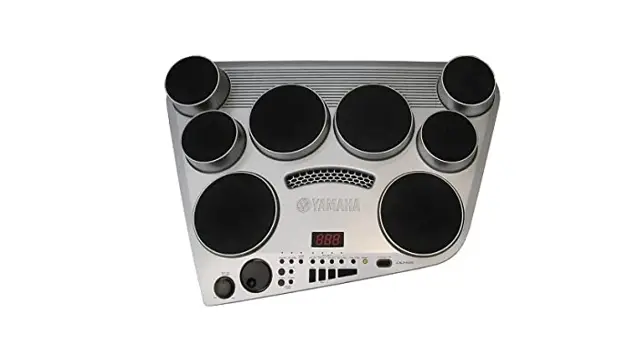

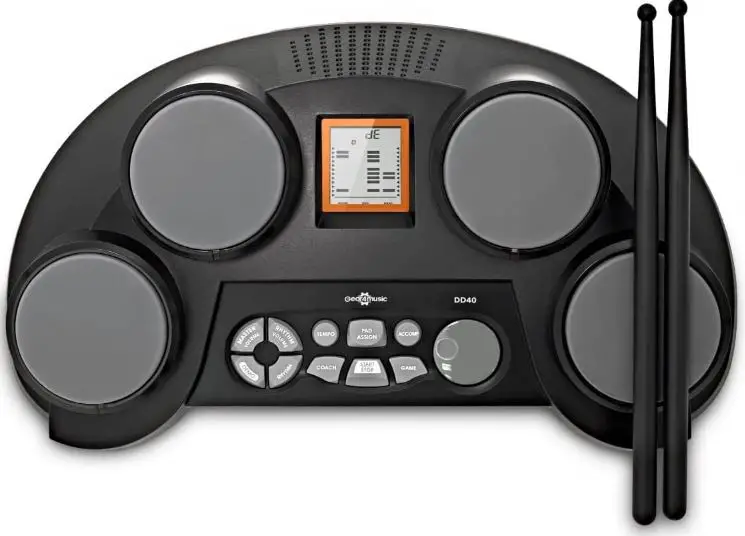
gear4music DD40 Electronic DIGITAL DRUM PADS
PRODUCT OVERVIEW
WARNING!
- Do not open cover. No user-serviceable parts inside. Refer servicing to qualified service personnel
- Do not place the product in a location near a heat source such as a radiator, or in an area subject to direct sunlight, excessive dust, mechanical vibration or shock
- The product must not be exposed to dripping or splashing and no objects filled with liquids, such as vases, shall be placed on the product
- No naked flame sources, such as lighted candles, should be placed on the product
- Allow adequate air circulation and avoid obstructing vents (if present) to prevent internal heat build-up. The ventillation must not be impeded by covering the appliance with items such as newspapers, table-cloths, curtains etc.
- The mains plug is used to disconnect the appliance from the mains supply. Ensure that the mains outlet is easily-accessible and remove the plug from the mains outlet if you notice any abnormality with the appliance.
- If used improperly, batteries may explode or leak and cause damage or injury. In the interest of safety: Make sure you observe the correct polarity when replacing batteries
- Avoid using new batteries together with used ones
- Avoid mixing different types of batteries
- Remove batteries if the appliance is to remain unused for an extended period of time
- Never keep batteries together with metallic objects such as ballpoint pens, necklaces, hairpins, etc. Used batteries must be disposed of in compliance with whatever regulations for their safe disposal that may be observed in the region in which you live.
- Batteries must not be exposed to excessive heat such as sunshine, fire or the like.
- Danger of explosion if battery is incorrectly replaced. Replace only with the same or equivalent type.
INTRODUCTION
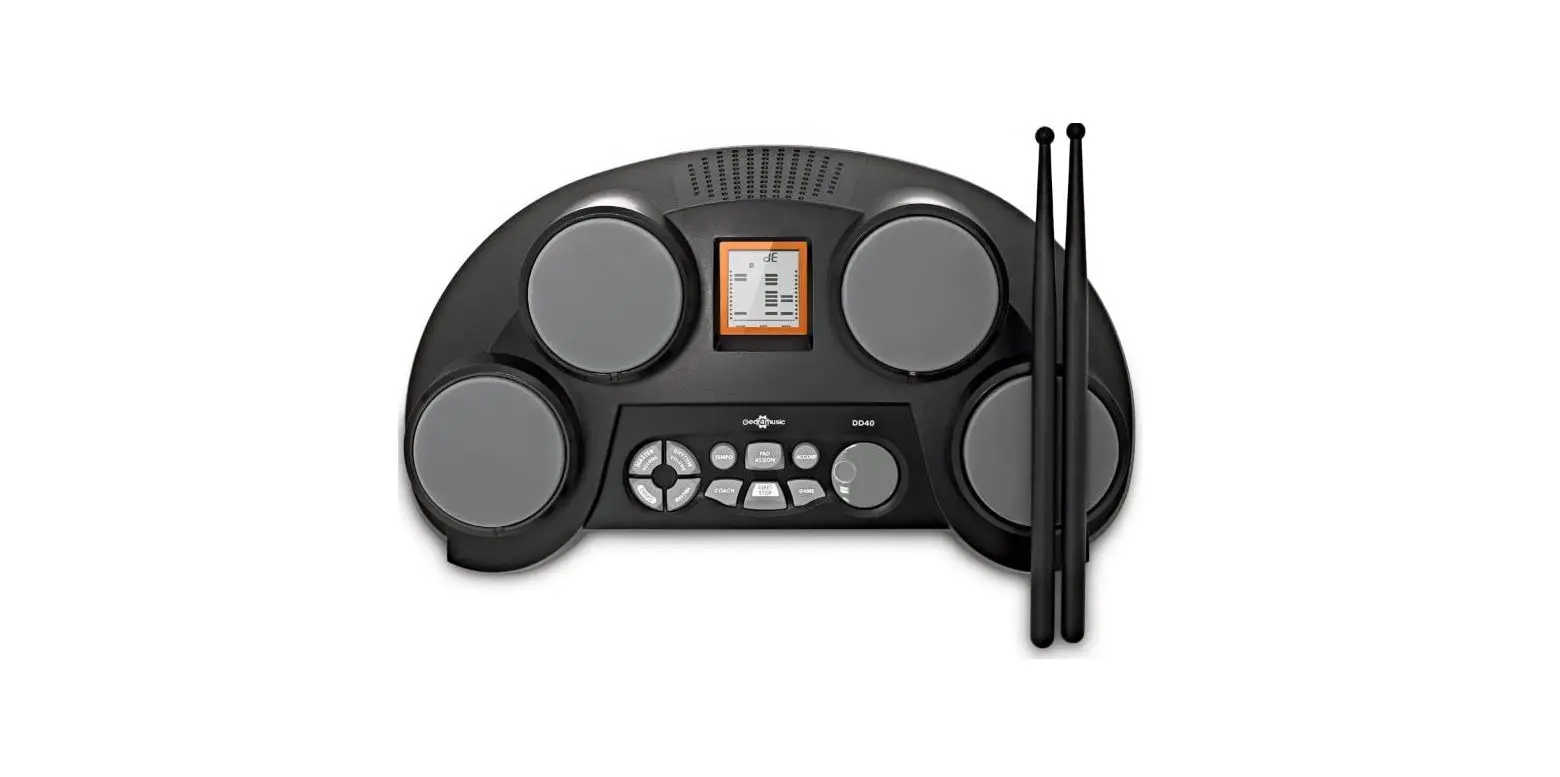
Thank you for purchasing the DD40 Electronic Drum Pads. To get the most out of your product, please read this manual carefully.
CONTENTS
- 1 x DD40 Portable Electronic Drum Pads
- 1 x Power supply
- 1 x Pair of drum sticks
- 1 x User manual
FEATURES
- Lightweight and portable, with training and game functions.
- Practice in silence using the headphones output.
- Velocity sensitive drum pads respond to how hard you play.
- Includes 9V power supply and black plastic drumsticks.
FUNCTIONS
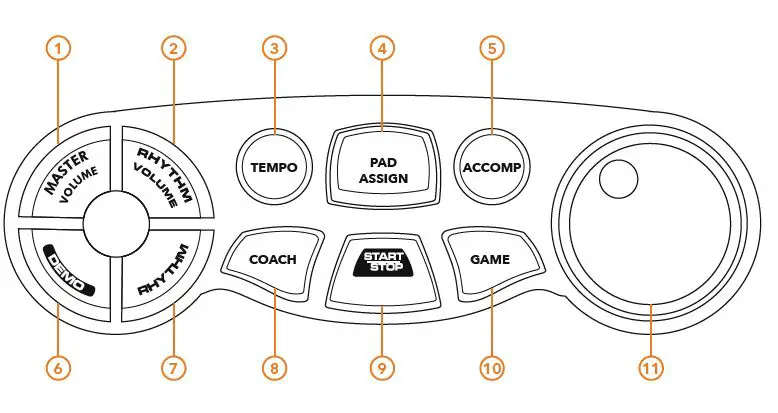
FRONT PANEL
- MASTER VOLUME
Select to control the master volume with the dial. - RHYTHM VOLUME
Select to control the song accompaniment volume with the dial. - TEMPO
Select to set the rhythm tempo with the dial, or to enter the tap tempo function. - PAD ASSIGN
Choose the pad voices. - ACCOMP.
Turn the accompaniment on/off during playback. - DEMO
Play the in-built demo song. - RHYTHM
Select to control the song choice with the dial. - COACH
Enter the rhythm coaching function. - START/STOP
Start/stop playback. - GAME
Enter the rhythm learning game. - DIAL
Turn the dial to control the selected settings.
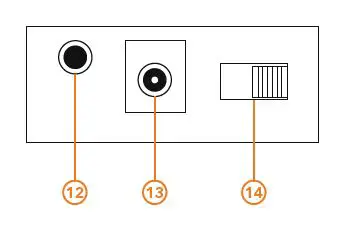
REAR PANEL
- HEADPHONE OUTPUT
Connect standard stereo headphones (not included). - 9V DC POWER INPUT
Connect to the supplied power supply unit (PSU). - POWER SWITCH
Turn the unit on/off.
GETTING STARTED
 POWER SUPPLY
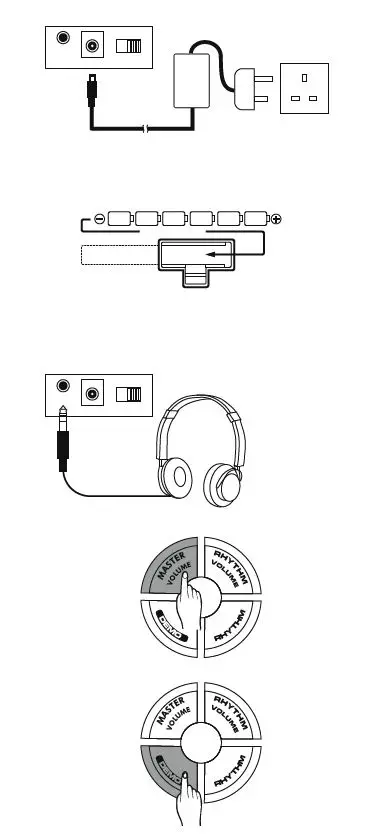
Connect the supplied 9V DC power supply only, firstly to the DD40 unit and then to mains power. Use the [POWER] switch on the rear panel to turn the unit on/off.- USING BATTERY POWER
The DD40 can be powered using 6 x size C batteries 1.5V (not included).
Ensure all batteries are inserted correctly, as indicated by the +/- polarity markings in the diagram. Replace all the batteries at the same time. Do not combine old and new batteries and do not mix battery types, as this can cause overheating, fire, or battery fluid leakage. Remove the batteries from the instrument if it is not to be used for a long period of time. - HEADPHONES
Standard stereo headphones (not included) can be connected for silent practice. The internal speakers will be muted when headphones are connected.
This output can also be used to connect the DD40 to an external sound system such as an amplifier, interface or mixer. - MASTER VOLUME
When the DD40 is powered on, it is advised to carefully adjust the volume to your desired playing level. To do this, first press the [MASTER VOLUME] button and then use the [DIAL] to increase or decrease the volume as required. - DEMO SONG
To demonstrate the capabilities of the DD40 there is an in-built demo song. The pad indicator lights will flash when triggered throughout the song.
To start the demo song, press the [DEMO] button. The display will show “dE”. To stop the demo song, press the [DEMO] button again.
 POWER SUPPLY
PLAYING RHYTHMS
- RHYTHM ACCOMPANIMENT
The DD40 features 50 different rhythms that
can be used to provide accompaniment to your performances. (see Rhythm List on page 14).
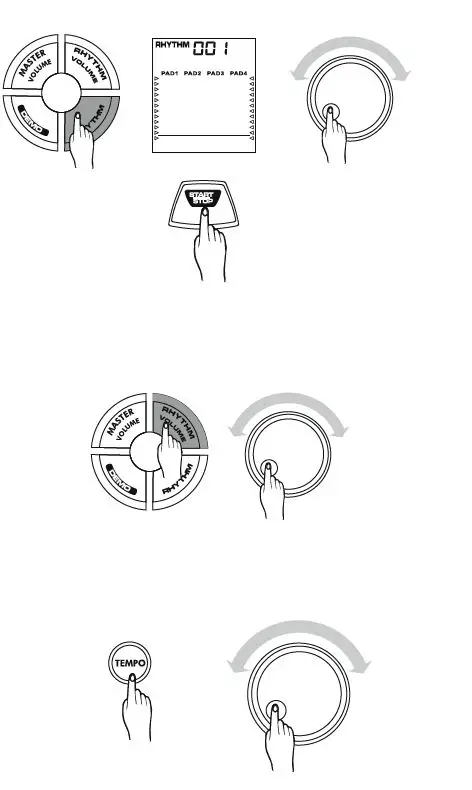
To select a rhythm, press the [RHYTHM] button and then use the [DIAL] to scroll through the different rhythm options. The selected rhythm number will be shown on the display.
Press the [START/STOP] button to control rhythm playback. - RHYTHM VOLUME
Use the rhythm volume function to adjust the balance between the accompaniment and your own performance on the pads.
Press the [RHYTHM VOLUME] button and then use the [DIAL] to adjust the accompaniment volume, as required. - TEMPO
The tempo of the rhythm can be set from 40-240bpm, as required.
To adjust the tempo, press the [TEMPO] button and then use the [DIAL] to select the required tempo. The selected tempo speed (bpm) will be shown on the display.
- TAP TEMPO
Another way of setting the required rhythm tempo is to tap the required tempo/automatically start playback.
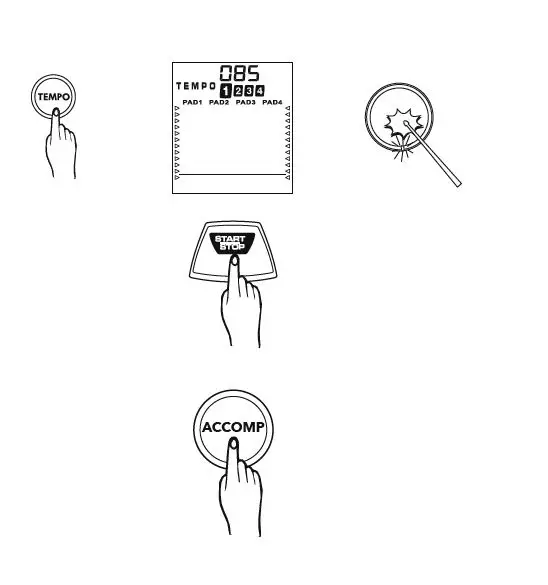
To do this, press the [TEMPO] button. The current tempo will be shown on the display. Next, hit any of the pads three or four times (depending on the time signature of the current rhythm) at the desired speed and the accompaniment will start at that tempo.
To stop playback, press the [START/STOP] button. - ACCOMPANIMENT ON/OFF
The accompaniment section can be switched on or off as required by pressing the [ACCOMP] button. The current setting will then be indicated on the display.
PLAYING THE PADS
PAD NAMES 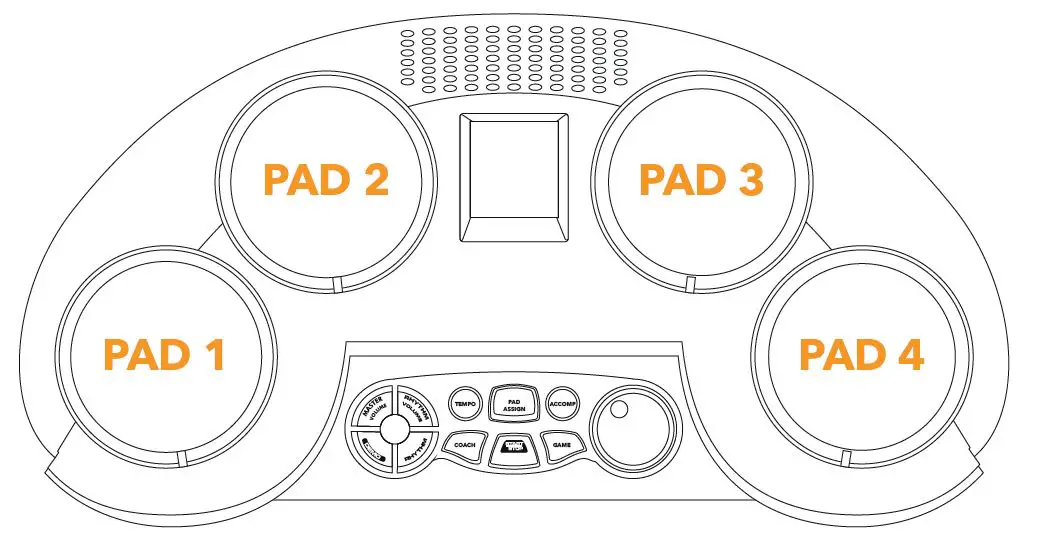
ASSIGNING VOICES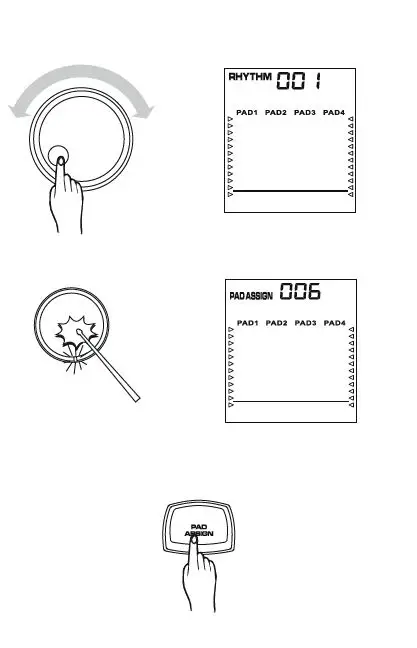 The DD40 has 70 in-built percussion sounds and 10 sound effects which can be assigned to any of the 4 drum pads as required, allowing you to create your own rhythm settings (see Voice List on page 13).
Use the dial to select the rhythm number you wish to assign the voices to and then press the [PAD ASSIGN] button. The PAD ASSIGN indicator will appear on the display and the light below Pad 1 will turn on.
Hit the required drum pad that you wish to assign the sound to once, to select it. The pad’s indicator light will turn on and its current voice number will be shown on the display.
Different voices can now be selected using either the dial or by hitting the selected pad repeatedly until you reach the desired voice.
Once you have selected the desired voice, press the [PAD ASSIGN] button to confirm the selection.
Repeat this process for the other pads if required to create your custom rhythm.
Please note, the most recently assigned percussion sounds will overwrite any previously assigned sounds.
PLAYING THE GAME
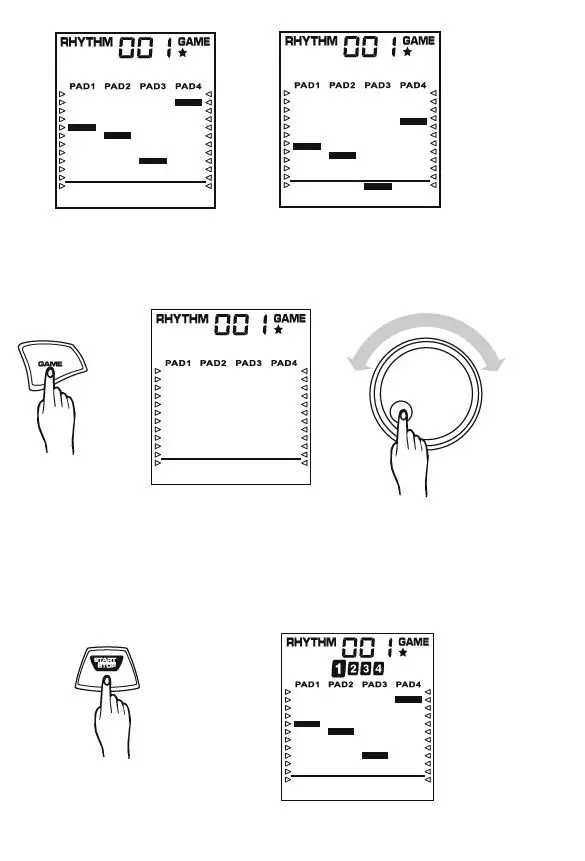
HOW TO PLAY
The DD40 features a game designed to let you learn rhythms by following the moving bars on the screen. The bars will begin at the top of the display and fall towards the bottom. The corresponding pads should be hit when the bar reaches the bottom line of the display, as shown in the diagrams.
STARTING A NEW GAME
To start a new game, press the [GAME] button. The GAME indicator will appear on the display.
Use the dial to choose a rhythm to learn. The game difficulty level of the selected rhythm will be indicated on the display:
- EASY
- NORMAL
- HARD
To start the game, press the [START/STOP] button. The bars of the corresponding pads will begin falling from the top of the display and the indicator lights of the pads will flash. The pads should be struck when the dropping bars reach the bottom line of the display.
SCORE
Once the game is complete it will stop and rate your score as detailed below. A voice comment will also be heard through the internal speakers.
- SCORE COMMENT
- 00-39 OK
- 40-69 GOOD
- 70-89 VERY GOOD
- 90-100 EXCELLENT
STOP THE GAME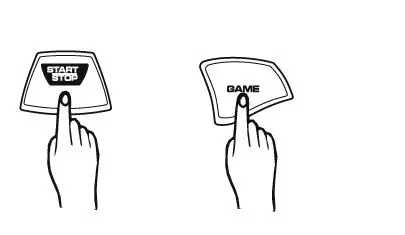
The game will automatically restart after displaying the score for 3 seconds. To stop the game, press
[START/STOP] at any time. Press the [GAME] button to exit the game mode.
COACHING MODE
The DD40 features an in-built coaching mode designed to help improve both timing and technique.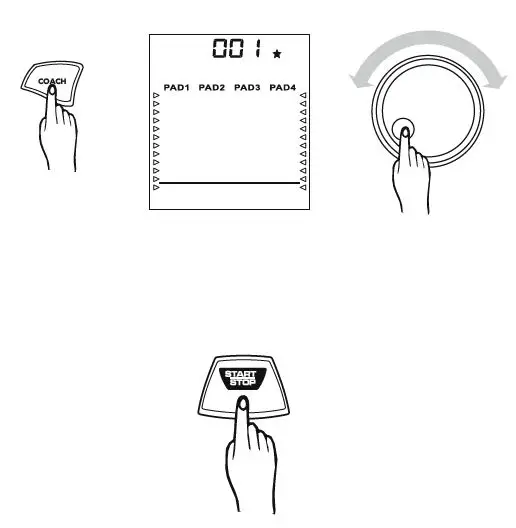
START COACHING MODE
To enter this mode, press the [COACH] button. The default coaching solo “001” will be shown on the display.
Use the dial to choose from 20 different coaching solos (see Rhythm Coaching List on page 14). Each solo has its own difficulty level, as indicated on the display:
- EASY
- NORMAL
- HARD
To start the selected solo, press the [START/STOP] button. The bars of the corresponding pads will begin falling from the top of the display and the indicator lights of the pads will flash. The pads should be struck when the dropping bars reach the bottom line of the display.
SCORE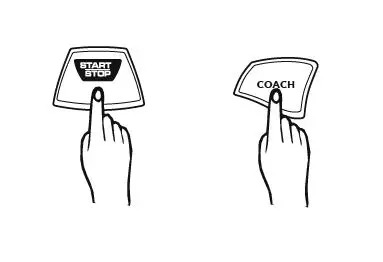 Once the solo has been followed 3 times, it will stop and rate your score, as detailed below. A voice comment will also be heard through the internal speakers.
- SCORE COMMENT
- 00-39 OK
- 40-69 GOOD
- 70-89 VERY GOOD
- 90-100 EXCELLENT
The coaching solo will automatically restart after displaying the score for 3 seconds. To stop the solo, press [START/STOP] at any time. Press the [COACH] button to exit the coaching mode.
VOICE LIST
| No. | Name |
| BASS DRUMS | |
| 1 | Standard Kick 1 |
| 2 | Analogue Kick 1 |
| 3 | Rock Kick |
| 4 | Room Kick |
| 5 | Analogue Kick 2 |
| 6 | Hard Kick |
| 7 | Acoustic Kick |
| 8 | Standard Kick 2 |
| 9 | Standard Kick 3 |
| SNARE DRUMS | |
| 10 | Standard Snare 1 |
| 11 | Standard Snare 2 |
| 12 | Synth Snare 1 |
| 13 | Synth Snare 2 |
| 14 | Synth Snare 3 |
| 15 | Analogue Snare 1 |
| 16 | Standard Snare Rim |
| 17 | Standard Snare 3 |
| 18 | Acoustic Snare |
| 19 | Rock Snare |
| 20 | Rock Snare Rim |
| 21 | Analogue Snare Rim |
| 22 | Analogue Snare 2 |
| 23 | House Snare |
| HI-HATS | |
| 24 | Hi-hat 1 |
| 25 | Hi-hat 2 |
| 26 | Hi-hat & Snare |
| 27 | Hi-hat & Kick |
| 28 | Standard Hi-hat Close |
| 29 | Standard Hi-hat Open |
| 30 | Analogue Hi-hat Close |
| 31 | Analogue Hi-hat Open |
| TOMS | |
| 32 | Standard Tom 1 |
| 33 | Standard Tom 2 |
| 34 | Standard Tom 3 |
| 35 | Standard Tom 4 |
| 36 | Tom & Snare |
| 37 | Tom Low |
| 38 | Acoustic Tom |
| 39 | Rock Tom |
| 40 | Analogue Tom |
| CRASH | |
| 41 | Standard Crash 1 |
| 42 | Standard Crash 2 |
| 43 | Standard Crash 3 |
| 44 | Analogue Crash |
| RIDE | |
| 45 | Ride 1 |
| 46 | Ride 2 |
| 47 | Ride 3 |
| 48 | Standard Ride |
| PERCUSSION | |
| 49 | Cowbell 1 |
| 50 | Cowbell 2 |
| 51 | Cowbell 3 |
| 52 | Timbale Low |
| 53 | Timbale 1 |
| 54 | Timbale 2 |
| 55 | Timbale & Kick |
| 56 | Metronome Click |
| 57 | Metronome Bell |
| 58 | Hand Clap |
| 59 | Tambourine 1 |
| 60 | Tambourine 2 |
| 61 | Bongo Hi |
| 62 | Bongo Low |
| 63 | Conga Open |
| 64 | Conga Mute |
| 65 | Cabasa |
| 66 | Maracas |
| 67 | Claves |
| 68 | Triangle Open |
| 69 | Triangle Mute |
| 70 | Analogue Cowbell |
| 71 | One |
| 72 | Two |
| 73 | Three |
| 74 | Four |
| 75 | OK |
| 76 | Good |
| 77 | Very Good |
| 78 | Exellent |
| 79 | FX |
| 80 | BLJ Trill |
RHTHYM LIST
| No. | Name |
| 8BEAT | |
| 1 | 8Beat |
| 2 | 8Beat Ballad |
| 3 | 8Beat Pop |
| 4 | 8Beat Rock |
| 5 | Rock 1 |
| 6 | Rock 2 |
| 7 | Hard Rock |
| 8 | Heavy Metal 1 |
| 9 | Heavy Metal 2 |
| 6/8 POP | |
| 10 | 6/8 Pop 1 |
| 11 | 6/8 Pop 1 |
| 16BEAT | |
| 12 | 16Beat Pop |
| 13 | 16Beat Funk |
| FUNK | |
| 14 | Funk |
| 15 | Funk Pop |
| 16 | Blues Funk |
| DANCE | |
| 17 | Pop Dance |
| 18 | Disco |
| 19 | House |
| 20 | Hip Hop |
| 21 | Rap |
| 22 | Shuffle |
| 23 | Slow Rock |
| 24 | Soul |
| JAZZ | |
| 25 | Cool Jazz |
| 26 | Jazz Swing |
| 27 | Blues 1 |
| 28 | Blues 2 |
| 29 | Fusion 1 |
| 30 | Fusion 2 |
| 31 | Bounce |
| LATIN | |
| 32 | Reggae 1 |
| 33 | Reggae 2 |
| 34 | Bossanova |
| 35 | Samba |
| 36 | Latin Rock |
| 37 | Cha Cha |
| 38 | Mambo |
| 39 | Rhumba |
| COUNTRY | |
| 40 | Country |
| 41 | Country Rock |
| MARCH & WALTZ | |
| 42 | March |
| 43 | Polka |
| 44 | Waltz 1 |
| 45 | Waltz 2 |
| SOUND EFFECTS | |
| 46 | SFX 1 |
| 47 | SFX 2 |
| 48 | SFX 3 |
| 49 | SFX 4 |
DEMO LIST
| No. | Name |
| FUNK | |
| 1 | Funk |
RHYTHM COACHING LIST
| No. | Name |
| ROCK | |
| 1 | Rock 1 |
| 2 | Rock 2 |
| 3 | Rock 3 |
| 4 | Rock 4 |
| POP | |
| 5 | Pop 1 |
| 6 | Pop 2 |
| 7 | Pop 3 |
| 8 | Pop 4 |
| LATIN | |
| 9 | Latin 1 |
| 10 | Latin 2 |
| 11 | Latin 3 |
| 12 | Latin 4 |
| CONGA | |
| 13 | Conga 1 |
| 14 | Conga 2 |
| 15 | Conga 3 |
| 16 | Conga 4 |
| DANCE | |
| 17 | Dance 1 |
| 18 | Dance 2 |
| 19 | Dance 3 |
| 20 | Dance 4 |
SPECIFICATIONS
- Pads . . . . . . . . . . . . . . . . . . . . 4 x Drum Pads with Touch Sensitivity and Indicator LED
- Display. . . . . . . . . . . . . . . . . . LED Display
- Rhythms. . . . . . . . . . . . . . . . . 50 Preset
- Voices. . . . . . . . . . . . . . . . . . .80 (70 Percussion Voices + 10 Effects Voices)
Coaching. . . . . . . . . . . . . . . . 20 Coaching Solos and Built-In Rhythm Learning Game - Dimensions. . . . . . . . . . . . . . Height 150mm x Width 460mm x Depth 260mm
- Weight. . . . . . . . . . . . . . . . . . 1.5Kg (without batteries)
- Drumsticks. . . . . . . . . . . . . . . Included
- Connections. . . . . . . . . . . . . 9V Power (PSU included), 3.5mm Jack Headphones Output (Headphones not included)
- Batteries. . . . . . . . . . . . . . . . . 6 x size C (not included)
If you have any more questions about this product, please do not hesitate to contact the Gear4music Customer Service Team on: +44 (0) 330 365 4444 or i[email protected]