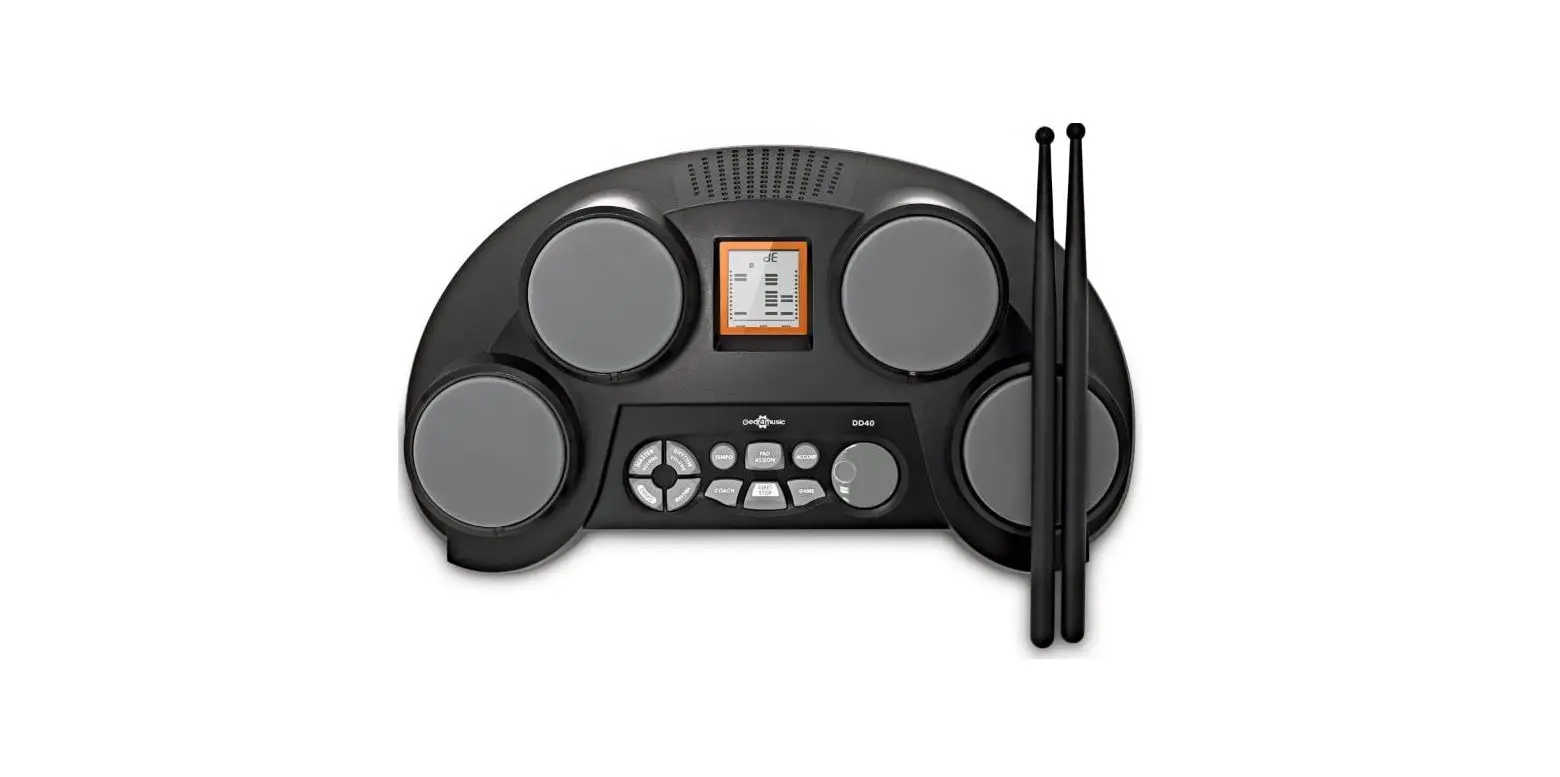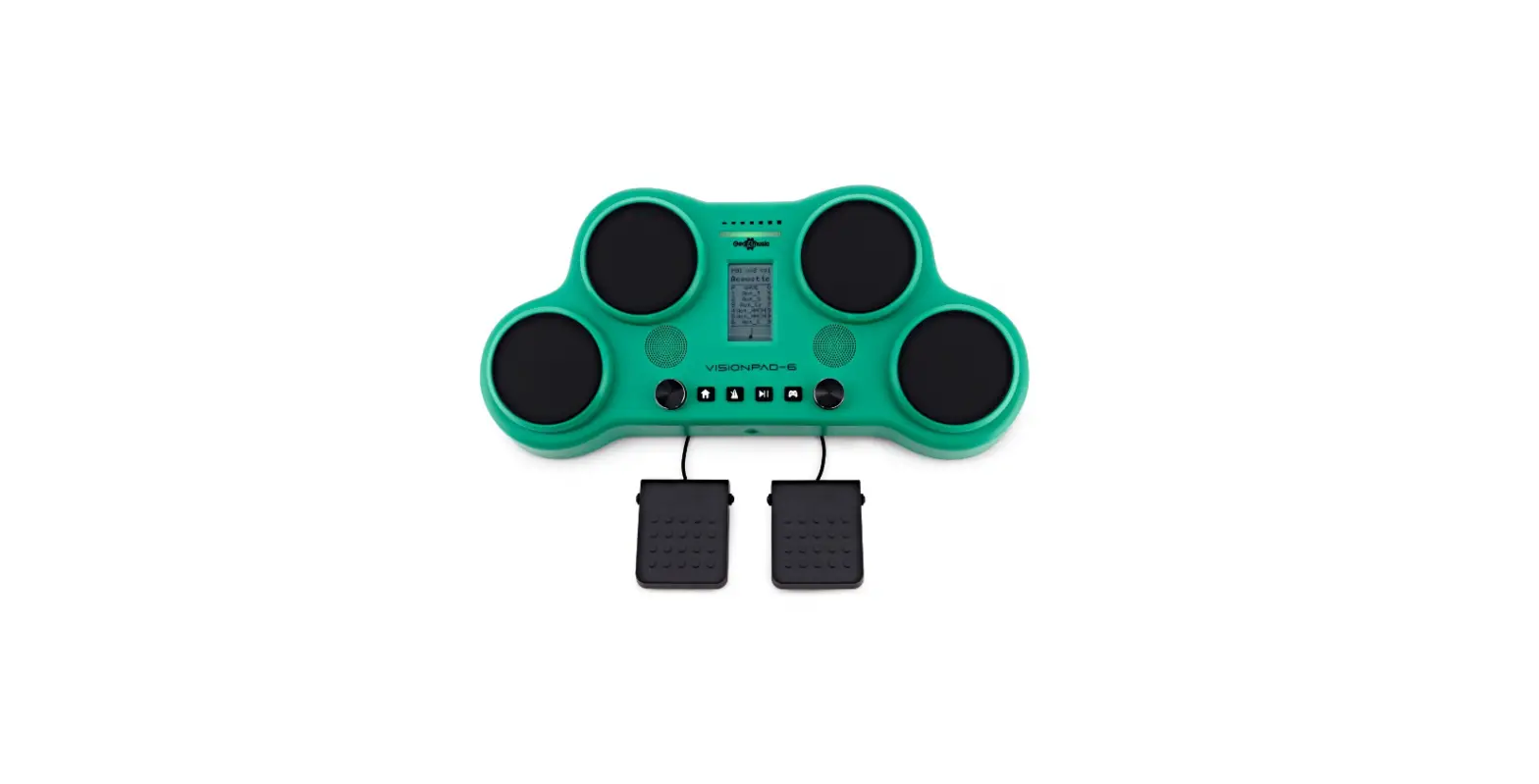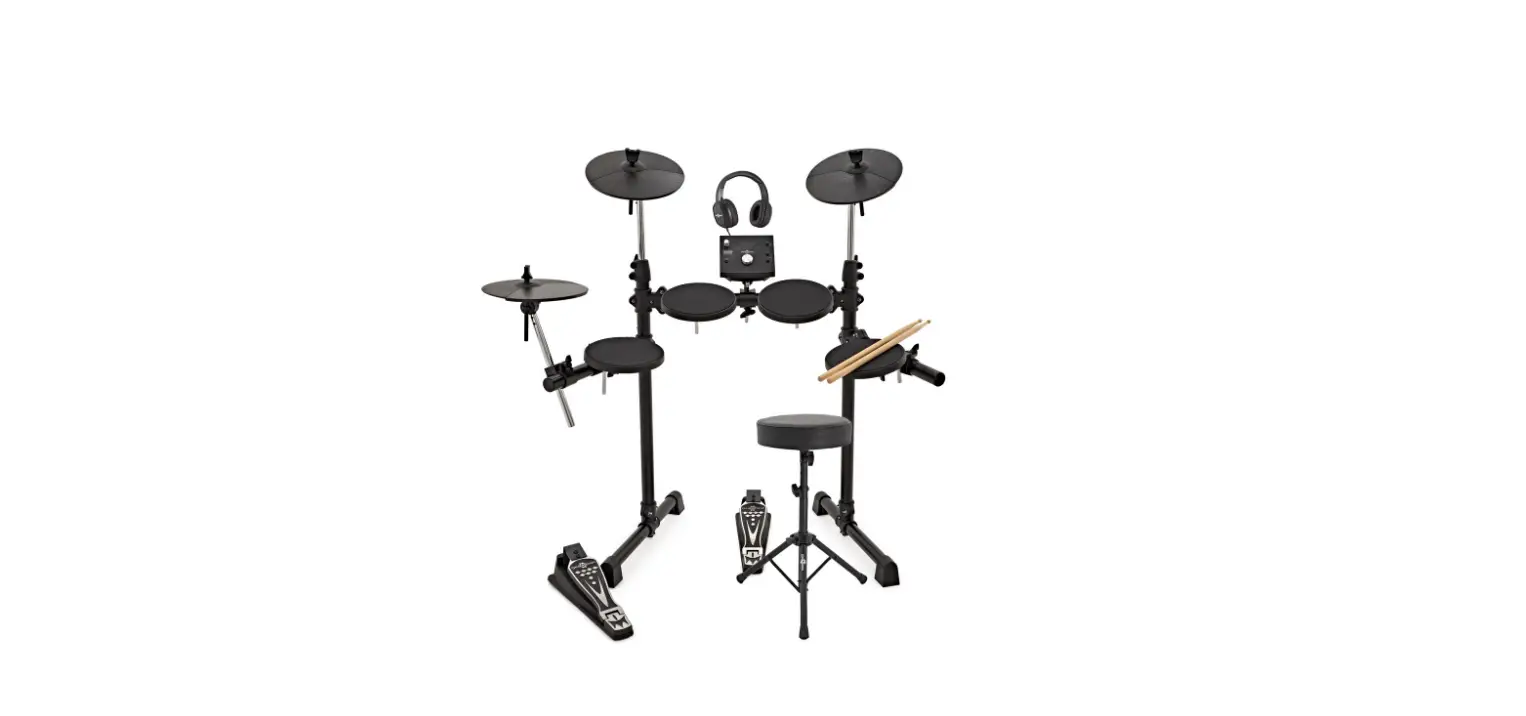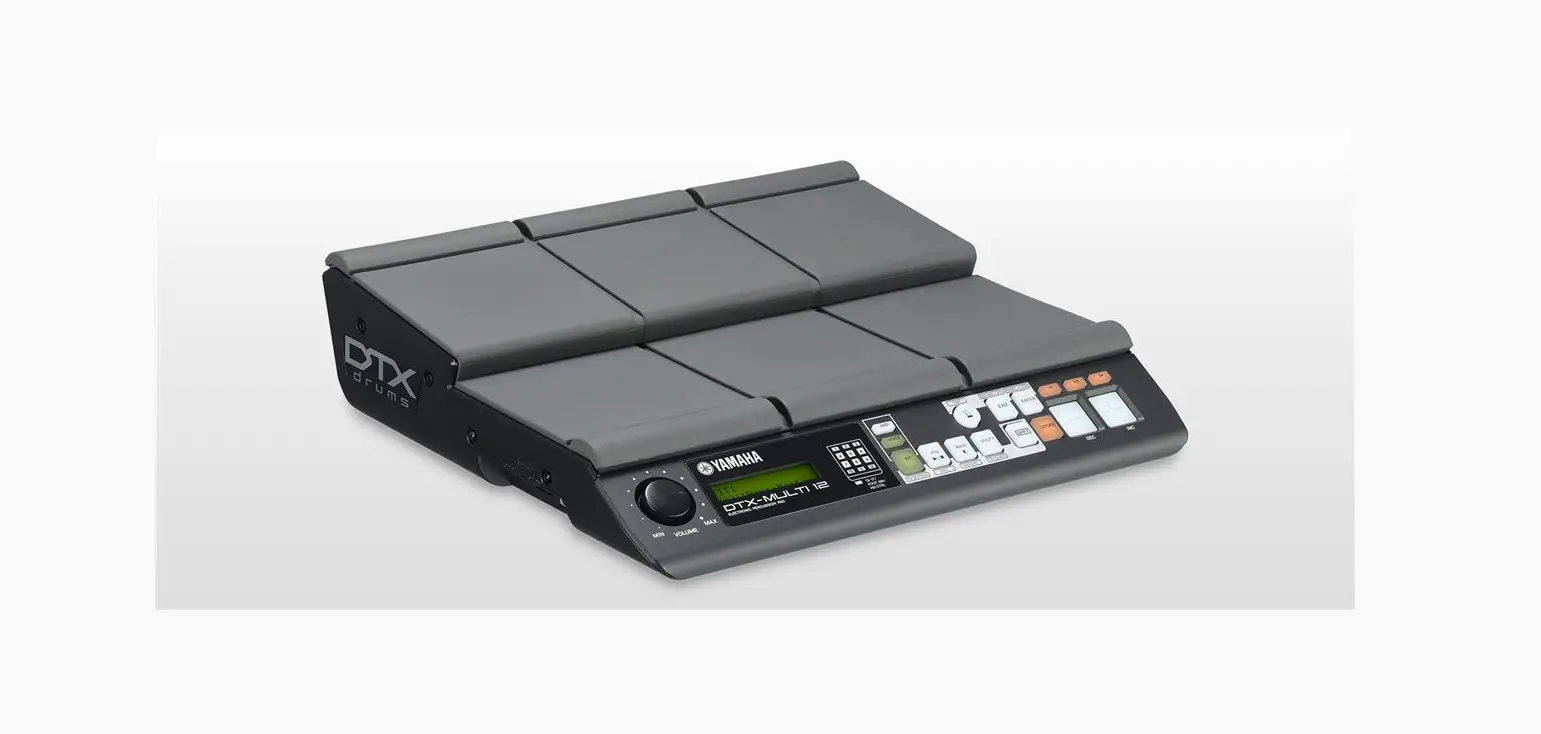
Gear4music DD70 Digital Drum Pads
WARNING!
Do not open cover. No user-serviceable parts inside. Refer servicing to qualified service personnel
Do not place the product in a location near a heat source such as a radiator, or in an area subject to direct sunlight, excessive dust, mechanical vibration or shock
The product must not be exposed to dripping or splashing and no objects filled with liquids, such as vases, shall be placed on the product
No naked flame sources, such as lighted candles, should be placed on the product
Allow adequate air circulation and avoid obstructing vents (if present) to prevent internal heat build-up.
The ventillation must not be impeded by covering the appliance with items such as newspapers, tablecloths, curtains etc.
The mains plug is used to disconnect the appliance from the mains supply. Ensure that the mains outlet is easily-accessible and remove the plug from the mains outlet if you notice any abnormality with the appliance.
If used improperly, batteries may explode or leak and cause damage or injury. In the interest of safety:
Make sure you observe the correct polarity when replacing batteries Avoid using new batteries together with used ones
Avoid mixing different types of batteries
Remove batteries if the appliance is to remain unused for an extended period of time
Never keep batteries together with metallic objects such as ballpoint pens, necklaces, hairpins, etc.
Used batteries must be disposed of in compliance with whatever regulations for their safe disposal that may be observed in the region in which you live.
Batteries must not be exposed to excessive heat such as sunshine, fire or the like.
Danger of explosion if battery is incorrectly replaced. Replace only with the same or equivalent type
INTRODUCTION
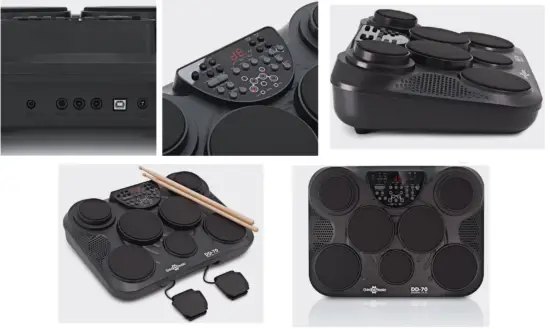
Thank you for purchasing the DD70 Portable Electronic Drum Pads. To get the most out of your product, please read this manual carefully.
BOX CONTENTS
- 1 x DD70 Portable Electronic Drum Pads
- 1 x Power supply
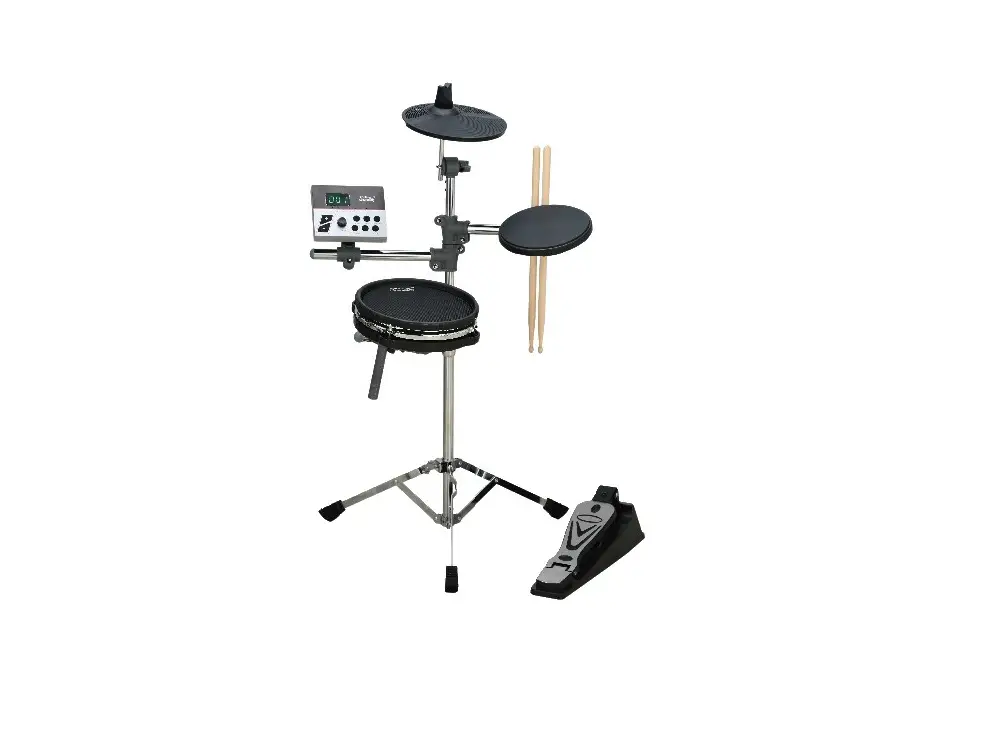
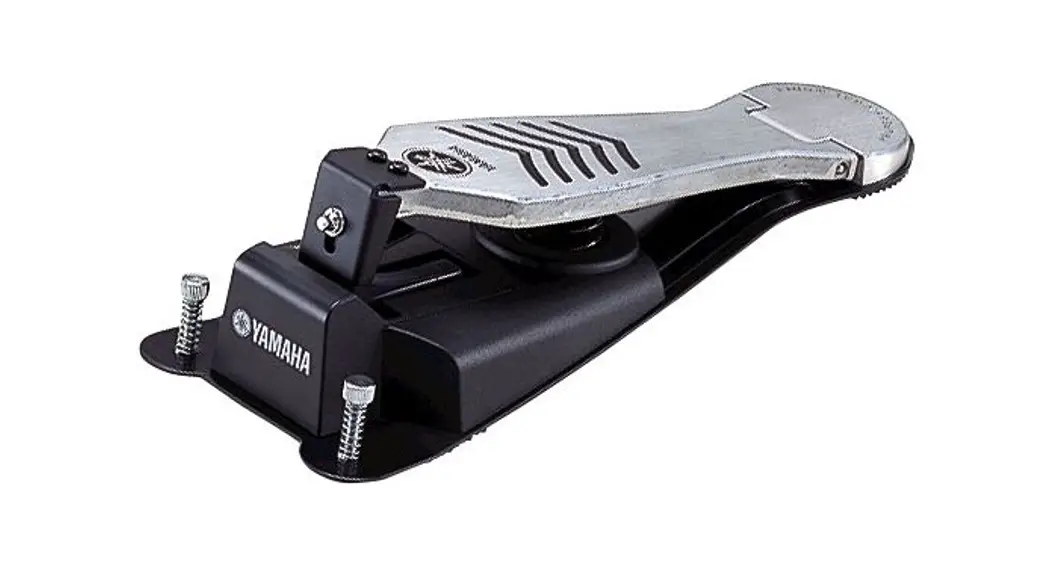
- 1 x Hi-hat pedal
- 1 x Kick pedal
- 1 x Pair of drum sticks
- 1 x User manual
FEATURES
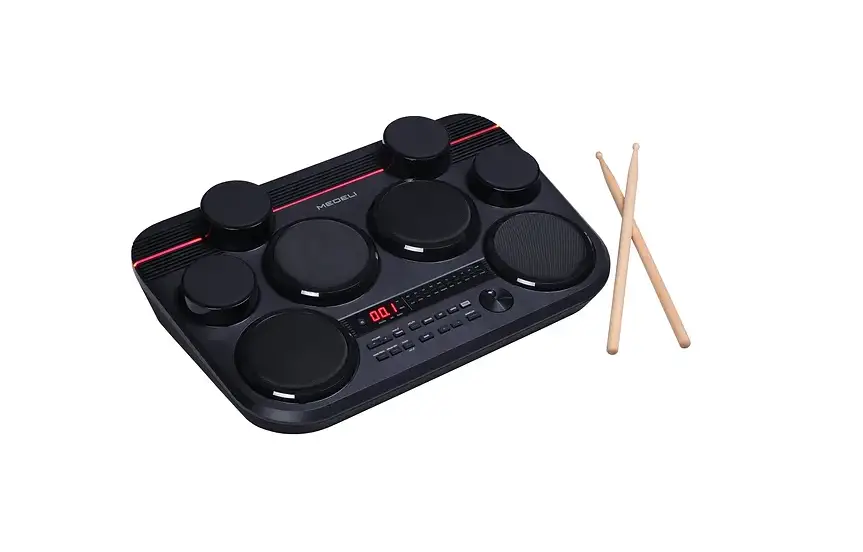
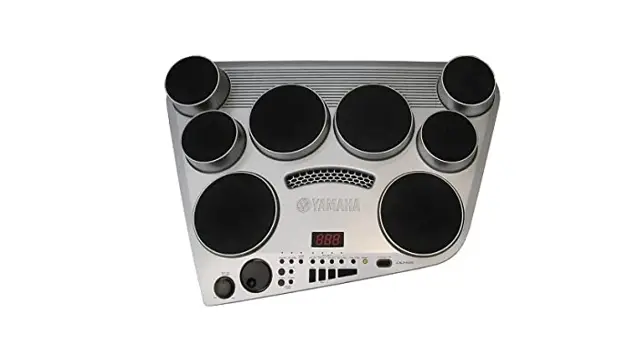
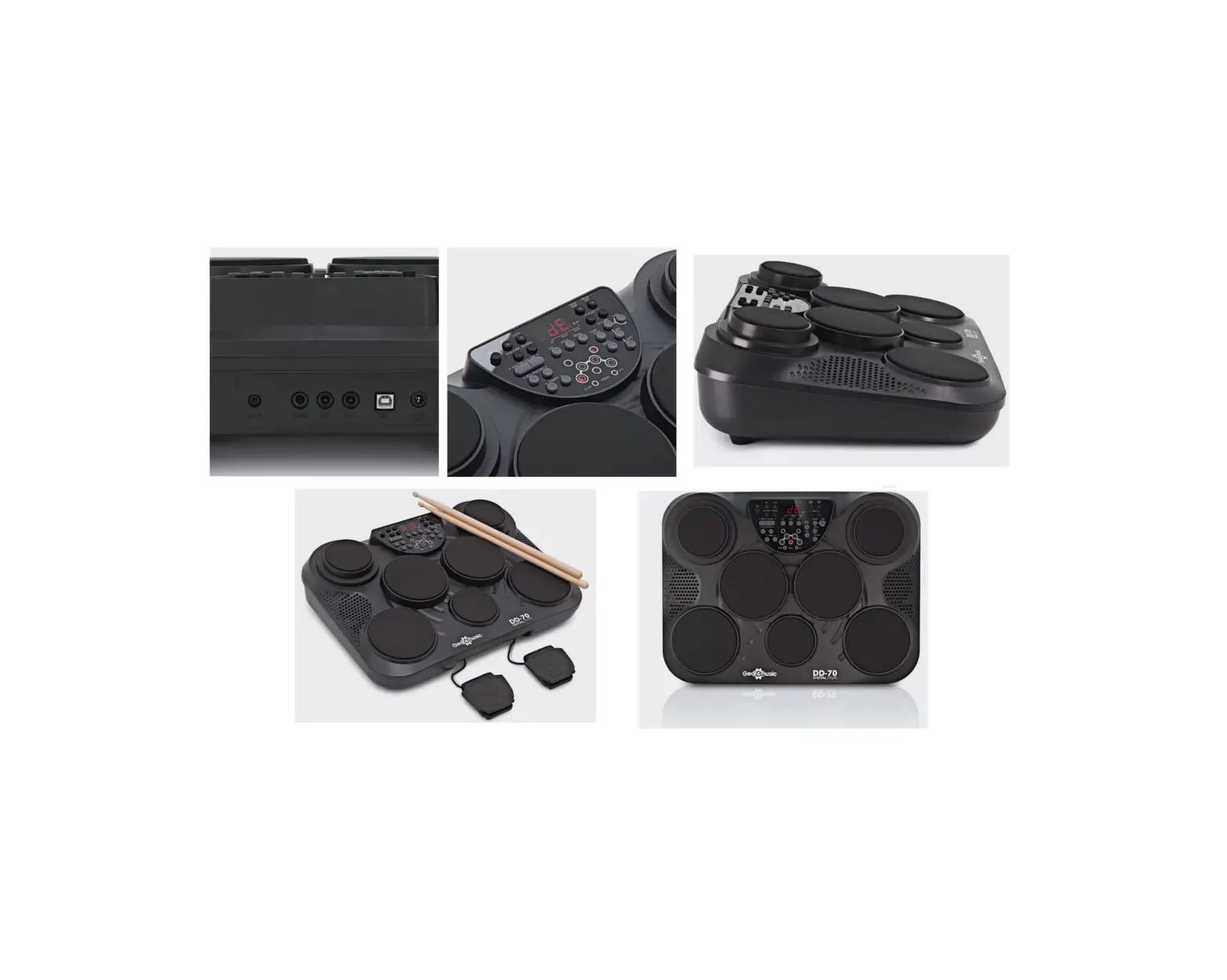
- Seven touch sensitive drum pads and two pedals ideal for practicing and performing.
- All the parts of a traditional kit at your stick-tips.
- Broaden your horizons with 265 percussion voices and 100 backing tracks.
- Perfect for travelling musicians due to compact, easy to transport design.
FUNCTIONS
CONTROL PANEL
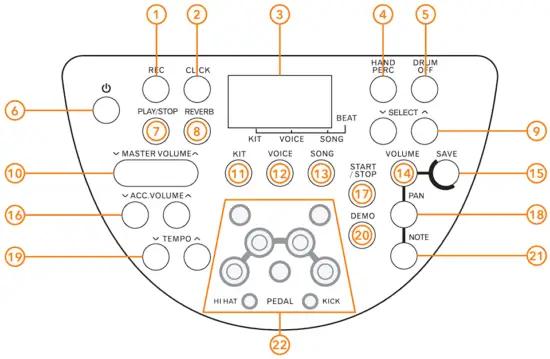
- REC
Press this button to start/stop recording. - CLICK
Press this button to turn the metronome on/off. - DISPLAY
View this for a comprehensive overview of your current set-up. - HAND PERCUSSION
Press this button to turn hand percussion on/off. - DRUMS OFF
Press this button to turn drums on/off. - POWER
Press this button to turn the unit on/off. - PLAY/STOP
Press this button to start/stop the playback of recordings. - REVERB
Press this button to change the reverb effect level. - SELECT +/-
Use these buttons to change values when editing kit and voice numbers etc. - MASTER VOLUME ˅/˄
Press this button to change the master volume. - KIT
Press this button to enter the kit menu. - VOICE
Press this button to enter either the voice or volume menus. - SONG
Press this button to enter the song menu. - VOLUME
Press this button to change the pad volume. - SAVE
Press this button to save the current kit settings to a user kit. - ACC. VOLUME
+/Use these buttons to change the accompaniment volume. - START/STOP
Press this button to start and stop playback - PAN
Press this button to adjust the spatial positioning of the current pad. - TEMPO +/-
Use these buttons to change the tempo. - DEMO
Press this button to start/stop the demo song. - NOTE
Press this button to change the MIDI note of a pad. - PAD LIGHT INDICATORS
This indicates the pad currently being played.
REAR PANEL
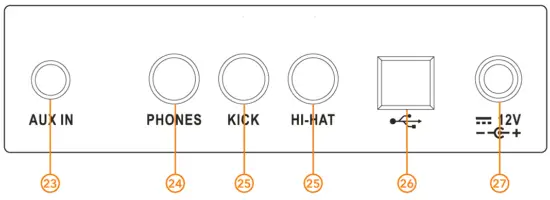
- AUX INPUT
Use this to connect an external audio device
such as a smartphone or MP3 player. - PHONES OUTPUT
Use this to connect a standard pair of
headphones with a 6.35mm input. - KICK AND HI-HAT
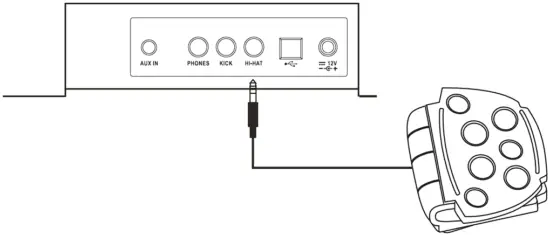
Use these inputs allow you to connect your kick drum and hi-hat pedal to the DD70. - USB PORT
Use this port to connect to your computer for USB MIDI functionality. - 12 DC POWER INPUT
Use this socket to connect the DD70 to a power supply unit.
GETTING STARTED
POWER SUPPLY
Connect the supplied 12V DC power supply only, firstly to the DD70 unit and then to mains power. Press the [POWER] button to turn the unit on/off.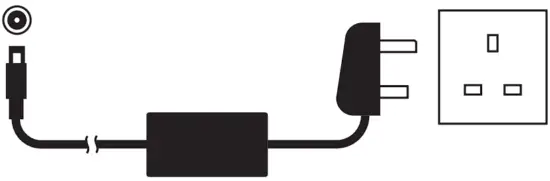
USING BATTERY POWER
The DD70 can be powered using 6 x size C batteries 1.5V (not included.)
Ensure all batteries are inserted correctly, as indicated by the +/ polarity markings in the diagram. Replace all the batteries at the same time. Do not combine old and new batteries and do not mix battery types, as this can cause overheating, fire, or battery fluid leakage. Remove the batteries from the instrument if it is not to be used for a long period of time.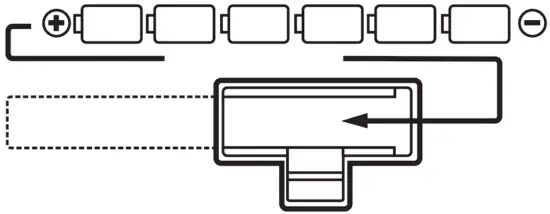
AUTO POWER OFF
As a power saving feature, the DD70 will auto power off after 30 mins of being idle. To turn off this setting, simply press and hold the [START/STOP] button when powering on the unit.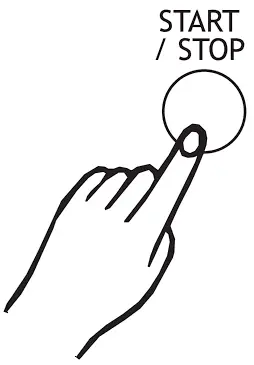
MASTER VOLUME
When the DD70 is powered on, it is advised to carefully adjust the volume to your desired playing level, using the [MASTER VOLUME /] buttons. The volume level (0-16) will be shown on the display.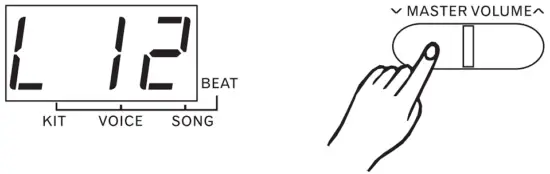
PEDALS
Connect the supplied foot pedals to the KICK and HI-HAT inputs.
HEADPHONES/OUTPUT
Standard stereo headphones (not included) can be connected for silent practice. The internal speakers will be muted when headphones are connected.”
This output can also be used to connect the DD70 to an external sound system such as an amplifier, interface, or mixer.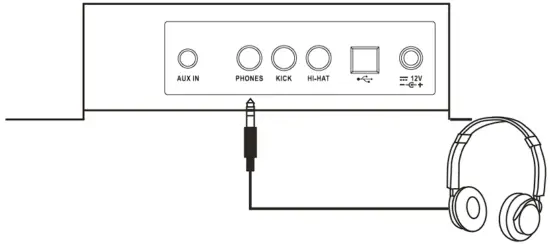
USB MIDI
The DD70 allows the transfer of MIDI via USB from the unit to an audio interface or computer (cable not included.)
Please refer to the MIDI Implementation Chart appendix for further MIDI settings.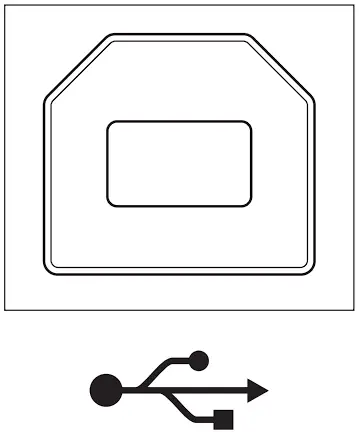
AUX INPUT
The Aux Input 3.5mm jack allows you to mix an external sound source (such as a smartphone or MP3 player) with the DD70’s internal sounds, for playback through the in-built speakers or headphone output. The volume of the Aux Input is controlled by the external sound source.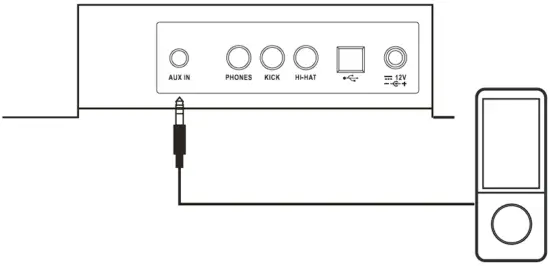
OPERATIONS
SELECT A DRUM KIT
To select a drum kit sound, press the [KIT] button to enter the kit menu. The display will show the current kit number (default kit is 001) and the kit menu light will light up.
Use the [SELECT /] buttons to select the required kit, see the Kit List appendix for full kit details. (Please note, user kits are stored in options 46-50.)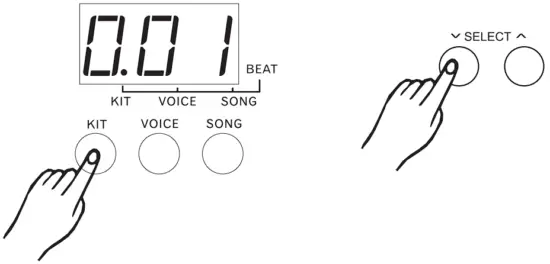
SET PAD VOICE
To set the pad voice, press the [VOICE] button to enter the voice menu. The display will show the current voice number of the selected pad and will default to the hi-hat pad of the selected kit.
Hit the required pad to select it, and then use the [SELECT /] buttons to select the required voice, see the Voice List appendix for full voice details.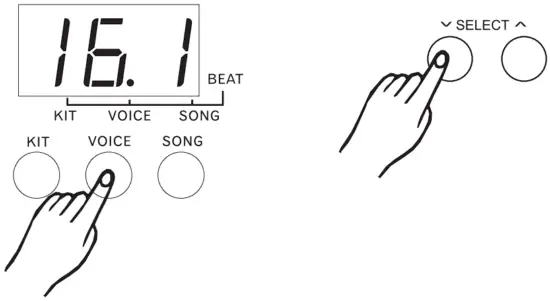
SET PAD VOLUME
To set the volume of a pad, press [VOLUME] button to enter the volume menu. The display will show the current volume number of the selected pad.
Hit the required pad to select it, and then use the [SELECT /] buttons to select the required volume, from 0-31.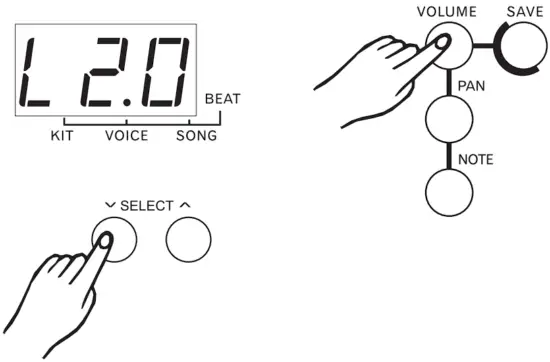
SET PAD PAN
The DD70 includes “panning” of pad sounds, allowing you to choose how much of a pad’s sound is sent to the left and right speakers/outputs, helping to create a wider stereo sound.
To set the panning of a pad, press the [PAN] button to enter the pan menu. The display will show the current pan value of the selected pad.
Hit the required pad to select it, and then use the [SELECT /] buttons to select the required pan setting, from -8 (pad panned hard left) to +8 (pad panned hard right.)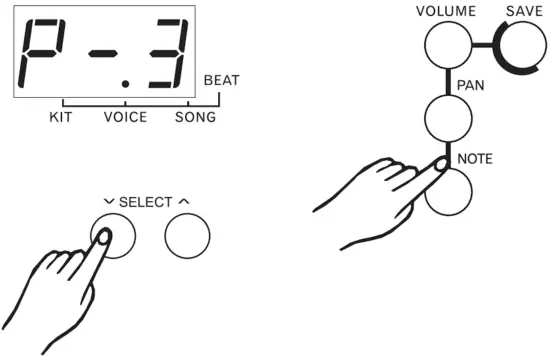
SET PAD MIDI NOTE
To set a pad’s MIDI note, press the [NOTE] button to enter voice menu.
Hit the pad you wish to edit, and the display will show the current MIDI note of the selected pad. Then use the [SELECT /] buttons to select the required MIDI note (n00-n99.)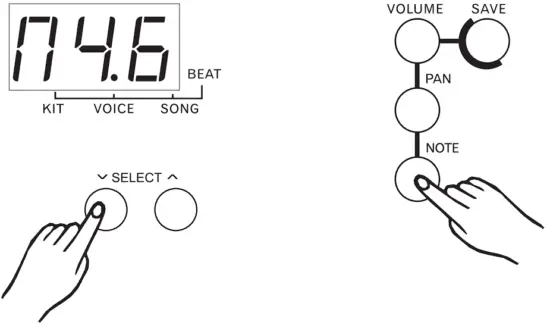
SAVE YOUR OWN USER KITS
The DD70 allows you to create 5 of your own custom kits and save them as “user kits” to voices 46-50.
To save the current kit settings, press the [SAVE] button to enter the kit save menu, then use the [SELECT /] buttons to select one of the user kits from voices 46-50.
During this kit selection the user kit number will flash. Press the [SAVE] button again and the current kit settings will be saved to the selected user kit.
If the user kit does not save correctly, the display will show “Err.” In this instance, repeat the correct kit save procedure.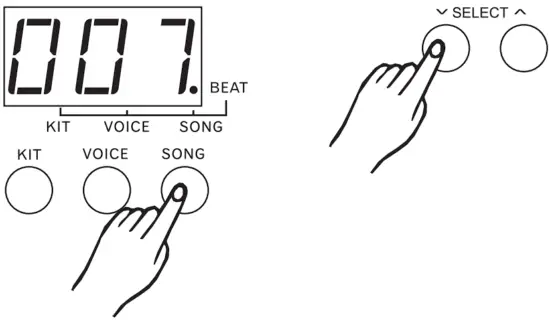
PLAYING SONGS
The DD70 has 100 in-built songs. To play the songs, press the [SONG] button to enter the song menu, use the [SELECT /] buttons to select the required song (1-100) and then press the [START/STOP] button to start and stop the song. Each song has its own default tempo and drum kit, please refer to the Song List appendix for the song style information.
If the song is changed during playback, the new song will start at the end of the current measure.
ACCOMPANIMENT VOLUME
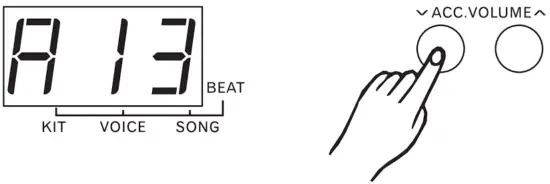
The volume of the song’s accompaniment can be changed using the [ACC. VOLUME /] buttons. The display will show “A” and the volume level (016), and changes will be auto saved after adjusting.
DRUM OFF
When playing the in-built songs, it is possible to mute the song’s drums, a useful practice feature.
To do this, press the [DRUM OFF] button to enable or disable the drum off function when a song is playing. The button light will be on when this function is enabled. (Please note, the drum off button cannot be used when playing back user recordings.)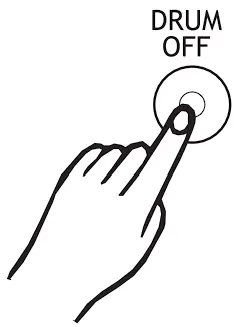
TEMPO
The tempo of the in-built songs can be altered. To do this, press the [TEMPO /] buttons to change the current tempo as required from 30-280bpm.
Press and hold both [TEMPO /] buttons simultaneously to reset the tempo to its default value.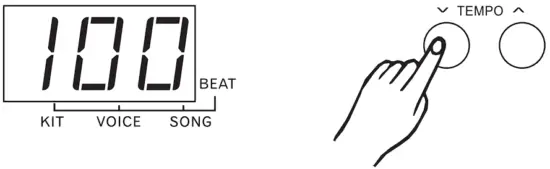
METRONOME
The DD70 features in-built metronome, which can be set to either a click sound or voice count.
Press the [CLICK] button once to enable the voice count, twice for the click sound, and again to turn off the metronome.
The tempo of the metronome can be adjusted as required from 30-280bpm using the [TEMPO /] buttons.
Press and hold both [TEMPO /] buttons simultaneously to reset the tempo to its default value.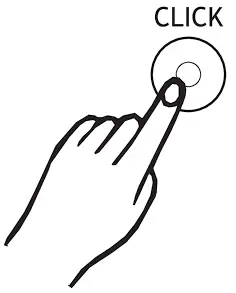
HAND PERCUSSION
The DD70 also features a hand percussion mode, where the pads can be played with your hands rather than drum sticks.
Press the [HAND PERC] button to enter this mode. The button light will be on when this function is enabled. The default song number is 77 and kit number is 15.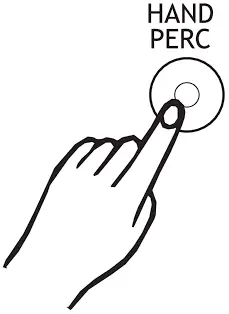
DEMO SONG
To start and stop the in-built demo song, press the [DEMO] button. The display will show “dE”. The [START/STOP] button can also be used to stop the song.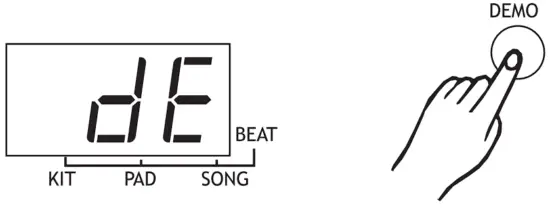
REVERB
To add reverb to the kit sounds, press the [REVERB] button and then adjust the amount as required using the [SELECT /] buttons. The display will show the reverb level. (0 = no reverb, 3 = max reverb)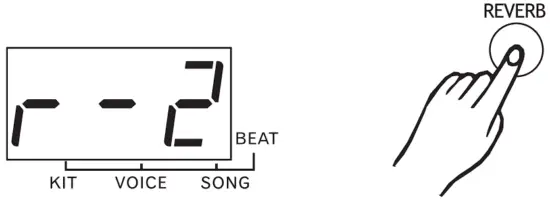
RECORD
The DD70 allows you to record your performance. Once you have selected the desired song, kit, drum off/on and reverb settings, press the [REC] button. The record light will begin flashing and the unit is ready to record. To begin recording, either hit a drum pad or press the [START/STOP] button. The record light will stop flashing as recording begins.
The metronome voice will provide a count in (this will not be recorded.) To turn off the metronome, press the [CLICK] button.
To stop recording press either the [START/STOP] or [REC] buttons. The record light will turn off. If the memory becomes full, the display will show “FL” and recording will automatically stop.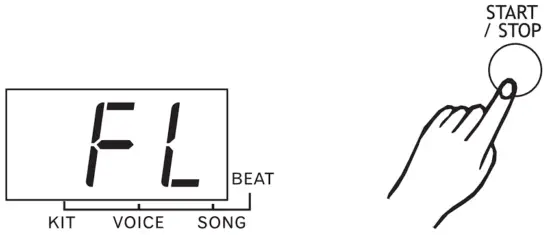
PLAYBACK
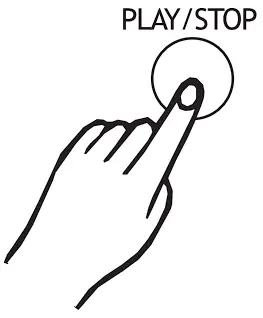
To listen back to your recording, press the [PLAY/ STOP] button to start and stop playback. Pleased note, the song data will be lost when the power is turned off/on.
VOICE LIST
| No. | Name |
| KICK DRUMS | |
| 1 | 22”Acoustic Kick |
| 2 | 24”Standard Kick |
| 3 | Brush Kick |
| 4 | Rock Kick |
| 5 | Jazz Kick |
| 6 | Room Kick |
| 7 | Fusion Kick |
| 8 | 1970’s Kick |
| 9 | Vintage Kick |
| 10 | HipHop Kick |
| 11 | Reggae Kick |
| 12 | Old School Kick |
| 13 | Lo-Fi Kick |
| 14 | Junkyard Kick |
| 15 | Noise Kick |
| 16 | Drum & Bass Kick |
| 17 | 808 Kick |
| 18 | 909 Kick |
| 19 | Electronic Kick 1 |
| 20 | Dance Kick |
| 21 | FX Mix Kick |
| 22 | Techno Kick |
| 23 | Electronic Kick 2 |
| 24 | Magic Kick |
| SNARE DRUMS | |
| 25 | 14” Acoustic Snare |
| 26 | 14” Standard Snare |
| 27 | 14” Funk Snare |
| 28 | Brush Snare |
| 29 | 14” Jazz Snare |
| 30 | 14” Rock Snare |
| 31 | 13” Damped Snare |
| 32 | Orchestra Snare |
| 33 | Orchestra Snare Rim |
| 34 | Room Snare |
| 35 | Fusion Snare |
| 36 | Big Band Snare |
| 37 | Vintage Snare |
| 38 | Live Snare |
| 39 | Reggae Snare |
| 40 | R&B Snare 1 |
| 41 | 808 Snare |
| 42 | 909 Snare |
| 43 | R&B Snare 2 |
| 44 | Electronic Snare |
| 45 | Power Snare |
| 46 | Dance Snare |
| 47 | Old School Snare |
| 48 | House Snare |
| 49 | Lo-Fi Snare |
| 50 | Junkyard Snare |
| 51 | Noise Snare |
| 52 | Drum & Bass Snare |
| 53 | Techno Snare |
| 54 | Techno Snare Rim |
| 55 | Magic Snare |
| 56 | Acoustic Snare Stick |
| 57 | Standard Snare Stick |
| 58 | Brush Snare Stick |
| 59 | Rock Snare Stick |
| 60 | Live Snare Stick |
| 61 | Room Snare Stick |
| 62 | Fusion Snare Stick |
| 63 | Brush Swirl |
| TOMS | |
| 64 | Acoustic Tom 1 |
| 65 | Acoustic Tom 2 |
| 66 | Acoustic Tom 3 |
| 67 | Acoustic Tom 4 |
| 68 | Acoustic Tom 5 |
| 69 | Acoustic Tom 6 |
| 70 | Brush Tom 1 |
| 71 | Brush Tom 2 |
| 72 | Brush Tom 3 |
| 73 | Brush Tom 4 |
| 74 | Brush Tom 5 |
| 75 | Brush Tom 6 |
| 76 | Jazz Tom 1 |
| 77 | Jazz Tom 2 |
| 78 | Jazz Tom 3 |
| 79 | Jazz Tom 4 |
| 80 | Jazz Tom 5 |
| 81 | Jazz Tom 6 |
| 82 | 808 Tom 1 |
| 83 | 808 Tom 2 |
| 84 | 808 Tom 3 |
| 85 | 808 Tom 4 |
| 86 | 808 Tom 5 |
| 87 | 808 Tom 6 |
| 88 | 909 Tom 1 |
| 89 | 909 Tom 2 |
| 90 | 909 Tom 3 |
| 91 | 909 Tom 4 |
| 92 | 909 Tom 5 |
| 93 | 909 Tom 6 |
| 94 | Electronic Tom 1 |
| 95 | Electronic Tom 2 |
| 96 | Electronic Tom 3 |
| 97 | Electronic Tom 4 |
| 98 | Electronic Tom 5 |
| 99 | Electronic Tom 6 |
| 100 | Power Tom 1 |
| 101 | Power Tom 2 |
| 102 | Power Tom 3 |
| 103 | Power Tom 4 |
| 104 | Power Tom 5 |
| 105 | Power Tom 6 |
| 106 | Lo-Fi Tom 1 |
| 107 | Lo-Fi Tom 2 |
| 108 | Lo-Fi Tom 3 |
| 109 | Lo-Fi Tom 4 |
| 110 | Lo-Fi Tom 5 |
| 111 | Lo-Fi Tom 6 |
| 112 | Junkyard Tom 1 |
| 113 | Junkyard Tom 2 |
| 114 | Junkyard Tom 3 |
| 115 | Junkyard Tom 4 |
| 116 | Junkyard Tom 5 |
| 117 | Junkyard Tom 6 |
| 118 | Noise Tom 1 |
| 119 | Noise Tom 2 |
| 120 | Noise Tom 3 |
| 121 | Noise Tom 4 |
| 122 | Noise Tom 5 |
| 123 | Noise Tom 6 |
| 124 | Techno Tom 1 |
| 125 | Techno Tom 2 |
| 126 | Techno Tom 3 |
| 127 | Techno Tom 4 |
| 128 | Techno Tom 5 |
| 129 | Techno Tom 6 |
| 130 | Magic Tom 1 |
| 131 | Magic Tom 2 |
| 132 | Magic Tom 3 |
| 133 | Magic Tom 4 |
| RIDE | |
| 134 | 20” Funk Ride |
| 135 | 808 Ride |
| 136 | Ride |
| 137 | House Ride |
| 138 | Lo-Fi Ride |
| 139 | Junkyard Ride |
| 140 | Noise Ride |
| CRASH | |
| 141 | 16” Acoustic Crash |
| 142 | 16” Acoustic Crash Edge |
| 143 | 16” Rock Crash |
| 144 | 16” Rock Crash Edge |
| 145 | 808Crash |
| 146 | 909Crash |
| 147 | Electronic Crash |
| 148 | Brush Crash |
| 149 | Lo-Fi Crash |
| 150 | China |
| 151 | Splash |
| HI-HAT | |
| 152 | 14” Acoustic Hi-hat Close |
| 153 | 14” Acoustic Hi-hat Open |
| 154 | 14” Acoustic Hi-hat Edge Close |
| 155 | 14” Acoustic Hi-hat Edge Open |
| 156 | 14” Acoustic Hi-hat Pedal |
| 157 | 14” Acoustic Hi-hat Splash |
| 158 | Rock Hi-hat Close |
| 159 | Rock Hi-hat Open |
| 160 | Fusion Hi-hat Close |
| 161 | Fusion Hi-hat Open |
| 162 | 808 Hi-hat Close |
| 163 | 808 Hi-hat Open |
| 164 | 808 Hi-hat Pedal |
| 165 | 808 Hi-hat Splash |
| 166 | 909 Hi-hat Close |
| 167 | 909 Hi-hat Open |
| 168 | 909 Hi-hat Pedal |
| 169 | 909 Hi-hat Splash |
| 170 | Dance Hi-hat Close |
| 171 | Dance Hi-hat Open |
| 172 | Dance Hi-hat Pedal |
| 173 | Dance Hi-hat Splash |
| 174 | Lo-Fi Hi-hat Close |
| 175 | Lo-Fi Hi-hat Open |
| 176 | Lo-Fi Hi-hat Edge |
| 177 | Lo-Fi Hi-hat Pedal |
| 178 | Lo-Fi Hi-hat Splash |
| PERCUSSION 1 | |
| 179 | Nan Bang |
| 180 | Da Mu Yu |
| 181 | Xiao Bo |
| 182 | Xiao Luo |
| 183 | Peng Lin |
| 184 | Maracas |
| 185 | Metronome Bell |
| 186 | Vibra-slap |
| 187 | Synthesis Pecussion |
| 188 | High Q |
| 189 | Low Q |
| 190 | Mute Hi Conga |
| 191 | Open Hi Conga |
| 192 | Low Conga |
| 193 | High Bongo |
| 194 | Low Bongo |
| 195 | High Agogo |
| 196 | Low Agogo |
| 197 | Claves |
| 198 | Jingle Bell |
| 199 | Cowbell |
| 200 | Tambourine |
| 201 | Cabasa |
| 202 | Long Guiro |
| 203 | Short Guiro |
| 204 | Vibraphone C3 |
| 205 | Vibraphone Db3 |
| 206 | Vibraphone D3 |
| 207 | Vibraphone Eb3 |
| 208 | Vibraphone E3 |
| 209 | Vibraphone F3 |
| 210 | Vibraphone Gb3 |
| 211 | Vibraphone G3 |
| 212 | Vibraphone Ab3 |
| 213 | Vibraphone A3 |
| 214 | Vibraphone Bb3 |
| 215 | Vibraphone B3 |
| 216 | Vibraphone C4 |
| 217 | Vibraphone Db4 |
| 218 | Vibraphone D4 |
| 219 | Vibraphone Eb4 |
| 220 | Vibraphone E4 |
| 221 | Vibraphone F4 |
| 222 | Vibraphone Gb4 |
| 223 | Vibraphone G4 |
| 224 | Vibraphone Ab4 |
| 225 | Vibraphone A4 |
| 226 | Vibraphone Bb4 |
| 227 | Vibraphone B4 |
| 228 | Vibraphone C5 |
| 229 | Vibraphone Db5 |
| 230 | Vibraphone D5 |
| 231 | Vibraphone Eb5 |
| 232 | Vibraphone E5 |
| 233 | Vibraphone F5 |
| 234 | Vibraphone Gb5 |
| 235 | Vibraphone G5 |
| 236 | Vibraphone Ab5 |
| 237 | Vibraphone A5 |
| 238 | Vibraphone Bb5 |
| 239 | Vibraphone B5 |
| 240 | Vibraphone C6 |
| 241 | Orchestra Timp C2 |
| 242 | Orchestra Timp Db2 |
| 243 | Orchestra Timp D2 |
| 244 | Orchestra Timp Eb2 |
| 245 | Orchestra Timp E2 |
| 246 | Orchestra Timp F2 |
| 247 | Orchestra Timp Gb2 |
| 248 | Orchestra Timp G2 |
| 249 | Orchestra Timp Ab2 |
| 250 | Orchestra Timp A2 |
| 251 | Orchestra Timp Bb2 |
| 252 | Orchestra Timp B2 |
| 253 | Orchestra Timp C3 |
| 254 | Orchestra Timp Db3 |
| 255 | Orchestra Timp D3 |
| 256 | Orchestra Timp Eb3 |
| 257 | Orchestra Timp E3 |
| 258 | Orchestra Timp F3 |
| 259 | Orchestra Timp Gb3 |
| 260 | Orchestra Timp G3 |
| 261 | Orchestra Timp Ab3 |
| 262 | Orchestra Timp A3 |
| 263 | Orchestra Timp Bb3 |
| 264 | Orchestra Timp B3 |
| 265 | Orchestra Timp C4 |
KIT LIST
| No. | Name |
| 1 | Standard |
| 2 | Hard Rock |
| 3 | Ballad |
| 4 | Acoustic |
| 5 | Funk Band |
| 6 | Funk |
| 7 | Jazz Brush |
| 8 | Dance |
| 9 | Rock |
| 10 | Jazz |
| 11 | 808 |
| 12 | 909 |
| 13 | Latin |
| 14 | Room |
| 15 | Percussion 1 |
| 16 | Metal |
| 17 | Vibraphone |
| 18 | Electronic |
| 19 | Reggae |
| 20 | Fusion 1 |
| 21 | Drum & Bass |
| 22 | Pop |
| 23 | Brush |
| 24 | World |
| 25 | Orchestra |
| 26 | Ska |
| 27 | Songo |
| 28 | Lo-Fi |
| 29 | 1970’s |
| 30 | HipHop |
| 31 | Big Band |
| 32 | Old School |
| 33 | R&B |
| 34 | Magic |
| 35 | Live |
| 36 | House |
| 37 | Jazz Latin |
| 38 | Fusion 2 |
| 39 | Percussion 2 |
| 40 | Teckno |
| 41 | Vintage |
| 42 | Junkyard |
| 43 | Noise |
| 44 | Studio 1 |
| 45 | Studio 2 |
| 46 | User 1(Standard) |
| 47 | User 2(Hard Rock) |
| 48 | User 3(Ballad) |
| 49 | User 4(Acoustic) |
| 50 | User 5(Funk Band) |
SONG LIST
| No. | Name |
| 1 | BluesFunk |
| 2 | NuJazzFunk |
| 3 | funk1 |
| 4 | funk2 |
| 5 | funk3 |
| 6 | funk4 |
| 7 | pop funk1 |
| 8 | pop funk2 |
| 9 | RetroFunk |
| 10 | Fusion1 |
| 11 | Fusion2 |
| 12 | Fusion3 |
| 13 | Fusion4 |
| 14 | Fusion5 |
| 15 | Fusion6 |
| 16 | CoolJazz |
| 17 | BigBand1 |
| 18 | BigBand2 |
| 19 | BigBand3 |
| 20 | BigBand4 |
| 21 | Swing |
| 22 | Bebop |
| 23 | 3/4 jazz |
| 24 | Jazz |
| 25 | latin jazz1 |
| 26 | latin jazz2 |
| 27 | Dance 1 |
| 28 | DiscoHouse |
| 29 | Trance |
| 30 | TripHop |
| 31 | DrumNBass |
| 32 | BreakBeat1 |
| 33 | Dancefunk |
| 34 | Hiphop |
| 35 | Dance2 |
| 36 | D N’B1 |
| 37 | D N’B2 |
| 38 | Break beat2 |
| 39 | ClassicRock |
| 40 | HeavyRock |
| 41 | RockBallad |
| 42 | RockNRoll |
| 43 | Punk |
| 44 | Rock |
| 45 | 80’s Metal |
| 46 | Shuffle |
| 47 | 60’s rock |
| 48 | Smaba1 |
| 49 | BossaNova |
| 51 | Ska |
| 52 | Reggae1 |
| 53 | Reggae2 |
| 54 | Reggae3 |
| 55 | LatinRock1 |
| 56 | LatinRock2 |
| 57 | Mambo |
| 58 | Samba2 |
| 59 | Latin pop |
| 60 | Gtr Bossa |
| 61 | LatinDance1 |
| 62 | LatinDance2 |
| 63 | R&B1 |
| 64 | R&B2 |
| 65 | JazzyFunk |
| 66 | Blues |
| 67 | Country |
| 68 | CountryPop |
| 69 | Country Blues |
| 70 | Ballad1 |
| 71 | BritPop |
| 72 | 8BeatPop1 |
| 73 | 60’sPop |
| 74 | 8 Beat 1 |
| 75 | 8 Beat 2 |
| 76 | 8 beat ballad 1 |
| 77 | 8 beat ballad 2 |
| 78 | 16 beat ballad 1 |
| 79 | 16 beat ballad 2 |
| 80 | world |
| 81 | funk1 |
| 82 | funk2 |
| 83 | modern jazz |
| 84 | big band |
| 85 | swing |
| 86 | slow fusion |
| 87 | country |
| 88 | latinjazz |
| 89 | reggae |
| 90 | latin |
| 91 | boogie |
| 92 | disco |
| 93 | d n’b |
| 94 | metal |
| 95 | hardrock |
| 96 | 8 beat 1 |
| 97 | 8 beat 2 |
| 98 | 16 beat 1 |
| 99 | funk 3 |
| 100 | funk 4 |
APPENDIX
MIDI IMPLEMENTATION CHART
| FUNCTION | TRANSMITTED | RECOGNISED | REMARKS | |
| Basic Channel | Default Changed | 10ch X | 1-16ch X | |
| Mode | Default Messages Altered | X X ************ | 1 X X | |
| Note Number | True Voice | 27-88 ************ | 0-127 0-127 | |
| Velocity | Note On Note Off | O 9nH,V=1-127 X (9nH,V=0) | O 9nH,V=1-127 X (9nH,V=0; 8nH,V=0-127) | |
| After Touch | Key’s Channels | X X | X X | |
| Pitch Bend | X | X | ||
| Control | 0 1 5 7 10 11 20 64 65 66 67 80 81 91 93 120 121 123 | X X X X X X X X X X X X X X X X X X | O O O O O O O O O O O O O O O O O O
| Bank select Modulation Portamento time Volume Pan Expression Rhythm allocation Sustain Pedal Portamento on/off Sostenuto Pedal Soft Pedal |
| Program Change | True # | X X | O 0-127 | |
| System Exclusive | ************ | O | ||
| System Common | Song Position Song Select Tune | X X X | X X X | |
| System Real Time | Clock Commands Start Stop | X X | X X | |
| Aux Messages | LOCAL ON/OFF All Notes Off Active sense Reset | X X X X | X O O O |
SPECIFICATIONS
Pads. . . . . . . . . . . . . . . . . . . . 7 x Drum Pads with
touch sensitivity
Foot Pedals . . . . . . . . . . . . . . 2 x (kick and hi-hat)
Display. . . . . . . . . . . . . . . . . . LED
Headphones Outputs. . . . . USB MIDI, 3.5mm Aux
Input
Presets. . . . . . . . . . . . . . . . . . 45 Drum Kits and 5 User
Kits
Voices . . . . . . . . . . . . . . . . . . 265
Songs. . . . . . . . . . . . . . . . . . . 100
Recording. . . . . . . . . . . . . . . 1 Track Feature
Hand Percussion Function
Metronome
Dimensions. . . . . . . . . . . . . . Height 157.5mm
Width 370mm
Length 500mm
Weight. . . . . . . . . . . . . . . . . . 3.3Kg
KETTLESTRING LANE | YORK | YO30 4XF | UNITED KINGDOM
METALLVÄGEN 45A | 195 72 ROSERSBERG | STOCKHOLM | SVERIGE LAHNSTRAßE 27 | 45478 MÜLHEIM AN DER RUHR | DEUTSCHLAND
If you have any more questions about this product, please do not hesitate to contact the Gear4music Customer Service Team on: +44 (0) 330 365 4444 or [email protected]