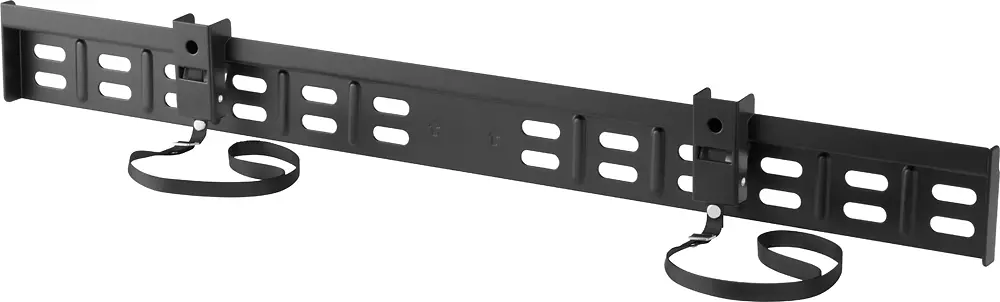
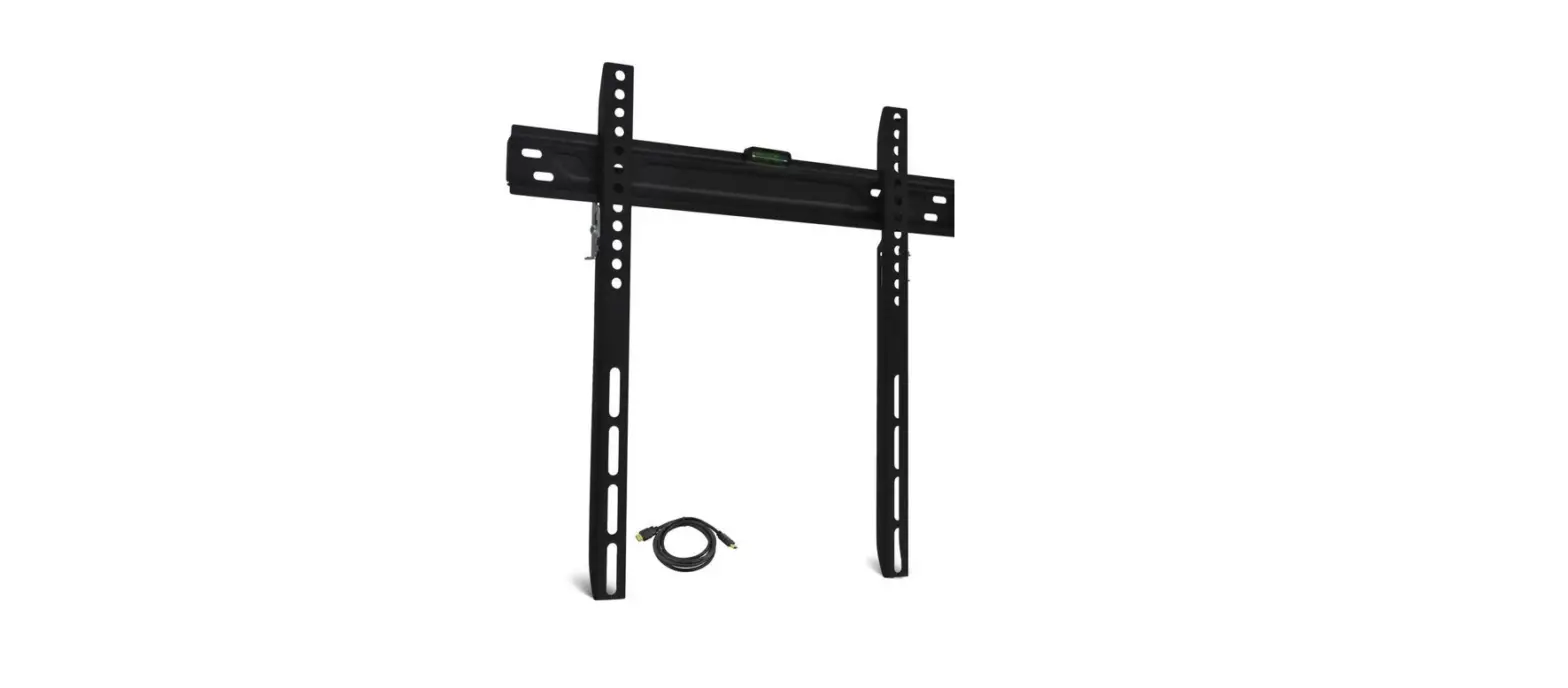
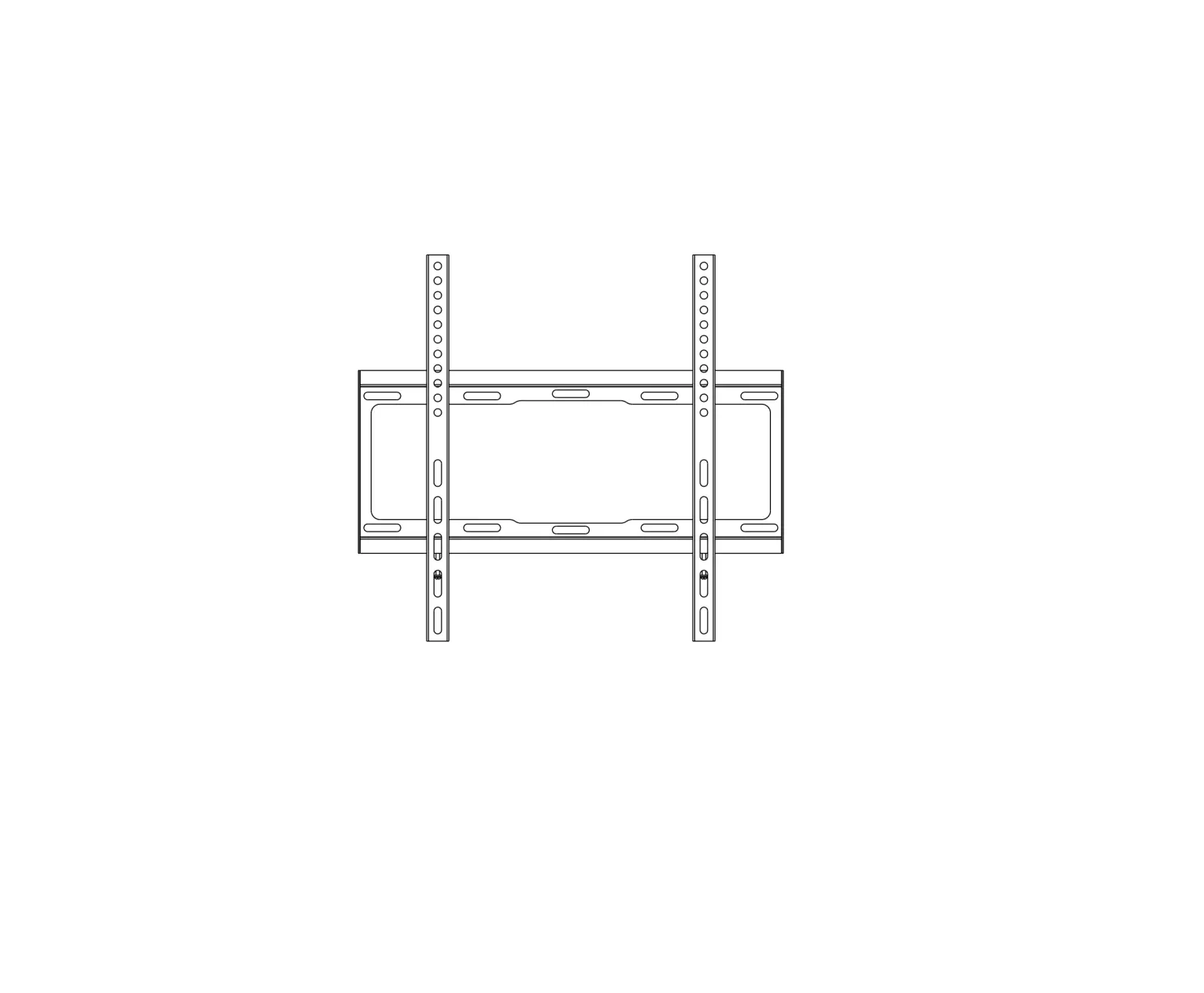
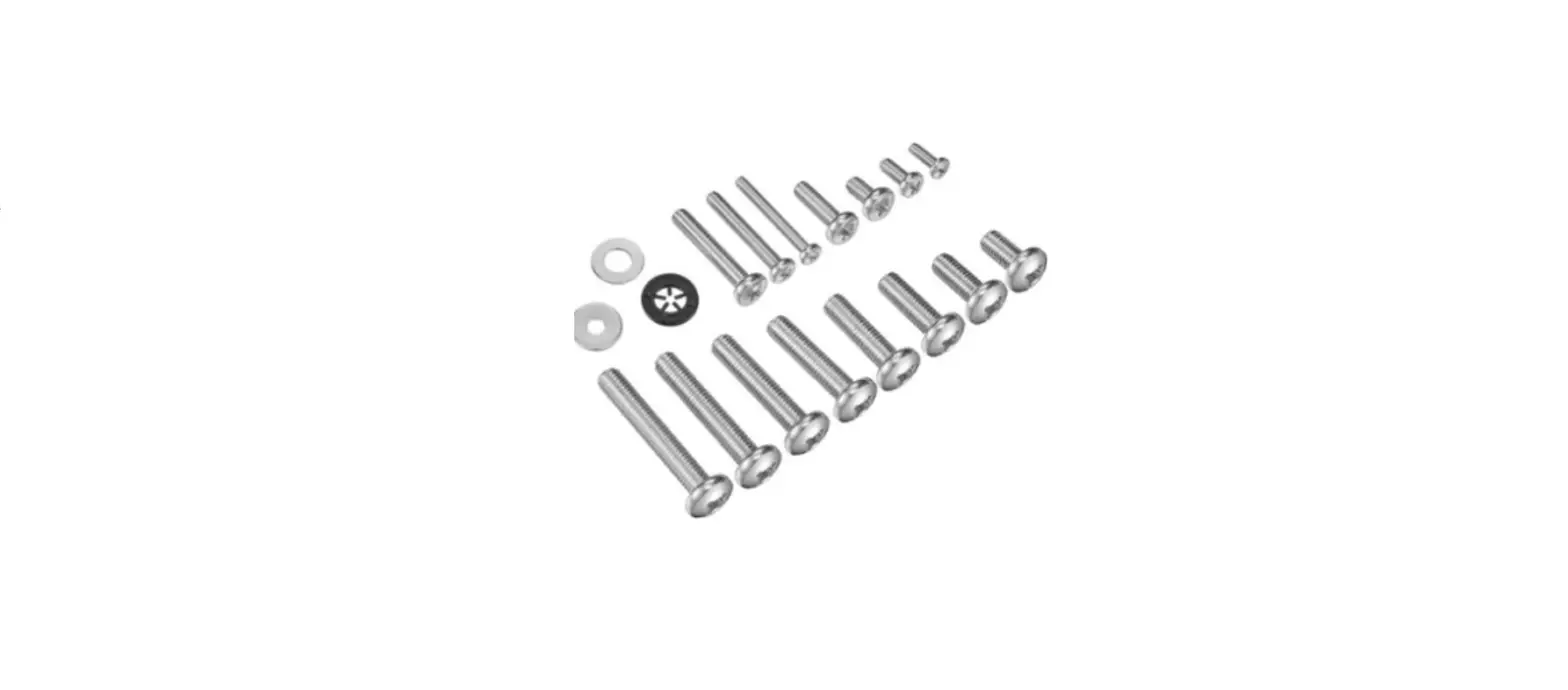
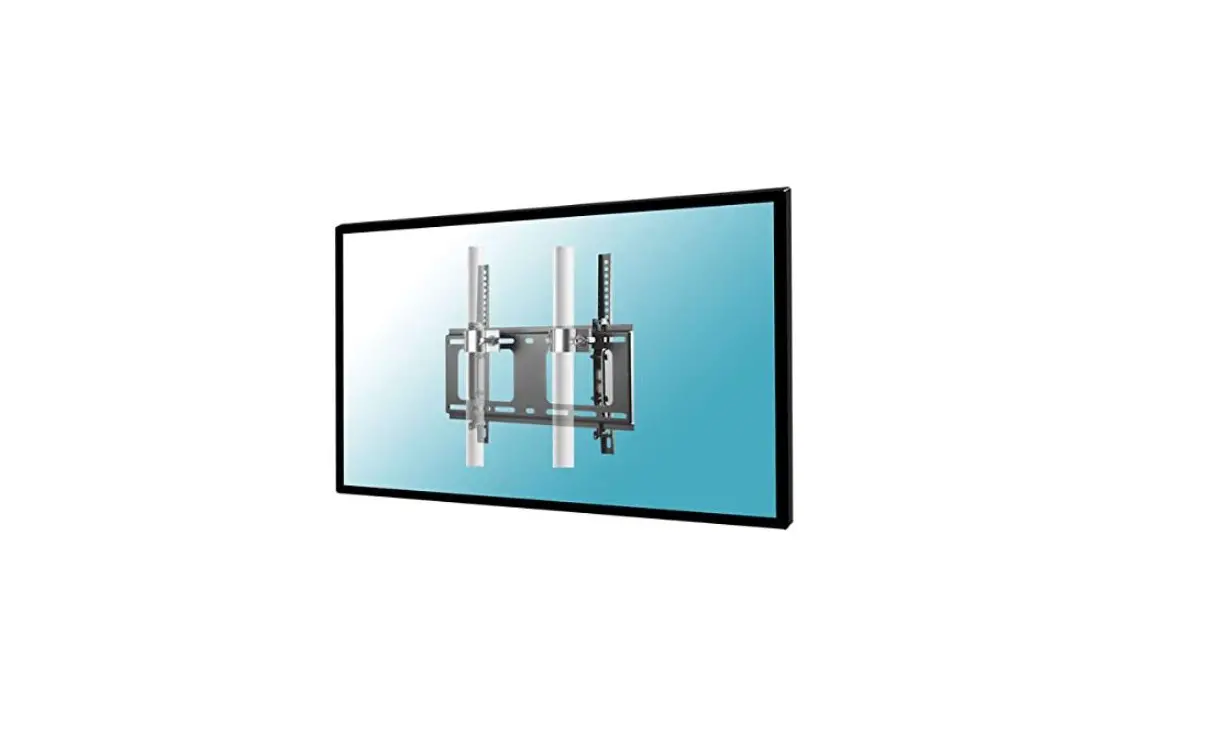
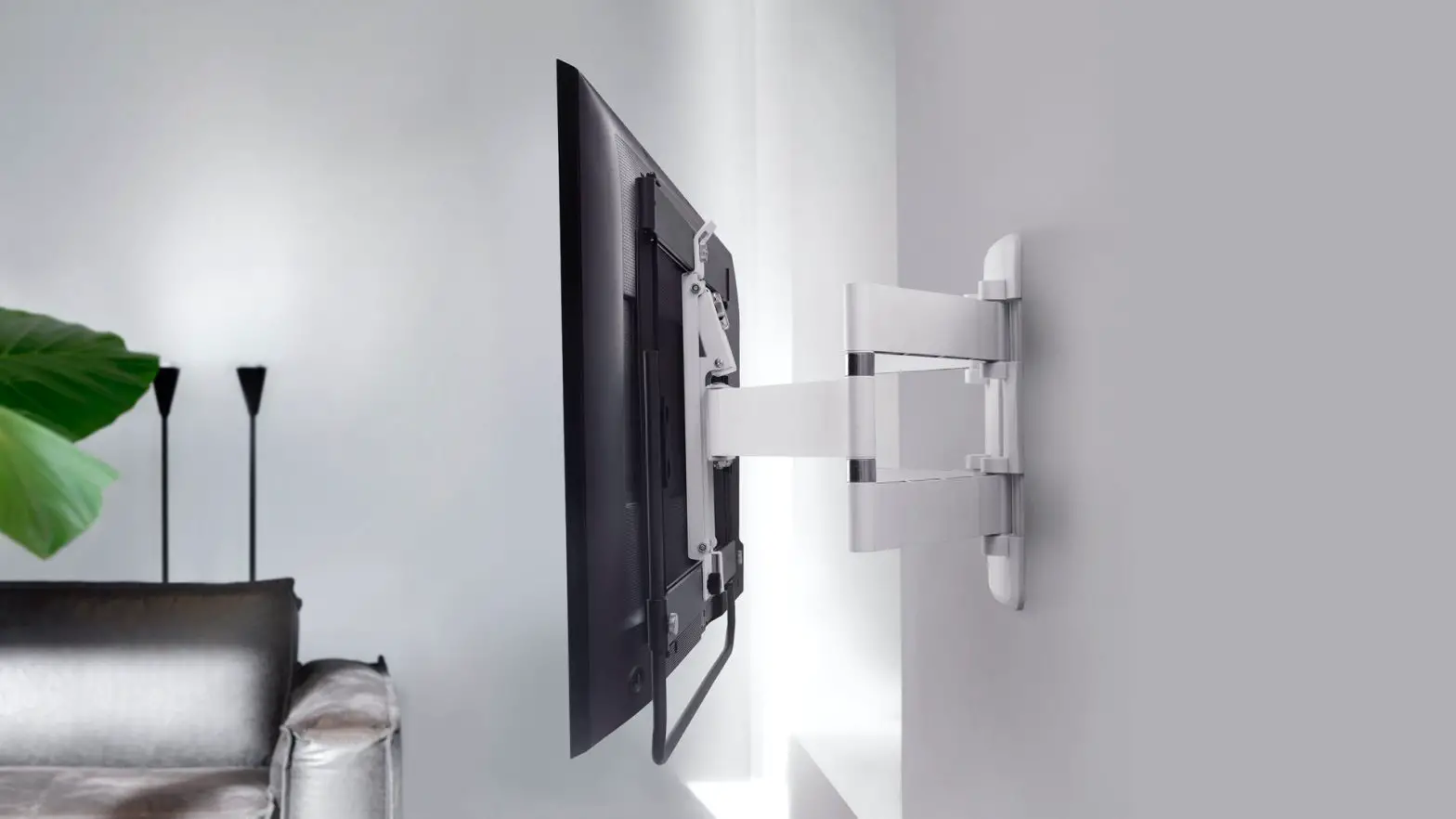
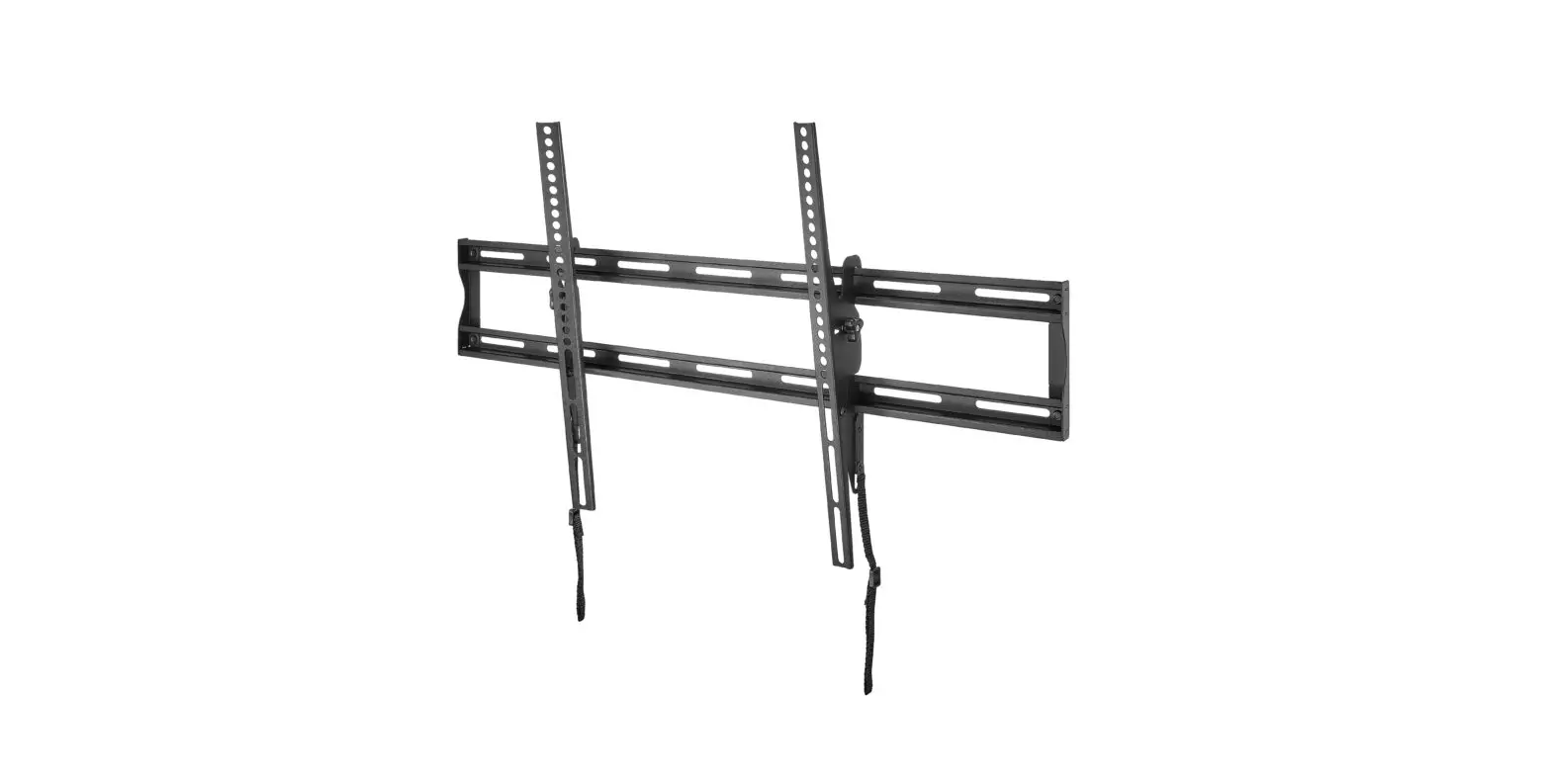
NS-HTVMFAB Fixed TV Wall Mount
Product Information
The NS-HTVMFAB is a TV wall mount by Insignia. It has a maximum
weight capacity of 35 lbs. (15.8 kg) and a wall-mount weight of 2.2
lbs. (1 kg). The wall mount is intended for use only with the
maximum weights indicated and should not be used with products
heavier than the maximum weights indicated as it may result in
collapse of the mount and its accessories, causing possible injury.
The wall must be capable of supporting five times the weight of
your TV and wall mount combined. This product contains small items
that could be a choking hazard if swallowed and should be kept away
from young children.
Product Usage Instructions
- Read the entire manual prior to use and save these instructions
for future reference. - Ensure that the weight of your TV does not exceed 35 lbs. (15.8
kg) and that the wall is capable of supporting five times the
weight of your TV and wall mount combined. - If you are unsure about the safety of the installation or do
not understand the instructions, contact Customer Service or call a
qualified contractor. - Use the tools listed below to assemble your new TV wall
mount:
- Pencil
- Awl
- Socket wrench with 1/2 in. (13 mm) socket or adjustable
wrench - Phillips screwdriver
- Hammer
- 7/32 in. (5.5 mm) wood drill bit (for wood stud wall) OR 3/8
in. (10 mm) masonry drill bit (for solid concrete or concrete block
walls) - Measuring tape
- Level
the center of the wall plate template at the height you determined
in Step 4 of the User Guide. Make sure it is level, then tape it to
the wall.
drill bit, then remove the template. Note: Drill into the center
holes only.
and washers through the holes in the wall plate. Gently tighten the
lag bolts.
included hardware.
the hooks on the wall plate.
INSTALLATION GUIDE GUÍA DE INSTALACIÓN
Fixed-Position Wall Mount for TVs 1943 in. Montaje en Pared De Posición Fija Para Televisores De 19 a 43 pulg.
NS-HTVMFAB
Before using your new product, please read these instructions to prevent any damage. Antes de usar su producto nuevo, lea este instructivo para prevenir cualquier daño.
Safety information and specifications
CAUTION:
IMPORTANT SAFETY INSTRUCTIONS – SAVE THESE INSTRUCTIONS READ THE ENTIRE MANUAL PRIOR TO USE
Maximum TV weight: 35 lbs. (15.8 kg) Screen size: 19 in. to 43 in. diagonal Overall dimensions (H × W ):
CAUTION: Do not use this product for 8.66 × 10.04 in. (22.0 × 25.5 cm)
any purpose not explicitly specified Wall-mount weight: 2.2 lb. (1 kg)
by Insignia. Improper installation may cause
We’re here for you
property damage or personal injury.
www.insigniaproducts.com
If you do not understand these
For customer service, call:
directions, or have doubts about the
877-467-4289 (U.S./Canada markets)
safety of the installation, contact
Customer Service or call a qualified
contractor. Insignia is not responsible for damage or injury caused by incorrect installation or use.
CAUTION: Do not exceed the maximum weight indicated. This mounting system is intended for use only with the maximum weights indicated. Use with products heavier than the maximum weights indicated may result in collapse of the mount and its accessories, causing possible
injury.
The weight of your TV must not exceed 35 lbs. (15.8 kg). The wall must be capable of supporting five times
the weight of your TV and wall mount combined.
This product contains small items that could be a choking hazard if swallowed. Keep these items away from young children!
10.04 in. (25.5 cm)
8.66 in. (22.0 cm)
2
www.insigniaproducts.com
Fixed-position Wall Mount For TVs 19-43 In. Montaje en Pared De Posición Fija Para Televisores De 19 a 43 pulg.
Tools needed
You will need the following tools to assemble your new TV wall mount:
ardware
Pencil
Awl
Edge-to-edge
Socket wrench with 1/2 in.
stud finder
(13 mm) socket or adjustable
wrench
7/32 in. (5.5 mm) wood drill bit (for wood stud wall)
OR
Phillips screwdriver
Hammer
3/8 in. (10 mm) masonry drill bit (for solid concrete
Drill
or concrete block walls)
Tape
Measuring tape
Level
Package contents
Make sure that you have all the hardware necessary to assemble your new TV wall mount:
10 Wall Plate (1)
01 TV Brackets (2)
R Wall Plate Template (1)
10 (1)
01 (2)
R
LEVELING EDGE NIVELACIÓN
TOOLS NEEDED
HERRAMIENTAS REQUERIDAS
7/32 (5.5 mm) drill bit Broca de taladro de 7/32 pulg. (5.5 mm)
OPTION 1: WOOD STUD WALL / OPCIÓN 1: PARED CON VIGAS DE MADERA
Align the center of the
template at the height you
determined in Step 4 in the
User Guide. Make sure it is
level, then tape it to the wall.
Wall
Note: Drill into the center holes
Pared
only.
Drill here Taladre aquí
5/16 in. Washers 5/16 pulg. Arandelas
Lag bolts 5/16 × 2¾ in.
Pernos de retraso 5/16 pulg. × 2 3/4 pulg.
Wall anchors (Concrete only)
Anclajes de pared (sólo para concreto)
3 in. (75 mm) 3 pulg. (75 mm)
Localice el centro de la viga con un detector de vigas.
Alinee el centro de la plantilla con la marca de la altura realizada en el paso 4 de
la Guía del usuario. Asegúrese de que esté a nivel, cuando pegue la cinta adhesiva
a la pared. Nota: nunca taladre la argamasa entre los bloques.
Drill holes through the template 3 in. deep (75 mm) using a drill bit, then remove the template.
Taladre los agujeros guía a través de la plantilla a una profundidad de 3 pulg. (75 mm) usando una broca de taladro y retire la plantilla.
OPTION 2: SOLID CONCRETE OR CONCRETE BLOCK WALL / OPCIÓN 2: INSTALACIÓN EN UNA PARED DE CONCRETO SÓLIDO O DE BLOQUES DE CONCRETO
Align the wall plate with the holes, then insert the lag bolts and washers through the holes in the wall plate. Gently tighten the lag bolts.
Alinee la placa para pared con los agujeros, inserte los pernos de retraso y las arandelas en los agujeros de la placa para pared. No apriete excesivamente los tornillos de retraso.
3 in. (75 mm) 3 pulg. (75 mm)
Align the center of the template at the height you determined in Step 4 in the User Guide. Make sure it is level, then tape it to the wall.
Alinee el centro de la plantilla con la marca de la altura realizada en el paso 4 de la Guía del usuario. Asegúrese de que esté a nivel, cuando pegue la cinta adhesiva a la pared.
Drill holes through the template 3 in. deep (75 mm) using a drill bit, then remove the template. Note: Drill into the center holes only.
Taladre los agujeros guía a través de la plantilla a una profundidad de 3 pulg. (75 mm) usando una broca de taladro y retire la plantilla. Nota: nunca taladre la argamasa entre los bloques.
Insert the wall anchors into the holes and use a hammer
Inserte los anclajes de pared para concreto en los agujeros y con un martillo asegúrese de que los anclajes
Drill here Taladre aquí
Wall mount template / Plantilla para montaje en pared
Warning: Improper installation can result in serious injury or damage to your television. If necessary, seek the assistance of a professional.
Advertencia: una instalación inadecuada podría resultar en lesiones graves o daños a su televisor. Si es necesario, busque la asistencia de un profesional.
Align the wall plate with the holes, then insert the lag bolts and washers through the holes in the wall plate. Gently tighten the
Alinee la placa para pared con los agujeros, inserte los pernos de retraso y las arandelas en los agujeros de la placa para pared. No
www.insigniaproducts.com
3
TV Hardware Bag
Label 02 03 04 05 06
Hardware
Qty. Label
M4 × 12 mm screw
4
07
M6 × 12 mm screw
4
08
M8 × 20 mm screw
4
09
M4 × 35 mm screw
4
11
M6 × 35 mm screw
4
12
Hardware
Qty.
M4 washer
4
M6/M8 washer
4
Spacers
4
Lag bolt washer
2
2
5/16 in. × 2 3/4 in. lag bolt
Concrete Installation Kit CMK1 (not included)
Contact customer service at 1-800-359-5520 to have these additional parts shipped directly to you.
C1
2
5/16 in. × 2 3/4 in. lag bolt
C2
Lag bolt washer
2
C3
2
Concrete anchors
4
www.insigniaproducts.com
Fixed-position Wall Mount For TVs 19-43 In. Montaje en Pared De Posición Fija Para Televisores De 19 a 43 pulg.
Installation instructions
STEP 1 – Determining whether your TV has a flat back or an irregular or obstructed back
1 Carefully place your TV screen face-down on a cushioned, clean surface to protect the screen from
damages and scratches.
2 If your TV has a table-top stand attached, remove the stand. See the documentation that came with your
TV for instructions.
3 Temporarily lay the TV brackets (01), oriented vertically, on the back of your TV. 4 Align the screw holes in the TV brackets with the mounting screw holes on your TV. 5 Identify which type of back your TV may have:
· Flat back: The brackets lay flush against the back of your TV and do not block any jacks. You do not need spacers when assembling the wall mount.
· Obstructed back: The brackets block one or more of the jacks on the back of your TV. You will need spacers when assembling the wall mount.
· Irregularly-shaped back: There is a gap between a bracket and some part of the back of your TV. You will need spacers when assembling the wall mount.
6 Remove the TV brackets (01).
www.insigniaproducts.com
5
STEP 2 – Select screws, washers, and spacers
1 Select the hardware for your TV (screws, washers, and spacers). A limited number of TVs come with
mounting hardware included. (If there are screws that came with the TV, they are almost always in the holes on the back of the TV.) If you don’t know the correct length of the mounting screws your TV requires, test various sizes by hand threading the screws. Select one of the following types of screws:
For a TV with a flat back: M4 X 12mm screws (02) M6 X 12mm screws (03) M8 X 20mm screws (04)
For a TV with an irregular/obstructed back: M4 X 35mm screws (05) M6 X 35mm screws (06)
Select either an M4 washer (07) or an M6/M8 washer (08) for the corresponding types of screws. For an irregular or obstructed TV back, also use the spacer (09)
CAUTION: To avoid potential personal injuries and property damage, make sure that there are adequate threads to secure the brackets to your TV. If you encounter resistance, stop immediately and contact customer service. Use the shortest screw and spacer combination to accommodate your TV. Using hardware that is too long may damage your TV. However, using a screw that is too short may cause your TV to fall from the mount.
Screw fits correctly
Screw is too long
Screw is too short
2 Remove the screws from the holes in the back of your TV. 3 For a flat back TV, go to “STEP 3 – Option 1: Attaching the mounting hardware to TVs with a flat back” on
page 7.
-OR-
For an irregular or obstructed back, go to “STEP 3 – Option 2: Attaching the mounting hardware to TVs with irregular or obstructed backs”on page 8.
6
www.insigniaproducts.com
Fixed-position Wall Mount For TVs 19-43 In. Montaje en Pared De Posición Fija Para Televisores De 19 a 43 pulg.
STEP 3 – Option 1: Attaching the mounting hardware to TVs with a flat back
1 Align the left and right TV brackets (01) with the screw holes on the back of the TV. Make sure that the
brackets are level.
2 Install washers (07 or 08), and screws (02, 03, or 04) into the holes in the back of the TV. 3 Tighten the screws until they are snug against the TV brackets. Do not over tighten.
02, 03, or 04
07 or 08 01
You’ll need
Screws
or
or
02 (4)
03 (4) Washers
or 07 (4)
08 (4)
04 (4)
Level Phillips screwdriver
www.insigniaproducts.com
01 TV brackets (2)
7
STEP 3 – Option 2: Attaching the mounting hardware to TVs with irregular or obstructed backs
1 Place spacers (09) over the screw holes on the back of the TV. 2 Align the left and right TV brackets (01) with the screw holes on the back of the TV. Make sure that the
brackets are level.
3 Place washers (07 or 08) over the holes in the TV brackets. Insert screws (05 or 06) through the washers,
TV brackets, and spacers.
4 Tighten the screws until they are snug against the TV brackets. Do not over tighten.
05 or 06 09
07 or 08
01
You’ll need
Screws
or 05 (4)
Washers
06 (4) Spacers
or
07 (4)
08 (4)
09 (4)
Level Phillips screwdriver
8
www.insigniaproducts.com
01 TV brackets (2)
Fixed-position Wall Mount For TVs 19-43 In. Montaje en Pared De Posición Fija Para Televisores De 19 a 43 pulg.
STEP 4 – Determine wall-mount location
Note: · For more detailed information on determining where to drill your holes, visit our online height-finder at: http://mf1.bestbuy.selectionassistant.com/index.php/heightfinder · Your TV should be high enough so your eyes are level with the middle of the screen. This is normally 40 to 60 in. from the ground.
The center of your TV will be offset .80 in. lower than the center of the wall plate (10). Before you drill holes in the wall:
1 Measure the distance from the bottom of your TV to the center point halfway between the top and
bottom mounting holes on the back of your TV. This is measurement a.
2 Measure the distance from the floor to where you want the bottom of the TV to be placed on the wall.
Keep in mind that the bottom of the TV should be placed above any furniture (such as entertainment centers or TV stands). The TV should also be above items placed on top of the furniture (like a Blu-ray player or cable box). This measurement is b.
3 Add a + b. The total measurement is the height where you want the center of the wall plate to be on the
wall.
4 Use a pencil to mark this spot on the wall.
Aa
Bb
You’ll need
Measuring tape
Pencil
www.insigniaproducts.com
9
STEP 5 – Option 1: Installing on a wood stud* wall
Note: Any drywall covering the wall must not exceed 5/8 in. (16 mm).
1 Locate the stud. Verify the center of the stud with an edge-to-edge stud finder. 2 Align the center of the wall plate template (R) at the height (a + b) you determined in the previous step,
make sure that it is level, then tape it to the wall.
3 Drill two pilot holes through the template to a depth of 3 in. (75 mm) using a 7/32 in. (5.5 mm) diameter
drill bit, then remove the template.
4 Align the wall plate (10) with the pilot holes, insert the lag bolts (12) through the lag bolt washers (11),
then through the holes in the wall plate. Tighten the lag bolts only until they are firm against the wall plate.
CAUTION:
· Use only the two center holes to mount the wall plate. Do not use the slotted side holes. · Install in the center of the studs. Do Not install in drywall alone. · DO NOT over-tighten the lag bolts (12).
* Minimum wood stud size: common 2 x 4 in. (51 x 102 mm) nominal 11/2 x 31/2 in. (38 x 89 mm). * Minimum horizontal spacing between fasteners cannot be less than 16 in. (406 mm).
Align the center of the template with the height mark (a+b) you made in step 4.
3 in. 75 mm)
You’ll need
Wall plate (10)
LEVELING EDGE NIVELACIÓN
TOOLS NEEDED
HERRAMIENTAS REQUERIDAS
7/32 (5.5 mm) drill bit Broca de taladro de 7/32 pulg. (5.5 mm)
OPTION 1: WOOD STUD WALL / OPCIÓN 1: PARED CON VIGAS DE MADERA
Align the center of the
template at the height you
determined in Step 4 in the
User Guide. Make sure it is
level, then tape it to the wall.
Wall
Note: Drill into the center holes
Pared
only.
Drill here Taladre aquí
5/16 in. Washers 5/16 pulg. Arandelas
Lag bolts 5/16 × 2¾ in.
Pernos de retraso 5/16 pulg. × 2 3/4 pulg.
Wall anchors (Concrete only)
Anclajes de pared (sólo para concreto)
3 in. (75 mm) 3 pulg. (75 mm)
Localice el centro de la viga con un detector de vigas.
Alinee el centro de la plantilla con la marca de la altura realizada en el paso 4 de
la Guía del usuario. Asegúrese de que esté a nivel, cuando pegue la cinta adhesiva
a la pared. Nota: nunca taladre la argamasa entre los bloques.
Drill holes through the template 3 in. deep (75 mm) using a drill bit, then remove the template.
Taladre los agujeros guía a través de la plantilla a una profundidad de 3 pulg. (75 mm) usando una broca de taladro y retire la plantilla.
OPTION 2: SOLID CONCRETE OR CONCRETE BLOCK WALL / OPCIÓN 2: INSTALACIÓN EN UNA PARED DE CONCRETO SÓLIDO O DE BLOQUES DE CONCRETO
Align the wall plate with the holes, then insert the lag bolts and washers through the holes in the wall plate. Gently tighten the lag bolts.
Alinee la placa para pared con los agujeros, inserte los pernos de retraso y las arandelas en los agujeros de la placa para pared. No apriete excesivamente los tornillos de retraso.
3 in. (75 mm) 3 pulg. (75 mm)
Align the center of the template at the height you determined in Step 4 in the User Guide. Make sure it is level, then tape it to the wall.
Alinee el centro de la plantilla con la marca de la altura realizada en el paso 4 de la Guía del usuario. Asegúrese de que esté a nivel, cuando pegue la cinta adhesiva a la pared.
Drill holes through the template 3 in. deep (75 mm) using a drill bit, then remove the template. Note: Drill into the center holes only.
Taladre los agujeros guía a través de la plantilla a una profundidad de 3 pulg. (75 mm) usando una broca de taladro y retire la plantilla. Nota: nunca taladre la argamasa entre los bloques.
Insert the wall anchors into the holes and use a hammer
Inserte los anclajes de pared para concreto en los agujeros y con un martillo asegúrese de que los anclajes
Drill here Taladre aquí
Wall mount template / Plantilla para montaje en pared Warning: Improper installation can result in serious injury or damage to your television. If necessary, seek the assistance of a professional.
Advertencia: una instalación inadecuada podría resultar en lesiones graves o daños a su televisor. Si es necesario, busque la asistencia de un profesional.
Align the wall plate with the holes, then insert the lag bolts and washers through the holes in the wall plate. Gently tighten the
Alinee la placa para pared con los agujeros, inserte los pernos de retraso y las arandelas en los agujeros de la placa para pared. No
Wall plate
template (R)
Edge-to edge stud finder
1/2 in. socket
Drill
wrench
Level
10
12 (2)
7/32 in. wood drill bit
Tape
11 (2)
www.insigniaproducts.com
Fixed-position Wall Mount For TVs 19-43 In. Montaje en Pared De Posición Fija Para Televisores De 19 a 43 pulg.
STEP 5 – Option 2: Installing on a solid concrete or concrete block wall (requires Concrete Installation Kit CMK1)
CAUTION:To prevent property damage or personal injury, never drill into the mortar between the
blocks. Mount the wall plate directly onto the concrete surface.
1 Align the center of the wall plate template (R) at the height (a + b) you determined in the previous step,
make sure that it is level, then tape it to the wall.
2 Drill two pilot holes through the template to a depth of 3 in. (75 mm) using a 3/8 in. (10 mm) diameter
masonry drill bit, then remove the template.
3 Insert the concrete wall anchors (C3) into the pilot holes and use a hammer to make sure the anchors are
flush with the concrete surface.
4 Align the wall plate (10) with the anchors, insert the lag bolts (C1) through the lag bolt washers (C2),
then through the holes in the wall plate. Tighten the lag bolts only until they are firm against the wall plate.
CAUTION:
· Use only the two center holes to mount the wall plate. Do not use the slotted side holes.
· DO NOT over-tighten the lag bolts (C1).
.
Align the center of the template with the height mark (a+b) you made in step 4.
3 in. (75 mm)
* Minimum solid concrete thickness: 8 in. (203mm) * Minimum concrete block size: 8 x 8 x 16 in. (203 x
203 x 406 mm). * Minimum horizontal spacing between fasteners
cannot be less than 16 in. (406 mm).
C2 C1
You’ll need
Wall plate (10)
LEVELING EDGE NIVELACIÓN
TOOLS NEEDED
HERRAMIENTAS REQUERIDAS
7/32 (5.5 mm) drill bit Broca de taladro de 7/32 pulg. (5.5 mm)
OPTION 1: WOOD STUD WALL / OPCIÓN 1: PARED CON VIGAS DE MADERA
Align the center of the
template at the height you
determined in Step 4 in the
User Guide. Make sure it is
level, then tape it to the wall.
Wall
Note: Drill into the center holes
Pared
only.
Drill here Taladre aquí
5/16 in. Washers 5/16 pulg. Arandelas
Lag bolts 5/16 × 2¾ in.
Pernos de retraso 5/16 pulg. × 2 3/4 pulg.
Wall anchors (Concrete only)
Anclajes de pared (sólo para concreto)
3 in. (75 mm) 3 pulg. (75 mm)
Localice el centro de la viga con un detector de vigas.
Alinee el centro de la plantilla con la marca de la altura realizada en el paso 4 de
la Guía del usuario. Asegúrese de que esté a nivel, cuando pegue la cinta adhesiva
a la pared. Nota: nunca taladre la argamasa entre los bloques.
Drill holes through the template 3 in. deep (75 mm) using a drill bit, then remove the template.
Taladre los agujeros guía a través de la plantilla a una profundidad de 3 pulg. (75 mm) usando una broca de taladro y retire la plantilla.
OPTION 2: SOLID CONCRETE OR CONCRETE BLOCK WALL / OPCIÓN 2: INSTALACIÓN EN UNA PARED DE CONCRETO SÓLIDO O DE BLOQUES DE CONCRETO
Align the wall plate with the holes, then insert the lag bolts and washers through the holes in the wall plate. Gently tighten the lag bolts.
Alinee la placa para pared con los agujeros, inserte los pernos de retraso y las arandelas en los agujeros de la placa para pared. No apriete excesivamente los tornillos de retraso.
3 in. (75 mm) 3 pulg. (75 mm)
Align the center of the template at the height you determined in Step 4 in the User Guide. Make sure it is level, then tape it to the wall.
Alinee el centro de la plantilla con la marca de la altura realizada en el paso 4 de la Guía del usuario. Asegúrese de que esté a nivel, cuando pegue la cinta adhesiva a la pared.
Drill holes through the template 3 in. deep (75 mm) using a drill bit, then remove the template. Note: Drill into the center holes only.
Taladre los agujeros guía a través de la plantilla a una profundidad de 3 pulg. (75 mm) usando una broca de taladro y retire la plantilla. Nota: nunca taladre la argamasa entre los bloques.
Insert the wall anchors into the holes and use a hammer
Inserte los anclajes de pared para concreto en los agujeros y con un martillo asegúrese de que los anclajes
Drill here Taladre aquí
Wall mount template / Plantilla para montaje en pared Warning: Improper installation can result in serious injury or damage to your television. If necessary, seek the assistance of a professional.
Advertencia: una instalación inadecuada podría resultar en lesiones graves o daños a su televisor. Si es necesario, busque la asistencia de un profesional.
Align the wall plate with the holes, then insert the lag bolts and washers through the holes in the wall plate. Gently tighten the
Alinee la placa para pared con los agujeros, inserte los pernos de retraso y las arandelas en los agujeros de la placa para pared. No
Wall plate template (R)
3/8 in. masonry drill bit
C3
Drill
1/2 in. socket
wrench
C2 (2)
Level
C1 (2)
C3 (2)
Hammer
Tape
www.insigniaproducts.com
11
STEP 6 – Mounting the TV to the wall plate
1 If the locking screws (S) cover the bottom holes of the TV brackets (01), unscrew them until the holes are
clear.
2 Holding the TV with the top of the screen tilted toward the wall, slide the upper notches of the right and
left TV brackets (01) over the upper lip of the wall plate (10).
3 Push the bottom of the TV toward the wall until the latch mechanism clicks into place.
HEAVY! You will need assistance with this step. 01
10
S
12
www.insigniaproducts.com
Fixed-position Wall Mount For TVs 19-43 In. Montaje en Pared De Posición Fija Para Televisores De 19 a 43 pulg.
Securing the TV to the wall plate
· Tighten the locking screws (S) with a Phillips screwdriver until they contact the wall plate (10).
01 01
10
S
S
01
10
S
To remove the TV from the wall plate, unscrew the locking screws, then pull the bottom away from the wall and lift the assembly off the wall bracket.
www.insigniaproducts.com
13
ONE-YEAR LIMITED WARRANTY
Definitions:
The Distributor* of Insignia branded products warrants to you, the original purchaser of this new Insignia-branded product (“Product”), that the Product shall be free of defects in the original manufacturer of the material or workmanship for a period of one (1) year from the date of your purchase of the Product (“Warranty Period”). For this warranty to apply, your Product must be purchased in the United States or Canada from a Best Buy branded retail store or online at www.bestbuy.com or www.bestbuy.ca and is packaged with this warranty statement.
How long does the coverage last?
The Warranty Period lasts for 1 year (365 days) from the date you purchased the Product. Your purchase date is printed on the receipt you received with the Product.
What does this warranty cover?
During the Warranty Period, if the original manufacture of the material or workmanship of the Product is determined to be defective by an authorized Insignia repair center or store personnel, Insignia will (at its sole option): (1) repair the Product with new or rebuilt parts; or (2) replace the Product at no charge with new or rebuilt comparable products or parts. Products and parts replaced under this warranty become the property of Insignia and are not returned to you. If service of Products or parts are required after the Warranty Period expires, you must pay all labor and parts charges. This warranty lasts as long as you own your Insignia Product during the Warranty Period. Warranty coverage terminates if you sell or otherwise transfer the Product.
How to obtain warranty service?
If you purchased the Product at a Best Buy retail store location or from a Best Buy online website (www.bestbuy.com or www.bestbuy.ca), please take your original receipt and the Product to any Best Buy store. Make sure that you place the Product in its original packaging or packaging that provides the same amount of protection as the original packaging. To obtain warranty service, in the United States and Canada call 1-877-467-4289. Call agents may diagnose and correct the issue over the phone.
Where is the warranty valid?
This warranty is valid only in the United States and Canada at Best Buy branded retail stores or websites to the original purchaser of the product in the country where the original purchase was made.
What does the warranty not cover?
This warranty does not cover: · Food, beverage, and/or medicine loss/spoilage. · Customer instruction/education · Installation · Set up adjustments · Cosmetic damage · Damage due to weather, lightning, and other acts of God, such as power surges · Accidental damage · Misuse · Abuse · Negligence · Commercial purposes/use, including but not limited to use in a place of business or in communal areas of a multiple dwelling condominium or apartment complex, or otherwise used in a place of other than a private home. · Modification of any part of the Product, including the antenna · Display panel damaged by static (non-moving) images applied for lengthy periods (burn-in). · Damage due to incorrect operation or maintenance · Connection to an incorrect voltage or power supply · Attempted repair by any person not authorized by Insignia to service the Product · Products sold “as is” or “with all faults” · Consumables, including but not limited to batteries (i.e. AA, AAA, C etc.) · Products where the factory applied serial number has been altered or removed
14
www.insigniaproducts.com
Fixed-position Wall Mount For TVs 19-43 In. Montaje en Pared De Posición Fija Para Televisores De 19 a 43 pulg.
· Loss or Theft of this product or any part of the product · Display panels containing up to three (3) pixel failures (dots that are dark or incorrectly
illuminated) grouped in an area smaller than one tenth (1/10) of the display size or up to five (5) pixel failures throughout the display. (Pixel based displays may contain a limited number of pixels that may not function normally.) · Failures or Damage caused by any contact including but not limited to liquids, gels or pastes. REPAIR REPLACEMENT AS PROVIDED UNDER THIS WARRANTY IS YOUR EXCLUSIVE REMEDY FOR BREACH OF WARRANTY. INSIGNIA SHALL NOT BE LIABLE FOR ANY INCIDENTAL OR CONSEQUENTIAL DAMAGES FOR THE BREACH OF ANY EXPRESS OR IMPLIED WARRANTY ON THIS PRODUCT, INCLUDING, BUT NOT LIMITED TO, LOST DATA, LOSS OF USE OF YOUR PRODUCT, LOST BUSINESS OR LOST PROFITS. INSIGNIA PRODUCTS MAKES NO OTHER EXPRESS WARRANTIES WITH RESPECT TO THE PRODUCT, ALL EXPRESS AND IMPLIED WARRANTIES FOR THE PRODUCT, INCLUDING BUT NOT LIMITED TO ANY IMPLIED WARRANTIES OF AND CONDITIONS OF MERCHANTABILITY AND FITNESS FOR A PARTICULAR PURPOSE, ARE LIMITED IN DURATION TO THE WARRANTY PERIOD SET FORTH ABOVE AND NO WARRANTIES, WHETHER EXPRESS OR IMPLIED, WILL APPLY AFTER THE WARRANTY PERIOD. SOME STATES, PROVINCES AND JURISDICTIONS DO NOT ALLOW LIMITATIONS ON HOW LONG AN IMPLIED WARRANTY LASTS, SO THE ABOVE LIMITATION MAY NOT APPLY TO YOU. THIS WARRANTY GIVES YOU SPECIFIC LEGAL RIGHTS, AND YOU MAY ALSO HAVE OTHER RIGHTS, WHICH VARY FROM STATE TO STATE OR PROVINCE TO PROVINCE. Contact Insignia: 1-877-467-4289 www.insigniaproducts.com INSIGNIA is a trademark of Best Buy and its affiliated companies. *Distributed by Best Buy Purchasing, LLC 7601 Penn Ave South, Richfield, MN 55423 U.S.A. ©2023 Best Buy. All rights reserved.
www.insigniaproducts.com
15
Información de seguridad y especificaciones
CUIDADO:
INSTRUCCIONES IMPORTANTES DE SEGURIDAD – GUARDE ESTAS INSTRUCCIONES – LEA COMPLETAMENTE LA GUÍA DEL USUARIO ANTES DE USARLO
Peso máximo del televisor: 35 lb (15.8 kg) Tamaño de pantalla: 19 a 43 pulg. en diagonal Dimensiones totales (Alto × Ancho): 8.66 × 10.04 pulg. (22 × 25.5 cm)
CUIDADO: no utilice este producto con
Peso del montaje en pared: 2.2 lb (1 kg)
cualquier propósito que no esté
Estamos a su disposición
explícitamente especificado por Insignia.
www.insigniaproducts.com
Una instalación inadecuada podría causar
Para el servicio al cliente llame al:
daños materiales o lesiones personales. Si no comprende estas instrucciones, o tiene dudas
877-467-4289 (mercados estadounidense y canadiense)
sobre la seguridad de la instalación, póngase
en contacto con Servicio al cliente o llame a un contratista calificado Insignia no se hace responsable por daños o
lesiones causadas por una instalación o uso incorrecto.
CUIDADO: no exceda la capacidad máxima de peso indicada. Este sistema de montaje está diseñado para ser usado únicamente con los pesos máximos especificados. El uso con productos pesando más que el peso máximo especificado, puede resultar en un desmoronamiento del sistema de montaje y de sus accesorios, causa potencial de lesiones.
El peso de su televisor no debe exceder 35 lb (15.8 kg). La pared debe ser capaz de soportar cinco veces el peso de su
televisor, incluyendo el montaje de pared.
Este producto contiene piezas pequeñas que representan un peligro de asfixia si se tragan. ¡Mantenga estas piezas alejadas de los niños!
10.04 pulg. (25.5 cm)
8.66 pulg. (22 cm)
16
www.insigniaproducts.com
Fixed-position Wall Mount For TVs 19-43 In. Montaje en Pared De Posición Fija Para Televisores De 19 a 43 pulg.
Herramientas requeridas
Necesitará las siguientes herramientas para ensamblar su montaje de pared nuevo para el televisor:
ferretería
Detector de vigas de borde a borde
Llave de tubos con tubo de 1/2 pulg. (13 mm) o llave regulable
Lápiz
Punzón
Taladr
Martillo
Destornillador Phillips
Broca para madera de 7/32 pulg. (5.5 mm) (para pared con vigas de madera) O Broca de taladro para concreto de 3/8 pulg. (10 mm) (para paredes de concreto solido o de bloques de concreto)
Cinta adhesiva
Cinta métrica
Nivel
Contenido del paquete
Asegúrese de que tenga todos los herrajes necesarios para instalar su montaje de pared nuevo para el
televisor:
10 Placa de pared (1)
01 Soportes para televisor (2) R Plantilla de la placa de pared (1)
10 (1)
01 (2)
R
LEVELING EDGE NIVELACIÓN
TOOLS NEEDED
HERRAMIENTAS REQUERIDAS
7/32 (5.5 mm) drill bit Broca de taladro de 7/32 pulg. (5.5 mm)
OPTION 1: WOOD STUD WALL / OPCIÓN 1: PARED CON VIGAS DE MADERA
Align the center of the
template at the height you
determined in Step 4 in the
User Guide. Make sure it is
level, then tape it to the wall.
Wall
Note: Drill into the center holes
Pared
only.
Drill here Taladre aquí
5/16 in. Washers 5/16 pulg. Arandelas
Lag bolts 5/16 × 2¾ in.
Pernos de retraso 5/16 pulg. × 2 3/4 pulg.
Wall anchors (Concrete only)
Anclajes de pared (sólo para concreto)
3 in. (75 mm) 3 pulg. (75 mm)
Localice el centro de la viga con un detector de vigas.
Alinee el centro de la plantilla con la marca de la altura realizada en el paso 4 de
la Guía del usuario. Asegúrese de que esté a nivel, cuando pegue la cinta adhesiva
a la pared. Nota: nunca taladre la argamasa entre los bloques.
Drill holes through the template 3 in. deep (75 mm) using a drill bit, then remove the template.
Taladre los agujeros guía a través de la plantilla a una profundidad de 3 pulg. (75 mm) usando una broca de taladro y retire la plantilla.
OPTION 2: SOLID CONCRETE OR CONCRETE BLOCK WALL / OPCIÓN 2: INSTALACIÓN EN UNA PARED DE CONCRETO SÓLIDO O DE BLOQUES DE CONCRETO
Align the wall plate with the holes, then insert the lag bolts and washers through the holes in the wall plate. Gently tighten the lag bolts.
Alinee la placa para pared con los agujeros, inserte los pernos de retraso y las arandelas en los agujeros de la placa para pared. No apriete excesivamente los tornillos de retraso.
3 in. (75 mm) 3 pulg. (75 mm)
Align the center of the template at the height you determined in Step 4 in the User Guide. Make sure it is level, then tape it to the wall.
Alinee el centro de la plantilla con la marca de la altura realizada en el paso 4 de la Guía del usuario. Asegúrese de que esté a nivel, cuando pegue la cinta adhesiva a la pared.
Drill holes through the template 3 in. deep (75 mm) using a drill bit, then remove the template. Note: Drill into the center holes only.
Taladre los agujeros guía a través de la plantilla a una profundidad de 3 pulg. (75 mm) usando una broca de taladro y retire la plantilla. Nota: nunca taladre la argamasa entre los bloques.
Insert the wall anchors into the holes and use a hammer
Inserte los anclajes de pared para concreto en los agujeros y con un martillo asegúrese de que los anclajes
Drill here Taladre aquí
Wall mount template / Plantilla para montaje en pared
Warning: Improper installation can result in serious injury or damage to your television. If necessary, seek the assistance of a professional. Advertencia: una instalación inadecuada podría resultar en lesiones graves o daños a su televisor. Si es necesario, busque la asistencia de un profesional.
Align the wall plate with the holes, then insert the lag bolts and washers through the holes in the wall plate. Gently tighten the
Alinee la placa para pared con los agujeros, inserte los pernos de retraso y las arandelas en los agujeros de la placa para pared. No
www.insigniaproducts.com
17
Bolsa de ferretería para televisor
Etiqueta
02 03 04
05
Ferretería Tornillo M4 de 12 mm
Cantidad Etiqueta
4
07
Tornillo M6 de 12 mm
4
08
Tornillo M8 de 20 mm
4
09
4
Tornillo M4 de 35 mm
11
06
4
Tornillo M6 de 35 mm
12
Ferretería Arandela M4
Cantidad
4
Arandela M6/M8
4
Espaciadores
4
Arandela para
2
perno de retraso
Pernos de retraso de
2
5/16 × 2 3/4 pulg.
Kit de instalación para concreto CMK1 (no se incluye)
Contacte el servicio al cliente al 1-800-359-5520 para tener estas partes adicionales enviadas directamente a usted.
C1
Pernos de retraso de
2
5/16 × 2 3/4 pulg.
C2
Arandela para perno de retraso
2
C3
2
Anclajes para concreto
18
www.insigniaproducts.com
Fixed-position Wall Mount For TVs 19-43 In. Montaje en Pared De Posición Fija Para Televisores De 19 a 43 pulg.
Instrucciones de instalación
PASO 1 – Determine si su televisor tiene una parte posterior plana, irregular u obstruida
1 Coloque cuidadosamente el televisor con la pantalla hacia abajo, sobre una superficie acolchonada y
limpia para protegerlo de daños y rayones.
2 Si su televisor tiene una base para mesa instalada, remueva la base. Refiérase a los documentos que
vienen con su televisor para obtener instrucciones.
3 Ponga temporalmente los soportes de montaje para el televisor (01), en la parte posterior de su
televisor.
4 Alinee los agujeros de tornillos en los soportes con los agujeros de tornillo de montaje en su televisor. 5 Identifique que tipo de parte posterior su televisor podría tener:
· Panel posterior plano: los soportes están al ras de la parte posterior de su televisor y no bloquean ninguna toma. No necesitará espaciadores al ensamblar el soporte de montaje en pared.
· Parte posterior obstruida: el soporte bloquea una o más de las tomas en la parte posterior de su televisor. Necesitará espaciadores al ensamblar el soporte de montaje en pared.
· Parte posterior con forma irregular: hay un espacio entre un soporte y alguna parte de la parte posterior de su televisor. Necesitará espaciadores al ensamblar el soporte de montaje en pared.
6 Retire los soportes de montaje del televisor (01).
www.insigniaproducts.com
19
PASO 2 – Selección de los tornillos, arandelas y espaciadores
1 Seleccione los herrajes para su televisor (tornillos, arandelas y espaciadores). Ciertos televisores vienen
con ferretería de montaje incluida. (si hay tornillos que vinieron con el televisor, casi siempre están en los agujeros de la parte posterior del televisor). Si no conoce la longitud y el diámetro correcto de los tornillos de montaje que su televisor requiere, pruebe tamaños diferentes enroscándolos manualmente. Seleccione uno de los siguientes tipos de tornillo:
Para un televisor con parte posterior plana: Tornillos M4 de 12 mm (02) Tornillos M6 de 12 mm (03) Tornillos M8 de 20 mm (04)
Para un televisor con parte posterior irregular u obstruida: Tornillos M4 de 35 mm (05) Tornillos M6 de 35 mm (06)
Seleccione una arandela M4 (07) o una M6/M8 (08) para los tornillos correspondientes. Para televisores con una parte posterior irregular u obstruida, también utilice el espaciador (09)
CUIDADO: para evitar posibles lesiones personales y daños materiales, asegúrese de que haya una rosca adecuada para asegurar los soportes a su televisor. Si encuentra resistencia, deténgase inmediatamente y póngase en contacto con Servicio al cliente. Utilice la combinación de tornillo y espaciador más corta para acomodar su televisor. El uso de herrajes demasiado largos puede dañar su televisor. Sin embargo, el uso de un tornillo que es demasiado corto puede causar la caída del televisor del montaje.
El tornillo encaja correctamente
El tornillo es demasiado
largo
El tornillo es demasiado
corto
2 Retire los tornillos de los agujeros en la parte posterior de su televisor. 3 Para un televisor con parte posterior plana, refiérase a la sección “STEP 3 – Option 1: Attaching the
mounting hardware to TVs with a flat back” en la página 7.
– O –
Para una parte posterior irregular u obstruida, refiérase a la sección “STEP 3 – Option 2: Attaching the mounting hardware to TVs with irregular or obstructed backs”en la página 8.
20
www.insigniaproducts.com
Fixed-position Wall Mount For TVs 19-43 In. Montaje en Pared De Posición Fija Para Televisores De 19 a 43 pulg.
PASO 3 – Opción 1: Instalación de la ferretería de montaje para televisores con una parte posterior plana
1 Alinee los soportes izquierdo y derecho para televisor (01) con los agujeros para los tornillos en la parte
posterior del televisor. Asegúrese de que los soportes estén a nivel.
2 Instale las arandelas (07 o 08) y los tornillos (02, 03 o 04) en los agujeros en la parte posterior del
televisor.
3 Apriete los tornillos hasta que estén firmemente contra los soportes del televisor. No apriete demasiado.
02, 03 o 04
07 o 08
01
Necesitará
Tornillos
o
o
02 (4)
03 (4) Arandelas
o 07 (4)
08 (4)
04 (4)
Nivel Destornillador Phillips
01 Soportes para televisor (2)
www.insigniaproducts.com
21
PASO 3 – Opción 2: Instalación de la ferretería de montaje para televisores con partes posteriores irregulares u obstruidas
1 Coloque los espaciadores (09) sobre los agujeros para tornillos en la parte posterior del televisor. 2 Alinee los soportes izquierdo y derecho para televisor (01) con los agujeros para los tornillos en la parte
posterior del televisor. Asegúrese de que los soportes estén a nivel.
3 Coloque las arandelas (07 o 08) sobre los agujeros en los soportes para televisor. Inserte los tornillos (05
o 06) a través de las arandelas, los soportes para televisor y los espaciadores.
4 Apriete los tornillos hasta que estén firmemente contra los soportes del televisor. No apriete demasiado.
05 o 06 09
07 o 08
01
Necesitará
Tornillos
o 05 (4)
Arandelas
06 (4) Espaciadores
o
07 (4)
08 (4)
09 (4)
Nivel Destornillador Phillips
01 Soportes para televisor (2)
22
www.insigniaproducts.com
Fixed-position Wall Mount For TVs 19-43 In. Montaje en Pared De Posición Fija Para Televisores De 19 a 43 pulg.
PASO 4: determine la ubicación del montaje en pared
Nota: · Para información más detallada en como determinar donde taladrar los agujeros, visite el sitio height-finder (Detector de altura) en línea en: http://mf1.bestbuy.selectionassistant.com/ index.php/heightfinder · Su televisor debe de estar lo suficientemente alto de modo tal sus que ojos estén al mismo nivel del centro de la pantalla. Normalmente, de 40 a 60 pulgadas del piso.
El centro de su televisor estará desplazado de 0.80 pulg. más bajo que el centro de la placa para pared (10). Antes de taladrar los agujeros en la pared:
1 Mida la distancia desde la parte inferior de su televisor al punto medio entre los agujeros de montaje
superiores e inferiores en la parte posterior de su televisor Esta medida es a.
2 Mida la distancia desde el suelo hasta donde desea que la parte inferior del televisor sea colocada en la
pared. Recuerde que la parte inferior del televisor se debe colocar por encima de cualquier mueble (tales como los centros de entretenimiento o las bases de televisor). El televisor también debería de estar colocado por encima de los componentes (como un reproductor de discos Blu-ray o un receptor de TV por cable). Esta medida es b.
3 Adicione a + b. La medida total es la altura donde debe de estar el centro de la placa de pared en la
pared.
4 Use un lápiz para marcar este lugar en la pared.
Aa
Bb
Necesitará
Cinta métrica
Lápiz
www.insigniaproducts.com
23
PASO 5 – Opción 1: Instalación en una pared con viga de madera*
Nota: cualquier panel de yeso que cubra la pared no debe exceder 5/8 pulg.) (16 mm).
1 Localice la viga. Verifique el centro de la viga con un detector de vigas de borde a borde. 2 Alinee el centro de la plantilla de la placa para pared (R) a la altura (a + b) que determinó en el paso
anterior, asegúrese de que esté a nivel, después péguela con cinta adhesiva a la pared.
3 Taladre dos agujeros guía a través de la plantilla a una profundidad de 3 pulg. (75 mm) usando una broca
de taladro de 7/32 pulg. (5.5 mm) de diámetro y retire la plantilla.
4 Alinee la placa para pared (10) con los agujeros guías, inserte los pernos de retraso (12) a través de las
arandelas (11) y en los agujeros de la placa para pared. Apriete los pernos de retraso hasta que se encuentren firmemente contra la placa de pared.
CUIDADO:
· Utilice sólo los dos orificios centrales para montar la placa para pared. No utilice los orificios laterales ranurados.
· Instale en el centro de las vigas. No lo instale solamente en un panel de yeso. · NO apriete excesivamente los pernos de retraso (12).
* Tamaño mínimo de la viga de madera: estándar 2 x 4 pulg. (51 x 102 mm) nominal 11/2 x 31/2 pulg. (38 x 89 mm). * El espacio mínimo horizontal entre los sujetadores no puede ser menor de 16 pulg. (406 mm).
Alinee el centro de la plantilla con la marca de la altura (a + b) realizada en el paso 4.
3 pulg. (75 mm)
Necesitará
Placa de pared (10)
LEVELING EDGE NIVELACIÓN
TOOLS NEEDED
HERRAMIENTAS REQUERIDAS
7/32 (5.5 mm) drill bit Broca de taladro de 7/32 pulg. (5.5 mm)
OPTION 1: WOOD STUD WALL / OPCIÓN 1: PARED CON VIGAS DE MADERA
Align the center of the
template at the height you
determined in Step 4 in the
User Guide. Make sure it is
level, then tape it to the wall.
Wall
Note: Drill into the center holes
Pared
only.
Drill here Taladre aquí
5/16 in. Washers 5/16 pulg. Arandelas
Lag bolts 5/16 × 2¾ in.
Pernos de retraso 5/16 pulg. × 2 3/4 pulg.
Wall anchors (Concrete only)
Anclajes de pared (sólo para concreto)
3 in. (75 mm) 3 pulg. (75 mm)
Localice el centro de la viga con un detector de vigas.
Alinee el centro de la plantilla con la marca de la altura realizada en el paso 4 de
la Guía del usuario. Asegúrese de que esté a nivel, cuando pegue la cinta adhesiva
a la pared. Nota: nunca taladre la argamasa entre los bloques.
Drill holes through the template 3 in. deep (75 mm) using a drill bit, then remove the template.
Taladre los agujeros guía a través de la plantilla a una profundidad de 3 pulg. (75 mm) usando una broca de taladro y retire la plantilla.
OPTION 2: SOLID CONCRETE OR CONCRETE BLOCK WALL / OPCIÓN 2: INSTALACIÓN EN UNA PARED DE CONCRETO SÓLIDO O DE BLOQUES DE CONCRETO
Align the wall plate with the holes, then insert the lag bolts and washers through the holes in the wall plate. Gently tighten the lag bolts.
Alinee la placa para pared con los agujeros, inserte los pernos de retraso y las arandelas en los agujeros de la placa para pared. No apriete excesivamente los tornillos de retraso.
3 in. (75 mm) 3 pulg. (75 mm)
Align the center of the template at the height you determined in Step 4 in the User Guide. Make sure it is level, then tape it to the wall.
Alinee el centro de la plantilla con la marca de la altura realizada en el paso 4 de la Guía del usuario. Asegúrese de que esté a nivel, cuando pegue la cinta adhesiva a la pared.
Drill holes through the template 3 in. deep (75 mm) using a drill bit, then remove the template. Note: Drill into the center holes only.
Taladre los agujeros guía a través de la plantilla a una profundidad de 3 pulg. (75 mm) usando una broca de taladro y retire la plantilla. Nota: nunca taladre la argamasa entre los bloques.
Insert the wall anchors into the holes and use a hammer
Inserte los anclajes de pared para concreto en los agujeros y con un martillo asegúrese de que los anclajes
Drill here Taladre aquí
Wall mount template / Plantilla para montaje en pared Warning: Improper installation can result in serious injury or damage to your television. If necessary, seek the assistance of a professional.
Advertencia: una instalación inadecuada podría resultar en lesiones graves o daños a su televisor. Si es necesario, busque la asistencia de un profesional.
Align the wall plate with the holes, then insert the lag bolts and washers through the holes in the wall plate. Gently tighten the
Alinee la placa para pared con los agujeros, inserte los pernos de retraso y las arandelas en los agujeros de la placa para pared. No
Plantilla de la placa
de montaje (R)
Nivel
12 (2)
Detector de vigas de borde a borde
Broca de taladro para madera de 7/32 pulg.
24
www.insigniaproducts.com
Taladro
Llave de tubos de 1/2 pulg.
11 (2) Cinta adhesiva
Fixed-position Wall Mount For TVs 19-43 In. Montaje en Pared De Posición Fija Para Televisores De 19 a 43 pulg.
PASO 5: Opción 2: Instalación en una pared de concreto sólido o de bloques de concreto (se requiere el Kit de instalación para concreto CMK1)
CUIDADO: para evitar daños materiales o lesiones a personas, nunca taladre en la argamasa entre
los bloques. Monte la placa de pared directamente sobre la superficie de concreto.
1 Alinee el centro de la plantilla de la placa para pared (R) a la altura (a + b) que determinó en el paso
anterior, asegúrese de que esté a nivel, después péguela con cinta adhesiva a la pared.
2 Taladre dos agujeros guía a través de la plantilla a una profundidad de 3 pulg. (75 mm) usando una broca
de taladro para concreto de 3/8 pulg. (10 mm) de diámetro, después retire la plantilla.
3 Inserte los anclajes de pared para concreto (C3) en los agujeros guías y con un martillo asegúrese de que
los anclajes estén al ras de la superficie.
4 Alinee la placa de pared (10) con los anclajes, inserte los pernos de retraso (C1) a través de las arandelas
(C2) después, en los agujeros de la placa de pared. Apriete los pernos de retraso hasta que se encuentren firmemente contra la placa de pared.
CUIDADO:
· Utilice sólo los dos orificios centrales para montar la placa para pared. No utilice los orificios laterales ranurados.
· NO apriete excesivamente los pernos de retraso (C1).
.
Alinee el centro de la plantilla con la marca de la altura (a + b) realizada en el paso 4.
3 pulg. (75 mm)
* Grosor mínimo del concreto sólido: 8 pulg. (203 mm) * Tamaño mínimo del bloque de concreto: 8 x 8 x 16
pulg. (203 x 203 x 406 mm) * El espacio mínimo horizontal entre los sujetadores no
puede ser menor de 16 pulg. (406 mm).
C2 C1
Necesitará
Placa para pared (10)
LEVELING EDGE NIVELACIÓN
TOOLS NEEDED
HERRAMIENTAS REQUERIDAS
7/32 (5.5 mm) drill bit Broca de taladro de 7/32 pulg. (5.5 mm)
OPTION 1: WOOD STUD WALL / OPCIÓN 1: PARED CON VIGAS DE MADERA
Align the center of the
template at the height you
determined in Step 4 in the
User Guide. Make sure it is
level, then tape it to the wall.
Wall
Note: Drill into the center holes
Pared
only.
Drill here Taladre aquí
5/16 in. Washers 5/16 pulg. Arandelas
Lag bolts 5/16 × 2¾ in.
Pernos de retraso 5/16 pulg. × 2 3/4 pulg.
Wall anchors (Concrete only)
Anclajes de pared (sólo para concreto)
3 in. (75 mm) 3 pulg. (75 mm)
Localice el centro de la viga con un detector de vigas.
Alinee el centro de la plantilla con la marca de la altura realizada en el paso 4 de
la Guía del usuario. Asegúrese de que esté a nivel, cuando pegue la cinta adhesiva
a la pared. Nota: nunca taladre la argamasa entre los bloques.
Drill holes through the template 3 in. deep (75 mm) using a drill bit, then remove the template.
Taladre los agujeros guía a través de la plantilla a una profundidad de 3 pulg. (75 mm) usando una broca de taladro y retire la plantilla.
OPTION 2: SOLID CONCRETE OR CONCRETE BLOCK WALL / OPCIÓN 2: INSTALACIÓN EN UNA PARED DE CONCRETO SÓLIDO O DE BLOQUES DE CONCRETO
Align the wall plate with the holes, then insert the lag bolts and washers through the holes in the wall plate. Gently tighten the lag bolts.
Alinee la placa para pared con los agujeros, inserte los pernos de retraso y las arandelas en los agujeros de la placa para pared. No apriete excesivamente los tornillos de retraso.
3 in. (75 mm) 3 pulg. (75 mm)
Align the center of the template at the height you determined in Step 4 in the User Guide. Make sure it is level, then tape it to the wall.
Alinee el centro de la plantilla con la marca de la altura realizada en el paso 4 de la Guía del usuario. Asegúrese de que esté a nivel, cuando pegue la cinta adhesiva a la pared.
Drill holes through the template 3 in. deep (75 mm) using a drill bit, then remove the template. Note: Drill into the center holes only.
Taladre los agujeros guía a través de la plantilla a una profundidad de 3 pulg. (75 mm) usando una broca de taladro y retire la plantilla. Nota: nunca taladre la argamasa entre los bloques.
Insert the wall anchors into the holes and use a hammer
Inserte los anclajes de pared para concreto en los agujeros y con un martillo asegúrese de que los anclajes
Drill here Taladre aquí
Wall mount template / Plantilla para montaje en pared Warning: Improper installation can result in serious injury or damage to your television. If necessary, seek the assistance of a professional. Advertencia: una instalación inadecuada podría resultar en lesiones graves o daños a su televisor. Si es necesario, busque la asistencia de un profesional.
Align the wall plate with the holes, then insert the lag bolts and washers through the holes in the wall plate. Gently tighten the
Alinee la placa para pared con los agujeros, inserte los pernos de retraso y las arandelas en los agujeros de la placa para pared. No
Plantilla de la placa de montaje (R)
Broca de taladro para concreto de 3/8 pulg.
C3
Taladro
Llave de tubos de 1/2 pulg.
C2 (2)
Nivel
C1 (2)
C3 (2)
Martillo
Cinta adhesiva
www.insigniaproducts.com
25
PASO 6: montaje del televisor en la placa para pared
1 Si los tornillos de bloqueo (S) cubren los agujeros inferiores de los soportes para el televisor (01),
desenrósquelos hasta que los agujeros estén claros.
2 Manteniendo el televisor con la parte superior de la pantalla inclinada hacia la pared, deslice las muescas
superiores derechas y izquierdas de los soportes para televisor (01) sobre la muesca de la placa para pared (10).
3 Presione la parte inferior del televisor hacia la pared hasta que el mecanismo de seguro encaje en su
lugar.
¡PESADO! Necesitará ayuda con este paso. 01
10
S
26
www.insigniaproducts.com
Fixed-position Wall Mount For TVs 19-43 In. Montaje en Pared De Posición Fija Para Televisores De 19 a 43 pulg.
Fijación del televisor a la placa para pared
· Apriete los tornillos de bloqueo (S) con un destornillador Phillips hasta que entren en contacto con la placa para pared (10).
01 01
10 S
S
01
10
S
Para retirar el televisor de la placa para pared, desenrosque los tornillos de bloqueo y separe la parte inferior de la pared y levante el ensamblaje del soporte para pared.
www.insigniaproducts.com
27
GARANTÍA LIMITADA DE UN AÑO
Descripción:
EEl Distribuidor* de los productos de la marca Insignia le garantiza a usted, el comprador original de este producto nuevo de la marca Insignia (“Producto”), que éste se encontrará libre de defectos de material o de mano de obra en su fabricación original por un período de un (1) año a partir de la fecha de compra del Producto (“Período de garantía”). Para que esta garantía se aplique, su Producto tiene que haberse comprado en los Estados Unidos o en Canadá con un detallista de la marca Best Buy o en línea en los sitios www.bestbuy.com o www.bestbuy.ca y empacado con esta declaración de garantía.
¿Cuánto dura la garantía?
El Período de garantía dura por 1 año (365 días) a partir de la fecha en que compró el Producto. La fecha de compra se encuentra impresa en el recibo que recibió con el Producto.
¿Qué es lo que cubre esta garantía?
Durante el Período de garantía, si un centro de reparación autorizado de Insignia concluye que la fabricación original del material o la mano de obra del Producto se encuentran defectuosos Insignia (cómo su opción exclusiva): (1) reparará el Producto con repuestos nuevos o reconstruidos; o (2) reemplazará el Producto sin costo alguno por un producto nuevo o reconstruido con características similares. Los Productos y repuestos reemplazados bajo esta garantía se volverán propiedad de Insignia y no se le regresarán a usted. Si se requiere la reparación de Productos o partes después de que se vence el Período de garantía, usted deberá pagar todos los costos de mano de obra y de repuestos. Esta garantía estará vigente tanto como usted sea el dueño de su producto Insignia durante el período de garantía. La cobertura de la garantía se anula si usted vende o transfiere el Producto.
¿Cómo se obtiene el servicio de garantía?
Si se compró el Producto en una tienda de Best Buy, o en un sitio Web de Best Buy (www.bestbuy.com o www.bestbuy.ca),), lleve su recibo original y el Producto a cualquier tienda de Best Buy. Asegúrese de volver a colocar el Producto en su empaque original o en un empaque que provea la misma protección que el original. Para obtener servicio de garantía, por favor llame al 1-877-467-4289 en los Estados Unidos y Canadá. Los agentes de soporte técnico diagnosticarán y corregirán el problema por teléfono.
¿Dónde es válida la garantía?
Esta garantía sólo es válida en los Estados Unidos y Canadá en las tiendas de Best Buy o en sus sitios Web para el comprador original del producto en el país donde se realizó la compra.
¿Qué es lo que no cubre la garantía?
Esta garantía no cubre: · Pérdida de alimentos/desperdicios debido al fallo los alimentos, las bebidas y la pérdida o el desperdicio de medicamentos. · Capacitación o instrucción del cliente · Instalación · Ajustes de configuración · Daños cosméticos · Daños debidos al clima, relámpagos, causas de fuerza mayor, tales como sobretensiones · Danos accidentales · Uso inapropiado · Abuso · Negligencia · Uso o propósito comercial, incluyendo pero no limitado al uso en centros comerciales o lugares comunes de un condominio de varios pisos o un edificio de departamentos, o cualquier uso en un lugar que no sea una casa privada. · Modificación de alguna parte del Producto, incluyendo la antena · Un panel de pantalla dañado por la persistencia de imágenes estáticas (sin movimiento), mostradas por períodos de tiempo extendido (efecto “burn-in”). · Daño debido al uso o mantenimiento inapropiado · Conexión a una fuente de voltaje o de alimentación incorrecta
28
www.insigniaproducts.com
Fixed-position Wall Mount For TVs 19-43 In. Montaje en Pared De Posición Fija Para Televisores De 19 a 43 pulg.
· Intento de reparación por cualquier persona que no sea autorizada por Insignia para reparar el Producto
· Productos vendidos “tal cual” (en el estado en que se encuentran) o “con todas sus fallas”
· Consumibles, incluyendo pero no limitado a pilas o baterías (tipo AA, AAA, C etc.) · Productos en los cuales el número de serie asignado en la fábrica ha sido alterado o
removido · Pérdida o robo de este producto o cualquier parte de sus componentes · Las pantallas con hasta tres (3) píxeles defectuosos (puntos oscuros o incorrectamente
iluminados) agrupados en una superficie más pequeña que la décima parte (1/10) del tamaño de la pantalla ni hasta cinco (5) píxeles defectuosos en toda la superficie de la pantalla. Las pantallas con píxeles pueden tener un número limitado de píxeles defectuosos. · Los defectos o daños causados cómo resultado de cualquier contacto, sin limitarse a líquidos, geles o pastas. EL REEMPLAZO O LA REPARACIÓN ESTIPULADOS BAJO ESTA GARANTÍA SON SU RECURSO EXCLUSIVO POR CUALQUIER VIOLACIÓN DE LA GARANTÍA. INSIGNIA NO SERÁ RESPONSABLE POR DAÑOS INCIDENTALES O CONSECUENTES DEBIDO AL INCUMPLIMIENTO DE CUALQUIER GARANTÍA EXPRESA O IMPLÍCITA RELACIONADA CON ESTE PRODUCTO, INCLUYENDO PERO SIN LIMITARSE A LA PÉRDIDA DE INFORMACIÓN, LA PÉRDIDA DE NEGOCIOS O DE GANANCIAS. INSIGNIA PRODUCTS NO HACE NINGUNA OTRA GARANTÍA EXPRESA E IMPLÍCITA RELACIONADA A ESTE PRODUCTO, INCLUYENDO PERO SIN LIMITARSE A, CUALQUIER GARANTÍA IMPLÍCITA Y CONDICIONES DE COMERCIALIZACIÓN Y IDONEIDAD PARA UN USO PARTICULAR, ESTÁN LIMITADAS EN DURACIÓN AL PERÍODO DE GARANTÍA DECLARADO ANTERIORMENTE Y NINGUNA GARANTÍA YA SEA EXPRESA O IMPLÍCITA SE APLICARÁ DESPUÉS DEL PERÍODO DE GARANTÍA. ALGUNOS ESTADOS, PROVINCIAS Y JURISDICCIONES NO PERMITEN RESTRICCIONES EN CUANTO A LA DURACIÓN DE UNA GARANTÍA IMPLÍCITA, ASÍ QUE LA RESTRICCIÓN ANTERIOR PUEDE NO APLICARSE EN SU CASO. ESTA GARANTÍA LE DA DERECHOS LEGALES ESPECÍFICOS, Y USTED PUEDE POSEER OTROS DERECHOS QUE VARÍAN DE ESTADO A ESTADO, O DE PROVINCIA A PROVINCIA. Comuníquese con Insignia: 1-877-467-4289 www.insigniaproducts.com INSIGNIA es una marca comercial de Best Buy y sus compañías asociadas. * Distribuido por Best Buy Purchasing, LLC 7601 Penn Av. South, Richfield, MN 55423 E.U.A. ©2023 Best Buy. Todos los derechos reservados.
www.insigniaproducts.com
29
Part Number: 6907-302063
www.insigniaproducts.com 1-877-467-4289 (U.S. and Canada)
INSIGNIA is a trademark of Best Buy and its affiliated companies. Distributed by Best Buy Purchasing, LLC 7601 Penn Ave. South, Richfield, MN 55423 U.S.A. ©2023 Best Buy. All rights reserved.
V4 EN-SP 23-0081
 Best Buy: Shop Online For Deals & Save | Best Buy Canada
 Best Buy | Official Online Store | Shop Now & Save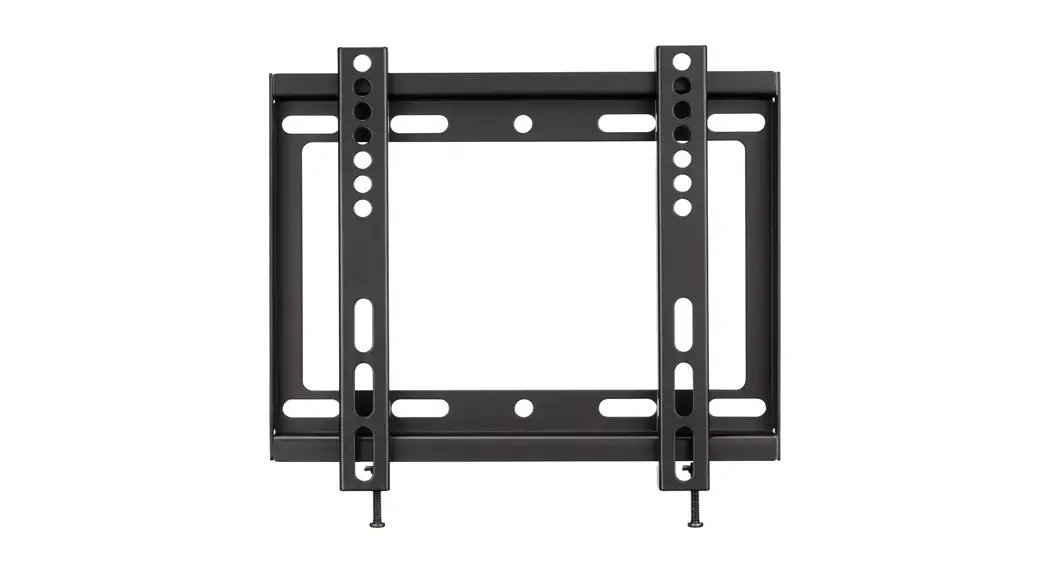
![Insignia Fixed-position Wall Mount For Tvs [ns-htvmfab] User Manual](https://static-data1.manualsee.com/1/img/228/20775/2020/12/Insignia-Fixed-Position-Wall-Mount-for-TVs.jpg "Insignia Fixed-position Wall Mount For Tvs [ns-htvmfab] User Manual")