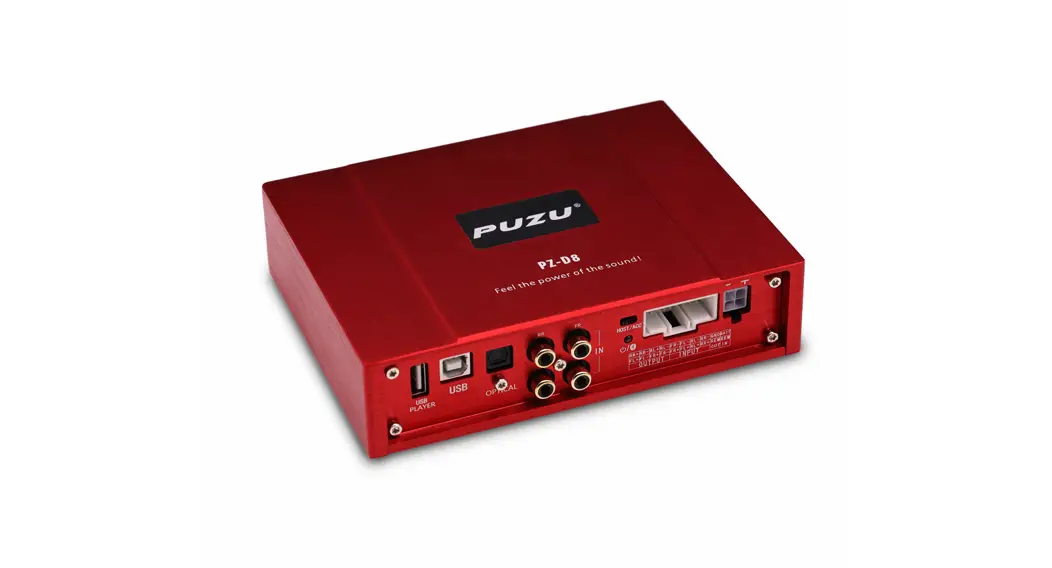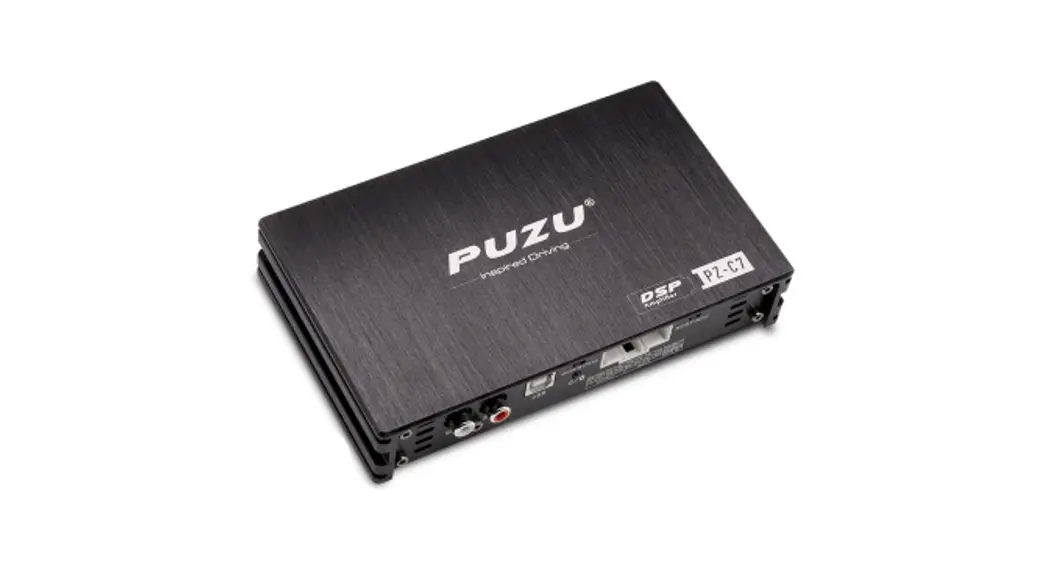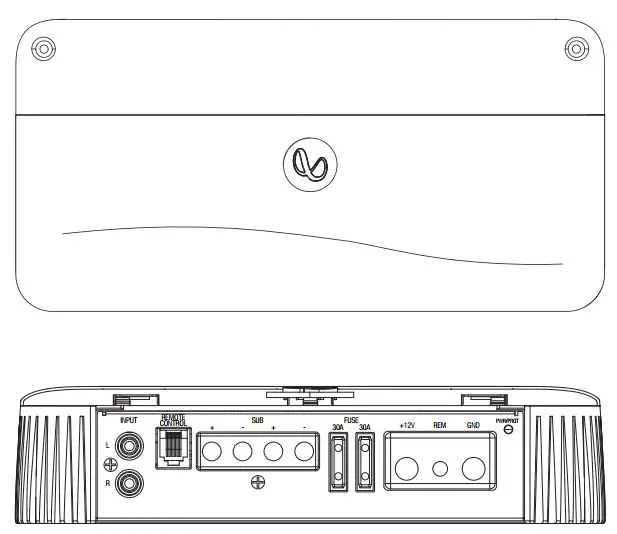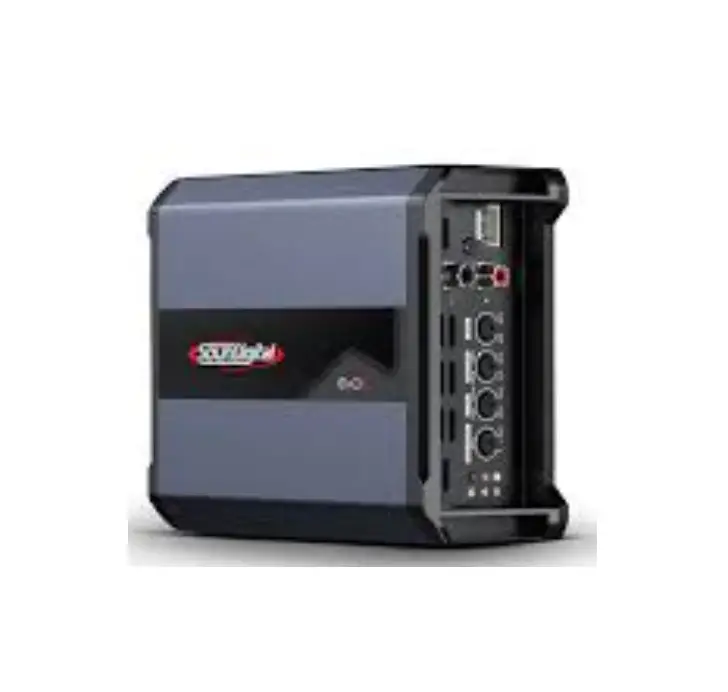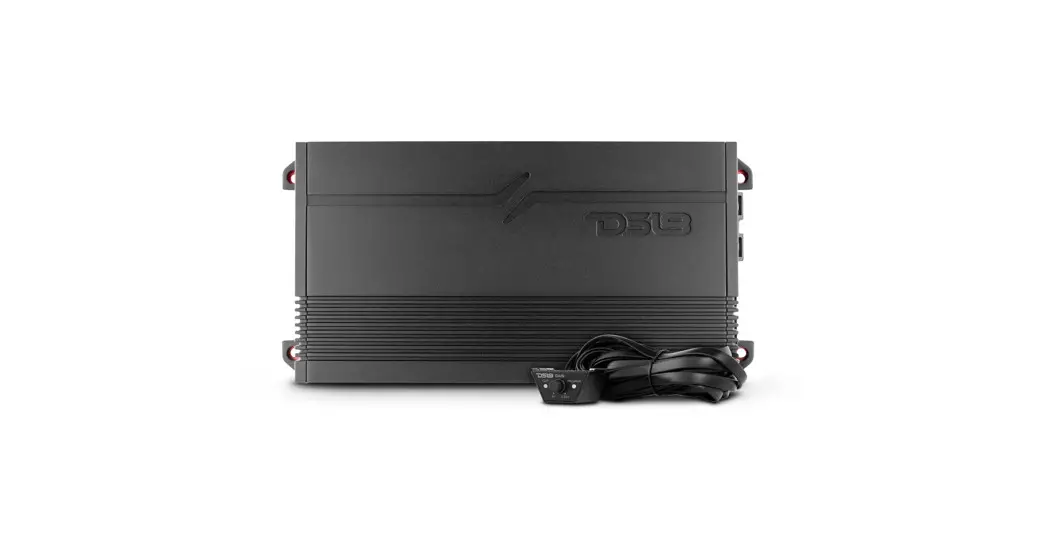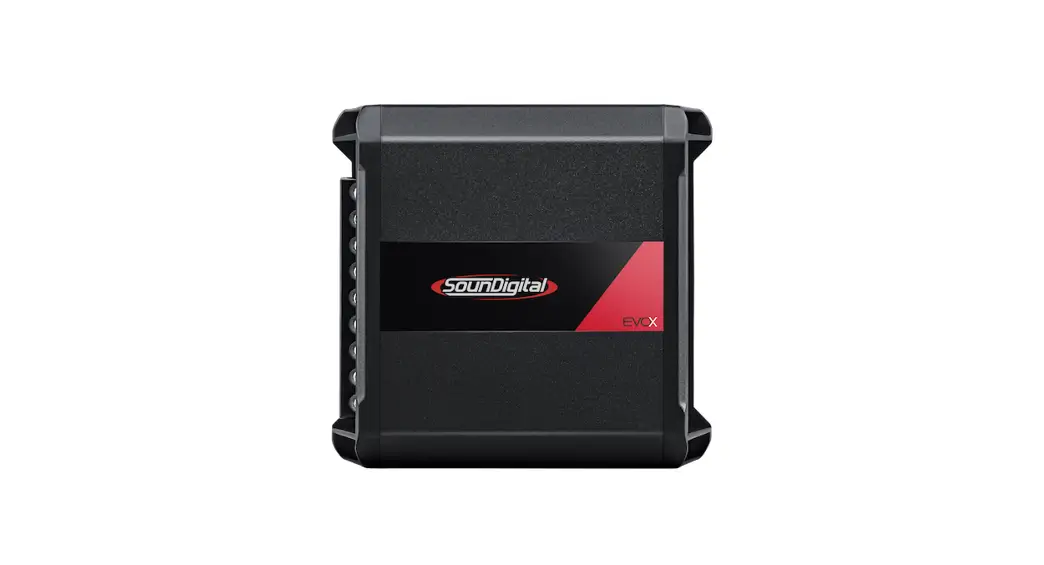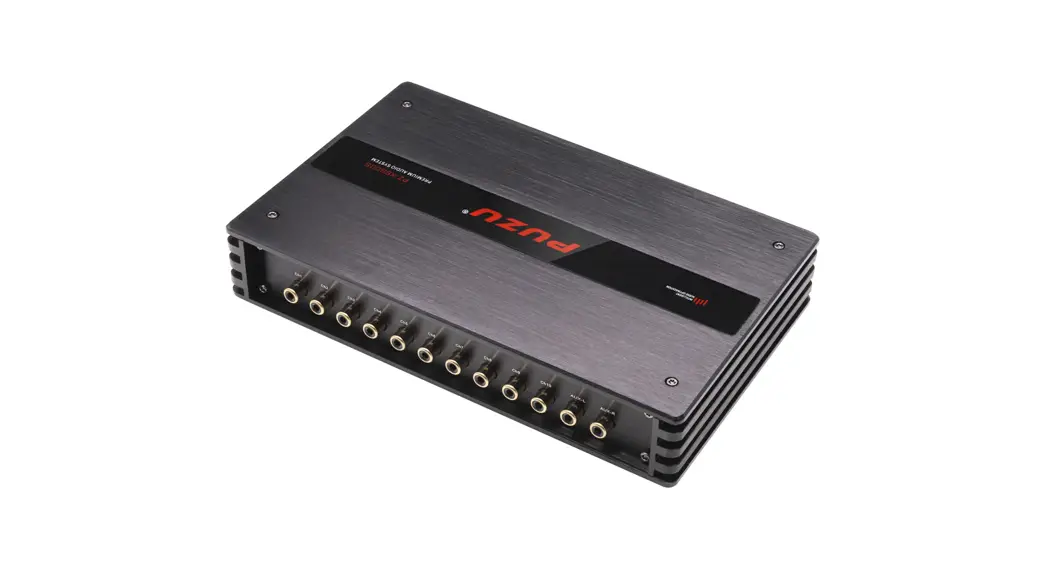
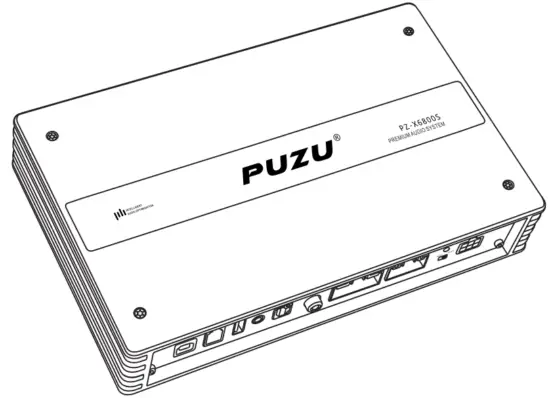
 PZ- X6800S
PZ-X6800S DSP AMPLIFIER USER’S GUIDE
 |  |
| SCAN TO DOWNLOAD SOFTWARE | SCAN TO DOWNLOAD SOFTWARE |
| https://www.puzuaudio.com/DownLoad/76644.html | https://www.puzuaudio.com/DownLoad/76645.html |
INTRODUCTION
Congratulations on your purchase of the PUZU PZ-X6800S DSP amplifier, The high-speed digital signal processor amplifier was designed in the united states with sound quality that exceeds that of many conventional class D designs while offering stunning efficiency.
When installed and configured properly this PZ-X6800S DSP Amplifier will bring a new level of realism and impact to your mobile entertainment system. To get the best performance from your DSP amplifier PUZU recommends that you have this amplifier installed and configured by an experienced professional car audio installer.
ABOUT THE MANUAL AND WARRANTY
This manual describes the basic requirements to install the PZ-X6800S DSP amplifier, the installation and configuration of this amplifier can be complex. if you do not possess the necessary knowledge, experience, and/or tools to perform this installation please contact your local authorized PUZU dealer to arrange for professional installation. Keep all instructions and your sales receipt for future reference and warranty purposes.
 WARNING
PUZU products are capable of producing high sound pressure levels that can damage your hearing and make it difficult for the driver to hear other cars or emergency vehicles. PUZU wants you as a customer for life-please be responsible at all times when enjoying your audio system.PUZU takes no responsibility for any personal injury. Loss or damage associated with the use, or miss-use of this product. Please refer to the included warranty statement for details.
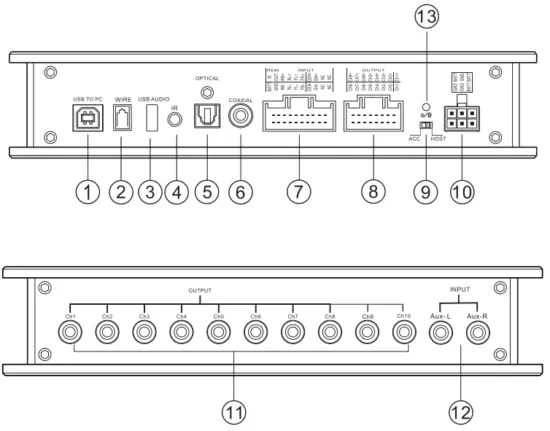
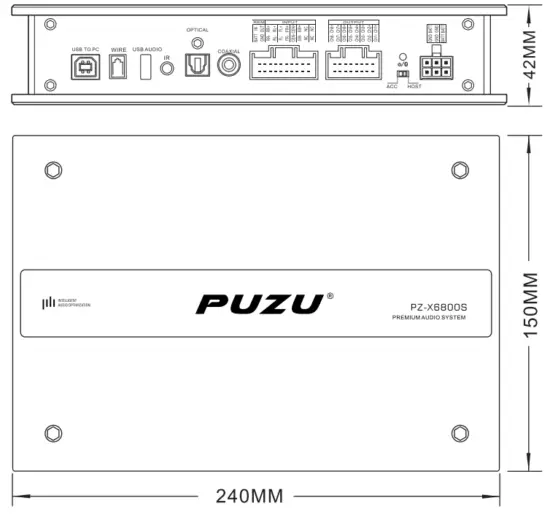
- USB TO PC (date cable for sound tuning connection with pc software)
- WIRE (Optional LCD remote controller slot)
- USB AUDIO (Play USB disc)
- IR(Optional IR remote receiver slot)
- OPTICAL (Optical input slot)
- COAXIAL INPUT
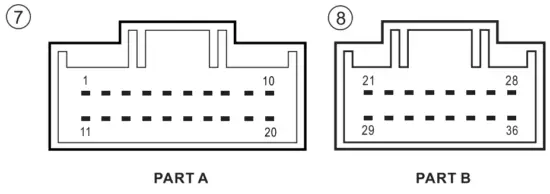
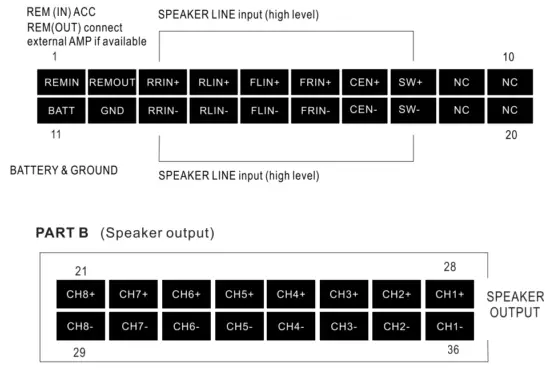
PIN Definition is as follows 
PART A (Power supply & Speaker input)

- ACC/HOST This button is DSP star way, please put it HOST side(high level) as default, it means DSP starts with a DC signal, usually 6V from the car radio. if you can not operate DSP by HOST please try ACC, this means your car start by REM, some car with KEYLESS-GO use this way.
- EXTERNAL STABLE POWER SUPPLY (you can connect this cable to get a more stable power supply, especially when you use this device with RCA in and RCA out) 0
- RCA OUTPUT CH1—CH10
- RCA (AUX-L, AUX-R)INPUT
- STATUS LIGHT (When you right connect the unit, the red light blinks as default, when you playing Bluetooth or USB, the light turns to be blue)

PRODUCT SIZE
Technical Data
Output power RMS/max
CH1—CH8 channels 4ohm—————————————-4×50/150Watts (CH1~ CH4) 4×75/180Watts (CH5~CH8)
CH1—CH8 channels 2ohm—————————————– 4×110/260Watts (CH1~CH4) 4×150/320Watts (CH5~ CH8)
Inputs—————————————————————— 6xhigh level speaker input
Optical SPDIF input
Coaxial input
USB input
Bluetooth input
2CH RCA (AUX-L/R )input
Input sensitivity————————————— 5-11 Volts
Outputs———————————————————– 8x speakers 10x RCA low-level output
Output voltage RCA———————— 3-5V
Frequency responds——————————- 20Hz~20KHz
DSP resolution—————————————– 64bit
DSP power——————————————————- 295MHz
S/N————————————————————————————– >108dB
Isolation————————————————– >90dB
Working voltage————————————— 10.5~16Volts
Product size——————————————— 240x150x42(mm)/94.4x59x16.5(inch)
THD—————————————– <0.015%
Damping factor—————————————- >100
Sound tuning software main parameters
– Q:0.40-128 0.01 steps ~ Gain -20.0dB~+20dB4O.1dB steps
– High pass,low pass/Phase control
– Specialized type fitering:Butterworth,Linkwitz-Rile,Bessel
– Filter crossover pionts:20Hz-20KHz,1 Hz steps
– Slopes:6dB,12dB,18dB,24dB,30dB,36dB,42dB,48dB
– up to 20ms of time aligment per channel,unit (ms,cm,inch)
– Save and share tuning presets (8 presets mode available)
– Input sources:Bluetooth,High-level input,U disc,Analog AUX inputs,OPT.
– Support extra wire LCD remote controller (optional)
– Matrix mixing allows for summing and input/output signal management.
-Android app/Windows softwawre available
– Limiter:0.1dBu-6dBu 0.1dBu steps
-Release Time: Atk*2,Atk*4,Atk*6,Atk*8,Atk*16,Atk*32
-AT.time:0.3ms~100ms 0.1ms steps
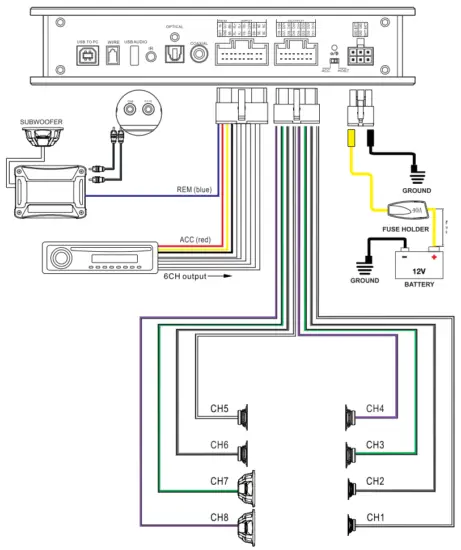
ABOUT CONNECTION & DIAGRAM BASIC CONNECTION
PLUG & PLAY CONNECTION
Note: PUZU designed serval types of cable support plug & play with some cars with premium sound OEM factory amplifiers such as BMW (HiFi, Harman Kardon), Mercedes Benz (Burmester), HYUNDAI &KIA (Krell), JBL, Bose, B&O, and so on.
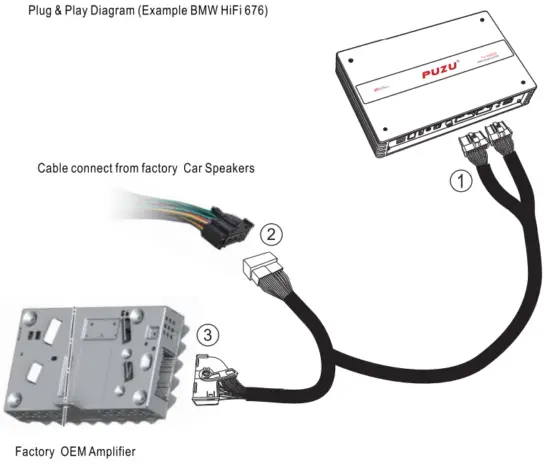
Steps:
- Disconnect your factory OEM amplifier cable
- use PUZU plug & play cable male terminal 3 with your factory OEM amplifier.
- Connect 1 with PUZU PZ-X6800S
- Put the DSP under the seat or find a proper place backside of the car.
Thank you for choosing PUZU for your Car Audio system and for sharing our philosophy. PUZU PZ-X6800 Car DSP Amplifier software with the best PUZU technology in terms of digital signal processing (DSP)+built into the amplifier. Before reading this manual and considering using this software, first make sure the product is installed correctly. Refer to the specific user’s manual of the product if necessary. In order to obtain the best results, we recommend you have your PUZU PZ-X6800S installed by your local PUZU dealer.
WARNING
SOFTWARE COMPATIBILITY
PC: Windows XP/Vista/Win7/8/10
The maximum resolution of the software is 1024X768
RECOMMENDED MINIMUM REQUIREMENTS
Operating system: Windows XP, Windows Vista, Windows 7, Windows 8, Windows10
Processor:1.67GHz, equivalent or more
RAM:1GB or more
Hard drive:512MB or more free space
Display: 1024X768 or more
SOFTWARE INSTALLATION WARNING
Before connecting your PUZU software, close all open programs, connect DSP with the PC by USB data cable, and allow your PC to auto-install the hardware of the USB data cable. Open the software, and the installation process runs automatically. if you encounter any problems, please uninstall the software and download the newest software from www.puzuaudio.com
If you can not success install the software after trying more times, please mail to [email protected] for further help.
PUZO SOFTWARE USERS GUIDE
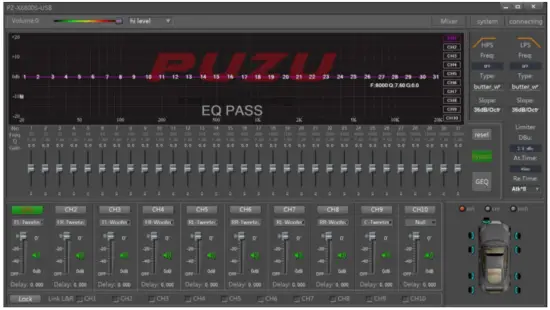
After you installed the software, you can see the main interface as follow picture.
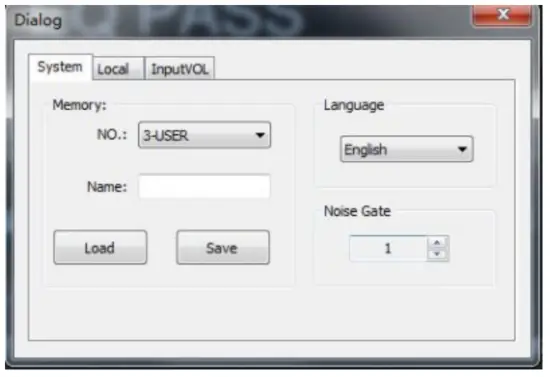
Machine connections & file load
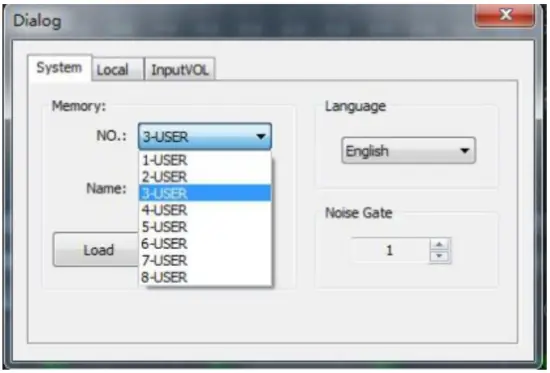
- The interface will show [connecting] before connecting to the machine and show[connected] if the software has been successfully connected.

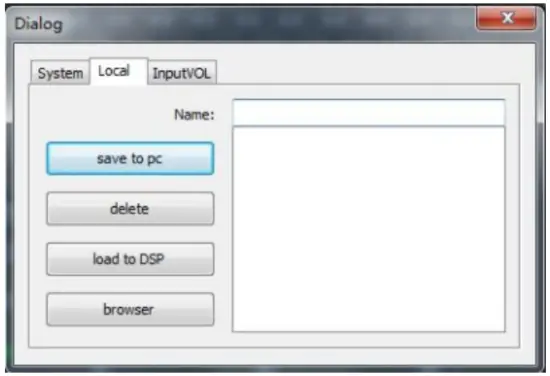
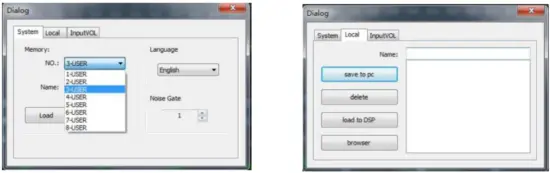
- You can save the tuning sound data to built-in modes 1-8, or you can save it to your local PC so that you can directly upload the files if you meet the same car and same audio system next time.

- You can change the system language to Chinese/English.

- Share your tuning parameters to another audio system with the same speaker parameters and car models.

- Set a noise Gate, if the input signal is higher than the gate, it could be entered normally, otherwise, it will be blocked. lf the gate is set reasonably, the machine will be automatically muted when the system has no signal input, so as to make system output quieter, adjustment range:0-20.

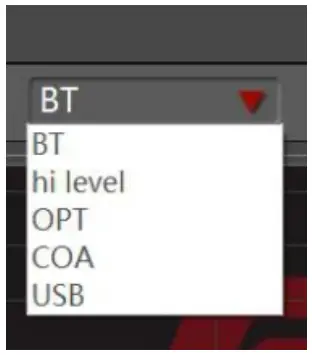
- Types of sound sources are available for selection: Bluetooth, high level, coaxial, opt, USB, the software set hi-level as default.
- select the type of sound source from the drop-down list.

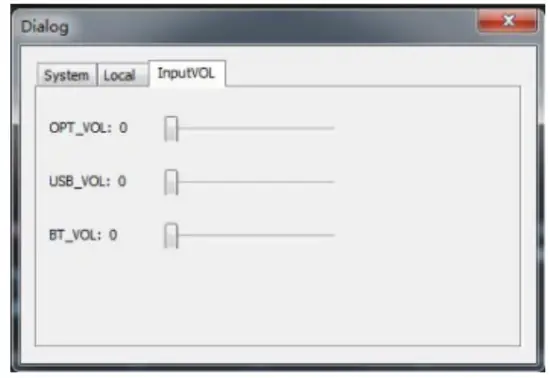
- Adjust the input volume: optical/USB/BT

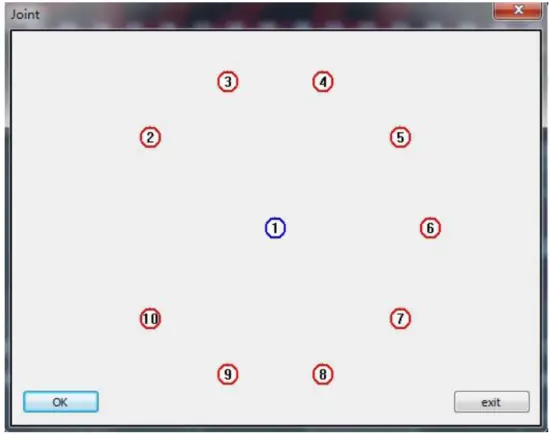
Channel joint
You can free joint any channels from 1-10

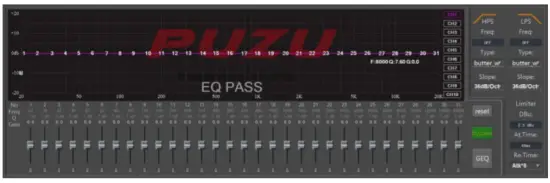
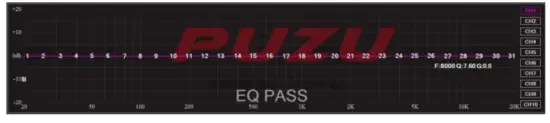
This interface shows the main GEQ & PEQ display by tuning 31 bands of EQ parameters you can reset and bypass those parameters, and there are some useful parameters like Freq, Q, and Gain, which are clearly and accurately displayed.
a.You can tune the high pass and low pass filter by HPS/LPS, each channel is equipped with a high pass filter and low pass filter.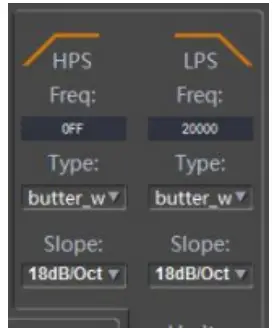 b.Filter typies:butterworth,bassel and linkwitz-riley
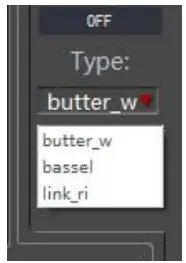 c.The range of slope of the filter (slope) is 6dB/Oct —48dB/Oct, and the resolution is 6dB/oct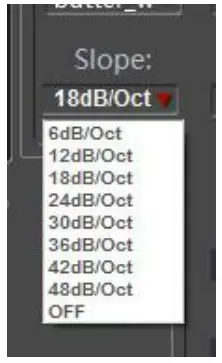
d. When you press PEQ, you can tune the EQ by dragging or pulling the points any of 1-15.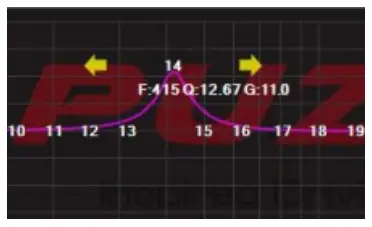 e.When you press GEQ, you can tune the EQ by detail parameters you manually set it
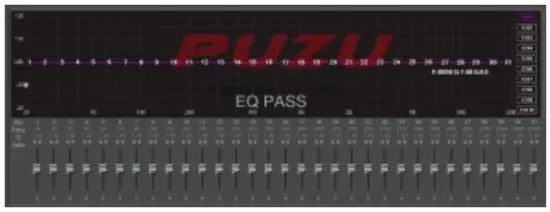 f.limiter is a circuit that allows signals below a specified input power or level to pass unaffected while attenuating (lowering) the peaks of stronger signals that exceed this threshold. Limiting is a type of dynamic range compression. Clipping is an extreme version of limiting. if you are not familiar with this function and do not know much about it, just let it default.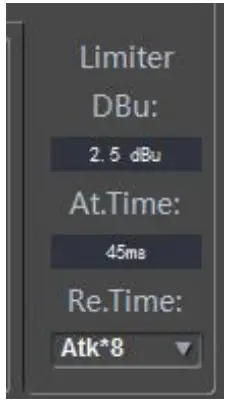
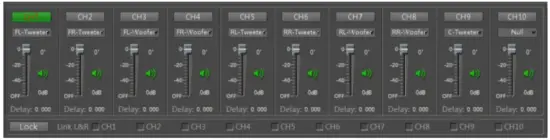
In this interface you can control the main volume for each channel, phase front left/front right/Rear left/Rear right/Center/Sub.
g.you can set all 10 channels’ time delay parameters separately,you can set the time delay unit CM/MS/inch, usually, we recommend you use CM.
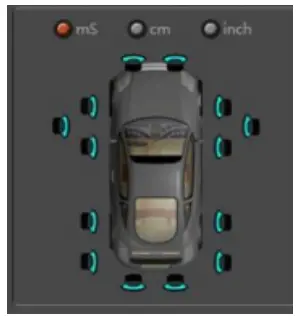 Choose delay unit:ms/cm/inch
ms:0~20ms
cm:0~692cm
inch:0~272.44inch
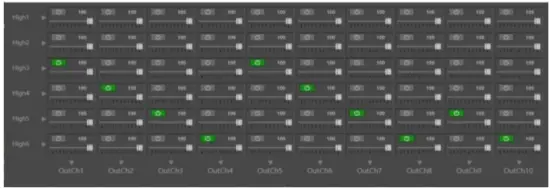 h.Mixer interface shows as above free choose the source, mix from input ~ inpu6 to out1~ out10. Most importantly, please save tuning parameters to 1-USER ~8-USER when you finish sound tuning every time. if you have a local pc file saved before, just press the load button to upload the file.
ANDROID APP USER’S GUIDE
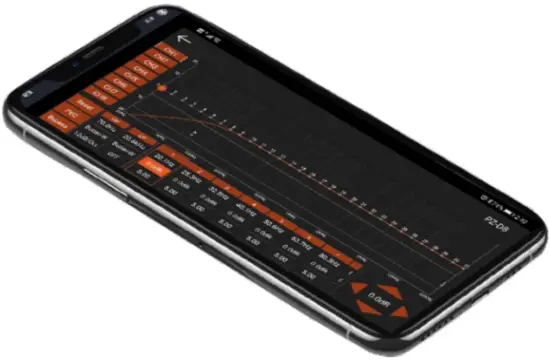
Download the Android apk file from www.puzuaudio.com for free X6800S built-in double module Bluetooth
INSTALLATION STEPS OF THE ANDROID APP
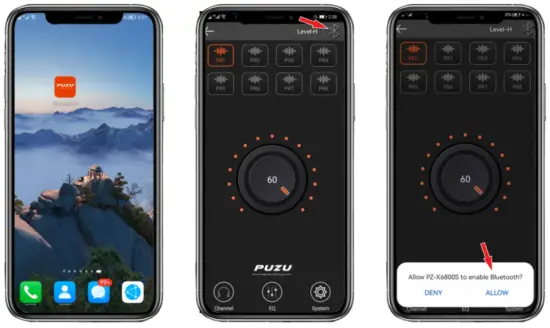 | ||
| Stepl :Press PZ-X6800S ICO | Step2:Press bluetooth logo | Step3:allow the app open your bluetooth |
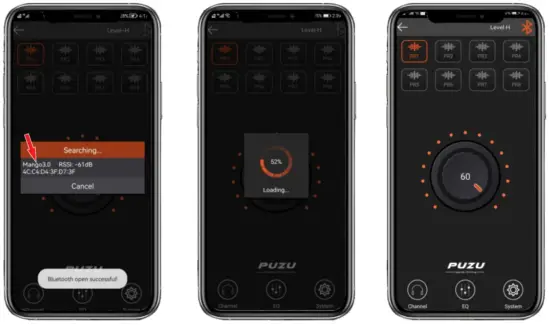 | ||
| Step4:When it appears Mango **, Press the words. | Step5:Waiting loading the date | Step6:Success |
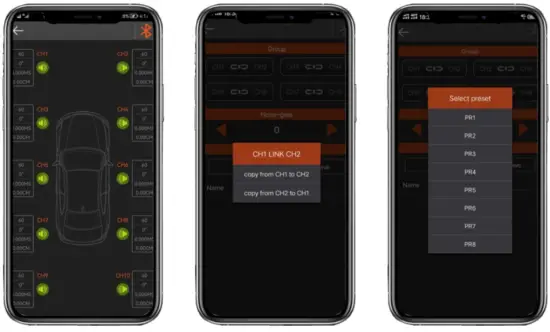 | ||
| Chanel: Press Channels ico You will see the interface, you can set each channel’s Gain/ Phase/Time delay/Open/close volume. | Link: Press the “system” button you can set the link channel function CH1&CH2 CH3&CH4, CI-15&CH6, CH7&CH8 | Presets Mode: You can select PR1 ~ PR8, save and select, for example, if you finished sound tuning you can save to any one of them. |
EQ SETTING: You can separate or group setting CH1~CH1 Preset/PEQ, GEQ/ Bypass, etc functions.
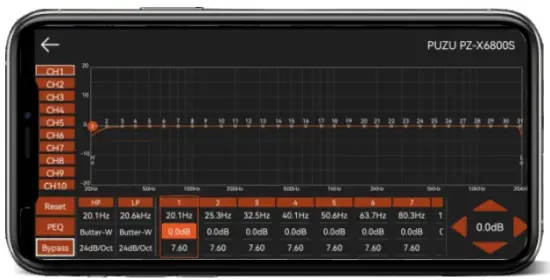
TIPS
you can use this sound tuning app only on android system phones not supported by ios, but you can listen to Bluetooth music on both ios and android system smartphones.
- 0pen your phone setting (ios and android )
- Search DSP-audio* and connect it.
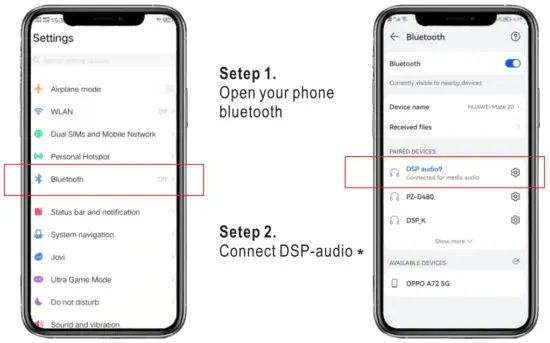 * means the version number, it will be upgraded every month
BEFORE USING SOFTWARE YOU NEED TO KNOW THE BASIC SOUND PARAMETERS OF DIFFERENT MUSIC INSTRUMENTS PERFORMANCE, SO YOU CAN BETTER UNDERSTAND HOW TO TUNE THE SOUND!
| piano | The range 27.5-48.5Hz affects the frequency, the tone becomes thinner as the frequency increases; 20-50Hz provides the peak frequency |
| Saxophone | 600-2Khz affects the brightness, enhances the frequency can make the sound color clear |
| guitar | improve 100-300Hz can make the sound much more full; enhancing 2k-5KHz can increase the tone performance |
| Bass guitar | 60-100Hz bass fullness; 60-1 kHz impact intensity, 2.5Khz is plectrum audio |
| electric guitar | 240H is the fullness frequency, 2.5KHz is the brightness frequency; plectrum is 3K-4KHz |
| Electric bass | 80-240Hz is fullness frequency; 600-1 Khz impact intensity; 2.5KHz is plectrum audio |
| tambourine | 200-240Hz is the resonance frequency; 5KHz affects the presence |
| Snare drum | 240Hz affects fullness; 2KHz impacts loudness; 5KHz affects plucked audio |
| Bass drum | 60-100Hz is the bass force-frequency; 2.5KHz is the percussion sound frequency |
| big drum | 60-150Hz is the intensity of frequency; affects fullness |
 TIPS
TIPS
- Super bass:20Hz-40Hz,
- Bass:40Hz-150Hz,
- Midrange to Bass:150Hz-500Hz,
- Midrange:500Hz-2KHz,
- Midrange toTreble:2KHz-5KHz,
- Treble:7KHz-8KHz,
- Super Treble:8KHz-10KHz,
| Frequency | Lower | Proper | higher |
| 16K-20KHz | The tone lacks expressiveness | Tone expressive and charm | Strong sense of instability |
| 12K-16KHz | Lost luster | Golden splashes | Hairy, harsh |
| 10K-12KHz | Boring, tarnished | Strong sense of metal | Light noise |
| 8K-10KHz | dull | sound is smooth | sharp |
| 6K-8KHz | dim | Transparent | Tooth sound heavy |
| 5K-6KHz | vague | High definition | sharp |
| 4K-5KHz | the sound is getting far | good sense of loudness | the sound is getting close |
| 4KHz | blurry | Good Penetration | The coughing sound is heavy |
| 2K-3KHz | hazy | Brightness is better | rigid |
| 1K-2KHz | Loose, tone off | good sense of transparency | Jump sense |
| 800Hz | Loose | Strong sense | guttural is heavy |
| 500-800Hz | Shrinkage | The outline of the sound is good | The sound protrudes forward |
| 300-500Hz | Empty sense | Voice power good | Phone sound color |
| 150Hz-300Hz | Soft feeling | Sound intensity feeling good | stiff |
| 100-150Hz | thin | Fullness increased | Turbid “hum” |
| 60-100Hz | Weakness | Strong sense of depth | Low-frequency resonance sound appears “hoo” |
| 20-60Hz | emptiness | Good sense of space | Low-frequency resonance sound appears “hoo” |
PLANNING YOUR INSTALLATION
It’s important that you take the time to read this manual and that you plan your installation carefully, it’s very easy to damage expensive vehicle systems in modern automobiles, Never assume that you have found appropriate wires without consulting a reliable wiring diagram or without performing signal testing with proper test equipment, if you are uncomfortable or unfamiliar with reading diagrams or testing signals, please enlist the services of your authorized PUZU Audio dealer to perform the installation
PUZO -WARRANTY CARD
Dear Customer, Thank you purchased puzu product. To get yourself familiarized with the features and operation of the system. we suggest you read the operating instruction manual provided along with the set. This warranty card is an assurance that you have purchased the best. Please preserve this card to avail of the warranty service in the unlikely event of any problem.
Warranty:
Your puzu car audio system/Accessory is fully guaranteed against manufacturing defects or material defects for the period of 12(twelve)months from the date of sales. Satisfying the terms&conditions given below. Equipment in the need of services shoud be refered to the authorized Isuzu dealer.
Warranty Terms&Conditions:
Warranty will be entertained only when this card and original invoice or the sales receipt(as proof of the date of purchase, model, serial no. and the dealer’s name is presented together with the product under complaint. Warranty does not cover damage to puzu equipment caused by accident, misuse, repair additions, and modifications carried out by unauthorized dealers or if tampered with in any other manner. Warranty will not apply if the type or serial number on the product has been altered deleted, removed, or made illegible. This warranty does not cover the cabinetry and any appearance item, user-attached antennas, any damage to recordings or recording tapes or disc, damage due to lightning, or due to power surges. This warranty does not cover problems due to improper installation, setup adjustment, and signal reception problems We reserve the right to refuse warranty service if the above terms and conditions are violated.
THIS WARRANTY DOES NOT COVER DAMAGE TO PUZU EQUIPMENT CAUSED BY THE USAGE OF AN INFERIOR QUALITY WIRING KIT/DAMAGED CASSETTE OR CD.
WARRANTY CARD-CAR DSP AMPLIFIER
Please demand the below portion is filled by the dealer and given to you.
MODEL: ————————————————DATE OF PURCHASE:
SERIAL NO.: ———————————————-
DEALER’S STAMP:
ISSUE DESCRIPTION:
PUZU®AUDIO
WARRANTY VOID WITHOUT THIS CARD
HUIZHOU SHANGSHUI TECHNOLOGY CO.,LTD
3F,Dinsheng Technology Industrial Zone,Pingnan,ZhongKai,HuiZhou GD,CHINA.516006
Designed by the USA, Made in China
www.puzuaudio.com