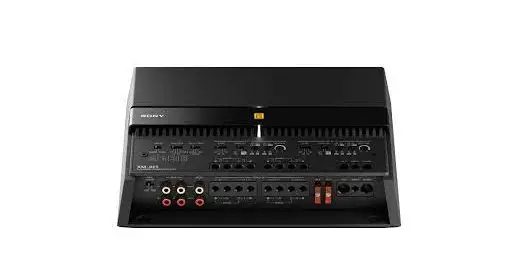
XM-5ES Mobile ES Series 5 Channel Car Amplifier
Product Information
The 5-Channel Power Amplifier (Model No. XM-5ES) is a
high-quality audio device manufactured by Sony Corporation in
Thailand. The amplifier is designed to enhance the sound quality of
your car’s audio system. It has a power output of 75 watts RMS per
channel at 4 ohms, and a maximum power output of 1,200 watts RMS at
2 ohms. The amplifier features a control panel on the top panel
with various controls, including input mode, range (Hz), HPF (Hz),
LPF (Hz), and input sensitivity. The amplifier also comes with a
bass remote that allows you to adjust the bass level according to
your preference.
Product Usage Instructions
Installation: For safety reasons, it is
recommended to install the amplifier inside the trunk or under the
seat of your car. The installation process involves the following
steps:
- Prepare the necessary tools and equipment for
installation. - Attach the mounting brackets to the amplifier using
screws. - Place the amplifier in the desired location and secure it with
screws. - Connect the power cable from the battery to the amplifier’s
power input terminal. - Connect the speakers to the amplifier’s speaker output
terminals. - Connect the audio source to the amplifier’s input
terminals.
Usage: Once installed, follow these
instructions to use the amplifier:
- Turn on the amplifier by pressing the “TURN-ON” button on the
control panel. - Select the input mode by pressing the “INPUT MODE” button and
choose between “THRU”, “ALL STEREO”, and “FILTER”. - Select the channel range by pressing the “RANGE” button and
choose between 150 Hz to 1.5k Hz. - Select the high-pass filter (HPF) frequency by pressing the
“HPF” button and choose between 50 Hz to 500 Hz. - Select the low-pass filter (LPF) frequency by pressing the
“LPF” button and choose between 500 Hz to 5k Hz. - Adjust the input sensitivity by pressing the “INPUT SENS”
button and choose between 150 mV to 6 V. - Adjust the bass level using the bass remote.
Additional Information: For more information on
precautions, maintenance, specifications, and troubleshooting,
refer to the user manual provided with the product or visit the
Sony support site.
5-Channel Power Amplifier
5-038-864-11(1)
Operating Instructions GB
Mode d’emploi
FR
Bedienungsanleitung DE
Manual de instrucciones ES
Gebruiksaanwijzing
NL
Bruksanvisning
SE
Owner’s Record
The model and serial numbers are located on the bottom of the unit. Record the serial number in the space provided below. Refer to these numbers whenever you call upon your Sony dealer regarding this product. Model No. XM-5ES Serial No.
XM-5ES
For your safety, be sure to install this unit inside the trunk (boot) or under the seat. For details, see “Installation and Connection” (page 8).
Made in Thailand
The nameplate indicating operating voltage, etc., is located on the bottom of the chassis.
The validity of the CE marking is restricted to only those countries where it is legally enforced, mainly in the countries EEA (European Economic Area) and Switzerland. The validity of the UKCA marking is restricted to only those countries where it is legally enforced, mainly in the UK.
Notice for customers: the following information is only applicable to equipment sold in countries applying EU directives This product has been manufactured by or on behalf of Sony Corporation. EU Importer: Sony Europe B.V. Inquiries to the EU Importer or related to product compliance in Europe should be sent to the manufacturer’s authorized representative, Sony Belgium, bijkantoor van Sony Europe B.V., Da Vincilaan 7-D1, 1930 Zaventem, Belgium.
Disposal of waste batteries and electrical and electronic equipment (applicable in the European Union and other countries with separate collection systems) This symbol on the product, the battery or on the packaging indicates that the product and the battery shall not be treated as household waste. On certain batteries this symbol might be used in combination with a chemical symbol. The chemical symbol for lead (Pb) is added if the battery contains more than 0.004% lead. By ensuring that these products and batteries are disposed of correctly, you will help to prevent potentially negative consequences for the environment and human health which could be caused by inappropriate waste handling. The recycling of the materials will help to conserve natural resources. In case of products that for safety, performance or data integrity reasons require a permanent connection with an incorporated battery, this battery should be replaced by qualified service staff only. To ensure that the battery and the electrical and electronic equipment will be treated properly, hand over these products at end-of-life to the appropriate collection point for the recycling of electrical and electronic equipment. For all other batteries, please view the section on how to remove the battery from the product safely. Hand the battery over to the appropriate collection point for the recycling of waste batteries. For more detailed information about recycling of this product or battery, please contact your local Civic Office, your household waste disposal service or the shop where you purchased the product or battery.
If you have any questions or problems concerning your unit that are not covered in this manual, consult your nearest Sony dealer.
2GB
Features
· Rated power output of 100 W (at 4 ) and 165 W (at 2 ).
· Class D Technology*1 · Dynamic Distortion Suppressor*2 · Active Thermal Control*3 · For car audio units without a line output, direct
connection (High Level Input Connection) to the speaker output of your car audio unit can be made using a speaker-wire-to-RCA adaptor (not supplied). · High-level sensing turn-on feature allows this unit to be activated without the need of a REMOTE connection. · Built-in HP (high-pass), LP (low-pass) and BP (band-pass) filter for front and rear channel. · Built-in variable LPF (low-pass filter) and variable subsonic filter circuit for subwoofer channel. · Protection circuit and indicator provided. · Two subwoofer terminals for parallel subwoofer connections. · Pulse power supply*4 for stable and regulated output power. *1 Class D Technology
The Class D Technology is a method to convert and amplify music signals with MOSFETs to high-speed pulse signals. Furthermore, it features high efficiency and low heat generation. *2 Dynamic Distortion Suppressor The Dynamic Distortion Suppressor suppresses distortion that occurs at higher playback levels for clear bass reproduction. *3 Active Thermal Control The Active Thermal Control regulates unit operating temperature for stable, long-term playback at high volume. *4 Pulse power supply This unit has a built-in power regulator which converts the power supplied by the 12 V DC car battery into highspeed pulses using a semiconductor switch. These pulses are stepped up by the built-in pulse transformer and separated into both positive and negative power supplies before being converted into direct current again. This is to regulate fluctuating voltage from the car battery. This lightweight power supply system provides a highly efficient power supply with a low impedance output.
3GB
Table of Contents
Features . . . . . . . . . . . . . . . . . . . . . . . . . . . . . . . . . . . 3
Guide to Parts and Controls
Power Amplifier. . . . . . . . . . . . . . . . . . . . . . . . . . . . . 5 Bass Remote . . . . . . . . . . . . . . . . . . . . . . . . . . . . . . . 7
Installation and Connection
Parts for Installation and Connection . . . . . . . . . . . 8 Installation . . . . . . . . . . . . . . . . . . . . . . . . . . . . . . . . . 8 Connection. . . . . . . . . . . . . . . . . . . . . . . . . . . . . . . . 10
Additional Information
Precautions . . . . . . . . . . . . . . . . . . . . . . . . . . . . . . . 16 Maintenance . . . . . . . . . . . . . . . . . . . . . . . . . . . . . . 16 Specifications . . . . . . . . . . . . . . . . . . . . . . . . . . . . . 17 Troubleshooting . . . . . . . . . . . . . . . . . . . . . . . . . . . 18 Support Site . . . . . . . . . . . . . . . . . . . . . . . . . . . . . . . 18
4GB
Guide to Parts and Controls
Power Amplifier
Control Panel (Top Panel)
TURN-ON
INPUT MODE
CH 1-4
SUB CH
LINE OUT MODE
REMOTE SIGNAL 1-4
1+3/2+4 5
3+4
1 1-2
5+6 1+2
THRU ALL STEREO
FILTER
CH 1/2
RANGE (Hz)
HPF (Hz) LPF (Hz) INPUT SENS 150 1.5k 150 1.5k
FILTER
CH 3/4
RANGE (Hz) HPF (Hz) LPF (Hz) INPUT SENS 150 1.5k 150 1.5k
OFF
BP
HP LP
50- 500- 50 500 50 500
500
5k 500 5k 500 5k
BRIDGED
CH 1
CH 2
L
R
OFF
BP
HP LP
BRIDGED
CH 3
CH 4
L
R
50- 500- 50 500 50 500 500 5k 500 5k 500 5k
SUB CH
SUBSONIC FILTER (Hz) 30
SUB CH LPF (Hz)
INPUT SENS 150
OFF ON
5 50 OFF ON 50 500
+12 V REMOTE GROUND
TURN-ON
INPUT MODE
CH 1-4
SUB CH
LINE OUT MODE
REMOTE SIGNAL 1-4
1+3/2+4 5
3+4
1 1-2
5+6 1+2
THRU ALL STEREO
FILTER
CH 1/2
RANGE (Hz)
HPF (Hz) 150 1.5k
LPF (Hz) INPUT SENS 150 1.5k
FILTER
CH 3/4
RANGE (Hz)
HPF (Hz) 150 1.5k
LPF (Hz) INPUT SENS 150 1.5k
OFF
BP
HP LP
50- 500- 50 500 50 500 500 5k 500 5k 500 5k
BRIDGED
CH 1
CH 2
L
R
OFF
BP
HP LP
50- 500- 50 500 50 500
500
5k 500 5k 500 5k
BRIDGED CH 3
L
CH 4 R
SUB CH
SUBSONIC FILTER (Hz) 30
SUB CH LPF (Hz)
INPUT SENS 150
OFF ON
5 50 OFF ON 50 500
+12 V REMOTE GROUND
Ventilation outlet Dissipates heat. Depending on the temperature of the amplifier, the fan operates in one of the three statuses: stopped, low-speed, high-speed.
Heat sink cover The direction of the heat sink cover can be changed according to your preference (page 9).
Status indicator light Lights up in white during operation. If the protection circuit activates, the status indicator light changes from white to red. For details, see “Troubleshooting” (page 18).
TURN-ON switch Selects the turn-on mode of the amplifier. · “REMOTE”: Select this for remote turn-on mode. The amplifier turns on when a turn-on signal is received from the REMOTE terminal. See “REMOTE terminal” (page 11) for details. · “SIGNAL”: Select this for high-level sensing turn-on mode. The amplifier turns on when a turn-on signal is received from the INPUT connector. This feature is only available for high-level (speaker level) input connection. See “REMOTE terminal” (page 11) for details.
5GB
INPUT MODE section:
CH 1-4 switch
Selects the input mode for CH 1, CH 2, CH 3 and
CH 4.
· “1-4”: For 4-channel stereo input.
INPUT 1
CH 1
INPUT 2
CH 2
INPUT 3
CH 3
INPUT 4
CH 4
· “1”: For 1-channel input.
INPUT 1
CH 1
CH 2
CH 3
CH 4
· “1-2”: For 2-channel input.
INPUT 1
CH 1
CH 3
INPUT 2
CH 2
CH 4
· “1+3/2+4”: For 4-channel input.
INPUT 1
CH 1
INPUT 3
CH 3
INPUT 2
CH 2
INPUT 4
CH 4
SUB CH switch
Selects the input mode for SUB CH (subwoofer
channel).
· “5”: For mono subwoofer input.
INPUT 5
SUB CH
· “5+6”: For stereo subwoofer input.
INPUT 5
SUB CH
INPUT 6
· “1+2”: Uses signal input from INPUT 1+2.
INPUT 1
SUB CH
INPUT 2
· “3+4”: Uses signal input from INPUT 3+4.
INPUT 3
SUB CH
INPUT 4
LINE OUT MODE switch
Sets the mode of signal output to LINE OUT 1
and 2 connectors. Signal output from all LINE
OUT connectors are unfiltered and not affected
by any FILTER settings.
· “THRU”: Stereo output (through mode)
INPUT 1
LINE OUT 1
INPUT 2
LINE OUT 2
· “STEREO”: Stereo output (summing mode)
INPUT 1
LINE OUT 1
INPUT 3
INPUT 2
LINE OUT 2
INPUT 4
· “ALL”: Mono output (summing mode)
INPUT 1
INPUT 2
LINE OUT 1
INPUT 3
LINE OUT 2
INPUT 4
CH 1/2 and CH 3/4 section:
FILTER switch Sets the filter mode for CH 1/2 and CH 3/4. · “OFF”: Turns the filter off. · “HP” (high-pass): Frequencies lower than HPF control setting are filtered. · “LP” (low-pass): Frequencies higher than LPF control setting are filtered. · “BP” (band-pass): The range of frequency for the HPF control is automatically fixed at 50 Hz 500 Hz; the range of frequency for LPF control is automatically fixed at 500 Hz 5 kHz. Frequencies outside the range of HPF and LPF settings are filtered.
RANGE switch Sets the range of frequency for HPF (high-pass filter) and LPF (low-pass filter) control. · “50-500”: Range of frequency for subwoofer. · “500-5k”: Range of frequency for midrange speaker or tweeter.
HPF (high-pass filter) control Depending on the RANGE setting, adjusts the cutoff frequency in the range of 50 Hz 500 Hz or 500 Hz 5 kHz.
LPF (low-pass filter) control Depending on the RANGE setting, adjusts the cutoff frequency in the range of 50 Hz 500 Hz or 500 Hz 5 kHz.
INPUT SENS (input sensitivity) control Adjusts the input level sensitivity for CH 1/2 and CH 3/4. Turn the knob clockwise when the output level of the connected audio devices is low.
SUB CH section:
SUBSONIC FILTER switch Turns the subsonic filter on or off.
SUBSONIC FILTER control Adjusts the cutoff frequency (5 Hz 50 Hz) of the subsonic filter.
LPF (low-pass filter) switch Turns the low-pass filter on or off.
LPF (low-pass filter) control Adjusts the cutoff frequency (50 Hz 500 Hz) of the low-pass filter.
INPUT SENS (input sensitivity) control Adjusts the input level sensitivity for SUB CH. Turn the knob clockwise when the output level of the connected audio devices is low.
SPEAKER OUT terminal screw head
+12 V terminal screw head REMOTE terminal screw head GROUND terminal screw head
6GB
Connector Panel (Front Panel)
BASS
INPUT
REMOTE VOLTAGE
1
L LOW HIGH
R 2
INPUT 3
4
LINE OUT
5
1
L
R
6
2
CH 1
CH 2
L
R
BRIDGED
SPEAKER OUT
CH 3
CH 4
L
R
BRIDGED
SUB CH
40 A 40 A
40 A 40 A
+12 V REMOTE GROUND
BASS REMOTE connector Connector for the bass remote.
INPUT VOLTAGE switch Selects the type of input connection. · “LOW”: Select this for low-level (line level) input connection using RCA extension cables (not supplied). · “HIGH”: Select this for high-level (speaker level) input connection using a speaker-wireto-RCA adaptor (not supplied).
INPUT connector For details about the connection, see “Input Connection” (page 12).
LINE OUT connector For details about the connection, see “Output Connection” (page 15).
SPEAKER OUT terminal For details about the connection, see “Speaker Connection” (page 14).
Fuse (40 A)
+12 V terminal REMOTE terminal GROUND terminal
Bass Remote
Bass remote adjusts the bass level output of the SUB CH (subwoofer channel). To use, connect the bass remote’s cable to the BASS REMOTE connector on the connector panel (front panel).
Volume control knob
Turn the knob clockwise to increase the volume
(gain). Turn the knob counterclockwise to decrease the
volume (gain).
CAUTION Excessive gain input may cause distortion of the sound produced by the connected subwoofer. Do not increase the gain level excessively on the bass remote. The sound produced by the connected subwoofer may also become distorted if the volume of your car audio unit is set too high.
7GB
Installation and Connection
Parts for Installation and Connection
Mounting screw
Mounting bracket (1)
(5 × 20 mm (7/32 × 13/16 in)) (4)
Securing screw (2 × 5 mm (3/32 × 7/32 in)) (2)
Mounting screw (3 × 12 mm (1/8 × 1/2 in)) (2)
Double-sided tape (1)
Hex key (2.5 mm (3/32 in)) (1)
This parts list does not include all the package contents.
Installation
Installing the Amplifier
· Mount the amplifier either inside the trunk (boot) or under a seat.
· For your safety, choose a mounting location that will not interfere with any driving operations.
· Do not install the amplifier near the heater, in areas that get exposed to direct sunlight or subject to high temperature.
· Do not install the amplifier under a floor carpet where the heat dissipation from the amplifier will be considerably impaired.
· Avoid installing the amplifier in areas subject to rain, moisture, dust and dirt.
Mounting the amplifier 1 Place the amplifier on your selected
mounting location, then mark the position of the 4 screw holes on a mounting board (not supplied).
2 Drill a 3 mm (1/8 in) pilot hole at each mark
and mount the amplifier onto the board with the mounting screws . The mounting screws are 20 mm (13/16 in) long, so make sure that the mounting board is thicker than 20 mm (13/16 in).
8GB
Changing the heat sink cover direction
The direction of the heat sink cover can be changed according to your preference.
1 Slide the cover forward, then lift to remove
it.
Installing the Bass Remote
· Do not install the bass remote near a heater, in areas that get exposed to direct sunlight or in areas subject to high temperature.
· Avoid installing the bass remote in areas subject to dust, dirt or moisture.
· Install the bass remote in a location where: There is a flat surface. Does not interfere with the driver’s movement. Does not hinder the operations of the steering wheel, shift lever or the brake pedal.
Mounting example
2 Rotate the cover to your desired direction.
3 Align the cover to the catches on the
amplifier, then slide the cover back until it clicks into place.
Installing using the mounting bracket 1 Secure the mounting bracket to the bass
remote using the securing screws . You can secure the mounting bracket horizontally or vertically to suit your needs.
9GB
2 Mount the bass remote to your selected
mounting location with the mounting screws .
Installing using the double-sided tape 1 Apply the double-sided tape to the base
of the bass remote. Match the curve of the double-sided tape to that of the bass remote as shown below.
2 Mount the bass remote to a flat surface.
Clean the surface of your selected mounting location with a dry cloth before applying the double-sided tape .
Connection
· Before making any connections, disconnect the ground (earth) terminal of the car battery to avoid short circuits. Connect this amplifier to the +12 V power supply lead only after all other leads have been connected.
· This amplifier is designed for negative ground (earth) 12 V DC operation only.
· Do not operate the amplifier on a weak battery as the amplifier requires a good power supply for optimum performance.
· If your car is equipped with a computer system for purposes such as navigation, disconnecting the ground (earth) terminal of the car battery may damage the computer memory. Leave the ground (earth) lead connected and connect this amplifier to the +12 V power supply lead only after all other leads have been connected to prevent short circuits.
· When connecting and installing the input and output cables, keep them away from the +12 V power supply lead. Running them close together may generate interference noise.
Notes on making connections · To connect to the terminals on the connector
panel and to adjust various settings, remove the top cover to access the control panel (top panel). · When you tighten the screw, be careful not to apply too much torque as doing so may damage the terminals or cables.
+12 V
REMOTE GROUND
+12 V
REMOTE GROUND
10GB
Power Connections
+12 V REMOTE
GROUND
to a metal point on the car chassis
REMOTE OUT*1
less than 450 mm (17 3/4 in)
Fuse (160 A)
*1 If you have the factory original or some other car audio unit without a remote output for the amplifier, connect the remote input (REMOTE) terminal to the ACC power supply. In high level input connection, the amplifier can also be activated without the need of a REMOTE connection. However, this function is not guaranteed for all car audio units.
*2 Ground (earth) to the car chassis.
+12 V terminal
· Connect the +12 V power supply lead to the +12 V terminal only after all the other connections have been completed.
· Use a +12 V power supply lead with a 160 A fuse attached.
· During full-power operation, a current of more than 160 A will run through the system. Therefore, make sure the leads to be connected to the +12 V terminal are at least 0-Gauge (AWG-1/0) or have a sectional area of more than 55 mm² (2 5/16 in²).
· All power leads connected to the positive battery post should be fused within 450 mm (17 3/4 in) of the battery post before they pass through any metal.
· Make sure the leads connecting from the car battery to the metal point on the car chassis are at least of a lead gauge equal to that of the +12 V power supply lead connected from the battery to the amplifier.
· Make sure the leads connecting from the car battery to the metal point on the car chassis are not more than 0-Gauge (AWG-1/0) or have a sectional area of 55 mm² (2 5/16 in²), and at least of a lead gauge equal to that of the +12 V power supply lead connected from the battery to the amplifier.
GROUND terminal
· Be sure to connect the ground (earth) lead securely to a metal point on the car chassis. A loose connection may cause the amplifier to malfunction.
· During full-power operation, a current of more than 160 A will run through the system. Therefore, make sure the leads to be connected to the GROUND terminal are at least 0-Gauge (AWG-1/0) or have a sectional area of more than 55 mm² (2 5/16 in²).
REMOTE terminal
· To turn on the amplifier using a dedicated remote turn-on lead, set the TURN-ON switch to “REMOTE”, then connect the remote output (REMOTE OUT) of your car audio unit to the REMOTE terminal.
· When using a car audio unit without a remote output (REMOTE OUT) for the amplifier, connect the REMOTE terminal to the ACC power supply of your car or use the signal sensing turn-on setting instead.
· Use a remote turn-on lead with a thickness from AWG-8 to AWG-18 or with sectional area from 8.4 mm² (11/32 in²) to 0.82 mm² (1/16 in²).
Notes on using high-level sensing turn-on settings · In high level input connection, the amplifier can
also be activated without the need of a REMOTE connection. However, this function is not guaranteed for all car audio units. · By setting the TURN-ON switch to “SIGNAL”, the amplifier operates automatically when a turn-on signal is received from the INPUT connector.
11GB
Input Connection
The INPUT connector can be used by both low-level input and high-level input. Making low-level input connection Set the INPUT VOLTAGE switch to “LOW” and connect the RCA cable (not supplied) from your car audio to the INPUT connector.
*
INPUT VOLTAGE
LOW HIGH
* RCA cable (not supplied)
Making high-level input connection Set the INPUT VOLTAGE switch to “HIGH” and use a speaker-wire-to-RCA adaptor (not supplied) to connect the speaker wire from your car audio to the INPUT connector.
Speaker output (left)
*
Speaker output (right)
The following shows the connection and settings typically used when connecting a car audio unit and this amplifier. Refer to the operating instructions supplied with your car audio for more details about the input connection for your car audio unit.
4-channel input
With “Speaker Connection” (page 14) or .
FRONT AUDIO OUT
*
INPUT MODE CH 1-4
1-4
1+3/2+4
1 1-2
REAR AUDIO OUT
*
* Use a speaker wire-to-RCA adaptor (not supplied) for highlevel input connection.
Note When making this connection, set the INPUT MODE settings on the control panel (top panel) to the following positions: Set CH 1-4 to “1-4”. Set SUB CH to “1+2” or “3+4” according to your needs.
5-channel input
With “Speaker Connection” (page 14) or .
FRONT AUDIO * * OUT
REAR AUDIO * OUT
SUB OUT
INPUT VOLTAGE LOW HIGH
* Speaker wire-to-RCA adaptor (not supplied)
12GB
INPUT MODE
CH 1-4
SUB CH
1-4
1+3/2+4 5
3+4
1 1-2
5+6 1+2
* Use a speaker wire-to-RCA adaptor (not supplied) for highlevel input connection.
Note When making this connection, set the INPUT MODE settings on the control panel (top panel) to the following positions: Set CH 1-4 to “1-4”. Set SUB CH to “5”.
6-channel input
With “Speaker Connection” (page 14) or .
FRONT AUDIO * OUT
*
REAR AUDIO * OUT
SUB OUT
2-channel input
With “Speaker Connection” (page 14) or .
INPUT MODE
CH 1-4
SUB CH
1-4
1+3/2+4 5
3+4
1 1-2
5+6 1+2
AUDIO OUT *
INPUT MODE
CH 1-4
SUB CH
1-4
1+3/2+4 5
3+4
1 1-2
5+6 1+2
* Use a speaker wire-to-RCA adaptor (not supplied) for highlevel input connection.
Note When making this connection, set the INPUT MODE settings on the control panel (top panel) to the following positions: Set CH 1-4 to “1-4”. Set SUB CH to “5+6”.
1-channel input
With “Speaker Connection” (page 14) or .
INPUT MODE
CH 1-4
SUB CH
1-4
1+3/2+4 5
3+4
1 1-2
5+6 1+2
AUDIO OUT *
* Use a speaker wire-to-RCA adaptor (not supplied) for highlevel input connection.
Note When making this connection, set the INPUT MODE settings on the control panel (top panel) to the following positions: Set CH 1-4 to “1”. Set SUB CH to “1+2”.
* Use a speaker wire-to-RCA adaptor (not supplied) for highlevel input connection.
Note When making this connection, set the INPUT MODE settings on the control panel (top panel) to the following positions: Set CH 1-4 to “1-2”. Set SUB CH to “1+2”.
4-channel input
With “Speaker Connection” (page 14) or .
AUDIO OUT*1
*3
INPUT MODE
CH 1-4
SUB CH
1-4
1+3/2+4 5
3+4
1 1-2
5+6 1+2
AUDIO OUT*2 *3
*1 Filtered signal. Tweeter output or HPF output from the car audio.
*2 Filtered signal. Woofer output or LPF output from the car audio.
*3 Use a speaker wire-to-RCA adaptor (not supplied) for high-level input connection.
Note When making this connection, set the INPUT MODE settings on the control panel (top panel) to the following positions: Set CH 1-4 to “1+3/2+4”. Set SUB CH to “3+4”.
13GB
3-channel input
With “Speaker Connection” (page 14) or .
AUDIO OUT
*
*
SUB OUT
INPUT MODE
CH 1-4
SUB CH
1-4
1+3/2+4 5
3+4
1 1-2
5+6 1+2
* Use a speaker wire-to-RCA adaptor (not supplied) for highlevel input connection.
Note When making this connection, set the INPUT MODE settings on the control panel (top panel) to the following positions: Set CH 1-4 to “1-4”. Set SUB CH to “5”.
Speaker Connection
· Be sure to use speakers with an adequate power rating. If you use small capacity speakers, they may be damaged.
· Do not connect any active speakers (with built-in amplifiers) to the speaker terminals of the amplifier. Doing so may damage the active speakers.
· Use speakers with an appropriate impedance rating. 2 to 8 (stereo) 4 to 8 (bridged connection)
· Do not connect the terminal of the speaker system to the car chassis, and do not connect the terminal of the right speaker with that of the left speaker.
Notes · According to your needs, set the FILTER, RANGE, INPUT
SENS, etc. to the appropriate settings for CH 1/2 and CH 3/ 4. · The following is a depiction of the speaker connections typically used to connect this amplifier. Refer to the operating instructions supplied with your car audio and speakers for more details about the speaker connection for your car audio unit.
4 speaker + 2 subwoofer system
With “Input Connection” (page 12) , , , , or .
Front speaker (min. 4 )
Rear speaker (min. 4 )
14GB
Subwoofer (min. 4 )
4 speaker + 1 subwoofer system
With “Input Connection” (page 12) , , , , or .
Front speaker (min. 4 )
2 bridged speaker + 1 subwoofer system
With “Input Connection” (page 12) .
Full range speaker (min. 2 )
Rear speaker (min. 4 )
Subwoofer (min. 2 )
2 bridged speaker + 2 subwoofer system
With “Input Connection” (page 12) . Full range speaker (min. 2 )
Subwoofer (min. 2 )
Output Connection
Through the LINE OUT connector, this amplifier can output signals to additional amplifiers. This allows a flexible system connection that utilizes multiple amplifiers.
Subwoofer (min. 4 )
Additional amplifier
Notes · Audio signals output from LINE OUT connectors are not
affected by any signal processing, such as the HPF and LPF settings. · According to your needs, set the LINE OUT MODE switch on the control panel (top panel) to “THRU”, “STEREO” or “ALL”. · Refer to the operating instructions supplied with your additional amplifier for connection details.
15GB
Additional Information
Precautions
· This power amplifier employs a protection circuit* to protect the transistors and speakers if the amplifier malfunctions. Do not attempt to test the protection circuits by covering the heat sink or connecting improper loads.
· If your car is parked in direct sunlight and there is a considerable rise in temperature inside the car, allow the unit to cool down before use.
· For safety, keep the volume of the unit at a moderate level that allows you to sufficiently hear the sound of traffic outside the vehicle.
· Do not splash liquid onto the amplifier.
* Protection circuit This amplifier is provided with a protection circuit that operates in the following cases: When the unit overheats When a DC current is generated When the speaker terminals are short-circuited The status indicator light will blink, and this unit will shut down. If this happens, stop the media playback, turn off the connected equipment and determine the cause of the malfunction. If this unit has overheated, wait until it cools down before use.
If you have any questions or problems concerning your unit that are not covered in this Operating Instruction, consult your nearest Sony dealer.
Maintenance
Fuse Replacement
When replacing the fuse, be sure to use one matching the amperage rating stated on the original fuse. If the fuse blows, check the power connection and replace the fuse. If the fuse blows again after replacement, there may be an internal malfunction. If this happens, consult your nearest Sony dealer.
Warning Never use a fuse with an amperage rating exceeding the one supplied with the amplifier as this could damage the amplifier.
16GB
Specifications
FOR THE CUSTOMERS IN THE USA.
POUR LES CLIENTS AUX ÉTATS-UNIS.
AUDIO POWER SPECIFICATIONS CTA2006 Standard Power Output: 100 Watts RMS × 4 Channels at 4 Ohms, 450 Watts RMS × 1 Channel at 4 Ohms and 1% THD+N; 165 Watts RMS × 4 Channels at 2 Ohms, 750 Watts RMS × 1 Channel at 2 Ohms and 1% THD+N Signal to Noise Ratio: 77 dBA (reference: 1 Watt into 4 Ohms)
Circuit system: Class D Technology circuit Pulse power supply
Inputs: RCA pin jacks
Input level adjustment range: 0.2 V 8 V (RCA pin jacks) 3 V 16 V (high-level input)
Outputs: Speaker terminals RCA pin jacks
Speaker impedance: 2 8 (stereo) 4 8 (when used as a bridging amplifier)
Maximum output: 4 Speakers: 237.5 W × 4 (at 2 ) / Total 950 W 1 Woofer/Subwoofer: 950 W (at 2 )
Rated output: 2 Speakers: 330 W × 2 (at 4 ) 4 Speakers: 165 W × 4 (at 2 ), 100 W × 4 (at 4 ) 1 Woofer/Subwoofer: 450 W × 1 (at 4 ) 1 Woofer/Subwoofer: 750 W × 1 (at 2 )
Frequency response: CH 1-4: 10 Hz 40 kHz ( dB)
SUB CH: 10 Hz 500 Hz ( dB) THD (total harmonic distortion):
0.05% or less (at 1 kHz, 4 ) Low-pass filter:
50 Hz 500 Hz, 12 dB/oct 500 Hz 5 kHz, 12 dB/oct High-pass filter: 50 Hz 500 Hz, 12 dB/oct 500 Hz 5 kHz, 12 dB/oct Subsonic filter: 5 Hz 50 Hz, 24 dB/oct Power requirements: 12 V DC car battery (negative ground (earth)) Power supply voltage: 10.5 V 16 V
Current drain: At rated output: 30 A (4 , 100 W × 4) 80 A (2 , 750 W × 1) Remote input: 4 mA
Dimensions: Approx. 380 mm × 60 mm × 215 mm (15 in × 2 3/8 in × 8 1/2 in) (w/h/d)
380 mm (15 in) 330 mm (13 in) 215 mm (8 1/2 in) 196 mm (7 3/4 in) 60 mm (2 3/8 in) Mass: Approx. 4.3 kg (9 lb 8 oz) not incl. accessories Package contents: Main unit (1) Bass remote (1) Parts for installation and connection (1 set)
Design and specifications are subject to change without notice.
17GB
Troubleshooting
The following checklist will assist in the correction of most of the problems you may encounter with your unit. Please refer to the connection and operating procedures before going through the checklist below.
The status indicator light does not light up. The fuse is blown.
Replace the fuse with a new one. The ground (earth) lead is not securely
connected. Fasten the ground (earth) lead securely to a
metal point on the car chassis. The voltage going into the remote input
(REMOTE) terminal is too low. Turn on the car audio unit if it is not turned on. Use a relay if the system employs too many
amplifiers. Check the battery voltage (10.5 V 16 V).
The status indicator light changes from white to red. Turn off the amplifier. The speaker outputs have
shorted. Rectify the cause of the short. Turn off the amplifier. Make sure the speaker lead and ground (earth) lead are securely connected.
The amplifier becomes abnormally hot. The amplifier heats up abnormally.
Use speakers with suitable impedance: 2 8 (stereo) or 4 8 (when used as a bridging amplifier).
Make sure to place the amplifier in a well ventilated location.
The sound is interrupted. The thermal protector has activated.
Reduce the volume.
Alternator noise is heard. The power connecting leads are installed too
close to the RCA pin cables. Keep the leads away from the cables. The ground (earth) lead is not securely connected. Fasten the ground (earth) lead securely to a
metal point of the car. Negative speaker wires are touching the car
chassis. Keep the wires away from the car chassis.
The sound is muffled. The FILTER switch is set to “LP”.
When connecting the full range speaker, set to “OFF” or “HP”.
The sound is too quiet. The INPUT SENS control setting is not
appropriate. Turn the INPUT SENS control in the clockwise direction.
If these solutions do not help improve the situation, consult your nearest Sony dealer.
Support Site
If you have any questions for the latest support information on this product, please visit the website below:
Customers in the USA/Canada/Latin America: https://www.sony.com/am/support Customers in European countries: https://www.sony.eu/support Customers in other countries/regions: https://www.sony-asia.com/support
18GB
©2022 Sony Corporation Printed in Thailand
https://www.sony.net/
II 11111111 11111111111111 4-597-061-11 SONY@
LIMITED WARRANTY
U.S. and Canada only- 3 years
Car Audio
Sony Electronics Inc. solely for purchases made in the United States and Sony of Canada Ltd. solely for purchases made in Canada (collectively “Sony”) warrants this product against defects in material or workmanship for the original owner and any subsequent end user owner(s) (“You” or ”Your”) for the time period set forth above as set forth herein. Pursuant to this Limited Warranty, Sony will, at its option, (i) repair the product using new or refurbished parts or (ii) replace the product with a new or recertified/refurbished product of the same (or similar) model. For purposes of this Limited Warranty, “recertified” or “refurbished” means a product or part that has been returned to its original
specifications. In the event of a defect, these are Your exclusive remedies. Sony does not warrant that the operation of the product will be uninterrupted or error-free.
Term: For the time period set forth above from the original date of purchase of the product when purchased directly from Sony or Sony authorized dealer (To
determine if a dealer is in the Sony authorized dealer network, please visit US: www.sony.com/retailers; Canada: https://dealerlocator.sony.ca/locator; or contact Sony directly), Sony will, at its option, repair or replace with a new, recertified or refurbished product or part, any product or part determined to be defective.
This Limited Warranty covers only the hardware components packaged with the product. It does not cover separate accessories, technical assistance for hardware
or software usage and it does not cover any software products whether or not contained in the product, and other included content; any such software or other included content is provided “AS IS” unless expressly provided for in any enclosed software Limited Warranty or End User License Agreement. Please refer to the End User License Agreement(s) included with the product for Your rights and obligations with respect to the software or other included content. If You purchased an extended service plan , please refer to the service plan for the coverage, duration and terms of service. Extended service plans are not governed by this Limited Warranty.
To obtain warranty seivice, You must deliver the product, in either its original packaging or packaging affording an equal degree of protection to a Sony authorized service center
together with a dated purchase receipt in order to obtain warranty service. Sony cannot guarantee that it will be able to repair any product under this warranty or make a product
exchange without risk to or loss of software or data. It is Your responsibility to remove or backup any removable media or parts, data, software or other materials You may have stored or preserved on Your product. It is likely that any media or parts, data, software, or other materials (like pictures, music, videos, etc.) will be lost or reformatted during setvice and Sony will not be responsible for any such damage or loss. Contact the following for specific instructions on how to obtain warranty service for Your product:
For purchases made in the UNITED STATES: Visit Sony’s Website: www.sony.com/support
Or call the Customer Experience Center: 1-800-222-SONY (7669) To register Your product or for contact information to purchase accessories or parts go to Sony’s Website
For purchases made in CANADA: Visit Sony’s Website: www.sony.ca/support
Or call the Customer Experience Center: 1-877-899-SONY (7669) To register Your product or for contact information to purchase accessories or parts go to Sony’s Website On-site service for televisions of certain dimensions may be available to a customer living within a 50km radius of an authorized Sony service facility, provided the
residence can be accessed by an on-road service vehicle.
Repair/Replacement Warranty: This Limited Warranty shall apply to any repair, replacement part or replacement, recertified or refurbished product for the
remainder of the original Limited Warranty period or for ninety (90) days, whichever is longer. Any parts or product replaced under this Limited Warranty will become the property of Sony. Any replacement, recertified or refurbished product provided under this Limited Warranty may, at Sony’s option, vary in color and/or cosmetic design from the original product and may not include any original engraving or similar customization/personalization.
Sony is not responsible for, and this Limited Warranty does not cover, any damage arising from a failure to operate the product within its intended uses, or otherwise follow the owner’s manual and safety instructions relating to the product’s use and installation. This Limited Warranty only covers product issues caused by defects in material or workmanship during ordinary consumer use. This Limited Warranty does not cover products purchased from sources other than Sony or a Sony authorized dealer (including non-authorized online auctions), or issues due to: (i) outdoor exposure and other acts of nature; (ii) power surges; (iii) accidental damage; (iv) abuse; (v) limitations of technology; (vi) cosmetic damage; (vii) contact with liquid, heat, humidity or perspiration, sand, smoke, or foreign materials; (viii) use of parts or supplies not sold or authorized by Sony; (ix) servicing not authorized or performed by Sony or a Sony authorized service center; (x) computer or internet viruses, bugs, worms, or Trojan Horses; (xi) malfunctions due to peripherals/accessories; (xii) modifications of or to any part of the product, including “rooting” or other modifications to control the behavior of the product or any factory installed operating system; (xiii) consumable parts such as batteries; or (xiv) any product where the factory-applied serial number has been altered or removed from the product. Further, to the extent this product incorporates use of a display, please note that a display contains hundreds of thousands of individual pixels, and displays typically contain a small
number of pixels that do not function properly.This Limited Warranty does not cover up to .01 % pixel outages (small dot picture elements that are dark or incorrectly illuminated).
This Limited Warranty does not cover Sony products sold “AS IS” or “WITH ALL FAULTS” or consumables (such as fuses or disposable batteries). Sony will not replace missing components from any package purchased “Open Box” or “AS IS”. This Limited Warranty is valid only in the United States and Canada (as applicable).
LIMITATION ON DAMAGES: SONY SHALL NOT BE LIABLE FOR ANY INCIDENTAL OR CONSEQUENTIAL DAMAGES FOR BREACH OF ANY EXPRESS OR
IMPLIED WARRANTY OR CONDITION ON THIS PRODUCT. NOR SHALL RECOVERY OF ANY KIND AGAINST SONY BE GREATER THAN THE ORIGINAL PURCHASE PRICE OF THE PRODUCT FROM SONY OR AN AUTHORIZED SONY DEALER.
DURATION OF IMPLIED WARRANTIES OR CONDITIONS: EXCEPT TO THE EXTENT PROHIBITED BY APPLICABLE LAW, ANY IMPLIED WARRANTY OF
MERCHANTIBILITY OR FITNESS FOR A PARTICULAR PURPOSE ON THIS PRODUCT IS LIMITED IN DURATION TO THE DURATION OF THIS LIMITED WARRANTY.
Some jurisdictions do not allow the exclusion or limitation of incidental or consequential damages, or allow limitations on how long an implied warranty lasts, so the above limitations or exclusions may not apply to You. This Limited Warranty gives You specific legal rights and You may have other rights which vary from jurisdiction to jurisdiction.
For purchases made in the U.S.: Read the following Dispute Resolution/Arbitration provision carefully. It details Your rights and instructions should a dispute related to the product arise.
What Happens If We Have A Dispute: Should a dispute or claim arise related to the product, Your purchase and/or use of the product, the terms of this Limited Warranty, or any service provided under the terms of this Limited Warranty (including any repair or replacement) (“Dispute”), You and Sony agree that the Dispute shall be resolved exclusively through binding arbitration. YOU UNDERSTAND AND ACKNOWLEDGE THAT BY AGREEING TO ARBITRATION, YOU ARE GIVING UP THE RIGHT TO LITIGATE (OR PARTICIPATE IN AS A PARTY OR CLASS MEMBER) IN ANY DISPUTES IN COURT. You also agree that ANY DISPUTE RESOLUTION PROCEEDING WILL ONLY CONSIDER YOUR INDIVIDUAL CLAIMS, AND BOTH PARTIES AGREE NOT TO HAVE ANY DISPUTE HEARD AS A CLASS ACTION, REPRESENTATIVE ACTION, CONSOLIDATED ACTION, OR PRIVATE ATTORNEY GENERAL ACTION. Despite the above, You
have the right to litigate any Dispute on an individual basis in small claims court or other similar court of limited jurisdiction, to the extent the amount at issue does not exceed $15,000, and as long as such court has proper jurisdiction and all other requirements (including the amount in controversy) are satisfied.
Arbitration Instructions. To begin Arbitration , either You or Sony must make a written demand to the other for arbitration. The Arbitration will take place before a single
arbitrator. The arbitration will be administered in keeping with the Expedited Procedures of the Commercial Arbitration Rules and the Supplementary Proceedings for Consumer-Related disputes (“Rules”) of the American Arbitration Association (“AAA”), when applicable and in effect when the claim is filed. You may get a copy of AAA’s Rules by contacting AAA at (800) 778-7879 or visiting www.adr.org. The filing fees to begin and carry out arbitration will be shared between You and Sony, but in no event shall Your fees ever exceed the amount allowable by the special rules for Consumers Disputes provided for by AAA, at which point Sony will cover all additional administrative fees and expenses. This does not prohibit the Arbitrator from giving the winning party their fees and expenses of the arbitration when appropriate pursuant to the Rules. Unless You and Sony agree differently, the arbitration will take place in the county and state where You live, and applicable federal or state law shall govern the substance of any Dispute during the arbitration. However, the Federal Arbitration Act, 9 U.S.C. § 1, et seq., will govern the arbitration itself and not any state law on arbitration. The Arbitrator’s decision will be binding and final, except for a limited right of appeal under the Federal Arbitration Act.
Opt-Out Instructions. IF YOU DO NOT WISH TO BE BOUND BY THE BINDING ARBITRATION PROVISION, THEN: (1) You must notify Sony in writing within 30
days of the date that You purchased the product; (2) Your written notification must be mailed to Sony Electronics Inc., 16535 Via Esprillo, MZ 1105, San Diego CA 92127, Attn: Legal Department; AND (3) Your written notification must include (a) Your NAME, (b) Your ADDRESS, (c) the DATE You purchased the product, and (d) a clear statement that “YOU DO NOT WISH TO RESOLVE DISPUTES WITH ANY SONY ELECTRONICS ENTITY THROUGH ARBITRATION AND/OR BE BOUND BY THE CLASS ACTION WAIVER.” Opting out of this dispute resolution procedure will not affect the coverage of the Limited Warranty in any way, and You will continue to enjoy the benefits of the Limited Warranty.
Printed in Thailand
SONY@
GARANTIE LIMITEE
I
E.-U. et Canada uniquement – 3 ans
Sony Electronics Inc. exclusivement pour les achats effectues aux Etats-Unis et Sony du Canada Ltee. exdusivement pour les achats effectues au Canada (collectivement « Sony ») garantit ce produit contre les defauts de materiaux ou de fabrication pour le proprietaire d’origine et tousles proprietaires utilisateurs finaux suivants (« Vous » ou «Vos») pendant la periode definie d-
a a dessus et comme indique clans les presentes. Conformement cette Garantie limitee, Sony, son gre, (i) reparera le produtt en utilisant des pieces neuves ou remises en etat ou (ii) remplacera
le produtt par un produtt neuf ou recertifie/remis en etat du meme modele (ou similaire). Aux fins de la presente Garantie limitee, les termes « recertifie »ou « remis en etat » designent un produit ou une piece qui a retrouve ses specifications d’origine. En cas de defaut, ce sont Vos recours exclusifs. Sony ne garanttt pas le fonctionnement ininterrompu ou sans erreur du produit.
a Modalite : Pendant la periode definie ci-dessus compter de la date d’ac,hat du produit directement chez Sony ou un vendeur autorise Sony (pour determiner si un vendeur fait a partie du reseau de vendeurs autorises de Sony, veuillez visiter, pour les E.-U.: www.sony.com/retailers; pour le Canada : https://dealerlocator.sony.ca/locator; ou contactez Sony
directement), Sony, son gre, reparera ou remplacera par un produit ou une piece recertifie(e) ou remis(e) en etat tout produit ou piece defaillant(e).
Cette garantie limitee couvre uniquement les composants materiels emballes avec le produit. Elle ne couvre pas les accessoires separes, !’assistance technique pour l’utilisatjon du materiel ou du logiciel et elle ne couvre pas les produits logiciels contenus ou non dans le produit, et tout autre contenu inclut; tout logiciel ou autre contenu inclut est fourni « EN L’.ETAT »
a a a sauf indication contraire conformement la Garantie limitee du logiciel joint ou la Licence d’utilisation de l’utilisateur final. Veuillez vous reporter la Licence d’utilisation de l’utilisateur
final incluse avec le produit pour connaitre vos droits et obligations en ce qui concerne le logiciel ou tout autre contenu inclut. Si vous avez achete un plan de services etendu, veuillez vous reporter au plan de services pour connaitre l’etendue de la couverture, la duree et les conditions d’utilisation. Les plans de services etendus ne sont pas regis par cette Garantie limitee.
a Pour obtenir un service de garantie, vous devez livrer le produit, dans son emballage d’origine ou un emballage offrant un niveau de protection equivalent, un centre de service
autorise Sony accompagne du re9u d’achat date afin d’acceder au service de garantie. Sony n’est pas en mesure de garantir la reparation d’un produit au titre de ladite garantie ou l’echange d’un produit sans risque d’alterer le logiciel ou de perdre des donnees. II releve de votre responsabilite de retirer ou sauvegarder tout media ou toute piece amovible, toutes donnees, tout logiciel ou autre materiel stocke ou conserve sur votre produit. II est probable que tout media ou toute piece, toutes donnees, tout logiciel ou autre materiel (comme des images, de la musique, des videos, etc.) soit perdu ou reformate pendant le service et Sony ne pourra etre tenu pour responsable dudit dommage ou de ladite perte. Contactez les services suivants pour des instructions specifiques sur la fa9on d’obtenir un service de garantie pour votre produit :
Pour les achats effectues aux ETATS-UNIS :
Visitez le site Web Sony : www.sony.com/support Ou appelez le centre d’experience client : 1-800-222-SONY (7669) Pour enregistrer votre produit ou obtenir des coordonnees pour acheter des accessoires ou des pieces, rendez-vous sur le site Web Sony
Pour les achats effectues au CANADA : Visitez le site Web Sony : www.sony.ca/support
Ou appelez le centre d’experience client : 1-877-899-SONY (7669) Pour enregistrer votre produit ou obtenir des coordonnees pour acheter des accessoires ou des pieces, rendez-vous sur le site Web Sony
a Un service sur place pour les televiseurs de certaines dimensions est disponible pour les clients vivant dans un rayon de 50 km d’un local de service Sony autorise, condition a que le lieu de residence soit accessible un vehicule de service.
a Garantie de reparation/remplacement : Cette Garantie limitee s’applique toute reparation, piece de rechange ou tout produit de remplacement, recertifie ou remis en etat
pendant la periode restante de la Garantie limitee d’origine ou pour une periode de quatre-vingt-dix (90) jours, la plus longue date etant celle retenue. Toute piece ou tout produit remplace(e) au titre de ladite Garantie limitee sera la propriete de Sony. Tout produit de remplacement, recertifie ou remis en etat fourni au titre de ladite Garantie limitee peut, au gre de Sony, etre de couleur eVou d’aspect different par rapport au produit d’origine et peut ne pas inclure de gravure d’origine ou une personnalisation similaire.
a Sony n’est pas responsable de, et ladite Garantie limitee ne couvre pas, tout dommage survenu suite une utilisation du produit ne respectant pas ses utilisations prevues, ou autrement le a a non-respect du manuel du proprietaire et des consignes de securite se rapportant !’utilisation et !’installation du produit. Ladite Garantie limitee couvre uniquement les dommages causes
au produit par des defauts de materiaux ou de fabrication pendant son utilisation normale par le client. Ladite Garantie limitee ne couvre pas les produits achetes aupres de sources autres que Sony ou un vendeur autorise Sony (y compris les ventes aux encheres en ligne non autorisees), ou les dommages causes par: (i) une exposition exterieure et d’autres actes de la nature; (ii) les surtensions; (iii) un dommage accidentel; (iv) un abus; (v) les limites de la technologie; (vi) un dommage cosmetique; (vii) le contact avec un liquide, la chaleur, l’humidite ou la sueur, le
a sable, la fumee ou des materiaux etrangers; (viii) !’utilisation de pieces ou d’accessoires non vendus ou autorises par Sony; (ix) l’entretien non autorise ou non execute par Sony ou un centre
de service autorise Sony; (x) les virus informatiques ou circulant sur Internet, les bogues, les vers ou les chevaux de Troie; (xi) les dysfonctionnements dus des peripheriques/accessoires; (xii)
a a a les modifications apportees une piece du produit, incluant l’enracinement ou toute autre modification visant contr6Ier le comportement du produit ou tout systeme d’exploitation installe a l’usine; (xiii) les consommables comme les batteries; ou (xiv) tout produit dont le numero de serie applique l’usine a ete altere ou retire du produit. En outre, dans la mesure ou !edit produit
requiert !’utilisation d’un ecran, veuillez noter qu’un ecran contient des centaines de milliers de pixels individuels, et les ecrans contiennent generalement un petit nombre de pixels qui ne
a fonctionnent pas correctement. Ladite Garantie limitee ne couvre pas les defauts de pixels hauteur de 0,01 % (petits elements d’image sous forme de points sombres ou mal eclaires).
Ladite Garantie limitee ne couvre pas les produits Sony vendus « EN L’.ETAT » ou « AVEC D~FAUTS » ou les consommables (comme les fusibles ou l~s piles jetables). Sony ne remplacera pas les composants manquants d’un emballage achete comme « Boite ouverte » ou « EN L’.ETAT ». Ladtte Garantie limitee est valide uniquement aux Etats-Unis et au Canada (selon le cas).
LIMITATIONS DES DOMMAGES-INTERETS : SONY NE PEUT PAS ETRE TENU RESPONSABLE DES DOMMAGES ACCESSOIRES OU CONSECUTIFS RESULTANT DE L’.INEXECUTION D’UNE GARANTIE EXPRESSE OU IMPLICITE OU D’UNE CONDITION SUR CE PRODUIT. TOUT RECOUVREMENT DE SONY NE POURRA PAS EXCEDER LE PRIX D’ACHAT D’ORIGINE DU PRODUIT VEN DU PAR SONY OU UN VEN DEUR SONY AUTORISE.
DUREE DES GARANTIES OU DES CONDITIONS IMPLl~ITES : SAUF DANS LA MESURE OU CELA EST INTE~DIJ PAR LA, LOI EN VIGUEUR, TOUTE GA~ANTIE IMPLICITE DE VALEUR MARCHANDE OU D’ADAPTATION A UN USAGE PARTICULIER SUR CE PRODUIT EST LIMITEE A LA DUREE DE LADITE GARANTIE LIMITEE.
Certaines juridictions n’autorisent pas !’exclusion ou la limitation des dommages accessoires ou consecutifs, ou autorisent les limitations de duree d’une garantie implicite, ainsi
a les limitations ou exclusions ci-dessus peuvent ne pas s’appliquer vous. Ladite Garantie limitee vos octroie des droits specifiques reconnus par la loi et vous pouvez beneficier a d’autres droits qui varient d’une juridiction une autre.
Pour les achats effectues aux Etats-Unis : Lisez attentivement la clause de resolution/d’arbitrage des litiges suivante. Vos droits et les etapes a suivre en cas de
litige lie au produit y sont detailles.
a a a Que se passe-t-il en cas de litige : En cas de litige ou de reclamation lie(e) au produit, votre achat eVou !’utilisation du produit, aux clauses de ladite Garantie limitee, ou un
service fourni conformement aux conditions de ladite Garantie limitee (incluant une reparation ou un remplacement) (« Litige »), vous et Sony acceptez que le litige soit resolu
exclusivement a travers un arbitrage executoire. VOUS COMPRENEZ ET RECONNAISSEZ QU’EN ACCFPTANT,L’ARBITRAGE VOUS AVEZ LE DROIT D’INTENTER UNE
ACTION EN JUSTICE POUR (OU DE P~RTICIPER l;N TANT QUE PARTIE pu MEMBRE DU, RECOURS A) LA RESOLUTION DES LITIGES DEVANT UN TRIBUNAL. Vous
acceptez egalement que TOUTE PROCEDURE DE REGLEMENT DES DIFFERENDS CONSIDERERA UNIQUEMENT VOS REVENDICATION~ l~DIVIDUELLES, ET LES DEUX PARTIES ACCEPTENT QU’UN LITIGE NE SOIT PAS ENTENDU COMME UN REC OURS COLLECTIF OU UN RECOURS DU PROCUREUR GENERAL. Malgre les indications ci-
a dessus, vous avez le droit d’intenter une action en justice de maniere individuelle devant la Cour des petites creances ou une Cour similaire la competence limitee, dans la mesure ou
le montant en question n’excede pas 15 000 $, et aussi longtemps que la dite Cour soit competente et que toutes les autres exigences (incluant le montant en litige) soient satisfaites.
a Consignes d’arbitrage. Pour commencer !’arbitrage, vous ou Sony devez faire une demande d’arbitrage ecrite l’autre partie. L’.arbitrage aura lieu devant un seul arbitre.
L’.arbitrage sera gere en suivant les Procedures accelerees des Regles d’arbitrage commercial et les Procedures additionnelles (les « Regles ») de !’association americaine d’arbitrage (« AAA ») pour les differends de consommateur, si elles sont applicables et en vigueur au moment ou la reclamation est traitee. Vous pouvez demander une copie des Regles de l’AAA en contactant l’AAA au (800) 778-7879 ou en visitant le site Web www.adr.org. Les droits de depot pour commencer et mener !’arbitrage seront partages
a a entre vous et Sony, mais vos frais ne devront en aucun cas exceder le montant permis par les regles specifiques de I’AAA pour les Differends de consommateur, apres quoi Sony
couvrira tous les frais administratifs et depenses additionnels. Ce paragraphe n’interdit pas l’arbitre de restituer la partie ayant obtenu gain de cause les, frais et depenses qu’elle a engagees dar,s !’arbitrage lorsque les Regles le permettent. Sauf si Sony et vous en conveniez autrement, !’arbitrage aura lieu dans le pays et l’Etat ou vous vivez,
a et la loi federale 9u d’Etat applicable regira le fond du differend pendant !’arbitrage. Cependant, la Loi sur !’arbitrage federal 9 U.S.C. § 1, et seq., regira !’arbitrage et non une
quelconque loi d’Etat sur !’arbitrage. La decision de l’arbitre sera obligatoire et definitive, sauf dans le cadre d’un droit d’appel limite conformement la Loi sur !’arbitrage.
Consignes d’exclusion. SI VOUS NE SOUHAITEZ PAS ETRE CONTRAINT PAR LA CLAUSE D’ARBITRAGE OBLIGATOIRE, ALORS: (1) Vous devez en informer Sony par
a a ecrit dans les 30 jours compter de la date d’achat du produit; (2) Votre notification ecrite doit etre envoyee par courrier Sony Electronics Inc., 16535 Via Esprillo, MZ 1105, a San Diego CA 92127, !’attention de: Service juridique; ET (3) ~otre notification ecrite,doit inclure (a) votre NOM (q) votre ADRESSE, (c) la QATE d’achat du produit, et (d) une
geclaration claire stipulant que « VOUS NE SQUHAITEZ PAS RESOUDR~ LES DIFFERENDS AVEC UNE ENTITE SONY ELECTRONICS A TRAVERS L’.ARBITRAGE ET/OU ETRE CONTRAINT PAR LA RENONCIATION A INITIER OU PARTICIPER A UN RECOURS COLLECTIF ».
a a Decider de ne pas adherer cette procedure de resolution des differends n’affectera en aucun cas la couverture de la Garantie limitee et vous continuerez beneficier des
avantages de la garantie limitee.
C-2662-819-1
 American Arbitration Association | ADR.org
 Sony Canada
 retailers
 Authorized and Online Retailers
 Select your country or region | Sony AP
 Sony Support Europe
 Sony Corporation - Home